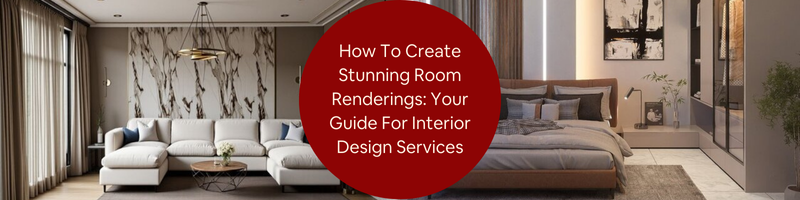
This post provides a guide for interior design services and how it’s used to create beautifulo room renderings. Interior rendering, as a trade within the architectural industry, refers to the production of design visualization to showcase how a room is supposed to look before it’s constructed. The visualization is typically used as a presentation tool to communicate design concepts and ideas to clients and stakeholders for reviews and approval.
Gone are the days when architectural designers and design firms rely solely on the traditional 2D drawings to make sales pitches. While the industry hasn’t reached a point of complete transformation from conventional drafts to the more advanced 3D renderings, it’s pleasing to see how professionals and clients alike no longer treat photorealistic visualization as an expensive add-on but a necessity in the design process.
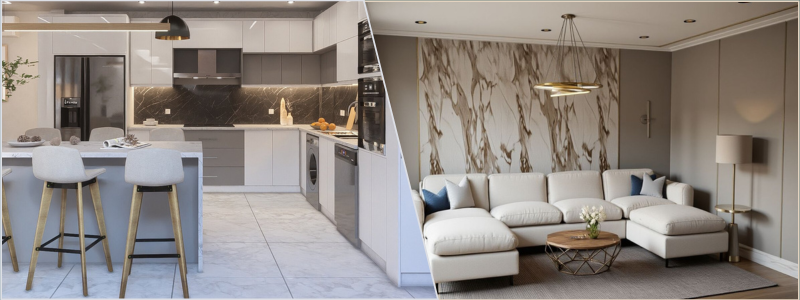
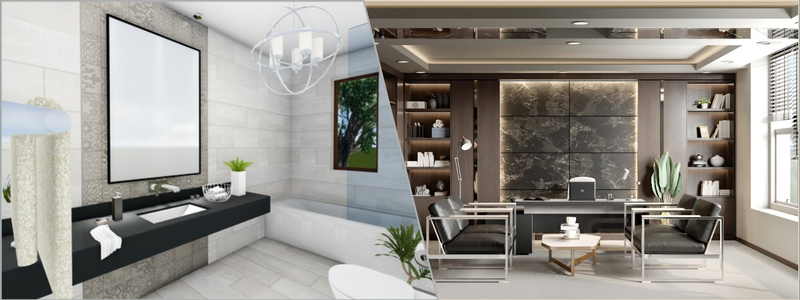
The primary goal of a room rendering process is to make the final image as photorealistic as possible. In other words, the computer-generated imagery needs to look as if you’ve taken a photograph of the room using a professional-grade camera and add some final edits to it. All that sounds simple on the surface, but in reality, photorealistic rendering services are a pretty intensive process that requires not only technical precision and understanding of camerawork but also artistic touches.
RELATED: Virtual Room Design Services and 3D Room Design Tips: Complete Breakdown for Companies and Firms
It takes skills and experience to turn a design draft, whether a floor plan or an interior sketch, into an accurate, lifelike image. Familiarity with a range of 3D modeling and rendering software packages is a must; otherwise, you might miss out on specific features, tools, or functionalities required to achieve the level of detail needed for the work. A high-quality render isn’t just a snapshot of a design translated from a draft; some might say it should be nothing short of artistic expression to evoke emotional responses from the audience.
Photorealistic rendering isn’t exactly a new thing, but looking for a professional and experienced 3D render artist for a project can still prove to be quite a challenge these days. Cad Crowd appears to be the safest bet for now. The AEC-focused freelancing platform is home to hundreds, if not thousands, of the world’s most talented render artists, offering their services at reasonable prices. In any case, every render artist has to start from a place where they almost have no idea what they’re doing before they get to a professional level. It’s not going to be a quick jump, but the following guides should help you get a grasp of the essentials a little bit better.
Practical guides to interior rendering
Photorealistic visualization of an architectural project can be a daunting subject. But the good thing is that, sometimes, a deeper understanding of the basics goes a long way to improve your skills. What you’ll see below won’t be much of a deep dive into the intricacies of interior rendering services, but it might just be enough to lead you in the right direction toward visualization fluency.
RELATED: Types of 3D visualization for architectural design and CGI projects
Learn from references
Just because rendering doesn’t come with exactly the same workflow as photography, it doesn’t mean you can’t use images captured by cameras as references. Even for a project brief that’s uniquely specific, there’s a good chance that you can find photos online that at least partially meet one of the requirements. For instance, if the client wants an interior with an industrial style that uses furniture from a particular brand, the Internet is a good place to start hunting for some inspiration. You might not be able to get any image that ticks all the boxes, but even in the worst-case scenario, you’ll bump into one or two images usable as points of reference.
If photographs are hard to come by, you can always resort to online libraries for rendering. Websites like DeviantArt and Behance have loads of samples to explore and observe. ArchDaily and Divisare also offer curated selections of interior visualizations by well-known designers and render artists. Even Pinterest should be good enough to get you started. There’s nothing wrong with using the works of others for inspiration, so long as you don’t produce an exact copy, which is highly unlikely anyway because their project briefs can’t be identical to yours either.
References allow you to “indirectly” learn from other render artists and 3D designers. All those images might tell you which color combination works best for a small room, what visual style conforms with a home office, how to present a corporate office render, and so forth. Every little detail you see is a lesson to remember.
RELATED: 7 ways 3D interior designer services are used to maximize living and working spaces
Use high quality 3D models
3D modeling design services are the underlying work of an interior rendering. You can’t have a proper render without making sure that you have all the correct models to represent objects in the scene. Remember that you’re not actually capturing photos of physical objects, but generating a visualization of those objects in a digital environment using specialized software. Accurate 3D models are a prerequisite for high-quality rendering. Many things can make your visualization look unrealistic, and poorly-built 3D models are among the worst of them all.
One of the main problems with high-end interior rendering is that you can’t always source quality models from just about any 3D model marketplace online. Let’s assume the client wants the visualization to include objects (furniture, ornaments, fixtures, etc.) from specific brands. In many cases, it’s perfectly fine to model those objects yourself, but make sure that you get clearance from the clients. Some furniture design companies actually sell high-poly 3D assets of their patented design or products, so make time to discuss the matter with the clients to avoid any legal issues.
If you have to model some objects from scratch, remember the following key principles:
- Respect the real-world dimensions: it’s best to model an object according to its actual measurements. If possible, look for the manufacturer’s specification.
- Clean geometry: overlapping meshes aren’t the best solution to achieve a shape or design. They can result in unwanted artifacts in rendering or shading issues.
- Avoid low-poly: any object, whether you plan to use it in the foreground, mid-ground, or close-up view, should be modeled as a high-poly 3D asset. Even if you want to use it as a background object and blur the color for a realism effect, it’s better to have a detailed object converted into a low-poly one than the other way around.
RELATED: How Architects and Companies Leverage 3D CAD Technology to Develop Architectural Models
Be that as it may, modeling from scratch is usually not the priority for efficiency reasons. 3D modeling is a time-consuming task, especially considering the fact that you have the option to source premium assets from online marketplaces. Such platforms as TurboSquid, RenderHub, BlenderKit, and CGTrader, to name a few, have thousands of ready-made 3D models used for architectural rendering services. Assets include furniture, decorations, ornaments, lamps, doors, windows, stairs, and more.
Map the project brief
Reading the brief over and over again does seem like a waste of time and effort, but it’s advised against simply combing through the instructions for the obvious reason that you can easily miss something crucial. To avoid the hassle, make the effort to “map” or outline the brief during the first re-read. This is where you answer questions like:
- What is the intended visual style? Is it minimalist, industrial, contemporary, classic, or something else?
- Is there any particular color combination that best complements the style?
- Does the instruction mention anything specific about the furniture design, brands, ornaments, decorations, wall paints, or other objects and elements?
- What should be the focal point? Is there any object to highlight?
- What time of day will the rendering be? If the 3D visualization design depicts the interior at nighttime, how many light sources are there in the room?
- Does the client provide images or photos for references? If so, what makes the references stand out?
There are no right or wrong answers to any of those questions. Take another look at the client’s references (if any) or other images you’ve already collected to gather ideas and develop a design concept. It’s important to have a clear style direction early on in the process; otherwise, you’ll be doing everything seemingly at random without a well-defined objective.
Unsurprisingly enough, 3D CAD render artists are prone to falling into the trap of repetition. This is when they unknowingly use the same design ideas and visual styles over and over again. Everything looks just fine for the first dozen or so renderings, but then the portfolio shows very little variation in terms of perspectives, composition, lighting effects, color, etc. It’s understandably difficult to come up with a fresh design concept each time, and that’s why everyone needs to take inspiration from other designers and render artists at times.
RELATED: How 3D Modeling Has Impacted the Architecture and Design Industry throughout the Last 30 Years
Camerawork
The hallmark of a high-quality render is when the audience cannot seem to tell if what they see is a computer-generated visualization or a photograph. In other words, you need to try to render like a photographer. Remember that the virtual camera (this is the camera position that gives you the viewing angle for the rendering) essentially follows the same optical principles as an actual DSLR. As a 3D architectural visualization designer, to produce professional-grade images, you shouldn’t stick to the default setting, then do the routine point-and-shoot. There are plenty of settings to configure, including object placements within the frame (composition), to get the best results.
A typical challenge with interior rendering is space limitation. Field of View (FOV) and focal length matter the most here. An easy solution is to use a wide-angle perspective to cover the entire room and therefore fit every object in the frame. But an easy solution isn’t always the best available. If you include everything in the frame, the image most likely ends up with poor composition, with a weak focal point. The sweet spot for interior visualization is a focal point between 28mm and 35mm, or the “prime lens” shot. The viewing angle from these lenses closely mimics the human natural field of view, making the image look realistic.
Detailed shots or vignettes are best when captured using a medium telephoto or “portrait” lens. This allows you to focus on or highlight specific objects or areas while compressing the background at the same time. Experiment with the Depth of Field option for more dramatic blur effects. The next in line is composition, or the arrangement of objects in the scene. Some of the most common composition techniques for interior visualization services include:
- Rule of Thirds: placing the focal point or highlighted features of the room slightly to the right or left of the center.
- Framing: the use of objects such as windows, doorways, ornaments, or even furniture to frame the key features.
- Leading Lines: utilizing noticeable lines (from the objects) in the scene to guide the viewers’ eyes toward the key features.
- Asymmetry: introducing too much symmetry to the scene makes the image look generic, so a touch of imbalance is good.
RELATED: Tips for 3D Rendering with Photorealistic Results at Your Firm
Don’t be afraid to explore the different options of camera angle, height, focal point, and composition. You can’t really see what’s the most effective solution until you compare at least two or three finished renderings. It’s best to do the exploration in the “grayscale render” stage. Also commonly referred to as “white box rendering,” this is the stage where the 3D models are still devoid of color and textures. Professionals use the technique to experiment with camerawork without the need to do full-scale rendering each time.
Mind the lights
The way the 3D modeler set the lighting effects can make or break the rendering. Different times of day have a huge impact on how the room looks and feels. A lot of times, it has everything to do with the kind of room you want to visualize. For example, a bedroom is best encapsulated with artificial light sources during the night, whereas a home office appears to have its most energetic atmosphere during broad daylight. If you decide to use the sun as your primary light source, make sure it’s dispersed enough across the room to maintain a comfortable level of brightness without making everything too dim.
Artificial lights are a little more complicated, as the 3D interior rendering designer have to work with three different types of them, including ambient, accent, and statement. Ambient lights are the base illumination (this is the brightest lamp in the room), accent lights are complementary in nature, such as desk lamps or LEDs behind the TV, whereas statement lights are only for style purposes, like a chandelier. Each type serves its own functions to contribute to the realism effect.
RELATED: 3D Interior Rendering Services for Interior Design Firms How to Make Your Company Stand Out
Free experiments
As mentioned earlier, interior rendering is a little bit of both technical mastery and artistic expression. The mastery portion of the equation calls for software know-how, understanding of the physics of lighting, and material realism. On the other hand, the artistic part is all about visual storytelling; it’s how you convey messages and trigger emotional responses from the audience with imagery. Utilize lighting effects to build an atmosphere, explore different viewpoints to create a narrative flow, or use a specific color scheme to introduce a specific mood within the frame.
In many respects, interior rendering is like product development services, where prototyping is an iterative process. Through subtle yet continuous improvement and structured practice, every image should come out better and more refined than the previous one. More attentiveness to details, combined with valuable lessons from yesterday’s mistakes, can really turn pencil sketches and simple illustrations into emotionally resonant visualizations. Every room and its unique design present their own rendering challenges, but that’s how you afford the chance to try and explore different methods for a visual storytelling that communicates design concepts, lifestyle, or perhaps brand identity.
Whether you’re generating a visualization for a small kitchen or corporate office, every instance is an opportunity to experiment with ideas. This kind of “experiment” will mostly revolve around using more tools and features in the rendering software, but the truth is that you can only improve by being more familiar with the software you have. It’s how you hone your skills in creating different visual styles, not just to get to know the intricacies of each, but to understand which style does best for any given project brief.
RELATED: Differences Between 3D Rendering and 3D Visualization Services
Some ideas will work and others won’t, but mistakes are as effective at giving valuable lessons as success. The point is that experimenting with software tools, lighting effects, perspectives, composition, textures, materials, patterns, colors, and everything else related to rendering will broaden your knowledge. It’s all part of a creative process, and the experience you gain over time can only serve you well.
Takeaway
Apart from skills and experience, high-quality interior rendering from expert 3D photorealistic rendering artists also demands patience on your part. It’s almost an interdisciplinary field that requires technical understanding of lighting physics, the vision of a professional photographer, the artistic expression of a storyteller, and 3D modeling know-how. Chances are, you can’t have all of those overnight. Even a quick learner can take months, if not years, to feel comfortable with the complexities of interior rendering, beyond learning about software tools and understanding what every feature does. Creating a photorealistic visualization forces you to think like an architect and designer while trying to stand in the client’s shoes.
Now that 3D modeling and rendering software have become smarter and faster, the barrier to entry has also gotten lower. Modern software can automate geometry calculations, read textures and patterns, predict light behaviors, and even offer instant color balance correction. However, there’s always the artistic barrier. No software has the power to determine the best light source position to evoke a sense of comfort, energetic lifestyle, or joy. Software can’t replace human touch because it doesn’t have artistic expression.
RELATED: 3D Modeling vs. 3D Rendering Services
How Cad Crowd can help
A professional render artist bridges the gap between a design concept and its eventual materialization. Rendering should be an extension of the designer’s idea – an extension that allows the audience to picture themselves living in a place that doesn’t yet exist and make a buying decision long before construction begins. At Cad Crowd, the focus of architectural rendering isn’t just on realism, but also on believability through artistry. The professionals on the platform have undergone strict screening and vetting processes to maintain high-quality standards and make sure that every client gets the chance to work with the best in the trade. Get a free quote today.
