Guide for the New Product Design Process When Hiring a Design Services Firm


A new product development process typically starts with a design opportunity, which essentially is the realization that you have a chance to introduce a new product that offers a solution to an existing user problem. You then connect with a new product design team, asking for a certain product to be developed, prototyped, tested, manufactured, and finally launched to the market. Design opportunities may arise out of unmet needs or unrealized market demand for a better alternative to an existing product. The design team will set out to analyze the viability of the idea. If there’s indeed a design opportunity, the development can quickly move on to the next phase.

While the process itself is important, a great product is more likely to come out of the work of a great design team as well. Most design teams apply pretty much the same development process, from research and ideation to iterative prototyping and manufacturing. But not all of them have an equal level of expertise and experience to execute every phase of the process well enough to deliver a brief, accurate product design. And when it comes to hiring a design team to handle a new product development, Cad Crowd is bar none the most comprehensive freelancing platform to help you discover multidisciplinary professionals with the know-how to transform ideas and concepts into tangible market-ready products. 

RELATED: Designing for Visual Impact with Your Product Design Services Company

Research

Each and every phase of a product development process holds an important role in determining success, but the research part must be singled out as the biggest contributor to the way the project moves forward. The information you gather as a product designer during the research phase will define and affect all the major points throughout the undertaking, from design specification and prototyping to manufacturing and even post-launch product management. Research primarily involves taking a deeper look into the design opportunity to better understand and clarify what the consumers want.

Main focus areas may include an analysis of competitors’ products (or anything that basically offers a similar solution), an exploration of the available and feasible materials to make the product, and an assessment of potential manufacturing methods. A lot of the details that emerge from the research may help you gain new knowledge about the market, price points, factory partners, marketing strategies, and other aspects of product discovery that influence many design decisions later on.

It’s just near impossible to launch a new product development without research, as it opens the door to an in-depth awareness of the contexts surrounding the project, including the business goals, market landscape, target consumers, quality standards, buyers’ expectations, brand identity, and so forth. All these contexts will be used as the foundation of every design decision to keep you on the right track and ensure that the eventual product is something people actually want.

RELATED: How Innovative Design Techniques Can Supercharge Your New Product Concept

Feasibility study

The discovery of a design opportunity brings the excitement of a potential for market success. But it’s important to remember that not every idea leads to a great product. You must first validate the design opportunity by conducting a proper feasibility study and an inquiry into the real-world market demand. A feasibility study is especially crucial when you’re developing a physical product. Bear in mind that you’ll be spending a lot of time and money creating a product and releasing it into the market for people to buy. This is how you regain the initial investment and eventually make profits.

In order to make as much profit as possible, the product designed by expert new concept design & product development firms needs to offer real value to consumers (so it sells in high numbers) while keeping the production cost low. And within the realm of manufacturing, mass production brings down the cost per unit. It follows the same basic formula of “total production cost divided by the number of units produced,” which roughly translates to “the more units you produce, the lower you have to pay for the manufacturing of each unit. 

Suppose your new product is a water bottle. In all likelihood, you’ll release thousands of those water bottles into the market at launch. You’ve already spent a vast amount of money researching, developing, and prototyping the product, so you might as well manufacture it in high volume, allowing you to sell each unit at a reasonable price and gain a competitive advantage. Because you’re entering a market already flooded by similar products, a proper balance between quality and price is a clever strategy to give your brand a fighting chance in the competitive landscape.

In the absence of a feasibility study, you blindly send the products to compete with existing alternatives. If the product fails to generate interest among consumers and sells poorly, much of the money you’ve poured into the development is as good as gone. You can’t improve the design when the products are already on store shelves. Unlike software or apps that can receive patches to fix bugs, a physical product comes with a greater sense of urgency to be done right the first time. 

RELATED:  From sketch to prototype with product design services for companies at Cad Crowd
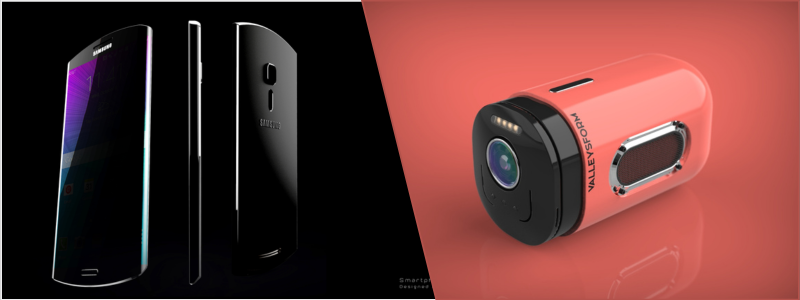
product design firm

A feasibility study isn’t just about figuring out whether the water battle can be produced, but it also concerns the business side of product development. Other than an analysis of potential market demand and competitors’ products, the study should include a comprehensive risk assessment as well. There needs to be an encompassing evaluation for financial risks that may emerge from technical challenges, environmental impacts, operational costs, legal issues, etc.

An accurate estimation of product development cost can provide hints into the financial viability of a product; this is where you calculate how much financial investment the development takes, the cost of production per unit, and the amount of money you make for every unit sold. This information enables the design team (or project manager) to come up with an effective plan for resource allocation. Does the design team have enough budget and human resources to ensure a successful product development? If resources are tight, is there any way to keep the development running more efficiently?

Idea generation

Every product people see and use every day starts as an idea. Some say an idea can arrive out of nowhere and lead you to an innovative product design the market has never seen before, but product developers can’t always count on such a sudden brainwave. It doesn’t happen too often, and when it does, there’s no guarantee it’s a good one. Following the research phase, the design team should gather for an idea generation session. At the very least, the session should involve the project manager, the designer, and the engineer. An ideation phase is meant to generate as many product concepts as possible from differing perspectives.

The main purpose isn’t to define how the final product should look and what features it needs, but to come up with multiple available design options that align with the market demand. An idea generation doesn’t have to be a sophisticated process. It can be as simple as a brainstorming session supplemented by social media exploration and Internet search. Make sure to write down the ideas in an organized fashion, so you can keep track of everything, because you will have to refer back to the notes repeatedly over the course of the session. Sketches and drawings created by CAD drafting professionals (with annotations) are simple yet probably the most effective tools for the job.

RELATED: Top 31 Websites to Hire Concept Design Experts and CAD Engineers for Companies & Firms

Don’t even think about using CAD software. You don’t need it at this point, but you will definitely use it later in the development process. If you want to be a bit more elaborate, the design team can take advantage of tools like Facebook Groups or online forums to conduct surveys. However, you’re not asking the public to give you ideas; the surveys are intended as communication channels to discover consumers’ interest in new products, pain points they experience with the existing products, what features they want, and so on. You can then formulate ideas based on the information.

Back in the research phase, you’ve already defined what problem the product is supposed to solve. Keep in mind that a product can only become an attractive option to the existing alternatives if it offers a good solution to a problem. The idea generation phase must therefore strive to discover a viable design that may take care of this problem in an easy, practical, and affordable manner. That being said, an effective ideation also needs to be judgment-free, meaning everyone is encouraged to come up with any suggestion or concept of a product. Some of those ideas will be bad, others are terrible, but a few concepts may seem promising enough. The focus is on quantity, not quality, so everything is welcome so long as it still makes sense.

Idea screening

Never confuse “idea generation” with “idea screening,” as the latter needs a completely different approach from the former. While they’re both intended to discover viable product design, idea screening is where every single concept generated during the previous phase will be scrutinized for technical and financial feasibility. At the end of the screening process, it’s expected that the consumer product design team has put aside all the ideas that are not going to work, either because it’s implausible from a technical point of view or due to budget constraints. A proper screening prevents you from spending time and money on something that’s highly unlikely to materialize.

It’s better to narrow down the options to the most promising and realistic design, so you can utilize the resources more effectively. Ideas are not actually that difficult to generate; what’s difficult is choosing the right one to develop further. Because a new product development process is almost always an expensive venture, the design team must establish an efficient strategy to manage ideas and implement prioritization. Ideally, only the best option deserves resource allocation. 

RELATED: Best Tips for Creating a New Invention or New Product Design

For example, during an idea generation for a new water bottle, there are more than 20 ideas with sketches and drawings recorded by the CAD drawing expert. In an attempt to be unique or striking, one member of the design team created a concept of a sports water bottle made entirely out of stained-glass materials. It’s not technically impossible, but carrying such a brittle product for outdoor activities isn’t exactly popular. Another member suggests a design of an otherwise typical water bottle, except that the lid is positioned in the middle rather than at the top as normally expected. The design should dismiss those ideas and look for something better.

A scoring system can make idea screening easier. Rate the product based on such factors as manufacturability, potential market size, and alignment with the design team’s capabilities. Features and usability must be taken into consideration as well. For instance, the ideal water bottle should be easy to use, clean, refill, and carry. The materials should be safe, durable, and easily sourced. As for the aesthetics, don’t forget to include ergonomics (the shape and form of the product) into the equation, too. The idea that ends up at the top of the scoring system is the one worth developing.
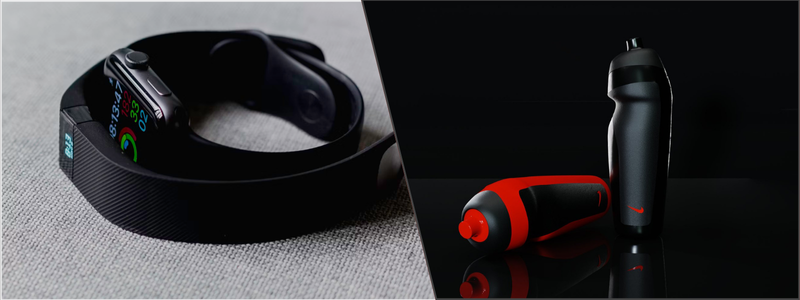
product prototype design services

Working backwards

Sometimes, it pays to use the “working backwards” technique during the idea generation and screening phases, although this is mostly reserved for the more complex products like electronics or mechanical implements. As the name suggests, the technique requires you to start from the endpoint of a design process. Suppose you want to build the thinnest Bluetooth-enabled stereo speaker in the market; the 3D product modeling team uses a sketch or a 3D model of the product in question, and then works backward to figure out the necessary engineering steps to achieve the design.

Design specification

With the market research and ideation phases done, it’s now time to focus on the best concept selected from the screening process. At this point in the development, even the best concept still only represents a rough notion of a product. Everything is imprecise and will need a lot of work until it actually resembles a refined concept. A big part of the work is to define the product specification, which may include details like dimensions, materials, aesthetics (colors, ergonomics, textures, etc.), and cost. Depending on the product type, a design specification may contain information about functionality, technologies to be utilized to fabricate or manufacture the product, and how the product should be used.

RELATED: Innovation Best Practices: Strategies for Better & Faster Product Design Services

Design specification is all about defining the product’s function and form, as well as the user experience it should deliver. The purpose is for the product engineer to create a workable concept that can be feasibly developed into a user-friendly product. More importantly, the concept can give you a clear vision of how this product will provide a solution to an existing problem. Design specification isn’t always final; the concept created from this phase doesn’t necessarily represent the market-ready product. There might be multiple rounds of refinements and changes at a later date, especially after prototyping and testing phases.

Concept development

A follow-up on the design specification phase, the team embarks on concept development work to transform the idea into something a little bit more concrete. You’re not creating a prototype here, but a digital visualization of the product drawn on a computer screen using CAD software. 3D modeling design services are much more preferable than two-dimensional sketches as it offers a clear visualization of the product’s physical shape. The initial mock-up might not look realistic, but at least it can accurately represent the form and proportion/dimension.

Once the wireframe model has been created, the design team can keep on refining the concept by giving it additional details such as colors, textures, and patterns on the surface to achieve a more lifelike appearance. The vast majority of modern 3D CAD software packages offer the option to mimic the looks of various materials such as metal, plastics, woods, stones, and so forth. No matter what you make, make sure every little detail is drawn in accordance with the design specification.

But a product concept development isn’t only about translating the design specification into a 3D visualization design. It’s also about evaluation. The digital mock-up allows the design team to present the concept in a much more discernible format to stakeholders. Having a clear visualization of a product concept as a presentation tool makes it easier to elicit feedback from everyone involved in the project. If you can see and understand the concept, you’re likely to notice whether the design team has done something that accurately aligns with the project brief or misses the mark. Either way, you (as a client) can give honest feedback to the team.

RELATED: Top 51 3D Product Rendering Design & Best 3D Visualization Services Companies in the US

It may take a few rounds of feedback and refinements throughout the concept development phase. The additional insights and criticisms from the stakeholders enable the team to iterate on the design in the hope of discovering the optimal solution. The good thing is that all the modifications to the mock-up happen on a computer screen. There’s no physical object involved in this process to save time and money. The goal is to address potential flaws at the earliest time possible and build an aesthetic design that can differentiate the product from all others in the market.

Business analysis

With the final concept in hand, the next logical step is to analyze and calculate how much money it will take for the product design expert to transform the concept into a physical product. Although it’s difficult to be precise about it, at least the design team has a rough idea of the amount of money (and other resources) required to bring the concept to life. Among the major points of consideration are the cost for prototyping and manufacturing. An experienced design team should be able to provide an estimate, allowing you to set a maximum budget limit to avoid overspending. Based on the available budget, the project manager can set a course of action to make the best of the provided resources.

Prototyping

Certainly, the most exciting step of a new product design process, the prototyping phase, is where the concept transforms into a physical object. A prototype is an early version of a product, with a lot of imperfections. The idea behind physical prototyping is to give the prototype design team the chance to run multiple tests to see if the product looks and works as intended. It sounds like a fun (and potentially expensive) experiment depending on how well the prototype performs, but there can be various mishaps such as dimension errors, poor ergonomics, feature malfunctions, and so forth.

Many things can go wrong, but every discovery of a mistake is a lesson that yields valuable insights into creative solutions. By far, the most widely used prototyping methods are 3D printing services and CNC machining. Each has its own advantages and drawbacks, depending on the nature of the product itself. For example, 3D printing is great for creating a physical prototype made entirely of plastic material. Thanks to the proliferation of consumer-grade 3D printers, it has now become easier, quicker, and more affordable to create a physical object from a CAD file. CNC machining is just as accurate, but the method is mostly intended for a prototype made of metal.

RELATED: Designing Prototypes: 3D Design Services for Inventors and Companies

Simulations

Computer simulation software actually allows you to test a product without having a physical prototype. In essence, the technique requires you to build an accurate 3D model (of the product) and run it through many different virtual usage scenarios and stress tests. Popular tools such as Finite Element Analysis (FEA) engineering services and Computational Fluid Dynamics (CFD) offer a detailed overview of product or material behavior when exposed to real-world forces, for instance, exposure to extreme temperatures, electromagnetics, vibration, and weight or load. Virtual simulations help designers and engineers identify weak points in a product assembly and discover room for improvement without creating a physical prototype.

Testing and iteration

Virtual simulations are great and all, but a physical prototype remains a crucial point in a product design process. A physical prototype is still the best way to understand real-world user experience and feel the ergonomics of a design. You need to know if the product actually is easy-to-use and does offer an effective solution to a user problem. Regardless of the prototyping method used, a new product development is always an iterative process. A physical prototype provides clues as to how to make the next one better in every aspect, including usability, safety, durability, and functionality. Note that you may need more than several rounds of testing and iteration before the product achieves its optimal design. 

Manufacturing

At the end of the prototyping phase, you have a final design ready to be mass-produced. The design for manufacturing and assembly team collaborates with a manufacturing partner to make sure that the production units are identical to the final prototype. Every detail from the materials, dimensions, forms, functionality, and appearance of the mass-produced units will go through a quality assurance process to verify the overall build quality and performance. Once everything is verified, the product is ready for market launch.

RELATED: DFM For New Product Design Excellence: Complete Guide for Company Success

How Cad Crowd can help

A successful new product design process requires a well-balanced combination of creativity, excellent attention to detail, financial sensibility, persistence, and excellent project management skills. From the moment you bump into a design opportunity all the way to the manufacturing process, things might not always run smoothly without occasional mishaps. The mark of a great team is to handle every setback with a positive attitude and a willingness to strive for innovations and effective solutions. And as previously mentioned, you’ll be hard-pressed to find a more extensive platform for hiring professional product designers than Cad Crowd. Get a free quote today!

author avatar

MacKenzie Brown is the founder and CEO of Cad Crowd. With over 18 years of experience in launching and scaling platforms specializing in CAD services, product design, manufacturing, hardware, and software development, MacKenzie is a recognized authority in the engineering industry. Under his leadership, Cad Crowd serves esteemed clients like NASA, JPL, the U.S. Navy, and Fortune 500 companies, empowering innovators with access to high-quality design and engineering talent.

Connect with me: LinkedInXCad Crowd

“WE DID IT!”: Highguard 5v5 is “here to stay,” and players are psyched that the studio is doing what it should’ve done in the first place


When I played my first Highguard game last week, my literal first thought was: oh, there needs to be more players on this map. The 3v3 raid mode was fun enough, but the map is more than big enough to support, and even benefit from, 4v4, 5v5, or even 6v6 matches. Others felt the same, and so Wildlight very quickly added what was described at the time as a “limited-time” 5v5 mode, and now, the studio says that mode will be permanent.

Over on Twitter, Wildlight says there were about the same amount of people playing 5v5 as the original 3v3 over the weekend, which apparently was all they needed to see.


Firefox is giving users the AI tool they really want: A kill switch


firefox android browser logo 1

Andy Walker / Android Authority

TL;DR

  • Firefox 148 adds a new AI controls section that lets you manage or fully disable the browser’s AI features.
  • A single toggle can block all current and future AI tools, including chatbots, translations, and link previews.
  • The update rolls out on February 24, with early access available now in Firefox Nightly.

Some people get excited whenever a company introduces its users to new AI tools, but a growing contingent has only one question: how do I turn this off? With its next desktop update, Firefox is finally offering a clear answer.

Do you use AI features on your phone?

1320 votes

According to a post on the Mozilla blog, Firefox 148 will add a new AI controls section to the browser’s settings when it rolls out on February 24. This gives you a single place to manage Firefox’s generative AI features, including a master toggle that blocks both current and future AI tools altogether.

Don’t want to miss the best from Android Authority?

google preferred source badge light@2xgoogle preferred source badge dark@2x

At launch, those controls include automatic translation, AI-generated alt text in PDFs, AI-assisted tab grouping, link previews that summarize pages before you open them, and the AI chatbot in the sidebar. Turning on Block AI enhancements does more than disable these features — it also prevents Firefox from prompting you about future AI additions.

Mozilla says your preferences will persist across updates, and you can change them at any time. The new controls will appear first in Firefox Nightly builds before reaching the stable release later this month. Firefox obviously isn’t backing away from AI entirely, but it is an acknowledgment that the tech is already grating on some users.

Thank you for being part of our community. Read our Comment Policy before posting.

Bethesda keeps the Fallout remaster hopium flowing by showing Aaron Moten inside Fallout 3 and New Vegas


What do you do if you suddenly have a hit TV show based on a videogame? Well, making a new videogame for fans to buy and play would be a good start—but what if the TV show is Fallout and you’re Bethesda?

Since Fallout 5 could still be as much as a decade away, there’s another possibility to keep Fallout fans busy with something newish, at least: remasters of Fallout 3 and Fallout: New Vegas. I imagine we’ll probably get at least one of those remasters in the future: the same leak that was right about the Oblivion remaster also said a Fallout 3 remaster was in the works.

Agentic AI Needs Judgement, Not Just Autonomy


Agentic AI has become the dominant architecture for organisations trying to get value for their AI investment. Single shot Large Language Model (LLM) queries have a high risk of hallucination, Retrieval Augmented Generation (RAG) is limited to search and summarisation and is brittle at scale, and so the world is turning to multi-step reasoning models and agentic AI. 

Many think the idea of agents is new, but it isn’t. It goes back decades and books were written about them in the 1990’s.  

Breaking complex work into smaller steps, assigning them to specialised agents, and allowing those agents to plan and act autonomously is a powerful idea, because it mirrors how human teams work.

There is value here. 

Agentic systems can manage workflows, coordinate tools and operate at a speed and scale that human teams cannot match. It is not surprising that they are being explored so widely given the relatively low levels of return on previous LLM-based architectures.

But as agentic approaches move from experimentation into operational environments, particularly in regulated sectors, a familiar problem is resurfacing. Does the promise live up to the reality? 

As we explore this further, consider the following.  

Prediction is not the same as judgement and planning is not the same as reasoning. These distinctions matter.

The problems that agentic AI does not fix

Most agentic systems today are powered by LLMs, impressive word prediction machines that are astounding but have innate weaknesses; they’re imprecise, non-deterministic and although partially observable, are impossible to audit. 

An agentic system is made up of smaller more deliberate LLM-powered micro-processes. Even when an AI process is broken into agentic steps, the underlying weaknesses remain in each of those steps. Each is still predicting what is likely, not reasoning over knowledge to determine what is correct.

For many tasks, it is completely acceptable to mentally insert the word “probably” before an agentic outcome, and that is sufficient. Most agentic projects today simply rely on human guardrails to check the output. 

But as I have written previously, this approach doesn’t scale and humans are extremely poor at checking automated outputs. 

Of course, drafting content and summarising information do not require guarantees and there are many use cases where variability in the outcome is tolerable.

But, the moment an agent is involved in the determination of a decision with regulatory, legal, or financial consequences, there is no tolerance for error, and this is estimated to be around a third of enterprise use cases.  

In these circumstances, organisations need to ask themselves three questions:

  • Does our technology output answers that precisely compute over our specified knowledge; whether derived from regulation, policy, or human expertise?
  • Will the same inputs always produce exactly the same outputs?
  • Can we understand and audit exactly how the decision was made to deliver compliance on demand?

LLMs do not pass these tests and therefore, nor do LLM-powered agentic systems.   

This matters even more when you consider that agentic AI is not just about breaking a task into individual agents, it’s about giving those agents agency, the ability to take action. 

Splitting a probabilistic process, based on historic training data, into smaller probabilistic steps doesn’t make the outcome precise, deterministic and auditable, even if a logical workflow orchestrates each step. And while there is value in logging and understanding the steps in an agentic process, as well as recording the LLM’s comments on its own thinking, this is the simulation of logical reasoning, not the real thing. Approaches like context graphs are trying to create an audit trail from the exhaust fumes of LLM generation. 

There are therefore substantial risks in giving such models the agency to take action based on a decision, unless that decision was created outside of the LLM. 

This is not a criticism of agentic AI, it is a statement of what agentic AI is, and is not, designed to achieve. 

Planning and judgement are different problems

One of the most persistent sources of confusion in agentic AI discussions is the terms being used. Planning, reasoning and thinking are all frequently interchanged. There is an assumption that they are exact synonyms, and they are not. 

Planning is typically about sequencing actions in linear steps. Reasoning is a more sophisticated non-linear process and requires navigation of data and the making of inferences in the face of a world model of knowledge. 

While agentic processes look like reasoning, each use of an LLM remains a black box process that is making a statistical prediction based on a balance of probability influenced by publicly trained data.

Prompt engineering is not an engineering discipline. You can ask an LLM to use only your own knowledge sources, or ask it not to hallucinate – but these are not instructions. Tokens in, influence tokens out, and that is it.   

True reasoning on the other hand requires the navigation of a decision space, the application of policy, regulation, expertise and judgement. It often requires inferences to be made, and sometimes clarifying questions to be asked in order to gather missing data and reach an advanced, logical and defensible conclusion.

Agentic systems are well suited to predicting outcomes, but that is not the same as making judgements. Decisions require data but also judgement, and that requires explicit knowledge representation, logical reasoning, and the ability to show working. 

These are not properties of LLMs, regardless of how they are orchestrated.

Building agentic systems in the hope that they can serve as decisioning systems is an architectural error, unless the agents have access to a companion technology that serves as a trusted central decisioning authority. 

Where Rainbird fits in an agentic architecture

Rainbird was built for making judgements, not predictions. In the world of agents, it serves as the deterministic decision layer. 

When an agent reaches a point where a decision must be correct, consistent, and defensible, the agent simply passes its data and defers that decision to Rainbird. Rainbird uses sophisticated symbolic inference to reason over encoded organisational knowledge structured as knowledge graphs. That knowledge may include regulation, policy, procedures, and expert judgement. 

The reasoning is 100% deterministic, so given the same inputs – even with levels of uncertainty – the same outcome is produced, every time. Crucially, the system also returns a logical chain of reasoning that led to its determination.

The agent receives this decision and has the option, but not the obligation, to take action based on the precise, deterministic and auditable outcome. In fact many agentic systems are only allowed to have the agency to take action, if Rainbird powered the decision.  

This division of labour is simple yet powerful. LLM agents do what they are good at; natural language processing, drafting artifacts, summarising, tool selection, while Rainbird acts as the central decisioning authority. The combination is production-proven and keeps agents fast and flexible, while ensuring that decisions of consequence can be made safely in a way that satisfies regulators. 

What this looks like in practice

Consider a financial crime workflow.

An agent monitors transactions, gathers context, and manages the operational flow. When a transaction requires a sanctions or Anti-Money Laundering (AML) decision, the agent does not attempt to reason its way through policy. Instead, it passes the relevant details to Rainbird.

Rainbird evaluates the case against encoded regulation and internal policy, applies logical reasoning, and returns a clear decision with supporting evidence. The agent then acts on that decision, escalating, clearing, or blocking the transaction as appropriate.

The agent provides speed and coordination. Rainbird provides correctness and accountability, while operating at enterprise scale with predictable, low latency.

This same pattern works in credit eligibility, compliance checks, underwriting, insurance claims, tax and audit, etc. The use case may differ, but the architectural power is the same.

Why other approaches fall short

It is common to ask whether this problem can be addressed with better prompting, RAG, GraphRAG, or human-in-the-loop review.

Careful prompting improves outcomes but provides no guarantees. Retrieval provides search and summarisation, improving access to information, but not the application of logic. Human review does not scale and introduces inconsistency and automation bias.

No combination of these approaches can produce a system that can guarantee repeatable outcomes with an auditable reasoning trail. They may reduce risk at the margins, but they do not remove it.

If an organisation cannot prove how a decision was made, it is still exposed. 

Moving from experimentation to responsibility

Agentic AI is a powerful step forward in how we should structure intelligent systems. But autonomy without judgement simply moves risk faster through a process.

If organisations want to deploy agentic systems in environments where decisions matter, they need architectures that separate execution from reasoning, and prediction from judgement.

This neurosymbolic approach is not a future aspiration, it’s available today and is battle hardened. 

At Rainbird, we have spent over a decade building systems that treat institutional knowledge as a first-class citizen, reason over policy deterministically, and producing decisions that can be explained, audited, and defended. In an agentic world, that capability scales massively. 

I’d suggest the following: The next phase of enterprise AI will not be defined by how many agents a system can run. It will be defined by whether those agents can defer to a deterministic decision authority that can make safe, logical determinations in knowledge-rich domains and prove why they are right.

That is the difference between AI that looks impressive at PoC and AI that can be trusted in Production.

Grok, which maybe stopped undressing women without their consent, still undresses men


It looks like Grok is still being gross. Elon Musk says his chatbot stopped making sexualized images without a person’s consent, but this is not entirely true. It maybe (and I say maybe) without their consent, but this doesn’t seem to apply to men.

A reporter with the organization ran some tests with Grok and found that the bot “readily undresses men and is still churning out intimate images on demand.” He confirmed this with images of himself, asking Grok to remove clothing from uploaded photos. It performed this task for free on the Grok app, via the chatbot interface on X and via the standalone website. The website didn’t even require an account to digitally alter images.

The company recently said it has taken steps to “prevent the Grok account from allowing the editing of images of real people in revealing clothing such as bikinis.” However, the reporter had no problem getting the chatbot to put him in “a variety of bikinis.” It also generated images of the subject in fetish gear and in a “parade of provocative sexual positions.” It even generated a “naked companion” for the reporter to, uh, interact with.

He suggested that Grok took the initiative to generate genitalia, which was not asked for and was visible through mesh underwear. The reporter said that “Grok rarely resisted” any prompts, though requests were sometimes censored with a blurred-out image.

This controversy started several weeks ago when it was discovered that Grok had over a period of 11 days. This includes many nonconsensual deepfakes of actual people and over 23,000 sexualized . This led to investigations in both and . X was actually banned in both Indonesia and Malaysia, though the former .

X claimed it has “implemented technological measures” to stop this sort of thing, but these safeguards . In other words, the adjustments do stop some of the more obvious ways to get Grok to create deepfakes, but there via creative prompting.

It’s also worth noting that journalists asking for a comment on the matter get slapped with an autoreply that reads “legacy media lies.” Going with the fake news thing in 2026? Yikes.

visual studio – “Add” button disabed when creating a view


I want to generate a view or partial view from actionby clicking “Add
View” button. But as you can see the button is disabled and I cannot
generete anything.

Actually, your Add button is disabled because you have either removed model class /templete value or haven’t selected anything which causing the issue.

Most importantly, While selecting view you should take either you should select context model or if there is not relevant model class it should select to Empty or without model from the dropdown, other than, your Add button would be disabled.

I have reproduced your issue accordingly as you can see down below:

enter image description here

How to resolve:

You can follow below steps to include your view:

enter image description here

Output:

enter image description here

Note: Please refer to this official document if you would like to know more details.

TikTok says its services are restored after the outage


TikTok, which is under new ownership in the U.S., said Sunday that it has restored service after outages last week that marred user experiences. The social network has over 220 million users in the U.S.

The company blamed last week’s snowstorm, which caused an outage at an Oracle-operated data center responsible for TikTok operations.

“We have successfully restored TikTok back to normal after a significant outage caused by winter weather took down a primary U.S. data center site operated by Oracle. The winter storm led to a power outage which caused network and storage issues at the site and impacted tens of thousands of servers that help keep TikTok running in the U.S. This affected many of TikTok’s core features—from content posting and discovery to the real-time display of video likes and view counts,” the company said in a post on X.

In January, the U.S. finalized the deal to create a separate entity for TikTok. A U.S.-based investor consortium called TikTok USDS took a controlling 80% stake, with the remaining 20% ownership held by ByteDance.

Following the deal finalization — which coincided with the snowstorm — users experienced glitches in features like posting, searching within the app, slower load times, and time-outs. TikTok noted that creators might see zero views on their posts until the problem was resolved. Later, the company said that it was working on solving the issue, but outages persisted, and users faced problems with posting content.

TikTok’s transition to a new ownership structure, paired with app snafus and user experience glitches, was beneficial for some other social networks. The Mark Cuban-backed short video app Skylight, which is built on the AT protocol, saw its user base soar to more than 380,000 users in the week the deal was finalized. Upscrolled, a social network by Palestinian-Jordanian-Australian technologist Issam Hijazi, also climbed in App Store rankings to reach the second spot in the social media category in the U.S. The app was downloaded 41,000 times within days of the TikTok deal’s finalization, according to analyst firm AppFigures.

Techcrunch event

Boston, MA
|
June 23, 2026

These AI notetaking devices can help you record and transcribe your meetings


Digital meeting notetakers like Read AI, Fireflies.ai, Fathom, and Granola help record and transcribe online meetings. But for in-person or more versatile options, many people prefer physical recording devices These physical notetakers transcribe audio and give users summaries and action items of meetings using AI.

Some of these devices are wearable—pins or pendants with dedicated mics for recording—while others are credit-card sized with dedicated mobile apps to transcribe and extract insights using AI. A few even offer live translation.

Below is a non-exhaustive list of physical AI notetakers and transcription tools.

Plaud Note/Plaud Note Pro

This credit card-sized notetaker has been around since 2023, with a newer, AI-powered Pro version that has a small screen, four mics, and records audio within three to five meters. It also can switch between in-person recording and call recording.

Plaud Note Pro. Image Credis: Ivan MehtaImage Credits:Ivan Mehta

The Plaud Note costs $159, while the Note Pro costs $179. They come with 300 minutes of transcription free per month.

Mobvoi TicNote

Mobvi’s rectangular notetaker is priced at $159 and includes 600 free transcription minutes. The company claims the device shows real-time transcription and translation with support for more than 120 languages. The device offers 25 hours of continuous recording through its three microphones.

Image Credits: Ticnote

In terms of software features, the TicNote offers automatic highlight extraction and the ability to create audio clips or summarized podcast versions of a conversation.

Techcrunch event

Boston, MA
|
June 23, 2026

Comulytic Note Pro

Comulytic is a newer entrant in the hardware AI notetaker market. The company’s claim for differentiation is that its $159 Note Pro device doesn’t require any additional subscription for basic transcription. That means you can transcribe unlimited minutes by just buying the device.

Image Credits: Comulytic

The device can record up to 45 hours of audio continuously on a single charge and has more than 100 days of standby time.

The company has a $15 per month or $119 per year advanced plan that offers instant AI summaries, unlimited templates for summaries, an action item list, and chat with AI assistant without any limits.

Plaud NotePin/Plaud NotePin S

Plaud NotePin and NotePin S are the smaller and more pocketable versions of the company’s larger Note and Note Pro devices. The NotePin has a versatile design: You can wear it as a wrist band, a pendant, clip it to your bag, or wear it on your shirt with a magnetic attachment. Notably, the lanyard and wristband are only available with the NotePin S.

Image Credits: PlaudImage Credits:Plaud

Both devices have two mics, and can record around 20 hours of audio continuously on a single charge. The NotePin S has a physical button to start/stop recording and capture highlights.

Both are similarly priced to their credit-card-shaped counterparts. The NotePin is priced at $159, and the NotePin S is priced at $179.

Omi pendant

The Omi pendant is a cheaper alternative to other notetakers at $89. This is because the pendant has to be connected to your phone and doesn’t have any onboard memory. The device has two mics and can run for 10 to 14 hours on a charge.

Image Credits: Omi

While Omi has its own app, you can use other apps as the hardware and software are open-sourced. Users have also built different connectors and apps for the device.

Viaim RecDot

Viaim’s earbuds allow for transcription during calls, with additional recording capabilities in the earbuds’ case. These buds are priced at $200 and Viaim claims they can transcribe audio in up to 78 languages in real-time. The company’s app can also highlight key points in transcriptions.

Viaim ReCDoc

Anker Soundcore Work

Anker’s Soundcore Work pin is a coin-sized AI notetaker with a puck-shaped battery pack. The $159 device can record for eight hours without breaks, or up to 32 hours if the pin is attached to its case, the company says.

Image Credits: Anker

Anker claims that the device has a five-meter recording range. Users get 300 minutes of transcription free per month.

3D Architectural Modeling That Prevents Costly Build Errors


Here is the problem most projects quietly struggle with. 

Great ideas do not usually fail in the design studio. They fail somewhere between the drawing set and the construction site. This is precisely why 3D Architectural Modeling is important. It provides team members with ways to digitally test, coordinate, and validate a structure before construction in the field. By doing so, 3D Architectural Modeling helps significantly reduce the risk of design degradation throughout the construction process. 

A space that looked generous on plan feels tight once services go in. A façade detail that looked crisp in elevation loses its precision during coordination. A clean design concept slowly gets simplified, adjusted, and compromised until what is built is close, but not quite, to what was intended. 

That drift is not dramatic. It is gradual. And expensive. 

This is where 3D architectural modeling changes the story. It gives teams a shared, testable version of the building before concrete is poured or steel is erected. Instead of relying on interpretation, teams work from something they can see, measure, and coordinate against. 

In today’s construction environment, that is not a luxury. It is risk control. 

What Is 3D Architectural Modeling in Practical Terms?

At its core, 3D architectural modeling is the creation of a detailed digital version of a building’s architectural elements -walls, floors, roofs, façades, openings, interiors. All placed in real space, at real scale. 

Unlike 2D drawings, which ask each stakeholder to mentally assemble the building from plans and sections, a 3D model shows how everything actually sits together. Spatial relationships are visible. Volumes are clear. Interfaces between systems are no longer theoretical. 

On many projects, these models sit inside a broader 3D BIM Modelling workflow, where geometry is linked with material data, system information, and quantities. That turns the model into more than a visual tool. It becomes a working reference for design development, coordination, and construction planning. 

In short, it shifts the conversation from “this should work” to “this does work.”

The Different Types of 3D Architectural Models You’ll See

Not every model serves the same purpose. And that is important. 

Conceptual Models 

Used early in 3d architectural design, these models help teams explore massing, orientation, and overall form. They answer big questions about how the building sits on the site and how the space might feel. 

Detailed Design Models 

Now things get precise. Dimensions tighten. Materials are defined. Architectural elements are developed in coordination with structural and MEP systems. This is where many hidden problems either surface early or slip through. 

Construction-Level Models 

These support fabrication, shop drawings, and field execution. Tolerances matter. Interfaces matter. At this stage, the model becomes central to 3D building modeling strategies that connect design with construction reality. 

Together, these model stages create continuity from creative intent to buildable reality. 

Why Design Intent Gets Lost in the First Place

Most project issues are not caused by bad design. They are caused by a design that was never fully understood before it reached the field. 

2D Drawings Leave Room for Interpretation 

Traditional CAD architectural design documentation depends heavily on how individuals read drawings. At complex junctions, two professionals can interpret the same detail differently. Both think they are right. The conflict shows up when work starts. 

Spatial Understanding Is Hard in Flat Views 

Vertical clearances, depth relationships, service zones. These are not always obvious in plans and sections. Teams fill in the gaps in their own heads. 

Disciplines Work in Silos 

Architectural, structural, and MEP teams often develop designs in parallel. Without coordinated modeling, clashes remain invisible until installation. 

Clients Struggle to Visualize 

Clients rarely think in sections and elevations. When they finally understand the space, it is often late in the process. 

The Site Becomes the Testing Ground 

Unresolved questions turn into RFIs, field changes, and rework. A coordinated model pulls that testing forward into the digital stage.

How 3D Architectural Modeling Actually Protects Design Intent

Design intent does not disappear all at once. It erodes step by step as drawings get interpreted and adjusted. A model shows that erosion.

how-3d-architectural-modeling-bridges-the-gap

Space Gets Tested, Not Assumed 

Designers can walk the space virtually before it exists. They see proportions, circulation paths, and tight corners that may not be obvious in drawings. 

Scale Stops Lying 

In 2D, scale can be deceptive. In a model, every element sits at its true size. Columns, ceiling drops, façade depths. Small mismatches caught early avoid on-site corrections. 

Materials and Light Become Real Decisions 

Through 3D Architectural Visualization, teams can evaluate how materials meet, how light interacts with surfaces, and how depth shapes the space. Subtle design intent often lives in these transitions. 

Details Stay Visible During Trade-Offs 

When teams understand what a detail is achieving, they are less likely to simplify something important during cost or coordination discussions. 

Changes Stay Consistent 

In model-based workflows, updates flow through plans, sections, and views together. Fewer contradictions. Fewer coordination surprises. 

There’s research behind this, too. A 2024 peer-reviewed analysis found that coordinated BIM workflows can reduce rework costs by up to 49%. That’s not marginal gain. That’s the difference between a project that absorbs surprises and one that’s defined by them. When coordination issues are solved digitally, design intent has a much better chance of surviving the journey to the site.

How Modeling Improves Communication Across Teams

Modeling changes in conversations. Instead of debating what a drawing means, teams look at the same digital building. Architects, engineers, contractors, and clients reference the same geometry. 

Interactive walkthroughs supported by 3D Architectural Visualization also help non-technical stakeholders understand the space. Approvals move faster. Feedback comes earlier. 

When everyone is looking at the same model, alignment improves.

Clash Detection and MEP Coordination 

When architectural, structural, and MEP systems are integrated into a coordinated 3D BIM Modelling environment, software can identify conflicts before installation. 

Hard clashes involve physical intersections. Soft clashes involve issues with clearance and access. 

Catching these digitally avoids site rework and delays. It is one of the most direct ways to protect the project margin. 

Modeling and Constructability

A well-developed model converts design intent into buildable geometry. It supports accurate dimensions, detailing, and shop drawing workflows. If something cannot be built as modeled, that insight is valuable early. 

Accurate 3D building modeling also helps align digital design with field realities, reducing the gap between drawings and what crews actually build. 

Helping Clients Truly Understand the Design 

Walkthroughs and visual outputs help clients understand space, scale, and flow in ways plans rarely achieve. A clearer understanding leads to faster decisions and fewer late-stage changes, especially during complex 3D architectural design development. 

Cost and Schedule Predictability 

When models are linked with quantities and planning data, teams can test scenarios and improve estimation confidence. This reduces rework, improves scheduling, and supports better budget control. 

How Modeling Supports Construction 

The model supports site coordination, sequencing discussions, as-built updates, and facility management data. In tight environments, sequencing simulations help avoid trade conflicts before crews are in each other’s way. 

What Happens When Projects Rely Only on 2D 

Choosing not to use coordinated modeling shifts problem-solving to the site. That often means more RFIs, field changes, and budget stress. The absence of coordinated models increases risk at every stage. 

Why This Matters for Modern Projects 

3D architectural modeling is not just a design enhancement. It aligns vision, coordination, and construction. It improves communication, supports clash detection, strengthens constructability, and helps stakeholders understand what is being built. 

Once construction begins, the cost of ambiguity rises quickly. A coordinated model keeps the project closer to its original intent. 

You see this in complex projects globally. PANOVA, for example, used model-based mockups early to validate dimensions before fabrication began, catching issues that would have been expensive to resolve on-site. The Nanjing Cultural Centre relied heavily on coordinated Revit models to manage its complex construction interfaces and ensure execution matched the architectural vision. 

Need Expert Support in 3D Architectural Modeling?

When your project requires precise coordination, accurate modelling, and seamless handoff between design and construction, you need to be able to count on a company that specializes in providing this type of service.  

At IndiaCADworks, we help architects, engineers, and contractors produce highly detailed models designed to aid coordination, understanding, and implementation of their projects with a high level of detail and accuracy. 

If your project demands tight coordination, clear visualization, and a smooth transition from design to construction, specialized modeling support can make a real difference. Our 3D Architectural Modeling Services are built specifically to help design and construction teams reduce coordination risk and protect design intent before work reaches the field. 

Contact Us Now

FAQ’s

By bringing architectural, structural, and MEP systems into one coordinated environment, teams can identify clashes and design conflicts early. This prevents issues like ducts hitting beams or insufficient equipment clearance. The result is fewer RFIs, less on-site rework, and more predictable schedules. 

Design intent often gets diluted as drawings move from design to execution. A 3D model makes it easier for everyone involved to understand space, scale, materials, and detailing. When contractors and engineers clearly see the design, what gets built is much closer to what was originally envisioned. 

No. While it is critical during design, modeling also supports construction sequencing, site coordination, shop drawing development, and as-built documentation. It continues adding value throughout the project lifecycle and can also support facility management later. 

Clients often struggle to interpret 2D plans. With walkthroughs and visual outputs, they can more easily understand space, layout, and flow. That clarity leads to faster decisions and fewer late-stage design changes. 

3D architectural modeling focuses on the geometric representation of architectural components. BIM builds on that by embedding data such as materials, quantities, system information, and lifecycle details into the model. In many projects, 3D models are developed within a BIM workflow to support both visualization and project data management.