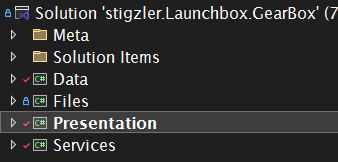
I’ve recently updated a solution from .framework to .net 9.0. Sadly, it’s caused no end of issues – not with the code or framework, but with the VS UI elements and functionality. The setup is a bit odd, so will explain it first. I’m developing a plugin for an application that has two executables – Launchbox.exe and Bigbox.exe. My plugin takes the form of four class libraries, with Presentation containing the hook into the applications:

I need to be able to debug my code when running both Launchbox and Bigbox.exe. In framework – this was simple – I would just set up different debug profiles via Microsoft Child Process Debugging Power Tool 2022 as per the process here: https://magoarcade.org/writing-plugins-for-launchbox/
This essentially ran either launchbox.exe or bigbox.exe (depending on the selected configuration) and attached the debugger. I could also specify different build paths for different configs (which I can’t do now – but separate issue).
I have/had different configs set up:

The different release configs just help a post-build script increment the right semvar component in assembly version.
However, now in .net 9, I cannot for the life of me find a way to do this. If I go to Presentation>Properties>Debug, I get the folowing:

However, there appears to be no way to map the relevant debug profile to the relevant configuration.
Configuration manager doesn’t seem to have any way to do this:

I can do something via Solution>Properties, but there doesn’t appear to be a way to map the "multi-start-up projects" Debug Target to different configs as this is greyed out:

It feels like MS’s version of progress is to compulsively jump backwards. What am I missing, doing wrong, or is it a VS design issue?