Do you wanna make Valentine’s Day for your kids special? Or maybe you’re a teacher and looking for a classroom fun game you can play to add to your Valentine party this year.
Maybe you’re a true romantic at heart ❤️ and want to use these little cards to create a fun scavenger hunt for your Romeo.
Or maybe you have a couple friends at church you just wanna use these as cards to stick them on their Bibles in church to encourage them. 🥰
You could also use these as a Valentine’s Day Go-Fish Game! 😉
Whatever you use them for, you’ll have an absolute blast. These Valentine’s Day memory game cute coloring cards are seriously SOOOO cute and with two different game card sets to choose from, you’ll have plenty.
Because you can mix and match both games or pick one and play one game, this Valentine memory cards game works for both younger and older kids, as well as adults!
Valentine’s Day Memory Game Free Printable Cute Coloring Cards
Grab this free Valentine’s Day memory matching game printable (2 sets) — print, color, cut, and play! 😍
Classroom / Valentine Party Ideas (easy ways to play in a group)
Want to use these memory games in a classroom, co-op, Sunday school group, or Valentine’s party? Here are a few super simple ways to keep it fun and chaos-free:
Partner Play
Pair kids up and give each pair their own set of cards. They take turns flipping two cards to find a match. If they match, they keep the pair and go again. If not, they flip them back and it’s the other person’s turn.
Team Relay
This one burns energy in a fun way! Split kids into 2–4 teams. Set one board of cards in the center. One child from each team runs up, flips two cards, then runs back and tags the next teammate. If they get a match, the team keeps the pair. Play until all matches are found.
Timed Round Challenge
Set a timer for 1 minute (or 2 for younger kids). Each child (or pair) tries to find as many matches as possible before time runs out. Reset the cards and play again for a “best of 3” round.
Winner Keeps Matches
Classic rules, but with a fun twist: when you get a match, you keep it in your own pile. At the end, count matches—whoever has the most wins. You could even give a tiny prize like a “Valentine Champion” sticker, heart stamp, bookmark, etc.
Memory Coach Matching
For younger kids who get frustrated, let them play with all the cards face-up for the first round. Then flip them face down and play the regular way. It builds confidence and still teaches memory skills.
Mix-and-Match (Harder)
Combine both printable sets into one giant game. Shuffle, lay out the cards, and watch the difficulty level jump in a really fun way. More cards = more brain power. 😉
Quiet Table Station
Set this up as a rotating station: kids color their cards first, then cut, then play. It’s a perfect “I need a calm activity” option during a party or classroom rotation.
Samsung has introduced five new monitors, including the Odyssey 3D.
The upcoming model offers real-time eye tracking, a 6K resolution panel, and 165Hz.
Another notable model is the Odyssey G6, a Quad HD monitor with a refresh rate of up to 1,040Hz.
Ahead of CES 2026, Samsung unveiled a slate of new Odyssey gaming monitors, referred to as the company’s “most advanced… lineup yet”. The series comprises five models slated for release next year, with the 32-inch Odyssey 3D leading the charge as the “world’s first 6K glasses-free 3D gaming monitor.”
According to Samsung, the Odyssey 3D uses “real-time eye tracking” to dynamically adjust the screen’s depth and perspective in relation to the viewer’s position. This technology creates multiple visual layers, enabling a 3D effect without the need for a headset.
In addition to the feature, the monitor sports a 6K resolution panel (6,144 x 3,456 pixels), a base refresh rate of 165Hz, and a 1ms response time. That refresh rate can be pushed as high as 330Hz via the Dual Mode feature.
Samsung’s Odyssey 3D aims to take immersive gaming to a whole new dimension.
Samsung
Samsung also says select games will receive updates to support the monitor’s 3D capabilities, include Stellar Blade and The First Berserker: Khazan. It’s unclear whether these updates will arrive alongside the Odyssey 3D or sometime within its broader release window.
As a big gamer myself, I’m torn on the concept. On the one hand, a glasses-free 3D gaming monitor sounds really cool. I often praise displays that fully immerse players in a game’s world. On the other hand, it’s hard not to be skeptical. 3D TVs were all the rage a decade ago, only to fall out of favor due to their propensity to muddy colors, worsen image quality, and cause motion sickness.
Samsung/ZDNET
That said, I’m inclined to give Samsung the benefit of the doubt. It’s possible that the tech giant has addressed these issues, but until I see it in person, I’m reserving judgment. If the 3D monitor doesn’t interest you, Samsung will also release a non-3D version called the Odyssey G8, as seen in the image above.
It retains many of the same core features, including a 32-inch 6K resolution screen and Dual Mode, which supports higher refresh rates. A small 27-inch version of G8 will also be available. It drops the display down to 5K (5,120 x 2,880 pixels) while boosting the base refresh rates to 180Hz.
Samsung
Rounding out the lineup are the Odyssey G6, a 27-inch QuadHD (2,560 x 1,440 pixels) IPS monitor, and the Odyssey OLED G8, a 32-inch 4K (3,840 x 2,160 pixels) QD-OLED monitor. At first glance, the G6 may seem like the weakest option due to its lower resolution, but it could end up being the sleeper hit, thanks to its stunning 1,040Hz refresh rate. That’s one of the highest rates that I’ve ever seen.
Precise launch dates or price points were not given in the announcement. Looking at the specs, I want to say that the Odyssey G6 will be the most affordable option, but that insanely high refresh rate has me thinking twice. Either way, I’m excited to see all five in action soon.
PBA Pro Bowling 2026 is a skill driven bowling simulation with authentic ball motion, real oil patterns, and evolving lane conditions. From your first local leagues to competing with the pros, every throw comes down to strategy and execution. Realistic ball motion shaped by oil patterns, lane friction, and simulation grade physics Oil pattern breakdown and carrydown change ball reaction over time Adjust line, speed, rev rate, and ball choice as conditions evolve Progress through a full single player career, starting in local leagues and advancing to the PBA Tour Build your ball arsenal from 270+ officially licensed bowling balls Customize your bowler with a full character creator and 120+ apparel items to collect.
Traditional Tenpin bowling alongside Candlepin and Duckpin bowling Skill focused challenges like Strike Derbies, Spare Pickup Challenges, No Tap, and Oil Pattern Roulette Designed for practice, competition, and mastery Compete against over 30 licensed PBA professionals Bowl across 13 unique venues inspired by real and imaginative locations Broadcast style presentation and commentary from the TV broadcast team of Rob Stone and Hall of Famer Randy Pedersen enhances the professional atmosphere.
Features and System Requirements:
Completely rebuilt game engine for sharper visuals and more lifelike gameplay than previous versions.
All-new Career Mode where you start as a local rookie and work your way up to the PBA Pro Tour.
Special challenge modes such as Strike Derbies, Spare Pickup Challenges, and Oil Pattern Roulette to test different skills.
Screenshots
System Requirements
Recommended
Requires a 64-bit processor and operating system
OS: 64-bit Windows 11
Processor: Intel i5 12600 or AMD Ryzen 3600X
Memory: 16 GB RAM
Graphics: Nvidia GeForce RTX 2080 or AMD RX 6800
DirectX: Version 12
Storage: 40 GB available space
Support the game developers by purchasing the game on Steam
Installation Guide
Turn Off Your Antivirus Before Installing Any Game
1 :: Download Game 2 :: Extract Game 3 :: Launch The Game 4 :: Have Fun 🙂
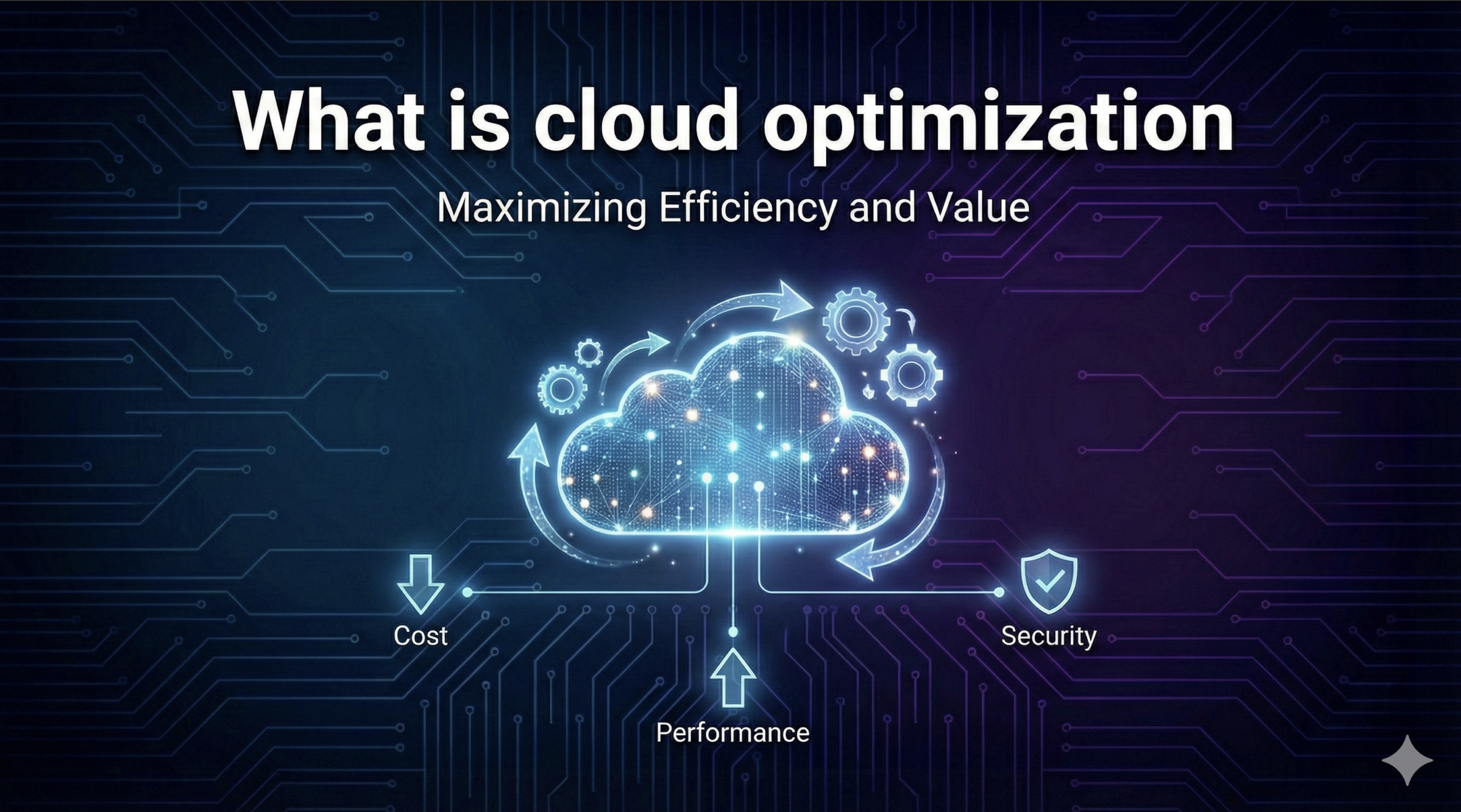
Cloud optimization is the continuous practice of matching the right resources to each workload to maximize performance and value while eliminating waste. Instead of simply buying compute or storage at the lowest rate, it looks at how much you actually need and when, then right-sizes deployments, automates scaling and leverages techniques like containers, serverless functions and spot capacity to reduce cost and carbon footprint.
Why does it matter now?
In 2025, organizations face rapidly growing AI workloads, rising energy costs and intense scrutiny over sustainability. Studies show 90 % of enterprises over‑provision compute resources and 60 % under‑utilize network capacity. At the same time, AI budgets are rising 36 % year‑over‑year, but only about half of firms can quantify ROI. Optimizing cloud usage ensures you get the most out of your spend while addressing environmental and regulatory pressures.
How do you optimize usage?
Start with visibility and tagging, then adopt a FinOps culture that brings engineers, finance and product teams together. Key tactics include rightsizing instances, shutting down idle resources, autoscaling, using spot or reserved capacity, containerization, lifecycle policies for storage and automating deployments. Modern platforms like Clarifai’s compute orchestration automate many of these tasks with GPU fractioning, intelligent batching and serverless scaling, enabling you to run AI workloads anywhere at a fraction of the cost.
What about sustainability?
Sustainability moved from a long‑term aspiration to an immediate operational constraint in 2025. AI‑driven growth intensified pressure on power, water and land resources, leading to new design models and more transparent carbon reporting. Strategies such as optimizing water usage effectiveness (WUE), adopting renewable energy, using colocation and even exploring small modular reactors (SMRs) are emerging.
This article dives deep into what cloud optimization really means, why it matters more than ever, and how to implement it effectively. Each section includes expert insights, real data, and forward‑looking trends to help you build a resilient, cost‑efficient, and sustainable cloud strategy.
Understanding Cloud Optimization
How does cloud optimization differ from simply cutting costs?
Cloud optimization is about aligning resource usage with actual demand, not just negotiating better pricing. Traditional cost reduction focuses on lowering the rate you pay (through long‑term commitments or discounts), while usage optimization ensures you don’t pay for capacity you don’t need. ProsperOps distinguishes between these two approaches—rate optimization (e.g., reserved instances) can reduce per‑unit cost by up to 72 %, but only when workloads are right‑sized and efficiently scheduled. Usage optimization goes further by matching provisioned resources to workload requirements, removing idle assets, and automating scale‑down.
Expert Insights
ProsperOps: Emphasizes that rate and usage optimization must work together; long‑term discounts can save up to 72% when workloads are right‑sized.
FinOps Foundation: Lists opportunities such as storage optimization, autoscaling, containerization, spot instances, network optimization, scheduling, and automation as essential tactics.
Clarifai’s Compute Orchestration: Provides GPU fractioning, batching, and serverless autoscaling to optimize AI workloads across clouds and on‑premises, cutting compute costs by over 70%
Why Cloud Optimization Matters in 2025
Why is optimization critical now?
The year 2025 marks a turning point for cloud usage. Rapid AI adoption and macroeconomic pressures have led to unprecedented scrutiny of cloud spend and sustainability:
Widespread inefficiencies: Research shows 60% of organizations underutilize network resources and 90% overprovision compute. Idle resources and sprawl lead to waste.
Surging AI costs: A survey of engineering teams revealed that AI budgets are set to rise 36 % in 2025, yet only about half of organizations can measure the return on those investments. Without optimization, these costs will spiral.
Growing environmental impact: Data centers already consume about 1.5% of global electricity and 1 % of total CO₂ emissions. Training state‑of‑the‑art models can use the same energy as tens of thousands of homes and hundreds of thousands of liters of water. In 2025, sustainability is no longer optional; regulators and communities demand action.
C‑suite involvement: Rising cloud prices and regulatory scrutiny have brought finance leaders into cloud decisions. Forrester notes that CFOs now influence cloud strategy and governance.
Expert Insights
CloudKeeper report: Finds that AI and automation can reduce unexpected cost spikes by 20 % and improve rightsizing by 15–30 %. It also notes that multi‑cloud modernization (e.g., ARM‑based processors) can cut compute costs by 40 %.
CloudZero research: Reports that AI budgets will rise 36 % and only half of organizations can assess ROI—a clear call for better monitoring and measurement.
Data Center Knowledge: Describes how sustainability became an operational constraint, with AI workloads stressing power, water and land resources, leading to new design models and policies.
Core Strategies for Usage Optimization
What are the key tactics to eliminate waste?
Optimizing cloud usage is a multi‑disciplinary discipline involving engineering, finance and operations. The following tactics—grounded in industry best practices—form the basis of any optimization program:
Visibility and Tagging: Create a single source of truth for cloud resources. Accurate tagging and cost allocation enable accountability and granular insights.
Rightsizing Compute and Storage: Match instance sizes and storage tiers to workload requirements. Rightsizing can involve downsizing over‑provisioned instances, scaling to zero during idle periods, and moving infrequently accessed data to cheaper tiers.
Shutting Down Idle Resources: Schedule or automate shutdown of development, staging or experiment environments when not in use. Tools can detect idle VMs, unused snapshots, or unattached volumes and decommission them.
Autoscaling and Load Balancing: Use managed services and autoscaling policies to scale out when demand spikes and scale back in when demand drops. Combine horizontal scaling with load balancing to spread traffic efficiently.
Serverless and Containers: Move episodic or event‑driven workloads to serverless functions and run microservices in containers or Kubernetes clusters. Containers allow dense packing of workloads, while serverless eliminates idle capacity.
Spot and Commitment Discounts: Use spot/preemptible instances for batch and fault‑tolerant workloads and pair them with reserved or savings plans for baseline usage. Dynamic portfolio management yields significant savings.
Data Transfer and Network Optimization: Optimize data egress and ingress by placing workloads in the same region, using edge caches and compressing data. For network heavy workloads, choose providers or colocation partners with predictable egress pricing.
Scheduling and Orchestration: Use cron‑based or event‑driven schedulers to start and stop resources automatically. Clarifai’s compute orchestration can scale down to zero and batch inference requests to minimize idle time.
Automation and AI: Implement automated cost anomaly detection, continuous monitoring and predictive analytics. Modern FinOps platforms use machine learning to forecast spend and generate actionable recommendations.
Expert Insights
FinOps Foundation: Recommends storage optimization, serverless computing, autoscaling, containerization, spot instances, scheduling and network optimization as high‑impact areas.
Flexential research: Emphasizes the importance of visibility, governance and continuous optimization and outlines tactics such as rightsizing, shutting down idle resources, using reserved instances and tiered storage.
Clarifai compute orchestration: Offers an automated control plane that orchestrates GPU fractioning, batching, autoscaling and spot instances across any cloud or on‑prem hardware, enabling cost‑efficient AI deployments.
Rightsizing and Compute Optimization
How do you right‑size compute resources?
Rightsizing is the practice of tailoring compute and memory resources to the actual demand of your applications. The process involves continuous measurement, analysis and adjustment:
Collect metrics: Monitor CPU, memory, storage and network utilization at granular intervals. Tag resources properly and use observability tools to correlate metrics with workloads.
Identify under‑utilized instances: Use FinOps tools or providers’ recommendations to find VMs running at low utilization. CloudKeeper notes that 90 % of compute resources are over‑provisioned.
Resize or migrate: Downgrade to smaller instance sizes, consolidate workloads using container orchestration, or move to more efficient architectures (e.g., ARM‑based processors) that can cut costs by 40 %.
Schedule non‑production environments: Turn off dev/test environments outside working hours, and use “scale to zero” functions for serverless or containerized workloads.
Leverage spot and reserved capacity: For baseline workloads, commit to reserved capacity. For bursty or batch jobs, use spot instances with automation to handle interruptions.
Use GPU fractioning and batching: For AI workloads, Clarifai’s compute orchestration splits GPUs among multiple jobs, packs models efficiently and batches inference requests, delivering 70 %+ cost savings.
Expert Insights
CloudKeeper: Reports that modernization strategies like adopting ARM‑based compute and serverless architectures reduce costs by up to 40 %.
Flexential: Advocates for rightsizing compute and storage and shutting down idle resources to achieve continuous optimization.
Clarifai: Notes that GPU fractioning and time slicing in its compute orchestration platform enable customers to cut compute costs by over 70 % and run AI workloads on any hardware.
Storage and Data Transfer Optimization
How can you reduce storage and network costs?
Storage and data transfer often hide large amounts of waste. An effective strategy addresses both capacity and egress:
Tiered storage and lifecycle policies: Move infrequently accessed data to cheaper storage classes (e.g., infrequent access, cold storage) and set automated lifecycle rules to archive or delete old snapshots.
Snapshot and volume cleanup: Delete outdated snapshots and detach unused volumes. The FinOps Foundation highlights storage optimization as one of the first actions in usage optimization.
Data compression and deduplication: Use compression algorithms and deduplication to reduce data footprint before storage or transfer.
Optimize data egress: Place compute and data in the same regions to minimize egress charges, use CDN/edge caches for frequently accessed content, and minimize cross‑cloud data movement.
Network and transfer choices: Evaluate different providers’ network pricing structures. In multi‑cloud environments, use direct connections or colocation facilities to reduce egress fees and latency.
Expert Insights
FinOps Foundation: Lists removing snapshots and unattached volumes, using lifecycle policies and leveraging tiered storage as high‑impact actions.
Flexential: Advises adopting tiered storage, lifecycle management and data egress optimization as part of continuous cost governance.
Data Center Knowledge: Notes that water and energy usage of AI data centers is pushing operators to look at efficient cooling and resource stewardship, which includes optimizing storage density and data placement.
Modern application architectures minimize idle resources and enable fine‑grained scaling:
Serverless computing: This model charges only for execution time, eliminating the cost of idle capacity. It is ideal for event‑driven workloads like API calls, IoT triggers and data processing. Serverless also improves scalability and reduces operational complexity.
Containerization and orchestration: Containers package applications and dependencies, enabling high density and portability across clouds. Kubernetes and container orchestrators handle scaling, scheduling, and resource sharing, improving utilization.
Predictive cost analytics: Using historical data and machine learning to forecast spending helps teams allocate resources proactively. Predictive analytics can identify cost anomalies before they occur and suggest rightsizing actions.
Modernization guidance and AI agents: Major cloud providers are rolling out AI‑driven tools to help modernize applications and reduce costs. For example, application modernization guidance uses AI agents to analyze code and recommend cost‑efficient architecture changes.
Expert Insights
Ternary blog: Explains that serverless computing reduces infrastructure costs, improves scalability and enhances operational efficiency, especially when combined with FinOps monitoring. Predictive cost analytics improves budget forecasting and resource allocation.
FinOps X 2025 announcements: Cloud providers announced AI agents for cost optimization and application modernization guidance that offload complex tasks and accelerate modernization.
DEV community article: Highlights multi‑cloud Kubernetes and AI‑driven cloud optimization as key trends, along with observability and CI/CD pipelines for multi‑cloud deployments.
Multi‑Cloud & Hybrid Strategies
Why choose multi‑cloud?
Multi‑cloud strategies, once seen as sprawl, are now purposeful plays. Using multiple providers for different workloads improves resilience, avoids vendor lock‑in and allows organizations to match workloads to the most cost‑effective or specialized services. Key considerations:
Flexibility and independence: Multi‑cloud strategies offer vendor independence, improved performance and high availability. They allow teams to use one provider for compute‑intensive tasks and another for AI services or backup.
Modern orchestration tools: Tools like Kubernetes, Terraform and Clarifai’s compute orchestration manage workloads across clouds and on‑premises. Multi‑cloud Kubernetes simplifies deployment and scaling.
Challenges: Complexity, security and cost management are major hurdles. Accurate tagging, unified observability and cross‑cloud monitoring are essential.
Strategic portfolio approach: Forrester notes that multi‑cloud is now muscle, not fat—enterprises intentionally separate workloads across providers for sovereignty, performance and strategic independence.
Implementation Steps
Define strategy: Assess business needs and select providers accordingly. Consider data locality, compliance and service specialization.
Use infrastructure as code (IaC): Tools like Terraform or Pulumi declare infrastructure across providers.
Implement CI/CD pipelines: Integrate continuous deployment across clouds to ensure consistent rollouts.
Set up observability: Use Prometheus, Grafana or cloud‑native monitoring to collect metrics across providers.
Plan for connectivity and security: Leverage cloud transit gateways, secure VPNs or colocation hubs; adopt zero trust principles and unified identity management.
Automate cost allocation: Adopt the FinOps Foundation’s FOCUS specification for multi‑cloud cost data. FinOps X 2025 announced expanded support from major providers for FOCUS 1.0 and upcoming versions.
Expert Insights
DEV community article: Suggests that multi‑cloud strategies enhance resilience, avoid vendor lock‑in and optimize performance, but require robust orchestration, monitoring and security.
Forrester (trends 2025): Notes that multi‑cloud has become strategic, with clouds separated by workload to exploit different architectures and mitigate dependency.
FinOps X 2025: Providers are adopting FOCUS billing exports and AI‑powered cost optimization features to simplify multi‑cloud cost management.
AI & Automation in Cloud Optimization
How is AI reshaping cloud cost management?
Artificial intelligence is no longer just a workload—it’s also a tool for optimizing the infrastructure it runs on. AI and machine learning help predict demand, recommend rightsizing, detect anomalies and automate decisions:
Predictive analytics: FinOps platforms analyze historical usage and seasonal patterns to forecast future spend and identify anomalies. AI can consider holiday seasons, new workload migrations or sudden traffic spikes.
AI agents for cost optimization: At FinOps X 2025, major providers unveiled AI‑powered agents that analyze millions of resources, rationalize overlapping savings opportunities and provide detailed action plans. These agents simplify decision‑making and improve cost accountability.
Automated recommendations: New tools recommend I/O optimized configurations, cost comparison analyses and pricing calculators to help teams model what‑if scenarios and plan migrations.
Cost anomaly detection and AI‑powered remediation: Enhanced FinOps hubs highlight resources with low utilization (e.g., VMs at 5 % usage) and send optimization reports to engineering teams. AI also supports automated remediation across container clusters and serverless services.
Clarifai’s AI orchestration: Clarifai’s compute orchestration automatically packs models, batches requests and scales across GPU clusters, applying machine‑learning algorithms to optimize inference throughput and cost. Its Local Runners allow organizations to run models on their own hardware, preserving data privacy while reducing cloud spend.
Expert Insights
SSRN paper: Notes that AI‑driven strategies, including predictive analytics and resource allocation, help organizations reduce costs while maintaining performance.
FinOps X 2025: Describes new AI agents, FOCUS billing exports and forecasting enhancements that improve cost reporting and accuracy.
Clarifai: Offers agentic orchestration for AI workloads—automated packaging, scheduling and scaling to maximize GPU utilization and minimize idle time.
Sustainability & Green Cloud
How does sustainability influence optimization strategies?
As AI demands soar, sustainability has become a defining factor in where and how data centers are built and operated. Key themes:
Energy efficiency: Running workloads in optimized cloud environments can be 4.1 times more energy efficient and reduce carbon footprint by up to 99 % compared with typical enterprise data centers. Using purpose‑built silicon can further reduce emissions for compute‑heavy workloads.
Water and cooling: Sustainability pressures in 2025 highlight water use effectiveness (WUE) and cooling innovations. Data centers must balance performance with resource stewardship and adopt strategies like heat reuse and liquid cooling.
Renewable energy and carbon reporting: Providers and enterprises are investing in renewable power (solar, wind, hydro), and carbon emissions reporting is becoming standard. Reporting mechanisms use region‑specific emission factors to calculate footprints.
Colocation and edge: Shared colocation facilities and regional edge sites can lower emissions through multi‑tenant efficiencies and shorter data paths.
Public and policy pressure: Communities and policymakers are scrutinizing AI data centers for water use, noise, and grid impact. Policies around emissions, water rights and land use influence site selection and investment.
Expert Insights
Data Center Knowledge: Reports that sustainability moved from aspiration to operational constraint in 2025, with AI growth stressing power, water and land resources. It highlights strategies like optimizing WUE, renewable energy, and colocation to meet climate goals.
AWS study: Shows that migrating workloads to optimized cloud environments can reduce carbon footprint by up to 99 %, especially when paired with purpose‑built processors.
CloudZero sustainability report: Points out that generative AI training uses huge amounts of electricity and water, with training large models consuming as much power as tens of thousands of homes and hundreds of thousands of liters of water.
Clarifai’s Approach to Cloud Optimization
How does Clarifai help optimize AI workloads?
Clarifai is known for its leadership in AI, and its Compute Orchestration and Local Runners products offer concrete ways to optimize cloud usage:
Compute Orchestration: Clarifai provides a unified control plane that orchestrates AI workloads across any environment—public cloud, on‑premises, or air‑gapped. It automatically deploys models on any hardware and manages compute clusters and node pools for training and inference. Key optimization features include:
GPU fractioning and time slicing: Splits GPUs among multiple models, increasing utilization and reducing idle time. Customers have reported cutting compute costs by more than 70 %.
Batching and streaming: Batches inference requests to improve throughput and supports streaming inference, processing up to 1.6 million inputs per second with five‑nines reliability.
Serverless autoscaling: Automatically scales clusters up or down to match demand, including the ability to scale to zero, minimizing idle costs.
Hybrid & multi‑cloud support: Deploys across public clouds or on‑premises. You can run compute in your own environment and communicate outbound only, improving security and allowing you to use pre‑committed cloud spend.
Model packing: Packs multiple models into a single GPU, reducing compute usage by up to 3.7× and achieving 60–90 % cost savings depending on configuration.
Local Runners: Clarifai’s Local Runners allow you to run AI models on your own hardware—laptops, servers or private clouds—while maintaining unified API access. This means:
Data remains local, addressing privacy and compliance requirements.
Cost savings: You can leverage existing hardware instead of paying for cloud GPUs.
Easy integration: A single command registers your hardware with Clarifai’s platform, enabling you to combine local models with Clarifai’s hosted models and other tools.
Use case flexibility: Ideal for token‑hungry language models or sensitive data that must stay on‑premises. Supports agent frameworks and plug‑ins to integrate with existing AI workflows.
Expert Insights
Clarifai customers: Report cost reductions of over 70 % from GPU fractioning and autoscaling.
Clarifai documentation: Highlights the ability to deploy compute anywhere at any scale and achieve 60–90 % cost savings by combining serverless autoscaling, model packing and pre‑committed spend.
Local Runners page: Notes that running models locally reduces public cloud GPU costs, keeps data private and enables rapid experimentation.
Future Trends & Emerging Topics
What’s next for cloud optimization?
Looking beyond 2025, several trends are shaping the future of cloud cost management:
AI agents and FinOps automation: The emergence of AI agents that analyze usage and generate actionable insights will continue to grow. Providers announced AI agents that rationalize overlapping savings opportunities and offer self‑service recommendations. FinOps platforms will become more autonomous, capable of self‑optimizing workloads.
FOCUS standard adoption: The FinOps Open Cost & Usage Specification (FOCUS) standardizes cost reporting across providers. At FinOps X 2025, major providers committed to supporting FOCUS and launched exports for BigQuery and other analytics tools. This will improve multi‑cloud cost visibility and governance.
Zero trust and sovereign clouds: As regulations tighten, organizations will adopt zero trust architectures and sovereign cloud options to ensure data control and compliance across borders. Workload placement decisions will balance cost, performance and jurisdictional requirements.
Supercloud and seamless edge: The concept of supercloud, in which cross‑cloud services and edge computing converge, will gain traction. Workloads will move seamlessly between clouds, on‑premises and edge devices, requiring intelligent orchestration and unified APIs.
Autonomic and sustainable clouds: The future includes self‑optimizing clouds that monitor, predict and adjust resources automatically, reducing human intervention. Sustainability strategies will incorporate renewable energy, water stewardship, liquid cooling, circular procurement and potentially small modular nuclear reactors.
Sustainability reporting: Carbon reporting and water usage metrics will become standardized. Tools will integrate emissions data into cost dashboards, enabling users to optimize for both dollars and carbon.
AI ROI measurement: As AI budgets grow, organizations will invest in tooling to measure ROI and unit economics, linking cloud spend directly to business outcomes. Clarifai’s analytics and third‑party FinOps tools will play a key role.
Expert Insights
Forrester (cloud trends): Predicts that multi‑cloud strategies and AI‑native services will reshape cloud markets. CFOs will play a larger role in cloud governance.
FinOps X 2025: Illustrates how AI agents, FOCUS support and carbon reporting are evolving into mainstream features.
Data Center Knowledge: Notes that sustainability pressures, water scarcity and policy interventions will dictate where data centers are built and what technologies (renewables, SMRs) are adopted.
Frequently Asked Questions (FAQs)
Is cloud optimization only about cutting costs?
No. While reducing spend is a key benefit, cloud optimization is about maximizing business value. It encompasses performance, scalability, reliability and sustainability. Properly optimized workloads can accelerate innovation by freeing budgets and resources, improve user experience and ensure compliance. For AI workloads, optimization also enables faster inference and training.
How often should I revisit my optimization strategy?
Cloud environments and business needs change rapidly. Adopt a continuous optimization mindset—monitor usage daily, review rightsizing and reserved capacity monthly, and conduct deep assessments quarterly. FinOps culture encourages ongoing collaboration between engineering, finance and product teams.
Do I need to adopt multi‑cloud to optimize costs?
Multi‑cloud is not mandatory but can be advantageous. Use it when you need vendor independence, specialized services or regional resilience. However, multi‑cloud increases complexity, so evaluate whether the added benefits justify the overhead.
How does Clarifai handle data privacy when running models locally?
Clarifai’s Local Runners allow you to deploy models on your own hardware, meaning your data never leaves your environment. You still benefit from Clarifai’s unified API and orchestration, but you retain full control over data and compliance. This approach also reduces reliance on cloud GPUs, saving costs.
What metrics should I track to gauge optimization success?
Key metrics include cost per workload, waste rate (unused or over‑provisioned resources), percentage of spend under committed pricing, variance against budget, carbon footprint per workload and service‑level objectives. Clarifai’s dashboards and FinOps tools can integrate these metrics for real‑time visibility.
By embracing a holistic cloud optimization strategy—combining cultural changes, technical best practices, AI‑driven automation, sustainability initiatives and innovative tools like Clarifai’s compute orchestration and local runners—organizations can thrive in the AI‑driven era. Optimizing usage is no longer optional; it’s the key to unlocking innovation, reducing environmental impact and preparing for the future of distributed, intelligent cloud computing.
Exodus, the debut of Archetype Entertainment, a studio under the Wizards of the Coast umbrella stacked with ex-BioWare talent, was first announced in 2023. At the 2025 Game Awards, Archetype gave the RPG an early 2027 release window in an action-packed trailer. Ahead of the announcement, Polygon caught up with Archetype leadership to discuss some of the very real scientific concepts underpinning the game: time dilation, genetic alteration, galactic expansion, and more. All suitably heady concepts. All tough to convey in a three-minute ad spot.
“I wish some of those interesting and new ideas were in the trailer. All I got was ‘generic man in space,’” one Polygon commenter wrote in response to our article. “All I got was ‘we have Mass Effect at home,’” responded another. Feedback on the game’s official subreddit was similarlymixed.
The trailer’s approach certainly makes sense from a business perspective. In trying to stand out amid a four-hour barrage of announcements, what sells better: A group of scientists debating the finer points of Einsteinian physics? Or giant robots exploding while other giant robots shoot lasers out of their faces? But in going loud, Archetype neglected to include the quieter details that make Exodus one of the more exciting hard sci-fi games on the horizon. Let’s break it down.
Image: Archetype Entertainment/Wizards of the Coast via Polygon
Does Exodus feature aliens? Yes. No. Kind of? That shot near the start of Exodus’ Game Awards trailer, of a humanoid with gray-blue skin and metal fused into their flesh, was definitely an alien, right? It all depends on where you land on one of the big philosophical questions posed by the game: If you applied Ship of Theseus reasoning to the human genome, is what’s left still human?
“We want the Celestials, for a player that isn’t going to invest significant amounts of time into the IP to learn it, to still understand the core concept that they’re evolved humans, understand that they’re an antagonist you have to face, understand the impact of them on the overall scope of the game,” Archetype general manager Chad Robertson told Polygon in an interview this month. “But also, at the end of the day, make sure it’s fun and that they’re cool and that they play well to fight against, when you have to challenge them, or deal with them, in decisions that you’re making.”
Understanding how these alien-seeming humans aren’t technically aliens means grappling with vast expanses of both space and time. Time dilation — or the Einsteinian theory that time moves slower for faster-moving objects — is an operative hard line of Exodus’ science-fiction trappings. Polygon’s Exodus preview gets more into the details, including how the concept impacts the RPG’s structure, but here are the basics: Humans leave a desiccated Earth in the 23rd century for a corner of the Milky Way, the Centauri cluster, some 16,000 light years away. Time dilation means that some humans arrive there before others. Those humans messed heavily with their genetic sequences, and adopted the “Celestial” moniker.
Image: Archetype Entertainment/Wizards of the Coast
“There’s different levels of evolution. The people who got to Centauri first, where the game takes place, had many thousands of years of evolution into the Celestials and into different types of Celestials, taking different branches where they sort of became transhuman,” Exodus narrative director Drew Karpyshyn said. “They really see humans as sort of primitive, unevolved, beneath them, not really suitable for the upper echelons of society, at best servants and slaves, [and] at worst, pests that need to be controlled or possibly even exterminated.”
Exodus is set about 40,000 years in the future. Think about the scale there — that’s effectively all of recorded human history ten times over. Now consider what humans would look like if they spent, again, ten entire human recorded histories pushing the limits of biotech and genetic manipulation. You would never recognize the result as human. You might even think you’re looking at an alien. The scariest branch of Celestial, a vicious line called Mara-Yama, can take various forms. Some have fangs and claws and are nine feet tall. Others are covered in exoskeletons. According to the official Exodus Encyclopedia tabletop companion guide, when Mara-Yama travel between star systems, their “bones and limbs degenerate,” meaning they float zero-gravity in starships as little more than a fleshy blob of organs attached to a head.
“The average day-to-day person would have a lot of trouble relating to a celestial,” Karpyshyn said.
Image: Archetype Entertainment/Wizards of the Coast
Between the explosions and lasers and battle bears, you probably caught snippets of otherworldly tech in Exodus’ Game Awards trailer. Protagonist Jun Aslan interacts with a chrome machine that emanates a purple, alien-like glow. A spaceship jets into a portal and vanishes at near-light speed. All of this stuff seems beyond human comprehension, the sort of tech you could only imagine achieved by a Type 3 civilization on the Kardashev Scale, a leading theoretical framework about the potential technological limits of spacefaring societies. (Humans aren’t even a Type 1 civilization yet.) But these are just more examples of stuff that seems alien but really has its roots in humanity.
Beyond the Archetype team, Exodus canon is being crafted by what Karpyshyn called a duo of “sci-fi giants.” Peter F. Hamilton has already published one doorstopper novel set in the universe with another planned for 2026, while Adrian Tchaikovsky wrote a series of short stories for the game’s website. Bringing legit sci-fi royalty into the fold years ahead of release has allowed Archetype to develop a rich fictional universe upon which to build a game. (Hamilton’s first Exodus novel, The Archimedes Engine, is more than 900 pages long; the two tabletop tomes collectively run 600 pages.)
“It was really a joint venture,” Karpyshyn said. “We had set some basics, and working with him, he would have ideas of his and we would work to see how they all fit together. With someone like Peter Hamilton, who’s as talented and established as he is and has proven himself, you don’t want to handcuff him. You want to give him a lot of freedom. And he was great to work with as far as making sure everything fit with our lore as well. So it was really a collaborative effort.”
Image: Archetype Entertainment/Wizards of the Coast
One key scene shows Jun appearing to manipulate the ground he’s walking on, molding stone, as if by magic, to create a makeshift bridge. This is a silicate material called livestone, which responds to neural commands from Celestials or Uranic humans — a descendant of humans who arrived after Celestials attained dominance over the region and were granted use of certain technologies and abilities to help enforce Celestial rule. Finn, a major character in Hamilton’s novel, is a Uranic human. Since Jun exhibits the same ability in the trailer, is he one too?
“Jun’s not specifically a Uranic human, because those were basically created by Celestials to help them, and they’re kind of limited in what they can do. Jun is sort of a hacked version, for want of a better term,” Karphsyhn said, before declining to elaborate on account of spoilers, but did note the ability to interact with Celestial technology is a “key part of the game.”
According to Karpyshyn, The Archimedes Engine is set roughly 300 or 400 years after the game. The scale of Exodus’ setting — both physically and temporally — means there’s plenty of space for stories to exist, drawing from the same codices and pulling on the same thematic threads, without risking overlap.
Image: Archetype Entertainment/Wizards of the Coast
Although Exodus has been in the public eye for two years and won’t be out for at least one more, plenty of stories have already been told in its universe. The Archimedes Engine explores the connection between Finn and a woman named Ellie, whose arkship arrived at Centauri 24,000 years later than intended, meaning she has way more in common with you or me than with anyone in the system; to her, Celestials really might as well be aliens. An episode of the Amazon Prime anthology Secret Level tells the story of a father chasing his runaway daughter across the stars, and the devastating effects time dilation can impart on families; by the time he catches up to her, she’s aged decades.
Exodus itself is “Jun’s story,” Karphshyn said, and is centered around Lidon — a planet largely abdicated by Celestials that has become the human stronghold of the cluster. A technological virus called “the Rot” has started eating away at everything, including critical life support systems, and Jun must use those Celestial powers to figure out how to solve it.
“The great thing about our universe is it’s so broad that we can tell other stories. So the story Peter Hamilton’s telling in his books, there might be similar themes,” Karpyshyn said. “And a lot of these themes will echo across them, but the stories are unique enough and can stand alone because the universe is so broad and so deep and so expansive. You can tell so many different stories without stepping on each other’s toes.”
Exodus will be released in 2027 for PlayStation 5, Windows PC, and Xbox Series X.
I have some standard files with sourcecode that exists in almost every project I create.
This overcomes the burden of retyping lots of code, improves coding efficiency and ensures always the last version is used when compiling.
In some development environments you could do something like:
<insert c:/users/c/myfile.cs>
And that file would be read and replace the insert tag at compilation/build. Also property definitions, methods and so on would be available / referable in the main sourcecode as if it was typed in the main source itself.
I know I could make it a dll or a class but that’s not the way i’d like to solve this problem.
It’s rare we get anything for free these days, especially in the realm of storage and memory. But an updated Windows Server driver has officially given Windows native NVMe SSD support, and some enterprising users have got it working on standard Windows 11 Home and Pro installs for an impressive uplift in SSD performance, as TomsHardware reports.
The latest SSDs offer up to 15 Gbps of sustained read and write performance – 30 times faster than SATA SSDs of just a few generations ago. But faster is always better in the realm of PC technology, so how about some additional sustained performance and enormous improvements to random write performance?
Twitter/X user, Mouse&Keyboard managed to get the driver working on their Windows PC and found that their SK Hynix Platinum P41 2TB SSD saw an AS SSD benchmark score increase of 13%. In 4K-64Thrd workloads, the results were 22% faster.
On Reddit, Cheetah2kkk tried the driver out on their MSI Claw 8 AI+ using a fast Crucial T705 4TB SSD, and the results were even more impressive. Random read speeds jumped by 12%, while random write speeds increased by an incredible 85%.
This all comes from the bizarre fact that despite NVMe drives having been in use for over 14 years, Windows 11 still treated them like legacy SCSI drives – albeit very fast ones. By cutting out the command conversions from NVMe to SCSI, Microsoft has cut down the processing overhead and latency, leading to improved performance in a few key areas.
This is all great news for Windows Server users and those who’ve managed to get it working, but this needs to be released as part of a Windows update – not enabled through workarounds and sideload downloads.
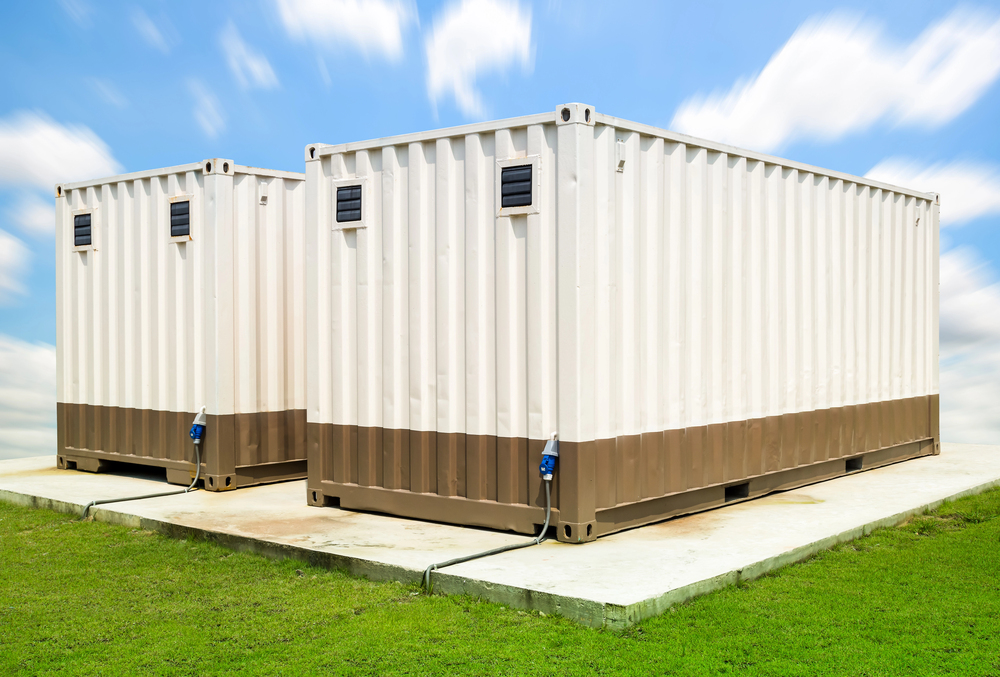
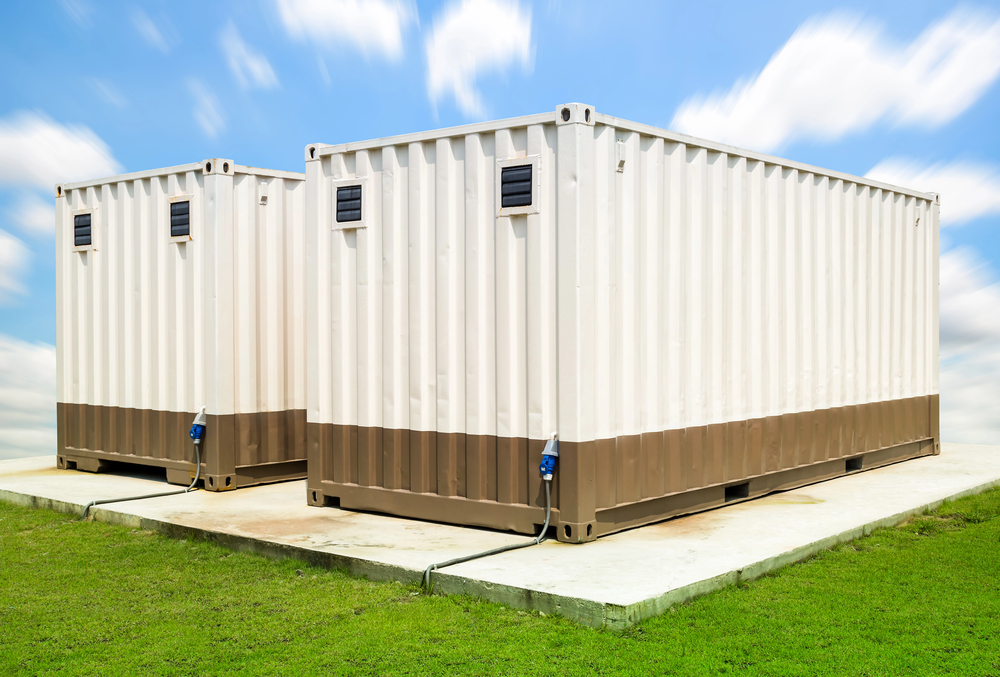
With commercial leases becoming increasingly expensive, many companies are seeking smarter ways to store goods without incurring additional overhead. On-site storage containers are a cost-effective solution as they keep materials close by and are available to access around the clock. The best value on-site storage container rentals for businesses in Phoenix should help businesses stay efficient while protecting assets.
How to Determine the Best Value On-Site Storage
Choosing an on-site storage provider is about finding the right balance between price and service so your organization can operate smoothly. Keeping these core factors in mind makes it easier to compare options side by side:
Quality and security: Look for all-steel, weather-resistant containers with solid doors and tamper-proof locking systems that protect tools and other items.
Flexible rental terms: Prioritize fixed pricing and be aware of potential hidden fees. Check that the company offers flexible rental durations as well, to scale the space up or down as needed.
Customer service: Review local reputation, customer testimonials and ratings to see how responsive the provider is with delivery, pickup and any issues that may arise.
Range of options: Seek out providers that offer various container sizes and configurations to choose the setup that best fits the site, budget and storage needs.
The Top On-Site Storage Providers for Phoenix Businesses
With numerous storage companies available, it’s helpful to know which ones deliver strong value for local enterprises. The providers below stand out for their overall satisfaction ratings.
1. Pro Box Portable Storage
Pro Box Portable Storage is an affordable and convenient storage solution backed by excellent customer-first policies like locked-in rental rates. Businesses appreciate its friendly and helpful service and find the storage durable with straightforward pricing.
Pro Box also delivers peace of mind through its strong security features and various delivery options. For instance, the company offers a patented Pro Vault Locking System that deters tampering and delivers superior asset protection.
Additionally, businesses can opt for on-site delivery within two to three days or sooner, upon request. The enhanced security features, along with convenience and flexibility, are reasons many choose Pro Box Portable Storage. It typically provides services to retailers, contractors, restaurants and more.
Key features:
Patented security: The Pro Vault Locking System prevents locks from being drilled, pried, or cut, thereby deterring break-ins.
Durable build: The containers are made of all-steel materials, which keep them rodent-proof and weather-resistant. The floors are also capable of holding heavy equipment. Each storage option also comes with vents and hooks to prevent items from molding and keep them organized.
Guaranteed pricing: Lock in monthly rental rates to avoid unexpected increases and better plan budgets.
2. Southwest Mobile Storage
Southwest Mobile Storage is a family-owned Phoenix company with over 25 years of local experience, providing it with a strong understanding of how area businesses utilize on-site containers. The provider focuses on delivering sturdy, secure units that can be tailored to different worksites, whether clients need extra storage, a mobile office or both.
Enterprises that want more than a standard container often turn to Southwest Mobile Storage for its numerous customization options. Its custom solutions allow customers to add features to create a layout that fits their workflow. They can also choose from different sizes and decide whether they would like to rent or purchase units.
On top of the range of choices, customers get flexible pricing. Southwest Mobile Storage offers prorated rent or monthly rentals, providing the convenience that businesses look for when their needs change. Furthermore, it provides excellent service. The team is friendly and ensures timely delivery.
Key features:
Custom modifications: Offers unique container upgrades, including additional doors, windows, shelving and interior build-outs.
Multiple solutions: Renting or purchasing is an option, along with mobile office units, so businesses can mix and match storage and workspace on-site.
Robust security: Uses dual-lock systems and 14-gauge steel construction to help protect equipment from theft and damage.
3. WillScot
WillScot is a major national provider of modular space and storage solutions, with the capacity to support large commercial and industrial projects in the Phoenix area. Its scale allows companies to source on-site storage containers and mobile office units from a single provider, simplifying coordination across complex jobsites.
WillScot’s full-service approach can be a significant time-saver. The company handles delivery, setup and pick up, and its sizable inventory means it can respond quickly to timeline shifts and a need for additional space.
WillScot also has a long history in the industry, dating back to 1955. Its large network of branches gives it an abundance of experience and resources. The Phoenix branch serves the surrounding area.
Key features:
Turnkey services: Can deliver fully equipped mobile offices in addition to storage containers, providing workspace, storage and basic amenities in one solution.
Large inventory: A nationwide network ensures container availability for local projects as well as multi-location businesses.
Full-service model: Manages the entire process from delivery and placement to final pick up, reducing the logistical load on in-house teams.
4. United Rentals
United Rentals is the world’s largest equipment rental company, giving Phoenix businesses access to storage containers alongside an extensive inventory of industrial and construction tools. Its broad selection makes it a convenient option for teams that prefer working with a single vendor for most of their job-site needs. Establishments already renting equipment from United Rentals often find it seamless to add storage units to their existing accounts.
Due to its scale, United Rentals can support fast-moving projects where availability and reliability are crucial. The company offers standard container sizes, with additional sizes available upon request. The delivery process is also dependable, helping teams stay organized while managing heavy equipment and on-site workflows.
Key features:
One-stop shop: Businesses can source everything from forklifts and generators to storage containers through one provider.
Vast equipment fleet: Offers a wide range of job-site solutions, making it easier to coordinate equipment needs alongside storage requirements.
Standardized and reliable: The provider supplies standard 20- and 40-foot containers that are readily available and durable.
Compare Key Features
Use the following chart to quickly compare each company’s features and determine which one best fits your needs.
Feature
Pro Box Portable Storage
Southwest Mobile Storage
WillScot
United Rentals
Primary Focus
Secure, on-site storage containers
Storage and custom modifications
Turnkey mobile workspaces
Full-site equipment rental
Key Strength
Patented security and fixed rates
Local expertise and craftsmanship
All-in-one office solutions
Single-source for all jobsite needs
Best For
Businesses needing top-tier security
Custom or specialized projects
Large corporate and turnkey setups
Consolidating equipment vendors
Service Area
Regional specialist
Phoenix and the Southwest
National provider
Global provider
Choosing the Best Value On-Site Storage Provider in Phoenix
Selecting the right on-site storage provider comes down to balancing security, convenience and overall value. Phoenix companies have several dependable options that make it easy to protect equipment and stay organized on the job. By understanding the business’s needs and comparing key features, decision-makers can select a service that supports their operations effectively.
The U.S. Federal Communications Commission (FCC) has just taken a massive swing at the drone industry, blocking new foreign-made drones – including those from DJI – from entering the American market. By adding them to the “Covered List,” the agency is effectively labeling these devices a national security threat. It’s a huge blow to DJI, which currently owns about 90 percent of the consumer market, as Washington grows increasingly worried that these drones could be used by Beijing to peek at sensitive U.S. data.
Washington expands restrictions as concerns grow over Chinese drone dominance
The FCC’s new rule means that any fresh drone models from DJI or other flagged foreign makers can’t get the agency’s seal of approval for import or sale in the States. The commission isn’t just worried about data privacy; they’ve raised alarms about potential drone-based attacks and unauthorized surveillance. FCC Chair Brendan Carr made it clear: while drones are great for innovation, they are being weaponized by “hostile foreign actors,” and the U.S. isn’t willing to take that risk anymore.
DroneUnsplash
There is a bit of a silver lining for current owners, though. The ruling doesn’t actually ground the drones that are already flying. If a drone or component was approved before this ban, it can still be used and even sold. This is a big relief for the police departments, farmers, and construction crews that already have fleets of DJI drones in the air. Still, it’s a clear sign that the U.S. is trying to untangle itself from Chinese aerial tech as fast as possible.
The move has been cheered by “China hawks” in Congress.
Rep. Elise Stefanik and Sen. Rick Scott were quick to call this a win for American security, arguing that we can’t let sensitive mapping data of our infrastructure be sent overseas. They see this as the first step toward building up “U.S. drone dominance” and moving away from a reliance on foreign hardware.
DroneUnsplash
Unsurprisingly, China isn’t happy. A spokesperson for the Chinese embassy in Washington accused the U.S. of using “national security” as a convenient excuse to mess with global trade. DJI also hit back, expressing deep disappointment and pointing out that the U.S. hasn’t actually shown any public evidence that their drones have been compromised.
So, where does this leave the industry? While your current drone isn’t going to fall out of the sky tomorrow, the path forward is looking a lot more restricted. This ruling creates a huge opening – and a lot of pressure – for American drone companies to finally step up and offer a real alternative. We’re entering a period where the drone market will be shaped just as much by international politics as it is by new cameras or better battery life.
But World of Warcraft and Final Fantasy 14 survived—which… isn’t really any sort of surprise, really. In the world of MMOs, the old guard will always stand strong. It’ll take more than a deeply ominous state of the industry (and the fact that no-one seems to get to make MMOs anymore) to take these big boys down.
Yet there’s trouble in paradise: In a fascinating bit of coincidence, both World of Warcraft and Final Fantasy 14 are in for a very interesting 2026 (and beyond). How either game is handled in this fateful year will set the tone for years to come.
Turning that ship around
Final Fantasy 14 has, as I and my fellow FF14 enjoyer Mollie Taylor have often said on this website, been in a weird state. It has been in a weird state since the aftermath of Endwalker, mind—but the cracks have only been deepening. There’s a few contributing factors to this.
(Image credit: Square Enix)
To try and summarise it: Final Fantasy 14 is a game that has lagged behind its peers in terms of both design sensibility and actual content cadence—as I pointed out back in 2024, Blizzard has basically been running circles around Creative Studio 3 when it comes to the sheer volume of stuff to do.
Sheer scale and development heft is the first hurdle. WoW’s a bigger game, helmed by a studio that was purchased for over $68 billion and has been enjoying a huge amount of investment from Microsoft for that very reason—meanwhile, FF14 has been a breadwinner for Square Enix, and yet, it’s been taken for granted; Its funds have been seemingly siphoned off to ill-fated projects, and if they haven’t? Then, uh, I’m not sure what Creative Studio 3’s been doing with all that money.
But the other problem sits squarely in design philosophy. Until as recently as patch 7.35, which came out in October of this year (almost a full year after I wrote that 2024 opinion piece) Creative Studio 3 was still divvying up content on a casual-hardcore line.
Keep up to date with the most important stories and the best deals, as picked by the PC Gamer team.
In case you’re unfamiliar, basically: Modern MMO design sensibilities state that you’ve gotta use the whole cow. Release a raid? There should be different difficulties for all skill levels. People are both better at videogames, and have less time to play them. If you go to the trouble of making assets, designing encounters, and fleshing out bits of the world—you should make sure there’s something for everyone there.
Critical reception to Dawntrail seems to’ve given Yoshi-P the kick up the butt he needed to start adjusting his past assumptions
FF14 has… not been doing this, beyond frankly dated normal/Savage structures for certain fights. This came to a head in patch 7.25’s Forked Tower, a straw that broke the camel’s back: Hard to access and punishing to complete, yet also difficult to organise for, a vanishingly slim amount of players actually saw the dang thing.
Which is fine for, say, WoW’s Mythic+—but if you actually wanted to do the Forked Tower raid at all, you were stuck on that difficulty, which is absurdly wasteful on Creative Studio 3’s part. A whole chunk of very hard work and encounter design, all for the service of—at the time in the story linked above—approximately 2% of the playerbase.
That seems to be changing. Pilgrim’s Traverse released with a variable difficulty, aimed at allowing casual players to explore most of what’s on offer with a tough-as-nails fight for the sweats to chew on at the end and, bar a few issues with the rewards? It went down well.
Other problems, like the game’s stagnating job design and scared cows, also seem to be under director Naoki Yoshida (Yoshi-P)’s crosshairs. The next expansion, which will likely release either late December next year or early January 2027, is said to have a job overhaul in the reworks.
And, as proven by the latest patch‘s changes to glamour, critical reception to Dawntrail seems to’ve given Yoshi-P the kick up the butt he needed to start adjusting his past assumptions—finally letting go of a design philosophy you’ve held for 10+ years is a sign that things are about to change, even if it’s just fashion.
In summary, Final Fantasy 14’s been floundering—and 2026 will determine whether Creative Studio 3 is capable of properly turning the ship around and getting her in the right direction, again. World of Warcraft, on the other hand, has already got itself away from its crash-course. Now it just needs to avoid slamming into a second cliff.
AddOn-B-Gone
It really has been a miraculous turnaround for ol’ WoW, given how truly dire things looked during Shadowlands—an expansion so disastrously bad it drove a literal exodus of players to Final Fantasy 14, and saw the studio rethinking every design philosophy it had. Dragonflight was a solid expansion, The War Within built on its successes, and now Blizzard’s poised to launch into the second part of a three-year saga that might genuinely stick the landing.
(Image credit: Blizzard Entertainment)
What’s more, Blizzard’s managed to keep a lot of players happy by spinning several plates at once. If you’re subbed to WoW, you’re also been getting access to Classic, Season of Discovery, and the occasional Remix—all of which have received solid updates and support.
Here’s the problem, though: There is a very real chance that Blizzard might screw everything the hell up.
See, as has been announced, Blizzard is taking on the enviable challenge of doing away with most of the game’s combat mods, or “AddOns”. A move that, in fairness, has been long overdue. The prevalence of things like WeakAuras has kept Blizzard complacent on making the game’s many specialisations usable, and has also meant the devs have had to design its hardest content around using them.
However, those very same AddOns provided a lot of support for both accessibility and quality-of-life. If you didn’t like something about how a spec was handled, you could always automate it—like, I played an Outlaw Rogue. I could not tell you what the buffs of my Roll the Bones do. I just hit the button when the funny Weakaura tells me to because my rotation’s busy enough as it is. Anyway, there’s already been panic before these changes even made it off the test server.
Not only that, Blizzard’s taking several big-boy swings at the same time. Player Housing’s a huge one (and it’s been going decently well, so far) but the dev is also fiddling around with how glamour works. And, genuinely, I cannot overstate how bloody important fashion is to MMOs. If you piss off the fashionistas you are in serious trouble.
I’m in full support, mind. As someone who has watched FF14 make so many conservative, status-quo maintaining decisions it’s nearly spun itself into an early grave, I think Blizzard is right to up the ante. When you’re on a winning streak, you don’t get comfy—you keep trying to make stuff better.
But it does put the game in a precarious situation because, as we’ve seen before, WoW players do not forgive and they do not forget. Some of them may even be shaking their heads at me for the simple sin of daring to call their game good (sorry, it objectively has been, even if you’ve been having problems with it, I know. I’m upset too). They hold grudges.
Yet those grudges didn’t sink WoW through the worst of times so, hey—who knows what it can endure.
Make or break
In summarisation: 2026 is going to be a really, really interesting year for both of these titans. Both are tackling long-standing problems, both are attempting to make big, sweeping changes to the way they run business, and both are gambling with their reputation and stability by doing so.
(Image credit: Square Enix)
But whereas Final Fantasy 14’s trying to dig itself out of a ditch, WoW’s been out of the ditch for a while now and is trying to preserve momentum—the thing these games have in common? They exist in an industry that has not, at all, been kind to the genre they nestle in.
It’s hard to imagine WoW or FF14 falling, and I’m not saying it’s even likely in 2026 for either of ’em, even in the case of catastrophe—but also, I figure folks sitting in Rome felt the same way about… well, Rome. And we all know what happened there.
Personally, I’m hoping both survive and flourish—I want what’s best for everybody, the days of bad blood over repping your favourite MMO are over. But I’ll also be bracing for impact, because whoo boy. Nothing can be taken for granted, anymore.