Why Your Clinical Operations Teams Are Always Behind (And What AI Does About It)?
It is Thursday afternoon. Your clinical operations coordinator has been in the data since 9 AM. A prior authorization status changed Tuesday. Patient volume shifted Wednesday. The throughput report you need for the Friday leadership review is not going to reflect either of those things.
This is a data latency problem. And it is happening in clinical operations teams everywhere.
USM Business Systems works with mid-market health systems, specialty pharmacy operators, and pharma/CRO organizations to build AI-powered clinical operations visibility systems. What we see consistently: the gap is not how skilled the team is. The gap is how fast the data gets to them.
Why Clinical Operations Teams Are Always One Step Behind?
Most clinical operations teams work from snapshots. They pull from the EHR. They check the prior auth queue. They reconcile payer status updates from fax confirmations and portal logins. They build the picture manually, then brief leadership off that picture.
By the time the picture is complete, it reflects what happened three days ago.
When a payer changes authorization criteria, patient census spikes, or a specialty drug hits a procurement delay, the first signal is often a missed commitment or a denied claim, not a dashboard alert.
The teams with the best clinical outcomes and the strongest revenue cycle performance are the ones with the fastest signal-to-decision cycle.
The organizations closing that gap are building continuous signal coverage into the operation itself.
What AI Actually Changes in Clinical Operations?
AI does not replace clinical judgment. What it eliminates is the manual work that sits between the data and the judgment.
Here is what that looks like in practice:
Prior authorization statuses update automatically when payer portals or EDI transactions confirm decisions, without a coordinator manually checking five payer portals each morning
Pharmacy intake processing runs on live prescription data and formulary signals, not the last batch pull from overnight
Denial risk flags surface in the morning standup, before the claim goes out and generates a write-off
Scenario modeling on patient volume changes or formulary shifts takes minutes, not the next planning cycle
The operations leader does not spend Wednesday building the Thursday report. The report is already built. They spend Wednesday making decisions.
The Build vs. Buy Question
Off-the-shelf healthcare operations platforms make assumptions about your EHR configuration, your payer mix, and your workflow architecture that often do not match reality. A mid-market health system running two EHRs from a merger and a prior auth workflow that still routes through fax is not going to get clean output from a platform built for median-case infrastructure.
A custom-built clinical operations AI agent is trained on your actual data schema, your payer relationships, your authorization criteria and denial patterns. It knows what your operation looks like, not what the average operation looks like.
The build timeline is typically 8–12 weeks for an initial deployment. The ROI window, based on the engagements USM has completed, is 6–12 months, after which the system operates at a fraction of the cost of the coordinator hours it replaces or augments.
What the Transition Looks Like?
For most clinical operations teams, the starting point is one problem they already know they have.
Prior auth backlogs that do not reflect actual payer decisions. Pharmacy intake processing that is always 24 hours behind the prescription. Denial trends that surface after the write-off instead of before the claim.
Pick one of those. Build the agent around it. Measure the time and decision quality improvement. Then expand.
That is the architecture USM – AI app development company, uses with every healthcare operations engagement. Scoped in two weeks. Built in 8–12. Measured from day one.
Arc Raiders‘ new Avian Alarm project is almost just like any other project, demanding you donate a bunch of random materials to complete each stage. However, the first step is actually more like a quest, where you’ll have to lay a bird trap next to buoys in the new Riven Tides map.
Once you’ve done this initial step checking on the flock, you’re back to finding resources to equip your birds with everything they need. Which is actually just training to look out for signs of danger, like seismic activity. Having a bird brain is handy, it turns out.
Arc Raiders bird trap location
Image 1 of 2
(Image credit: Embark)
(Image credit: Embark)
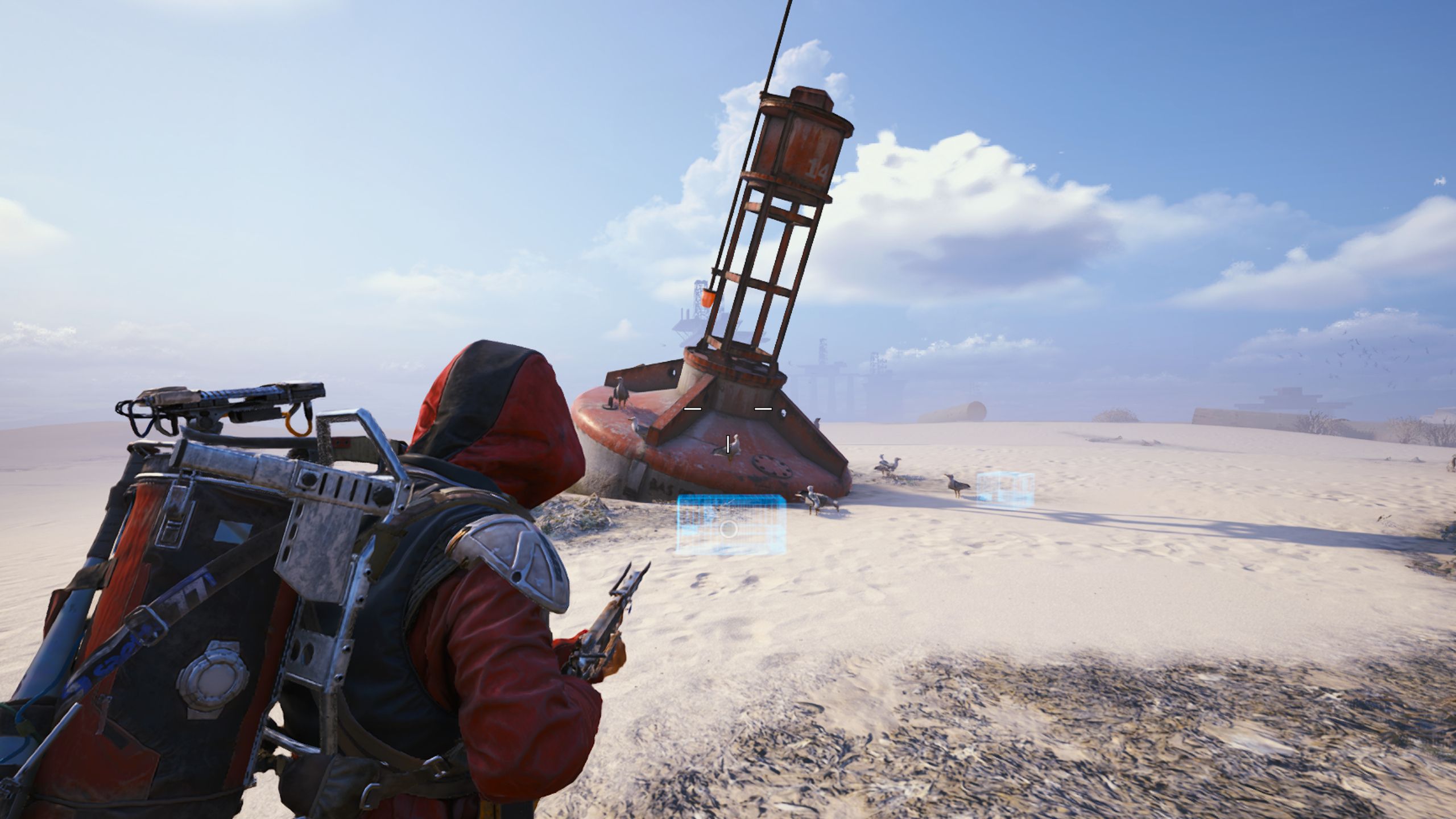
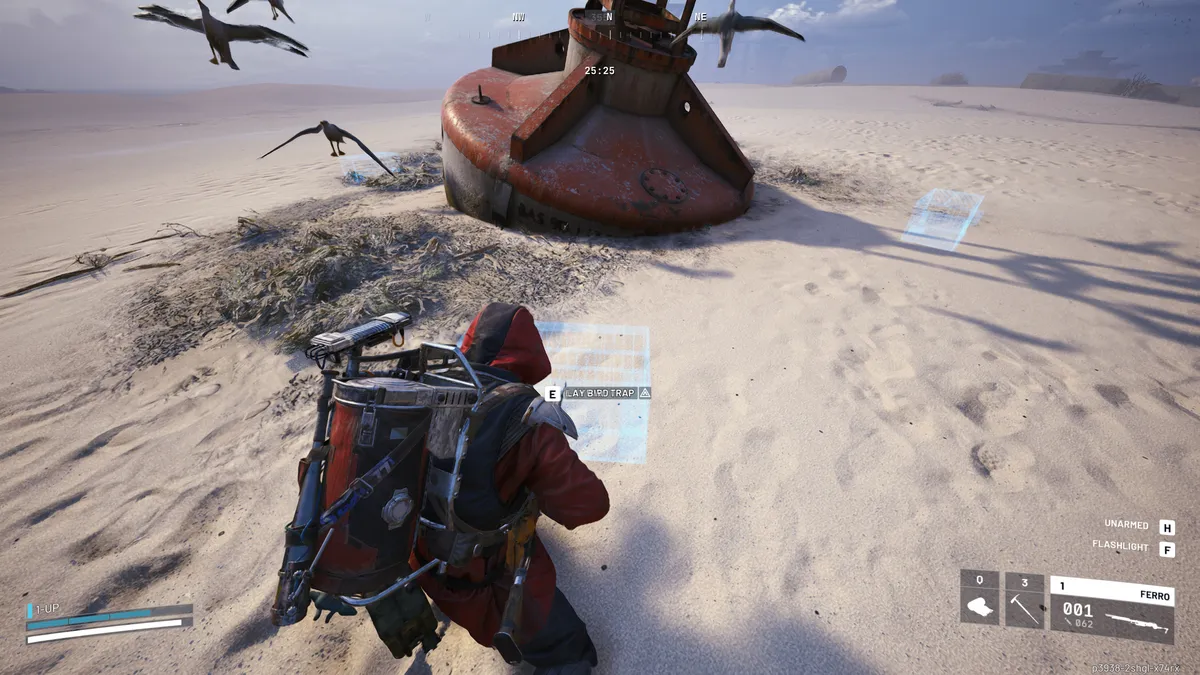
The location you’re looking for is northeast of the Port Authority Building at the top of the Riven Tide map, which is quite far from the Seabed clue you’re given. Head down to the dried-up seabed, next to the sea wall outside the Port Authority Building, and you’ll see a large red buoy jutting out of the sand.
Article continues below
Next to the buoy, you’ll see multiple locations to lay the bird trap. Just pick one and interact with the prompt to place it. You don’t need to bring any special items into the match to complete this task, despite how it sounds.
Given how close this location is to Stacking Yard, it’s a good opportunity to complete steps in both the Shoring Up Defenses and Battening Down quests from Apollo that introduce you to the new map.
Once you’ve placed your trap and returned to Speranza, return to the Avian Alarm project page to mark it off. You can then start donating materials for the remaining four stages, beginning with:
7x Tick Pod
20x Canister
12x Moss
5x Twilight Compass Ship Models (that’s the green-quality ones)
Keep up to date with the most important stories and the best deals, as picked by the PC Gamer team.
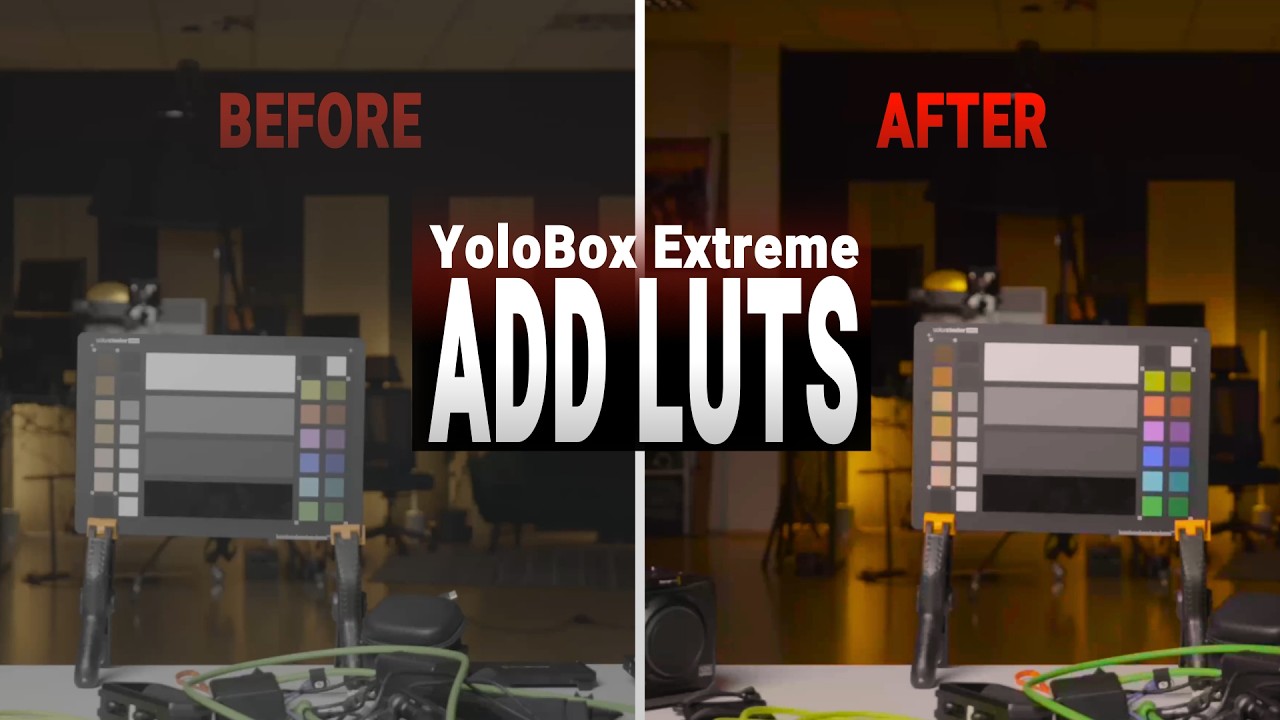
Can you add LUTs to the YoloBox Extreme? Yes—and it’s easier than you might think.
In this video, PhotoJoseph demonstrates how to load a custom .cube LUT file, adjust its intensity, and apply real-time color grading directly to your live camera feed.
Whether you’re shooting in V-Log, S-Log, or another flat profile, the YoloBox Extreme lets you enhance your image on the fly—no external monitor or software required.
Watch the demo to see how simple it is to upgrade your live production with built-in LUT support.
Built to Adapt: Why Enterprise Flexibility Starts
with IT Unification
Thu / Mar. 19 / 12:00 PM (ET)
Overview
To keep scaling your enterprise, you have to be ready for anything. Growth requires adaptation. And adaptation requires a tech stack that can bend without breaking.
True flexibility starts with a secure, adaptable IT foundation. Not a siloed patchwork. Unification is the answer. It aligns your technology with your business goals by transforming traditional administrative chaos into control.
Watch this special event with Google Workspace and JumpCloud to explore how the Work Transformation Set closes the enterprise unification gap. Your productivity suite isn’t just about tooling—it’s the foundation of your enterprise’s ability to scale with flexibility and confidence.
In this webinar you will learn:
Real-world data on how disconnected IT systems drain budgets and limit growth
How to extend your Google identities to manage secure access for every device and application across your enterprise
A practical look at how to dismantle your legacy patchwork and implement a unified strategy that drives real business value
Meet the Speakers:
Chris Tate
Principal Strategist
JumpCloud
Kristin Aliberto
Google Workspace Architect
Google Workspace
Watch Now
Watch Now
Error: Contact form not found.
About JumpCloud
JumpCloud is a cloud-based, unified IT management platform that centralizes identity, access, and device management, often serving as a modern, cloud-native alternative to Active Directory. It allows organizations to manage user identities, secure devices (Mac, Windows, Linux, mobile), and control access to resources from a single console, supporting hybrid and remote work.
Thanks to the adoption of features like rapid triggers, analog switches and TMR sensors, the tech in fancy gaming keyboards has changed surprisingly quickly in the past few years. So to keep up with the pace of development, Logitech is putting a bunch of advanced components in its latest flagship offering — the G512 X — to create what may be its most configurable keyboard to date.
Available in both 75 and 98 percent layouts, the G512 X is based on a novel design that supports both mechanical and analog switches. Out of the box, every key features PBT keycaps and uses one of Logitech’s MX mechanical switches. However, for important buttons like WASD, users can swap in up to nine bundled Gateron KS-20 magnetic analog switches. This means that when combined with the keyboard’s 39 tunneling magnetoresistance (TMR) switch beds, users can enable support for customizable rapid triggers and multipoint actuation, complete with five bundled second actuation pressure point (SAPP) rings in case you need even more control over every keystroke. The one potential downside is that Logitech only added TMR switch beds to the left side of the keyboard, so if you prefer more unusual keybinds, you won’t have quite as many configuration options.
The 39 TMR sensors on the left of the keyboard are the ones that support the included TMR switches. (Logitech)
Meanwhile, to meet the demands of competitive gamers who need lightning-fast response times, Logitech added an 8K polling rate. This includes both 8K reporting and processing to deliver input times of just 0.125 milliseconds. Elsewhere, the G512 X comes with dual dials, a large RGB lightbar and game mode presets — all of which can be tweaked in Logitech’s G Hub app.
However, the coolest thing about the G512 X might be all the handy little details scattered across the keyboard. For example, its adjustable feet serve double duty as keycap and switch pullers, so when you want to adjust your layout, you won’t need to go searching elsewhere for the right tool. On top of that, there is built-in storage for the nine included magnetic analog switches and five SAPP rings, so you’ll always have them on hand if you want to make changes. Finally, while it is an optional accessory, Logitech created a transparent palm rest with a laser-etched surface that will enhance the G512 X’s onboard RGB lighting.
Logitech’s optional palm rest really boosts the output of the Logitech G512 X’s front-mounted RGB lightbar. (Logitech)
Unfortunately, at $180 for the 75 percent layout or $200 for the 98 percent model, the G512 X is a bit pricey. And unlike some other members of Logitech’s G5 family, there’s no option for a wireless variant. But if you want a keyboard with practically all the latest tech and a ton of customizability (including the ability to select linear, tactile or clicky switches), the G512 X is a very intriguing option for demanding gamers.
The G512 X is available directly from Logitech today, with wider availability slated for May 2.
The enemy has invaded the territory, the motherland needs you, soldier! Gather your troops and defeat all enemies!
Steel clashes! Smoke and fire fill the space between war machines! Tank tracks tear through the earth, turret flashes light up the night sky, and the roar of steel beasts echoes across the battlefield. Face-to-face battles of firepower and armor, clashes of tactics and courage—every encounter has the power to change the course of the war.
Battlefield meat grinder! Lead your squad to crush the enemy’s offensive! Muzzles roar, belts of bullets dance, and machine gun fire weaves a deadly iron net before the trenches! Lead your squad to break through enemy lines and tear their defenses!
Classic Campaigns: From Stalingrad to Kursk Experience key battles on the Eastern Front of WWII, from the brutal Battle of Stalingrad to the high-stakes Battle of Kursk. Over 20 iconic WWII battlefields await you, covering urban combat, winter guerrilla warfare, armored confrontations, and more—capturing the full scope of the Eastern Front.
Orders Are Given, Troops Await Your Next Move Command the battlefield from a squad-level perspective. Build defenses, consolidate positions, organize assaults, and break encirclements—every decision matters. Deploy squads, issue commands, and adapt your tactics to turn the tide of battle!
All Saros endings are listed here, including any secret endings that the game might have hidden, so you can be sure to get the full experience! Not only that, but if you’ve finished the game yourself, we also explain every ending and what it means for the story of Saros as a whole, with explanations for some of the game’s most significant questions. If you want to know more, we’ll explain everything in our full Saros endings guide below.
Warning: From now on the following guide contains major spoilers for the entirety of Saros! Read on at your own peril.
All endings in Saros
(Image credit: Housemarque / Sony)
There are two endings to Saros’ story, as laid out below:
Main Ending (aka, the bad ending)
Secret Ending (aka, the good ending)
You have to go through the main ending first no matter what, as completing Saros and getting the bad result then unlocks the steps needed to unlock the good ending.
Article continues below
How to get the Main Ending in Saros
(Image credit: Housemarque / Sony)
To get the Main Ending, aka the bad ending, in Saros is pretty simple:
Progress the game to the point where you unlock the Yellow Shore biome, accessed via the Passage.
Enter the Yellow Shore and progress through until you defeat the Consort boss.
This will allow you to go even further, beginning a boss fight with the King.
Defeat the King and choose to attack them afterwards by walking up to them and pressing R1.
After beating the King to death, pass through the gap in the Yellow around the arena.
This will then trigger a final cutscene, and afterwards you’ll be returned to the Passage.
How to get the Secret Ending in Saros
(Image credit: Housemarque / Sony)
To get the Secret Ending – also called the Good Ending – in Saros, you need to do the following:
Complete the main ending as shown above, then be returned to the Passage.
Go to the Echelon 3 camp in Shattered Descent and speak to Kayla, who’s hiding behind a door in the main habitat dome.
Go to the Blighted Marsh and progress until you find a huge red tree. On reaching it, a cutscene will play.
Go to the end of the Cathedral Biome and visit Nitya’s Lab, uncovered just before entering the final boss arena by ringing the bell.
(Image credit: Housemarque / Sony)
Watch the Holocache recording in the Lab.
Go back to the Passage and speak to Kayla in a new cutscene.
Enter the Banyan Tree to see a new flashback sequence.
Go back to the Yellow Shore and battle the King again.
After victory this time, you’ll be given a choice as to whether to strike the fallen king or not. Choose to spare him and let him live.
With the King still alive, progress through the gap in the Yellow Barrier to see a new cutscene and ending to the game.
Main Ending explained
(Image credit: Housemarque / Sony)
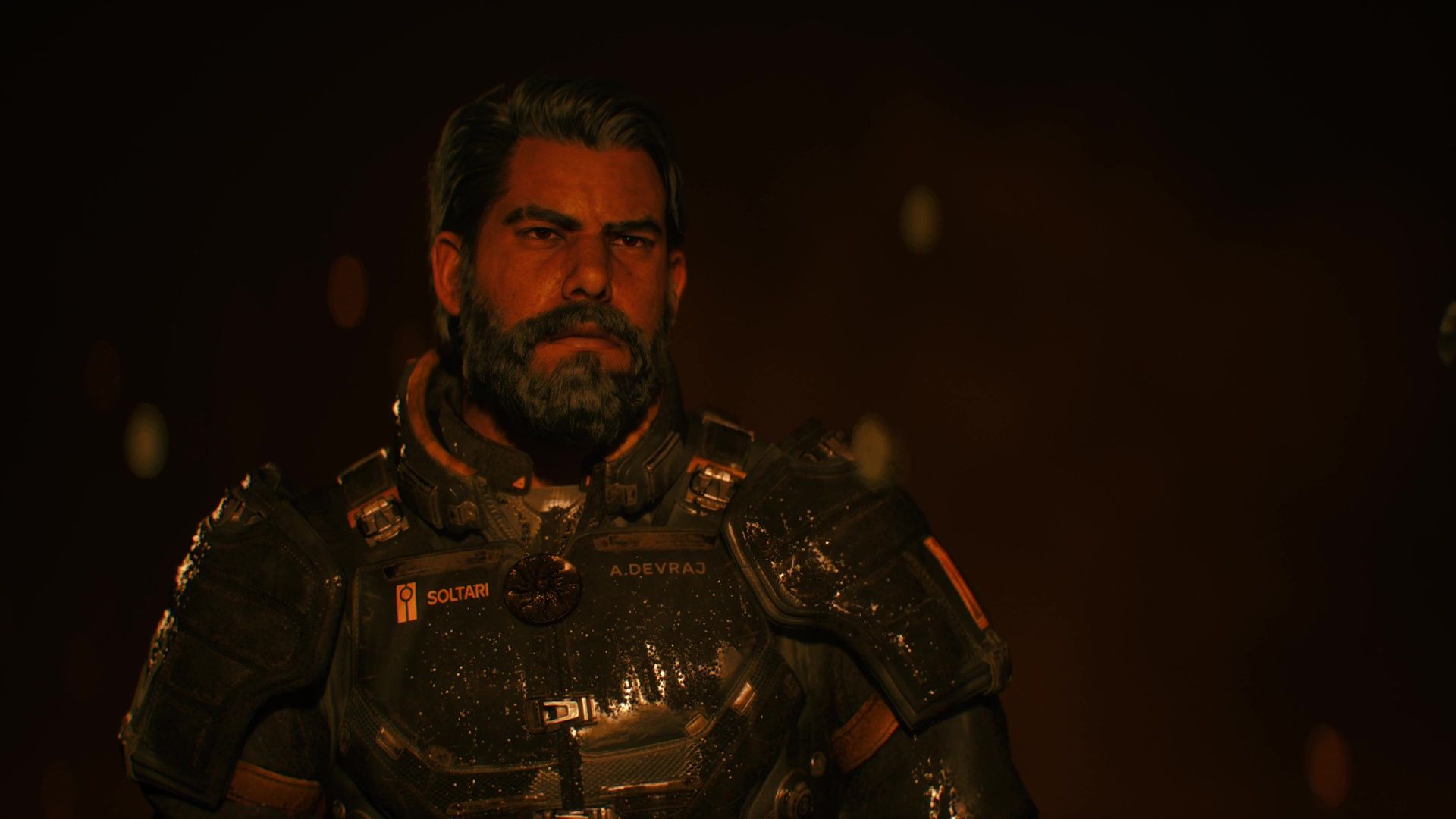
What happens: In the main and first ending, Arjun fights his way to the Yellow Shore in pursuit of Nitya, and ultimately ends up battling the King, the distorted monster at the end of the Yellow. Arjun kills the King and, lured by Nitya’s voice, passes through the barrier beyond.
Weekly digests, tales from the communities you love, and more
Here Arjun ends up back at the room at the Rue Paree, the brothel that was a significant part of his past back on Earth. Looking for Nitya, instead all he finds is his reflection in the window, which grins nastily and drags him through the glass into a void beyond.
Arjun awakes with Nitya beside him, who convinces him to take the throne. In that moment, he transforms into a copy of the King in a nasty bit of body horror, before sitting on the throne and grasping Nitya’s wrist in a possessive way. Our perspective draws back, showing that this whole tableau is held inside some sort of strand of gold energy, and that there are many strands around it.
(Image credit: Housemarque / Sony)
What does it mean? This ending is ultimately Arjun being corrupted by the Yellow Shore, giving into his desires and becoming the next Yellow King. The Nitya besides him isn’t even the real one, but an illusion created by the Yellow to coax and lure him to this point. The other strands suggest that Arjun is just the next in a chain of Kings, each one murdering the previous King in turn.
Secret Ending explained
(Image credit: Housemarque / Sony)
What happens: In the Epilogue Ending and steps leading up to it, Arjun speaks with Kayla again, as well as the spirit of Kiira, who was one of the members of Echelon 1 alongside Nitya. Kiira reveals that she and Nitya fell in love during their time on Carcosa, forcing Arjun to confront the fact that Nitya did actually move on after she left him, something he had been convinced was impossible.
Returning to the Passage, Arjun then confronts the truth about his past on Earth in another flashback. It’s revealed that Sebastian Torres was a former Enforcer and friend of Arjun’s that he nonetheless murdered in a fit of rage when it seemed as though Torres was going to tell Nitya that Arjun had cheated on her, as well as potential other immoral acts. This suggests that the Torres that Arjun has been speaking to on Carcosa is a creation of the Yellow or just a symptom of his strained sanity (perhaps both).
Arjun tells Sebastian he’s sorry and that he regrets what he did, before eventually returning to the Yellow Shore to confront the King again. However, this time after beating the King, Arjun pushes past him without landing the fatal blow and choosing not to take the crown, proving that he’s not going to give in to his poisonous desire this time. Having made it to the shore, it seems as though the Yellow is going to try and transform Arjun anyway, until he rips away his sun pendant and throws it down in the water.
At this moment, the transformation stops and Arjun is finally left standing with Nitya on the beach. He apologises to her for what he did, and she comments on the possibility of tomorrow and what it will bring, as well as asking what sort of person he’ll be. Arjun stands on the beach as she walks away from him, and as she does so, we see blue and red lights flashing on his face, as if from a police car off-screen.
(Image credit: Housemarque / Sony)
What does it mean? In this ending, Arjun realises the corrupting nature of his desire and that the best thing he can do is to stop chasing Nitya, in so doing breaking the cycle of Carcosa. The two revelations of the epilogue are firstly that she found love after him in Kiira, and secondly that Arjun is a literal murderer who killed his friend Sebastian to conceal his infidelity, making a mockery of the idea that he’s a good partner to anybody at all. Nitya does not need him, and he does not deserve her.
When he throws down the sun pendant, the symbol of their relationship, it’s a way of effectively letting her go, realising that what he wants isn’t enough – it’s more important what she wants. Without that toxic need to possess Nitya in his soul, the Yellow has nothing to latch onto and can’t transform him into the new King, preventing the transformation.
Nitya’s comments on the beach are pretty straightforward – it’s best for them both to move on and look to tomorrow. Arjun’s possessive nature, and the belief that he is entitled to her no matter what he does, is what he needs to get past. If he wants redemption, he also has to finally confront his actions back on Earth: specifically, Sebastian’s murder.
What are the Yellow Shore and Yellow King?
(Image credit: Housemarque / Sony)
The Yellow Shore, sometimes just called “The Yellow”, is a cosmic entity that seeks to lure people towards it by exaggerating and corrupting their innermost desires, coercing them to chase those desires all the way to it. On reaching the Shore themselves, they then become the next Yellow King after killing the previous one. This process is referred to as “The Path to the Yellow Shore”.
A text log we find in-game suggests that the Yellow Shore’s true nature is that it is some sort of eldritch god of Desire and Want. It’s also suggested that, because of the elastic nature of time in and around Carcosa, the various Kings all exist simultaneously and forever, even despite subsequent ones deposing them.
It’s stated that Nitya built The Constant to seal off the Yellow as much as possible, effectively trying to end the constant cycle of Yellow Kings and block the Path.
(Image credit: Housemarque / Sony)
The first King we know of was Arnold Delroy, the Commander of Echelon 1, but audio logs show that his comrade Micah Wilde either successfully replaced him, or was at least planning to, so it’s possible that the King Arjun battles is either Delroy or Wilde – though in a sense it doesn’t matter which one, as the end point of the Path is the same.
All that being said, there’s also some implication that Arjun repeatedly dying and coming back to life in the Passage (not to mention the warped chronology of Carcosa) means that he might be many of these Kings, effectively murdering himself in a repeating cycle.
Who is Sebastian Torres?
(Image credit: Housemarque / Sony)
On Earth, Sebastian Torres was another Enforcer and friend of Arjun’s who planned to reveal the fact that Arjun had been cheating on Nitya, as well as other unspecified “lines crossed”. Arjun murdered Sebastian to prevent the truth from coming out, but the mental strain of what he’d done exacerbated his already excessive drinking and violent behaviour.
On Carcosa, Sebastian appears as a figure tending the giant tree in the Passage, and it’s eventually revealed that this Sebastian is a figment of Arjun’s mind (hinted by the fact that Sebastian is the only character in the game who doesn’t get a Database entry). It’s not clear if this ghost is the influence of the Yellow, or if Arjun’s guilt is just projecting a delusion to torment/reassure him, but either way the root of the problem is the same: Arjun’s unresolved guilt over killing Torres.
(Image credit: Housemarque / Sony)
One small note of interest is that Arjun is seen on Earth in a flashback drinking “Torres” brand beer. It’s left unclear whether Arjun’s fractured mind is jumbling elements together, giving the Sebastian on Carcosa a different surname he associates with the darker moments of his past, or if Arjun drinks that specific brand of beer as a way of remembering Torres and torturing himself with the reminder.
What happened to Nitya?
(Image credit: Housemarque / Sony)
Much of Nitya’s experience on Carcosa remains elusive, but we can determine some specifics. She went to Carcosa with the first Echelon 1 team to get a fresh start away from Arjun, and there fell in love with Kiira. However, the team were corrupted by the Yellow Shore, leading to Delroy becoming the new Yellow King and the others becoming mutated monsters (or in Kiira’s case, basically just a spirit).
From what we understand, Delroy tried to make Nitya into a Priestess, but she resisted and rebelled, having finally understood the horror of the Yellow Shore. She went into hiding and created two devices: the Preserver, a machine which was supposed to bring her back to life if she was killed in her mission, and the Constant, an AI computer that would also act as a barrier to cut off direct access to the Yellow Shore, stopping anybody from becoming the next King.
Somehow, Nitya eventually ended up at the Blue Precipice (more on that below), free from the power of the Yellow Shore or the King. There she remains until we finally encounter her at the conclusion of the Secret Ending.
What do the Blue and Red Lights mean?
(Image credit: Housemarque / Sony)
The blue and red lights visible on Arjun’s face in the final shot of the epilogue ending are an interesting visual, obviously reminiscent of police lights and calling back to Arjun’s crimes on Earth. There are several possible interpretations that I can see, though they all largely follow the same theme: Arjun taking responsibility for the killing of Sebastian Torres. Here are all the possible meanings that I can think of:
Arjun is now fully aware of his own crimes. He may never make it back to Earth, but he recognises his own guilt and understands the full horror of what he did. The lights aren’t real, just a symbol for him recognising what accountability means.
Arjun goes back to Earth to hand himself in. The police lights are more prophetic than symbolic: at some point Arjun will manage to escape Carcosa, and will turn himself in for what he did.
The Yellow is giving Arjun what he now wants. If the Yellow is there to provide people with corrupted versions of what they want, Arjun’s desire for punishment, penance, and accountability may mean an illusion of being arrested and held accountable. That seems unlikely though, as the beach is supposed to be free of the Yellow’s influence.
Nothing on Carcosa was real. A world of broken time run by yellow eldritch space gods? What a silly idea: the whole game has clearly been a metaphor, or a drunken dream Arjun had after Nitya left him! Even if it was a purely symbolic process, it still takes Arjun to the point of realising that he needs to acknowledge and pay for his crimes.
(Image credit: Housemarque / Sony)
What’s significant is that in one audio log from Arjun himself, he makes reference to the idea that “blue and red” and the “song” that accompanies it is all he deserves, most likely police lights and sirens. This feeds into the notion that Arjun is riddled with guilt for his actions on Earth, but is trying to suppress it, allowing his ego and desire for Nitya to overrule that guilt.
What is the Blue Precipice?
(Image credit: Housemarque / Sony)
The Blue Precipice is probably the most mysterious and enigmatic part of Saros lore, something that is alluded to occasionally but never spelt out in great detail. It could be either another god, a visited physical place, a state of mind, or something else altogether. Either way, those at the Blue Precipice seem to find themselves immune to the Yellow’s influence.
The Blue Precipice seems to be most associated with those who have freed themselves of desire and think selflessly. Text logs state that Kayla had awareness of the Blue Precipice, though even she didn’t know how, and at the last time we see her in the game, planning to do what she can to stop others from reaching the Yellow, her eyes are glowing blue.
(Image credit: Housemarque / Sony)
Kiira’s spirit also states at one point to Arjun that the Yellow Shore could not reach Nitya as “she walked the edge of the Precipice.” It’s possible that the Blue Precipice is the calm beach that she and Arjun speak on at the end of the game, but again – this is largely theory and hard to prove decisively.
Was it all a dream?
(Image credit: Housemarque / Sony)
Who can say? Yes, there are elements that seem strange or unreal, but any story about science fiction technology and eldritch gods playing with people’s sanity was always going to be weird. There’s no real way of knowing just how much of Saros is meant to be taken literally by the end (especially with that final shot of the flashing lights), but real or not, it still brings Arjun to the same realisation about himself and what he’s done. I’d say that everything prior to Nitya leaving is probably guaranteed, but as for the rest of it – that’s down to the individual.
GitHub shifts pricing for its flagship Copilot service.
Under the new AI Credit approach, if you run out of credits, you can’t use the service.
Users who expect to see far higher prices already hate the deal.
It’s been an open secret that people haven’t been paying anything like the full cost for their AI services. The bill’s finally coming due. GitHub announced that as of June 1, 2026, all GitHub Copilot plans will shift to usage-based billing.
This is a radical change from its current premium request unit (PRU) system. Going forward, users will consume monthly allotments of GitHub AI Credits based on token consumption, including input, output, and cached tokens at published API rates. In other words, GitHub is moving to a token-based pricing model.
Smart people saw this coming. A week ago, GitHub blocked users from getting a new GitHub Copilot subscription. GitHub also began restricting the models available from its individual subscription plans, while dropping access to Opus models entirely. Price increases were clearly on their way.
Why? According to GitHub, it’s no longer the same service. What was once a smart programming editor has evolved into “an agentic platform capable of running long, multi-step coding sessions, using the latest models, and iterating across entire repositories.” On top of that, “Agentic usage is becoming the default, and it brings significantly higher compute and inference demands.”
GitHub claims its current premium request model is unsustainable. After all, they stated, “a quick chat question and a multi-hour autonomous coding session can cost the user the same amount,” with GitHub absorbing escalating inference costs. The usage-based model is intended to maintain long-term service reliability.
The good news is that, for now, anyway, base subscription pricesremain unchanged. Copilot Pro is staying at $10 per month, and Pro+ is at $39 per month. However, these subscriptions will now include monthly AI Credits matching their dollar value. That is, Pro subscribers receive $10 in credits, while Pro+ users receive $39. I have no idea why GitHub felt the need to spell this out.
Code completions and Next Edit suggestions will remain included without consuming AI Credits. Users on annual plans will continue with PRU-based pricing until expiration, when they transition to Copilot Free with upgrade options, or they can convert early to monthly plans with prorated credits.
Copilot Business, $19 per user per month, and Copilot Enterprise. $39 per user per month, maintain their current pricing while adding equivalent monthly AI Credits per seat. To ease the transition, GitHub will provide promotional credits for June, July, and August 2026: Business customers receive $30 per month, and Enterprise users receive $70 per month.
However, and this is important, in the past, when you ran out of PRUs, you simply downshifted to a less capable model. With the new AI Credits approach, when you’re out of Credits, you’re out of luck. If you want to keep working, you’ll need to pay more for Credits.
Organizations can benefit from pooled usage across teams, eliminating stranded capacity from individual unused credits. Administrators will gain budget controls at the enterprise, cost center, and user levels, with options to allow additional purchases or cap spending when included pools are exhausted.
GitHub plans to launch a preview of the bills in early May. This will give you a look at your projected costs before the new June bills come due.
Many users aren’t waiting to dismiss this new pricing plan as a bad deal. As one Reddit poster put it, “I don’t see companies going to be all happy if they get a 50x larger bill. People really underestimate how many tokens they use.” Another shrugged, “They could’ve just shut down Copilot completely. Literally the only reason to stay is that you’re familiar with it and are not ready to invest 30 minutes of your life to get familiar with Claude code, Codex, or whatever.”
For all the grumbling, though, it’s not like the news is surprising. People who paid attention to AI’s growing costs — memory is more expensive than ever, and gigawatt datacenters don’t build themselves — knew this was coming.
Other companies have already started to hike their rates. For example, OpenAI increased the cost for developers using its flagship GPT-5.2 model from $1.25 per input token in the previous GPT-5.1 to $5.75. In addition, Anthropic confirmed a de facto price increase for its Claude enterprise edition on April 15 when it moved from fixed pricing to a dynamic usage-based model.
(Disclosure: Ziff Davis, ZDNET’s parent company, filed an April 2025 lawsuit against OpenAI, alleging it infringed Ziff Davis copyrights in training and operating its AI systems.)
Like it or lump it, the day of cheap AI is almost done. I expect costs to jump by 2 to 3 times by year’s end, and I won’t be surprised if prices end up far higher than that.
Sandbox fun times simulator Garry’s Mod has gobbled up pretty much every official Valve Source game into its toybox at this point, but there is land yet to conquer. Facepunch announced this week that the 20-year-old game’s next patch, planned for April 29, will finally bring Black Mesa into the fold.
“By popular demand and with approval from its developers, this update will be adding mounting support for Black Mesa in Garry’s Mod,” the blog post reads.
That’s great news if you’re one of the tens of thousands of folks still playing Garry’s Mod daily. Black Mesa, if you missed it at the time, is an official Valve-approved Source remake of Half-Life 1 made by the Crowbar Collective.
Article continues below
It’s an excellent reimagining of the original that makes major improvements to Half-Life’s animations, sounds, and weapon feedback—relevant features that Garry’s Mod creators will soon be able to utilize in their own stuff.
While Garry’s Mod has no shortage of add-ons that attempt to modernize Valve’s base Source assets, there are loads of custom modes that could benefit from Crowbar Collective’s take on the Black Mesa facility. You’ll have to own Black Mesa to properly use its assets in Garry’s Mod, and to celebrate, the pair of games are on sale as a bundle for $13.
That’s the flashiest bullet point of the update, but far from the only ones. The full patch notes list over a hundred minor bug fixes and asset changes, some of which include deleting functions that served no purpose in Garry’s Mod and were a “waste of resources.” I guess that can happen when one game gets sporadically patched for 20 years.
It’s a good time to reacquaint yourself with Garry’s Mod, as its spiritual sequel S&box is right around the corner. S&box, much like Gmod, leverages a custom version of Valve’s Source 2 engine to make and modify games to your heart’s content, but it’s also going much further. Facepunch says S&box is more like a complete game engine that can be used to make entire games and even publish them as standalone releases on Steam. It’s out on April 28, the day before the Garry’s Mod patch.
Keep up to date with the most important stories and the best deals, as picked by the PC Gamer team.
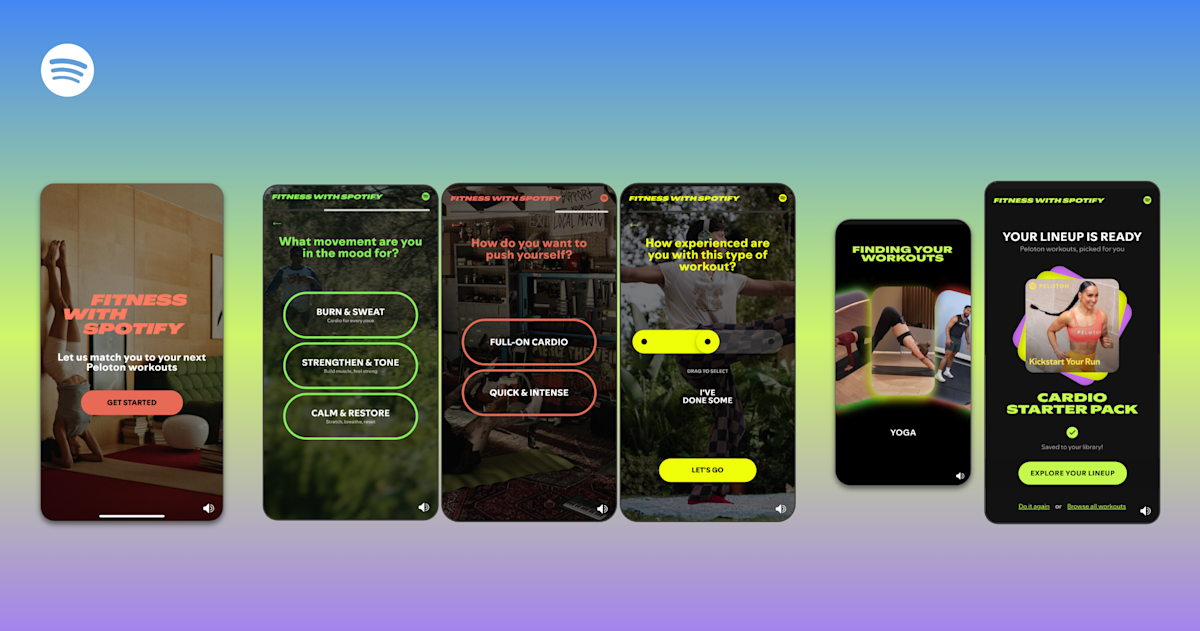
In its quest to become an all-in-one app, Spotify is now breaking into the fitness app world by offering “guided workout experiences” and on-demand Peloton classes. Premium subscribers will get access to Peloton‘s library of more than 1,400 classes in the app, while both Free and Premium can browse curated playlists (they’re listed under the genre “fitness.”)
Spotify
Spotify said the classes are primarily in English, but there are some options in Spanish and German. Like music and podcasts, Spotify lets you bounce between different devices for its fitness media, so you can start a video workout on your TV and switch to an audio-only version on your phone or smart speaker. Users can even download the classes for offline use.
The fitness category may feel like a sharp turn for Spotify, but the company said that nearly 70 percent of its Premium subscribers work out monthly and that fitness and workout content was one of the top use cases for its Prompted Playlist feature. Spotify has long been expanding its offerings outside of music, with its latest efforts giving users a way to buy physical books or create group chats.