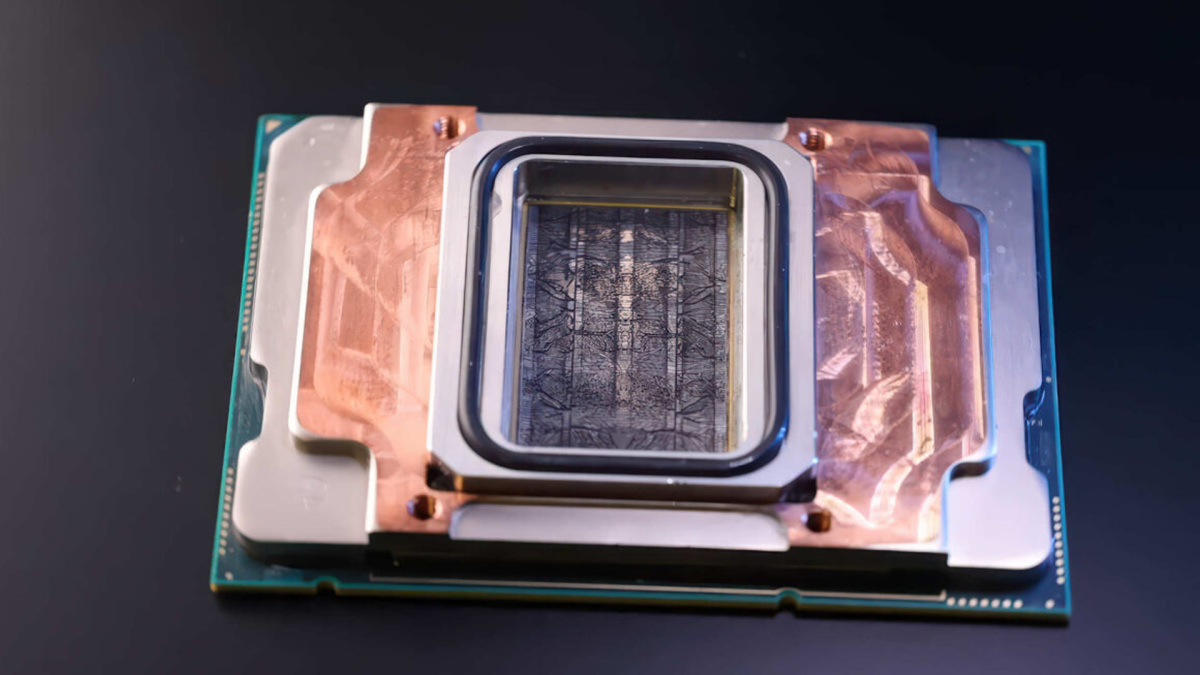
Microsoft has debuted “microfluidic” cooling, which it suggests could be used to cool future AI chips by allowing some cooling fluid to flow through the chip itself rather than just over the cold plate attached to it. Microsoft claims this form of cooling was three times more effective than standard water cooling using a copper block and could cut GPU temperatures by almost two-thirds.
Traditional processor cooling involves attaching an integrated heat spreader (IHS) to the chip package, then applying some form of thermal interface on top before attaching a cooler built from copper or other highly conductive material. This can be water- or air-cooled, with the former more prevalent in data centers due to its higher cooling capabilities. Microsoft claims microfluidic cooling is far more effective, however, since it removes many of the interval layers and connects the hottest parts of the chip directly with the coolant.
This approach carves tiny channels within the chip itself that allow the coolant to flow through the silicon. All chip layouts are different, so unique coolant channels would need to be carved, but Microsoft claims that this is entirely possible with AI. The results are worth the added effort, the brand claims; per Microsoft, it could revolutionize cooling in data centers, cut down on power and water consumption, and improve processor efficiency.
Although microfluid channels might be expensive or complicated to cut into the chip, they certainly would use less metal than existing copper cold plate designs. The servers would therefore be lighter and smaller, too. This would again increase efficiency, especially for massive data centers and supercomputers with hundreds of thousands of chips.
Questions remain over what kind of coolant would be used. VideoCardz poses the question of what happens if those channels get blocked. Standard watercooling pipes, radiators, and blocks all need cleaning occasionally to remove debris that would inhibit cooling performance.
Still, I want to see this on an RTX GPU. If load temperatures are cut by that much, how fast could it be?