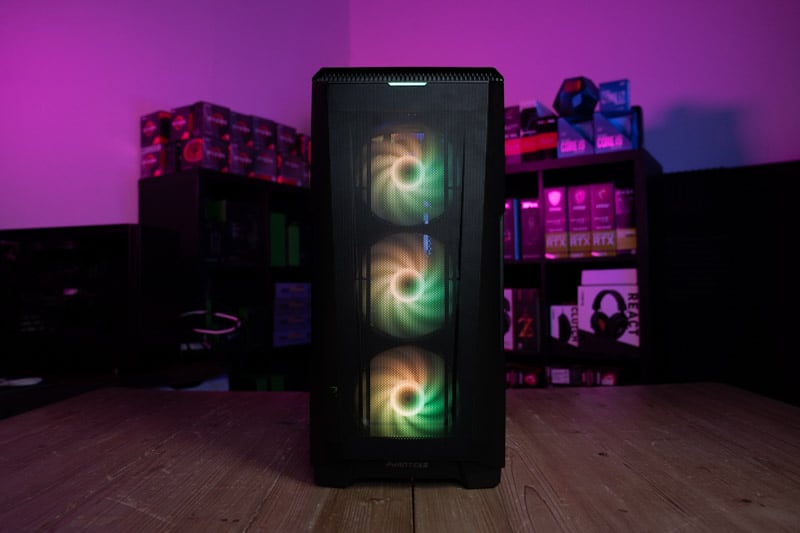

what you get for your $600 budget
We’ve already touched upon budgetary constraints, but something we didn’t discuss was the correlation between a PC’s price and the performance it can provide. Almost every build has a different level of performance, therefore, choosing the right PC for your needs should start with its price. We set a target of under $600 and we believe we’ve extracted the maximum amount of performance available at this price point. Our build has the ability to provide an immersive gaming experience at 1080p over the most popular AAA game titles, over 60FPS in a lot of scenarios. If you’re a seriously competitive gamer, and like to lower resolutions down to 720p to get the most FPS, you can probably expect at least 150FPS depending on the game. However, if you’re looking for a PC to smash 4k games, VR, and multi-tasking extremely heavy workloads all at the same time, you might want to consider one of our premium builds. It’s easy to overestimate a build’s capabilities, especially when it’s your own money. It’s important for your experience that you stay grounded and only expect this $600 build to do what a $600 build can do.
We had to make several compromises with this build to keep it within the $600 budget. An older CPU and GPU combination and smaller-sized SSD features to keep costs down. Despite this, the build currently offers the best performance we could find for under $600 and is very easy to upgrade should you wish in the future. (we highly recommend)
Non-gaming Performance
We have established that this build can perform pretty well in lesser demanding games, but what about your everyday use? This PC is perfect for office applications, if you’re a businessman who likes to game on a budget, then this PC would be perfect for you. Don’t expect it to be running any advanced simulations or anything, but it’ll do all your typical web browsing and document writing without skipping a beat. This is because entry-level builds don’t handle heavy workloads too well.
Upgrading this $600 PC build
We’ve left a lot of wiggle room when it comes to upgrading this $600 build. We’ve selected a CPU that stands well on its own but we’d have liked to have this system equipped with something a little more substantial. With that being said, the only reason we’ve chosen this CPU is to make way for a GPU that is very powerful for a $600 budget machine, if we were to recommend upgrading anything first it would be the CPU, and then the motherboard, then Memory or GPU.
Overclocking on a $600 budget
The components we have selected for this build can be overclocked, and the CPU, GPU, and Memory are all ready to be pushed further beyond their standard capabilities, however, this comes with a word of warning. Overclocking can be detrimental to your system if done improperly, it’s highly recommended that you take a look at our how-to overclock page and familiarize yourself with the methodology before attempting to push your system to the limit. Also, increasing performance also increases heat, so you’re going to have to make sure you have a powerful cooling solution
Finance and purchase options
now, we DO NOT recommend you get into debt, but a lot of PC component retailers now offer “pay in 3” or “0% finance” solutions to being strapped for cash. This can be a good way of getting an upgrade to the $600 PC build without having to worry about upfront costs. Similarly, there are a plethora of components available on the second-hand market, you can find plenty of used components there at a significantly discounted price. There are only a couple of components we recommend staying away from when buying second hand, these are HDDs and PSUs. Also, if you’re buying something like a GPU, it’s always best you ask for proof of working, or go to the seller and test the component yourself.
Remember to be safe when meeting strangers.
Build A Gaming PC By Price
Check out some of our price-focused custom PC build guides below.
Other Related Custom PC Guides:
Related Prebuilt Gaming PC Guides
Check out some of our related prebuilt PC guides below.