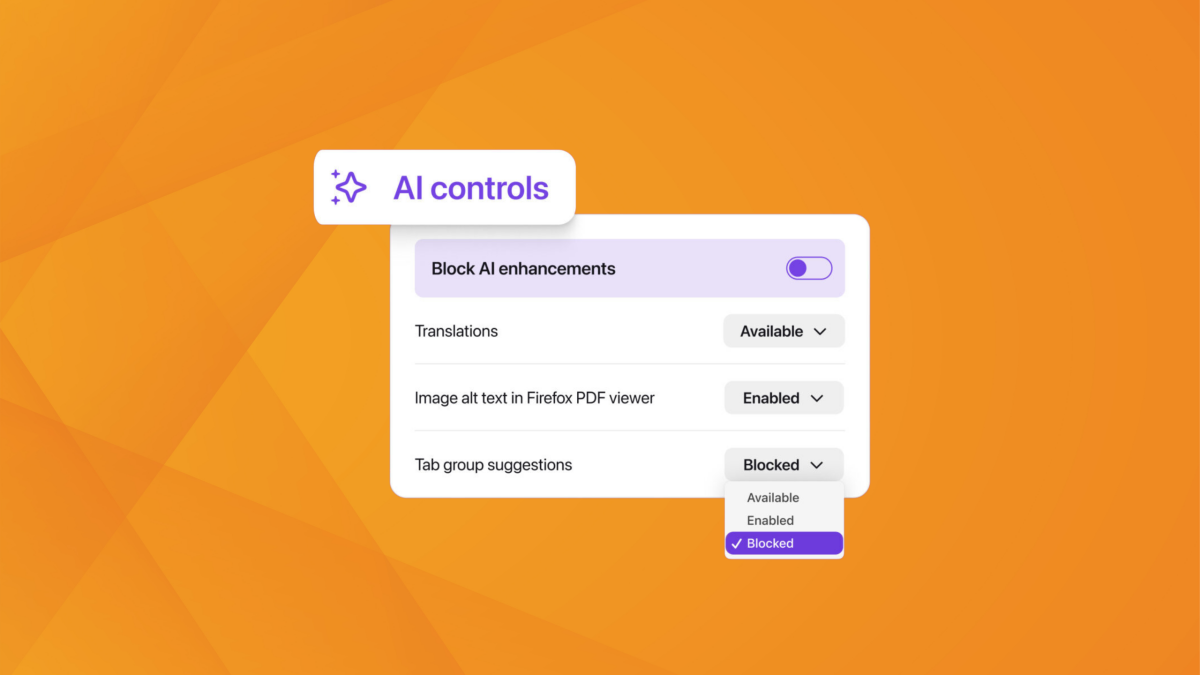
On Feb. 24, Mozilla will release Firefox version 148, which includes a highly sought-after feature: an AI kill switch. The new AI controls section gives users the option to block all current and future generative AI features in the browser, with additional toggles for specific tools.
The AI controls section lets users manage five features individually or disable them all with a “Block AI enhancements” toggle. These features include:
-
AI-generated translations for browsing in different languages,
-
automated alt text descriptions for images in PDFs,
-
AI-enhanced tab grouping that suggests related tabs and names,
-
link previews that show key points before opening links, and
-
an AI chatbot sidebar providing access to ChatGPT, Claude, Copilot, Gemini, and Le Chat Mistral.
Users who activate the block toggle won’t see pop-ups or reminders about existing or upcoming AI features. Those who want to use specific tools can enable them individually, even with the master switch on, though future AI features will remain blocked by default unless explicitly enabled. The feature is currently available in Firefox Nightly for early testing.
The update comes after Mozilla faced backlash in November for announcing an AI Window within Firefox. Mozilla developer Jake Archibald announced the “kill switch” in December, explaining that the toggle would disable all AI components and that AI features would be optional by default. Refreshingly, Mozilla fulfilled its promise pretty quickly.
While some people appreciate generative AI’s numerous functionalities, others don’t want anything to do with it. Mozilla’s new CEO, Anthony Enzor-DeMeo, who took the role in December 2025, previously emphasized that “AI should always be a choice—something people can easily turn off,” per Hacker News.