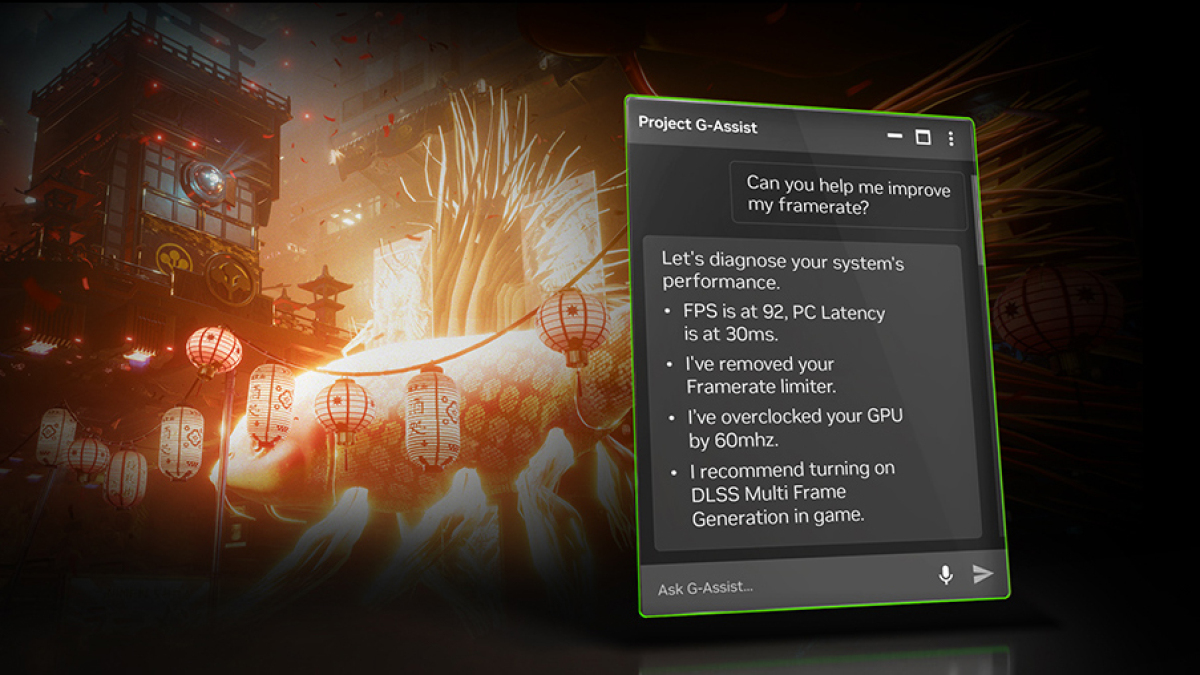
Nvidia G-Assist.
Credit: Nvidia
Nvidia released an update for Project G-Assist, an AI assistant that harnesses your GPU to answer your questions. The update introduces Plug-in Builder, which helps you customize your AI assistant. In other words, you don’t necessarily need to wait for Nvidia to introduce new features for G-Assist—you can make your own.
You can use JSON to define functions and put them into a folder from which G-Assist can pull them. Nvidia says that it has hundreds of APIs ready for developers. Part of the draw of the Plug-in Builder is that you can create tasks specific to your needs, but it’s also reasonable to expect that some developers will develop plug-ins that the general public might want. To support those developers, Nvidia has a review program for adding user-made plug-ins to the Nvidia GitHub repository.
That repository is where you’ll want to go for downloads and instructions, plus sample plug-ins like Google Gemini and Spotify. If you need more power than the local AI can provide, you can use Gemini to connect to a more powerful cloud AI. Nvidia highlighted a developer who built a plug-in that lets them ask G-Assist if a particular streamer is live.
Project G-Assist, which is part of the Nvidia App, accepts typed or voice commands. You can use it to quickly make changes to your computer that would otherwise take some time, like adjusting your PC fan speeds or overclocking your system. For many users, it might be their first real interaction with AI (or, at least, the first one they’re aware of using). The tool is fun to experiment with, but adding the Plug-In Builder and letting the public create customizations could lead to some interesting innovations.
One thing to keep in mind is that using G-Assist while you’re in a resource-intensive game might cause a brief drag on graphics performance. That’s to be expected when you ask for heavy graphics and an AI bot simultaneously. It shouldn’t be an issue in most cases, though. The requirements for running G-Assist are easy to meet—if you have a reasonably modern PC running an RTX 30, 40, or 50 series GPU, you’re probably ready to go. You can double-check the minimum requirements on Nvidia’s Project G-Assist page.