Nearly every TV on the market today is a smart TV, but not every operating system is a winner. A media streaming device lets you pair whichever user interface you prefer with just about any screen that has an HDMI port. In some cases, such as with older or less expensive smart TVs, a streaming stick or dongle could even be speedier and less glitchy than your TV’s built-in system.
At home, these handy gadgets make it easier for cord cutters to watch the millions of hours of content streaming services provide without cable. And while traveling, a streaming player lets you watch your preferred content on hotel sets (without painstakingly typing in a bunch of passwords or activation codes). We tested out streaming players from Roku, Google, Apple, Amazon and more, gauging the usability and the performance of each to come up with our list of the best streaming devices you can buy.
What to look for in a TV streaming device
Operating system and interface
Google’s TV Streamer, the Apple TV 4K, Amazon’s Fire TV Sticks and Roku devices are the most popular players in the space. Three of those brands also come built into TVs, such as Fire, Google and Roku TVs, but the Apple TV 4K doesn’t come pre-loaded on any set. Each one has a unique operating system and interface. This may be the biggest deciding factor for many people, as it determines how the content you want to watch is arranged and presented. We go into detail for each platform below, but all of them come with home screens that, to varying degrees, gather your apps in one place, present the movies and TV shows you’re currently watching and give you suggestions of other media streaming options.
Nearly all streaming devices come with a remote that lets you search and do other operations using your voice, eliminating the need to hunt and peck at on-screen keyboards. They all offer “universal search,” in which searching for a title takes you to whichever app has it available. If you want to watch Barbie but don’t know where it’s playing, just push the voice button on the remote and say “Barbie.” (We found simply saying the title or the genre you want sometimes works better than saying “Show me…” or “Search for…”) From the search results, hit the play button and the correct app will open and start playing — assuming you’ve previously logged into that app and, in most cases, have an active subscription.
Connectivity
Most streaming sticks connect to the internet via Wi-Fi, with the majority of them supporting Wi-Fi 5 or 6 protocols. Set-top boxes can also have Ethernet ports, so you can hardwire your internet connection to the device, which is always faster than wireless. Streaming media players connect to your TV through an HDMI port, and most sticks hide behind the screen, while set-top boxes sit on a surface nearby. Nearly all units also plug into an AC outlet for power. Some sticks used to work by pulling power from a USB port on the TV, but increasingly, these devices are designed to plug into the wall.
Video and audio features
If you have a screen that can display 4K content with Dolby Vision and HDR10, you’ll want a streaming device that supports those high-end formats. Of course, even the most top-shelf streamer can’t make a 1080p TV display content in 4K. The series or movie also has to be transmitted in 4K and, increasingly, companies restrict higher-quality streaming to more expensive subscription plans. In short, every element needs to support the video or audio feature, otherwise the highest quality you’ll get will be the lowest of any component in the chain.
Voice control
In addition to helping you find stuff to watch, streaming devices from Apple, Google and Amazon can answer questions about the weather, sports scores and general facts using built-in voice assistants. They can also act as smart home controllers to turn off connected smart bulbs or plugs and show feeds from smart cameras. Just remember, as with all smart home devices, compatibility is key. Fire TV devices work with Alexa-enabled smart home equipment; the Google TV Streamer lets you control Google Home devices; Apple TV 4Ks play nice with HomeKit; and Rokus grant power over Roku’s smart home products.
Below are some recommendations for the best streaming sticks and other budget-friendly options. We also included suggestions for set-top boxes and devices geared toward gamers.
Best streaming devices
Photo by Amy Skorheim / Engadget
Read our full Google TV streamer review
Google replaced the Chromecast product line with the release of the Google TV Streamer in September of 2024. There’s no HD model, only 4K this time around and the going price is $100, which is double the price of the most recent 4K Chromecast. Instead of a dongle that hides behind your TV, it’s now a set-top wedge.
Inside, there’s a faster processor, which kept up with my scattered testing methods — opening and closing apps then reloading them immediately — with no trouble. The Apple TV 4K is still the fastest of the streamers I’ve tried, but I don’t think the speed here will disappoint most people. The storage has jumped up to 32GB from a skimpy 8GB on the Chromecast and the memory is doubled at 4GB. It supports up to 4K/60fps video with HDR, HDR10, HDR10+ and Dolby Vision. Audio formats include Dolby Digital and Dolby Atmos along with spatial audio if you’re wearing the Pixel Buds Pro.
The remote is compact and streamlined; the D-pad handles navigation, play, pause and rewind. Of course there’s also a back button (as you’d find on any good Android device). And if you ever lose the pill-shaped remote, you can push a button on the back of the set-top wedge to make it ring.
Google has made its Home app an integral part of the streamer. Not only will you use it to set up your device, but you can also use the streamer to view a slideout home panel on your TV screen (that looks a lot like the Favorites tab in the app). The panel lets you control your compatible smart home devices so you can set temperatures, turn off lights, view feeds and so on. You can even do so while you’re watching something if you program the star button on the remote to pull up the Home panel.
What really makes the Google TV Streamer the best for all-in-one steaming is the interface. It’s basically the same as what you’ll find on any TV set or screen that comes with Google TV built in. I find Google’s presentation to be the best at pulling together content from different streaming apps into one useful and intuitive menu. It’ll track what you’ve been watching across different platforms so you can easily dive back in, and the recommendations are pulled fairly equitably from across your subscribed services.
Of course, no big tech company can release a product today without some AI contrivance and it comes here in the form of computer-generated plot and audience review summaries for titles. It’ll also generate screensaver images based on your prompts. Those are fine and all, though probably not worth it. The real reason to go for the Google TV Streamer is the helpful interface combined with performance that’s faster than most of the sticks on the market. And if you’re someone who uses Google Home for your smart home control, you’ll get even more out of this device.
- Excellent interface combines all streaming content equally
- Useful smart home control with a slide-out paneluseful
- Attractive device with a great remote
- Required HDMI cable issold separately
- Double the price of its predecessor
Will Lipman Photography for Engadget
Operating system: Roku OS | Remote: Yes | Connectivity: Wi-Fi, Bluetooth | Display: No | Voice control: Yes
Believe it or not, the streaming world has enough free content to keep even the most voracious watchers entertained — and the Roku Streaming Stick 4K is probably the best way to access it. Roku’s interface is uncluttered, with a simple list at the left and an app grid on the right. Two of those list items, Live TV and Featured Free, are stuffed with free content, both on linear channels and video-on-demand (VOD) services. The Roku Channel app adds thousands more series, films, Roku Originals and live channels to watch without subscribing to a dang thing.
Roku makes seven different streaming devices, including sticks, set-top boxes and a few Streambars — all will get you that free content. The $50 Streaming Stick 4K is the best mix of price and features. It hides behind your TV, supports 4K, HDR10+ and Dolby Vision and has a longer range Wi-Fi. If you don’t need the longer range or Dolby Vision, and don’t mind a slightly bulkier device, you can save $10 and get the Roku Express 4K+. Both players support Apple AirPlay 2 and can control your set’s power and volume.
I found the universal search function to be accurate when looking for specific titles; pushing the Voice button and saying “Poker Face” brings up results for the Peacock show, the Russell Crowe movie and a poker documentary from a free channel. Saying “Succession” gets you the show from Max as well as listings for other series and films with “success” in the title. It was pretty good at finding suggestions for more general searches, like “police procedural shows” and “Idris Elba,” though it had issues with recommendations for kids movies (not enough Disney+ results, in my opinion).
Navigation is speedy with minimal load times between apps. The remote has a nice layout with a large back button and the volume rocker on the side. The handy Instant Replay button jumps back 10 to 20 seconds and can even show subtitles for the replayed portion, if the app supports it. The only thing I didn’t love was the What to Watch menu, which was overwhelmingly populated with free content and had a minimal amount of titles sprinkled in from my paid apps. But since free content is where Roku really shines, I can’t be too miffed. — A.S.
- Built-in access to tons of free content
- Accurate universal search
- Supports 4K, HDR10+ and Dolby Vision content
- What to Watch menu ignores content from other streamers
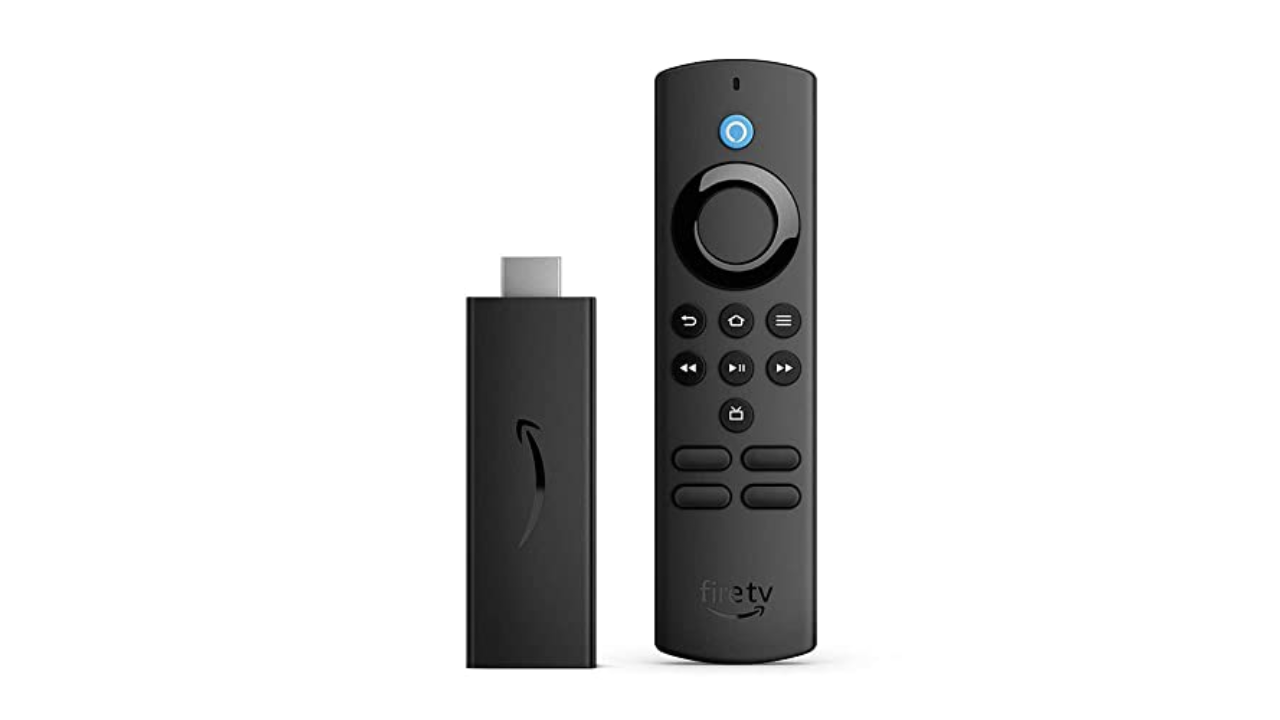
Amazon
Operating system: Fire TV OS | Remote: Yes | Connectivity: Wi-Fi, Bluetooth | Display: No | Voice control: Yes
If price is of the utmost importance and you don’t need 4K, Amazon’s Fire TV Stick Lite is a decent alternative. At $30, it’s one of the cheapest streaming sticks on the market and it’s also frequently discounted, too. It supports FHD streaming with HDR and, just like its higher-end siblings, comes with an Alexa voice remote.
One of the reasons this is considered “Lite” is that this particular Fire TV Stick can’t control your TV; you still have to use your television remote to power it on and off or to adjust its volume. That’s not that big a deal, especially if it helps save you a few bucks. In comparison, the standard Fire TV Stick typically retails for $40, while the Fire TV Stick 4K costs $50.
Amazon’s Fire TV supports nearly all of the major streaming services, including Netflix, Hulu, Max, YouTube, YouTube TV and Hulu, among others. The Live page features Twitch out of the box as well. While you can’t use Alexa to control the TV, the Fire TV Stick Lite does let you use Alexa to search for shows and ask general questions like the weather forecast or the latest scores for your favorite sports team.
Despite its low price, the Fire TV Stick Lite is a decent streaming dongle. It comes with the updated Fire TV interface that adds features such as user profiles, a new main menu navigation bar with show recommendations, plus a scrolling list of your favorite streaming apps. The layout isn’t as unified as Google TV’s and is more complicated than Roku’s, but it’s still easy enough to figure out. That said, the interface prioritizes Amazon Prime Video content, and there are a lot more ads than on other streaming platforms. — Nicole Lee, Senior Editor
If you do want the ability to control your TV with the remote and are also looking for something that supports improved picture quality, you may want to upgrade to one of the more advanced Fire TV Sticks. At $60 (and often on sale for $45) the Amazon Fire TV Stick 4K Max not only handles Dolby Vision, Dolby Atmos, 4K and HDR10+, but it also supports Wi-Fi 6E. That means if you have a router that also carries the protocol, you could see better and faster connectivity. The 4K Max has the fastest processor of any Fire TV Stick, and we found it plenty zippy. It’s also the only Fire TV Stick that supports the new Ambient Experience: when enabled, or after the pause timeout kicks in, the dongle will display art (and widgets, if you want) on your TV, giving any screen the look of something like Samsung’s The Frame. — A.S.
- Affordable
- Supports all major streaming services
- No 4K content support
- Can’t control TV’s power and volume
- UI heavily favors Amazon Prime Video content
Roku
Operating system: Roku OS | Remote: Yes | Connectivity: Wi-Fi, Bluetooth | Display: No | Voice control: No
The Roku Express has the same user interface as the Streaming Stick+, but it’s housed in a compact set-top box instead. It doesn’t support 4K or HDR and the remote control lacks a voice command button. But if all you want is a capable HD streaming device, the Express fits the bill. If you insist on having 4K, however, consider the Roku Express 4K+, which retails for $40. It’s very similar to the Express, except it carries support for 4K, HDR and AirPlay, and it comes with a voice remote as well. That could well make it worth the extra money. —N.L.
- Affordable
- Lots of free and live content
- No 4K streaming support
- No voice remote
Amy Skorheim for Engadget
Roku updated its most advanced streamer, the Roku Ultra, in 2024, giving it a faster processor, Wi-Fi 6 compatibility and a brand new remote. Like the previous generation, it supports 4K HDR10/10+ streaming, 100 Mbps Ethernet connection, Bluetooth streaming, AirPlay2 connectivity and voice commands with Alexa, Google Home and Roku Smart Home. The previous model had a microSD slot for external media, now there’s a USB port for local playback.
I used the Ultra for about a month and was impressed with the speed, image quality and the new remote — plus a couple of perks I hadn’t expected. The 4K TV I used for testing was new to me and whoever had watched it before had set it to 1080p. During setup, the Ultra prompted me to head to the TVs settings to adjust the video quality. It was a nice touch and not something all players do.
Flipping from app to app was nearly instantaneous. Changing my mind with the back button immediately returned to the home screen. I experienced no buffering issues or audio synching troubles and pairing up Bluetooth headphones was fast with glitch-free performance.
I really liked the new remote. Pick it up and the backlight kicks in, making it easy to control in a darkened room. Since it’s equipped with an always-on mic (which you have the option of turning off right on the remote) you can say, “Hey Roku, where’s the remote?” and it’ll start ringing. Even with the Roku and TV off, you can just say “Hey Roku, open Netflix” to turn on your TV and start up the app. A backlight and always-on feature will obviously drain the battery quicker, but in a month of using the remote, I only had to recharge it once, which is easy to do via USB-C.
The voice control function didn’t perform more complicated functions as easily, though. With the TV off, I asked it to continue playing a show I’d been watching and it turned on my PS5. While on the Roku home screen, I asked it to continue playing Gravity Falls, and was told there was no content to continue playing, even though my kid had been watching the show the day before. I often had better luck just holding down the mic button and speaking a search request as I’m used to doing with other players. The search function was accurate most of the time, presenting the correct movie or show and taking me to the app when I clicked on what I wanted.
Of course, as we said about the other Roku device on our list, the OS here is best at finding and presenting free and live content, with a live TV channel guide, a Featured Free content tab, a What to Watch section packed with stuff from no-cost providers like Tubi, plus the brand’s own Roku Channel. If you’re a fan of the Roku experience and want to get the most out of a higher-end TV, the Ultra is the set-top box to get. — A.S.
- Excellent remote
- High-quality video and audio
- Lots of access to free and live content
- USB port for playing local media
- HDMI cable is included
- Voice control struggles with complex requests
- Interface is better at free content than organizing your paid apps
Photo by Devindra Hardawar / Engadget
Operating system: tvOS | Remote: Yes | Connectivity: Wi-Fi, Bluetooth, Ethernet (optional) | Display: No | Voice control: Yes
When my colleague Devindra Hardawar reviewed the latest gen of the Apple TV 4K upon its debut in 2022, he called it “the best streaming box by a long shot.” In terms of picture quality, speed, longevity and Apple-engineered extras, that remains accurate. The set-top box supports 4K Dolby Vision and HDR10+, which makes compatible content look, to borrow Devindra’s term, glorious.
The A15 Bionic chip inside enables near-instantaneous loading of and switching between apps. Zooming from the beginning of an episode to the end or anywhere in between is not only quick, but also quite easy to do once you get the hang of the touch-sensitive directional pad on the Siri remote. Apple improved the box hardware over the previous generation, too, with a smaller, fan-less design.
You don’t have to be an Apple devotee to appreciate the streaming box, but having an iPhone makes setup easier, letting you hold your phone near the device to transfer credentials. If you use the Fitness+ app with an Apple Watch, not only can you watch workouts on a big screen, you’ll see live heart rate stats splashed in the corner as well. The app library is extensive, covering all of the most popular streaming services, plus countless Apple Arcade and other games. The remote’s Siri button lets you easily search for stuff to watch with voice commands, and typically gets you to the right app immediately. I found it nearly as good as other devices in suggesting content for more general queries like “sci-fi space movies.”
If you were waiting for the “but,” here it is: the Apple TV 4K is expensive. The base model is $129, which comes with 32GB of storage. The 128GB model goes for $149 and adds an Ethernet port and acts as a Thread-enabled home hub, a requirement for certain smart home devices. Also, if you’re looking for lots of free channels and live programming with an all-in-one home page to unify your disparate streaming subscriptions, this isn’t quite it.
The Apple TV app incorporates recently watched series into the Up Next section and your most-used apps appear in the Channels and Apps row. But the homepage is mostly a showcase for Apple TV+ series and movies. And don’t expect to see much in the way of Netflix content in the app either. Possibly due to a continuing grudge match between the two companies, Siri even has trouble finding Netflix shows at all — searching for Lupin only came back with results from the anime franchise and when I asked for All the Light We Cannot See, the AI turned off my smart lights. Finally, this premium streaming device doesn’t come with the HDMI cable required to hook it up to your TV. That’s a minor detail in the grand scheme of things, but it did cause me to fling grownup words in Cupertino’s general direction. — A.S.
- Extremely fast operation
- Apple Fitness+ and Arcade on a big screen
- Support for 4K, HDR and Dolby Vision content
- Expensive
- Apple TV app heavily favors Apple TV+ content
- Sub-par Netflix searches
NVIDIA
Operating system: Android TV | Remote: Yes | Connectivity: Wi-Fi, Bluetooth, Ethernet, microSD card slot | Display: No | Voice control: Yes
For those who want an all-in-one device that lets you stream movies, run a PLEX media server and play games, consider NVIDIA’s Shield TV Pro. It currently runs Android TV, which is a little outdated at this point, but there’s a possibility that it could be upgraded to Google TV in the future.
Thanks to its capable Tegra X1+ processor, the NVIDIA Shield TV Pro can stream in native 4K and it can also upscale 720p and 1080p video to 4K with the company’s AI neural network. It also supports Dolby Vision and HDR10, has 3GB of RAM, 16GB of storage and two USB-C ports. Additionally, there’s a gigabit Ethernet port, an HDMI socket and a microSD card slot. Since it runs on Android, you can use it to play most games from the Google Play Store.
The main reason you’d choose the NVIDIA Shield TV Pro over other machines is that it gives you access to NVIDIA’s GeForce Now cloud gaming service. As long as you have a relatively speedy internet connection, you can play top-tier PC games that are streamed online to your Shield TV Pro. —N.L.
- Supports 4K, HDR10 and Dolby Vision content
- Provides access to NVIDIA’s GeForce Now cloud gaming service
- Built-in Google Assistant support
Microsoft
Operating system: Xbox OS | Remote: Yes | Connectivity: Wi-Fi, Bluetooth, Ethernet | Display: No | Voice control: Yes
Even though both Sony’s PlayStation 5 and the Xbox Series X can stream video, it’s the Xbox that we think is the best gaming console for the job. It can play 4K Blu-Rays and supports all of the usual streaming video apps including Apple TV+ and Disney+. However, the PS5 can’t stream Disney+ in 4K or Dolby Atmos, which is disappointing if you ever want to watch The Mandalorian in all its cinematic glory.
Fortunately, that’s not the case with the Xbox Series X. On top of that, the Xbox Series X (and S) also support Dolby Vision for streaming video, which is especially great for people with newer TVs. Of course, the Xbox is also a pretty great gaming machine, and it offers access to Game Pass, Microsoft’s subscription service that has a large library of titles. —N.L.
- Provides access to all major streaming services
- Plays 4K Blu-Rays
Amazon
Our budget pick from Amazon doesn’t allow you to control your TV with the remote, nor does it support 4K image quality or Dolby Atmos. Amazon’s higher-end not only handles Dolby Vision, Dolby Atmos, 4K and HDR10+, but it also supports Wi-Fi 6E. The processor is pretty zippy and it even supports a fairly pleasant Ambient Experience, displaying art (and widgets) when the screen is idle, like on . It also lets Xbox Game Pass Ultimate subscribers via the app without an Xbox Series X or S console. And Engadget’s Jeff Dunn has gotten a lot of use from the stick as a . That’s a decent amount of utility from a $60 device (that’s often on sale for around $45).
That said, Amazon’s Fire TV interface is less elegant (and less democratic) than other UIs, highly prioritizing Prime Video content. It’s also notably ad-stuffed — promoting not just Amazon’s content, but products as well. — A.S.
- Affordable 4K streaming
- Additional gaming access
- Ad-stuffed interface
- Prioritizes Prime Video content