All the features I want to see


A Xiaomi Mi Band 7 displays an alternative watch face from he Zepp Life app.

Kaitlyn Cimino / Android Authority

The Xiaomi Mi Band 8 (a.k.a. the Xiaomi Smart Band 8 in Europe) has an incredibly long list of features considering it costs under $50, which we currently recommend for budget shoppers in our best fitness tracker guide. Every year the next Mi Band arrives bringing further refinements to the series, often delivering features previously reserved for much more expensive devices. Although we still have plenty of time before a new model, here’s my wishlist for what I’d like to see next year from the Xiaomi Mi Band 9.

A hardware back button

The Mi Band 8’s entire UI is navigated through touch, which can be a bit tricky with such a small display. I’d wager this is mostly about cutting costs, but it’s also likely at least a little bit about sticking with the Mi Band’s very barebones, minimalist philosophy. Still, a physical back button would make navigating the UI significantly easier, even if it might add a tiny bit of bulk over the current model and would clutter up the design slightly.

NFC shouldn’t be reserved just for China

The Chinese version of the Mi Band 8 includes NFC for mobile payments, which is a first for the company’s budget tracker. The band currently works with AliPay and WeChat Pay. That’s great, but what about the international version? Xiaomi has opted not to include the feature at all. It would be nice to see the Mi Band 9 bring this feature to all versions, especially since the Chinese version’s payment services are already available in other countries throughout Europe and Asia.

GPS would be nice too

A Xiaomi Mi Band 7 displays its watch face.

Kaitlyn Cimino / Android Authority

Xiaomi Mi Band 7

NFC is one of the most sought-after features for the Mi Band, right next to GPS, I’d wager. While the Mi Band 8 can use your phone’s GPS, built-in GPS continues to be one of the Mi Band’s biggest missing features. The Xiaomi Mi Band 9 should finally rectify this and offer GPS baked-in.

Now I know what you’re thinking: wouldn’t that drive the price tag above $50? Yes, and that could be a deal breaker for some, but one simple solution would be to offer a GPS variant and a cheaper base model. This might seem unnecessary since there’s already a Mi Band Pro series, but these trackers tend to be a bit closer to an entry smartwatch than a fitness tracker. Some of us want something small and affordable like the Mi Band 8 but are willing to pay a tad more for useful extras.

The Mi Fitness app could still use some UI improvements and better data integration

xiaomi mi fitness app menu 1

Andy Walker / Android Authority

Mi Fitness (formerly Xiaomi Wear)

The Mi Band’s biggest weakness has always been software and unfortunately, that’s still the case today.

In the past, the company offered two official apps, both with different UIs and feature sets; this was more than a little confusing. The Mi Band 8 is only compatible with the Mi Fitness app and that’s it, as the Mi Band doesn’t work with third party apps either. The limited support wouldn’t matter so much if the official app had a UI that worked as well as Fitbit and others, but that’s just not the case.

The app lacks a lot of customization options. For example, there’s no way to switch from metrics to US/Imperial. It’s also a bit buggy, as it’s pretty common to have connectivity problems between the app and the watch. Navigating the app isn’t so bad, but there are a lot of unnecessary steps for some features.

I realize we can only expect so much from a fitness band that’s within the impulse-buying price range, but it’s the only thing holding this tracker back from being virtually perfect. If Xiaomi could improve the app experience it would have a fitness band that’s arguably just as good as trackers that cost double or even triple the price.

Third-party app support would be even better

google fit home screen 2

Jimmy Westenberg / Android Authority

As I mentioned above, the Mi Band 7 and earlier also worked with another app, called Zepp Life. This app was better in some ways and had access to some third-party data syncing options that the Mi app doesn’t. So what does the Mi Fitness app support for data syncing? Strava and that’s it. This wouldn’t be so bad if there were third-party fitness app support, but you can’t even use something like Google Fit as a substitute either.

A revamped app would go a long way, but I could live with Mi Fitness if I could sync my data to and from other apps, or if I could use a 3rd party app altogether as a replacement. While I understand Xiaomi wants to keep the focus on its ecosystem, it also makes the band very frustrating to use for those outside of China. I want to see this change with the Mi Band 9.

Mi Band 9 wishlist: What feature would you like to see the most?

802 votes

Will there be a Mi band 9?

A Xiaomi Mi Band 7 in black rests on a mint yoga mat.

Kaitlyn Cimino / Android Authority

The Mi Band is one of the most popular budget trackers and has been a big success for the company. The Mi Band is also one of its few products formally released in the United States. It’s pretty much a foregone conclusion that there will be a Xiaomi Mi Band 9 at some point in the future.

Adding even more weight to this, a variety of new reports have surfaced recently suggesting the Mi Band 9 has been making its way through various certification agencies. Furthermore, early rumors suggest the Mi Band 9 will have the same 1.62-inch AMOLED display as last year, but with a brighter and higher resolution screen this time around. Not much else is known just yet.

As for when? Let’s take a quick look at the company’s launch history. Be aware we are focusing on global launch dates, not the initial China-only launches.

  • Mi Band 8 — Oct 26, 2023
  • Mi Band 7 — June 21, 2022
  • Mi Band 6 — April 30, 2021

As you can see, Xiaomi has released a new version of its Band every year, though the actual global launch month has varied significantly. It’s pretty much a given we’ll see the Mi Band 9 in 2024, though it is much tougher to say when it will arrive in the year, especially given the Mi Band 8 launched so late. The company would likely want to give at least close to a year’s space in between models, so I’d say we are likely to see the Mi Band 9 in late summer or sometime in the fall.

Should you wait for the Mi band 9?

A Xiaomi Mi Band 7 displays a user's text notification on screen.

Kaitlyn Cimino / Android Authority

There’s no need to wait for the Xiaomi Mi Band 9 because the current model isn’t even three months old yet. There’s likely close to nine months or more before a successor will be released. The good news is that the Mi Band 8 is already one of the best budget trackers, so if you’re looking to save money, there’s no reason not to pick it up today.
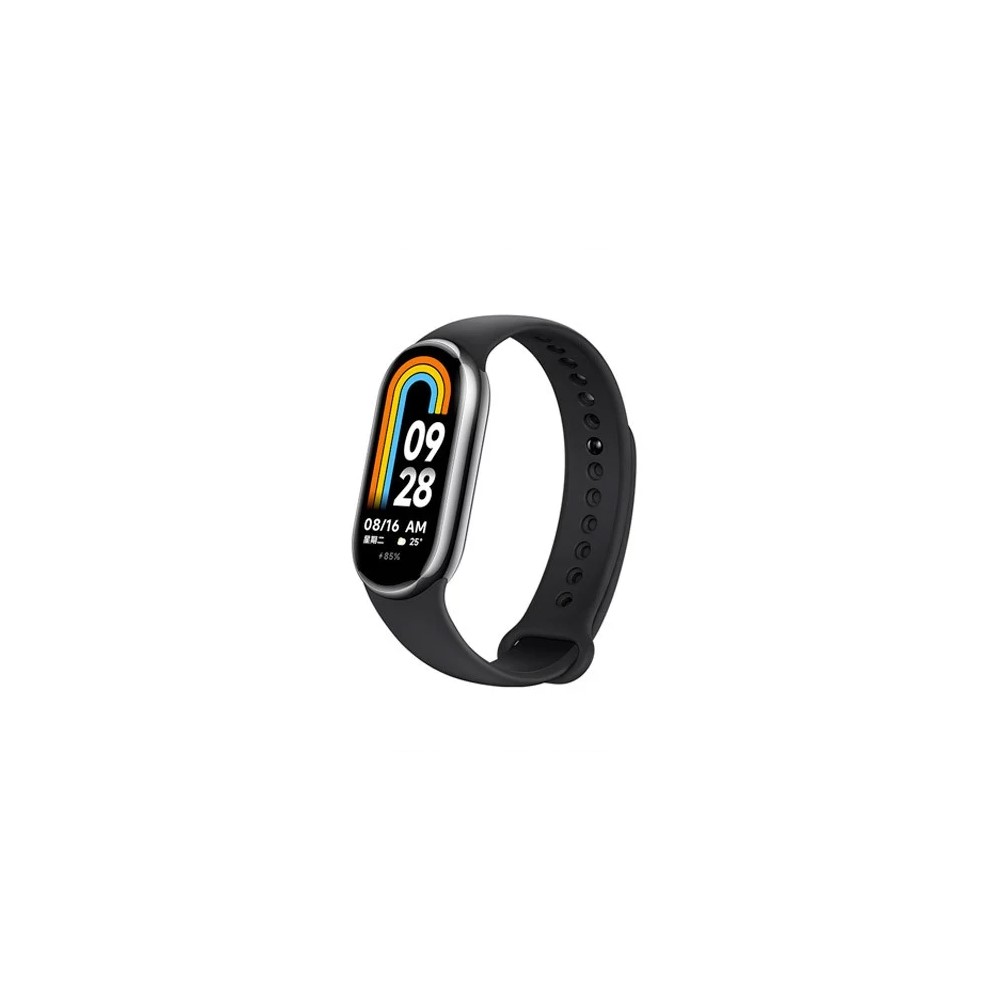
Xiaomi Mi Band 8Xiaomi Mi Band 8

Xiaomi Mi Band 8

Accurate health and fitness tracking • Affordable price point • Unique form factor

Once again, Xiaomi delivers a well-rounded fitness tracker at an approachable price.

The Xiaomi Mi Band 8 features an all-new strap design and the same vibrant touchscreen display found on the previous generation. On the wrist, as a necklace, or even attached to a running shoe, the device tracks key fitness stats and offers useful health monitoring tools to users eager to keep an eye on their wellness. It’s a powerful, entry-level tracker at a great price.

If the Mi Band doesn’t impress you, the HUAWEI Band 7 ($41 at Amazon) is a worthwhile alternative, although it’s a bit harder to find in the US. For those seeking something with a bit more oomph, and don’t mind paying extra for the privilege, we also recommend the Fitbit Charge 6 ($159.95 at Amazon).
You might like

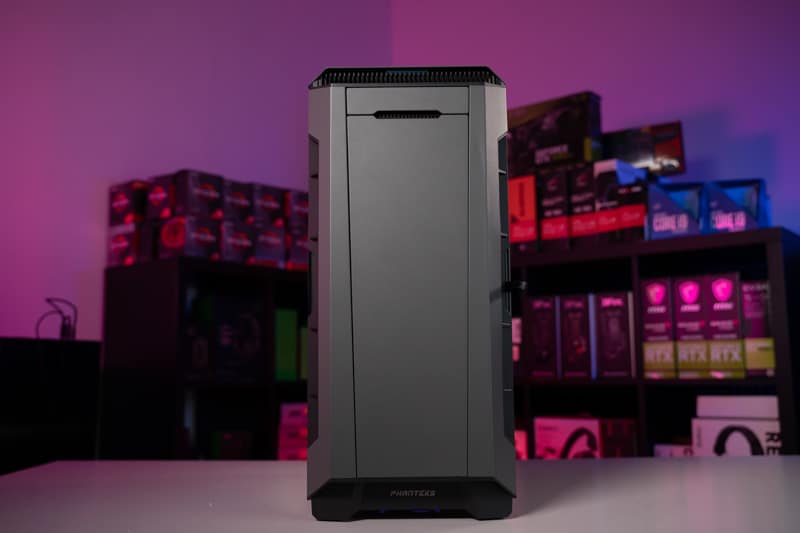
Best silent gaming PC build in 2024


They say silence is golden, and that’s certainly true for PCs. In this article, we’re going to show you our best silent gaming PC build. There are so many moving parts in a PC that it becomes quite the task to try and eliminate all noise but that is where WePC comes in. Our team has a ton of experience building and modifying PCs of all budgets, and here, we’re going to show you our recommendations build a PC with minimal noise that still offers awesome performance.

Later, we delve a bit deeper into the quieter, more efficient components and go over a few reasons why you may want to purchase a silent PC build. This way you can make an informed choice and ultimately decide whether to build your own silent gaming PC or modify the build we provide.

PC hardware deals

If you are planning on building out your next gaming PC, then finding deals on some components is the best way to get something better for cheaper. In that case, you can find deals on GPUsCPUscoolersmotherboardspower supplies, and cases. There are always some discounts to be found even if it’s not any special sales time so you can save a few bucks here and there.

What You Get For Your Money

While we haven’t set a strict budget, this silent gaming PC is going to offer the best gaming performance available and that comes with a hefty price tag. The components featured in this build are all top shelf but we have managed to keep this below the $2000 mark. At this price point, you are going to have an excellent gaming rig for years to come, not to mention one of the quietest.

Performance

With this silent PC, there are no compromises on acoustic and gaming performance. This is the best quiet PC build for good reason and brings you one of the best processors on the market, along with a powerful graphics card. The other components are all strong contenders in their respective fields but with silent operation being the running theme where possible.

Indika Review – Rewarding Faith


Indika is bizarre, surprising, and captivating. It made me question its reality almost as often as its titular protagonist, a young nun tormented by the Devil, doubts her faith. This odd adventure from its aptly named developer Odd Meter may lack some design polish, but the fascinating tale at its core instilled enough faith in me to see it through to the end. 

The game unfolds in early 19th-century Russia. Indika is treated as an outcast at her monastery, and, for some reason, she’s regularly taunted by the voice of Satan himself. The story doesn’t delve into how this sacrilegious relationship began, and that’s fine. The Devil is more of a storytelling device; a symbol of Indika’s desire to be a good person, contrasted by her growing skepticism and pragmatism in the church’s rigid viewpoints on morality and sin. This conflict comes to a head when Indika finds herself in an unlikely partnership with Ilya, an escaped prisoner with his own strong religious beliefs. 

As the pair bond over seeking a divine cure for their respective ailments – Indika’s demonic presence and IIya’s wounded arm – the third-person adventure sees them trek through locations such as deserted factories and frozen wilds. Along the way, players solve environmental puzzles and, on very rare occasions, evade threats. The obstacles themselves are respectably designed and varied, often centered on Indika inexplicably operating heavy machinery like a lift to move and stack giant cans or manipulating the massive gears of an industrial elevator. Less enjoyable moments, such as fleeing a pursuing wolf in an annoying trial-and-error escape sequence, appear rarely, thankfully. 

The gameplay becomes most interesting when the Devil’s influence overwhelms Indika to the point the world around her turns hellish red, and the environment is ripped apart into a distorted version of itself. This leads to relatively simple but thematically interesting navigation puzzles as players switch between this hellscape and reality by hitting a “pray” button to find the proper path. These are neat segments that I wish occurred more often than the small handful of times they do.  

Poking around environments leads to hidden collectibles, from religious artifacts to “indecent” publications, that reward points, which manifest as literal giant pixelated gems that appear in front of Indika. This bizarre visual flourish is a wild contrast to the otherwise realistic art direction, and these points level up Indika via a two-pronged skill tree of point modifiers (themed on ideas like Shame, Guilt, and Repentance) that impact the story less literally than it appears. 


This is just an example of Indika’s strangeness. Overt video game-y elements such as quirky, chiptune melodies and flashbacks that unfold as playable 16-bit platforming sequences are sprinkled throughout the experience. Whether or not this approach has any thematic significance is unclear (perhaps symbolizing the comparative simplicity of Indika’s childhood), but, at the very least, it gives Indika a surreal and playful charm.

Everything in the game, from the strange people you meet to the weird camera angles to its wild intro cutscene I won’t spoil, gives the game a potent dose of absurdity that oddly works. Indika feels like a black comedy at points, and perhaps that’s the intent. It swings for the fences, and that delightful boldness is combined with poignant commentary about the struggle of maintaining unwavering faith in a harsh, unjust world. Indika’s engaging and, at times, emotional personal journey of self-discovery pulled me to a powerful conclusion that, like most everything else, leaves its interpretation up to the player. 

The result is an adventure that feels thoughtfully conceived, humorous, and depressing all at once, as well as “off” in the right ways. Indika is one of the year’s most affecting and memorable adventures, and its themes will stick with me as I continue to ponder their meanings.

YoloBox Tutorial: Streaming to Facebook Groups via RTMP


Discover how to maintain engaging live streams on Facebook Groups amidst platform changes. Learn about switching to RTMP streaming with YoloBox for dynamic and interactive broadcasts. Learn how Frank from YoloLiv addresses Facebook’s live streaming API updates. Explore the solution of using YoloBox RTMP streams to keep your Facebook Group live streams engaging and effective.

Frank from YoloLiv discusses Facebook’s recent live streaming API changes and their impact. Discover how switching to YoloBox RTMP streams can ensure your Facebook Group broadcasts remain dynamic and interactive. Get practical insights on adapting to these changes and maintaining high-quality live streams. Explore how YoloBox can empower your broadcasts despite Facebook’s evolving live streaming environment.

Stay informed and engaged with YoloLiv’s strategies for navigating Facebook’s live streaming updates. Utilize YoloBox RTMP for impactful and interactive live streams on your Facebook Groups. Watch the video to learn more!

c# – Resolving Color Inconsistencies and Accessibility Issues with Razor Components in .NET 6 Project


I’m conducting research to solve an issue in my .NET 6 project. I’m experiencing some inconsistencies and color problems in Visual Studio regarding a razor library I’ve added to my main project. Specifically, I’ve noticed that when using components from the added razor library in my main project, all of them appear in blue instead of green. This situation prevents me from accessing the source when clicking on the components and occasionally causes Visual Studio to freeze.

Now, I’m seeking information on the following topics to resolve this issue:

  1. Ensuring compatibility and resolving inconsistencies between .NET 6 projects.

  2. Resolving color issues in Visual Studio and making component sources accessible.

  3. Solution suggestions shared by developers who have had similar experiences.

  4. Tips on integrating and configuring razor libraries correctly.

If there are any resources such as articles, forum posts, or GitHub repositories containing information on these topics, please share. Additionally, I’d be glad to communicate with individuals who have encountered and resolved a similar issue.

Thank you in advance for your assistance.

Best regards,

Mehmet Kent

Attempts Made:

Removed and re-added the Razor library.

Tried different versions of Visual Studio.

Removed and re-added namespaces.

Expectation: Resolution of the issue with Razor components displaying correct colors and being accessible.

Outcome: Unfortunately, despite all these attempts, the issue remains unresolved, and the Razor components still appear in the wrong color and inaccessible.

Text editing on Google Messages starts appearing for some


What you need to know

  • The upcoming edit button for Google Messages has appeared properly in the app’s latest beta.
  • Long-pressing a recently sent text will produce a pencil icon in the conversation, which users can tap to begin correcting any mistakes in the writing field.
  • The button’s latest appearance comes with a change as users have a shorter 15 minutes to return to edit instead of 30.

A useful new feature for Google Messages has started appearing for a few of the app’s beta testers.

According to a tip received by AssembleDebug on X from Jhow_Kira, the latest Google Messages beta bears signs of its upcoming edit button (via Android Authority). The appearance of the edit button seems scattered in the beta, as Kira states it has surfaced on an “older device” but not their current one.


Jobs for Introverts? Learn How to Earn $1,000 Monthly Online from Home


Here's several amazing work from home jobs that you can make money part-time or full-time online as an Introvert.Here's several amazing work from home jobs that you can make money part-time or full-time online as an Introvert.If you have ever gotten close to Introverts or you are one yourself, then you will know by now that they are an interesting set of humans. They may not like the idea of interacting regularly with the outside world but I can tell you for a fact that you will embrace their personality if you are fortunate to get close to one.

Due to their personality, Introverts prefer to deal minimally with people on a daily basis. This is why majority of them love the idea of working from the comfort of their home. This helps them take control of who they communicate with daily.

The dream of every Introvert is to be able to earn money right from the comfort of their living room. If you are an Introvert and you are finding it difficult to achieve this dream, relax.

In today’s post, I will be sharing with you some amazing home based jobs that you can make money from home part-time or full-time as an Introvert. It does not matter whether you are shy or not, these home based jobs are designed just for you.

Want To Start Your Own Money-Making Blog?

My FREE 3 part-video series will show you why blogging is one of the best ways to make money online today. Watch now!

As a matter of fact, I am confident that with the right amount of dedication and self-motivation, you will be able to get your job done faster and earn more money. So read on, while I teach you how you can earn up to $1,000 monthly working from home as an Introvert.

Where To Find Jobs for Introverts

Freelance Writing for Introverts

One of the best ways through which Introverts express themselves is through writing. If you are one of the Introverts in this category, then you should consider working from home as a Freelance writer. Introverts are naturally good with researching. Therefore, no topic is too difficult for them to work on. There are numerous sites that hire home based writers and as an Introvert, you can apply through one of them. You can offer to writer blog articles, web contents, web copies, poems, Novels, Resumes and even Newspaper articles. Some of the companies that hire Freelance writers are HireWriters.com, Outpost Magazine, iWriter, Fiverr, FlexJobs, and many other writing jobs on this list here.

Here are several posts to help you learn how to make money writing online:

Get Paid To Write Poetry Online: Earn Extra Cash Every Month!

Get Paid Upfront To Write Articles Online

Graphics Design Jobs for Introverts

Graphics Design is also another way for to make money as an Introvert. This is because it can easily be done from anywhere and the level of communication between you and the client is always minimal. I have discovered that virtually all introverts are creative so working as a Graphics designer should not be much of a problem especially if you have the skills and capabilities. The amount of mony you can make from Graphics design is endless. You can sign up on platforms like Upwork, Fiverr, or 99designs to start offering your freelance Graphic design services. You can also apply to work for companies like Design Crowd, Indeed, Design Hill, Monster, and Simply Hired.

Video Editing

If you are in love with the idea of creating great videos and you believe you have the skills to make videos look classy and professional, then you should consider working as a Video Editor. This way, you will make your own contribution towards ensuring that videos are professionally made so that viewers can find it attracting even if you are not in front of the camera. You can work for companies like Filmless, Gravitec Systems, and QVC.

Selling T-Shirt Designs 

The business of Selling T-Shirt online is actually growing on a yearly basis. You can take advantage of this growth as an Introvert by offering it as a service. The business model is very simple and there is the tendency that you can make millions from the comfort of your home if you use the right approach. You do not need to bother about what the customers think or their complaints. There are companies who just want you to put your designs up for sale. They will help you through the rest of the process. This includes producing the designs according to the customer’s requirements and also delivering to the customers. You also do not need to worry about handling customers complaints because these companies will handle it for you. Apart from Shopify and Merch, where you can offer these services up for sale, there are also other online platforms where you can make money. Some of them are Threadless, Blue Cotton, Tee Spring, Zazzle, Design  Hill, Spreadshirt, and many others.

Related: Get Paid To Sell T-Shirts Online: 9 Ways To Start Your Own Business Today!

Transcription

Another home based job that Introverts can make money from is Transcription. Introverts are very good listeners and this is one of the most essential skills you need to work as a Transcriptionist. Transcription jobs pay a lot and with dedication, you can transcribe more 1 hour recording within a less time. You can choose to perform Legal Transcription, Medical Transcription, or General Transcription tasks. There are numerous companies wjhere you can work as a Transcriber. Some of them are BabbleType, TranscribeAnywhere, Casting Words, Accutran Global, QuickTate, TranscribeMe, TigerFish, and many other transcription jobs here.

Apart from the jobs discussed above, other home based jobs that introverts can make money from are:

If You Enjoyed This Post, Check Out These Too:

200 Companies Offering Legitimate Work at Home Opportunities

9 Easy Work from Home Jobs that Require Little to Zero Work Experience


Founders Fund leads financing of composites startup Layup Parts


Scarcely five months after its founding, hard tech startup Layup Parts has landed a $9 million round of financing led by Founders Fund to transform composites manufacturing. Lux Capital and Haystack also participated.

The breakneck pace is more than a subtle indication that investors’ appetite for tech-focused solutions to the woes of the American industrial base is not going down. But Layup was likely able to close a large funding round so quickly at least in part because the founders themselves have deep experience with the issues that plague domestic manufacturing.

Layup was founded by Zack Eakin, Hanno Kappen and Elisa Suarez; the trio met while working at The Boring Company, Elon Musk’s idiosyncratic effort to transform transportation using tunnels. Kappen went on to work at robotic pizzeria Stellar Pizza while Suarez had stints at Rivian and renewable energy company Heliogen. 

Eakin, Layup’s CEO, moved to Anduril in 2021 as director of mechanical engineering. He headed up the mechanical design of the company’s suite of flying drone products, including Roadrunner, which was just “a Palmer [Luckey] idea when I started,” he said in a recent interview. 

Eakin would still be with Anduril, he says, if not for the idea to found Layup. “It was born out of a need that we had at Anduril — a need that the world has that became poignant during my time there,” he said.

Most areas of manufacturing have changed over the course of Eakin’s career, except composites, he said. Companies like Protolabs, Xometry and Fictiv have innovated processes like CNC-machining, sheet metal cutting and injection molding. These companies (and many others) have developed a frictionless, almost Amazon-like experience to getting hardware manufactured rapidly, and that’s left a permanent mark on the industry. 

But there’s been no equivalent innovation in composite parts manufacturing. There are a few reasons for this, Eakin said. The first is that existing composites manufacturers aren’t well leveraged to develop the software tools required to do it well; the other is that composites are more artisanal and less easily automatable in certain steps of the process. So bringing the number of humans in the manufacturing loop close to zero is inherently more tricky. 

Roadrunner is a good example: It has a lot of composite components, but getting those components is time-consuming and expensive. It’s normal for an engineer to have to wait up to two weeks to get a quote back from a manufacturer (as opposed to 10 minutes with a service like Protolabs); after cutting the supplier a purchase order, the wait extends to maybe a week or two for a small and simple part, to up to four or five months for something more complicated or large.

Instead, Layup aims to return small parts in three days, and for larger components, the company targets two weeks — all at a lower cost to the customer. “I think we can be 10 times faster, and on the tooling and upfront costs, we can be half the cost of what you would typically pay today,” Eakin estimated.

In general, Eakin did not seem too concerned with the competition; many of the top composites companies are owned by PE firms, and those firms tend to focus on landing larger long-term contracts rather than faster-turnaround development programs, he said. 

“I believe that the long-term, high-value contracts of tomorrow are in development today,” he said. “If you work with people in development, and you understand their needs, and you can deliver quality parts for them, you will provide a better service and put yourself in a better position to get those contracts by focusing on the thing that may make less sense in a boardroom, which is focusing on development and speed.” 

The bulk of the work ahead for the company, and where it will most strongly be able to differentiate itself, is in the software domain, though it will likely be a few years until Layup can accept any CAD model from customers and deliver a part in a matter of days. But that doesn’t mean the company isn’t moving fast: With the new funding, Layup aims to have a factory online making parts for customers by the end of the third quarter of this year. 

That means the $9 million will primarily go to capital expenditures like a bigger building and more equipment, as well as hiring on both the software side and for factory floor technicians. 

There’s been a lot of talk — often frantic — from Silicon Valley about the many woes facing the U.S. industrial base, including an aging workforce and an over-reliance on tribal knowledge. But Eakin said what really motivates him is thinking of all the engineering students who are itching to build but face high barriers to entry due to outdated processes. Layup is looking to change that.

“The idea of being able to provide that to young students so that they can realize the things that they want to build — that’s the thing that actually makes me excited about what we’re doing. That’s the thing that I think has happened to all these other areas of manufacturing and composites has been left behind. Whether or not we’re fixing a supply chain, aging demographics, that’s cool. We’ll do that too. That’s great. The thing that makes me stoked is the ability to bring good composite parts and making that available to all people.”

Best Mid-Range Gaming PC Build Under $1,200 [December 2013]


corsair-carbide-300r

Mainstream Gaming Powerhouse!

Wow. Until a lot of you guys messaged me over the past couple weeks, I had no idea that the last time we did a $1,00 gaming PC build guide, it was all the way back in December of last year. Guess it was about time to update that old thing!

So for our gaming PC build this month, I started off trying to put together a gaming PC build at the $1,000 range. While I had no trouble doing that, in order to fit the $1,000 budget, I ended up having to make a lot of compromises that I wasn’t willing to make on this build. Now before starting the build, I wanted to put together a solid mainstream system that had all the next generation technologies any gamer would be looking for. Technologies such as a high performing graphics card, an overclocking friendly Intel Core i5 CPU, and a SSD. Unfortunately, at the $1,000 budget, I felt like it wasn’t enough budget to get what I wanted, so instead I bumped up to the $1,200 budget, which allowed me to put together what I think is the absolute best mid-range gaming PC build you can get.

Ready to find out what I came up with? Let’s take a look!


Best Mid-Range Gaming PC Build Component Summary – Budget: $1,200


Core Component Details

CPU – Intel Core i5-4670K

intel-core-i5-4670k-processorWhen I started thinking about what the best mid-range gaming PC build would look like, I practically started out thinking about Intel’s 4th generation Core i5 processor. From a price to performance standpoint, it was an obvious choice yet from an absolute performance standpoint, it was also an obvious choice as well.

The specific Core i5 processor I settled on for our gaming build today is the Intel Core i5-4670K. Now it’s not the first time I’ve recommended the Intel Core i5-4670K. I’ve recommended it on a number of gaming PC builds in the past and I think it’s pretty much the best processor you can buy if you’ve got a budget of $1,000 or over. It has plenty of single threaded performance, which is great for most applications such as launching a browser, starting Microsoft Word, or playing a game, and it’s also a quad core CPU, which means it’ll take care of whatever apps you have that can take advantage of multiple threads. Of course, it’s not 100% optimal if you’re planning to use tons of multi-threaded applications such as video editing or 3D graphics design (For that, go with the Intel Core i7-4770K), but if gaming, web browsing, Netflix, and Microsoft Word is all you’re looking for, the Intel Core i5-4670K is the perfect processor for the job.

Additionally, since we’ve also went with a K edition processor, it also has an unlocked multiplier. Unlocked multipliers make it easy to overclock the CPU, which will allow users to get up to a good ~15%-30% performance boost depending on CPU’s cooling solution and the users’s luck with the CPU. Considering it’s only an additional $5 for the privilege, why not?


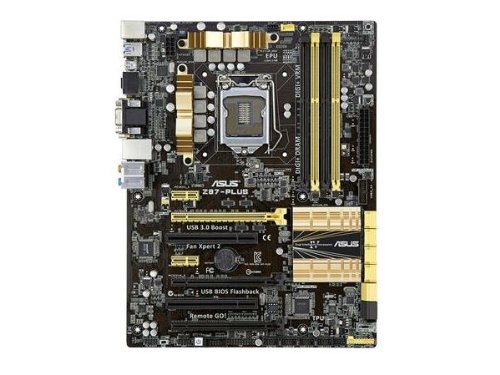
Motherboard – ASUS Z87-Plus

asus-z87-plus-lga-1150-motherboardOriginally, I started off this build with the MSI Z87-G43.  Since I bumped up the budget to $1,200 though, it gave me a bit of room to upgrade the motherboard to something with a lot more expansion options and features, which is why I ended up with the ASUS Z87-Plus motherboard. While the MSI Z87-G43 is a perfectly capable motherboard for our purposes, the ASUS Z87-Plus is even better.

As expected, the ASUS Z87-Plus is a Intel Z87 chipset based motherboard carrying the LGA 1150 socket, which will support all of the latest 4th generation Intel Core processors. As for features, the Z87-Plus utilizes ASUS’s rock solid 8 phase DIGI+ digital power delivery system, which will deliver clean and stable power to the CPU, 5K hour rated solid capacitors, overcurrent protection circuits, ESD protected circuit designs, and corrosion resistant back I/O coating for maximum stability and longevity.

Of course, it’s not short on expansion options either. The Z87-Plus includes 4 DIMM slots for up to 32GB of DDR3 memory, 2x PCIe 3.0 x16 slots + 1x PCIe 2.0 x16 slots giving you the option of multi-GPU configurations should you choose, 6x SATA 6Gb/s ports, Intel LAN ports, plenty of USB 3.0 ports and more!


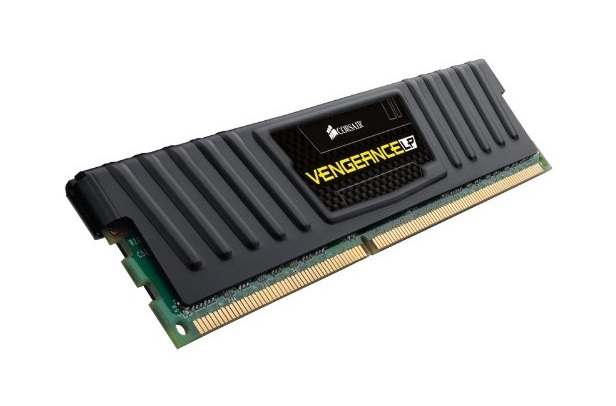
Memory – 8GB Corsair Vengeance DDR3 1600MHz Low Profile

corsair-vengeanceMemory isn’t too expensive these days, so for our mainstream system I went with 8GB of Corsair Vengeance DDR3 1600MHz Low Profile. This is pretty much my go-to memory when putting together any build as it’s reliable, it’s fast, and it doesn’t cost an arm and a leg. If it does have any problems, Corsair also offers a lifetime warranty on these sticks, so rest assured, these should outlast its useful life.

For our gaming build today, I’ve also gone with the low profile memory sticks as well. The reason why I also go with the low profile sticks is that some air coolers tend to have compatibility issues when using higher profile memory sticks such as the regular Corsair Vengeance DDR3 sticks, so to avoid these issues, low profile is the way to go.


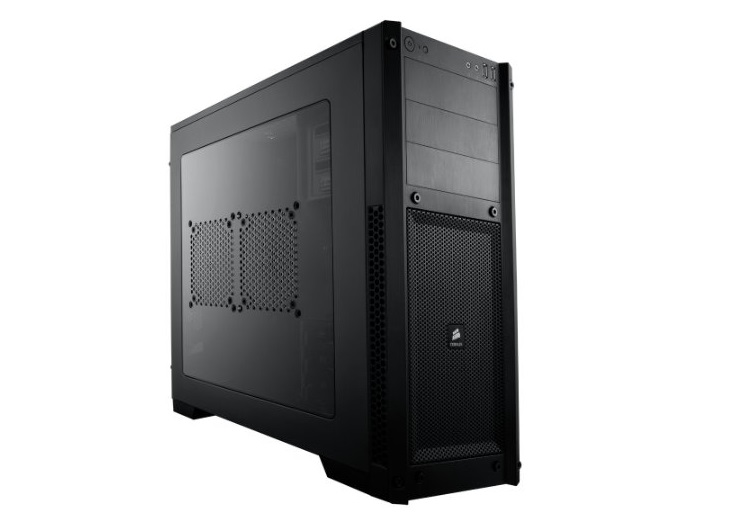
Case – Corsair Carbide Series 300R

corsair-carbide-300rEver since the release of the Corsair Carbide 300R about a year ago, it’s been one of my favorite cases for new budget and mid-range builds. Coming in at only $70, it’s not terribly expensive, but it has plenty of expansion options, plenty of cooling, completely tool-less design and a great clean and modern, stealthy look that screams refinement.

In terms of features and design, the Corsair Carbide 300R features support for ATX and mATX sized motherboards, 3x 5.25″ drive bays, 4x 2.5″/3.5″ drive bays, 7 expansion slots, 2x front USB 3.0 slots, headphone/microphone ports, and more. Cooling is handled by a single 120mm exhaust fan in the back with a 140mm intake fan up front with dust filters included to prevent dust from collecting in the system. There’s also tons of room underneath the motherboard tray for cable management and with support for graphics cards up to 450mm in length, it’s the perfect case for our gaming build today.


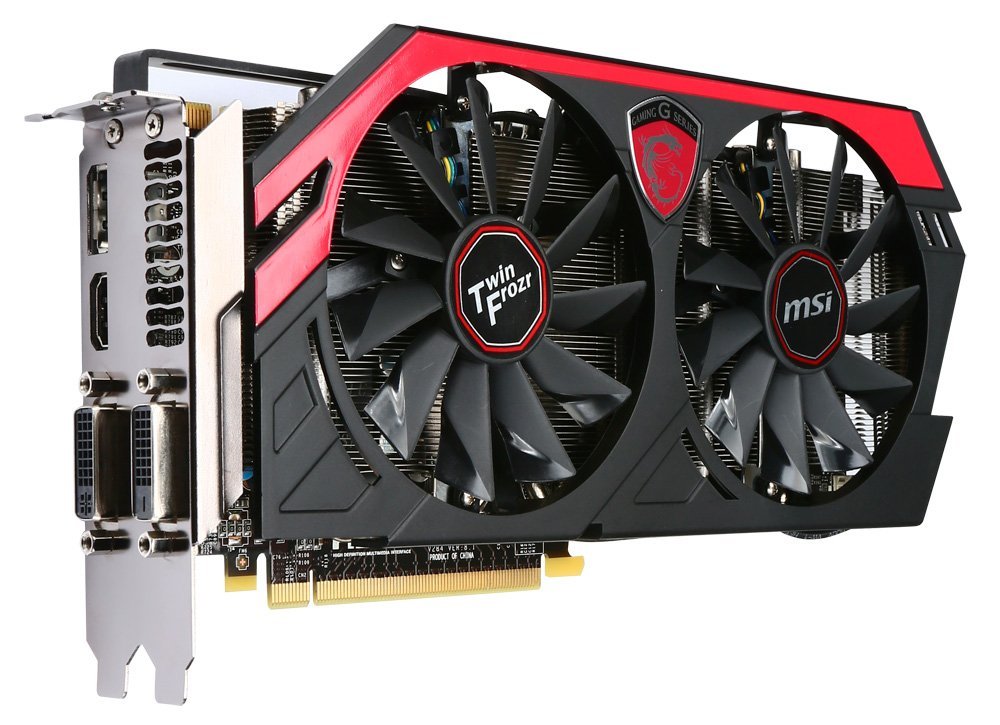
GPU – MSI GTX 760 OC 2GB

msi-gtx-760-oc-2gb-twin-frozr-iv-graphics-cardWith AMD’s introduction of their R9 200 series GPUs, a lot of attention has been focused on AMD lately causing massive shortages in R9 270, R9 280, and R9 290 stock, but a lot of people are forgetting that Nvidia GPUs are still neck and neck when it comes to performance and Nvidia GPUs recently received price cuts to make them very competitive against AMD’s latest offerings.

This is why for our build today, we went with the MSI GTX 760 OC 2GB graphics card. The MSI GTX 760 OC 2GB is a very powerful MSI custom designed GTX 760 which is not only overclocked to 1150MHz out of the box, it also comes with MSI’s Twin Frozr IV cooler as well. For those familiar with MSI’s Twin Frozr IV cooler, you’ll know that it’s a very powerful cooler design that uses a combination of huge fans, a huge heatsink, and superpipes to keep the GPU cool and quiet making it one of the best 3rd party heatsink designs on the GPU market today. Those looking to play the latest games at high to ultra settings at 1920×1200 or lower resolutions will find that the MSI GTX 760 an excellent choice for their needs.

Those looking for a bit more horsepower can also opt for the MSI GTX 770 Lightning. The GTX 770 is ~30% faster than the GTX 760, but the MSI GTX 770 Lightning includes unlocked voltage controls for those interested in overclocking their graphics cards. The card is also at a pretty good price at the moment, currently available for $344.99 after a $15 rebate.


Storage – Samsung 840 EVO 250GB

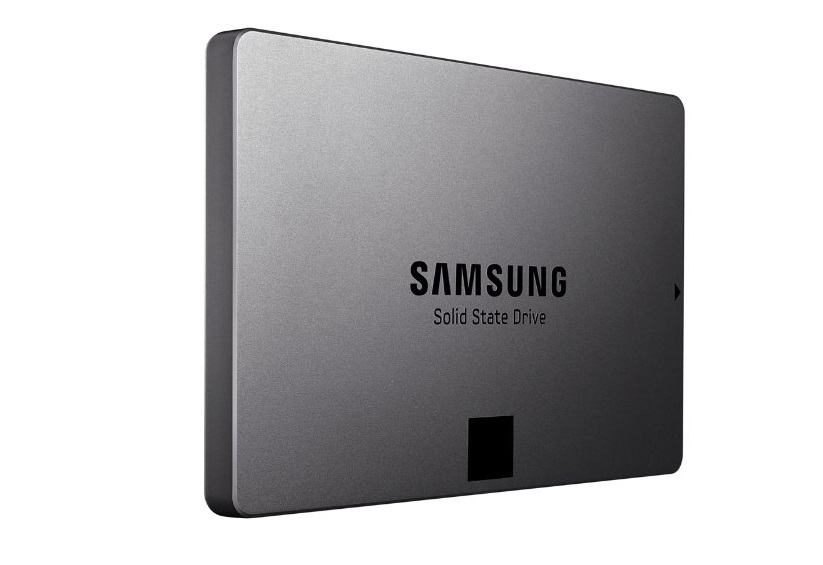
samsung-840-evo-ssdA couple months ago when I joined Samsung for their launch of the 840 EVO, the theme of their event was a SSD for everyone. Their goal with their SSDs is to reduce prices and increase capacities so that everyone would be able to gain access to SSD technology. With their Samsung 840 EVO, they’ve really put the money where their mouth is by offering a SSD that’s capable of top tier performance yet comes at a mainstream pricepoint. This is why for our mainstream build, the Samsung 840 EVO 250GB was on the top of our list of choices and at $0.68/GB, it’s a fantastic value as well.

While 250GB should be enough capacity for a big majority of gamers, if you happen to have tons and tons of games, then it may be wise to opt for something like a 3TB Seagate Barracuda 7200RPM traditional hard drive to fill the gap. While traditional hard drives are slow, loud, and draw lots of power, there’s no arguing that they are still the leader when it comes to offering tons of storage capacity for the price. By placing the operating system along with the games you play most often on the SSD to take advantage of SSD load times and by placing games you play less often on the hard drive, you’re able to get the best of SSD technology yet still have the ability to download all your games onto your system. That is unless you can afford say… a 1TB Samsung 840 EVO… or a couple.


Final Pricing

Current pricing on Amazon for our build today is $1,207.02 minus a $10 rebate for the MSI GTX 770 2GB OC graphics card, which just fits into our $1,200 budget. Of course, there’s plenty of room for upgrades and a bit of room for downgrades as well, so be sure to post in the comments section below or check out the PC Builds and Upgrades section in our forums for any questions you may have.


Optional Components

Some readers have expressed interest in monitor, speaker, mice and keyboard suggestions, so we’ve also started including some recommendations for these items as well. I won’t be explaining the choices as these optional components are quite dependent on the purpose of PC (For example, someone serious about audio may end up with $400 Audioengine 5+ speakers and an ASUS Xonar Essence STX), but here are some suggestions that are a good fit for this build. If you have questions or need additional suggestions for these products here, be sure to post your question in the proper section in our forums.

Remember, if you have any questions, need some help, or need to fit the build into your budget feel free to visit the forums! Myself, or the community here will be more than happy to help you out with your own custom build or answer any computer questions you may have. If this build doesn’t fit your needs, be sure to drop by our Computer Builds section to find more computer builds. If you spot any issues with our build such as GPU/case incompatibilities, cooler/case incompatibilities, etc. please let us know!

Also, be sure to join us on Facebook, Twitter, Google Plus, or YouTube to be updated on the latest news, reviews, tutorials, custom computer builds, and more!


Stealth Writer AI | Best content paraphrasing tool 2024


STEALTH WRITER