I have a package in Visual Studio 2022 that I am deploying into an SSISDB catalogue on a 2019 SQL Server.
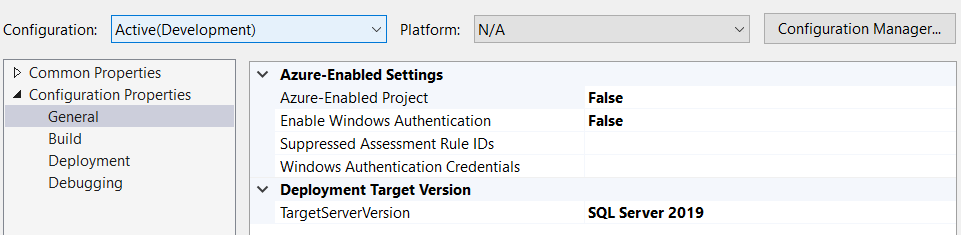
Within my package Properties > Configuration Properties > General > Deployment Target Version > TargetServerVersion I have specified ‘SQL Server 2019’ in Visual Studio.

My problem occurs when I deploy this out onto the 2019 server. The dtsx package fails to run and leaves no execution/validation history.
Upon grabbing the package from the server back to my local machine I see that the TargetServerVersion is now showing as ‘SQL Server 2022′.
How can I ensure my packages deploy in the correct version if the specific version doesn’t seem to translate during deployment?
In the Package Property Page, my options for Configuration within the drop down only list "Active(Development)" and "Development". I see no option for "All Configurations" listed as a potential solution in questions similar to this one.
Update: I’ve experimented with opening/deploying new packages out and it looks like, even with completely new and blank projects specified at 2019, they are all deploying at version 2022 instead of 19. This lead me to believe it’s a problem in the configuration of Visual Studio and not the package…but I’m still daft to find where it is going wrong.