How to Film a Vlog on Your Smartphone (Start to Finish)
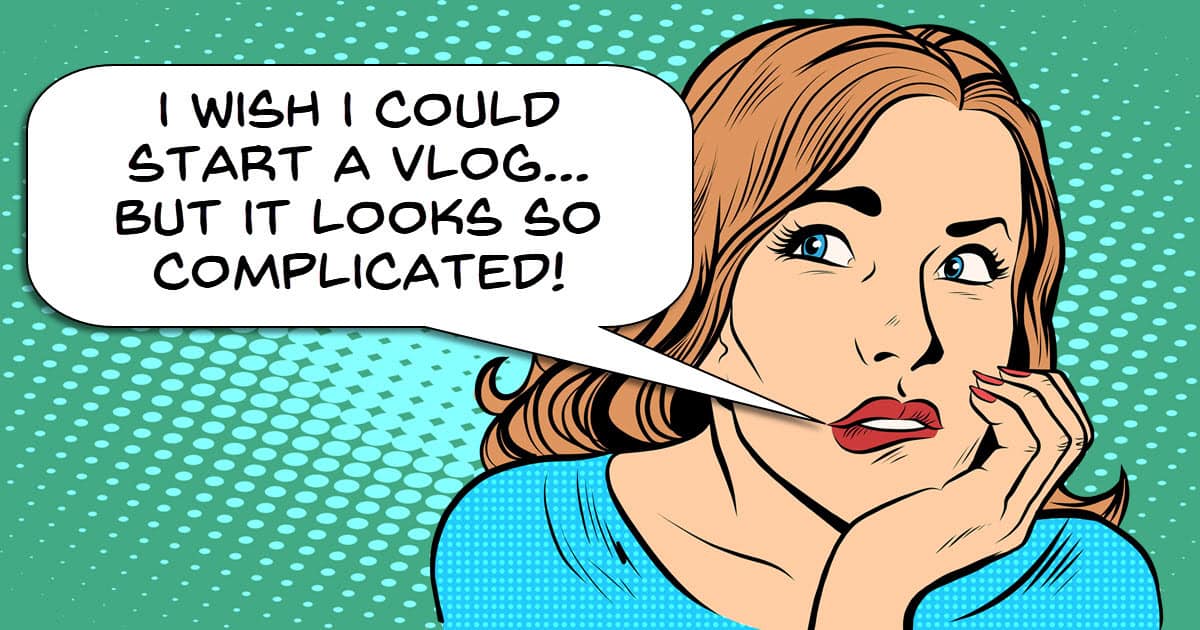
One of the problems many people face when delving into the world of creating a vlog is that they see other vlogs and feel the process looks very complicated.
They see action shots, B-roll footage, snappy editing and in general, very polished products.
Whilst I would be the first to admit there are are a lot of things to do, it’s not really as complex as it seems from the outside.
The key to vlogging projects is having a process to follow and within each step, a set of goals to achieve.
Once you begin to break it all down into simplicities rather than complexities, vlogging begins to appear way more approachable.
In this video you can see step by step how to pull it off for yourself.
Introduction to PowerDirector AI Cinematic Shorts Tool
The folks at CyberLink PowerDirector have been pretty aggressive over the past couple of years in their development and introduction of AI driven features.
Personally I am not a blanket fan of AI yet but certainly there are times when some of these features can come in handy.
The one shown in the video below is a relatively new one called AI Cinematic Shorts.
The concept is that you provide a still image and then AI takes over to create an eight second short from it with music.
The two main uses of this that I can see are to use it to just create a section of a short video given that eight seconds is not much running time.
The other use could be to create B-roll from images shot that are similar to whatever the video footage is that you have.
The example shown actually looks pretty good.
What’s New in Filmora 16: Precision Editing Tools for Pro-Level Control
Now that the initial marketing hooha over the release of Filmora 16 has died down a little, we can safely take a look at what’s new and improved in this version.
There are two videos below covering pretty much everything with some good non-hyped demonstrations of those features.
For my money I am relieved to see that Filmora seem to have calmed down a little on the AI development and re-focused in the software itself.
Both the new masking and tracking modules are of particular interest to me as they will cut down time spent key-framing and adjusting enormously.
Part Two
Video Editor for Moms: How to Edit Family Vlogs Fast
A few weeks back Movavi released their 2027 version of the Movavi Video Editor.
Apart from a few other updates they added a new set of tools called Templates and Blocks.
Briefly, Templates are preset projects that have most of what you need for a completed project already within them.
All you have to do is swap out the existing footage, images or audio for your own and you are probably about 90% done at that point.
A few tweaks here and there and you are ready to publish.
The Templates are actually made up of Blocks which are independent sections within the template that make up the whole.
Blocks can be added to existing templates to extend them or can even be used in a project of your own making.
The video below shows exactly how both templates and blocks can be used to created a great looking video in very little time.
How to add animated reactions to your Let’s Play – Movavi Ideas
Another quick “How to” video for this week from the folks at Movavi.
Rather than focusing on the effect they show itself, I think it is more important to look at just how easy it is with an editor like this to do it.
Editors like Movavi are aimed at people who want cool looking video and effects but have neither the time or interest in manually doing them.
To counter this, the developers have created a wide array of ready made effects you can just drag and drop into place to get the job done.
I Got Zero Views for 7 Months. Here’s What Kept Me Going.
One of the great fallacies that still exists in abundance today is that “if you upload it, they will come!”
The thing to keep in mind here is that Field of Dreams was a movie and the reason “they came” was that it was written in the script!
Over the years I have interacted with so many people who were originally filled with enthusiasm about building an audience on YouTube, TikTok or whatever platform.
Within a matter of weeks I also saw most of those same people drop off and abandon the idea because of a lack of success.
No-one can guarantee that success but there are things you can definitely do to increase your chances and maintain your interest.
Here’s a great video from Chris Goor covering the subject and perhaps providing a little hope.
How Long Does It Really Take to Start Filming – 60 Second Studio EP.1
Carrying on from the previous entry on the theme of “reasons to give up on your YouTube dreams, we have a great video from Gabriel VIP.
When I first started shooting and editing videos for my wife on a consistent basis the absolute fun killer in that process was having to set up every time.
Whenever she would say she was ready to shoot the next video, I would sort of sink a little at the prospect.
The reason for that was twofold.
First it meant I would have to set up lights, camera, audio etc… again!
And secondly I would spend ages getting that setup exactly as it had been for the last time we were shooting.
Bear in mind my wife has a hawk-like detail detection radar and if it wasn’t EXACTLY like the last time she would spot it.
All of this very quickly led to a reluctance on her part and mine to shoot that next video.
This is a creation killer for just about everyone and in the video below Gabriel gives some great tips on cutting this down as a factor in your own endeavors.
For me, I eventually managed to set up a permanent space for shooting and life (and my marriage) became manageable again!
Fix Boring YouTube Edits in DaVinci Resolve
This is a tutorial from Casey Faris that I think is quite important for those of you who are posting to YouTube or other social media platforms.
Once you get the basics down pat the result is often a technically correct video that ends up being a bit of a yawn!
The difference between an accurate edit and an engaging one usually comes down to a few little tips and tricks that the pro’s use.
Casey covers a number of these and when you look at it you will realize that there is no great technical magic going on here, just attention to the details.
I Tested Every Pocket Camera… Here’s the One I’d Buy
I don’t really do equipment reviews or updates much on this site because it’s just way too much work to keep up with.
If you take a look around there are guides for how to make your own decisions, but no specific product reviews.
There are however a few sources I regularly use for such reviews that I know are relatively neutral about their approach and are not influenced by making sales.
Think Media is one of those sources and this week they have taken a dive into the world of pocket cameras.
If you are looking to make a purchase for something like this, this is a good resource to check out.
Key Takeaways
- Creating a vlog seems complicated, but a simple process and clear goals make it manageable.
- The PowerDirector AI Cinematic Shorts tool creates short videos from still images, useful for B-roll.
- Filmora 16 offers new masking and tracking tools, streamlining video editing for professionals.
- Movavi 2027 introduces Templates and Blocks, making it easier to edit videos quickly by using preset projects.
- Persistent effort and practical tips can keep you motivated on platforms like YouTube, even when growth feels slow.