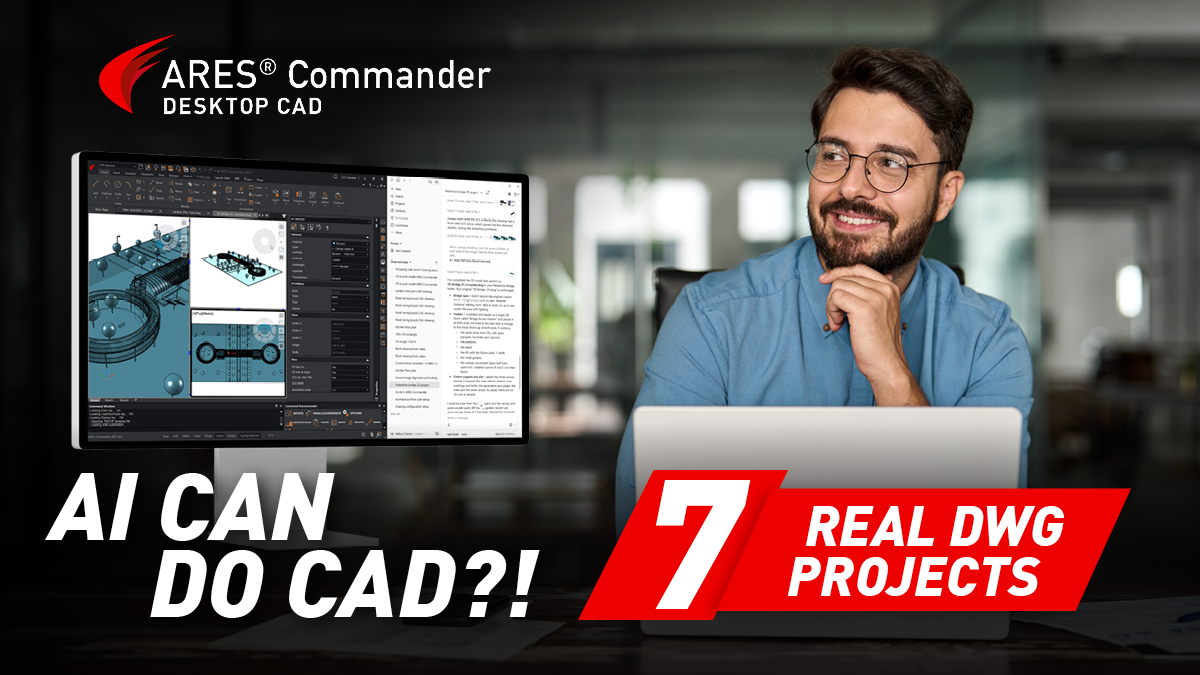
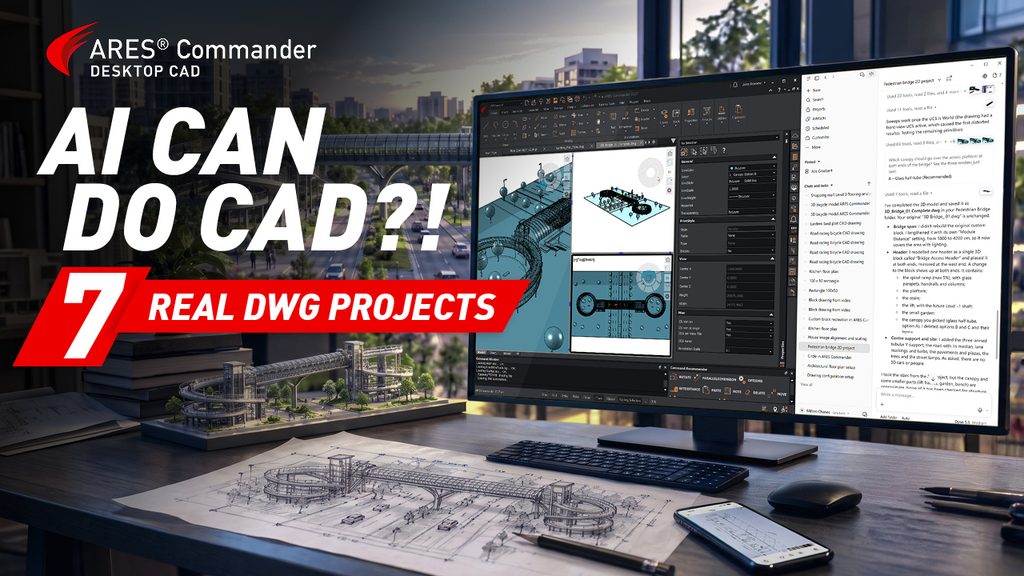
Agentic AI is opening a new era of AI-augmented 2D and 3D CAD. Can ChatGPT, Claude, or Gemini create and edit DWG drawings? Yes. With Graebert’s MCP connectors, AI agents can already use ARES Commander to create and edit real 2D and 3D DWG geometry from natural-language instructions, images, PDFs, and hand sketches. The video below shows seven mind-blowing examples created with Claude using the new MCP connector recently released in ARES Commander 2027 SP2.
Discover why online CAD unlocks the full potential of agentic AI and how Graebert aims to break down the walls of traditional CAD with built-in ARES AI features, MCP connectors for your favorite AI assistants, online automation for CAD, and enterprise-scale BIM drawing automation for Revit and IFC with the new ARES Neo.
Starting in December 2026, Graebert will extend MCP integration with AI assistants to its online CAD platform, ARES Kudo. ChatGPT, Claude, Gemini, and other AI assistants will first be able to access drawings in connected cloud storage and run existing online automation jobs. Further releases will add CAD editing in browser sessions initiated by users and, by March 2027, enable AI agents to create or modify DWGs in the cloud without users having to open them in a browser.
Graebert’s CAD experience dates back to 1977, when we began developing software for IBM systems. After becoming Germany’s first AutoCAD reseller, we took a decisive step from distributing CAD software to developing our own DWG-compatible CAD technology. This evolution began with FelixCAD, then PowerCAD, and ultimately led to the creation of the ARES® CAD platform, powering ARES Commander, ARES Touch, and ARES Kudo across desktop, mobile, and cloud. Today, this proprietary technology provides the foundation for AI agents to create, modify, and automate real CAD drawings.
AI assistants such as ChatGPT, Claude, Gemini, and Microsoft Copilot are changing how people interact with software. In CAD, connected AI agents can plan and carry out tasks using professional design tools, reducing the need to know every CAD command.
The striking change is that agentic AI, connected to professional CAD tools through MCP, can help many more people complete sophisticated CAD tasks.
Imagine creating a product configurator from a DWG template or generating a 3D model from a hand-drawn sketch. Tasks that once required advanced CAD or programming skills can now be accomplished through natural-language instructions. Better still, you can delegate the work to an AI agent and return later to review the results.
The following video brings this to life through seven DWG projects. The exact prompts that we used are also available in our free online course Mastering AI for CAD in DWG.
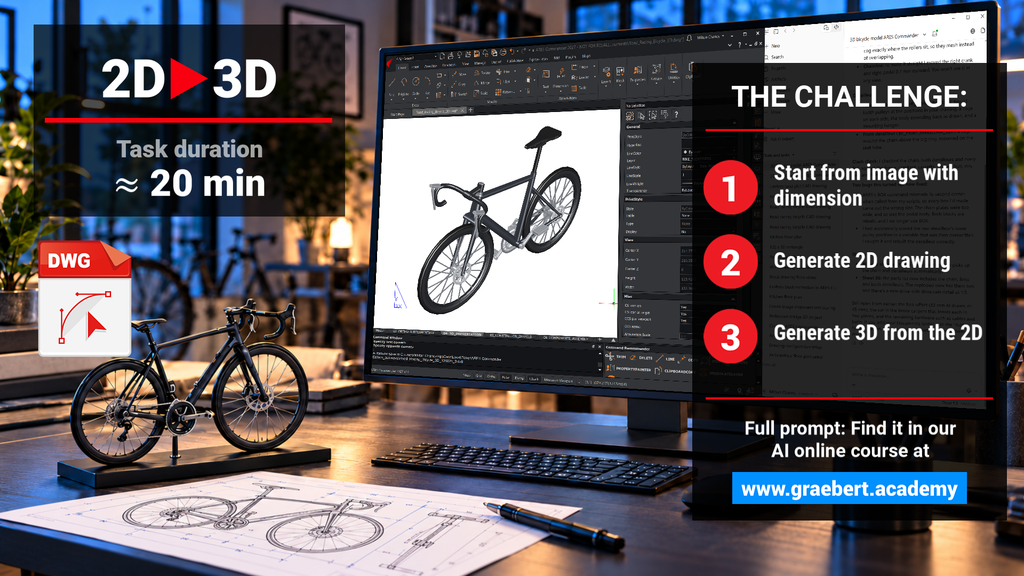
With AI assistants like Claude and MCP connectors to ARES Commander, non-CAD experts can start with an image and produce a 3D drawing, entirely created by the AI assistant, in 20 minutes. The same is true with the AI assistants from OpenAI and Google.
Now, ARES Commander can team up with your favorite AI assistant to create and modify real DWG drawings, not just AI-generated images, but fully editable CAD geometry. The following video showcases seven remarkable DWG projects, all created entirely using Claude. Similar results can be achieved with AI tools from OpenAI, Google, and Cognition.
In this video, we use Claude and the MCP connector for ARES Commander
Visit www.graebert.com/getmcp and read further to learn more about the MCP connectors
for the AI assistants from OpenAI, Google Gemini, and others.
What the seven examples demonstrate
Beyond the wow effect, these examples reveal something even more powerful: AI agents don’t just automate predefined sequences of CAD commands. They can analyze a challenge, determine how to solve it, select the appropriate CAD tools, and execute the necessary steps.
| Example | What it demonstrates |
|---|---|
| From an image to a 3D DWG model | Interpret an image and its dimensions to create real 2D and 3D CAD geometry |
| Turn a floor plan image into a customizable DWG drawing | Recognize floor plan geometry, add dimensions and annotations, and create customizable blocks |
| Design a kitchen automatically with parametric CAD blocks | Optimize a kitchen layout using reusable parametric blocks for furniture and appliances |
| Create a parametric product configurator without programming | Learn from existing YouTube tutorials. Create and customize advanced parametric CAD drawings. |
| Turn a PDF floor plan into an automated quantity takeoff | Convert PDF to DWG, analyze room areas, annotate drawings, and export quantities |
| Georeferenced DWG survey from satellite imagery | Analyze satellite imagery, place scaled tree blocks, and generate terrain profiles from contour lines |
| Turn a hand sketch into a 3D bridge and 2D drawings | Transform a hand-drawn concept into a 3D DWG model and generate 2D documentation |
This is the beginning of what we believe will be a major transformation of the CAD industry. At Graebert, we’re fortunate to have a head start, building on our extensive CAD experience and early investments in cloud technologies and AI. Our strategy now brings together four complementary approaches to AI-powered CAD, from built-in AI assistance and MCP connectors to cloud-based AI agents and enterprise automation.
Not all CAD users have the same needs. Some want AI to help them create or modify one drawing at a time. Others want to automate repetitive tasks across multiple files, while larger organizations need to systematize entire drawing production workflows.
This is why Graebert’s strategy combines four complementary approaches, from AI-assisted drafting to cloud-based automation at enterprise scale:
Status: Released in ARES Commander (Desktop) and ARES Kudo (Cloud)
Learn more about all the built-in ARES AI features from our Deep Dive video
A3 (ARES AI Assist)
- Select and modify entities in your drawing.
- Ask how to perform CAD tasks
- Show where a feature is located in the software.
Learn more about A3: www.graebert.com/a3
AI-assisted block generation
- Describe a block, and A3 creates it.
Command recommender
- AI-powered suggestions for the next commands based on your workflow.
AI text tools
- Translate, shorten, or improve text directly in your drawings.
Online Drawings Automation
- Automate and schedule repetitive DWG workflows in the cloud, including batch file conversions, DWG to PDF, and Revit or IFC to DWG.
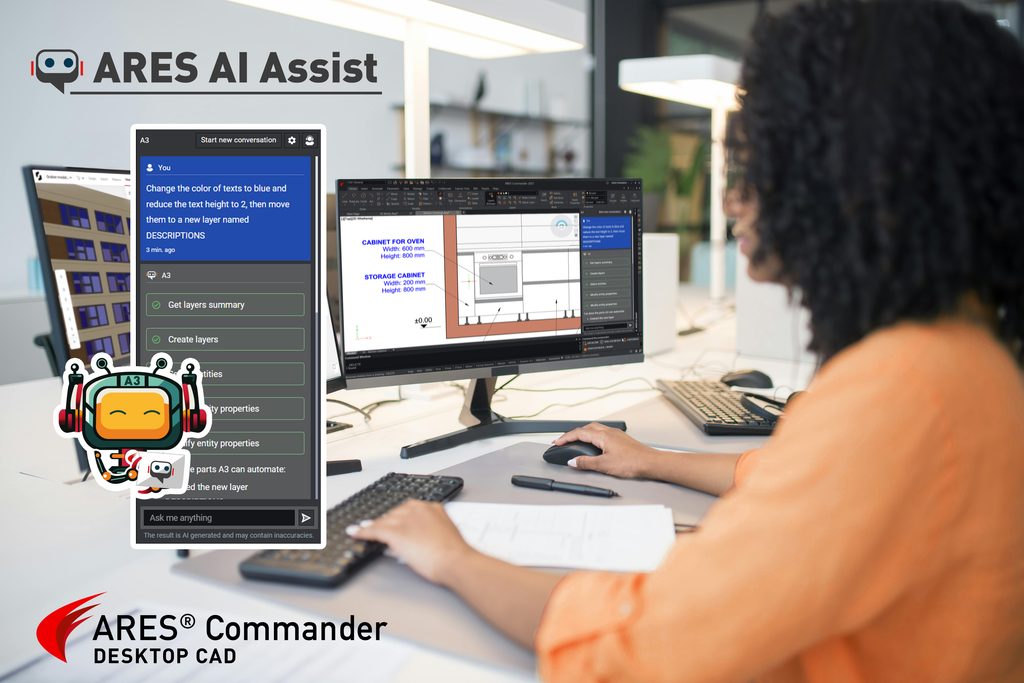
The ARES AI Assist (A3) palette in
ARES Commander can now perform multiple CAD operations from a single prompt.
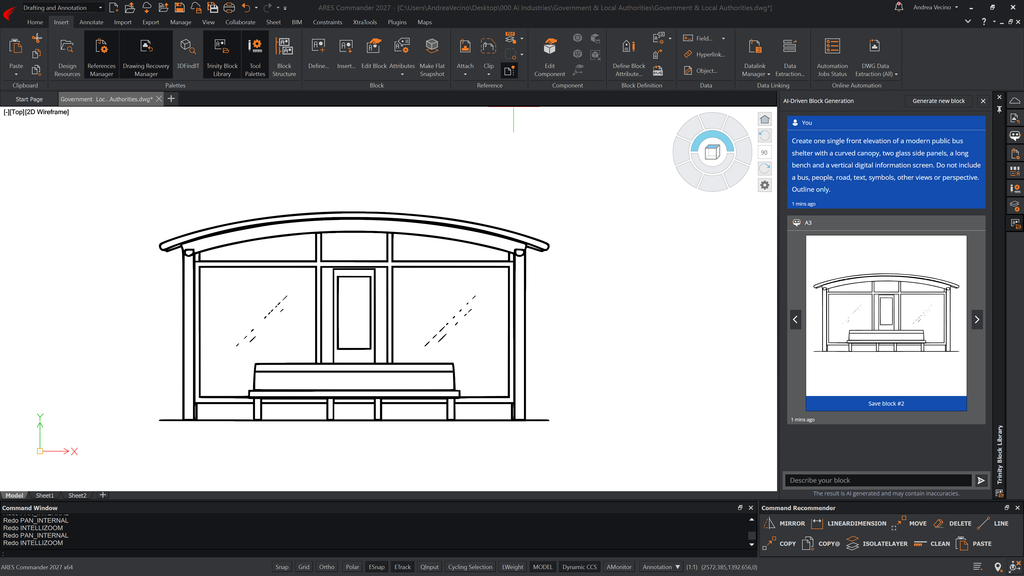
Example of a block generated by the AI Assistant in the Trinity Block Library of ARES Commander
Pillar 2: Desktop MCP connectors – The power of Desktop CAD meets Agentic AI
Status: NEW – Released in ARES Commander 2027 SP2 (October 2026)
Turn your favorite AI assistant into a powerful CAD co-worker, capable of creating and modifying DWG drawings in 2D and 3D from simple natural-language instructions.
- OpenAI: Codex by ChatGPT (included in the ChatGPT Desktop app)
- Anthropic: Claude Code (available in Claude Desktop)
- Google: Antigravity (powered by Gemini)
- Cognition: Devin Desktop
- Microsoft: use via GitHub Copilot
These AI agents can analyze your request, plan the necessary actions, and execute complex CAD workflows using ARES Commander’s advanced 2D and 3D CAD features.
The seven projects shown in the video AI CAN DO CAD?! 7 REAL DWG PROJECTS demonstrate what is already possible with Claude connected to ARES Commander.
Similar results can be achieved with the other AI assistants listed above. From turning sketches and images into editable DWG drawings to creating parametric designs and 3D models, these examples show how AI agents can use professional CAD tools to complete sophisticated tasks that would otherwise require considerable CAD expertise.
Follow our step-by-step instructions to install the MCP connectors: www.graebert.com/getmcp
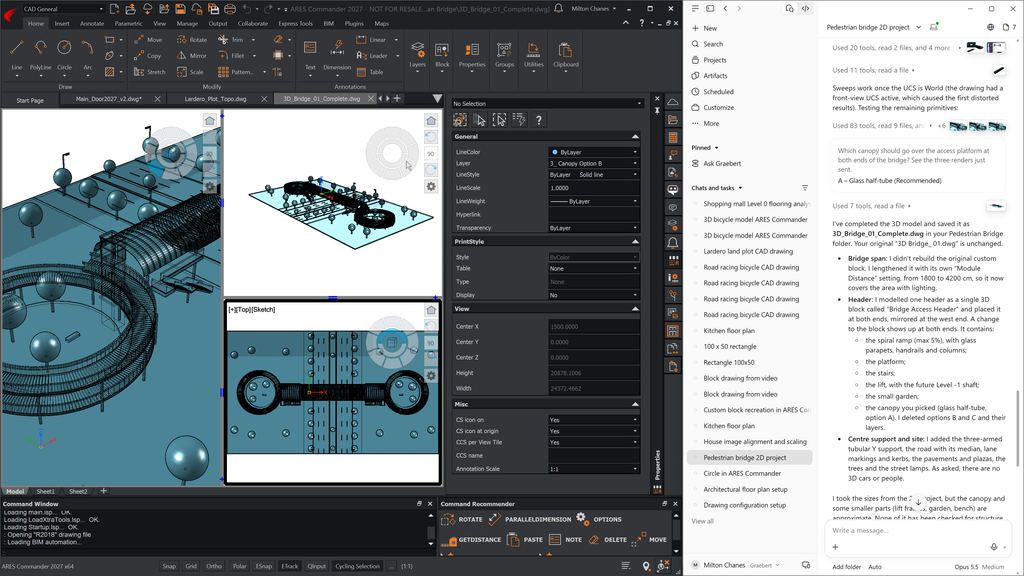
The 3D bridge project shown in the video was entirely designed by AI starting from a photo of a hand sketch.
You can find the prompts in our
free online course:
Mastering AI for CAD in DWG
Pillar 3: Cloud MCP connectors – Automate DWG Workflows in the Cloud
Status: Coming soon — Phased rollout in ARES Kudo (Cloud) from December 2026 to March 2027.
Unlock new possibilities for Agentic AI by connecting the web versions of your favorite AI assistants directly to ARES Kudo’s cloud-based DWG editing and automation capabilities.
Upcoming MCP connectors for ARES Kudo:
- OpenAI: ChatGPT (chatgpt.com)
- Anthropic: Claude (claude.ai)
- Google: Gemini (gemini.google.com)
- Microsoft: Copilot (copilot.com)
- Cognition: Devin Cloud (devin.ai)
These AI agents will be able to create and modify DWG drawings using ARES Kudo’s extensive 2D CAD features, as well as access and work with drawings stored in connected cloud storage services.
Beyond CAD editing, ARES Kudo also offers collaboration tools and online drawing automation, opening the door to recurring tasks and batch processing orchestrated by AI agents:
| What your AI assistant can do with MCP in ARES Kudo: | Phase 1 December 2026 |
Phase 2 February 2027 |
Phase 3 March 2027 |
|---|---|---|---|
| Access your DWG files in the Cloud storages connected to ARES Kudo*, and query/ modify the sharing settings • For example: Make a list of all the files shared with one of your contacts and share a view-only link for the same files with another contact |
✅ | ✅ | ✅ |
| Ask questions about your drawings • For example: Check all the drawings linked to the sheet set and report if there are any insertions of this block that is outdated |
✅ | ✅ | ✅ |
| Manage & trigger the predefined Online Automation jobs • For example: Trigger an automation that creates floor plans, sections, and elevations in DWG from a Revit file + another one updating the geometry every weekend • Or an automation that is printing a sheet set to pdf every night and another one doing a drawing compare to show the differences |
✅ | ✅ | ✅ |
| Modify a DWG file open by the user in the browser (the editing session is initiated by the user) • Use the 2D CAD features and Trinity Collaboration features of ARES Kudo to make any addition or modification in a drawing |
✅ | ✅ | |
| Create and execute a LISP program (new LISP sandbox) • Execute a program developed in LISP by a developer or your AI assistant |
✅ | ✅ | |
| Create and modify drawings without assistance of the user to open the drawing in the browser • Your AI assistant gains the ability to create and modify one or even multiple drawings in your cloud storage. For example, you could be visiting a customer and use your smartphone to ask your AI assistant to modify the drawing. |
✅ |
* Cloud storage integrations include: Microsoft OneDrive®, Microsoft SharePoint®, Google Drive™, Box®, and Dropbox®, and also private clouds leveraging the WebDAV protocol, AWS S3®, or Nextcloud™, as well as Autodesk Forma® (fka. ACC), PTC Onshape®, and Trimble Connect®.
Note: AI-driven automation with ARES Kudo will be subject to a fair-use policy, just as AI assistants themselves have usage limits. For organizations looking to automate thousands of drawings or run high-volume, enterprise-wide workflows in the cloud, Graebert offers dedicated enterprise solutions with ARES Neo and ARES Online Drawings Automation Server.
Pillar 4: Large-scale Automation – Systemizing CAD and BIM automation at scale
Status: ARES Online Drawings Automation Server is released – ARES Neo is in production with selected customers (Pioneer offer) and will be rolled out in Q1 2027.
Enterprise-scale automation for CAD in DWG
The ARES Online Drawings Automation Server enables developers and large customers to configure a custom server with ARES Commander CLI (Command Line Interface).
The size of the server delivered by Graebert can adapt to your needs. It includes a queue mechanism to process your automation jobs and execute sophisticated scripts using the CAD features of ARES Commander

From BIM models to Auto-drawings you can sign off in hours, not weeks…
ARES Neo is Graebert’s cloud-based solution for automating BIM documentation at enterprise scale. Working with Revit, IFC and Rhino projects, it automatically creates or improves drawings, adds dimensions and annotations, and checks compliance with company standards.
Designed to handle thousands of drawings, it combines automated drawing production with AI-assisted quality control, allowing BIM professionals to review and approve suggested corrections rather than checking every drawing manually.

ARES Neo automates drawings in Revit format at scale for large BIM projects
www.aresneo.com
Unlocking AI-powered CAD and automation at every scale:
One design at a time:
AI-augmented CAD with
humans and AI working together
The built-in ARES AI features in ARES Commander and ARES Kudo help users select and modify entities, create blocks, or get guidance.
With the new MCP connectors, users can go much further, working alongside AI agents to accomplish sophisticated CAD tasks through natural-language instructions, even without mastering the underlying CAD commands.
Multiple DWGs, or recurring tasks:
Cloud-based automation orchestrated with AI agents
This is where the upcoming MCP connectors for ARES Kudo will make a difference…
AI agents will be able to access DWG files in cloud storage, create or modify drawings, and trigger online automation workflows without anyone having to open CAD software.
Systemized Automation at scale:
Large-scale automation for Enterprise and Developers
With ARES Neo for BIM drawing automation connected to Revit and IFC projects, and ARES Online Drawings Automation Server for custom DWG-based workflows, enterprises and developers can build dedicated, repeatable automation processes that operate at scale, independently of individual CAD users.
Desktop-based solutions like ARES Commander or AutoCAD® work with local files. They are well suited to work on one DWG file at a time with your favorite AI assistant (although, at the time of writing, AutoCAD doesn’t include an official MCP connector for DWG editing). This also explains why the MCP connectors for ARES Commander are working with the desktop version of your AI assistant.
In turn, cloud-based CAD solutions like ARES Kudo can connect directly with LLMs such as ChatGPT, Claude, Gemini, or Microsoft Copilot. This also explains why you can see ChatGPT or Claude connectors for web-based solutions like Google Docs, Canva, Miro, Slack… but not for their historical desktop-based competitors.
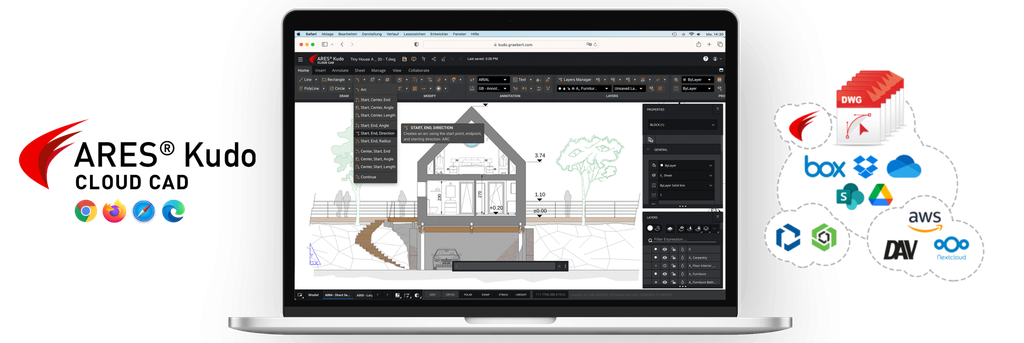
ARES Kudo is a full 2D CAD for DWG drawings running in your browser
Three major advantages for ARES Kudo compared to AutoCAD or ARES Commander
1) The AI no longer needs a human to access your DWG files
A first difference is therefore that browser-based CAD solutions like ARES Kudo can be used by your AI assistant to access DWG files in the cloud storage you connect with ARES, which includes Google Drive, Box, Dropbox, Microsoft OneDrive, Microsoft SharePoint, Trimble Connect, Onshape, and even private cloud servers with the WebDAV protocol.
ARES Commander can also access the files in the cloud with the Cloud Storage palette, but this service is actually provided by ARES Kudo, which implies that your AI assistant actually needs ARES Kudo…
2) The same prompt can create or modify multiple drawings
Secondly, it improves scalability, as you are no longer limited to a single drawing open by the user, but can have multiple drawings created and modified by your AI agents, without even requiring a human to open a file session on the computer, unlike with desktop-based CAD software.
3) Beyond DWG editing, cloud-based features that unlock new DWG workflows
And, most essentially, ARES Kudo also offers additional features that will be offered to your AI agent:
- The cloud-based Trinity collaboration features: Version history, markups, comments, version compare, email notifications, sharing view-only links to invite your guests to view and comment online for free…
- The online automation features: ARES Kudo includes, by default, a preset list of automation jobs running on Graebert’s cloud servers, one-time, scheduled, or recurring, on files in cloud storage: DWG drawings from Revit and IFC models, PDF and DGN to DWG, DWG and PDF export, drawing comparison and data extraction to CSV, with an email when the job is done.
AI-powered CAD with security, privacy and control
Graebert follows best practices to ensure you always stay in control of your data.
ISO 27001 and ISO 42001 certification
for Information Security and Responsible Use of AI
Graebert is ISO/IEC 27001:2022 and ISO/IEC 42001:2023 certified, demonstrating its commitment to information security and the responsible use of AI. These internationally recognized standards govern the management systems that support the development, operation, and maintenance of the ARES CAD software portfolio, ensuring a strong focus on data protection, secure software development, and responsible AI practices.
You remain in full control of AI and cloud integrations
The built-in ARES AI features are optional, and users can disable them without losing access to traditional CAD functionality. Company administrators can also enable or disable AI features across their organization, control which cloud storage providers are authorized, and restrict sharing options such as QR codes and view-only links.
ARES is Cloud-agnostic and AI-agnostic
ARES gives you flexibility in choosing your AI assistants and cloud storage. You can connect to popular storage providers or keep your DWG files on your own infrastructure using private storage solutions such as WebDAV, AWS S3 or Nextcloud. For organizations handling particularly sensitive data or intellectual property, Graebert can also help you consider alternative solutions that use AI agents running locally on your computer, with AI processing performed on your PC rather than in the cloud.
ISO 27001 certification
for Information Security

ISO 42001 certification
for Responsible use of AI
MCP is not just adding another AI feature to CAD software. It is amplifying the value of technologies Graebert has developed over many years. By bringing AI agents together with desktop CAD, cloud-based DWG editing, online automation, and BIM documentation, we are opening new possibilities for productivity that go far beyond individual CAD tasks.
This is a major transformation for the CAD industry. Together, we can reshape 2D and 3D CAD and break down the walls of traditional CAD. You no longer need to spend years mastering CAD commands before you can start turning your ideas into real drawings.
| Graebert’s technological foundations ARES Commander · ARES Kudo · ARES Online Drawings Automation · ARES Neo |
| + Agentic AI + MCP Natural-language instructions · Planning · Tool execution · Workflow orchestration |
| = A new scale of CAD productivity From one drawing to multiple files and enterprise-wide workflows |
If you can imagine it, you can describe it.
And with AI agents, you have a new way to bring it to life.
Your imagination is the starting point — the sky is the limit.
About Graebert
Founded in 1977 and headquartered in Berlin, Germany, Graebert is an independent, family-owned software company specializing in CAD technology. Its ARES CAD platform combines native DWG compatibility with modern desktop, cloud, and mobile workflows through ARES Commander, ARES Kudo, and ARES Touch. Graebert continues to advance CAD productivity with built-in AI features, MCP connectors, online drawings automation, and enterprise-scale BIM documentation with ARES Neo.
Beyond its own products, Graebert develops and licenses CAD technology to software companies worldwide, including Dassault Systèmes, PTC Onshape, Trimble, and QONIC. With research and development teams in six countries, subsidiaries in Japan, Brazil and India, and customers in more than 100 countries, Graebert combines decades of CAD expertise with a commitment to making professional design tools more accessible, connected, and productive.
Graebert’s CAD technology is trusted by millions of professionals worldwide, including organizations such as Panasonic, Hyundai Mobis, and the Indian Space Research Organisation (ISRO). In Japan, 65% of the country’s 20 largest construction groups have replaced AutoCAD with ARES Commander. Graebert offers both perpetual licenses and subscriptions, with a free 30-day trial to explore its CAD software.
Learn more: www.graebert.com
Free 30-day trial: www.graebert.com/try
MCP connectors for AI assistants: www.graebert.com/getmcp
Free online course and certification: Mastering AI for CAD in DWG
Video: AI CAN DO CAD?! 7 REAL DWG PROJECTS
Editors note: Logos, screenshots and additional data are available from the Graebert PR contact.