Run LM Studio Models Locally on your Machine


Introduction

LM Studio makes it incredibly easy to run and experiment with open-source large language models (LLMs) entirely on your local machine, with no internet connection or cloud dependency required. You can download a model, start chatting, and explore responses while maintaining full control over your data.

But what if you want to go beyond the local interface?

Let’s say your LM Studio model is up and running locally, and now you want to call it from another app, integrate it into production, share it securely with your team, or connect it to tools built around the OpenAI API.

That’s where things get tricky. LM Studio runs models locally, but it doesn’t natively expose them through a secure, authenticated API. Setting that up manually would mean handling tunneling, routing, and API management on your own.

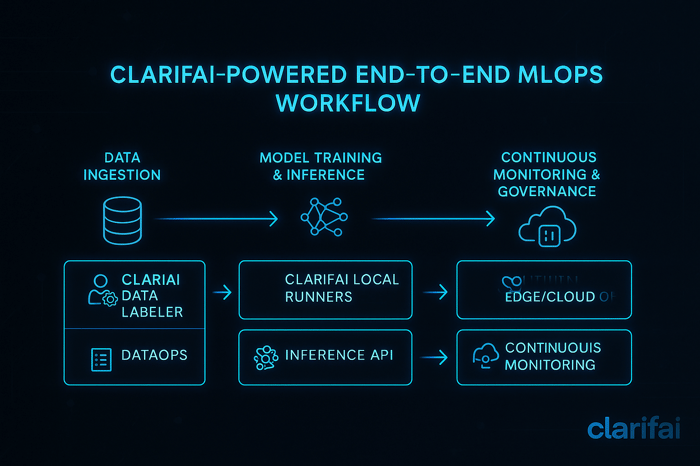
That’s where Clarifai Local Runners come in. Local Runners let you serve AI models, MCP servers, or agents directly from your laptop, workstation, or internal server, securely and seamlessly via a public API. You do not need to upload your model or manage any infrastructure. Run it locally, and Clarifai handles the API, routing, and integration.

Once running, the Local Runner establishes a secure connection to Clarifai’s control plane. Any API request sent to your model is routed to your machine, processed locally, and returned to the client. From the outside, it behaves like a Clarifai-hosted model, while all computation happens on your local hardware.

With Local Runners, you can:

  • Run models on your own hardware
    Use laptops, workstations, or on-prem servers with full access to local GPUs and system tools.

  • Keep data and compute private
    Avoid uploading anything. This is useful for regulated environments and sensitive projects.

  • Skip infrastructure setup
    No need to build and host your own API. Clarifai provides the endpoint, routing, and authentication.

  • Prototype and iterate quickly
    Test models in real pipelines without deployment delays. Inspect requests and outputs live.

  • Connect to local files and private APIs
    Let models access your file system, internal databases, or OS resources without exposing your environment.

Now that the benefits are clear, let’s see how to run LM Studio models locally and expose them securely via an API.

Running LM Studio Models Locally

The LM Studio Toolkit in the Clarifai CLI enables you to initialize, configure, and run LM Studio models locally while exposing them through a secure public API. You can test, integrate, and iterate directly from your machine without standing up infrastructure.

Note: Download and keep LM Studio open when running the Local Runner. The runner launches and communicates with LM Studio through its local port to load, serve, and run model inferences.

Step 1: Prerequisites

  1. Install the Clarifai package and CLI

  1. Log in to Clarifai

Follow the prompts to enter your User ID and Personal Access Token (PAT). If you need help obtaining these, refer to the documentation.

Step 2: Initialize a Model

Use the Clarifai CLI to initialize and configure an LM Studio model locally. Only models available in the LM Studio Model Catalog and in GGUF format are supported.

Initialize the default example model

By default, this creates a project for the LiquidAI/LFM2-1.2B LM Studio model in your current directory.

If you want to work with a specific model rather than the default LiquidAI/LFM2-1.2B, you can use the --model-name flag to specify the full model name. See the full list of all models here.

Note: Some models are large and require significant memory. Ensure your machine meets the model’s requirements before initializing.

Now, once you run the above command, the CLI will scaffold the project for you. The generated directory structure will look like this:

  • model.py contains the logic that calls LM Studio’s local runtime for predictions.
  • config.yaml defines metadata, compute characteristics, and toolkit settings.
  • requirements.txt lists Python dependencies.

Step 3: Customize model.py

The scaffold includes an LMstudioModelClass that extends OpenAIModelClass. It defines how your Local Runner interacts with LM Studio’s local runtime.

Key methods:

  • load_model() – Launches LM Studio’s local runtime, loads the selected model, and connects to the server port using the OpenAI-compatible API interface.

  • predict() – Handles single-prompt inference with optional parameters such as max_tokens, temperature, and top_p. Returns the complete model response.

  • generate() – Streams generated tokens in real time for interactive or incremental outputs.

You can use these implementations as-is or modify them to align with your preferred request and response structures.

Step 4: Configure config.yaml

The config.yaml file defines model identity, runtime, and compute metadata for your LM Studio Local Runner:

  • model – Includes id, user_id, app_id, and model_type_id (for example, text-to-text).

  • toolkit – Specifies lmstudio as the provider. Key fields include:

    • model – The LM Studio model to use (e.g., LiquidAI/LFM2-1.2B).

    • port – The local port the LM Studio server listens on.

    • context_length – Maximum context length for the model.

  • inference_compute_info – For Local Runners, this is mostly optional, because the model runs entirely on your local machine and uses your local CPU/GPU resources. You can leave defaults as-is. If you plan to deploy the model on Clarifai’s dedicated compute, you can specify CPU/memory limits, number of accelerators, and GPU type to match your model requirements.

  • build_info – Specifies the Python version used for the runtime (e.g., 3.12).

Finally, the requirements.txt file lists Python dependencies your model needs. Add any extra packages required by your logic.

Step 5: Start the Local Runner

Start a Local Runner that connects to LM Studio’s runtime:

If contexts or defaults are missing, the CLI will prompt you to create them. This ensures compute contexts, nodepools, and deployments are set in your configuration.

After startup, you will receive a public Clarifai URL for your local model. Requests sent to this endpoint route securely to your machine, run through LM Studio, then return to the client.

Run Inference with Local Runner

Once your LM Studio model is running locally and exposed via the Clarifai Local Runner, you can send inference requests from anywhere using the OpenAI-compatible API or the Clarifai SDK.

OpenAI-Compatible API

Clarifai Python SDK

You can also experiment with generate() method for real-time streaming.

Conclusion

Local Runners give you full control over where your models execute without sacrificing integration, security, or flexibility. You can prototype, test, and serve real workloads on your own hardware, while Clarifai handles routing, authentication, and the public endpoint.

You can try Local Runners for free with the Free Tier, or upgrade to the Developer Plan at $1 per month for the first year to connect up to 5 Local Runners with unlimited hours.


Best Reasoning Model APIs | Compare Cost, Context & Scalability


Choosing the right reasoning model API is no small decision. While general‑purpose LLMs excel at pattern recognition, reasoning models are designed to generate step‑by‑step chains of thought and make logical leaps. This capability comes at a cost—these models often require longer context windows, more tokens, and higher fees, and they may run slower than mainstream chatbots. Still, for tasks like planning, coding, math proofs, or research agents, reasoning models can deliver far more reliable results than their non‑reasoning counterparts.

Quick Digest: What’s in This Article?

What are the best reasoning model APIs, and how can I pick the right one?

  • Best overall models: OpenAI’s O‑series (e.g., O3), Gemini 2.5 Pro, and Claude Opus 4 deliver state‑of‑the‑art reasoning with robust tool use and multilingual support.
  • Budget & speed options: O3‑mini, Mistral Medium 3, DeepSeek R1, and Qwen‑Turbo provide good performance with lower costs.
  • Enterprise & long‑context leaders: Gemini 2.5 Pro and Claude Sonnet 4 (1M context) support 1 million token windows, while Grok 4 fast‑reasoning offers 2 million tokens.
  • Open‑source options: Llama 4 Scout (10 million tokens), DeepSeek R1, Mistral Medium 3, and Qwen2.5‑1M let you run chain‑of‑thought models on your own infrastructure.
  • Model testing tips: Evaluate reasoning models using math, physics, and coding benchmarks (e.g., MMLU, GPQA, SWE‑bench). Track both final answer accuracy and token efficiency—how many tokens the model spends per answer.
  • Scenarios & recommendations: We map each model to common tasks like code reasoning, long‑document summarization, customer support, or multimodal reasoning.
  • Key trends: Test‑time scaling, mixture‑of‑experts architectures, and chain‑of‑thought compression are driving innovations.

If you’re a developer or enterprise evaluating AI reasoning APIs, this guide will help you select models based on cost, context length, performance, and scalability—with expert insights and practical examples throughout.


Understanding Reasoning Models vs. Standard LLMs

How do reasoning models differ from typical LLMs?

Reasoning models extend traditional transformer‑based LLMs by undergoing a second phase of reinforcement learning called test‑time scaling. Instead of generating single‑step answers, they are trained to produce chain‑of‑thought (CoT) traces—series of intermediate steps that lead to the final conclusion. This additional training yields improved performance on math, logic, physics, and coding tasks but at the expense of longer outputs and higher token usage.

Key differences include:

  • Chain‑of‑thought output: Instead of concise replies, reasoning models “think out loud,” generating stepwise reasoning. Some providers compress or summarize these traces to reduce cost.
  • Context window size: Reasoning often requires longer memory. Models like Gemini 2.5 Pro support 1 million tokens, while Llama 4 Scout extends to 10 million tokens.
  • Training & compute: Reasoning models use 10× or more compute during fine‑tuning and inference. They are slower and more expensive per token.
  • Token efficiency: Closed‑source models tend to be more token‑efficient—they generate fewer tokens to reach the same answer—while open models may use 1.5–4× more tokens.

Quick Summary

Reasoning models perform advanced logical tasks by generating chains of thought. They require longer context windows and higher compute, but they deliver more reliable problem solving.

Expert Insights

  • Benchmark research shows test‑time compute costs for reasoning models can be 25× higher than standard chat models. For example, benchmarking OpenAI’s O1 cost $2,767 because it produced 44 million tokens.
  • Stanford AI Index reports that reasoning models like O1 scored 74.4 % on the International Mathematical Olympiad qualifying exam but were 6× more expensive and 30× slower than non‑reasoning models.
  • Efficient reasoning research suggests three approaches to reduce cost: shorter chains of thought, smaller models via distillation, and faster decoding strategies.

Clarifai Note: Why Clarifai cares about reasoning models

At Clarifai, we build tools that make advanced AI accessible. Many customers want to harness reasoning capabilities for tasks such as complex document analysis, multi‑step decision support, or agentic workflows. Our compute orchestration and model inference services allow you to deploy reasoning models in the cloud or at the edge while managing cost and latency. We also offer local runners for self‑hosting open‑source reasoning models like Llama 4 Scout or DeepSeek R1 with enterprise‑grade monitoring and scalability.

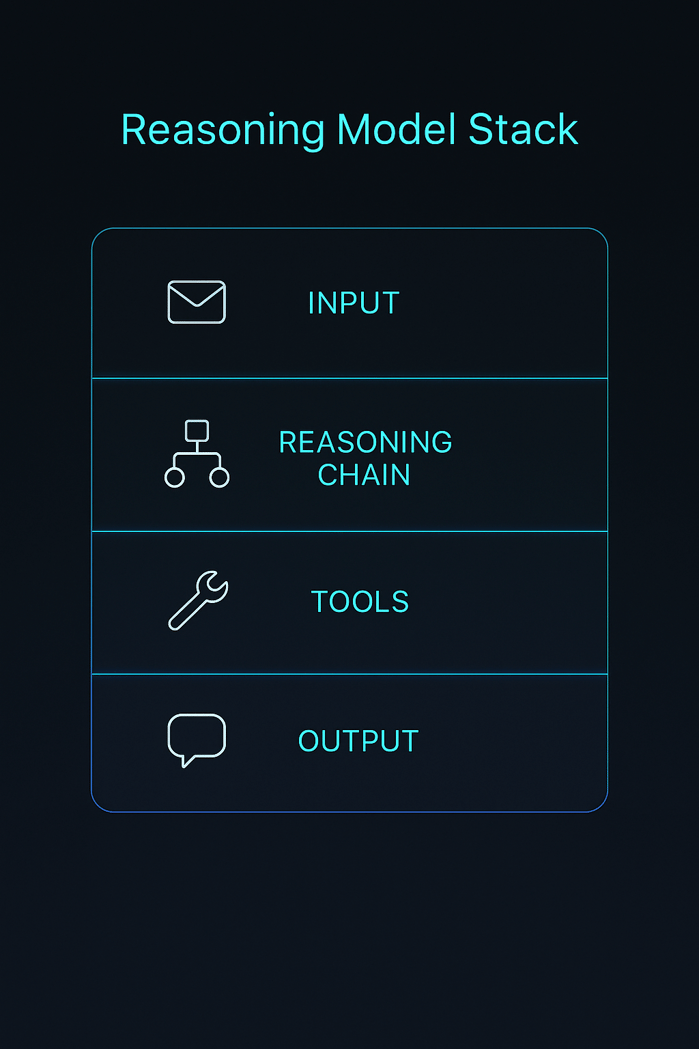
Reasoning Engine Stack


Best Overall Reasoning Models

This section reviews top‑performing reasoning model APIs across multiple benchmarks, with H3 subheadings for each model. We discuss context window, pricing, strengths, weaknesses, and Clarifai integration opportunities.

OpenAI O3 (O‑series)

OpenAI’s O3 (also known as “o3”) is a flagship reasoning model. It builds on the success of the O1 and O2 models by scaling up training compute, resulting in top‑tier performance on reasoning benchmarks like GPQA and chain‑of‑thought tasks.

Key facts:

  • Context window: 200,000 tokens with 100,000 output tokens.
  • Pricing: $10/M input tokens and $40/M output tokens; cached input tokens cost $2.50/M.
  • Strengths: Exceptional performance on knowledge and reasoning tasks (MMLU 84.2 %, GPQA 87.7 %, coding 69.1 %). Supports advanced tool invocation and external functions.
  • Weaknesses: High cost and slower latency due to test‑time scaling. Token usage must be carefully managed to avoid runaway costs.

Practical example: Suppose you’re building a financial forecasting agent that must parse long earnings transcripts, reason about market events, and output step‑by‑step analysis. O3’s 200K context window and reasoning prowess can handle such tasks, but you might pay $40 or more per 1M generated tokens.

Expert Insights

  • O3 is widely regarded as one of the most intelligent LLMs available, but its token usage makes benchmarking expensive—it generated 44 million tokens across seven benchmarks, costing over $2.7 k.
  • Industry commentators caution that O3’s cost structure may limit real‑time applications; however, for complex research or high‑stakes decisions, its reasoning reliability is unmatched.

Clarifai Integration

Clarifai’s model inference platform can orchestrate O3 on your behalf, automatically scaling compute and caching tokens. Pair O3 with Clarifai’s document extraction and semantic search models to build robust research agents.

Google DeepMind Gemini 2.5 Pro

Gemini 2.5 Pro (formerly Gemini Pro 2) is a multimodal reasoning model from Google DeepMind. It excels at mixing text and visual inputs, offering a 1 million token context window with a path to 2 million tokens.

Key facts:

  • Context window: 1 million tokens (2 million coming soon).
  • Pricing: Standard input cost $1.25/M tokens and output cost $10/M tokens for prompts under 200K tokens; input cost rises to $2.50/M and output to $15/M for longer prompts.
  • Strengths: Dominates long‑context reasoning; leads the LM‑Arena leaderboard. Handles complex math, code, images, and audio. Offers context caching and grounded search features.
  • Weaknesses: Pricing complexity; the cost can double for longer contexts. Grounded search incurs extra fees.

Practical example: If you’re processing a 500‑page legal document and extracting obligations, Gemini 2.5 Pro can ingest the entire document and reason across it. With Clarifai’s compute orchestration, you can manage the 1 million token context without overspending by caching repeated sections.

Expert Insights

  • A leading benchmark analysis notes Gemini 2.5 Pro’s performance on reasoning tasks is competitive with O3 while offering larger context and multimodal support.
  • Google engineers highlight that a 1M context window allows analyzing entire codebases and performing multi‑document synthesis.

Clarifai Integration

Use Clarifai to deploy Gemini 2.5 Pro alongside our vision models. Integrate Clarifai’s local runners to run long‑context jobs privately and combine with our metadata storage for handling large document collections.

Anthropic Claude Opus 4 and Claude Sonnet 4 (Long Context)

Anthropic’s Claude family includes Opus 4 and Sonnet 4, hybrid reasoning models that balance performance and cost. Opus 4 targets enterprise use, while Sonnet 4 (long context) offers up to 1 million tokens.

Key facts (Opus 4.1):

  • Context window: 200,000 tokens.
  • Pricing: $15/M input tokens and $75/M output tokens.
  • Strengths: Excels at coding and agentic tasks; supports tool calls and function execution.
  • Weaknesses: High cost; moderate context window.

Key facts (Sonnet 4 long context):

  • Context window: 1 million tokens (Beta).
  • Pricing: $3/M input, $15/M output for ≤ 200K tokens; $6/M input, $22.5/M output for > 200K.
  • Strengths: More affordable than Opus; optimized for RAG (retrieval‑augmented generation) tasks; robust reasoning with lower latency.
  • Weaknesses: Beta long context may have limitations; output limited to 75K tokens.

Practical example: For knowledge base summarization, Sonnet 4 can ingest thousands of support articles and create consistent, long‑form answers. Combined with Clarifai’s multilingual translation models, you can generate answers across languages.

Expert Insights

  • Benchmark results show Claude Sonnet achieves 80.2 % on SWE‑bench and 84.8 % on GPQA.
  • Anthropic notes that long‑context pricing doubles for prompts beyond 200K tokens; careful prompt engineering is needed to control costs.

Clarifai Integration

Clarifai’s compute orchestration can manage Sonnet’s long context jobs across multiple GPUs. Use our search and indexing features to fetch relevant documents before passing to Claude, reducing token usage and cost.

xAI Grok 4 Fast Reasoning

xAI’s Grok series features models tuned for fast reasoning and real‑time data. Grok 4 fast‑reasoning offers a 2 million token context window and low token prices.

Key facts:

  • Context window: 2 million tokens.
  • Pricing: $0.20/M input and $0.50/M output for grok‑4‑fast‑reasoning; older versions cost $3–$15/M output.
  • Strengths: Extremely long context; integrates real‑time X (Twitter) data; useful for streaming content or long transcripts.
  • Weaknesses: Tool invocation costs $10 per 1K calls; smaller models can lack depth on complex reasoning.

Practical example: A news‑monitoring agent can stream live tweets, ingest millions of tokens, and produce concise analysis. Pair Grok with Clarifai’s sentiment analysis to track public sentiment in real‑time.

Expert Insights

  • Analysts note Grok’s pricing is highly competitive for long contexts. However, limited support for complex coding tasks means it may not replace high‑end models for engineering use.

Clarifai Integration

Use Grok with Clarifai’s data ingestion pipelines to process real‑time events. Our tool‑calling orchestration can track and control your API calls to external tools to minimize cost.

Mistral Large 2

Mistral AI’s Large 2 model is an open‑source reasoning engine accessible via multiple cloud providers. It offers strong performance at a moderate price.

Key facts:

  • Context window: 128,000 tokens.
  • Pricing: $3/M input and $9/M output.
  • Strengths: 84 % MMLU score; supports function calling; available via Azure, AWS, and other platforms.
  • Weaknesses: Limited context compared to other reasoning models; open‑source so token efficiency may vary.

Practical example: For automated code review, Mistral Large 2 can analyze 128K tokens of code and provide step‑by‑step suggestions. Clarifai can orchestrate these calls and integrate them with your CI/CD pipeline.

Expert Insights

  • Benchmark comparisons show Mistral Large 2 delivers competitive reasoning at one‑third the cost of O3, making it a popular choice.

Clarifai Integration

Deploy Mistral Large 2 using Clarifai’s local runners to keep your code private and reduce latency. Our token management tools help track usage across projects.


Budget‑Friendly and Speed‑Optimized Models

Not every application requires the strongest reasoning engine. If your focus is cost efficiency or low latency, these models deliver acceptable reasoning quality without breaking the bank.

OpenAI O3‑Mini & O4‑Mini

O3‑mini and O4‑mini are scaled‑down versions of OpenAI’s O‑series models. They retain reasoning abilities with reduced context windows and pricing.

Key facts:

  • Context window: 200K tokens (O3‑mini) and 128K tokens (O4‑mini).
  • Pricing: O3‑mini costs $1.10/M input and $4.40/M output; O4‑mini costs around $3/M input and $12/M output (according to industry reports).
  • Strengths: Great for chatbots, customer support, and simple reasoning tasks.
  • Weaknesses: Lower performance on complex math or coding tasks; shorter context windows.

Expert Insights

  • O3‑mini offers an excellent cost‑performance trade‑off, making it a popular choice for startups building AI agents. It scores around 80 % on MMLU.

Clarifai Integration

Clarifai’s model inference service can auto‑scale O3‑mini and O4‑mini deployments. Use our token analytics to predict monthly spend and avoid surprise bills.

Mistral Medium 3 & Mistral Small 3.1

Mistral’s Medium 3 and Small 3.1 models are smaller siblings of Mistral Large, offering cheaper token pricing with robust reasoning.

Key facts:

  • Context window: 128K tokens for both models.
  • Pricing: Mistral Medium 3 costs $0.40/M input and $2/M output; Mistral Small 3.1 costs $0.10/M input and $0.30/M output.
  • Strengths: Low cost; open‑source; good for high‑volume tasks.
  • Weaknesses: Lower performance on complex reasoning; limited tool‑calling support.

Expert Insights

  • A cost‑efficiency analysis notes that Mistral Medium 3 offers one of the best $/token values in the market, making it ideal for prototypes or non‑critical reasoning tasks.

Clarifai Integration

Deploy Mistral Medium 3 on Clarifai’s platform using autoscaling to manage fluctuating workloads. Combine with Clarifai’s embedding models for retrieval‑augmented generation, offsetting context limitations.

DeepSeek R1

DeepSeek R1 is an open‑source reasoning model from the DeepSeek team. It’s known for high performance on math and logic tasks, with cost‑effective pricing.

Key facts:

  • Context window: 128K tokens.
  • Pricing: Input cost $0.07/M tokens (cache hit), $0.56/M tokens (cache miss); output cost $1.68/M tokens.
  • Strengths: Strong performance on MATH‑500 and chain‑of‑thought tasks; open‑source with MIT license.
  • Weaknesses: Output limited to 64K tokens; slower inference; reasoning mode can be expensive.

Expert Insights

  • DeepSeek R1 scored 97.3 % on MATH‑500 and 79.8 % on ARC‑AGI when using full thinking mode.
  • The CloudZero report highlights DeepSeek’s cache‑hit pricing which can reduce costs for repeated prompts.

Clarifai Integration

Use Clarifai’s local runners to deploy DeepSeek R1 on your own infrastructure. Combine it with our cost monitoring to manage cache hits and misses.

Qwen‑Flash & Qwen‑Turbo

Alibaba Cloud’s Qwen family includes low‑cost models like Qwen‑Flash and Qwen‑Turbo. They provide large context windows and minimal per‑token fees.

Key facts:

  • Context window: 1 million tokens.
  • Pricing: $0.05/M input and $0.40/M output for Qwen‑Flash; $0.05/M input and $0.20/M output for Qwen‑Turbo.
  • Strengths: Massive context; fast inference; good for summarization or non‑critical reasoning.
  • Weaknesses: Limited reasoning capabilities; larger open‑source models (Qwen3) provide more depth but cost more.

Expert Insights

  • A Qwen pricing analysis explains that Qwen’s low fees come with complex billing models—tiered pricing, thinking mode toggles, region‑specific discounts, and hidden engineering costs.

Clarifai Integration

Deploy Qwen‑Turbo via Clarifai’s model registry; integrate with our data annotation tools to build custom datasets and tune prompts.


Enterprise‑Grade & Long‑Context Models

Enterprise applications often require analyzing hundreds of thousands or millions of tokens—whole codebases, legal contracts, or research papers. These models offer extended context windows and enterprise‑ready features.

Grok 4 Fast Reasoning

As previously discussed, Grok 4 provides a 2 million token context window and low per‑token cost. It’s ideal for ingesting streaming data or processing ultra‑long documents.

Use cases: Real‑time news analysis, multi‑document summarization, RAG pipelines.

Clarifai note: Leverage Clarifai’s streaming ingestion and metadata indexing to feed Grok continuous data.

Qwen‑Plus (Long Context)

Qwen‑Plus provides a 1 million token context and flexible pricing. According to the Qwen pricing guide, it costs $0.40/M input and $1.20/M output for non‑thinking mode; switching to thinking mode increases the output cost to $4/M.

Use cases: Summarizing long customer support threads, legal documents, or research papers.

Clarifai note: Clarifai’s text analytics and embedding models can filter relevant sections before sending to Qwen‑Plus, reducing token usage.

Llama 4 Scout & Llama 4 Maverick

Meta’s Llama 4 series introduces mixture‑of‑experts (MoE) architecture with extreme context windows. Llama 4 Scout has a 10 million token context, while Maverick offers smaller context but higher parameter counts.

Key facts:

  • Context window: 10 million tokens (Scout); other variants may provide 2M or 4M.
  • Strengths: Open‑source; runs on a single H100 GPU; near GPT‑4 performance; supports text and images.
  • Weaknesses: Context rot at extreme lengths; early versions may require fine‑tuning.

Use cases: Long‑term conversation memory, multi‑document research agents, knowledge management.

Clarifai note: Deploy Llama 4 on Clarifai’s local runners for maximum privacy. Use our vector search to chunk large documents and feed relevant segments to the model, preventing context rot.

Gemini 2.5 Pro & Sonnet 4 Long Context

Covered earlier, these models serve enterprise scenarios with 1M context windows.

Use cases: Legal analysis, medical research synthesis, codebase inspection.

Clarifai note: Clarifai’s compute orchestration can allocate multiple GPUs to handle long‑context runs and manage token caching.


Open‑Source & Self‑Hosted Reasoning Models

Open‑source reasoning models allow complete control over data and costs. They are ideal for organizations with strict privacy requirements or custom hardware.

Llama 4 Scout & Llama 4 Maverick

We described these models above, but here we emphasize their open‑source advantage. Llama 4 Scout is released under a permissive license; it uses a mixture‑of‑experts architecture with 17 billion active parameters and 10 million token context.

Expert Insights:

  • Early tests show Llama 4 Scout achieves ~79.6 % on MMLU and 60–65 % on coding benchmarks.
  • MoE architecture means only a subset of parameters activate per token, enabling efficient inference on commodity GPUs.

Clarifai Integration: Use Clarifai’s local runners to deploy Llama 4 on‑premise with built‑in monitoring. Combine with Clarifai’s fine‑tuning service to adapt the model to your domain.

DeepSeek R1 (Open‑Source)

DeepSeek R1 is MIT‑licensed and supports chain‑of‑thought reasoning with 128K context.

Expert Insights:

  • R1 outperforms many proprietary models on math tasks (97.3 % MATH‑500, 79.8 % ARC‑AGI).
  • Its cache‑hit pricing encourages storing frequently used prompts, reducing cost by up to 8×.

Clarifai Integration: With Clarifai’s model registry, you can deploy R1 in your environment and monitor usage. Use our data labeling tools to create custom training datasets that augment the model’s reasoning ability.

Mistral Medium 3 & Small 3.1

These models are open‑source with 128K context windows.

Expert Insights:

  • They deliver competitive performance relative to their price; cost can be as low as $0.30/M output for Small 3.1.
  • Best used for prototypes or high‑volume tasks where reasoning depth is secondary.

Clarifai Integration: Clarifai’s local runners can deploy these models and scale horizontally. Combine with Clarifai’s workflow engine to orchestrate calls across multiple models.

Qwen2.5‑1M

Qwen2.5‑1M is the first open‑source model with a 1 million token context window. It enables long‑term conversational memory and deep document retrieval.

Expert Insights:

  • This model solves the limitations of earlier LLMs (GPT‑4o, Claude 3, Llama‑3) that were capped at 128K tokens.
  • Long context is particularly valuable for legal AI, finance, and enterprise knowledge management.

Clarifai Integration: Deploy Qwen2.5‑1M through Clarifai’s self‑hosted orchestrators. Use our document indexing capabilities to feed relevant information into the model’s memory.


Model Performance vs. Cost Analysis

Selecting a reasoning model requires balancing accuracy, context length, cost per token, and token efficiency. This section compares models using key benchmarks and cost metrics.

Benchmarks & Cost Comparison

The table below summarises performance metrics (MMLU, GPQA, SWE‑bench, AIME) alongside price per million output tokens. Use it to identify models offering the best performance per dollar.

Model

Context window

MMLU / Reasoning score

SWE‑bench / Coding

Approx. cost per M output

Notable features


OpenAI O3

200K

84.2 % MMLU, 87.7 % GPQA

69.1 % coding

$40

High cost; tool calling


Gemini 2.5 Pro

1M

84.0 % reasoning

63.8 % coding

$10–15

Long context; multimodal


Claude Opus 4

200K

90.5 % MMLU

70.3 % coding

$75

High cost; best coding


Claude Sonnet 4 (long)

1M

78.2 % MMLU

65.0 % coding (approx.)

$15–22.5

Lower cost; long context


Mistral Large 2

128K

84.0 % MMLU

63.5 % coding (approx.)

$9

Open‑source; moderate cost


DeepSeek R1

128K

71.5 % reasoning

49.2 % coding

$1.68

Low cost; math leader


Grok 4 Fast

2M

80.2 % reasoning

(N/A)

$0.50

Real‑time; 2M context


Llama 4 Scout

10M

79.6 % MMLU (approx.)

60–65 % coding

Open‑source; GPU cost

MoE; large context


Qwen‑Plus (thinking)

1M

~80 % reasoning (estimated)

(N/A)

$4

Flexible pricing; long context


Qwen2.5‑1M

1M

Not publicly benchmarked

(N/A)

Free to self‑host

Open‑source; 1M context


Note: Performance metrics vary across testing frameworks. Where exact coding scores are unavailable, approximate values are derived from known benchmarks.

Token Efficiency & Test‑Time Compute

Token efficiency—the number of tokens a model generates per reasoning task—can significantly impact cost. A Nous Research study found that open‑weight models often generate 1.5–4× more tokens than closed models, making them potentially more expensive despite lower per‑token costs. Closed models like O3 compress or summarize their chain‑of‑thought to reduce output tokens, while open models output full reasoning traces.

Clarifai Tip: Balancing Performance and Cost

Clarifai’s analytics dashboard can help you measure token usage, latency, and cost across different models. By combining our embedding search and prompt engineering tools, you can send only relevant context to the model, improving token efficiency.

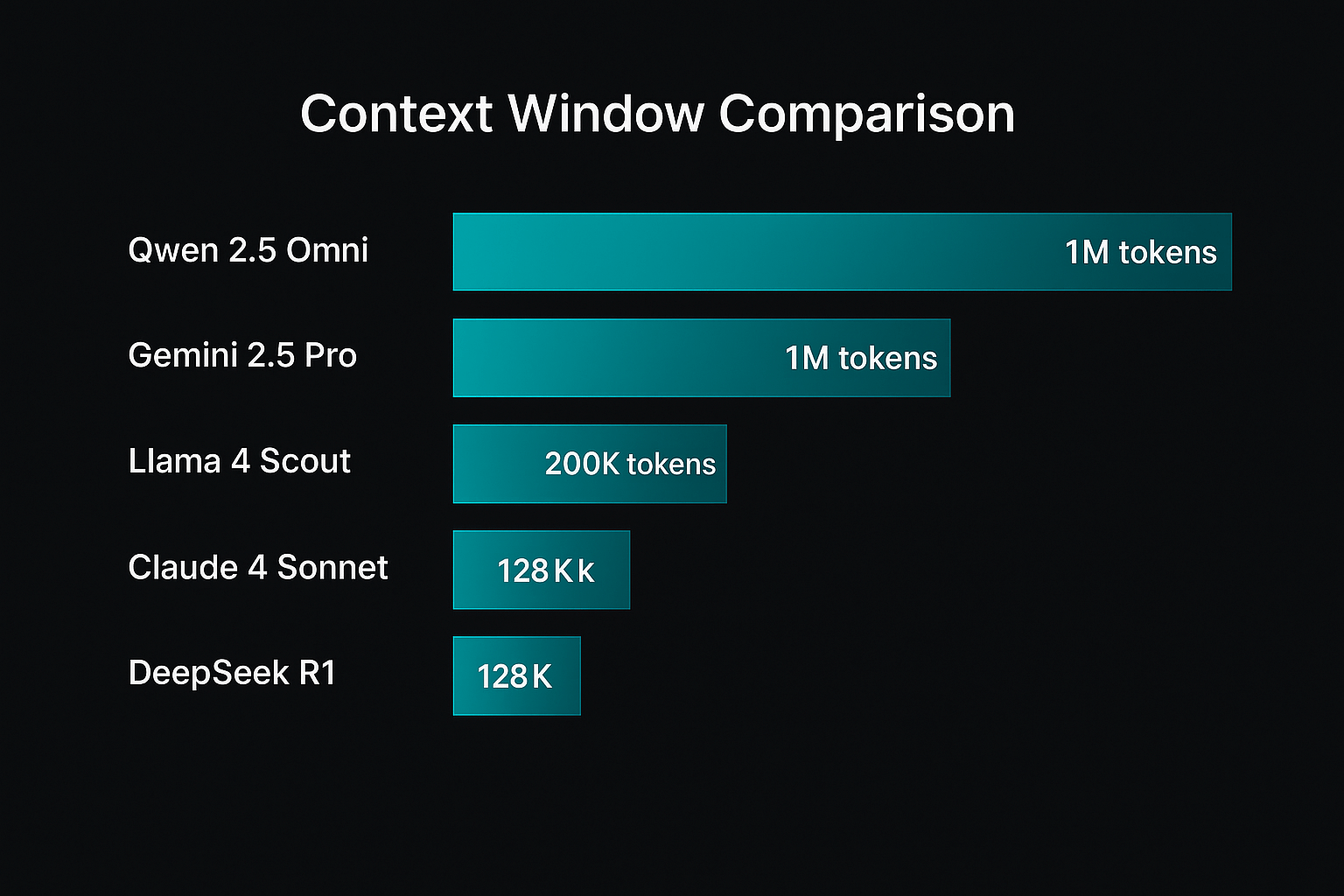
Context Window Comparison


Scalability, Rate Limits & Pricing Structures

Understanding API limits and pricing structures is essential to avoid unexpected bills.

How do rate limits and concurrency affect reasoning model APIs?

  • Concurrency: Many providers cap the number of concurrent requests. For example, xAI’s Grok models allow 500 requests per minute for grok‑3‑mini. To maintain reliability, plan concurrency ahead or purchase additional capacity.
  • Token per minute (TPM) limits: Providers set TPM or requests per minute caps. Exceeding these can cause throttling or refusal.
  • Tool invocation costs: Some APIs charge separately for tool calls—xAI charges $10 per 1K tool invocations. Gemini’s grounded search and maps usage have separate fees.
  • Context caching: Google’s Gemini API offers context caching to reduce cost; repeated context tokens cost less on subsequent calls.
  • Tiered pricing & region restrictions: Qwen models implement tiered pricing based on prompt length and region; free tiers may only be available in Singapore.

Clarifai Tip: Simplify Complex Pricing

Clarifai’s billing management tool consolidates charges from multiple APIs. We monitor token usage, concurrency, and tool calls, offering a single invoice. Use our cost forecasting to plan budgets and avoid overruns.


Testing Reasoning Models – Methodology & Metrics

Why is proper testing essential?

Unlike chat bots, reasoning models may produce variable reasoning traces and hallucinations. Comprehensive testing ensures reliability in production and avoids hidden costs.

Recommended evaluation steps

  1. Define tasks: Choose benchmarks relevant to your use case: math (MMLU‑Pro, MATH‑500), physics (GPQA), coding (SWE‑bench, HumanEval), logic puzzles, or domain‑specific datasets.
  2. Design prompts: For each task, create base prompts with clear instructions. Record the number of input tokens.
  3. Measure outputs: Capture the chain‑of‑thought and final answer. Track output tokens and reasoning token counts (if provided).
  4. Evaluate accuracy: Determine whether the final answer is correct. For chain‑of‑thought quality, manually or automatically check step correctness.
  5. Assess token efficiency: Compute tokens used per answer; compare across models to find efficient ones.
  6. Estimate cost: Multiply total tokens by the cost per token to project spend.
  7. Test latency: Measure time to first token (TTFT) and total completion time.

Chain‑of‑Thought Evaluation: Example

Consider the problem: “What is the sum of the squares of the first 10 prime numbers?” A reasoning model like O3 might produce step‑by‑step calculations listing each prime (2, 3, 5, 7, 11, 13, 17, 19, 23, 29) and squaring them. A simple non‑reasoning model might jump to the final answer without showing work. Evaluate both the correctness of the final sum (8,174) and the coherence of the intermediate steps.

Expert Insights

  • Composio’s benchmark shows reasoning models generate more tokens for harder tasks; Grok‑3 produced long chains for AIME problems, scoring 93 %.
  • Models like Claude Sonnet and DeepSeek R1 provide thinking mode toggles allowing you to balance cost and accuracy.

Clarifai Tip: Testing Tools

Clarifai’s evaluation toolkit automatically runs prompts through different models, collecting metrics like latency, accuracy, and token usage. Use our visualization dashboard to compare results and select the best model for your application.

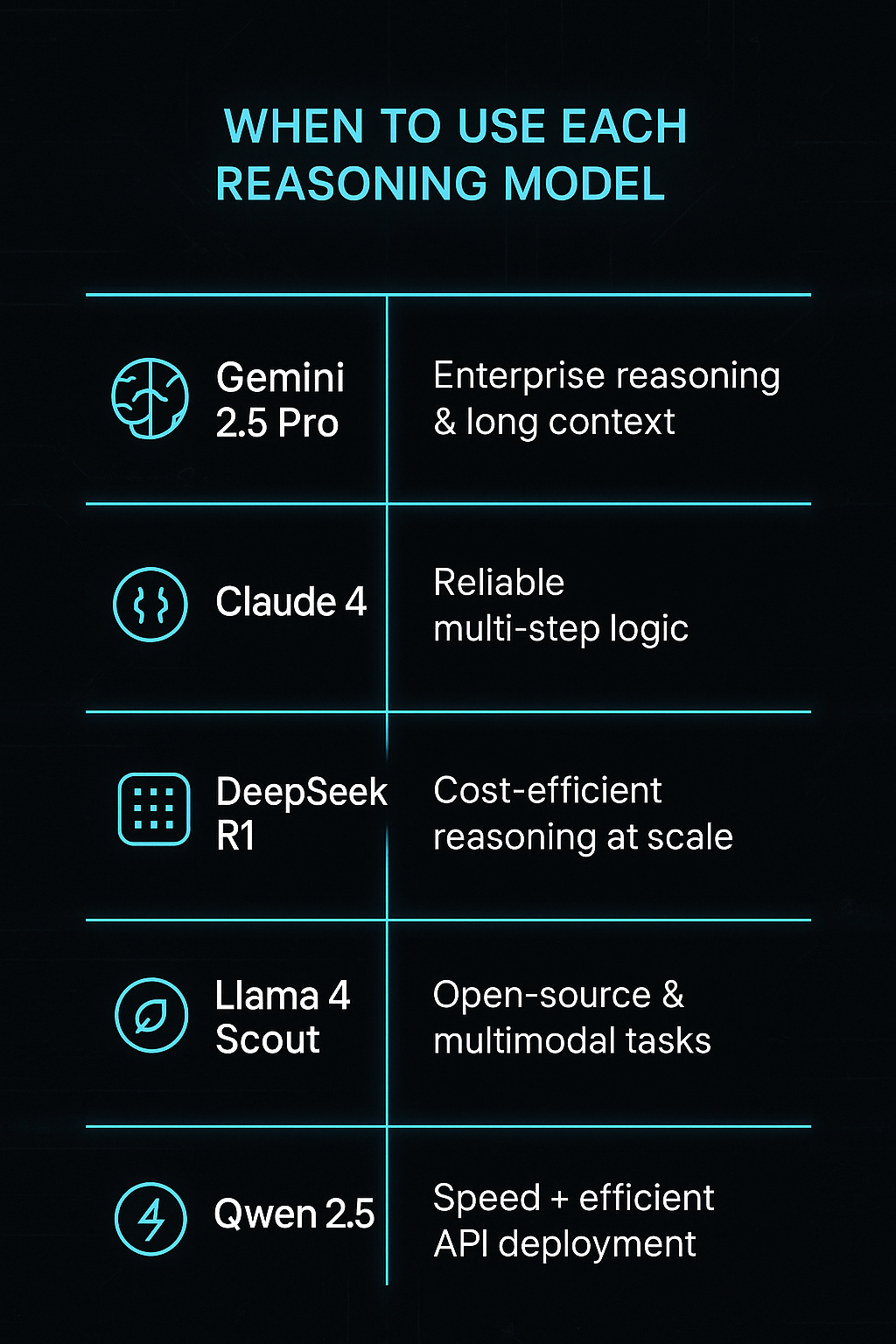
When to use each reasoning Model


Scenarios & Best Models to Use

Different applications require different strengths. Below, we map common scenarios to the models that deliver the best results.

Code Reasoning & Software Agents

Recommended models: Claude Opus 4, Mistral Large 2, O3, Llama 4 Maverick.

Why: Coding tasks demand models that understand program logic and complex file structures. Claude Opus achieved 72.5 % on SWE‑bench, while Mistral Large 2 balances cost and code quality. Llama 4 variants are promising for code generation due to MoE architecture and near GPT‑4 performance.

Clarifai integration: Combine these models with Clarifai’s syntax highlighting and code clustering to build AI pair programmers.

Mathematical & Logical Problem Solving

Recommended models: OpenAI O3, DeepSeek R1, Qwen3‑Max (if available).

Why: O3 leads on GPQA and math reasoning. DeepSeek R1 dominates MATH‑500. Qwen’s thinking mode offers strong chain‑of‑thought for math problems, albeit at higher cost.

Clarifai integration: Use Clarifai’s math solver APIs to verify intermediate steps and ensure correctness.

Long‑Document Summarization & Research Agents

Recommended models: Gemini 2.5 Pro, Claude Sonnet 4 (long context), Qwen‑Plus, Grok 4.

Why: These models support 1–2 million token context windows, allowing them to ingest entire books or research corpora. They produce coherent, structured summaries across long documents.

Clarifai integration: Clarifai’s embedding search can narrow down relevant paragraphs, feeding only key sections into the model to save costs.

Customer Support & Chatbots

Recommended models: O3‑mini, Mistral Medium 3, Qwen‑Turbo, DeepSeek R1.

Why: These models balance cost and performance, making them ideal for high‑volume conversational tasks. O3‑mini provides strong reasoning at low cost. Mistral Medium 3 is extremely cost‑effective.

Clarifai integration: Use Clarifai’s intent classification and knowledge base search to pre‑filter queries.

Multimodal Reasoning

Recommended models: Gemini 2.5 Pro, Qwen‑VL, Llama 4 (with image input).

Why: Only a few reasoning models can handle images, diagrams, or audio. Gemini supports multiple modalities; Llama 4 Scout has built‑in vision capabilities.

Clarifai integration: Use Clarifai’s computer vision models for object detection or OCR before passing images to reasoning models.


Key Trends & Emerging Topics in AI Reasoning

1. Test‑Time Scaling and Reasoning Models

Reasoning models like O1 and O3 are trained with test‑time scaling, which significantly increases compute and leads to rapid improvements but also drives up costs. There are concerns that scaling by 10× per release is unsustainable.

Expert insight: A research article warns that if reasoning training continues to scale 10× every few months, compute demands could exceed hardware availability within a year.

2. Token Efficiency & Chain‑of‑Thought Compression

Token efficiency is becoming a crucial metric. Open models generate longer reasoning traces, while closed models compress them. Research explores ways to shorten CoT or compress it into latent representations without losing accuracy.

Expert insight: Efficient reasoning may require latent chain‑of‑thought techniques that hide intermediate steps yet preserve reliability.

3. Mixture‑of‑Experts (MoE) & Sparse Models

MoE architectures allow models to increase capacity without fully activating all parameters. Llama 4 uses a 109B‑parameter MoE with 17B active per token, enabling a 10M token context. Sparse models like Mixtral 8×22B and Mistral Large 24‑11 follow similar patterns.

Expert insight: MoE models can match the performance of larger dense models while reducing inference cost, but they may suffer from expertise collapse if not properly trained.

4. Open‑Source vs. Closed‑Source Trade‑Offs

Open models offer transparency and customization but often require more tokens to achieve the same performance. Closed models are more token efficient but restrict access and customization.

Expert insight: The Stanford AI Index observed that the performance gap between open and closed models has narrowed. However, closed models remain dominant in extreme reasoning tasks due to proprietary training data and optimization.

5. Data Contamination & Benchmark Integrity

Hard reasoning benchmarks like AIME require long chains of thought and may take over 30,000 reasoning tokens per question. There is a risk that models are exposed to test answers during training, skewing results. Researchers are calling for transparent dataset disclosure and new evaluation frameworks.

Expert insight: Nine out of ten top models on AIME are reasoning models, highlighting their power but also the need for careful evaluation.

6. Multimodal Reasoning and Specialized Tools

Future reasoning models will integrate text, images, audio, and structured data seamlessly. Gemini and Qwen‑VL already support such capabilities. As more tasks require multimodal reasoning, expect models to include built‑in vision modules and specialized tool calls.

Expert insight: Combining reasoning models with dedicated toolkits (e.g., code interpreters or search plugins) yields the best results for complex tasks.

7. Safety & Alignment

Reasoning models can generate harmful reasoning if misaligned. Developers must implement safety filters and monitor chain‑of‑thought to avoid bias and misuse.

Expert insight: OpenAI and Anthropic provide safety guardrails by filtering chain‑of‑thought traces before exposing them. Enterprises should combine model outputs with human oversight and policy compliance checks.


Conclusion & Recommendations

Reasoning model APIs represent the cutting edge of AI, enabling step‑by‑step problem solving and complex logical reasoning. Choosing the right model requires balancing accuracy, context window, cost, and scalability. Here are our key takeaways:

  • For best overall performance: Choose O3 or Gemini 2.5 Pro if cost is less of an issue and you need the highest reasoning quality.
  • For balanced cost and performance: Mistral Large 2, Sonnet 4, and O3‑mini deliver strong reasoning at moderate prices.
  • For long‑context tasks: Gemini 2.5 Pro, Sonnet 4 long context, Grok 4, Qwen‑Plus, and Llama 4 stand out.
  • For open‑source & privacy: Llama 4 Scout, DeepSeek R1, Mistral Medium 3, and Qwen2.5‑1M allow self‑hosting and customization.
  • For cost efficiency & high volume: Mistral Medium 3, O3‑mini, Qwen‑Turbo, and DeepSeek R1 are excellent choices.
  • Always test models on your own tasks, measuring accuracy, chain‑of‑thought quality, token efficiency, and cost.

Final Clarifai Note

Clarifai’s mission is to simplify AI adoption. Our platform offers compute orchestration, local runners, token management, and evaluation tools to help you deploy reasoning models with confidence. Whether you’re processing legal documents, building autonomous agents, or powering customer support bots, Clarifai can help you harness the full potential of chain‑of‑thought AI while keeping your costs predictable and your data secure.

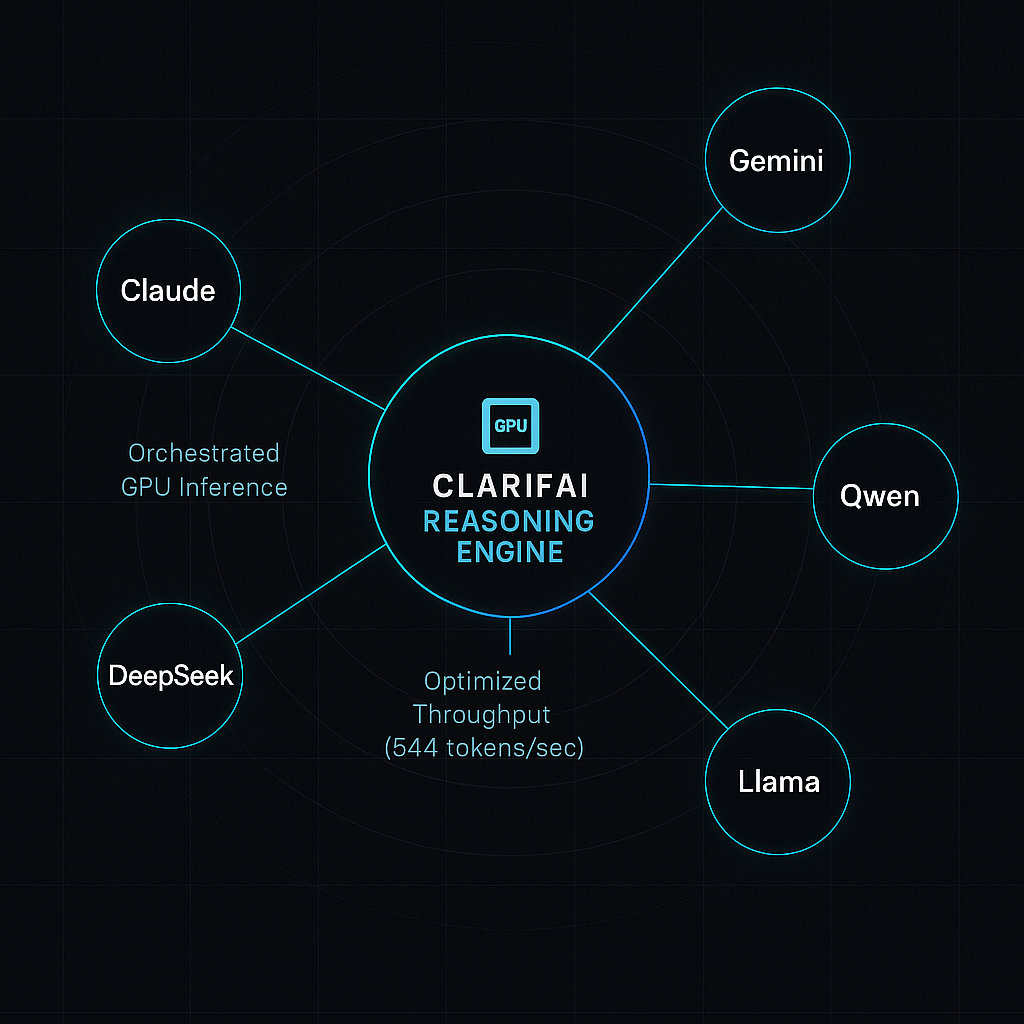
Clarifai Reasoning Engine

FAQs

What is a reasoning model?

A reasoning model is a large language model fine‑tuned via reinforcement learning to produce step‑by‑step chains of thought for tasks like math, code, and logical reasoning. It generates intermediate reasoning traces rather than jumping straight to the final answer.

Why are reasoning models more expensive than standard LLMs?

Reasoning models require longer context windows and generate more tokens during inference. This increased token usage, combined with additional training, leads to higher compute costs.

How do I evaluate chain‑of‑thought quality?

Evaluate both the final answer accuracy and the coherence of the reasoning steps. Look for logical errors, hallucinations, or unnecessary steps. Tools like Clarifai’s evaluation toolkit can help.

Can I run reasoning models on my own hardware?

Yes. Open‑source models like Llama 4 Scout, Mistral Medium 3, DeepSeek R1, and Qwen2.5‑1M can be self‑hosted. Clarifai provides local runners for deploying and managing these models on‑premise.

Are multimodal reasoning models available?

Yes. Gemini 2.5 Pro, Qwen‑VL, and Llama 4 support reasoning over text and images (and sometimes audio). Multimodal models are essential for tasks like document comprehension with embedded charts or diagrams.

What are the risks of chain‑of‑thought?

Chain‑of‑thought traces may expose sensitive reasoning or hallucinate incorrect steps. Some providers compress or obfuscate the chain to improve privacy. Always review outputs and implement safety filters.

How can Clarifai help me with reasoning models?

Clarifai offers compute orchestration, model registry, local runners, cost analytics, and evaluation tools. We support multiple reasoning models and help you integrate them into your workflows with minimal friction.


Top GPU Cloud Platforms | Compare 30+ GPU Providers & Pricing


GPU compute is the fuel of the generative AI era, powering large language models, diffusion models, and high‑performance computing applications. With demand growing exponentially, hundreds of platforms now offer cloud‑hosted GPUs—from hyperscalers and specialized startups to regional players and on‑prem orchestration tools. This guide provides a comprehensive overview of the top GPU cloud providers in 2025, including factors to consider, cost‑management strategies, cutting‑edge hardware trends and Clarifai’s unique advantage. It distills data from dozens of sources and adds expert commentary so you can pick the right provider for your needs.

Quick Summary: What Are the Best GPU Clouds in 2025?

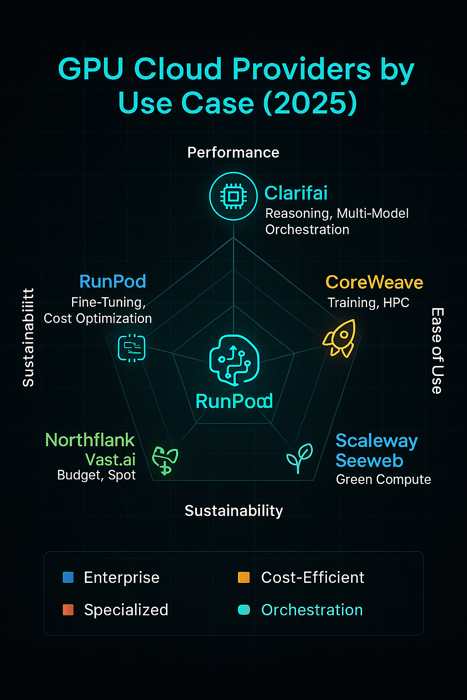
The landscape is diverse. For enterprise‑grade reliability and integration, hyperscalers like AWS, Azure and Google Cloud still dominate, but specialized providers such as Clarifai, CoreWeave and RunPod offer blazing performance, flexible pricing and managed AI workflows. Clarifai leads with its end‑to‑end platform, combining compute orchestration, model inference and local runners to accelerate agentic workloads. Cost‑conscious teams should explore Northflank or Vast.ai for budget GPUs, while businesses needing the highest performance should consider B200‑powered clusters on CoreWeave or DataCrunch. Ultimately, choosing the right provider requires balancing hardware, price, scalability, user experience and regional availability.


Quick Digest

  • 30+ providers summarized: Our master table highlights ~30 major GPU clouds, listing available GPU types (A100, H100, H200, B200, RTX 4090, MI300X), pricing models and unique features.
  • Clarifai is #1: The Reasoning Engine within Clarifai’s platform orchestrates workflows across GPUs efficiently, delivering high throughput and low latency for agentic tasks.
  • Top picks: We deep dive into AWS, Google Cloud, CoreWeave, RunPod and Lambda Labs—covering pros, cons, pricing and use cases.
  • Performance vs budget: We categorize providers into performance‑focused, cost‑effective, specialized, enterprise, emerging and regional, highlighting their strengths and weaknesses.
  • Next‑gen hardware: We compare H100, H200 and B200 GPUs, summarizing performance gains and pricing trends. Expect 3× training and 15× inference improvements over H100 when using B200 GPUs.
  • Decision framework: A step‑by‑step guide helps you select the right GPU instance—choosing models, drivers, region and cost considerations. We also discuss cost‑management strategies such as spot instances, BYOC, and marketplace models.

Introduction: Why GPU Clouds Matter

Training and serving modern AI models demands massive parallel compute. GPUs accelerate matrix multiplications, enabling deep neural networks to learn patterns thousands of times faster than CPUs. Yet building and maintaining on‑prem GPU clusters is expensive and time‑consuming. Cloud platforms solve this by offering on‑demand access to GPUs with flexible billing. As generative AI fuels new applications—from chatbots to video synthesis—cloud GPUs have become the backbone of innovation.

Expert Insights

  • Market analysts note that hyperscalers (AWS, Azure and GCP) collectively command 63 % of cloud infrastructure spending, but specialized GPU clouds are growing rapidly.
  • Studies show that generative AI is responsible for roughly half of recent cloud revenue growth, underscoring the importance of GPU infrastructure.
  • GPUs deliver up to 250× speed‑up compared with CPUs for deep learning workloads, making them indispensable for AI.

Creative Example: Imagine training a language model with billions of parameters. On a CPU server it could take months; on a cluster of A100 GPUs, training can finish in days, while a B200 cluster cuts that time in half.

Master Table: Major GPU Cloud Providers

Below is a high‑level summary of approximately 30 GPU cloud platforms. For readability, we describe the core information in prose (detailed tables are available on provider websites and third‑party comparisons). When evaluating options, look at GPU types (e.g., NVIDIA A100, H100, H200, B200, AMD MI300X), pricing models (on‑demand, spot, reserved, marketplace), and unique features (serverless functions, BYOC, renewable energy). The following providers span hyperscalers, specialized clouds and regional players:

  • Clarifai (Benchmark #1): Offers compute orchestration, model inference, and local runners, enabling end‑to‑end AI workflows. Built‑in GPUs include A100, H100 and H200; pricing is usage‑based with per‑second billing. Clarifai’s Reasoning Engine orchestrates tasks across GPUs automatically, delivering optimized throughput and cost efficiency. For user agents requiring rapid reasoning or multi‑modal capabilities, Clarifai provides a seamless experience.
  • CoreWeave: An AI‑focused cloud recognized as one of the hottest AI companies. It offers H100, H200 and B200 GPUs with NVLink interconnects. Recently, CoreWeave launched HGX B200 instances, delivering 2× training throughput and up to 15× inference speed vs H100. Pricing is usage‑based; clusters scale to 32+ GPUs.
  • RunPod: Provides pre‑configured GPU pods, per‑second billing and community or secure cloud options. GPU types range from RTX A4000 to H100 and MI300X. It also offers serverless GPU functions for inference. RunPod is known for its easy setup and cost‑effective pricing.
  • Northflank: Combines GPU orchestration with Kubernetes and includes CPU, RAM and storage in one bundle. Pricing is transparent: A100 40 GB costs ~$1.42/hour and H100 80 GB is ~$2.74/hour. Its spot optimization automatically provisions the cheapest available GPUs.
  • Vast.ai: A marketplace platform that aggregates unused GPUs from individuals and data centers. Prices start as low as $0.50/hour for A100 GPUs, though reliability and latency may vary.
  • DataCrunch: Focused on European customers, providing B200 clusters with renewable energy. It offers multi‑GPU clusters and high‑speed networking. Pricing is competitive and targeted at research institutions.
  • Jarvislabs: Offers H100 and H200 GPUs. Single H200 rentals cost $3.80/hour and allow large‑context models.
  • Scaleway & Seeweb: European providers using 100 % renewable energy. They offer H100 and H200 GPUs with data sovereignty features.
  • Voltage Park: A non‑profit renting out ~24,000 H100 GPUs to AI startups. Its mission is to make compute accessible.
  • Nebius AI: Accepts pre‑orders for NVIDIA GB200 NVL72 and B200 clusters, indicating early access to next‑generation chips.
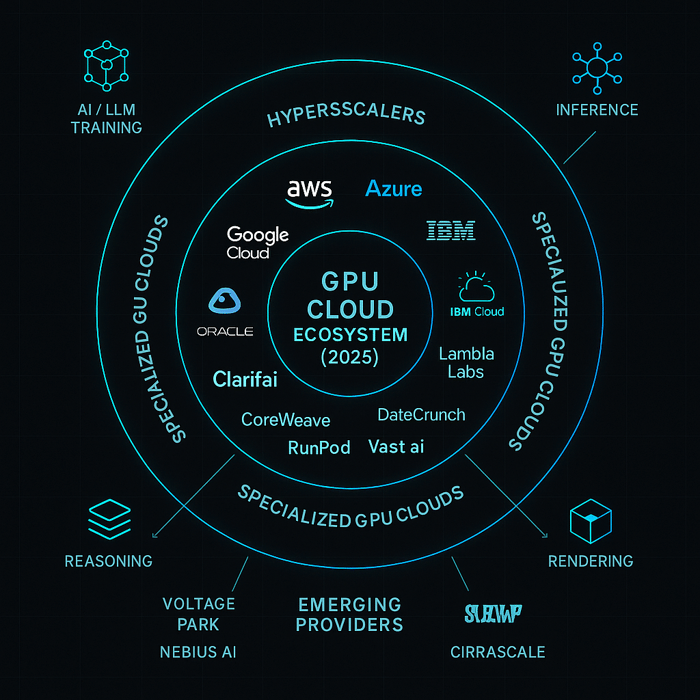
  • AWS, Azure, Google Cloud, IBM Cloud, Oracle Cloud: Hyperscalers with integrated AI services, described later.
  • Other emerging names: Cirrascale (custom AI hardware), Modal (serverless GPUs), Paperspace (notebooks & serverless functions), Hugging Face (inference endpoints), Vultr, OVHcloud, Tencent Cloud, Alibaba Cloud and many more.

Expert Insights

  • The H200 costs $30–40 k to buy and $3.72–$10.60/hour to rent; pricing varies widely across providers.
  • Some providers include CPU, RAM and storage in the GPU price, while others charge separately—an important consideration for total cost.
  • Renewable‑energy clouds like Scaleway and Seeweb position themselves as environmentally friendly.

GPU Cloud Ecosystem

Factors to Choose the Right GPU Cloud Provider

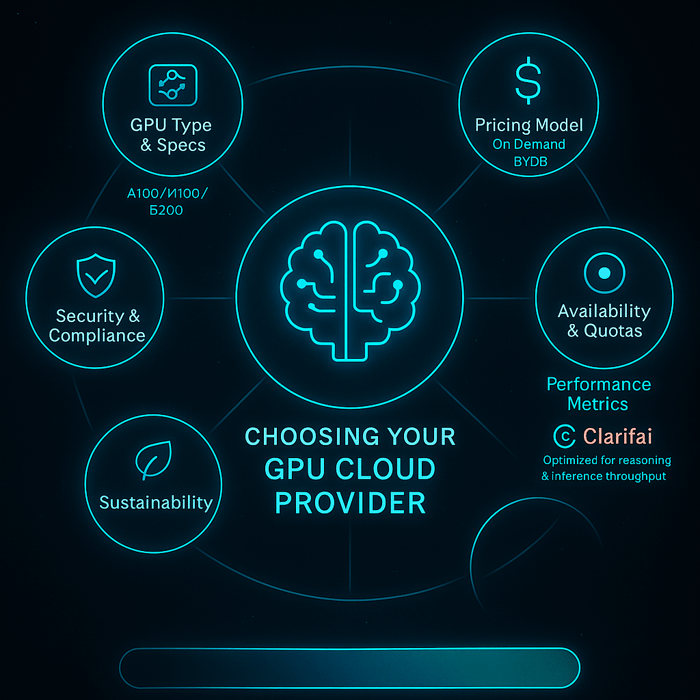
Selecting a GPU cloud provider requires balancing performance, cost, reliability and user experience. Below are critical factors and expert guidance.

Performance & Hardware

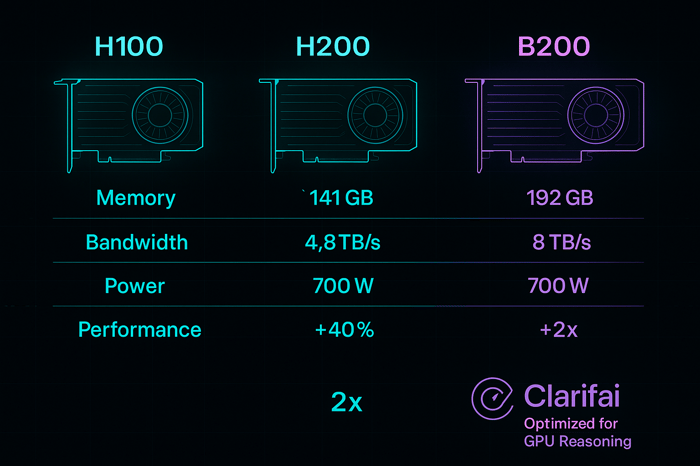
  • Latest GPUs: Prioritize providers offering H100, H200 and B200 GPUs, which provide dramatic speed improvements. For example, H200 features 76 % more VRAM and 43 % more bandwidth than H100. The B200 goes further with 192 GB memory and 8 TB/s bandwidth, delivering 2× training and 15× inference performance.
  • Interconnects & scalability: Multi‑GPU workloads require NVLink or InfiniBand to minimize communication latency. Check whether clusters of 8, 16 or more GPUs are available.

Pricing Models

  • Transparent billing: Look for minute‑ or second‑level billing; some clouds bill hourly. Marketplace platforms like Vast.ai provide dynamic pricing but may involve hidden fees for CPU, RAM and storage.
  • Spot vs Reserved: Spot instances offer 60–90 % discounts but can be interrupted. Reserved instances lock in lower rates but require commitment.
  • BYOC (Bring Your Own Cloud): Some providers, like Northflank, let you run GPU workloads in your own cloud account and manage orchestration. This can leverage existing credits and discounts.

Scalability & Flexibility

  • Multi‑node clusters: Ensure the provider supports scaling to tens or hundreds of GPUs—essential for training large models or production inference.
  • Serverless options: Platforms like RunPod Serverless and Clarifai’s inference endpoints allow you to run functions without managing infrastructure. Use serverless for bursty or low‑latency inference tasks.

User Experience & Support

  • Pre‑configured environments: Look for providers with ready‑to‑use Docker images and web IDEs. Hyperscalers offer machine images (AMIs) and extensions; specialized clouds like RunPod provide integrated web terminals.
  • Monitoring & Orchestration: Platforms like Clarifai integrate dashboards for GPU utilization and cost; Northflank includes auto‑spot orchestration.

Security & Compliance

  • Certifications: Ensure the platform adheres to SOC 2, ISO 27001 and other standards. For sensitive workloads, dedicated GPUs or on‑prem solutions like Clarifai Local Runners provide isolation.
  • Data sovereignty: Regional providers like Scaleway and Seeweb host data within Europe.

Hidden Costs & Reliability

  • Evaluate all charges (GPU, CPU, RAM, storage, networking). Low headline prices may hide additional costs.
  • Check availability and quotas; even inexpensive GPUs are useless if you cannot access them.

Sustainability & Region

  • Consider providers powered by renewable energy—important for corporate sustainability goals. For example, Scaleway and Seeweb run 100 % renewable data centers.

Expert Insights

  • According to RunPod’s guide, performance and hardware selection, transparent pricing, scalability, user experience and security are the top criteria for evaluating GPU clouds.
  • Northflank recommends looking beyond advertised prices, factoring reliability, scaling patterns and hidden fees.
  • Hyperscalers often provide free credits to startups, which may offset higher base costs.

Choosing your GPU Cloud ProviderTop Picks: Leading GPU Cloud Providers

This section dives into five leading platforms. We emphasize Clarifai as the benchmark and compare it with four other providers—CoreWeave, AWS, Google Cloud and RunPod. Each H3 covers a quick summary, pros and cons, pricing, GPU types and best use cases.

Clarifai – The Benchmark

Quick Summary: Clarifai is not just a GPU cloud; it is an end‑to‑end AI platform combining compute orchestration, model inference and local runners. Its Reasoning Engine automates complex workflows, optimizing throughput and minimizing latency. GPU options include A100, H100 and H200, accessible via per‑second billing with transparent pricing.

Overview & Recent Updates: Clarifai has expanded beyond computer vision to become a leading AI platform. In 2025, it introduced H200 instances and integrated Clarifai Runners—local deployment modules allowing offline inference. Its interface ties compute orchestration to model management, auto‑scaling across GPUs with a single API. Users can mix Clarifai’s inference endpoints with their own models, and the platform automatically chooses the most cost‑effective hardware.

Pros:

  • Holistic platform: Combines GPU hardware, model hosting, data labeling and deployment in one system.
  • Reasoning Engine: Orchestrates tasks across GPUs, dynamically provisioning resources for agentic workloads (e.g., multi-step reasoning in LLMs).
  • Local Runners: Enable offline inference and data privacy; ideal for edge deployments and regulated industries.
  • Compute orchestration: Autoscales across A100, H100 and H200 GPUs to deliver high throughput and low latency.
  • Enterprise‑grade support: Includes SOC 2 certification, SLAs and dedicated success teams.

Cons:

  • Some advanced features require enterprise subscription.

Pricing & GPU Types: Clarifai charges on a per‑second basis for compute and storage. GPU options include A100 80 GB, H100 80 GB and H200 141 GB; local runner pricing is based on subscription. Clarifai offers free tiers for experimentation and discounted rates for academic institutions.

Best Use Cases:

  • Agentic AI workloads: Multi‑modal reasoning, LLM orchestration, complex pipelines.
  • Regulated industries: Healthcare and finance benefit from local runners and compliance features.
  • Real‑time inference: Applications requiring millisecond latency (e.g., chatbots, search ranking, content moderation).

Expert Insights

  • Clarifai’s integrated platform reduces glue work, making it easier to go from model to production.
  • Its compute orchestration uses reinforcement learning to optimize GPU allocation; some customers report cost savings of up to 30 % over generic clouds.
  • Clarifai’s Data Universe of pre‑trained models gives developers a head start; coupling this with custom GPUs accelerates innovation.

CoreWeave

Quick Summary: CoreWeave is an AI‑first cloud offering high‑density GPU clusters. In 2025 it launched B200 instances with NVLink and high‑speed InfiniBand, delivering unprecedented training and inference performance.

Overview & Recent Updates: CoreWeave operates data centers optimized for AI. Its HGX B200 clusters consist of eight B200 GPUs, NVLink, dedicated DPUs and high‑speed SSDs. The company also offers H100 and H200 instances, along with serverless compute, container orchestration and integrated storage. CoreWeave has been recognized as one of the hottest AI cloud companies.

Pros:

  • Unmatched performance: B200 clusters provide 2× training throughput and up to 15× inference speed compared with H100.
  • High‑bandwidth networking: NVLink and InfiniBand reduce GPU‑to‑GPU latency, critical for large‑scale training.
  • Integrated orchestration: Built‑in Slurm and Kubernetes support ease multi‑node scaling.
  • Rapid hardware adoption: CoreWeave is often first to market with new GPUs such as H200 and B200.

Cons:

  • Higher cost than commodity clouds; dedicated infrastructure may be oversubscription‑sensitive.
  • Availability limited to certain regions; high demand can lead to wait times.

Pricing & GPU Types: Pricing varies by GPU: H100 (~$2–3/hour), H200 (~$4–8/hour) and B200 (premium). Instances are billed per second. Multi‑GPU clusters up to 128 GPUs are available.

Best Use Cases:

  • Training trillion‑parameter models: Large language models and diffusion models requiring extremely high throughput.
  • Serving high‑traffic AI services: B200 inference engines deliver low latency for large user bases.
  • Research & experimentation: Early access to next‑gen GPUs for cutting‑edge projects.

Expert Insights

  • The B200’s dedicated decompression engine speeds up memory‑bound workloads like generative inference.
  • CoreWeave’s strong focus on AI results in optimized driver and library support; researchers report fewer compatibility issues.
  • The company is expanding into Europe, addressing data sovereignty concerns and offering renewable energy options.

AWS – Hyperscaler Giant

Quick Summary: Amazon Web Services offers a wide range of GPU instances integrated with the larger AWS ecosystem (SageMaker, ECS, EKS, Lambda). It recently released P6 B200 instances and continues to discount H100 pricing.

Overview & Recent Updates: AWS dominates the cloud market with 29 % share. GPU options include P5 H100, P4 A100, P6 B200 (expected mid‑2025), and Trainium/Inferentia chips for specialized workloads. AWS offers Deep Learning AMIs pre‑configured with frameworks, as well as managed services like SageMaker. It has also cut H100 prices, making them more competitive.

Pros:

  • Global reach: Data centers across numerous regions with high availability.
  • Ecosystem integration: Seamlessly connects to AWS services (S3, Lambda, DynamoDB) and managed machine learning (SageMaker). Pre‑configured AMIs simplify setup.
  • Free credits: Startups and students often receive promotional credits.

Cons:

  • Quota & availability issues: Users must request GPU quotas; approval can take days.
  • Complex pricing: Separate charges for EBS storage, data transfer and networking; complex discount structures.
  • Learning curve: Integrating GPU instances with AWS services requires expertise.

Pricing & GPU Types: The P5 H100 instance costs ~$55/hour for 8 GPUs. P6 B200 pricing hasn’t been announced but will likely carry a premium. Spot instances offer significant discounts but risk interruption.

Best Use Cases:

  • Enterprise workloads: Where integration with AWS services is critical and budgets allow for higher costs.
  • Serverless inference: Combining AWS Lambda with Inferentia chips for cost‑efficient model serving.
  • Experimentation with free credits: Startups using promotional credits to prototype models.

Expert Insights

  • Hyperscalers hold 63 % of the market, but cost competitiveness is decreasing as specialized providers undercut pricing.
  • AWS’s custom Trainium and Inferentia chips offer cost‑effective inference for certain models; however, they require code changes.
  • Customers should monitor hidden costs; network egress and storage can inflate bills.

Google Cloud Platform (GCP)

Quick Summary: GCP emphasizes flexibility in GPU and TPU combinations. Its A3 Ultra with H200 GPUs launched in 2025 and offers strong performance, while lower‑cost A2 instances remain widely used.

Overview & Recent Updates: GCP offers A2 (A100), A3 (H100), and A3 Ultra (H200) instances, alongside TPUs. Google provides Colab and Kaggle as free entry points, and Vertex AI for managed MLOps. The A3 Ultra features 8 H200 GPUs with NVLink and custom Google infrastructure.

Pros:

  • Free access for experimentation: Colab & Kaggle provide free GPU resources.
  • Flexible combos: Users can choose custom combinations of CPUs, RAM and GPUs.
  • Advanced AI services: Vertex AI, AutoML and BigQuery integration simplify model training and deployment.

Cons:

  • Complex pricing & quotas: Similar to AWS, GCP requires GPU quota approval and charges separately for hardware.
  • Limited availability: Some GPUs may only be available in select regions.

Pricing & GPU Types: An 8‑GPU H100 instance (A3) costs ~$88.49/hour. H200 pricing ranges from $3.72–$10.60/hour depending on provider; GCP’s A3 Ultra is likely at the higher end. Spot pricing can reduce costs.

Best Use Cases:

  • Researchers & students leveraging free resources on Colab and Kaggle.
  • Machine‑learning teams integrating Vertex AI with BigQuery and Dataflow.
  • Multi‑cloud strategies: GCP often serves as a secondary provider to avoid vendor lock‑in.

Expert Insights

  • GCP’s cutting‑edge offerings (e.g., H200 on A3 Ultra) deliver strong performance, but availability and cost remain challenges.
  • TPU v4/v5 chips are optimized for transformer models and may outperform GPUs for certain workloads; evaluate based on model.

RunPod

Quick Summary: RunPod focuses on ease of use and cost flexibility. It offers pre‑configured GPU pods, per‑second billing and a marketplace model. The platform also features serverless functions for inference.

Overview & Recent Updates: RunPod provides “Secure Cloud” and “Community Cloud” tiers. The secure tier runs on audited data centers with private networking; the community tier offers cheaper GPUs aggregated from individuals. The platform includes a web terminal and pre‑configured environments for PyTorch and TensorFlow. In 2025, RunPod added MI300X support and improved its serverless inference layer.

Pros:

  • Ease of setup: Users can spin up GPU pods in minutes using the web interface and avoid manual driver installation.
  • Per‑second billing: Fine‑grained pricing reduces waste when running short experiments.
  • Wide GPU selection: From RTX A4000 to H100 and MI300X.
  • Serverless functions: RunPod Functions allow code execution without provisioning full nodes.

Cons:

  • Reliability: The community tier’s GPUs may be less reliable; network security may not meet enterprise requirements.
  • Limited telemetry: Some users report delayed metrics and limited network isolation.

Pricing & GPU Types: Pricing depends on GPU type and tier. A100 pods start around $1.50/hour; H100 pods around $3/hour. Community GPUs are cheaper but risk termination.

Best Use Cases:

  • Prototyping & experimentation: Pre‑configured environments accelerate development.
  • Serverless inference: Perfect for running lightweight inference tasks or CI pipelines.
  • Cost‑conscious users: Community GPUs offer budget options.

Expert Insights

  • RunPod’s focus on per‑second billing and pre‑configured environments makes it ideal for students and independent developers.
  • Serverless functions abstract away infrastructure; however, they may not be suitable for long‑running training jobs.

Performance‑Focused Providers (High‑End & HPC‑Ready)

These platforms prioritize maximum performance, supporting large clusters and next‑generation GPUs. They’re ideal for training trillion‑parameter models or running high‑throughput inference.

DataCrunch

DataCrunch operates in Europe and emphasizes renewable energy. It offers clusters with H200 and B200 GPUs, integrated NVLink and InfiniBand. Its pricing is competitive, and it focuses on research institutions needing large GPU allocations. DataCrunch also provides free credits to startups and educational institutions, similar to hyperscalers.

Expert Insights

  • DataCrunch’s use of B200 GPUs will deliver 2× training speedups.
  • European customers value data sovereignty and energy sustainability.

Nebius AI

Nebius AI is an emerging provider accepting pre‑orders for NVIDIA GB200 NVL72 systems—a hybrid CPU+GPU architecture with 72 GPUs, 1.4 TB of memory and up to 30 TB/s bandwidth. It also offers B200 clusters. The company targets AI labs that need extreme scale and early access to cutting‑edge chips.

Expert Insights

  • GB200 systems can train trillion‑parameter models with fewer nodes, reducing network overhead.
  • Availability will be limited in 2025; pre‑ordering ensures priority access.

Voltage Park

Voltage Park is a non‑profit renting out 24,000 H100 GPUs to AI startups at cost. By pooling hardware and operating at low margins, it democratizes access to top‑tier GPUs. Voltage Park also collaborates with research institutions to provide compute grants.

Expert Insights

  • Non‑profit status helps keep prices low; however, demand may exceed supply.
  • The platform appeals to mission‑driven startups and research labs.

Cost‑Effective & Budget GPU Providers

If your priority is saving money without sacrificing too much performance, consider the following options.

Northflank

Northflank combines GPU orchestration with Kubernetes and includes CPU, RAM and storage in one bundle. It offers A100 and H100 GPUs at competitive rates ($1.42/hour and $2.74/hour) and provides spot optimization that automatically selects the cheapest nodes.

Expert Insights

  • Northflank recommends evaluating reliability and checking hidden fees rather than chasing the lowest price.
  • In a case study, the Weights team reduced model loading time from 7 minutes to 55 seconds and cut costs by 90 % using Northflank spot orchestration—showing the power of optimizing pipelines.

Vast.ai

Vast.ai is a peer‑to‑peer marketplace for GPUs. By aggregating spare GPUs from individuals and data centers, it offers some of the lowest prices—A100 for ~$0.50/hour. Users can filter by GPU type, reliability and location.

Expert Insights

  • Vast.ai’s dynamic pricing varies widely; reliability depends on host quality. Suitable for hobby projects or non‑critical workloads.
  • Hidden costs (data transfer, storage) must be considered.

TensorDock & Paperspace

TensorDock is another marketplace platform focusing on high‑end GPUs like H100 and H200. Pricing is lower than hyperscalers; however, supply can be inconsistent. Paperspace offers notebooks, virtual desktops and serverless functions along with GPUs, making it ideal for interactive development.

Expert Insights

  • Marketplace platforms often lack enterprise support; treat them as “best effort” solutions.
  • When reliability matters, choose providers like Northflank with built‑in redundancy.

Specialized & Use‑Case‑Specific Providers

Different workloads have unique requirements. This section highlights platforms optimized for specific use cases.

Serverless & Instant GPUs

Platforms like RunPod Functions, Modal and Banana provide serverless GPUs for inference or microservices. Users upload code, specify a GPU type and call an API endpoint. Billing is per request or per second. Clarifai offers serverless inference endpoints as well, making it easy to deploy models without managing infrastructure.

Expert Insights

  • Serverless GPUs excel for burst workloads (e.g., chatbots, data pipelines). They can scale to zero when idle, reducing costs.
  • They are unsuitable for long training jobs due to time limits and cold‑start latency.

Fine‑Tuning & Inference Services

Managed inference platforms like Hugging Face Inference Endpoints, Replicate, OctoAI and Clarifai allow you to host models and call them via API. Fine‑tuning services such as Hugging Face, Lamini and Weights & Biases provide integrated training pipelines. These platforms often handle optimization, scaling and compliance.

Expert Insights

  • Fine‑tuning endpoints accelerate go‑to‑market; however, they may restrict customizations and impose rate limits.
  • Clarifai’s integration with labeling and model management simplifies the full lifecycle.

Rendering & VFX

CGI and VFX workloads require GPU acceleration for rendering. CoreWeave’s Conductor service and AWS ThinkBox target film and animation studios. They provide frame‑rendering pipelines with autoscaling and cost estimation.

Expert Insights

  • Rendering workloads are embarrassingly parallel; selecting a provider with low per‑node startup latency reduces total time.
  • Some platforms offer GPU spot fleets for rendering, lowering costs dramatically.

Scientific & HPC

Scientific simulations and HPC tasks often require multi‑node GPUs with large memory. Providers like IBM Cloud HPC, Oracle Cloud HPC, OVHcloud and Scaleway offer high‑memory nodes and InfiniBand interconnects. They cater to climate modeling, molecular dynamics and CFD.

Expert Insights

  • HPC clusters benefit from MPI‑optimized drivers; ensure the provider offers tuned images.
  • Sustainability matters: Scaleway and OVHcloud use renewable energy.

Edge & Hybrid GPU Providers

For edge computing or hybrid deployments, consider providers like Vultr, Seeweb and Scaleway, which operate data centers near customers and offer GPU instances with local storage and renewable power. Clarifai’s Local Runners also enable GPU inference at the edge while synchronizing with the cloud.

Expert Insights

  • Edge GPUs reduce latency for applications like autonomous vehicles or AR/VR.
  • Ensure proper synchronization across cloud and edge to maintain model accuracy.

GPU Cloud Providers


Enterprise‑Grade & Hyperscaler GPU Providers

Hyperscalers dominate the cloud market and offer deep integration with surrounding services. Here we cover the big players: AWS, Microsoft Azure, Google Cloud, IBM Cloud, Oracle Cloud and NVIDIA DGX Cloud.

Microsoft Azure

Azure provides ND‑series (A100), H‑series (H100) and forthcoming B‑series (B200) VMs. It integrates with Azure Machine Learning and supports hybrid models via Azure Arc. Azure also announced custom AI chips (Maia and Andromeda) for inference and training. Key advantages include compliance certifications and integration with Microsoft’s enterprise ecosystem (Active Directory, Power BI).

Expert Insights

  • Azure is strong in the enterprise sector due to familiarity and support contracts.
  • Hybrid solutions via Azure Arc allow organizations to run AI workloads on‑prem while managing them through Azure.

IBM Cloud

IBM Cloud HPC offers bare‑metal GPU servers with multi‑GPU configurations. It focuses on regulated industries (finance, healthcare) and provides compliance certifications. IBM’s watsonx platform and AutoAI integrate with its GPU offerings.

Expert Insights

  • IBM’s bare‑metal GPUs provide deep control over hardware and are ideal for specialized workloads requiring hardware isolation.
  • The ecosystem is smaller than AWS or Azure; ensure required tools are available.

Oracle Cloud (OCI)

Oracle offers BM.GPU.C12 instances with H100 GPUs and is planning B200 nodes. OCI emphasizes performance with high memory bandwidth and low network latency. It integrates with Oracle Database and Cloud Infrastructure services.

Expert Insights

  • OCI’s network performs well for data‑intensive workloads; however, documentation may be less mature than competitors.

NVIDIA DGX Cloud

NVIDIA DGX Cloud provides dedicated DGX systems hosted by partners (e.g., Equinix). Customers get exclusive access to multi‑GPU nodes with NVLink and NVSwitch interconnects. DGX Cloud integrates with NVIDIA Base Command for orchestration and MGX servers for customization.

Expert Insights

  • DGX Cloud offers the most consistent NVIDIA environment; drivers and libraries are optimized.
  • Pricing is premium; targeted at enterprises needing guaranteed performance.

Emerging & Regional Providers to Watch

Innovation is flourishing among smaller and regional players. These providers bring competition, sustainability and niche features.

Scaleway & Seeweb

These European clouds operate renewable energy data centers and offer H100 and H200 GPUs. Scaleway recently announced availability of B200 GPUs in its Paris region. Both providers emphasize data sovereignty and local support.

Expert Insights

  • Businesses subject to European privacy laws (e.g., GDPR) benefit from local providers.
  • Renewable energy reduces the carbon footprint of AI workloads.

Cirrascale

Cirrascale offers specialized AI hardware including NVIDIA GPUs and AMD MI300X. It provides dedicated bare‑metal servers with high memory and network throughput. Cirrascale targets research institutions and film studios.

Jarvislabs

Jarvislabs focuses on making H200 GPUs accessible. It provides single‑GPU H200 rentals at $3.80/hour, enabling teams to run large context windows. Jarvislabs also offers A100 and H100 pods.

Expert Insights

  • Jarvislabs may be a good entry point for exploring H200 capabilities before committing to larger clusters.
  • The platform’s transparent pricing simplifies cost estimation.

Other Notables

  • Vultr: Offers low‑cost GPUs in many regions; also sells GPU‑accelerated edge nodes.
  • Alibaba Cloud & Tencent Cloud: Chinese providers offering H100 and H200 GPUs, with integration into local ecosystems.
  • HighReso: A startup offering H200 GPUs with specialized virtualization for AI. It focuses on high‑quality service rather than scale.

Next‑Generation GPU Chips & Industry Trends

The GPU market is evolving rapidly. Understanding the differences between H100, H200 and B200 chips—and beyond—is crucial for long‑term planning.

H100 vs H200 vs B200

  • H100 (Hopper): 80 GB memory, 3.35 TB/s bandwidth. Widely available on most clouds. Price drops to $1.90–$3.50/hour.
  • H200 (Hopper): 141 GB memory (76 % more than H100) and 4.8 TB/s bandwidth. Pricing ranges from $3.72–$10.60/hour. Recommended for models with long context windows and memory‑bound inference.
  • B200 (Blackwell): 192 GB memory and 8 TB/s bandwidth. Provides 2× training and up to 15× inference performance. Draws 1000 W TDP. Suitable for trillion‑parameter models.
  • GB200 NVL72: Combines 72 Blackwell GPUs with Grace CPU; 1.4 TB memory and 30 TB/s bandwidth. Built for AI factories.

Expert Insights

  • Analysts predict B200 and GB200 will significantly reduce the cost per token for LLM inference, enabling more affordable AI products.
  • AMD’s MI300X offers 192 GB memory and is competitive with H200. The upcoming MI400 may increase competition.
  • Custom AI chips (AWS Trainium, Google TPU v5, Azure Maia) provide tailored performance but require code modifications.

Cost Trends

  • H100 rental prices have dropped due to increased supply, particularly from hyperscalers.
  • H200 pricing is 20–25 % higher than H100 but may drop as supply increases.
  • B200 carries a premium but early adopters report 3× performance improvements.

When to Choose Each

  • H100: Suitable for training models up to ~70 billion parameters and running inference with moderate context windows.
  • H200: Ideal for memory‑bound workloads, long context, and larger models (70–200 billion parameters).
  • B200: Needed for trillion‑parameter training and high‑throughput inference; choose if cost allows.

Expert Insights

  • Keep an eye on supply constraints; early adoption of H200 and B200 may require pre‑orders (as with Nebius AI).
  • Evaluate power and cooling requirements; B200’s 1000 W TDP may not suit all data centers.

GPU Hardware comparisons


How to Choose & Start the Correct GPU Instance

Selecting the right instance is critical for performance and cost. Follow this step‑by‑step guide adapted from AIMultiple’s recommendations.

  1. Select your model & dependencies: Identify the model architecture (e.g., LLaMA 3, YOLOv9) and frameworks (PyTorch, TensorFlow). Determine the required GPU memory.
  2. Identify dependencies & libraries: Ensure compatibility between the model, CUDA version and drivers. For example, PyTorch 2.1 may require CUDA 12.1.
  3. Choose the correct CUDA version: Align the CUDA and cuDNN versions with your frameworks and GPU. GPUs like H100 support CUDA 12+. Some older GPUs may only support CUDA 11.
  4. Benchmark the GPU: Compare performance metrics or use provider benchmarks. Determine whether an H100 suffices or if an H200 is necessary.
  5. Check regional availability & quotas: Confirm the GPU is available in your desired region and request quota ahead of time. Hyperscalers may take days to approve.
  6. Choose OS & environment: Select a base OS image (Ubuntu, Rocky Linux) that supports your CUDA version. Many providers offer pre‑configured images.
  7. Deploy drivers & libraries: Install or use provided drivers; some clouds handle this automatically. Test with a small workload before scaling.
  8. Monitor & optimize: Use integrated dashboards or third‑party tools to monitor GPU utilization, memory and cost. Autoscaling and spot instances can reduce costs.

Expert Insights

  • Avoid over‑provisioning. Start with the smallest GPU meeting your needs; scale up as necessary.
  • When using multi‑cloud, unify deployments with orchestration tools. Clarifai’s platform automatically optimizes across clouds, reducing manual management.
  • Keep track of preemption risks with spot instances; ensure your jobs can resume from checkpoints.

Cost Management Strategies & Pricing Models

Managing GPU spend is as important as choosing the right hardware. Here are proven strategies.

On‑Demand vs Reserved vs Spot

  • On‑Demand: Pay per minute or hour. Flexible but expensive.
  • Reserved: Commit to a period (e.g., one year) for lower rates. Suitable for predictable workloads.
  • Spot: Bid for unused capacity at discounts of 60–90 %, but instances can be terminated.

BYOC & Multi‑Cloud

Run workloads in your own cloud account (BYOC) to leverage existing credits. Combine this with multi‑cloud orchestration to mitigate outages and price spikes. Clarifai’s Reasoning Engine supports multi‑cloud by automatically selecting the best region and provider.

Marketplace & Peer‑to‑Peer Models

Platforms like Vast.ai and TensorDock aggregate GPUs from multiple providers. Prices can be low, but reliability varies and hidden fees may arise.

Bundles vs À la Carte

Some providers (e.g., Northflank) include CPU, RAM and storage in the GPU price. Others charge separately, making budgeting more complex. Understand what is included to avoid surprises.

Free Credits & Promotions

Hyperscalers often provide startups with credits. Smaller providers may offer trial periods or discounted early access to new GPUs (e.g., Jarvislabs’ H200 rentals).

FinOps & Monitoring

Use cost dashboards and alerts to track spending. Compare cost per token or per image processed. Clarifai’s dashboard integrates cost metrics, making it easier to optimize. Third‑party tools like CloudZero can help with multi‑cloud cost visibility.

Long‑Term Commitments

Evaluate long‑term discounts vs flexibility. Committed use discounts lock you into a provider but lower rates. Multi‑cloud strategies may require shorter commitments to avoid lock‑in.

Expert Insights

  • Hidden fees: Storage and data transfer costs can exceed GPU costs. Always estimate full stack expenses.
  • Spot orchestration: Northflank’s case study shows that optimized spot usage can yield 90 % cost savings.
  • Multi‑cloud FinOps: Use tools like Clarifai’s Reasoning Engine or CloudZero to optimize across providers and avoid vendor lock‑in.

Case Studies & Success Stories

Northflank & the Weights Team

Northflank’s auto‑spot optimization allowed the Weights team to reduce model loading times from 7 minutes to 55 seconds and cut costs by 90 %. By automatically selecting the cheapest available GPUs and integrating with Kubernetes, Northflank turned a previously expensive operation into a scalable, cost‑efficient pipeline.

Takeaway: Intelligent orchestration (spot bidding, automatic scaling) can yield substantial savings while improving performance.

CoreWeave & B200 Early Adopters

Early adopters of CoreWeave’s B200 clusters include leading AI labs and enterprises. One research group trained a trillion‑parameter model with 2× faster throughput and reduced inference latency by 15× compared with H100 clusters. The project completed ahead of schedule and under budget due to efficient hardware and high‑bandwidth networking.

Takeaway: Next‑generation GPUs like B200 can drastically accelerate training and inference, justifying the higher hourly rate for high‑value workloads.

Jarvislabs: Democratizing H200 Access

Jarvislabs offers single‑H200 rentals at $3.80/hour, enabling startups and researchers to experiment with long‑context models (e.g., 70+ billion parameters). A small language model team used Jarvislabs to fine‑tune a 65B parameter model with a long context window, achieving improved performance without overspending.

Takeaway: Affordable access to advanced GPUs like H200 opens up research opportunities for smaller teams.

Clarifai: Accelerating Agentic Workflows

A financial services firm integrated Clarifai’s Reasoning Engine and local runners to build a fraud detection agent. The system orchestrated tasks across GPU clusters in the cloud and local runners deployed in data centers. The result was sub‑second inference latency and significant cost savings due to automatic GPU allocation. The firm reduced time‑to‑market by 70 %, relying on Clarifai’s built‑in model management and monitoring.

Takeaway: Combining compute orchestration, model hosting and local runners can provide end‑to‑end efficiency, enabling sophisticated agentic applications.


FAQs

  1. Do I always need the latest GPU (H200/B200)?
    Not necessarily. Evaluate your model’s memory needs and performance goals. H100 GPUs suffice for many workloads, and their prices have fallen. H200 or B200 are ideal for large models and memory‑bound inference.
  2. How can I minimize GPU costs?
    Use spot instances or marketplace platforms for non‑critical workloads. Employ BYOC and multi‑cloud strategies to leverage free credits. Monitor and optimize usage with FinOps tools.
  3. Are marketplace GPUs reliable?
    Reliability varies. Community GPUs can fail without warning. For mission‑critical workloads, use secure clouds or enterprise‑grade providers.
  4. How do Clarifai Runners work?
    Clarifai Runners allow you to package models and run them on local hardware. They sync with the cloud to maintain model versions and metrics. This enables offline inference, crucial for privacy and low‑latency scenarios.
  5. Is multi‑cloud worth the complexity?
    Yes, if you need to mitigate outages, avoid vendor lock‑in and optimize cost. Use orchestration tools (such as Clarifai Reasoning Engine) to abstract differences and manage deployments across providers.

Conclusion & Future Outlook

The GPU cloud landscape in 2025 is dynamic and competitive. Clarifai stands out with its holistic AI platform—combining compute orchestration, model inference and local runners—making it the benchmark for building agentic systems. CoreWeave and DataCrunch lead the performance race with early access to B200 and H200 GPUs, while Northflank and Vast.ai drive down costs. Hyperscalers remain dominant but face increasing competition from nimble specialists.

Looking ahead, next‑generation chips like B200 and GB200 will push the boundaries of what’s possible, enabling trillion‑parameter models and democratizing AI further. Sustainability and region‑specific compliance will become key differentiators as businesses seek low‑carbon and geographically compliant solutions. Multi‑cloud strategies and BYOC models will accelerate as organizations seek flexibility and resilience. Meanwhile, tools like Clarifai’s Reasoning Engine will continue to simplify orchestration, bringing AI workloads closer to frictionless execution.

The journey to selecting the right GPU cloud is nuanced—but by understanding your workload, comparing providers and leveraging cost‑optimization strategies, you can harness the power of GPU clouds to build the next generation of AI products.


The State of AI 2025: Why Trust Matters More Than Ever


AI’s Growing Pains

The 2025 State of AI Report marks something of a watershed moment. After years of racing to see what AI could accomplish, we’re finally asking the tough questions about whether we should trust it to do those things at all.

Just because something is powerful doesn’t make it trustworthy or reliable. Today’s AI systems are remarkable. They write, they code and they converse, but these are all predictions that don’t come with an explanation as to why they did what they did. And if you’re running a financial institution, an insurance company, or an accounting firm, that’s a big compliance problem.

When you can’t explain how a system reached its conclusion, you can’t defend that decision to regulators, customers, or your own board. The good news is we seem to be moving past the era of taking AI’s word for it and into one where we need answers we can trust.

What’s Changed

This year’s report reveals several trends that all point in the same direction: trust has become the make-or-break factor for enterprise AI adoption.

Regulation is no longer playing catch-up. The EU AI Act and US financial guidelines aren’t suggestions anymore. Boards want to know not just does it work? but can we prove it is correct? For the first time, regulators are getting ahead of the curve, not chasing it.

Highly regulated industries need explainability. Banks, insurers, auditors, healthcare providers, the sectors that need AI most urgently, also face the strictest requirements. They have to demonstrate their automated decisions are fair, consistent, and compliant. Building AI that has these attributes has not been easy, but necessary to close the gap from PoC to production. In short, it’s where the real value lies.

Agentic AI has emerged as the go-to architecture, adopting the principle of breaking down complex problems to be tackled by smaller agents, all with their own specialist function. This has introduced new risks. 

Everyone’s excited about the potential of AI agents that are provided with the “agency” to take action, but rightly remain concerned about the implications. The probabilistic nature of the Large Language Models (LLMs) that power such agents means that the institutional knowledge which is prompting them is not a precise programming instruction. Common approaches like prompting, RAG and Graph-RAG lack engineering precision. So although an agentic approach looks to simulate a logical process, it isn’t. Each agent still suffers the innate limitations, lacking precision, determinism and auditability.

Perhaps the biggest shift is conceptual. 

A knowledge-first approach beats a data-first approach. 

Instead of training models on historical data, which incidentally typically results from a documented human process, we can take knowledge sources and use them to build “world models” that describe the underlying principles of decision-work. The key to quality decisioning is being able to scale institutional knowledge, and make that a “first-class citizen” in AI systems, leverageable with precision. 

The future belongs to AI that can logically reason over the world, not just make predictions based on publicly trained data.

The Fundamental Problem

Current Gen AI systems share one critical flaw: they don’t know when they’re wrong. They generate answers that sound right because they’re statistically probable, not because they’re logically calculated.

For creative work, that’s fine. LLMs are ideal for creating marketing content for example, but not for ensuring that marketing content meets compliance obligations. For high-stakes decisions: loan approvals, insurance claims, tax filings, medical eligibility, it’s unacceptable. In high-stakes applications you need precision, consistency and an audit trail that describes how that decision was reached. 

We founded Rainbird on a simple principle: if a system can’t explain its reasoning, it can’t be trusted where it matters. 

You need systems that reason over what’s important to you, your institutional knowledge, without being knocked off course by publicly trained data. You need to be able to generate the same answer from the same inputs, every single time. Determinism matters! And finally you need to understand the reasoning, not an ad-hoc after-the-event prediction as to what might have happened, but the logic that led to an outcome. This is the difference between believing its the right answer and being able to prove it’s the right answer.

A Different Approach

Our approach combines three elements. 

First, the modelling of knowledge as graph-based world models that represent the rules, regulations, and expertise required for a specific decision domain. 

Second, a powerful symbolic reasoning engine that can process knowledge with the same mathematical precision that Excel processes numbers. A deterministic engine that produces consistent, auditable results with a clear trail showing how each conclusion was reached.

Third, LLMs but only where they are strong: understanding natural language and extracting knowledge, but not as a proxy for reasoning where they are inherently weak.

This gives enterprises what they actually need: Gen AI benefits but with none of the risks. Regulated organisations can deploy it readily in decision-intensive processes that are knowledge-dense and there are commercial or regulatory consequences of error. 

Why Trust Matters for Business

Trust isn’t just about doing the right thing, it’s an economic necessity. Our research shows the next trillion dollars in AI value will come from areas where precision, consistency, and auditability aren’t optional: financial crime prevention, tax and audit automation, insurance underwriting, claims, etc.

In these fields, companies don’t just want faster poor decisions, they want better quality decisions that are fully auditable and therefore justifiable. As the inevitable adoption of AI expands, trust becomes more critical than ever, and as much of a competitive advantage as any feature or price.

That’s why the most regulated institutions have started asking “how certain are you that your model is right?” That question will define the next decade of AI adoption. It’s the question we built Rainbird to answer. We didn’t pivot to trust when it became trendy, we started there.

Looking Forward

Ben Taylor and James Duez founded Rainbird in 2013 on what seemed like a contrarian bet: that AI’s future would depend more on being able to make judgements, not just predictions. Twelve years later, the rest of the world has arrived at the same conclusion.

2025 will be remembered as the year AI matured somewhat, when the industry accepted that with power comes responsibility, and that trust in AI is an unquestionable necessity. 

The choice for enterprises and regulators is straightforward: adopt AI that is trustworthy by design, or risk being audited and fined for AI you can’t explain. 

Our goal has always been to help our customers to scale their organisational knowledge to machine levels to deliver consistent, auditable intelligence-led products and services that customers can rely on. The future won’t belong to whoever generates the most content, but to those who can architect AI to deliver trusted solutions. AI that isn’t just powerful, but provable.

Top AI Tools & Platforms in 2025


Introduction: Why AI Tools Matter in 2025

Artificial intelligence is no longer a futuristic dream—it is a foundational technology underpinning businesses, research and creative work. In 2025, organisations are doubling down on AI because it promises efficiency and innovation: a global study found that 67 % of organisations expect to either maintain or increase their AI spending despite economic uncertainty. At the same time, AI promises to alleviate developer pain; yet productivity statistics reveal a troubling reality—58 % of respondents report losing more than five hours per week to unproductive tasks such as gathering context and switching between tools. Learning how to choose the right AI tools, therefore, isn’t just about staying current; it’s about regaining precious time, protecting budgets and fostering innovation.

In this comprehensive guide we examine the best AI tools across eighteen categories, highlighting their capabilities, pros and cons, pricing structures, and how to weave them into your workflows. Each section includes a quick summary, expert insights and creative examples. Throughout, we show how Clarifai’s platform, with its compute orchestration, model inference and local runners, can be used alongside or instead of these tools to create custom solutions. Finally, we explore emerging trends, discuss ethical AI practices, and answer frequently asked questions. Whether you’re a developer, marketer, educator or executive, this article will help you make informed decisions about AI in 2025.

Quick Digest: Your AI Toolkit at a Glance

Category

Sample Tools

Key Takeaway

AI chatbots & assistants

GPT‑4o, Gemini 2.5 Pro, Claude, Grok, Zapier Agents

Multimodal, long‑context chatbots support brainstorming, coding and automation workflows. Pricing ranges from free tiers to premium tokens.

AI writing & content tools

Jasper, Copy.ai, Rytr, Anyword, Grammarly

These assistants generate blog posts, ads and social posts, offer brand voice and SEO integration, but require human editors for fact‑checking and brand consistency.

AI image generation

Midjourney, DALL‑E 3, Adobe Firefly, Ideogram

AI art tools create high‑quality images, with some prioritising realism (DALL‑E 3) and others artistic expression (Midjourney); pricing varies from subscription to pay‑per‑image.

AI video generation

Runway, InVideo, Sora, Kling

Text‑to‑video platforms enable marketing videos, training clips and short films with voiceovers and editing features; credit systems determine output length.

AI audio & music tools

ElevenLabs, Murf, Suno, Udio, AIVA

Voice cloning and music generators offer hundreds of voices and genres; free plans exist but commercial use often requires paid subscriptions.

Knowledge management

Notion AI, Coda AI, Mem, Guru, Personal AI

These platforms summarise notes, extract action items and answer questions from your knowledge base; context awareness and AI credits vary by plan.

Social media & marketing tools

FeedHive, Buffer, SocialBee, Vista Social, AdCreative.ai

AI-driven scheduling and content generators automate posting and ad creation; features like AI captions and conditional posting differ by tier.

Project & task management

Monday.com, Asana, ClickUp, Wrike AI

Tools layer AI on project planning, automations and predictive insights. Integration with CRMs and communication apps is key.

Meeting & transcription assistants

Otter.ai, Fireflies, tl;dv, Fathom

Real‑time transcription and AI‑generated summaries reduce meeting overhead; free plans have minute limits, while business plans unlock team collaboration.

Email & scheduling assistants

Shortwave, Copilot for Outlook, Gemini for Gmail

AI summarises threads, drafts replies and optimises calendars; privacy and encryption are critical considerations.

Presentation & design tools

Tome, Gamma, Canva Magic Design, Looka

AI auto‑generates slides, resumes and logos, saving time but sometimes constraining customisation; premium plans unlock advanced templates.

Coding & developer tools

GitHub Copilot, Tabnine, Pieces, Cursor

AI pair programmers accelerate code completion and debugging; some offer long‑term memory and retrieval‑augmented generation.

Research & education tools

Deep Research tools (Perplexity, Elicit), NotebookLM, SciSpace

These tools summarise literature and create concept maps; pricing ranges from free to enterprise levels.

AI platforms & cloud infrastructure

OpenAI API, Azure OpenAI Service, Google Vertex AI, Hugging Face

Cloud platforms provide model hosting, AutoML and MLOps; costs are typically per million tokens or compute hours.

Emerging & future trends

Agentic AI, mobile AI, edge computing, AI search

New developments include AI agents capable of planning tasks, on‑device small language models, and generative search engines.

Ethical & responsible AI

GDPR/CCPA compliance, AI Act, OneTrust, Captain Compliance

Regulations focus on transparency, auditing and human‑centric governance; organisations must implement proactive compliance strategies.

AI Tools Landscape

AI Chatbots & Assistants

What are the leading AI chatbots in 2025?

Modern chatbots now combine large language models (LLMs) with multimodal capabilities — handling text, images, and audio — alongside agentic behaviors that enable them to take actions autonomously.

Key Innovations Across Leading Models

  • GPT-4o (OpenAI):
    • Handles text, images, and audio seamlessly.
    • Achieves response times as low as 320 milliseconds, delivering near real-time interaction.
    • Features a 128K-token context window, enabling rich multi-turn conversations.
  • Gemini 2.5 Pro (Google):
    • Extends context length to an impressive two million tokens.
    • Can process long documents and even hours of video.
    • Integrates directly with data pipelines, making it powerful for enterprise analytics and automation.
  • Claude Opus (Anthropic):
    • Prioritizes constitutional training to ensure safer, more ethical outputs.
    • Focuses on aligning responses with transparent and interpretable safety principles.
  • Grok (xAI) and Meta AI (Meta):
    • Emphasize social integration, blending conversational AI with social network data and real-time context.
  • Zapier Agents and AutoGPT:
    • Specialize in orchestrating multi-step workflows across multiple apps.
    • Provide persistent memory and autonomous task execution, bridging LLMs with real-world automation.

Use cases and features

  1. Brainstorming & research – Chatbots generate outlines, summarise articles and answer domain questions with citations. GPT‑4o and Gemini excel at summarising long documents.
  2. Coding & debugging – Tools like GPT‑4o and Claude integrate code interpreters, while open‑source models from Hugging Face offer local coding.
  3. File analysis & multimodal input – GPT‑4o reads PDFs, images and audio; Gemini can analyze two‑hour videos.
  4. Social & productivity integrations – Grok connects to X, while Meta AI appears across Facebook, Instagram and WhatsApp. Zapier Agents trigger tasks in Slack, Gmail or Trello.
  5. Automation workflows – Agents plan and execute multi‑step actions such as drafting a report, sending follow‑up emails and updating spreadsheets.

Pros and cons

Aspect

Advantages

Limitations

Speed & context

GPT‑4o’s 320 ms response time and 128K context make it feel real‑time; Gemini’s 2 million tokens handle huge files

Long contexts are expensive; token pricing penalises large outputs.

Memory & reasoning

Agents remember past interactions and handle multi‑step tasks

Hallucinations and misinterpretations still occur; human verification is vital.

Integration

Built‑in tools (browsers, code interpreters) and social integrations improve workflow

Privacy concerns when connecting email and social accounts.

Pricing

Free tiers exist (e.g., ChatGPT Free), while premium plans charge per million tokens—GPT‑4o costs $3 per million input tokens and $10 per million output tokens; GPT‑4o Mini drops prices to $0.15 input and $0.60 output

Token pricing can be confusing; heavy usage scales costs rapidly.

Expert insights

  • Case study: A marketing team used GPT‑4o to analyse customer feedback audio and create theme‑based campaigns. The bot’s multimodal support saved hours summarising video calls and produced sentiment analyses.
  • Developer opinion: A product manager notes that while agents accelerate tasks, they still “hallucinate” wrong answers; therefore, teams implement governance that requires human review and acceptance before automated outputs are published.
  • Industry tip: When comparing models, consider context window sizes—Gemini can ingest entire manuals, while GPT‑4o mini is cost‑effective for chatbots.

Clarifai integration

Clarifai’s compute orchestration allows you to deploy open‑source models like Llama 3 or Mistral in your own infrastructure. By combining Clarifai’s model inference engine with custom workflows, businesses can build chatbots that leverage proprietary data without sharing it with external APIs. Local runners enable offline or on‑premises deployment, preserving privacy and reducing latency.
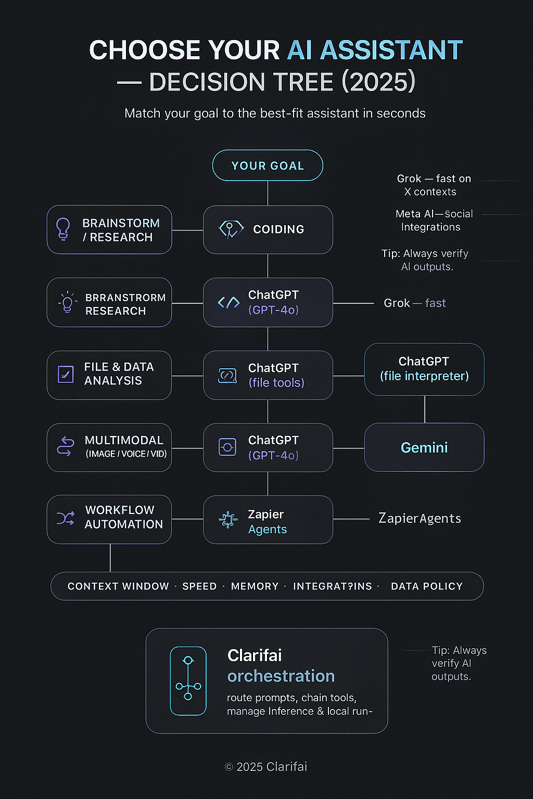
Top AI Tools - AI Assistant Decision Tree

AI Writing & Content Creation Tools

Which AI writing tools stand out for marketers and writers?

AI writing assistants are transforming how teams produce blogs, advertisements, social media captions, emails, and video scripts, automating creativity while maintaining brand consistency and SEO quality.

Leading AI Writing Tools

  • Jasper AI:
    • Offers 50+ templates for articles, ads, and marketing content.
    • Includes an SEO and readability optimizer, team collaboration features, and an integrated image generator.
    • Pricing: Creator package — US $39/month.
  • Copy.ai:
    • Specializes in ad copy and marketing message generation.
    • Supports automated workflows and multi-app integration for faster campaign execution.
    • Pricing: Starter package — US $36/month.
  • Rytr:
    • Known for its free plan and support for 20+ writing tones.
    • Provides unlimited content generation under the US $7.50/month Unlimited plan.
    • Ideal for small creators and freelancers looking for affordable automation.
  • Anyword:
    • Focuses on brand-specific content with voice consistency and a built-in plagiarism checker.
    • Pricing: Starter plan — US $49/month.
  • Grammarly:
    • Functions as a grammar and tone improvement tool, offering tone suggestions and plagiarism detection.
    • Pricing: Approximately US $12/month


Key features

  • Templates and tone control – Tools provide ready‑made structures for emails, ads, blogs and social posts; users select tones (formal, friendly, witty) and adjust brand voice.
  • SEO integration – Jasper includes an SEO mode that suggests keywords and readability improvements.
  • Plagiarism & fact checking – Anyword and Grammarly integrate plagiarism detection; however, AI may still hallucinate facts.
  • Multi‑format support – Platforms generate long‑form articles, ad copy, product descriptions and even convert images to text (Jasper’s Art mode).
  • Collaborative editing – Team workspaces enable multiple editors with comment threads and style guides.

Pros and cons

Aspect

Advantages

Challenges

Efficiency

Accelerates first drafts and reduces writer’s block; integrated brand guidelines ensure consistent tone

Over‑reliance can lead to generic content; editors must check facts and nuance.

Cost

Free or low‑cost plans (Rytr) exist; premium tools scale with features (Jasper, Anyword)

Paid plans may restrict output volumes; agency plans can be expensive.

Quality

Top tools produce coherent text tailored to prompts; grammar tools polish writing

AI often lacks domain expertise; quality varies by model and prompt.

Integration

Connect with CMS, CRM, and social platforms for seamless publishing

Data privacy concerns when uploading sensitive documents; limited support for specialised formats.

Expert insights

  • Performance impact: Marketing teams using Jasper have reported significant increases in output and improved SEO rankings thanks to integrated optimisation features.
  • Research highlight: Studies show that AI‑generated copy improves click‑through rates when paired with human oversight and brand guidelines.
  • Advice: Use AI to generate drafts but always include a human editor to verify facts, adjust tone and ensure brand authenticity.

Clarifai integration

Clarifai’s platform can host custom large language models fine‑tuned on your organisation’s content and style. Deploying a model via Clarifai’s local runners ensures that sensitive documents remain on‑premises while still enabling AI‑powered writing. Developers can orchestrate workflows that combine Clarifai models with third‑party writing tools, delivering cross‑platform content with automated editorial checks.
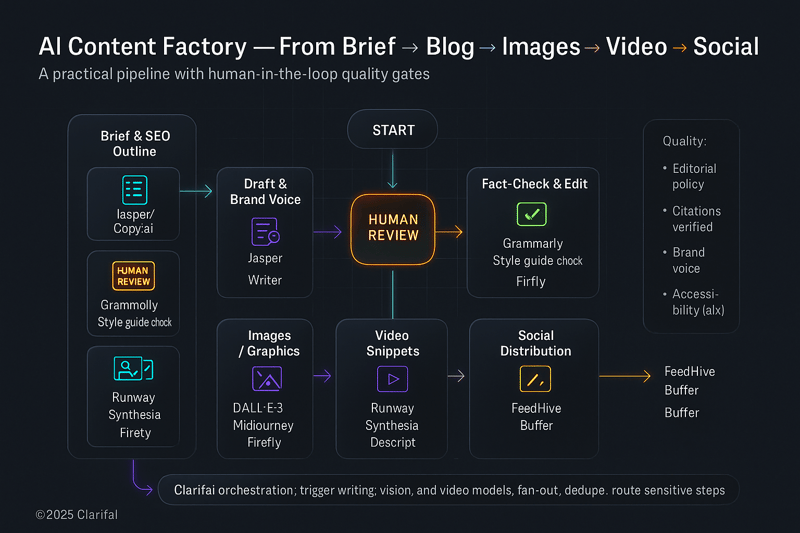
 

Top AI tools - AI Content Tools

AI Image Generation & Editing Tools

AI image generators have surged in popularity, enabling creators to turn text prompts into high-quality visuals for marketing, design, and creative projects. These tools are reshaping how teams prototype, brand, and visualize ideas at scale.

Leading AI Image Generation Tools

  • Midjourney:
    • Renowned for its stylized, artistic image outputs.
    • Operates exclusively through Discord, generating four high-quality images per prompt.
    • Pros: Exceptional creativity and artistic quality.
    • Cons: No free plan and a complex Discord interface that may deter new users.
  • ChatGPT with DALL-E 3 (via GPT-4o):
    • Allows users to generate and edit high-resolution images directly within the chat interface.
    • Produces photorealistic scenes ideal for concept visualization and marketing assets.
    • Pros: Fast generation, integrated editing, conversational UX.
    • Cons: Requires a paid subscription and offers fewer artistic customization options.
  • Adobe Firefly:
    • Integrates with Adobe Creative Cloud, supporting text-to-image, text effects, recoloring, and video editing.
    • Pros: Editable layers and professional-grade text effects for post-production flexibility.
    • Cons: Subscription cost and a learning curve for new users.
  • Ideogram:
    • Excels in rendering clean, stylized text within images, making it ideal for posters, logos, and branded graphics.
    • Offers layout control and consistent typography quality.
  • Other Players:
    • Stable Diffusion: Fully open-source and customizable for local or private deployment.
    • Mistral’s image models and Google’s Imagen/Nano Banana: experimental contenders advancing text-to-image realism and efficiency.

What AI image tools lead the market? Core capabilities

  • Style control – Tools like Midjourney provide parameters (stylize, chaos) to guide aesthetic outcomes, while Ideogram controls layout, font and colour.
  • Inpainting & editing – DALL‑E 3 and Firefly allow users to edit parts of images, replace backgrounds or extend canvases.
  • Integration – Firefly plugs into Photoshop and Illustrator; ChatGPT’s DALL‑E connects to ChatGPT chats; Ideogram exports for poster design.
  • Open‑source innovation – Stable Diffusion 3 and Mistral models enable local deployment and custom fine‑tuning.
  • Ethical features – Some tools provide safety filters or watermarking to prevent misuse.

Pros and cons

Aspect

Advantages

Limitations

Creativity & speed

Generate unique visuals in seconds, enabling rapid prototyping and concept art

Results can vary unpredictably; iterative prompting is often necessary.

Cost & accessibility

Some tools offer free credits or community plans; open‑source models can run locally

Premium subscriptions (Midjourney, Firefly) can be costly; high GPU demand for local models.

Customization

Inpainting and control over prompts provide flexibility

Some models (DALL‑E 3) prioritise realism over artistic expression; limited control on typography or layout except with Ideogram.

Ethics & licensing

Tools may include licensing terms for commercial use and watermark removal

Risk of generating deepfakes or infringing on artists’ styles; always review licensing and usage rights.

Expert insights

  • Cost saving: Designers report that AI imagery reduces the need for expensive photo shoots and speeds up concept iteration.
  • Research comment: The open‑source Stable Diffusion community emphasises transparency and adaptation, enabling researchers to experiment with model weights and training techniques.
  • Designers’ view: Many artists use AI images as a starting point, then refine them in professional tools; they caution that quality output still requires strong prompt engineering and post‑processing.

Clarifai integration

Clarifai’s vision capabilities can be combined with generative models to label and organise generated images, making it easier to retrieve assets and train custom classifiers. With Clarifai’s model hosting, teams can fine‑tune open‑source image models using proprietary datasets and deploy them via secure APIs or local runners, ensuring compliance and reducing latency.

AI Video Generation & Editing Tools

How does AI transform video creation in 2025?

AI video generators are revolutionizing content creation by converting text prompts, scripts, or existing footage into high-quality videos — drastically reducing manual editing time. These tools are enabling creators, marketers, and studios to produce professional videos in minutes.

Leading AI Video Creation Platforms

  • Runway Gen-4:
    • Supports text-to-video, image-to-video, and video-to-video generation.
    • Includes directing tools that let users circle or highlight specific parts of a scene for more control.
    • Pricing:
      • Free plan: 125 credits (≈25 seconds of output)
      • Standard plan: $12/user/month for 625 credits
      • Pro plan: $28/month for 2,250 credits
      • Unlimited plan: $76/month
  • InVideo:
    • Enables text-to-video conversion with AI voiceovers and access to a 16-million-asset media library.
    • Pricing:
      • Free tier: Limited generative credits
      • Paid plans: Range from $28 to $96/month, depending on AI minutes and voice clone access
  • Kling:
    • Offers style switching and motion brushes for dynamic video editing and creative flexibility.
    • Provides free and premium plans, plus an API plan starting at $1,400 for 10,000 credits — ideal for enterprise-scale integrations.
  • Emerging Models (e.g., Sora):
    • Can generate 20-second cinematic clips directly integrated into ChatGPT, showcasing the next phase of multimodal generation and contextual storytelling.


Core features

  • Text‑to‑video & avatars – Tools interpret scripts and generate footage; some include AI avatars that lip‑sync to narration.
  • Script‑based editing – Platforms like Runway and Descript allow users to edit videos by editing the transcript.
  • Multi‑language support – Many tools provide voiceover translation and dubbing.
  • Enhancement & editing – Automatic color correction, upscaling and removal of unwanted objects or background noise.
  • API access & automation – Tools like Kling provide APIs for large‑scale content generation.

Pros and cons

Aspect

Advantages

Drawbacks

Speed & scalability

Text‑to‑video tools can produce entire explainer videos in minutes, enabling rapid content output

Videos often require manual polishing; current models struggle with complex motion and facial expressions.

Cost

Free tiers exist; credit‑based systems allow budget control

Higher‑quality output and longer videos demand higher tier plans.

Accessibility

No prior video editing experience required; voice and language options increase reach

Limited customisation may result in generic visuals; watermarks appear on free versions.

Emerging tech

New models like Sora and Pika promise realistic motion and creative control

Many are not widely accessible yet; early access remains closed or limited to premium subscribers.

Expert insights

  • Corporate training case: A global company used Runway to translate training scripts into multiple languages and automatically generate videos with on‑screen avatars, cutting production time by 90 %.
  • Video marketer quote: “AI tools free us from repetitive editing so we can focus on storytelling; however, manual adjustments are still needed for brand consistency.”
  • Psychological research: Studies suggest that AI‑generated avatars can engage viewers when they convey emotions and eye contact; realism matters for trust.

Clarifai integration

Clarifai’s video intelligence features can be used alongside generative video tools to tag scenes, detect objects and summarise content, enabling better search and governance of video libraries. Organisations can deploy Clarifai’s local runners to process sensitive video data internally, ensuring compliance with data‑residency regulations. Combining Clarifai’s model inference with generative video tools allows automatic highlight extraction and analytics.

AI Audio & Music Tools

What tools create realistic voices and original music?

AI audio tools are reshaping how creators produce voiceovers, soundtracks, and personalized audio experiences. From voice synthesis and cloning to music generation, these tools simplify complex production workflows while maintaining professional sound quality.

Leading AI Audio Platforms

Key capabilities

  • Voice cloning & custom voices – ElevenLabs and Murf allow cloning your own voice for podcasts or branding.
  • Multi‑language & emotion control – Tools support dozens of languages and let users adjust emotion, tone and style.
  • Music composition – Udio and AIVA create custom tracks; Udio emphasises lyric editing and style tags, while AIVA offers different genres and allows uploading MIDI influences.
  • Stem extraction & remixing – Suno (discussed earlier) and Udio enable users to split songs into stems for remixing.
  • Integration – Most platforms provide API access for embedding voices or music into apps; Murf integrates with Canva, PowerPoint and Adobe Audition.

Pros and cons

Aspect

Benefits

Drawbacks

Realism & control

Advanced neural models produce lifelike voices; users can fine‑tune speed, tone and pronunciation

Deepfake risks; voice cloning raises consent and licensing concerns.

Creativity

Music generators create royalty‑free tracks across genres; AIVA supports custom inputs and track editing

Compositions can sound generic; editing is required for commercial quality.

Affordability

Free plans allow experimentation; subscription costs are reasonable for small businesses

Commercial rights often require higher tiers; free plans have limited downloads.

Integration

APIs enable embedding audio in apps and slides; Murf integrates with popular software

Not all tools offer full API access; some restrict usage by character/credit counts.

Expert insights

  • Voice actor perspective: Some voice artists use AI clones as “digital doubles” to audition scripts quickly, but maintain that human narration is essential for emotional depth.
  • Composer opinion: AI music tools accelerate ideation but rarely replace professional composers; they serve as co‑creators rather than substitutes.
  • Metrics: Companies using AI voiceovers for explainer videos report production time reductions of 60–80 % and cost savings compared with hiring human talent.

Clarifai integration

Clarifai’s audio processing models can analyse and transcribe AI‑generated audio to provide speaker identification, sentiment analysis and content moderation. By hosting custom voice models within Clarifai, organisations can ensure compliance and local data control. Integration with Clarifai’s compute orchestration allows you to chain voice generation with classification or translation models to automate audio workflows end‑to‑end.

AI Knowledge Management & Note‑Taking Tools

Knowledge management tools help individuals and teams organize, retrieve, and summarize information efficiently. These platforms now blend document editing, AI summarization, and context-aware Q&A, making it easier to find insights instantly without switching between apps.

Leading Tools for Organizing and Recalling Information

  • Notion AI:

    • Integrates AI assistance directly into Notion’s Business and Enterprise plans.
    • Capabilities include AI summarization, Q&A from documents, and content generation within pages.
    • Pricing:
      • Free tier: Includes limited AI trial credits and a 5 MB upload limit.
      • Paid plans: AI features available in Business and Enterprise tiers.
    • Ideal for: Teams managing interconnected notes, databases, and workflows in one workspace.
  • Coda AI:

    • Functions as a work assistant embedded within documents.
    • Can draft text, build structured tables from simple prompts, and summarize entire pages.
    • Pricing (per “Doc Maker” model):
      • Free plan: Includes trial AI credits.
      • Pro plan: $10 per Doc Maker/month.
      • Team plan: $30 per Doc Maker/month.
      • Enterprise: Custom pricing.
    • Best for: Teams building interactive documents and dashboards powered by AI.
  • Mem:

    • Offers voice-mode recording and automatic summarization, capturing ideas in real time.
    • Helps transform unstructured thoughts and meeting notes into retrievable, searchable insights.
  • Guru:

    • Focused on retrieval-augmented question answering from company knowledge bases.
    • Ideal for customer-facing teams needing quick, context-relevant answers to internal queries.
  • Personal AI:

    • Designed to store personal memories and conversations, enabling on-demand recall through natural-language queries.
    • Functions like a personal knowledge vault, improving context retention for individuals.

Essential features

  • AI summarisation & Q&A – Tools summarise meeting notes, documents and emails into concise bullet points and action items.
  • Retrieval‑augmented generation (RAG) – Systems like Guru and Notion Q&A search across notes and databases to answer questions.
  • Context awareness – Coda’s AI columns summarise each row automatically and can analyse feedback or draft personalised emails.
  • Integration – Connect with Slack, Gmail, CRM and calendar apps to capture information automatically.
  • Privacy & security – Business plans offer encryption and allow administrators to control AI access; some tools offer on‑device models for sensitive data.

Pros and cons

Aspect

Benefits

Challenges

Productivity

Automatically summarises meetings and documents; AI search saves time retrieving information

AI may misinterpret context or miss nuances; users must verify outputs.

Collaboration

Shared docs and Q&A threads improve teamwork

Free plans often restrict AI usage or storage space.

Customization

Create templates and customise AI prompts (Coda); integrate with existing workflows

Complex setups can have a learning curve; some functions require separate credits.

Cost

Free tiers available; per‑seat pricing for businesses

Upgrading to team plans adds cost quickly as more users become Doc Makers; AI credits may be insufficient for heavy use.

Expert insights

  • RAG insights: Developers working on RAG systems note that context length and relevant retrieval drastically improve answer quality; customizing retrieval sources is more important than model size.
  • Case study: A research team using Notion AI and Mem reported faster onboarding and fewer repetitive questions because AI summarised previous discussions and automatically tagged action items.
  • Cognitive science: Externalising memory (using digital notes as a “second brain”) reduces cognitive load and improves creativity; however, reliance on AI requires careful curation to avoid information overload.

Clarifai integration

Clarifai’s platform can process your organisation’s documents and generate embeddings for semantic search, enabling RAG pipelines similar to those in Notion and Coda. By deploying models locally via Clarifai’s local runners, you keep knowledge bases private while still enabling AI summarisation and Q&A. Clarifai’s vector search and metadata filters make it easy to retrieve relevant notes based on tags, dates or custom fields.

AI Social Media & Marketing Tools

Which AI tools automate social media and advertising?

AI-powered social media and marketing platforms streamline the way brands create, schedule, and optimize content. These tools use machine learning and natural language generation to automate post scheduling, caption writing, and ad creative generation, saving teams hours of manual work.

FeedHive

  • Overview: FeedHive uses AI to automate content scheduling, generate captions, and analyze engagement patterns.
  • Pricing:
    • Creator (€15/month): Manage up to 8 social profiles, includes AI-generated captions, but no collaboration tools.
    • Brand (€22/month): Manage up to 10 profiles, adds team collaboration, account syncing, and AI writing tools.
    • Business (€69/month): Expands to hundreds of profiles with unlimited posts and workspace management.
    • Agency (€239/month): Designed for large teams, includes white-label reporting, advanced analytics, and multi-client management.
  • Best for: Freelancers, agencies, and brands seeking AI-powered post creation and scalability.

Buffer

  • Overview: A trusted social media manager that uses AI to tailor posts per platform, suggest optimal posting times, and provide performance analytics.
  • Features:
    • AI-generated captions and hashtags.
    • Multi-channel scheduling (Instagram, LinkedIn, X, Facebook, TikTok).
    • Analytics dashboard for engagement tracking.
  • Notes: Free plan available; advanced analytics and team collaboration require paid tiers.

Hootsuite

  • Overview: One of the earliest AI-assisted social management platforms offering post scheduling, social listening, and ad campaign integration.
  • Features:
    • AI tools suggest content improvements and posting strategies.
    • Provides deep analytics for ad performance and engagement.
    • Integrates with Meta Ads Manager and LinkedIn Campaigns.
  • Best for: Enterprises seeking a comprehensive suite with collaboration and security controls.

SocialBee

  • Overview: Focuses on content recycling and categorization to keep feeds active without manual oversight.
  • Features:
    • AI categorization of posts (e.g., evergreen, promotional, educational).
    • Automated reposting schedules for long-term consistency.
    • Integrates with Canva and Buffer for streamlined publishing.
  • Ideal for: Small businesses and solopreneurs managing multiple content types.

Vista Social

  • Overview: Provides social media automation, listening, and review management capabilities.
  • Features:
    • Tracks brand mentions and sentiment across channels.
    • Manages customer reviews from Google, Yelp, and social platforms.
    • Includes AI-driven content scheduling and analytics.
  • Best for: Agencies managing social reputation and engagement tracking for clients.

AdCreative.ai

  • Overview: A specialized AI tool for automated ad creative generation and A/B testing.
  • Features:
    • Generates high-converting ad images and copy using machine learning.
    • Supports bulk creative variations and performance prediction.
    • Integrates with Meta, Google Ads, and LinkedIn Ads.
  • Pricing: Offers free trials, with premium plans unlocking analytics, collaboration tools, and AI scoring.
  • Best for: Marketing teams focused on conversion optimization and creative testing.

Functions and benefits

  • Automated posting & scheduling – Create content calendars and set conditional posting (time‑zone or event‑based triggers).
  • AI writing & hashtag generation – FeedHive and Buffer suggest captions and hashtags; some tools generate entire threads.
  • Analytics & performance prediction – Tools report engagement metrics and forecast performance based on historical data; SocialBee recycles high‑performing posts.
  • Multi‑platform integration – Publish to Facebook, Instagram, LinkedIn, TikTok, X and YouTube simultaneously; AdCreative.ai integrates with ad platforms (Meta Ads, Google Ads).
  • Customer engagement – Social inboxes centralise messages and comments for faster replies; some tools include chatbots for automated responses.

Pros and cons

Aspect

Advantages

Drawbacks

Efficiency

Saves time on scheduling and content generation; analytics inform strategy

Over‑automation can lead to repetitive or generic posts; human oversight needed to maintain brand voice.

Scaling

Higher tiers allow multiple workspaces and white‑label reports—ideal for agencies

Premium plans become expensive; some essential features (e.g., AI performance prediction) only appear at higher tiers.

Integration

Connects to design tools like Canva, link shorteners and CRM systems

Social platform APIs can change, causing disruptions; limited customisation in free plans.

Data privacy

Social listening and performance data help refine content

Accessing customers’ social data raises privacy questions; compliance with GDPR/CCPA is necessary.

Expert insights

  • Statistic: Teams using AI scheduling tools report up to 50 % reduction in manual posting time and improved engagement through data‑driven content.
  • Social media manager opinion: “AI helps brainstorm posts and schedule them when our audience is most active, but we still craft our own voice and ensure cultural sensitivity.”
  • Ethical note: Transparency about AI‑generated content is crucial to maintain trust; brands should label AI‑created ads or posts clearly.

Clarifai integration

Clarifai’s natural language generation and computer vision models can analyse social media trends and generate visual and textual content tailored to your brand. By connecting Clarifai to your scheduling tool via API, you can automate content creation, classification and sentiment analysis, while keeping control of models and data. Local deployment ensures social listening data remains private and compliant.

AI Project & Task Management Tools

How do AI‑augmented project tools improve productivity?

AI-driven project management platforms bring together tasks, calendars, communication, and analytics to help teams plan, prioritise, and execute projects more efficiently. These tools automate repetitive steps, suggest next actions, and provide intelligent insights into productivity and workload balance.

Monday.com

Monday.com combines customisable dashboards, automations, and visual planning tools such as Gantt and Kanban boards. It offers enterprise-grade security and integrations with Salesforce, HubSpot, and Slack.
Its newly introduced AI agent connects to external apps and helps prioritise tasks automatically.
The platform includes a free plan, but automation limits per tier and a steep learning curve can be drawbacks.

Miro

Miro’s Intelligent Canvas brings AI-powered summarisation and workflow generation to collaborative whiteboarding. The free plan allows unlimited team members, three boards, and 10 monthly AI credits. It’s particularly suited for brainstorming, project mapping, and visual collaboration among remote teams.

Notion

Notion provides multiple project views—including Kanban, timeline, and calendar modes—and uses AI to summarise notes and extract action items directly within pages. While it enhances productivity and context recall, its limited offline functionality remains a key limitation for distributed teams.

Other Platforms

Additional AI-enabled project tools include:

  • Asana: Adds predictive scheduling and AI-driven task insights.
  • ClickUp: Features smart fields and automated task generation.
  • Wrike AI: Offers workload prediction and chat-based task management.
  • Zoho AI: Enhances CRM and project planning through contextual suggestions.
  • Reclaim and Motion: Focus on AI-powered time blocking and calendar optimisation for personal and team productivity.

Capabilities

  • Smart task creation & prioritisation – AI suggests tasks based on conversations and emails; it predicts due dates and resource needs.
  • Automations & workflows – Set rules that trigger reminders, task assignments and status updates; Monday.com’s AI orchestrates cross‑tool actions.
  • Predictive insights – Models forecast project timelines and potential bottlenecks, offering scenario planning.
  • Calendar integration – Tools sync with Google Calendar and Outlook, automatically resolving conflicts (Reclaim reduces calendar clashes).
  • Chatbots & Q&A – AI chatbots inside platforms answer questions like “Who’s working on this task?” or “What’s our project status?”.

Pros and cons

Aspect

Benefits

Limitations

Organisation & visibility

Centralised dashboards provide an overview of tasks and deadlines; AI highlights critical work

Learning curves for complex tools; automations may require training.

Automation

Reduces manual updates; repetitive tasks are handled automatically

Over‑automation may hide important context; there are limits to free plans.

Predictive planning

AI forecasts delays and suggests mitigation steps

Forecasts depend on historical data quality; unexpected events may still cause delays.

Cost

Free plans are available; paid tiers offer more automations and AI credits

Enterprise features (advanced analytics, security) come at higher per‑user costs.

Expert insights

  • Recognition: Monday.com was recognised as a leader in the Gartner 2024 Magic Quadrant, owing to its AI‑driven workflows.
  • Statistic: According to McKinsey, 67 % of organisations plan to increase AI investments, underscoring the importance of AI‑powered project tools.
  • Case study: Users of Reclaim AI report fewer calendar conflicts and more focused work through automatic scheduling and buffer blocks.

Clarifai integration

Clarifai can serve as a central AI engine for project management by powering task prioritisation models, resource allocation predictions and schedule optimisers. With Clarifai’s local runners, organisations can run these models on‑premises, integrate them into tools like Monday.com via API and ensure data privacy. Compute orchestration lets teams chain multiple models (e.g., language models for summarising updates and vision models for analysing design boards) into a single workflow.

AI Meeting & Transcription Assistants

How Do AI Meeting Assistants Streamline Collaboration

AI meeting assistants simplify collaboration by recording, transcribing, and summarising calls—ensuring that teams never miss key details or action items. They eliminate the need for manual note-taking, boost productivity, and integrate seamlessly with popular video conferencing platforms.

Otter.ai

Otter.ai is one of the most widely used meeting transcription tools, providing real-time transcription, speaker identification, searchable transcripts, and highlight generation.

  • Plans and Pricing:
    • Basic (Free): 300 minutes per month.
    • Pro ($16.99/month): 1,200 minutes per month.
    • Business ($40/month): 6,000 minutes with team collaboration features.
  • Strengths: Real-time transcription accuracy and keyword-based search.
  • Limitations: Filler words not auto-removed and higher costs for large teams.

Fireflies

Fireflies offers AI-powered recording, transcription, and searchable meeting notes. It integrates with Zoom, Google Meet, and Microsoft Teams, enabling automated note syncing to CRMs and project tools.
Key features: Browser-based recording, AI summaries, and conversation snippet sharing for fast review.

tl;dv

tl;dv focuses on efficiency for hybrid teams, allowing users to record calls without bots and instantly generate AI summaries. It supports multilingual transcription and allows sharing timestamped highlights within Slack or Notion.

Fathom

Fathom automatically records and summarizes calls, highlighting key decisions and next steps. Its intuitive dashboard helps teams revisit discussions and export summaries to project tools.

Avoma

Avoma combines AI meeting notes, CRM integration, and coaching insights. It’s ideal for sales and customer success teams needing structured post-call summaries and topic detection.

Supernormal

Supernormal records directly through the browser and generates AI-powered summaries and action items in real time. It integrates with Google Meet, Zoom, and Slack, automating follow-up documentation.

Nyota

Nyota supports bot-free recording, AI transcription, and automatic highlights. It offers collaborative review spaces where participants can comment or assign tasks directly within meeting notes.

Airgram

Airgram enhances meeting productivity with multi-language transcription, snippet editing, and AI-generated meeting recaps. It’s designed for cross-functional teams collaborating across regions and tools.

Core features

  • Real‑time transcription – Live transcripts highlight speakers and generate notes; some tools provide “voice print” recognition.
  • AI summaries & action items – Tools like tl;dv and Fathom summarise meetings into bullet points and highlight follow‑ups.
  • Search & tagging – Users can search past transcripts and tag moments (e.g., decisions, objections).
  • Integration – Sync recordings with CRMs and project tools; Otter integrates with calendars and Slack.
  • Security & privacy – Encryption and SOC‑2 compliance protect sensitive conversations; free versions often store transcripts on vendor servers.

Pros and cons

Aspect

Benefits

Drawbacks

Time saving

Reduces manual note‑taking; AI identifies action items and deadlines

Summaries may miss nuances or misinterpret speaker intent; manual review is required.

Accessibility

Transcripts aid non‑native speakers and the hearing impaired

Accuracy varies with accents, background noise and technical jargon.

Collaboration

Shared notes improve alignment and accountability

Recording meetings raises privacy and legal considerations; participants must consent.

Cost

Free plans provide basic functionality; paid plans unlock more minutes and collaboration features

Enterprise plans can be expensive; some features (e.g., filler word removal) may be missing.

Expert insights

  • Team leader quote: AI notes reduce follow‑up time after meetings, enabling participants to focus on decision‑making rather than note‑taking.
  • Study: Research shows that reviewing AI transcripts increases comprehension and retention compared with raw recordings.
  • Legal reminder: Recording conversations may require consent; always follow local laws and communicate transparency.

Clarifai integration

Clarifai offers speech‑to‑text and natural language processing models that can be integrated into meeting platforms to provide on‑device transcription and summarisation. Deploying Clarifai models on local servers ensures that proprietary discussions are not sent to third‑party cloud services. Additionally, Clarifai’s sentiment analysis can tag positive or negative feedback to support meeting analytics.

AI Email & Scheduling Assistants

How Can AI Assist with Email and Scheduling

AI-powered email and scheduling tools streamline communication by summarising long threads, drafting context-aware replies, suggesting follow-ups, and optimising calendar management. These assistants help professionals stay organised, reduce inbox overload, and manage time more efficiently.

Shortwave

Shortwave transforms Gmail into an AI-driven productivity workspace.

  • Capabilities:
    • Summarises conversations and highlights key action points.
    • Integrates with Slack, Notion, and Asana for unified task management.
    • Offers read receipts, smart scheduling, and AES-256 encryption for data security.
  • Pricing:
    • Free plan: Includes 90 days of message history.
    • Pro: $14 per seat/month.
    • Business: $24 per seat/month.
    • Premier: $36 per seat/month.
    • Max: $100 per seat/month.
  • Ideal for: Teams that rely on Gmail and need AI assistance for workflow and scheduling within their inbox.

Microsoft Copilot for Outlook

Microsoft Copilot for Outlook enhances email productivity by condensing long email chains into concise summaries and drafting replies that mirror the user’s tone and length.

  • Includes numbered citations referencing key points from previous emails.
  • Integrates seamlessly with Microsoft 365 for meeting scheduling, document access, and follow-up reminders.
  • Ideal for: Enterprise users seeking a native AI experience inside Outlook.

Gemini for Gmail

Gemini for Gmail adds an AI assistant directly inside the Gmail sidebar.

  • Allows users to summarise emails, extract action items, or request simplified explanations.
  • Supports prompt-based interaction, making it conversational and context-aware.
  • Ideal for: Professionals managing high email volume who need quick insights without leaving Gmail.

Other AI Email and Scheduling Tools

Several other AI tools extend similar capabilities across email and calendars:

  • Fyxer: Provides AI scheduling assistance and automated message handling.
  • HubSpot Email Writer: Generates personalised marketing emails using CRM data.
  • Reclaim: Optimises calendar time blocks using AI-driven prioritisation.
  • Clockwise: Automatically reschedules meetings to minimise context switching and maximise focus time.

Key functions

  • Summarisation & drafting – Condense lengthy threads; draft emails using previous context and adjust tone.
  • Follow‑up suggestions – Recommend next steps or responses based on thread history.
  • Calendar optimisation – Tools like Reclaim and Clockwise reschedule meetings to minimise context switching, automatically insert focus blocks and handle time‑zone coordination.
  • Multi‑language support – Translate emails and adjust tone for different cultures.
  • Privacy & security – Encryption and OAuth ensure secure email access; some tools run locally or limit data exposure.

Pros and cons

Aspect

Benefits

Concerns

Time saved

Summaries and drafts shorten email management time; scheduling eliminates back‑and‑forth

AI sometimes misinterprets email intent; users must review drafts.

Organisation

AI categorises threads and surfaces priorities; calendar apps reduce scheduling conflicts

Privacy issues if AI accesses entire inbox; corporate policies may restrict usage.

Cost

Free tiers available; advanced features (tone control, unlimited history) require paid plans

Premium pricing increases per user; small teams may not need all features.

Integration

Connects with CRM, project tools and calendars

Relying on a single vendor may create lock‑in; not all tools support every email provider.

Expert insights

  • Productivity statistics: Executives who use AI email assistants report saving 2–3 hours per week.
  • Testimonial: One user achieved inbox zero within a week after adopting Shortwave; the AI triaged messages and suggested concise replies.
  • Security: Ensure the tool uses strong encryption and limited data sharing to protect sensitive communications.

Clarifai integration

Clarifai’s language models can summarise and classify emails on your own servers, maintaining confidentiality. By connecting Clarifai with your email client through secure APIs, you can build custom workflows (e.g., automatically flagging urgent messages or extracting tasks) without exposing the entire inbox to external services.

AI Presentation, Design & Resume Tools

AI-powered presentation and design tools simplify the process of creating slides, resumes, and branding assets, allowing users to focus on storytelling while automation handles layout, tone, and formatting. These platforms use AI design engines and content generation to produce professional-grade visuals in minutes.

Tome

Tome leverages AI design automation to instantly generate slide decks based on prompts or imported content.

  • Features:
    • Auto-generates slides, suggests text and visuals, and embeds multimedia such as videos or web pages.
    • Includes an intuitive drag-and-drop builder for real-time editing.
  • Limitations:
    • Few export options (limited offline or PowerPoint compatibility).
    • AI features available only on paid plans.
  • Pricing:
  • Best for: Teams and creators needing fast, visually cohesive decks for pitches and storytelling.

Gamma

Gamma uses AI to create presentations, documents, and lightweight websites that can be restyled in one click.

  • Features:
    • AI-assisted design with real-time collaboration and auto-formatting.
    • Supports interactive embeds and live link sharing for dynamic presentations.
  • Pricing:
    • Plus plan: $10/seat/month.
    • Pro plan: $20/seat/month.
  • Best for: Teams seeking collaborative, AI-first presentation design without traditional slide software.

Canva Magic Design

Canva Magic Design accelerates visual creation with AI-driven templates that automatically adapt to content type, color palette, and tone.

  • Use cases: Quickly build social posts, presentations, or resumes with auto-layout suggestions.
  • Strength: Combines speed, visual polish, and accessibility, ideal for non-designers.

Looka

Looka specializes in AI-generated logos and branding kits.

  • Features:
    • Creates custom brand palettes, fonts, and marketing assets based on user preferences.
    • Outputs complete brand identity packages ready for digital or print use.
  • Pricing:
    • Premium package: Around $65, including full logo ownership.
  • Ideal for: Startups and small businesses establishing a brand identity from scratch.

Resume Builders (Kickresume, Enhancv, and Others)

AI resume platforms streamline CV creation with ATS-optimised templates, personalized content suggestions, and tone correction.

  • Kickresume: Annual plan at $84, includes AI writing assistant and design customization.
  • Enhancv: Six-month plan at $79.92, focuses on story-driven resume layouts.
  • Other AI resume tools: Offer free plans and monthly tiers starting around $19, balancing affordability with smart writing features.
  • Best for: Job seekers aiming for professional, recruiter-friendly resumes with minimal manual editing.

Features & use cases

  • Slide generation & restyling – Tools convert outlines into polished decks, suggest layouts and automatically adjust colour schemes to fit brand identity.
  • Interactive elements – Embedding videos, live charts and AI‑generated images enhances engagement.
  • Brand kits & graphic design – Looka and Canva produce logos, social media assets and complete branding kits, enabling consistent visual identity.
  • Resume optimization –  and Kickresume tailor resumes to job descriptions, scan for ATS keywords and propose improvements.
  • Video integration – Tools like Tome and Gamma allow embedding AI‑generated videos and voiceovers to create dynamic presentations.

Pros and cons

Aspect

Advantages

Drawbacks

Speed & simplicity

Generate professional slides and resumes quickly; novice users can achieve polished designs

Limited custom layouts; advanced design may still require manual tweaks.

Brand consistency

Templates and brand kits ensure cohesive visuals across presentations and marketing materials

Generic templates risk looking similar to competitors; customisation may be limited without manual editing.

Cost

Free tiers available for basic features; premium plans unlock more templates and AI suggestions

Subscriptions accumulate if you need multiple tools (presentations, logos, resumes); certain features locked behind higher tiers.

Integration

Export to PowerPoint, Google Slides, or integrate with LinkedIn for resume posting

Exports may lose formatting; some tools don’t support offline editing.

Expert insights

  • HR perspective: Recruiters appreciate ATS‑optimised resumes with clear sections and relevant keywords; AI resume tools are especially helpful for job seekers who need to tailor multiple applications quickly.
  • Presentation designer tip: Use AI to generate an initial deck but refine the narrative flow and add personalised anecdotes to make it memorable.
  • Data: Teams using AI design tools report presentation creation times dropping from days to hours and improved audience engagement.

Clarifai integration

Clarifai’s visual recognition models can be used to ensure brand consistency by automatically verifying colours, fonts and logos in slides and marketing collateral. You can build custom workflows in Clarifai to generate slide decks from bullet points, embed AI‑generated images and summarise complex data into charts. Local runners allow you to create and edit presentations without sending corporate data to external services.

AI Coding & Developer Tools

Which AI Tools Boost Developer Productivity

AI coding assistants act as pair programmers, helping developers write, debug, test, and document code faster. By understanding natural language and project context, they reduce cognitive load and automate repetitive engineering tasks — from code completion to vulnerability detection.

GitHub Copilot

GitHub Copilot, powered by OpenAI models, assists with code autocompletion, pull request summaries, and code review suggestions directly within the IDE.

  • Features:
    • Real-time inline code generation for multiple languages.
    • Pull request summarisation and context-aware documentation.
    • Integrates seamlessly with VS Code, JetBrains, and Neovim.
  • Pricing:
    • Individuals: $10/month.
    • Business: $19/month.
    • Enterprise: $39/month.
  • Best for: Developers and teams seeking tight GitHub ecosystem integration with advanced AI coding support.

Tabnine

Tabnine delivers AI-powered code completion for over 25 programming languages, supporting on-device and cloud-based inference.

  • Features:
    • Contextual code predictions and function autocompletion.
    • Custom model training on private repositories for enterprise security.
    • Compatible with JetBrains, VS Code, and Sublime Text.
  • Pricing:
    • Free trial: 30 days.
    • Enterprise plan: Around $39/user/month.
  • Best for: Enterprises prioritising data privacy and local AI model deployment.

OpenAI Codex (via ChatGPT)

OpenAI Codex, integrated into ChatGPT, allows developers to generate code from natural language, explain snippets, and debug errors interactively.

  • Features:
    • Supports multiple programming languages (Python, JavaScript, C++, etc.).
    • Converts plain-English instructions into executable code.
    • Offers code explanation and function optimization.
  • Pricing:
    • ChatGPT Plus plan: $10/month.
  • Best for: Developers using ChatGPT as an all-purpose code assistant and teaching companion.

Amazon CodeWhisperer

Amazon CodeWhisperer provides real-time code generation with built-in vulnerability scanning for AWS environments.

  • Features:
    • Security analysis of generated code.
    • Multi-language support with deep AWS integration.
    • Personalised recommendations based on project context.
  • Pricing:
    • Individual tier: Free.
    • Team plan: $19/month.
  • Best for: Developers building on AWS infrastructure who need secure, compliant AI coding support.

Pieces

Pieces stands out for its context memory and multimodal support. It acts as an intelligent assistant that stores, retrieves, and enhances your coding workflow.

  • Features:
    • Retains nine months of code snippets and project data.
    • Works with local models like Llama 2 and Mistral for offline generation.
    • Supports screenshots-to-code conversion and retrieval-augmented generation (RAG).
  • Best for: Developers who need long-term context retention and secure local AI inference.

Other Developer Productivity Tools

  • Cursor: Offers multi-file editing, chat-based debugging, and inline explanations.
  • Replit Ghostwriter: Built into Replit IDE, enabling real-time code suggestions and autofix capabilities.
  • Snyk: Focuses on security and vulnerability scanning for dependencies and containers.
  • Sourcery: Enhances Python code readability and refactoring automation.
  • Codeium: Provides fast, open-access code completion and multi-language support for individual developers.

Key features

  • Code completion & generation – Suggests entire functions or blocks of code in real time.
  • Context awareness & long memory – Tools like Pieces remember your past code across projects for up to nine months.
  • Multimodal input – Input screenshots or natural language and receive code; some tools convert drawings into HTML/CSS.
  • Testing & debugging – Generate unit tests, detect vulnerabilities (Snyk) and propose fixes.
  • On‑device vs. cloud models – Pieces allows choosing between cloud models (GPT‑4, Gemini) and local models (Llama 2, Mistral); local models enhance privacy and performance.

Pros and cons

Aspect

Advantages

Concerns

Speed & productivity

Autocomplete accelerates coding; automatic test generation reduces errors

Models sometimes produce inefficient or insecure code; developers must review outputs.

Learning & documentation

AI explains unfamiliar code and generates comments; helpful for onboarding

Risk of dependency; over‑reliance may hinder deeper understanding.

Customization

Tools like Pieces integrate private repositories and long‑term memory

Not all tools support on‑premises deployment; data may be sent to third‑party clouds.

Pricing

Free trials and low‑cost plans available (CodeWhisperer); enterprise support for GitHub Copilot costs extra

Large teams incur significant subscription fees; additional tokens or credits may be needed.

Expert insights

  • Developer survey: Teams cite context switching as a major productivity killer; AI tools that maintain long‑term context (e.g., Pieces) help mitigate this issue.
  • Engineer quote: “AI doesn’t replace us but it speeds up mundane tasks like writing boilerplate code and unit tests.”
  • Emerging trend: Local large language models (Llama 3, Mistral) reduce latency and protect intellectual property; retrieval‑augmented debugging helps provide accurate suggestions based on your own codebase.

Clarifai integration

Clarifai can host custom code models (e.g., fine‑tuned Llama 3) on‑premises and expose them via API or IDE plugins. By orchestrating code generation with Clarifai’s document understanding models, developers can build systems that automatically generate documentation, convert legacy code to modern languages and identify code smells. Clarifai’s compute orchestration ensures efficient scheduling and scaling of multiple code models across your infrastructure.

AI Research & Education Tools

How Do AI Tools Accelerate Research and Learning

AI research assistants use large language models (LLMs) to help users discover, summarise, and analyse scientific literature at scale. These tools transform academic workflows by automating literature review, surfacing citations, and generating structured insights for faster understanding and hypothesis building.

Perplexity Deep Research

Perplexity Deep Research delivers detailed, citation-backed answers to complex research questions.

  • Features:
    • Combines web search with AI summarisation to produce trustworthy, reference-linked results.
    • Supports natural-language queries and multi-step reasoning.
  • Pricing:
    • Free plan: Limited queries.
    • Pro plan: Unlocks unlimited deep research sessions.
  • Best for: Researchers seeking verified answers with source transparency and academic reliability.

OpenAI Deep Research

OpenAI’s Deep Research (Enterprise) is designed for professionals who need analytical reasoning and multi-document synthesis.

  • Features:
    • Integrates with ChatGPT Enterprise for data analysis and structured outputs.
    • Performs multi-source comparisons and trend identification across domains.
  • Pricing:
    • Enterprise plan: $200/month.
  • Best for: Research teams requiring deep technical synthesis and private, secure enterprise environments.

Google Deep Research (Gemini Advanced)

Google Deep Research, available within Gemini Advanced (~$20/month), enhances information discovery through context-rich, tool-integrated outputs.

  • Features:
    • Embedded within Google Workspace tools like Docs, Sheets, and Gmail.
    • Provides inline citations, data summarisation, and cross-document reasoning.
  • Best for: Professionals and academics leveraging Google’s ecosystem for research and productivity.

Consensus

Consensus specialises in summarising scientific papers to answer binary (yes/no) questions based on published evidence.

  • Features:
    • Extracts key findings from peer-reviewed studies.
    • Provides statistical confidence levels where applicable.
  • Best for: Users conducting systematic reviews or policy-oriented research.

Elicit

Elicit serves as an AI research assistant that assists with literature searches, brainstorming, and variable extraction.

  • Features:
    • Automates paper discovery and research design mapping.
    • Helps generate structured summaries of related works.
  • Best for: Students and scientists organising thematic or exploratory research.

Scite.ai

Scite.ai improves research credibility by classifying citations as supporting, refuting, or mentioning.

  • Features:
    • Tracks citation context within the scientific literature.
    • Helps users assess the strength and reliability of findings.
  • Best for: Academics validating scientific claims or performing meta-analyses.

Other Research and Learning Tools

  • Research Rabbit: Visualises academic citation networks for topic exploration and co-author mapping.
  • ChatPDF: Summarises and queries uploaded PDFs, enabling fast understanding of long papers.
  • NotebookLM: Turns research data into interactive notebooks, combining text, references, and summaries.
  • SciSpace: Provides AI-powered literature reading, citation extraction, and explanatory insights for complex academic papers.

Capabilities

  • Literature search & summarisation – Tools generate abstracts and highlight key findings with citations.
  • Hypothesis generation & concept mapping – Systems like Research Rabbit connect related papers and visualise relationships.
  • Citation tracking & evidence analysis – Scite.ai labels whether citations support or refute claims.
  • PDF summarisation & note‑taking – ChatPDF and NotebookLM summarise uploaded articles and allow interactive Q&A.
  • Adaptive learning – AI tutors personalise curricula and quiz students based on their knowledge gaps.

Pros and cons

Aspect

Benefits

Challenges

Efficiency

Rapidly identifies relevant literature; summarises long papers; generates visual maps

Models may hallucinate citations or misinterpret results; always verify with original sources.

Customisation

Personalised learning paths and custom concept graphs

Tools may not cover niche topics; domain experts are still necessary.

Pricing

Free and affordable plans exist for students; enterprise tools (Deep Research) can be expensive

Paid subscriptions may be prohibitive for independent researchers.

Integration

Many tools integrate with reference managers (Zotero, Mendeley)

Not all outputs are formatted for specific journal styles; manual adjustments needed.

Expert insights

  • Academic perspective: Scholars emphasise verifying AI‑generated summaries against original papers; they use AI for initial screening but rely on manual reading for final analysis.
  • Efficiency data: Some researchers report halving literature review time by combining AI search and summarisation tools.
  • Caution: AI citation tools sometimes invent references; cross‑check DOIs and titles before citing.

Clarifai integration

Researchers can use Clarifai’s text classification and semantic search to build customised research assistants. For example, a lab can ingest thousands of papers, generate embeddings via Clarifai, and query them using natural language or concept keywords. Local deployment ensures sensitive data (e.g., unpublished manuscripts) stays within the institution.

AI Platforms & Cloud Infrastructure

What Do Major AI Platforms Offer Developers and Enterprises

AI development platforms deliver the infrastructure and tooling needed to train, deploy, and manage machine learning models at scale. They provide the foundation for building custom AI solutions, enabling teams to combine compute orchestration, model management, and data integration within secure enterprise environments.

OpenAI API (ChatGPT API)

OpenAI’s API gives developers access to advanced models like GPT-4o and GPT-4o Mini through a pay-per-token pricing model.

  • Features:
    • Access to multimodal capabilities — text, image, and audio.
    • Supports function calling, fine-tuning, and assistants API for workflow automation.
    • Integrates easily with Python, JavaScript, and REST APIs.
  • Pricing Example (GPT-4o):
    • $3 per million input tokens, $10 per million output tokens.
  • Best for: Developers seeking cutting-edge language model APIs with scalable pricing.

Azure OpenAI Service

Azure OpenAI Service offers OpenAI models with Microsoft’s enterprise security, compliance, and governance layers.

  • Features:
    • Provides data residency controls, Azure Active Directory (AAD) integration, and private networking.
    • Enables pay-as-you-go usage for flexible scaling.
    • Combines Azure Cognitive Services with OpenAI models for end-to-end AI pipelines.
  • Best for: Enterprises requiring regulatory compliance, secure deployment, and Microsoft ecosystem integration.

Google Vertex AI

Google Vertex AI is a unified machine learning platform designed for AutoML, model training, hosting, and MLOps.

  • Features:
    • Offers pre-built models for vision, text, and tabular data.
    • Integrated with BigQuery, Cloud Storage, and Gemini models.
    • Provides Vertex AI Workbench for collaborative development and experimentation.
  • Best for: Data scientists and developers leveraging Google Cloud infrastructure for production-grade AI.

Amazon SageMaker

Amazon SageMaker delivers a comprehensive environment for training, deployment, and monitoring of machine learning models.

  • Features:
    • Includes SageMaker Studio, Autopilot, and Model Monitor.
    • Supports real-time inference, batch transform, and edge deployments.
    • Offers built-in security, scalable GPU compute, and integration with AWS data tools.
  • Pricing: Pay-as-you-go for compute, storage, and data transfer.
  • Best for: Large enterprises running end-to-end ML workflows with AWS services.

IBM Watson

IBM Watson focuses on AI automation and analytics with enterprise-grade data governance and explainability.

  • Features:
    • Includes Watsonx.ai for model development, Watsonx.data for governance, and Watsonx.governance for compliance.
    • Designed for regulated industries and hybrid deployments.
  • Best for: Enterprises seeking AI transparency, governance, and hybrid cloud flexibility.

H2O.ai

H2O.ai provides open-source AutoML tools and enterprise AI platforms for model creation and deployment.

  • Features:
    • Driverless AI automates feature engineering and model validation.
    • Supports on-premises and cloud deployments.
  • Best for: Data teams wanting AutoML workflows with transparent explainability.

DataRobot

DataRobot delivers automated machine learning with an emphasis on model lifecycle management.

  • Features:
    • Includes data prep, feature discovery, and deployment monitoring.
    • Integrates with enterprise data lakes and MLOps pipelines.
  • Best for: Large organisations that need scalable AutoML with governance and auditability.

Open-Source and Hybrid AI Frameworks

  • TensorFlow and PyTorch: Industry-standard frameworks for deep learning model development.
  • Rasa: Open-source platform for conversational AI, offering on-premises deployment and custom NLU pipelines.
  • Hugging Face: Provides model hosting, Transformers library, and Inference API, supporting both open-source and enterprise deployments.
  • Miro AI: Offers model management and workflow orchestration tools designed for collaborative ML environments.
  • Best for: Teams balancing customization, data control, and scalability through hybrid or open-source ecosystems.

Capabilities

  • Model training & tuning – AutoML services allow non‑experts to train models; advanced users can fine‑tune custom architectures.
  • MLOps & deployment – Manage versioning, CI/CD pipelines and monitoring; integrate with Kubernetes for scalable inference.
  • Prebuilt AI services – Vision, speech, translation and chat capabilities; accessible via REST APIs.
  • Integration with business apps – Connect AI with ERP, CRM and productivity suites.
  • Hybrid & on‑premise options – Many platforms offer local deployment or private instances for data compliance.

Pros and cons

Aspect

Benefits

Considerations

Scalability

Cloud platforms automatically scale workloads and provide high availability

Costs can rise quickly with heavy usage; careful monitoring and cost optimisation are necessary.

Ease of use

Managed services reduce operational burden; AutoML lowers barriers to entry

Less control over underlying infrastructure; vendor lock‑in risk.

Security & compliance

Enterprise platforms offer SOC 2 compliance, encryption and data residency

Data may reside on vendor servers; sensitive industries may require on‑premises solutions.

Flexibility

Open‑source frameworks like TensorFlow and PyTorch can be self‑hosted or run via managed services

More engineering effort required; not all open‑source models provide commercial support.

Expert insights

  • CIO perspective: Enterprises often choose a combination of cloud and on‑premises deployments to balance agility and compliance.
  • Analyst reports: Gartner and Forrester recognise providers like AWS SageMaker, Azure AI and Vertex AI as leaders for enterprise AI platforms.
  • Recommendation: Evaluate total cost of ownership—including training, inference, data storage and network fees—and consider vendor lock‑in when selecting a platform.

Clarifai integration

Clarifai itself is an AI platform offering model training, hosting, compute orchestration and local runners. Unlike some competitors, Clarifai allows fine‑tuning open‑source models, deploying them on Clarifai’s cloud or on‑premises, and orchestrating pipelines across modalities. This flexibility is ideal for organisations needing to mix proprietary data with public models while maintaining control and compliance.

Emerging & Future AI Trends and Tools

What trends will shape AI beyond 2025?

Agentic AI & autonomous agents. AI agents combine large language models with tools to operate independently. They maintain context, use external APIs and take actions. The Fabrity trends report notes that agents understand context and maintain both short‑term and long‑term memory of interactions, utilising various tools to accomplish tasks. However, increased autonomy introduces risk; agents may generate errors that are hard to detect. For simpler tasks, retrieval‑augmented generation (RAG) and function calls may suffice.

Multimodal & mobile AI. Another trend is integrating generative AI into mobile devices. Fabrity highlights that smartphones now feature AI systems like Gemini (Android) and Apple Intelligence, though heavy computational demands require cloud offloading. To address privacy and latency, small language models (SLMs) run on‑device, eliminating the need for cloud processing. These SLMs also support edge computing, enabling real‑time inference on IoT devices.

Generative search & AI overviews. Search engines are evolving into conversational assistants. Microsoft Copilot integrates Bing search with GPT‑4 to deliver context‑rich results; it emphasises source verification with citations, though quality varies. Google’s AI Overviews, powered by Gemini, aims for personalised, contextual results. Perplexity provides footnotes for every statement, prioritising transparency. These search AIs illustrate the shift towards generative answers rather than traditional link lists.

Explosion of AI‑generated content. The flood of AI‑generated posts and reviews raises concerns about authenticity and quality. The Fabrity article warns that social platforms encourage users to create content with AI, leading to a “blurring line between authentic human interaction and AI‑generated engagement”. Distinguishing real from synthetic content and preventing misinformation are pressing challenges.

Hardware & on‑device AI chips. New hardware like Nvidia’s Blackwell B200 and AMD’s MI300 accelerate local inference. On‑device AI reduces latency and enhances privacy, enabling advanced features on personal devices without constant cloud connectivity. Apple’s M‑series Neural Engine and Qualcomm’s Snapdragon X Elite are examples of consumer‑grade AI chips.

Privacy & compliance tools. As regulations tighten, tools like Captain Compliance, OneTrust and TrustArc emerge to automate compliance management. They provide risk assessments, data mapping, impact assessments and policy management. These tools will be essential as the EU AI Act, GDPR, CCPA and other regulations take hold.

Open‑source & local models. The open‑source movement accelerates with models like Llama 3, Mistral, Falcon and DeepSeek offering high‑quality performance that can run on consumer GPUs. The ability to fine‑tune and deploy models locally enhances privacy and reduces costs. Tools like LlamaIndex and LangChain make it easier to build local RAG pipelines.

3D & video generative models. Platforms such as Sora, Google Veo and Pika deliver realistic video generation, while 3D model generators power gaming and AR/VR experiences. Although still emergent, these models signal a future where creating immersive environments becomes accessible to non‑experts.

Ethical & Responsible AI Use

Why does responsible AI matter?

As AI permeates critical decisions—in hiring, lending, healthcare and law enforcement—the consequences of biased or erroneous outputs become severe. Human oversight remains essential; even tools like Zapier Agents remind users that AI outputs require verification. Responsible AI ensures fairness, transparency and accountability, protecting individuals and organisations from harm.

Legal frameworks

  • GDPR & CCPA – Regulate personal data usage, grant users rights over their data and impose penalties for non‑compliance.
  • EU AI Act – The world’s first comprehensive AI law emphasises risk‑based classification, transparency and human oversight. It bans social scoring and demands clear documentation.
  • AI‑specific regulations worldwide – Countries like Brazil, South Korea and Canada align their policies with the EU framework, creating a global momentum towards standardisation. However, regulatory approaches diverge: the U.S. favours innovation with caution, while the EU promotes balanced regulation.
  • AI governance trends – Key trends include AI auditing, monitoring and explainability by design, emphasising real‑time monitoring and standardised audits; human‑centric AI frameworks that require mandatory human oversight and ethical committees; automated AI compliance tools to detect bias and enforce policies; and regulation of AI‑generated content and companions addressing copyright, deepfakes and psychological impacts.

Ethical guidelines and best practices

  • Transparency & explainability – Document data sources, training methods and model decisions; use interpretable models where possible.
  • Bias mitigation – Evaluate datasets for demographic bias; apply techniques like re‑weighting and fairness constraints; involve diverse stakeholders in model development.
  • Human oversight – Keep humans in the loop for high‑risk decisions; implement “AI review boards” to audit models regularly.
  • Data governance – Secure user data with encryption, access controls and anonymisation; provide opt‑out mechanisms.
  • Continuous monitoring – Deploy tools that monitor models for drift, bias and unethical outputs; update models as contexts evolve.
  • Compliance tools – Adopt platforms like OneTrust or Captain Compliance to manage regulatory obligations, perform data protection impact assessments and document AI usage.

Expert insights

  • Ethicist perspective: Responsible AI is not just about avoiding harm but actively promoting equity and inclusion. Diverse training data and inclusive design teams reduce bias.
  • Legal scholar: “The AI Act and similar laws will require organisations to treat AI like any other regulated activity—subject to audits, documentation and penalties.”
  • Case study: A company that deployed AI for hiring without proper oversight faced public backlash when bias was discovered. After implementing bias audits and human review, they restored trust and improved candidate diversity.

Clarifai integration

Clarifai’s Responsible AI features include model governance dashboards, fairness evaluation tools and audit trails. Users can measure bias in classification models, document training data provenance and enforce human‑in‑the‑loop checkpoints. Clarifai also integrates with compliance management solutions for GDPR and the AI Act, ensuring that your AI deployments meet legal standards.
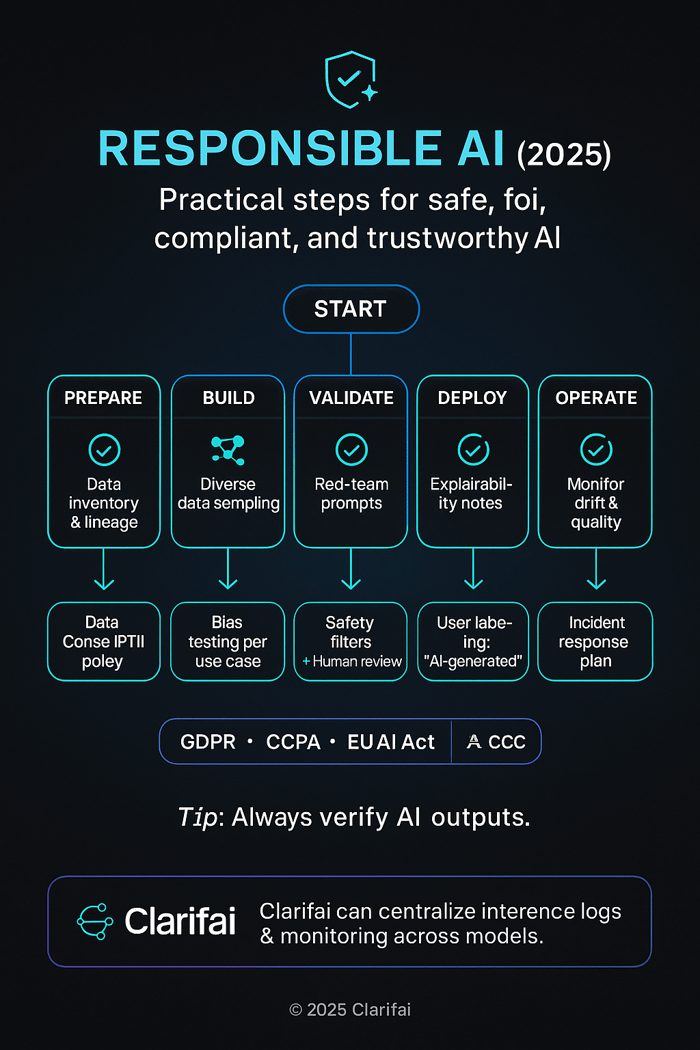
AI Tools and Platforms - Ethical & Responsible AI

Conclusion

AI tools in 2025 span a vast landscape—from chatbots that brainstorm with you, to generative art and music platforms, to research assistants and compliance monitors. While the diversity of tools can be overwhelming, the common thread is efficiency and empowerment: AI helps us work faster, be more creative and make more informed decisions. Yet it is equally clear that AI is not infallible. The best outcomes arise when humans collaborate with AI, using our judgment, domain knowledge and empathy to guide machine outputs.

As you evaluate AI tools:

  1. Define your goals and constraints. Assess whether you need creativity, automation, compliance, or deep research.
  2. Consider budget and scaling. Free tiers are great for exploration, but heavy usage often requires paid plans or token budgets.
  3. Protect data and privacy. Choose tools that allow on‑premises deployment or robust encryption when handling sensitive information.
  4. Verify outputs and monitor ethics. Implement human review, bias audits and compliance checks to ensure fair and trustworthy AI use.
  5. Leverage flexible platforms. Clarifai offers a unified environment to train, deploy and orchestrate models across modalities and infrastructures, enabling custom solutions tailored to your workflows.

AI is evolving rapidly—agents are becoming autonomous, generative models are extending to video and 3D, and regulators are catching up. Staying informed and adopting AI responsibly will help you unlock innovation while protecting your users and brand. The future belongs to those who balance creativity, efficiency and ethics.

Frequently Asked Questions (FAQs)

1. Are AI tools replacing human jobs?

AI automates repetitive tasks and augments creative and analytical work, but it doesn’t eliminate the need for humans. Successful teams use AI as a co‑pilot and maintain human oversight, especially for complex decisions, brand voice and ethics.

2. How do I choose between cloud AI and local deployment?

Cloud services offer scalability and simplicity but may pose data‑residency or privacy concerns. Local deployment via tools like Clarifai’s local runners or open‑source models gives you full control and reduced latency. Consider compliance requirements, budget and technical expertise.

3. Can I use AI‑generated content commercially?

Always check each tool’s licensing terms. Many image, music and video tools require paid plans for commercial use. For example, AIVA’s Standard and Pro plans allow monetisation, while free plans restrict use.

4. What are token‑based pricing models?

Language model APIs often charge per million input and output tokens. GPT‑4o costs $3 per million input tokens and $10 per million output tokens, whereas GPT‑4o Mini reduces costs drastically. Manage prompts carefully to control expenses.

5. How can I ensure my AI tools are compliant with new regulations?

Stay informed about laws like GDPR, CCPA and the EU AI Act. Use compliance management tools (OneTrust, Captain Compliance) and implement internal policies such as bias audits, data governance and human oversight. Choose AI platforms that support audit trails and documentation.


End-to-End MLOps Architecture & Workflow


Machine‑learning projects often get stuck in experimentation and rarely make it to production. MLOps provides the missing framework that helps teams collaborate, automate, and deploy models responsibly. In this guide, we explore modern end‑to‑end MLOps architecture and workflow, incorporate industry‑tested best practices, and highlight how Clarifai’s platform can accelerate your journey.

Quick Digest

What is end‑to‑end MLOps and how does it work?
End‑to‑end MLOps is the practice of orchestrating the entire machine‑learning lifecycle—from data ingestion and model training to deployment and monitoring—using repeatable pipelines and collaborative tooling. It involves data management, experiment tracking, automated CI/CD, model serving, and observability. It aligns cross‑functional stakeholders, streamlines compliance, and ensures that models deliver business value. Modern platforms such as Clarifai bring compute orchestration, scalable inference, and local runners to manage workloads across the lifecycle.

Why does it matter in 2025?
In 2025, AI adoption is mainstream, but governance and scalability remain challenging. Enterprises want reproducible models that can be retrained, redeployed, and monitored for fairness without skyrocketing costs. Generative AI introduces unique requirements around prompt management and retrieval‑augmented generation, while sustainability and ethical AI call for responsible operations. End‑to‑end MLOps addresses these needs with modular architectures, automation, and best practices.


Introduction—Why MLOps Matters in 2025

What makes MLOps critical for AI success?

Machine‑learning models cannot unlock their promised value if they sit on a data scientist’s laptop or break when new data arrives. MLOps—short for machine‑learning operations—integrates ML development with DevOps practices to solve exactly that problem. It offers a systematic way to build, deploy, monitor, and maintain models so they remain accurate and compliant throughout their lifecycle.

Beyond the baseline benefits, 2025 introduces unique drivers for robust MLOps:

  • Explosion of use cases: AI now powers search, personalization, fraud detection, voice interfaces, drug discovery, and generative experiences. Operationalizing these models efficiently determines competitive advantage.
  • Regulatory pressure: New global regulations demand transparency, explainability, and fairness. Governance and audit trails built into the pipeline are no longer optional.
  • Generative AI and LLMs: Large language models require heavy compute, prompt orchestration and guardrails, shifting operations from training data to prompts and retrieval systems.
  • Sustainability and cost: Companies are more conscious of energy consumption and carbon footprint. Self‑adaptive pipelines can reduce waste by retraining only when necessary.

Expert Insight

  • Measure ROI: Real‑world results show MLOps reduces time to production by 90 % and deployment times from months to days. Adoption is no longer optional.
  • Shift left compliance: Regulators will ask for model lineage; embedding compliance early avoids retrofitting later.
  • Prepare for LLMs: Leaders at AI conferences stress that operating generative models requires new metrics and specialized observability tools. MLOps strategies must adapt.

End to End MLOps Lifecycle


Core Components of an MLOps Architecture

What are the building blocks of a modern MLOps stack?

To operate ML at scale, you need more than a training script. A comprehensive MLOps architecture typically contains five layers. Each plays a distinct role, yet they interconnect to form an end‑to‑end pipeline:

  1. Data Management Layer – This layer ingests raw data, applies cleansing, feature engineering, and ensures version control. Feature stores such as Feast or Clarifai’s community‑maintained vector stores provide unified access to features across training and inference.
  2. Model Development Environment – Data scientists experiment with models in notebooks or IDEs, track experiments (using tools like MLflow or Clarifai’s analytics), and manage datasets. This layer supports distributed training frameworks and orchestrates hyper‑parameter tuning.
  3. CI/CD for ML – Once a model is selected, automated pipelines package code, run unit tests, register artifacts, and trigger deployment. CI/CD ensures reproducibility, prevents drift, and allows quick rollback.
  4. Model Deployment & Serving – Models are containerized and served via REST/gRPC or streaming endpoints. Clarifai’s model inference service provides scalable multi‑model endpoints that simplify deployment and versioning.
  5. Monitoring & Feedback – Real‑time dashboards track predictions, latency, and drift; alerts trigger retraining. Tools like Evidently or Clarifai’s monitoring suite support continuous evaluation.

Using a modular architecture ensures each component can evolve independently. For example, you can switch feature store vendors without rewriting the training pipeline.

Expert Insight

  • Feature management matters: Many production issues arise from inconsistent features. Feature stores provide versioning and serve offline and online features reliably.
  • CI/CD isn’t just for code: Automated pipelines can include model evaluation tests, data validation, and fairness checks. Start with a minimal pipeline and iteratively enhance.
  • Clarifai advantage: Clarifai’s platform integrates compute orchestration and inference, letting you deploy models across cloud, on‑premise, or edge with minimal configuration. Local runners help you test pipelines off‑line before cloud deployment.

Modern MLOps Architecture


Stakeholders, Roles & Collaboration

Who does what in an MLOps team?

Implementing MLOps is a team sport. Roles and responsibilities must be clearly defined to avoid bottlenecks and misaligned incentives. A typical MLOps team includes:

  • Business stakeholders: define the problem, set success metrics, and ensure alignment with organizational goals.
  • Solution architects: design the overall architecture, select technologies, and ensure scalability.
  • Data scientists: explore data, create features, and train models.
  • Data engineers: build and maintain data pipelines, ensure data quality and availability.
  • ML engineers: package models, set up CI/CD pipelines, integrate with inference services.
  • DevOps/infrastructure: manage infrastructure, compute orchestration, security, and cost.
  • Compliance and security teams: monitor data privacy, fairness, and regulatory adherence.

Collaboration is critical: data scientists need reproducible datasets from data engineers, while ML engineers rely on DevOps to deploy models. Establishing feedback loops—from business metrics back to model training—keeps everyone aligned.

Expert Insight

  • Avoid role silos: In multiple case studies, projects stalled because data scientists and engineers could not coordinate. A dedicated solution architect ensures alignment.
  • Zillow’s experience: Automating CI/CD and involving cross‑functional teams improved property‑valuation models dramatically.
  • Clarifai’s team approach: Clarifai offers consultative onboarding to help organizations define roles and integrate its platform across data science and engineering teams.

MLOps vs Traditional ML Workflow


End‑to‑End MLOps Workflow—A Step‑by‑Step Guide

How do you build and operate a complete ML pipeline?

Having the right components is necessary but not sufficient; you need a repeatable workflow that orchestrates them. Here is an end‑to‑end blueprint:

1. Project Initiation and Problem Definition

Define the business problem, success metrics (e.g., accuracy, cost savings), and regulatory considerations. Align stakeholders and plan for data availability and compute requirements. Clarifai’s model catalog can help you evaluate existing models before building your own.

2. Data Ingestion & Feature Engineering

Collect data from various sources (databases, APIs, logs). Cleanse it, handle missing values, and engineer meaningful features. Use a feature store to version features and enable reuse across projects. Tools such as LakeFS or DVC ensure data versioning.

3. Experimentation & Model Training

Split data into training/validation/test sets. Train multiple models using frameworks such as PyTorch, TensorFlow, or Clarifai’s training environment. Track experiments using an experiment tracker (e.g., MLflow) to record hyper‑parameters and metrics. AutoML tools can expedite this step.

4. Model Evaluation & Selection

Evaluate models against metrics like F1‑score or precision. Conduct cross‑validation, fairness tests, and risk assessments. Select the best model and register it in a model registry. Clarifai’s registry automatically versions models, making them easy to serve later.

5. CI/CD & Testing

Set up CI/CD pipelines that build containers, run unit tests, and validate data changes. Use continuous integration to test for issues and continuous delivery for deploying models to staging and production environments. Include canary deployments for safety.

6. Model Deployment & Serving

Package the model into a container or deploy it via serverless endpoints. Clarifai’s compute orchestration simplifies scaling by dynamically allocating resources. Decide between real‑time inference (REST/gRPC) and batch processing.

7. Monitoring & Feedback Loops

Monitor performance metrics, system resource usage, and data drift. Create alerts for anomalies and automatically trigger retraining pipelines when metrics degrade. Clarifai’s monitoring tools allow you to set custom thresholds and integrate with popular observability platforms.

This workflow ensures your models remain accurate, compliant, and cost‑efficient. For example, Databricks used a similar pipeline to move models from development to production and re‑train them automatically when drift is detected.

Expert Insight

  • Automate evaluation: Each pipeline stage should have tests (data quality, model performance) to catch issues early.
  • Feature reuse: Feature stores save time by providing ready‑to‑use features for new models.
  • Quick experimentation: Clarifai’s local runners let you iterate quickly on your laptop, then scale to the cloud without rewriting code.

Architecture Patterns & Design Principles

What design approaches ensure scalable and sustainable MLOps?

While end‑to‑end pipelines share core stages, the way you structure them matters. Here are key patterns and principles:

Modular vs Monolithic Architectures

A modular design divides the pipeline into reusable components—data processing, training, deployment, etc.—that can be swapped without impacting the entire system. This contrasts with monolithic systems where everything is tightly coupled. Modular approaches reduce resource consumption and deployment time.

Open‑source vs Proprietary Solutions

Open‑source frameworks like Kubeflow or MLflow allow customization and transparency, while proprietary platforms offer turnkey experiences. Recent research advocates for unified, open‑source MLOps architectures to avoid lock‑in and black‑box solutions. Clarifai embraces open standards; you can export models in ONNX or manage pipelines via open APIs.

Hybrid & Edge Deployments

With IoT and real‑time applications, some inference must occur at the edge to reduce latency. Hybrid architectures run training in the cloud and inference on edge devices using lightweight runners. Clarifai’s local runners enable offline inference while synchronizing metadata with central servers.

Self‑Adaptive & Sustainable Pipelines

Emerging research encourages self‑adaptation: pipelines monitor performance, analyze drift, plan improvements, and execute updates autonomously using a MAPE‑K loop. This approach ensures models adapt to changing environments while managing energy consumption and fairness.

Security & Governance

Data privacy, role‑based access, and audit trails must be built into each component. Use encryption, secrets management, and compliance checks to protect sensitive information and maintain trust.

Expert Insight

  • Avoid single‑vendor lock‑in: Solutions with open APIs give you flexibility to evolve your stack.
  • Plan for edge: Generative AI and IoT require distributed computing; design for variable connectivity and resource constraints.
  • Sustainability: Self‑adapting systems help reduce wasted compute and energy, addressing environmental and cost concerns.

Comparison of Leading MLOps Tools & Platforms

Which platforms and tools should you consider in 2025?

Selecting the right toolset can significantly affect speed, cost, and compliance. Below is an overview of key categories and leading tools (avoid competitor references by focusing on features):

Full‑Stack MLOps Platforms

Full‑stack platforms offer end‑to‑end functionality, from data ingestion to monitoring. They differ in automation levels, scalability, and integration:

  • Integrated cloud services (e.g., general purpose ML platforms): provide one‑click training, automated hyper‑parameter tuning, model hosting, and built‑in monitoring. They are ideal for teams wanting minimal infrastructure management.
  • Unified Lakehouse solutions: unify data, analytics, and ML in a single environment. They integrate with experiment tracking and AutoML.
  • Customizable platforms like Clarifai: Clarifai offers compute orchestration, model deployment, and a rich catalog of pre‑trained models. Its model inference service allows multi‑model endpoints for A/B testing and scaling. The platform supports cross‑cloud and on‑premise deployments.

Experiment Tracking & Metadata

Tools in this category record parameters, metrics, and artifacts for reproducibility:

  • Open‑source trackers: provide basic run logging, visualizations, and model registry. They integrate with many frameworks.
  • Commercial trackers: add collaboration features, dashboards, and team management but may require subscriptions.
  • Clarifai includes an experiment log interface that ties metrics to assets and offers insights into data quality.

Workflow Orchestration

Orchestrators manage the execution order of tasks and track their status. DAG‑based frameworks like Prefect and Kedro allow you to define pipelines as code. On the other hand, container‑native orchestrators (e.g., Kubeflow) run on Kubernetes clusters and handle resource scheduling. Clarifai integrates with Kubernetes and supports workflow templates to streamline deployment.

Data & Pipeline Versioning

Tools like DVC or Pachyderm version datasets and pipeline runs, ensuring reproducibility and compliance. Feature stores also maintain versioned feature definitions and historical feature values for training and inference.

Feature Stores & Vector Databases

Feature stores centralize and serve features. Vector databases and retrieval engines, such as those powering retrieval‑augmented generation, handle high‑dimensional embeddings and allow semantic search. Clarifai’s vector search API provides out‑of‑the‑box embedding storage and retrieval, ideal for building RAG pipelines.

Model Testing & Monitoring

Testing tools evaluate performance, fairness, and drift before deployment. Monitoring tools track metrics in production and alert on anomalies. Consider both open‑source and commercial options; Clarifai’s built‑in monitoring integrates with your pipelines.

Deployment & Serving

Serving frameworks can be serverless, containerized, or edge‑optimized. Clarifai’s model inference service abstracts away infrastructure, while local runners provide offline capabilities. Evaluate cost, throughput, and latency requirements when choosing.

Expert Insight

  • ROI case studies: Companies adopting robust platforms cut deployment times from months to days and lowered costs by 50 %.
  • Open‑source vs SaaS: Weigh control and cost vs convenience and support.
  • Clarifai’s differentiator: With deep learning expertise and extensive pre‑trained models, Clarifai helps teams accelerate proof‑of‑concepts and reduce engineering overhead. Its flexible deployment options ensure you can keep data on‑premise when required.

Clarifai Powered MLOps Workflow


Real‑World Case Studies & Success Stories

How have organizations benefited from MLOps?

Real‑world examples illustrate the tangible value of adopting MLOps practices.

Scaling Agricultural Analytics

A global agri‑tech start‑up needed to analyze drone imagery to detect crop diseases. By implementing a modular MLOps pipeline and using a feature store, they scaled data volume by 100× and halved time‑to‑production. Automated CI/CD ensured rapid iteration without sacrificing quality.

Foreseeing Forest Health

An environmental analytics firm reduced model development time by 90 % using a managed MLOps platform for experiment tracking and orchestration. This speed allowed them to respond quickly to changing forest conditions.

Reducing Deployment Cycles in Manufacturing

A manufacturing enterprise reduced deployment cycles from 12 months to 30–90 days with an MLOps platform that automated packaging, testing, and promotion. The business saw immediate ROI through faster predictive maintenance.

Multi‑site Healthcare Predictive Models

A healthcare network improved deployment time 6–12× while cutting costs by 50 % through an orchestrated ML platform. This allowed them to deploy models across hospitals and maintain consistent quality.

Property Valuation Accuracy

A leading real‑estate portal built an automated ML pipeline to price millions of homes. By involving solution architects and creating standardized feature pipelines, they improved prediction accuracy and shortened release cycles.

These examples show that investing in MLOps isn’t just about technology—it yields measurable business outcomes.

Expert Insight

  • Start small: Begin with one use case, prove ROI, and expand across the organization.
  • Metrics matter: Track not only model accuracy but also deployment time, resource usage, and business metrics like revenue and customer satisfaction.
  • Clarifai’s success stories: Clarifai customers from retail, healthcare, and defence have accelerated workflows through accessible APIs and on‑premise options. Specific ROI figures are proprietary but align with the successes above.

Challenges & Best Practices in MLOps

What hurdles will you face, and how can you overcome them?

Deploying MLOps at scale presents technical, organizational, and ethical challenges. Understanding them helps you plan effectively.

Technical Challenges

  • Data drift and model decay: As data distributions change, models degrade. Continuous monitoring and automated retraining address this issue.
  • Reproducibility and versioning: Without proper versioning, it’s hard to reproduce results. Use version control for code, data, and models.
  • Tool integration: MLOps stacks comprise many tools. Ensuring compatibility and reducing manual glue code can be daunting.

Governance & Compliance

  • Privacy and security: Sensitive data requires encryption, access controls, and anonymization. Regulations like the EU AI Act demand transparency.
  • Fairness and explainability: Bias can arise from training data or model design. Implement fairness testing and model interpretability.

Resource & Cost Optimization

  • Compute costs: Training and serving models—especially large language models—consume GPU resources. Optimize by using quantization, pruning, scheduling, and scaling down unused infrastructure.

Cultural & Organizational Challenges

  • Siloed teams: Lack of collaboration slows down development. Encourage cross‑functional squads and share knowledge.
  • Skill gaps: MLOps requires knowledge of ML, software engineering, infrastructure, and compliance. Provide training and hire for hybrid roles.

Best Practices

  • Continuous integration & delivery: Automate testing and deployment to reduce errors and speed up cycles.
  • Version everything: Use Git for code, DVC or similar for data, and registries for models.
  • Modular pipelines: Build loosely coupled components to allow independent updates.
  • Self‑adaptation: Implement monitoring, analysis, planning, and execution loops to respond to drift and new requirements.
  • Leverage Clarifai’s services: Clarifai’s platform integrates compute orchestration, model inference, and local runners, enabling resource management and cost control without sacrificing performance.

Expert Insight

  • Regulatory readiness: Start documenting decisions and data lineage early. Tools that automate documentation will save you later.
  • Culture over tooling: Without a culture of collaboration and quality, tools alone won’t succeed.
  • Clarifai advantage: Clarifai’s compliance features, including data anonymization and encryption, help meet global regulations.

Emerging Trends—Generative AI & LLMOps

How is generative AI changing MLOps?

Generative AI is one of the most transformative trends of our time. It introduces new operational challenges, leading to the birth of LLMOps—the practice of managing large language model workflows. Here’s what to expect:

Distinctive Data & Prompt Management

Traditional ML pipelines revolve around labeled data. LLMOps pipelines focus on prompts, context retrieval, and reinforcement learning from human feedback. Prompt engineering and evaluation become critical. Tools like LangChain and vector databases manage unstructured textual data and enable retrieval‑augmented generation.

Heavy Compute & Resource Management

LLMs require large GPUs and specialized hardware. New orchestration strategies are needed to allocate resources efficiently and reduce costs. Techniques like model quantization, distillation, or usage of specialized chips help control expenditure.

Evaluation & Monitoring Complexity

Evaluating generative models is tricky. You must assess not just accuracy but also coherence, hallucination, and toxicity. Tools like Patronus AI and Clarifai’s content safety services offer automated evaluation and filtering.

Regulatory & Ethical Concerns

LLMs amplify risk of misinformation, bias, and privacy breaches. LLMOps pipelines need strong guardrails, such as automated red‑teaming, content filtering, and ethical guidelines.

Integration with Traditional MLOps

LLMOps doesn’t replace MLOps; rather, it extends it. You still need data ingestion, training, deployment, and monitoring. The difference lies in the nature of the data, evaluation metrics, and compute orchestration. Clarifai’s vector search and generative AI APIs help build retrieval‑augmented applications while inheriting the MLOps foundation.

Expert Insight

  • Hybrid operations: Industry leaders note that LLM applications often combine generative models with retrieval mechanisms to ground responses; orchestrate both models and knowledge bases for best results.
  • Specialized observability: Monitoring hallucination requires metrics like factuality and novelty. This field is rapidly evolving, so choose flexible tools.
  • Clarifai’s generative support: Clarifai provides generative model hosting, prompt management, and moderation tools—integrated with its MLOps suite—for building safe, context‑aware applications.

Sustainability & Ethical Considerations in MLOps

How can MLOps support responsible and sustainable AI?

As ML permeates society, it must align with ethical and environmental values. Sustainability in MLOps spans four dimensions:

Environmental Sustainability

  • Energy consumption: ML training consumes electricity, producing carbon emissions. Optimize training by selecting efficient models, re‑using pre‑trained components, and scheduling jobs when renewable energy is abundant.
  • Hardware utilization: Idle GPUs waste energy. Self‑adapting pipelines can scale down resources when not needed.

Technical Sustainability

  • Maintainability and portability: Use modular, open technologies to avoid lock‑in and ensure long‑term support.
  • Documentation and versioning: Preserve lineage so future teams can reproduce results and audit decisions.

Social & Ethical Responsibility

  • Fairness and bias mitigation: Evaluate models for bias across protected classes and incorporate fairness constraints.
  • Transparency and explainability: Provide clear reasoning behind predictions to build trust.
  • Responsible innovation: Ensure AI does not harm vulnerable populations; engage ethicists and domain experts.

Economic Sustainability

  • Cost optimization: Align infrastructure spend with ROI by using auto‑scaling and efficient compute orchestrators.
  • Business justification: Measure value delivered by AI systems to ensure they sustain budget allocation.

Expert Insight

  • Long‑term thinking: Many ML models never reach production because teams burn out or budgets vanish due to unsustainable practices.
  • Open‑source ethics: Transparent, community‑driven tools encourage accountability and reduce black‑box risk.
  • Clarifai’s commitment: Clarifai invests in energy‑efficient infrastructure, privacy‑preserving techniques, and fairness research, helping organizations build ethical AI.

MLOps Performance


Future Outlook & Conclusion

Where is MLOps headed, and what should you do next?

The MLOps landscape is evolving rapidly. Key trends include:

  • Consolidation and specialization: The MLOps tool market is shrinking as platforms consolidate and pivot toward generative AI solutions. Expect unified suites rather than dozens of separate tools.
  • Rise of LLMOps: Tools for prompt management, vector search, and generative evaluation will continue to grow. Traditional MLOps must integrate these capabilities.
  • Regulatory frameworks: Countries are introducing AI regulations focusing on transparency, data privacy, and bias. Robust documentation and explainability will be required.
  • Edge AI adoption: Running inference on devices reduces latency and preserves privacy; hybrid pipelines will become standard.
  • Community & Open Standards: Calls for open‑source, community‑driven architectures will become louder.

To prepare:

  1. Adopt modular, open architectures and avoid vendor lock‑in. Clarifai supports open standards while providing enterprise‑grade reliability.
  2. Invest in CI/CD and monitoring now; it is easier to automate early than retrofit later.
  3. Upskill teams on generative AI, fairness, and sustainability. Cross‑disciplinary knowledge is invaluable.
  4. Start with a small pilot using Clarifai’s platform to demonstrate ROI, then expand across projects.

In summary, end‑to‑end MLOps is essential for organizations that want to scale AI responsibly in 2025. By combining robust architecture, automation, compliance, and sustainability, you can deliver models that drive real business value while adhering to ethics and regulations. Clarifai’s integrated platform accelerates this journey, providing compute orchestration, model inference, local runners, and generative capabilities in one flexible environment. The future belongs to teams that operationalize AI effectively—start building yours today.


Frequently Asked Questions (FAQs)

What is the difference between MLOps and DevOps?

DevOps focuses on automating software development and deployment. MLOps extends these principles to machine learning, adding data management, model tracking, experimentation, and monitoring components. MLOps deals with unique challenges like data drift, model decay, and fairness.

Do I need a feature store for MLOps?

While not always mandatory, feature stores provide a centralized way to define, version, and serve features across training and inference environments. They help maintain consistency, reduce duplication, and accelerate new model development.

How does Clarifai support hybrid or edge deployments?

Clarifai offers local runners that allow you to run models on local or edge devices without constant internet connectivity. When online, they synchronize metadata and performance metrics with the cloud, providing a seamless hybrid experience.

What are the key metrics for monitoring models in production?

Metrics vary by use case but often include prediction accuracy, precision/recall, latency, throughput, resource utilization, data drift, and fairness scores. Set thresholds and alerting mechanisms to detect anomalies.

How can I make my MLOps pipeline more sustainable?

Use energy‑efficient hardware, optimize training schedules around renewable energy availability, implement self‑adapting pipelines, and ensure model re‑use. Open‑source tools and modular architectures help avoid waste and facilitate long‑term maintenance.

Can I use the same pipeline for generative AI and traditional models?

You can reuse core components (data ingestion, experiment tracking, deployment), but generative models require special handling for prompt management, vector retrieval, and evaluation metrics. Integrating generative‑specific tools into your pipeline is essential.

Is open‑source always better than proprietary platforms?

Not necessarily. Open‑source tools offer transparency and flexibility, while proprietary platforms provide convenience and support. Evaluate based on your team’s expertise, compliance requirements, and resource constraints. Clarifai combines the best of both, offering open APIs with enterprise support.

How does MLOps address bias and fairness?

MLOps pipelines incorporate fairness testing and monitoring, allowing teams to measure and mitigate bias. Tools can evaluate models against protected classes and highlight disparities, while documentation ensures decisions are traceable.


Final Thoughts

MLOps is the bridge between AI innovation and real‑world impact. It combines technology, culture, and governance to transform experiments into reliable, ethical products. By following the architecture patterns, workflows, and best practices outlined here—and by leveraging platforms like Clarifai—you can build scalable, sustainable, and future‑proof AI solutions. Don’t let your models languish in notebooks—operationalize them and unlock their full potential.


How to Create an AI in Python (2025 Guide)


Quick Summary

What are the key steps to build an AI in Python?

Any AI project involves understanding the difference between artificial intelligence and machine learning, setting up a robust environment with the right libraries, collecting and preparing data, choosing the right models, training and testing them, tuning hyperparameters, and finally putting the solution into use in the real world. Your projects will always be on the cutting edge if you use ethical and explainable AI and keep an eye on emerging technologies like generative AI, quantum integration, and AI‑augmented development.

Why Is Python Still the Best Language for AI?

Python is the most popular language for AI development because it is flexible, has a huge ecosystem of AI libraries, and features easy-to-read syntax. Python makes it easy to switch between tasks, whether you’re building a simple chatbot or a production-ready deep learning system. People in charge of AI often discuss how Python speeds up development and encourages experimentation—Andrew Ng frequently talks about rapid prototyping, and Python’s use of Jupyter Notebooks and prebuilt libraries illustrates this well.

When Python is used with systems like Clarifai, its role becomes even more important in the realm of clarity and speed. Clarifai not only provides model inference services, but it also makes it easier to manage complicated pipelines, which makes AI development go more smoothly. This post gives you a full plan for making AI in Python, from the ground up to deployment, with useful advice, new ideas, and real‑world examples.

What Are AI, ML, and DL? Getting the Basics Down

The main goal of AI is to make machines think and see like people do. Machine learning learns patterns from data without being told to do so, while deep learning uses neural networks with numerous layers to learn complicated correlations on its own, much like the human brain. Knowing the differences between these approaches helps you pick the best one for your task: standard algorithms may perform well with structured data, while deep learning works best with images and natural language.

Expert Advice

  • Andrew Ng says that the key to good AI is better data, not just bigger models. This highlights the importance of focusing on both data quality and model design.
  • Fei‑Fei Li, a pioneer in computer vision, notes that deep learning works because it can learn hierarchical representations—critical for tasks like object recognition or language interpretation.


AI vs ML vs DLHow Can I Get Started with Python AI?
What Libraries and Tools Do I Need to start?

The first thing you need to do is install Python (version 3.9 or higher), create a virtual environment, and choose an IDE like Jupyter Notebook or VS Code. NumPy, pandas, scikit‑learn, TensorFlow or PyTorch, and visualization libraries like matplotlib and Seaborn are some of the most important packages. Clarifai’s model inference API works perfectly with Python and lets you use pre-trained models for pictures, text, and video.

Setting Up the Basic Environment

Install essential packages with pip:

pip install numpy pandas scikit-learn tensorflow matplotlib seaborn

Python AI Tech Stack

How Do I Pick the right Development Environment?

To eliminate dependency problems and ensure reproducibility, use virtual environments like Conda. Jupyter Notebooks are great for exploring and explaining, while VS Code’s plugins help with debugging and code completion. Clarifai’s local runners make it easy to test models offline with little setup, which is great for quick prototyping.

Expert Advice

  • Wes McKinney, the creator of pandas, says that consistent data processing tools are what make machine learning workflows effective. Using pandas ensures the pipeline from ingestion to model training flows smoothly.
  • Rachel Thomas, co-founder of fast.ai, emphasizes the importance of easy-to-use tools and recommends interactive environments that encourage experimentation—exactly what Jupyter Notebooks provide.

How Should I Prepare and Clean My Data

Why Is Data Preparation So Important?

It doesn’t matter how advanced your model is; bad data yields bad results. Data preparation means gathering the right data, cleaning it by dealing with missing values and outliers, and ensuring the classes are balanced. Tokenization and lemmatization convert text into machine-readable formats, while image tasks often need normalization and augmentation to increase diversity.

Where Can I Find Quality Datasets?

Sources like Kaggle, the UCI Machine Learning Repository, and Google Dataset Search provide rich datasets. Clarifai also offers datasets designed for training and testing models. Always check the licensing to ensure data is used appropriately.

How Can I Engineer Features Effectively?

Use pandas to reshape tabular data and scikit‑learn’s preprocessing tools to scale and encode features. NLTK or spaCy handles text normalization, while TensorFlow’s ImageDataGenerator simplifies image augmentation.

Expert Advice

  • Cassie Kozyrkov, Google’s principal decision scientist, observes that data quality is the new code quality. Spending time cleaning and analyzing data often yields bigger gains than tweaking model parameters.
  • Jerome Friedman, co-author of The Elements of Statistical Learning, says that feature engineering is both an art and a science—domain knowledge is key to finding useful patterns.

How Can I Pick the Best Model for My Problem?

What model types exist for AI in Python?

For structured data, you can use linear regression, logistic regression, decision trees, random forests, and support vector machines (SVMs). Deep learning models such as convolutional neural networks (CNNs) for images, recurrent neural networks (RNNs) for sequences, and transformers handle unstructured data effectively. Generative models like GANs and VAEs are ideal for creating synthetic text or graphics.

How Can I build an simple AI Chatbot?

A rule-based chatbot is a classic first project:

  • Set up greetings, farewells, and a vocabulary of keywords linked to responses.
  • Use a while loop to parse user input and select matching responses.
  • Randomly choose a goodbye phrase when the user ends the session.

Although simple, this project teaches user interaction and flow control.


How Can I Build a Generative AI Model?

A modern project involves creating a Generative Adversarial Network (GAN) or an RNN-based text generator. The steps include:

  • Set up TensorFlow/Keras, NumPy, and matplotlib.
  • Prepare and augment the dataset (for example, using MNIST).
  • Define the architecture: create a generator and discriminator, or an RNN with attention.
  • Train the model using the right loss functions and optimizers (such as Adam), and employ techniques to prevent overfitting.
  • Evaluate using metrics like Inception Score or FID.
  • Generate new content and refine based on feedback.

Clarifai’s model inference and compute orchestration services handle intensive computation, making it easier to train and deploy models at scale.

Expert Opinions

  • Ian Goodfellow, creator of GANs, advises focusing on stability during training, since GANs can be tricky to tune. This involves careful design of loss functions and hyperparameters.
  • Yoshua Bengio highlights that attention mechanisms enhance sequence-to-sequence models by letting them focus on the most relevant parts of the input, which improves the quality of generated text.

End to End Workflow of creating AI in python

How Do I Train and Test My Models?

What Does the Training Process Involve?

Training means feeding input data into the model, computing a loss, and then updating the parameters using backpropagation and gradient descent. Repeat this over multiple epochs until the model converges. Monitoring is crucial: use validation sets to watch for overfitting and apply dropout to maintain generalization.

What Is the Best Way to Evaluate My models?

  • For classification, evaluate with accuracy, precision, recall, and F1-score.
  • For regression, use mean squared error (MSE) and root mean squared error (RMSE).
  • Generative models require specialized metrics like Inception Score and FID.
  • Code-generation models should be assessed by functional correctness, cyclomatic complexity, and maintainability indices.

Clarifai’s local runners simplify evaluation by providing tools to calculate these metrics and visualize results in real time.

Expert Opinions

  • Sebastian Raschka, author of Python Machine Learning, emphasizes: always keep a validation set separate from your training data. This helps avoid overfitting and provides more realistic performance estimates.
  • David H. Hubel, Nobel Prize-winning neuroscientist, reminded us that understanding the human visual system inspires better evaluation metrics—beyond simple accuracy—for computer vision models.

Model Building Lifecycle

How Do I Optimize and Tune My Models?

Why Should You Tune Hyperparameters?

Hyperparameters—like learning rate, batch size, number of layers, and activation functions—have a big impact on model performance. Techniques such as grid search, random search, and Bayesian optimization help find optimal combinations. Python’s scikit‑learn includes GridSearchCV, and frameworks like Optuna or Clarifai’s orchestration tools automate this process.

What About Automated Machine Learning (AutoML)?

AutoML platforms like PyCaret and AutoKeras choose and fine-tune models automatically. These tools democratize AI by handling algorithm selection and hyperparameter optimization, making rapid prototyping easier.

Expert Advice

  • James Bergstra, an early advocate of random search, demonstrated that it often outperforms exhaustive grid search by exploring a wider range of settings.
  • Clarifai’s product team suggests using Clarifai’s orchestration platform for large-scale experiments, as it streamlines hyperparameter sweeps across multiple compute nodes.

How Do I Deploy My AI Model?

What Are the Best Ways to Deploy?

Depending on your needs:

  • Flask, Django, or FastAPI can serve models via REST APIs.
  • Docker containers ensure consistent deployment across environments; pair them with Kubernetes for scalability.
  • Cloud platforms like AWS SageMaker, Google AI Platform, and Azure ML offer infrastructure for scaled production use.
  • Clarifai’s compute orchestration simplifies deploying large models, whether on-premises or in the cloud.

How Do I Integrate Advanced AI Agents and LLMs?

With the rise of LLM-based agents, frameworks like LangChain and LlamaIndex allow Python applications to leverage pre-trained language models for chatbots, summarization, and content creation. Clarifai’s platform can connect custom pipelines with these frameworks and run inference at scale.

Insights from Experts

  • Jeff Dean, head of Google AI, notes that inferencing efficiency is critical for production models and urges developers to consider deployment cost and latency.
  • Chris Mattmann, an open-source advocate, stresses that containerization and orchestration (Docker and Kubernetes) are essential for reproducible AI workflows.

Why Do I Need to Understand Explainable AI and Ethics?

What Does “Explainable AI” Mean?

Explainable AI (XAI) aims to provide human-understandable reasons for model predictions. Tools like LIME and SHAP show how each feature contributes to a single prediction, which builds trust and aids debugging.

Why Are Ethics Important in AI?

If data isn’t carefully curated, AI systems can inadvertently exacerbate biases or violate privacy. Frameworks like IBM AI Fairness 360 and methods like AI TRiSM emphasize fairness, transparency, and robustness. Clarifai’s platform assists by offering auditing and model governance tools.

Advice from Experts

  • Timnit Gebru, co-founder of the Distributed AI Research Institute, stresses that bias prevention must be prioritized early in development.
  • Ilya Sutskever, CTO of OpenAI, notes that interpretability will determine public trust and regulators’ comfort with AI systems.

What New Trends Should I Keep an Eye On?

How Is Generative AI Changing?

Generative models like GANs and VAEs now power applications in drug discovery, music, art, and text generation. As these platforms become more accessible, both hobbyists and enterprises can take advantage. Clarifai’s generative AI technologies help expand these capabilities with minimal additional work.

What Does AI-Augmented Development Mean?

AI-augmented development uses tools like GitHub Copilot and Clarifai’s code assistance to speed up coding and debugging, boosting productivity. Developers will increasingly rely on AI for writing code, tests, and even designing architecture.

What Role Does Python Play in Quantum Computing?

Python libraries such as Qiskit and Cirq allow developers to experiment with quantum algorithms. While quantum machine learning is still young, it promises significant speedups in optimization and data processing.

What About Scalable AI and Democratized Tools?

Libraries like Dask and PySpark enable distributed computation across clusters, while frameworks such as Horovod and TensorFlow Distributed facilitate multi‑GPU training. Clarifai’s compute orchestration integrates these tools, enabling enterprise-level scaling without heavy setup.

Insights from Experts

  • Yann LeCun believes the future of AI lies in self-supervised learning and efficient training, requiring large-scale distributed systems.
  • Anima Anandkumar, NVIDIA’s Director of Machine Learning, advocates multi-node training for scaling deep learning and frequently highlights frameworks like Horovod.

Emerging Ai Trends

What Do Case Studies Reveal About Python AI?

How Well Do AI Code Generators Work?

A 2025 MDPI study examined six AI code-generation models, including GPT‑3.5, GPT‑4, and Claude. The research found considerable discrepancies among models in terms of syntax accuracy, functional correctness, and code complexity. This shows the importance of benchmarking multiple models before adopting them in production.

What Are Best Practices for Scalable AI Solutions?

A 2024 paper titled “Building Scalable AI Solutions with Python” emphasizes distributed machine learning, model parallelism, and cloud-native deployment. Tools like Dask, PySpark, Horovod, and cloud services (AWS, Google Cloud, Azure) are necessary for handling large datasets and complex models. Clarifai’s managed compute pipelines let you scale similarly while abstracting infrastructure complexities.

Insights from Experts

  • Researchers stress that a comprehensive evaluation of complexity and maintainability measures is crucial for choosing the right models.
  • They also note that distributed computing is now mandatory for large-scale AI—a key reason Clarifai invests heavily in cloud integration and orchestration.

FAQs About Building AI in Python

  • Q1: Do I need to know a lot of math to make AI?
    It helps to know linear algebra and probability, but many Python libraries simplify the hard parts. Start with easy projects and learn more math as you go.
  • Q2: How are TensorFlow and PyTorch different?
    TensorFlow is preferred in production contexts for deployment capabilities, while PyTorch is praised for its intuitive, Pythonic interface. Both support high-performance GPU training and have large communities.
  • Q3: What can I do to speed up training on my own computer?
    Use batch normalization, adjust learning rates, and leverage GPU acceleration when available. Clarifai’s local runner can handle heavy computation without complicating your code.
  • Q4: Should you use a pre-trained model or develop one from scratch?
    Pre-trained models work best when your problem is similar to the data they were trained on. They take less time and need less data. Train from scratch for unique data or specialized tasks.
  • Q5: How can I make sure my model is fair?
    Use tools like LIME and SHAP for interpretability and fairness toolkits like IBM AI Fairness 360 to find and fix biases. Always examine your data sources and feature choices for unintended bias.

Conclusion: What’s Next in Python AI?

Building AI using Python is a constantly evolving journey that includes learning fundamentals, setting up a robust environment, carefully preparing data, selecting and training appropriate models, optimizing performance, and deploying solutions ethically and efficiently. New developments—such as generative AI, AI-augmented development, quantum integration, and scalable distributed computing—ensure Python remains central to AI innovation.

Clarifai’s compute orchestration, model inference, and local runners can power every step of this journey—from testing to production—allowing you to innovate without worrying about infrastructure. Whether you’re building a small chatbot or enterprise-scale AI pipelines, the combination of Python and Clarifai offers an unbeatable foundation for success.