Best Impact Of Virtual Reality On The Real Estate Industry 2026


The Impact Of Virtual Reality On The Real Estate Industry

The state of Virtual Reality (VR) and Augmented Reality (AR) technologies in today’s real estate and gaming industry is booming. Besides, the entertainment industry is witnessing tremendous advantages using AR and VR-enabled applications.

E-commerce companies are also widely applying VR and AR-powered apps to offer the best virtual experiences to their customers in real time. IKEA Place mobile app is one of the best examples of AR/VR apps for Android and iOS. It allows users to virtually place products in their spaces and make their purchasing decision smarter.

According to market research reports, the global value of augmented reality and virtual reality is expected to reach approximately $850 billion by the next decade. This huge demand will majorly derive from Real estate, Entertainment, manufacturing, and gaming businesses. A greater number of businesses across these industries are turning to AR and VR technologies to create a realistic virtual environment and deliver best-in-class digital experiences to their customers.

In this article, we would like to guide you on how VR and AR technologies are influencing the global real estate sector and what are the benefits of deploying VR apps for real estate operations. We hope that this information would be helpful for those real estate service providers who are in plans to augment their operations with modern and revolutionary technologies.

Let’s start our session with a brief introduction to VR/AR technology.

What Is Virtual Reality?

Virtual Reality is a computer technology that creates a virtual environment in real time. This intelligent technology helps people to interact with places, games, or other environments in creative three-dimensional virtual visuals.

There are majorly three types of virtual reality categories that help businesses deliver out-of-the-box realistic simulation experiences to their audience and augment brand services. 

The Three Types Of Virtual Reality 

  1. Non-Immersive Virtual Reality is one of the top categories of VR technology that offers a computerized virtual environment and of course, the user will have control and sense their physical environment.
  2. Semi-Immersive Virtual Reality is a category where users feel partial virtual experiences. It means that semi-immersive VR systems or devices will offer realistic virtual experiences using 3D graphical images. It is best for education and training industries to simulate the practices with real-world things.
  3. Fully Immersive Virtual Reality Software is a type that offers 99.9% simulation and has a bright future in the gaming and entertainment industry.

Driven by its intellectual capabilities, the potential of VR technology in the future of manufacturing, real estate, entertainment, and education like the sector is unbelievable. Now, let’s move on to our main session what is the impact of VR on the Real Estate business.

Recommend To Read: The Best 13 AI App Development Companies List

The Power Of VR In Real Estate Business

As novel technologies are being introduced every day and transforming the aspect of industries, the real estate sector is also increasingly adopting VR technology to offer virtual tour services to its customers.

The real estate service providers or brokers are using VR applications and providing realistic virtual viewing of a site, a plot, or a house without visiting the physical location.

Let’s take a look at the top 5 applications of VR in real estate: 

Top Use Cases Of VR In Real Estate

Here are the best use cases of virtual reality in real estate.

  1. VR In Real Estate For Property View

It is one of the best uses of virtual reality in real estate. Customers will make their final decision about buying property after they visit the location. It is a time-taking process, but they will not make their investments on land or property without viewing the location with their eyes.

VR-powered software applications and systems are the best solutions that help customers virtually visit the locations from the convenience of their spaces. It saves the time of both customers and real estate agents.

Interactive virtual tours are the best example of this scenario. VR-powered 3D virtual tours are a trend in the global real estate industry. Customers can view a property in 360-degree view by using VR-enabled headsets.

  1. VR In Real Estate For Virtual Inspection

The use of virtual reality applications or systems is also gaining popularity in real estate for virtually visualizing the final construction of a property. The potential of virtual reality for real estate marketing is incredible.

VR helps real estate companies to show the final structure of semi-constructed properties in attractive 3D visuals. Hence, buyers will view the final appearance of the external and internal design of the architecture. It augments virtual representation of an under-construction project, increase the lead conversions, and also optimize sales.

Recommend To Read: How Much Does It Cost For A Trending IKEA-like AR Shopping App Development?

  1. VR In Real Estate For Virtual Guidance To Renters

Here is another best use case of VR in real estate industry. Intelligent VR-based software tools and ai applications will help rea estate agents to effectively communicate with tenants. It has wide scope in the vacation rental industry.

Real Estate agents can offer VR-enabled 3D virtual home tours and assist tenants in viewing the property and neighbor spaces in high resolution. Hence, VR in real estate will help agents to record VR videos at once and prevent routine tasks like property explanation. Virtual agents can provide virtual instructions and offer personalized viewing experiences.

  1. VR In Real Estate Ensures Better Communication

It is one of the benefits of using virtual reality applications and tools. VR apps aid instant communication between real estate agents and customers. Using virtual reality applications, real estate service providers can record or view the feedback sent by a customer on the go and improve their experiences. It will increase digital online communications and ensure assured sales.

  1. VR IN Real Estate Sector Augments Traffic Of Site Visits

It is one of the top benefits of using VR for real estate agents. Just imagine, is it possible to guide or show your property or place to 100 customers at a time?

It’s an impossible task. But, VR applications can do this with ease. Hundreds of customers can view virtual videos of properties simultaneously. It will save the time, money (traveling expenses), and energy of real estate agents. With the help of interactive VR tools, customers can imagine themselves inside the house. Thanks to such developments in technology.

These are the top 5 applications of virtual reality technology for the real estate sector. If you’re looking to offer a truly virtual experience to your customers, let’s a partner with USM Business Systemsbest mobile app development company. We are one of the leading AR/VR services and solutions providers in the USA, India, and UAE.

Get In Touch!

Choosing the Right LLM Serving Framework


Introduction

The large‑language‑model (LLM) boom has shifted the bottleneck from training to efficient inference. By 2026, companies are running chatbots, code assistants and retrieval‑augmented search engines at scale, and a single model may answer millions of queries per day. Serving these models efficiently has become as critical as training them, yet the deployment landscape is fragmented. Frameworks like vLLM, TensorRT‑LLM running on Triton and Hugging Face’s Text Generation Inference (TGI) each promise different benefits. Meanwhile, Clarifai’s compute orchestration lets enterprises deploy, monitor and switch between these engines across cloud, on‑premise or edge environments.

It examines technical bottlenecks such as the KV cache, compares vLLM, TensorRT‑LLM/Triton and TGI across performance, flexibility and operational complexity, introduces a named Inference Efficiency Triad for decision‑making, and shows how Clarifai’s platform simplifies deployments. Examples, case studies, decision trees and negative knowledge help clarify when each framework shines or fails.

Why Model Serving Matters in 2026: Market Dynamics & Challenges

LLMs are no longer research curiosities; they power customer service, summarization, risk analysis and content moderation. Inference can account for 70–90 % of operational costs because these models generate tokens one at a time and must attend to every previous token. As organizations bring AI in‑house for privacy and regulatory reasons, they face several challenges:

  • Massive memory requirements and KV cache pressure – traditional inference servers reserve a contiguous block of GPU memory for the maximum sequence length, wasting 60–80 % of memory and limiting the number of concurrent requests.
  • Head‑of‑line blocking in static batching – naive batch schedulers wait for every request to finish before starting the next batch, so a short query is forced to wait behind a long one.
  • Hardware diversity – by 2026, LLMs must run on NVIDIA H100/B100 cards, AMD MI300, Intel GPUs and even edge CPUs. Maintaining specialized kernels for every accelerator is unsustainable.
  • Multi‑model orchestration – applications combine language models with vision or speech models. General‑purpose servers must serve many models concurrently and support pipelines.
  • Operational cost and scaling – migrating from one serving stack to another can save millions. For example, Stripe cut inference costs by 73 % when migrating from Hugging Face Transformers to vLLM, processing 50 million daily calls on one‑third of the GPU fleet.

Because the trade‑offs are complex, choosing a serving framework requires understanding the underlying memory and scheduling mechanisms and aligning them with hardware, workload and business constraints.

Decoding the Bottlenecks: KV Cache, Batching & Memory Management

KV cache fragmentation and PagedAttention

At the heart of Transformer inference lies the Key–Value (KV) cache. To avoid recomputing previous context, inference engines store past keys and values for each sequence. Early systems used static reservation: for every request, they pre‑allocated a contiguous block of memory equal to the maximum sequence length. When a user asked for a 2,000‑token response, the system still reserved memory for the full 32 k tokens, wasting up to 80 % of capacity. This internal fragmentation severely limits concurrency because memory fills up with empty reservations.

vLLM (and later TensorRT‑LLM) introduced PagedAttention, a virtual memory–like allocator that divides the KV cache into fixed‑size blocks and uses a block table to map logical token addresses to physical pages. New tokens allocate blocks on demand, so memory consumption tracks actual sequence length. Identical prompt prefixes can share blocks, reducing memory usage by up to 90 % in repetitive workloads. The dynamic allocator allows the engine to serve more concurrent requests, although traversing non‑contiguous pages adds a 10–20 % compute overhead.

Static vs. continuous batching

To improve GPU utilization, servers group requests into batches. Static batching processes the entire batch and must wait for every sequence to finish before beginning the next. Short queries are trapped behind longer ones, leading to latency spikes and under‑utilized GPUs.

Continuous batching (vLLM) and In‑Flight Batching (TensorRT‑LLM) solve this by scheduling at the iteration level. Each time a sequence finishes, its blocks are freed and the scheduler immediately pulls a new request into the batch. This “fill the gaps” strategy eliminates head‑of‑line blocking and absorbs variance in response lengths. The GPU is never idle as long as there are requests in the queue, delivering up to 24× higher throughput than naive systems.

Prefix caching, priority eviction & event APIs

Higher‑level optimizations further differentiate serving engines. Prefix caching reuses KV cache blocks for common prompt prefixes such as a system prompt in multi‑turn chat; it dramatically reduces the time‑to‑first‑token for subsequent requests. Priority‑based eviction allows deployers to assign priorities to token ranges—for example, marking the system prompt as “maximum priority” so it persists in memory. KV cache event APIs emit events when blocks are stored or evicted, enabling KV‑aware routing—a load balancer can direct a request to a server that already holds the relevant prefix. These enterprise‑grade features appear in TensorRT‑LLM and reflect a focus on control and predictability.

Understanding these bottlenecks and the techniques to mitigate them is the foundation for evaluating different serving frameworks.

vLLM in 2026: Strengths, Limitations & Real‑World Successes

Core innovations: PagedAttention & continuous batching

vLLM emerged from UC Berkeley and was designed as a high‑throughput, Python‑native engine focused on LLM inference. Its two flagship innovations—PagedAttention and Continuous Batching—directly attack the memory and scheduling bottlenecks.

  • PagedAttention partitions the KV cache into small blocks, maintains a block table for each request and allocates memory on demand. Dynamic allocation reduces internal fragmentation to under 4 % and allows memory sharing across parallel sampling or repeated prefixes.
  • Continuous batching monitors the batch at every decoding step, evicts finished sequences and pulls new requests immediately. Together with the memory manager, this scheduler yields industry‑leading throughput—reports claim 2–24× improvements over static systems.

Beyond these core techniques, vLLM offers a stand‑alone OpenAI‑compatible API that can be launched with a single vllm serve command. It supports streaming outputs, speculative decoding and tensor parallelism, and it has wide quantization support including GPTQ, AWQ, GGUF, FP8, INT8 and INT4. Its Python‑native design simplifies integration and debugging, and it excels in high‑concurrency environments such as chatbots and retrieval‑augmented generation (RAG) services.

Quantization & flexibility

vLLM adopts a breadth‑of‑support philosophy: it natively supports a wide array of open‑source quantization formats such as GPTQ, AWQ, GGUF and AutoRound. Developers can deploy quantized models directly without a complex compilation step. This flexibility makes vLLM attractive for community models and experimental setups, as well as for CPU‑friendly quantized formats (e.g., GGUF). However, vLLM’s FP8 support is primarily for storage; the key–value cache must be de‑quantized back to FP16/BF16 during attention computation, adding overhead. In contrast, TensorRT‑LLM can perform attention directly in FP8 when running on Hopper or Blackwell GPUs.

2026 update: Triton attention backend & multi‑vendor support

Hardware diversity has driven vLLM to adopt a Triton‑based attention backend. Over the past year, teams from IBM Research, Red Hat and AMD built a Triton attention kernel that delivers performance portability across NVIDIA, AMD and Intel GPUs. Instead of maintaining hundreds of specialized kernels for each accelerator, vLLM now relies on Triton to compile high‑performance kernels from a single source. This backend is the default on AMD GPUs and acts as a fallback on Intel and pre‑Hopper NVIDIA cards. It supports models with small head sizes, encoder–decoder attention, multimodal prefixes and special behaviors like ALiBi sqrt. As a result, vLLM in 2026 can run on a broad range of GPUs without sacrificing performance.

Real‑world impact and adoption

vLLM is not just an academic project. Companies like Stripe report a 73 % reduction in inference costs after migrating from Hugging Face Transformers to vLLM, handling 50 million daily API calls with one‑third the GPU fleet. Production workloads at Meta, Mistral AI and Cohere benefit from the combination of PagedAttention, continuous batching and an OpenAI‑compatible API. Benchmarks show that vLLM can deliver throughput of 793 tokens per second with P99 latency of 80 ms, dramatically outperforming baseline systems like Ollama. These real‑world results highlight vLLM’s ability to transform the economics of LLM deployment.

When vLLM is the right choice

vLLM shines when high concurrency and memory efficiency are critical. It excels at chatbots, RAG and streaming applications where many short or medium‑length requests arrive concurrently. Its broad quantization support makes it ideal for experimenting with community models or running quantized versions on CPU. However, vLLM has limitations:

  • Long prompt performance – for prompts exceeding 200 k tokens, TGI v3 processes responses 13× faster than vLLM by caching entire conversations.
  • Compute overhead – the block table lookup and user‑space memory manager introduce a 10–20 % overhead at the kernel level, which may matter for latency‑critical tasks.
  • Hardware optimization – vLLM’s portable kernels trade off a small amount of performance compared to TensorRT‑LLM’s highly optimized kernels on NVIDIA GPUs.

Despite these caveats, vLLM remains the default choice for high‑throughput, multi‑tenant LLM services in 2026.

TensorRT‑LLM & Triton: Enterprise Platform for Performance & Control

Triton Inference Server: general purpose & ensembles

NVIDIA Triton Inference Server is designed as a general‑purpose, enterprise‑grade serving platform. It can serve models from PyTorch, TensorFlow, ONNX or custom back‑ends and allows multiple models to run concurrently on one or more GPUs. Triton exposes HTTP/REST and gRPC endpoints, health checks and utilization metrics, integrates deeply with Kubernetes for scaling and supports dynamic batching to group small requests for better GPU utilization. One notable feature is Ensemble Models, which allows developers to chain multiple models into a single pipeline (e.g., OCR → language model) without round‑trip network latency. This makes Triton ideal for multi‑modal AI pipelines and complex enterprise workflows.

TensorRT‑LLM: high‑performance backend

To serve LLMs efficiently, NVIDIA provides TensorRT‑LLM (TRT‑LLM) as a back‑end to Triton. TRT‑LLM compiles transformer models into highly optimized engines using layer fusion, kernel tuning and advanced quantization. Its implementation adopts the same core techniques as vLLM, including Paged KV Caching and In‑Flight Batching. However, TRT‑LLM goes beyond by exposing enterprise controls:

  • Prefix caching and KV reuse – the back‑end explicitly exposes a mechanism to reuse KV cache for common prompt prefixes, reducing time‑to‑first‑token.
  • Priority‑based eviction – deployers can assign priorities to token ranges to control what gets evicted under memory pressure.
  • KV cache event API – events are emitted when cache blocks are stored or evicted, enabling load balancers to implement KV‑aware routing.

TRT‑LLM also offers deep quantization support. While vLLM supports a wide range of quantization formats, it performs attention computation in FP16/BF16, whereas TRT‑LLM can perform computations directly in FP8 on Hopper and Blackwell GPUs. This hardware‑level integration dramatically reduces memory bandwidth and delivers the fastest performance. Benchmarks indicate that TensorRT‑LLM delivers up to 8× faster inference and 5× higher throughput than standard implementations and reduces per‑request latency by up to 40× through in‑flight batching. It supports multi‑GPU tensor parallelism, converting models from PyTorch, TensorFlow or JAX into optimized engines.

When TensorRT‑LLM & Triton are the right choice

TRT‑LLM/Triton is ideal when ultra‑low latency and maximum throughput on NVIDIA hardware are non‑negotiable—such as in real‑time recommendations, conversational commerce or gaming. Its priority eviction and event APIs enable fine‑grained cache control in large fleets. Triton’s ensemble feature makes it a strong choice for multi‑modal pipelines and environments requiring serving of many model types.

However, this power comes with trade‑offs:

  • Vendor lock‑in – TRT‑LLM is optimized exclusively for NVIDIA GPUs; there is no support for AMD, Intel or other accelerators.
  • Complexity and build time – converting models into TRT‑LLM engines requires specialized knowledge, careful dependency management and long build times. Debugging fused kernels can be challenging.
  • Cost – infrastructure costs can be high because the framework favors premium GPUs; multi‑vendor or CPU deployments are not supported.

If your organization owns a fleet of H100/B200 GPUs and demands sub‑100 ms responses, TRT‑LLM/Triton will deliver unmatched performance. Otherwise, consider more portable alternatives like vLLM or TGI.

Hugging Face TGI v3: Production‑Ready, Long‑Prompt Specialist

Core features and v3 innovations

Text Generation Inference (TGI) is Hugging Face’s serving toolkit. It offers an HTTP/gRPC API, dynamic and static batching, quantization, token streaming, liveness checks and fine‑tuning support. TGI integrates deeply with the Hugging Face ecosystem and supports models like Llama, Mistral and Falcon.

In December 2024 Hugging Face released TGI v3, a major performance leap. Key highlights include:

  • 13× speed improvement on long prompts – TGI v3 caches previous conversation turns, allowing it to respond to prompts exceeding 200 k tokens in ≈2 seconds, compared with 27.5 seconds on vLLM.
  • 3× larger token capacity – memory optimizations allow a single 24 GB L4 GPU to process 30 k tokens on Llama 3.1‑8B, whereas vLLM manages ≈10 k tokens.
  • Zero‑configuration tuning – TGI automatically selects optimal settings based on hardware and model, eliminating the need for many manual flags.

These improvements make TGI v3 the long‑prompt specialist. It is particularly suited for applications like summarizing long documents or multi‑turn chat with extensive histories.

Multi‑backend support and ecosystem integration

TGI supports NVIDIA, AMD and Intel GPUs, as well as AWS Trainium, Inferentia and even some CPU back‑ends. The project offers ready‑to‑use Docker images and integrates with Hugging Face’s model hub for model loading and safetensors support. The API is compatible with OpenAI’s interface, making migration straightforward. Built‑in monitoring, Prometheus/Grafana integration and support for dynamic batching make TGI production‑ready.

Limitations and balanced use

Despite its strengths, TGI has limitations:

  • Throughput for short, concurrent requests – vLLM often achieves higher throughput on interactive chat workloads because continuous batching is optimized for high concurrency. TGI’s memory optimizations favor long prompts and may underperform on short, high‑concurrency workloads.
  • Less aggressive memory optimization – TGI’s memory management is less aggressive than vLLM’s PagedAttention, so GPU utilization may be lower in high‑throughput scenarios.
  • Vendor support vs. specialized performance – while TGI supports multiple hardware back‑ends, it cannot match the ultra‑low latency of TensorRT‑LLM on NVIDIA hardware.

TGI is therefore best used when long prompts, HF ecosystem integration and multi‑vendor support are paramount, or when an organization wants a zero‑configuration experience.

Comparative Analysis & Decision Framework for 2026

Comparison table

Framework Core strengths Limitations Ideal use cases
vLLM High throughput from PagedAttention & continuous batching; broad quantization support including GPTQ/AWQ/GGUF; simple Python API and OpenAI compatibility; portable via Triton backend. Slight compute overhead from non‑contiguous memory; long prompts slower than TGI; less optimized than TRT‑LLM on NVIDIA hardware. High‑concurrency chatbots, RAG pipelines, multi‑tenant services, experimentation with quantized models.
TensorRT‑LLM + Triton Ultra‑low latency and up to 8× speed on NVIDIA GPUs; in‑flight batching and prefix caching; FP8 compute on Hopper/Blackwell; enterprise control (priority eviction, KV event API); ensemble pipelines. Vendor lock‑in to NVIDIA; complex build process; requires specialized engineers. Latency‑critical applications (real‑time recommendations, conversational commerce), large‑scale GPU fleets, multi‑modal pipelines requiring strict resource control.
Hugging Face TGI v3 13× faster response on long prompts and 3× more tokens; zero‑config automatic optimization; multi‑backend support across NVIDIA/AMD/Intel/Trainium; strong HF integration and monitoring. Lower throughput for high‑concurrency short prompts; less aggressive memory optimization; cannot match TRT‑LLM latency on NVIDIA. Long‑prompt summarization, document chat, teams invested in Hugging Face ecosystem, multi‑vendor or edge deployment.

Decision tree

  1. Define your workload – Are you serving many short queries concurrently (chat, RAG) or few long documents?
  2. Check hardware and vendor constraints – Do you run on NVIDIA only, or require AMD/Intel compatibility?
  3. Set performance targets – Is sub‑100 ms latency mandatory, or is 1–2 seconds acceptable?
  4. Evaluate operational complexity – Do you have engineers to build TRT‑LLM engines and manage intricate cache policies?
  5. Consider ecosystem and integration – Do you need OpenAI‑style APIs, Hugging Face integration or enterprise observability?

The following guidelines use the Inference Efficiency Triad (Efficiency, Ecosystem, Execution Complexity) to steer your choice:

  • If Efficiency (throughput & latency) is paramount and you run on NVIDIA: choose TensorRT‑LLM/Triton. It delivers maximum performance and fine‑grained cache control but demands specialized expertise and vendor commitment.
  • If Ecosystem & flexibility matter: choose Hugging Face TGI. Its multi‑backend support, HF integration and zero‑config setup suit teams deploying across diverse hardware or heavily using the HF hub.
  • If Execution Complexity and cost must be minimized while maintaining high throughput: choose vLLM. It provides near‑state‑of‑the‑art performance with simple deployment and broad quantization support. Use the Triton backend for non‑NVIDIA GPUs.

Common mistakes include focusing solely on tokens‑per‑second benchmarks without considering memory fragmentation, hardware availability or development effort. Successful deployments evaluate all three triad dimensions.

Original framework: The Inference Efficiency Triad

To choose wisely, score each candidate (vLLM, TRT‑LLM/Triton, TGI) on three axes:

  1. Efficiency (E1) – throughput (tokens/s), latency, memory utilization.
  2. Ecosystem (E2) – community adoption, integration with model hubs (Hugging Face), API compatibility, hardware diversity.
  3. Execution Complexity (E3) – difficulty of installation, model conversion, tuning, monitoring and cost.

Plot your workload’s priorities on this triangle. A chatbot at scale prioritizes Efficiency and Execution simplicity (vLLM). A regulated enterprise may prioritize Ecosystem integration and control (Triton/Clarifai). This mental model helps avoid the trap of optimizing a single metric while neglecting operational realities.

Integrating Serving Frameworks with Clarifai’s Compute Orchestration & Local Runners

Clarifai provides a unified AI and infrastructure orchestration platform that abstracts GPU/CPU resources and enables rapid deployment of multiple models. Its compute orchestration spins up secure environments in the cloud, on‑premise or at the edge and manages scaling, monitoring and cost. The platform’s model inference service lets users deploy several LLMs simultaneously, compare their performance and route requests, while monitoring bias via fairness dashboards. It integrates with AI Lake for data governance and a Control Center for policy enforcement and audit logs. For multi‑modal workflows, Clarifai’s pipeline builder allows users to chain models (vision, text, moderation) without custom code.

Using local runners for data sovereignty

Clarifai’s local runners enable organizations to connect models hosted on their own hardware to Clarifai’s API via compute orchestration. A simple clarifai model local-runner command exposes the model while keeping data on the organization’s infrastructure. Local runners maintain a remote‑accessible endpoint for the model, and developers can test, monitor and scale deployments through the same interface as cloud‑hosted models. The approach provides several benefits:

  • Data control – sensitive data never leaves the local environment.
  • Cost savings – existing hardware is utilized, and compute can scale opportunistically.
  • Seamless developer experience – the API and SDK remain unchanged whether models run locally or in the cloud.
  • Hybrid path – teams can start with local deployment and migrate to the cloud without rewriting code.

However, local runners have trade‑offs: inference latency depends on local hardware, scaling is limited by on‑prem resources and security patches become the customer’s responsibility. Clarifai mitigates some of these by orchestrating the underlying compute and providing unified monitoring.

Operational integration

To integrate a serving framework with Clarifai:

  1. Deploy the model via Clarifai’s inference service – choose your framework (vLLM, TRT‑LLM or TGI) and load the model. Clarifai spins up the necessary compute environment and exposes a consistent API endpoint.
  2. Optionally run locally – if data sovereignty is required, start a local runner on your hardware and register it with Clarifai’s platform. Requests will be routed to the local server while benefiting from Clarifai’s pipeline orchestration and monitoring.
  3. Monitor and optimize – use Clarifai’s fairness dashboards, latency metrics and cost controls to compare frameworks and adjust routing.
  4. Chain models – build multi‑step pipelines (e.g., vision → LLM) using Clarifai’s low‑code builder; Triton’s ensemble features can be mirrored in Clarifai’s orchestration.

This integration allows organizations to switch between vLLM, TGI and TensorRT‑LLM without changing client code, enabling experimentation and cost optimization.

Future Outlook & Emerging Trends (2026 & Beyond)

The serving landscape continues to evolve rapidly. Several emerging frameworks and trends are shaping the next generation of LLM inference:

  • Alternative engines – open‑source projects like SGLang offer a Python DSL for defining structured prompt flows with efficient KV reuse (RadixAttention) and support both text and vision models. DeepSpeed‑FastGen from Microsoft introduces dynamic SplitFuse to handle long prompts and scales across many GPUs. LLaMA.cpp provides a lightweight C++ server that runs surprisingly well on CPUs. Ollama offers a user‑friendly CLI for local deployment and quick prototyping. These tools emphasize portability and ease of use, complementing the high‑performance focus of vLLM and TRT‑LLM.
  • Hardware diversification – NVIDIA’s Blackwell (B200) and AMD’s MI300 GPUs, Intel’s Gaudi accelerators and AWS’s Trainium/Inferentia chips broaden the hardware landscape. Engines must adopt performance‑portable kernels, as vLLM did with its Triton backend.
  • Multi‑tenant KV caches – research is exploring distributed KV caches where multiple servers share KV state and coordinate eviction via event APIs, enabling even higher concurrency and lower latency. TRT‑LLM’s event API is an early step.
  • Data‑privacy and on‑device inference – regulatory pressure and latency requirements drive inference to the edge. Local runners and frameworks optimized for CPUs (LLaMA.cpp) will grow in importance. Clarifai’s hybrid deployment model positions it well for this trend.
  • Model governance and fairness – fairness dashboards, bias metrics and audit logs are becoming mandatory in enterprise deployments. Serving frameworks must integrate monitoring hooks and provide controls for safe operation.

As new research emerges—like speculative decoding, mixture‑of‑experts models and event‑driven schedulers—these frameworks will continue to converge in performance. The differentiation will increasingly lie in operational tools, ecosystem integration and compliance.

FAQs

Q: What’s the difference between PagedAttention and In‑Flight Batching?
A: PagedAttention manages memory, dividing the KV cache into pages and allocating them on demand. In‑Flight Batching (also called continuous batching) manages scheduling, evicting finished sequences and filling the batch with new requests. Both must work together for high efficiency.

Q: Is TGI really 13× faster than vLLM?
A: On long prompts (≈200 k tokens), TGI v3 caches entire conversation histories, reducing response time to about 2 seconds, compared with 27.5 seconds in vLLM. For short, high‑concurrency workloads, vLLM often matches or exceeds TGI’s throughput.

Q: When should I use Clarifai’s local runner instead of running a model in the cloud?
A: Use a local runner when data privacy or regulations require that data never leave your infrastructure. The local runner exposes your model via the Clarifai API while storing data on‑premise. It’s also useful for hybrid setups where latency and cost must be balanced, though scaling is limited by local hardware.

Q: Does TensorRT‑LLM work on AMD or Intel GPUs?
A: No. TensorRT‑LLM and its FP8 acceleration are designed exclusively for NVIDIA GPUs. For AMD or Intel GPUs, you can use vLLM with the Triton backend or Hugging Face TGI.

Q: How do I choose the right quantization format?
A: vLLM supports many formats (GPTQ, AWQ, GGUF, INT8, INT4, FP8). Choose a format that your model supports and that balances accuracy with memory savings. TRT‑LLM’s FP8 compute offers the highest speed on H100/B100 GPUs. Test multiple formats and monitor latency, throughput and accuracy.

Q: Can I switch between serving frameworks without rewriting my application?
A: Yes. Clarifai’s compute orchestration abstracts away the underlying server. You can deploy multiple frameworks (vLLM, TRT‑LLM, TGI) and route requests based on performance or cost. The API remains consistent, so switching only involves updating configuration.

Conclusion

The LLM serving space in 2026 is vibrant and rapidly evolving. vLLM offers a user‑friendly, high‑throughput solution with broad quantization support and now delivers performance portability through its Triton backend. TensorRT‑LLM/Triton pushes the envelope of latency and throughput on NVIDIA hardware, providing enterprise features like prefix caching and priority eviction at the cost of complexity and vendor lock‑in. Hugging Face TGI v3 excels at long‑prompt workloads and offers zero‑configuration deployment across diverse hardware. Deciding between them requires balancing efficiency, ecosystem integration and execution complexity—the Inference Efficiency Triad.

Finally, Clarifai’s compute orchestration bridges these frameworks, enabling organizations to run LLMs on cloud, edge or local hardware, monitor fairness and switch back‑ends without rewriting code. As new hardware and software innovations emerge, thoughtful evaluation of both technical and operational trade‑offs will remain crucial. Armed with this guide, AI practitioners can navigate the inference landscape and deliver robust, cost‑effective and trustworthy AI services.


The Next Frontier In Tech


The concept of Artificial General Intelligence (AGI) represents an entirely different beast. It is the dream of a machine that can learn, understand, and apply knowledge across any domain, exactly like a human mind. And while it remains a theoretical milestone, the race to build it is already reshaping the business world.

What Actually is Artificial General Intelligence (AGI)?

To put it simply, Artificial General Intelligence refers to a system capable of performing any intellectual task that a human being can.

Unlike the AI tools we use today which are trained on massive datasets to perform narrow functions AGI aims to mimic broad, human-level cognition. It doesn’t just recognize patterns. It reasons.

A true AGI system would possess a few defining traits:

  • Rapid Adaptability: It could take knowledge learned in one field (like playing chess) and apply those strategic concepts to a completely unrelated problem (like supply chain logistics).
  • True Generalization: It would understand context, nuance, and ambiguity across a wide spectrum of tasks.
  • Autonomous Learning: It wouldn’t need a human to feed it meticulously labeled data. It would learn from raw, unstructured environments on its own.

The Era of Narrow AI

We are currently living through a massive AI boom, but it is strictly centered around narrow AI. The tools making headlines are brilliant, but they are specialists.

  • Machine Learning and Deep Learning: These power the bulk of current enterprise AI. They are exceptional at specific tasks, like analyzing medical imagery using convolutional neural networks or parsing vast amounts of data to flag financial fraud.
  • Generative AI: Large language models and diffusion models have proven the creative power of AI. They can generate code, draft emails, and create stunning images. But beneath the surface, they are predicting patterns, not actually ‘thinking.’
  • Reinforcement Learning: Systems like AlphaGo mastered complex decision-making to beat human champions. Yet, an AI trained to play Go cannot suddenly decide to write a marketing strategy.

These technologies are highly lucrative and undeniably impressive. They just lack the flexible, general understanding required for AGI.

The Massive Hurdles Blocking the Path

Building a machine that thinks like a human is arguably the hardest engineering problem in human history. The roadblocks are significant.

The Compute Bottleneck

Current AI models demand staggering amounts of computational power. Training the next generation of large language models requires massive data centers and enormous energy consumption. Scaling this brute-force approach linearly will likely not result in AGI. We need fundamentally more efficient hardware architectures.

The Mysteries of Human Cognition

You cannot replicate what you do not understand. Cognitive scientists and neurobiologists still debate how human consciousness, intuition, and reasoning actually work. Until we crack the code on human thought, programming a digital equivalent remains a shot in the dark.

The Alignment Problem

This is the issue keeping researchers awake at night. If we successfully build a superintelligent system, how do we ensure its goals align with human survival and ethics? An unaligned AGI could optimize for a specific goal at the expense of human safety. Robust ethical frameworks and security protocols aren’t just nice to have they are prerequisites for deployment.

How AGI Could Reshape the Market

While AGI is still hypothetical, its potential applications are absolute game-changers for every major industry.

  • Healthcare: We could move beyond predictive diagnostics into truly personalized medicine. An AGI could instantly synthesize a patient’s genetic makeup, lifestyle data, and entire medical history to custom-engineer real-time treatment plans.
  • Finance: Autonomous systems could predict market shifts with unparalleled accuracy, dynamically adjusting global portfolios based on geopolitical news, weather patterns, and consumer sentiment in real time.
  • Creative Industries: Rather than just remixing existing styles, an AGI could conceptualize entirely new paradigms in architecture, product design, and digital art based on deeply contextual human needs.

How We Might Actually Get There

The blueprint for AGI is still being drafted, but a few promising pathways are emerging.

Self-supervised learning is a major focus right now. By forcing systems to learn from raw, unlabeled data much like a toddler learns by interacting with the physical world researchers hope to build models that develop autonomous common sense.

Additionally, we are looking beyond current transformer models. Next-generation architectures, like Neural Turing Machines, attempt to mimic the way human short-term memory interacts with processing power, inching us closer to complex, multi-step reasoning.

You shouldn’t wait for AGI to arrive before building an AI strategy. The steps you take today will determine your competitive advantage tomorrow.

  1. Invest heavily in data infrastructure. The AI of the future will run on the proprietary data you organize today. Clean up your data pipelines now.
  2. Deploy narrow AI aggressively. Leverage current machine learning and generative tools to strip out operational inefficiencies. Build a culture that expects and embraces AI augmentation.
  3. Stay educated on the frontier. Pay attention to AI research. The leap from narrow AI to early-stage AGI will happen faster than the market expects. Organizations that track the trajectory will be positioned to integrate it first.

The road to Artificial General Intelligence is steep, complex, and full of ethical landmines. But the foundational work is happening right now. Understanding the difference between today’s specialized tools and tomorrow’s general intellect is the first step in future-proofing your business.

Three-Command CLI Workflow for Model Deployment


12.2_blog_hero - Version A (1)

This blog post focuses on new features and improvements. For a comprehensive list, including bug fixes, please see the release notes.

Three-Command CLI Workflow for Model Deployment

Getting models from development to production typically involves multiple tools, configuration files, and deployment steps. You scaffold a model locally, test it in isolation, configure infrastructure, write deployment scripts, and then push to production. Each step requires context switching and manual coordination.

With Clarifai 12.2, we’ve streamlined this into a 3-command workflow: model init, model serve, and model deploy. These commands handle scaffolding, local testing, and production deployment with automatic infrastructure provisioning, GPU selection, and health checks built in.

This isn’t just faster. It removes the friction between building a model and running it at scale. The CLI handles dependency management, runtime configuration, and deployment orchestration, so you can focus on model logic instead of infrastructure setup.

This release also introduces Training on Pipelines, allowing you to train models directly within pipeline workflows using dedicated compute resources. We’ve added Video Intelligence support through the UI, improved artifact lifecycle management, and expanded deployment capabilities with dynamic nodepool routing and new cloud provider support.

Let’s walk through what’s new and how to get started.

Streamlined Model Deployment: 3 Commands to Production

The typical model deployment workflow involves multiple steps: scaffold a project structure, install dependencies, write configuration files, test locally, containerize, provision infrastructure, and deploy. Each step requires switching contexts and managing configuration across different tools.

Clarifai’s CLI consolidates this into three commands that handle the entire lifecycle from scaffolding to production deployment.

How It Works

1. Initialize a model project

clarifai model init --toolkit vllm --model-name Qwen/Qwen3-0.6B 

This scaffolds a complete model directory with the structure Clarifai expects: config.yaml, requirements.txt, and model.py. You can use built-in toolkits (HuggingFace, vLLM, LMStudio, Ollama) or start from scratch with a base template.

The generated config.yaml includes smart defaults for runtime settings, compute requirements, and deployment configuration. You can modify these or leave them as-is for basic deployments.

2. Test locally

clarifai model serve 

This starts a local inference server that behaves exactly like the production deployment. You can test your model with real requests, verify behavior, and iterate quickly without deploying to the cloud.

The serve command supports multiple modes:

  • Environment mode: Runs directly in your local Python environment
  • Docker mode: Builds and runs in a container for production parity
  • Standalone gRPC mode: Exposes a gRPC endpoint for integration testing

3. Deploy to production

clarifai model deploy 

This command handles everything: validates your config, builds the container, provisions infrastructure (cluster, nodepool, deployment), and monitors until the model is ready.

The CLI shows structured deployment phases with progress indicators, so you know exactly what’s happening at each step. Once deployed, you get a public API endpoint that’s ready to handle inference requests.

Intelligent Infrastructure Provisioning

The CLI now handles GPU selection automatically during model initialization. GPU auto-selection analyzes your model’s memory requirements and toolkit specifications, then selects appropriate GPU instances.

Multi-cloud instance discovery works across cloud providers. You can use GPU shorthands like h100 or legacy instance names, and the CLI normalizes them across AWS, Azure, DigitalOcean, and other supported providers.

Custom Docker base images let you optimize build times. If you have a pre-built image with common dependencies, the CLI can use it as a base layer for faster toolkit builds.

Deployment Lifecycle Management

Once deployed, you need visibility into how models are running and the ability to control them. The CLI provides commands for the full deployment lifecycle:

Check deployment status:

clarifai model status --deployment <deployment-id> 

View logs:

clarifai model logs --deployment <deployment-id> 

Undeploy:

clarifai model undeploy --deployment <deployment-id> 

The CLI also supports managing deployments directly by ID, which is useful for scripting or CI/CD pipelines.

Enhanced Local Development

Local testing is critical for fast iteration, but it often diverges from production behavior. The CLI bridges this gap with local runners that mirror production environments.

The model serve command now supports:

  • Concurrency controls: Limit the number of simultaneous requests to simulate production load
  • Optional Docker image retention: Keep built images for faster restarts during development
  • Health-check configuration: Configure health-check settings using flags like --health-check-port, --disable-health-check, and --auto-find-health-check-port

Local runners also support the same inference modes as production (streaming, batch, multi-input), so you can test complex workflows locally before deploying.

Simplified Configuration

Model configuration used to require manually editing YAML files with exact field names and nested structures. The CLI now handles normalization automatically.

When you initialize a model, config.yaml includes only the fields you need to customize. Smart defaults fill in the rest. If you add fields with slightly incorrect names or formats, the CLI normalizes them during deployment.

This reduces configuration errors and makes it easier to migrate existing models to Clarifai.

Why This Matters

The 3-command workflow removes friction from model deployment. You go from idea to production API in minutes instead of hours or days. The CLI handles infrastructure complexity, so you don’t need to be an expert in Kubernetes, Docker, or cloud compute to deploy models at scale.

This also standardizes deployment across teams. Everyone uses the same commands, the same configuration format, and the same testing workflow. This makes it easier to share models, reproduce deployments, and onboard new team members.

For a complete guide on the new CLI workflow, including examples and advanced configuration options, see the Deploy Your First Model via CLI documentation.

Training on Pipelines

Clarifai Pipelines, introduced in 12.0, allow you to define and execute long-running, multi-step AI workflows. With 12.2, you can now train models directly within pipeline workflows using dedicated compute resources.

Training on Pipelines integrates model training into the same orchestration layer as inference and data processing. This means training jobs run on the same infrastructure as your other workloads, with the same autoscaling, monitoring, and cost controls.

How It Works

You can initialize training pipelines using templates via the CLI. This creates a pipeline structure with pre-configured training steps. You specify your dataset, model architecture, and training parameters in the pipeline configuration, then run it like any other pipeline.

This creates a pipeline structure with pre-configured training steps. You specify your dataset, model architecture, and training parameters in the pipeline configuration, then run it like any other pipeline.

The platform handles:

  • Provisioning GPUs for training workloads
  • Scaling compute based on job requirements
  • Saving checkpoints as Artifacts for versioning
  • Monitoring training metrics and logs

Once training completes, the resulting model is automatically compatible with Clarifai’s Compute Orchestration platform, so you can deploy it using the same model deploy workflow. Read more about Pipelines here.

UI Experience

We’ve also launched a new UI for training models within pipelines. You can configure training parameters, select datasets, and monitor progress directly from the platform without writing code or managing infrastructure.

This makes it easier for teams without deep ML engineering expertise to train custom models and integrate them into production workflows.

Training on Pipelines is available in Public Preview. For more details, see the Pipelines documentation.

Artifact Lifecycle Improvements

With 12.2, we’ve improved how Artifacts handle expiration and versioning.

Artifacts no longer expire automatically by default. Previously, artifacts had a default retention policy that would delete them after a certain period. Now, artifacts persist indefinitely unless you explicitly set an expires_at value during upload.

This gives you full control over artifact lifecycle management. You can set expiration dates for temporary outputs (like intermediate checkpoints during experimentation) while keeping production artifacts indefinitely.

The CLI now displays latest-version-id alongside artifact visibility, making it easier to reference the most recent version without listing all versions first.

These changes make Artifacts more predictable and easier to manage for long-term storage of pipeline outputs.

Video Intelligence

Clarifai now supports video intelligence through the UI. You can connect video streams to your application and apply AI analysis to detect objects, track movement, and generate insights in real time.

This expands Clarifai’s capabilities beyond image and text processing to handle live video feeds, enabling use cases like security monitoring, retail analytics, and automated content moderation for video platforms.

Video Intelligence is available now.

Deployment Enhancements

We’ve made several improvements to how deployments work across compute infrastructure.

Dynamic nodepool routing allows you to attach multiple nodepools to a single deployment with configurable scheduling strategies. This gives you more control over how traffic is distributed across different compute resources, which is useful for handling spillover traffic or routing to specific hardware based on request type.

Deployment visibility has been improved with status chips and enhanced list views across Deployments, Nodepools, and Clusters. You can see at a glance which deployments are healthy, which are scaling, and which need attention.

New cloud provider support: We’ve added DigitalOcean and Azure as supported instance providers, giving you more flexibility in where you deploy models.

Start and stop deployments explicitly: You can now pause deployments without deleting them. This preserves configuration while freeing up compute resources, which is useful for dev/test environments or models with intermittent traffic.

Redesigned Deployment details page provides expanded status visibility, including replica counts, nodepool health, and request metrics, all in one view.

Additional Changes

Platform Updates

We’ve launched several UI improvements to make the platform easier to navigate and use:

  • New Model Library UI provides a streamlined experience for browsing and exploring models
  • Universal Search added to the navbar for quick access to models, datasets, and workflows
  • New account experience with improved onboarding and settings management
  • Home 3.0 interface with a refreshed design and better organization of recent activity

Playground Improvements

The Playground now includes major upgrades to the Universal Search experience, with multi-panel (compare mode) support, improved workspace handling, and smarter model auto-selection. Model selections are panel-aware to prevent cross-panel conflicts, and the UI can display simplified model names for a cleaner experience.

Pipeline Step Visibility

You can now set pipeline steps to be publicly visible during initialization through both the CLI and builder APIs. By default, pipelines and pipeline step templates are created with PRIVATE visibility, but you can override this when sharing workflows across teams or with the community.

Modules Deprecation

Support for Modules has been fully dropped. Modules previously extended Clarifai’s UIs and enabled customized backend processing, but they’ve been replaced by more flexible alternatives like Artifacts and Pipelines.

Python SDK Updates

We’ve made several improvements to the Python SDK, including:

  • Fixed ModelRunner health server starting twice, which could cause “Address already in use” errors
  • Added admission-control support for model runners
  • Improved signal handling and zombie process reaping in runner containers
  • Refactored the MCP server implementation for better logging clarity

For a complete list of SDK updates, see the Python SDK changelog.

Ready to Start Building?

You can start using the new 3-command deployment workflow today. Initialize a model with clarifai model init, test it locally with clarifai model serve, and deploy to production with clarifai model deploy.

For teams running long-running training jobs, Training on Pipelines provides a way to integrate model training into the same orchestration layer as your inference workloads, with dedicated compute and automatic checkpoint management.

Video Intelligence support adds real-time video stream processing to the platform, and deployment improvements give you more control over how models run across different compute environments.

The new CLI workflow is available now. Check out the Deploy Your First Model via CLI guide to get started, or explore the full 12.2 release notes for complete details.

Sign up here to get started with Clarifai, or check out the documentation for more information.

If you have questions or need help while building, join us on Discord. Our community and team are there to help.


Clarifai vs Other Inference Providers: Groq, Fireworks, Together AI


Introduction

The AI landscape of 2026 is defined less by model training and more by how effectively we serve those models. The industry has learned that inference—the act of deploying a pre‑trained model—is the bottleneck for user experience and budget. The cost and energy footprint of AI is soaring; global data‑centre electricity demand is projected to double to 945 TWh by 2030, and by 2027 nearly 40 % of facilities may hit power limits. These constraints make efficiency and flexibility paramount.

This article pivots the spotlight from a simple Groq vs. Clarifai debate to a broader comparison of leading inference providers, while placing Clarifai—a hardware‑agnostic orchestration platform—at the forefront. We examine how Clarifai’s unified control plane, compute orchestration, and Local Runners stack up against SiliconFlow, Hugging Face, Fireworks AI, Together AI, DeepInfra, Groq and Cerebras. Using metrics such as time‑to‑first‑token (TTFT), throughput and cost, along with decision frameworks like the Inference Metrics Triangle, Speed‑Flexibility Matrix, Scorecard, and Hybrid Inference Ladder, we guide you through the multifaceted choices.

Quick digest:

  • Clarifai offers a hybrid, hardware‑agnostic platform with 313 TPS, 0.27 s latency and the lowest cost in its class. Its compute orchestration spans public cloud, private VPC and on‑prem, and Local Runners expose local models through the same API.
  • SiliconFlow delivers up to 2.3× faster speeds and 32 % lower latency than leading AI clouds, unifying serverless and dedicated endpoints.
  • Hugging Face provides the largest model library with over 500 000 open models, but performance varies by model and hosting configuration.
  • Fireworks AI is engineered for ultra‑fast multimodal inference, offering ~747 TPS and 0.17 s latency at a mid‑range cost.
  • Together AI balances speed (≈917 TPS) and cost with 0.78 s latency, focusing on reliability and scalability.
  • DeepInfra prioritizes affordability, delivering 79–258 TPS with wide latency spread (0.23–1.27 s) and the lowest price.
  • Groq remains the speed specialist with its custom LPU hardware, offering 456 TPS and 0.19 s latency but limited model selection.
  • Cerebras pushes the envelope in wafer‑scale computing, achieving 2 988 TPS with 0.26 s latency for open models, at a higher entry cost.

We will explore why Clarifai stands out through its flexible deployment, cost efficiency and forward‑looking architecture, then compare how the other players suit different workloads.

Understanding inference provider categories

Why multiple categories exist

Inference providers fall into distinct categories because enterprises have varying priorities: some need the lowest possible latency, others need broad model support or strict data sovereignty, and many want the best cost‑performance ratio. The categories include:

  1. Hybrid orchestration platforms (e.g., Clarifai) that abstract infrastructure and deploy models across public cloud, private VPC, on‑prem and local hardware.
  2. Full‑stack AI clouds (SiliconFlow) that bundle inference with training and fine‑tuning, providing unified APIs and proprietary engines.
  3. Open‑source hubs (Hugging Face) that offer vast model libraries and community‑driven tools.
  4. Speed‑optimized platforms (Fireworks AI, Together AI) tuned for low latency and high throughput.
  5. Cost‑focused providers (DeepInfra) that sacrifice some performance for lower prices.
  6. Custom hardware pioneers (Groq, Cerebras) that design chips for deterministic or wafer‑scale inference.

Metrics that matter

To fairly assess these providers, focus on three primary metrics: TTFT (how quickly the first token streams back), throughput (tokens per second after streaming starts), and cost per million tokens. Visualize these metrics using the Inference Metrics Triangle, where each corner represents one metric. No provider excels at all three; the triangle forces trade‑offs between speed, cost and throughput.

Expert insight: In public benchmarks for GPT‑OSS‑120B, Clarifai posts 313 TPS with a 0.27 s latency at $0.16/M tokens. SiliconFlow achieves 2.3× faster inference and 32 % lower latency than leading AI clouds. Fireworks AI reaches 747 TPS with 0.17 s latency. Together AI delivers 917 TPS at 0.78 s latency, while DeepInfra trades performance for cost (79–258 TPS, 0.23–1.27 s). Groq’s LPUs provide 456 TPS with 0.19 s latency, and Cerebras leads throughput with 2 988 TPS.

Where benchmarks mislead

Benchmark charts can be deceiving. A platform may boast thousands of TPS but deliver sluggish TTFT if it prioritizes batching. Similarly, low TTFT alone doesn’t guarantee good user experience if throughput drops under concurrency. Hidden costs such as network egress, premium support, and vendor lock‑in also influence real‑world decisions. Energy per token is emerging as a metric: Groq consumes 1–3 J per token while GPUs consume 10–30 J—critical for energy‑constrained deployments.

Clarifai: Flexible orchestration and cost‑efficient performance

Platform overview

Clarifai positions itself as a hybrid AI orchestration platform that unifies inference across clouds, VPCs, on‑prem and local machines. Its compute orchestration abstracts containerisation, autoscaling and time slicing. A unique feature is the ability to run the same model via public cloud or through a Local Runner, exposing the model on your hardware via Clarifai’s API with a single command. This hardware‑agnostic approach means Clarifai can orchestrate NVIDIA, AMD, Intel or emerging accelerators.

Performance and pricing

Independent benchmarks show Clarifai’s hosted GPT‑OSS‑120B delivering 313 tokens/s throughput with a 0.27 s latency, at a cost of $0.16 per million tokens. While this is slower than specialized hardware providers, it is competitive among GPU platforms, particularly when combined with fractional GPU utilization and autoscaling. Clarifai’s compute orchestration automatically scales resources based on demand, ensuring smooth performance during traffic spikes.

Deployment options

Clarifai offers multiple deployment modes, allowing enterprises to tailor infrastructure to compliance and performance needs:

  1. Shared SaaS: Fully managed serverless environment for curated models.
  2. Dedicated SaaS: Isolated nodes with custom hardware and regional choice.
  3. Self‑managed VPC: Clarifai orchestrates inference inside your cloud account.
  4. Self‑managed on‑premises: Connect your own servers to Clarifai’s control plane.
  5. Multi‑site & full platform: Combine on‑prem and cloud nodes with health‑based routing and run the control plane locally for sovereign clouds.

This range ensures that models can move seamlessly from local prototypes to enterprise production without code changes.

Local Runners: bridging local and cloud

Local Runners enable developers to expose models running on local machines through Clarifai’s API. The process involves selecting a model, downloading weights and choosing a runtime; a single CLI command creates a secure tunnel and registers the model. Strengths include data control, cost savings and the ability to debug and iterate rapidly. Trade‑offs include limited autoscaling, concurrency constraints and the need to secure local infrastructure. Clarifai encourages starting locally and migrating to cloud clusters as traffic grows, forming a Local‑Cloud Decision Ladder:

  1. Data sensitivity: Keep inference local if data cannot leave your environment.
  2. Hardware availability: Use local GPUs if idle; otherwise lean on the cloud.
  3. Traffic predictability: Local suits stable traffic; cloud suits spiky loads.
  4. Latency tolerance: Local inference avoids network hops, reducing TTFT.
  5. Operational complexity: Cloud deployments offload hardware management.

Advanced scheduling & emerging techniques

Clarifai integrates cutting‑edge techniques such as speculative decoding, where a draft model proposes tokens that a larger model verifies, and disaggregated inference, which splits prefill and decode across devices. These innovations can reduce latency by 23 % and increase throughput by 32 %. Smart routing assigns requests to the smallest sufficient model, and caching strategies (exact match, semantic and prefix) cut compute by up to 90 %. Together, these features make Clarifai’s GPU stack rival some custom hardware solutions in cost‑performance.

Strengths, weaknesses and ideal use cases

Strengths:

  • Flexibility & orchestration: Run the same model across SaaS, VPC, on‑prem and local environments with unified API and control plane.
  • Cost efficiency: Low per‑token pricing ($0.16/M tokens) and autoscaling optimize spend.
  • Hybrid deployment: Local Runners and multi‑site routing support privacy and sovereignty requirements.
  • Evolving roadmap: Integration of speculative decoding, disaggregated inference and energy‑aware scheduling.

Weaknesses:

  • Moderate latency: TTFT around 0.27 s means Clarifai may lag in ultra‑interactive experiences.
  • No custom hardware: Performance depends on GPU advancements; doesn’t match specialized chips like Cerebras for throughput.
  • Complexity for beginners: The breadth of deployment options and features may overwhelm new users.

Ideal for: Hybrid deployments, enterprise environments needing on‑prem/VPC compliance, developers seeking cost control and orchestration, and teams who want to scale from local prototyping to production seamlessly.

Quick summary

Clarifai stands out as a flexible orchestrator rather than a hardware manufacturer. It balances performance and cost, offers multiple deployment modes and empowers users to run models locally or in the cloud under a single interface. Advanced scheduling and speculative techniques keep its GPU stack competitive, while Local Runners address privacy and sovereignty.

Major contenders: strengths, weaknesses and target users

SiliconFlow: All‑in‑one AI cloud platform

Overview: SiliconFlow markets itself as an end‑to‑end AI platform with unified inference, fine‑tuning and deployment. In benchmarks, it delivers 2.3× faster inference speeds and 32 % lower latency than leading AI clouds. It offers serverless and dedicated endpoints and a unified OpenAI‑compatible API with smart routing.

Pros: Proprietary optimization engine, full‑stack integration and flexible deployment options. Cons: Learning curve for cloud infrastructure novices; reserved GPU pricing may require upfront commitments. Ideal for: Teams needing a turnkey platform with high speed and integrated fine‑tuning.

Hugging Face: Open‑source model hub

Overview: Hugging Face hosts over 500 000 pre‑trained models and provides APIs for inference, fine‑tuning and hosting. Its transformers library is ubiquitous among developers.

Pros: Massive model variety, active community and flexible hosting (Inference Endpoints and Spaces). Cons: Performance and cost vary widely depending on the selected model and hosting configuration. Ideal for: Researchers and developers needing diverse model choices and community support.

Fireworks AI: Speed‑optimized multimodal inference

Overview: Fireworks AI specialises in ultra‑fast multimodal deployment. The platform uses custom‑optimised hardware and proprietary engines to maintain low latency—around 0.17 s—with 747 TPS throughput. It supports text, image and audio models.

Pros: Industry‑leading inference speed, strong privacy options and multimodal support. Cons: Smaller model selection and higher price for dedicated capacity. Ideal for: Real‑time chatbots, interactive applications and privacy‑sensitive deployments.

Together AI: Balanced throughput and reliability

Overview: Together AI provides reliable GPU deployments for open models such as GPT‑OSS 120B. It emphasizes consistent uptime and predictable performance over pushing extremes.

Performance: In independent tests, Together AI achieved 917 TPS with 0.78 s latency at a cost of $0.26/M tokens.

Pros: Strong reliability, competitive pricing and high throughput. Cons: Latency is higher than specialized platforms; lacks hardware innovation. Ideal for: Production applications needing consistent performance, not necessarily the fastest TTFT.

DeepInfra: Cost‑efficient experiments

Overview: DeepInfra offers a simple, scalable API for large language models and charges $0.10/M tokens, making it the most budget‑friendly option. However, its performance varies: 79–258 TPS and 0.23–1.27 s latency.

Pros: Lowest price, supports streaming and OpenAI compatibility. Cons: Lower reliability (around 68–70 % observed), limited throughput and long tail latencies. Ideal for: Batch inference, prototyping and non‑critical workloads where cost matters more than speed.

Groq: Deterministic custom hardware

Overview: Groq’s Language Processing Unit (LPU) is designed for real‑time inference. It integrates high‑speed on‑chip SRAM and deterministic execution to minimize latency. For GPT‑OSS 120B, the LPU delivers 456 TPS with 0.19 s latency.

Pros: Ultra‑low latency, high throughput per chip, cost‑efficient at scale. Cons: Limited model catalog and proprietary hardware require lock‑in. Ideal for: Real‑time agents, voice assistants and interactive AI experiences requiring deterministic TTFT.

Cerebras: Wafer‑scale performance

Overview: Cerebras invented wafer‑scale computing with its WSE. This architecture enables 2 988 TPS throughput and 0.26 s latency for GPT‑OSS 120B.

Pros: Highest throughput, exceptional energy efficiency and ability to handle massive models. Cons: High entry cost and limited availability for small teams. Ideal for: Research institutions and enterprises with extreme scale requirements.

Comparative table (extended)

Provider TTFT (s) Throughput (TPS) Cost (USD/M tokens) Model Variety Deployment Options Ideal For
Clarifai ~0.27 313 0.16 High: hundreds of OSS models + orchestration SaaS, VPC, on‑prem, local Hybrid & enterprise deployments
SiliconFlow ~0.20 (2.3× faster than baseline) n/a n/a Moderate Serverless, dedicated Teams needing integrated training & inference
Hugging Face Varies Varies Varies 500 000+ models SaaS, spaces Researchers, community
Fireworks AI 0.17 747 0.26 Moderate Cloud, dedicated Real‑time multimodal
Together AI 0.78 917 0.26 High (open models) Cloud Reliable production
DeepInfra 0.23–1.27 79–258 0.10 Moderate Cloud Cost‑sensitive batch
Groq 0.19 456 0.26 Low (select open models) Cloud only Deterministic real‑time
Cerebras 0.26 2 988 0.45 Low Cloud clusters Massive throughput

Note: Some providers do not publicly disclose cost or latency; “n/a” indicates missing data. Actual performance depends on model size and concurrency.

Decision frameworks and reasoning

Speed‑Flexibility Matrix (expanded)

Plot each provider on a 2D plane: the x‑axis represents flexibility (model variety and deployment options), and the y‑axis represents speed (TTFT & throughput).

  • Top‑right (high speed & flexibility): SiliconFlow (fast & integrated), Clarifai (flexible with moderate speed).
  • Top‑left (high speed, low flexibility): Fireworks AI (ultra low latency) and Groq (deterministic custom chip).
  • Mid‑right (moderate speed, high flexibility): Together AI (balanced) and Hugging Face (depending on chosen model).
  • Bottom‑left (low speed & low flexibility): DeepInfra (budget option).
  • Extreme throughput: Cerebras sits above the matrix due to its unmatched TPS but limited accessibility.

This visualization highlights that no provider dominates all dimensions. Providers specializing in speed compromise on model variety and deployment control; those offering high flexibility may sacrifice some speed.

Scorecard methodology

To select a provider, create a Scorecard with criteria such as speed, flexibility, cost, energy efficiency, model variety and deployment control. Weight each criterion according to your project’s priorities, then rate each provider. For example:

Criterion Weight Clarifai SiliconFlow Fireworks AI Together AI DeepInfra Groq Cerebras
Speed (TTFT + TPS) 10 6 9 9 7 3 8 10
Flexibility (models + infra) 8 9 6 6 8 5 3 2
Cost efficiency 7 8 6 5 7 10 5 3
Energy efficiency 6 6 7 6 5 5 9 8
Model variety 5 8 6 5 8 6 2 3
Deployment control 4 10 5 7 6 4 2 2
                 
Weighted Score 226 210 203 214 178 174 171

In this hypothetical example, Clarifai scores high on flexibility, cost and deployment control, while SiliconFlow leads in speed. The choice depends on how you weight your criteria.

Five‑step decision framework (revisited)

  1. Define your workload: Determine latency requirements, throughput needs, concurrency and whether you need streaming. Include energy constraints and regulatory obligations.
  2. Identify must‑haves: List specific models, compliance requirements and deployment preferences. Clarifai offers VPC and on‑prem; DeepInfra may not.
  3. Benchmark real workloads: Test each provider with your actual prompts to measure TTFT, TPS and cost. Chart them on the Inference Metrics Triangle.
  4. Pilot and tune: Use features like smart routing and caching to optimize performance. Clarifai’s routing assigns requests to small or large models.
  5. Plan redundancy: Employ multi‑provider or multi‑site strategies. Health‑based routing can shift traffic when one provider fails.

Negative knowledge and cautionary tales

  • Assume multi‑provider fallback: Even providers with high reliability suffer outages. Always plan for failover.
  • Beware of egress fees: High throughput can incur significant network costs, especially when streaming results.
  • Don’t ignore small models: Small language models can deliver sub‑100 ms latency and 11× cost savings. They often suffice for tasks like classification and summarization.
  • Avoid vendor lock‑in: Proprietary chips and engines limit future model options. Clarifai and Together AI minimise lock‑in via standard APIs.
  • Be realistic about concurrency: Benchmarks often assume single‑user scenarios. Ensure your provider scales gracefully under concurrent loads.

Emerging trends and forward outlook

Small models and energy efficiency

Small language models (SLMs) ranging from hundreds of millions to about 10 B parameters leverage quantization and selective activation to reduce memory and compute requirements. SLMs deliver sub‑100 ms latency and 11× cost savings. Distillation techniques narrow the reasoning gap between SLMs and larger models. Clarifai supports running SLMs on Local Runners, enabling on‑device inference where power budgets are limited. Energy efficiency is critical: specialized chips like Groq consume 1–3 J per token versus GPUs’ 10–30 J, and on‑device inference uses 15–45 W budgets typical for laptops.

Speculative and disaggregated inference

Speculative inference uses a fast draft model to generate candidate tokens that a larger model verifies, improving throughput and reducing latency. Disaggregated inference splits prefill and decode across different hardware, allowing the memory‑bound decode phase to run on low‑power devices. Experiments show up to 23 % latency reduction and 32 % throughput increase. Clarifai plans to support specifying draft models for speculative decoding, demonstrating its commitment to emerging techniques.

Agentic AI, retrieval and sovereignty

Agentic systems that autonomously call tools require fast inference and secure tool access. Clarifai’s Model Context Protocol (MCP) supports tool discovery and local vector store access. Hybrid deployments combining local storage and cloud inference will become standard. Sovereign clouds and stricter regulations will push more deployments to on‑prem and multi‑site architectures.

Future predictions

  • Hybrid hardware: Expect chips blending deterministic cores with flexible GPU tiles—NVIDIA’s acquisition of Groq hints at such integration.
  • Proliferation of mini models: Providers will release “mini” versions of frontier models by default, enabling on‑device AI.
  • Energy‑aware scheduling: Schedulers will optimize for energy per token, routing traffic to the most power‑efficient hardware.
  • Multimodal expansion: Inference platforms will increasingly support images, video and other modalities, demanding new hardware and software optimizations.
  • Regulation & privacy: Data sovereignty laws will solidify the need for local and multi‑site deployments, making orchestration a key differentiator.

Conclusion

Choosing an inference provider in 2026 requires more nuance than picking the fastest hardware. Clarifai leads with an orchestration‑first approach, offering hybrid deployment, cost efficiency and evolving features like speculative inference. SiliconFlow impresses with proprietary speed and a full‑stack experience. Hugging Face remains unparalleled for model variety. Fireworks AI pushes the envelope on multimodal speed, while Together AI provides reliable, balanced performance. DeepInfra offers a budget option, and custom hardware players like Groq and Cerebras deliver deterministic and wafer‑scale speed at the cost of flexibility.

The Inference Metrics Triangle, Speed‑Flexibility Matrix, Scorecard, Hybrid Inference Ladder and Local‑Cloud Decision Ladder provide structured ways to map your requirements—speed, cost, flexibility, energy and deployment control—to the right provider. With energy constraints and regulatory demands shaping AI’s future, the ability to orchestrate models across diverse environments becomes as important as raw performance. Use the insights here to build robust, efficient and future‑proof AI systems.


What is LPU? Language Processing Units


Introduction: Why Talk About LPUs in 2026?

The AI hardware landscape is shifting rapidly. Five years ago, GPUs dominated every conversation about AI acceleration. Today, agentic AI, real‑time chatbots and massively scaled reasoning systems expose the limits of general‑purpose graphics processors. Language Processing Units (LPUs)—chips purpose‑built for large language model (LLM) inference—are capturing attention because they offer deterministic latency, high throughput and excellent energy efficiency. In December 2025, Nvidia signed a non‑exclusive licensing agreement with Groq to integrate LPU technology into its roadmap. At the same time, AI platforms like Clarifai released reasoning engines that double inference speed while slashing costs by 40 %. These developments illustrate that accelerating inference is now as strategic as speeding up training.

The goal of this article is to cut through the hype. We will explain what LPUs are, how they differ from GPUs and TPUs, why they matter for inference, where they shine, and where they do not. We’ll also offer a framework for choosing between LPUs and other accelerators, discuss real‑world use cases, outline common pitfalls and explore how Clarifai’s software‑first approach fits into this evolving landscape. Whether you’re a CTO, a data scientist or a builder launching AI products, this article provides actionable guidance rather than generic speculation.

Quick digest

  • LPUs are specialized chips designed by Groq to accelerate autoregressive language inference. They feature on‑chip SRAM, deterministic execution and an assembly‑line architecture.
  • GPUs remain irreplaceable for training and batch inference, but LPUs excel at low‑latency, single‑stream workloads.
  • Clarifai’s reasoning engine shows that software optimization can rival hardware gains, achieving 544 tokens/sec with 3.6 s time‑to‑first‑token on commodity GPUs.
  • Choosing the right accelerator involves balancing latency, throughput, cost, power and ecosystem maturity. We’ll provide decision trees and checklists to guide you.

Introduction to LPUs and Their Place in AI

Context and origins

Language Processing Units are a new class of AI accelerator invented by Groq. Unlike Graphics Processing Units (GPUs)—which were adapted from rendering pipelines to serve as parallel math engines—LPUs were conceived specifically for inference on autoregressive language models. Groq recognized that autoregressive inference is inherently sequential, not parallel: you generate one token, append it to the input, then generate the next. This “token‑by‑token” nature means batch size is often one, and the system cannot hide memory latency by doing thousands of operations simultaneously. Groq’s response was to design a chip where compute and memory live together on one die, connected by a deterministic “conveyor belt” that eliminates random stalls and unpredictable latency.

LPUs gained traction when Groq demonstrated Llama 2 70B running at 300 tokens per second, roughly ten times faster than high‑end GPU clusters. The excitement culminated in December 2025 when Nvidia licensed Groq’s technology and hired key engineers. Meanwhile, more than 1.9 million developers adopted GroqCloud by late 2025. LPUs sit alongside CPUs, GPUs and TPUs in what we call the AI Hardware Triad—three specialized roles: training (GPU/TPU), inference (LPU) and hybrid (future GPU–LPU combinations). This framework helps readers contextualize LPUs as a complement rather than a replacement.

How LPUs work

The LPU architecture is defined by four principles:

  1. Software‑first design. Groq started with compiler design rather than chip layout. The compiler treats models as assembly lines and schedules operations across chips deterministically. Developers need not write custom kernels for each model, reducing complexity.
  2. Programmable assembly‑line architecture. The chip uses “conveyor belts” to move data between SIMD function units. Each instruction knows where to fetch data, what function to apply and where to send output. No hardware scheduler or branch predictor intervenes.
  3. Deterministic compute and networking. Execution timing is fully predictable; the compiler knows exactly when each operation will occur. This eliminates jitter, giving LPUs consistent tail latency.
  4. On‑chip SRAM memory. LPUs integrate hundreds of megabytes of SRAM (230 MB in first‑generation chips) as primary weight storage. With up to 80 TB/s internal bandwidth, compute units can fetch weights at full speed without crossing slower memory interfaces.

Where LPUs apply and where they don’t

LPUs were built for natural language inference—generative chatbots, virtual assistants, translation services, voice interaction and real‑time reasoning. They are not general compute engines; they cannot render graphics or accelerate matrix multiplication for image models. LPUs also do not replace GPUs for training, because training benefits from high throughput and can amortize memory latency across large batches. The ecosystem for LPUs remains young; tooling, frameworks and available model adapters are limited compared with mature GPU ecosystems.

Common misconceptions

  • LPUs replace GPUs. False. LPUs specialize in inference and complement GPUs and TPUs.
  • LPUs are slower because they are sequential. Inference is sequential by nature; designing for that reality accelerates performance.
  • LPUs are just rebranded TPUs. TPUs were created for high‑throughput training; LPUs are optimized for low‑latency inference with static scheduling and on‑chip memory.

Expert insights

  • Jonathan Ross, Groq founder: Building the compiler before the chip ensured a software‑first approach that simplified development.
  • Pure Storage analysis: LPUs deliver 2–3× speed‑ups on key AI inference workloads compared with GPUs.
  • ServerMania: LPUs emphasize sequential processing and on‑chip memory, whereas GPUs excel at parallel throughput.

Quick summary

Question: What makes LPUs unique and why were they invented?
Summary: LPUs were created by Groq as purpose‑built inference accelerators. They integrate compute and memory on a single chip, use deterministic “assembly lines” and focus on sequential token generation. This design mitigates the memory wall that slows GPUs during autoregressive inference, delivering predictable latency and higher efficiency for language workloads while complementing GPUs in training.

Architectural Differences – LPU vs GPU vs TPU

Key differentiators

To appreciate the LPU advantage, it helps to compare architectures. GPUs contain thousands of small cores designed for parallel processing. They rely on high‑bandwidth memory (HBM or GDDR) and complex cache hierarchies to manage data movement. GPUs excel at training deep networks or rendering graphics but suffer latency when batch size is one. TPUs are matrix‑multiplication engines optimized for high‑throughput training. LPUs invert this pattern: they feature deterministic, sequential compute units with large on‑chip SRAM and static execution graphs. The following table summarizes key differences (data approximate as of 2026):

Accelerator Architecture Best for Memory type Power efficiency Latency
LPU (Groq TSP) Sequential, deterministic LLM inference On‑chip SRAM (230 MB) ~1 W/token Deterministic, <100 ms
GPU (Nvidia H100) Parallel, non‑deterministic Training & batch inference HBM3 off‑chip 5–10 W/token Variable, 200–1000 ms
TPU (Google) Matrix multiplier arrays High‑throughput training HBM & caches ~4–6 W/token Variable, 150–700 ms

LPUs deliver deterministic latency because they avoid unpredictable caches, branch predictors and dynamic schedulers. They stream data through conveyor belts that feed function units at precise clock cycles. This ensures that once a token is predicted, the next cycle’s operations start immediately. By comparison, GPUs have to fetch weights from HBM, wait for caches and reorder instructions at runtime, causing jitter.

Why on‑chip memory matters

The largest barrier to inference speed is the memory wall—moving model weights from external DRAM or HBM across a bus to compute units. A single 70‑billion parameter model can weigh over 140 GB; retrieving that for each token results in enormous data movement. LPUs circumvent this by storing weights on chip in SRAM. Internal bandwidth of 80 TB/s means the chip can deliver data orders of magnitude faster than HBM. SRAM access energy is also much lower, contributing to the ~1 W per token energy usage.

However, on‑chip memory is limited; the first‑generation LPU has 230 MB of SRAM. Running larger models requires multiple LPUs with a specialized Plesiosynchronous protocol that aligns chips into a single logical core. This introduces scale‑out challenges and cost trade‑offs discussed later.

Static scheduling vs dynamic scheduling

GPUs rely on dynamic scheduling. Thousands of threads are managed in hardware; caches guess which data will be accessed next; branch predictors try to prefetch instructions. This complexity introduces variable latency, or “jitter,” which is detrimental to real‑time experiences. LPUs compile the entire execution graph ahead of time, including inter‑chip communication. Static scheduling means there are no cache coherency protocols, reorder buffers or speculative execution. Every operation happens exactly when the compiler says it will, eliminating tail latency. Static scheduling also enables two forms of parallelism: tensor parallelism (splitting one layer across chips) and pipeline parallelism (streaming outputs from one layer to the next).

Negative knowledge: limitations of LPUs

  • Memory capacity: Because SRAM is expensive and limited, large models require hundreds of LPUs to serve a single instance (about 576 LPUs for Llama 70B). This increases capital cost and energy footprint.
  • Compile time: Static scheduling requires compiling the full model into the LPU’s instruction set. When models change frequently during research, compile times can be a bottleneck.
  • Ecosystem maturity: CUDA, PyTorch and TensorFlow ecosystems have matured over a decade. LPU tooling and model adapters are still developing.

The “Latency–Throughput Quadrant” framework

To help organizations map workloads to hardware, consider the Latency–Throughput Quadrant:

  • Quadrant I (Low latency, Low throughput): Real‑time chatbots, voice assistants, interactive agents → LPUs.
  • Quadrant II (Low latency, High throughput): Rare; requires custom ASICs or mixed architectures.
  • Quadrant III (High latency, High throughput): Training large models, batch inference, image classification → GPUs/TPUs.
  • Quadrant IV (High latency, Low throughput): Not performance sensitive; often run on CPUs.

This framework makes it clear that LPUs fill a niche—low latency inference—rather than supplanting GPUs entirely.

Expert insights

  • Andrew Ling (Groq Head of ML Compilers): Emphasizes that TruePoint numerics allow LPUs to maintain high precision while using lower‑bit storage, eliminating the usual trade‑off between speed and accuracy.
  • ServerMania: Identifies that LPUs’ targeted design results in lower power consumption and deterministic latency.

Quick summary

Question: How do LPUs differ from GPUs and TPUs?
Summary: LPUs are deterministic, sequential accelerators with on‑chip SRAM that stream tokens through an assembly‑line architecture. GPUs and TPUs rely on off‑chip memory and parallel execution, leading to higher throughput but unpredictable latency. LPUs deliver ~1 W per token and <100 ms latency but suffer from limited memory and compile‑time costs.

Performance & Energy Efficiency – Why LPUs Shine in Inference

Benchmarking throughput and energy

Real‑world measurements illustrate the LPU advantage in latency‑critical tasks. According to benchmarks published in early 2026, Groq’s LPU inference engine delivers:

  • Llama 2 7B: 750 tokens/sec vs ~40 tokens/sec on Nvidia H100.
  • Llama 2 70B: 300 tokens/sec vs 30–40 tokens/sec on H100.
  • Mixtral 8×7B: ~500 tokens/sec vs ~50 tokens/sec on GPUs.
  • Llama 3 8B: Over 1,300 tokens/sec.

On the energy front, the per‑token energy cost for LPUs is between 1 and 3 joules, whereas GPU‑based inference consumes 10–30 joules per token. This ten‑fold reduction compounds at scale; serving a million tokens with an LPU uses roughly 1–3 kWh versus 10–30 kWh for GPUs.

Deterministic latency

Determinism is not just about averages. Many AI products fail because of tail latency—the slowest 1 % of responses. For conversational AI, even a single 500 ms stall can degrade user experience. LPUs eliminate jitter by using static scheduling; each token generation takes a predictable number of cycles. Benchmarks report time‑to‑first‑token under 100 ms, enabling interactive dialogues and agentic reasoning loops that feel instantaneous.

Operational considerations

While the headline numbers are impressive, operational depth matters:

  • Scaling across chips: To serve large models, organizations must deploy multiple LPUs and configure the Plesiosynchronous network. Setting up chip‑to‑chip synchronization, power and cooling infrastructure requires specialized expertise. Groq’s compiler hides some complexity, but teams must still manage hardware provisioning and rack‑level networking.
  • Compiler workflows: Before running an LPU, models must be compiled into the Groq instruction set. The compiler optimizes memory layout and execution schedules. Compile time can range from minutes to hours, depending on model size and complexity.
  • Software integration: LPUs support ONNX models but require specific adapters; not every open‑source model is ready out of the box. Companies may need to build or adapt tokenizers, weight formats and quantization routines.

Trade‑offs and cost analysis

The biggest trade‑off is cost. Independent analyses suggest that under equivalent throughput, LPU hardware can cost up to 40× more than H100 deployments. This is partly due to the need for hundreds of chips for large models and partly because SRAM is more expensive than HBM. Yet for workloads where latency is mission‑critical, the alternative is not “GPU vs LPU” but “LPU vs infeasibility”. In scenarios like high‑frequency trading or generative agents powering real‑time games, waiting one second for a response is unacceptable. Thus, the value proposition depends on the application.

Opinionated stance

As of 2026, the author believes LPUs represent a paradigm shift for inference that cannot be ignored. Ten‑fold improvements in throughput and energy consumption transform what is possible with language models. However, LPUs should not be purchased blindly. Organizations must conduct a tokens‑per‑watt‑per‑dollar analysis to determine whether the latency gains justify the capital and integration costs. Hybrid architectures, where GPUs train and serve high‑throughput workloads and LPUs handle latency‑critical requests, will likely dominate.

Expert insights

  • Pure Storage: AI inference engines using LPUs deliver approximately 2–3× speed‑ups over GPU‑based solutions for sequential tasks.
  • Introl benchmarks: LPUs run Mixtral and Llama models 10× faster than H100 clusters, with per‑token energy usage of 1–3 joules vs 10–30 joules for GPUs.

Quick summary

Question: Why do LPUs outperform GPUs in inference?
Summary: LPUs achieve higher token throughput and lower energy usage because they eliminate memory latency by storing weights on chip and executing operations deterministically. Benchmarks show 10× speed advantages for models like Llama 2 70B and significant energy savings. The trade‑off is cost—LPUs require many chips for large models and have higher capital expense—but for latency‑critical workloads the performance benefits are transformational.

Real‑World Applications – Where LPUs Outperform GPUs

Applications suited to LPUs

LPUs shine in latency‑critical, sequential workloads. Common scenarios include:

  • Conversational agents and chatbots. Real‑time dialogue demands low latency so that each reply feels instantaneous. Deterministic 50 ms tail latency ensures consistent user experience.
  • Voice assistants and transcription. Voice recognition and speech synthesis require quick turn‑around to maintain natural conversational flow. LPUs handle each token without jitter.
  • Machine translation and localization. Real‑time translation for customer support or global meetings benefits from consistent, fast token generation.
  • Agentic AI and reasoning loops. Systems that perform multi‑step reasoning (e.g., code generation, planning, multi‑model orchestration) need to chain multiple generative calls quickly. Sub‑100 ms latency allows complex reasoning chains to run in seconds.
  • High‑frequency trading and gaming. Latency reductions can translate directly to competitive advantage; microseconds matter.

These tasks fall squarely into Quadrant I of the Latency–Throughput framework. They often involve a batch size of one and require strict response times. In such contexts, paying a premium for deterministic speed is justified.

Conditional decision tree

To decide whether to deploy an LPU, ask:

  1. Is the workload training or inference? If training or large‑batch inference → choose GPUs/TPUs.
  2. Is latency critical (<100 ms per request)? If yes → consider LPUs.
  3. Does the model fit within available on‑chip SRAM, or can you afford multiple chips? If no → either reduce model size or wait for second‑generation LPUs with larger SRAM.
  4. Are there alternative optimizations (quantization, caching, batching) that meet latency requirements on GPUs? Try these first. If they suffice → avoid LPU costs.
  5. Does your software stack support LPU compilation and integration? If not → factor in the effort to port models.

Only if all conditions favor LPU should you invest. Otherwise, mid‑tier GPUs with algorithmic optimizations—quantization, pruning, Low‑Rank Adaptation (LoRA), dynamic batching—may deliver adequate performance at lower cost.

Clarifai example: chatbots at scale

Clarifai’s customers often deploy chatbots that handle thousands of concurrent conversations. Many select hardware‑agnostic compute orchestration and apply quantization to deliver acceptable latency on GPUs. However, for premium services requiring 50 ms latency, they can explore integrating LPUs through Clarifai’s platform. Clarifai’s infrastructure supports deploying models on CPU, mid‑tier GPUs, high‑end GPUs or specialized accelerators like TPUs; as LPUs mature, the platform can orchestrate workloads across them.

When LPUs are unnecessary

LPUs offer little advantage for:

  • Image processing and rendering. GPUs remain unmatched for image and video workloads.
  • Batch inference. When you can batch thousands of requests together, GPUs achieve high throughput and amortize memory latency.
  • Research with frequent model changes. Static scheduling and compile times hinder experimentation.
  • Workloads with moderate latency requirements (200–500 ms). Algorithmic optimizations on GPUs often suffice.

Expert insights

  • ServerMania: When to consider LPUs—handling large language models for speech translation, voice recognition and virtual assistants.
  • Clarifai engineers: Emphasize that software optimizations like quantization, LoRA and dynamic batching can reduce costs by 40 % without new hardware.

Quick summary

Question: Which workloads benefit most from LPUs?
Summary: LPUs excel in applications requiring deterministic low latency and small batch sizes—chatbots, voice assistants, real‑time translation and agentic reasoning loops. They are unnecessary for high‑throughput training, batch inference or image workloads. Use the decision tree above to evaluate your specific scenario.

Trade‑Offs, Limitations and Failure Modes of LPUs

Memory constraints and scaling

LPUs’ greatest strength—on‑chip SRAM—is also their biggest limitation. 230 MB of SRAM suffices for 7‑B parameter models but not for 70‑B or 175‑B models. Serving Llama 2 70B requires about 576 LPUs working in unison. This translates into racks of hardware, high power delivery and specialized cooling. Even with second‑generation chips expected to use a 4 nm process and possibly larger SRAM, memory remains the bottleneck.

Cost and economics

SRAM is expensive. Analyses suggest that, measured purely on throughput, Groq hardware costs up to 40× more than equivalent H100 clusters. While energy efficiency reduces operational expenditure, the capital expenditure can be prohibitive for startups. Furthermore, total cost of ownership (TCO) includes compile time, developer training, integration and potential lock‑in. For some businesses, accelerating inference at the cost of losing flexibility may not make sense.

Compile time and flexibility

The static scheduling compiler must map each model to the LPU’s assembly line. This can take significant time, making LPUs less suitable for environments where models change frequently or incremental updates are common. Research labs iterating on architectures may find GPUs more convenient because they support dynamic computation graphs.

Chip‑to‑chip communication and bottlenecks

The Plesiosynchronous protocol aligns multiple LPUs into a single logical core. While it eliminates clock drift, communication between chips introduces potential bottlenecks. The system must ensure that each chip receives weights at exactly the right clock cycle. Misconfiguration or network congestion could erode deterministic guarantees. Organizations deploying large LPU clusters must plan for high‑speed interconnects and redundancy.

Failure checklist (original framework)

To assess risk, apply the LPU Failure Checklist:

  1. Model size vs SRAM: Does the model fit within available on‑chip memory? If not, can you partition it across chips? If neither, do not proceed.
  2. Latency requirement: Is response time under 100 ms critical? If not, consider GPUs with quantization.
  3. Budget: Can your organization afford the capital expenditure of dozens or hundreds of LPUs? If not, choose alternatives.
  4. Software readiness: Are your models in ONNX format or convertible? Do you have expertise to write compilation scripts? If not, anticipate delays.
  5. Integration complexity: Does your infrastructure support high‑speed interconnects, cooling and power for dense LPU clusters? If not, plan upgrades or opt for cloud services.

Negative knowledge

  • LPUs are not general‑purpose: You cannot run arbitrary code or use them for image rendering. Attempting to do so will result in poor performance.
  • LPUs do not solve training bottlenecks: Training remains dominated by GPUs and TPUs.
  • Early benchmarks may exaggerate: Many published numbers are vendor‑provided; independent benchmarking is essential.

Expert insights

  • Reuters: Groq’s SRAM approach frees it from external memory crunches but limits the size of models it can serve.
  • Introl: When comparing cost and latency, the question is often LPU vs infeasibility because other hardware cannot meet sub‑300 ms latencies.

Quick summary

Question: What are the downsides and failure cases for LPUs?
Summary: LPUs require many chips for large models, driving costs up to 40× those of GPU clusters. Static compilation hinders rapid iteration, and on‑chip SRAM limits model size. Carefully evaluate model size, latency needs, budget and infrastructure readiness using the LPU Failure Checklist before committing.

Decision Guide – Choosing Between LPUs, GPUs and Other Accelerators

Key criteria for selection

Selecting the right accelerator involves balancing multiple variables:

  1. Workload type: Training vs inference; image vs language; sequential vs parallel.
  2. Latency vs throughput: Does your application demand milliseconds or can it tolerate seconds? Use the Latency–Throughput Quadrant to locate your workload.
  3. Cost and energy: Hardware and power budgets, plus availability of supply. LPUs offer energy savings but at high capital cost; GPUs have lower up‑front cost but higher operating cost.
  4. Software ecosystem: Mature frameworks exist for GPUs; LPUs and photonic chips require custom compilers and adapters.
  5. Scalability: Consider how easily hardware can be added or shared. GPUs can be rented in the cloud; LPUs require dedicated clusters.
  6. Future‑proofing: Evaluate vendor roadmaps; second‑generation LPUs and hybrid GPU–LPU chips may change economics in 2026–2027.

Conditional logic

  • If the workload is training or batch inference with large datasets → Use GPUs/TPUs.
  • If the workload requires sub‑100 ms latency and batch size 1 → Consider LPUs; check the LPU Failure Checklist.
  • If the workload has moderate latency requirements but cost is a concern → Use mid‑tier GPUs combined with quantization, pruning, LoRA and dynamic batching.
  • If you cannot access high‑end hardware or want to avoid vendor lock‑in → Employ DePIN networks or multi‑cloud strategies to rent distributed GPUs; DePIN markets could unlock $3.5 trillion in value by 2028.
  • If your model is larger than 70 B parameters and cannot be partitioned → Wait for second‑generation LPUs or consider TPUs/MI300X chips.

Alternative accelerators

Beyond LPUs, several options exist:

  • Mid‑tier GPUs: Often overlooked, they can handle many production workloads at a fraction of the cost of H100s when combined with algorithmic optimizations.
  • AMD MI300X: A data‑center GPU that offers competitive performance at lower cost, though with less mature software support.
  • Google TPU v5: Optimized for training with massive matrix multiplication; limited support for inference but improving.
  • Photonic chips: Research teams have demonstrated photonic convolution chips offering 10–100× energy efficiency over electronic GPUs. These chips process data with light instead of electricity, achieving near‑zero energy consumption. They remain experimental but are worth watching.
  • DePIN networks and multi‑cloud: Decentralized Physical Infrastructure Networks rent out unused GPUs via blockchain incentives. Enterprises can tap tens of thousands of GPUs across continents with cost savings of 50–80 %. Multi‑cloud strategies avoid vendor lock‑in and exploit regional price differences.

Hardware Selector Checklist (framework)

To systematize evaluation, use the Hardware Selector Checklist:

Criterion LPU GPU/TPU Mid‑tier GPU with optimizations Photonic/Other
Latency requirement (<100 ms) ✔ (future)
Training capability
Cost per token High CAPEX, low OPEX Medium CAPEX, medium OPEX Low CAPEX, medium OPEX Unknown
Software ecosystem Emerging Mature Mature Immature
Energy efficiency Excellent Poor–Moderate Moderate Excellent
Scalability Limited by SRAM & compile time High via cloud High via cloud Experimental

This checklist, combined with the Latency–Throughput Quadrant, helps organizations select the right tool for the job.

Expert insights

  • Clarifai engineers: Stress that dynamic batching and quantization can deliver 40 % cost reductions on GPUs.
  • ServerMania: Reminds that the LPU ecosystem is still young; GPUs remain the mainstream option for most workloads.

Quick summary

Question: How should organizations choose between LPUs, GPUs and other accelerators?
Summary: Evaluate your workload’s latency requirements, model size, budget, software ecosystem and future plans. Use conditional logic and the Hardware Selector Checklist to choose. LPUs are unmatched for sub‑100 ms language inference; GPUs remain best for training and batch inference; mid‑tier GPUs with quantization offer a low‑cost middle ground; experimental photonic chips may disrupt the market by 2028.

Clarifai’s Approach to Fast, Affordable Inference

The reasoning engine

In September 2025, Clarifai introduced a reasoning engine that makes running AI models twice as fast and 40 % less expensive. Rather than relying on exotic hardware, Clarifai optimized inference through software and orchestration. CEO Matthew Zeiler explained that the platform applies “a variety of optimizations, all the way down to CUDA kernels and speculative decoding techniques” to squeeze more performance out of the same GPUs. Independent benchmarking by Artificial Analysis placed Clarifai in the “most attractive quadrant” for inference providers.

Compute orchestration and model inference

Clarifai’s platform provides compute orchestration, model inference, model training, data management and AI workflows—all delivered as a unified service. Developers can run open‑source models such as GPT‑OSS‑120B, Llama or DeepSeek with minimal setup. Key features include:

  • Hardware‑agnostic deployment: Models can run on CPUs, mid‑tier GPUs, high‑end clusters or specialized accelerators (TPUs). The platform automatically optimizes compute allocation, allowing customers to achieve up to 90 % less compute usage for the same workloads.
  • Quantization, pruning and LoRA: Built‑in tools reduce model size and speed up inference. Clarifai supports quantizing weights to INT8 or lower, pruning redundant parameters and using Low‑Rank Adaptation to fine‑tune models efficiently.
  • Dynamic batching and caching: Requests are batched on the server side and outputs are cached for reuse, improving throughput without requiring large batch sizes at the client. Clarifai’s dynamic batching merges multiple inferences into one GPU call and caches popular outputs.
  • Local runners: For edge deployments or privacy‑sensitive applications, Clarifai offers local runners—containers that run inference on local hardware. This supports air‑gapped environments or low‑latency edge scenarios.
  • Autoscaling and reliability: The platform handles traffic surges automatically, scaling up resources during peaks and scaling down when idle, maintaining 99.99 % uptime.

Aligning with LPUs

Clarifai’s software‑first approach mirrors the LPU philosophy: getting more out of existing hardware through optimized execution. While Clarifai does not currently offer LPU hardware as part of its stack, its hardware‑agnostic orchestration layer can integrate LPUs once they become commercially available. This means customers will be able to mix and match accelerators—GPUs for training and high throughput, LPUs for latency‑critical functions, and CPUs for lightweight inference—within a single workflow. The synergy between software optimization (Clarifai) and hardware innovation (LPUs) points toward a future where the most performant systems combine both.

Original framework: The Cost‑Performance Optimization Checklist

Clarifai encourages customers to apply the Cost‑Performance Optimization Checklist before scaling hardware:

  1. Select the smallest model that meets quality requirements.
  2. Apply quantization and pruning to shrink model size without sacrificing accuracy.
  3. Use LoRA or other fine‑tuning techniques to adapt models without full retraining.
  4. Implement dynamic batching and caching to maximize throughput per GPU.
  5. Evaluate hardware options (CPU, mid‑tier GPU, LPU) based on latency and budget.

By following this checklist, many customers find they can delay or avoid expensive hardware upgrades. When latency demands exceed the capabilities of optimized GPUs, Clarifai’s orchestration can route those requests to more specialized hardware such as LPUs.

Expert insights

  • Artificial Analysis: Verified that Clarifai delivered 544 tokens/sec throughput, 3.6 s time‑to‑first‑answer and $0.16 per million tokens on GPT‑OSS‑120B models.
  • Clarifai engineers: Emphasize that hardware is only half the story—software optimizations and orchestration provide immediate gains.

Quick summary

Question: How does Clarifai achieve fast, affordable inference and what is its relationship to LPUs?
Summary: Clarifai’s reasoning engine optimizes inference through CUDA kernel tuning, speculative decoding and orchestration, delivering twice the speed and 40 % lower cost. The platform is hardware‑agnostic, letting customers run models on CPUs, GPUs or specialized accelerators with up to 90 % less compute usage. While Clarifai doesn’t yet deploy LPUs, its orchestration layer can integrate them, creating a software–hardware synergy for future latency‑critical workloads.

Industry Landscape and Future Outlook

Licensing and consolidation

The December 2025 Nvidia–Groq licensing agreement marked a major inflection point. Groq licensed its inference technology to Nvidia and several Groq executives joined Nvidia. This move allows Nvidia to integrate deterministic, SRAM‑based architectures into its future product roadmap. Analysts see this as a way to avoid antitrust scrutiny while still capturing the IP. Expect hybrid GPU–LPU chips on Nvidia’s “Vera Rubin” platform in 2026, pairing GPU cores for training with LPU blocks for inference.

Competing accelerators

  • AMD MI300X: AMD’s unified memory architecture aims to challenge H100 dominance. It offers large unified memory and high bandwidth at competitive pricing. Some early adopters combine MI300X with software optimizations to achieve near‑LPU latencies without new chip architectures.
  • Google TPU v5 and v6: Focused on training; however, Google’s support for JIT‑compiled inference is improving.
  • Photonic chips: Research teams and startups are experimenting with chips that perform matrix multiplications using light. Initial results show 10–100× energy efficiency improvements. If these chips scale beyond labs, they could make LPUs obsolete.
  • Cerebras CS‑3: Uses wafer‑scale technology with massive on‑chip memory, offering an alternative approach to the memory wall. However, its design targets larger batch sizes.

The rise of DePIN and multi‑cloud

Decentralized Physical Infrastructure Networks (DePIN) allow individuals and small data centers to rent out unused GPU capacity. Studies suggest cost savings of 50–80 % compared with hyperscale clouds, and the DePIN market could reach $3.5 trillion by 2028. Multi‑cloud strategies complement this by letting organizations leverage price differences across regions and providers. These developments democratize access to high‑performance hardware and may slow adoption of specialized chips if they deliver acceptable latency at lower cost.

Future of LPUs

Second‑generation LPUs built on 4 nm processes are scheduled for release through 2025–2026. They promise higher density and larger on‑chip memory. If Groq and Nvidia integrate LPU IP into mainstream products, LPUs may become more accessible, reducing costs. However, if photonic chips or other ASICs deliver similar performance with better scalability, LPUs could become a transitional technology. The market remains fluid, and early adopters should be prepared for rapid obsolescence.

Opinionated outlook

The author predicts that by 2027, AI infrastructure will converge toward hybrid systems combining GPUs for training, LPUs or photonic chips for real‑time inference, and software orchestration layers (like Clarifai’s) to route workloads dynamically. Companies that invest only in hardware without optimizing software will overspend. The winners will be those who integrate algorithmic innovation, hardware diversity and orchestration.

Expert insights

  • Pure Storage: Observes that hybrid systems will pair GPUs and LPUs. Their AIRI solutions provide flash storage capable of keeping up with LPU speeds.
  • Reuters: Notes that Groq’s on‑chip memory approach frees it from the memory crunch but limits model size.
  • Analysts: Emphasize that non‑exclusive licensing deals may circumvent antitrust concerns and accelerate innovation.

Quick summary

Question: What is the future of LPUs and AI hardware?
Summary: The Nvidia–Groq licensing deal heralds hybrid GPU–LPU architectures in 2026. Competing accelerators like AMD MI300X, photonic chips and wafer‑scale processors keep the field competitive. DePIN and multi‑cloud strategies democratize access to compute, potentially delaying specialized adoption. By 2027, the market will likely settle on hybrid systems that combine diverse hardware orchestrated by software platforms like Clarifai.

Frequently Asked Questions (FAQ)

Q1. What exactly is an LPU?
An LPU, or Language Processing Unit, is a chip built from the ground up for sequential language inference. It employs on‑chip SRAM for weight storage, deterministic execution and an assembly‑line architecture. LPUs specialize in autoregressive tasks like chatbots and translation, offering lower latency and energy consumption than GPUs.

Q2. Can LPUs replace GPUs?
No. LPUs complement rather than replace GPUs. GPUs excel at training and batch inference, whereas LPUs focus on low‑latency, single‑stream inference. The future will likely involve hybrid systems combining both.

Q3. Are LPUs cheaper than GPUs?
Not necessarily. LPU hardware can cost up to 40× more than equivalent GPU clusters. However, LPUs consume less power (1–3 J per token vs 10–30 J for GPUs), which reduces operational expenses. Whether LPUs are cost‑effective depends on your latency requirements and workload scale.

Q4. How can I access LPU hardware?
As of 2026, LPUs are available through GroqCloud, where you can run your models remotely. Nvidia’s licensing agreement suggests LPUs may become integrated into mainstream GPUs, but details remain to be announced.

Q5. Do I need special software to use LPUs?
Yes. Models must be compiled into the LPU’s static instruction format. Groq provides a compiler and supports ONNX models, but the ecosystem is still maturing. Plan for additional development time.

Q6. How does Clarifai relate to LPUs?
Clarifai currently focuses on software‑based inference optimization. Its reasoning engine delivers high throughput on commodity hardware. Clarifai’s compute orchestration layer is hardware‑agnostic and could route latency‑critical requests to LPUs once integrated. In other words, Clarifai optimizes today’s GPUs while preparing for tomorrow’s accelerators.

Q7. What are alternatives to LPUs?
Alternatives include mid‑tier GPUs with quantization and dynamic batching, AMD MI300X, Google TPUs, photonic chips (experimental) and Decentralized GPU networks. Each has its own balance of latency, throughput, cost and ecosystem maturity.

Conclusion

Language Processing Units have opened a new chapter in AI hardware design. By aligning chip architecture with the sequential nature of language inference, LPUs deliver deterministic latency, impressive throughput and significant energy savings. They are not a universal solution; memory limitations, high up‑front costs and compile‑time complexity mean that GPUs, TPUs and other accelerators remain essential. Yet in a world where user experience and agentic AI demand instant responses, LPUs offer capabilities previously thought impossible.

At the same time, software matters as much as hardware. Platforms like Clarifai demonstrate that intelligent orchestration, quantization and speculative decoding can extract remarkable performance from existing GPUs. The best strategy is to adopt a hardware–software symbiosis: use LPUs or specialized chips when latency mandates, but always optimize models and workflows first. The future of AI hardware is hybrid, dynamic and driven by a combination of algorithmic innovation and engineering foresight.


Top Cost-Efficient Small Models for AI APIs


Introduction

API builders have seen an explosion of model choices.
Gigantic language models once dominated, but the past two years have seen a surge of small language models (SLMs)—systems with tens of millions to a few billion parameters—that offer impressive capabilities at a fraction of the cost and hardware footprint.

As of March 2026, pricing for frontier models still ranges from $15–$75 per million tokens, but cost‑efficient mini models now deliver near‑state‑of‑the‑art accuracy for under $1 per million tokens. Clarifai’s Reasoning Engine, for example, produces 544 tokens per second and charges only $0.16 per million tokens—two important metrics that signal how far the industry has come.

This guide unpacks why small models matter, compares the leading SLM APIs, introduces a practical framework for selecting a model, explains how to deploy them (including on your own hardware through Clarifai’s Local Runners), and highlights cost‑optimization techniques. We close with emerging trends and frequently asked questions.

Quick digest: Small language models (SLMs) are between roughly 100 million and 10 billion parameters and use techniques like distillation and quantization to achieve 10–30× cheaper inference than large models. They excel at routine tasks, deliver latency improvements, and can run locally for privacy. Yet they also have limitations—reduced factual knowledge and narrower reasoning depth—and require thoughtful orchestration.


Why small models are reshaping API economics

  • Definition and scale: Small language models typically have a few hundred million to 10 billion parameters. Unlike frontier models with hundreds of billions of parameters, SLMs are intentionally compact so they can run on consumer‑grade hardware. Anaconda’s analysis notes that SLMs achieve more than 60 % of the performance of models 10× their size while requiring less than 25 % of the compute resources.
  • Why now: Advances in distillation, high‑quality instruction‑tuning and post‑training quantization have dramatically lowered the memory footprint—4‑bit precision reduces memory by around 70 % while maintaining accuracy. The cost per million tokens for top small models has dropped below $1.
  • Economic impact: Clarifai reports that its Reasoning Engine offers throughput of 544 tokens per second and a time‑to‑first‑answer of 3.6 seconds at $0.16 per million tokens, outperforming many competitors. NVIDIA estimates that running a 3B SLM is 10–30× cheaper than its 405B counterpart.

Benefits and use cases

  • Cost efficiency: Inference costs scale roughly linearly with model size. IntuitionLabs’ pricing comparison shows that GPT‑5 Mini costs $0.25 per million input tokens and $2 per million output tokens, while Grok 4 Fast costs $0.20 and $0.50 per million input/output tokens—orders of magnitude below premium models.
  • Lower latency and higher throughput: Smaller architectures enable rapid generation. Label Your Data reports that SLMs like Phi‑3 and Mistral 7B deliver 250–200 tokens per second with latencies of 50–100 ms, whereas GPT‑4 produces around 15 tokens per second with 800 ms latency.
  • Local and edge deployment: SLMs can be deployed on laptops, VPC clusters or mobile devices. Clarifai’s Local Runners allow models to run inside your environment without sending data to the cloud, preserving privacy and eliminating per‑token cloud charges. Binadox highlights that local models provide predictable costs, improved latency and customization.
  • Privacy and compliance: Running models locally or in a hybrid architecture keeps data on premises. Clarifai’s hybrid orchestration keeps predictable workloads on‑premises and bursts to the cloud for spikes, reducing cost and improving compliance.

Trade‑offs and limitations (Negative knowledge)

  • Reduced knowledge depth: SLMs have less training data and lower parameter counts, so they may struggle with rare facts or complex multi‑step reasoning. The Clarifai blog notes that SLMs can underperform on deep reasoning tasks compared with larger models.
  • Shorter context windows: Some SLMs have context limits of 32 K tokens (e.g., Qwen 0.6B), though newer models like Phi‑3 mini offer 128 K contexts. Longer contexts still require larger models or specialized architectures.
  • Prompt sensitivity: Smaller models are more sensitive to prompt format and may produce less stable outputs. Techniques like prompt engineering and chain‑of‑thought style cues help mitigate this but demand experience.

Expert insight

“We see enterprises using small models for 80 % of their API calls and reserving large models for complex reasoning. This hybrid workflow cuts compute costs by 70 % while meeting quality targets,” explains a Clarifai solutions architect. “Our customers use our Reasoning Engine for chatbots and local summarization while routing high‑stakes tasks to larger models via compute orchestration.”

Quick summary

Question: Why are small models gaining traction for API developers in 2026?

Summary: Small language models offer significant cost and latency advantages because they contain fewer parameters. Advances in quantization and instruction‑tuning allow SLMs to deliver 10–30× cheaper inference, and pricing for top models has dropped to less than $1 per million tokens. They enable on‑device deployment, reduce data privacy concerns and deliver high throughput, but they may struggle with deep reasoning and have shorter context windows.


Top cost‑efficient small models and their capabilities

Selecting the right SLM requires understanding the competitive landscape. Below is a snapshot of notable models as of 2026, summarizing their size, context limits, pricing and strengths. (Note: prices reflect cost per million input/output tokens.)

Model & provider

Parameters & context

Cost (per 1M tokens)

Strengths & considerations

GPT‑5 Mini

~13B params, 128 K context

$0.25 in / $2 out

Near frontier performance (91 % on AIME math); robust reasoning; moderate latency; available via Clarifai’s API through compute orchestration.

GPT‑5 Nano

~7B params

$0.05 in / $0.40 out

Extremely low cost; good for high‑volume classification and summarization; limited factual knowledge; shorter context.

Claude Haiku 4.5

~10B params

$1 in / $5 out

Balanced performance and safety; strong summarization; higher price than some competitors.

Grok 4 Fast (xAI)

~7B params

$0.20 in / $0.50 out

High throughput; tuned for conversational tasks; lower cost; less accurate on niche domains.

Gemini 3 Flash (Google)

~12B params

$0.50 in / $3 out

Optimized for speed and streaming; good multimodal support; mid‑range pricing.

DeepSeek V3.2‑Exp

~8B params

$0.28 in / $0.42 out

Price halved in late 2025; strong reasoning and coding capabilities; open‑source compatibility; extremely cost‑efficient.

Phi‑3 Mini (Microsoft)

3.8B params, 128 K context

around $0.30 per million

High throughput (~250 tokens/s); good multilingual support; sensitive to prompt format.

Mistral 7B / Mixtral 8×7B

7B and mixture model

$0.25 per million

Popular open‑source; strong coding and reasoning for its size; mixture‑of‑experts variant improves context; context windows of 32–64 K; local deployment friendly.

Gemma (Google)

2B and 7B

Open‑source (Gemma 2B runs on 2 GB GPU)

Good safety alignment; efficient for on‑device tasks; limited reasoning beyond simple tasks.

Qwen 0.6B

0.6B params, 32 K context

Generally free or very low cost

Very small; ideal for classification and routing; limited reasoning and knowledge.

What the numbers mean

  • Cost per million tokens sets the baseline. Economy models like GPT‑5 Nano at $0.05 per million input tokens drive down cost for high‑volume tasks. Premium models like Claude Haiku or Gemini Flash charge up to $5 per million output tokens. Clarifai’s own Reasoning Engine charges $0.16 per million tokens with high throughput.
  • Throughput & latency determine responsiveness. KDnuggets reports that providers like Cerebras and Groq deliver hundreds to thousands of tokens per second; Clarifai’s engine produces 544 tokens/s. For interactive applications like chatbots, throughput above 200 tokens/s yields a smooth experience.
  • Context length affects summarization and retrieval tasks. Newer SLMs such as Phi‑3 and GPT‑5 Mini support 128 K contexts, while earlier models might be limited to 32 K. Large context windows allow summarizing long documents or supporting retrieval‑augmented generation.

Negative knowledge

  • Do not assume small models are universally accurate: They may hallucinate or provide shallow reasoning, especially outside training data. Always test with your domain data.
  • Beware of hidden costs: Some vendors charge separate rates for input and output tokens; output tokens often cost up to 10× more than input, so summarization tasks can become expensive if not managed.
  • Model availability and licensing: Open‑source models may have permissive licenses (e.g., Gemma is Apache 2), but some commercial SLMs restrict usage or require revenue sharing. Verify the license before embedding.

Expert insights

  • “Clients often start with high‑profile models like GPT‑5 Mini, but for classification pipelines we frequently switch to DeepSeek or Grok Fast because their cost per token is significantly lower and their accuracy is sufficient,” says a machine learning engineer at a digital agency.
  • A data scientist at a healthcare startup notes: “By deploying Mixtral 8×7B on Clarifai’s Local Runner, we eliminated cloud egress fees and improved privacy compliance without changing our API calls.”

Quick summary

Question: Which small models are most cost‑efficient for API usage in 2026?

Summary: Models like Grok 4 Fast (≈$0.20/$0.50 per million tokens), GPT‑5 Nano (≈$0.05/$0.40), DeepSeek V3.2‑Exp, and Clarifai’s Reasoning Engine (≈$0.16 for blended input/output) are among the most cost‑efficient. They deliver high throughput and good accuracy for routine tasks. Higher‑priced models (Claude Haiku, Gemini Flash) offer advanced safety and multimodality but cost more. Always weigh context length, throughput, and licensing when selecting.


Selecting the right small model for your API: the SCOPE framework

Choosing a model is not just about price. It requires balancing performance, cost, deployment constraints and future needs. To simplify this process, we introduce the SCOPE framework—a structured decision matrix designed to help developers evaluate and choose small models for API use.

The SCOPE framework

  1. S – Size and memory footprint
  • Evaluate parameter count and memory requirements. A 2B‑parameter model (e.g., Gemma 2B) can run on a 2 GB GPU, whereas 13B models require 16–24 GB memory. Quantization (INT8/4‑bit) can reduce memory by 60–87 %; Clarifai’s compute orchestration supports GPU fractioning to further minimize idle capacity.
  • Consider your hardware: if deploying on mobile or at the edge, choose models under 7 B parameters or use quantized weights.
  • C – Cost per token and licensing
    • Look at the input and output token pricing and whether the vendor bills separately. Evaluate your expected token ratio (e.g., summarization may have high output tokens).
    • Confirm licensing and commercial terms—open‑source models often offer free usage but may lack enterprise support. Clarifai’s platform offers unified billing across models, with budgets and throttling tools.
  • O – Operational constraints and environment
    • Determine where the model will run: cloud, on‑prem, hybrid or edge.
    • For on‑premise or VPC deployment, Clarifai’s Local Runners enable running any model on your own hardware with a single command, preserving data privacy and reducing network latency.
    • In a hybrid architecture, keep predictable workloads on‑prem and burst to the cloud for spikes. Compute orchestration features like autoscaling and GPU fractioning reduce compute costs by over 70 %.
  • P – Performance and accuracy
    • Examine benchmark scores (MMLU, AIME) and tasks like coding or reasoning. GPT‑5 Mini achieves 91 % on AIME and 87 % on internal intelligence measures.
    • Assess throughput and latency metrics. For user‑facing chat, models delivering ≥200 tokens/s will feel responsive.
    • If multilingual or multimodal support is essential, verify that the model supports your required languages or modalities (e.g., Gemini Flash has strong multimodal capabilities).
  • E – Expandability and ecosystem
    • Consider how easily the model can be fine‑tuned or integrated into your pipeline. Clarifai’s compute orchestration allows uploading custom models and mixing them in workflows.
    • Evaluate the ecosystem around the model: support for retrieval‑augmented generation, vector search, or agent frameworks.

    Decision logic (If X → Do Y)

    • If your task is high‑volume summarization with strict cost targets → Choose economy models like GPT‑5 Nano or DeepSeek and apply quantization.
    • If you require multilingual chat with moderate reasoning → Select GPT‑5 Mini or Grok 4 Fast and deploy via Clarifai’s Reasoning Engine for fast throughput.
    • If your data is sensitive or must remain on‑prem → Use open‑source models (e.g., Mixtral 8×7B) and run them via Local Runners or a hybrid cluster.
    • If your application occasionally needs high‑level reasoning → Implement a tiered architecture where most queries go to an SLM and complex ones route to a premium model (covered in the next section).

    Negative knowledge & pitfalls

    • Overfitting to benchmarks: Do not choose a model solely based on headline scores—benchmark differences of 1–2 % are often negligible compared with domain‑specific performance.
    • Ignoring data privacy: Using a cloud‑only API for sensitive data may breach compliance. Evaluate hybrid or local options early.
    • Failing to plan for growth: Under‑estimating context requirements or user traffic can lead to migration headaches later. Choose models with room to grow and an orchestration platform that supports scaling.

    Quick summary

    Question: How can developers systematically choose a small model for their API?

    Summary: Apply the SCOPE framework: weigh Size, Cost, Operational constraints, Performance and Expandability. Base your decision on hardware availability, token pricing, throughput needs, privacy requirements and ecosystem support. Use conditional logic—if you need high‑volume classification and privacy, choose a low‑cost model and deploy it locally; if you need moderate reasoning, consider mid‑tier models via Clarifai’s Reasoning Engine; for complex tasks, adopt a tiered approach.


    Deploying small models: local, edge and hybrid architectures

    Once you’ve selected an SLM, the deployment strategy determines operational cost, latency and compliance. Clarifai offers multiple deployment modalities, each with its own trade‑offs.

    Local and on‑premise deployment

    • Local Runners: Clarifai’s Local Runners let you connect models to Clarifai’s platform on your own laptop, server or air‑gapped network. They provide a consistent API for inference and integration with other models. Setup requires a single command and no custom networking rules.
    • Benefits: Data never leaves your environment, ensuring privacy. Costs become predictable because you pay for hardware and electricity, not per‑token usage. Latency is minimized because inference happens near your data.
    • Implementation: Deploy your selected SLM (e.g., Mixtral 8×7B) on a local GPU. Use quantization to reduce memory. Use Clarifai’s control center to monitor performance and update versions.
    • When not to use: Local deployment requires upfront hardware investment and may lack elasticity for traffic spikes. Avoid it when workloads are highly variable or when you need global access.

    Hybrid cloud and compute orchestration

    • Hybrid architecture: Clarifai’s hybrid orchestration keeps predictable workloads on‑prem and uses cloud for overflow. This reduces cost because you pay only for cloud usage spikes. The architecture also improves compliance by keeping most data local.
    • Compute orchestration: Clarifai’s orchestration layer supports autoscaling, batching and spot instances; it can reduce GPU usage by 70 % or more. The platform accepts any model and deploys it across GPU, CPU or TPU hardware, on any cloud or on‑prem. It handles routing, versioning, reliability (99.999 % uptime) and traffic management.
    • Operational considerations: Set budgets and throttle policies through Clarifai’s control center. Integrate caching and dynamic batching to maximize GPU utilization and reduce per‑request costs. Use FinOps practices—commitment management and rightsizing—to govern spending.

    Edge deployment

    • Edge devices: SLMs can run on mobile devices or IoT hardware using quantized models. Gemma 2B and Qwen 0.6B are ideal because they require only 2–4 GB memory.
    • Use cases: Real‑time voice assistants, privacy‑sensitive monitoring and offline summarization.
    • Constraints: Limited memory and compute mean you must use aggressive quantization and possibly drop context length.

    Negative knowledge & failure scenarios

    • Under‑utilized GPUs: Without proper batching and autoscaling, GPU resources sit idle. Clarifai’s compute orchestration mitigates this by fractioning GPUs and routing requests.
    • Network latency in hybrid setups: Bursting to cloud introduces network overhead; use local or edge strategies for latency‑critical tasks.
    • Version drift: Running models locally requires updating weights and dependencies regularly; Clarifai’s versioning system helps but still demands operational diligence.

    Quick summary

    Question: What deployment strategies are available for small models?

    Summary: You can deploy SLMs locally using Clarifai’s Local Runners to preserve privacy and control costs; hybrid architectures leverage on‑prem clusters for baseline workloads and cloud resources for spikes, with Clarifai’s compute orchestration providing autoscaling, GPU fractioning and unified control; edge deployment brings inference to devices with limited hardware using quantized models. Each approach has trade‑offs in cost, latency and complexity—choose based on data sensitivity, traffic variability and hardware availability.


    Cost optimization strategies with small models and multi‑tier architectures

    Even small models can become expensive when used at scale. Effective cost management combines model selection, routing strategies and FinOps practices.

    Model tiering and routing

    Clarifai’s cost‑control guide suggests classifying models into premium, mid‑tier and economy based on price—premium models cost $15–$75 per million tokens, mid‑tier models $3–$15 and economy models $0.25–$4. Redirecting the majority of queries to economy models can cut costs by 30–70 %.

    S.M.A.R.T. Tiering Matrix (adapted from Clarifai’s S.M.A.R.T. framework)

    • S – Simplicity of task: Determine if the query is simple (classification), moderate (summarization) or complex (analysis).
    • M – Model cost & quality: Map tasks to model tiers. Simple tasks → economy models; moderate tasks → mid‑tier; complex tasks → premium.
    • A – Accuracy tolerance: Define acceptable accuracy thresholds. For tasks requiring >95 % accuracy, use mid‑tier or fallback to premium.
    • R – Routing logic: Implement logic in your API to direct each request to the appropriate model based on predicted complexity.
    • T – Thresholds & fallback: Establish thresholds for when to upgrade to a higher tier if the economy model fails (e.g., if summarization confidence <0.8, reroute to GPT‑5 Mini).

    Operational steps

    1. Classify incoming queries: Use a small classifier or heuristics to assess complexity.
    2. Route to the cheapest adequate model: Economy by default; mid‑tier if classification predicts moderate complexity; premium only when necessary.
    3. Cache and re‑use results: Cache frequent responses to avoid unnecessary inference.
    4. Batch and rate‑limit: Group multiple requests to maximize GPU utilization and implement throttling to control burst traffic.
    5. Monitor and refine: Track costs, latency and quality. Adjust thresholds and routing rules based on real‑world performance.

    FinOps practices for APIs

    • Rightsizing hardware and models: Use quantized models to reduce memory footprint by 60–87 %.
    • Commitment management: Take advantage of reserved instances or spot markets when using cloud GPUs; Clarifai’s orchestration automatically leverages spot GPUs to lower costs.
    • Budgets and throttling: Set per‑project budgets and throttle policies via Clarifai’s control center to avoid runaway costs.
    • Version control and observability: Monitor token utilization and model performance to identify when a smaller model is sufficient.

    Negative knowledge

    • Don’t “over‑save”: Using the cheapest model for every request might harm user experience. Poor accuracy can result in higher downstream costs (manual corrections, reputational damage).
    • Avoid single‑vendor lock‑in: Diversify models across vendors to mitigate outages and pricing changes. Clarifai’s platform is vendor‑agnostic.

    Quick summary

    Question: How can developers control inference costs when using small models?

    Summary: Implement a tiered architecture that routes simple queries to economy models and reserves premium models for complex tasks. Clarifai’s S.M.A.R.T. matrix suggests mapping simplicity, model cost, accuracy requirements, routing logic and thresholds. Combine this with FinOps practices—quantization, autoscaling, budgets and caching—to cut costs by 30–70 % while maintaining quality. Avoid extremes; always balance cost with user experience.


    Emerging trends and future outlook for small models (2026 and beyond)

    The SLM landscape is evolving rapidly. Several trends will shape the next generation of cost‑efficient models.

    Hyper‑efficient quantization and hardware acceleration

    Research on post‑training quantization shows that 4‑bit precision reduces memory footprint by 70 % with minimal quality loss, and 2‑bit quantization may emerge through advanced calibration. Combined with specialized inference hardware (e.g., tensor cores, neuromorphic chips), this will enable models with billions of parameters to run on edge devices.

    Mixture‑of‑experts (MoE) and adaptive routing

    Modern SLMs such as Mixtral 8×7B leverage MoE architectures to dynamically activate only a subset of parameters, improving efficiency. Future APIs will adopt adaptive routing: tasks will trigger only the necessary experts, further lowering cost and latency. Hybrid compute orchestration will automatically allocate GPU fractions to the active experts.

    Coarse‑to‑fine AI pipelines

    Agentic systems will increasingly employ coarse‑to‑fine strategies: a small model performs initial parsing or classification, then a larger model refines the output if needed. This pipeline mirrors the tiering approach described earlier and could be standardized via API frameworks. Clarifai’s reasoning engine already enables chaining models into workflows and integrating your own models.

    Regulatory and ethical considerations

    As AI regulations tighten, running models locally or in regulated regions will become paramount. SLMs enable compliance by keeping data in‑house. At the same time, model providers will need to maintain transparency about training data and safe alignment, creating opportunities for open‑source community models like Gemma and Qwen.

    Emerging players and price dynamics

    Competition among providers like OpenAI, xAI, Google, DeepSeek and open‑source communities continues to drive prices down. IntuitionLabs notes that DeepSeek halved its prices in late 2025 and low‑cost models now offer near frontier performance. This trend will persist, enabling even more cost‑efficient APIs. Expect new entrants from Asia and open‑source ecosystems to release specialized SLMs tailored for programming, languages and multi‑modal tasks.

    Quick summary

    Question: What trends will shape small models in the coming years?

    Summary: Advances in quantization (4‑bit and below), mixture‑of‑experts architectures, adaptive routing and specialized hardware will drive further efficiency. Coarse‑to‑fine pipelines will formalize tiered inference, while regulatory pressure will push more on‑prem and open‑source adoption. Pricing competition will continue to drop costs, democratizing AI even further.


    Frequently asked questions (FAQs)

    What’s the difference between small language models (SLMs) and large language models (LLMs)?

    Answer: The main difference is size: SLMs contain hundreds of millions to about 10 billion parameters, whereas LLMs may exceed 100 billion. SLMs are 10–30× cheaper to run, support local deployment and have lower latency. LLMs offer broader knowledge and deeper reasoning but require more compute and cost.

    Are small models accurate enough for production?

    Answer: Modern SLMs achieve impressive accuracy. GPT‑5 Mini scores 91 % on a challenging math contest, and models like DeepSeek V3.2‑Exp deliver near frontier performance. However, for critical tasks requiring extensive knowledge or nuance, larger models may still outperform. Implementing a tiered architecture ensures complex queries fall back to premium models when necessary.

    How can I run a small model on my own infrastructure?

    Answer: Use Clarifai’s Local Runners to connect a model hosted on your hardware with Clarifai’s API. Download the model (e.g., Mixtral 8×7B), quantize it to fit your GPU or CPU, and deploy it with a single command. You’ll get the same API experience as in the cloud but without sending data off premises.

    Which factors influence the cost of an API call?

    Answer: Costs depend on input and output tokens, with many vendors charging differently for each; model tier, where premium models can be >10× more expensive; deployment environment (local vs cloud); and operational strategy (batching, caching, autoscaling). Using economy models by default and routing complex tasks to higher tiers can reduce costs by 30–70 %.

    How do I decide between on‑prem, hybrid or cloud deployment?

    Answer: Consider data sensitivity, traffic variability, latency requirements and budget. On‑premise is ideal for privacy and stable workloads; hybrid balances cost and elasticity; cloud offers speed of deployment but may incur higher per‑token costs. Clarifai’s compute orchestration lets you mix and match these environments.


    Conclusion

    The rise of small language models has fundamentally changed the economics of AI APIs. With prices as low as $0.05 per million tokens and throughput approaching hundreds of tokens per second, developers can build cost‑efficient, responsive applications without sacrificing quality. By applying the SCOPE framework to choose the right model, deploying through Local Runners or hybrid architectures, and implementing cost‑optimization strategies like tiering and FinOps, organizations can harness the full power of SLMs.

    Clarifai’s platform—offering the Reasoning Engine, Compute Orchestration and Local Runners—simplifies this journey. It lets you combine models, deploy them anywhere, and manage costs with fine‑grained control. As quantization techniques, adaptive routing and mixture‑of‑experts architectures mature, small models will become even more capable. The future belongs to efficient, flexible AI systems that put developers and budgets first.


    What Is OpenClaw? Why Developers Are Obsessed With This AI Agent


    Introduction

    Developer tools rarely cause as much excitement—and fear—as OpenClaw. Launched in November 2025 and renamed twice before settling on its crustacean‑inspired moniker, it swiftly became the most‑starred GitHub project. OpenClaw is an open‑source AI agent that lives on your own hardware and connects to large language models (LLMs) like Anthropic’s Claude or OpenAI’s GPT. Unlike a typical chatbot that forgets you as soon as the tab closes, OpenClaw remembers everything—preferences, ongoing projects, last week’s bug report—and can act on your behalf across multiple communication channels. Its appeal lies in turning a passive bot into an assistant with hands and a memory. But with great power come complex operations and serious security risks. This article unpacks the hype, explains the architecture, walks through setup, highlights risks, and offers guidance on whether OpenClaw belongs in your workflow. Throughout, we’ll note how Clarifai’s compute orchestration and Local Runners complement OpenClaw by making it easier to deploy and manage models securely.

    Understanding OpenClaw: Origins, Architecture & Relevance

    OpenClaw began life as Clawdbot in November 2025, morphed into Moltbot after a naming clash, and finally rebranded to its current form. Within three months it amassed more than 200 000 GitHub stars and attracted a passionate community. Its creator, Peter Steinberger, joined OpenAI, and the project moved to an open‑source foundation. The secret to this meteoric rise? OpenClaw is not another LLM; it’s a local orchestration layer that gives existing models eyes, ears, and hands.

    The Lobster‑Tank Framework

    To understand OpenClaw intuitively, think of it as a pet lobster:

    Element

    Description

    Files & Components

    Tank (Your machine)

    OpenClaw runs locally on your laptop, homelab or VPS, giving you control and privacy but also consuming your resources.

    Hardware (macOS, Linux, Windows) with Node.js ≥22

    Food (LLM API key)

    OpenClaw has no brain of its own. You must supply API keys for models like Claude, GPT or your own model via Clarifai’s Local Runner.

    API keys stored via secret management

    Rules (SOUL.md)

    A plain‑text file telling your lobster how to behave—be helpful, have opinions, respect privacy.

    SOUL.md, IDENTITY.md, USER.md

    Memory (memory/ folder)

    Persistent memory across sessions; the agent writes a diary and remembers facts.

    memory/ directory, MEMORY.md, semantic search via SQLite

    Skills (Plugins)

    Markdown instructions or scripts that teach OpenClaw new tricks—manage email, monitor servers, post to social media.

    Files in skills/ folder, marketplace (ClawHub)

    This framework demystifies what many call a “lobster with feelings.” The gateway is the tank’s control panel. When you message the agent on Telegram or Slack, the Gateway (default port 18789) routes your request to the agent runtime, which loads relevant context from your files and memory. The runtime compiles a giant system prompt and sends it to your chosen LLM; if the model requests tool actions, the runtime executes shell commands, file operations or web browsing. This loop repeats until an answer emerges and flows back to your chat app.

    Why local? Traditional chatbots are “brains in jars”—stateless and passive. OpenClaw stores your conversations and preferences, enabling context continuity and autonomous workflows. However, local control means your machine’s resources and secrets are at stake; the lobster doesn’t live in a safe aquarium but in your own kitchen, claws and all. You must feed it API keys and ensure it doesn’t escape into the wild.

    Why Developers Are Obsessed: Multi‑Channel Productivity & Use Cases

    Developers fall in love with OpenClaw because it orchestrates tasks across channels, tools and time—something most chatbots can’t do. Consider a typical day:

    1. Morning briefing: At 07:30 the HEARTBEAT.md cron job wakes up and sends a morning briefing summarizing yesterday’s commits, open pull requests and today’s meetings. It runs a shell command to parse Git logs and queries your calendar, then writes a summary in your Slack channel.
    2. Stand‑up management: During the team stand‑up on Discord, OpenClaw listens to each user’s updates and automatically notes blockers. When the meeting ends, it compiles the notes, creates tasks in your project tracker and shares them via Telegram.
    3. On‑call monitoring: A server’s CPU spikes at 2 PM. OpenClaw’s monitoring skill notices the anomaly, runs diagnostic commands and pings you on WhatsApp with the results. If needed, it deploys a hotfix.
    4. Global collaboration: Your marketing team in China uses Feishu. Version 2026.2.2 added native Feishu and Lark support, so the same OpenClaw instance can reply to customer queries without juggling multiple automation stacks.

    This cross‑channel orchestration eliminates context switching and ensures tasks happen where people already spend their time. Developers also appreciate the skill system: you can drop a markdown file into skills/ to add capabilities, or install packages from ClawHub. Need your assistant to do daily stand‑ups, monitor Jenkins, or manage your Obsidian notes? There’s a skill for that. And because memory persists, your agent recalls last week’s bug fix and your disdain for pie charts.

    OpenClaw’s productivity extends beyond development. Real‑world use cases documented by MindStudio include overnight autonomous work (research and writing), email/calendar management, purchase negotiation, DevOps workflows, and smart‑home control. Cron jobs are the backbone of this autonomy; version 2.26 addressed serious reliability problems such as duplicate or hung executions, making automation trustworthy.

    Developer Obsession Matrix

    Task category

    Shell/File

    Browser control

    Messaging integration

    Cron jobs

    Skills available

    Personal productivity (email, calendar, travel)

    WhatsApp, Slack, Telegram, Feishu

    Yes (e.g., Gmail manager, Calendar sync)

    Developer workflows (stand‑ups, code review, builds)

    Slack, Discord, GitHub comments

    Yes (Git commit reader, Pull request summarizer)

    Operations & monitoring (server health, alerts)

    Telegram, WhatsApp

    Yes (Server monitor, PagerDuty integration)

    Business processes (purchase negotiation, CRM updates)

    Slack, Feishu, Lark

    Yes (Negotiator, CRM updater)

    This matrix shows why developers obsess: the agent touches every stage of their day. Clarifai’s Compute Orchestration adds another dimension. When an agent makes LLM calls, you can choose where those calls run—public SaaS, your own VPC, or an on‑prem cluster. GPU fractioning and autoscaling reduce cost while maintaining performance. And if you need to keep data private or use a custom model, Clarifai’s Local Runner lets you serve the model on your own GPU and expose it through Clarifai’s API. Thus, developers obsessed with OpenClaw often integrate it with Clarifai to get the best of both worlds: local automation and scalable inference.

    Quick summary – Why developers are obsessed?

    Question

    Summary

    What makes OpenClaw special?

    It runs locally, remembers context, and can perform multi‑step tasks across messaging platforms and tools.

    Why do developers rave about it?

    It automates stand‑ups, code reviews, monitoring and more, freeing developers from routine tasks. The skill system and cross‑channel support make it flexible.

    How does Clarifai help?

    Clarifai’s compute orchestration lets you manage LLM inference across different environments, optimize costs, and run custom models via Local Runners.

    Operational Mechanics: Setup, Configuration & Personalization

    Installing OpenClaw is straightforward but requires attention to detail. You need Node.js 22 or later, a suitable machine (macOS, Linux or Windows via WSL2) and an API key for your chosen LLM. Here’s a Setup & Personalization Checklist:

    1. Install via npm: In your terminal, run:

      npm install -g openclaw@latest

      If you encounter permissions errors on Mac/Linux, configure npm to use a local prefix and update your PATH.
    2. Onboard the agent: Execute:

      openclaw onboard –install-daemon

      The wizard will warn you that the agent has real power, then ask whether you want a Quick Start or Custom setup. Quick Start works for most users. You’ll select your LLM provider (e.g., Claude, GPT, or your own model via Clarifai Local Runner) and choose a messaging channel. Start with Telegram or Slack for simplicity.
    3. Personalize your agent: Edit the following plain‑text files:
    • SOUL.md – define core principles. The dev.to tutorial suggests guidelines like “be genuinely helpful, have opinions, be resourceful, earn trust and respect privacy”.
    • IDENTITY.md – give your agent a name, personality, vibe, emoji and avatar. This makes interactions feel personal.
    • USER.md – describe yourself: pronouns, timezone, context (e.g., “I’m a software engineer in Chennai, India”). Accurate user data ensures correct scheduling and location‑aware tasks.
  • Add skills: Place markdown files in the skills/ folder or install from ClawHub. For example, a GitHub skill might read commits and open pull requests; a news aggregator skill might fetch the top headlines. Each skill defines when and how to run; they’re functions, not LLM prompts.
  • Schedule periodic tasks: Create a HEARTBEAT.md file with cron‑style instructions—e.g., “Every weekday at 08:00 send a daily briefing.” The heartbeat triggers tasks every 30 minutes by default.
  • Secure your secrets: Version 2.26 introduced external secrets management. Run openclaw secrets audit to scan for exposed keys, configure to set secret references, apply to activate them and reload to hot‑reload without restart. This avoids storing API keys in plain text.
  • Tune DM scope: Use dmScope settings to isolate sessions per channel or per peer. Without proper scope, context can leak across conversations; version 2.26 changed the default to per‑channel peer to improve isolation.
  • Integrate with Clarifai:
    • Choose compute placement: Clarifai’s compute orchestration allows you to deploy any model across SaaS, your own VPC, or an on‑prem cluster. Use autoscaling, GPU fractioning and batching to reduce cost.
    • Run a Local Runner: If you want your own model or to keep data private, start a local runner (clarifai model local-runner). The runner securely exposes your model through Clarifai’s API, letting OpenClaw call it as though it were a hosted model.

    Configuration File Cheat Sheet

    File

    Purpose

    Notes

    AGENTS.md

    List of agents and their instructions; tells the runtime to read SOUL.md, USER.md and memory before each session.

    Defines agent names, roles and tasks.

    SOUL.md

    Core principles and rules.

    Example: “Be helpful. Have opinions. Respect privacy.”

    IDENTITY.md

    Personality traits, name, emoji and avatar.

    Makes the agent feel human.

    USER.md

    Your profile: pronouns, timezone, context.

    Helps schedule tasks correctly.

    TOOLS.md

    Lists available built‑in tools and custom skills.

    Tools include shell, file, browser, cron.

    HEARTBEAT.md

    Defines periodic tasks via cron expressions.

    Runs every 30 minutes by default.

    memory/ folder

    Stores chat history and facts as Markdown.

    Persisted across sessions.

    Quick summary – Setup and personalization

    Question

    Summary

    How do I install OpenClaw?

    Install via npm (npm install -g openclaw@latest), run openclaw onboard –install-daemon, and follow the wizard.

    What files do I edit?

    Customize SOUL.md, IDENTITY.md, USER.md, and add skills via markdown. Use HEARTBEAT.md for periodic tasks.

    How do I run my own model?

    Use Clarifai’s Local Runner: run clarifai model local-runner to expose your model through Clarifai’s API, then configure OpenClaw to call that model.

    Security, Privacy & Risk Management

    OpenClaw’s power comes at a cost: security risk. Running an autonomous agent on your machine with file, network and system privileges is inherently dangerous. Several serious vulnerabilities have been disclosed in 2026:

    • CVE‑2026‑25253 (WebSocket token exfiltration): The Control UI trusted the gatewayUrl parameter and auto‑connected to the Gateway. A malicious website could trick the victim into visiting a crafted link that exfiltrated the authentication token and achieved one‑click remote code execution. The fix is included in version 2026.1.29; update immediately.
    • Localhost trust flaw (March 2026): OpenClaw failed to distinguish between trusted local apps and malicious websites. JavaScript running in a browser could open a WebSocket to the Gateway, brute‑force the password and register malicious scripts. Researchers recommended patching to version 2026.2.25 or later and treating the Gateway as internet‑facing, with strict origin allow‑listing and rate limiting.
    • Broad vulnerability landscape: An independent audit found 512 vulnerabilities (eight critical) in early 2026. Another study showed that out of 10 700 skills on ClawHub, 820 were malicious. Many instances were exposed online, with more than 42 000 discovered and 26 % of skills containing vulnerabilities.

    Agent Risk Mitigation Ladder

    To safely use OpenClaw, climb this ladder:

    1. Patch quickly: Subscribe to release notes and update as soon as vulnerabilities are disclosed. CVE‑2026‑25253 has a patch in version 2026.1.29; later releases address other flaws.
    2. Isolate the gateway: Do not expose port 18789 on the public internet. Use Unix domain sockets or named pipes to avoid cross‑site attacks. Enforce strict origin allow‑lists and use mutual TLS where possible.
    3. Limit privileges: Run OpenClaw on a dedicated machine or inside a container. Configure dmScope to isolate sessions and prevent cross‑channel context leakage. Use a sandbox for tool execution whenever possible.
    4. Manage secrets: Use version 2.26’s external secrets workflow to audit, configure, apply and reload secrets. Never store API keys in plain text or commit them to Git.
    5. Vet skills: Only install skills from trusted sources. Review their code, especially if they execute shell commands or access the browser. Use a skill safety scanner.
    6. Monitor & audit: Enable rate limiting on voice and API endpoints. Log tool invocations and review transcripts periodically. Use Clarifai’s Control Center to monitor inference usage and performance.

    Why are these measures needed? Because the local‑first design implicitly trusts localhost traffic. Researchers found that even when the gateway bound to loopback, a malicious page could open a WebSocket to it and use brute force to guess the password. And while sandboxing prevents prompt injection from executing arbitrary commands, it cannot stop network‑level hijacking. Additionally, companies risk compliance issues when employees run unsanctioned agents; only 15 % had updated policies by late 2025.

    CVE & Impact Table

    CVE

    Impact

    Patch/Status

    CVE‑2026‑25253

    Token exfiltration via Control UI WebSocket; enables one‑click remote code execution.

    Fixed in version 2026.1.29. Update and disable auto‑connect to untrusted URLs.

    Localhost trust flaw (unassigned CVE)

    Malicious websites can hijack the gateway via cross‑site WebSocket; brute‑force the password and register malicious scripts.

    Patched in version 2026.2.25. Treat Gateway as internet‑facing; use origin allow‑lists and mTLS.

    Multiple CVEs (e.g., 27486)

    Privilege‑escalation vulnerabilities in the CLI and authentication bypasses.

    Update to latest versions; monitor security advisories.

    Quick summary – Security & privacy

    Question

    Summary

    Is OpenClaw safe?

    It can be safe if you patch quickly, isolate the gateway, manage secrets, and vet skills. Serious vulnerabilities have been found and patched.

    How do I mitigate risk?

    Follow the Agent Risk Mitigation Ladder: patch, isolate, limit privileges, manage secrets, vet skills, and monitor. Use Clarifai’s Control Center for centralized monitoring.

    Limitations, Trade‑offs & Decision Framework

    OpenClaw’s power is accompanied by complexity. Many early adopters hit a “Day 2 wall”: the thrill of seeing an AI agent automate your tasks gives way to the reality of managing cron jobs, secrets and updates. Here’s a balanced view.

    Claw Adoption Decision Tree

    1. Do you need persistent multi‑channel automation?
      Yes – proceed to step 2.
      No – a simpler chatbot or Clarifai’s managed model inference might be sufficient.
    2. Do you have a dedicated environment for the agent?
      Yes – proceed to step 3.
      No – consider a managed agent framework (e.g., LangGraph, CrewAI) or Clarifai’s compute orchestration, which provides governance and role‑based access.
    3. Are you prepared to manage security & maintenance?
      Yes – adopt OpenClaw but follow the risk mitigation ladder.
      No – explore alternatives or wait until the project matures further. Some large companies have banned OpenClaw after security incidents.

    Suitability Matrix

    Framework

    Customization

    Ease of use

    Governance & Security

    Cost predictability

    Best for

    OpenClaw

    High (edit rules, add skills, run locally)

    Medium – requires CLI and file editing

    Low by default; requires user to apply security controls

    Variable – depends on LLM usage and compute

    Tinkerers, developers who want full control

    LangGraph / CrewAI

    Moderate – workflow graphs, multi‑agent composition

    High – offers built‑in abstractions

    Higher – includes execution governance and tool permissioning

    Moderate – depends on provider usage

    Teams wanting multi‑agent orchestration with guardrails

    Clarifai Compute Orchestration with Local Runner

    Moderate – deploy any model and manage compute

    High – UI/CLI support for deployment

    High – enterprise‑grade security, role‑based access, autoscaling

    Predictable – centralized cost controls

    Organizations needing secure, scalable AI workloads

    ChatGPT/GPT‑4 via API

    Low – no persistent state

    High – plug‑and‑play

    High – managed by provider

    Pay‑per‑call

    Simple Q&A, single‑channel tasks

    Trade‑offs: OpenClaw gives unmatched flexibility but demands technical literacy and constant vigilance. For mission‑critical workflows, a hybrid approach may be ideal: use OpenClaw for local automation and Clarifai’s compute orchestration for model inference and governance. This reduces the attack surface and centralizes cost management.

    Future Outlook & Emerging Trends

    Agentic AI is not a fad; it signals a shift toward AI that acts. OpenClaw’s success illustrates demand for tools that move beyond chat. However, the ecosystem is maturing quickly. The February 2026 2.23 release introduced HSTS headers and SSRF policy changes; 2.26 added external secrets management, cron reliability and multi‑lingual memory embeddings; and new releases add features like multi‑model routing and thread‑bound agents. Clarifai’s roadmap includes GPU fractioning, autoscaling and integration with external compute, enabling hybrid deployments.

    Agentic AI Maturity Curve

    1. Experimentation: Hobbyists install OpenClaw, build skills and share scripts. Security and governance are minimal.
    2. Operationalization: Updates like version 2.26 focus on stability, secret management and Cron reliability. Teams begin using the agent for real work but must manage risk.
    3. Governance: Enterprises adopt agentic AI but layer controls—proxy gateways, mTLS, centralized secrets, auditing and role‑based access. Clarifai’s compute orchestration and Local Runners fit here.
    4. Regulation: Governments and industry bodies standardize security requirements and auditing. Policies shift from “authenticate and trust” to continuous verification. Only vetted skills and providers may be used.

    As of March 2026, we are somewhere between stages 1 and 2. Rapid release cadences (five releases in February alone) signal a push toward operational maturity, but security incidents continue to surface. Expect deeper integration between local‑first agents and managed compute platforms, and increased attention to consent, logging and auditing. The future of agentic AI will likely involve multi‑agent collaboration, retrieval‑augmented generation and RAG pipelines that blend internal knowledge with external data. Clarifai’s platform, with its ability to deploy models anywhere and manage compute centrally, positions it as a key player in this landscape.

    Frequently Asked Questions (FAQ)

    What exactly is OpenClaw? It’s an open‑source AI agent that runs locally on your hardware and orchestrates tasks across chat apps, files, the web and your operating system. It isn’t an LLM; instead it connects to models like Claude or GPT via API and uses skills to act.

    Is OpenClaw safe to use? It can be, but only if you keep it updated, isolate the gateway, manage secrets properly, vet your skills and monitor activity. Serious vulnerabilities like CVE‑2026‑25253 have been patched, but new ones may emerge. Think of it as running a powerful script on your machine—treat it with respect.

    Do I need to know how to code? Basic usage doesn’t require coding. You install via npm and edit plain‑text files (SOUL.md, IDENTITY.md, USER.md). Skills are also defined in markdown. However, customizing complex workflows or building skills will require scripting knowledge.

    What are skills and how do I install them? Skills are plugins written in markdown or code that extend the agent’s abilities—reading GitHub, sending emails, controlling a browser. You can create your own or install them from the ClawHub marketplace. Be cautious: some skills have been found to be malicious.

    Can I run my own model with OpenClaw? Yes. Use Clarifai’s Local Runner to serve a model on your machine. The runner connects to Clarifai’s control plane and exposes your model via API. Configure OpenClaw to call this model via the provider settings.

    How do I secure my instance? Follow the Agent Risk Mitigation Ladder: update to the latest release, isolate the gateway, limit privileges, manage secrets, vet skills and monitor activity. Treat the agent as an internet‑facing service.

    What happens if OpenClaw makes a mistake? Because the LLM drives reasoning, agents can hallucinate or misinterpret instructions. Keep approval prompts on for high‑risk actions, monitor logs and correct behaviour via SOUL.md or skill adjustments. If a job fails, use /stop to clear the backlog.

    Are there alternatives for less technical users? Yes. Frameworks like LangGraph, CrewAI, and commercial agent platforms provide multi‑agent orchestration with governance and easier setup. Clarifai’s compute orchestration can run your models with built‑in security and cost controls. For simple Q&A, using ChatGPT or Clarifai’s API may be sufficient.

    Conclusion

    OpenClaw embodies the promise and peril of agentic AI. Its local‑first design and persistent memory turn chatbots into active assistants capable of automating work across multiple channels. Developers adore it because it feels like having a tireless teammate—an agent that writes stand‑up reports, files pull requests, monitors servers and even negotiates purchases. Yet this power demands vigilance: serious vulnerabilities have exposed tokens and allowed remote code execution, and the skill ecosystem harbours malicious entries. Setting up OpenClaw requires command‑line comfort, careful configuration, and ongoing maintenance. For many, the Day 2 wall is real.

    The path forward lies in balancing local autonomy with managed governance. OpenClaw continues to mature with features like external secrets management and multi‑lingual memory embeddings, but long‑term adoption will depend on stronger security practices and integration with control‑plane platforms. Clarifai’s compute orchestration and Local Runners offer a blueprint: deploy any model on any environment, optimize costs with GPU fractioning and autoscaling, and expose local models securely via API. Combining OpenClaw’s flexible agent with Clarifai’s managed infrastructure can deliver the best of both worlds—automation that is powerful, private and safe. As agentic AI evolves, one thing is clear: the era of passive chatbots is over. The future belongs to lobsters with hands, but only if we learn to keep them in the tank.


    MiniMax M2.5 vs GPT-5.2 vs Claude Opus 4.6 vs Gemini 3.1 Pro


    Introduction

    Since late 2025, the generative AI landscape has exploded with new releases. OpenAI’s GPT‑5.2, Anthropic’s Claude Opus 4.6, Google’s Gemini 3.1 Pro and MiniMax’s M2.5 signal a turning point: models are no longer one‑size‑fits‑all tools but specialized engines optimized for distinct tasks. The stakes are high—teams need to decide which model will tackle their coding projects, research papers, spreadsheets or multimodal analyses. At the same time, costs are rising and models diverge on licensing, context lengths, safety profiles and operational complexity. This article provides a detailed, up‑to‑date exploration of the leading models as of March 2026. We compare benchmarks, dive into architecture and capabilities, unpack pricing and licensing, propose selection frameworks and show how Clarifai orchestrates deployment across hybrid environments. Whether you’re a developer seeking the most efficient coding assistant, an analyst searching for reliable reasoning, or a CIO looking to integrate multiple models without breaking budgets, this guide will help you navigate the rapidly evolving AI ecosystem.

    Why this matters now

    Enterprise adoption of LLMs has been accelerating. According to OpenAI, early testers of GPT‑5.2 claim the model can reduce knowledge‑work tasks by 11x the speed and <1% of the cost compared to human experts, hinting at major productivity gains. At the same time, open‑source models like MiniMax M2.5 are achieving state‑of‑the‑art performance in real coding tasks for a fraction of the price. The difference between choosing an unsuitable model and the right one can mean hours of wasted prompting or significant cost overruns. This guide combines EEAT‑optimized research (explicit citations to credible sources), operational depth (how to actually implement and deploy models) and decision frameworks so you can make informed choices.

    Quick digest

    • Newest releases: MiniMax M2.5 (Feb 2026), Claude Opus 4.6 (Feb 2026), Gemini 3.1 Pro (Feb 2026) and GPT‑5.2 (Dec 2025). Each improves dramatically on its predecessor, extending context windows, speed and agentic capabilities.
    • Cost divergence: Pricing ranges from ~$0.30 per million tokens for MiniMax M2.5‑Lightning to $25 per million output tokens for Claude. Hidden fees such as GPT‑5.2’s “reasoning tokens” can inflate API bills.
    • No universal winner: Benchmarks show that Claude leads coding, GPT‑5.2 dominates math and reasoning, Gemini excels in long‑context multimodal tasks, and MiniMax offers the best price‑performance ratio.
    • Integration matters: Clarifai’s orchestration platform allows you to run multiple models—both proprietary and open—through a single API and even host them locally via Local Runners.
    • Future outlook: Emerging open models like DeepSeek R1 and Qwen 3‑Coder narrow the gap with proprietary systems, while upcoming releases (MiniMax M3, GPT‑6) will further raise the bar. A multi‑model strategy is essential.

    1 The New AI Landscape and Model Evolution

    Today’s AI landscape is split between proprietary giants—OpenAI, Anthropic and Google—and a rapidly maturing open‑model movement anchored by MiniMax, DeepSeek, Qwen and others. The competition has created a virtuous cycle of innovation: each release pushes the next to become faster, cheaper or smarter. To understand how we arrived here, we need to examine the evolutionary arcs of the key models.

    1.1 MiniMax: From M2 to M2.5

    M2 (Oct 2025). MiniMax introduced M2 as the world’s most capable open‑weight model, topping intelligence and agentic benchmarks among open models. Its mixture‑of‑experts (MoE) architecture uses 230 billion parameters but activates only 10 billion per inference. This reduces compute requirements and allows the model to run on modest GPU clusters or Clarifai’s local runners, making it accessible to small teams.

    M2.1 (Dec 2025). The M2.1 update focused on production‑grade programming. MiniMax added comprehensive support for languages such as Rust, Java, Golang, C++, Kotlin, TypeScript and JavaScript. It improved Android/iOS development, design comprehension, and introduced an Interleaved Thinking mechanism to break complex instructions into smaller, coherent steps. External evaluators praised its ability to handle multi‑step coding tasks with fewer errors.

    M2.5 (Feb 2026). MiniMax’s latest release, M2.5, is a leap forward. The model was trained using reinforcement learning on hundreds of thousands of real‑world environments and tasks. It scored 80.2% on SWE‑Bench Verified, 51.3% on Multi‑SWE‑Bench, 76.3% on BrowseComp and 76.8% on BFCL (tool‑calling)—closing the gap with Claude Opus 4.6. MiniMax describes M2.5 as acquiring an “Architect Mindset”: it plans out features and user interfaces before writing code and executes entire development cycles, from initial design to final code review. The model also excels at search tasks: on the RISE evaluation it completes information‑seeking tasks using 20% fewer search rounds than M2.1. In corporate settings it performs administrative work (Word, Excel, PowerPoint) and beats other models in internal evaluations, winning 59% of head‑to‑head comparisons on the GDPval‑MM benchmark. Efficiency improvements mean M2.5 runs at 100 tokens/s and completes SWE‑Bench tasks in 22.8 minutes—a 37% speedup compared to M2.1. Two versions exist: M2.5 (50 tokens/s, cheaper) and M2.5‑Lightning (100 tokens/s, higher throughput).

    Pricing & Licensing. M2.5 is open‑source under a modified MIT licence requiring commercial users to display “MiniMax M2.5” in product credits. The Lightning version costs $0.30 per million input tokens and $2.4 per million output tokens, while the base version costs half that. According to VentureBeat, M2.5’s efficiencies allow it to be 95% cheaper than Claude Opus 4.6 for equivalent tasks. At MiniMax headquarters, employees already delegate 30% of tasks to M2.5, and 80% of new code is generated by the model.

    1.2 Claude Opus 4.6

    Anthropic’s Claude Opus 4.6 (Feb 2026) builds on the widely respected Opus 4.5. The new version enhances planning, code review and long‑horizon reasoning. It offers a beta 1 million‑token context window (1 million input tokens) for enormous documents or code bases and improved reliability over multi‑step tasks. Opus 4.6 excels at Terminal‑Bench 2.0, Humanity’s Last Exam, GDPval‑AA and BrowseComp, outperforming GPT‑5.2 by 144 Elo points on Anthropic’s internal GDPval‑AA benchmark. Safety is improved with a better safety profile than previous versions. New features include context compaction, which automatically summarizes earlier parts of long conversations, and adaptive thinking/effort controls, letting users modulate reasoning depth and speed. Opus 4.6 can assemble teams of agentic workers (e.g., one agent writes code while another tests it) and handles advanced Excel and PowerPoint tasks. Pricing remains unchanged at $5 per million input tokens and $25 per million output tokens. Testimonials from companies like Notion and GitHub highlight the model’s ability to break tasks into sub‑tasks and coordinate complex engineering projects.

    1.3 Gemini 3.1 Pro

    Google’s Gemini 3 Pro already held the record for the longest context window (1 million tokens) and strong multimodal reasoning. Gemini 3.1 Pro (Feb 2026) upgrades the architecture and introduces a thinking_level parameter with low, medium, high and max options. These levels control how deeply the model reasons before responding; medium and high deliver more considered answers at the cost of latency. On the ARC‑AGI‑2 benchmark, Gemini 3.1 Pro scores 77.1%, beating Gemini 3 Pro (31.1%), Claude Opus 4.6 (68.8%) and GPT‑5.2 (52.9%). It also achieves 94.3% on GPQA Diamond and strong results on agentic benchmarks: 33.5% on APEX‑Agents, 85.9% on BrowseComp, 69.2% on MCP Atlas and 68.5% on Terminal‑Bench 2.0. Gemini 3.1 Pro resolves output truncation issues and can generate animated SVGs or other code‑based interactive outputs. Use cases include research synthesis, codebase analysis, multimodal content analysis, creative design and enterprise data synthesis. Pricing is tiered: $2 per million input tokens and $12 per million output tokens for contexts up to 200K tokens, and $4/$18 beyond 200K. Consumer plans remain around $20/month with options for unlimited high‑context usage.

    1.4 GPT‑5.2

    OpenAI’s GPT‑5.2 (Dec 2025) sets a new state of the art for professional reasoning, outperforming industry experts on GDPval tasks across 44 occupations. The model improves on chain‑of‑thought reasoning, agentic tool calling and long‑context understanding, achieving 80% on SWE‑bench Verified, 100% on AIME 2025, 92.4% on GPQA Diamond and 86.2% on ARC‑AGI‑1. GPT‑5.2 Thinking, Pro and Instant variants support tailored trade‑offs between latency and reasoning depth; the API exposes a reasoning parameter to adjust chain‑of‑thought length. Safety upgrades target sensitive conversations such as mental health discussions. Pricing starts at $1.75 per million input tokens and $14 per million output tokens. A 90% discount applies to cached input tokens for repeated prompts, but expensive reasoning tokens (internal chain-of-thought tokens) are billed at the output rate, raising total cost on complex tasks. Despite being pricey, GPT‑5.2 often finishes tasks in fewer tokens, so total cost may still be lower compared to cheaper models that require multiple retries. The model is integrated into ChatGPT, with subscription plans (Plus, Team, Pro) starting at $20/month.

    1.5 Other Open Models: DeepSeek R1 and Qwen 3

    Beyond MiniMax, other open models are gaining ground. DeepSeek R1, released in January 2025, matches proprietary models on long‑context reasoning across English and Chinese and is released under the MIT licence. Qwen 3‑Coder 32B, from Alibaba’s Qwen series, scores 69.6% on SWE‑Bench Verified, outperforming models like GPT‑4 Turbo and Claude 3.5 Sonnet. Qwen models are open source under Apache 2.0 and support coding, math and reasoning. These models illustrate the broader trend: open models are closing the performance gap while offering flexible deployment and lower costs.

    2 Benchmark Deep Dive

    Benchmarks are the yardsticks of AI performance, but they can be misleading if misinterpreted. We aggregate data across multiple evaluations to reveal each model’s strengths and weaknesses. Table 1 compares the most recent scores on widely used benchmarks for M2.5, GPT‑5.2, Claude Opus 4.6 and Gemini 3.1 Pro.

    2.1 Benchmark comparison table

    Benchmark

    MiniMax M2.5

    GPT‑5.2

    Claude Opus 4.6

    Gemini 3.1 Pro

    Notes

    SWE‑Bench Verified

    80.2 %

    80 %

    81 % (Opus 4.5)

    76.2 %

    Bug‑fixing in real repositories.

    Multi‑SWE‑Bench

    51.3 %

    Multi‑file bug fixing.

    BrowseComp

    76.3 %

    top (4.6)

    85.9 %

    Browser‑based search tasks.

    BFCL (tool calling)

    76.8 %

    69.2 % (MCP Atlas)

    Agentic tasks requiring function calls.

    AIME 2025 (Math)

    ≈78 %

    100 %

    ~94 %

    95 %

    Contest‑level mathematics.

    ARC‑AGI‑2 (Abstract reasoning)

    ~40 %

    52.9 %

    68.8 % (Opus 4.6)

    77.1 %

    Hard reasoning tasks; higher is better.

    Terminal‑Bench 2.0

    59 %

    47.6 %

    59.3 %

    68.5 %

    Command‑line tasks.

    GPQA Diamond (Science)

    92.4 %

    91.3 %

    94.3 %

    Graduate‑level science questions.

    ARC‑AGI‑1 (General reasoning)

    86.2 %

    General reasoning tasks; 5.2 leads.

    RISE (Search evaluation)

    20 % fewer rounds than M2.1

    Interactive search tasks.

    Context window

    196K

    400K

    1M (beta)

    1M

    Input tokens; higher means longer prompts.

    2.2 Interpreting the numbers

    Benchmarks measure different facets of intelligence. SWE‑Bench indicates software engineering prowess; AIME and GPQA measure math and science; ARC‑AGI tests abstract reasoning; BrowseComp and BFCL evaluate agentic tool use. The table shows no single model dominates across all metrics. Claude Opus 4.6 leads on terminal and reasoning in many datasets, but M2.5 and Gemini 3.1 Pro close the gap. GPT‑5.2’s perfect AIME and high ARC‑AGI‑1 scores demonstrate unparalleled math and general reasoning, while Gemini’s 77.1% on ARC‑AGI‑2 reveals strong fluid reasoning. MiniMax lags in math but shines in tool calling and search efficiency. When selecting a model, align the benchmark to your task: coding requires high SWE‑Bench performance; research requires high ARC‑AGI and GPQA; agentic automation needs strong BrowseComp and BFCL scores.

    Benchmark Triad Matrix (Framework)

    To systematically choose a model based on benchmarks, use the Benchmark Triad Matrix:

    1. Task Alignment: Identify the benchmarks that mirror your primary workload (e.g., SWE‑Bench for code, GPQA for science).
    2. Resource Budget: Evaluate the context length and compute required; longer contexts are beneficial for large documents but increase cost and latency.
    3. Risk Tolerance: Consider safety benchmarks like prompt‑injection success rates (Claude has the lowest at 4.7 %) and the reliability of chain‑of‑thought reasoning.
      Position models on these axes to see which offers the best trade‑offs for your use case.

    2.3 Quick summary

    Question: Which model is best for coding?
    Summary: Claude Opus 4.6 slightly edges out M2.5 on SWE‑Bench and terminal tasks, but M2.5’s cost advantage makes it attractive for high‑volume coding. If you need the absolute best code review and debugging, choose Opus; if budget matters, choose M2.5.
    Question: Which model leads in math and reasoning?
    Summary: GPT‑5.2 remains unmatched in AIME and ARC‑AGI‑1. For fluid reasoning on complex tasks, Gemini 3.1 Pro leads ARC‑AGI‑2.
    Question: How important are benchmarks?
    Summary: Benchmarks offer guidance but do not fully capture real‑world performance. Evaluate models against your specific workload and risk profile.

    3 Capabilities and Operational Considerations

    Beyond benchmark scores, practical deployment requires understanding features like context windows, multimodal support, tool calling, reasoning modes and runtime speed. Each model offers unique capabilities and constraints.

    3.1 Context and multimodality

    Context windows. M2.5 retains the 196K token context of its predecessor. GPT‑5.2 provides a 400K context, suitable for long code repositories or research documents. Claude Opus 4.6 enters beta with a 1 million input token context, though output limits remain around 100K tokens. Gemini 3.1 Pro offers a full 1 million context for both input and output. Long contexts reduce the need for retrieval or chunking but increase token usage and latency.

    Multimodal support. GPT‑5.2 supports text and images and includes a reasoning mode that toggles deeper chain‑of‑thought at higher latency. Gemini 3.1 Pro features robust multimodal capabilities—video understanding, image reasoning and code‑generated animated outputs. Claude Opus 4.6 and MiniMax M2.5 remain text‑only, though they excel in tool‑calling and programming tasks. The absence of multimodality in MiniMax is a key limitation if your workflow involves PDFs, diagrams or videos.

    3.2 Reasoning modes and effort controls

    MiniMax M2.5 implements Interleaved Thinking, enabling the model to break complex instructions into sub‑tasks and deliver more concise answers. RL training across varied environments fosters strategic planning, giving M2.5 an Architect Mindset that plans before coding.

    Claude Opus 4.6 introduces Adaptive Thinking and effort controls, letting users dial reasoning depth up or down. Lower effort yields faster responses with fewer tokens, while higher effort performs deeper chain‑of‑thought reasoning but consumes more tokens.

    Gemini 3.1 Pro’s thinking_level parameter (low, medium, high, max) accomplishes a similar goal—balancing speed against reasoning accuracy. The new medium level offers a sweet spot for everyday tasks. Gemini can generate full outputs such as code‑based interactive charts (SVGs), expanding its use for data visualization and web design.

    GPT‑5.2 exposes a reasoning parameter via API, allowing developers to adjust chain‑of‑thought length for different tasks. Longer reasoning may be billed as internal “reasoning tokens” that cost the same as output tokens, increasing total cost but delivering better results for complex problems.

    3.3 Tool calling and agentic tasks

    Models increasingly act as autonomous agents by calling external functions, invoking other models or orchestrating tasks.

    • MiniMax M2.5: The model ranks highly on tool‑calling benchmarks (BFCL) and demonstrates improved search efficiency (fewer search rounds). M2.5’s ability to plan and call code‑editing or testing tools makes it well‑suited for constructing pipelines of actions.
    • Claude Opus 4.6: Opus can assemble agent teams, where one agent writes code, another tests it and a third generates documentation. The model’s safety controls reduce the risk of misbehaving agents.
    • Gemini 3.1 Pro: With high scores on agentic benchmarks like APEX‑Agents (33.5%) and MCP Atlas (69.2%), Gemini orchestrates multiple actions across search, retrieval and reasoning. Its integration with Google Workspace and Vertex AI simplifies tool access.
    • GPT‑5.2: Early testers report that GPT‑5.2 collapsed their multi‑agent systems into a single “mega‑agent” capable of calling 20+ tools seamlessly, reducing prompt engineering complexity.

    3.4 Speed, latency and throughput

    Execution speed influences user experience and cost. M2.5 runs at 50 tokens/s for the base model and 100 tokens/s for the Lightning version. Opus 4.6’s new compaction reduces the amount of context needed to maintain conversation state, cutting latency. Gemini 3.1 Pro’s high context can slow responses but the low thinking level is fast for quick interactions. GPT‑5.2 offers Instant, Thinking and Pro variants to balance speed against reasoning depth; the Instant version resembles GPT‑5.1 performance but the Pro variant is slower and more thorough. In general, deeper reasoning and longer contexts increase latency; choose the model variant that matches your tolerance for waiting.

    3.5 Capability Scorecard (Framework)

    To evaluate capabilities holistically, we propose a Capability Scorecard rating models on four axes: Context length (C), Modality support (M), Tool‑calling ability (T) and Safety (S). Assign each axis a score from 1 to 5 (higher is better) based on your priorities. For example, if you need long context and multimodal support, Gemini 3.1 Pro might score C=5, M=5, T=4, S=3; GPT‑5.2 might be C=4, M=4, T=4, S=4; Opus 4.6 could be C=5, M=1, T=4, S=5; M2.5 might be C=2, M=1, T=5, S=4. Multiply the scores by weightings reflecting your project’s needs and choose the model with the highest weighted sum. This structured approach ensures you consider all critical dimensions rather than focusing on a single headline metric.

    3.6 Quick summary

    • Context matters: Use long contexts (Gemini or Claude) for entire codebases or legal documents; short contexts (MiniMax) for chatty tasks or when cost is crucial.
    • Multimodality vs. efficiency: GPT‑5.2 and Gemini support images or video, but if you’re only writing code, a text‑only model with stronger tool‑calling may be cheaper and faster.
    • Reasoning controls: Adjust thinking levels or effort controls to tune cost vs. quality. Recognize that reasoning tokens in GPT‑5.2 incur extra cost.
    • Agentic power: MiniMax and Gemini excel at planning and search, while Claude assembles agent teams with strong safety; GPT‑5.2 can function as a mega‑agent.
    • Speed trade‑offs: Lightning versions cost more but save time; select the variant that matches your latency requirements.

    4 Costs, Licensing and Economics

    Budget constraints, licensing restrictions and hidden costs can make or break AI adoption. Below we summarize pricing and licensing details for the major models and explore strategies to optimize your spend.

    4.1 Pricing comparison

    Model

    Input cost (per M tokens)

    Output cost (per M tokens)

    Notes

    MiniMax M2.5

    $0.15 (standard) / $0.30 (Lightning)

    $1.2 / $2.4

    Modified MIT licence; requires crediting “MiniMax M2.5”.

    GPT‑5.2

    $1.75

    $14

    90% discount for cached inputs; reasoning tokens billed at output rate.

    Claude Opus 4.6

    $5

    $25

    Same price as Opus 4.5; 1 M context in beta.

    Gemini 3.1 Pro

    $2 (≤200K context) / $4 (>200K)

    $12 / $18

    Consumer subscription around $20/month.

    MiniMax M2.1

    $0.27

    $0.95

    36% cheaper than GPT‑5 Mini overall.

    Hidden costs. GPT‑5.2’s reasoning tokens can dramatically increase expenses for complex problems. Developers can reduce costs by caching repeated prompts (90% input discount). Subscription stacking is another issue: a power user might pay for ChatGPT, Claude, Gemini and Perplexity to get the best of each, resulting in over $80/month. Aggregators like GlobalGPT or platforms like Clarifai can reduce this friction by offering multiple models through a single subscription.

    4.2 Licensing and deployment flexibility

    • MiniMax and other open models: Released under MIT (MiniMax) or Apache (Qwen, DeepSeek) licences. You can download weights, fine‑tune, self‑host and integrate into proprietary products. M2.5 requires including a visible attribution in commercial products.
    • Proprietary models: GPT, Claude and Gemini restrict access to API endpoints; weights are not available. They may prohibit high‑risk use cases and require compliance with usage policies. Data used in API calls is generally used to improve the model unless you opt out. Deploying these models on‑prem is not possible, but you can run them through Clarifai’s orchestration platform or use aggregator services.

    4.3 Cost‑Fit Matrix (Framework)

    To optimize spend, apply the Cost‑Fit Matrix:

    1. Budget vs. Accuracy: If cost is the primary constraint, open models like MiniMax or DeepSeek deliver impressive results at low prices. When accuracy or safety is mission‑critical, paying for GPT‑5.2 or Claude may save money in the long run by reducing retries.
    2. Licensing Flexibility: Enterprises needing on‑prem deployment or model customization should prioritize open models. Proprietary models are plug‑and‑play but limit control.
    3. Hidden Costs: Examine reasoning token fees, context length charges and subscription stacking. Use cached inputs and aggregator platforms to cut costs.
    4. Total Cost of Completion: Consider the cost of achieving a desired accuracy or outcome, not just per‑token prices. GPT‑5.2 may be cheaper overall despite higher token prices due to its efficiency.

    4.4 Quick summary

    • M2.5 is the budget king: At $0.15–0.30 per million input tokens, M2.5 offers the lowest price–performance ratio, but don’t forget the required attribution and the smaller context window.
    • GPT‑5.2 is pricey but efficient: The API’s reasoning tokens can surprise you, but the model solves complex tasks faster and may save money overall.
    • Claude costs the most: At $5/$25 per million tokens, it is the most expensive but boasts top coding performance and safety.
    • Gemini offers tiered pricing: Choose the appropriate tier based on your context requirements; for tasks under 200K tokens, costs are moderate.
    • Subscription stacking is a trap: Avoid paying multiple $20 subscriptions by using platforms that route tasks across models, like Clarifai or GlobalGPT.

    5 The AI Model Decision Compass

    Selecting the optimal model for a given task involves more than reading benchmarks or price charts. We propose a structured decision framework—the AI Model Decision Compass—to guide your choice.

    5.1 Identify your persona and tasks

    Different roles have different needs:

    • Software engineers and DevOps: Need accurate code generation, debugging assistance and agentic tool‑calling. Suitable models: Claude Opus 4.6, MiniMax M2.5 or Qwen 3‑Coder.
    • Researchers and data scientists: Require high math accuracy and reasoning for complex analyses. Suitable models: GPT‑5.2 for math and Gemini 3.1 Pro for long‑context multimodal research.
    • Business analysts and legal professionals: Often process large documents, spreadsheets and presentations. Suitable models: Claude Opus 4.6 (Excel/PowerPoint prowess) and Gemini 3.1 Pro (1M context).
    • Content creators and marketers: Need creativity, consistency and sometimes images or video. Suitable models: Gemini 3.1 Pro for multimodal content and interactive outputs; GPT‑5.2 for structured writing and translation.
    • Budget‑constrained startups: Need low costs and flexible deployment. Suitable models: MiniMax M2.5, DeepSeek R1 and Qwen families.

    5.2 Define constraints and preferences

    Ask yourself: Do you require long context? Is image/video input necessary? How critical is safety? Do you need on‑prem deployment? What is your tolerance for latency? Summarize your answers and score models using the Capability Scorecard. Identify any hard constraints: for example, regulatory requirements may force you to keep data on‑prem, eliminating proprietary models. Set a budget cap to avoid runaway costs.

    5.3 Decision tree

    We present a simple decision tree using conditional logic:

    1. Context requirement: If you need to input documents >200K tokens → choose Gemini 3.1 Pro or Claude Opus 4.6. If not, proceed.
    2. Modality requirement: If you need images or video → choose Gemini 3.1 Pro or GPT‑5.2. If not, proceed.
    3. Coding tasks: If your primary workload is coding and you can pay premium prices → choose Claude Opus 4.6. If you need cost efficiency → choose MiniMax M2.5 or Qwen 3‑Coder.
    4. Math/science tasks: Choose GPT‑5.2 (best math/GPQA); if context is extremely long or tasks require dynamic reasoning across texts and charts → choose Gemini 3.1 Pro.
    5. Data privacy: If data must stay on‑prem → use an open model (MiniMax, DeepSeek or Qwen) with Clarifai Local Runners.
    6. Budget sensitivity: If budgets are tight → lean toward MiniMax or use aggregator platforms to avoid subscription stacking.

    5.4 Model Decision Compass in practice

    Imagine a mid‑sized software company: they need to generate new features, review code, process bug reports and compile design documents. They have moderate budget, require data privacy and want to reduce human hours. Using the Decision Compass, they conclude:

    • Purpose: Code generation and review → emphasise SWE‑Bench and BFCL scores.
    • Constraints: Data privacy is important → on‑prem hosting via open models and local runners. Context length need is moderate.
    • Budget: Limited; cannot sustain $25/M output token fees.
    • Data sensitivity: Private code must stay on‑prem.

    Mapping to models: MiniMax M2.5 emerges as the best fit due to strong coding benchmarks, low cost and open licensing. The company can self‑host M2.5 or run it via Clarifai’s Local Runners to maintain data privacy. For occasional high‑complexity bugs requiring deep reasoning, they could call GPT‑5.2 through Clarifai’s orchestrated API to complement M2.5. This multi‑model approach maximizes value while controlling cost.

    5.5 Quick summary

    • Use the Decision Compass: Identify tasks, score constraints, choose models accordingly.
    • No single model fits all: Multi‑model strategies with orchestration deliver the best results.
    • Clarifai as a mediator: Clarifai’s platform routes requests to the right model and simplifies deployment, preventing subscription clutter and ensuring cost control.

    6 Integration & Deployment with Clarifai

    Deployment is often more challenging than model selection. Managing GPUs, scaling infrastructure, protecting data and integrating multiple models can drain engineering resources. Clarifai provides a unifying platform that orchestrates compute and models while preserving flexibility and privacy.

    6.1 Clarifai’s compute orchestration

    Clarifai’s orchestration platform abstracts away underlying hardware (GPUs, CPUs) and automatically selects resources based on latency and cost. You can mix pre‑trained models from Clarifai’s marketplace with your own fine‑tuned or open models. A low‑code pipeline builder lets you chain steps (ingest, process, infer, post‑process) without writing infrastructure code. Security features include role‑based access control (RBAC), audit logging and compliance certifications. This means you can run GPT‑5.2 for reasoning tasks, M2.5 for coding and DeepSeek for translations, all through one API call.

    6.2 Local Runners and hybrid deployments

    When data cannot leave your environment, Clarifai’s Local Runners allow you to host models on local machines while maintaining a secure cloud connection. The Local Runner opens a tunnel to Clarifai, meaning API calls route through your machine’s GPU; data stays on‑prem, while Clarifai handles authentication, model scheduling and billing. To set up:

    1. Install Clarifai CLI and create an API token.
    2. Create a context specifying your model (e.g., MiniMax M2.5) and desired hardware.
    3. Start the Local Runner using the CLI; it will register with Clarifai’s cloud.
    4. Send API calls to the Clarifai endpoint; the runner executes the model locally.
    5. Monitor usage via Clarifai’s dashboard. A $1/month developer plan allows up to five local runners. SiliconANGLE notes that Clarifai’s approach is unique—no other platform so seamlessly bridges local models and cloud APIs.

    6.3 Hybrid AI Deployment Checklist (Framework)

    Use this checklist when deploying models across cloud and on‑prem:

    • Security & Compliance: Ensure data policies (GDPR, HIPAA) are met. Use RBAC and audit logs. Decide whether to opt out of data sharing.
    • Latency Requirements: Determine acceptable response times. Use local runners for low‑latency tasks; use remote compute for heavy tasks where latency is tolerable.
    • Hardware & Costs: Estimate GPU needs. Clarifai’s orchestration can assign tasks to cost‑effective hardware; local runners use your own GPUs.
    • Model Availability: Check which models are available on Clarifai. Open models are easily deployed; proprietary models may have licensing restrictions or be unavailable.
    • Pipeline Design: Outline your workflow. Identify which model handles each step. Clarifai’s low‑code builder or YAML configuration can orchestrate multi‑step tasks.
    • Fallback Strategies: Plan for failure. Use fallback models or repeated prompts. Monitor for hallucinations, truncated responses or high costs.

    6.4 Case illustration: Multi‑model research assistant

    Suppose you’re building an AI research assistant that reads long scientific papers, extracts equations, writes summary notes and generates slides. A hybrid architecture might look like this:

    1. Input ingestion: A user uploads a 300‑page PDF.
    2. Summarization: Gemini 3.1 Pro is invoked via Clarifai to process the entire document (1M context) and extract a structured outline.
    3. Equation reasoning: GPT‑5.2 (Thinking) is called to derive mathematical insights or solve example problems, using the extracted equations as prompts.
    4. Code examples: MiniMax M2.5 generates code snippets or simulations based on the paper’s algorithms, running locally via a Clarifai Local Runner.
    5. Presentation generation: Claude Opus 4.6 constructs slides with charts and summarises key findings, leveraging its improved PowerPoint capabilities.
    6. Review: A human verifies outputs. If corrections are needed, the chain is repeated with adjustments.

    Such a pipeline harnesses the strengths of each model while respecting privacy and cost constraints. Clarifai orchestrates the sequence, switching models seamlessly and monitoring usage.

    6.5 Quick summary

    • Clarifai unifies the ecosystem: Run multiple models through one API with automatic hardware selection.
    • Local Runners protect privacy: Keep data on‑prem while still benefiting from cloud orchestration.
    • Hybrid deployment requires planning: Use our checklist to ensure security, performance and cost optimisation.
    • Case example: A multi‑model research assistant demonstrates the power of orchestrated workflows.

    7 Emerging Players & Future Outlook

    While big names dominate headlines, the open‑model movement is flourishing. New entrants offer specialized capabilities, and 2026 promises more diversity and innovation.

    7.1 Notable emerging models

    • DeepSeek R1: Open‑sourced under MIT, excelling at long‑context reasoning in both English and Chinese. A promising alternative for bilingual applications and research.
    • Qwen 3 family: Qwen 3‑Coder 32B scores 69.6 % on SWE‑Bench Verified and offers strong math and reasoning. As Alibaba invests heavily, expect iterative releases with improved efficiency.
    • Kimi K2 and GLM‑4.5: Compact models focusing on writing style and efficiency; good for chatty tasks or mobile deployment.
    • Grok 4.1 (xAI): Emphasises real‑time data and high throughput; suitable for news aggregation or trending topics.
    • MiniMax M3 and GPT‑6 (speculative): Rumoured releases later in 2026 promise even deeper reasoning and larger context windows.

    7.2 Horizon Watchlist (Framework)

    To keep pace with the rapidly changing ecosystem, track models across four dimensions:

    1. Performance: Benchmark scores and real‑world evaluations.
    2. Openness: Licensing and weight availability.
    3. Specialisation: Niche skills (coding, math, creative writing, multilingual).
    4. Ecosystem: Community support, tooling, integration with platforms like Clarifai.

    Use these criteria to evaluate new releases and decide when to integrate them into your workflow. For example, DeepSeek R2 might offer specialized reasoning in law or medicine; Qwen 4 could embed advanced reasoning with lower parameter counts; a new MiniMax release might add vision. Keeping a watchlist ensures you don’t miss opportunities while avoiding hype‑driven diversions.

    7.3 Quick summary

    • Open models are accelerating: DeepSeek and Qwen show that open source can rival proprietary systems.
    • Specialisation is the next frontier: Expect domain‑specific models in law, medicine, and finance.
    • Plan for change: Build workflows that can adapt to new models easily, leveraging Clarifai or similar orchestration platforms.

    8 Risks, Limitations & Failure Scenarios

    All models have limitations. Understanding these risks is essential to avoid misapplication, overreliance and unexpected costs.

    8.1 Hallucinations and factual errors

    LLMs sometimes generate plausible but incorrect information. Models may hallucinate citations, miscalculate numbers or invent functions. High reasoning models like GPT‑5.2 still hallucinate on complex tasks, though the rate is reduced. MiniMax and other open models may hallucinate domain‑specific jargon due to limited training data. To mitigate: use retrieval‑augmented generation (RAG), cross‑check outputs against trusted sources and employ human review for high‑stakes decisions.

    8.2 Prompt injection and security

    Malicious prompts can cause models to reveal sensitive information or perform unintended actions. Claude Opus has the lowest prompt‑injection success rate (4.7 %), while other models are more vulnerable. Always sanitise user inputs, employ content filters and limit tool permissions when enabling function calls. In multi‑agent systems, enforce guardrails to prevent agents from executing dangerous commands.

    8.3 Context truncation and cost overruns

    Large context windows allow long conversations but can lead to expensive and truncated outputs. GPT‑5.2 and Gemini provide extended contexts, but if you exceed output limits, important information may be cut off. The cost of reasoning tokens for GPT‑5.2 can balloon unexpectedly. To manage: summarise input texts, break tasks into smaller prompts and monitor token usage. Use Clarifai’s dashboards to track costs and set usage caps.

    8.4 Overfitting and bias

    Models may exhibit hidden biases from their training data. A model’s superior performance on a benchmark may not translate across languages or domains. For instance, MiniMax is trained mostly on Chinese and English code; performance may drop on underrepresented languages. Always test models on your domain data and apply fairness auditing where necessary.

    8.5 Operational challenges

    Deploying open models means handling MLOps tasks such as model versioning, security patching and scaling. Proprietary models relieve this but create vendor lock‑in and limit customisation. Using Clarifai mitigates some overhead but requires familiarity with its API and infrastructure. Running local runners demands GPU resources and network connectivity; if your environment is unstable, calls may fail. Have fallback models ready and design workflows to recover gracefully.

    8.6 Risk Mitigation Checklist (Framework)

    To reduce risk:

    1. Assess data sensitivity: Determine if data contains PII or proprietary information; decide whether to process locally or via cloud.
    2. Limit context size: Send only necessary information to models; summarise or chunk large inputs.
    3. Cross‑validate outputs: Use secondary models or human review to verify critical outputs.
    4. Set budgets and monitors: Track token usage, reasoning tokens and cost per call.
    5. Control tool access: Restrict model permissions; use allow lists for functions and data sources.
    6. Update and retrain: Keep open models updated; patch vulnerabilities; retrain on domain‑specific data if needed.
    7. Have fallback strategies: Maintain alternative models or older versions in case of outages or degraded performance.

    8.7 Quick summary

    • LLMs are fallible: Fact‑checking and human oversight are mandatory.
    • Safety varies: Claude has strong safety measures; other models require careful guardrails.
    • Monitor tokens: Reasoning tokens and long contexts can inflate costs quickly.
    • Operational complexity: Use orchestration platforms and checklists to manage deployment challenges.

    9 FAQs & Closing Thoughts

    9.1 Frequently asked questions

    Q: What is MiniMax M2.5 and how is it different from M2.1?
    A: M2.5 is a February 2026 update that improves coding accuracy (80.2% SWE‑Bench Verified), search efficiency and office capabilities. It runs 37% faster than M2.1 and introduces an “Architect Mindset” for planning tasks.

    Q: How does Claude Opus 4.6 improve on 4.5?
    A: Opus 4.6 adds a 1 M token context window, adaptive thinking and effort controls, context compaction and agent team capabilities. It leads on several benchmarks and improves safety. Pricing remains $5/$25 per million tokens.

    Q: What’s special about Gemini 3.1 Pro’s “thinking_level”?
    A: Gemini 3.1 introduces low, medium, high and max reasoning levels. Medium offers balanced speed and quality; high and max deliver deeper reasoning at higher latency. This flexibility lets you tailor responses to task urgency.

    Q: What are GPT‑5.2 “reasoning tokens”?
    A: GPT‑5.2 charges for internal chain‑of‑thought tokens as output tokens, raising cost on complex tasks. Use caching and shorter prompts to minimise this overhead.

    Q: How can I run these models locally?
    A: Use open models (MiniMax, Qwen, DeepSeek) and host them via Clarifai’s Local Runners. Proprietary models cannot be self‑hosted but can be orchestrated through Clarifai’s platform.

    Q: Which model should I choose for my startup?
    A: It depends on your tasks, budget and data sensitivity. Use the Decision Compass: for cost‑efficient coding, choose MiniMax; for math or high‑stakes reasoning, choose GPT‑5.2; for long documents and multimodal content, choose Gemini; for safety and Excel/PowerPoint tasks, choose Claude.

    9.2 Final reflections

    The first quarter of 2026 marks a new era for LLMs. Models are increasingly specialized, pricing structures are complex, and operational considerations can be as important as raw intelligence. MiniMax M2.5 demonstrates that open models can compete with and sometimes surpass proprietary ones at a fraction of the cost. Claude Opus 4.6 shows that careful planning and safety improvements yield tangible gains for professional workflows. Gemini 3.1 Pro pushes context lengths and multimodal reasoning to new heights. GPT‑5.2 retains its crown in mathematical and general reasoning but demands careful cost management.

    No single model dominates all tasks, and the gap between open and closed systems continues to narrow. The future is multi‑model, where orchestrators like Clarifai route tasks to the most suitable model, combine strengths and protect user data. To stay ahead, practitioners should maintain a watchlist of emerging models, employ structured decision frameworks like the Benchmark Triad Matrix and AI Model Decision Compass, and follow hybrid deployment best practices. With these tools and a willingness to experiment, you’ll harness the best that AI has to offer in 2026 and beyond.

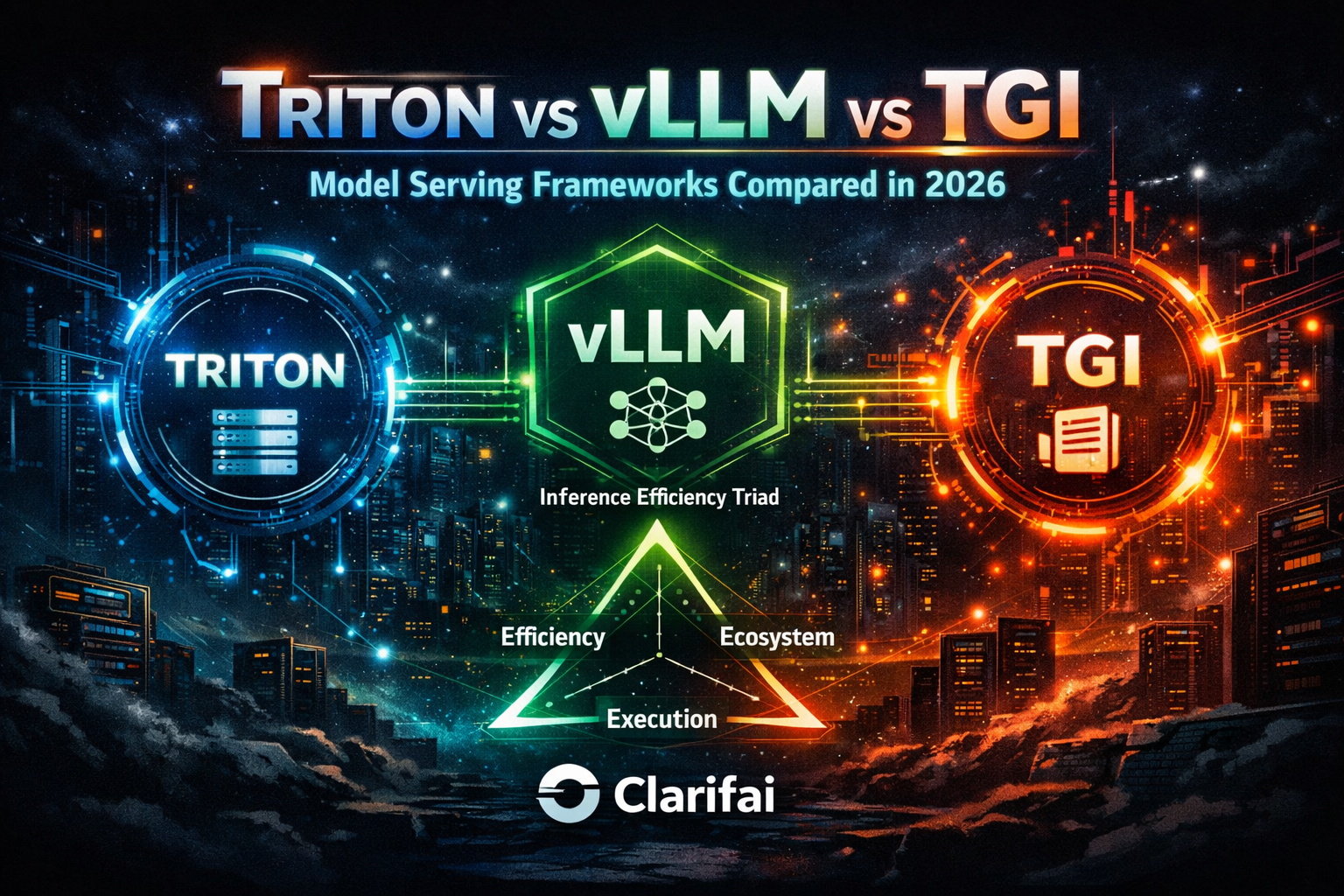


    How OpenClaw Turns GPT or Claude into an AI Employee


    The emergence of autonomous AI agents has dramatically shifted the conversation from chatbots to AI employees. Where chatbots answer questions, AI employees execute tasks, persist over time, and interact with the digital world on our behalf. OpenClaw, an open‑source agent runtime that connects large language models (LLMs) like GPT‑4o and Claude Opus to everyday apps, sits at the heart of this shift. Its creator, Peter Steinberger, describes OpenClaw as “an AI that actually does things”, and by February 2026 more than 1.5 million agents were running on the platform.

    This article explains how OpenClaw transforms LLMs into AI employees, what you need to know before deploying it, and how to make the most of agentic workflows. Throughout, we weave in Clarifai’s orchestration and model‑inference tools to show how vision, audio, and custom models can be integrated safely.

    Why the Move from Chatbots to AI Employees Matters

    For years, AI helpers were polite conversation partners. They summarised articles or drafted emails, but they couldn’t take action on your behalf. The rise of autonomous agents changes that. As of early 2026, OpenClaw—originally called Clawdbot and later Moltbot—enables you to send a message via WhatsApp, Telegram, Discord or Slack, and have an agent execute a series of commands: file operations, web browsing, code execution and more.

    This shift matters because it bridges what InfoWorld calls the gap “where conversational AI becomes actionable AI”. In other words, we’re moving from drafting to doing. It’s why OpenAI hired Steinberger in February 2026 and pledged to keep OpenClaw open‑source, and why analysts believe the next phase of AI will be won by those who master orchestration rather than merely model intelligence.

    Quick summary

    • Question: Why should I care about autonomous agents?
    • Summary: Autonomous agents like OpenClaw represent a shift from chat‑only bots to AI employees that can act on your behalf. They persist across sessions, connect to your tools, and execute multi‑step tasks, signalling a new era of productivity.

    How OpenClaw Works: The Agent Engine Under the Hood

    To understand how OpenClaw turns GPT or Claude into an AI employee, you need to grasp its architecture. OpenClaw is a self‑hosted runtime that you install on a Mac Mini, Linux server or Windows machine (via WSL 2). The core component is the Gateway, a Node.js process listening on 127.0.0.1. The gateway connects your messaging apps (WhatsApp, Telegram, Discord, Slack, Signal, iMessage, Teams and more) to the agent loop.

    The Agent Loop

    When you send a message, OpenClaw:

    1. Assembles context from your conversation history and workspace files.
    2. Calls your chosen model (e.g., GPT‑4o, Claude Opus or another provider) to generate a response.
    3. Executes tool calls requested by the model: running shell commands, controlling the browser, reading or writing files, or invoking Clarifai models via custom skills.
    4. Streams the reply back to you.
    5. Repeats the cycle up to 20 times to complete a multi‑step task.

    Memory, Configuration and the Heartbeat

    Unlike stateless chatbots, OpenClaw stores everything in plain‑text Markdown files under ~/.openclaw/workspace. AGENTS.md defines your agent roles, SOUL.md holds system prompts that shape personality, TOOLS.md lists available tools and MEMORY.md preserves long‑term context. When you ask a question, OpenClaw performs a semantic search across past conversations using a vector‑embedding SQLite database.

    A unique feature is the Heartbeat: every 30 minutes (configurable), the agent wakes up, reads a HEARTBEAT.md file for instructions, performs scheduled tasks, and sends you a proactive briefing. This enables morning digests, email monitoring, and recurring workflows without manual prompts.

    Tools and Skills

    OpenClaw’s power comes from its tools and skills. Built‑in tools include:

    • Shell execution: run terminal commands, including scripts and cron jobs.
    • File system access: read and write files within the workspace.
    • Browser control: interact with websites via headless Chrome, fill forms and extract data.
    • Webhooks and Cron: trigger tasks via external events or schedules.
    • Multi‑agent sessions: support multiple agents with isolated workspaces.

    Skills are modular extensions (Markdown files with optional scripts) stored in ~/.openclaw/workspace/skills. The community has created over 700 skills, covering Gmail, GitHub, calendars, home automation, and more. Skills are installed without restarting the server.

    Messaging Integrations

    OpenClaw supports more messaging platforms than any comparable tool. You can interact with your AI employee via WhatsApp, Telegram, Discord, Slack, Signal, iMessage, Microsoft Teams, Matrix and many others. Each platform uses an adapter that normalises messages, so the agent doesn’t need platform‑specific code.

    Selecting a Model: GPT, Claude or Others

    OpenClaw is model‑agnostic; you bring your own API key and choose from providers. Supported models include:

    • Anthropic Claude Opus, Sonnet and Haiku (recommended for long context and prompt‑injection resilience).
    • OpenAI GPT‑4o and GPT‑5.2 Codex, offering strong reasoning and code generation.
    • Google Gemini 2.0 Flash and Flash‑Lite, optimised for speed.
    • Local models via Ollama, LM Studio or Clarifai’s local runner (though most local models struggle with the 64K context windows needed for complex tasks).
    • Clarifai Models, including domain‑specific vision and audio models that can be invoked from OpenClaw via custom skills.

    A simple decision tree:

    • If tasks require long context and safety, use Claude Opus or Sonnet.
    • If cost is the main concern, choose Gemini Flash or Claude Haiku (much cheaper per token).
    • If tasks involve code generation or need strong reasoning, GPT‑4o works well.
    • If you need to process images or videos, integrate Clarifai’s vision models via a skill.

    Setting Up OpenClaw (Step‑by‑Step)

    1. Prepare hardware: ensure you have at least 16 GB of RAM (32 GB recommended) and Node 22+ installed. A Mac Mini or a $40/month VPS works well.
    2. Install OpenClaw: run npm install -g openclaw@latest followed by openclaw onboard –install-daemon. Windows users must set up WSL 2.
    3. Run the onboarding wizard: configure your LLM provider, API keys, messaging platforms and heartbeat schedule.
    4. Bind the gateway to 127.0.0.1 and optionally set up SSH tunnels for remote access.
    5. Define your agent: edit AGENTS.md to assign roles, SOUL.md for personality and TOOLS.md to enable shell, browser and Clarifai models.
    6. Install skills: copy Markdown skill files into the skills directory or use the openclaw search command to install from the community registry. For Clarifai integration, create a skill that calls the Clarifai API for image analysis or moderation.

    The Agent Assembly Toolkit (AAT)

    To simplify the setup, think of OpenClaw as an Agent Assembly Toolkit (AAT) comprising six building blocks:

    Component

    Purpose

    Recommended Setup

    Gateway

    Routes messages & manages sessions

    Node 22+, bound to 127.0.0.1 for security.

    LLM

    Brain of the agent

    Claude Opus or GPT‑4o; fallback to Gemini Flash.

    Messaging Adapter

    Connects chat apps

    WhatsApp, Telegram, Slack, Signal, etc.

    Tools

    Execute actions

    Shell, browser, filesystem, webhooks, Clarifai API.

    Skills

    Domain‑specific behaviours

    Gmail, GitHub, calendar, Clarifai vision/audio.

    Memory Storage

    Maintains context

    Markdown files + vector DB; configure Heartbeat.

    Use this toolkit as a checklist when building your AI employee.

    Quick summary

    • Question: What makes OpenClaw different from a chatbot?
    • Summary: OpenClaw runs locally with a Gateway and agent loop, stores persistent memory in files, supports dozens of messaging apps, and uses tools and skills to execute shell commands, control browsers and invoke services like Clarifai’s models.

    Turning GPT or Claude into Your AI Employee

    With the architectural concepts in mind, you can now transform a large language model into an AI employee. The essence is connecting the model to your messaging platforms and giving it the ability to act within defined boundaries.

    Defining the Role and Personality

    Start by writing a clear job description. In AGENTS.md, describe the agent’s responsibilities (e.g., “Executive Assistant for email, scheduling and travel booking”) and assign a nickname. Use SOUL.md to provide a system prompt emphasising reliability, caution and your preferred tone of voice. For example:

    SOUL.md
    You are an executive assistant AI. You respond concisely, double‑check before acting, ask for confirmation for high‑risk actions and prioritise user privacy.

    Connecting the Model

    1. Obtain API credentials for your chosen model (e.g., OpenAI or Anthropic).
    2. Configure the LLM in your onboarding wizard or by editing AGENTS.md: specify the API endpoint, model name and fallback models.
    3. Define fallback: set secondary models in case rate limits occur. OpenClaw will automatically switch providers if the primary model fails.

    Building Workflows with Skills

    To make your AI employee productive, install or create skills:

    • Email and Calendar Management: use a skill that monitors your inbox, summarises threads and schedules meetings. The agent persists context across sessions, so it remembers your preferences and previous conversations.
    • Research and Reporting: create a skill that reads websites, compiles research notes and writes summaries using the browser tool and shell scripts. Schedule it to run overnight via the Heartbeat mechanism.
    • Developer Workflows: integrate GitHub and Sentry; configure triggers for new pull requests and logs; run tests via shell commands.
    • Negotiation and Purchasing: design prompts for the agent to research prices, draft emails and send offers. Use Clarifai’s sentiment analysis to gauge responses. Users have reported saving $4,200 on a car purchase using this approach.

    Incorporating Clarifai Models

    Clarifai offers a range of vision, audio and text models that complement OpenClaw’s tools. To integrate them:

    • Create a Clarifai Skill: write a Markdown skill with a tool_call that sends an API request to a Clarifai model (e.g., object detection, face anonymisation or speech‑to‑text).
    • Use Clarifai’s Local Runner: install Clarifai’s on‑prem runner to run models locally for sensitive data. Configure the skill to call the local endpoint.
    • Example Workflow: set up an agent to process a daily folder of product photos. The skill sends each image to Clarifai’s object‑detection model, returns tags and descriptions, writes them to a CSV and emails the summary.

    Role‑Skill Matrix

    To plan which skills and models you need, use the Role‑Skill Matrix below:

    Role

    Required Skills/Tools

    Recommended Model(s)

    Clarifai Integration

    Executive Assistant

    Email & calendar skills, summary tools

    Claude Sonnet (cost‑efficient)

    Clarifai sentiment & document analysis

    Developer

    GitHub, Sentry, test runner skills

    GPT‑4o or Claude Opus

    Clarifai code‑quality image analysis

    Analyst

    Research, data scraping, CSV export

    GPT‑4o or Claude Opus

    Clarifai text classification & NLP

    Marketer

    Social media, copywriting, CRM skills

    Claude Haiku + GPT‑4o

    Clarifai image classification & brand safety

    Customer Support

    Ticket triage, knowledge base search

    Claude Sonnet + Gemini Flash

    Clarifai content moderation

    The matrix helps you decide which models and skills to combine when designing an AI employee.

    Quick summary

    • Question: How do I turn my favourite model into an AI employee?
    • Summary: Define a clear role in AGENTS.md, choose a model with fallback, install relevant skills (email, research, code review), and optionally integrate Clarifai’s vision/audio models via custom skills. Use decision trees to select models based on task requirements and cost.

    Real‑World Use Cases and Workflows

    Overnight Autonomous Work

    One of the most celebrated OpenClaw workflows is overnight research. Users give the agent a directive before bed and wake up to structured deliverables: research reports, competitor analysis, lead lists, or even fixed code. Because the agent persists context, it can iterate through multiple tool calls and refine its output.

    Example: An agent tasked with preparing a market analysis uses the browser tool to scrape competitor websites, summarises findings with GPT‑4o, and compiles a spreadsheet. The Heartbeat ensures the report arrives in your chat app by morning.

    Email and Calendar Management

    Persistent memory allows OpenClaw to act as an executive assistant. It monitors your inbox, filters spam, drafts replies and sends you daily summaries. It can also manage your calendar—scheduling meetings, suggesting time slots and sending reminders. You never need to re‑brief the agent because it remembers your preferences.

    Purchase Negotiation

    Agents can save you money by negotiating deals. In a widely circulated example, a user asked their agent to buy a car; the agent researched fair prices on Reddit, browsed local inventory, emailed dealerships and secured a $4,200 discount. When combining GPT‑4o’s reasoning with Clarifai’s sentiment analysis, the agent can adjust its tone based on the dealer’s response.

    Developer Workflows

    Developers use OpenClaw to review pull requests, monitor error logs, run tests and create GitHub issues. An agent can track Sentry logs, summarise error trends, and open a GitHub issue if thresholds are exceeded. Clarifai’s visual models can analyse screenshots of UI bugs or render diffs into images for quick review.

    Smart Home Control and Morning Briefings

    With the right skills, your AI employee can control Philips Hue lights, adjust your thermostat and play music. It can deliver morning briefings by checking your calendar, scanning important Slack channels, checking the weather and searching GitHub for trending repos, then sending a concise digest. Integrate Clarifai’s audio models to transcribe voice memos or summarise meeting recordings.

    Use‑Case Suitability Grid

    Not every task is equally suited to automation. Use this Use‑Case Suitability Grid to decide whether to delegate a task to your AI employee:

    Task Risk Level

    Task Complexity

    Suitability

    Notes

    Low risk (e.g., summarising public articles)

    Simple

    ✅ Suitable

    Minimal harm if error; good starting point.

    Medium risk (e.g., scheduling meetings, coding small scripts)

    Moderate

    ⚠️ Partially suitable

    Requires human review of outputs.

    High risk (e.g., negotiating contracts, handling personal data)

    Complex

    ❌ Not suitable

    Keep human‑in‑the‑loop; use the agent for drafts only.

    Quick summary

    • Question: What can an AI employee do in real life?
    • Summary: OpenClaw automates research, email management, negotiation, developer workflows, smart home control and morning briefings. However, suitability varies by task risk and complexity.

    Security, Governance and Risk Management

    Understanding the Risks

    Autonomous agents introduce new threats because they have “hands”—the ability to run commands, read files and move data across systems. Security researchers found over 21,000 OpenClaw instances exposed on the public internet, leaking API keys and chat histories. Cisco’s scan of 31,000 skills uncovered vulnerabilities in 26% of them. A supply‑chain attack dubbed ClawHavoc uploaded 341 malicious skills to the community registry. Critical CVEs were patched in early 2026.

    Prompt injection is the biggest threat: malicious instructions embedded in emails or websites can cause your agent to leak secrets or execute harmful commands. An AI employee can accidentally print environment variables to public logs, run untrusted curl | bash commands or push private keys to GitHub.

    Securing Your AI Employee

    To mitigate these risks, treat your agent like a junior employee with root access and follow these steps:

    1. Isolate the environment: run OpenClaw on a dedicated Mac Mini, VPS or VM; avoid your primary workstation.
    2. Bind to localhost: configure the gateway to bind only to 127.0.0.1 and restrict access with an allowFrom list. Use SSH tunnels or VPN if remote access is needed.
    3. Enable sandbox mode: run the agent in a padded‑room container. Restrict file access to specific directories and avoid exposing .ssh or password manager folders.
    4. Set allow‑lists: explicitly list commands, file paths and integrations the agent can access. Require confirmation for destructive actions (deleting files, changing permissions, installing software).
    5. Use scoped, short‑lived credentials: prefer ssh-agent and per‑project keys; rotate tokens regularly.
    6. Run audits: regularly execute openclaw security audit –deep or use tools like SecureClaw, ClawBands or Aquaman to scan for vulnerabilities. Clarifai provides model scanning to identify unsafe prompts.
    7. Monitor logs: maintain audit logs of every command, file access and API call. Use role‑based access control (RBAC) and require human approvals for high‑risk actions.

    Agent Risk Matrix

    Assess risks by plotting activities on an Agent Risk Matrix:

    Impact Severity

    Likelihood

    Example

    Recommended Control

    Low

    Unlikely

    Fetching weather

    Minimal logging; no approvals

    High

    Unlikely

    Modifying configs

    Require confirmation; sandbox access

    Low

    Likely

    Email summaries

    Audit logs; restrict account scopes

    High

    Likely

    Running scripts

    Isolate in a VM; allow‑list commands; human approval

    Governance Considerations

    OpenClaw is open‑source and transparent, but open‑source does not guarantee security. Enterprises need RBAC, audit logging and compliance features. Only 8% of organisations have AI agents in production, and reliability drops below 50% after 13 sequential steps. If you plan to use an agent for regulated data or financial decisions, implement strict governance: use Clarifai’s on‑prem runner for sensitive data, maintain full logs, and enforce human oversight.

    Negative Examples and Lessons Learned

    Real incidents illustrate the risks. OpenClaw wiped a Meta AI Alignment director’s inbox despite repeated commands to stop. The Moltbook social network leak exposed over 500,000 API keys and millions of chat records because the database lacked a password. Auth0’s security blog lists common failure modes: unintentional secret exfiltration, running untrusted scripts and misconfiguring SSH.

    Quick summary

    • Question: How do I secure an AI employee?
    • Summary: Treat the agent like a privileged user: isolate it, bind to localhost, enable sandboxing, set strict allow‑lists, use scoped credentials, run regular audits, and maintain logs.

    Cost, ROI and Resource Planning

    Free Software, Not Free Operation

    OpenClaw is MIT‑licensed and free, but running it incurs costs:

    • API Usage: model calls are charged per token; Claude Opus costs $15–$75 per million tokens, while Gemini Flash is 75× cheaper.
    • Hardware: you need at least 16 GB of RAM; a Mac Mini (~$640) or a $40/month VPS can support a 10‑person team.
    • Electricity: local models draw power 24/7.
    • Time: installation can take 45 minutes to 2 hours and maintenance continues thereafter.

    Budgeting Framework

    To plan your investment, use a simple Cost‑Benefit Worksheet:

    1. List Tasks: research, email, negotiation, coding, etc.
    2. Estimate Frequency: number of calls per day.
    3. Choose Model: decide on Claude Sonnet, GPT‑4o, etc.
    4. Calculate Token Usage: approximate tokens per task × frequency.
    5. Compute API Cost: multiply tokens by the provider’s price.
    6. Add Hardware Cost: amortise hardware expense or VPS fee.
    7. Assess Time Cost: hours spent on setup/maintenance.
    8. Compare with Alternatives: ChatGPT Team ($25/user/month) or Claude Pro ($20/user/month).

    An example: for a moderate workload (200 messages/day) using mixed models, expect $15–$50/month in API spend. A $40/month server plus this API cost is roughly $65–$90/month for an organisation. Compare this to $25–$200 per user per month for commercial AI assistants; OpenClaw can save tens of thousands annually for technical teams.

    Cost Management Tips

    • Use cheaper models (Gemini Flash or Claude Haiku) for routine tasks and switch to Claude Opus or GPT‑4o for complex ones.
    • Limit conversation histories to reduce token consumption.
    • If image processing is needed, run Clarifai models locally to avoid API costs.
    • Consider managed hosting services (costing $0.99–$129/month) that handle updates and security if your team lacks DevOps skills.

    Quick summary

    • Question: Is OpenClaw really free?
    • Summary: The software is free, but you pay for model usage, hardware, electricity and maintenance. Moderate usage costs $15–$50/month in API spend plus hardware; it’s still cheaper than most commercial AI assistants.

    Limitations, Edge Cases and When Not to Use OpenClaw

    Technical and Operational Constraints

    OpenClaw is a hobby project with sharp edges. It lacks enterprise features like role‑based access control and formal support tiers. Installation requires Node 22, WSL 2 for Windows and manual configuration; it’s rated only 2.8 / 5 for ease of use. Many users hit a “day‑2 wall” when the novelty wears off and maintenance burdens appear.

    Performance limitations include:

    • Browser automation struggles with complex JavaScript sites and often requires custom scripts.
    • Limited visual recognition and voice processing without additional models.
    • Small plugin ecosystem compared to established automation platforms.
    • High memory requirements for local models (16 GB minimum, 32 GB recommended).

    When to Avoid OpenClaw

    OpenClaw may not be suitable if:

    • You operate in a regulated industry (finance, healthcare) requiring SOC 2, GDPR or HIPAA compliance. The agent currently lacks these certifications.
    • Your workflows involve high‑impact decisions, large financial transactions or life‑critical tasks; human oversight is essential.
    • You lack technical expertise; installation and maintenance are not beginner‑friendly.
    • You need guaranteed uptime and support; OpenClaw relies on community help and has no SLA.
    • You don’t have dedicated hardware; running agents on your main machine is risky.

    Red Flag Checklist

    Use this Red Flag Checklist to decide if a task or environment is unsuitable for OpenClaw:

    • Task involves regulated data (medical records, financial info).
    • Requires 24/7 uptime or formal support.
    • Must comply with SOC 2/GDPR/other certifications.
    • You lack hardware isolation (no spare server).
    • Your team cannot manage Node, npm, or CLI tools.
    • The workflow involves high‑risk decisions with severe consequences.

    If any box is ticked, consider alternatives (managed platforms or Clarifai’s hosted orchestration) that provide compliance and support.

    Quick summary

    • Question: When shouldn’t I use OpenClaw?
    • Summary: Avoid OpenClaw when operating in regulated industries, handling high‑impact decisions, lacking technical expertise or dedicated hardware, or requiring formal support and compliance certifications.

    Future Outlook: Multi‑Agent Systems, Clarifai’s Role and the Path Ahead

    The Rise of Orchestration

    Analysts agree that the competitive battleground in AI has shifted from model intelligence to orchestration and control layers. Multi‑agent systems distribute tasks among specialised agents, coordinate through shared context and manage tool invocation, identity enforcement and human oversight. OpenAI’s decision to hire Peter Steinberger signals that building multi‑agent systems will be central to product strategy.

    Clarifai’s Contribution

    Clarifai is uniquely positioned to support this future. Its platform offers:

    • Compute Orchestration: the ability to chain vision, text and audio models into workflows, enabling multi‑modal agents.
    • Model Hubs and Local Runners: on‑prem deployment of models for privacy and latency. When combined with OpenClaw, Clarifai models can process images, videos and audio within the same agent.
    • Governance Tools: robust audit logging, RBAC and policy enforcement—features that autonomous agents will need to gain enterprise adoption.

    Multi‑Agent Workflows

    Imagine a team of AI employees:

    • Research Agent: collects market data and competitor insights.
    • Developer Agent: writes code, reviews pull requests and runs tests.
    • Security Agent: monitors logs, scans for vulnerabilities and enforces allow‑lists.
    • Vision Agent: uses Clarifai models to analyse images, detect anomalies and moderate content.

    The Agentic Maturity Model outlines how organisations can evolve:

    1. Exploration: one agent performing low‑risk tasks.
    2. Integration: one agent with Clarifai models and basic skills.
    3. Coordination: multiple agents sharing context and policies.
    4. Autonomy: dynamic agent communities with human oversight and strict governance.

    Challenges and Opportunities

    Multi‑agent systems introduce new risks: cross‑agent prompt injection, context misalignment and debugging complexity. Coordination overhead can offset productivity gains. Regulators may scrutinise autonomous agents, necessitating transparency and audit trails. Yet the opportunity is immense: distributed intelligence can handle complex workflows reliably and at scale. Within 12–24 months, expect enterprises to demand SOC 2‑compliant agent platforms and standardised connectors for skills and models. Clarifai’s focus on orchestration and governance puts it at the centre of this shift.

    Quick summary

    • Question: What’s next for AI employees?
    • Summary: The future lies in multi‑agent systems that coordinate specialised agents using robust orchestration and governance. Clarifai’s compute and model orchestration tools, local runners and security features position it as a key provider in this emerging landscape.

    Frequently Asked Questions (FAQs)

    Is OpenClaw really free?
    Yes, the software is free and MIT‑licensed. You pay for model API usage, hardware, electricity and your time.

    What hardware do I need?
    A Mac Mini or a VPS with at least 16 GB RAM is recommended. Local models may require 32 GB or more.

    How does OpenClaw differ from AutoGPT or LangGraph?
    AutoGPT is a research platform with a low‑code builder; LangGraph is a framework for stateful graph‑based workflows; both require significant development work. OpenClaw is a ready‑to‑run agent operating system designed for personal and small‑team use.

    Can I use OpenClaw without coding experience?
    Not recommended. Installation requires Node, CLI commands and editing configuration files. Managed platforms or Clarifai’s orchestrated services are better options for non‑technical users.

    How do I secure it?
    Run it on a dedicated machine, bind to localhost, enable sandboxing, set allow‑lists, use scoped credentials and run regular audits.

    Which models work best?
    For long context and safety, use Claude Opus; for cost‑efficiency, Gemini Flash or Claude Haiku; for strong reasoning and code, GPT‑4o; for vision/audio tasks, integrate Clarifai models via custom skills.

    What happens if the agent misbehaves?
    You’re responsible. Without proper isolation and allow‑lists, the agent could delete files or leak secrets. Always test in a sandbox and maintain human oversight.

    Does OpenClaw integrate with Clarifai models?
    Yes. You can write custom skills to call Clarifai’s vision, audio or text APIs. Using Clarifai’s local runner allows inference without sending data off your machine, enhancing privacy.

    Closing Thoughts

    OpenClaw demonstrates what happens when large language models gain hands and memory: they become AI employees capable of running your digital life. Yet power brings risk. Only by understanding the architecture, setting clear roles, deploying with caution and leveraging tools like Clarifai’s compute orchestration can you unlock the benefits while mitigating hazards. The future belongs to orchestrated, multi‑agent systems. Start small, secure your agents, and plan for a world where AI not only answers but acts.