Panasonic Connect Expands 4K Camera Lineup and NDI Support for IP Vide


Panasonic Connect has announced an exciting expansion to its professional video equipment lineup, introducing three new 4K cameras and extending NDI (Network Device Interface) support to its popular range of 4K integrated cameras. This move is set to enhance video production workflows across various industries, from live events to corporate settings, by enabling seamless IP video production.

Panasonic’s New 4K Cameras for Live Events and Video Production

A key highlight of Panasonic Connect’s latest release is the AK-UCX100 4K studio camera, designed specifically for live events. Capturing high-quality video in challenging lighting conditions is made easier with this camera’s high sensitivity, wide dynamic range, and advanced colorimetry. It handles shifting lighting and dynamic environments, especially with LED lighting and large display walls. With 2000 TV lines of resolution, this camera produces crisp, ultra-high-definition content, whether used for in-person audiences or broadcast to viewers at home. It pairs seamlessly with the AK-UCU700 Camera Control Unit for traditional studio setups and ensures consistent, professional-grade production quality.

Alongside the AK-UCX100, Panasonic introduced two versatile 4K multi-purpose cameras—the AW-UB50 and AW-UB10. These compact, box-style cameras are equipped with large-format sensors and draw on cinema-grade technologies like Dual Native ISO and V-Log, delivering cinema-quality video production. These cameras are ideal for a variety of industries, including broadcast, live entertainment, education, and corporate environments. Their compact size and robust features make them perfect for remote productions where space and flexibility are critical.

Enhanced NDI Support for Seamless IP Video Production

Panasonic Connect is also extending NDI support to several of its 4K integrated cameras, including the AW-UE40, AW-UE50, AW-HE145, and AW-UE150, as well as the AG-CX350 Memory Card Camera Recorder. By integrating NDI, these cameras can connect with AV devices over standard gigabit IP networks, simplifying the process of building an IP video production workflow. This upgrade will be available via a free firmware update between December 2024 and April 2025, making NDI support more accessible than ever.

With NDI integration, Panasonic cameras offer low-latency connectivity, Power-over-Ethernet (PoE) control, and audio/video transmission through a single Ethernet cable, reducing setup complexity and cabling costs. This makes Panasonic’s lineup of NDI-supported products—such as PTZ cameras like the AW-UE160 and AW-UE100, and studio cameras like the AK-UCX100—ideal for scalable, high-quality video production across industries.

Why Panasonic’s 4K Cameras and NDI Support Are Game-Changers for IP Video Production

Panasonic’s expansion of its 4K camera lineup and enhanced NDI support is a game-changer for IP-based video production. With high-resolution imaging, advanced color reproduction, and seamless IP workflows, these cameras offer flexibility for a wide range of productions, from live events and broadcast to education and corporate video.

The AK-UCX100 delivers professional-grade content in live environments, while the AW-UB50 and AW-UB10 offer cinema-quality video production in a versatile form factor. The addition of NDI support simplifies the transition to IP video workflows, making it easier for production teams to integrate cameras into their networked environments.

Panasonic’s move to make NDI support a standard feature across its product range will allow video production teams to streamline their workflows, reduce costs, and create more engaging content for their audiences.

Read the full article from Panasonic Connect HERE

Learn more about Panasonic Connect below:
Videoguys Quick Hits: What Camera is the Right Fit for Your Production


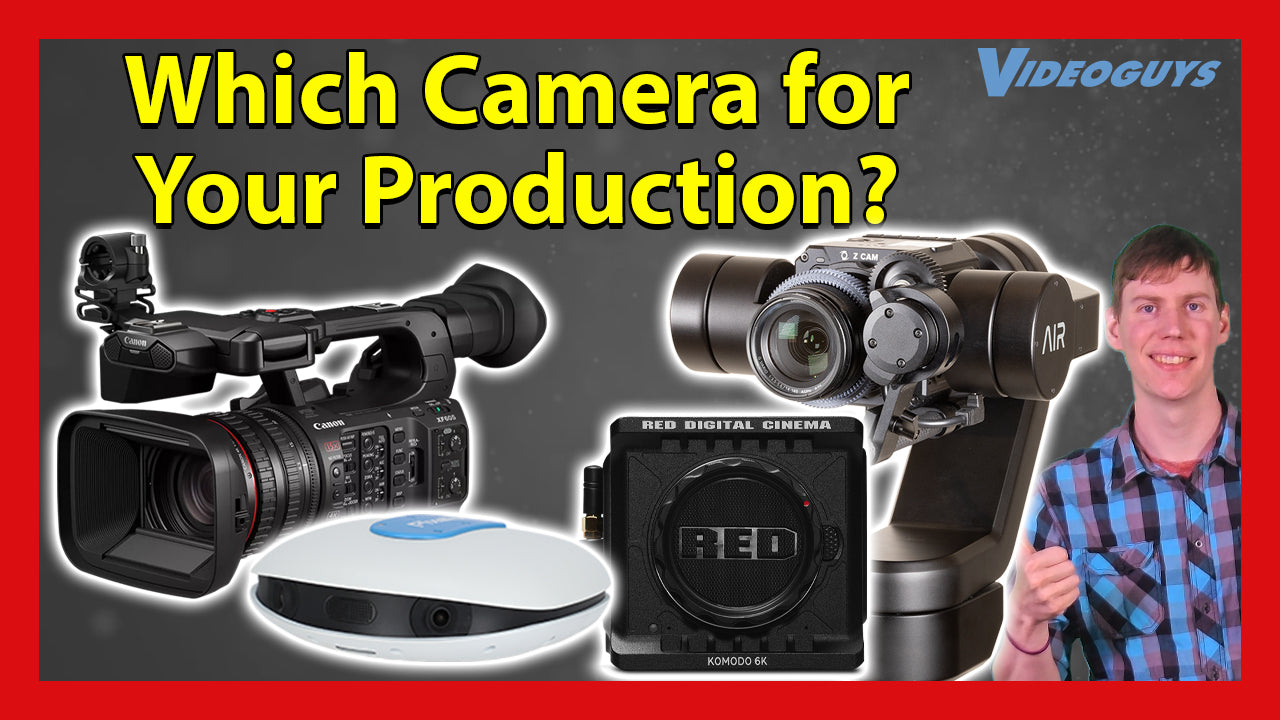
On this week’s Videoguys Live, James is going through 4 camera options that can help elevate your video production! He is discussing the Pixellot Air NXT, Canon XF605, AIR One Robotic Camera, and the RED KOMODO.


Pixellot Air NXT Camera

  • Stream Sports Like Never Before
  • A breakthrough when it comes to value and performance
  • Next generation of Pixellot Air multi-sports portable camera
  • Offers livestreaming, better video, improved audio, faster charging, bigger storage
  • Superior Video Quality​: The dual 12MP camera array captures every moment in stunning detail
  • Enhanced Stereo Audio: Immersive digital stereo audio brings the rich atmosphere of the match directly to you.
  • Newly Rebuilt AI Technology​: Supporting multiple sports types, including Basketball, Soccer, Football, Ice Hockey, Field Hockey, Lacrosse and Volleyball.
  • Streamlined Live Broadcasting​: Stream footage easily over Wi-Fi or 4/5G and share the thrill of the game.​
  • Rapid Charging Capability​: 33% Faster-charging to minimize downtime, as well as supporting external power banks.​
  • Expansive Storage Solutions​: Up to 512GB of storage, (32 hours of video – for enterprise users) lets you record more games, and practices, worry-free.​

Canon XF605 Camcorder

Canon XF605​
The XF605 Professional Camcorder is the next-generation XF-series camera providing excellent mobility, connectivity, and superb 4K UHD HDR image quality.
$4,299.00 reg.
$3,999.00 with Instant Rebate
Expires 11/30/24
  • 1.0-inch 4K UHD CMOS Sensor​
  • 12G-SDI, HDMI, & USB (UVC Support)​
  • On-Screen Display (OSD) Time Stamp Recording​
  • 15x Optical 4K UHD L Zoom Lens with 5-Axis Optical Image Stabilization​
  • 5-Axis Optical Image Stabilization​
  • 9-blade Iris​
  • Independent 3-Density ND Filter​
  • 4K UHD 59.94P 4:2:2 10-bit Recording​
  • Latest Firmware Update adds: SRT protocol support, H.264 FHD 25Mbps format, support for the Canon Multi-Camera Control app, improved vectorscope, enhanced Clear Scan shutter mode, Canon 709 and CMT 709 Custom Picture Profiles and more​

Advanced Image Robotics AIR One® Robotic Camera Kit and REMI Production Bundle


  • AIR One – Capture in 4K​
  • AIR App – Control From Anywhere​
  • AIRcloud – Simplify Your Workflow
  • AIR One gimbal-stabilized robotic head ​
  • Z Cam E2-M4 4K camera module​​
  • Panasonic 14-140mm lens ​​
  • Zoom motor and mount​​
  • Apple iPad (10th gen) 64GB WiFi ​​
  • AIR App​​
  • Quick release plate​​
  • Power supply​​
  • PoE dongle for iPad ​​
  • Custom-fit high-impact carry case​
  • AIRcloud 3-month subscription

RED KOMODO and KOMODO-X

PRODUCT

OLD PRICE

CHANGE

NEW PRICE

KOMODO® 6K

$5,995.00

-$1,000

$4,995.00

KOMODO® Starter Pack

$7,500.00

-$1,000

$6,500.00

KOMODO® Production Pack

$8,500.00

-$1,000

$7,500.00

KOMODO-X™

$9,995.00

-$3,000

$6,995.00

KOMODO-X™ Starter Pack

$11,995.00

-$3,000

$8,995.00

KOMODO-X™ Production Pack (V-Lock)

$14,995.00

-$3,000

$11,995.00

KOMODO-X™ Production Pack (Gold Mount)

$14,995.00

-$3,000

$11,995.00

Interested in the RED KOMODO or other RED products?

We will help you find a local dealer!

We have a network of dealers nationwide!

Call us for a referral (800)-323-2325


Atomos Shinobi II External Monitor vs. Camera Display


In this article by Christian Kober for Riwit, the importance of using an external monitor for filming and photography is emphasized as a crucial step to elevate your creative work. Relying solely on a camera’s built-in display can create challenges, especially with focus, exposure, and visibility in bright outdoor environments. By using an external monitor for photography or videography, you gain access to larger screens, better resolution, and professional tools that help ensure accuracy and efficiency during shooting.

Why an External Monitor is Essential for Photography and Filmmaking

Kober outlines several key benefits of an external monitor. First, an external camera monitor provides a larger screen and better visibility, especially under challenging lighting conditions like bright sunlight. High-resolution monitors offer superior image clarity, making it easier to focus and fine-tune details in real-time, which reduces the need for extensive post-production work. This is critical for both professional filmmakers and photographers looking to deliver high-quality results quickly.

Moreover, many external monitors come equipped with professional features like histograms, vectorscopes, focus peaking, and false color, which allow users to correct exposure, focus, and color settings with precision. These tools are invaluable for those working in complex shoots where every frame needs to be perfect.

The Flexibility and Ergonomic Benefits of an External Monitor

Another advantage of using an external monitor for video production or photography is the flexibility it provides. Unlike built-in camera displays, external monitors can be positioned at various angles, making it easier to maintain an ergonomic posture during long shoots. This is especially beneficial when using equipment like gimbals, where awkward camera angles are common.

Additionally, external monitors allow filmmakers to see not just the frame but also the surroundings. This wider field of view helps camera operators detect unexpected elements entering the frame, enabling quicker adjustments and more dynamic composition.

Atomos Shinobi II: The Best External Monitor for Professionals

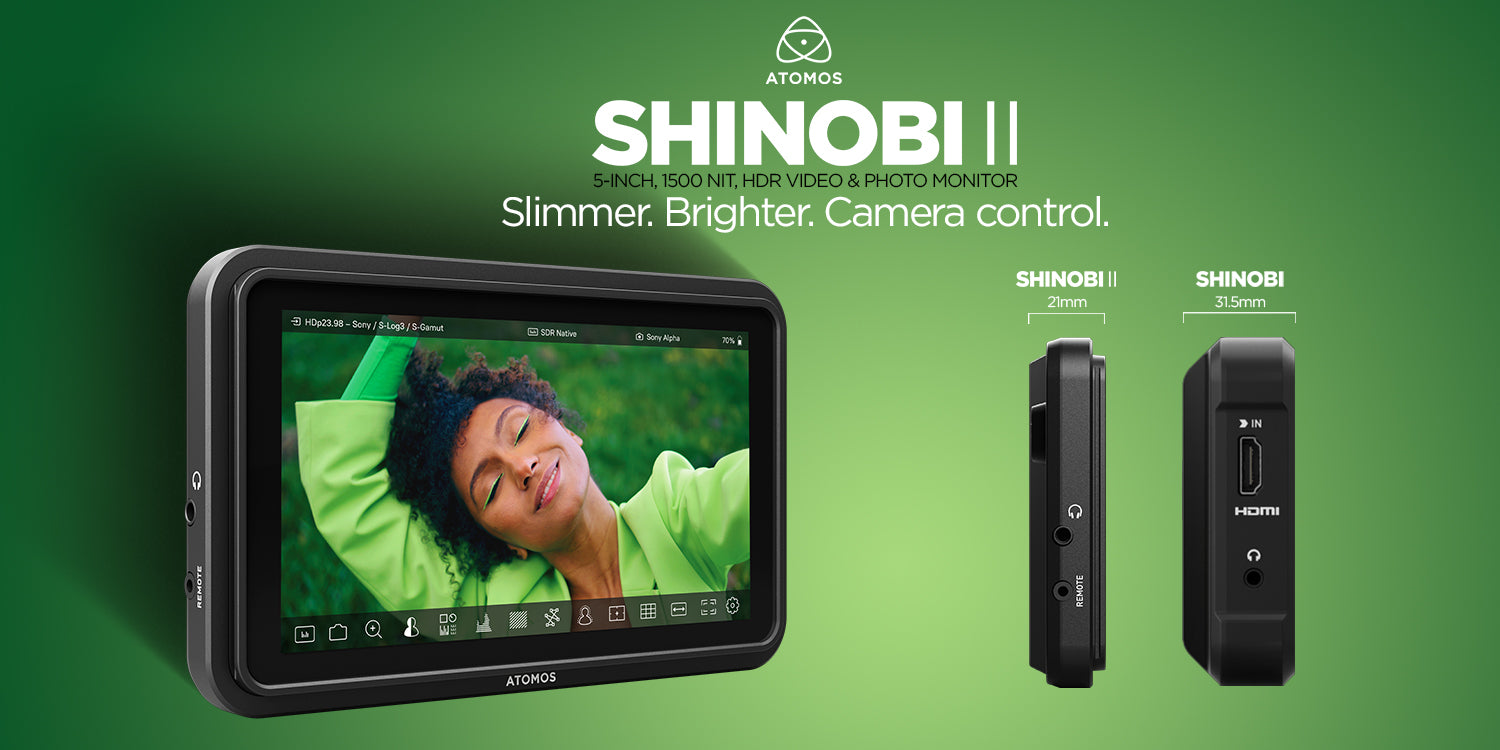
One of the best examples of a professional-grade external monitor for filmmakers is the Atomos Shinobi II. This monitor is praised for its 1500 Nit brightness, ensuring clear visibility even in direct sunlight. Its Full HD resolution provides crisp, color-accurate images, making it easier to assess focus, color balance, and exposure on set.

The Shinobi II also includes advanced features like focus peaking, zebra, and 3D LUT support, which help filmmakers fine-tune skin tones, manage highlights, and achieve the perfect shot. Furthermore, the monitor offers intuitive camera control, compatible with popular mirrorless cameras from brands like Canon, Sony, Nikon, and Panasonic. This flexibility allows users to adjust camera settings directly through the monitor, saving time and effort during fast-paced shoots.

External Monitors: A Must-Have for Filmmakers and Photographers

In conclusion, external monitors are no longer just accessories—they are essential tools for anyone serious about improving their videography or photography workflow. By providing better visibility, superior image quality, and advanced tools, an external monitor helps ensure every shot is perfectly captured. For professionals, the Atomos Shinobi II stands out as a powerful and lightweight option, offering camera control, HDR support, and rugged durability for use in any environment.

Read the full article by Christian Kober HERE

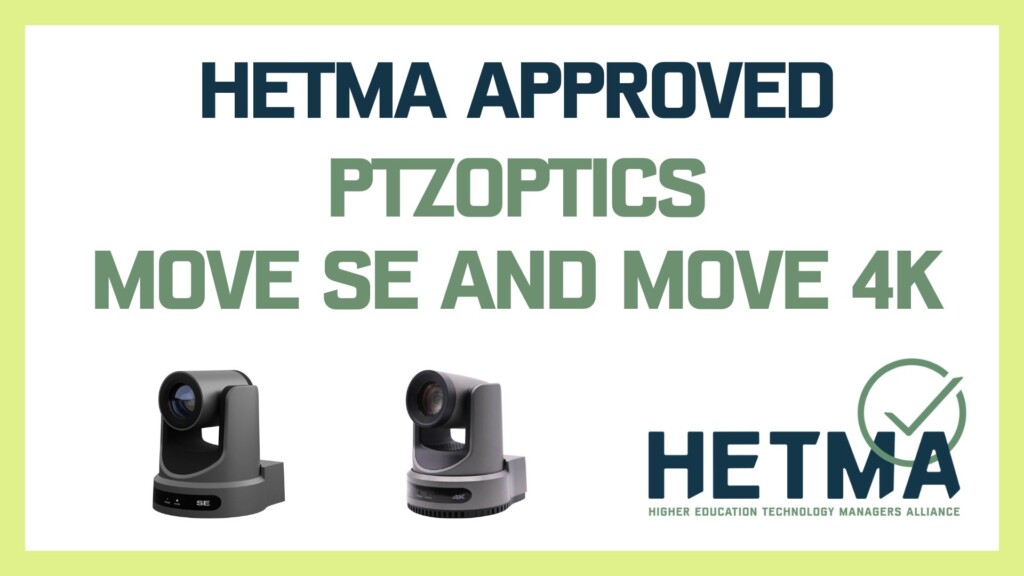
PTZOptics Move SE and Move 4K Approved by HETMA


The PTZOptics Move SE and Move 4K cameras, identified as models PT12X-SE-GY-G3 and PT20X-4K-GY-G3, recently achieved the HETMA Approved certification, a significant endorsement from the Higher Education Technology Managers Alliance (HETMA). By passing this rigorous evaluation process for PTZ cameras in higher education, the Move SE and Move 4K cameras now carry a seal of quality that makes them a trusted choice for academic institutions and higher education technology setups.

The HETMA Approved Program is a critical initiative that supports AV professionals in higher education, giving them access to reliable, high-quality products that meet strict standards. This program benefits both educational technology buyers and manufacturers, ensuring that approved devices, like the PTZOptics Move SE and Move 4K, meet the demanding needs of classrooms and lecture halls. Through HETMA’s program, certified AV professionals test each product, and PTZOptics cameras were rigorously reviewed by experts with advanced certifications, including CTS, CTS-I, CTS-D, Crestron Master Technology Architect, Dante, and others, confirming the cameras’ reliability, functionality, and smooth integration into AV control systems.

During evaluations, reviewers praised the Move SE and Move 4K cameras for their high image quality, smooth PTZ operation, and reliable performance when powered on continuously. Additionally, PTZOptics made a notable impact by providing free NDI support (Network Device Interface) through a firmware update, adding more value without increasing costs. HETMA evaluators also appreciated the cameras’ Power-over-Ethernet (PoE) capabilities, long warranty, and responsive technical support, all of which enhance their appeal for use in education technology settings.

The cameras’ versatility and ease of integration have made them ideal for classroom technology setups. Users found the Move SE and Move 4K to be user-friendly, with easy-to-adjust video settings and reliable NDI performance, making them valuable options for live streaming and lecture recording. For academic institutions seeking dependable, competitively priced AV solutions, the HETMA Approved PTZOptics Move SE and Move 4K cameras stand out as high-quality choices designed to meet the specific demands of higher education.

Read the full article from Higher ED AV HERE

Learn more about PTZOptics below:

You Should Be Editing with Proxies


If you’ve ever found yourself working with sluggish playback or lagging scrubs, especially when editing high-res footage like 4K, 6K, or even 8K, proxies might just be the secret weapon you’re missing.

Why Edit with Proxies?

Let’s cut to the chase. Working with high-resolution footage is rough on your computer, no matter how much power it’s packing. Proxies—smaller, more manageable versions of your original clips—take the pressure off your system so you can actually enjoy editing without all the stuttering and lag.

Think of proxies like taking the weight off: they’re lighter versions of your files, meaning Premiere doesn’t have to work as hard to process them. You’ll get faster scrubbing, quicker thumbnail loads, and a smoother overall editing experience. And yes, even if your computer is a beast, proxies can still save you time and frustration.

Getting Set Up: Making Proxies in Premiere Pro

Setting up proxies in Premiere Pro isn’t as complicated as it sounds. Here’s the breakdown:

  1. Organize Your Clips by Aspect Ratio: If you’re dealing with different aspect ratios (say, 4K footage in 16:9 and UHD in 2:1), separate these into bins. This helps you keep track of different proxy settings.

  2. Create Proxies in Premiere: Select your clips, right-click, then head to Proxy > Create Proxies. Choose QuickTime format—it’s reliable and compatible. Premiere has built-in presets, but if you’re going custom, set proxies for 16:9 clips at 1920×1080, and 4K files at a half-size proxy like 2048×1080.

  3. Choose Where to Save Your Proxies: You can save proxies in the same folder as your original files, or direct them to a dedicated proxy folder in your project file structure.

  4. Toggle Between Proxies and Full Res in a Click: Once Premiere generates the proxies, use the Toggle Proxies button in the program monitor to switch between your full-res and proxy files.
    (If you don’t see the button, add it from the button editor in Premiere.)

A Few Proxy Tips You’ll Want to Remember

Here are a few extra tips to keep in mind:

  • Match the Audio Channels: Your proxies need to have the same number of audio channels as your original files. So, if you’ve got eight channels on the original, make sure your proxies are set up the same. Mismatched channels can break the link to your proxies in Premiere.

  • Keep Aspect Ratios Consistent: Don’t let mismatched ratios wreck your footage. If your proxy’s aspect ratio doesn’t match the original, Premiere might stretch, zoom, or add black bars to fit the frame. Trust me, this creates a mess when you start adding motion effects later on.

Advanced Move: Creating Proxies with EditReady

If you’re looking for an even more streamlined proxy workflow, you might want to try EditReady. It’s a quick, drag-and-drop transcoding app that’s perfect for creating proxies outside of Premiere.

  1. Use Custom Presets in EditReady: Load your footage, set up a custom 1080p proxy preset (ProRes 422 Proxy with uncompressed PCM audio), and you’re good to go. This app’s a real time-saver if you work with footage from multiple cameras and want to create proxies quickly.

  2. Maintain Aspect Ratio with Ease: EditReady takes care of aspect ratio scaling automatically, so one preset can handle multiple frame sizes without stretching your footage.

  3. Link Back in Premiere: Once EditReady has processed your files, head back to Premiere and use Attach Proxies to link them to your original clips. Now, all your proxies will be attached in one quick step.

Wrap Up: Proxies Save You Time and Keep Editing Fun

Proxies are about speed and flexibility. You’re making your workflow smoother, and your editing experience better, which ultimately lets you focus on the creative part. Go ahead and try proxies in your next project—you might wonder how you ever edited without them.

Want more?  Check out Frame.io’s Proxy Workflow Guide.

Press Release: NDI Touts Major Milestones in 2024, Gains Momentum Head


NDI Touts Major Milestones in 2024, Gains Momentum Heading into 2025 
Expansion to Lisbon strengthens NDI’s capabilities to drive global innovation; Don Shaver joins the company as Business Development Director. 

Lisbon, Portugal (Oct. 30, 2024) – NDI, the global standard for plug-and-play connectivity, today announced key milestones that underscore its growth and momentum heading into 2025. These include the expansion of its global footprint with a new innovation hub in Lisbon, Portugal, and the appointment of industry veteran Don Shaver as Business Development Director. These initiatives reinforce NDI’s commitment to driving innovation in the Broadcast and ProAV industries through advanced video and audio connectivity solutions.

New Innovation Hub in Lisbon

Lisbon now serves as NDI’s global innovation hub alongside our hub in San Antonio, Texas This move reflects the company’s continued focus on international growth, that will drive seamless solutions for content creators worldwide.

Operating in 40 global markets, including North America and Sweden, NDI continues to expand its reach. The Lisbon hub will spearhead efforts to scale operations and foster innovation. With a strong team already in place, NDI expects to see an increase in its local workforce over the next few years to support growing demands. With the addition of roles in software development, customer support, and marketing, the company aims to leverage local talent to enhance its global expansion.

“As NDI enters its next phase of growth, expanding our global footprint is critical,” said Daniel Nergard, President of NDI. “Lisbon’s vibrant tech scene, combined with the team’s resources, marks a major milestone that will strengthen our ability to meet the growing demand for NDI solutions.”

Industry Vet Joins the Team

With over 28 years in the semiconductor industry and 13 years in Broadcast and ProAV, Don Shaver brings invaluable expertise to NDI. As former Vice President of Video Product Lines at Semtech Corporation, Shaver led a cross-functional team responsible for generating significant revenue growth and expanded its ProAV business under his leadership. As NDI continues its mission toward global expansion, his leadership and industry knowledge will prove invaluable to evolving industry needs.

“NDI’s growth is fueled by a clear vision and relentless focus on innovation,” said Shaver. “As we expand globally, we’re not just increasing our footprint—we’re doing so with intention, ensuring that our cutting-edge solutions meet the evolving needs of the Broadcast and ProAV industries. This user-centric approach will continue to power our growth in the coming years.”

Network Growth

NDI’s growth in 2024 has been fueled by strategic partnerships and an expanded ecosystem of NDI-enabled products with thousands of NDI nodes currently in circulation. In 2025, NDI projects a 50% increase for new units shipped compared to 2024.  Key partnerships contributing to this growth include:

  • AVer Collaboration: NDI is now standard across all AVer ProAV cameras, enabling professional grade functionality to produce top-quality content.
  • Panasonic Expansion: Panasonic is extending NDI® support to its 4K Integrated Cameras, simplifying video production workflows across the globe.

Looking Ahead to 2025

Building on its 2024 momentum, NDI is set to lead the Broadcast and ProAV industries with innovative solutions that redefine video connectivity. As the company continues to expand its global footprint, it is positioned to set new industry standards in 2025 and beyond, with upcoming developments promising to further elevate its leadership in the market.

ABOUT NDI  

NDI, a fast-growing tech company, is removing the limits to video and audio connectivity. NDI – Network Device Interface – is used by millions of customers worldwide and has been adopted by more media organizations than any other IP standard, creating the industry’s largest IP ecosystem of products.   

NDI allows multiple video systems to identify and communicate with one another over IP; it can encode, transmit and receive many streams of high-quality, low-latency, frame-accurate video and audio in real-time. The growth of NDI is backed by a growing community of installers, developers, AV professionals, and users who are deeply engaged with the company through community events and initiatives. NDI is a part of Vizrt.

Panasonic Connect Switchers & Cameras for House of Worship


Panasonic Connect’s church AV solutions are revolutionizing how modern houses of worship engage with their congregations, both in-person and online. By integrating advanced PTZ cameras and the KAIROS live event production switcher, churches can enhance their worship experience, improve live streaming quality, and build stronger community connections.

Enhance Worship Services with Panasonic PTZ Cameras

One of the most impactful ways Panasonic Connect is transforming church AV is through the use of PTZ cameras. These cameras, such as the AW-UE150, provide high-quality, seamless video coverage of services, ensuring that pastors and speakers are clearly visible whether congregants are attending in person or watching via live stream. At Long Hollow Church, the AW-UE150 PTZ camera tracks the pastor’s movements across the stage, delivering crisp, clear images on large IMAG screens inside the church, as well as through live streaming to remote audiences. This creates a highly engaging and immersive experience for worshipers, no matter where they are. The flexibility of PTZ cameras allows churches to provide dynamic visual storytelling, which helps retain viewer attention and makes the service more memorable.

These Panasonic PTZ cameras also enhance the overall quality of in-person services. For instance, the UC4000 models deliver ultra-clear 4K imagery, bringing out rich details and improving visual engagement for both local congregants and online viewers. With high-resolution imagery, churches can create an inviting and immersive worship experience, ensuring that every moment is captured in stunning detail. High-quality visuals not only elevate the service but also help churches reach a wider audience through improved video streaming.

Simplify Church AV Operations with KAIROS Live Event Production Switcher

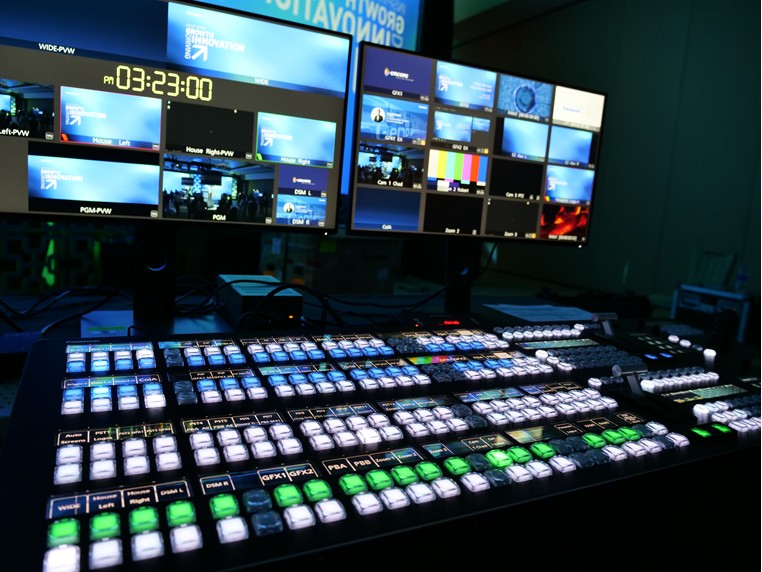
Another key innovation from Panasonic Connect is the KAIROS live event production switcher, which streamlines AV operations for churches. The KAIROS switcher offers flexible inputs and outputs to manage a variety of production needs, making it a powerful tool for live streaming and in-house displays. At Cottonwood Creek Church, KAIROS supports their mission to engage the community by hosting a wide range of events, from worship services to community gatherings. Its user-friendly interface allows volunteers to handle complex AV operations with ease, reducing the risk of errors and empowering them to contribute to the church’s mission.

KAIROS enhances the overall church experience by simplifying live event production, which is especially useful for houses of worship that rely on volunteers to manage their AV systems. The switcher’s pre-programmed macros enable volunteers to control multiple AV functions with a single click, making it easy to produce professional-grade visuals and sound. This not only improves the efficiency of worship services but also allows churches to host a variety of community events, further strengthening their role as a central hub for local engagement.

Build Community with Panasonic Church AV Solutions

By integrating Panasonic’s PTZ cameras and the KAIROS switcher, churches can go beyond worship services and build strong community connections. High-quality AV systems help houses of worship create an engaging, visually dynamic environment that keeps congregants coming back, whether they attend in person or online. Additionally, Panasonic’s AV solutions empower volunteers, allowing them to contribute to the church’s mission with confidence. This makes it easier for churches to serve as community hubs, hosting a variety of events and fostering deeper connections with local groups.

In conclusion, Panasonic Connect’s church AV solutions, including PTZ cameras and the KAIROS live event production switcher, are essential for modern houses of worship looking to elevate their worship services, improve live streaming, and strengthen community ties. These technologies not only enhance the worship experience but also position churches as central, engaging spaces for both spiritual growth and community involvement.

Read the full article from Panasonic Connect HERE

Learn more about Panasonic Connect below:

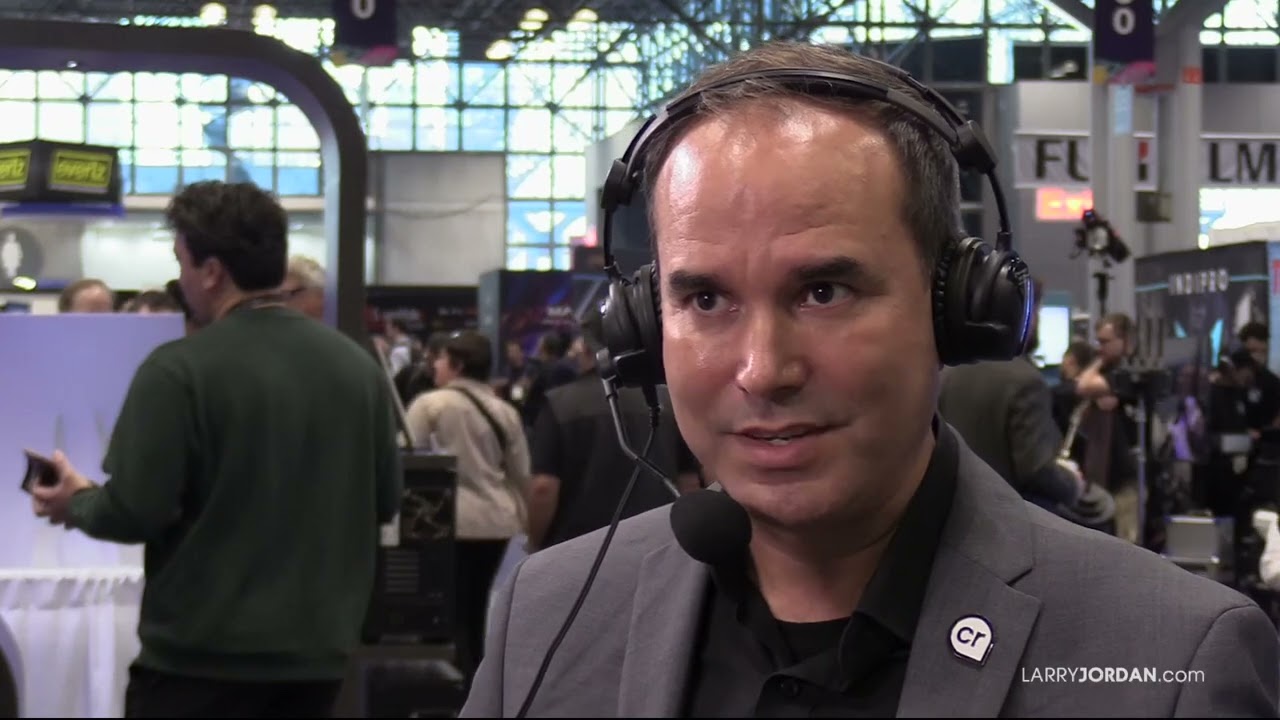
Chris Black of Vizrt talks new products, NDI, & ST2110 at NAB NY


In this insightful interview, Larry and Chris Black from Vizrt dive into the company’s latest product innovations and how these tools seamlessly integrate into the entire production workflow. They explore the key differences between NDI and ST2110 protocols, offering valuable insights for media professionals. Additionally, they discuss the growing impact of remote production, highlighting how it’s transforming workflows for both large-scale enterprises and small businesses alike. Discover how Vizrt is helping to shape the future of production with cutting-edge solutions.

Learn more about Vizrt below:

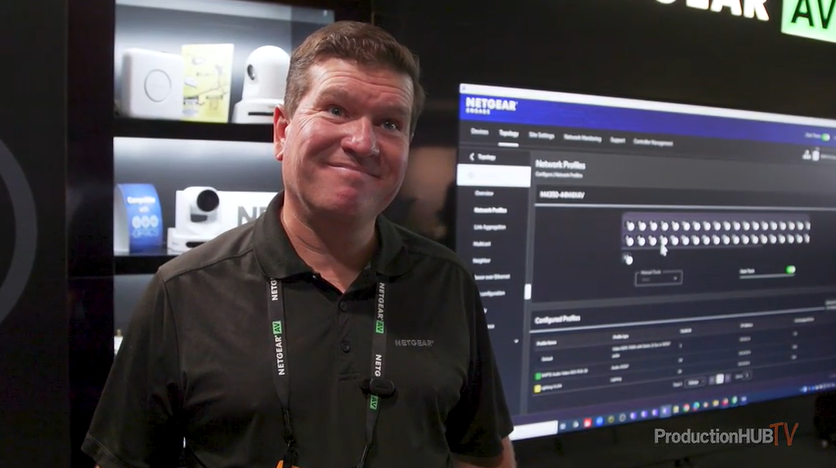
NETGEAR Showcases Enterprise-Class M4350 Series AV Switches at IBC 202


At the IBC 2024 Show in Amsterdam, NETGEAR unveiled its Enterprise-Class M4350 Series AV Switches, specifically designed to meet the demands of AV over IP (AVoIP) networks. These advanced AV switches are ideal for businesses seeking reliable, high-performance solutions for their audio, video, and lighting setups. The M4350 series stands out for its enterprise-class hardware, redundant power supplies, and support for 100G uplinks, ensuring top-tier performance for AVoIP applications.

One of the key highlights of the M4350 switches is the NETGEAR AV user interface and the Engage Controller, both equipped with pre-configured profiles to support major audio, video, and lighting protocols. The switches also feature IGMP Plus™ with Auto-LAG and Auto-Trunk, offering seamless multicast installation. Additional features like advanced IPv4/IPv6 security, intelligent thermal and acoustic controls, and PoE+ and Ultra90 PoE++ support for up to 90W per device make these switches a versatile choice for a wide range of AV installations.

With over 200 switching products in its portfolio, NETGEAR offers flexible options for AV over IP solutions, supporting speeds from 1Gbps to 100Gbps per port. This extensive product line can also power PoE cameras and security devices, providing a scalable and customizable network setup. NETGEAR’s switches can be tailored to meet specific customer needs, with room for future expansion, ensuring businesses can grow their AV infrastructure without limitations.

As video over Ethernet continues to rise in popularity, NETGEAR’s M4350 series meets the growing demand with products designed for ProAV installations. Whether you need modular switches for copper, fiber, or HDMI inputs, or a solution that fits a specific budget, NETGEAR has the expertise to guide businesses toward the perfect AV solution. These AVoIP switches offer flexible mounting options and can be deployed in a variety of environments, from university campuses to live event productions.

For businesses looking to upgrade their AV infrastructure, NETGEAR’s M4350 Series offers the perfect combination of performance, flexibility, and scalability to meet the evolving demands of AV over IP networks.

Read the full article from ProductionHub HERE

Learn more about NETGEAR below:

Atomos Sun Dragon: Professional Lighting for Video Productions


In Stephan Kexel’s article “Lighting for Video Productions: The Key to Professional Results”, he explores the crucial role lighting plays in creating professional-grade video content. Whether you’re working on large-scale film productions, music videos, or even YouTube videos, mastering lighting techniques is essential for achieving high-quality results. Good lighting not only enhances visual clarity but also sets the mood, supports storytelling, and avoids technical problems like image noise or color issues.

Why Lighting is Essential in Video Production

Lighting in video production serves three main purposes: visual clarity, mood creation, and technical precision. A well-lit scene makes the subject stand out clearly and adds depth, while different lighting styles can convey emotions—whether it’s a bright, lively setting or a dark, mysterious atmosphere. Kexel emphasizes how professional lighting helps avoid common technical problems, such as grainy footage or improper color representation, especially in high-resolution and HDR video formats.

Basic Lighting Techniques for Beginners

Kexel introduces fundamental lighting setups that every videographer should know. The three-point lighting technique—key light, fill light, and backlight—is standard in most productions. The key light illuminates the subject, the fill light reduces shadows, and the backlight adds depth by separating the subject from the background. Additionally, Kexel discusses how natural light can be a powerful tool, though it requires flexibility due to its dependence on weather and time of day. Techniques like low-key lighting and high-key lighting also provide contrasting effects, perfect for specific genres such as dramas or comedies.

Advanced Lighting Solutions: The Sun Dragon by Atomos

One of the standout tools Kexel highlights is the Sun Dragon by Atomos, a revolutionary LED lighting strip that offers exceptional flexibility and color accuracy. With its RGBAW (Red, Green, Blue, Amber, White) technology, the Sun Dragon allows filmmakers to creatively adapt lighting to any scene. It boasts high Color Rendering Index (CRI) and Television Lighting Consistency Index (TLCI) scores, ensuring true-to-life colors, which are particularly beneficial in post-production. Additionally, its Spectral Similarity Index (SSI) ensures consistent color rendering across different cameras, reducing the need for time-consuming color correction.

Creative Lighting for Different Video Projects

Kexel explains how the Sun Dragon can be applied across various video projects. For interviews and documentaries, it can provide soft, natural lighting with minimal shadows. In music videos, its dynamic color controls create dramatic effects that sync with the beat of the music, while in dramatic films, the Sun Dragon’s flexibility allows for creative low-key lighting setups in tight spaces or complex sets.

Why Investing in Professional Lighting Matters

Kexel wraps up the article by emphasizing the long-term benefits of investing in high-quality lighting. Good lighting not only improves the look of a video but also saves significant time in post-production. Tools like the Sun Dragon allow filmmakers to efficiently implement precise lighting setups, minimizing the need for heavy color correction and adjustments later on. In short, lighting is not just about illuminating a scene—it’s a powerful creative tool that every filmmaker should master.

Conclusion

Whether you’re a beginner or an experienced filmmaker, understanding the importance of lighting in video production is key to achieving professional results. From basic setups like three-point lighting to advanced tools like the Sun Dragon, mastering lighting techniques can drastically improve the visual quality of your content. By investing in the right lighting equipment, you’ll not only enhance your video’s overall look but also streamline your production process.

Read the full article by Stephan Kexel for Riwit HERE