In this article from Absen, the company showcases its Top 10 Benchmark Projects from H1 2024, reinforcing its position as a leader in the global LED display market. By forming strategic partnerships, Absen has successfully delivered cutting-edge LED display solutions across diverse applications, including virtual production, sports arenas, staging & rental, retail, and digital out-of-home (DOOH). These projects reflect Absen’s adaptability to market demands and its commitment to creating high-performance, visually stunning displays.
One of the most notable achievements was Absen’s collaboration with Trilogy Studios, where the company provided its largest virtual production setup to date. This impressive installation spans more than 1,100 square meters and features Absen’s PR Series LED displays with pixel pitches of 1.5mm, 2.5mm, and 5.2mm. The advanced LED volume technology is transforming the film and television production industries by offering incredibly lifelike visuals, enhanced contrast ratios, and unmatched color fidelity, making virtual environments look hyper-realistic.
Absen also made waves in the sports technology sector by developing the world’s first LED sports floor screen for the FIBA U19 Women’s Basketball World Cup in Spain. Created in partnership with ASB LumiFlex, this innovative 4.8mm pixel pitch LED floor screen redefines sports flooring, enhancing the viewing and interactive experience. This groundbreaking technology has already been featured in major events like the NBA All-Star Weekend and the Basketball Champions League Final Four.
In the world of entertainment production, Absen’s NT2.9 LED displays took center stage at the Weibo Awards Ceremony, one of China’s most prestigious entertainment events. These displays provided breathtaking visual effects, dynamic sponsor promotions, and interactive participation for audiences. Similarly, at the “FREE SOUL” World Tour by Ronghao Li in Singapore, Absen’s LYRA Series high-transparency LED displays delivered an immersive viewing experience with perfect color reproduction and ultra-wide viewing angles, setting a new standard in live event visuals.
Absen also demonstrated its expertise in command centers and corporate showrooms. The Hubei Yihug Command Center utilizes Absen’s Ultra HD KLCOB1.2 LED screen with micro-LED technology, improving operational efficiency and real-time information display. In the iSoftStone Showroom in China, Absen’s 1.2mm pixel pitch displays enhanced the brand experience with flexible layouts and stunning visuals.
Outdoors, Absen is setting new standards in large-format displays. Suzhou now features the largest naked-eye 3D outdoor LED screen, using Absen’s 10,000nit high-brightness technology to deliver ultra-HD visuals that captivate audiences. Similarly, the Shangrao Game Industry Centre boasts Absen’s cutting-edge naked-eye 3D display with a seamless double right-angle connection, offering vibrant, realistic visuals that elevate the building’s architectural design.
Absen’s digital out-of-home (DOOH) solutions were further showcased with a stunning 10,000nit high-brightness LED display at the Jakarta Stock Exchange. This installation delivers visually impactful content while promoting energy efficiency, seamlessly blending into the architectural design and enhancing the overall experience.
In conclusion, Absen’s Top 10 Benchmark Projects from H1 2024 illustrate the company’s commitment to innovation and excellence in the LED display market. From virtual production to sports technology and beyond, Absen continues to push the boundaries of visual display solutions. As the second half of 2024 approaches, expect even more groundbreaking projects and advancements from this leading LED manufacturer. Keep following Absen for the latest updates on its cutting-edge LED display technology and transformative projects.
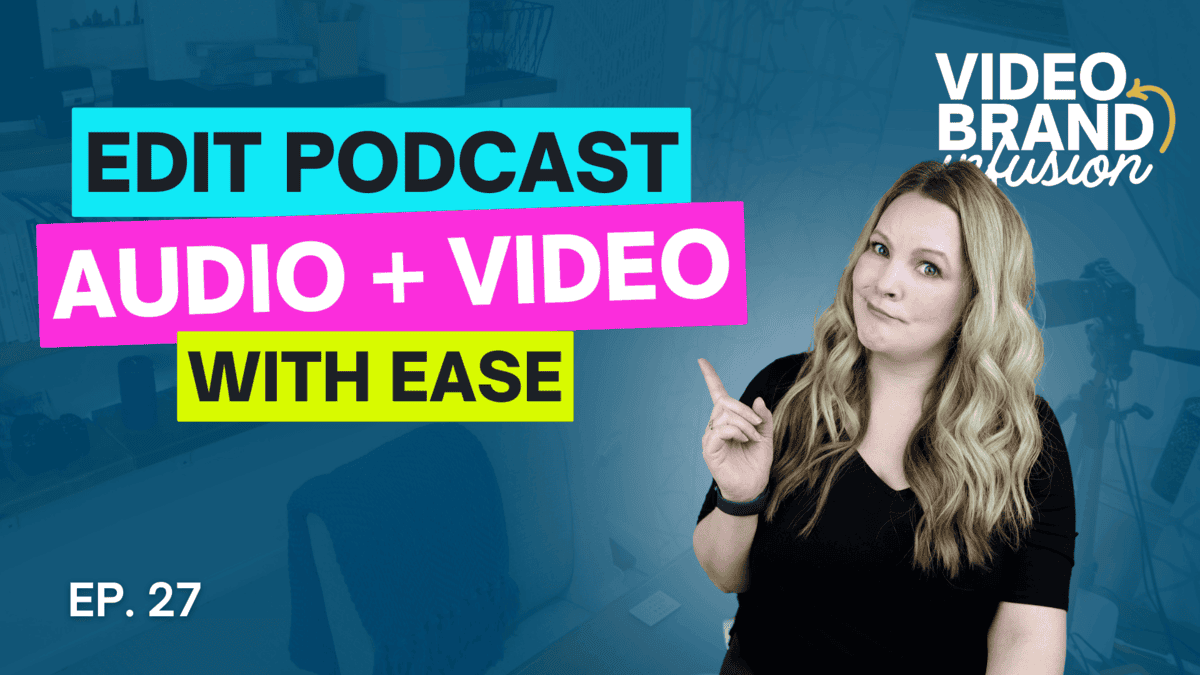
Editing podcast audio and video at the same time might sound like a podcast editing nightmare, but it doesn’t actually require more steps. So if you’re wondering how to edit a video podcast easily, for audio and YouTube podcasts, this is my easy video podcasting workflow.
There is a myth that editing a VIDEO podcast in addition to audio podcast takes more time and effort. The truth is, it only takes more time if you want it to.
In this episode, I’m going to share my video podcasting workflow so you can see that it all can happen at the same time without many extra steps at all!
Think video podcasting takes too much time vs audio-only? Let me show you how to edit both at the same time!
VIDEO: Edit Podcast Audio & Video at the Same Time (EASY WORKFLOW)
Some product links in this post are affiliate links, and I will be compensated when you purchase by clicking our links. Read my disclosure policy here.
Some product links in this post are affiliate links, and I will be compensated when you purchase by clicking our links. Read my disclosure policy here.
Why Video Podcasts are Worth the Effort
The first barrier people cite when it comes to video podcasting is time. They worry about camera setups, editing footage, and looking presentable. However, the benefits of adding video to your podcast are undeniable. Video makes your content more discoverable, allowing your podcast to live on platforms like YouTube, which boasts an enormous potential audience. Why settle for fewer audio-only downloads when you could get consistent YouTube views that grow over time?
The reality is simple: A video podcast has the potential to reach more people, increasing your business’s visibility and audience engagement. YouTube’s discoverability and search engine power make video podcasts an essential tool for growth, and adding video content doesn’t have to be overwhelming.
The idea that you need fancy cameras and expensive equipment is outdated. You can use your phone’s camera or a basic webcam to record a great-looking video podcast. In fact, the content is what truly matters, not whether you’re shooting in 4K on a professional camera. Good lighting, simple framing, and clear audio will do wonders.
Myth #2: Editing Video is Too Time-Consuming
It’s often said that video requires extensive editing time. While there may be a couple of additional steps compared to an audio-only podcast, they don’t add as much time as you might think. Using platforms like Descript allows you to edit audio and video simultaneously, cutting down on your overall workload. You don’t need advanced video-editing skills either—just a repeatable workflow that you can use every time.
The key to making video podcasting as simple as audio podcasting lies in workflow automation. If you follow the same steps every time, the process becomes second nature. Here’s how to set up your video podcast workflow:
1. Recording the Video and Audio
When recording a solo episode or interview, use software that separates the audio tracks for each speaker. This makes editing easier, as you can edit each speaker’s audio independently. Tools like Riverside.fm are great for this, and if you’re recording solo, tools like Descript allow you to manage both video and audio in one place.
In episode 24, I answered the question, “How important is video quality, really?” In that episode, I shared ways to mimic the look of a higher-quality camera, even if you’re using your phone or webcam, by focusing on lighting, framing, and similar techniques.
2. Editing Audio and Video Together
Editing doesn’t need to be complex. In fact, it can be as simple as editing audio alone. With Descript or other platforms like Final Cut Pro, CapCut, or iMovie, you can easily edit video and audio simultaneously. Cut out mistakes or ramblings like you would in audio editing—except now, both your audio and video are connected. The trick is not to overcomplicate things: you don’t need fancy transitions or effects. The content is the star of the show. Personally, my go-to for this is Descript, but like I said, the workflow is agnostic of whatever platform you’re working on.
The key to making audio and video editing at the same time efficient, without adding extra time, is to use a repeatable workflow—following the same steps like an assembly line every time. For me, I have a specific process I use to edit my video podcast for my regular solo episodes, which most of mine are. Then, I have a different set of steps when I have a guest.
There are a couple of things that make Descript my go-to editor for my video podcasts, and that is the fact that all of the cuts that you make are completely reversible. If you need to cut out a section and you cut it a little too close to the beginning of the next word and now it sounds weird, everything is undoable. That also means that you can make some edits to your audio quality and volume before you edit or after.
If you’re not already subscribed to my channel or you haven’t checked out the Descript tutorials that I already have, those are there for you. Make sure you hit subscribe and go check out those tutorials.
3. Exporting Files for Multiple Platforms
When exporting your finished product, you’ll want both a video file (MP4) for YouTube and an audio file (MP3) for your podcast hosting platform. Many hosting platforms, such as Buzzsprout, even allow you to upload video files directly. This simplifies your workflow, as you only need to upload one video version to both platforms.
If you prefer to optimize audio separately, you can use a service like Auphonic to process the audio file and adjust volumes, ensuring it sounds professional.
The Importance of Thumbnails and Titles on YouTube
While audio podcasts rely solely on audio quality and content, video podcasts require an additional visual element to attract viewers, there is one important component to YouTube specifically that you don’t have to think much about at all when it comes to just an audio podcast, and that is your thumbnail. Your thumbnail on YouTube is a critical component to getting views and getting people who see the video to click the video.
Don’t worry—creating a great thumbnail doesn’t have to be difficult. You can create a consistent look by using a tool like Canva. Keep a set of photos of yourself handy, and combine them with some key text related to the topic of your episode. A well-designed thumbnail will entice people to watch your video and can significantly impact the success of your content on YouTube.
If you have questions about my video podcasting workflow, recording, editing, or planning, check my Video Brand Infusion Podcast, but feel free to reach out to me and let me know what questions you have about my workflow. The Video Brand Infusion Podcast, my entire channel is dedicated to helping you look good, sound good, and feel good on camera, and that comes down to recording, planning, editing, uploading, all that stuff to grow your business and grow your audience on the number one platform for growing your audience online, which is YouTube.
What Happens After Editing? Uploading Your Content
Once your editing is complete, it’s time to upload your podcast. As mentioned earlier, you can upload your video podcast to YouTube and your audio version to your podcast host, like Buzzsprout.
Be sure to include transcriptions of your podcast for SEO benefits. Tools like Otter.ai can help generate accurate transcriptions, which you can then add to your podcast platform or YouTube description. Not only will this make your content more accessible, but it will also improve its searchability.
Final Thoughts: Make Video Podcasting as Simple as Possible
The idea that video podcasting is overwhelming is mostly rooted in myth. The key to success is simplicity and consistency. If you follow a repeatable workflow, video podcasting won’t take much more time than audio-only podcasting—and the payoff can be huge. YouTube is one of the most powerful platforms for growing your audience, and adding video to your podcast will help you reach more people, grow your business, and engage with your community in a meaningful way.
With tools like Descript for editing, Canva for thumbnails, and Otter.ai for transcriptions, there’s no reason why adding video to your podcast should be daunting. The more you practice, the quicker and easier it will become.
And…. If you want more details about how I set up a YouTube funnel to work for my business and generate consistent sales of my courses and programs, I outlined the entire process in Episode 1 of the Video Brand Infusion podcast.
If you have an online business with a course, program, or any other kind of offer, and you’re not currently generating consistent sales on autopilot, I’d like to introduce you to the hands off youtube funnel that has made me over $20k on a $147 course! That way, you too can make consistent sales of your offer, with the beauty and simplicity of organic, evergreen traffic from YouTube! Start here with my free “AIT Method” training.
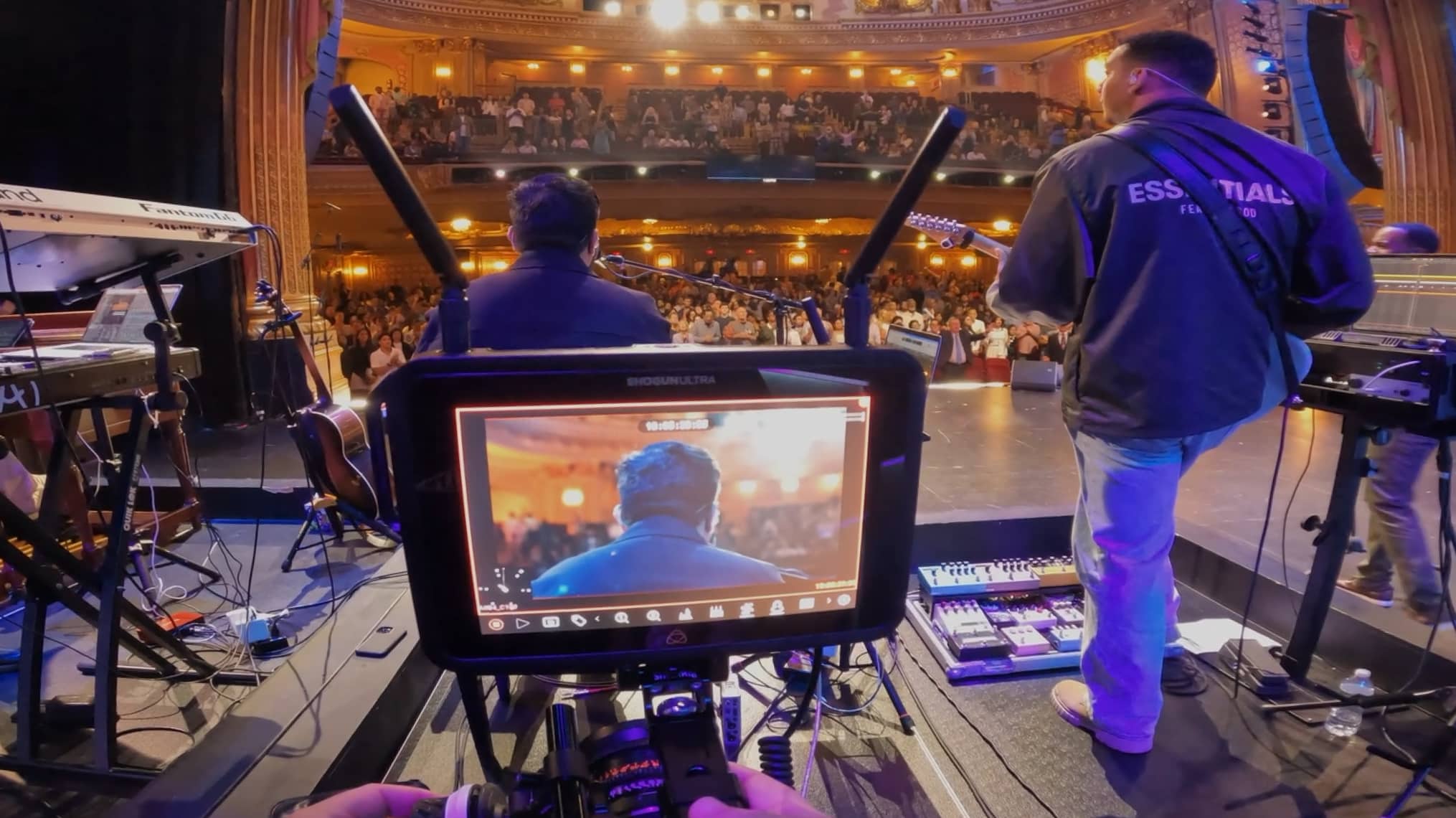
In this article from Atomos, Austin Allen, the lead filmmaker at Times Square Church in New York City, shares how the Atomos Shogun Ultra monitor has transformed the church’s video production workflow. Located in the heart of Manhattan, Times Square Church serves over 50,000 attendees annually, and is known for pushing the boundaries of filmmaking and video ministry. Allen, a long-time user of Atomos products, highlights the Shogun Ultra’s ease of use and versatility, making it a perfect solution for churches and organizations looking to improve their video production processes. Whether used for live broadcasts, studio shoots, or smaller projects, Allen emphasizes how the Shogun Ultra has made a significant difference in their workflow, especially when working with diverse production needs.
One of the standout features Allen discusses is the Camera to Cloud functionality integrated into the Shogun Ultra. This feature enables filmmakers to upload high-quality H.265 files directly to the cloud while shooting, which is particularly beneficial for remote editing and post-production workflows. For churches, this offers a tremendous advantage, as editors or social media teams working off-site can access footage immediately without the need for manual file transfers. Allen explains how this feature streamlines video production, making it faster and more efficient, especially for time-sensitive content like church services, conferences, or social media updates. This cloud-based workflow also adds redundancy, ensuring that teams always have a backup while allowing them to work on footage in real time.
Another key feature Allen praises is the Shogun Ultra’s ability to record in 6K ProRes RAW. This capability provides high-quality recording even when using smaller camera setups, which is ideal for churches or filmmakers who want top-tier production quality without needing large-scale equipment. Allen explains how the Shogun Ultra allows users to unlock the full potential of their cameras, whether they are using a RED, ARRI, or a smaller DSLR like the Canon R5. Additionally, the ability to record in ProRes RAW is crucial for color matching across multiple cameras, a common challenge in productions that involve different types of cameras. With the Shogun Ultra, churches and filmmakers can ensure consistent image quality and color matching, even when using a mix of larger and smaller cameras in the same project.
Allen highlights the Shogun Ultra as an essential tool for his team at Times Square Church. Its user-friendly design and advanced features, such as ProRes RAW recording and Camera to Cloud integration, make it a perfect fit for churches and organizations with high production needs but limited resources. By offering flexible recording options and seamless cloud integration, the Shogun Ultra helps simplify complex production tasks and accelerates post-production timelines. Whether it’s used for live church broadcasts, conferences, or social media content creation, Allen emphasizes how the Shogun Ultra has proven itself as an invaluable asset in their workflow, allowing them to push the boundaries of their video production efforts.
In conclusion, this article showcases how the Atomos Shogun Ultra monitor has revolutionized the video production workflow at Times Square Church. Its versatility across different camera setups, from high-end cinema cameras to smaller DSLRs, and its advanced features like Camera to Cloud and 6K ProRes RAW recording make it an indispensable tool for filmmakers and video teams. By simplifying video production processes and offering high-quality output, the Shogun Ultra is an excellent choice for churches, ministries, and organizations looking to elevate their video content creation.
We are the live streaming, video editing and production experts!
Videoguys understands the gear we sell because we use it ourselves! Our staff are videographers, live streamers, editors, filmmakers and vloggers just like you. We have worked with schools, churches, corporate AV and independent producers like you.
You can speak to a live person Monday through Friday from 9:00 am – 5:00 pm EST at 800-323-2325, by chat or by email to sales@videoguys.com. We can help you find the live streaming, video production and editing equipment that meets your needs and budget.
The University of Nevada, Las Vegas (UNLV) has set a new standard in educational technology by implementing Pearl Nexus for classroom capture. As a trailblazer in leveraging technology to enhance learning, UNLV has always prioritized student and faculty engagement. The university’s forward-thinking approach led them to adopt the Pearl Nexus system, an enterprise-grade solution designed to meet the evolving needs of modern education.
UNLV’s Classroom Capture Challenge
In 2018, UNLV faced a significant challenge with its existing lecture capture hardware. The system was unreliable, outdated, and not fully integrated with their AV infrastructure. With growing student and faculty needs, the university required a scalable solution that could seamlessly integrate with Panopto for content management and Crestron for room integration. As Frank Alaimo, Classroom Technology Services Manager at UNLV, explains, “our previous hardware appliances just weren’t up to the task.” The school needed an innovative solution to improve reliability and minimize maintenance.
The Pearl Nexus Solution for Classroom Capture
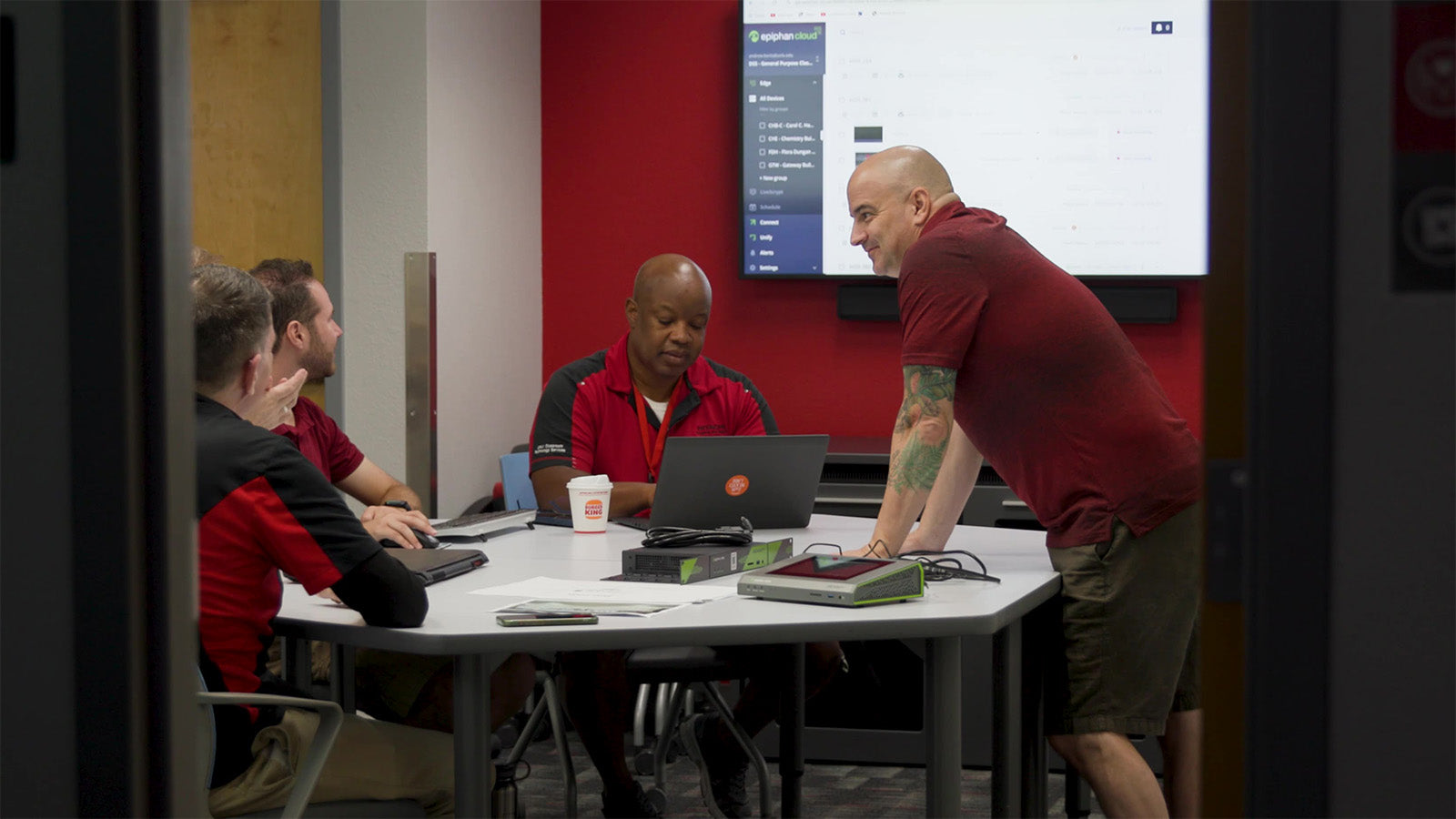
After extensive research, UNLV selected Pearl Nexus™ by Epiphan. The Pearl Nexus system provided everything they needed: easy integration with existing AV infrastructure, remote management through Epiphan Edge™, and fast installation. UNLV deployed over 200 Pearl Nexus units in classrooms and research spaces, each set up in less than 10 minutes. The seamless integration with Panopto and Crestron created a user-friendly experience for both faculty and students.
With Pearl Nexus, classroom capture at UNLV became streamlined and efficient. Faculty no longer needed to interact heavily with the technology, allowing them to focus on teaching, while students benefitted from having recorded lectures available for review, improving engagement and retention.
Improved Engagement and Efficiency with Pearl Nexus
Since implementing Pearl Nexus, the university has seen higher levels of student engagement. According to UNLV student Safiyaa Bintali, the ability to revisit recorded lectures has had a “positive effect” on both her learning and grades. Faculty members now direct students to lecture recordings for review, freeing up their time to address more complex questions during office hours.
The AV team at UNLV has also experienced fewer maintenance issues, allowing them to focus on strategic projects. As Frank Alaimo notes, “I’m a happy man when my phone’s not ringing,” as the reliable Pearl Nexus system allows the team to concentrate on future initiatives rather than troubleshooting old hardware.
UNLV Sets the Standard for Lecture Capture
UNLV became the first university to fully standardize on Pearl Nexus, revolutionizing how they manage classroom capture across the campus. This partnership with Epiphan has positioned UNLV as a leader in educational technology, paving the way for future innovations. Pearl Nexus has become the backbone of the university’s AV infrastructure, supporting its mission to provide students with an exceptional learning experience.
In summary, UNLV’s adoption of Pearl Nexus for classroom capture highlights the university’s commitment to leveraging cutting-edge technology. By improving student engagement, streamlining faculty workflows, and reducing AV maintenance, Pearl Nexus has set a new benchmark for lecture capture solutions in higher education. UNLV’s forward-thinking approach continues to make them a leader in delivering innovative education technology solutions.
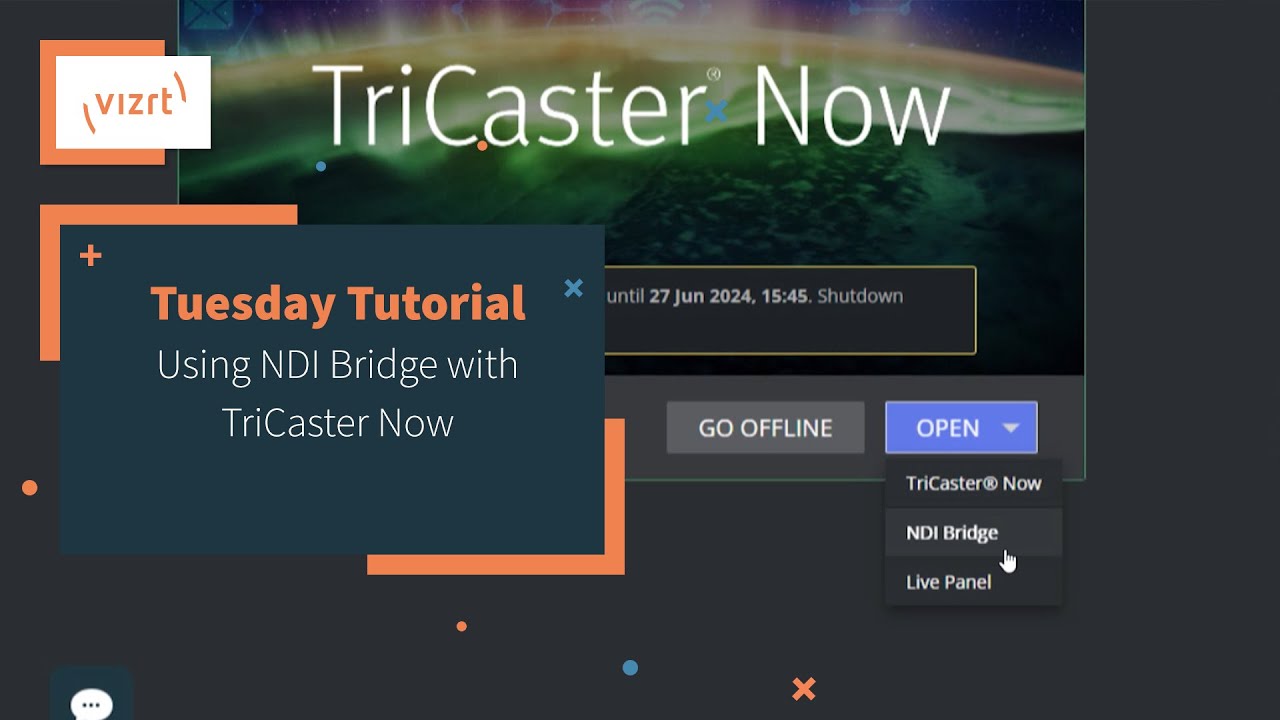
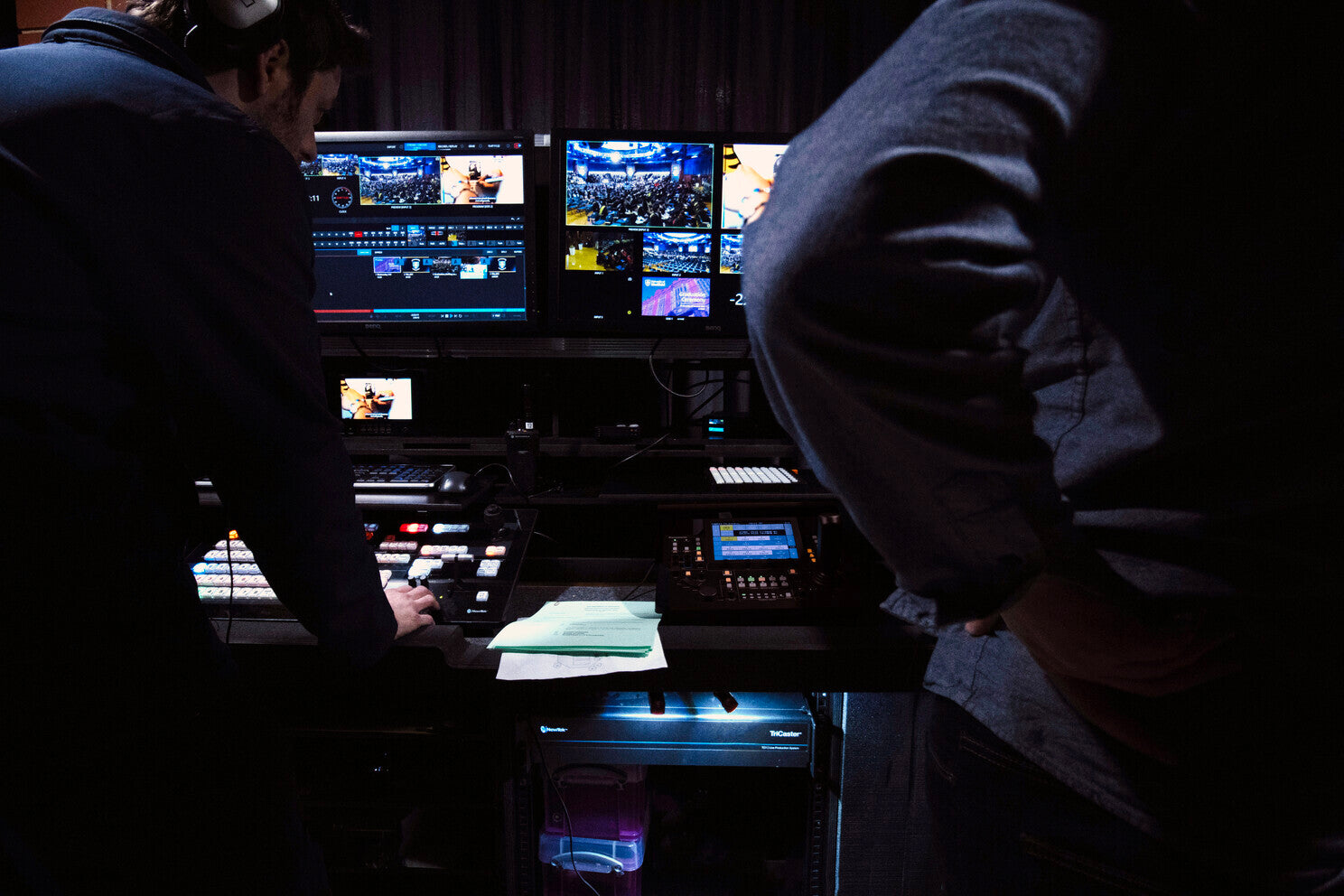
In this article by Jonathan Hooton, the University of Sheffield graduation ceremony is showcased as a major event for graduates and their families worldwide. To enhance the experience and share it with a global audience, the University of Sheffield uses an advanced production setup featuring the Vizrt TriCaster TC1 and NDI technology.
Before adopting the TriCaster TC1, setting up for graduation ceremonies at the University of Sheffield was a two-day process involving a team of five. The setup was complex, with many cables and equipment that made flexibility difficult. Now, with the introduction of the TriCaster TC1 and NDI technology, the production team can take advantage of the existing building infrastructure. This innovative setup eliminates the need for tangled cables and reduces time and effort.
The TriCaster TC1 serves as the heart of the operation. It enables seamless switching between five strategically placed Panasonic AW-UE150 PTZ cameras, ensuring the online audience enjoys a clear view of the stage and each graduate. The system also allows the sharing of presentations and graphics on the big screen within the Octagon Centre, while a stage camera feed highlights every graduate as they cross the stage.
One of the key features of the updated setup is its efficiency. Most of the production equipment is housed in a pre-configured flight case, affectionately called “The Beast.” This portable setup allows the team to roll into any location, connect a few cables, and be ready in just 3-4 hours, a massive improvement from the previous two-day setup. The team has also downsized from five people to just two – one handling vision mixing and the other managing camera control.
Thanks to this streamlined approach, the University of Sheffield can now reach a broader audience. Last week alone, the live stream on the Kaltura platform recorded over 18,000 views from around the globe, with on-demand viewership continuing to rise.
By adopting innovative video production technology, the University of Sheffield ensures its graduation ceremonies are shared and celebrated by graduates and families worldwide. The combination of the TriCaster TC1, NDI technology, and efficient workflows has transformed the University’s ability to host a truly global event.
On this week’s Videoguys Live, James is giving a sneak peak into NAB New York and letting you know where all of our partners can be found and what they will be showing off on the show floor. Tune in to learn more and we hope to see you on the show floor October 9 & 10!
Check Out the Broadfield Pavilion at NAB NY in Booth #711
YoloLiv in Broadfield Pavilion Booth #711
First time ever showing off the new YoloBox Extreme in the United States
YoloBox Extreme, with 8 HDMI inputs + 2 Configurable HDMI Outputs, 4K, NDI, Enhanced MultiCam Replay, and much easier automatic Video Follows Audio and much easier almost anything else that’s all configured and operated from YoloBox itself, with no computer required at all.
Atomos in Broadfield Pavilion Booth #711
Showing off Shinobi II, Ninja Phone, Shogun Classic, Sun Dragon, Sumo 19 and more!
BirdDog in Broadfield Pavilion Booth #711
Showcasing the brand new X-Series range
X5 Ultra
X4 Ultra
X1 & X1 Ultra
Maki Ultra
And more coming soon!
PTZOptics in Broadfield Pavilion Booth #711
MOVE 4K PTZ Cameras
ZCAM 4K – Box camera
Hive Studio
JVC in Broadfield Pavilion Booth #711
Showing off their new PTZ cameras, controllers, and vMix Production Systems
LiveU in Broadfield Pavilion Booth #711
Showing off LU300S, LU800, Lightweight Production Bundles, and more!
Canon in Broadfield Pavilion Booth #711
See Canons line of Camcorders and PTZ cameras that support Wide Dynamic Range!
Vizrt in Broadfield Pavilion Booth #711
One of the first TriCaster Vizion demos in the US
Tricaster Mini S – NEW Tricaster software
Connect Tetra – Swiss-army knife of an AV edge-device
PTZ3 UHDPlus – 4K auto-tracking
Flex Dual Control Panel
Virtual Studio Go
Kiloview in Broadfield Pavilion Booth #711
Come and see the P3, P3 mini, encoders, decoders, converters, and more!
Avid in Broadfield Pavilion Booth #711
Avid Media Composer, Media Centra,l and Nexis
Matrox in Broadfield Pavilion Booth #711
Encoding/decoding for REMI, contribution, and transport
ST 2110/IPMX-ready baseband converters and encoders/decoders
Advanced 4K IP-to-IP video gateway for media conversion, processing, and routing
High-performance 4K IP KVM extension over standard 1 GbE networks.
Absen in Broadfield Pavilion Booth #711
Polaris V2 Series
NX Series
Check Out Our Partners Booths @ NAB NY
NETGEAR AV – NAB NY Booth #1252
M4250 Managed Switches: The AV Line of M4250 switches are built for 1G AV over IP installations and designed for a clean integration with traditional rack-mounted AV equipment.
M4350 Managed Switches: The M4350 Series of 1 Gigabit to 100 Gigabit fully managed switches provides an edge to core stackable platform for any AV over IP installation. Redundant modular power supplies on select models contribute to business continuity management.
Engage Controller:On-board, configure, and monitor multiple M4250, M4300, and M4350 switches used in AV networks. Use the AV GUI to quickly and reliably configure for any AV over IP installation.
Pro WiFi Access Points: Get powerful and reliable wireless connectivity for all your devices, even in high-density environments. Remote management via NETGEAR Insight, along with simplified enterprise-grade security built-in for peace of mind
Panasonic Connect – NAB NY Booth #611
KAIROS live production platform demos
First Look at NEW UB50 and UB10 cameras
SanDisk Professional – NAB NY Booth #628
G-RAID MIRROR Set to RAID 1 (Mirroring) will allow you to keep a working copy of your valuable content on one drive and will automatically create a duplicate for you on the second drive for data redundancy and peace of mind.
G-DRIVE PROJECT Transfer, edit, and archive large volumes of high-value content daily. The workflow is fast and simple, so you can focus on the content, and have peace of mind about your storage.
Facilis – NAB NY Booth #910
FASTCache Remote Workflow Accelerator, now available with Version 8.3, to be demoed at NAB Show New York 2024.
New FastTracker MAM Features and Enhanced HUB AD/LDAP Support.
In this YouTube video from Michael Kammes, he dives deep into the video editing software used by Hollywood for film and television production. Revisiting his original video from 2017, Michael discusses how the industry has evolved over the past seven years, highlighting major changes in three popular editing solutions. He reviews top programs like Avid Media Composer, Adobe Premiere Pro, Apple Final Cut Pro, Blackmagic Design DaVinci Resolve, and more, offering insights into how these tools are shaping modern-day Hollywood productions.
In this YouTube video from SanDisk Professional, discover the difference between the G-DRIVE and G-RAID storage solutions with PRO-TEAM Ambassador, Michael Coleman, as he breaks down the various use cases and benefits for media professionals and creators.
G-RAID MIRROR Set to RAID 1 (Mirroring) will allow you to keep a working copy of your valuable content on one drive and will automatically create a duplicate for you on the second drive for data redundancy and peace of mind.
G-DRIVE PROJECT Transfer, edit, and archive large volumes of high-value content daily. The workflow is fast and simple, so you can focus on the content, and have peace of mind about your storage.
In this article from Adobe, the company reflects on the rapid advancements made with Adobe Firefly, its innovative generative AI tool, since its initial launch in March 2023. Authored by Adobe, the article highlights the impressive integration of new Firefly models into widely-used tools such as Photoshop, Lightroom, Illustrator, and Express. With these tools, users can leverage Firefly-powered features like Generative Fill in Photoshop and Generative Remove in Lightroom, transforming the way creators and designers work. The creative community has embraced these features, generating over 12 billion images and vectors, making Adobe Firefly one of the fastest-adopted AI technologies within Creative Cloud and Express.
As Adobe expands its generative AI capabilities, the upcoming Firefly Video Model is set to revolutionize the video editing landscape. Available in Premiere Pro, starting with the beta version later this year, this model will enable editors to use AI tools to streamline their workflows. Adobe has worked closely with the video editing community to fine-tune the Firefly Video Model, ensuring it meets the needs of professionals. Like other Firefly models, the video AI tool is trained on content that Adobe has permission to use, ensuring a commercially safe environment for creators.
As the demand for short-form video content grows, Adobe is helping video editors, filmmakers, and content creators meet these challenges head-on. Editors are now tasked with color correction, visual effects, titling, animation, and audio mixing, in addition to traditional editing tasks. Adobe’s AI-driven tools, including Firefly Text-to-Video, help editors fill gaps in footage, remove unwanted objects, and generate B-roll using simple text prompts. These AI-powered solutions not only save time but also enable editors to focus on creative storytelling and collaboration, delivering high-quality work faster.
Adobe Firefly is changing the way editors and creators work, helping them overcome common challenges and elevate their creative output. By integrating generative AI into their workflows, Adobe is enabling professionals to create their best work in record time, setting new standards in the world of video editing.
Read the full article by Ashley Still for Adobe HERE