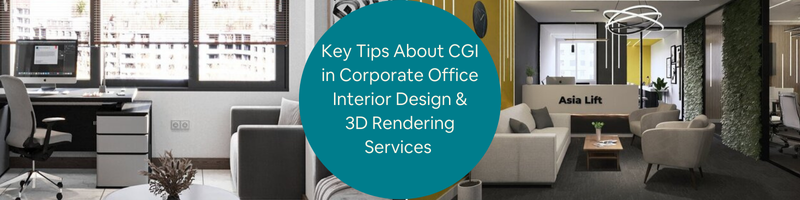
Today’s post covers a few tips about CGI in corporate office interior design and 3D rendering services. Corporate offices are among the most important spaces in modern life. Considering how every decision made in those spaces on a daily basis have the power to affect product planning, research and development, marketing strategies, public relations, employees’ welfare, finances, and just about everything else even remotely connected to the company’s operation, it makes perfect sense if corporate offices are fashioned to be as business-centric as possible by incorporating a lot of design cues from their respective brands’ visual identities. 3D Rendering professionals can do just that.
You can even say that a corporate office is a lot more than just a place of work. It is a physical expression of a company, a statement of the brand’s vision, a testament to its reputation, and to some extent a strategic tool to attract and retain talent. The office isn’t just a structure, a building where the C-suite and their subordinates assemble to perform their roles, but a purposeful asset that facilitates all the company’s activities to make sure everything functions as intended.
With that in mind, a corporate office needs a design that represents its importance. It should therefore surpass the mere purpose of polishing the space up with furniture and ornaments, but also to communicate the overall experience and ideas of the company itself. An expert 3D interior rendering firm can help.The lobby must bring forward collaborative energy, the executive boardroom has to outline the sense of sophistication, and even the library is supposed to be framed in a productive atmosphere.
RELATED: Top 41 Interior 3D Design Firms for 3D Rendering Firms & Visualization Companies in the US
For architectural render artists, visualizing a corporate office always presents an assortment of unique challenges. You can’t depict it simply as luxurious, because it’s not the place people have in mind when they want to feel glamorous; focusing entirely on the industrial side also isn’t true, either, as the atmosphere should also promote comfort. The visualization has to be well-balanced; a visualization that embodies corporate culture, ideals, professionalism, productivity, and visions for success.
Like the trade of 3D rendering itself, interior visualization is a blend of art and technical proficiency. A good interior has to be precise with hyper-realistic details, but without the lack of artistic touches for storytelling. And suppose a combination of technical mastery and distinctive styles is what you’re after. In that case, Cad Crowd can help you connect with hundreds of skilled and experienced professionals specializing in interior rendering of commercial, residential, or industrial spaces.
Practical guide to effective CGI of corporate office
Creating a visualization of corporate office interiors can be quite tricky. While it’s true that one of the main purposes of a render is to get the proposed design approved, a corporation (in this case, the project owner) isn’t a typical client. As a 3D visualization professional, you don’t want to present a generic, run-of-the-mill visualization to executives during a routine pitch and hope for high praise; these people need to be utterly impressed to even bother to take a second glance. C-suites are hard to please, but there is plenty you can do to try and convince them that the visualization you create is more than worth every penny.
RELATED: The Proven Impact of 3D Interior Rendering Services For Boosting Hotel and Resort Bookings
Project brief
A corporation doesn’t just give you the freedom to provide interior design services to craft an interior design for its office. It often has strict rules regarding the visual language and symbolism you must follow almost religiously. Big companies don’t make their design decisions on a whim, and neither should you about the visualization. Make sure you understand everything in the brief, even before the first polygon happens. When it comes to corporate design, the project brief must be treated as law.
Any information you can get about the company’s profile, brand identity, culture, goods and services, corporate structure, size, and areas of operation can contribute to the visual style. Think of the visual style as an extension of the company’s logo (with all its colors and typography), reflecting its values and visions. And then there’s also the “objective” of the interior design itself. Modern corporate offices are set to feel like a small neighborhood that consists of multiple zones with their own specific purpose. For example, the boardroom is intended to be a formal space designed to evoke the sense of prestige and sophistication, whereas the collaboration hub needs to showcase warmth and a stimulating atmosphere.
Reference board
A mood board is useful. It takes you to the right path leading to the visual style you should pursue and the message you want to convey with 3D rendering services. But since you’re working on a visualization of a corporate office, a mood board alone might not be enough; you need a reference board to keep you on track. References can be in any form and shape, from sample images of interior designs for commercial spaces and illustrated guides on how light behaves when it hits translucent objects, to a catalogue of fabric patterns and a database of material textures under a microscope.
RELATED: 3D Interior Rendering Services for Interior Design Firms How to Make Your Company Stand Out
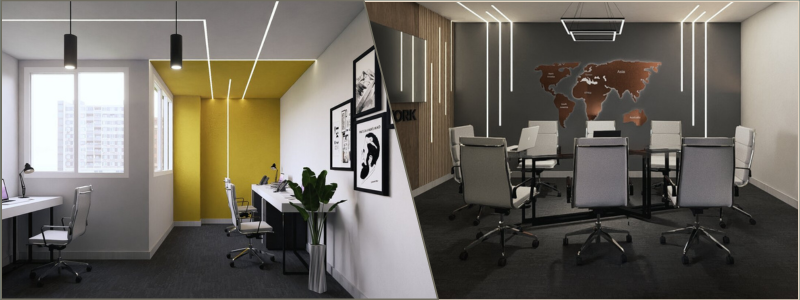
Real-world photography also makes for an excellent point of reference. In fact, photographs of high-end interiors and office spaces should be your primary source of ideas. A lot of modern corporate office designs aren’t too far away from those of luxury retail and renowned hotels. We’re not just talking about the executive boardroom here, but also the lobby, reception desk, lounge, and sometimes, work bar. You’re not trying to imitate every detail from a specific building, but have a glimpse at the lighting positions, the scale of things, and perhaps at the type of premium materials in use for the flooring, furniture pieces, or ornaments.
Curated library
Now that you have loads of reference images and reading materials needed for the 3D modeling design service project, you can begin collecting digital assets (3D models, patterns, textures, materials, etc.) relevant to the project brief. It might serve you well to search only for premium assets instead of the generic low-poly ones. This is not to say you can’t use free assets from the Internet and polish them up later on; it’s just that you have a better chance of finding exactly the assets you need from premium libraries.
One of the issues with free assets is that most of them look somewhat “standard” or commonplace. Corporate offices are supposed to be filled with custom millwork, top-tier furniture brands, state-of-the-art lighting, and more. You see bespoke elements everywhere you look. For instance, you can’t just download free high-poly 3D models of Haworth or Herman Miller layout studio; they’re premium assets with hefty price tags attached to them. If you use premium assets, make sure the prices are well covered by your employer.
Don’t forget about tech elements such as modern laptops, smart boards, video-conferencing screens, touch panels, and audio equipment, among others. Corporate office 3D interior visualization services must demonstrate a seamless blend between technology and the rest of the design elements in a way that conforms with the atmosphere of the room.
RELATED: How to use SketchUp for Interior Design Modeling
Scale is everything
In every 3D architectural visualization designer’s design, the scale is a non-negotiable groundwork on which everything else rests. It’s how you determine proper geometry and accuracy of each model in the frame. Scale is the bedrock of rendering, and even more so when you’re dealing with the likely spacious and complex corporate office interiors. Before you put the first model in the scene, be absolutely certain that the software tools (both the 3D modeling and rendering applications) are set to use a particular system unit, either metric or imperial, to match the design drafts and stick to it.
Never deviate from the initial system unit throughout the task to avoid confusion. Physical or geometry measurements seem trivial indeed, but they’re actually much more important than you think. Take, for example, the reflection of light: the distance between the object and the light source should determine how bright or dark the object appears in the scene. Say a library is 4m tall, while the ceiling of a meeting room is almost twice as high.
If the two rooms have the same total square footage, flooring type, as well as type and number of recessed lighting in a 3D photorealistic rendering, then the rays of light that directly hit the floor should look different. The same rule applies to Subsurface Scattering, Index of Refraction, and PBR materials. Camera angles and depth of field will only look realistic if the scene is adjusted to the right scale.
RELATED: 7 Ways 3D Interior Designer Services Are Used to Maximize Living and Working Spaces
No sharp edges
Perfect 90-degree corners are almost non-existent in real-world objects. Nothing is perfectly sharp, even in critical structural elements like structural beams or glass panels. Chamfer and bevel, on the other hand, are everywhere. Even a tiny, seemingly insignificant 1mm chamfer all around the edges of a bookshelf or a massive industrial desk in the middle of a conference room can help catch light and create the impression of geometrically perfect lines. A minuscule bevel is a subtle yet effective trick for realism. Besides, nobody wants to have sharp edges on objects they interact with on a daily basis.
Minding the invisibles
A good architectural visualization designer includes not only the visible elements in the scene. To know whether the design will actually work in real life, you need to include every single object that’s supposed to be in the room, even if you can’t see them. For instance, a ceiling system consists of housing for lights, acoustic tiles, a linear bar grille diffuser, and sprinkler heads. They are not likely to be the focal points of any corporate office interior visualization, but the ceiling is an element that affects the overall design.
The placements of those objects might have something to do with the furniture layout and size, or the positions of doors and windows. Every single design decision has to make sense and serve a purpose, and you can’t have that without taking into account all the objects in the room, visible or otherwise. Also, it would be very difficult to produce an accurate depiction of the light that bounces off the thin tablecloth if you don’t model the table materials, textures, and patterns underneath the fabric.
It’s the same thing with a drapery liner for glass windows, light switches on the wall, a hidden lamp in the middle of a hollow-center meeting table, etc. The transition of lighting effects between different materials also matters, such as from stone flooring to a metal door sill or from the flat surface of a wall to the slightly recessed power outlets.
RELATED: 5 Benefits of Using 3D Rendering and 3D Visualization Services for Interior Design
Precision is the hallmark of a high-end visualization from an experienced 3D artist. Every object must be modeled to the highest level of accuracy, down to the smallest details, including parts of an object that are otherwise usually invisible or at least unnoticed. This is especially important for an object that’s supposed to be the main highlight of an interior. A custom credenza in an executive office, for example, can shine as the hero piece of the scene if the visualization highlights the decorative inlay, the hand-carved handles, or the shiny polished surface.
Instances or proxies
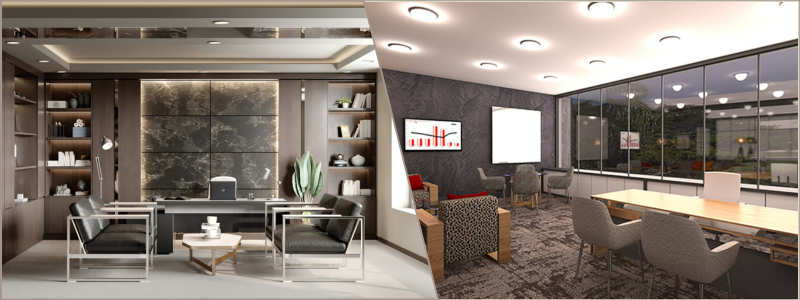
An open-plan office layout is perhaps out of fashion these days, but it doesn’t mean they’ve completely disappeared. Some companies still implement the concept to encourage collaboration, especially among those working on developing new ideas for products or services. When it comes to 3D visualizer services, an open-office concept can turn into a rendering nightmare. Imagine having to include many dozens of similar-looking chairs, desks, laptops, and office supplies within a single scene. And each object has to be a high-poly model.
One of the most effective workarounds is the “proxy” feature in the rendering software. It allows you to use lower-resolution models while editing and use only the high-poly ones for the final render. Either proxy and “instance” function helps improve performance in the viewport without sacrificing quality in the resulting imagery. It’s worth noting that not all the chairs and desk lamps in the scene are observed the same way; some of them are probably 100m away from the camera position, so you can use models with simpler geometry for those when creating your furniture rendering design, thanks to depth of field. If you decide to go this route, or if the scene allows for such an approach, the foreground and mid-ground should be the main areas of focus.
RELATED: How Do 3D Interior Design Rendering Services Use Space Planning for Floor Plans?
Corporate lighting
The only good lighting strategy for a corporate office interior is flexibility, meaning the lighting scheme has to cover multiple necessities. It needs to be bright enough for productivity, soft enough for comfort, sophisticated enough to impress clients, and versatile enough to cater to different settings or moods. A professional lighting design visualization requires layering, in the sense that you cannot rely on a single light source.
At the very least, you need three sources: the ambient light for base illumination (such as ceiling panels or cove lighting), accent light for when you need to highlight specific design features (typically lights to illuminate ornaments, textures, logos, etc.), and task-related light that facilitates the functions carried out in the room (for example under-cabinet in kitchen area or linear lights over desks).
Your selection of color temperature can make a huge difference in mood. As a general rule, a warm light between 3000 and 3500 Kelvin is suitable for hospitality areas like a collaboration hub, lounges, and lobbies. A neutral or cool light, anywhere from 4000 to 5000 Kelvin, is best for productivity zones such as open-office layout, boardroom, etc. Of course, the interior rendering designer may have to mix and match the different color temperatures to produce the layered scheme mentioned earlier.
Daytime render presents its own unique challenge for corporate interior space. Since the primary light source likely comes through a series of glass windows, everything may appear overly bright in the scene. High Dynamic Range Image (HDRI) is an excellent tool to create a natural-looking scene with proper reflections on glass and metal surfaces. If the project requires a view of the sky or outside environment, configure the exposure control to maintain a bright interior while preserving visibility and details of the exterior view.
RELATED: Top 5 Challenges in Interior Design Solved by Outsourcing CGI Services at Freelance CAD Firms
Imperfection
It has been said time and again that perfection isn’t always the best move in 3D architectural rendering services. This doesn’t mean you’re allowed to make a lot of mistakes. The imperfection here refers to the scene itself, not the visualization. A perfect scene negates the realism effect, so it might be a good idea to introduce some smudges on the glass panels, a thin layer of dust on the surface of a tall bookshelf, or subtle wear on the polished stone flooring.
The “UVW Randomizer” feature in a rendering software can help create a realistic imperfection. It allows you to use different texture maps for similar objects to avoid repetitive details. For instance, not every wooden cabinet in the entire office has the same grain and shine.
Takeaway
From the perspective of rendering skill requirements, there doesn’t seem to be much of a difference between corporate offices and any other commercial spaces. What sets the former apart is perhaps the use of high-quality 3D models and how the objects are arranged in the scene to tell a story about brand identity. While the logos are used sparingly across the interior, the brand image must be everywhere in the scene, from the use of the logo’s accent colors to the way every screen displays the company’s name.
How Cad Crowd can help
A high-end rendering isn’t merely about the realistic lighting, shadows, and detailed 3D models; it’s also about how effective the imagery is at conveying a narrative. Cad Crowd is home to professional render artists experienced in creating hyper-realistic visualizations of corporate offices that seamlessly incorporate brand identity and compelling narrative to impress even the most demanding clients. Contact us today to get a free quote.