I’ve tried nearly every iOS 27 feature, and these 3 are why I’m still excited about the update


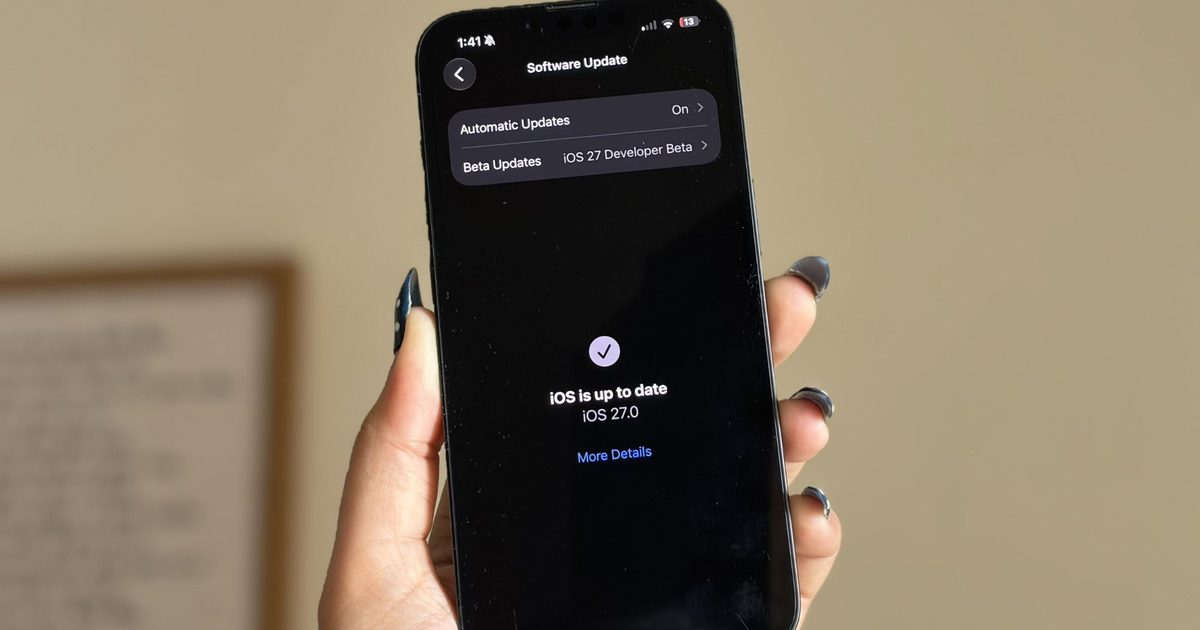
It’s been a little over a week since Apple’s WWDC keynote, and the iOS 27 beta is already out in the wild. While Apple spent plenty of time talking about its Gemini-powered Siri, the thing I was most excited about was getting the update onto my iPhone 16e and seeing what it was actually like to live with.

I’ve been using the beta every day since then, and one thing has become pretty clear: not every new feature lived up to the hype for me. Some felt more interesting during the announcement than they do in everyday use, while others simply haven’t found a place in my routine. But a few features have been the complete opposite. They’re the ones I’ve found myself returning to again and again without even thinking about it. After spending more than a week with iOS 27, these are the three features that have stood out the most — and the biggest reason I’m still excited about this update.

The fitness app finally feels like a fitness app

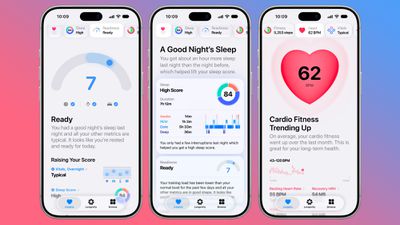
I’m a bit of a fitness nerd. Whether it’s squeezing in a workout after a long day or making sure I close my Activity rings, I’m always keeping an eye on my progress. That’s why the Fitness app is one of the apps I use the most on my iPhone, and honestly, I’ve felt for a while that it deserved a refresh. The old design wasn’t bad by any means. It was clean, familiar, and easy to navigate. But it also felt a little static, especially compared to modern fitness apps that do a much better job of making your workout data feel engaging and meaningful. There was plenty of information there, but not always in the most exciting way.

The redesigned workout experience in iOS 27 changes that. Everything feels better organized, and the information I care about is much easier to spot at a glance. More importantly, the app finally feels built around the workout itself rather than just a place to store data. For example, I went on a 10km run this morning, and one of the first things I noticed afterward was how prominently my route map was displayed. Instead of digging through menus to find it, the map was right there, front and center. It reminded me of a presentation you’d expect from dedicated fitness apps like Strava. This isn’t the biggest change in iOS 27, but it makes reviewing a workout feel far more rewarding. That’s really what I like about the redesign. The Fitness app finally feels more alive. Rather than simply showing me numbers and charts, it does a better job of highlighting the moments and milestones that make working out feel satisfying.

The cleanup tool finally cleaned up its act

I never thought I’d be talking about photo editing tools as one of my favorite parts of iOS 27, but here we are. The updated Cleanup tool and the new Reframe feature have genuinely made me spend more time editing photos directly on my iPhone 16e. And honestly, that’s saying something. Before this update, Apple’s Cleanup tool was one of those features I wanted to like but rarely used. Compared to the object-removal tools on Pixel and Samsung phones, it often struggled with anything more complex than a simple background distraction. The results were hit-or-miss, and most of the time I’d rather leave the photo alone than risk making it look worse. Thankfully, that has changed.

Over the past week, I’ve used Cleanup on everything from random objects in the background to people accidentally walking into a shot, and the results have been surprisingly good. One example that genuinely impressed me was when I tried removing a book that was partially covering my face in a photo. I expected the tool to either leave behind a blurry mess or distort my face. Instead, it removed the book cleanly and reconstructed the missing area so well that it looked like the book had never been there in the first place.

For the first time, Apple’s Cleanup tool feels reliable enough that I actually want to use it. The new Reframe feature is interesting for a different reason. Using generative AI, it can virtually adjust the framing of a photo after it’s been taken, giving you a little more flexibility if you didn’t quite nail the shot. I don’t see myself reaching for it every day, but that’s okay. It feels more like a feature you’ll appreciate when you need it, rather than one you’ll use constantly. And that’s what I like about both additions. One solves a problem I run into regularly, while the other serves as a safety net for moments when a photo isn’t quite framed the way I want. 

Every “what is that?” now has an answer

Of all the new AI-powered additions in iOS 27, on-screen awareness is probably the one I’ve used the most. And yes, the moment you hear about it, you’ll probably think, “Wait, isn’t this just Circle to Search?” Honestly, that’s not a bad comparison. Circle to Search is easily one of my favorite features on my Google Pixel 10a. I use it all the time. If I’m scrolling through Pinterest and spot a chair I’d love to buy, I can instantly search for it. If I’m watching a YouTube video and notice a pair of sneakers someone is wearing, I can quickly find out what they are. Sometimes I’ll come across a landmark in a travel reel, a gadget in a review video, or even an unfamiliar dish in a food post, and Circle to Search gives me answers in seconds without forcing me to switch apps or start a new search from scratch.

That’s the same reason I’ve grown to like on-screen awareness on the iPhone. Instead of manually copying text, taking screenshots, or opening Safari to search for something, I can simply ask Siri about what’s currently on my screen. For example, while reading an article, I used it to learn more about a company mentioned in the article. When browsing online stores, I used it to identify products and compare them with similar options. I even found myself using it while planning a trip after spotting a location in a social media post and wanting to learn more about it. What makes the feature feel useful is that it understands both the visual and textual information on your screen. Siri can analyze what you’re looking at and use that context to answer questions or help you take action. Apple is also opening this up to developers through dedicated APIs, allowing apps to expose relevant information that Siri can understand and interact with. This feature removes a lot of tiny bits of friction throughout the day. And those are often the features that turn out to be the most valuable.

A week later, these are still my favorites

I’m still spending time with iOS 27 on my iPhone 16e, and if there’s one thing I’ve learned over the past week, it’s that the best features aren’t always the ones that are advertised. Sometimes they’re the smaller additions that become part of your daily routine. For me, that’s exactly what happened with these three features. Whether it’s the refreshed Fitness app making my workout data more enjoyable to revisit, the improved Cleanup tool saving photos I would’ve otherwise ignored, or on-screen awareness helping me find information without jumping between apps, they’ve all earned a place in my everyday use.

There’s still plenty of iOS 27 left for me to explore, and I’m sure I’ll discover more favorites as I continue using the beta. But if you’re wondering which features have stood out after a week of real-world use, these are the ones I’d point to first.

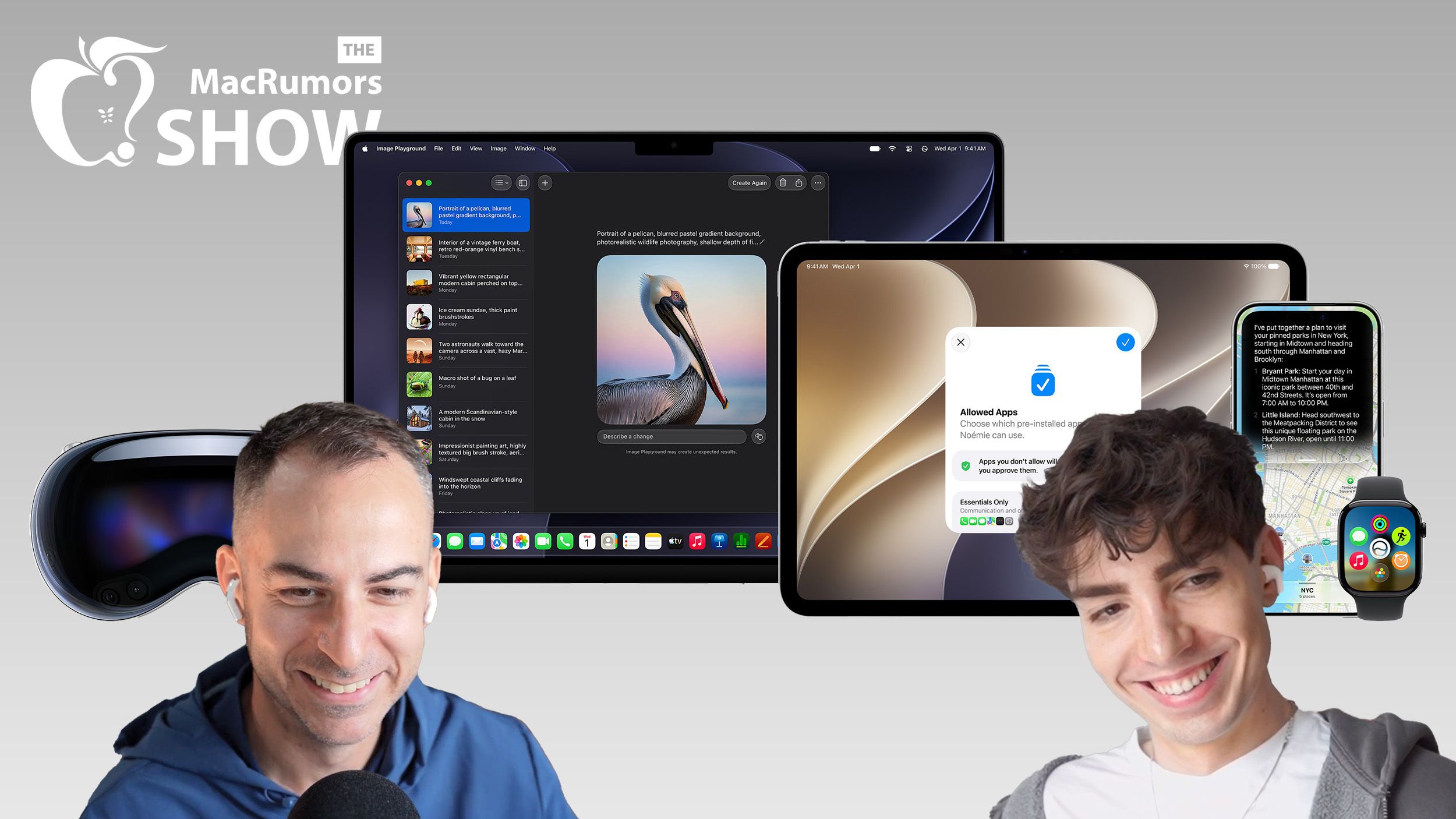
The MacRumors Show: Hands-On With iOS 27, Brutal watchOS 27 Cuts, and More


On this week’s episode of The MacRumors Show, we continue unpacking WWDC 2026 and take a closer look at iOS 27, macOS Golden Gate, and Apple’s other new software updates coming this fall.

iOS 27 supports the same iPhones as iOS 26, including the iPhone 11 and second-generation iPhone SE, giving the update the widest device compatibility of any iOS release to date.

macOS Golden Gate drops Intel Macs entirely, confirming the end of an era that Apple flagged a year earlier when it said macOS Tahoe would be the final release for pre-Apple silicon machines. Four models that ran Tahoe miss out: the 16-inch MacBook Pro (2019), the 13-inch ‌MacBook Pro‌ with four Thunderbolt 3 ports (2020), the 2020 iMac, and the 2019 Mac Pro. Golden Gate is also the last version with full Rosetta 2 support, meaning the translation layer that keeps Intel-built apps running on Apple silicon will disappear entirely after this release.

iPadOS 27 raises its hardware floor to the A14 Bionic or M1 chip, cutting the fifth-generation iPad mini, the eighth-generation iPad, the third-generation iPad Air, the first-generation 11-inch iPad Pro, and the third-generation 12.9-inch ‌iPad Pro‌.

watchOS 27 makes the steepest cuts in Apple Watch history, dropping the Series 6, Series 7, Series 8, original Ultra, and second-generation SE in a single wave and effectively erasing three years of device support at once. The only models that remain compatible are the Series 9, Series 10, Series 11, Ultra 2, Ultra 3, and SE 3.

tvOS 27 drops two Apple TV models, the Apple TV HD from 2015 and the first-generation ‌Apple TV‌ 4K from 2017, leaving only the second- and third-generation ‌Apple TV‌ 4K boxes supported.

In ‌iOS 27‌, notifications now slide in from the left edge of the screen rather than dropping down from the top, and reaching Notification Center requires swiping down from the top-left corner instead of the center, freeing up that gesture for Siri. Other changes include colorful sidebar icons, real-time widget updates when an app is already open, extra-large Home Screen widgets, and web audio that no longer interrupts other system audio.

The centerpiece of the update is Siri AI, which replaces Spotlight with a “Search or Ask” interface accessed by swiping down from the center of the display. ‌Siri‌ is designed to tone-match a user’s own writing style when composing messages. Apple’s pill-shaped ‌Siri‌ indicator is seemingly a hardware workaround for current Dynamic Island constraints, and a smaller ‌Dynamic Island‌ on the iPhone 18 Pro could allow the indicator to become a true circle. On the Apple Watch, ‌Siri‌ AI requires pairing with an iPhone that supports Apple Intelligence. In the European Union, ‌Siri‌ AI is available on macOS and visionOS at launch but not on the iPhone or ‌iPad‌.

‌Apple Intelligence‌ is also getting smarter Writing Tools and a composition assistant in Mail and Messages that adapts to how a user typically communicates with different contacts. Apple has overhauled Genmoji, adding a “Describe a change” interface for iterating on existing creations and the ability to start a new Genmoji from an existing emoji, a photo, or a person tagged in the user’s photo library. Image Playground similarly adds support for multiple aspect ratios for wallpapers, Contact Posters, and social media images, alongside new photorealistic image generation.

Visual Intelligence, meanwhile, gets a new primary entry point called ‌Siri‌ Mode, though holding down Camera Control still works as an alternative. The feature is expanding to the ‌iPad‌ and Mac, and now supports importing multiple calendar events from a single photo of a flyer, as well as importing contacts directly from a photographed business card.

On the Mac, ‌macOS Golden Gate‌ extends toolbars and sidebars to the edges of the screen with a more consistent, tighter corner radius across windows. iPadOS 27 adds undo and redo for ‌Home Screen‌ edits, extra-large widgets in Today View, an optional persistent menu bar, and Visual Intelligence support for screenshots combined with Apple Pencil highlighting. Notes gains an Image Wand tool that generates photorealistic images from rough sketches, the ‌Siri‌ app gets a dedicated sidebar with full windowing support, and Shortcuts adds support for Magic Keyboard triggers.

watchOS 27 drops the Walkie-Talkie app entirely, with the feature missing from both the app list and Control Center in the first developer beta, while adding new Smart Stack suggestions, more accurate step tracking, and a consolidated Find My app. visionOS 27 lets users activate ‌Siri‌ simply by looking at its on-screen bubble rather than requiring a button press, and adds a redesigned Control Center along with new curved windows. tvOS 27 brings a redesigned Podcasts app, Hi-Res Lossless audio support in Apple Music, and on-device processing for HomeKit Secure Video.

The MacRumors Show has its own YouTube channel, so make sure you’re subscribed to keep up with new episodes and clips.

You can also listen to ‌The MacRumors Show‌ on Apple Podcasts, Spotify, Overcast, or other podcast apps. You can also copy our RSS feed directly into your player.

If you haven’t already listened to the previous episode of The MacRumors Show, catch up to hear our discussion about all of the major announcements Apple unveiled at WWDC 2026, including ‌Siri‌ AI, new ‌Apple Intelligence‌ features in apps, and system-wide performance and design improvements.

Subscribe to ‌The MacRumors Show‌ for new episodes every week, where we discuss some of the topical news breaking here on MacRumors, often joined by interesting guests such as Kayci Lacob, Kevin Nether, John Gruber, Mark Gurman, Jon Prosser, Luke Miani, Matthew Cassinelli, Brian Tong, Quinn Nelson, Jared Nelson, Eli Hodapp, Mike Bell, Sara Dietschy, iJustine, Jon Rettinger, Andru Edwards, Arnold Kim, Ben Sullins, Marcus Kane, Christopher Lawley, Frank McShan, David Lewis, Tyler Stalman, Sam Kohl, Federico Viticci, Thomas Frank, Jonathan Morrison, Ross Young, Ian Zelbo, and Rene Ritchie.

‌The MacRumors Show‌ is on X @MacRumorsShow, so be sure to give us a follow to keep up with the podcast. You can also email us at podcast@macrumors.com or head over to The MacRumors Show forum thread. Remember to rate and review the podcast, and let us know what subjects and guests you would like to see in the future.


iOS 27: All the Rumored App Features


Siri is getting a major overhaul in iOS 27, but Apple also has some big updates planned for apps like Camera, Photos, and Wallet. There are multiple new AI features in the works, plus some non-AI upgrades.
iOS 27 All the New App Features

Camera

Apple is moving Visual Intelligence from the Camera Control button to the Camera app in ‌iOS 27‌. There will be a Siri mode that will be available alongside the existing Photo, Video, Portrait, and Panorama modes. When in ‌Siri‌ mode, the existing Camera app shutter button will feature the Apple Intelligence logo, letting users know the ‌Siri‌ features are available.

‌Siri‌ mode is a renaming of ‌Visual Intelligence‌, and it will make the feature more visible. Accessing ‌Visual Intelligence‌ in iOS 26 requires users to hold down the Camera Control button or assign the feature to the Action button, and many people may not even know it exists.

‌Visual Intelligence‌ can identify objects, plants, animals, art, books, and more, searching for whatever the user snaps on Google Image Search. In ‌iOS 27‌, ‌Siri‌ will be able to answer questions about what a user is looking at, providing information from the web.

Apple is adding new ‌Visual Intelligence‌ capabilities in ‌iOS 27‌, and they will be available through the Camera app ‌Siri‌ mode.

  • Nutrition – Users can scan nutrition labels on food packaging for calorie and macronutrient tracking using the Health app.
  • Contacts – ‌Visual Intelligence‌ will let users scan phone numbers and addresses on business cards and other print media, adding the information to the Contacts app.

Apple plans to make the Camera app more customizable in ‌iOS 27‌. iPhone users will be able to replace the top row of camera shortcuts with options of their choosing, selecting features like flash, exposure, timer, depth of field, photo styles, and resolution.

Camera controls, now labeled as widgets, can be placed at the top of the Camera interface in any order. Users can select widgets from a transparent widget tray that comes up from the bottom of the app and organizes widgets into categories like basic, manual, and settings.

The Camera app will have the same default layout that’s available now with quick tap buttons for flash, Live Photos, and Night Mode, but the customizable widget interface will be added as an advanced layout that will appeal to professional users.

iPhone users can currently tap on an icon at the top right of the Camera app to access all of the Camera controls, but Apple is moving that view to the right of the shutter button in ‌iOS 27‌.

The Camera app is also going to get new grid and level options that will join the existing features.

Photos

The ‌Photos‌ app will have an Apple Intelligence Tools section when editing an image with new Extend and Reframe options.

  • Extend – Extend generates additional image content beyond the original frame of the photo, filling in scenery when changing the crop of an image. This tool will support expanding the edges of an image with zoom gestures.
  • Reframe – When used with spatial photos, Reframe will let users change the perspective of an image after it’s captured.

Apple is also testing an AI photo editing feature that lets users request edits using natural language. Users would be able to tweak color, lighting, cropping, and other image parameters without having to use manual tools. The voice-based photo editing feature may not arrive in the first version of ‌iOS 27‌.

Shortcuts

The ‌iOS 27‌ Shortcuts app will support using natural language to create a shortcut with AI. Users will be able to tell ‌Siri‌ what they want to accomplish with a multi-step shortcut, and ‌Siri‌ will generate it.

The Shortcuts app will open with a prompt that says “What do you want your shortcut to do?” with a text field to enter a description. Shortcuts that are created using AI are then automatically installed and immediately available for use.

Wallet

The Wallet app is getting a “Create a Pass” option so users can generate digital passes from scans of physical items like movie tickets, concert passes, and gym membership cards.

Users can tap on the “+” button in the Wallet app and then scan a QR code on a pass or ticket if one is available. If there is no QR code available, there will be an option to create a custom pass.

There are three pass types in Create a Pass, each with a different color. Apple is using purple for events, blue for memberships, and orange for other types of passes. Users can customize images, colors, style, and text on the digital passes.

Apple is also adding an AI bill-splitting feature that will work with Apple Cash. iPhone users will be able to take a photo of a receipt and generate Apple Cash payment requests for different people.

Image Playground and Genmoji

Apple is updating the Image Playground app. The interface for generating a new image has fewer controls and a “describe a change” option for editing images that are created. Previously created images are displayed in a grid with more rounded edges, and instead of a New Image button, there’s a “+” button.

Apple has also been testing new models that produce more lifelike images, so we could see new image generation capabilities in ‌iOS 27‌ with better image quality.

Genmoji is also getting an update so it will use fewer resources, causing less battery drain and fewer heat problems. ‌Genmoji‌ will be better quality with a new ‌Genmoji‌ model, and a Suggested ‌Genmoji‌ feature will bring up custom emoji ideas based on your media and text history.

Writing Tools

Apple is testing an expanded version of Writing Tools that will do more rewriting and text generation than the current version. There is a “Write with ‌Siri‌” toggle at the top of the keyboard, along with a “Help Me Write” option that comes up when ‌Siri‌ is activated while a text field is open.

Apple is going to add a dedicated AI grammar checker that will work alongside the current spell check. When writing in Messages, Mail, and other apps there will be a translucent menu that slides up from the bottom of the iPhone’s screen, and it will show suggested revisions next to the original written text.

Users can go through the suggestions and accept or reject them one by one, approve all of the changes at once, or ignore the changes.

Other Features

  • Wallpaper – There will be an option to generate custom wallpapers with the ‌Image Playground‌ app, with the feature built into the interface for selecting a new wallpaper.
  • Safari – Safari will get an updated start page with four tabs for switching between favorites, bookmarks, Reading List, and history.
  • Calendar – Rumors suggest the Calendar app will incorporate new AI features. ‌Siri‌ will also be able to draw on information in the app.
  • Health – With a new calorie scanning feature coming to the Camera app, calorie tracking will be more prominent in the Health app. Apple was also planning a Health+ subscription service, and while that’s been scaled back, there could be other AI health app changes.
  • Weather – The Weather app will have a new Conditions panel for switching between temperature, rain, and wind from the main interface, without the need to tap into a weather module.
  • AirPods settings – The AirPods interface in the Settings app will be simplified, with options featuring better organization. Major features like hearing health will be easier to find.
  • AirPlay Alternatives – Apple is adding a feature that will let users beam content to AirPlay alternatives like Google Cast. It could be limited to iPhone users in the EU because it is being implemented as a Digital Markets Act requirement.

System-Wide Design Changes

There are system-wide design changes coming in ‌iOS 27‌. The separate tab bar in apps like Apple Music, Podcasts, News, and Apple TV will be adjusted to combine search with the other navigation options. Apple separated search in many apps when introducing Liquid Glass, but it’s reverting to the original look.

When using the on-screen keyboard, there’s a new animation that shows the keys sliding up from the bottom of the iPhone interface, and Apple is adding redo and undo controls for easier customization of the Home Screen‘s icon and widget layouts.
ios 26 2 liquid glass slider extremesios 26 2 liquid glass slider extremes

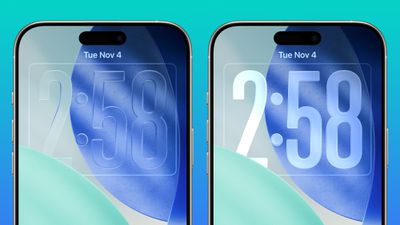
Apple doesn’t plan to make major changes to the Liquid Glass aesthetic in ‌iOS 27‌, but the company is mulling a system-wide setting that would precisely adjust the look of the interface. In iOS 26.2, Apple added a slider that lets users adjust the opacity of Liquid Glass for the Lock Screen’s clock, and that setting could be expanded to the entire operating system.

Foldable iPhone Interface

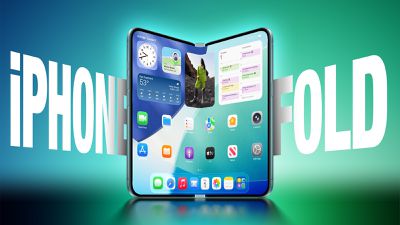
The first foldable iPhone will be introduced in September. Rumors suggest that it will feature a 5.5-inch display when folded, and a 7.8-inch display when it’s opened up like a book.
iphone fold textiphone fold text

An iPhone with a larger display will require major updates to iOS, and ‌iOS 27‌ will focus on building new interfaces and experiences made for a larger smartphone display.

The iPhone Fold will operate like a cross between an iPhone and an iPad, but it will run iOS, not iPadOS, and it won’t support ‌iPad‌ apps. When unfolded, the iPhone will have an iPad-like layout that supports multitasking with two apps side-by-side. Many of Apple’s iPhone apps will have sidebars on the left of the display, with Apple providing developers with tools to easily adapt their apps to the new layout.

Apple is using a wider design for the ‌iPhone Fold‌ than most foldable smartphone makers have used, and it is rumored to have an iPad-like 4:3 aspect ratio. When the iPhone is closed, it will have a standard iPhone layout that looks like the version of iOS we have now.

Satellite Features

Apple is working on several new satellite features for the iPhone, and it’s possible some features could be introduced as soon as 2027.

  • Apple Maps via satellite
  • ‌Photos‌ in Messages via satellite
  • Satellite API framework for third-party apps
  • Satellite over 5G
  • Satellite connectivity without the need for a view of the sky

Performance and Stability

Bloomberg‘s Mark Gurman has described iOS 27 as a “Snow Leopard” update, suggesting that Apple will focus on improving underlying performance and quality.

Apple is prioritizing cleaning up the iOS code and removing anything that’s outdated, which could mean upgrading apps to improve performance and rewriting some existing features to be more efficient. The code updates could provide a more responsive, faster version of iOS.

Apple is also aiming for efficiency improvements that could translate into tangible battery life gains.

Launch Date

Apple will preview the new iOS features at its WWDC 2026 keynote event on June 8. Developers will get access the same day, and a public beta will likely be available in July. ‌iOS 27‌ will launch in September alongside new iPhones.
iOS 27 to Let Users Generate Wallpapers and Build Shortcuts With AI


iOS 27 will include a custom wallpaper generator and an option to automatically create shortcuts using AI, reports Bloomberg.

iOS 27 Mock Quick
When choosing a new wallpaper, users will have the option to generate something custom using the Image Playground app. ‌Image Playground‌ is used for generating custom emoji and images that can be used throughout iOS, and it is set to get an upgrade in ‌iOS 27‌.

Apple is testing models that produce more lifelike images, so the version of ‌Image Playground‌ that’s used for generating custom wallpapers could be different from the current version.

Shortcuts is also getting a major update, with users able to use natural language to ask Siri to make a shortcut. There is an option for users to tell ‌Siri‌ what they want to accomplish with a shortcut to have the workflow created using AI.

Bloomberg says the Shortcuts app has a prompt that says “What do you want your shortcut to do?” with a text field to enter a description. Shortcuts that are created using AI are then automatically installed and immediately available for use.

Shortcut creation is largely done manually now, and it is a tool that has remained out of reach of many casual iPhone users. A Shortcuts app that’s able to work with natural language capabilities will see the app getting more widespread use.

The new Shortcuts app and the wallpaper generation tool will be previewed at the WWDC keynote that’s set to take place on June 8.

Popular Stories

WWDC 2026 Graphic Teases Major iOS 27 Feature

Apple’s WWDC 2026 graphic provides “a glimpse of the revamped Siri interface coming in iOS 27,” according to Bloomberg’s Mark Gurman. In his Power On newsletter today, Gurman said iOS 27 will include a new Siri interface in the Dynamic Island. When you trigger Siri, he said the Dynamic Island will show a “Search or Ask” prompt, and this will apparently be accompanied by a “glowing cursor”…

Apple Testing Two New iOS 27 Home Screen Customization Options

Apple is planning to add “Undo” and “Redo” options to the iPhone’s Home Screen customization menu on iOS 27, according to Bloomberg’s Mark Gurman. These two options will make it easier to reverse or redo your Home Screen changes. ”Right now, when you long-press on the home screen, you get a bubble in the top left corner with four options: Add Widget, Customize, Edit Wallpaper and Edit…

iOS 27 to Change How You Customize Your iPhone Home Screen

If you regularly spend time reshuffling your iPhone’s Home screen, you’ll likely welcome a couple of new options reportedly coming in iOS 27. According to Bloomberg’s Mark Gurman, Apple’s next major software update will add Undo and Redo buttons to the Home Screen customization menu. Long-press the screen, and alongside the existing Add Widget, Customize, Edit Wallpaper, and Edit Pages…