Choosing the right reasoning model API is no small decision. While general‑purpose LLMs excel at pattern recognition, reasoning models are designed to generate step‑by‑step chains of thought and make logical leaps. This capability comes at a cost—these models often require longer context windows, more tokens, and higher fees, and they may run slower than mainstream chatbots. Still, for tasks like planning, coding, math proofs, or research agents, reasoning models can deliver far more reliable results than their non‑reasoning counterparts.
Quick Digest: What’s in This Article?
What are the best reasoning model APIs, and how can I pick the right one?
- Best overall models: OpenAI’s O‑series (e.g., O3), Gemini 2.5 Pro, and Claude Opus 4 deliver state‑of‑the‑art reasoning with robust tool use and multilingual support.
- Budget & speed options: O3‑mini, Mistral Medium 3, DeepSeek R1, and Qwen‑Turbo provide good performance with lower costs.
- Enterprise & long‑context leaders: Gemini 2.5 Pro and Claude Sonnet 4 (1M context) support 1 million token windows, while Grok 4 fast‑reasoning offers 2 million tokens.
- Open‑source options: Llama 4 Scout (10 million tokens), DeepSeek R1, Mistral Medium 3, and Qwen2.5‑1M let you run chain‑of‑thought models on your own infrastructure.
- Model testing tips: Evaluate reasoning models using math, physics, and coding benchmarks (e.g., MMLU, GPQA, SWE‑bench). Track both final answer accuracy and token efficiency—how many tokens the model spends per answer.
- Scenarios & recommendations: We map each model to common tasks like code reasoning, long‑document summarization, customer support, or multimodal reasoning.
- Key trends: Test‑time scaling, mixture‑of‑experts architectures, and chain‑of‑thought compression are driving innovations.
If you’re a developer or enterprise evaluating AI reasoning APIs, this guide will help you select models based on cost, context length, performance, and scalability—with expert insights and practical examples throughout.
Understanding Reasoning Models vs. Standard LLMs
How do reasoning models differ from typical LLMs?
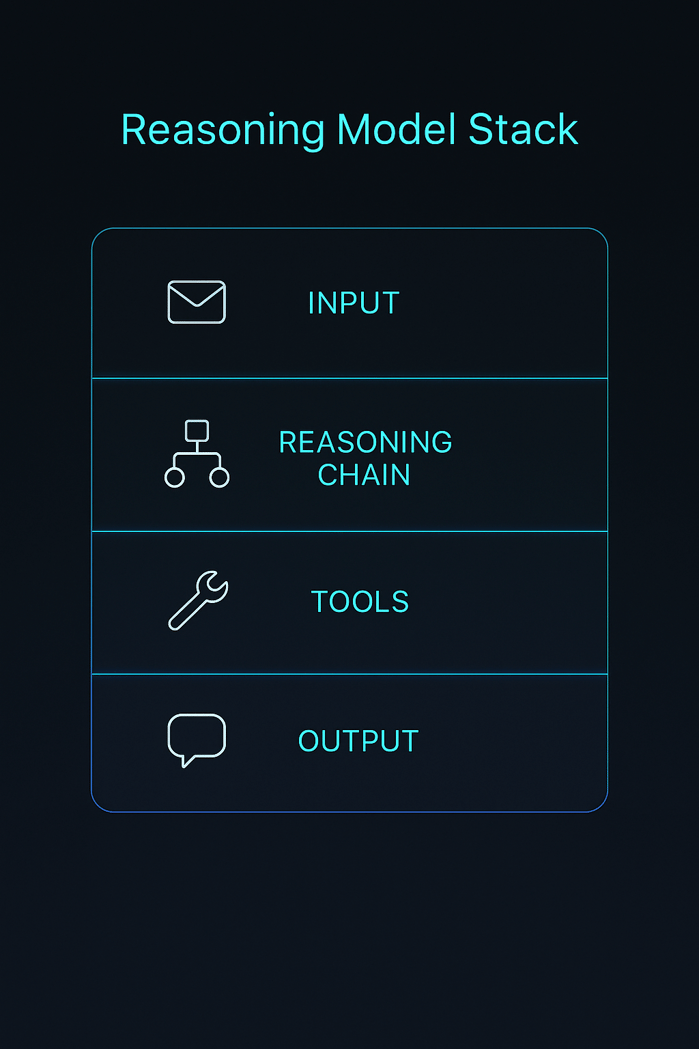
Reasoning models extend traditional transformer‑based LLMs by undergoing a second phase of reinforcement learning called test‑time scaling. Instead of generating single‑step answers, they are trained to produce chain‑of‑thought (CoT) traces—series of intermediate steps that lead to the final conclusion. This additional training yields improved performance on math, logic, physics, and coding tasks but at the expense of longer outputs and higher token usage.
Key differences include:
- Chain‑of‑thought output: Instead of concise replies, reasoning models “think out loud,” generating stepwise reasoning. Some providers compress or summarize these traces to reduce cost.
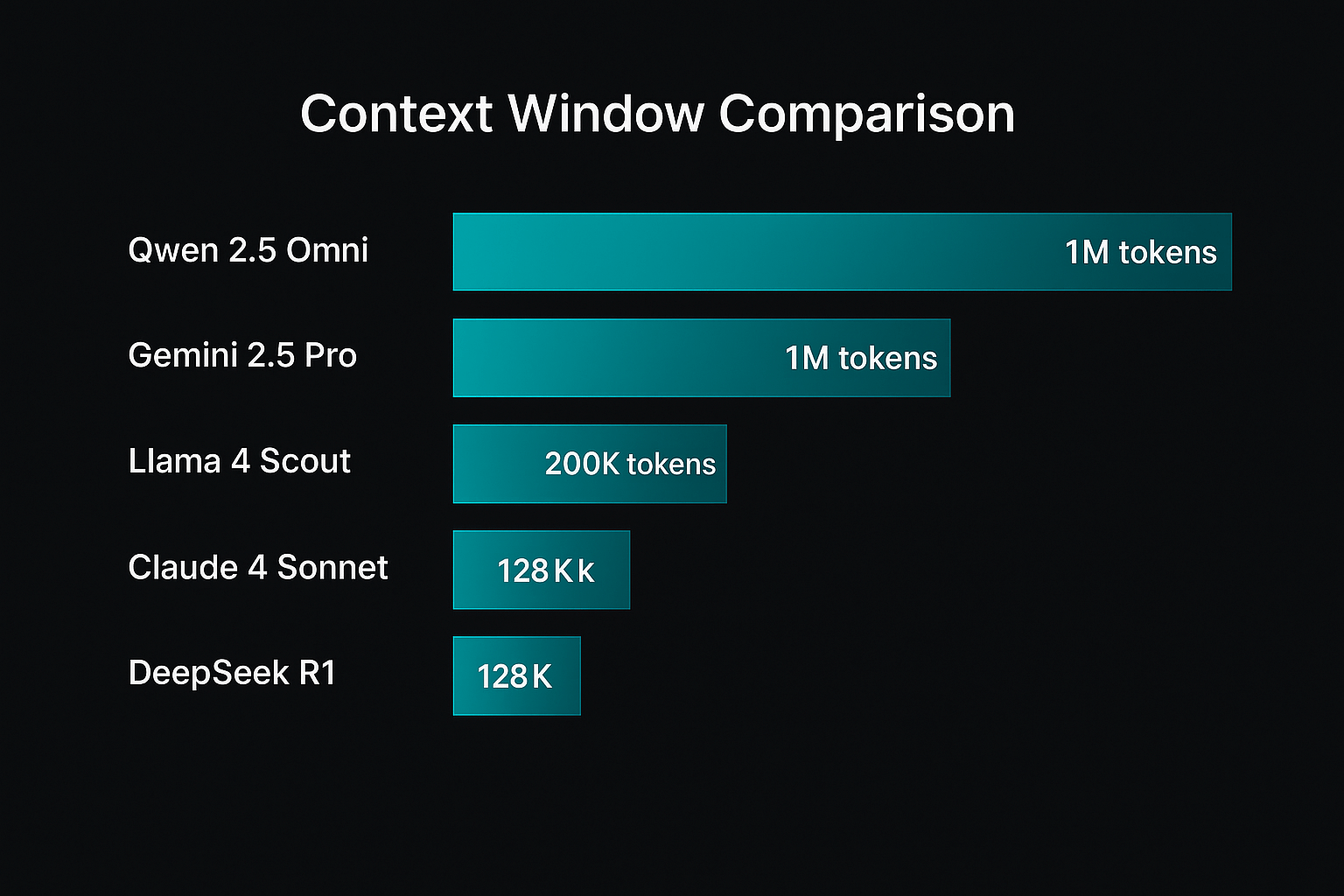
- Context window size: Reasoning often requires longer memory. Models like Gemini 2.5 Pro support 1 million tokens, while Llama 4 Scout extends to 10 million tokens.
- Training & compute: Reasoning models use 10× or more compute during fine‑tuning and inference. They are slower and more expensive per token.
- Token efficiency: Closed‑source models tend to be more token‑efficient—they generate fewer tokens to reach the same answer—while open models may use 1.5–4× more tokens.
Quick Summary
Reasoning models perform advanced logical tasks by generating chains of thought. They require longer context windows and higher compute, but they deliver more reliable problem solving.
Expert Insights
- Benchmark research shows test‑time compute costs for reasoning models can be 25× higher than standard chat models. For example, benchmarking OpenAI’s O1 cost $2,767 because it produced 44 million tokens.
- Stanford AI Index reports that reasoning models like O1 scored 74.4 % on the International Mathematical Olympiad qualifying exam but were 6× more expensive and 30× slower than non‑reasoning models.
- Efficient reasoning research suggests three approaches to reduce cost: shorter chains of thought, smaller models via distillation, and faster decoding strategies.
Clarifai Note: Why Clarifai cares about reasoning models
At Clarifai, we build tools that make advanced AI accessible. Many customers want to harness reasoning capabilities for tasks such as complex document analysis, multi‑step decision support, or agentic workflows. Our compute orchestration and model inference services allow you to deploy reasoning models in the cloud or at the edge while managing cost and latency. We also offer local runners for self‑hosting open‑source reasoning models like Llama 4 Scout or DeepSeek R1 with enterprise‑grade monitoring and scalability.
Best Overall Reasoning Models
This section reviews top‑performing reasoning model APIs across multiple benchmarks, with H3 subheadings for each model. We discuss context window, pricing, strengths, weaknesses, and Clarifai integration opportunities.
OpenAI O3 (O‑series)
OpenAI’s O3 (also known as “o3”) is a flagship reasoning model. It builds on the success of the O1 and O2 models by scaling up training compute, resulting in top‑tier performance on reasoning benchmarks like GPQA and chain‑of‑thought tasks.
Key facts:
- Context window: 200,000 tokens with 100,000 output tokens.
- Pricing: $10/M input tokens and $40/M output tokens; cached input tokens cost $2.50/M.
- Strengths: Exceptional performance on knowledge and reasoning tasks (MMLU 84.2 %, GPQA 87.7 %, coding 69.1 %). Supports advanced tool invocation and external functions.
- Weaknesses: High cost and slower latency due to test‑time scaling. Token usage must be carefully managed to avoid runaway costs.
Practical example: Suppose you’re building a financial forecasting agent that must parse long earnings transcripts, reason about market events, and output step‑by‑step analysis. O3’s 200K context window and reasoning prowess can handle such tasks, but you might pay $40 or more per 1M generated tokens.
Expert Insights
- O3 is widely regarded as one of the most intelligent LLMs available, but its token usage makes benchmarking expensive—it generated 44 million tokens across seven benchmarks, costing over $2.7 k.
- Industry commentators caution that O3’s cost structure may limit real‑time applications; however, for complex research or high‑stakes decisions, its reasoning reliability is unmatched.
Clarifai Integration
Clarifai’s model inference platform can orchestrate O3 on your behalf, automatically scaling compute and caching tokens. Pair O3 with Clarifai’s document extraction and semantic search models to build robust research agents.
Google DeepMind Gemini 2.5 Pro
Gemini 2.5 Pro (formerly Gemini Pro 2) is a multimodal reasoning model from Google DeepMind. It excels at mixing text and visual inputs, offering a 1 million token context window with a path to 2 million tokens.
Key facts:
- Context window: 1 million tokens (2 million coming soon).
- Pricing: Standard input cost $1.25/M tokens and output cost $10/M tokens for prompts under 200K tokens; input cost rises to $2.50/M and output to $15/M for longer prompts.
- Strengths: Dominates long‑context reasoning; leads the LM‑Arena leaderboard. Handles complex math, code, images, and audio. Offers context caching and grounded search features.
- Weaknesses: Pricing complexity; the cost can double for longer contexts. Grounded search incurs extra fees.
Practical example: If you’re processing a 500‑page legal document and extracting obligations, Gemini 2.5 Pro can ingest the entire document and reason across it. With Clarifai’s compute orchestration, you can manage the 1 million token context without overspending by caching repeated sections.
Expert Insights
- A leading benchmark analysis notes Gemini 2.5 Pro’s performance on reasoning tasks is competitive with O3 while offering larger context and multimodal support.
- Google engineers highlight that a 1M context window allows analyzing entire codebases and performing multi‑document synthesis.
Clarifai Integration
Use Clarifai to deploy Gemini 2.5 Pro alongside our vision models. Integrate Clarifai’s local runners to run long‑context jobs privately and combine with our metadata storage for handling large document collections.
Anthropic Claude Opus 4 and Claude Sonnet 4 (Long Context)
Anthropic’s Claude family includes Opus 4 and Sonnet 4, hybrid reasoning models that balance performance and cost. Opus 4 targets enterprise use, while Sonnet 4 (long context) offers up to 1 million tokens.
Key facts (Opus 4.1):
- Context window: 200,000 tokens.
- Pricing: $15/M input tokens and $75/M output tokens.
- Strengths: Excels at coding and agentic tasks; supports tool calls and function execution.
- Weaknesses: High cost; moderate context window.
Key facts (Sonnet 4 long context):
- Context window: 1 million tokens (Beta).
- Pricing: $3/M input, $15/M output for ≤ 200K tokens; $6/M input, $22.5/M output for > 200K.
- Strengths: More affordable than Opus; optimized for RAG (retrieval‑augmented generation) tasks; robust reasoning with lower latency.
- Weaknesses: Beta long context may have limitations; output limited to 75K tokens.
Practical example: For knowledge base summarization, Sonnet 4 can ingest thousands of support articles and create consistent, long‑form answers. Combined with Clarifai’s multilingual translation models, you can generate answers across languages.
Expert Insights
- Benchmark results show Claude Sonnet achieves 80.2 % on SWE‑bench and 84.8 % on GPQA.
- Anthropic notes that long‑context pricing doubles for prompts beyond 200K tokens; careful prompt engineering is needed to control costs.
Clarifai Integration
Clarifai’s compute orchestration can manage Sonnet’s long context jobs across multiple GPUs. Use our search and indexing features to fetch relevant documents before passing to Claude, reducing token usage and cost.
xAI Grok 4 Fast Reasoning
xAI’s Grok series features models tuned for fast reasoning and real‑time data. Grok 4 fast‑reasoning offers a 2 million token context window and low token prices.
Key facts:
- Context window: 2 million tokens.
- Pricing: $0.20/M input and $0.50/M output for grok‑4‑fast‑reasoning; older versions cost $3–$15/M output.
- Strengths: Extremely long context; integrates real‑time X (Twitter) data; useful for streaming content or long transcripts.
- Weaknesses: Tool invocation costs $10 per 1K calls; smaller models can lack depth on complex reasoning.
Practical example: A news‑monitoring agent can stream live tweets, ingest millions of tokens, and produce concise analysis. Pair Grok with Clarifai’s sentiment analysis to track public sentiment in real‑time.
Expert Insights
- Analysts note Grok’s pricing is highly competitive for long contexts. However, limited support for complex coding tasks means it may not replace high‑end models for engineering use.
Clarifai Integration
Use Grok with Clarifai’s data ingestion pipelines to process real‑time events. Our tool‑calling orchestration can track and control your API calls to external tools to minimize cost.
Mistral Large 2
Mistral AI’s Large 2 model is an open‑source reasoning engine accessible via multiple cloud providers. It offers strong performance at a moderate price.
Key facts:
- Context window: 128,000 tokens.
- Pricing: $3/M input and $9/M output.
- Strengths: 84 % MMLU score; supports function calling; available via Azure, AWS, and other platforms.
- Weaknesses: Limited context compared to other reasoning models; open‑source so token efficiency may vary.
Practical example: For automated code review, Mistral Large 2 can analyze 128K tokens of code and provide step‑by‑step suggestions. Clarifai can orchestrate these calls and integrate them with your CI/CD pipeline.
Expert Insights
- Benchmark comparisons show Mistral Large 2 delivers competitive reasoning at one‑third the cost of O3, making it a popular choice.
Clarifai Integration
Deploy Mistral Large 2 using Clarifai’s local runners to keep your code private and reduce latency. Our token management tools help track usage across projects.
Budget‑Friendly and Speed‑Optimized Models
Not every application requires the strongest reasoning engine. If your focus is cost efficiency or low latency, these models deliver acceptable reasoning quality without breaking the bank.
OpenAI O3‑Mini & O4‑Mini
O3‑mini and O4‑mini are scaled‑down versions of OpenAI’s O‑series models. They retain reasoning abilities with reduced context windows and pricing.
Key facts:
- Context window: 200K tokens (O3‑mini) and 128K tokens (O4‑mini).
- Pricing: O3‑mini costs $1.10/M input and $4.40/M output; O4‑mini costs around $3/M input and $12/M output (according to industry reports).
- Strengths: Great for chatbots, customer support, and simple reasoning tasks.
- Weaknesses: Lower performance on complex math or coding tasks; shorter context windows.
Expert Insights
- O3‑mini offers an excellent cost‑performance trade‑off, making it a popular choice for startups building AI agents. It scores around 80 % on MMLU.
Clarifai Integration
Clarifai’s model inference service can auto‑scale O3‑mini and O4‑mini deployments. Use our token analytics to predict monthly spend and avoid surprise bills.
Mistral Medium 3 & Mistral Small 3.1
Mistral’s Medium 3 and Small 3.1 models are smaller siblings of Mistral Large, offering cheaper token pricing with robust reasoning.
Key facts:
- Context window: 128K tokens for both models.
- Pricing: Mistral Medium 3 costs $0.40/M input and $2/M output; Mistral Small 3.1 costs $0.10/M input and $0.30/M output.
- Strengths: Low cost; open‑source; good for high‑volume tasks.
- Weaknesses: Lower performance on complex reasoning; limited tool‑calling support.
Expert Insights
- A cost‑efficiency analysis notes that Mistral Medium 3 offers one of the best $/token values in the market, making it ideal for prototypes or non‑critical reasoning tasks.
Clarifai Integration
Deploy Mistral Medium 3 on Clarifai’s platform using autoscaling to manage fluctuating workloads. Combine with Clarifai’s embedding models for retrieval‑augmented generation, offsetting context limitations.
DeepSeek R1
DeepSeek R1 is an open‑source reasoning model from the DeepSeek team. It’s known for high performance on math and logic tasks, with cost‑effective pricing.
Key facts:
- Context window: 128K tokens.
- Pricing: Input cost $0.07/M tokens (cache hit), $0.56/M tokens (cache miss); output cost $1.68/M tokens.
- Strengths: Strong performance on MATH‑500 and chain‑of‑thought tasks; open‑source with MIT license.
- Weaknesses: Output limited to 64K tokens; slower inference; reasoning mode can be expensive.
Expert Insights
- DeepSeek R1 scored 97.3 % on MATH‑500 and 79.8 % on ARC‑AGI when using full thinking mode.
- The CloudZero report highlights DeepSeek’s cache‑hit pricing which can reduce costs for repeated prompts.
Clarifai Integration
Use Clarifai’s local runners to deploy DeepSeek R1 on your own infrastructure. Combine it with our cost monitoring to manage cache hits and misses.
Qwen‑Flash & Qwen‑Turbo
Alibaba Cloud’s Qwen family includes low‑cost models like Qwen‑Flash and Qwen‑Turbo. They provide large context windows and minimal per‑token fees.
Key facts:
- Context window: 1 million tokens.
- Pricing: $0.05/M input and $0.40/M output for Qwen‑Flash; $0.05/M input and $0.20/M output for Qwen‑Turbo.
- Strengths: Massive context; fast inference; good for summarization or non‑critical reasoning.
- Weaknesses: Limited reasoning capabilities; larger open‑source models (Qwen3) provide more depth but cost more.
Expert Insights
- A Qwen pricing analysis explains that Qwen’s low fees come with complex billing models—tiered pricing, thinking mode toggles, region‑specific discounts, and hidden engineering costs.
Clarifai Integration
Deploy Qwen‑Turbo via Clarifai’s model registry; integrate with our data annotation tools to build custom datasets and tune prompts.
Enterprise‑Grade & Long‑Context Models
Enterprise applications often require analyzing hundreds of thousands or millions of tokens—whole codebases, legal contracts, or research papers. These models offer extended context windows and enterprise‑ready features.
Grok 4 Fast Reasoning
As previously discussed, Grok 4 provides a 2 million token context window and low per‑token cost. It’s ideal for ingesting streaming data or processing ultra‑long documents.
Use cases: Real‑time news analysis, multi‑document summarization, RAG pipelines.
Clarifai note: Leverage Clarifai’s streaming ingestion and metadata indexing to feed Grok continuous data.
Qwen‑Plus (Long Context)
Qwen‑Plus provides a 1 million token context and flexible pricing. According to the Qwen pricing guide, it costs $0.40/M input and $1.20/M output for non‑thinking mode; switching to thinking mode increases the output cost to $4/M.
Use cases: Summarizing long customer support threads, legal documents, or research papers.
Clarifai note: Clarifai’s text analytics and embedding models can filter relevant sections before sending to Qwen‑Plus, reducing token usage.
Llama 4 Scout & Llama 4 Maverick
Meta’s Llama 4 series introduces mixture‑of‑experts (MoE) architecture with extreme context windows. Llama 4 Scout has a 10 million token context, while Maverick offers smaller context but higher parameter counts.
Key facts:
- Context window: 10 million tokens (Scout); other variants may provide 2M or 4M.
- Strengths: Open‑source; runs on a single H100 GPU; near GPT‑4 performance; supports text and images.
- Weaknesses: Context rot at extreme lengths; early versions may require fine‑tuning.
Use cases: Long‑term conversation memory, multi‑document research agents, knowledge management.
Clarifai note: Deploy Llama 4 on Clarifai’s local runners for maximum privacy. Use our vector search to chunk large documents and feed relevant segments to the model, preventing context rot.
Gemini 2.5 Pro & Sonnet 4 Long Context
Covered earlier, these models serve enterprise scenarios with 1M context windows.
Use cases: Legal analysis, medical research synthesis, codebase inspection.
Clarifai note: Clarifai’s compute orchestration can allocate multiple GPUs to handle long‑context runs and manage token caching.
Open‑Source & Self‑Hosted Reasoning Models
Open‑source reasoning models allow complete control over data and costs. They are ideal for organizations with strict privacy requirements or custom hardware.
Llama 4 Scout & Llama 4 Maverick
We described these models above, but here we emphasize their open‑source advantage. Llama 4 Scout is released under a permissive license; it uses a mixture‑of‑experts architecture with 17 billion active parameters and 10 million token context.
Expert Insights:
- Early tests show Llama 4 Scout achieves ~79.6 % on MMLU and 60–65 % on coding benchmarks.
- MoE architecture means only a subset of parameters activate per token, enabling efficient inference on commodity GPUs.
Clarifai Integration: Use Clarifai’s local runners to deploy Llama 4 on‑premise with built‑in monitoring. Combine with Clarifai’s fine‑tuning service to adapt the model to your domain.
DeepSeek R1 (Open‑Source)
DeepSeek R1 is MIT‑licensed and supports chain‑of‑thought reasoning with 128K context.
Expert Insights:
- R1 outperforms many proprietary models on math tasks (97.3 % MATH‑500, 79.8 % ARC‑AGI).
- Its cache‑hit pricing encourages storing frequently used prompts, reducing cost by up to 8×.
Clarifai Integration: With Clarifai’s model registry, you can deploy R1 in your environment and monitor usage. Use our data labeling tools to create custom training datasets that augment the model’s reasoning ability.
Mistral Medium 3 & Small 3.1
These models are open‑source with 128K context windows.
Expert Insights:
- They deliver competitive performance relative to their price; cost can be as low as $0.30/M output for Small 3.1.
- Best used for prototypes or high‑volume tasks where reasoning depth is secondary.
Clarifai Integration: Clarifai’s local runners can deploy these models and scale horizontally. Combine with Clarifai’s workflow engine to orchestrate calls across multiple models.
Qwen2.5‑1M
Qwen2.5‑1M is the first open‑source model with a 1 million token context window. It enables long‑term conversational memory and deep document retrieval.
Expert Insights:
- This model solves the limitations of earlier LLMs (GPT‑4o, Claude 3, Llama‑3) that were capped at 128K tokens.
- Long context is particularly valuable for legal AI, finance, and enterprise knowledge management.
Clarifai Integration: Deploy Qwen2.5‑1M through Clarifai’s self‑hosted orchestrators. Use our document indexing capabilities to feed relevant information into the model’s memory.
Model Performance vs. Cost Analysis
Selecting a reasoning model requires balancing accuracy, context length, cost per token, and token efficiency. This section compares models using key benchmarks and cost metrics.
Benchmarks & Cost Comparison
The table below summarises performance metrics (MMLU, GPQA, SWE‑bench, AIME) alongside price per million output tokens. Use it to identify models offering the best performance per dollar.
|
Model
|
Context window
|
MMLU / Reasoning score
|
SWE‑bench / Coding
|
Approx. cost per M output
|
Notable features
|
|
|
OpenAI O3
|
200K
|
84.2 % MMLU, 87.7 % GPQA
|
69.1 % coding
|
$40
|
High cost; tool calling
|
|
|
Gemini 2.5 Pro
|
1M
|
84.0 % reasoning
|
63.8 % coding
|
$10–15
|
Long context; multimodal
|
|
|
Claude Opus 4
|
200K
|
90.5 % MMLU
|
70.3 % coding
|
$75
|
High cost; best coding
|
|
|
Claude Sonnet 4 (long)
|
1M
|
78.2 % MMLU
|
65.0 % coding (approx.)
|
$15–22.5
|
Lower cost; long context
|
|
|
Mistral Large 2
|
128K
|
84.0 % MMLU
|
63.5 % coding (approx.)
|
$9
|
Open‑source; moderate cost
|
|
|
DeepSeek R1
|
128K
|
71.5 % reasoning
|
49.2 % coding
|
$1.68
|
Low cost; math leader
|
|
|
Grok 4 Fast
|
2M
|
80.2 % reasoning
|
(N/A)
|
$0.50
|
Real‑time; 2M context
|
|
|
Llama 4 Scout
|
10M
|
79.6 % MMLU (approx.)
|
60–65 % coding
|
Open‑source; GPU cost
|
MoE; large context
|
|
|
Qwen‑Plus (thinking)
|
1M
|
~80 % reasoning (estimated)
|
(N/A)
|
$4
|
Flexible pricing; long context
|
|
|
Qwen2.5‑1M
|
1M
|
Not publicly benchmarked
|
(N/A)
|
Free to self‑host
|
Open‑source; 1M context
|
|
Note: Performance metrics vary across testing frameworks. Where exact coding scores are unavailable, approximate values are derived from known benchmarks.
Token Efficiency & Test‑Time Compute
Token efficiency—the number of tokens a model generates per reasoning task—can significantly impact cost. A Nous Research study found that open‑weight models often generate 1.5–4× more tokens than closed models, making them potentially more expensive despite lower per‑token costs. Closed models like O3 compress or summarize their chain‑of‑thought to reduce output tokens, while open models output full reasoning traces.
Clarifai Tip: Balancing Performance and Cost
Clarifai’s analytics dashboard can help you measure token usage, latency, and cost across different models. By combining our embedding search and prompt engineering tools, you can send only relevant context to the model, improving token efficiency.
Scalability, Rate Limits & Pricing Structures
Understanding API limits and pricing structures is essential to avoid unexpected bills.
How do rate limits and concurrency affect reasoning model APIs?
- Concurrency: Many providers cap the number of concurrent requests. For example, xAI’s Grok models allow 500 requests per minute for grok‑3‑mini. To maintain reliability, plan concurrency ahead or purchase additional capacity.
- Token per minute (TPM) limits: Providers set TPM or requests per minute caps. Exceeding these can cause throttling or refusal.
- Tool invocation costs: Some APIs charge separately for tool calls—xAI charges $10 per 1K tool invocations. Gemini’s grounded search and maps usage have separate fees.
- Context caching: Google’s Gemini API offers context caching to reduce cost; repeated context tokens cost less on subsequent calls.
- Tiered pricing & region restrictions: Qwen models implement tiered pricing based on prompt length and region; free tiers may only be available in Singapore.
Clarifai Tip: Simplify Complex Pricing
Clarifai’s billing management tool consolidates charges from multiple APIs. We monitor token usage, concurrency, and tool calls, offering a single invoice. Use our cost forecasting to plan budgets and avoid overruns.
Testing Reasoning Models – Methodology & Metrics
Why is proper testing essential?
Unlike chat bots, reasoning models may produce variable reasoning traces and hallucinations. Comprehensive testing ensures reliability in production and avoids hidden costs.
Recommended evaluation steps
- Define tasks: Choose benchmarks relevant to your use case: math (MMLU‑Pro, MATH‑500), physics (GPQA), coding (SWE‑bench, HumanEval), logic puzzles, or domain‑specific datasets.
- Design prompts: For each task, create base prompts with clear instructions. Record the number of input tokens.
- Measure outputs: Capture the chain‑of‑thought and final answer. Track output tokens and reasoning token counts (if provided).
- Evaluate accuracy: Determine whether the final answer is correct. For chain‑of‑thought quality, manually or automatically check step correctness.
- Assess token efficiency: Compute tokens used per answer; compare across models to find efficient ones.
- Estimate cost: Multiply total tokens by the cost per token to project spend.
- Test latency: Measure time to first token (TTFT) and total completion time.
Chain‑of‑Thought Evaluation: Example
Consider the problem: “What is the sum of the squares of the first 10 prime numbers?” A reasoning model like O3 might produce step‑by‑step calculations listing each prime (2, 3, 5, 7, 11, 13, 17, 19, 23, 29) and squaring them. A simple non‑reasoning model might jump to the final answer without showing work. Evaluate both the correctness of the final sum (8,174) and the coherence of the intermediate steps.
Expert Insights
- Composio’s benchmark shows reasoning models generate more tokens for harder tasks; Grok‑3 produced long chains for AIME problems, scoring 93 %.
- Models like Claude Sonnet and DeepSeek R1 provide thinking mode toggles allowing you to balance cost and accuracy.
Clarifai Tip: Testing Tools
Clarifai’s evaluation toolkit automatically runs prompts through different models, collecting metrics like latency, accuracy, and token usage. Use our visualization dashboard to compare results and select the best model for your application.
Scenarios & Best Models to Use
Different applications require different strengths. Below, we map common scenarios to the models that deliver the best results.
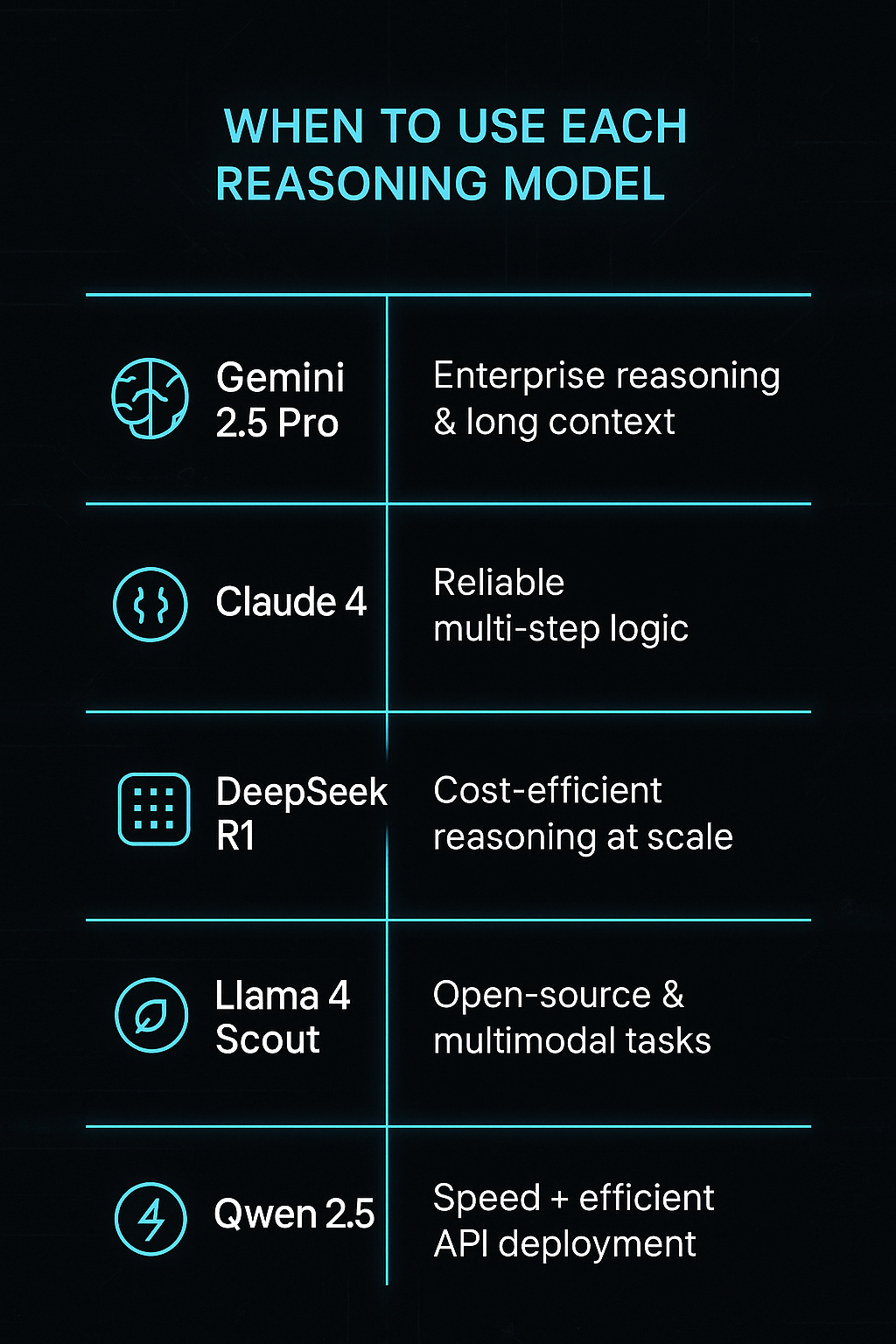
Code Reasoning & Software Agents
Recommended models: Claude Opus 4, Mistral Large 2, O3, Llama 4 Maverick.
Why: Coding tasks demand models that understand program logic and complex file structures. Claude Opus achieved 72.5 % on SWE‑bench, while Mistral Large 2 balances cost and code quality. Llama 4 variants are promising for code generation due to MoE architecture and near GPT‑4 performance.
Clarifai integration: Combine these models with Clarifai’s syntax highlighting and code clustering to build AI pair programmers.
Mathematical & Logical Problem Solving
Recommended models: OpenAI O3, DeepSeek R1, Qwen3‑Max (if available).
Why: O3 leads on GPQA and math reasoning. DeepSeek R1 dominates MATH‑500. Qwen’s thinking mode offers strong chain‑of‑thought for math problems, albeit at higher cost.
Clarifai integration: Use Clarifai’s math solver APIs to verify intermediate steps and ensure correctness.
Long‑Document Summarization & Research Agents
Recommended models: Gemini 2.5 Pro, Claude Sonnet 4 (long context), Qwen‑Plus, Grok 4.
Why: These models support 1–2 million token context windows, allowing them to ingest entire books or research corpora. They produce coherent, structured summaries across long documents.
Clarifai integration: Clarifai’s embedding search can narrow down relevant paragraphs, feeding only key sections into the model to save costs.
Customer Support & Chatbots
Recommended models: O3‑mini, Mistral Medium 3, Qwen‑Turbo, DeepSeek R1.
Why: These models balance cost and performance, making them ideal for high‑volume conversational tasks. O3‑mini provides strong reasoning at low cost. Mistral Medium 3 is extremely cost‑effective.
Clarifai integration: Use Clarifai’s intent classification and knowledge base search to pre‑filter queries.
Multimodal Reasoning
Recommended models: Gemini 2.5 Pro, Qwen‑VL, Llama 4 (with image input).
Why: Only a few reasoning models can handle images, diagrams, or audio. Gemini supports multiple modalities; Llama 4 Scout has built‑in vision capabilities.
Clarifai integration: Use Clarifai’s computer vision models for object detection or OCR before passing images to reasoning models.
Key Trends & Emerging Topics in AI Reasoning
1. Test‑Time Scaling and Reasoning Models
Reasoning models like O1 and O3 are trained with test‑time scaling, which significantly increases compute and leads to rapid improvements but also drives up costs. There are concerns that scaling by 10× per release is unsustainable.
Expert insight: A research article warns that if reasoning training continues to scale 10× every few months, compute demands could exceed hardware availability within a year.
2. Token Efficiency & Chain‑of‑Thought Compression
Token efficiency is becoming a crucial metric. Open models generate longer reasoning traces, while closed models compress them. Research explores ways to shorten CoT or compress it into latent representations without losing accuracy.
Expert insight: Efficient reasoning may require latent chain‑of‑thought techniques that hide intermediate steps yet preserve reliability.
3. Mixture‑of‑Experts (MoE) & Sparse Models
MoE architectures allow models to increase capacity without fully activating all parameters. Llama 4 uses a 109B‑parameter MoE with 17B active per token, enabling a 10M token context. Sparse models like Mixtral 8×22B and Mistral Large 24‑11 follow similar patterns.
Expert insight: MoE models can match the performance of larger dense models while reducing inference cost, but they may suffer from expertise collapse if not properly trained.
4. Open‑Source vs. Closed‑Source Trade‑Offs
Open models offer transparency and customization but often require more tokens to achieve the same performance. Closed models are more token efficient but restrict access and customization.
Expert insight: The Stanford AI Index observed that the performance gap between open and closed models has narrowed. However, closed models remain dominant in extreme reasoning tasks due to proprietary training data and optimization.
5. Data Contamination & Benchmark Integrity
Hard reasoning benchmarks like AIME require long chains of thought and may take over 30,000 reasoning tokens per question. There is a risk that models are exposed to test answers during training, skewing results. Researchers are calling for transparent dataset disclosure and new evaluation frameworks.
Expert insight: Nine out of ten top models on AIME are reasoning models, highlighting their power but also the need for careful evaluation.
6. Multimodal Reasoning and Specialized Tools
Future reasoning models will integrate text, images, audio, and structured data seamlessly. Gemini and Qwen‑VL already support such capabilities. As more tasks require multimodal reasoning, expect models to include built‑in vision modules and specialized tool calls.
Expert insight: Combining reasoning models with dedicated toolkits (e.g., code interpreters or search plugins) yields the best results for complex tasks.
7. Safety & Alignment
Reasoning models can generate harmful reasoning if misaligned. Developers must implement safety filters and monitor chain‑of‑thought to avoid bias and misuse.
Expert insight: OpenAI and Anthropic provide safety guardrails by filtering chain‑of‑thought traces before exposing them. Enterprises should combine model outputs with human oversight and policy compliance checks.
Conclusion & Recommendations
Reasoning model APIs represent the cutting edge of AI, enabling step‑by‑step problem solving and complex logical reasoning. Choosing the right model requires balancing accuracy, context window, cost, and scalability. Here are our key takeaways:
- For best overall performance: Choose O3 or Gemini 2.5 Pro if cost is less of an issue and you need the highest reasoning quality.
- For balanced cost and performance: Mistral Large 2, Sonnet 4, and O3‑mini deliver strong reasoning at moderate prices.
- For long‑context tasks: Gemini 2.5 Pro, Sonnet 4 long context, Grok 4, Qwen‑Plus, and Llama 4 stand out.
- For open‑source & privacy: Llama 4 Scout, DeepSeek R1, Mistral Medium 3, and Qwen2.5‑1M allow self‑hosting and customization.
- For cost efficiency & high volume: Mistral Medium 3, O3‑mini, Qwen‑Turbo, and DeepSeek R1 are excellent choices.
- Always test models on your own tasks, measuring accuracy, chain‑of‑thought quality, token efficiency, and cost.
Final Clarifai Note
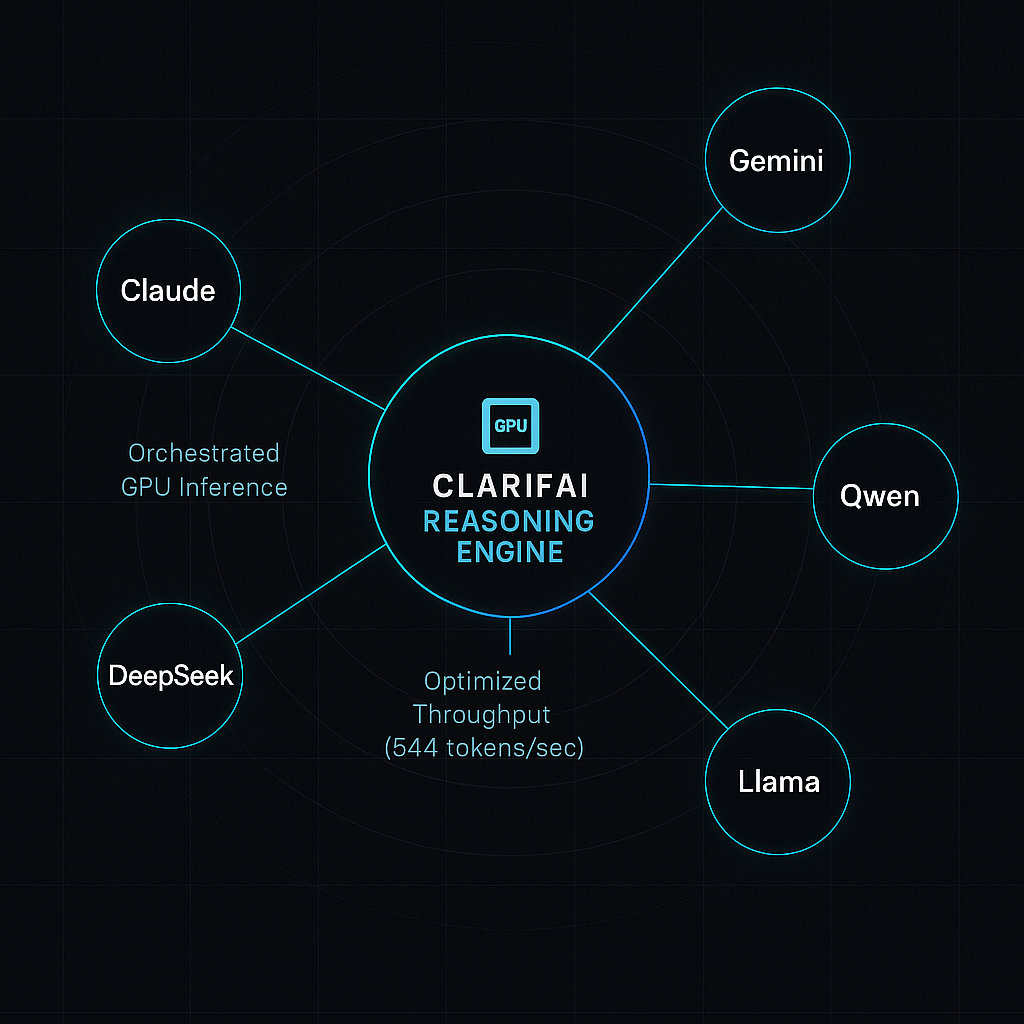
Clarifai’s mission is to simplify AI adoption. Our platform offers compute orchestration, local runners, token management, and evaluation tools to help you deploy reasoning models with confidence. Whether you’re processing legal documents, building autonomous agents, or powering customer support bots, Clarifai can help you harness the full potential of chain‑of‑thought AI while keeping your costs predictable and your data secure.
FAQs
What is a reasoning model?
A reasoning model is a large language model fine‑tuned via reinforcement learning to produce step‑by‑step chains of thought for tasks like math, code, and logical reasoning. It generates intermediate reasoning traces rather than jumping straight to the final answer.
Why are reasoning models more expensive than standard LLMs?
Reasoning models require longer context windows and generate more tokens during inference. This increased token usage, combined with additional training, leads to higher compute costs.
How do I evaluate chain‑of‑thought quality?
Evaluate both the final answer accuracy and the coherence of the reasoning steps. Look for logical errors, hallucinations, or unnecessary steps. Tools like Clarifai’s evaluation toolkit can help.
Can I run reasoning models on my own hardware?
Yes. Open‑source models like Llama 4 Scout, Mistral Medium 3, DeepSeek R1, and Qwen2.5‑1M can be self‑hosted. Clarifai provides local runners for deploying and managing these models on‑premise.
Are multimodal reasoning models available?
Yes. Gemini 2.5 Pro, Qwen‑VL, and Llama 4 support reasoning over text and images (and sometimes audio). Multimodal models are essential for tasks like document comprehension with embedded charts or diagrams.
What are the risks of chain‑of‑thought?
Chain‑of‑thought traces may expose sensitive reasoning or hallucinate incorrect steps. Some providers compress or obfuscate the chain to improve privacy. Always review outputs and implement safety filters.
How can Clarifai help me with reasoning models?
Clarifai offers compute orchestration, model registry, local runners, cost analytics, and evaluation tools. We support multiple reasoning models and help you integrate them into your workflows with minimal friction.

-SOURCE-Scott-Gilbertson.jpg)