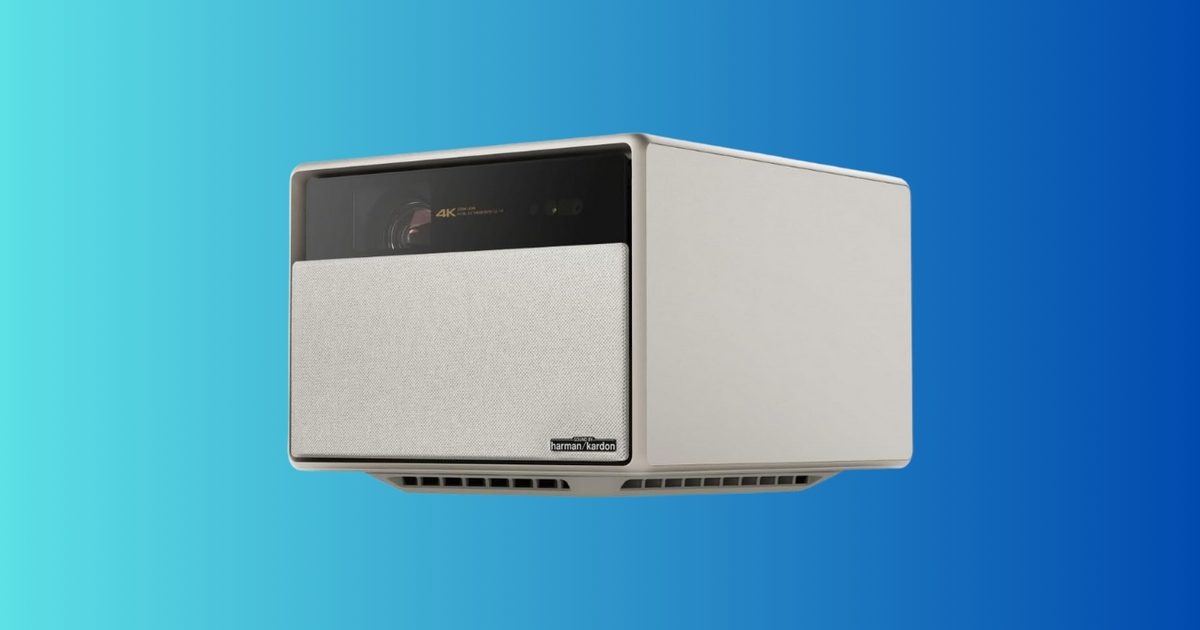
A projector is one of the few upgrades that can make your living room feel completely different overnight. Not “slightly better,” but “how is this my house?” different—especially when you start talking about a screen size up to 200 inches. The XGIMI HORIZON Ultra 4K projector is down to $998.99, a 41% discount from $1,699.99. If you’ve been tempted by a big TV but don’t want to spend flagship-TV money, this deal is a compelling shortcut to a true home theater experience.
What you’re getting
This is a 4K home theater projector with Dolby Vision support, rated at 2300 ISO lumens, and it includes dual 12W Harman Kardon speakers built in. It also supports WiFi and Bluetooth, uses a dual light setup, offers active 3D, and is marketed for projection sizes up to 200 inches.
In practical terms, you’re getting a projector built for modern streaming and cinematic formats, with brightness intended to hold up better than entry-level models (especially in rooms that aren’t pitch black). The built-in speakers won’t replace a dedicated surround system, but they can be “good enough” to get you started without buying audio gear immediately.
Why it’s worth it
The story here is the price. Dropping to $998.99 is a meaningful change from the typical “premium projector” tier, and it puts a feature-packed model into a bracket where a lot of people start comparing it to a midrange TV.
A few realistic reasons this can be a great buy:
Big-screen value: if you want the “cinema scale” look, projectors deliver that at a price TVs struggle to match at huge sizes.
Flexible setup: you can create a theater vibe without committing to a permanent giant panel on the wall.
Instant wow-factor: movies, sports, and gaming feel more event-like simply because of scale.
A practical note: projectors are best when you control light. If your room is bright during the day, you’ll get the most out of this in the evening or with shades drawn.
The bottom line
At $998.99, the XGIMI HORIZON Ultra is a strong value if you want a modern 4K projector with Dolby Vision support and the ability to go truly big-screen without spending premium-TV money. If you mostly watch in bright daylight with lots of windows, you may be happier with a TV. But if your goal is “movie night at home” with a screen that feels massive, this deal is absolutely worth considering.
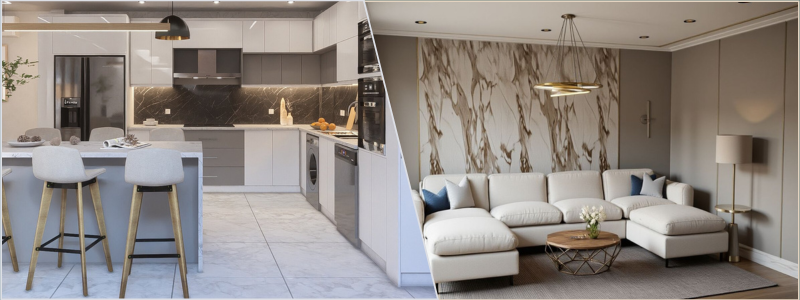
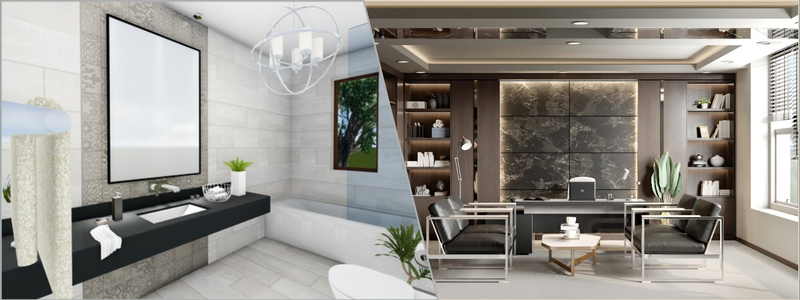
This post provides a guide for interior design services and how it’s used to create beautifulo room renderings. Interior rendering, as a trade within the architectural industry, refers to the production of design visualization to showcase how a room is supposed to look before it’s constructed. The visualization is typically used as a presentation tool to communicate design concepts and ideas to clients and stakeholders for reviews and approval.
Gone are the days when architectural designers and design firms rely solely on the traditional 2D drawings to make sales pitches. While the industry hasn’t reached a point of complete transformation from conventional drafts to the more advanced 3D renderings, it’s pleasing to see how professionals and clients alike no longer treat photorealistic visualization as an expensive add-on but a necessity in the design process.
The primary goal of a room rendering process is to make the final image as photorealistic as possible. In other words, the computer-generated imagery needs to look as if you’ve taken a photograph of the room using a professional-grade camera and add some final edits to it. All that sounds simple on the surface, but in reality, photorealistic rendering services are a pretty intensive process that requires not only technical precision and understanding of camerawork but also artistic touches.
It takes skills and experience to turn a design draft, whether a floor plan or an interior sketch, into an accurate, lifelike image. Familiarity with a range of 3D modeling and rendering software packages is a must; otherwise, you might miss out on specific features, tools, or functionalities required to achieve the level of detail needed for the work. A high-quality render isn’t just a snapshot of a design translated from a draft; some might say it should be nothing short of artistic expression to evoke emotional responses from the audience.
Photorealistic rendering isn’t exactly a new thing, but looking for a professional and experienced 3D render artist for a project can still prove to be quite a challenge these days. Cad Crowd appears to be the safest bet for now. The AEC-focused freelancing platform is home to hundreds, if not thousands, of the world’s most talented render artists, offering their services at reasonable prices. In any case, every render artist has to start from a place where they almost have no idea what they’re doing before they get to a professional level. It’s not going to be a quick jump, but the following guides should help you get a grasp of the essentials a little bit better.
Practical guides to interior rendering
Photorealistic visualization of an architectural project can be a daunting subject. But the good thing is that, sometimes, a deeper understanding of the basics goes a long way to improve your skills. What you’ll see below won’t be much of a deep dive into the intricacies of interior rendering services, but it might just be enough to lead you in the right direction toward visualization fluency.
Just because rendering doesn’t come with exactly the same workflow as photography, it doesn’t mean you can’t use images captured by cameras as references. Even for a project brief that’s uniquely specific, there’s a good chance that you can find photos online that at least partially meet one of the requirements. For instance, if the client wants an interior with an industrial style that uses furniture from a particular brand, the Internet is a good place to start hunting for some inspiration. You might not be able to get any image that ticks all the boxes, but even in the worst-case scenario, you’ll bump into one or two images usable as points of reference.
If photographs are hard to come by, you can always resort to online libraries for rendering. Websites like DeviantArt and Behance have loads of samples to explore and observe. ArchDaily and Divisare also offer curated selections of interior visualizations by well-known designers and render artists. Even Pinterest should be good enough to get you started. There’s nothing wrong with using the works of others for inspiration, so long as you don’t produce an exact copy, which is highly unlikely anyway because their project briefs can’t be identical to yours either.
References allow you to “indirectly” learn from other render artists and 3D designers. All those images might tell you which color combination works best for a small room, what visual style conforms with a home office, how to present a corporate office render, and so forth. Every little detail you see is a lesson to remember.
3D modeling design services are the underlying work of an interior rendering. You can’t have a proper render without making sure that you have all the correct models to represent objects in the scene. Remember that you’re not actually capturing photos of physical objects, but generating a visualization of those objects in a digital environment using specialized software. Accurate 3D models are a prerequisite for high-quality rendering. Many things can make your visualization look unrealistic, and poorly-built 3D models are among the worst of them all.
One of the main problems with high-end interior rendering is that you can’t always source quality models from just about any 3D model marketplace online. Let’s assume the client wants the visualization to include objects (furniture, ornaments, fixtures, etc.) from specific brands. In many cases, it’s perfectly fine to model those objects yourself, but make sure that you get clearance from the clients. Some furniture design companies actually sell high-poly 3D assets of their patented design or products, so make time to discuss the matter with the clients to avoid any legal issues.
If you have to model some objects from scratch, remember the following key principles:
Respect the real-world dimensions: it’s best to model an object according to its actual measurements. If possible, look for the manufacturer’s specification.
Clean geometry: overlapping meshes aren’t the best solution to achieve a shape or design. They can result in unwanted artifacts in rendering or shading issues.
Avoid low-poly: any object, whether you plan to use it in the foreground, mid-ground, or close-up view, should be modeled as a high-poly 3D asset. Even if you want to use it as a background object and blur the color for a realism effect, it’s better to have a detailed object converted into a low-poly one than the other way around.
Be that as it may, modeling from scratch is usually not the priority for efficiency reasons. 3D modeling is a time-consuming task, especially considering the fact that you have the option to source premium assets from online marketplaces. Such platforms as TurboSquid, RenderHub, BlenderKit, and CGTrader, to name a few, have thousands of ready-made 3D models used for architectural rendering services. Assets include furniture, decorations, ornaments, lamps, doors, windows, stairs, and more.
Map the project brief
Reading the brief over and over again does seem like a waste of time and effort, but it’s advised against simply combing through the instructions for the obvious reason that you can easily miss something crucial. To avoid the hassle, make the effort to “map” or outline the brief during the first re-read. This is where you answer questions like:
What is the intended visual style? Is it minimalist, industrial, contemporary, classic, or something else?
Is there any particular color combination that best complements the style?
Does the instruction mention anything specific about the furniture design, brands, ornaments, decorations, wall paints, or other objects and elements?
What should be the focal point? Is there any object to highlight?
What time of day will the rendering be? If the 3D visualization design depicts the interior at nighttime, how many light sources are there in the room?
Does the client provide images or photos for references? If so, what makes the references stand out?
There are no right or wrong answers to any of those questions. Take another look at the client’s references (if any) or other images you’ve already collected to gather ideas and develop a design concept. It’s important to have a clear style direction early on in the process; otherwise, you’ll be doing everything seemingly at random without a well-defined objective.
Unsurprisingly enough, 3D CAD render artists are prone to falling into the trap of repetition. This is when they unknowingly use the same design ideas and visual styles over and over again. Everything looks just fine for the first dozen or so renderings, but then the portfolio shows very little variation in terms of perspectives, composition, lighting effects, color, etc. It’s understandably difficult to come up with a fresh design concept each time, and that’s why everyone needs to take inspiration from other designers and render artists at times.
The hallmark of a high-quality render is when the audience cannot seem to tell if what they see is a computer-generated visualization or a photograph. In other words, you need to try to render like a photographer. Remember that the virtual camera (this is the camera position that gives you the viewing angle for the rendering) essentially follows the same optical principles as an actual DSLR. As a 3D architectural visualization designer, to produce professional-grade images, you shouldn’t stick to the default setting, then do the routine point-and-shoot. There are plenty of settings to configure, including object placements within the frame (composition), to get the best results.
A typical challenge with interior rendering is space limitation. Field of View (FOV) and focal length matter the most here. An easy solution is to use a wide-angle perspective to cover the entire room and therefore fit every object in the frame. But an easy solution isn’t always the best available. If you include everything in the frame, the image most likely ends up with poor composition, with a weak focal point. The sweet spot for interior visualization is a focal point between 28mm and 35mm, or the “prime lens” shot. The viewing angle from these lenses closely mimics the human natural field of view, making the image look realistic.
Detailed shots or vignettes are best when captured using a medium telephoto or “portrait” lens. This allows you to focus on or highlight specific objects or areas while compressing the background at the same time. Experiment with the Depth of Field option for more dramatic blur effects. The next in line is composition, or the arrangement of objects in the scene. Some of the most common composition techniques for interior visualization services include:
Rule of Thirds: placing the focal point or highlighted features of the room slightly to the right or left of the center.
Framing: the use of objects such as windows, doorways, ornaments, or even furniture to frame the key features.
Leading Lines: utilizing noticeable lines (from the objects) in the scene to guide the viewers’ eyes toward the key features.
Asymmetry: introducing too much symmetry to the scene makes the image look generic, so a touch of imbalance is good.
Don’t be afraid to explore the different options of camera angle, height, focal point, and composition. You can’t really see what’s the most effective solution until you compare at least two or three finished renderings. It’s best to do the exploration in the “grayscale render” stage. Also commonly referred to as “white box rendering,” this is the stage where the 3D models are still devoid of color and textures. Professionals use the technique to experiment with camerawork without the need to do full-scale rendering each time.
Mind the lights
The way the 3D modeler set the lighting effects can make or break the rendering. Different times of day have a huge impact on how the room looks and feels. A lot of times, it has everything to do with the kind of room you want to visualize. For example, a bedroom is best encapsulated with artificial light sources during the night, whereas a home office appears to have its most energetic atmosphere during broad daylight. If you decide to use the sun as your primary light source, make sure it’s dispersed enough across the room to maintain a comfortable level of brightness without making everything too dim.
Artificial lights are a little more complicated, as the 3D interior rendering designer have to work with three different types of them, including ambient, accent, and statement. Ambient lights are the base illumination (this is the brightest lamp in the room), accent lights are complementary in nature, such as desk lamps or LEDs behind the TV, whereas statement lights are only for style purposes, like a chandelier. Each type serves its own functions to contribute to the realism effect.
As mentioned earlier, interior rendering is a little bit of both technical mastery and artistic expression. The mastery portion of the equation calls for software know-how, understanding of the physics of lighting, and material realism. On the other hand, the artistic part is all about visual storytelling; it’s how you convey messages and trigger emotional responses from the audience with imagery. Utilize lighting effects to build an atmosphere, explore different viewpoints to create a narrative flow, or use a specific color scheme to introduce a specific mood within the frame.
In many respects, interior rendering is like product development services, where prototyping is an iterative process. Through subtle yet continuous improvement and structured practice, every image should come out better and more refined than the previous one. More attentiveness to details, combined with valuable lessons from yesterday’s mistakes, can really turn pencil sketches and simple illustrations into emotionally resonant visualizations. Every room and its unique design present their own rendering challenges, but that’s how you afford the chance to try and explore different methods for a visual storytelling that communicates design concepts, lifestyle, or perhaps brand identity.
Whether you’re generating a visualization for a small kitchen or corporate office, every instance is an opportunity to experiment with ideas. This kind of “experiment” will mostly revolve around using more tools and features in the rendering software, but the truth is that you can only improve by being more familiar with the software you have. It’s how you hone your skills in creating different visual styles, not just to get to know the intricacies of each, but to understand which style does best for any given project brief.
Some ideas will work and others won’t, but mistakes are as effective at giving valuable lessons as success. The point is that experimenting with software tools, lighting effects, perspectives, composition, textures, materials, patterns, colors, and everything else related to rendering will broaden your knowledge. It’s all part of a creative process, and the experience you gain over time can only serve you well.
Takeaway
Apart from skills and experience, high-quality interior rendering from expert 3D photorealistic rendering artists also demands patience on your part. It’s almost an interdisciplinary field that requires technical understanding of lighting physics, the vision of a professional photographer, the artistic expression of a storyteller, and 3D modeling know-how. Chances are, you can’t have all of those overnight. Even a quick learner can take months, if not years, to feel comfortable with the complexities of interior rendering, beyond learning about software tools and understanding what every feature does. Creating a photorealistic visualization forces you to think like an architect and designer while trying to stand in the client’s shoes.
Now that 3D modeling and rendering software have become smarter and faster, the barrier to entry has also gotten lower. Modern software can automate geometry calculations, read textures and patterns, predict light behaviors, and even offer instant color balance correction. However, there’s always the artistic barrier. No software has the power to determine the best light source position to evoke a sense of comfort, energetic lifestyle, or joy. Software can’t replace human touch because it doesn’t have artistic expression.
A professional render artist bridges the gap between a design concept and its eventual materialization. Rendering should be an extension of the designer’s idea – an extension that allows the audience to picture themselves living in a place that doesn’t yet exist and make a buying decision long before construction begins. At Cad Crowd, the focus of architectural rendering isn’t just on realism, but also on believability through artistry. The professionals on the platform have undergone strict screening and vetting processes to maintain high-quality standards and make sure that every client gets the chance to work with the best in the trade. Get a free quote today.
MacKenzie Brown is the founder and CEO of Cad Crowd. With over 18 years of experience in launching and scaling platforms specializing in CAD services, product design, manufacturing, hardware, and software development, MacKenzie is a recognized authority in the engineering industry. Under his leadership, Cad Crowd serves esteemed clients like NASA, JPL, the U.S. Navy, and Fortune 500 companies, empowering innovators with access to high-quality design and engineering talent.
Instant cameras have become a popular category for one simple reason: they’re fun. You can whip one out at a party or event and take a snap, then a couple of minutes later you have a real, physical, instant photo that everyone can touch, feel and enjoy instead of staring at a screen. It’s also a lot cooler than a smartphone shot thanks to the retro, nostalgic vibes of analog photography.
Given the large number of camera brands on the market, choosing one can be tricky. That’s why we’ve put together this buying guide that will help you choose the best instant camera for you based on factors like price, instant film size, photo quality and more.
Best instant cameras for 2026
Fujifilm
Wireless connectivity: Bluetooth | Camera weight: 436g (without batteries, strap, and film)
The best instant camera is the Fujifilm Instax Square SQ40. It looks great thanks to the leatherette details and retro design, while offering minimal controls for ease of use. It takes 3.39 x 2.83-inch Instax Square prints that fully deliver on the retro vibes. You also get a flash, selfie mirror, front shutter release and hand strap, plus it’s relatively light and easy to carry around. The camera alone is priced at $150, but you’ll need to budget for film as well.
Wireless connectivity: Bluetooth | Camera weight: 306g (without batteries, strap, and film)
If you’d rather spend less on both camera and film, take a look at Fujifilm’s Instax Mini 12. It’s a basic instant camera ideal for newbies that lets you get started shooting in just a couple of minutes. The controls couldn’t be simpler as well, as you just need to twist the lens into the “on” or “off” position. It’s also small and thin, so can be slipped into a pocket and fits nicely into the small hands of fledgeling young photographers.
Wireless connectivity: Bluetooth | Camera weight: 12 ounces (without batteries, strap, and film)
Where the Instax Mini 12 is cheap and cheerful, the Instax Mini 99 offers far more control and features. The best feature is the four-colored LEDs inside the camera that can be enabled to produce in-camera “looks,” like “Faded Green” and “Light Leak,” that produces a glow simulating a broken camera. At the same time, unlike other models, you can turn the flash off completely for a more natural look. Other nice features are a rear display and sports mode, with the one downside being the lack of a selfie mirror.
Wireless connectivity: Bluetooth | Camera weight: 240g (without batteries and film)
The Polaroid Go might be basic and relatively cheap, but it offers a lot. You get a self-timer and double-exposure modes, along with Polaroid’s square Go format film that delivers that nostalgic feel. It’s also pretty small and light, so it’s an easy choice to bring it along to any occasion. The main drawback is the autofocus, which delivers spotty results unless you’re a good way from the subject.
Wireless connectivity: Bluetooth | Camera weight: 451.5g (without film)
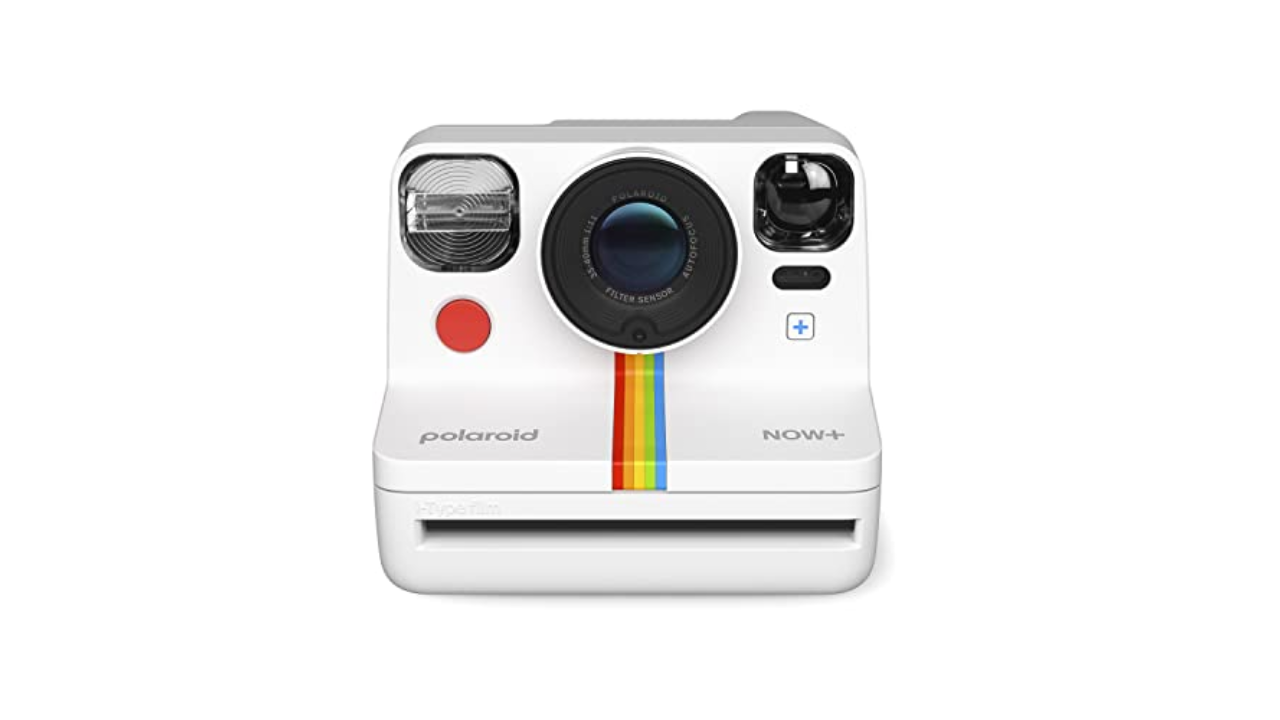
Polaroid is a name synonymous with instant cameras, and its Now+ model is the best choice for larger film. Though the prints are slightly smaller than those produced by Fujifilm’s Instax Wide 400, I prefer the square format that evokes old school Polaroid photos. It also offers a host of features like an updated app with creative shooting modes including manual modes, a self-timer, double exposure, light painting and an aperture priority option for depth of field.
Though the 2nd-generation model suffered from occasional exposure issues, the new model has largely corrected that and added a tripod mount to boot, along with some new colors. The main downside is the relatively high price of Polaroid’s i-Type film.
Wireless connectivity: Bluetooth | Camera weight: 616g (without battery, strap, film cartridge, and close-up lens)
For the biggest prints possible (as long as you don’t mind the rectangular format), Fujifilm’s new Instax Wide 400 is your best bet. It offers simple operation with one-button, fully-automatic shooting along with a new close focus option to add tight shots to your repertoire. The main downside is a lack of hybrid options, but the fact that it’s relatively basic helps keep the price down. Film is also considerably cheaper than Polaroid’s i-Type.
Wireless connectivity: Bluetooth | Camera weight: 30.4 ounces (without batteries and film)
In 2025, Polaroid introduced the Flip, its most advanced modern instant camera to date. While expensive compared to other models, it has some serious photography features. Those include a sonar autofocus and a hyperfocal four-lens system that improves sharpness, along with a big powerful flash that can vary brightness to nail exposure. It has a (very) colorful, retro compact design that folds shut for storage and to protect the lens. It uses Kodak’s larger (but more expensive) i-Type film, so it produces beautiful, sharable prints.
Wireless connectivity: Bluetooth | Camera weight: 285g
For the next most fully-featured instant camera, look no further than Fujifilm’s Instax Mini Evo. It marries the vintage charm of instant photography with digital shooting, giving you the ability to preview shots on the three-inch rear display and only print out the ones you want. Another great trick is that it can function as a printer for your smartphone photos.
Design-wise, it matches the aesthetic of Fujifilm’s charming digital cameras like the X100 VI, and is considerably more compact than other Instax models. And much like the X-series cameras, you have the ability to apply numerous simulations and effects to prints. The downside is that it’s more complex to operate than other instant cameras, but that versatility will appeal to many buyers.
Wireless connectivity: None | Camera weight: 725.7g
If you’re very particular about your instant photography, Lomography’s Lomo’Instant Wide Glass is the model to get. It has perhaps the best lens of any instant camera with a 90 mm multi-coated glass model that delivers very sharp photos. It also comes with a host of advanced features, including exposure compensation control, a built-in flash, multiple exposure capability, a manual focus lens, a sync socket for an external flash, selfie mirror and the ability to add optional wide-angle and macro conversion lenses. The main disadvantages are its large size and relatively high price.
Wireless connectivity: Bluetooth | Camera weight: 320g (without batteries and film)
If the canape table at your typical gathering has caviar blinis and quail egg tartines, your instant camera of choice may be Leica’s Sofort 2. It’s a point-and-shoot model with a 28mm equivalent f/2.0 lens that shoots mini-sized Sofort film (or Fuji’s Instax film). While the specs aren’t too impressive for a $400 instant camera, Leica did nail the social aspect with the ability to capture digital images to a microSD card, view them on the three-inch LCD display and then share them with friends using Leica’s FOTOS app. It doesn’t take the best photos of any instant camera, though it does offer great battery life and nice portability. However, the main reason to get this model is the Leica brand and red dot. That lets others know that you may be taking lighthearted pictures, but you definitely know what you’re doing.
If you have an instant camera that can save images to a memory card, an instant printer lets you share favorite photos with friends and family. The best of those is Fujifilm’s Instax Link Wide Printer. It’s portable and prints quickly with true to life colors, plus the photos last forever. It’s also very affordable.
Canon has a fun take on photo printers with the Ivy 2 printer. It uses special photo paper (that’s also a sticker!) so it never needs ink and allows you to print photos with graphics and funky borders. At the same time, it’s easy to set up, reliable, very portable and affordable.
The main factor for most people is the size of the film. When most people think of retro instant cameras, they think of a square image size. That’s why Instagram, which used to have a Polaroid-like app icon, only supported square images for years. If that’s what you want, then Fuji’s Square or either of Polaroid’s formats are best.
However, if you want as large an image as possible, Fujifilm’s Instax wide is the way to go. For those who prefer a smaller size to pin on their fridge or slip in an envelope (or the cheaper film), Fujifilim’s Instax Mini or Polaroid’s Go format are best.
With that in mind, here are the choices. Fujifilm’s Instax alone offers three formats: Mini, Square and Wide, with film sizes of 3.4 x 2.1 inches, 3.4 x 2.8 inches and 3.4 x 4.3 inches. The corresponding image sizes are 2.44 x 1.81 inches, 2.44 x 2.44 inches and 2.44 x 3.9 inches.
Leica’s Sofort 2 and Lomography models also uses Fujifilm’s Mini format, while Polaroid’s smaller Go format is 2.64 x 2.13 inches (1.81 x 1.83-inch image) and its i-Type size is 3.46 x 4.21 inches, with a square image size of 3.11 x 3.11 inches.
As for prices, Fujifilm’s Instax films are generally around $1 – $1.20 per shot for square or wide color film and $.60 – $.75 for mini color film. Those prices go up a bit if you choose custom models with colorful or patterned borders, and down if you buy in bulk. Polaroid’s i-Type film is a bit more at about $2.00 per shot or $1.00 – $1.35 per shot for Go color film.
Image quality isn’t really the point with instant cameras of course, as they’re always going to be fuzzy compared to digital photos. However, some models (notably Fujifilm and Polaroid models) are a bit better than others.
And in terms of pricing for the cameras themselves, models with larger film are generally more expensive. It also increases if you add hybrid features like USB-C connectivity, smartphone sharing, the ability to print out photos and more, along with niceties like a selfie mirror. The best, most feature-laden cameras can cost upwards of $200 and basic versions can be well under $100.
I run Visual Studio Community Edition 2022 on a M2 Mac under Parallels with Windows 11 for ARM64.
I got the application (.NET 4.8 Webforms) running on the local IIS, but not on IIS Express. IISExpress startup fails with “Error loading global modules”.
PS C:\Program Files\IIS Express> .\iisexpress.exe /trace:error
Starting IIS Express ...
Initializing the W3 Server Started CTC = 1389375
W3 Server initializing WinSock.  CTC = 1389390
W3 Server WinSock initialized.  CTC = 1389390
W3 Server ThreadPool initialized (ipm has signalled).  CTC = 1389390
Failed processing with hr = 8007007e
Error loading global modules.  hr = 8007007e
Terminating W3_SERVER object
Start listenerChannel http:0
Initializing the W3 Server Started CTC = 1390546
W3 Server initializing WinSock.  CTC = 1390546
W3 Server WinSock initialized.  CTC = 1390546
W3 Server ThreadPool initialized (ipm has signalled).  CTC = 1390546
Failed processing with hr = 8007007e
Error loading global modules.  hr = 8007007e
Terminating W3_SERVER object
InitComplete event signalled
Process Model Shutdown called
Waiting for all LISTENER_CHANNELS to stop
Unable to start iisexpress.

Das angegebene Modul wurde nicht gefunden.
For more information about the error, run iisexpress.exe with the tracing switch enabled (/trace:error)
MacBook Pro availability is tightening on Apple’s online store, with select configurations facing up to a two-month delivery timeframe in the United States.
A few 14-inch and 16-inch MacBook Pro configurations with an M4 Pro chip are not facing any shipping delay, but estimated delivery dates for many configurations with an M4 Max chip range from February 6 to February 24 or even later. At the extreme end, all built-to-order 14-inch MacBook Pro configurations with a 16-core M4 Max chip and 128GB of RAM are estimated to be delivered as late as March 17 on Apple’s online store.
The entry-level 14-inch MacBook Pro was updated with an M5 chip in October, but the wait continues for MacBook Pro models with M5 Pro and M5 Max chips. There were already some signs that might point towards Apple announcing those models as early as this week, and perhaps the extended delivery timeframes further hint at an imminent refresh. However, ongoing RAM supply constraints could also be contributing to the shipping delays.
While the iPhone 18 Pro and iPhone 18 Pro Max are not expected to launch for another eight months, there are already plenty of rumors about the devices.
Below, we have recapped 12 features rumored for the iPhone 18 Pro models, as of January 2026:
The same overall design is expected, with 6.3-inch and 6.9-inch display sizes, and a “plateau” housing three rear cameras
Under-screen Face ID…
Apple plans to upgrade the iPad mini, MacBook Pro, iPad Air, iMac, and MacBook Air with OLED displays between 2026 and 2028, according to DigiTimes.
Bloomberg’s Mark Gurman previously reported that the iPad mini and MacBook Pro will receive an OLED display as early as this year, but he does not expect the MacBook Air to adopt the technology until 2028 at the earliest.
A new iPad Air is…
Apple today updated its trade-in values for select iPhone, iPad, Mac, and Apple Watch models. Trade-ins can be completed on Apple’s website, or at an Apple Store.
The charts below provide an overview of Apple’s current and previous trade-in values in the United States, according to the company’s website. Most of the values declined slightly, but some of the Mac values increased.
iPhone
In select U.S. states, residents can add their driver’s license or state ID to the Apple Wallet app on the iPhone and Apple Watch, and then use it to display proof of identity or age at select airports and businesses, and in select apps.
The feature is currently available in 13 U.S. states and Puerto Rico, and it is expected to launch in at least seven more in the future.
To set up the…
While the iPhone 18 Pro models are still around eight months away, a leaker has shared some alleged details about the devices.
In a post on Chinese social media platform Weibo this week, the account Digital Chat Station said the iPhone 18 Pro and iPhone 18 Pro Max will have the same 6.3-inch and 6.9-inch display sizes as the iPhone 17 Pro and iPhone 17 Pro Max.
Consistent with previous…
It’s been 12 years since Bruno Mars performed at the Super Bowl XLVIII halftime show, but the musician has found a new big venue where he can sing without even leaving his home. This weekend, the hit Roblox game Steal a Brainrot is going to host a pop up performance by Bruno Mars that’s a one-time only appearance.
The official announcement went out on Roblox’s social media channels. Mars’ performance will be held on Saturday, January 17 at 12 PM PT / 3 PM ET.
Although musical acts like Stray Kids have performed in Roblox before, Mars will be the first to do so for Steal a Brainrot, which launched in May 2025. He’s expected to sing his new single, I Just Might, as well as an older song, Locked Out of Heaven.
To mark the occasion, players will have the chance to get a Bruno Mars Brainrot, as well as other related in-game items and traits.
Sequoia Capital is reportedly joining a blockbuster funding round for Anthropic, the AI startup behind Claude, according to the Financial Times. It’s a move sure to turn heads in Silicon Valley.
Why? Because venture capital firms have historically avoided backing competing companies in the same sector, preferring to place their bets on a single winner. Yet here’s Sequoia, already invested in both OpenAI and Elon Musk’s xAI, now throwing its weight behind Anthropic, too.
The timing is particularly surprising given what OpenAI CEO Sam Altman said under oath last year. As part of OpenAI’s defense against Musk’s lawsuit, Altman addressed rumors about restrictions in OpenAI’s 2024 funding round. While he denied that OpenAI investors were broadly prohibited from backing rivals, he did acknowledge that investors with ongoing access to OpenAI’s confidential information were told that access would be terminated “if they made non-passive investments in OpenAI’s competitors.” Altman called this “industry standard” protection (which it is) against misuse of competitively-sensitive information.
According to the FT, Sequoia is joining a funding round led by Singapore’s GIC and U.S. investor Coatue, who are each contributing $1.5 billion. Anthropic is aiming to raise $25 billion or more at a $350 billion valuation — more than double its $170 billion valuation from just four months ago. The WSJ and Bloomberg had earlier reported the round at $10 billion. Microsoft and Nvidia have committed up to $15 billion combined, with VCs and other investors said to be contributing another $10 billion or more.
The Sequoia connection with Altman runs deep. When Altman dropped out of Stanford to start Loopt, Sequoia backed him. He later became a “scout” for Sequoia, introducing the firm to Stripe, which became one of the firm’s most valuable portfolio companies. Sequoia’s new co-leader Alfred Lin and Altman also appear comparatively close. Lin has interviewed Altman numerous times at Sequoia events, and when Altman was briefly ousted from OpenAI in November 2023, Lin publicly said he’d eagerly back Altman’s “next world-changing company.”
While Sequoia’s investment in xAI might seem to have already contradicted the traditional VC approach of picking winners, that bet is widely viewed as less about backing an OpenAI competitor and more about deepening the firm’s extensive ties to Elon Musk. Sequoia invested in X when Musk bought Twitter and rebranded it, is an investor in SpaceX and The Boring Company, and is a major backer of Neuralink, Musk’s brain-computer interface company. Longtime Sequoia leader Michael Moritz was even an early investor in Musk’s X.com, which became part of PayPal.
Sequoia’s apparent reversal on portfolio conflicts is especially glaring given its historical stance. As we reported in 2020, the firm took the extraordinary step of walking away from its investment in payments company Finix after determining the startup competed with Stripe. Sequoia forfeited its $21 million investment, letting Finix keep the money while giving up its board seat, information rights, and shares, marking the first time in the firm’s history it had severed ties with a newly funded company over a conflict of interest. (Sequoia had led Finix’s $35 million Series B round just months earlier.)
Techcrunch event
San Francisco | October 13-15, 2026
The reported Anthropic investment comes after dramatic leadership changes at Sequoia, where Roelof Botha was pushed out in a surprise vote just days after sitting down with this editor at TechCrunch Disrupt, with Lin and Pat Grady — who’d led that Finix deal — taking over.
Anthropic is reportedly preparing for an IPO that could come as soon as this year. We’ve reached out to Sequoia Capital for comment.
Rackspace’s new pricing for its email hosting services is “devastating,” according to a partner that has been using Rackspace as its email provider since 1999.
In recent weeks, Rackspace updated its email hosting pricing. Its standard plan is now $10 per mailbox per month. Businesses can also pay for the Rackspace Email Plus add-on for an extra $2/mailbox/month (for “file storage, mobile sync, Office-compatible apps, and messaging”), and the Archiving add-on for an extra $6/mailbox/month (for unlimited storage).
As recently as November 2025, Rackspace charged $3/mailbox/month for its Standard plan, and an extra $1/mailbox/month for the Email Plus add-on, and an additional $3/mailbox/month for the Archival add-on, according to the Internet Archive’s Wayback Machine.
Rackspace’s reseller partners have been especially vocal about the impacts of the new pricing.
In a blog post on Thursday, web hosting service provider and Rackspace reseller Laughing Squid said Rackspace is “increasing our email pricing by an astronomical 706 percent, with only a month-and-a half’s notice.”
Laughing Squid founder Scott Beale told Ars Technica that he received the “devastating” news via email on Wednesday. The last time Rackspace increased Laughing Squid’s email prices was by 55 percent in 2019, he said.
“The price increase has a major impact on the ability to make money due to the fact that email is now our largest expense, and we were only given a month-and-a-half notice,” Beale told Ars.
Online, there are reports of Rackspace partners being quoted email pricing increases of 110 percent to nearly 500 percent. The reports say that the new, higher-per-mailbox quotes don’t include volume pricing discounts. Beale noted that Laughing Squid’s quote doesn’t include discounts that the company previously received.
The Legend of Heroes: Trails beyond the Horizon Direct Download
The future of an entire continent is at stake in this milestone entry in the Trails series! Explore the vast Calvard Republic with three different protagonists, nurture connections, and master powerful skills in both real-time and turn-based battles as you uncover the secrets at the core of Zemuria!
The prophesied end of the Zemurian continent draws near, and so does the launch of humanity’s first foray into space. A sudden invitation from Marduk to cooperate in a high-tech training exercise sets Van Arkride, Ashen Chevalier Rean Schwarzer, and Father Kevin Graham on a collision course with the secrets that lay at the very core of Zemuria. Their paths may diverge, but the ultimate question remains the same: Just what lies beyond the edge of the horizon?
Gameplay Mechanics
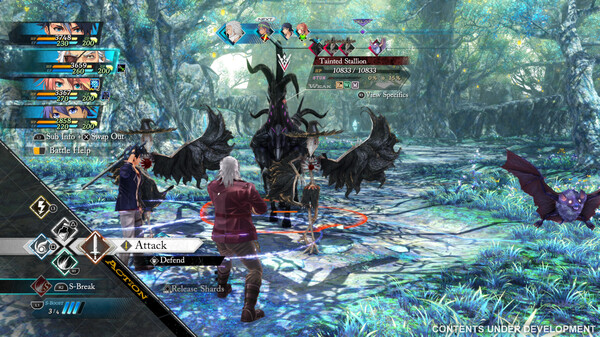
Explore detailed locations across the Calvard Republic, strengthen your connections with your allies, and uncover what lies beyond the horizon of Zemuria across three intertwining story paths. Plus, Trails beyond the Horizon introduces new gameplay mechanics to the beloved battle system introduced in Trails through Daybreak, giving you an unprecedented amount of options in both Field and Command Battles. Battle it out in the action-packed Field Battle mode, then swap to the turn-based Command Battle mode to strategically plan out your attacks!
New features include:
Wield more power in battle than ever before with Shard Commands! Utilize S-Boosts to give your party a range of benefits during battle. Each character and holo core comes with their own unique Shard Commands, so be sure to take advantage of them! Certain characters, such as Van with his ability to transform into the Grendel, can surge with extra strength using Awakening during Field Battles to temporarily increase their power. Kotama and Academy Citadel
Take control of time itself with Z.O.C. to slow the speed of enemies to a crawl, allowing characters to perform multiple attacks in quick succession. Not only that, but while Z.O.C. is activated, your attack power and stun damage will dramatically increase, making stunning enemies with high defense a breeze! Plus, gather allies from all over Calvard and beyond and put a stop to Ouroboros’ machinations in the Grim Garten, a dungeon that you can take on with your own custom party!
Features and System Requirements:
Expansive Story-Driven JRPG Continue the legendary Trails saga with a deep narrative filled with political intrigue, emotional character arcs, and world-spanning conflicts.
Strategic Turn-Based Combat Refined tactical battles combining positioning, Arts, Crafts, and powerful S-Breaks for layered combat depth.
Rich Worldbuilding & Lore Explore a meticulously crafted world where choices, alliances, and events are interconnected across the series.
Large, Memorable Cast Meet new heroes and familiar faces, each with unique abilities, personalities, and combat roles.
Screenshots
SystemRequirements
Minimum
OS *: Windows 10/11
Processor: AMD Ryzen 5 1600
Memory: 8 GB RAM
Graphics: NVIDIA GeForce GTX 1050
DirectX: Version 11
Storage: 30 GB available space
Support the game developers by purchasing the game on Steam
InstallationGuide
TurnOff Your Antivirus Before Installing Any Game
1 :: Download Game 2 :: Extract Game 3 :: Launch The Game 4 :: Have Fun 🙂
To ensure you know what to expect for the upcoming years, we’ve pulled together a full calendar of upcoming Star Wars releases. Read on to find out what they are, where you’ll be able to watch them, and when they come out. And while you’re in the mood for more Star Wars, you might be tempted to catch up on the whole universe. Here’s the best order to watch existing Star Wars projects.
2026
The Mandalorian and Grogu
Release date: May 22, 2026, in movie theaters
It’s been three years since we last saw Din Djarin (Pedro Pascal), aka the Mandalorian, and Grogu. When we left off, the two were settled on the planet Nevarro. Now they’re about to head somewhere entirely different: the silver screen.
Directed by Jon Favreau and produced by Favreau, Kathleen Kennedy, and Dave Filoni, The Mandalorian and Grogu will follow the two dealing with Imperial warlords in their efforts to help a new fledgling New Republic. They’ll meet a variety of new faces along the way, such as Colonel Ward (Sigourney Weaver), who recruits the two of them to tackle crime in the Outer Rim, as well as Star Wars: Rebels’ Zeb Orrelios (Steve Blum.)
Favreau has since confirmed that season 4 of The Mandalorian will not be happening. Scripts for the fourth season were planned, but when the opportunity came to have the adventures of Din Djarin and Grogu continue as a film, Favreau jumped at the chance — a disappointing ending for fans looking forward to more Din and Grogu on their TV screens.
Star Wars: Maul – Shadow Lord
Release date: TBA, coming to Disney Plus
Image: Lucasfilm
An official release date for Maul: Shadow Lord has not yet been given, but we do know — thanks to Disney revealing its 2026 slate — that it is expected to debut sometime in 2026. Considering there’s a comic prequel spinoff in the works over at Marvel, and scheduled to be released in March, we speculate we’ll see more of Maul’s shenanigans sometime in the Summer.
Not much is known about the Maul series outside of the fact that it will be animated and that the ex-Sith Lord will be looking to “rebuild his criminal syndicate on a planet untouched by the Empire.” Considering (spoilers) Maul gets sliced and diced in Rebels, we expect that the series will follow Maul post-Clone Wars, but pre-Rebels. It has been confirmed that Sam Witwer will reprise his role as Maul.
Star Wars: Visions Presents – The Ninth Jedi
Release date: TBA, coming to Disney Plus
Image: Production I.G
Despite not being part of the “canon” universe, there have been several spinoffs and continuations of a few episodes from anthology series Star Wars: Visions. While the majority have been in the form of a novel or manga, Production I.G’s The Ninth Jedi is set to get an animated spinoff. And according to Disney’s release slate, it’ll be appearing sometime in 2026.
2027
Star Wars (50th Anniversary)
Release date: Feb. 19, 2027, in movie theaters
Image: Lucasfilm
If you’ve ever wondered what it was like to watch Star Wars: A New Hope back when it first came out in 1977, you’re in luck. Lucasfilm has confirmed that for a “limited time” only, it will be showing the original Star Wars in theaters “everywhere.”
And they really do mean the original film: no more Greedo shooting first, no more CGI Jabba the Hutt, and no more digital Dewbacks. When you go to the theaters in February 2027, it’ll be as though you were transported back to 1977.
Star Wars: Starfighter
Release date: May. 28, 2027, in movie theaters
Image: Shawn Levy
Deadpool & WolverineandFree Guydirector Shawn Levy is making a Star Wars movie. Set after the sequel trilogy, it features a star-studded cast, including Ryan Gosling, whose character we currently know nothing about. Gosling is joined by the likes of Matt Smith — who, in typical Smith fashion, will be playing the villain in Starfighter — Mia Goth, Amy Adams, Flynn Gray, Aaron Pierre, Simon Bird, Jamael Westman, and Daniel Ings.
Top Gun: Maverick director of photography Claudio Miranda is also set to shoot the film, bringing a new excitement to the visuals and fidelity of aerial combat in a galaxy far, far away.
Levy expressed excitement and honor to be the brains behind a new Star Wars film. “From the day Kathy Kennedy called me up, inviting me to develop an original adventure in this incredible Star Wars galaxy, this experience has been a dream come true, creatively and personally. Star Wars shaped my sense of what story can do, how characters and cinematic moments can live with us forever. To join this storytelling galaxy with such brilliant collaborators onscreen and off, is the thrill of a lifetime.”
Undated
Ahsoka season 2
Image: Lucasfilm Ltd.
Chief creative officer at Lucasfilm and Ahsoka showrunner Dave Filoni is deep into developing the second season of Ahsoka. There was previously speculation that it would lead up to the events of The Mandalorian and Grogu film, but considering that the show is currently undated, this doesn’t seem as likely anymore.
Season 2 will pick up straight after its first season, with two branching storylines. The first will follow Ahsoka (Rosario Dawson) and Sabine (Natasha Liu Bordizzo) as Shin (Ivanna Sakhno) hunts them on Peridea. Rory McCann will replace the late Ray Stevenson as Baylan Skoll, who will also play a part in this branch of the story. The second storyline will follow Admiral Thrawn (Lars Mikkelsen) as he uses his forces to attack a fledgling New Republic. Other returning cast members include Eman Esfandi as Ezra Bridger, Hayden Christensen as Anakin Skywalker, and Mary Elizabeth Winstead as Hera Syndulla.
Currently, there is no confirmed release window for the second season. However, the show currently does not appear in Disney’s 2026 release slate, leading fans to speculate the show has been pushed to 2027.
Untitled Sharmeen Obaid-Chinoy Star Wars movie
Image: Lucasfilm Ltd.
Ms. Marvel director Sharmeen Obaid-Chinoy’s planned Star Wars film will take place 15 years after The Rise of Skywalker. It is supposedly set in a new era called the New Jedi Order and will follow Rey Skywalker (Daisy Ridley) as she tries to rebuild the Jedi Order.
Initially, the project was considered “Damon Lindelof’s Star Wars movie,” but news broke in March 2023 that he had been replaced by screenwriter Steven Knight (Peaky Blinders, Locke, Serenity). Knight ultimately left the film. In January 2025, The Hollywood Reporter reported that George Nolfi had joined the Rey film as a writer, with Nolfi going on to confirm his involvement later on. At Star Wars Celebration 2025, Kathleen Kennedy and Dave Filoni reconfirmed that the Rey movie, as well as movies from James Mangold, Taika Waititi, and Simon Kinberg, were still in ongoing development. But in the wake of Kennedy’s departure as Lucasfilm president, the future of Obaid-Chinoy’s Rey movie sounds unclear.
In an interview with Deadline, Kennedy did not mention the planned Rey movie as a future project as Lucasfilm. Like many other Star Wars movie announcements, this one may ultimately wind up going nowhere.
Untitled Dave Filoni Star Wars movie
Image: Lucasfilm/StarWars.com
The New Republic era has yet to be explored in depth, but Dave Filoni, the force behind much of Star Wars TV and the new co-president of Lucasfilm, looks to be the man who will change that. Filoni is set to direct a movie that focuses on the New Republic government, the one that comes to power after the Empire falls.
Set in the era that connects The Return of the Jedi and The Force Awakens, Lucasfilm has said that Filoni’s movie will “close out the interconnected stories told in The Mandalorian, The Book of Boba Fett, Ahsoka, and other Disney Plus series.” The majority of those series link to one another, either through key character relationships, cloning technology, or due to post-Imperial power struggles and crime. Considering that the return of Emperor Palpatine and the rise of Snoke were so paramount to the sequel trilogy era, Filoni’s film could fill in those gaps of lore.
Like the Rey film, Dave Filoni’s untitled New Republic film was confirmed to still be in development at Star Wars Celebration 2025.
Mangold’s movie stands out among the crowd for one huge reason: It’s set some 25,000 years before the original trilogy Star Wars era. This takes us back to the dawn of the Jedi, a suitable era as Mangold is eager to explore questions that have plagued fans of the epic space opera since it was first imagined in 1977. Questions like, “Where did the Force come from, when did we discover it, [and] when did we learn how to use it?”
Speaking at Star Wars Celebration 2023, Mangold said his movie will be “a Biblical epic, like [The] Ten Commandments, about the dawning of the Force.” Kathleen Kennedy said at the time that Mangold was working on the script, but in the years since, the project has been put on the back burner, according to the ex-Lucasfilm boss.
Untitled Simon Kinberg Star Wars movie trilogy
Photo: AFP via Getty Images
Writer-producer-director Simon Kinberg has plenty of experience in the Star Wars universe, having co-created and written for the animated series Star Wars: Rebels. Now he’s set to develop a new Star Wars trilogy.
There has been mixed reporting about the film: Deadline said that Kinberg’s Star Wars films “will comprise Episodes 10-12 of The Skywalker Saga,” which is manifestly unclear. However, The Hollywood Reporter said the films are “not meant to be a continuation of the Skywalker Saga.” What is clear is that, as Kathleen Kennedy confirmed, the project is envisioned as being the trilogy necessary to take the franchise into a new and exciting future.
Kinberg has recently spoken out about the planned trilogy. Speaking to Nerdtropolis, Kinberg said, “just to be told there’d be more movies would have been unbelievable. To be allowed on the set of any of them was already a dream. My enthusiasm only grows with working on and around it.”
The director also cited Andor, from showrunner Tony Gilroy, as a significant source of inspiration. “I thought that was about as good of science fiction storytelling as you can do in any franchise.”
Untitled Taika Waititi Star Wars movie
Photo: WireImage
Out of all of the Star Wars movies in development, Thor: Love and Thunder director-writer Taika Watiti’s has got to be the project we know the least about, despite being first announced in 2020. It was questioned whether Watiti’s film had been shelved in 2023, but both Lucasfilm president Kathleen Kennedy and Waititi himself confirmed that it is still in development. The latter told Entertainment Tonight in 2023 that he didn’t “want to rush this movie.”
The latest news about Waititi’s film came from Kennedy and Dave Filoni at Star Wars Celebration 2025, where they reconfirmed it was still in ongoing development, and in an interview with Kathleen Kennedy, who said the project was “still somewhat alive.” Not too encouraging!
A Droid Story
Image: Lucasfilm/Disney
In 2020, Lucasfilm announced several projects; most of which have either come and gone, such as Andor and The Acolyte, or were canceled, like Rangers of the New Republic. However, some are in a strange limbo: not really confirmed as canceled, but also not spoken about since they were first announced.
One such project is ADroid Story, an animated film that was set to premiere on Disney Plus. The film was set to follow a new character who is guided by the lovable duo R2-D2 and C-3PO. However, there have been no recent updates about the project.
Lando
Photo: Jonathan Olley/Lucasfilm
Speaking of a project stuck in limbo… The spinoff show (or movie!) starring Donald Glover as Lando Calrissian was first announced back in December 2020. Years later, its development has remained turbulent, with the Disney Plus series being reworked into a film. It also lost its showrunner, Dear White People creator Justin Simien, in the process; news which the creator learned via the announcement, rather than directly. Donald Glover and his brother, Stephen Glover, took over writing the Lando spinoff.
The move from TV show to film puts the show in murky waters. It isn’t the first time Disney has pivoted this way; look at Obi-Wan Kenobi, which was initially planned as a movie before it was transformed into a TV series. However, there is still hope. Kathleen Kennedy says that Glover has turned in a script, and like Taika Waititi’s Star Wars project, it’s “still somewhat alive.”