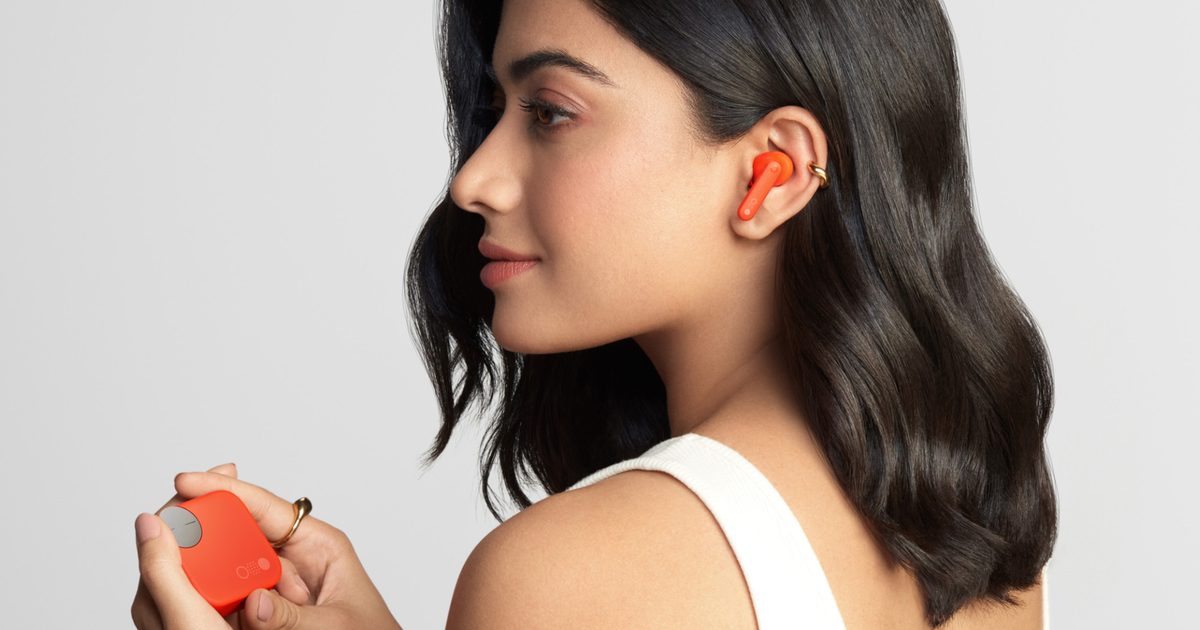
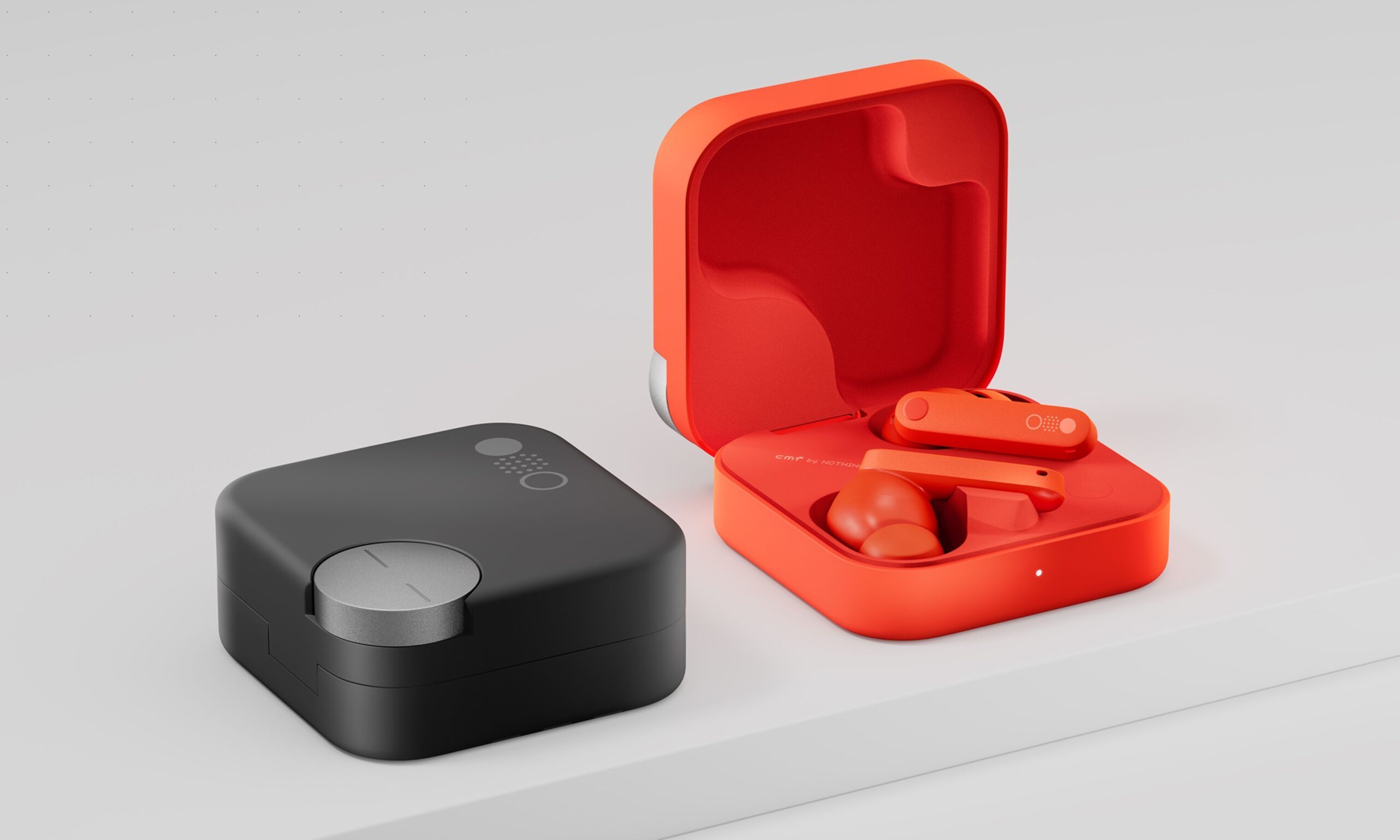
Nothing’s budget-focused spinoff brand CMF has started teasing its next pair of wireless earbuds, and while the company is keeping the name to itself for now, there is a good chance we are looking at the successor to the CMF Buds Pro 2.
The teaser posted on CMF’s official X account shows a single in-ear earbud from the bottom. It has a metallic silver finish, a stem with what appear to be two microphone openings, and a silicone eartip finished in CMF’s signature orange. CMF simply calls it “a hint of what’s next,” without revealing a launch date or any specifications.
Why I think these could be the CMF Buds Pro 3
CMF could simply be preparing the regular Buds 3, but its previous release schedule makes the Pro model a strong possibility. The original CMF Buds Pro arrived in September 2023, several months before the regular CMF Buds launched in March 2024. CMF repeated the pattern with the next generation. Buds Pro 2 launched in July 2024, while the Buds 2 family followed in April 2025.
If CMF follows the same naming scheme, the teased earbuds would most likely be called CMF Buds Pro 3, rather than Buds 3 or any other 3 series model. There is still no confirmation, though. Other reports have suggested the teaser could simply point to the third-generation CMF Buds, so the exact model remains up in the air.
CMF by Nothing
There is plenty CMF could improve
As a former CMF Buds Pro 2 user, I already have a pretty clear wishlist for whatever CMF is preparing next. The earbuds offered a lot for the money, including dual drivers, LDAC support, strong ANC, long battery life, and the Smart Dial built into the charging case.
The Smart Dial was easily one of my favorite features. Being able to adjust the volume or control playback without reaching for my phone was genuinely useful, but accidental presses did get annoying. I would also like to see CMF tone down the heavy bass and give users more control over the EQ. None of those are deal-breakers at the price point CMF usually targets, but they are areas where a new Pro model could make some meaningful improvements.
Sony Electronics is making a massive upgrade to the humble meeting room screen. The company has just unveiled Crystal LED UNIFY, a massive 135-inch all-in-one direct-view LED display designed for boardrooms, meeting rooms, community spaces, and higher education environments.
At a glance, it might look like Sony’s next massive flagship living room TV, but it’s cutting edge display tech arriving to the office space. It is part of Sony’s professional display lineup and sits alongside its existing BRAVIA Professional Displays and Crystal LED portfolio. The model number is ZRL-135SG, and Sony is positioning it as a simpler way for organizations to add a large dvLED display without dealing with the usual complexity of custom LED wall projects.
Sony
An easy to setup up giant wall of screen
One of the biggest selling points for the Crystal LED UNIFY is its convenience. It arrives as a complete package with five pre-assembled display units and a control unit. So installation is a relatively straightforward process that can be completed by two people in about an hour. Since direct-view LED installations can get complicated, Sony’s version of the tech isn’t just promising solid visuals. The appeal is the simplified ordering, installation, maintenance, and day-to-day use.
The display units are mounted on wall brackets and connected to the included control unit, while a slide-out, front-serviceable design should make maintenance easier after installation.
Built for big bright rooms
Coming to the fun part, Crystal LED UNIFY uses a 1.5mm pixel pitch, Full HD resolution, and 800 cd/m² brightness. Sony has also added Anti-Reflection Surface Technology, which should help visibility in brightly lit rooms where projectors often struggle. The display also supports 4K input, works with Sony’s Device Management Platform, and offers a familiar interface for organizations already using Pro BRAVIA displays. In other words, it should also slot into conference rooms or multi-display setups with needing an IT team to learn an entirely new ecosystem.
Sony
Sony has also put effort in making it look clean on a wall. The Crystal LED UNIFY has ultra-slim bezels, a concealed slide-out control unit, and a depth of under 100mm, or less than four inches, when used with the included wall-mount brackets. So it should fit seamlessly in professional spaces.
The company expects Crystal LED UNIFY to be available in early 2027, with plans for an early showcase at the upcoming InfoComm 2026 event in Las Vegas from June 17 to June 19. Pricing has not been announced yet, but this is clearly aimed at businesses, institutions, and premium professional spaces rather than home theater shoppers with unusually large walls.
Looking at photos of people wearing JLab’s latest headphones, your first thought might be: “Wow, these folks must be tiny.” But no — the headphones are just huge. Absurdly huge. In fact, they’re the kind of huge that’ll turn heads if you wear them walking down the street. And don’t even think about taking them in coach.
Just to confirm, JLab’s latest device is for real. It’s not a joke. I mean, they may look like a joke, but you can buy them. For $100.
Truth be told, they’re not really designed to be worn over your ears, unless you have a massive head, as that’s the only way you’ll get a comfortable fit.
Their official name is the Blue XL Speaker Headphones, so yes, they’re more speaker than headphones. Though they look a lot like headphones.
You could wear them around your neck for portability, though we’ve not been able to find any information about their weight. But it’s safe to say you’ll get a full-body workout every time you put these things on.
You’ll probably be better off plunking them down somewhere in your home and using them as a regular Bluetooth speaker. They’ll certainly be a conversation starter when anyone visits.
You’ll need a huge head for a comfortable fit.JLab
JLab’s unique speaker headphones are powered by dual 2.5″ drivers and passive radiators delivering 30 watts of audio power, and apparently pump out “rich, immersive sound for up to 20 hours on a single charge,” according to the California-based company. They also offer 10W fast charging that refills the battery completely in three hours.
At the other extreme, JLab recently brought out these ANC earbuds that are so small you might end up losing them. No chance of that with these speaker headphones.
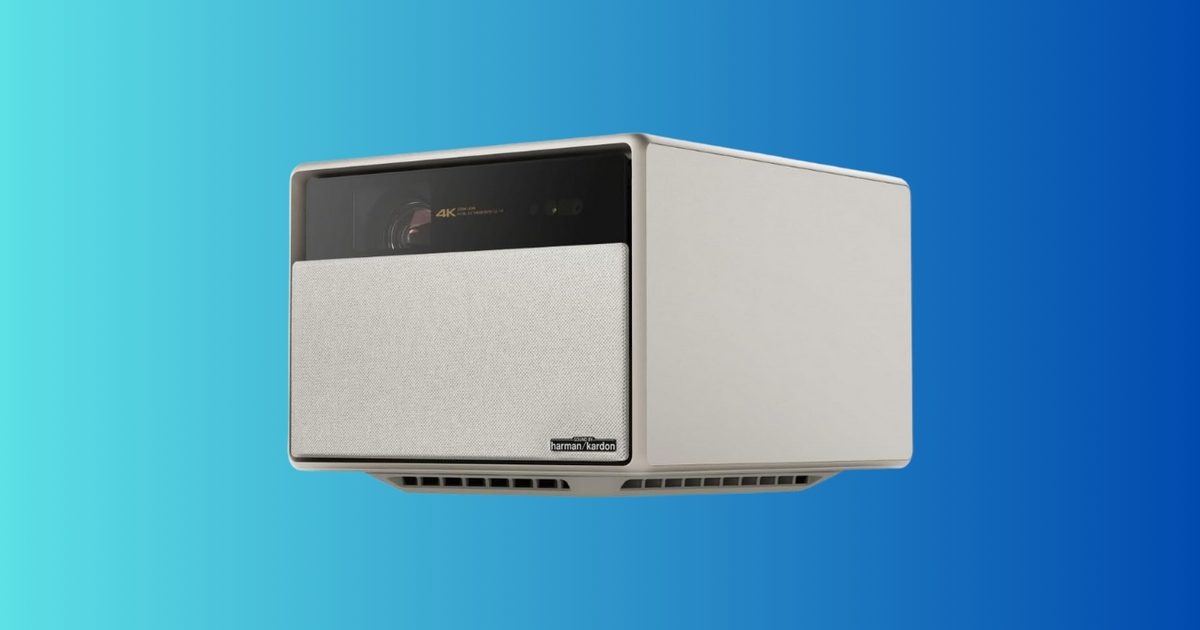
A projector is one of the few upgrades that can make your living room feel completely different overnight. Not “slightly better,” but “how is this my house?” different—especially when you start talking about a screen size up to 200 inches. The XGIMI HORIZON Ultra 4K projector is down to $998.99, a 41% discount from $1,699.99. If you’ve been tempted by a big TV but don’t want to spend flagship-TV money, this deal is a compelling shortcut to a true home theater experience.
What you’re getting
This is a 4K home theater projector with Dolby Vision support, rated at 2300 ISO lumens, and it includes dual 12W Harman Kardon speakers built in. It also supports WiFi and Bluetooth, uses a dual light setup, offers active 3D, and is marketed for projection sizes up to 200 inches.
In practical terms, you’re getting a projector built for modern streaming and cinematic formats, with brightness intended to hold up better than entry-level models (especially in rooms that aren’t pitch black). The built-in speakers won’t replace a dedicated surround system, but they can be “good enough” to get you started without buying audio gear immediately.
Why it’s worth it
The story here is the price. Dropping to $998.99 is a meaningful change from the typical “premium projector” tier, and it puts a feature-packed model into a bracket where a lot of people start comparing it to a midrange TV.
A few realistic reasons this can be a great buy:
Big-screen value: if you want the “cinema scale” look, projectors deliver that at a price TVs struggle to match at huge sizes.
Flexible setup: you can create a theater vibe without committing to a permanent giant panel on the wall.
Instant wow-factor: movies, sports, and gaming feel more event-like simply because of scale.
A practical note: projectors are best when you control light. If your room is bright during the day, you’ll get the most out of this in the evening or with shades drawn.
The bottom line
At $998.99, the XGIMI HORIZON Ultra is a strong value if you want a modern 4K projector with Dolby Vision support and the ability to go truly big-screen without spending premium-TV money. If you mostly watch in bright daylight with lots of windows, you may be happier with a TV. But if your goal is “movie night at home” with a screen that feels massive, this deal is absolutely worth considering.
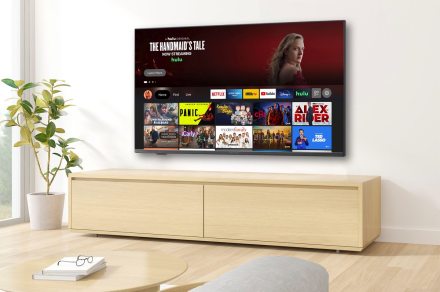
You don’t have to spend thousands of dollars to get a new TV, especially if you’re only looking to replace a secondary set. Or maybe you’re buying a gift and need a cheap TV recommendation? Whatever the case may be, we’re pleased to announce that the Insignia 50-inch F30 Series 4K LED is on sale today:
Right now, when you purchase this TV at Amazon or Best Buy, you’ll only pay $190. The full MSRP on this model is $350, which means you’ll be saving $110.
Why you should buy the Insignia F30 Series
As we mentioned, the Insignia F30 Series is a budget-friendly TV that we hesitate to call “entry-level,” but only because the picture quality is better than most other starter TVs. The F30 has a relatively thin chassis and profile and is light enough to wall-mount totally on your own (unless you’d prefer a second set of eyes and hands). Direct LED lighting delivers a bright and colorful picture that holds up well in rooms with a decent amount of ambient lighting.
The F30 Series is capped at 60Hz for its native refresh rate, so we wouldn’t expect top-shelf motion clarity when watching sports or playing video games. This is also one of the only TVs on the market in 2025 that still has composite and component RCA-style ports, allowing you to hook up older devices like DVD and VHS players.
The Insignia F30 can also connect to Wi-Fi for access to apps, casting, and Alexa voice commands via the TV’s built-in Fire TV OS. It’s hard to say how long this discount will stick around, but this is definitely one of the best 50-inch TV promos we’ve seen in a minute.
Save $110 when you purchase the Insignia 50-inch F30 Series 4K LED today, and take a few minutes to look through our roundups of the best TV deals, the best Amazon deals and the top Best Buy deals of the week, too!
When a company launches a set of headphones that cleverly fold up into a small, compact shape and boast active noise cancellation (ANC), they seem ideal for travel.
The Anker Soundcore Space One Pro tick both those boxes. So when I received a pair to try out, I decided to take them with me on a trip to see how they fare.
Headphone specification
Andy Boxall / Digital Trends
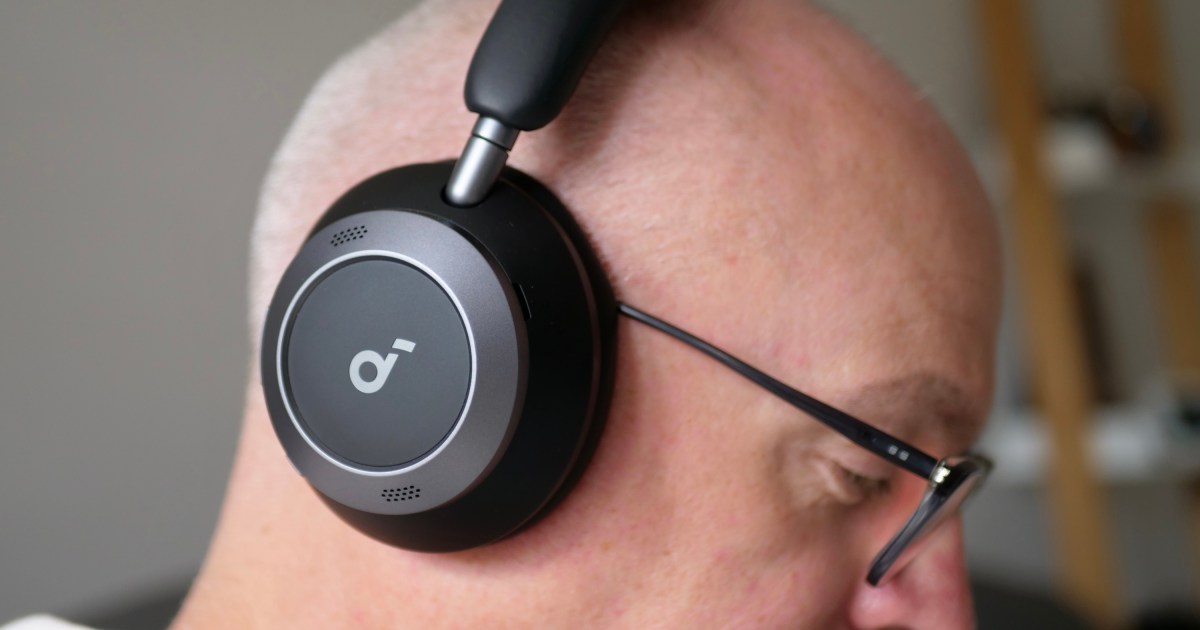
Here’s what you need to know about the Anker Soundcore Space One Pro before we get into my experience: The over-ear headphones come in two colors — Jet Black and White Cream — and are equipped with 40mm drivers and a limited set of Bluetooth codecs. (That’d be AAC, SBC, and LDAC.) The 700mAh battery should return 40 hours’ use with ANC, and a fast-charge system means just five minutes plugged in will give eight hours’ use.
Six microphones and some AI wizardry improves the ANC over the Soundcore Space One headphones, with Anker promising the Adaptive ANC will cancel out a wider range of noise when you’re moving around. Four of the microphones handle calls. Where the Space One Pro stand out is in the design and the compact shape, enabled by a clever new five-segment headband and rotating cups.
Twist the cups round, turn one in the opposite direction, then squeeze the whole thing together, and the Space One Pro forms a surprisingly minimal donut-type shape. It comes with a pouch for storage, but you can also buy an Apple AirPods Max-style carry case if you want. Folded up, the Space One Pro are very convenient, and they don’t unravel themselves either, ensuring they always remain compact in your bag even if you don’t use the pouch.
Great size for travel
Andy Boxall / Digital Trends
The Anker Soundcore Space One Pro easily went in my backpack for my trip to IFA 2024 in Berlin. I had no intention of checking any bags for the flight, so making the best use of the space I had was important. They never felt cumbersome or like additional unwanted weight. And even when I wondered if I’d have the chance to use them, they could stay in my bag rather than in the hotel room. They are certainly very convenient.
I used the ANC before I left, on the flight, and at various times after arrival. I’ve found it effective, but my personal preference is for a thick blanket of ANC, dampening audible irritations around me to the greatest extent. The Space One Pro don’t quite manage this when I was listening to podcasts, delivering a softer effect minimizing the sound of the aircraft’s engines, but not the sound of conversation around me in a cafe and the hotel bar as much as I’d like.
Andy Boxall / Digital Trends
I didn’t notice any unpleasant pressure wearing them, but they can get quite hot. Even out walking in evening summer temperatures in the U.K. saw them get very sweaty, so I don’t think they’ll be suitable for serious exercise. General use indoors sitting down, I felt my ears get a little hotter than with my usual Sony WH-1000XM4 over-ear headphones. That said, the padding on the headband is thick and soft, making them otherwise very comfortable for long listening sessions. I also like the physical buttons rather than touch controls, making it fast and easy to start or stop playback, or adjust the ANC.
How do they sound?
Andy Boxall / Digital Trends
In addition to various presets, you can adjust the equalizer (EQ) in the Soundcore app. But to get the best tailored sound from the Space One Pro I’d suggest running the HearID Sound check. After listening to a series of test sounds, the app creates a custom EQ setting suited to your ears and hearing. I found it made a significant and positive difference to the Space One Pro’s sound.
Listening to Le Sserafim’s recently released Crazy EP with its strong EDM bias, the Space One Pro’s heavy bass response was immediately noticeable and plenty enough for me, despite it being tweaked down for my HearID custom setting already. You better really like bass if you decide to use the Soundcore Signature setting. There’s not much subtlety to the Space One Pro’s default sound, and vocals can get lost in the bass until you spend time playing with the equalizer.
Andy Boxall / Digital Trends
I’ve been using the Space One Pro before launch and have also encountered a few problems with the dual device connection, where notifications on my Apple MacBook Air M1 sometimes stopped playback from my Apple iPhone 15 Pro Max (but not the other way around), and there were also issues with getting the sound to play at all from my laptop. It’s possible fixes for these problems, and tweaks to the signature sound I feel is too aggressive, will come in a software update.
When can you get the Soundcore Space One Pro?
Andy Boxall / Digital Trends
The Anker Soundcore Space One Pro are available to buy in the U.S. and other regions starting September 5 and cost $200. They are a convenient set of over-ear headphones with a clever design that does make them great for travel, while the ANC performs well in loud environments. A customizable EQ lessens the pain of limited codec support, but the software and reliability may benefit from a software update. I have enjoyed using the Space One Pro and am pleased I brought them on my trip. They are entering a crowded space though, and you can see the many other headphones we recommend here.
We know you’ve been burned before, but according a promising report from Bloomberg, Spotify is poised to announce a new premium add-on later this year that will finally deliver its much-anticipated HiFi option, as well as some new playlist creation tools.
Although Bloomberg’s report, which cites a “source familiar with the plan,” is light on specific resolution details, it says that the new high-fidelity audio option will be sold as an add-on for existing customer,s who could be charged at least an additional $5 per month depending on their base plan.
The add-on will not only deliver better quality audio — which has been a sore spot for some Spotify users considering that many of its streaming service competitors such as Apple Music, Tidal, Qobuz, and Amazon Music have been delivering hi-res streams for years — but will also include some new playlist creation and library management tools.
In April, Spotify announced that it was beta testing a new AI Playlist creation tool with its U.K. and Australian users that allows them to use ChatGPT-style text prompts to create playlists. It’s anyone’s guess as to whether this is the new playlist tool that Bloomberg’s unnamed source is referring to.
Spotify’s AI Playlist featureScreengrab / Spotify
Spotify has been dangling its HiFi carrot out there since first announcing it in 2021, and the rumors have come on the regular ever since (this exact same story broke around this time last year, too). One of the more recent hints came in April of this year when a Reddit user spotted some code in the Spotify app that suggested that the HiFi tier could deliver lossless audio with up to 24-bit/44.1kHz FLAC files.
This new HiFi plan information comes on the heels of Spotify’s second price increase in less than a year, with the service’s most popular Premium individual plan going from $11 to $12 per month next month. Spotify’s Duo plan also jumps to $17 per month and the Family plan to $20 per month,while the Student stays the same at $6 a month. It’s unclear which plans the new HiFi add-on will be eligible for.
Normally, I would never recommend that someone buy a streaming device that tops out at 1080p resolution. Even if you somehow don’t have a 4K TV already — I’m not judging, there are plenty of good reasons — you might well have one in the future. And at that point, it’s better to not have to buy new hardware until absolutely necessary. Just go ahead and spend the extra $30 now for a 4K version.
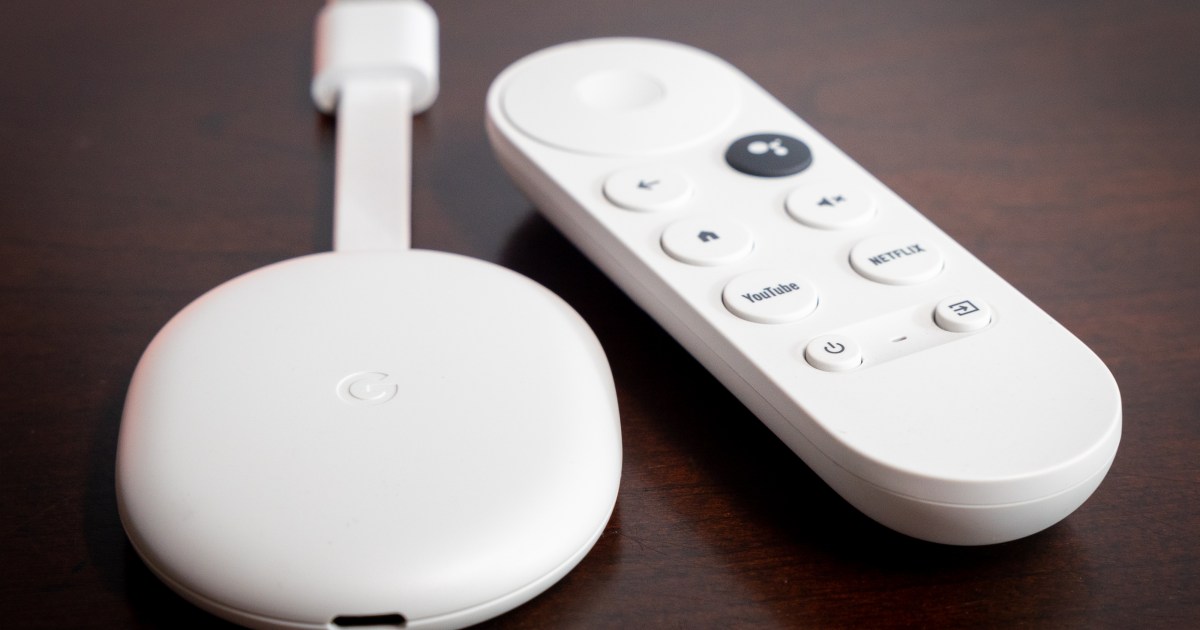
But it’s hard to say no to a $20 Chromecast with Google TV HD.
I wouldn’t use this on my main television. When it comes to the TV I’ll be watching most — whether that’s in the living room, or the bedroom, or wherever — I think it’s worth spending a few extra bucks to get the best streaming device you can afford. Not that everything you ever watch will be available in 4K resolution. And there’s an argument to be made that maybe you won’t even notice the difference. (We’ve long said that a good 1080p stream is better than a bad 4K stream.)
If there’s a single use case that makes sense for a $20 streaming device, it’s this: Put it in your travel bag, and leave it there. Do not take it out when you return home. This is your on-the-go streaming device, and it shall never be more than that.
I’m on the road a fair amount. Whether it’s long distances for work (and fortunately, that’s not as often as it used to be), or shorter regional trips for the kids’ soccer tournaments, I’ve lived out of a bag plenty. The novelty wears off pretty quickly, especially when it comes to the quality of the televisions in the hotel room. The little bit of normalcy that comes with being able to watch your channels on your streaming service of choice goes a long way.
In fact, Chromecast With Google TV (the full 4K version) has lived in my go-bag for a long time. There are a few reasons for that. One is that it’s small. The dongle, remote, and charger don’t take up much space at all. (Kudos to whomever opted for a plug whose prongs fold into the body of the power supply.)
The second reason — and perhaps the most important — is that it doesn’t cost a lot of money. It’s about one-third the cost of my at-home platform of choice, the Apple TV 4K. And the trade-off of not having 4K for a few hours in a hotel is one I’m willing to make. Eventually I’m going to be in a rush to check out and will accidentally leave the Chromecast attached to the hotel-room TV. It hasn’t happened yet, knock on wood. But if and when it does, I’ll only be out $50.
Or, if you take advantage of this $20 Chromecast sale, you’ll only be out a couple Hamiltons.