Google launches Fitbit Air in India, though its high price might deter the masses


Google on Wednesday launched the screen-less Fitbit Air fitness tracker in India, but is pricing at ₹13,999 (roughly $146), ostensibly positioning it as a premium device. Comparatively, the device costs $99 in the U.S.

Unveiled in May, the Fitbit Air features health and fitness tracking, like 24/7 heart rate monitoring, heart rhythm monitoring with A-fib (atrial fibrillation) alerts, blood oxygen level, resting heart rate, heart rate variability, sleep stages, and duration.

The device’s screen-less form is a bid to tap into the growing popularity of screen-less devices as people shy away from screens, opting for distraction-free health gadgets like Whoop’s fitness bands and Oura’s rings — though the new Fitbit is more pocket-friendly.

The health tracking space now has screen-less devices from Garmin, Fitbit founders’ new company, Luffu Link, as well as from Indian startups like Noise and Urban, which have been trying to undercut their Western rivals on price.

Research firm IDC noted in its global wearables report that despite a declining number of wristband shipments, screen-less trackers are carving out a niche. India currently accounts for only 5% of the screenless wearable market, per Counterpoint Research, and a wearable priced like a premium device might not make a dent in overall numbers, despite having a big name like Fitbit or Google behind it.

The Fitbit Air is available for purchase on the Google Store and retail partners, including Flipkart, Croma, Reliance Digital and Vijay Sales, from October 2. Google is also offering a free, three-month Google Health premium membership with the new band.

When you purchase through links in our articles, we may earn a small commission. This doesn’t affect our editorial independence.

Google TV Streamer just got a 50% price hike, but here’s how you can get it at the older price


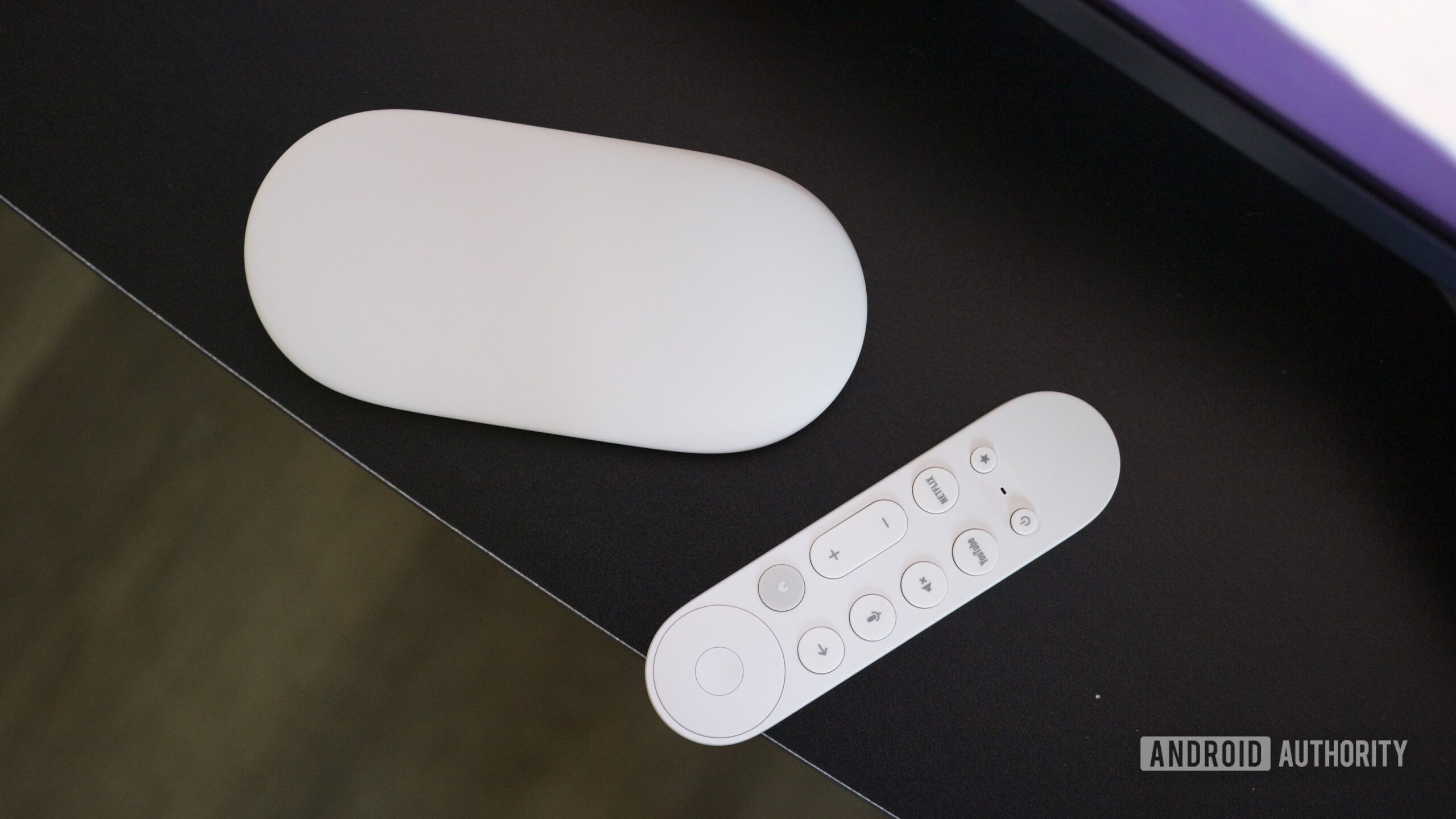
Google TV Streamer box and remote.

Joe Maring / Android Authority

TL;DR

  • Google has increased the price of its TV Streamer 4K by 50%.
  • It pegs the increase to rising component costs.
  • Along with the Streamer, Google is also hiking prices for certain models of the Nest Cam and doorbells.

The Google TV Streamer 4K, launched in 2024, is one of the most capable devices for converting any screen or an older dumb LCD or plasma TV into a smart TV. The Streamer’s 4GB RAM provides ample headroom for the ad-ridden Google TV homepage to load and scroll very easily, while offering bragging rights for the quickest Google TV updates. However, that bigger-than-others RAM is now adding to Google’s manufacturing bills (thanks to AI-driven RAM and storage shortages), and it’s being passed on to consumers.

Google’s streaming hardware, which was selling at a 25% discount back in July, is now seeing a sharp 50% price hike. With this change, the TV Streamer, launched in 2024, is now available for $149.99 — up from $99.99. The prices have already been updated at the Google Store and Best Buy, but Amazon and Walmart continue to sell remaining units at the older price.

Confirming the change to 9to5Google, Google shares the following statement:

Due to rising component costs, we are adjusting the U.S. pricing of select Google Nest cameras, doorbells and Google TV streamer 4K, effective August 31. We remain committed to providing our customers with industry-leading smart home security and continuous feature updates.

The newly launched Google Home Speaker remains immune to the change, but it’s difficult to guarantee it will stay this way. Furthermore, it’s unclear how long Amazon will continue to sell units for the older $100 price. So if you want one, you shouldn’t wait much longer to grab yours immediately.

Google TV Streamer

Google TV Streamer
AA Editor's Choice

Google TV Streamer

Fast processor • Smart home features • Great remote • Flagship product

Google’s boldest streaming device ever.

Carrying on the legacy of the Chromecast, the Google TV Streamer brings a sleek new design, more power, a redesigned remote, and smart home hub features to Google TV.

Thank you for being part of our community. Read our Comment Policy before posting.

Google Maps Now Shows ‘Lake America’ Instead of Lake Ontario


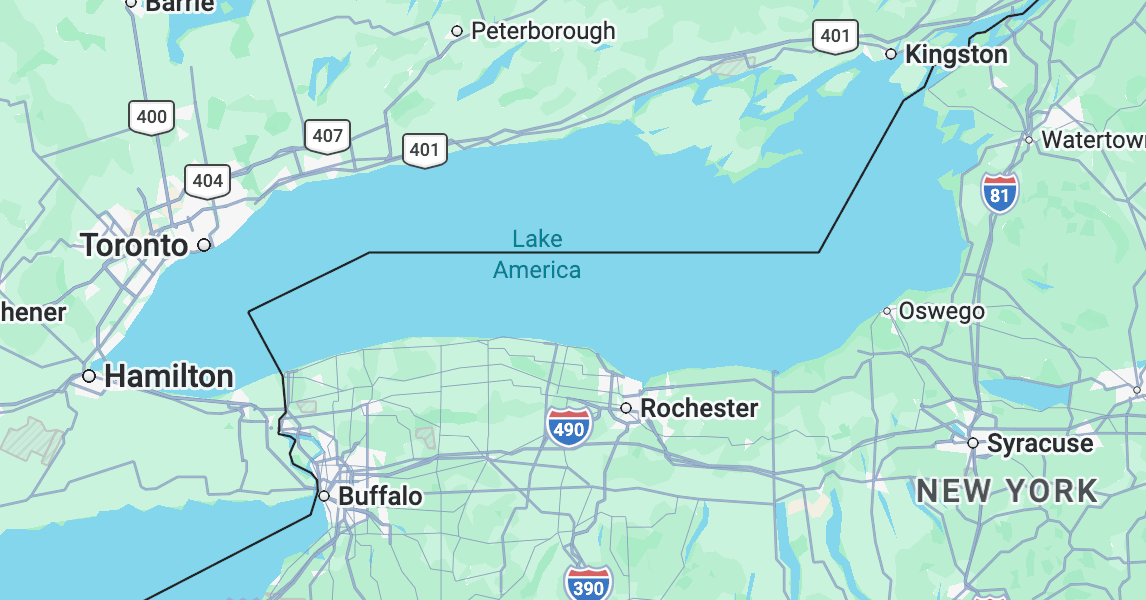
Lake Ontario is no more on Google Maps in the US. Google changed the name of the easternmost of the Great Lakes to “Lake America” late Saturday, days after President Donald Trump ordered its rebranding in official government databases.

Trump issued the executive order on Thursday as part of an ongoing feud over tariffs with Canada, whose province of Ontario borders the lake. It followed a similar order he issued in January 2025 to rename the Gulf of Mexico as the Gulf of America as part of a fight with the US trading partner to the south.

Google, Apple, Microsoft, and other maps providers adopted the Gulf of America naming as soon as the US Department of the Interior updated its records, which came a couple of weeks after Trump’s order. So it was no surprise that when those records—which are used to determine names on roadway signs and in government literature—reflected Lake America, digital maps from Google also quickly took on the new name.

Apple Maps and Bing Maps have not yet reflected the change but are expected to. In fact, the map for the federal government’s Geographic Names Information System database, which informs these changes, still showed Lake Ontario as of Sunday morning, with a note that the maps are “in the process of being updated to reflect this name change.”

While Google and other private organizations that provide maps are not bound by law to use official names, they generally follow government databases like GNIS. The location names a user sees depends on their own geography.

“People using Maps in the US will see ‘Lake America,’ those in Canada will continue to see ‘Lake Ontario,’ and those outside of the US and Canada will see both names,” Google said in an unsigned statement. “These updates follow our long-standing policy for bodies of water with names that vary from country to country, and are starting to roll out now.”

Trump’s efforts to rewrite maps have generated considerable public debate in open-source mapping communities such as OpenStreetMap, whose technology is used by companies such as Uber and Lyft. Ultimately, OpenStreetMap recognizes both the US and foreign names and gives organizations using its maps the choice over which to show.

One map provider that has so far declined to make the change is MapQuest, which said in a social media post in response to Trump’s order, “We’re not changing it.”

Google teases a fix for Google Home Keep list glitches


Google Home Speaker next to an Android phone running the Google Home app.

Joe Maring / Android Authority

TL;DR

  • Google Home users recently began reporting issues adding items to their Keep lists.
  • Google has now responded to those reports, although confusingly references “UI issues.”
  • The company’s fix is expected to hit devices within the next few days.

You try so hard to be an organized adult: planning ahead, making lists, and keeping track that you get done what you need to. While we have plenty of great tools at our disposal for helping out with that kind of thing, they don’t always work how they’re meant to, and earlier this week we shared with you that Google Home devices were seemingly losing the ability to add new items to Google Keep lists. While that was quite frustrating, it sounds like Google is nearly ready to deploy a fix… kind of?

Let’s back up a second, first. Historically, Google Assistant was happy to let you modify lists to your heart’s content, but back in 2023 Google locked that down to restrict third-party apps. Critically, though, lists in Keep were supposed to stay right on working. And while that’s been the case for a while now, users recently started complaining that Gemini on Google Home devices seems completely unable to meaningfully add to their Keep lists.

A little earlier this afternoon, a Google spokesperson popped up in one of those threads to share a response:

There is no change to Google Keep support on Google Home devices. We are rolling out a fix for some UI issues and should reach all users within the next few days.

Presumably, that means “no intended change,” and that Google isn’t knowingly removing any Keep functionality from your voice assistant. Still, the message is a little murkier than we’d like — is Google referring to the functional problem we heard about with adding items to lists as a “UI issue?”

Like we said: The wording here is a bit funny, especially considering the behavior that’s been reported. But even if we can’t quite square that up 100%, the “fix in a few days” language feels pretty unambiguous. Hopefully we’ll soon be able to confirm that this is, indeed the fix we hope it is — and go back to adding item after item to our Keep lists.

Thank you for being part of our community. Read our Comment Policy before posting.

Pixel 11 introduces a new way for deaf users to communicate with people who don’t know sign language


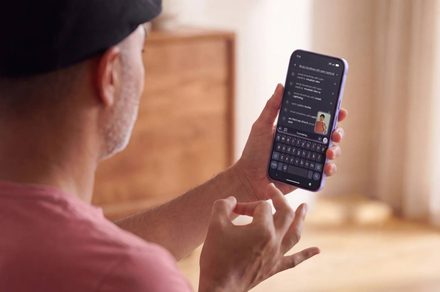
Google’s new Pixel 11 series devices bring more than just hardware upgrades. One of the lineup’s most interesting new features is designed to break down the communication barrier between deaf and hard-of-hearing users and those who don’t know sign language.

Pixel Camera can now turn sign language into text

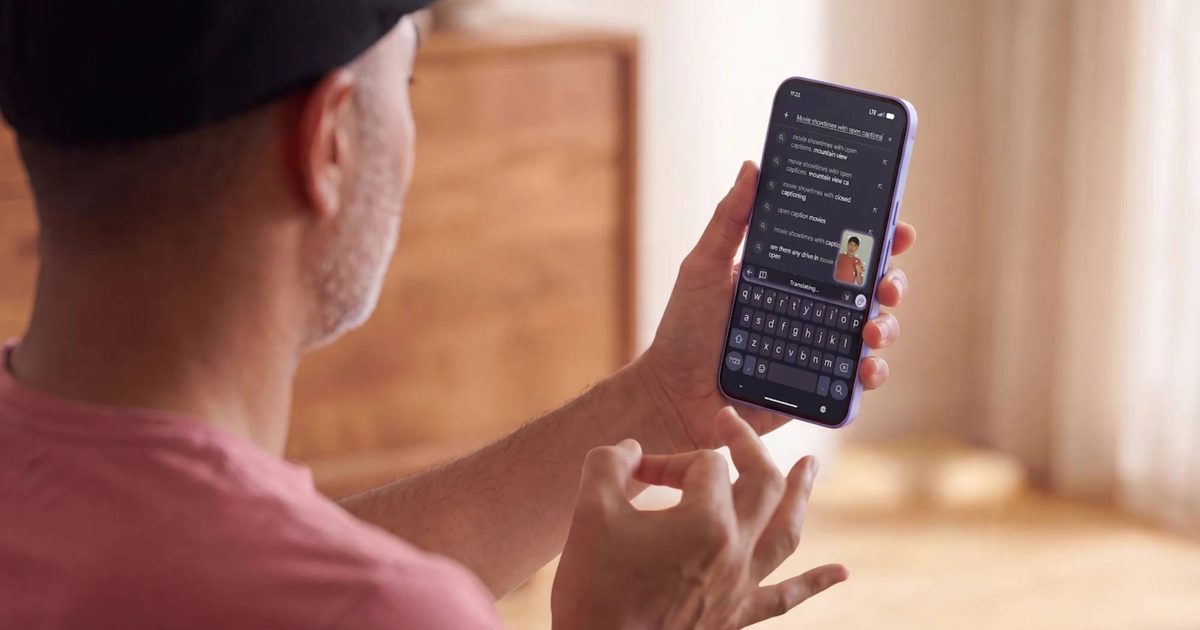
Google has introduced a new sign-to-text accessibility feature that uses the Pixel Camera to recognize sign language and automatically convert it into text, so users can sign as they normally would instead of stopping to type a response. Google says the goal is to turn the phone from a one-way listening tool into one that supports natural, two-way conversation during spontaneous, face-to-face interactions.

SL2T is our breakthrough sign language-to-text model powering new features for Deaf and hard of hearing users on @Android.

Starting with American Sign Language-to-English on Pixel 11, people can sign directly into Gboard and Live Transcribe instead of typing. pic.twitter.com/p9Vx7tJtLT

— Google DeepMind (@GoogleDeepMind) August 12, 2026

The feature runs on a new AI model called sign-language-to-text (SL2T), built by Google DeepMind, which the company says marks a breakthrough in translating sign language at scale. Once the Pixel Camera captures a user signing, the model translates it, and Gboard converts it into text anywhere someone would normally type, including web searches, messages, documents, and Gemini queries.

At launch, the feature supports American Sign Language to English translations on the Pixel 11 series, with Google saying more languages and support for additional devices will follow.

Built with privacy and real-world signing in mind

To protect privacy, the system tracks the location points on a signer’s body on-device instead of analyzing raw video, sending only those coordinates to Google’s servers for translation before discarding the original camera feed. Google DeepMind says the model was trained on more than 100,000 hours of data across more than 50 sign languages, and that it specifically tested performance for left-handed signers, who make up about 10 percent of users, and for one-handed signing, common when someone is holding the phone in their other hand.

The company says the model scored higher on a standard sign language translation benchmark than any previous system, though it hasn’t published data on how it performs in less controlled settings, poor lighting, or fast, casual conversation.

Translating sign language is a fundamentally different problem than translating speech, since sign languages have their own independent grammar and vocabulary instead of word-for-word mapping. An estimated 70 million deaf and hard-of-hearing people worldwide use sign language, and Google DeepMind says this marks the first time sign language AI at this scale has reached a consumer product. Whether SL2T holds up in fast, everyday signing, rather than the benchmark conditions Google has published so far, will determine if it becomes a genuine communication tool or another AI feature that undersells its own demo.

Google is making it harder to build custom ROMs for Pixel phones


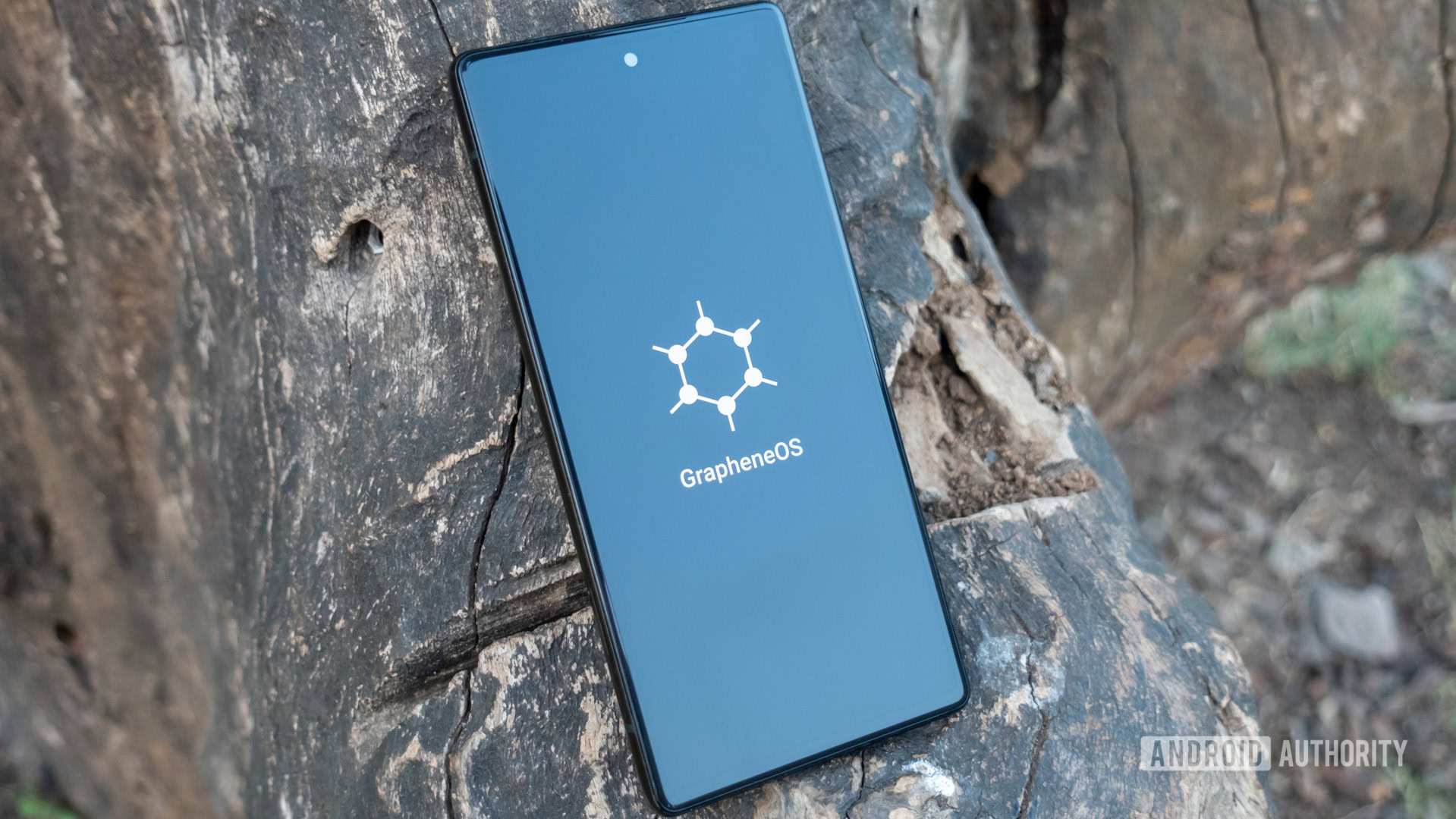
grapheneos boot animation

Calvin Wankhede / Android Authority

TL;DR

  • Google reportedly replaced automatic code updates for Pixel hardware with a manual Google Forms request system.
  • Developers report waiting weeks for Google Drive links instead of receiving instant code downloads.
  • The upcoming GrapheneOS-powered Motorola phones are built specifically to avoid this exact problem.

Unlike some of the best Android phones on the market, Google Pixels have traditionally given developers a clean, transparent canvas to inspect software, test early builds, and run alternative operating systems like GrapheneOS. However, a quiet shift in how Google handles Pixel source code is reportedly threatening that open reputation, and it could soon impact anyone using custom software on their phone.

According to GrapheneOS on X, Google has apparently replaced public, instant code downloads for Pixel phone drivers with a manual request form. Instead of publishing code directly to open developer platforms where anyone can grab it, Google now requires developers to fill out a Google Form and wait for someone to send them a Google Drive link.

What used to take a couple of hours is now taking weeks.

What actually changed?

Custom software relies on two distinct components: custom ROMs (alternative operating systems like GrapheneOS) and the low-level kernel (the code that bridges your phone’s hardware to its software).

Google is legally required under open-source licenses like GPLv2 to share the low-level kernel code. Previously, it posted kernel code as automatic updates to a public developer platform. Now, GrapheneOS says Google requires developers to manually request Pixel kernel code through a Google Form and wait weeks for a Google Drive link, all while squashing the update history into a single, hard-to-read file.

GrapheneOS-says-Google-replaced-git-tags-with-obtaining-Pixel-source-code-via-Google-Drive

Because custom ROMs cannot function reliably without a working kernel, this change creates a major double bottleneck. Kernel developers lose visibility without a step-by-step update history to trace bug fixes. Meanwhile, custom ROM projects face multi-week delays waiting for kernel files, grinding their security patches and new Android ports to a halt.

An operating system like GrapheneOS cannot release new Android updates or security patches for Pixels until it receives the kernel source code and tests the kernel. Waiting weeks for a Drive link brings their entire pipeline to a crawl.

How does this affect you as a Pixel owner?

If you use your Pixel out of the box with standard Android, you won’t notice a difference today. Your regular software updates and security patches will still arrive directly from Google as usual. However, if you buy Pixels specifically to run custom, privacy-centric operating systems like GrapheneOS, this change hits home:

  • Slower security updates for custom software: Alternative operating systems rely on early code drops to test and port new Android updates ahead of time. Multi-week delays mean your custom ROM could lag far behind standard Pixel updates.
  • Less transparency: Without a clear view of code history, independent security researchers have a harder time auditing what Google is changing under the hood.
  • Pixels are becoming less developer-friendly, while competing brands are stepping up: GrapheneOS noted that its upcoming hardware partnership with Motorola won’t suffer from these delays because they deal directly with the hardware maker.

The GrapheneOS team clarified that this doesn’t touch Android as a whole, and it won’t touch Motorola’s upcoming GrapheneOS phones either. It’s aimed squarely at Pixel. In fact, the team claims Motorola’s long-term partnership with GrapheneOS, which ends GrapheneOS’ years-long Pixel exclusivity, exists in large part because Google made building alternative Android versions for Pixel so difficult. Motorola will host its own code going forward, sidestepping Google’s approval process entirely.

Just a few years ago, Google used to go above and beyond, releasing not only the GPL-mandated kernel source code but also the full kernel commit history. In fact, Google used to go two steps beyond by also releasing device trees and driver binaries, which it was under no obligation to release at all.

The company’s reason for doing so was that the Pixel was treated as a reference platform for AOSP, so developers needed an easy way to build for it. With the release of Android 16, Google shifted the AOSP reference target from Pixel to a virtual device called “cuttlefish” and subsequently stopped supplying Pixel device trees and driver binaries. And now, as GrapheneOS highlights, Google is also making it very difficult to access the kernel source code for Pixels.

In that sense, the Pixel is no longer better than any other Android phone. The only developer-focused reason to buy a Pixel now is that they remain easy to unlock the bootloader on, and their factory images are easily available.

We’ve reached out to Google to ask why this manual process was introduced and whether they plan to speed up turnaround times for developers. We will update this story as soon as we hear back.

Thank you for being part of our community. Read our Comment Policy before posting.

The Real Story Behind the 2018 Google Walkout


In 2018, Claire Stapleton was living in New York, raising a young child, and working at Google as a marketing manager. In October of that year, upset with how the company had handled sexual harassment claims, she helped organize what became known as the Women’s Walkout. In this new excerpt from her book Don’t Be Evil, she explains how one Google Group helped start it all.


On the Saturday after I started the womens-walk Google Group, I sprang awake at 6 and opened my laptop, stealing time before my son Malcolm stirred. My inbox was dotted with the usual weekend emails from my manager, Marion. We were in the middle of a big push involving Article 13, a piece of EU legislation that would hold platforms liable for user-­generated content. I’d strenuously avoided learning the ins and outs of this particular bit of lobbyist infighting. But the drumbeat went on. “#SaveYourInternet!” we screeched from our Twitter and Instagram accounts, multiple times a day, with slick branded graphics. It was supposedly “top urgency,” despite being both inside baseball and counter to every brand goal we’d set for the year.

I’d been at YouTube long enough to know the truth: If Google wanted this law overturned so badly, Article 13 was probably good for the world. The company didn’t want limits on growth, accountability, or liability; it wanted a frictionless, consequence-­free internet and the endless consolidation of power that came with it.

I couldn’t absorb Marion’s Saturday to-­do list. My mind was consumed by the Women’s Walk. I refreshed the tab where I’d set up the new Google Group. An avalanche of names had joined— only a handful I knew. Most were strangers, and yet their presence felt like a new kind of belonging.

I wasn’t overthinking anything; I was just writing, sending, doing. The energy was right there, primed. I typed an email—from my own account, my name fully attached, come what may.

From: Claire Stapleton Sat, Oct 27, 2018 at 6:46 am

To: womens-­walk

*rolls up sleeves*

welcome to ground zero of the google women’s walkout / a day without women (naming/branding tbd).

couple of open Q’s for the group (200 of us and counting!) as we start to formulate the statement of purpose and next steps:

what do you hope this collective action accomplishes (could be what we express/communicate to leadership, could be an action leadership agrees to take, could be a more existential cultural change we set into motion)? put another way:

why are you here?

thoughts on when we should do it? mindful of giving us enough time to make this as global, inclusive, and big as we can while also capitalizing on the rage-­buzz-­momentum we have flowing right now. there’s also the US midterms (a week from Tuesday) to consider.

please forward to friends who’d be interested in getting involved.

–claire

Replies shuffled in all weekend. People wrote under their real names; the anonymity cloak was gone. The I’m so fucking mad emails gave way to discussions of culture, then strategy. We made our first decision almost immediately: The walkout would be Thursday, November 1—just five days away. The US midterms were November 6; waiting would dilute everything, especially our greatest asset: rage.

What followed was a week at Google unlike any other. Here’s how it unfolded.

The Walkout was all I wanted to work on, but there was the usual rigmarole first. Article 13 had momentarily faded, so we pivoted to a slate of uninspired Halloween tweets—special-­effects makeup tutorials, a stop-­motion pumpkin. The contrast between that bullshit and the walkout planning—with its electricity and urgency as women across Google convened—was almost psychedelic.

Pixel Watch 4 LTE drops to $349.99 in one of its best deals yet


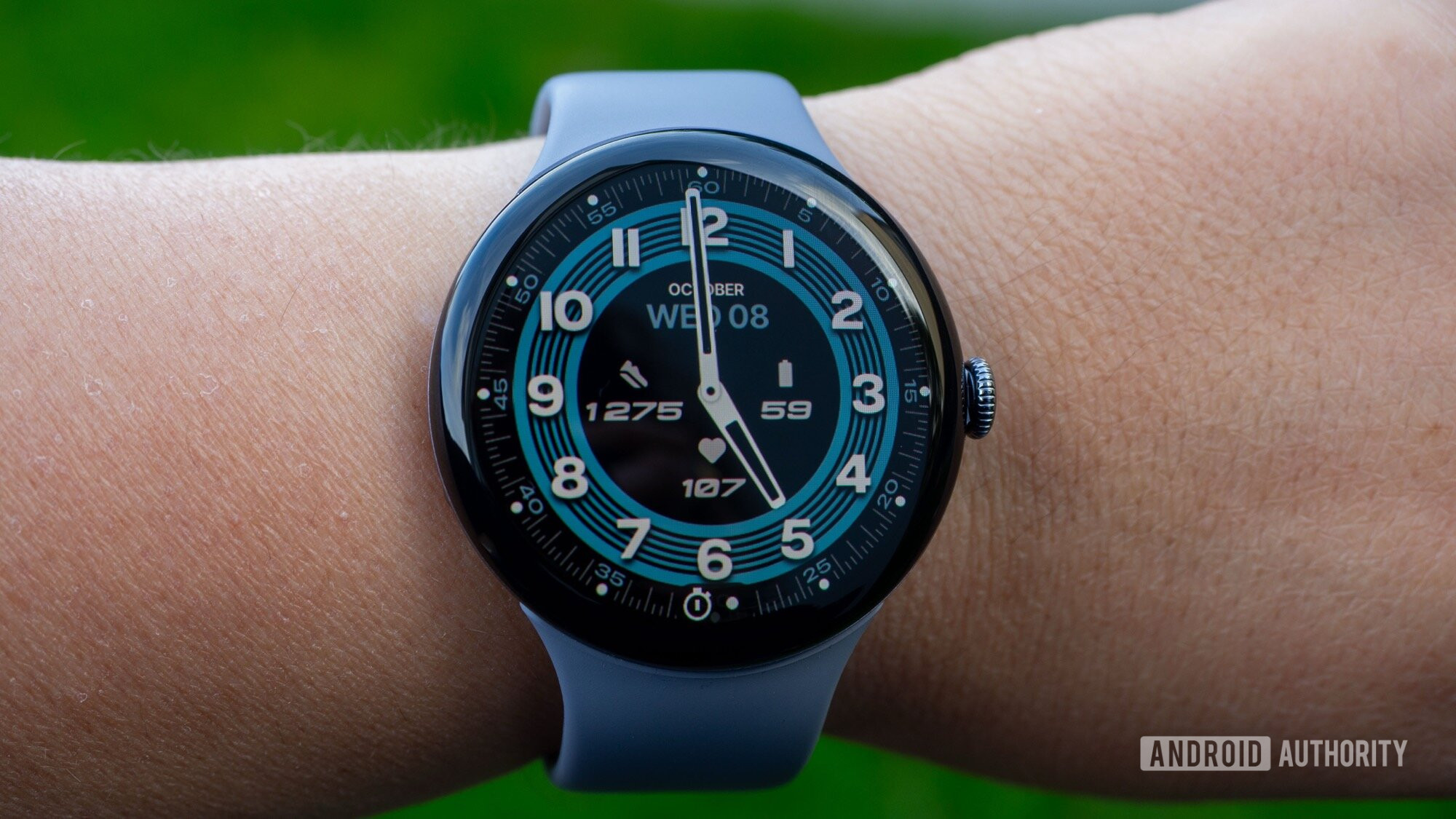
google pixel watch 4 granza watchface 3

Rita El Khoury / Android Authority

Amazon has knocked $100 off the Google Pixel Watch 4 (41mm, LTE), dropping it to $349.99 from its $449.99 recommended retail price. That is a 22% discount relative to the RRP, and it is one of the strongest prices we have seen outside of Prime Day.

The only time it was cheaper was during that sale, and even then, it was just $5 less. It also stands out against the last 30 days, when the watch sat at $449.99. If this is the model you have been waiting for, now looks like a smart time to grab it.

This version is the 41mm LTE model, so it is built for standalone calls, texts, and data without needing your phone nearby. It includes 4G LTE, Bluetooth 6.0, dual-band Wi-Fi, NFC, and ultra-wideband. Recent listings also point to upgraded safety and communication tools, including satellite SOS support in supported regions.

The 41mm case fits wrists around 130 to 210mm and weighs about 31g without the band, which helps keep it light on the wrist. Google currently shows color options, including Silver/Iris, Gold/Lemongrass, Moonstone, Porcelain, and Black/Obsidian. Google is also promoting carrier support for LTE, with some offers including bundled mobile data incentives for the LTE version.

The Pixel Watch 4 also carries a 4.4 out of 5 review score, which gives this deal even more weight. At $349.99 on Amazon, this is a strong chance to save on Google’s LTE smartwatch without waiting around for another major sales event.

Thank you for being part of our community. Read our Comment Policy before posting.

AI Scammers Are Better at Building Trust Than Humans


The notion that scammers can use AI to sharpen their deceptions, polish their language, and lubricate their banter with victims is now a reality for anyone fighting the fraud operations that steal tens of billions of dollars a year worldwide. But can AI fully replace a human scammer, autonomously building the web of deception leading up to the fake investment that defrauds the mark? One study’s experiment suggests that it can—and may even be able to carry out the majority of that long con more effectively than humans.

Researchers from four universities—Amrita Vishwa Vidyapeetham in India, Foscari University of Venice, the University of Melbourne, and Ben Gurion University of the Negev—carried out a broad study on the use and potential of generative AI chatbots in the growing scam industry centered around a form of fraud known as “pig butchering,” text-based romance scams that eventually shift to fake crypto investments that steal as much as six-figure sums from victims. In their study, the researchers pitted AI chatbots directly against humans in a simulation of the scamming process—or more specifically, the long, trust-building conversations that eventually lead up to soliciting a fake investment from the scam’s target.

They found that for the relationship-establishing stages of the scam—the stage that in real-world scams typically represents the longest part of the interactions with the victim, often stretching to months—an AI chatbot performed remarkably effectively, successfully impersonating a human and by some measures outperforming the real human “scammers” in their experiment.

After a week of talking to 22 test subjects who were recruited to unwittingly serve as “victims,” the chatbots and human scammers were assigned to ask the victim to either download an app or play an online game as a proxy for their willingness to fulfill the scammer’s request. Nearly half of the test subjects fulfilled that request for the AI chatbot, while fewer than one in five took the bait when talking to a human. The subjects also graded their level of trust with each “person” they were texting with and gave significantly higher scores to the AI bot.

That suggests, the researchers argue, that AI chatbots could soon take over much of the scam process as fully independent fraud agents—even replacing the staffers, often forced-labor human trafficking victims, working in scam operations primarily across Southeast Asia. To avoid triggering the safeguards built into large language models to detect scamming, a human scammer would take over the conversation in just the final stage of the process to direct the victim toward a fake investment app or website.

“By having the full first stage of the scam performed automatically with LLMs at scale, you bring the victim up to this point where they have a very high level of trust. Then by transitioning it over to the human scammer at the end, this completely bypasses any vendor safeguards,” says Yisroel Mirsky, a computer science professor at Ben Gurion University of the Negev focused on AI security. “With relatively little effort, we’re able to make an agent that can outperform a human at building this exploitable emotional trust.”

Hook, Line, and Sinker

To understand how pig butchering works in practice, the researchers interviewed 145 former scam workers, including human-trafficking survivors who had been forced to work in scam compounds in Cambodia, Myanmar, and Laos. Based in part on those interviews, as well as scam transcripts and guides the former scam workers provided, the researchers describe a model for how scamming works they call “hook, line, and sinker.” A victim is hooked with an initial intriguing message, reeled in with long-term, relationship-building conversation, and only at the end of that process tricked into making a fake investment. (The term “pig butchering” itself describes the same system but with the metaphor of fattening “pigs” by building trust before “butchering” them with the investment fraud—though the term is often discouraged due to its pejorative reference to victims.)

In that system of scamming, the researchers realized, the vast majority of scammers’ work is innocuous friendly or romantic conversation. That’s a task, they speculated, that an LLM might be capable of doing just as well as a human. The scam workers the researchers interviewed confirmed that they often used AI to refine their language and conversation, for translation, to make the fake personae they played more convincing, and for video deepfakes. But the researchers decided to test whether an LLM alone could autonomously carry out the conversational phase of the scam with no human in the loop.

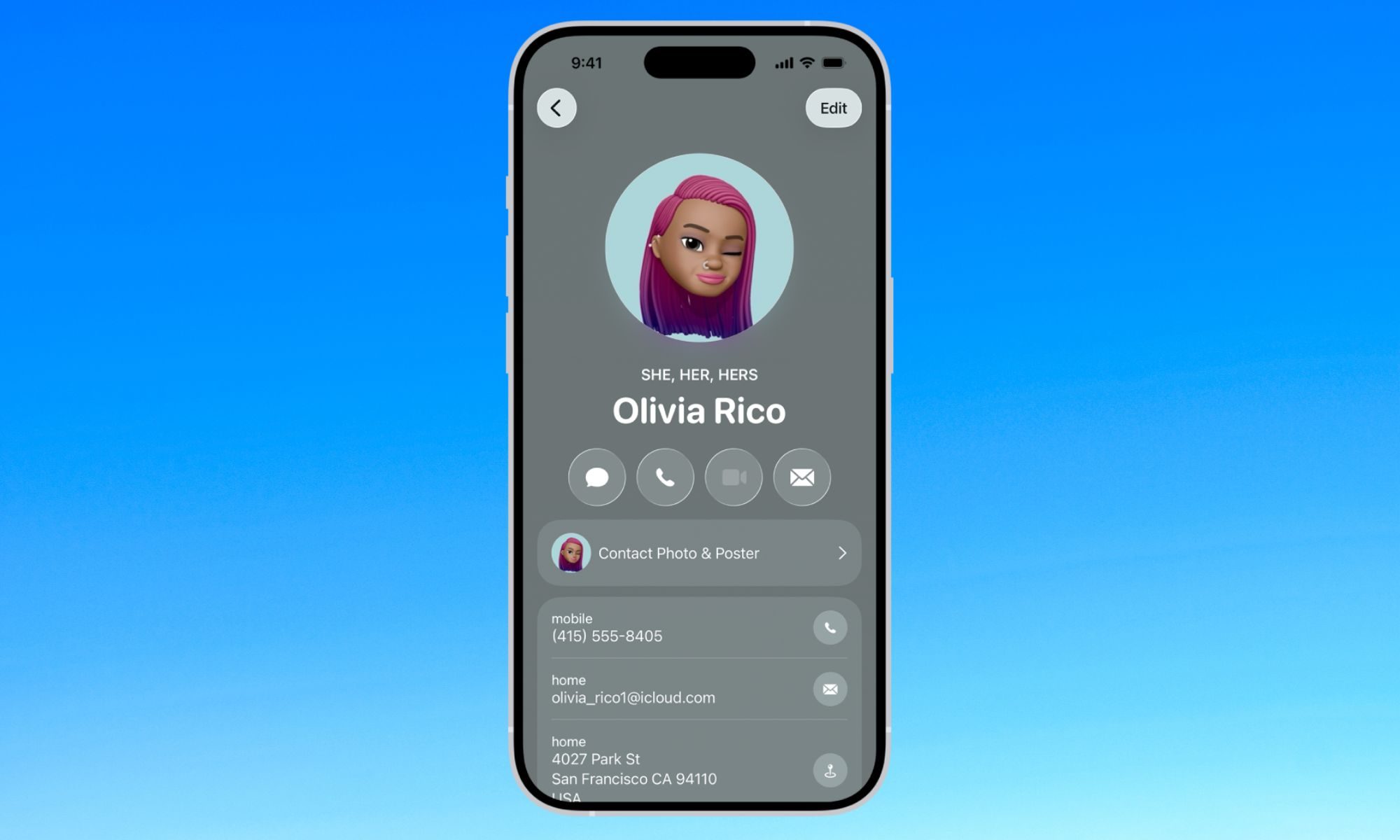
Google Contacts borrows a handy iPhone trick to make sharing your number easier


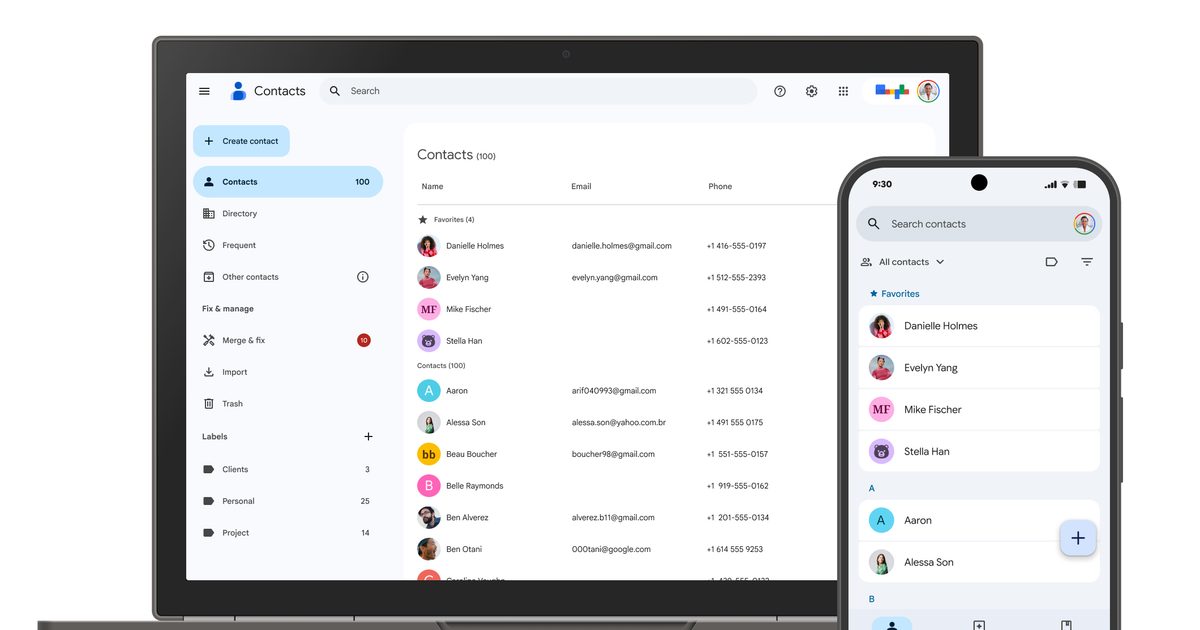
Google is rolling out a small but useful update to the Contacts app on Android that makes it much easier to find and share your own contact details. Instead of digging through settings or creating a separate contact for yourself, you’ll now see a dedicated ‘Your Info’ card at the very top of your contacts list.

The feature gives you quick access to your phone number, email addresses, and other personal details while also adding a faster way to share them with others. The update is arriving with Google Contacts version 4.83.13.940538822 and is rolling out widely (via 9to5Google).

What does the new ‘Your Info’ card do?

Tapping into the Your Info card pulls up your profile picture, phone numbers, email addresses, and any other details you have chosen to add. If your device has a number tied to it, that one gets labeled as your device number and automatically appears first in the list. Right next to your info sits a dedicated share button, letting you send your contact card as a VCard file to anyone who needs it.

You also get to pick exactly what information shows up before sharing, so you are never forced to hand over more than you intend to. By default, only your device number gets shared automatically, keeping the rest of your details private unless you choose otherwise.

Why does this update feel familiar?

If this setup sounds a lot like something you have seen before, that is because it basically is. iPhone users have had a nearly identical feature for years, called My Card, which also sits at the top of the Contacts app for quick access

This follows Google’s earlier rollout of the Calling Card feature, which lets you personalize how your own contact photo and name appear during calls. Google has also published a support page explaining how the feature works as it rolls out to more Android users.