Google I/O 2026: What to expect from Gemini, Android 17, and more


Google is preparing to kick off its annual developer conference, Google I/O 2026, and this year’s event is shaping up to be heavily focused on artificial intelligence, Android 17, and the future of Google’s ecosystem. The conference begins on May 19 at the Shoreline Amphitheatre in Mountain View, California, with CEO Sundar Pichai expected to lead the keynote presentation. The event will be livestreamed globally through Google’s official I/O website and YouTube channels.

While Google I/O has traditionally focused on developers, this year’s announcements are expected to directly affect everyday users across Android phones, Search, Chrome, Workspace, and smart devices.

Google is turning AI into the center of everything

The biggest theme expected at Google I/O 2026 is Gemini AI. Google has already spent the last year integrating Gemini into products like Gmail, Search, Android, and Workspace, but this event may show how deeply the company plans to embed AI into its entire ecosystem.

One of the most anticipated announcements is the next phase of Gemini Intelligence inside Android 17. Reports suggest Android is evolving from a traditional operating system into a more context-aware AI platform capable of automating tasks, generating widgets, handling voice interactions, and proactively assisting users across apps.

Google is also expected to reveal more about “Gemini Omni,” a rumored AI model focused on advanced video generation and editing. This could position Google more directly against OpenAI’s Sora and Adobe’s generative AI tools.

Beyond smartphones, AI may also reshape Google’s laptop ambitions. Multiple reports suggest Google could formally unveil “Googlebook,” a new AI-first laptop platform designed to eventually succeed Chromebooks. The devices are expected to combine Android and ChromeOS elements while deeply integrating Gemini AI features into the user experience.

Android 17 and XR could also take center stage

Android 17 is expected to receive several upgrades focused on personalization, multitasking, and AI-powered features. Leaks and previews have hinted at redesigned widgets, enhanced voice input, new digital wellbeing tools, and updates to Android Auto.

Google may also showcase progress on Android XR, its augmented and mixed reality platform. Smart glasses and wearable AI devices have become increasingly important across the tech industry following moves from Meta, Apple, and Samsung. Google previously teased Android XR hardware, and I/O 2026 could provide a clearer look at the company’s long-term strategy.

Why this event matters

Google I/O 2026 arrives at a critical moment for the company. The AI race has accelerated rapidly over the past two years, with OpenAI, Microsoft, Apple, and Meta all competing to define how consumers interact with AI systems.

For Google, this event is not just about announcing new software features. It is about showing that Gemini can become the foundation of Google’s future products rather than simply an optional assistant layered onto existing services.

At the same time, the company faces growing scrutiny over AI-generated search summaries, misinformation risks, and the broader impact AI may have on publishers and the web ecosystem.

What happens next

Google I/O 2026 begins on May 19, with announcements expected across Android, Gemini AI, XR devices, Search, Workspace, and possibly new hardware categories.

If the leaks and reports are accurate, this year’s conference could mark Google’s biggest shift yet toward an AI-first ecosystem – one where Android, laptops, search, and productivity tools all revolve around Gemini.

Android Canary update brings big changes, but nothing is guaranteed


Google has rolled out a fresh Android Canary build, and it looks more complete than you might expect from an experimental release. The catch is simple. This version exists to test ideas, not to promise them.

Android Canary 2603 bundles practical additions like app lock, chat bubbles, and a redesigned screen recorder. It’s available across a wide range of Pixel devices, but this update is meant for developers rather than everyday use

That context matters when reading into any of these changes. Features shown here can still be removed before a stable release, even if some eventually appear in beta builds.

Even so, this build offers a useful snapshot of where Android may be heading next.

New features worth watching

App lock is one of the most practical additions. You can now long press an app and secure it directly, which adds a layer of privacy without digging through settings menus

That same menu also activates bubbles more fully. Conversations can float on screen as overlays, making multitasking feel more natural than before

The screen recorder has also been reworked into a floating pill interface. It lets you quickly choose between recording the full screen or a single app, then moves you into a preview flow where you can edit, delete, or share the clip

Google has even refined smaller details. The long press menu now groups shortcuts into a cleaner layout that expands only when needed.

Why this update isn’t final

There’s a reason none of this should be taken as final. This channel exists for developers to explore early features and APIs, not as a preview of what will ship next

That gap between polish and certainty is important. Some features already feel complete, but they can still be adjusted or dropped before Android 17 reaches stability. Even changes that move into beta are not guaranteed to stick.

There’s also a tradeoff to consider. Canary builds aren’t designed for daily use, so most people won’t try them unless they’re comfortable dealing with bugs or manual installs.

What you’re seeing here is Android in an active state of change, with ideas being tested in public before decisions are locked.

What to expect next

Some of the smaller changes hint at a broader direction. The return of separate Wi-Fi and mobile data toggles suggests a rethink of earlier design decisions, while heavier use of blur points to ongoing visual refinement

There’s still no clear timeline for what carries forward. Google hasn’t confirmed which of these features will land in Android 17 or when they might reach stable devices, even on supported Pixel models.

If you’re tracking Android’s evolution, the next step is to watch what shows up in beta builds. That’s usually where experimental ideas start turning into features you’ll actually use.

How Android 17 will make alternative app stores easier to use


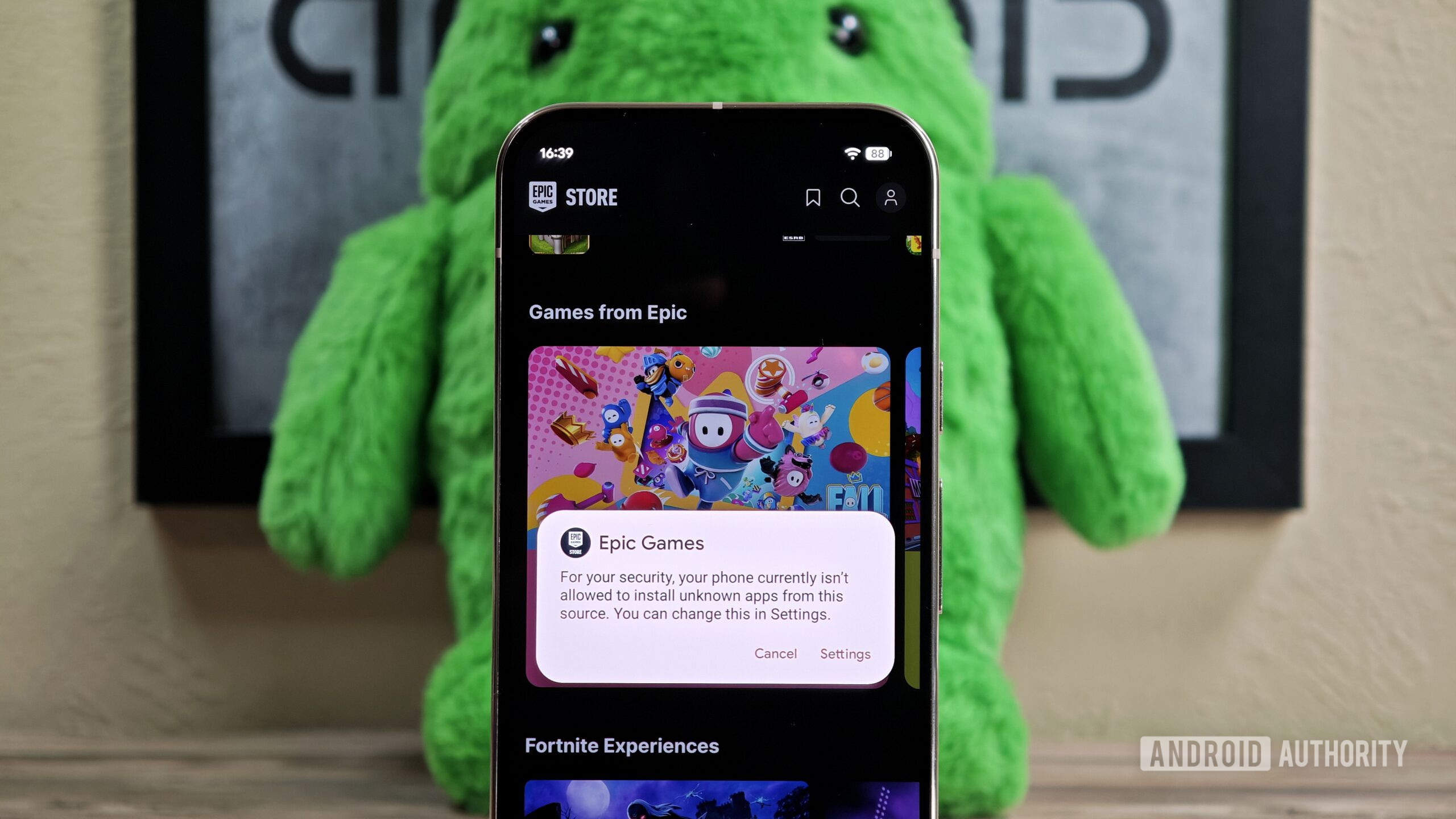
Sideloading the Epic Games Store on Android hero image

Mishaal Rahman / Android Authority

TL;DR

  • As part of a settlement with Epic, Google is introducing support for “Registered App Stores” starting with Android 17.
  • Certified third-party stores will utilize a “single store install screen” that automatically grants permission to install other apps.
  • The agreement also prohibits device manufacturers from adding extra warning screens or barriers to block these store installations, prohibits Epic from bringing its Game Store to the Play Store, and ends the mudslinging between Epic and Google.

A “Registered App Store” is a third-party app store that Google has certified as a legitimate platform for downloading Android apps. Any store that receives this certification will be eligible to use Android’s new “single store install screen” for installation. This new screen will use “neutral language” to inform users about the store they’re about to install and clarify which permissions it requires, such as the ability to install other apps.

While the court documents published last week lacked visuals, a new filing gives us our first look at the “single store install screen” coming in Android 17. It also provides fresh details on how the feature will work.

Don’t want to miss the best from Android Authority?

google preferred source badge light@2xgoogle preferred source badge dark@2x

The image below details the proposed “Unified Install and Permission flow.” In this example, a user navigates to a platform’s website and taps a “Download” button. This action launches the install screen, which asks if the user wants to “install this app store.” The prompt clarifies that the store is “registered with Android” and that installing it grants the ability to “install and manage apps on your device.” It also notes that the alternative platform will handle app reviews and updates. Links to the platform’s Terms of Service, Privacy Policy, Trust & Safety policies, and customer support sit near the bottom, followed by buttons to cancel or proceed.

If the user chooses to install, they can tap “Done” to continue browsing or “Open” to launch the store immediately. Crucially, the newly installed store automatically gains permission to install other apps, saving users the step of manually enabling that setting.

Proposed UI for installing a third party app store in Android 17

To support these “Registered App Stores,” Google is working on core changes to the Android operating system. These changes will be ready “in a version of the next major Android release.” According to the document, Google could introduce these changes as early as the initial Android 17 release, but no later than Android 17 QPR2. This gives the company until the end of 2026 to implement the support.

Android OEMs must make it easier to install third-party app stores, too

Typically, OEMs are free to impose their own restrictions on sideloading. Some have introduced extra warning screens that users must acknowledge before they can sideload apps. To ensure uniformity, Google agreed to new requirements prohibiting OEMs from complicating the “single screen install flow.”

Specifically:

“Google will prohibit, through contracts, the device certification process or otherwise, the introduction of more burdensome Android installation flows for Registered App Stores than, or subject them to obligations in addition to, those set forth in Exhibit 1.”

Epic Games Store won’t be coming to the Play Store after all

Following Google’s loss in the Epic v. Google lawsuit, the court initially proposed mandates to break Google’s monopoly, including a requirement to host rival app stores within the Google Play Store. Consequently, Epic CEO Tim Sweeney announced in July that his company would bring the Epic Games Store to Android’s official marketplace.

Tweet by Tim Sweeney announcing Epic Games Store coming to Play Store

Under the new settlement terms, however, Google is no longer required to distribute rival app stores. The document explicitly states that Epic will not have the option to list its Games Store on Google Play. However, it does leave the door open for Epic to list Fortnite, or any of its other individual games, on the Play Store.

“Google shall immediately reinstate Epic’s developer account. Epic and its subsidiaries shall have the option to list or relist any of their respective games and other applications on the Google Play store (including Fortnite, but not the Epic Games Store).”

The mud-slinging between Epic and Google is over

The settlement terms also dictate a ceasefire between the two companies. In short, the mud-slinging is over. Moving forward, neither party will disparage the other regarding business practices covered in their legal battles.

In fact, Epic now concedes that, under the new terms, “Google and [the] Android platform…are procompetitive and a model for app store / platform operations, and will make good faith efforts to advocate for the same.” However, Epic reserves the right to advocate for legislation proposed by third parties aiming to open up closed mobile ecosystems — provided it “directs its advocacy specifically to Apple practices.” Basically, Epic is shifting its sights entirely to the Apple App Store.


The new court document reveals other details about the terms of Epic and Google’s settlement, but in our view, these were the most interesting tidbits. Unfortunately, parts of the document were redacted, so there may be some salacious details we’re missing out now. If more information arises, we’ll be sure to let you all know.

Thanks to LaNonymous on Discord for the tip!

Thank you for being part of our community. Read our Comment Policy before posting.