Upgrades you can make before buying a new PC


Upgrades you can make before buying a new system

There will come a time when you’ll run into a new project or game that your system can’t handle. Not infrequently, it will come well within the lifespan of your computer. If you’re comfortable opening up your PC, have a desktop or built one yourself, you might be in a position to make a simple upgrade that could help you get over the hump without needing to start from scratch. I’ll also make sure to mention a couple of scenarios that might demand a complete system refresh.

Storage

Let’s start with the most straightforward upgrade. Running out of space on your machine can put you in a chokehold and, when space is really running low, start messing with the performance of both apps and even basic functions like windows explorer. Luckily, it’s also one of the easiest to upgrade. There are a handful of different kinds of SSDs available, some many, MANY factors faster than others. You should see if your system is compatible with the fastest, then move towards the slowest in terms of what you can implement. Even at the low end, these are far faster than HDDs which at this point we really don’t recommend using at all for anything that might be mission critical for your PC.

RAM

Thanks to the AI boom, in terms of price, this one might be a moot point. However, RAM might be the easiest aspect of your PC to upgrade – so long as you can get your hands on identical units to your own. It’s also a component that acts directly in-tandem with your CPU, giving it the headroom it needs to perform both strenuous and quotidian tasks. An upgrade to your memory could improve your experience with pretty much every aspect of your PC.

For folks using a laptop, make sure to research whether or not your memory is soldered on. For my desktop folks, you’ll need to find precisely the kind of RAM you have on your system presently to make an upgrade. Otherwise, you could replace your RAM entirely, though in rare form, this might be a component you leave alone to save for your next system.

GPU

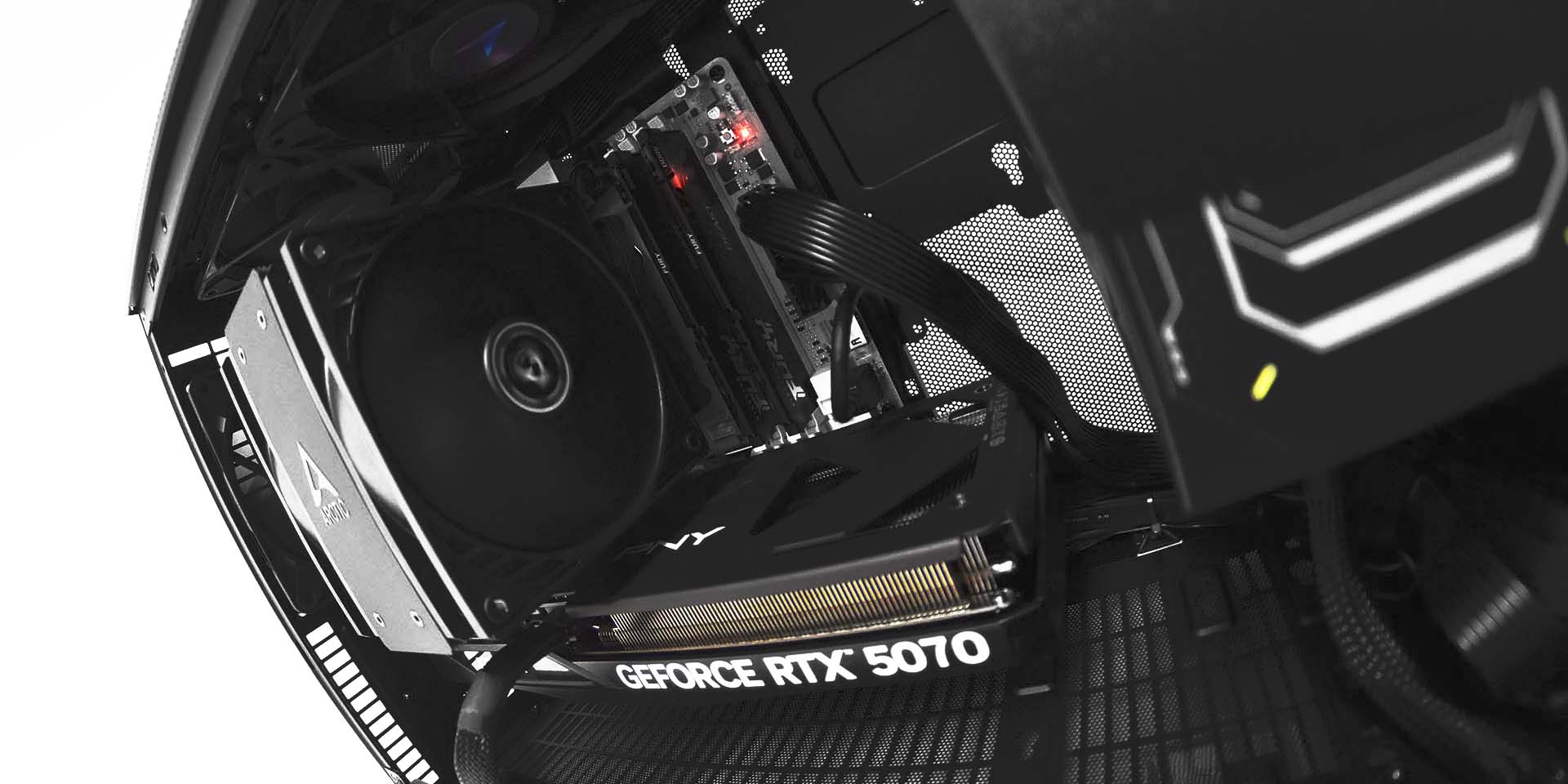
A GPU upgrade is one of the most often discussed among both gamers and enthusiasts operating on their workstation from home. It means better frames in games and rapid GPU-accelerated renders in professional programs, among much more. While one of the most attractive, the GPU is easily the most heavy-weight upgrade on this list as well. We now must unfortunately leave behind our friends with laptops and speak only to the desktop crowd. GPUs are surprisingly easy to slot in, though they do require a bit more hands-on work to get running. You’ll have to both download new drivers and uninstall old, especially when switching in-between brands. Note that you can always fall back on your integrated graphics by plugging into your motherboard’s HDMI to troubleshoot along the way.

Something worthwhile to note is that depending on your motherboard’s age and quality, you might not get the full spectrum of power that comes along with a GPU upgrade due to a bottleneck in feature compatibility. You’ll likely still see a performance boost – just not necessarily one that reflects the claims on the box. On top of all that, with the rising TDPs of GPUs, you might need to put yourself down for a PSU upgrade if you go too big, which usually means rewiring/rebuilding your whole system. On top of all that, especially with the larger 50 series cards many folks are upgrading to nowadays, your case might get in the way of actually physically fitting the GPU. Food for thought and reason to research before you commit!

CPU Cooler

Another upgrade that isn’t one we can extend to our Laptop friends is the CPU Cooler. This is a rare upgrade that could actually increase the lifespan of a component as well as its performance. This is one you should consider especially if you’re experiencing thermal throttling on your CPU. Though there’s less software involved compared to a GPU upgrade, there’s more physical work and research required to make sure you get a compatible cooler, in the same way you would when building a PC. There’s also the added need to pick up some thermal paste, though some coolers come with it pre-applied, and even if they don’t, thermal paste won’t really run you dry the way a new PSU and/or motherboard can.

If you’re stepping up to an AIO from an air cooler, make sure you take the time to find out what size of radiator your case can take, as well as the amount of power the pump will need. If you’re going from air cooler to air cooler, keep an eye out for how big the block is to assure you can actually fit the unit in your case.

The Not-So-Easy Upgrades

On the note of motherboards causing bottlenecks, we’ve entered the category of parts that oftentimes dictate the need for a new system. There are tons of resources out there related to upgrading these components yourself, and it’s not impossible, but we simply don’t recommend it against saving for a new rig, with some exceptions.

  • CPU: You’ll functionally always be getting a new motherboard alongside your new CPU. With the exception of making an upgrade within your chipset, which is rarely worth it outside of select scenarios (maybe going from an older AM4 platform AMD chip to a newer nicer one). Upgrading a CPU could ALSO mean a new PSU, or even a new case depending on the size of the new motherboard – you get the idea.
  • MOTHERBOARD: A motherboard upgrade is a common comorbidity with upgrading another component, and while it’s certainly not the most expensive component to upgrade, there’s usually very little reason to do so without upgrading your CPU. Even if you need features like wifi or bluetooth, there are simple ways of achieving those features via your USB ports.
  • PSU: If your parts are receiving ample power as is, and your PSU isn’t broken, there’s no need. Another upgrade side effect, this one more common with the GPU.

If you don’t want to make the jump to a new machine just yet, there are upgrades you can do on your own in order to improve the performance of your system. There are also tons of things you can do that don’t involve changing your parts at all, like preventing programs from starting on boot, or doing a fresh install of your OS. That being said, if you feel like you are in need of a new system or feel like you don’t have the time or the know how to make these upgrades yourself, you can check out our website for a system that’s tailor-made to meet exactly your needs. Velocity Micro also offers a lifetime upgrade program, so if you’re in the market for a particular component and not a new computer, we can do the heavy lifting.

The following two tabs change content below.

Josh has been with Velocity Micro since 2007 in various Marketing, PR, and Sales related roles. As the Director of Sales & Marketing, he is responsible for all Direct and Retail sales as well as Marketing activities. He enjoys Seinfeld reruns, the Atlanta Braves, and Beatles songs written by John, Paul, or George. Sorry, Ringo.


What Is Kimi K2.5? Architecture, Benchmarks & AI Infra Guide


Introduction

Open‑weight models are rapidly narrowing the gap with closed commercial systems. As of early 2026, Moonshot AI’s Kimi K2.5 is the flagship of this trend: a one‑trillion parameter Mixture‑of‑Experts (MoE) model that accepts images and videos, reasons over long contexts and can autonomously call external tools. Unlike closed alternatives, its weights are publicly downloadable under a modified MIT licence, enabling unprecedented flexibility.

This article explains how K2.5 works, evaluates its performance, and helps AI infrastructure teams decide whether and how to adopt it. Throughout we incorporate original frameworks like the Kimi Capability Spectrum and the AI Infra Maturity Model to translate technical features into strategic decisions. We also describe how Clarifai’s compute orchestration and local runners can simplify adoption.

Quick digest

  • Design: 1 trillion parameters organised into sparse Mixture‑of‑Experts layers, with only ~32 billion active parameters per token and a 256K‑token context window.
  • Modes: Instant (fast), Thinking (transparent), Agent (tool‑oriented) and Agent Swarm (parallel). They allow trade‑offs between speed, cost and autonomy.
  • Highlights: Top‑tier reasoning, vision and coding benchmarks; cost efficiency due to sparse activation; but notable hardware demands and tool‑call failures.
  • Deployment: Requires hundreds of gigabytes of VRAM even after quantization; API access costs around $0.60 per million input tokens; Clarifai offers hybrid orchestration.
  • Caveats: Partial quantization, verbose outputs, occasional inconsistencies and undisclosed training data.

Kimi K2.5 in a nutshell

K2.5 is built to tackle complex multimodal tasks with minimal human intervention. It was pretrained on roughly 15 trillion combined vision and text tokens. The backbone consists of 61 layers—one dense and 60 MoE layers—housing 384 expert networks. A router activates the top eight experts plus a shared expert for each token. This sparse routing means only a small fraction of the model’s trillion parameters fire on any given forward pass, keeping compute manageable while preserving high capacity.

A native MoonViT vision encoder sits inside the architecture, embedding images and videos directly into the language transformer. Combined with the 256K context made possible by Multi‑Head Latent Attention (MLA)—a compression technique that reduces key–value cache size by around 10×—K2.5 can ingest entire documents or codebases in a single prompt. The result is a general‑purpose model that sees, reads and plans.

The second hallmark of K2.5 is its agentic spectrum. Depending on the mode, it either spits out quick answers, reveals its chain of thought, or orchestrates tools and sub‑agents. This spectrum is central to making the model practical.

Modes of operation

  1. Instant mode: Prioritises speed and cost. It suppresses intermediate reasoning, returning answers in a few seconds and consuming up to 75 % fewer tokens than other modes. Use it for casual Q&A, customer service chats or short code snippets.
  2. Thinking mode: Produces reasoning traces alongside the final answer. It excels on maths and logic benchmarks (e.g., 96.1 % on AIME 2025, 95.4 % on HMMT 2025) but is slower and more verbose. Suitable for tasks where transparency is required, such as debugging or research planning.
  3. Agent mode: Adds the ability to call search engines, code interpreters and other tools sequentially. K2.5 can execute 200–300 tool calls without losing track. This mode automates workflows like data extraction and report generation. Note that about 12 % of tool calls can fail, so monitoring and retries are essential.
  4. Agent Swarm: Breaks a large task into subtasks and executes them in parallel. It spawns up to 100 sub‑agents and delivers ≈4.5× speedups on search tasks, improving BrowseComp scores from 60.6 % to 78.4 %. Ideal for wide literature searches or data‑collection projects; not appropriate for latency‑critical scenarios due to orchestration overhead.

These modes form the Kimi Capability Spectrum—our framework for aligning tasks to modes. Map your workload’s need for speed, transparency and autonomy onto the spectrum: Quick Lookups → Instant; Analytical Reasoning → Thinking; Automated Workflows → Agent; Mass Parallel Research → Agent Swarm.

Applying the Kimi Capability Spectrum

To ground this framework, imagine a product team building a multimodal support bot. For simple FAQs (“How do I reset my password?”), Instant mode suffices because latency and cost trump reasoning. When the bot needs to trace through logs or explain a troubleshooting process, Thinking mode offers transparency: the chain‑of‑thought helps engineers audit why a certain fix was suggested. For more complex tasks, such as generating a compliance report from multiple spreadsheets and knowledge‑base articles, Agent mode orchestrates a code interpreter to parse CSV files, a search tool to pull the latest policy and a summariser to compose the report. Finally, if the bot must scan hundreds of legal documents across jurisdictions and compare them, Agent Swarm shines: sub‑agents each tackle a subset of documents and the orchestrator merges findings. This gradual escalation illustrates why a single model needs distinct modes and how the capability spectrum guides mode selection.

Importantly, the spectrum encourages you to avoid defaulting to the most complex mode. Agent Swarm is powerful, but orchestrating dozens of agents introduces coordination overhead and cost. If a task can be solved sequentially, Agent mode may be more efficient. Likewise, Thinking mode is invaluable for debugging or audits but wastes tokens in a high‑volume chatbot. By explicitly mapping tasks to quadrants, teams can maximise value while controlling costs.

How K2.5 achieves scale – architecture explained

Sparse MoE layers

Traditional transformers execute the same dense feed‑forward layer for every token. K2.5 replaces most of those layers with sparse MoE layers. Each MoE layer contains 384 experts, and a gating network routes each token to the top eight experts plus a shared expert. In effect, only ~3.2 % of the trillion parameters participate in computing any given token. Experts develop niche specialisations—math, code, creative writing—and the router learns which to pick. While this reduces compute cost, it requires storing all experts in memory for dynamic routing.

Multi‑Head Latent Attention & context windows

To achieve a 256K‑token context, K2.5 introduces Multi‑Head Latent Attention (MLA). Rather than storing full key–value pairs for every head, it compresses them into a shared latent representation. This reduces KV cache size by about tenfold, allowing the model to maintain long contexts. Despite this efficiency, long prompts still increase latency and memory usage; many applications operate comfortably within 8K–32K tokens.

Vision integration

Instead of bolting on a separate vision module, K2.5 includes MoonViT, a 400 million‑parameter vision encoder. MoonViT converts images and video frames into embeddings that flow through the same layers as text. The unified training improves performance on multimodal benchmarks such as MMMU‑Pro, MathVision and VideoMMMU. It means you can pass screenshots, diagrams or short clips directly into K2.5 and receive reasoning grounded in visual context.

Limitations of the design

  • Full parameter storage: Even though only a fraction of the parameters are active at any time, the entire weight set must reside in memory. INT4 quantization shrinks this to ≈630 GB, yet attention layers remain in BF16, so memory savings are limited.
  • Randomness in routing: Slight differences in input or weight rounding can activate different experts, occasionally producing inconsistent outputs.
  • Partial quantization: Aggressive quantization down to 1.58 bits reduces memory but slashes throughput to 1–2 tokens per second.

Key takeaway: K2.5’s architecture cleverly balances capacity and efficiency through sparse routing and cache compression, but demands huge memory and careful configuration.

Benchmarks & what they mean

K2.5 performs impressively across a spectrum of tests. These scores provide directional guidance rather than guarantees.

  • Reasoning & knowledge: Achieves 96.1 % on AIME 2025, 95.4 % on HMMT 2025 and 87.1 % on MMLU‑Pro.
  • Vision & multimodal: Scores 78.5 % on MMMU‑Pro, 84.2 % on MathVision and 86.6 % on VideoMMMU.
  • Coding: Attains 76.8 % on SWE‑Bench Verified and 85 % on LiveCodeBench v6; anecdotal reports show it can generate full games and cross‑language code.
  • Agentic & search tasks: With Agent Swarm, BrowseComp accuracy rises from 60.6 % to 78.4 %; Wide Search climbs from 72.7 % to 79 %.

Cost efficiency: Sparse activation and quantization mean the API evaluation suite costs roughly $0.27 versus $0.48–$1.14 for proprietary alternatives. However, chain‑of‑thought outputs and tool calls consume many tokens. Adjust temperature and top_p values to manage cost.

Interpreting scores: High numbers indicate potential, not a guarantee of real‑world success. Latency increases with context length and reasoning depth; tool‑call failures (~12 %) and verbose outputs can dilute the benefits. Always test on your own workloads.

Another nuance often missed is cache hits. Many API providers offer lower prices when repeated requests hit a cache. When using K2.5 through Clarifai or a third‑party API, design your system to reuse prompts or sub‑prompts where possible. For example, if multiple agents need the same document summary, call the summariser once and store the output, rather than invoking the model repeatedly. This not only saves tokens but also reduces latency.

Deployment & infrastructure

Quantization & hardware

Deploying K2.5 locally or on‑prem requires serious resources. The FP16 variant needs nearly 2 TB of storage. INT4 quantization reduces weights to ≈630 GB and still calls for eight A100/H100/H200 GPUs. More aggressive 2‑bit and 1.58‑bit quantization shrink storage to 375 GB and 240 GB respectively, but throughput drops dramatically. Because attention layers remain in BF16, even the INT4 version requires about 549 GB of VRAM.

API access

For most teams, the official API offers a more practical entry point. Pricing is approximately $0.60 per million input tokens and $3.00 per million output tokens. This avoids the need for GPU clusters, CUDA troubleshooting and quantization configuration. The trade‑off is less control over fine‑tuning and potential data‑sovereignty concerns.

Clarifai’s orchestration & local runners

To strike a balance between convenience and control, Clarifai’s compute orchestration allows K2.5 deployments across SaaS, dedicated cloud, self‑managed VPCs or on‑prem environments. Clarifai handles containerisation, autoscaling and resource management, reducing operational overhead.

Clarifai also offers local runners: run clarifai model serve locally and expose your model via a secure endpoint. This enables offline experimentation and integration with Clarifai’s pipelines without committing to cloud infrastructure. You can test quantisation variants on a workstation and then transition to a managed cluster.

Deployment checklist:

  1. Hardware readiness: Do you have enough GPUs and memory? If not, avoid self‑hosting.
  2. Compliance & security: K2.5 lacks SOC 2/ISO certifications. Use managed platforms if certifications are required.
  3. Budget & latency: Compare API costs to hardware costs; for sporadic usage, the API is cheaper.
  4. Team expertise: Without distributed systems and CUDA expertise, managed orchestration or API access is safer.

Bottom line: Start with the API or local runners for pilots. Consider self‑hosting only when workloads justify the investment and you can handle the complexity.

For those contemplating self‑hosting, consider the real‑world deployment story of a blogger who attempted to deploy K2.5’s INT4 variant on 4 H200 GPUs (each with 141 GB HBM). Despite careful sharding, the model ran out of memory because the KV cache—needed for the 256K context—filled the remaining space. Offloading to CPU memory allowed inference to proceed, but throughput dropped to 1–2 tokens per second. Such experiences underscore the difficulty of trillion‑parameter models: quantisation reduces the weight size but doesn’t eliminate the need for room to store activations and caches. Enterprises should budget for headroom beyond the raw weight size, and if that isn’t possible, lean on cloud APIs or managed platforms.

Limitations & trade‑offs

Every model has shortcomings; K2.5 is no exception:

  • High memory demands: Even quantised, it needs hundreds of gigabytes of VRAM.
  • Partial quantization: Only MoE weights are quantised; attention layers remain in BF16.
  • Verbosity & latency: Thinking and agent modes produce lengthy outputs, raising costs and delay. Deep research tasks can take 20 minutes.
  • Tool‑call failures & drift: Around 12 % of tool calls fail; long sessions may drift from the original goal.
  • Inconsistency & self‑misidentification: Gating randomness occasionally yields inconsistent answers or erroneous code fixes.
  • Compliance gaps: Training data is undisclosed; no SOC 2/ISO certifications; commercial deployments must provide attribution.

Mitigation strategies:

  • Budget for GPU headroom or choose API access.
  • Limit reasoning depth; set maximum token limits.
  • Break tasks into smaller segments; monitor tool calls and include fallback models.
  • Use human oversight for critical outputs and integrate domain‑specific safety filters.
  • For regulated industries, deploy through platforms that provide isolation and audit trails.

These bullet points are easy to skim, but they also imply deeper operational practices:

  1. Hardware planning & scaling: Always provision more VRAM than the nominal model size to accommodate KV caches and activations. When using quantised variants, test with realistic prompts to ensure caches fit. If using Clarifai’s orchestration, specify resource constraints up front to prevent oversubscription.
  2. Output management: Verbose chains of thought inflate costs. Implement truncation strategies—for instance, discard reasoning content after extracting the final answer or summarise intermediate steps before storage. In cost‑sensitive environments, disable thinking mode unless an error occurs.
  3. Workflow checkpoints: In long agentic sessions, create checkpoints. After each major step, evaluate if the output aligns with the goal. If not, intervene or restart using a smaller model. A simple if–then logic applies: If the agent drift exceeds a threshold, Then switch back to Instant or Thinking mode to re‑orient the task.
  4. Compliance & auditing: Maintain logs of prompts, tool calls and responses. For sensitive data, anonymise inputs before sending them to the model. Use Clarifai’s local runners for data that cannot leave your network; the runner exposes a secure endpoint while keeping weights and activations on‑prem.
  5. Continual evaluation: Models evolve. Re‑benchmark after updates or fine‑tuning. Over time, routing decisions can drift, altering performance. Automate periodic evaluation of latency, cost and accuracy to catch regressions early.

Strategic outlook & AI infra maturity

K2.5 signals a new era where open models rival proprietary ones on complex tasks. This shift empowers organisations to build bespoke AI stacks but demands new infrastructure capabilities and governance.

To guide adoption, we propose the AI Infra Maturity Model:

  1. Exploratory Pilot: Test via API or Clarifai’s hosted endpoints; gather metrics and team feedback.
  2. Hybrid Deployment: Blend API usage with local runners for sensitive data; begin integrating with internal workflows.
  3. Full Autonomy: Deploy on dedicated clusters via Clarifai or in‑house; fine‑tune on domain data; implement monitoring.
  4. Agentic Ecosystem: Build a fleet of specialised agents orchestrated by a central controller; integrate retrieval, vector search and custom safety mechanisms. Invest in high‑availability infrastructure and compliance.

Teams can remain at the stage that best meets their needs; not every organisation must progress to full autonomy. Evaluate return on investment, regulatory constraints, and organisational readiness at each step.

Looking forward, expect larger, more multimodal and more agentic open models. Future iterations will likely expand context windows, improve routing efficiency and incorporate native retrieval; regulators will push for greater transparency and bias auditing. Platforms like Clarifai will further democratise deployment through improved orchestration across cloud and edge.

These strategic shifts have practical implications. For instance, as context windows grow, AI systems will be able to ingest entire source code repositories or full‑length novels in a single pass. That capability can transform software maintenance and literary analysis, but only if infrastructure can feed 256K‑plus tokens at acceptable latency. On the agentic front, the next generation of models will likely include built‑in retrieval and reasoning over structured data, reducing the need for external search tools. Teams building retrieval‑augmented systems today should architect them with modularity so that components can be swapped as models mature.

Regulatory changes are another driver. Governments are increasingly scrutinising training data provenance and bias. Open models may need to include datasheets that disclose composition, similar to nutrition labels. Organisations adopting K2.5 should prepare to answer questions about content filtering, data privacy and bias mitigation. Using Clarifai’s compliance options or other regulated platforms can help meet these obligations.

Frequently asked questions & decision framework

Is K2.5 fully open source? – It’s open‑weight rather than open source; you can download and modify weights, but training data and code remain proprietary.

What hardware do I need? – INT4 versions require around 630 GB of storage and multiple GPUs; extreme compression lowers this but slows throughput.

How do I access it? – Chat via Kimi.com, call the API, download weights from Hugging Face, or deploy through Clarifai’s orchestration.

How much does it cost? – About $0.60/M input tokens and $3/M output tokens via the API. Self‑hosting costs scale with hardware.

Does it support retrieval? – No; integrate your own vector store or search engine.

Is it safe and unbiased? – Training data is undisclosed, so biases are unknown. Implement post‑processing filters and human oversight.

Can I fine‑tune it? – Yes. The modified MIT licence allows modifications and redistribution. Use parameter‑efficient methods like LoRA or QLoRA to adapt K2.5 to your domain without retraining the entire model. Fine‑tuning demands careful hyperparameter tuning to preserve sparse routing stability.

What’s the real‑world throughput? – Hobbyists report achieving ≈15 tokens per second on dual M3 Ultra machines when using extreme quantisation. Larger clusters will improve throughput but still lag behind dense models due to routing overhead. Plan batch sizes and asynchronous tasks accordingly.

Why choose Clarifai over self‑hosting? – Clarifai combines the convenience of SaaS with the flexibility of self‑hosted models. You can start with public nodes, migrate to a dedicated instance or connect your own VPC, all through the same API. Local runners let you prototype offline and still access Clarifai’s workflow tooling.

Decision framework

  • Need multimodal reasoning and long context? → Consider K2.5; deploy via API or managed orchestration.
  • Need low latency and simple language tasks? → Smaller dense models suffice.
  • Require compliance certifications or stable SLAs? → Choose proprietary models or regulated platforms.
  • Have GPU clusters and deep ML expertise? → Self‑host K2.5 or orchestrate via Clarifai for maximum control.

Conclusion

Kimi K2.5 is a milestone in open AI. Its trillion‑parameter MoE architecture, long context window, vision integration and agentic modes give it capabilities previously reserved for closed frontier models. For AI infrastructure teams, K2.5 opens new opportunities to build autonomous pipelines and multimodal applications while controlling costs. Yet its power comes with caveats: massive memory needs, partial quantization, verbose outputs, tool‑call instability and compliance gaps.

To decide whether and how to adopt K2.5, use the Kimi Capability Spectrum to match tasks to modes, follow the AI Infra Maturity Model to stage your adoption, and consult the deployment checklist and decision framework outlined above. Start small—use the API or local runners for pilots—then scale as you build expertise and infrastructure. Monitor upcoming versions like K2.6 and evolving regulatory landscapes. By balancing innovation with prudence, you can harness K2.5’s strengths while mitigating its weaknesses.


Subnautica 2 Will Get Early-Access Release In May Following The Latest Court Ruling


Subnautica 2 is officially heading to early access in May.

As reported by IGN, Unknown Worlds studio head Steve Papoutsis sent out a message to his employees that Krafton approved Subnautica 2 for early access last week, and that it will be arriving with “more story chapters, built new creatures, and created new biomes along with many other features.”

This news arrived after the ongoing legal battle between Subnautica 2 developer Unknown Worlds’ ousted leaders and publisher Krafton took a major turn when a judge ruled in favor of the former and ordered former CEO Ted Gill to be reinstated to his role.

Continue Reading at GameSpot

Miss OnePlus’s Xpan mode? This Ultra phone basically has Xpan for video.


vivo X300 Ultra with 400mm telephoto extender

Hadlee Simons / Android Authority

TL;DR

  • Vivo has revealed that the upcoming X300 Ultra will offer an option akin to Xpan video capture.
  • This so-called Film Style uses a 2.4:1 aspect ratio with film grain.
  • The company previously confirmed that the X300 Ultra will also gain support for the APV codec and 4K/120fps Log video.

The vivo X300 Ultra is shaping up to be one of the most impressive camera phones of 2026, and that’s in large part due to its video capabilities. Vivo isn’t stopping here, as it’s now revealed a couple more notable video-related features.

Company executive Han Boxiao noted on Weibo that the vivo X300 Ultra will ship with two new video styles. The first is dubbed Film Style and offers a wide, 2.4:1 aspect ratio that’s broadly comparable to the Xpan photo mode (2.7:1) on recent OPPO and OnePlus phones. Film Style runs at 24fps, while vivo adds that it includes halos and graininess associated with film. Check out the sample clip below, which was filmed in 4K with the ultrawide camera.

Don’t want to miss the best from Android Authority?

google preferred source badge light@2xgoogle preferred source badge dark@2x

This isn’t the only new video style on offer, as the company has also revealed a Film Look option. This uses a standard 16:9 aspect ratio paired with 60fps, while emphasizing “cinematic” cyan and orange hues. These colors are supposedly meant to evoke cinema. You can view the sample below.

It’s worth noting that vivo phones already offer a few movie styles. In addition to the default Vivid style, recent phones also offer options like Cold White, Classic Negative, Positive Film, and Clear Blue. With the exception of Vivid, all these styles top out at 1080p/30fps, though. So the fact that Film Style supports 4K capture is noteworthy, although it’s theoretically possible that these two new video options are separate from the current movie styles.

These latest features join a host of previously announced X300 Ultra video options. The company previously confirmed that the phone will support the APV codec, 4K/120fps video via all three rear cameras, 4K/120fps Log video capture, subject-tracking at 4K/60fps, improved audio capture, and a new pro video mode.

Vivo also revealed today that the X300 Ultra will ship with some major enhancements to its photo profiles. It’s adding two new camera styles (Chasing Light and Rich) while also bringing custom styles. The latter will let you tweak up to 12 parameters, including tone, sharpness, shadow, grain, soft light, halo, and color temperature. The manufacturer will also pull a Nothing and let you share these custom styles, with vivo saying they can be shared via social media. An accompanying sample image suggests that the recipe is shared as a QR code in watermarks.

vivo X300 custom profiles

As for camera hardware, the X300 Ultra packs a 200MP LYT-901 main camera (35mm), a 200MP 85mm main camera, and a 50MP ultrawide camera (LYT-818). And between this and the OPPO Find X9 Ultra, it’s looking like an exciting time for smartphone cameras.

Thank you for being part of our community. Read our Comment Policy before posting.

In-House AI Development Vs. Hiring A Custom AI Software Development Company


In-House AI Development vs. Hiring a Custom AI Software Development Company

When your company decides to implement AI, one critical question dominates the conversation: should you build an in-house team or partner with an external custom AI software development company? Both paths can lead to success, but they require vastly different investments, timelines, and internal capabilities.

Before diving into the details, here’s a high-level comparison to help you quickly assess which approach aligns with your current business situation:

Quick Decision Framework

Decision Factor In-House Development External AI Company Best For
Upfront Investment $1M-$2M+ annually $50K-$500K project-based Companies needing predictable budgets
Time to First Deployment 9-18 months 3-6 months Speed-critical implementations
Access to Expertise Limited to hired talent Multidisciplinary teams immediately Diverse AI capabilities needed
Control & IP Ownership Complete control, 100% IP Shared control, negotiable IP Regulated industries, proprietary tech
Scalability Slow, fixed capacity Rapid, flexible scaling Fluctuating project demands
Long-Term Innovation Builds institutional knowledge Project-based, limited transfer AI as core competitive advantage
Data Security Direct control Requires strong protocols Highly sensitive data
ROI Timeline 18-24+ months 12-18 months Companies needing faster returns

When your company is ready to implement AI, whether for predictive analytics, process automation, intelligent decision-making, or data optimization, one critical question emerges: Should you build an in-house AI team or partner with a custom AI software development company?

While AI adoption is on the rise, many organizations struggle to move their AI initiatives from pilot programs to full-scale production. The difference between success and stagnation often comes down to choosing the right development approach.

In this guide, we’ll compare in-house AI development against hiring a specialized custom AI software development company across 8 critical factors, and highlight 7 leading AI development firms to help you make the best decision for your organization.

Understanding the Two Approaches

In-House AI Development means recruiting data scientists, ML engineers, AI architects, and DevOps specialists, then investing in infrastructure, tools, training, and ongoing management. You maintain complete control over strategy, execution, and intellectual property.

Best for: Companies where AI is core to long-term competitive advantage, with sufficient capital and time to build institutional expertise.

Hiring a Custom AI Software Development Company gives you immediate access to specialized talent, proven methodologies, and scalable resources, without the overhead of full-time hires.

Best for: Companies needing rapid AI deployment, specialized expertise, or flexible scaling without long-term fixed commitments.

The 8 Critical Comparison Factors

We evaluated both approaches across 8 weighted factors (totaling 100%) to help you determine which model aligns with your business goals.

1. Upfront Cost & Total Investment (20% Weight)

Cost Component In-House External Partner
AI Engineer Salaries $150K-$318K per engineer annually $0 (included in project fee)
Infrastructure $50K-$200K+ annually $0 (vendor manages)
Recruiting Costs $15K-$30K per hire $0
Total First-Year (5-person team) $1M-$2M+ $50K-$500K project-based

Winner: External development for cost-conscious companies needing predictable budgets.

2. Time-to-Market & Speed (15% Weight)

  • In-House: 6-12 months to hire team + 3-6 months onboarding = 9-18 months to first production model
  • External: Immediate start with pre-assembled teams = 3-6 months to first production model (60-70% faster)

Winner: External development for companies where speed-to-market is a competitive advantage.

3. Access to Specialized Expertise (15% Weight)

  • In-House: Limited to talent you can attract; requires ongoing training; gaps in niche skills (Generative AI, Computer Vision, NLP, MLOps).
  • External: Instant access to multidisciplinary teams; exposure to diverse industries; stays current with latest AI frameworks (TensorFlow, PyTorch, LangChain, GPT-4).

Winner: External development for companies needing diverse, cutting-edge capabilities.

4. Control & IP Ownership (10% Weight)

  • In-House: Full control over roadmap and priorities; 100% IP ownership; direct oversight; no third-party dependencies.
  • External: Shared control requiring strong communication; negotiable IP ownership (most contracts grant clients full IP rights); vendor dependency for updates.

Winner: In-house development for companies prioritizing absolute control and proprietary IP protection.

5. Scalability & Flexibility (10% Weight)

  • In-House: Slow to scale up (recruiting, onboarding delays); difficult to scale down (layoffs, severance); fixed capacity regardless of needs.
  • External: Rapid scaling (increase/decrease team size within weeks); project-based flexibility; no unused capacity costs.

Winner: External development for fluctuating AI project demands.

6. Long-Term Innovation Capability (10% Weight)

  • In-House: Builds institutional knowledge; fosters continuous innovation culture; reduces long-term vendor dependency; supports ongoing iteration.
  • External: Project-based engagement; limited knowledge transfer unless structured; best when combined with internal champions.

Winner: In-house development for companies committing to AI as a core, long-term strategy.

7. Data Security & Compliance Risk (10% Weight)

  • In-House: Direct control over data access, storage, governance; easier compliance maintenance (HIPAA, GDPR, SOC 2); lower risk of third-party breaches.
  • External: Requires strong NDAs and security protocols; reputable firms offer SOC 2, ISO 27001, HIPAA compliance; data can remain on-premise or client-controlled cloud.

Winner: In-house for highly regulated industries—but external partners with proven compliance frameworks are viable.

8. Hidden Costs & ROI Predictability (10% Weight)

  • In-House: Hidden costs include employee turnover (which can be as high as 20-30% annually in tech roles), unused capacity, failed experiments, benefits, and training. ROI can be unpredictable, with some industry reports suggesting that a high percentage of AI models never reach production in less mature teams.
  • External: Transparent pricing (fixed-price or milestone-based); shared risk through outcome-based agreements; faster ROI, with some enterprises reporting significant operational cost reductions and productivity gains within 12-18 months.

Winner: External development for predictable budgeting and faster ROI realization.

Scoring Summary

Factor Weight In-House External Winner
Upfront Cost & Investment 20% 4/10 9/10 External
Time-to-Market 15% 4/10 9/10 External
Access to Expertise 15% 5/10 9/10 External
Control & IP Ownership 10% 10/10 6/10 In-House
Scalability & Flexibility 10% 4/10 9/10 External
Long-Term Innovation 10% 9/10 5/10 In-House
Data Security & Compliance 10% 9/10 7/10 In-House
Hidden Costs & ROI 10% 4/10 9/10 External
TOTAL WEIGHTED SCORE 100% 5.7/10 8.2/10 External

Conclusion: For most companies, partnering with a custom AI software development company delivers faster ROI, lower risk, and greater flexibility, especially in the early stages of AI adoption.

Top 7 Custom AI Software Development Companies (2026)

Tier 1: Enterprise-Grade Leaders

1. IBM Consulting

IBM Consulting leads global AI transformation initiatives with its Watson AI platform, serving Fortune 500 companies with proven enterprise-scale deployment capabilities. The firm brings decades of experience across multiple industries, offering end-to-end AI strategy, implementation, and managed services. Their Watson suite includes pre-built AI applications for various business applications.

While IBM’s enterprise focus and proven track record at scale make it a trusted choice for large organizations, companies should expect premium pricing, long implementation timelines, and engagement models designed primarily for enterprises with $5M+ AI budgets. Smaller mid-market companies may find their offerings less agile than specialized boutique firms.

Location: Armonk, New York
Year Founded: 1911
Price Range: $$$$$
Average Review Score: 4.1/5.0
Services Offered: Enterprise AI strategy, Watson AI platform, industry-specific AI solutions, AI governance, change management

Summary of Online Reviews

Clients praise IBM’s “deep industry expertise” and “proven track record at scale,” noting strong governance frameworks and global support infrastructure, though some cite “high costs and slower execution timelines” compared to agile competitors.

2. Accenture AI

With over 40,000 AI practitioners, Accenture AI specializes in comprehensive AI transformation across all industries, combining strategy consulting, implementation, and change management. The firm leverages proprietary AI platforms and partnerships with leading technology providers to deliver enterprise-wide AI solutions. Their cross-industry experience spans multiple sectors including logistics, retail, finance, and healthcare.

Accenture excels at managing complex, large-scale AI transformations that require organizational change management and executive alignment. However, mid-market companies may encounter long sales cycles, high fees, and engagement structures better suited to Fortune 1000 organizations than fast-moving companies seeking rapid pilots.

Location: Dublin, Ireland (Global)
Year Founded: 1989
Price Range: $$$$$
Average Review Score: 4.0/5.0
Services Offered: AI strategy and transformation, industry-specific AI platforms, change management, responsible AI frameworks, enterprise-scale implementation

Summary of Online Reviews

Reviewers highlight Accenture’s “massive team capacity” and “comprehensive transformation approach,” appreciating their strategic consulting combined with technical execution, though some mention “enterprise-only focus and slower speed-to-market.”

3. Deloitte AI

Deloitte AI serves as a trusted advisor for regulated industries including finance, healthcare, and government, bringing deep compliance expertise and risk management frameworks to AI implementations. The firm’s strengths lie in navigating complex regulatory environments, establishing AI governance structures, and ensuring enterprise-level security and compliance (HIPAA, SOC 2, GDPR, FedRAMP).

For companies in highly regulated sectors or those requiring air-tight compliance, Deloitte offers unmatched credibility and risk mitigation. However, organizations prioritizing speed and cost-effectiveness may find Deloitte’s methodical, audit-first approach slower and more expensive than specialized AI development firms.

Location: London, United Kingdom (Global)
Year Founded: 1845
Price Range: $$$$$
Average Review Score: 4.2/5.0
Services Offered: AI strategy for regulated industries, risk and compliance frameworks, AI ethics and governance, secure AI implementation, data privacy solutions

Summary of Online Reviews

Clients value Deloitte’s “regulatory expertise” and “trusted brand reputation,” citing strong governance and compliance frameworks, though note “higher fees and longer timelines” compared to pure-play AI specialists.

Tier 2: Mid-Market Specialists

4. USM Business Systems

USM Business Systems specializes in custom AI solutions, combining 25+ years of IT services experience with cutting-edge AI capabilities. Founded in 1999, the firm focuses on mid-to-large organizations seeking AI-driven solutions for operational optimization, predictive analytics, and intelligent automation. Their technical stack includes Agentic AI, Generative AI, and custom machine learning models tailored to business workflows.

USM differentiates itself through deep industry expertise and an agile R&D approach that delivers faster time-to-value than enterprise consultants. The firm offers transparent milestone-based pricing and maintains a partnership model that balances enterprise-grade capabilities with personalized attention. However, companies requiring global scale or multi-industry experience may find larger firms like IBM or Accenture offer broader resources.

Location: Ashburn, Virginia
Year Founded: 1999
Price Range: $$$
Average Review Score: 4.7/5.0
Services Offered: Custom AI solutions, Agentic AI, IoT integration, predictive analytics, AI strategy consulting

Summary of Online Reviews

Clients consistently highlight USM’s “deep industry knowledge” and “faster delivery timelines,” appreciating their balance of technical sophistication and focused expertise, though some note “smaller team size compared to global firms.”

5. RTS Labs

RTS Labs delivers AI-driven software engineering with a strong focus on measurable ROI and rapid deployment cycles. The firm specializes in logistics, finance, and real estate, offering custom AI platforms, LLM integrations, and outcome-based engagement models. Their technical expertise spans modern AI frameworks including GPT-4, LangChain, and custom neural networks built for specific business problems.

RTS Labs stands out for milestone-driven projects and transparent pricing structures that tie payment to results. Their agile methodology enables faster pivots and course corrections during development. However, the firm has limited vertical-specific case studies in some industries, which may require longer discovery phases for specialized applications.

Location: Los Angeles, California
Year Founded: 2015
Price Range: $$$
Average Review Score: 4.6/5.0
Services Offered: Custom AI platforms, LLM integration, outcome-based AI projects, rapid prototyping, AI-powered analytics

Summary of Online Reviews

Reviewers praise RTS Labs’ “outcome-based agreements” and “rapid delivery,” noting strong technical execution and modern tech stack, though some mention “less vertical specialization in certain industries.”

6. LeewayHertz

LeewayHertz delivers custom AI platforms and enterprise-scale solutions, having completed over 160 digital projects across diverse industries. The firm combines AI with emerging technologies including blockchain and Web3, offering unique solutions for data traceability, decentralized AI models, and secure data sharing across enterprise networks.

LeewayHertz’s strength lies in integrating cutting-edge technologies to solve complex business problems, particularly where transparency, security, and decentralization matter. However, their heavy blockchain focus may not align with traditional organizations seeking straightforward AI implementations without distributed ledger complexity.

Location: San Francisco, California
Year Founded: 2007
Price Range: $$$
Average Review Score: 4.5/5.0
Services Offered: Custom AI development, blockchain + AI convergence, enterprise AI platforms, decentralized AI solutions, data transparency

Summary of Online Reviews

Clients appreciate LeewayHertz’s “innovative technology convergence” and “100+ enterprise solutions delivered,” valuing their forward-thinking approach, though note “blockchain emphasis may overcomplicate simpler AI needs.”

7. Intellectsoft

Intellectsoft partners with Fortune 500 companies to deliver large-scale digital transformation initiatives with AI components embedded throughout. The firm offers comprehensive technology services including custom software development, cloud migration, IoT platforms, and AI-powered analytics. Their experience spans healthcare, logistics, fintech, and retail with proven delivery of complex, multi-year enterprise programs.

Intellectsoft excels at managing large, complex engagements requiring cross-functional teams and long-term partnerships. However, their generalist approach means less deep specialization in specific industries compared to vertical-focused firms, potentially requiring more discovery and knowledge transfer time.

Location: Palo Alto, California
Year Founded: 2007
Price Range: $$$$
Average Review Score: 4.4/5.0
Services Offered: Enterprise AI integration, digital transformation, custom software with AI, IoT + AI convergence, cloud-based AI solutions

Summary of Online Reviews

Reviewers highlight Intellectsoft’s “proven enterprise delivery” and “comprehensive tech stack,” praising scalable teams and project management rigor, though some mention “generalist positioning rather than industry-specific expertise.”

Making Your Decision: A Simple Framework

Choose In-House AI Development If:

  • AI is central to your long-term competitive strategy
  • You have a $2M+ annual budget for team, infrastructure, and tooling
  • You can afford 12-18 months to build internal capability
  • Data security and IP control are non-negotiable
  • You’re committed to building a culture of continuous AI innovation

Choose a Custom AI Software Development Company If:

  • You need AI solutions deployed in 3-6 months
  • Your budget is under $1M for initial AI projects
  • You lack internal AI expertise and can’t afford 6-12 months of hiring
  • You want predictable costs and shared risk
  • You need flexibility to scale AI resources up or down

The Hybrid Approach

Many successful companies start with an external AI development partner to rapidly deploy initial use cases and prove ROI, then gradually transition ownership to an in-house team for long-term maintenance and iteration.


Final Takeaway

For most companies, hiring a custom AI software development company delivers faster ROI, lower risk, and greater flexibility compared to building in-house, especially in the critical early stages of AI adoption.

The right partner depends on your specific needs: enterprise-scale organizations with complex compliance requirements may prefer established consultancies like IBM, Accenture, or Deloitte; mid-market companies seeking industry expertise and agile delivery may find specialized firms like USM Business Systems, RTS Labs, or LeewayHertz offer better speed and value.

Evaluate potential partners based on industry expertise, proven delivery speed, transparent pricing models, technical capabilities aligned with your use cases, and cultural fit with your organization’s pace and decision-making style.

Ready to explore AI solutions for your operations? Schedule consultations with 2-3 firms from this list to compare approaches, timelines, and costs specific to your business challenges.


Frequently Asked Questions

Q: How much does it cost to hire a custom AI software development company?

A: Project-based pricing typically ranges from $50K-$500K depending on complexity, scope, and the firm’s positioning. Mid-market specialists generally offer more competitive rates than Big 4 consultancies, with transparent milestone-based pricing structures.

Q: How long does it take to deploy a custom AI solution?

A: With an experienced partner, initial AI pilots can launch in 6-12 weeks, with full production deployment in 3-6 months—60-70% faster than building an in-house team from scratch.

Q: Will I own the IP if I hire an external AI development company?

A: Yes. Reputable firms structure contracts to ensure clients retain full ownership of all custom AI models, algorithms, and intellectual property. Always clarify IP ownership terms before signing agreements.

Q: Can I transition from external to in-house AI development later?

A: Absolutely. Many companies use a hybrid model: partner with an external firm for rapid deployment, then gradually build internal teams with knowledge transfer and training support from the vendor.

Q: How do I ensure data security when working with an external AI partner?

A: Choose partners with SOC 2, ISO 27001, or HIPAA compliance certifications. Ensure contracts include robust NDAs, data handling protocols, and options for on-premise or client-controlled cloud deployment.

References

[1] The state of AI in 2023: Generative AI’s breakout year – https://www.mckinsey.com/capabilities/quantumblack/our-insights/the-state-of-ai-in-2023-generative-ais-breakout-year

[2] About Us – USM Business Systems – https://usmsystems.com/about-us/

[3] USM Business Systems – LinkedIn – https://www.linkedin.com/company/usm-business-systems

[4] USM Business Systems – Crunchbase – https://www.crunchbase.com/organization/usm-business-systems

[5] AI Engineer Salary Guide 2025 – https://www.refontelearning.com/salary-guide/ai-engineering-salary-guide-2025

[6] ML / AI Software Engineer Salary – Levels.fyi – https://www.levels.fyi/t/software-engineer/focus/ml-ai

[7] Machine learning engineer salary – Indeed – https://www.indeed.com/career/machine-learning-engineer/salaries

[8] Average Turnover Rate By Industry (2025 Update) – https://www.corporatenavigators.com/articles/recruiting-trends/average-turnover-rate-by-industry-in-2024/

[9] Developer Attrition Reduction – Fullscale – https://fullscale.io/blog/developer-attrition-reduction-framework/

[10] Why 85% Of Your AI Models May Fail – Forbes – https://www.forbes.com/councils/forbestechcouncil/2024/11/15/why-85-of-your-ai-models-may-fail/

[11] The Production AI Reality Check – Medium – https://medium.com/@archie.kandala/the-production-ai-reality-check-why-80-of-ai-projects-fail-to-reach-production-849daa80b0f3

[12] AI Cuts Costs by 30% – ISG – https://isg-one.com/articles/ai-cuts-costs-by-30—but-75–of-customers-still-want-humans—here-s-why

[13] How Does AI Reduce Costs? – Master of Code – https://masterofcode.com/blog/how-does-ai-reduce-costs

[14] Accenture Technology Vision 2023 – https://newsroom.accenture.com/news/2023/accenture-technology-vision-2023-generative-ai-to-usher-in-a-bold-new-future-for-business-merging-physical-and-digital-worlds

[19] Two-thirds of surveyed enterprises in EMEA report significant productivity gains from AI – IBM – https://newsroom.ibm.com/2025-10-28-Two-thirds-of-surveyed-enterprises-in-EMEA-report-significant-productivity-gains-from-AI,-finds-new-IBM-study

[20] About Us | LeewayHertz – https://www.leewayhertz.com/about-us/
Crimson Desert release time in your time zone


4

It’s almost time for the door to Pywell to open!

With the release of Crimson Desert, you’ll finally have the chance to explore the game’s vast map. From broad green fields and crowded medieval cities to dunes in a vast desert, the world of Pywel rarely feels the same. Visiting these places with Kliff or either of the other two playable characters allows you to enjoy beautiful landscapes — but also chase ancient hidden secrets.

Below, we explain when Crimson Desert will be released in your time zone and when you can preload the game, so you will be ready when this massive world opens.


Crimson Desert release time in your time zone

The official Crimson Desert release times map Image: Pearl Abyss

Start exploring the world of Crimson Desert once it launches on Thursday, March 19, at 6 p.m. EDT. Below, you will see what that looks like in your time zone:

  • 3:00 p.m. PDT on Thursday, March 19 for the west coast of North America
  • 6:00 p.m. EDT on Thursday, March 19 for the east coast of North America
  • 7:00 p.m. BRT on Thursday, March 19 for Brazil
  • 10:00 p.m. GMT on Thursday, March 19 for the U.K.
  • 11:00 p.m. CET on Thursday, March 19 for western Europe
  • 7:00 a.m. JST on Friday, March 20 for Japan
  • 9:00 a.m. AEDT on Friday, March 20 for the east coast of Australia

Can you preload Crimson Desert?

If you pre-ordered Crimson Desert, you can preload it 48 hours before the official launch time — and you’ll also receive the Khaled Shield pre-order bonus. To set things up so you can play as soon as the world of Pywel opens to new adventurers, here’s when preloading begins in different time zones:

  • 3:00 p.m. PDT on Tuesday, March 17 for the west coast of North America
  • 6:00 p.m. EDT on Tuesday, March 17 for the east coast of North America
  • 7:00 p.m. BRT on Tuesday, March 17 for Brazil
  • 10:00 p.m. GMT on Tuesday, March 17 for the U.K.
  • 11:00 p.m. CET on Tuesday, March 17 for western Europe
  • 7:00 a.m. JST on Wednesday, March 18 for Japan
  • 9:00 a.m. AEDT on Wednesday, March 18 for the east coast of Australia

Mistral bets on ‘build-your-own AI’ as it takes on OpenAI, Anthropic in the enterprise


Most enterprise AI projects fail not because companies lack the technology, but because the models they’re using don’t understand their business. The models are often trained on the internet, rather than decades of internal documents, workflows, and institutional knowledge. 

That gap is where Mistral, the French AI startup, sees opportunity. On Tuesday, the company announced Mistral Forge, a platform that lets enterprises build custom models trained on their own data. Mistral announced the platform at Nvidia GTC, Nvidia’s annual technology conference, which this year is focused heavily on AI and agentic models for enterprise.

It’s a pointed move for Mistral, a company that has built its business on corporate clients while rivals OpenAI and Anthropic have soared ahead in terms of consumer adoption. CEO Arthur Mensch says Mistral’s laser focus on the enterprise is working: The company is on track to surpass $1 billion in annual recurring revenue this year.

A big part of doubling down on enterprise is giving companies more control over their data and their AI systems, Mistral says. 

“What Forge does is it lets enterprises and governments customize AI models for their specific needs,” Elisa Salamanca, Mistral’s head of product, told TechCrunch. 

Several companies in the enterprise AI space already claim to offer similar capabilities, but most focus on fine-tuning existing models or layering proprietary data on top through techniques like retrieval augmented generation (RAG). These approaches don’t fundamentally retrain models; instead, they adapt or query them at runtime using company data.

Mistral, by contrast, says it is enabling companies to train models from scratch. In theory, this could address some of the limitations of more common approaches — for example, better handling of non-English or highly domain-specific data, and greater control over model behavior. It could also allow companies to train agentic systems using reinforcement learning and reduce reliance on third-party model providers, avoiding risks like model changes or deprecation. 

Techcrunch event

San Francisco, CA
|
October 13-15, 2026

Forge customers can build their custom models using Mistral’s wide library of open-weight AI models, which includes small models such as the recently introduced Mistral Small 4. According to Mistral co-founder and chief technologist, Timothée Lacroix, Forge can help unlock more value out of its existing models. 

“The trade-offs that we make when we build smaller models is that they just cannot be as good on every topic as their larger counterparts, and so the ability to customize them lets us pick what we emphasize and what we drop,” Lacroix said. 

Mistral advises on which models and infrastructure to use, but both decisions stay with the customer, Lacroix said. And for teams that need more than guidance, Forge comes with Mistral’s team of forward-deployed engineers who embed directly with customers to surface the right data and adapt to their needs — a model borrowed from the likes of IBM and Palantir. 

“As a product, Forge already comes with all the tooling and infrastructure so you can generate synthetic data pipelines,” Salamanca said. “But understanding how to build the right evals and making sure that you have the right amount of data is something that enterprises usually don’t have the right expertise for, and that’s what the FDEs bring to the table.” 

Mistral has already made Forge available to partners, including Ericsson, the European Space Agency, Italian consulting company Reply, and Singapore’s DSO and HTX. Early adopters also include ASML, the Dutch chipmaker that led Mistral’s Series C round last September at a €11.7 billion valuation (approximately $13.8 billion at the time).

These partnerships are emblematic of what Mistral expects Forge’s main use cases to be. According to Mistral’s chief revenue officer Marjorie Janiewicz, these include governments who need to tailor models for their language and culture; financial players with high compliance requirements; manufacturers with customization needs; and tech companies that need to tune models to their code base.

Kalshi’s legal troubles pile up, as Arizona files first ever criminal charges over ‘illegal gambling business’


Arizona attorney general Kris Mayes has filed criminal charges against prediction market platform Kalshi for allegedly operating an illegal gambling business in the state without a license and for election wagering.

The 20-count complaint, filed in Maricopa County court on Tuesday, accuses the company of engaging in unlicensed gambling activities, claiming that the site “accepted bets from Arizona residents on a wide range of events,” including state elections, a practice that is illegal in Arizona. The complaint charged Kalshi with four counts of election wagering for accepting bets from Arizona residents on the 2028 presidential race, the 2026 Arizona gubernatorial race, the 2026 Arizona Republican gubernatorial primary, and the 2026 Arizona secretary of state race.

This is the first time a state has pursued such charges against the company, according to the AZ Mirror, and marks a significant escalation in the battle between states and the prediction market industry.

“Kalshi may brand itself as a ‘prediction market,’ but what it’s actually doing is running an illegal gambling operation and taking bets on Arizona elections, both of which violate Arizona law,” Attorney General Mayes said in a statement. “No company gets to decide for itself which laws to follow.”

It’s worth noting that the charges are technically misdemeanors. They follow a small surge of cease-and-desist letters, lawsuits, and other official actions from states over Kalshi’s activities, in which numerous officials have complained that the company is skirting state gambling laws.

Conversely, prediction sites like Kalshi have argued that they are not in violation of state law because they are subject to federal regulation via the Commodity Futures Trading Commission.

Kalshi may be getting attacked left, right, and center, but the company has also taken its own, often preemptive, legal action.

Techcrunch event

San Francisco, CA
|
October 13-15, 2026

Kalshi sued Arizona’s Department of Gaming in federal court on March 12. The company’s lawsuit argued that Arizona’s regulatory attempts were intruding “into the federal government’s exclusive authority to regulate derivatives trading on exchanges.” Kalshi also recently sued Iowa and Utah on similar grounds.

Mayes’ office argues the company is merely trying to avoid accountability.

“Kalshi is making a habit of suing states rather than following their laws. In the last three weeks alone, the company has filed lawsuits against Iowa and Utah, and now Arizona,” Mayes said in a statement. “Rather than work within the legal frameworks that states like Arizona have established, Kalshi is running to federal court to try to avoid accountability.”

Elisabeth Diana, Kalshi’s head of communications, called the Arizona criminal charges “seriously flawed” and a matter of “gamesmanship” related to the company’s own litigation against the state.

“Four days after Kalshi filed suit in federal court, these charges were filed to circumvent federal court and short-circuit the normal judicial process,” Diana said. “They attempt to prevent federal courts from evaluating the case based on the merits — whether Kalshi is subject to exclusive federal jurisdiction. These charges are meritless, and we look forward to fighting them in court.”

Federal officials have signaled that they’re on the prediction industry’s side, setting up a potential regulatory showdown between states and the federal bureaucracy. Michael Selig, chair of the Commodity Futures Trading Commission, recently published an op-ed in the Wall Street Journal in which he accused state governments of having “waged legal attacks on the CFTC’s authority to regulate” such sites. Selig also claimed that his agency would no longer “sit idly by while overzealous state governments” undermined the agency’s “exclusive jurisdiction” over the industry.

Battlefield 1 Free Download (Deluxe Edition)


Battlefield 1 Free Download Cover PC Game By worldofpcgames.com

Battlefield 1 Direct Download

Battlefield 1 takes you back to The Great War, WW1, where new technology and worldwide conflict changed the face of warfare forever.

Join the strong Battlefield™ community and jump into the epic battles of The Great War in this critically acclaimed first-person shooter. Hailed by critics, Battlefield 1 was awarded the Games Critics Awards Best of E3 2016: Best Action Game and gamescom Best Action Game award for 2016.

Battlefield 1 Revolution is the complete package containing:

  • Battlefield 1 base game — Experience the dawn of all-out war in Battlefield 1. Discover a world at war through an adventure-filled campaign, or join in epic team-based multiplayer battles with up to 64 players. Fight as infantry or take control of amazing vehicles on land, air, and sea. Starship Troopers: Ultimate Bug War
  • Battlefield 1 Premium Pass — Plunge into 4 themed expansion packs with new multiplayer maps, new weapons, and more. (Expansion packs = They Shall Not Pass, In the Name of the Tsar, Turning Tides, Apocalypse)
  • The Red Baron Pack, Lawrence of Arabia Pack, and Hellfighter Pack — Get themed weapons, vehicles, and emblems based on the famous heroes and units.

Battlefield™ 1 takes you back to The Great War, WW1, where new technology and worldwide conflict changed the face of warfare forever. Take part in every battle, control every massive vehicle, and execute every maneuver that turns an entire fight around. The whole world is at war – see what’s beyond the trenches.

Key Features:

  • Changing environments in locations all over the world. Discover every part of a global conflict from shore to shore – fight in besieged French cities, great open spaces in the Italian Alps, or vast Arabian deserts. Fully destructible environments and ever-changing weather create landscapes that change moment to moment; whether you’re tearing apart fortifications with gunfire or blasting craters in the earth, no battle is ever the same.
  • Huge multiplayer battles. Swarm the battlefield in massive multiplayer battles with up to 64 players. Charge in on foot as infantry, lead a cavalry assault, and battle in fights so intense and complex you’ll need the help of all your teammates to make it through.
  • Game-changing vehicles. Turn the tide of battle in your favor with vehicles both large and larger, from tanks and biplanes to gigantic Behemoths, unique and massive vehicles that will be critical in times of crisis. Rain fire from the sky in a gargantuan Airship, tear through the world in the Armored Train, or bombard the land from the sea in the Dreadnought
  • A new Operations multiplayer mode. In Operations mode, execute expert maneuvers in a series of inter-connected multiplayer battles spread across multiple maps. Attackers must break through the defense line and push the conflict onto the next map, and defenders must try to stop them.

Features and System Requirements:

  • Fight in intense battles inspired by World War I across deserts, cities, and battlefields.
  • Use authentic WWI weapons, tanks, planes, and armored vehicles during combat.
  • Experience a dramatic War Stories campaign showing different soldiers’ perspectives.

Screenshots

System Requirements

Minimum
Requires a 64-bit processor and operating system
OS: 64-bit Windows 10
Processor: Processor (AMD): AMD FX-6350 Processor (Intel): Intel Core i5 6600K
Memory: 8 GB RAM
Graphics: Graphics card (AMD): AMD Radeon™ HD 7850 2GB Graphics card (NVIDIA): NVIDIA GeForce® GTX 660 2GB
DirectX: Version 11
Storage: 50 GB available space
Support the game developers by purchasing the game on Steam

Installation Guide

Turn Off Your Antivirus Before Installing Any Game

1 :: Download Game
2 :: Extract Game
3 :: Launch The Game
4 :: Have Fun 🙂

Integrating Drone Footage with 3D Architectural Animation: Aerial CGI for Companies


How do you integrate drone footage with 3D architectural animation? Today’s industries are going through significant changes and developments, and the architectural sector is no exception. With all the different options for marketing and the numerous technological advances, setting your company apart from the rest doesn’t come easily. By harnessing the power of modern innovations, you can attract more new clients and potential buyers to help your company grow and succeed.

One of these must-have innovations is aerial CGI. Aerial CGI is a form of digital art that shows a property from a distance, which is also the reason why it is often called bird’ s-eye view rendering. Aerial renderings are a great way to use top-notch images to bring your presentations to life and make yourself stand out from the competition.

If you’re considering 3D aerial rendering services for an upcoming project but aren’t sure whether it’s the right fit, you’ve come to the right place. In this article, we’ll explore the benefits of integrating drone footage with 3D architectural animation—and why aerial CGI is a game-changer for companies. And if you need professional help turning your drone footage into breathtaking 3D renderings, Cad Crowd is a great place to find expert freelancers who can bring your vision to life. Let’s dive in!


🚀 Table of contents


What is aerial CGI?

An aerial CGI, also part of 3D architectural rendering services, offers a view of commercial or residential spaces on grander scales. When creating aerial view shots of an architectural property, photographers set the camera angle at a high altitude, precisely at 45 to 60 degrees. This resembles a zoomed-out image. A 3D architectural aerial rendering is just the same. The main difference here is that when creating aerial CGI, the artist uses technology to create visually realistic representations of what a building or site looks like from a bird ’s-eye view.

Architectural renderings of this type can come in handy in creating realistic maps of the site where a future project will take place to ensure that the clients will get an idea of its appearance from afar. Clients can use aerial CGI as a map of future buildings, project details, and the surrounding terrains. These images also provide highly detailed characteristics that might not be shown in traditional side, rear, and front elevations. But these are just some of the many benefits of aerial CGI.

Blog post images Elize 2 22

RELATED: The future of drones: What are drones used for now, and where are they going

Who needs aerial CGI?

Architectural aerial CGI services, including 3D modeling services, are often used in property and real estate marketing, but their applications are not limited to these two

As far as these two industries are concerned, aerial CGI allows the viewing of massive land, buildings, or properties that are planned to be developed or built on. Aerial CGI showcases the visual impact of the surroundings of the property, including the features, surrounding lots and buildings, terrain, landscape, roads, parking lots, and more.

It’s not a secret that ground-level shots usually fail to capture the details, true beauty, and grand scale of a commercial structure of a home, unlike a bird’s-eye view. Photos captured from the ground alone can never appropriately and justifiably display the size of a massive house, an entire building, or a scene on a vast expanse of land.

Aerial CGI can also come in handy for showing the available land for development projects. Investors and companies that plan to build houses, commercial developments, offices, schools, playgrounds, resorts, stadiums, and other buildings on vacant land should know their exact dimensions before making their plans. They also have to familiarize the environment surrounding the intended area for the project.
Real estate developers can take advantage of aerial CGI as well. It can show potential customers or clients the planned building’s actual size. It can also be used for tracking the progress of a certain project throughout its development. It means that aerial CGI is suitable for those who work on properties to encourage investors, architects, developers, agents, customers, advertisers, marketers, and other stakeholders.

Benefits of aerial CGI

Integrating 3D architectural animation and drone footage to create high-quality aerial CGI offers a wide range of benefits, including the following:

  • It improves the chances of making more sales

Aerial CGI can be very appealing and enticing to the eye. For instance, if your company is planning to present a new community-type project to potential developers, investors, and buyers, using drone footage and 3D architectural animation services is the best and easiest way to capture their interest and showcase your novel idea. The ability to envision yourself in a particular neighborhood can make a big difference in whether a purchase will take place or not. The use of aerial CGI on banners and billboards can make it more likely for a sale to happen, as it gives customers a sense of security and trust. They will get a good idea of how a new neighborhood is going to look after the completion of its development and construction.

  • It serves multiple purposes

Aerial CGI is multi-purpose. You can use this to create stunning presentations, locate terrain irregularities and errors, and map out the terrain. It functions as the landscape’s actual scale map.

Speed is a must in any type of project, so you can change the game if you deliver quality results as fast as you can. Aerial CGI allows clients to market properties early on, even when the site is not yet fully completed.

Aerial CGI is an excellent way to improve the overall quality of the final result, as it gives a good glimpse of what requires fixing or improvement. It allows you to locate irregularities quickly and address them accordingly to impress your clients further.

How to create compelling 3D architectural aerial CGI

Blog post images Elize 2 23

RELATED: 3D architectural animation services develop drone footage for architectural projects

Different vital aspects should be taken into consideration to create a stunning aerial CGI, from choosing the correct angle to coming up with a visual narrative. It also involves making sure that proper lighting is used, as well as expertly using textures and colors, and adding contextual details.

Aerial perspective

In 3D rendering, aerial CGI involves the simulation of the effects of the atmosphere on the objects in a 3D scene, especially with the nearby landscape receding into the distance. These are invaluable techniques in 3D architectural aerial CGI. Some promising approaches here include rendering items in the background with less detail and lighter color to replicate the real-world effect of the objects that appear bluer and less distinct as they get much farther away because of atmospheric scattering. This kind of effect can give the scene more realism and depth to improve the perception of scale and distance. By combining these techniques with CAD drafting services, architectural presentations become highly detailed and realistic from every perspective.

Framing and composition

Framing and composition play an important role in aerial rendering as they make significant contributions to the visual effectiveness and impact of the final image. These techniques are essential in aerial CGI as they guide the eye of the viewer, tell a unique visual story, emphasize the features of the design, improve the aesthetic appeal, portray the scale correctly, facilitate client communication, contribute to effective branding and marketing, and engage the viewer. Here are some of the principal rules in framing and composition:

Balance Visual elements should be distributed harmoniously, either asymmetrically or symmetrically, for overall equilibrium.
Golden ratio This mathematical concept can be applied to create balanced and aesthetically pleasing compositions.
Leading lines Linear elements can be used to guide the viewer’s gaze toward the focal point to create visual flow and depth.
Rule of thirds The image can be divided into a 3×3 grid, with the critical elements placed along the intersections or gridlines for balance.
Symmetry Come up with a mirror image effect for order and formality in the composition.

RELATED: Freelance aerospace engineering services, cost, rates, and pricing for companies

Add natural elements

Aerial CGI gains exceptional visual appeal and realism when integrated with natural elements like vegetation, bodies of water, and trees. This infusion goes beyond aesthetics alone as it also significantly contributes to the overall contextual understanding and narrative of the architectural project. This is important for two crucial reasons: contextual realism and perspective and scale. The inclusion of natural elements places the architectural project in its real-world context, giving viewers a sense of relatability and size. Vegetation and trees help simulate the environment around the project, making the rendering more connected to the landscape and more believable at the same time. They also serve as visual references for scale so viewers can accurately gauge the size of spaces and structures. Water bodies like rivers and ponds add depth to the scene, enhancing perspective and increasing the immersive appeal of the rendering. When combined with BIM modeling services, these natural elements can be planned and integrated meticulously to create a highly lifelike and detailed final presentation.

Texturing and lighting

Texturing and lighting are essential for successful aerial CGI because of their significant effect on the final visual appeal, realism, and quality of the renderings. Well-executed texturing and lighting can spell the difference between a 3D rendering that resonates with emotions and captivates the eye and a 3D rendering that is poorly made.

Lighting conditions can also set the ambiance and mood of the scene. Various lighting setups can evoke different emotions, from cozy and warm to eerie and cold, to influence the perception of the viewer. 3D design experts often choose to set natural lighting for their aerial CGI projects with the help of a physical daylight system or image-based lighting. Textures also play a role in the atmosphere as they add details that may suggest certain materials like wood, glass, or metal, and even imperfections and dust that further improve the sense of realism.

RELATED: High-rise 3D rendering designs: CGI for an architectural company’s presentations

How Cad Crowd can help

Aerial CGI has evolved into a powerful storytelling tool for architects, real estate professionals, and developers alike. By blending realistic atmospheric effects, meticulously integrated natural elements, and well-crafted structures, these visuals help convey both the aesthetic and practical aspects of a project. From enticing investors to giving communities a crystal-clear perspective of upcoming developments, aerial CGI opens new dimensions in architectural presentations and marketing.

If you’re looking to leverage the full potential of aerial CGI for your own projects, Cad Crowd is here to help. Our global network of skilled professionals can deliver high-quality visualizations tailored to your unique needs. Simply reach out and let us connect you with the right expert to bring your vision to life. Contact Cad Crowd today and get a free quote.

author avatar

MacKenzie Brown is the founder and CEO of Cad Crowd. With over 18 years of experience in launching and scaling platforms specializing in CAD services, product design, manufacturing, hardware, and software development, MacKenzie is a recognized authority in the engineering industry. Under his leadership, Cad Crowd serves esteemed clients like NASA, JPL, the U.S. Navy, and Fortune 500 companies, empowering innovators with access to high-quality design and engineering talent.

Connect with me: LinkedInXCad Crowd