Out of nowhere, Take-Two’s mobile game company Zynga has released a new Borderlands game for mobile devices. It’s out right now on iOS, despite no official announcement from 2K, Gearbox, or Take-Two.
Borderlands Mobile, as it’s called, is a free version of Borderlands featuring the franchise’s signature cel-shaded graphics, array of weapons, and the humorous (or insufferable, depending on who you ask) character Claptrap.
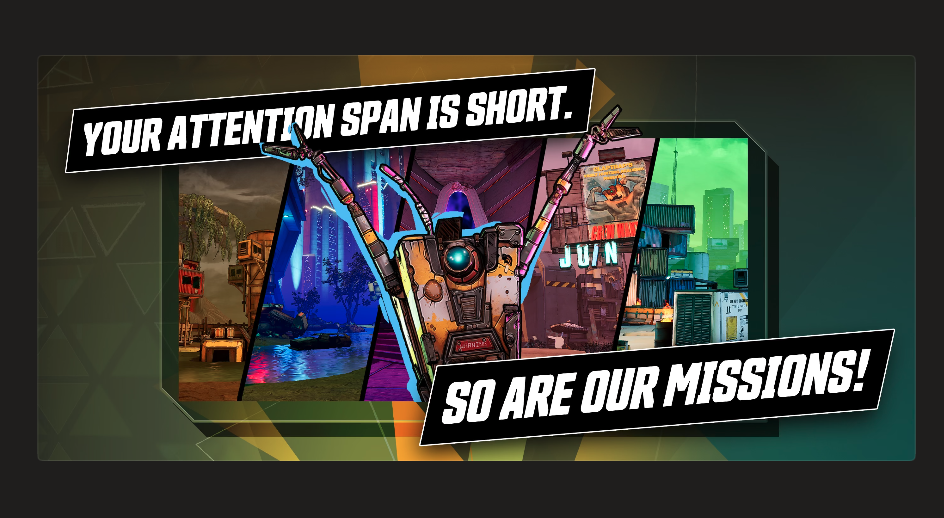
Zynga says the game has been “fully optimized for mobile,” and sports multiple modes, including Campaign Missions, Tower of Terror, and Circle of Slaughter. The missions were designed for people with short attention spans, a cheeky screenshot on the game’s store page says.
If your DevOps platform went down tomorrow, your team would lose more than code.
They would lose pipelines, deployment logic, infrastructure definitions, and the ability to push changes when the business needs them most. That is the real risk many organizations are only now starting to see. Azure DevOps and GitHub are no longer just developer tools. They have become the operational backbone behind how software gets built, shipped, and maintained.
In this on-demand webinar, Rubrik breaks down why DevOps resilience has become a much bigger issue for cloud teams and why version history, local copies, and backup scripts are not enough. You’ll see what a more reliable, policy-driven approach looks like and how teams can recover DevOps data without adding more operational burden to engineering.
In this webinar, you will learn how to:
Understand the shared responsibility gap in Azure DevOps and GitHub
See where version history and homegrown backup scripts fall short
Protect repositories automatically with policy-based discovery and backup
Restore code, pipelines, and metadata to a clean project, org, or tenant
Improve auditability and compliance with centralized DevOps protection
A federal appeals court denied Anthropic’s bid to temporarily block the Pentagon’s blacklisting, meaning the company remains shut out of Defense Department contracts while the case continues, even though a separate court has allowed other federal agencies to keep using Claude for now. CNBC reports: “In our view, the equitable balance here cuts in favor of the government,” the appeals court said in its decision. “On one side is a relatively contained risk of financial harm to a single private company. On the other side is judicial management of how, and through whom, the Department of War secures vital AI technology during an active military conflict. For that reason, we deny Anthropic’s motion for a stay pending review on the merits.” With the split decisions by the two courts, Anthropic is excluded from DOD contracts but is able to continue working with other government agencies while litigation plays out. Defense contractors will be prohibited from using Claude in their work with the agency, but they can use it for other cases.
[…] In the ruling on Wednesday, the court acknowledged that Anthropic “will likely suffer some degree of irreparable harm absent a stay,” but that the company’s interests “seem primarily financial in nature.” While the company claimed the DOD was standing in the way of its right to free speech, “Anthropic does not show that its speech has been chilled during the pendency of this litigation,” the order said. Because of the harm Anthropic is likely to suffer, the appeals court said “substantial expedition is warranted.”
An Anthropic spokesperson said in a statement after the ruling that the company is “grateful the court recognized these issues need to be resolved quickly” and that it’s “confident the courts will ultimately agree that these supply chain designations were unlawful.” “While this case was necessary to protect Anthropic, our customers, and our partners, our focus remains on working productively with the government to ensure all Americans benefit from safe, reliable AI,” Anthropic said.
Crimson Desert‘s continent of Pywel is a big ol’ place, and it’s easy to miss a lot of the best things the game has to offer if you don’t know where to look. One of Crimson Desert‘s favorite things is to not tell you anything about how the game works, like how to find fast travel points and where to look for special abyss artifacts. Some of it is fine to find out on your own, but if you start lagging behind on abyss artifacts and weapon upgrades, you’ll feel the effects sooner rather than later.
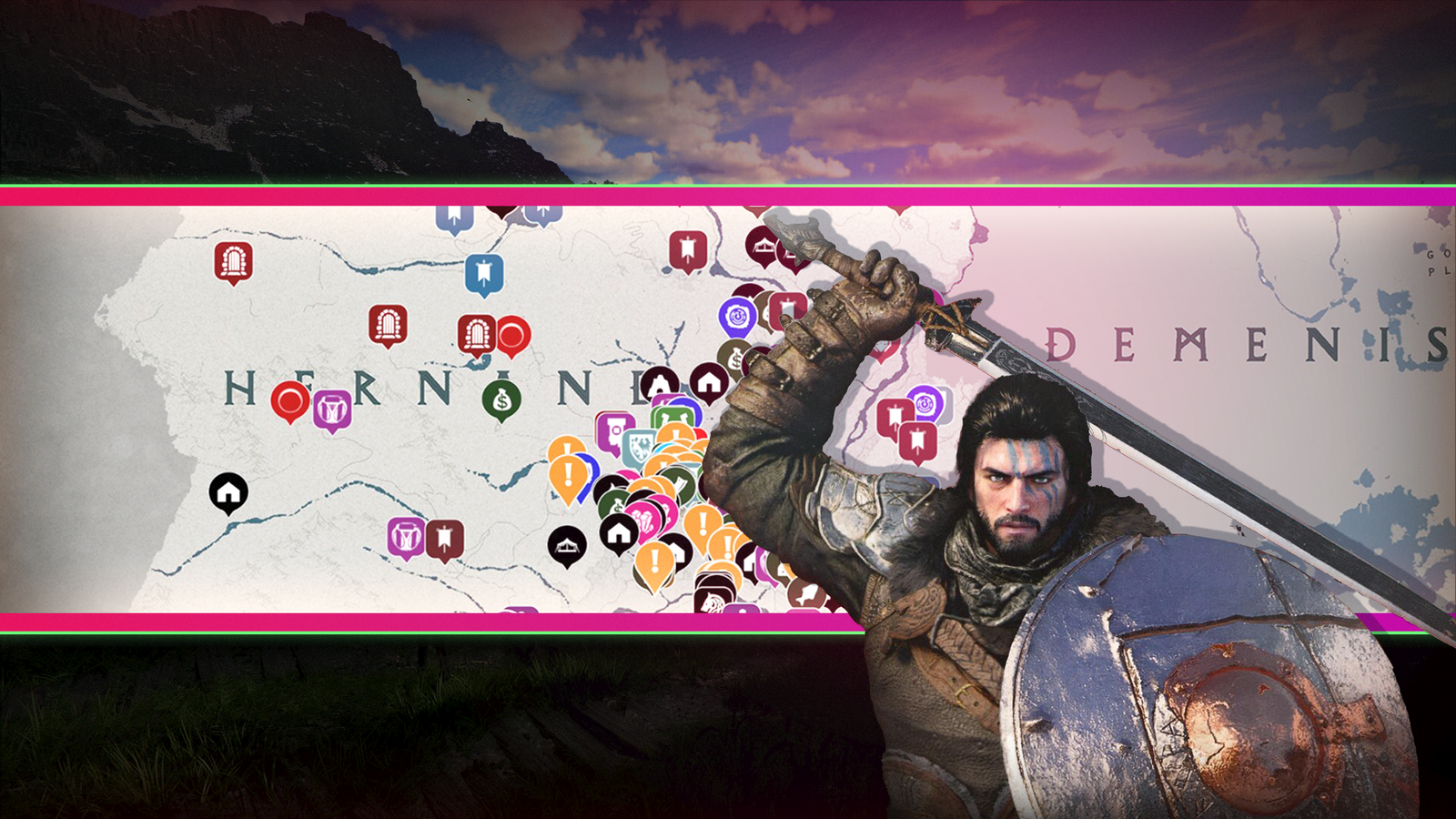
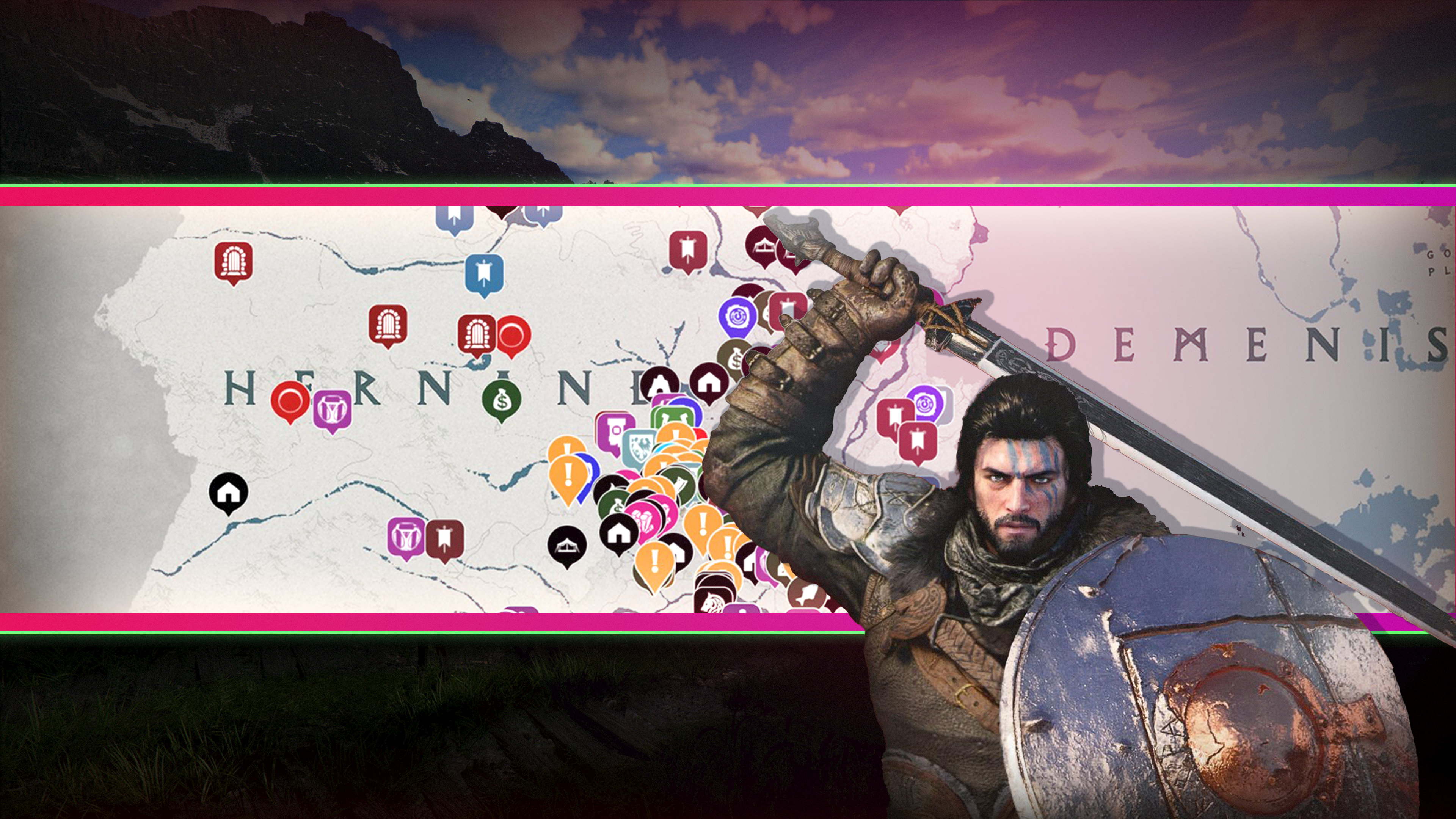
Our Crimson Desert interactive maps show you where to find every important thing, and we mean everything: faction quests, inns and vendors, including sketchy back-alley vendors for buying less-than-legal goods, bounty boards, dungeons, caves, resource nodes, like where to find iron ore, abyss cressets, and even the best spots to cast your fishing line.
Crimson Desert Hernand interactive map
Crimson Desert Demeniss interactive map
Crimson Desert Pailune interactive map
Crimson Desert Delesyia interactive map
Crimson Desert interactive map
Just starting out in Crimson Desert? We have guides to help you learn the basics and refresh your memory on how some of its systems work. The world of Pywel is huge, so you might have a hard time deciding where to go first. Along the way, make sure to learn a few life skills like fishing, logging, cooking, and mining, all of which can help you make money.
Lately, I’ve felt like doing just about everything in my business…
except making YouTube videos.
I know, I know.
That sounds a little ridiculous coming from someone who literally teaches people how to build their business with YouTube.
But…
creative ruts happen to everyone even the people who are supposed to have it all figured out.
And honestly?
I don’t think it’s always a bad thing.
Sometimes when the motivation to create disappears, it’s actually a signal to step back, rethink things, or focus on other parts of your business that need attention.
The pressure to constantly produce content can make it feel like something’s wrong if you’re not in that “create, create, create” mode all the time.
Today I’m sharing about creative ruts, business distractions, and why consistency isn’t always easy…
even for a video strategist.
We’ll dive into my latest projects, why I love simple talking-head videos, and how I’m automating my business for more freedom.
If you need a boost to get back on camera, this episode is for you!
VIDEO: What I’ve Been Doing Besides Making Videos
Some product links in this post are affiliate links, and I will be compensated when you purchase by clicking our links. Read my disclosure policy here.
Why It’s Normal to Hit a Creative Wall on YouTube
Even if creating content feels simple on the surface, it’s actually doing two very different things at once.
On one hand, you’re being creative, coming up with ideas, communicating clearly, and connecting with your audience. On the other hand, your content has to be strategic, helpful, and aligned with your business goals.
That tension is where the resistance comes from.
I started to realize that what I was experiencing wasn’t laziness or inconsistency… it was more like creative friction. The kind that happens when your brain is trying to be both expressive and productive at the same time.
And instead of pushing through it with content that wouldn’t be my best work, I allowed myself to pause and shift my focus.
The Simple YouTube Experiment That Still Works in 2026
When I first started this video podcast, it wasn’t because I had a perfect strategy. It was actually an experiment.
At the time, YouTube was dominated by fast-paced, highly edited videos: constant movement, sound effects, text flying across the screen. And while that style works, I started wondering what would happen if I did the opposite.
What if I just hit record and talked?
No overproduction. No complicated editing. Just clear ideas, shared consistently.
What I discovered surprised me. Not only did those videos perform well, but they also felt sustainable. I didn’t feel burnt out trying to keep up with trends or over-edit every piece of content. I could simply show up, share value, and build trust with my audience.
That approach has worked strategically, algorithmically, and most importantly, it’s something I actually enjoy doing.
But even with a simple system like that, there are still seasons where creating content feels harder than it should.
For a long time, creating videos felt easy. I would choose a topic, outline what I wanted to say, and press record. It became part of my routine.
Then something shifted.
Week after week, I found myself asking, Do I really have to record a video right now? And before I knew it, I had skipped multiple weeks of content.
What made it even more frustrating was that I wasn’t out of ideas. I had a full list of topics ready to-go titles, research, even thumbnails. Everything was prepared… except my willingness to actually record.
That’s when I realized this wasn’t about productivity. It was something deeper.
Creative work requires both expression and purpose. You’re not just creating for fun, you’re creating to serve, to teach, to grow a business. And sometimes, those two sides don’t flow together easily.
That tension is where resistance shows up.
And instead of forcing my way through it, I decided to lean into a different kind of productivity.
What I’ve Been Building Behind the Scenes
Even though I haven’t been consistently posting YouTube videos, I’ve been fully invested in other areas of my business that directly support long-term growth.
Hosting the All In On YouTube 2026 Workshop
One of the biggest things I focused on recently was hosting my All In On YouTube 2026 workshop, which turned out to be one of the most energizing experiences I’ve had in a long time.
It wasn’t just about teaching it was about helping people take immediate action. And what I loved most was seeing how quickly momentum built. Creators were updating thumbnails, improving their content, and getting new views on videos they had already published.
That experience reinforced something important: growth doesn’t always come from creating more content. Sometimes it comes from improving what already exists.
The workshop also brought new members into the Video Brand Academy community, which created a ripple effect of energy, ideas, and progress inside the community.
Another area I’ve been spending time on is catching up with updates in Descript, which I use regularly for editing and tutorials.
The challenge isn’t using the tool; it’s how quickly it evolves.
There’s this quiet hesitation that creeps in when you create tutorials in a fast-changing environment. You start to wonder if what you’re teaching today will still be accurate tomorrow.
That feeling can slow you down more than you expect. But it’s also a reminder that perfection isn’t the goal. Progress is.
Being a creator means adapting, even when things aren’t perfectly stable.
Starting a Second Channel for Creative Freedom
I also started a second YouTube channel called Bots Mean Business, focused on AI.
This channel isn’t strategic in the traditional sense. It’s not carefully planned or optimized. It’s simply a space where I can explore ideas that excite me.
And that excitement matters more than you might think.
Even though the channel is small, it’s given me a creative outlet that feels fun again. It’s reminded me what it’s like to create without pressure, which is something every content creator needs from time to time.
Building the Video Brand Toolkit App
One of the most exciting things I’ve been working on is building an app using AI tools, specifically through Mind Pal and Base 44.
This app, called Video Brand Toolkit, houses custom workflows and chatbots that I’ve created to help with things like:
Writing YouTube descriptions
Generating video titles
Structuring content ideas
Creating scripts and funnels
The difference now is that everything is saved and personalized. Instead of starting from scratch every time, users can return to their workflows and continue where they left off.
This is something I created specifically for members inside Video Brand Academy, and it’s one of the biggest behind-the-scenes projects I’ve worked on lately.
Rebuilding My Email Marketing System
If there’s one system that has continued to support my business, even when I’m not posting consistently, it’s my email list.
I use Kit (formerly ConvertKit) to run an automated email system that delivers content to subscribers over time. Recently, I completely reworked this system to make it more effective and more aligned with how I create content now.
Instead of relying on writing new emails every week, I’ve built an evergreen system that continues to nurture my audience automatically.
This is what allows my business to keep moving, even during seasons where content creation slows down.
It’s also a reminder that YouTube is powerful for visibility, but your email list is what creates stability.
What This Means for You as a Creator
If you’ve been feeling like you’re falling behind because you’re not posting consistently, I want you to hear this clearly:
You’re not failing. You might just be in a different phase of growth.
There are seasons where you’re creating. And there are seasons where you’re building.
Both matter.
Here’s what I want you to take away:
Your strategy should support long-term sustainability, not just short-term output
You don’t have to force content when you’re not in the right headspace
Behind-the-scenes work is still business growth
How Video Brand Academy Helps You Stay Consistent (Without Burning Out)
Everything I’ve been building—whether it’s workshops, tools, or systems feeds into Video Brand Academy.
Inside, we focus on helping you grow your YouTube channel in a way that actually supports your business, not overwhelms it.
That includes:
Weekly live coaching calls
Personalized feedback on your channel
Strategic guidance on what to create next
Support in turning your content into leads and sales
It’s not just about making videos. It’s about building a system that works even when you don’t feel like hitting record.
If you’ve been in a season where you don’t feel like making YouTube videos, take that as a signal not of failure, but of transition.
For me, this season has been about building, refining, and exploring new ideas that will ultimately make my content stronger.
And now, coming back to YouTube feels exciting again.
So instead of forcing yourself to create when it feels heavy, ask yourself what your business actually needs right now. You might find that the work you’re doing behind the scenes is just as valuable as the videos you’re not posting.
And when you’re ready to hit record again, you’ll show up with more clarity, more confidence, and a strategy that actually supports you.
If you want help building that kind of strategy, I’d love to support you inside Video Brand Academy.
If you have an online business with a course, program, or any other kind of offer, and you’re not currently generating consistent sales on autopilot, I’d like to introduce you to the hands-off YouTube funnel that has made me over $20k on a $147 course! That way, you too can make consistent sales of your offer, with the beauty and simplicity of organic, evergreen traffic from YouTube! Start here with my free “AIT Method” training.
Google is adding “Notebooks” to Gemini to help users organize chats, files, and projects in one place.
Notebooks sync with NotebookLM, allowing you to use features across both apps seamlessly.
The feature is rolling out now to paid users on the web, with mobile and free access coming later.
Gemini and NotebookLM are two of Google’s most powerful AI tools right now, and the company is now bringing them together with a new Gemini feature called “Notebooks.”
Don’t want to miss the best from Android Authority?
We’ve been tracking the feature in our APK teardowns for a while now. Google was previously referring to it internally as “Projects” before coming up with this final release name, i.e., “Notebooks.” It makes all the sense too since the feature is directly tied to NotebookLM.
Notebooks in Gemini are designed to help you manage complex tasks and ongoing projects. The company says Notebooks act like personal knowledge bases that live inside Gemini and sync with NotebookLM. This means you can keep your chats, files, and research neatly organized in one place instead of juggling multiple conversations.
With Notebooks, you can group related chats, add documents or PDFs, and even give Gemini custom instructions for better responses. You can do this by heading to Gemini’s side panel and clicking “New notebook.”
Once everything is inside a Notebook, Gemini uses those sources alongside its own tools and web search to generate more useful answers.
The best part is that any content you add to a Notebook in Gemini will automatically sync with NotebookLM. This lets you use NotebookLM features like video overviews or infographics, even if you started your work in Gemini.
Google is pitching Notebooks as especially useful for students and long-term projects. For example, you could upload class notes into a Notebook, generate a video summary in NotebookLM, and later return to Gemini to create an essay outline based on the same material.
Notebooks in Gemini start rolling out this week for Google AI Ultra, Pro, and Plus subscribers on the web. Google says mobile support, wider regional availability across Europe, and free user access will arrive in the coming weeks.
Thank you for being part of our community. Read our Comment Policy before posting.
Prep your stations for a cozy cooking game with attitude! Prepare unique meals for quirky small-town locals, upgrade and customize your shop, compete in thrilling cooking battles to become top chef, and protect your family’s long-running restaurant alongside a cast of curious companions!
Ready to battle for the title of top eatery? Yes, Chef!
You’ve just inherited your grandma’s once-famous meatball restaurant in the cozy town of KuloNiku. Now it’s up to you to bring it back to glory as the top eatery! Take on eccentric orders from townsfolk, serve delicious meals, and restore your family’s legacy. Beware—there’s fierce competition from the town’s flashiest rival: Souper Starz, run by the menacing rockstar chef, Stella!
Cook Mouth-Watering recipies
Chop, boil, fry, torch, pour, sizzle, slice, and skewer, and more with immersive, tactile controls that make every action tickle your brain and make your mouth water.
Want to add an extra punch of garlic or a sprinkle of salt? Go for it. You’re the chef – find multiple ways to prepare your customers the perfect dish and rack up those juicy tips!
But your customers aren’t just customers. Some may become your friends, rivals, or even part of your story. The Spotter: Dig or Die
Win Thrilling Cooking Battles
Rival chefs want the top spot, and there’s only one way to settle things: Meatball Brawls!
In these thrilling culinary duels, you’ll go head-to-head to impress a panel of rotating judges. It’s not just about speed – it’s about strategy, creativity, and mastering every step of the cooking process.
Play mini-games to impress both the judges and the crowd watching live, who will issue on-the-spot requests to boost your score!
Upgrade and Customize Your restaurant
Keep things fresh! Unlock new tools, purchase higher-quality ingredients, and discover brand-new recipes to keep your menu exciting.
Personalize your restaurant with fun decorations in a variety of styles – even buy full sets! Decor isn’t just cosmetic; some items give gameplay perks to impress your customers.
Unlock special decorations by playing in special festivals or raising your friendship level with town residents!
The identity of Satoshi Nakamoto, the pseudonym of the creator of Bitcoin, remains a long-running mystery. But according to a new investigation published in the New York Times, Satoshi could be Adam Back, a British cryptographer who conducted influential early research about digital assets. Back denies that he is Satoshi.
People have been trying to track down the father of Bitcoin for decades, without much success. Based on Back’s denial, it’s not clear if the Times’ tech journalist John Carreyrou, known for his reporting that took down Theranos, got much further than anyone else.
Back fits the profile of the kind of person you might suspect would create the first cryptocurrency. He created Hashcash, the proof-of-work system that Satoshi used to mine bitcoin, and he is now the co-founder and CEO of Blockstream, a company building infrastructure for blockchain-based payment systems. Back even agreed with Carreyrou that he’s a reasonable suspect, and it’s probable that Satoshi is — like him — a fifty-something-year-old British Cypherpunk. (In that case, yes, the use of a Japanese moniker is odd.)
i’m not satoshi, but I was early in laser focus on the positive societal implications of cryptography, online privacy and electronic cash, hence my ~1992 onwards active interest in applied research on ecash, privacy tech on cypherpunks list which led to hashcash and other ideas.
But Carreyrou doesn’t have any undeniable evidence to seal the case shut.
To stake his claim, he collected archives of emails sent in three cryptography listservs between 1992 and 2008 during the time that the pseudonymous Satoshi was active in these forums. Carreyrou fed the archive into an AI to identify commonalities between how Satoshi and other active posters wrote. For example, Satoshi did not put hyphens in compound nouns, and sometimes mixed up “its” and “it’s.”
Back was the best match, but wrote on X that the evidence is a “combination of coincidence and similar phrases from people with similar experience and interests.”
The Satoshi case isn’t closed, but we have to admit, Carreyrou’s use of AI was pretty clever.
Over the past several months, many countries have announced plans to restrict social media access for children and teens. Australia became the first to implement such measures at the end of last year, setting a precedent that other countries are now closely watching.
Australia’s regulations, along with other countries’ proposals, aim to reduce the pressures and risks that young users may face on social media, which include cyberbullying, addiction, mental health issues, and exposure to predators.
Of course, there are concerns about privacy regarding invasive age verification and excessive government intervention. Critics, including Amnesty Tech, have said such bans are ineffective and that they ignore the realities of younger generations. Despite this, many nations are moving ahead with proposed legislation.
We’ve compiled a list of countries that are considering or have already moved forward with bans on social media for young users.
Australia
Australia became the world’s first country to ban social media for children under 16 in December 2025. The ban blocks children from using Facebook, Instagram, Snapchat, Threads, TikTok, X, YouTube, Reddit, Twitch, and Kick. It notably doesn’t include WhatsApp or YouTube Kids.
The Australian government has said these social media companies must take steps to keep children off their services. Companies that fail to comply may face penalties of up to $49.5 million AUD ($34.4 million USD).
The government says these platforms should use multiple verification methods to ensure that people using their services are older than 16. It also notes that they can’t rely on users simply entering their own age.
Techcrunch event
San Francisco, CA | October 13-15, 2026
Denmark
Denmark is set to ban social media platforms for children under 15. The Danish government announced in November 2025 that it had secured support for the ban from three governing coalition parties and two opposition parties in parliament.
The government’s plans could become law as soon as mid-2026, according to the Associated Press. The Danish digital affairs ministry is also launching a “digital evidence” app that includes age verification tools that may be used as part of the ban.
France
In late January, French lawmakers passed a bill that would ban social media for kids under 15. President Emmanuel Macron has supported the measure as a way to protect children from excessive screen time.
The bill still has to get through the country’s Senate before a final vote in the lower house.
Germany
In early February, German Chancellor Friedrich Merz’s conservatives discussed a proposal to bar children under 16 from using social media, Reuters reported. However, there were signs that his center-left coalition partners were hesitant to support an outright ban.
Greece
Greek Prime Minister Kyriakos Mitsotakis announced in April that the country is going to ban access to social media for children under 15 starting January 2027. Mitsotakis says the move is aimed at tacking rising anxiety and sleep problems among children, as well as the addictive design of social media.
Indonesia
Indonesia said in early March that it’s banning children under the age of 16 from using social media and other popular online platforms. The country plans to start with platforms such as YouTube, TikTok, Facebook, Instagram, Threads, X, Bigo Live, and Roblox.
Malaysia
The Malaysian government said in November 2025 that it plans to ban social media for children under 16. The country plans to implement the ban this year.
Slovenia
Slovenia is drafting legislation to prohibit children under 15 from accessing social media, the country’s deputy prime minister announced in early February. The government wants to regulate social networks where content is shared, citing platforms such as TikTok, Snapchat, and Instagram.
Spain
Spain’s prime minister announced in early February that the country plans to ban social media for children under the age of 16. The ban still needs parliamentary approval. The Spanish government is also seeking to create a law that would make social media executives personally accountable for hate speech on their platforms.
UK
The United Kingdom is weighing a ban on social media for children under 16. The government says it will consult parents, young people, and civil society for their views to determine whether a ban would be effective.
It will also consider whether to require social media companies to limit or remove features that drive compulsive use, such as endless scrolling.
This story was originally published in February 2026 and is updated regularly with new information.
A couple of months ago Logitech unveiled quite the surprise for the competitive PC gaming scene with the G Pro X2 Superstrike. It’s the first gaming mouse to feature proper analogue switches under the left and right mouse buttons, meaning it’s the first to offer clicks that respond to the slightest touch, or whatever level of force you set it to.
As soon as I got my hands on the Superstrike—first at Logitech HQ in Switzerland where I got to see everything that went into making it, and then at home for some more extended testing—I knew it wasn’t just a gimmick. At least for some kinds of competitive gamer, the improvement on offer is real, as it cuts down the time between starting to press and having your click register and your in-game weapon fire (for instance).
The Superstrike’s haptic-inductive click technology, I thought, will surely be the future for the gaming mouse market.
Article continues below
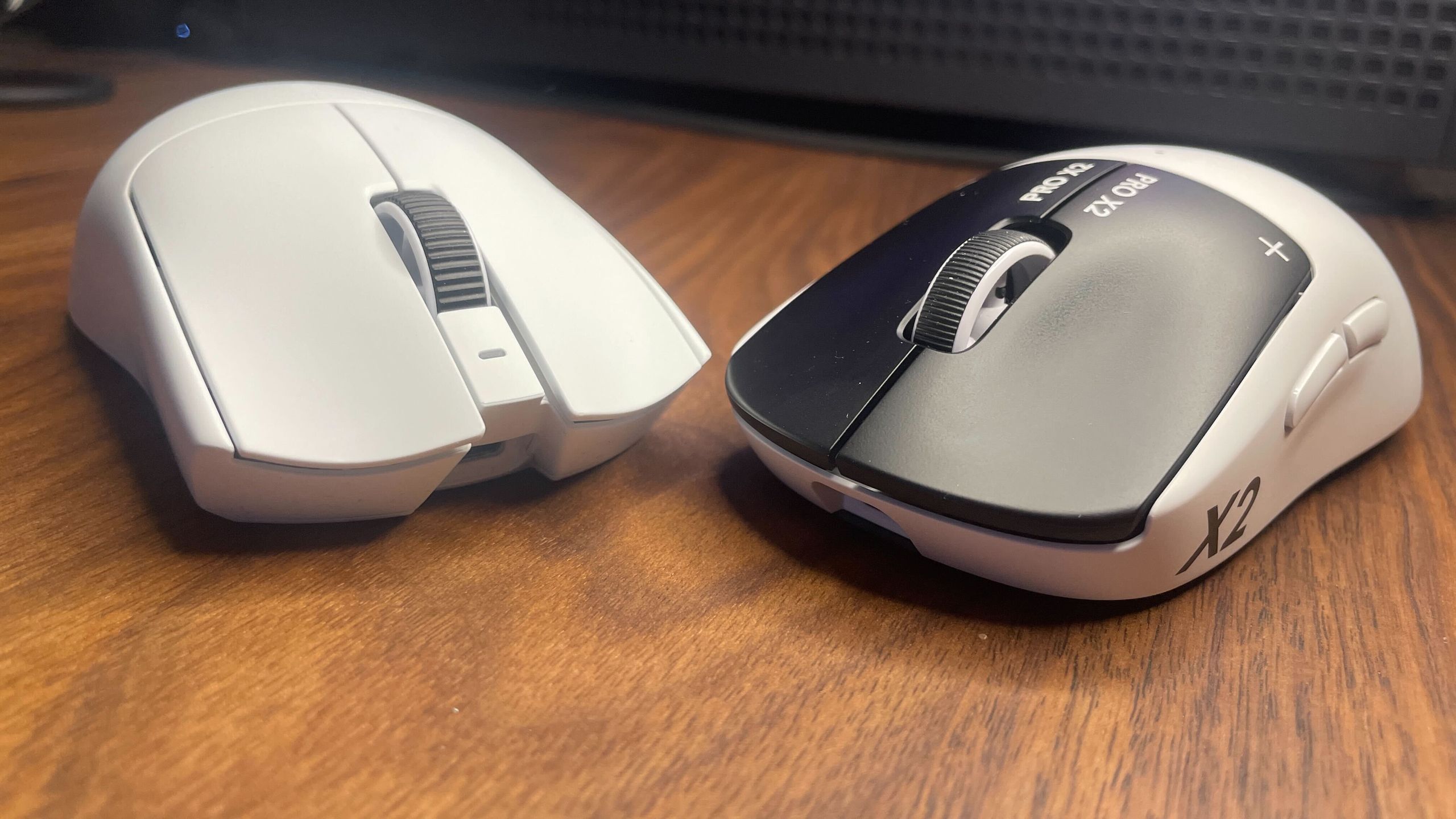
Then Razer launched the Viper V4Pro and reminded me just how impressive a traditional, non-analogue mouse can be, thanks to its practically flawless design and build quality. Analogue clicks are great, but reducing click latency is just one aspect of a whole package. These two gaming mice are both great choices for competitive gaming, and it’s far from a wash for either.
Setting aside the apples-to-oranges switch comparison for the time being, you’re clearly getting a better all-round package with the Viper V4 Pro. That would be true even if it was the same price as the Superstrike, but it’s actually cheaper—in the US, at least.
The long and short of it is that you’re getting a lighter mouse with double the battery life and a more performant sensor. You’re also getting a better, more bulbous dongle that actually stays put on your desk and has some useful LEDs.
Some of you might also be interested to know that the Viper has an optical scroll wheel, while the Superstrike has the same mechanical scroll wheel as in the previous Logitech G Pro X Superlight 2. The latter wheel is known to sometimes develop scrolling issues and in my own testing suffers from problems with long-presses. The optical wheel on the Viper V4 Pro, at least in theory, shouldn’t be as likely to develop problems because there’s less mechanically that can go wrong.
Keep up to date with the most important stories and the best deals, as picked by the PC Gamer team.
Overall quality
(Image credit: Future)
Specs aren’t the only place where the Viper V4 Pro comes out in front. It’s also a much more premium-feeling mouse. In fact, it’s the most premium-feeling mouse I’ve had my mitts on, and I’ve tried quite a few.
Both have nice, safe shapes that should suit a variety of grips. The Superstrike’s G Pro/Superlight style ‘potato’ shape has a bit more of an extended hump that pushes into your palm more towards the back, but the two symmetrical shapes are generally quite similar.
The Viper V4 Pro feels a step above the Superstrike, though, thanks to its near-flawless build quality. And while the Superstrike doesn’t feel cheap, it’s far from perfect.
The Viper’s buttons are very tactile and have practically zero pre-travel, there’s not an ounce of mushiness to the scroll wheel, and the skates are nice and smooth. The Superstrike, on the other hand, has mushy side buttons, pretty slow UPE skates, and a mediocre scroll wheel that doesn’t play well with long presses. There’s also quite a bit of left-right wobble to the left mouse button, on my model at least, after bottoming out the button press.
The icing on top for the Viper when it comes to the general experience, in addition to the battery life, is the fact that you can change all your settings on Synapse Web. So, unlike with the Superstrike, you don’t have to keep a local program installed to change your mouse settings.
Are the speedy clicks worth it?
(Image credit: Future)
After spending a lot of time using both mice, I can say confidently that the Superstrike is a boon to games like Counter-Strike and Valorant but not much of a boon to other games such as Overwatch, Apex Legends, and so on. Its clicks are worth it if you primarily play tactical shooters that have a low time-to-kill (TTK) and rely on quick reactions. I suppose games that require a high number of clicks per minute (CPM) will benefit, too, but that’s far outside of my wheelhouse.
In games like CS2, a lot of your time is spent holding angles or peeking around them, hopefully with your crosshair placed very close to where your enemy’s head should appear. In these situations, saving a few milliseconds between spotting that head and having your mouse click register can make a difference. Anyone who has played CS2 or Valorant seriously will be familiar with the post-death certainty that ‘if I’d just shot a split second sooner, I’d be the one alive right now and my team would have won the round.’
You don’t get those feelings quite so often or to quite the same extent in other kinds of competitive shooter. Playing Overwatch, for instance—even when playing as Cassidy—I don’t feel that need for split-second click reaction to anywhere near the same extent as I do in CS2. And if I’m playing a tracking-heavy game like Quake Champions or Apex Legends, I don’t feel the need at all.
(Image credit: Future)
However, just note that even in the games where it is of benefit, the Superstrike’s clicks don’t give a night and day difference and they certainly won’t greatly improve your overall headshot percentage or kill:death ratio.
I started doing some daily tests comparing my scores with the different mice in CS2 and in aim trainers, but I quickly noticed there was no difference. What makes the most difference by far is a combination of overall reaction time and aim. The time it takes your finger to press down is just one tiny part of that.
One big caveat to both the Viper and Superstrike is that, as many an enthusiast is prone to say, shape is king when it comes to gaming mice. If you don’t get on with the Superstrike’s or the Viper Pro’s shape, you’re probably better off getting a different mouse entirely.
Better off, that is, both in general and also regarding competitive performance, because it’s hard to perform well with a mouse you don’t enjoy holding. I, for instance, am currently debating long and hard over whether to ditch the Superstrike for the Zowie EC2-DW, which just fits in my grip so snugly.
Niches on niches
(Image credit: Future)
The shortened answer to the question of which mouse to get is as follows:
First and foremost, get a mouse with a shape that suits your grip. If the Viper V4 Pro and Superstrike fit the bill, then get the Superstrike if you (A) play primarily tactical shooters with low TTK and (B) are happy spending $180 for a slight potential advantage over all other mice. If you don’t fit those two criteria, get the Viper V4 Pro, and bask in its near-flawless quality.
The Razer Viper V4 Pro has brought me back to earth a little. Initially I got a little swept up in the Superstrike’s new and impressive analogue click technology, and while my opinion hasn’t changed on how much of a game-changer it is, the Viper has reminded me just how nice it can be to have every other aspect of a mouse be almost perfect.
For the tactical shooter niche inside the broader competitive niche, the Superstrike beats it for in-game performance, provided you like its shape and are fine sacrificing some broader quality and feel. But for everything else the Viper V4 Pro comes out on top.