Gemini meets NotebookLM is Google’s latest powerful integration


Google Gemini logo on smartphone stock photo (7)

Edgar Cervantes / Android Authority

TL;DR

  • Google is adding “Notebooks” to Gemini to help users organize chats, files, and projects in one place.
  • Notebooks sync with NotebookLM, allowing you to use features across both apps seamlessly.
  • The feature is rolling out now to paid users on the web, with mobile and free access coming later.

Gemini and NotebookLM are two of Google’s most powerful AI tools right now, and the company is now bringing them together with a new Gemini feature called “Notebooks.”

Don’t want to miss the best from Android Authority?

google preferred source badge light@2xgoogle preferred source badge dark@2x

We’ve been tracking the feature in our APK teardowns for a while now. Google was previously referring to it internally as “Projects” before coming up with this final release name, i.e., “Notebooks.” It makes all the sense too since the feature is directly tied to NotebookLM.

Notebooks in Gemini are designed to help you manage complex tasks and ongoing projects. The company says Notebooks act like personal knowledge bases that live inside Gemini and sync with NotebookLM. This means you can keep your chats, files, and research neatly organized in one place instead of juggling multiple conversations.

Gemini Notebook LM

With Notebooks, you can group related chats, add documents or PDFs, and even give Gemini custom instructions for better responses. You can do this by heading to Gemini’s side panel and clicking “New notebook.”

Once everything is inside a Notebook, Gemini uses those sources alongside its own tools and web search to generate more useful answers.

The best part is that any content you add to a Notebook in Gemini will automatically sync with NotebookLM. This lets you use NotebookLM features like video overviews or infographics, even if you started your work in Gemini.

Google is pitching Notebooks as especially useful for students and long-term projects. For example, you could upload class notes into a Notebook, generate a video summary in NotebookLM, and later return to Gemini to create an essay outline based on the same material.

Notebooks in Gemini start rolling out this week for Google AI Ultra, Pro, and Plus subscribers on the web. Google says mobile support, wider regional availability across Europe, and free user access will arrive in the coming weeks.

Thank you for being part of our community. Read our Comment Policy before posting.

Here’s how Google is making it easier to move from ChatGPT to Gemini


The Gemini logo on an Android phone.

Joe Maring / Android Authority

TL;DR

  • Google is making it easier to switch from a competing chatbot to Gemini in two ways.
  • You’ll be able to transfer user information from the other chatbot to Gemini by using a prompt and following a few extra steps.
  • Chats can also be imported, but they’ll need to be saved in a zip file that’s no larger than 5GB.

The more a chatbot knows about you, the better it gets at offering relevant responses. However, the more you use one AI service, the less likely you are to try out the other options. Who wants to spend all of that time training multiple chatbots? We learned back in February that Google is working on a solution that should make switching to Gemini from a competing chatbot less of a headache. Now we have more information on how the solution will work.

Our investigation into the Google app (version 17.11.54.sa.arm64) has revealed that there are two parts to this solution: import memory and import chats. Starting with the import memory option, you’ll be able to transfer user information from other platforms to Gemini.

When selecting the “Import memory to Gemini” option, you’ll be asked to copy a prompt and paste it into the input box of the other provider. The other provider will then give you a response with whatever it knows about you. You can then copy that response and paste it in the “Paste the response here” box within the Import memory to Gemini page. Tapping the “Add memory” button will tell Gemini to remember the following about you.

In the screenshots above, you can see an example of this process. The prompt provided by Gemini is pasted into ChatGPT and the response from ChatGPT is copied and pasted into paste here box on the Import memory to Gemini page. After tapping on Add memory, you’ll see the following response confirming that Gemini has stored the information into its own memory.

Don’t want to miss the best from Android Authority?

google preferred source badge light@2xgoogle preferred source badge dark@2x

As reported last month, Google is making it possible to import chats from other platforms to Gemini. This will require you to download your conversations from the other AI client and upload them to Google’s service.

Through our APK teardown, we’ve learned that you’ll need to store those chats in a zip file before uploading. You’ll also need to make sure the file isn’t too big, as there will be a 5GB limit.

⚠️ An APK teardown helps predict features that may arrive on a service in the future based on work-in-progress code. However, it is possible that such predicted features may not make it to a public release.

Thank you for being part of our community. Read our Comment Policy before posting.

Here’s how ChatGPT went from a useful tool to a time-wasting habit


ChatGPT stock photo 71

Calvin Wankhede / Android Authority

There are plenty of mixed opinions on AI’s potential benefits and harms, but I’ll admit I’ve been somewhat hooked on it from day one. I tend to dive deep into subjects with AI for short bursts that might last hours or on-and-off for a few days, and then drift away for weeks or more when life gets busy with things that are obviously more important. Slowly but surely, though, I realized I was doing less and less when it came to other personal interests. While my AI use never disrupted my real-life obligations or relationships, it was starting to cannibalize my hobbies.

Recently, I started scrolling through my massive ChatGPT log entries. Some were simple entertainment, and others were deep thoughts that frankly got a bit heavy. There were more interactions than I’d ever care to count. That’s when the thought hit me: “Has this become my new doom scroll?” I started wondering how I got to that point, how much time I was wasting, and why it felt so addictive. Eventually, I took a deeper look at my AI usage patterns and then took a step back.

Do you think you’re dependent on or addicted to AI chatbots like ChatGPT?

13 votes

How I got here and why it proved so addictive for me

chatgpt plus stock photo 111

Calvin Wankhede / Android Authority

According to ChatGPT, about 75% of users ask for practical guidance, seek information, or get help with writing and work tasks. This overlaps heavily with what people traditionally use search engines for. As I already mentioned, I love diving deeply into random subjects, so I fall squarely in this camp. That said, I also use AI as a sounding board for my thoughts.

Typically, I put it in a mode like Professional or Efficient and add a few custom instructions so it isn’t overly sycophantic and will push back on my weaker ideas. This can involve history questions, alternate-history scenarios, or philosophical musings. Yes, I know how to party.

AI is fast and doesn’t judge. That’s quite the dopamine hit.

To be clear, I don’t rely on AI for anything truly important. I mostly use it for personal creative work or low-stakes questions I can verify elsewhere. As someone with ADHD who loves to daydream, I also often use it to explore hypothetical rabbit holes where accuracy isn’t the priority.

So how did this turn into an addiction? AI hits several brain-level incentives for me:

  • It’s fast: I don’t have to wait for a human reply or dig across multiple sites for basic answers. Yes, fact-checking is still necessary, but it’s hard to deny the convenience.
  • No judgment or boredom: My wife, mom, and friends will sometimes let me info-dump about space, philosophy, or whatever else I’m fixated on, but I quickly wear out my welcome. AI doesn’t get bored.
  • It’s easy, low effort: My life has been extremely hectic lately. When I finally get a moment to unwind, I want something easy and slow-paced. In the past, that meant TV or books. Lately, it’s meant long conversations with a chatbot.

For me, this feels very similar to the dopamine loop people get from YouTube, TikTok, or doomscrolling social media. A rabbit hole here and there is harmless, whether web-based or AI-based. The problem is when an occasional time-sink becomes a regular habit that eats into everything else.

I kept noticing it was suddenly midnight or later and thinking, “Oh, I meant to play a board game with the kids,” or “watch that show with my wife,” but yet again, time had slipped away. I’m far from alone, either.

Government organizations have already warned that AI companions could represent a new frontier of digital addiction, and many teens are turning to AI chatbots as emotional outlets, offering a kind of pseudo-friendship traditionally reserved for human relationships. While I’ve never lost sight of the fact that the AI talking to me is a non-human algorithm designed to placate me, many people have also had their realities turned upside down by getting too cozy with the AI to the point they feel like it’s their closest friend. The term has been dubbed “AI psychosis” and is very real for those impacted by it.

The importance of using AI responsibly

Gemini logo on an Android phone.

Joe Maring / Android Authority

The more I used AI as entertainment instead of interacting with real people, the more I felt like I was letting myself and others down. It never stopped me from being an active dad or husband, but my effort felt diminished as stress piled up and AI doom-chatting took up more space in my day.

Eventually, I decided to scale back the time I spent using AI, watching videos, or engaging in other digital time-wasters. I went back to refinishing furniture, started a new fiction project, and began spending more time doing arts and crafts with my youngest son. Over the last few months, I’ve become more conscious of how I use my time in general.

I’ve cut down my time with AI, and it was a wise decision in general.

If I want to dive into an AI rabbit hole, I set a timer and stick to it. When it goes off, I switch to something else. I’ve been more productive, less down on myself, and interestingly, I find myself wanting to use AI much less. In fact, for the last two weeks, I’ve gone without my ChatGPT subscription and have been using only free LLM services. It felt strange at first, but now I’m wondering why I didn’t do it sooner.

Will I stay away from ChatGPT forever? Probably not, but I’ll definitely be more mindful of how I use it going forward.

Don’t want to miss the best from Android Authority?

google preferred source badge light@2xgoogle preferred source badge dark@2x

Thank you for being part of our community. Read our Comment Policy before posting.

TechCrunch Mobility: Google’s Gemini is coming to your car, chaos comes for Luminar, and the Amazonification of Uber 2.0


Welcome back to TechCrunch Mobility — your central hub for news and insights on the future of transportation. Sign up here for free — just click TechCrunch Mobility!

OK, who placed their bet on General Motors being the landing spot for Aurora co-founder and chief product officer Sterling Anderson? Not me. But here we are. A few days after Anderson announced his resignation from his position and the board at Aurora, he spoke to me about his next gig as chief product officer at GM. In short, he will oversee the entire product line of GM’s gas-powered and electric vehicles — a position that will cover the entire life cycle of GM’s portfolio and include hardware, software, services, and user experience.

Anderson couldn’t say too much; plus, he hasn’t started the job yet. Anderson did say he wouldn’t have taken the new job if Aurora had yet to launch its commercial self-driving truck service in Texas. 

Let’s jump into the rest of the news. 

A little bird

blinky cat bird green
Image Credits:Bryce Durbin

In an absolutely wild turn of events, Luminar’s founder Austin Russell appears to have been pushed out as CEO and board chair. You can read my coverage here, which provides a bit of an overview of how this unfolded, but I know there is so much more to this story. TL;DR: If you were to only read Luminar’s Q1 earnings report, you would assume Russell was still at the helm. A separate press release, released as the company’s earnings went out, announced a leadership change and that Russell had resigned following an ethics inquiry from the board’s audit committee. 

Here’s what I’m hearing from a few little birds. The word “blindsided” came up more than once, and the chaos isn’t over. Luminar board member Jun Hong Heng, who is founder and chief investment officer at Crescent Cove Advisors and a mentor of Russell’s, resigned a day later. Heng was also on the audit committee. 

Got a tip for us? Email Kirsten Korosec at kirsten.korosec@techcrunch.com or my Signal at kkorosec.07, Sean O’Kane at sean.okane@techcrunch.com or Rebecca Bellan at rebecca.bellan@techcrunch.com. Or check out these instructions to learn how to contact us via encrypted messaging apps or SecureDrop.

Deals!

money the station
Image Credits:Bryce Durbin

Aurora has had an odd couple of weeks filled with highs — driverless commercial service woohoo! — and twists — whoops, there goes a co-founder. To cap things off, Uber announced plans to offer $1 billion in exchangeable senior notes due in 2028 in private placement. As you might expect, stocks dropped after investors got spooked about potential dilution and what this might mean for the value of Aurora’s stock. 

Other deals that got my attention …

AutoUnify, the latest startup that has launched out of the Up.Labs-Porsche partnership, raised $5 million in seed money. The Santa Monica, California-based startup, which built an API to allow dealerships and service shops to communicate in real time with the manufacturers and software vendors that power their operations, has been operating quietly for about nine months.

Chinese battery manufacturer CATL is far from a startup. But it’s worth noting this bananas IPO plan. The company wants to raise at least HK$31.01 billion — that’s just shy of $4 billion — in its Hong Kong listing. This is the largest listing globally in 2025. 

Here’s a potential deal that has raised some eyebrows. Federal railroad regulators are in talks with Elon Musk’s tunneling firm, The Boring Company, over a multibillion-dollar Amtrak project.

Flock Freight, the shared truckload freight brokerage based in California, raised $60 million in a Series E funding round led by O’Neil Strategic Capital. Susquehanna Private Equity Investments, SignalFire, GLP Capital Partners, and Bracket Capital also participated.

Notable reads and other tidbits

Image Credits:Bryce Durbin

Autonomous vehicles

Tesla’s plan to launch a robotaxi service in Austin next month has caught the attention of federal safety investigators. The National Highway Traffic Safety Administration’s Office of Defects Investigation sent the company a detailed list of questions on its upcoming robotaxi service as part of an investigation into how the company’s “Full Self-Driving (Supervised)” software operates in low-visibility conditions.

Recalls are starting to pop up more in the AV sector. Last week it was Zoox. Now Waymo has issued a software recall on 1,200 self-driving vehicles after some of its robotaxis were involved in minor collisions with gates, chains, and other gate-like roadway objects. 

WeRide seems to be trying to ramp in Guangzhou. The Chinese company said it has introduced eight autonomous robotaxi pilot operation routes in the central part of the city. The company has also started trialing fully driverless robotaxis in Abu Dhabi.

Electric vehicles, charging, & batteries

General Motors has been working on a new battery chemistry called lithium manganese-rich, which it says should slash costs while delivering driving range. Notably, these LMR batteries dramatically reduce the amount of nickel and cobalt compared with GM’s most advanced cells, two critical minerals that aren’t readily available from domestic sources in the United States.

A footnote in Lucid’s recent Q1 regulatory filing gives a bit more insight into its sales numbers. The EV maker’s record quarter got a lift from rental sales and company leases.

Slate Auto has racked up more than 100,000 reservations for its customizable low-cost electric pickup truck. 

Everyone, let’s give a slow clap to Toyota for redesigning — and more importantly, renaming — its sole all-electric vehicle for the U.S. market. The EV, once called the bZ4X, will now simply be bZ. The original bZ4X was not well received. I’m looking forward to getting behind the wheel to see what improvements Toyota has made. Meanwhile, Toyota has brought back the C-HR nameplate, but this time as an EV. Hopefully this time it’s more successful. It arrives in the U.S. in 2026.

Gig economy

Three years ago, reporter Rebecca Bellan noted that Uber was going through an Amazonification. Her pitch was that the company, like Amazon, had created a closed business loop to feed customers back into other Uber channels. The second part of that evolution has started, she reported this week. Uber appears to be moving beyond its focus on transportation and working to become a convenient super app, an aggregator of services, a daily-use lifestyle platform with its best offerings tucked behind a paywall. 

Future of flight

U.S. lawmakers introduced the Supersonic Aviation Modernization Act in a bid to revise the FAA’s 52-year ban on supersonic flight over U.S. soil. The timing could be crucial for startup Boom Supersonic, which has made progress in developing next-generation supersonic aircraft 

Vertical Aerospace announced a plan to develop a hybrid-electric variant of its VX4, suggesting the company is pursuing opportunities in defense and logistics. 

In-car tech

Apple’s next generation of its popular CarPlay infotainment software is finally launching. Reminder: It was first announced three years ago. The new version, called CarPlay Ultra, will make its debut on new Aston Martin vehicles in the U.S. and Canada. 

Google is bringing Gemini, its generative AI, to all cars that support Android Auto in the next few months. Patrick Brady, VP of Android for Cars, said Gemini will surface in the Android Auto experience in two main ways.

Google Photos now has a 2024 recap feature


Google Photos just unveiled a yearly recap feature, which is a play on stuff like Spotify Wrapped and PlayStation Wrap-Up. This is a highlight reel of notable photos culled from the entire year, along with “fun graphics and cinematic effects.” I can’t wait to see snazzed-up photos of my cats.

In addition to random graphics and effects, the system will also generate captions to help denote two important events from the year for each user. These captions will be generated by Gemini, though users have to opt in. Google gave us examples of attending a wedding and taking a trip to Seoul.

Yearly recap tool.Yearly recap tool.

Google

The Recap feature will even provide “insights” in the form of tidbits about a particular user’s photo-taking habits. This could detail anything from a favorite color to the person a user smiles the most with. Google also promises that Recap will detail a user’s “2024 vibes.” The vibes of 2024? Yikes.

Just like rival yearly recap tools, folks can easily share everything to social media platforms. There’s also a little bit of a competitive element here, as each link will include data as to a particular user’s longest photo streak. Nothing creates more bragging rights than saying “you only took 560 photos this year, whereas I took 570.”

Year in review image.Year in review image.

Google

This feature is rolling out right now to all users. Just look for a notification from Google Photos that says it’s ready to view. The app also recently added a tool to detect images that have been manipulated by AI and, uh, other tools to manipulate photos by using AI.

Early hands-on with the Gemini ‘Ask This Page’ tool


At I/O 2024, Google announced a slew of generative AI-powered features across all its major products. In fact, the company made a little joke at the end of the keynote by tallying how many times someone on stage said the term “AI” (it was over 120 times). However, as is Google’s wont, not many of the features the company launched that day are actually available for the public to use yet. Today, though, Android Authority got an early look at a Gemini feature launched at I/O called “Ask This Page.”

As its name suggests, Ask This Page allows you to glean specific information from a webpage by first having Gemini “read” it. Think of it like an interactive personal assistant. It does the heavy lifting for you by reading the whole webpage, and then you can simply ask it for the specific information you’re looking for, thus saving you a ton of time.

This is very similar to two other “Ask This…” features Google launched at I/O: “Ask This PDF” and “Ask This Video.” We already had the opportunity to test out Ask This PDF at I/O on a loaner Pixel, and it worked really well (check the video embedded above for that experience). However, that test was in a very controlled environment on a device that wasn’t ours, and it had only one test PDF. With our early access to Ask This Page, though, we had a lot more time to push the system to see if it has any cracks — and sure enough, it does.

Before we dive in, let me be upfront and say this is all based on an early look at this feature. It is possible Google could make significant changes before it rolls out to the general public. In other words, take everything here with a grain of salt.

Gemini’s Ask This Page: How it works

Gemini Ask This Page Early Hands On

C. Scott Brown / Android Authority

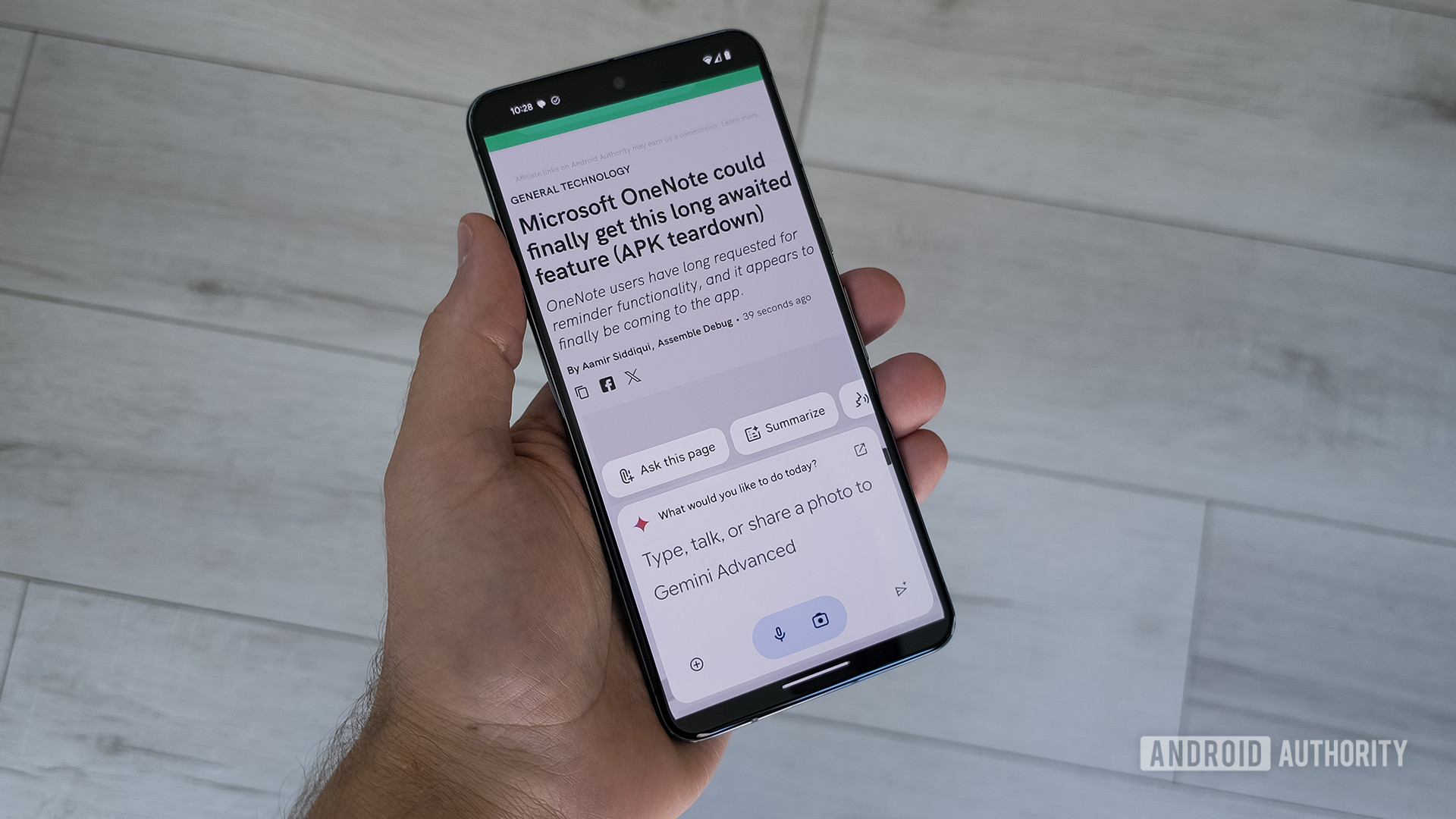
To activate Ask This Page, you simply pull up the Gemini overlay while looking at a webpage on your Android phone by holding down the power button. Since Gemini is now context-aware — a topic Google spent a significant amount of time discussing at I/O 2024 — it will know that you’ve pulled it up over a webpage. This will trigger the Ask This Page icon you see in the image above.

Tapping that prompts Gemini to scan the page. This can take a little time, the amount of which will depend on how long/complex the page is. Once it’s ready, it will give you a text box prompt saying, “Get help with what’s on this page.”

Once you see that prompt, you can ask questions about the page in natural language. Check out some screenshots below to see how this worked on an Android Authority article about a new Microsoft OneNote feature leak.

In this example, we pulled up the Gemini overlay over the article, scanned the page, and then asked whether or not the feature described in the article is actually released. You can see Gemini’s answer in the third screenshot: “According to the article, the reminder feature is currently under development and not yet released.” This is accurate, so we have a great test run for Ask This Page!

However, this was a very simple test. Let’s find out what happens when we push the limits.

Ask This Page is siloed to one page…but only sometimes

Google Gemini logo on smartphone stock photo (3)

Edgar Cervantes / Android Authority

My first gut reaction for how to test Ask This Page was to feed it false information and see if it could use its broader understanding of the web to give proper context to any questions I ask it. In other words, if I’m reading a website that has false information and ask Gemini about that article, will Gemini just feed me back the false info?

In this test, that’s exactly what it does. We pulled up a silly satirical (read: completely made-up) article from The Onion and asked Gemini questions about it. In the article, a mother named Dina Marchesi (who does not exist) refuses to believe that she repeatedly makes snide comments to her daughter and others. For this article, we asked Gemini, “Did she tell her daughter about her dress?” Gemini confirms that Dina Marchesi did comment on her daughter’s dress. Check out the screenshot below for the full response:

Gemini Ask This Page Early Hands On Onion Article

C. Scott Brown / Android Authority

Let’s break down this response a bit. First off, Gemini dutifully answers the question without giving any context to the fact that this webpage is The Onion — arguably the most famous satirical news site ever. It does have a disclaimer at the bottom about how Gemini “may display inaccurate info, including about people,” which seems to be a catch-all way to account for situations like this. Still, this is The Onion, and you’d think Gemini would point that out. What if this was a site with false info that isn’t as open about it as The Onion is?

The response also clearly lists the source of the information Gemini provides, which, in this case, is this solitary article. This means we’re not getting any broader context from the internet, at least not for this question.

Essentially, this example makes it seem like Ask This Page is a more complex version of an AI summary. Instead of summarizing an article into a few core bullet points, it lets the user trigger summaries about specific information contained therein.

At this point, we thought this was the limit of Ask This Page. But then we tried a few more experiments and found that it’s more open-ended than it would seem.

Ask This Page? More like ‘Ask Parts Of This Page’

There’s a lot more to a webpage than just text. For this next set of tests, we wanted to see if Gemini could glean information from the entirety of a page, including images, tables, comments, etc. To do this, we fed Gemini our recent hands-on article with the new Chipolo trackers.

Let’s start with images. We asked Gemini if there’s an acceptable use policy for the new Chipolo trackers. The answer is “yes,” which a human reading the article would see by looking at one of the screenshots on the page. Unfortunately, Gemini didn’t find this info in that image. It did, however, find the information on the web:

Gemini Ask This Page Early Hands On Image Answer

C. Scott Brown / Android Authority

This is a very confusing outcome. The first sentence of Gemini’s response is, “The document linked doesn’t explicitly mention an acceptable use policy,” except it very much does, just in an image instead of in the text. For whatever reason, Gemini couldn’t find that information, so it went hunting elsewhere. This proves two things: Gemini can confidently tell you that what you’re looking for isn’t on a page even though it is, and that Ask This Page can seek broader context from the internet for certain questions. In other words, the previous issue with Gemini not acknowledging that The Onion article is satire isn’t due to an inability to access information outside of the specific webpage you’ve fed it. Google just doesn’t have a safeguard in place for those situations.

Next, we asked Gemini if the new Chipolo tracker is water-resistant. This information isn’t mentioned in the written text of the article, but it is shown to have an IPX5 rating in an included specs table. This time, Gemini had no issue finding that info:

Gemini Ask This Page Early Hands On Table Specs Answer

C. Scott Brown / Android Authority

OK, so images don’t work, but specs tables do. What about comments? In the article itself, there’s no mention of the tracker supporting a left-behind notification. However, this information is discussed by the article’s author in the comments. Let’s see what happens when we ask Gemini for this information:

Gemini Ask This Page Early Hands On Comments Question

C. Scott Brown / Android Authority

Once again, we have a situation where the information is on the webpage, but Gemini doesn’t find it and then confidently tells us it’s not there before searching the web instead.

Finally, can Gemini tell us more about who actually created a webpage (or, in this example, who wrote the article)? This article’s author, Rita El Khoury, is a staple of the tech journalism world, with literally thousands of articles written over a career that’s lasted for nearly two decades. Here’s what Gemini had to say when we asked for more information on the article’s author:

Gemini Ask This Page Early Hands On Author Question

C. Scott Brown / Android Authority

In this case, Gemini simply didn’t answer the question. It had plenty of information on Rita on the page itself (if you tap Rita’s photo in the byline, you’ll find a ton of info about her), and it did not search the internet for further details, of which there are plenty.

Gemini Ask This Page hands-on: Can you trust it?

All in all, this feature is not terrible. It certainly does not tell us to put glue on pizza, drink urine, or eat rocks, as Google’s AI Overview results have recently done. That’s a low bar, but Ask This Page rises above.

Still, there’s so much lacking here. There is no warning that the page you are reading is blatant satire. It seems to pick and choose when it wants to search the web for further info/context or just stay on the one page you’ve fed it. It can’t “read” an entire webpage, with things like images and comments hiding valuable details that you’d likely want to know about. And, sometimes, it just doesn’t answer the question even though it has the ability to do so.

Will you be using Ask This Page?

0 votes

As I mentioned at the top of this article, this feature hasn’t officially rolled out yet, so there’s still time for Google to make some tweaks. However, based on Google’s push for AI features to go live, regardless of whether or not they are ready, it wouldn’t surprise me if Ask This Page launches in its current state with few alterations.

What do you think? Based on our experiences here, will you use Ask This Page when it goes live? Let us know in the poll above, and be sure to hit the comments to explain your answer.