Volkswagen becomes Rivian’s top shareholder, displacing Amazon


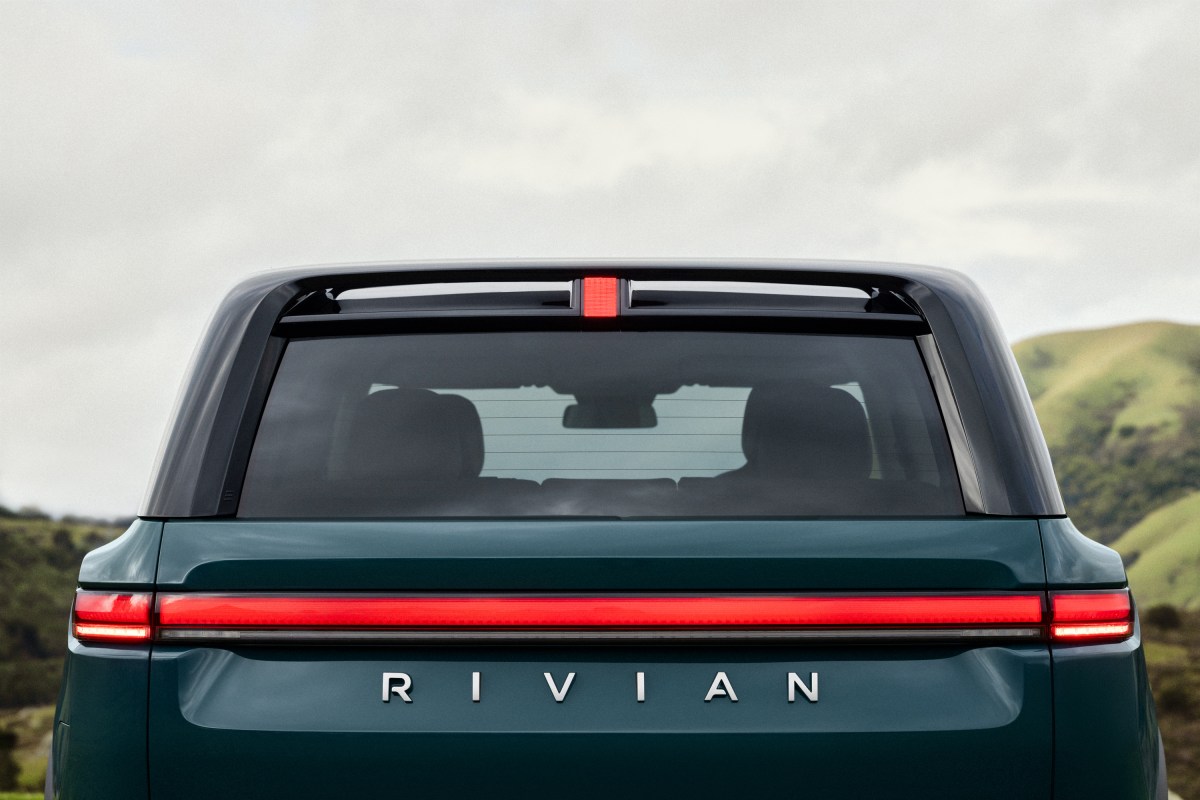
Volkswagen has pushed Amazon out of the top spot to become Rivian’s largest shareholder, new filings with the U.S. Securities and Exchange Commission show.

VW Group’s increasing equity stake in Rivian, which has grown from 8.6% to 15.9% in less than two years, is tied to a joint venture with the EV startup. The Rivian and Volkswagen Group Technologies joint venture — officially formed in November 2024 — is focused on the development of electrical architecture and software.

And that stake will continue to grow, as long as Rivian continues to meet its end of the deal.

VW has committed to invest $5.8 billion into Rivian, capital that is unlocked as certain milestones are reached. The German automaker kicked off the deal with an initial $1 billion investment, followed by another $1 billion in mid-2025.

Rivian received another $1 billion last month after completing winter testing of the VW ID.EVERY1, a small four-door hatchback that will be the first vehicle under the joint venture to be equipped with its software and electrical architecture.

The latest SEC documents, filed Monday, show that VW Group now owns 209.7 million shares of Rivian stock.

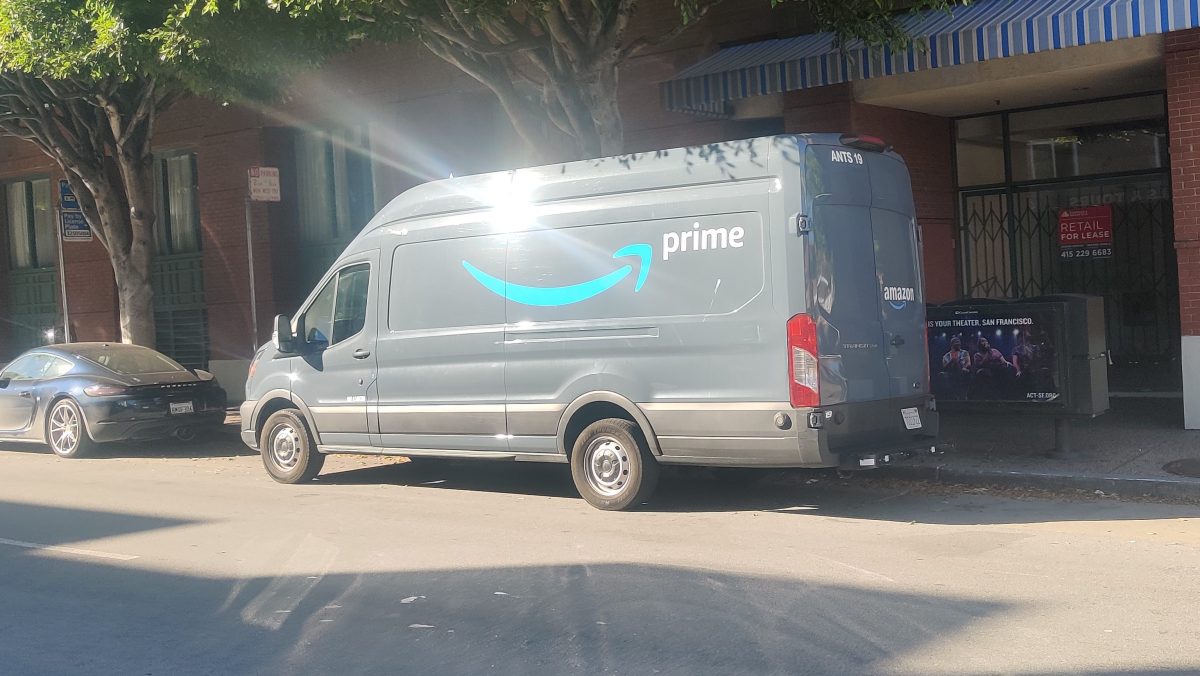
Amazon, a longtime backer and customer, holds 12.28% of Rivian. Amazon was an early backer of Rivian, investing $700 million into the company when it was still a privately held upstart. The company disclosed in 2021, ahead of Rivian’s IPO, that it held a 20% stake in Rivian. Amazon is not only an investor in Rivian; it’s also a customer. In September 2019, Rivian entered into an agreement with Amazon to produce 100,000 electric delivery vans.

Other top shareholders include Oryx Global with an 8.6% share, and Vanguard with 5.1%. Rivian founder and chief executive RJ Scaringe holds a roughly 1.1% stake in the company.

Volkswagen’s deal with Rivian came at a critical moment for the EV maker as it poured millions of dollars into R&D and pushed to bring its R2 from the design studio to the assembly line. Rivian started production of the R2 in April and is expected to begin delivering the mid-sized SUV to customers in the coming weeks.

If successful, the VW-Rivian joint venture could lead to future tech licensing deals with other companies or new categories. For instance, the joint venture with VW excludes AI and autonomy, two areas that Rivian has focused considerable capital towards in recent years. Rivian plowed $1.7 billion on R&D in 2025, up from $1.6 billion in 2024, the company’s annual filing shows. Much of that has been directed towards its autonomy efforts — so much that it has prompted the company to push its profitability goal past 2027.

In a filing that detailed Rivian’s new partnership with Uber, Rivian disclosed it doesn’t expect to be EBITDA positive next year because of its R&D spending.

When you purchase through links in our articles, we may earn a small commission. This doesn’t affect our editorial independence.
An Amazon warehouse worker died on the job at Oregon facility


An Amazon employee at the Troutdale, Oregon warehouse passed away at work last week, a company spokesperson confirmed to TechCrunch.

According to a report from the Western Edge, an independent investigative outlet covering the Pacific Northwest, the worker collapsed on the floor at the PDX9 warehouse and lay dead as employees continued to work around him.

“We’re deeply saddened by the passing of a member of our team, and our thoughts and deepest sympathies are with their loved ones during this difficult time,” Amazon spokesperson Sam Stephenson told TechCrunch. “We’ve been in touch with his family and have provided resources to support them. For employees at our PDX9 facility, we’ve provided onsite grief counselors and additional support. We’re thankful for the work of the Multnomah County Sherrif’s Department and local emergency medical services.”

On a Reddit forum for Amazon fulfillment center workers, several people claiming to work at PDX9 said that the building had been especially hot after soundproof curtains were installed, which limited airflow. They speculated that the heat could have contributed to the employee’s death, as it would compound the physical demands of fulfillment center work. According to the Western Edge, some employees noticed that the building was cooler when they returned to work the next day.

Amazon, however, said that Oregon’s Occupational Safety and Health Administration (OSHA) determined the incident to be non-work related. Employees were sent home early and were paid for the remainder of their shift; the night shift was cancelled, and employees scheduled to work were paid as well, according to the company.

The PDX9 warehouse has a reputation for having harsh working conditions; in 2018, an investigation from Reveal, an investigative journalism outlet, found that 26% of employees at the warehouse had sustained injuries. A report based on 2024 OSHA data showed that the company’s fulfillment centers report serious injuries at a rate more than two times the warehouse industry average.

Amazon’s fulfillment centers have been subject to several probes by federal agencies and prosecutors over warehouse safety, with investigators alleging that the company manipulated data and failed to properly document workplace injuries. The United States Attorney’s Office for the Southern District of New York is conducting an ongoing investigation into workplace safety at Amazon warehouses.

Techcrunch event

San Francisco, CA
|
October 13-15, 2026

Amazon told TechCrunch that the company has seen a 43% reduction in its global recordable incident rate since 2019 — a metric that tracks any work-related injury requiring more than basic first aid. The company said it has invested more than $2.5 billion in safety improvements since 2019, including hundreds of millions of dollars in 2026 alone.

Amazon hits sellers with ‘fuel surcharge’ as Iran war roils global energy markets


The war in Iran has hammered global oil markets, with gas prices in the U.S. spiking significantly. Amid the rise in transportation costs, Amazon has instituted a new 3.5% fuel surcharge for sellers that use its distribution network. The policy has the potential to inflict significant new costs on the untold merchants that rely on the e-commerce giant to sell their products.

Amazon told TechCrunch that the surcharge would be in place for the foreseeable future, although the company said it will continue to evaluate a potential policy shift as market conditions evolve. The news was originally reported by Bloomberg.

“Elevated costs in fuel and logistics have increased the cost of operating across the industry,” a spokesperson said. “We have absorbed these increases so far, but similar to other major carriers, when costs remain elevated we implement temporary surcharges to partially recover these costs.” The spokesperson added that the surcharge was “meaningfully lower than surcharges applied by other major carriers.”

The new policy will take effect on April 17 and will impact sellers who use the company’s Fulfillment by Amazon service, Bloomberg writes. Fulfillment by Amazon, commonly known as FBA, allows companies to send their products to Amazon’s warehouses, where they are packed and shipped to buyers. Amazon doesn’t disclose how many merchants use FBA, but the program underpins the vast majority of third-party sales on its platform.

Amazon first instituted this type of surcharge in 2022 — which, not so coincidentally, was the last time crude oil traded over $100 a barrel. What was happening in 2022? Russia had just invaded Ukraine, sending energy markets haywire. Today, the war in Iran — spurred by the Trump administration and the Israeli government’s assassination of the nation’s Supreme Leader — has similarly rocked markets.

Iran is strategically located along the northern border of the Strait of Hormuz — a narrow but critical shipping lane for global oil supplies through which roughly 20% of the world’s oil supply passes — and the country has sought to block shipping lanes there, a move that has majorly impacted energy prices throughout the world.

Techcrunch event

San Francisco, CA
|
October 13-15, 2026

Amazon acquires Rivr, maker of a stair-climbing delivery robot


Rivr, a Zurich-based autonomous robotics startup known for its stair-climbing delivery robot, has been acquired by Amazon in a deal that signals the e-commerce giant’s interest in doorstep delivery. Terms of the deal weren’t disclosed.

Co-founder and CEO Marko Bjelonic, who once described the four-legged wheeled robot to TechCrunch as a “dog on roller skates,” shared the acquisition news on LinkedIn. The Information was first to report the deal.

Bjelonic said in his LinkedIn post that the acquisition will “accelerate our vision of building General Physical AI through doorstep delivery, bringing robotics and AI closer to real-world deployment at scale,” meaning, in plain terms, that Amazon’s resources should help Rivr get its robots onto more doorsteps, faster.

Last year, Rivr launched a pilot program in Austin with Veho, a package delivery company. Bjelonic said, at the time, he hoped to learn from the partnership with Veho and eventually scale to 100 bots by 2026. It’s unclear if the company was ever able to reach that milestone.

TechCrunch has reached out to Rivr for comment.

Rivr got the attention of Amazon long before its pilot program. The Amazon Industrial Innovation Fund and Bezos Expeditions invested in Rivr as part of a $22.2 million seed round that closed in 2024, according to PitchBook. The startup, which had raised a total of $25 million, was last valued at $100 million.

Techcrunch event

San Francisco, CA
|
October 13-15, 2026

Big tech companies agree to not ruin your electric bill with AI data centers


Today the White House announced that several major players in tech and AI have agreed to steps that will keep electricity costs from rising due to data centers. Under this Ratepayer Protection Pledge, companies are agreeing to practices that are intended to protect residents from seeing higher electricity costs as more and more businesses create power-hungry data centers. Amazon, Google, Meta, Microsoft, OpenAI, Oracle and xAI have all apparently signed on. A few of the participants — Amazon, Google and Meta — had conveniently timed press releases patting themselves on the back for their participation and touting whatever other policies they have for mitigating the negative impacts of data center construction.

The main provisions of the federal pledge have tech companies agreeing to “build, bring, or buy the new generation resources and electricity needed to satisfy their new energy demands, paying the full cost of those resources.” It also claims they will pay for any needed power infrastructure upgrades and operate under separate rate structures for power that will see payments made whether or not the business uses that electricity.

The pledge doesn’t appear to be any form of binding agreement and there’s no discussion of enforcement or a penalty for companies that don’t honor the stipulated provisions. It also doesn’t address any of the other impacts data centers and AI development might be having, either on local communities, on other utilities and resources, or on access to critical computing elements like RAM.

Prime Video’s AI recap feature messed up so badly that Amazon removed it


Amazon has quietly removed its recently launched feature, AI-generated video recaps, after it bungled key story details of the Fallout series on Prime Video. The feature was supposed to make catching up on the next season easier by analyzing plot points and turning them into a short video narrated by an AI voice. Instead, it got basic facts wrong, confusing both longtime fans and people just discovering the show.

Where the AI recaps went wrong

Fallout’s season one recap was where viewers first noticed something was off. The AI confidently claimed that one of The Ghoul’s flashbacks took place in 1950s, even though the scene is actually set in the year 2077. As GamesRadar pointed out, the narrator also misstated a major character moment by saying The Ghoul gave Lucy a choice to die or leave with him. The real situation is far more nuanced since Lucy could either join him or stay behind and face a possible attack from the Brotherhood of Steel.

Fallout on Prime added a season 1 recap but don’t bother watching it, it’s AI slop that gets several details wrong like the flashbacks being set in the 1950s and “Cooper offers Lucy a choice in the finale: die, or join him” phrased as if he’d be the one to kill her 😭 pic.twitter.com/zHLvN988w5

— lucks eterna ☘️ (@lucks_eterna) November 24, 2025

Earlier, Amazon deployed these AI-powered recaps across several series, including The Rig, Tom Clancy’s Jack Ryan, Upload, and Bosch. Now, the feature has disappeared from all of them, and Amazon has not yet commented on when or whether the feature will return. This news arrives as Amazon tests other viewing upgrades on Prime Video, such as an Alexa feature that allows you to skip directly to any scene you describe.

The idea behind these recaps made sense in theory. They were supposed to save viewers time and offer a quick refresher before starting a new season. For now, Prime Video is left with a reminder of how messy generative AI can be when it tries to explain a world as detailed as Fallout. Amazon might bring the feature back after fixing it, yet this misstep highlights how far AI still is from delivering dependable story recaps. Until Amazon gets its recap system back on track, you can check out what is new on Prime Video this month or pick from its lineup of top-rated movies.

Apple’s AirPods Pro 3 drop to $230 on Amazon


If you haven’t yet upgraded to Apple’s AirPods Pro 3, you can pick up the company’s latest model at a discount through a deal on Amazon right now. The AirPods Pro 3, which came out in September, are currently $20 off, bringing their price down to $230. With the new AirPods Pro, Apple made some big improvements, including better battery life and sound quality, and introduced useful new features, such as Live Translation.

Image for the large product module

Apple

The AirPods Pro 3 are available today, with Apple’s H2 chip, and earned a score of 90 out of 100 in this fall. Active noise cancellation (ANC) is one of the biggest selling points of the AirPods Pro, and Apple has made the experience even better with the AirPods Pro 3. They sport new foam-infused ear tips that create a better seal to improve passive noise isolation, and as Engadget’s Billy Steele wrote in his review, “Ultra-low-noise microphones combine with advanced computational audio to silence even more background noise.” In testing, they had no problem blocking out the chatter of people nearby or otherwise noisy environments.

With the AirPods Pro 3, Apple introduced heart-rate sensing, so you’ll be able to see your heart rate data from the earbuds in the Fitness app and other workout apps. The AirPods Pro 3 also boast Live Translation, which you can activate via controls on the earbuds themselves. As long as you have an Apple Intelligence-capable device, you’ll be able to translate in-person conversations in English, French, German, Italian, Japanese, Korean, Portuguese, Spanish and Chinese (Mandarin).

Follow @EngadgetDeals on X for the latest tech deals and buying advice.


Robot vacuums and cordless vacuums are up to $600 off right now


Black Friday deals are here, and a great one to check out is at Dyson. The discounts on Dyson’s site right now are some of the best we’ve seen; one of those is $600 off the Dyson 360 Vis Nav robot vacuum, which is down to a record low of $400.

Dyson was pretty late to the robot-vacuum party, but its entry was (and remains) one of the strongest in the category. It doesn’t have a lot of bells and whistles like a self-emptying base or mopping capabilities, but it makes up for that by having probably the best suction power of any robovac we’ve tested. All kinds of debris will fall in its path: dirt, dust, food crumbs, pet hair and more. It also has excellent obstacle avoidance, so you’ll rarely — if ever — have to dislodge it from getting stuck on the edge of a carpet or wedged in between furniture. Dyson’s mobile app is easy to use as well, so if you’re looking for a robot vacuum that does its main job incredibly well and you don’t mind skipping on some extras, the 360 Vis Nav is a great option.

Image for the small product module

Valentina Palladino for Engadget

Pick up one of the strongest robot vacuums we’ve tested for more than half off.

$400 at Dyson

Cordless vacuums are also a part of the sale. Take the Dyson V9 Motorbar cordless vacuum on sale for just $270 at both Dyson and Amazon, which is a discount of $330. That’s more than half off. Dyson devices are all over our list of the best cordless vacuums, and for good reason. The company makes effective products. The V9 Motorbar has been designed to clean all floor types, in addition to upholstery. It’s also been engineered to squeeze into tight spots, which is great for hitting those oft-neglected parts of the home.

The suction power is on point and the battery lasts for 40 minutes before requiring a charge. That’s just enough time to vacuum a standard-sized home if you don’t stop for too many breaks. The V9 is getting a bit long-in-the-tooth. If you want a newer model, the V11 Extra is on sale for $400, which is a discount of $260. This one boosts the suction power and increases the battery life to 60 minutes.

More Dyson Black Friday deals

Echo Dots with Jack Skellington and Sally shell bundle drops to record-low price!


Amazon Echo Dot Jack Skellington Sally deals

This offer is available from Amazon as a “limited time deal.” Aside from two Echo Dot smart speakers, this one includes both the Jack Skellington shells. You can get a single speaker and shell for $62.98 if you prefer.

You still have plenty of time for these to get to your home before Halloween! They are, by far, my favorite smart speakers for the spookiest of holidays, and they will definitely become the main conversation topics during your upcoming festivities. I mean, I would just use them all year round! That’s up to you, though! The shells can be easily removed.

Regardless, you’re getting two Amazon Echo Dot smart speakers. These are the same you already know and love. This is the 5th-generation one, which is pretty small at 3.9 x 3.9 x 3.5in. This means it can live in any corner without taking up much space.

Don’t let its smaller size fool you, though. It has a 1.73-inch driver that can fill a small to mid-sized room nicely. And since this bundle comes with two speakers, you can even sync them to play your spookiest tunes in tandem.

Amazon Echo Dot Alexa speaker with light ring turned on stock photo 1

Edgar Cervantes / Android Authority

Of course, these aren’t just for listening to music. These are Alexa-powered smart speakers, so you can do a bunch of things with them. Of course, you can request any random details, set timers, schedule alarms, check the weather, and even control your smart home devices, among many other things. They will come with a light ring, which the shells play with to let the light emit from the mouth opening. Think of an actual Jack O’-Lantern!

It also gets most of the extra features, including a temperature sensor, motion detection, and even eero mesh Wi-Fi0 extender capabilities.

Again, Halloween is right around the corner, so try to get this before it’s too late to get it by the end of the month. Also, it’s nice that the deal got even sweeter with an extra $5 discount, so catch your bundle while it’s at a record-low price!

Thank you for being part of our community. Read our Comment Policy before posting.

The best smart LED light bulbs for 2025


Smart LED light bulbs are one of the easiest ways to get into the IoT space. These smart lighting solutions let you control your home’s illumination from your phone and other connected devices, and in addition to that practicality, they also inject some fun into your space. Color-changing bulbs have a plethora of RGB options for you to customize the lighting mood for your next movie night, date night or game day, or you can opt for cozy warm white light when you need to unwind at the end of a long day.

It goes without saying that many of these smart LED light bulbs work with Amazon’s Alexa and the Google Assistant, so if you already have a smart home setup in the works, you can find one that fits into your chosen ecosystem. And arguably the best thing about these devices is that they can fit into any budget; affordable and advanced options have flooded the space over the past few years. We’ve tested out a bunch of smart lights over the years, and these are our current favorites.

Table of contents

Best smart lights for 2025

Image for the large product module

Philips Hue

Connectivity: Bluetooth or hub | White or color? Both | App features: Light schedules and automations, home and away modes, syncing with movies and music | Smart home compatibility: Alexa, Google Assistant, Siri/HomeKit | Expandability: Includes outdoor lighting

If you’ve done any research into smart lights, you’ve probably come across Philips Hue bulbs. The range is popular for a variety of reasons, and we agree they’re the best smart light bulbs you can get thanks to their wide compatibility, easy to use mobile app and their expandability. Particularly, if you know you want to outfit more than one room in your home with these IoT devices, Philips Hue is the way to go.

The first thing that’s important to know about Hue bulbs is that they are now Bluetooth enabled. That means you can buy a few to try out first, then easily expand your system with a hub when you want to add more lights to your home. Previously, the hub was required for any and all lights, but now it’s much easier to dip your toe into the range before fully taking the plunge.

Like all of the other smart lights we tested, you only need to screw in a Philips Hue bulb, turn on your light, and follow the instructions in the mobile app to start using it. Even if you only have the lights in one room to start, we still recommend grouping them into their own “room” in the Hue app so you can easily control the entire space’s environment at once.

Hue’s White + Color bulbs provide a range of warm to cool whites and millions of colors to experiment with in your smart home. Colors are rich and vibrant, and Philips’ pre-programmed scenes, such as Energize, Bright and Relax, let you quickly emulate your old “dumb” lights with different warmth levels of white light. You can pick from a number of color scenes in the app, too, but it’s also easy to create your own color temperature. So if you’ve always wanted to flood your office with a rainbow of vibrant colors while you’re live-streaming on Twitch, you can find the precise presets you want, save them and then turn them on with just a few taps in the app.

The Hue app is pretty easy to use, and the bulbs support voice commands from Amazon’s Alexa and the Google Assistant. That means you don’t even have to open the app to control your lights; you can simply use voice control and say “Alexa, turn off the bedroom lights” and only the lights in that designated room will extinguish. You’ll be able to add up to 10 bulbs to your system using Bluetooth alone – at which point you’ll have to add a Philips Hue hub into the mix to support up to 50 lights. The hub also enables things like HomeKit connectivity, light schedules and automations, home and away modes and syncing with movies and music.

Arguably the most useful of those features is automations, which lets you set on/off schedules for your lights, including automatically turning the lights off when you leave the house. It’s understandable why Philips would make these few features exclusive to those with Hue hubs – adding a hub into the mix makes the system more reliable, allowing you to do more with increasing numbers of connected lights, plus it will encourage many to invest in a hub and more Hue bulbs over time. We like Hue’s hub not only for its reliability, but also because it allows finer and more flexible control over your devices. So if you’re on vacation and want to turn on your living room lights to see what’s going on, you can do that.

Expandability goes beyond the number of lights you have in your smart home: It also includes multiple smart bulbs you can install outside, too. The Hue range has a ton of indoor and outdoor light bulbs to choose from, including recessed lights, outdoor pedestal and flood lights, light strips and more. It’s one of the few ranges available today that gives you a ton of options to make every bulb in and out of your home smart, which is important to consider if you know you want to go all in on the smart light front.

But that brings us to the biggest downside of Philips Hue, which is the price. Hue bulbs are on the expensive side, with a two-pack of White + Color Ambiance bulbs costing $100. If you’re looking for cheap bulbs to test out smart lighting, some of our other top picks below, like the Kasa smart light bulb, will be better choices since most of them have lower prices per bulb. However, if smart lighting is something you want to invest in going forward, we recommend going with one of Philips’ Hue starter kits: the White + Color Ambiance starter kit, including three bulbs, a hub and a smart button, comes in at $210, which is cheaper than if you were to buy all of those components separately.

Pros

  • Bluetooth/Wi-Fi connectivity with hub support
  • Lovely color options
  • Schedule and automation support
  • Easy to use mobile app

$50 at Amazon

Image for the large product module

LIFX

Connectivity: Wi-Fi only | White or color? Both | App features: Group by room, pre-made scenes or presets (including “spooky” and strobe lights), scheduling | Smart home compatibility: Alexa, Google Assistant, Siri/HomeKit | Expandability: Not as many options as Philips Hue

Overall, LIFX’s color smart lights are similar to Hue’s White + Ambiance bulbs in that they’re easy to set up, they offer striking, saturated colors and work with three major platforms: Alexa, Google Assistant and HomeKit. But the main difference is the LIFX bulbs are Wi-Fi only, so you can’t connect them to a hub even if you wanted to, and some are slightly more expensive than Hue devices. The Color A19 bulb, which supports 1100 lumens, normally costs $50, but there’s an 800-lumen equivalent that’s a bit cheaper, coming in at $35 per bulb.

LIFX’s mobile app is also undoubtedly the slickest we tested. While that may not mean much to you, it’s worth mentioning because mobile apps are the way most people interact with their smart lights on a daily basis. The homepage features all of the room groups in your household, along with the names of the lights in each room. You can easily turn a whole room, or a specific light, on with just a tap, and do the same for all of the lights in your smart home.

LIFX lights support scheduling, so you can program lights to work for you so you rarely (if ever) have to control them manually, plus there are a plethora of scenes and effects to choose from. While all of the color lights we tried had pre-made scenes or presets ready to go in the app, Philips Hue and LIFX clearly had the most out of them all. Personally, I found LIFX’s scenes and additional effects to be a bit more fun and engaging than Hue’s. You can pick from scenes like “spooky” or “pastel” and use effects like “strobe” if you want to make your living room feel a bit more like a nightclub. While most people probably won’t use these niche scenes and effects on a regular basis, they’re great perks to have when you’re entertaining or just want to set the right vibe for your next movie night or game-streaming session.

LIFX has a number of products in its ecosystem, from standard A19 bulbs to lightstrips to candles. It has switches, too, so you can physically control your smart lights if you wish. But Philips Hue has all of those options too and more, including not just switches, but standalone floor lamps, outdoor spotlights, downlights, light bars and motion sensors. You’ll have more options with Hue if you want to convert all of your home’s lights to smart ones, and have multiple ways to control them, too.

Pros

  • Easy setup with convenient mobile app
  • Lovely color options
  • Works with Alexa, Google Assistant and Siri/HomeKit
Cons

  • No as many expansion options as Philips Hue

$24 at Amazon

Image for the large product module

Kasa Smart

Connectivity: Wi-Fi | White or color? Color | App features: Presets, lighting schedules, grouping by room, energy usage meter | Smart home compatibility: Alexa, Google Assistant | Expandability: Unlimited, but there’s no hub option

TP-Link’s Kasa brand is known for its solid yet affordable smart home devices and its smart lights are no different. We tested out the Wi-Fi-only multicolor smart light bulbs and found them easy to install and use, and they provide a bunch of features at an affordable price; a four-pack of multicolor bulbs will only set you back $40, making them the best budget bulbs you can get right now.

Besides having a simple installation process, Kasa’s multicolor smart lights stayed reliably connected the whole time we tested them and the companion mobile app is simple and clean. All of the main functions for each light live in that bulb’s dedicated page in the app, allowing you to change brightness, white levels, color, schedules and more without navigating through a bunch of different menus. Changing colors is nearly instantaneous, and the light changes as you drag your finger across the color wheel in the app. Editing the four presets you’re able to save takes only a few taps, as does grouping multiple bulbs into rooms and creating lighting schedules. For the latter, if you do set on/off schedules, the app will show you the next step in that schedule (i.e., off at 8:35pm) next to each individual light.

There’s also a handy “usage” section in each light’s page that shows you the bulb’s energy use over time, plus an estimate of how much energy you’re saving by using a smart light instead of a regular one. This is something that would be fun to observe over many weeks and months of using these bulbs, especially if conserving energy is one of the main reasons you invested in smart lights in the first place.

TP-Link claims you can connect “unlimited” smart devices to its mobile app, which technically means you can have as many Kasa smart lights in your home as you’d like. We only tested a few together, so we can’t say for sure how dozens of connected devices would affect app speed and light response time. These are Wi-Fi-only bulbs, which means connecting them to a Zigbee hub isn’t an option, so keep that in mind before deciding to invest in a house-full of these gadgets. It’s also worth noting that these lights aren’t compatible with Apple’s HomeKit, although you can control them using Alexa and Google Assistant commands.

Pros

  • Strong Wi-Fi connectivity
  • Easy to use mobile app with energy usage details
  • Affordable

$30 at Amazon

Image for the large product module

Sengled

Connectivity: Wi-Fi | White or color? Color | App features: Grouping, schedules and automations | Smart home compatibility: Alexa, Google Assistant | Expandability: Option to purchase a hub

Sengled’s Smart Light Bulbs deserve a shout because they’re essentially more affordable versions of the best bulbs mentioned here, just with a few compromises. Key among those is that their colors are less nuanced than most others we tested and the mobile app is less polished.

That said, you’re still getting millions of colors out of Sengled’s smart lights and the app is easy to use. It also provides all of the features you’d want from a smart light bulb, including grouping, schedules and automations. The fact that the Sengled mobile app isn’t as slick as Hue’s or LIFX’s may actually work in its favor with newbies – the basic controls and labels will be very easy for smart home novices to understand.

The bulbs we tested were Wi-Fi-based, so they do not require a hub. However, Sengled has a bunch of other smart lights that work via Wi-Fi, Bluetooth or hub connectivity. A pack of four Wi-Fi color bulbs will set you back $30, while a set of six Zigbee hub-based lights costs only $100. Overall, Sengled’s devices are much more affordable than Hue’s, making them a good budget option regardless of whether you want to stick to Wi-Fi or invest in a smart home hub like Sengled’s own or a smart device like Amazon’s Echo with a built-in hub.

Pros

  • Strong Wi-Fi connectivity
  • Hub support
  • Affordable
Cons

  • Less polished mobile app
  • Less nuanced colors

$29 at Amazon

Image for the large product module

Govee

Connectivity: Wi-Fi | White or color? Color | App features: “Effects lab” with pre-made and customizable scenes | Smart home compatibility: Alexa, Google Assistant | Expandability: Works well with other products

Light strips can bring illumination to hard-to-reach places, or give a whole new vibe to your living room or office. The latest light strip from Govee, the Strip Light 2 Pro, gets super bright and supports a wide range of colors. It’s Wi-Fi-connected but requires no central hub, so even if you have other smart lights throughout your home, this one will fit in easily. One strip measures nearly 16.4 feet long and it’s divided into multiple segments that you can control individually from within the Govee app.

I was impressed by not only the color spectrum this light strip supports, but also how bright it is. This strip gets almost blinding, and I usually had it operating at just 75 percent of its full brightness. While you can’t control each individual light on the strip, you can customize all segments in the Govee app.

The sheer number of options and effects Govee provides is remarkable: the “effects lab” gives you pre-made basic colors, scenes that mimic sunrises, starry nights, different kinds of movies like thrillers and dramas, gaming genres and more. On top of that, you can make your own custom scenes (and choose to share them with others in Govee’s Explore page) as well as your favorite colors and hues that you can save for frequent use. The strip’s color is saturated and vibrant – combine that with the overall brightness and it was easily able to give my office an attractive, ambient glow when positioned around the periphery of my couch.

Aside from the higher price tag, my only other complaint about this light strip is actually Govee’s mobile app. It’s a bit chaotic and takes some getting used to, so it might not be the best choice for anyone that wants something basic. However, I was able to get the hang of all the controls, and then some, after about a half hour. And you can always default to using Alexa or Google Assistant voice commands to control your light strip if you prefer, or you can set automations in the app that can take care of all your most used controls.

Pros

  • Strong Wi-Fi connectivity; no hub required
  • Bright, vibrant colors
  • Individual light segments can be customized

$100 at Amazon

Image for the large product module

Philips Hue

Connectivity: Bluetooth, Hue Bridge | White or color? Both | App features: Up to three colors at once, “candle” and “fireplace” effects | Smart home compatibility: Alexa, Google Assistant, Siri/HomeKit | Expandability: Option to purchase a hub

Philips’ Signe table lamp is a slick way to add a wash of color into your living room, or a more controllable light source on your desk. The nearly two-foot tall lamp can be customized with up to three colors of light at once, plus it supports a full array of cool and warm hues as well. Shine it towards a wall to set the mood with colored lights during your game night, or use it to give yourself sufficient lighting during your next Zoom meeting – you can make it as fun or as practical as you need. It also supports effects like “candle” and “fireplace,” both of which produce moving light that emulates flickering flames. We also appreciate that the Signe lamp is a totally standalone device, like most of Philips’ new Hue bulbs: you don’t need a Hue bridge to use it. But if you have one, you’ll be able to do things like control the lamp when you’re away from home.

The Signe lamp is a splurge, though, coming in at over $200. It’s certainly worth it if you need just one powerful light source, but a more affordable alternative would be the Philips Hue Go portable table lamp. It too supports millions of colors and a full spectrum of warm and cool light, but it runs on a rechargeable battery and can be used wirelessly. Depending on the setting you choose, you’ll get up to 18 hours of continuous use, making it a good option if you want a controllable light that can go anywhere you need it without fuss.

Pros

  • Slick design
  • Lovely colors; supports color effects
  • Doesn’t require a Hue bridge

$161 at Amazon

Image for the large product module

Govee

The new Govee Floor Lamp Pro packs a lot of features into a svelte five-foot bar light. Not only can it glow in millions of colors and allows you to customize it by segment if you wish, but it also has a built-in Bluetooth speaker in its base. The speaker gets pretty loud, and the lights can dynamically change to match the rhythm and flow of the music it’s playing (and light can react to external audio as well, if you don’t want to use the speaker). And when you’re not having a total rager in your home office, you can program the floor lamp to your preferred temperature of white light. I was impressed by how bright the lamp was able to get (max 2,100 lumens) and I appreciate the physical remote control that comes with it, which made it easy to manually turn the thing on and off when I didn’t have my phone on me. Setup and installation was pretty easy, too, and even though the Govee mobile app is as chaotic as ever, most people will be able to familiarize themselves with it relatively quickly. The Floor Lamp Pro’s $220 price tag seems fair for the complete package, and it could be a good single-device solution for those who have a small space they want to revamp with multicolored lights.

Pros

  • 2,100 lumens of brightness
  • Colored lights are vibrant
  • Base includes built-in Bluetooth speaker
Cons

  • Govee app isn’t as polished as it could be
  • On the expensive side

$150 at Amazon

Image for the large product module

LIFX

LIFX’s Luna Smart Light is a quaint and compact smart lamp that can sit on a nightstand or desk, or be mounted on a wall almost like a sconce. With a max brightness of 1,000 lumens, it can really illuminate a space with white or colored light, or with any of the fun, prefab themes available in the LIFX app. I always default to using the LIFX app with the company’s products since it’s very easy to use, but the Luna lamp has onboard buttons to turn it on, off and adjust the brightness. If you plan on using this in your bedroom in particular, this could com in handy a lot when you just don’t want to pick up your phone to turn the light off.

In addition to themes, or premade color scenes for things like Valentine’s Day and Oktoberfest, there are lighting effects (“FX” in the app) you can employ to further set the mood. I like “clouds,” which mimics the look of a bright, sunny day with baby blue and white light, and “flame,” which turns the light a burnt orange color with movement and flickers to mimics a cozy fire. Not only are the colored light options vibrant and fun, but LIFX also makes it quite easy to customize themes and effects to your liking.

$70 at Amazon

Other smart bulbs we’ve tested

Nanoleaf Smarter Kit

While we’ve recommended Nanoleaf’s Smarter Kits in guides in the past, they’re a bit more niche than other smart lights on this list. They’re best for adding flare to your living room or game-streaming setup as they come in different shapes like hexagons and triangles and can sync with music. In addition to different colors, light animations and schedules, Nanoleaf’s Smart Kits also support Amazon Alexa and Google Assistant voice commands.

What to look for in smart light bulbs

Connectivity (To hub or not to hub)

One of the biggest appeals of smart lighting solutions is being able to control them from your phone. Most of them are able to do so by connecting to it via Wi-Fi or Bluetooth, or via an external hub, which handles the connection for them. Bluetooth connectivity limits the range in which you’ll be able to control the light, so it’s only best for a limited number of bulbs and ones you don’t expect to control when you’re away.

Wi-Fi color-changing bulbs are easy to set up and can be cheaper overall since they don’t require a hub to connect them. However, having something like a central Zigbee hub can make your whole system more reliable since its connection is separate from your home’s network. For that reason, hub-based bulbs tend to be more expandable, so we mainly recommend those if you want to eventually have dozens of smart lights around your home.

White or color?

Most color-changing bulbs you’ll find today are “white and color” bulbs, meaning they can glow in vibrant RGB color-options like blues, pinks, greens and everything in between, as well as shine with different temperatures of white. But there are some white-only bulbs out there, and they are often a bit more affordable than their color counterparts. While we recommend springing for the white-and-color devices, if you’d prefer white only, make sure you’re getting a bulb that can span the color temperature spectrum (typically from about 2000 to 5000 Kelvin), offering you various levels of cool and warm white light.

App features

One of the perks of smart lighting solutions is the amount of control you have over them thanks to their various app-control capabilities. Most companion apps let you do things like set lighting schedules and timers, group individual lights into room designations and create your own custom light “scenes” with different RGB options. But we have seen other features that aren’t as ubiquitous like vacation mode for automatically turning lights on and off to enhance your home security, and sync with media, which changes the colors of lights depending on the music you’re listening to or the game you’re currently live-streaming.

Smart home compatibility

If you use a smart assistant like Amazon’s Alexa or the Google Assistant regularly, make sure the smart lights or smart switches work with your favorite. All of the bulbs we tested supported both Amazon’s and Google’s virtual assistants, allowing you to use voice commands to turn lights on and off, dim them with a virtual dimmer and more. The wildcard here is Siri and Apple’s HomeKit; while numerous smart bulbs have added HomeKit support, not all lights are compatible with Apple’s smart home system.

Expandability

We alluded to this above, but you’ll want to consider how many smart lights you eventually want in your home. Some brands and lighting systems are easier to expand than others, and we generally recommend going for hub-based bulbs if you plan on putting smart lights in every room in your home. If you’re only looking to deck out your home office or living room with some fancy color-changing bulbs, Wi-Fi options should serve you well. Thankfully, these are some of the most affordable smart home devices you can get, so even if you don’t have a clear answer to this question now, you can reconsider your options down the line if you do decide to outfit your home with multiple smart bulbs.

Smart light bulb FAQs

What’s the best smart light bulb for Alexa?

There is no best smart light bulb for Alexa. Amazon doesn’t make its own smart bulbs (like it does for smart plugs and thermostats), but rather there are dozens of smart lights made by third-parties that work with Alexa — including all of the ones we tested. Before picking the best smart light bulb for you, make sure to check the voice assistants that the contenders support. You’ll find that most smart light bulbs available today work with Amazon’s Alexa and the Google Assistant, and plenty of them also have support for Apple’s Siri and HomeKit.

Can you put a smart bulb in any lamp?

Smart light bulbs can go into most modern light fixtures — but just like regular bulbs, they need to be the right shape/size for the fixture. A standard A19 smart light bulb should work properly in most table, floor and other lamps. If you have a fixture that takes a specific type of bulb, look for smart bulbs that will fit properly.

Do smart light bulbs use electricity when off?

Smart light bulbs do use a negligible amount of electricity when their fixtures are turned off. This is due to the fact that the smart bulb needs to stay in constant contact with your home’s internet connection or Bluetooth in order to work properly. However, their energy-saving benefits usually outweigh the small amount of power they consume even while turned off.