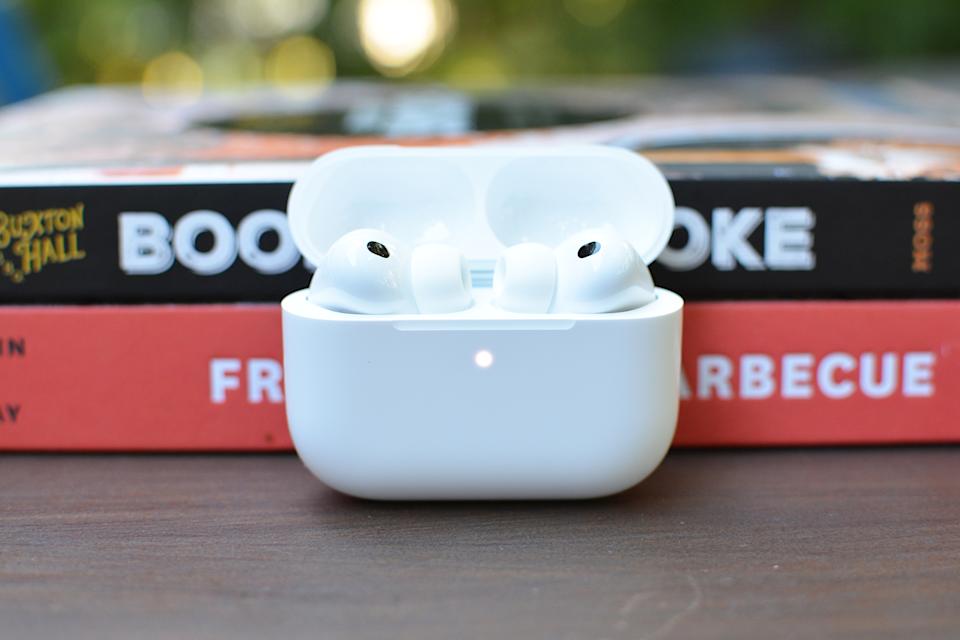
If you haven’t yet upgraded to Apple’s AirPods Pro 3, you can pick up the company’s latest model at a discount through a deal on Amazon right now. The AirPods Pro 3, which came out in September, are currently $20 off, bringing their price down to $230. With the new AirPods Pro, Apple made some big improvements, including better battery life and sound quality, and introduced useful new features, such as Live Translation.
Apple
The AirPods Pro 3 are available today, with Apple’s H2 chip, and earned a score of 90 out of 100 in this fall. Active noise cancellation (ANC) is one of the biggest selling points of the AirPods Pro, and Apple has made the experience even better with the AirPods Pro 3. They sport new foam-infused ear tips that create a better seal to improve passive noise isolation, and as Engadget’s Billy Steele wrote in his review, “Ultra-low-noise microphones combine with advanced computational audio to silence even more background noise.” In testing, they had no problem blocking out the chatter of people nearby or otherwise noisy environments.
With the AirPods Pro 3, Apple introduced heart-rate sensing, so you’ll be able to see your heart rate data from the earbuds in the Fitness app and other workout apps. The AirPods Pro 3 also boast Live Translation, which you can activate via controls on the earbuds themselves. As long as you have an Apple Intelligence-capable device, you’ll be able to translate in-person conversations in English, French, German, Italian, Japanese, Korean, Portuguese, Spanish and Chinese (Mandarin).
Black Friday deals are here, and a great one to check out is at Dyson. The discounts on Dyson’s site right now are some of the best we’ve seen; one of those is $600 off the Dyson 360 Vis Nav robot vacuum, which is down to a record low of $400.
Dyson was pretty late to the robot-vacuum party, but its entry was (and remains) one of the strongest in the category. It doesn’t have a lot of bells and whistles like a self-emptying base or mopping capabilities, but it makes up for that by having probably the best suction power of any robovac we’ve tested. All kinds of debris will fall in its path: dirt, dust, food crumbs, pet hair and more. It also has excellent obstacle avoidance, so you’ll rarely — if ever — have to dislodge it from getting stuck on the edge of a carpet or wedged in between furniture. Dyson’s mobile app is easy to use as well, so if you’re looking for a robot vacuum that does its main job incredibly well and you don’t mind skipping on some extras, the 360 Vis Nav is a great option.
Valentina Palladino for Engadget
Pick up one of the strongest robot vacuums we’ve tested for more than half off.
Cordless vacuums are also a part of the sale. Take the Dyson V9 Motorbar cordless vacuum on sale for just $270 at both Dyson and Amazon, which is a discount of $330. That’s more than half off. Dyson devices are all over our list of the best cordless vacuums, and for good reason. The company makes effective products. The V9 Motorbar has been designed to clean all floor types, in addition to upholstery. It’s also been engineered to squeeze into tight spots, which is great for hitting those oft-neglected parts of the home.
The suction power is on point and the battery lasts for 40 minutes before requiring a charge. That’s just enough time to vacuum a standard-sized home if you don’t stop for too many breaks. The V9 is getting a bit long-in-the-tooth. If you want a newer model, the V11 Extra is on sale for $400, which is a discount of $260. This one boosts the suction power and increases the battery life to 60 minutes.
This offer is available from Amazon as a “limited time deal.” Aside from two Echo Dot smart speakers, this one includes both the Jack Skellington shells. You can get a single speaker and shell for $62.98 if you prefer.
You still have plenty of time for these to get to your home before Halloween! They are, by far, my favorite smart speakers for the spookiest of holidays, and they will definitely become the main conversation topics during your upcoming festivities. I mean, I would just use them all year round! That’s up to you, though! The shells can be easily removed.
Regardless, you’re getting two Amazon Echo Dot smart speakers. These are the same you already know and love. This is the 5th-generation one, which is pretty small at 3.9 x 3.9 x 3.5in. This means it can live in any corner without taking up much space.
Don’t let its smaller size fool you, though. It has a 1.73-inch driver that can fill a small to mid-sized room nicely. And since this bundle comes with two speakers, you can even sync them to play your spookiest tunes in tandem.
Edgar Cervantes / Android Authority
Of course, these aren’t just for listening to music. These are Alexa-powered smart speakers, so you can do a bunch of things with them. Of course, you can request any random details, set timers, schedule alarms, check the weather, and even control your smart home devices, among many other things. They will come with a light ring, which the shells play with to let the light emit from the mouth opening. Think of an actual Jack O’-Lantern!
It also gets most of the extra features, including a temperature sensor, motion detection, and even eero mesh Wi-Fi0 extender capabilities.
Again, Halloween is right around the corner, so try to get this before it’s too late to get it by the end of the month. Also, it’s nice that the deal got even sweeter with an extra $5 discount, so catch your bundle while it’s at a record-low price!
Thank you for being part of our community. Read our Comment Policy before posting.
Smart LED light bulbs are one of the easiest ways to get into the IoT space. These smart lighting solutions let you control your home’s illumination from your phone and other connected devices, and in addition to that practicality, they also inject some fun into your space. Color-changing bulbs have a plethora of RGB options for you to customize the lighting mood for your next movie night, date night or game day, or you can opt for cozy warm white light when you need to unwind at the end of a long day.
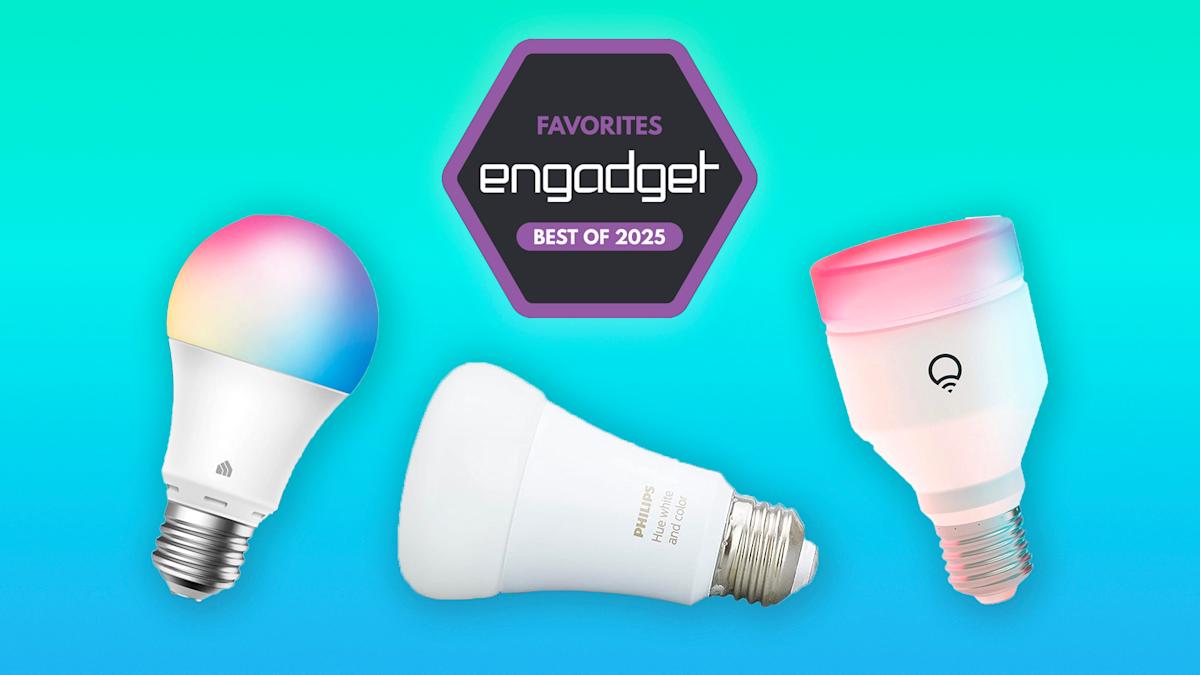
It goes without saying that many of these smart LED light bulbs work with Amazon’s Alexa and the Google Assistant, so if you already have a smart home setup in the works, you can find one that fits into your chosen ecosystem. And arguably the best thing about these devices is that they can fit into any budget; affordable and advanced options have flooded the space over the past few years. We’ve tested out a bunch of smart lights over the years, and these are our current favorites.
Table of contents
Best smart lights for 2025
Philips Hue
Connectivity: Bluetooth or hub | White or color? Both | App features: Light schedules and automations, home and away modes, syncing with movies and music | Smart home compatibility: Alexa, Google Assistant, Siri/HomeKit | Expandability: Includes outdoor lighting
If you’ve done any research into smart lights, you’ve probably come across Philips Hue bulbs. The range is popular for a variety of reasons, and we agree they’re the best smart light bulbs you can get thanks to their wide compatibility, easy to use mobile app and their expandability. Particularly, if you know you want to outfit more than one room in your home with these IoT devices, Philips Hue is the way to go.
The first thing that’s important to know about Hue bulbs is that they are now Bluetooth enabled. That means you can buy a few to try out first, then easily expand your system with a hub when you want to add more lights to your home. Previously, the hub was required for any and all lights, but now it’s much easier to dip your toe into the range before fully taking the plunge.
Like all of the other smart lights we tested, you only need to screw in a Philips Hue bulb, turn on your light, and follow the instructions in the mobile app to start using it. Even if you only have the lights in one room to start, we still recommend grouping them into their own “room” in the Hue app so you can easily control the entire space’s environment at once.
Hue’s White + Color bulbs provide a range of warm to cool whites and millions of colors to experiment with in your smart home. Colors are rich and vibrant, and Philips’ pre-programmed scenes, such as Energize, Bright and Relax, let you quickly emulate your old “dumb” lights with different warmth levels of white light. You can pick from a number of color scenes in the app, too, but it’s also easy to create your own color temperature. So if you’ve always wanted to flood your office with a rainbow of vibrant colors while you’re live-streaming on Twitch, you can find the precise presets you want, save them and then turn them on with just a few taps in the app.
The Hue app is pretty easy to use, and the bulbs support voice commands from Amazon’s Alexa and the Google Assistant. That means you don’t even have to open the app to control your lights; you can simply use voice control and say “Alexa, turn off the bedroom lights” and only the lights in that designated room will extinguish. You’ll be able to add up to 10 bulbs to your system using Bluetooth alone – at which point you’ll have to add a Philips Hue hub into the mix to support up to 50 lights. The hub also enables things like HomeKit connectivity, light schedules and automations, home and away modes and syncing with movies and music.
Arguably the most useful of those features is automations, which lets you set on/off schedules for your lights, including automatically turning the lights off when you leave the house. It’s understandable why Philips would make these few features exclusive to those with Hue hubs – adding a hub into the mix makes the system more reliable, allowing you to do more with increasing numbers of connected lights, plus it will encourage many to invest in a hub and more Hue bulbs over time. We like Hue’s hub not only for its reliability, but also because it allows finer and more flexible control over your devices. So if you’re on vacation and want to turn on your living room lights to see what’s going on, you can do that.
Expandability goes beyond the number of lights you have in your smart home: It also includes multiple smart bulbs you can install outside, too. The Hue range has a ton of indoor and outdoor light bulbs to choose from, including recessed lights, outdoor pedestal and flood lights, light strips and more. It’s one of the few ranges available today that gives you a ton of options to make every bulb in and out of your home smart, which is important to consider if you know you want to go all in on the smart light front.
But that brings us to the biggest downside of Philips Hue, which is the price. Hue bulbs are on the expensive side, with a two-pack of White + Color Ambiance bulbs costing $100. If you’re looking for cheap bulbs to test out smart lighting, some of our other top picks below, like the Kasa smart light bulb, will be better choices since most of them have lower prices per bulb. However, if smart lighting is something you want to invest in going forward, we recommend going with one of Philips’ Hue starter kits: the White + Color Ambiance starter kit, including three bulbs, a hub and a smart button, comes in at $210, which is cheaper than if you were to buy all of those components separately.
Connectivity: Wi-Fi only | White or color? Both | App features: Group by room, pre-made scenes or presets (including “spooky” and strobe lights), scheduling | Smart home compatibility: Alexa, Google Assistant, Siri/HomeKit | Expandability: Not as many options as Philips Hue
Overall, LIFX’s color smart lights are similar to Hue’s White + Ambiance bulbs in that they’re easy to set up, they offer striking, saturated colors and work with three major platforms: Alexa, Google Assistant and HomeKit. But the main difference is the LIFX bulbs are Wi-Fi only, so you can’t connect them to a hub even if you wanted to, and some are slightly more expensive than Hue devices. The Color A19 bulb, which supports 1100 lumens, normally costs $50, but there’s an 800-lumen equivalent that’s a bit cheaper, coming in at $35 per bulb.
LIFX’s mobile app is also undoubtedly the slickest we tested. While that may not mean much to you, it’s worth mentioning because mobile apps are the way most people interact with their smart lights on a daily basis. The homepage features all of the room groups in your household, along with the names of the lights in each room. You can easily turn a whole room, or a specific light, on with just a tap, and do the same for all of the lights in your smart home.
LIFX lights support scheduling, so you can program lights to work for you so you rarely (if ever) have to control them manually, plus there are a plethora of scenes and effects to choose from. While all of the color lights we tried had pre-made scenes or presets ready to go in the app, Philips Hue and LIFX clearly had the most out of them all. Personally, I found LIFX’s scenes and additional effects to be a bit more fun and engaging than Hue’s. You can pick from scenes like “spooky” or “pastel” and use effects like “strobe” if you want to make your living room feel a bit more like a nightclub. While most people probably won’t use these niche scenes and effects on a regular basis, they’re great perks to have when you’re entertaining or just want to set the right vibe for your next movie night or game-streaming session.
LIFX has a number of products in its ecosystem, from standard A19 bulbs to lightstrips to candles. It has switches, too, so you can physically control your smart lights if you wish. But Philips Hue has all of those options too and more, including not just switches, but standalone floor lamps, outdoor spotlights, downlights, light bars and motion sensors. You’ll have more options with Hue if you want to convert all of your home’s lights to smart ones, and have multiple ways to control them, too.
Pros
Easy setup with convenient mobile app
Lovely color options
Works with Alexa, Google Assistant and Siri/HomeKit
Connectivity: Wi-Fi | White or color? Color | App features: Presets, lighting schedules, grouping by room, energy usage meter | Smart home compatibility: Alexa, Google Assistant | Expandability: Unlimited, but there’s no hub option
TP-Link’s Kasa brand is known for its solid yet affordable smart home devices and its smart lights are no different. We tested out the Wi-Fi-only multicolor smart light bulbs and found them easy to install and use, and they provide a bunch of features at an affordable price; a four-pack of multicolor bulbs will only set you back $40, making them the best budget bulbs you can get right now.
Besides having a simple installation process, Kasa’s multicolor smart lights stayed reliably connected the whole time we tested them and the companion mobile app is simple and clean. All of the main functions for each light live in that bulb’s dedicated page in the app, allowing you to change brightness, white levels, color, schedules and more without navigating through a bunch of different menus. Changing colors is nearly instantaneous, and the light changes as you drag your finger across the color wheel in the app. Editing the four presets you’re able to save takes only a few taps, as does grouping multiple bulbs into rooms and creating lighting schedules. For the latter, if you do set on/off schedules, the app will show you the next step in that schedule (i.e., off at 8:35pm) next to each individual light.
There’s also a handy “usage” section in each light’s page that shows you the bulb’s energy use over time, plus an estimate of how much energy you’re saving by using a smart light instead of a regular one. This is something that would be fun to observe over many weeks and months of using these bulbs, especially if conserving energy is one of the main reasons you invested in smart lights in the first place.
TP-Link claims you can connect “unlimited” smart devices to its mobile app, which technically means you can have as many Kasa smart lights in your home as you’d like. We only tested a few together, so we can’t say for sure how dozens of connected devices would affect app speed and light response time. These are Wi-Fi-only bulbs, which means connecting them to a Zigbee hub isn’t an option, so keep that in mind before deciding to invest in a house-full of these gadgets. It’s also worth noting that these lights aren’t compatible with Apple’s HomeKit, although you can control them using Alexa and Google Assistant commands.
Connectivity: Wi-Fi | White or color? Color | App features: Grouping, schedules and automations | Smart home compatibility: Alexa, Google Assistant | Expandability: Option to purchase a hub
Sengled’s Smart Light Bulbs deserve a shout because they’re essentially more affordable versions of the best bulbs mentioned here, just with a few compromises. Key among those is that their colors are less nuanced than most others we tested and the mobile app is less polished.
That said, you’re still getting millions of colors out of Sengled’s smart lights and the app is easy to use. It also provides all of the features you’d want from a smart light bulb, including grouping, schedules and automations. The fact that the Sengled mobile app isn’t as slick as Hue’s or LIFX’s may actually work in its favor with newbies – the basic controls and labels will be very easy for smart home novices to understand.
The bulbs we tested were Wi-Fi-based, so they do not require a hub. However, Sengled has a bunch of other smart lights that work via Wi-Fi, Bluetooth or hub connectivity. A pack of four Wi-Fi color bulbs will set you back $30, while a set of six Zigbee hub-based lights costs only $100. Overall, Sengled’s devices are much more affordable than Hue’s, making them a good budget option regardless of whether you want to stick to Wi-Fi or invest in a smart home hub like Sengled’s own or a smart device like Amazon’s Echo with a built-in hub.
Connectivity: Wi-Fi | White or color? Color | App features: “Effects lab” with pre-made and customizable scenes | Smart home compatibility: Alexa, Google Assistant | Expandability: Works well with other products
Light strips can bring illumination to hard-to-reach places, or give a whole new vibe to your living room or office. The latest light strip from Govee, the Strip Light 2 Pro, gets super bright and supports a wide range of colors. It’s Wi-Fi-connected but requires no central hub, so even if you have other smart lights throughout your home, this one will fit in easily. One strip measures nearly 16.4 feet long and it’s divided into multiple segments that you can control individually from within the Govee app.
I was impressed by not only the color spectrum this light strip supports, but also how bright it is. This strip gets almost blinding, and I usually had it operating at just 75 percent of its full brightness. While you can’t control each individual light on the strip, you can customize all segments in the Govee app.
The sheer number of options and effects Govee provides is remarkable: the “effects lab” gives you pre-made basic colors, scenes that mimic sunrises, starry nights, different kinds of movies like thrillers and dramas, gaming genres and more. On top of that, you can make your own custom scenes (and choose to share them with others in Govee’s Explore page) as well as your favorite colors and hues that you can save for frequent use. The strip’s color is saturated and vibrant – combine that with the overall brightness and it was easily able to give my office an attractive, ambient glow when positioned around the periphery of my couch.
Aside from the higher price tag, my only other complaint about this light strip is actually Govee’s mobile app. It’s a bit chaotic and takes some getting used to, so it might not be the best choice for anyone that wants something basic. However, I was able to get the hang of all the controls, and then some, after about a half hour. And you can always default to using Alexa or Google Assistant voice commands to control your light strip if you prefer, or you can set automations in the app that can take care of all your most used controls.
Connectivity: Bluetooth, Hue Bridge | White or color? Both | App features: Up to three colors at once, “candle” and “fireplace” effects | Smart home compatibility: Alexa, Google Assistant, Siri/HomeKit | Expandability: Option to purchase a hub
Philips’ Signe table lamp is a slick way to add a wash of color into your living room, or a more controllable light source on your desk. The nearly two-foot tall lamp can be customized with up to three colors of light at once, plus it supports a full array of cool and warm hues as well. Shine it towards a wall to set the mood with colored lights during your game night, or use it to give yourself sufficient lighting during your next Zoom meeting – you can make it as fun or as practical as you need. It also supports effects like “candle” and “fireplace,” both of which produce moving light that emulates flickering flames. We also appreciate that the Signe lamp is a totally standalone device, like most of Philips’ new Hue bulbs: you don’t need a Hue bridge to use it. But if you have one, you’ll be able to do things like control the lamp when you’re away from home.
The Signe lamp is a splurge, though, coming in at over $200. It’s certainly worth it if you need just one powerful light source, but a more affordable alternative would be the Philips Hue Go portable table lamp. It too supports millions of colors and a full spectrum of warm and cool light, but it runs on a rechargeable battery and can be used wirelessly. Depending on the setting you choose, you’ll get up to 18 hours of continuous use, making it a good option if you want a controllable light that can go anywhere you need it without fuss.
The new Govee Floor Lamp Pro packs a lot of features into a svelte five-foot bar light. Not only can it glow in millions of colors and allows you to customize it by segment if you wish, but it also has a built-in Bluetooth speaker in its base. The speaker gets pretty loud, and the lights can dynamically change to match the rhythm and flow of the music it’s playing (and light can react to external audio as well, if you don’t want to use the speaker). And when you’re not having a total rager in your home office, you can program the floor lamp to your preferred temperature of white light. I was impressed by how bright the lamp was able to get (max 2,100 lumens) and I appreciate the physical remote control that comes with it, which made it easy to manually turn the thing on and off when I didn’t have my phone on me. Setup and installation was pretty easy, too, and even though the Govee mobile app is as chaotic as ever, most people will be able to familiarize themselves with it relatively quickly. The Floor Lamp Pro’s $220 price tag seems fair for the complete package, and it could be a good single-device solution for those who have a small space they want to revamp with multicolored lights.
LIFX’s Luna Smart Light is a quaint and compact smart lamp that can sit on a nightstand or desk, or be mounted on a wall almost like a sconce. With a max brightness of 1,000 lumens, it can really illuminate a space with white or colored light, or with any of the fun, prefab themes available in the LIFX app. I always default to using the LIFX app with the company’s products since it’s very easy to use, but the Luna lamp has onboard buttons to turn it on, off and adjust the brightness. If you plan on using this in your bedroom in particular, this could com in handy a lot when you just don’t want to pick up your phone to turn the light off.
In addition to themes, or premade color scenes for things like Valentine’s Day and Oktoberfest, there are lighting effects (“FX” in the app) you can employ to further set the mood. I like “clouds,” which mimics the look of a bright, sunny day with baby blue and white light, and “flame,” which turns the light a burnt orange color with movement and flickers to mimics a cozy fire. Not only are the colored light options vibrant and fun, but LIFX also makes it quite easy to customize themes and effects to your liking.
While we’ve recommended Nanoleaf’s Smarter Kits in guides in the past, they’re a bit more niche than other smart lights on this list. They’re best for adding flare to your living room or game-streaming setup as they come in different shapes like hexagons and triangles and can sync with music. In addition to different colors, light animations and schedules, Nanoleaf’s Smart Kits also support Amazon Alexa and Google Assistant voice commands.
What to look for in smart light bulbs
Connectivity (To hub or not to hub)
One of the biggest appeals of smart lighting solutions is being able to control them from your phone. Most of them are able to do so by connecting to it via Wi-Fi or Bluetooth, or via an external hub, which handles the connection for them. Bluetooth connectivity limits the range in which you’ll be able to control the light, so it’s only best for a limited number of bulbs and ones you don’t expect to control when you’re away.
Wi-Fi color-changing bulbs are easy to set up and can be cheaper overall since they don’t require a hub to connect them. However, having something like a central Zigbee hub can make your whole system more reliable since its connection is separate from your home’s network. For that reason, hub-based bulbs tend to be more expandable, so we mainly recommend those if you want to eventually have dozens of smart lights around your home.
White or color?
Most color-changing bulbs you’ll find today are “white and color” bulbs, meaning they can glow in vibrant RGB color-options like blues, pinks, greens and everything in between, as well as shine with different temperatures of white. But there are some white-only bulbs out there, and they are often a bit more affordable than their color counterparts. While we recommend springing for the white-and-color devices, if you’d prefer white only, make sure you’re getting a bulb that can span the color temperature spectrum (typically from about 2000 to 5000 Kelvin), offering you various levels of cool and warm white light.
App features
One of the perks of smart lighting solutions is the amount of control you have over them thanks to their various app-control capabilities. Most companion apps let you do things like set lighting schedules and timers, group individual lights into room designations and create your own custom light “scenes” with different RGB options. But we have seen other features that aren’t as ubiquitous like vacation mode for automatically turning lights on and off to enhance your home security, and sync with media, which changes the colors of lights depending on the music you’re listening to or the game you’re currently live-streaming.
Smart home compatibility
If you use a smart assistant like Amazon’s Alexa or the Google Assistant regularly, make sure the smart lights or smart switches work with your favorite. All of the bulbs we tested supported both Amazon’s and Google’s virtual assistants, allowing you to use voice commands to turn lights on and off, dim them with a virtual dimmer and more. The wildcard here is Siri and Apple’s HomeKit; while numerous smart bulbs have added HomeKit support, not all lights are compatible with Apple’s smart home system.
Expandability
We alluded to this above, but you’ll want to consider how many smart lights you eventually want in your home. Some brands and lighting systems are easier to expand than others, and we generally recommend going for hub-based bulbs if you plan on putting smart lights in every room in your home. If you’re only looking to deck out your home office or living room with some fancy color-changing bulbs, Wi-Fi options should serve you well. Thankfully, these are some of the most affordable smart home devices you can get, so even if you don’t have a clear answer to this question now, you can reconsider your options down the line if you do decide to outfit your home with multiple smart bulbs.
Smart light bulb FAQs
What’s the best smart light bulb for Alexa?
There is no best smart light bulb for Alexa. Amazon doesn’t make its own smart bulbs (like it does for smart plugs and thermostats), but rather there are dozens of smart lights made by third-parties that work with Alexa — including all of the ones we tested. Before picking the best smart light bulb for you, make sure to check the voice assistants that the contenders support. You’ll find that most smart light bulbs available today work with Amazon’s Alexa and the Google Assistant, and plenty of them also have support for Apple’s Siri and HomeKit.
Can you put a smart bulb in any lamp?
Smart light bulbs can go into most modern light fixtures — but just like regular bulbs, they need to be the right shape/size for the fixture. A standard A19 smart light bulb should work properly in most table, floor and other lamps. If you have a fixture that takes a specific type of bulb, look for smart bulbs that will fit properly.
Do smart light bulbs use electricity when off?
Smart light bulbs do use a negligible amount of electricity when their fixtures are turned off. This is due to the fact that the smart bulb needs to stay in constant contact with your home’s internet connection or Bluetooth in order to work properly. However, their energy-saving benefits usually outweigh the small amount of power they consume even while turned off.
A post on the Amazon Echo subreddit indicates that an Alexa Plus subscription can make unintended changes to Echo devices.
User Setati said that their Echo Show 5 had stopped persistently showing the time on its home screen, instead surfacing news and other content.
Setati says that canceling Alexa Plus removed the unwanted additional content from their Show 5’s screen.
Alexa Plus is Amazon’s new paid digital assistant. Available for $20 per month (or included for free, if you’re a Prime subscriber), Alexa Plus injects extra AI functionality into your Amazon devices, like the ability to engage in more natural conversation-style interactions with Alexa through an Echo device. Turns out, it can also make some unhelpful changes to your Echo Show’s home screen.
In a post on the Amazon Echo subreddit, user Setati complains that their Echo Show 5 has recently become less fit for one of their primary use cases: telling the time. Setati writes that “about the same time as Alexa+,” their Show 5 started showing content that it didn’t before, replacing the full-screen clock with “news briefs and things it thinks I want to see.”
Don’t want to miss the best from Android Authority?
The problem does indeed seem directly related to Alexa Plus, which adds an assortment of new functions to Echo devices logged into accounts that are subscribed to the paid service. Comments on the post echo Setati’s complaint. One user says that cycling power to their own Show temporarily restores the clock face they’re used to, but that the home screen eventually changes to again hide the clock.
The solution for Setati was simple: They say that once they canceled Alexa Plus, their Echo Show 5 went back to prominently displaying the time on its home screen again.
If you’ve got an Echo device that’s recently started behaving differently — specifically, an Echo Show device whose home screen has gotten unusually crowded — Alexa Plus could be to blame. You can cancel Alexa Plus in the My Memberships and Subscriptions section of your Amazon account settings.
Thank you for being part of our community. Read our Comment Policy before posting.
That’s a tough one because I love all of them. I would say a New Jersey sub from this institution called Sorrento’s around Freehold. A Number 14, which is a combination, I believe, of like Number 7 and Number 12. [Eds. note: Sorrento’s menu says the Number 14 is a combo of a Number 5 and a Number 12 called the Pig Special.] So an Italian sub from a real New Jersey institution, and if not that, then a Wawa Club sandwich.
I really appreciate how specific that was. Thank you. First video game you ever bought?
I pirated a lot because I was in Turkey growing up, so it was virtually impossible for us to get like a lot of video games. As far as purchase, it could be Metal Gear Solid 2 for the PlayStation 2, or I guess a Pokémon game.
So let’s rewind 34 years. You were born in New Jersey. You spent the majority of your childhood in Turkey.
Yeah.
You’ve talked before about that upbringing. You’ve characterized it as a very privileged one. How did that experience, now that you’re able to look back and reflect, affect your worldview? How does that turn you into the person that you are today?
There’s massive income inequality in Turkey that almost resembles America now, but that’s still far worse in Turkey. For that reason, if you’re above board, if you’re relatively affluent, you come across as very wealthy in comparison to the average person.
I’ve never sheltered people from that truth, but I did grow up fairly affluent. It was very positive in the sense that I didn’t have to worry about making ends meet or having to take on a job or anything like that. My parents’ main concern was to make sure that I wasn’t spoiled, so I didn’t get everything I wanted.
Outside of that, I would say that as a young boy I was sent to public school in Turkey. I think it was a good thing that my parents did that because it made me understand that there were very different income brackets with people living in very different conditions.
You moved to the United States for college, right? What was surprising to you about that transition?
When I came to college, this is literally what I wanted. Other people were like, “I want to be an astronaut,” “I want to be a teacher,” “I want to be a race car driver.” I was like, “I want to go to college in America.”
So I loved it. I was so stoked to be here, and I had all of these beliefs. You know, this is a land of freedom, land of prosperity, right?
Right.
This is where I’m gonna make a name for myself, make a career for myself.
Slowly but surely, experiences growing up or going to college and then onwards living in America, slowly chipped away at that dream. Piece by piece.
Yeah.
It’s interesting because in comparison to other fresh-off-the-boat immigrant stories, I did it. I am living the American dream, but I just realized that it’s not something that is readily accessible for all.
Amazon’s Blade Runner limited series finally has a release window. reports that the upcoming sequel show, Blade Runner 2099, is slated for a 2026 release on Prime Video. The story at this point remains a mystery, though the title suggests it’ll take place 50 years after the events of Blade Runner 2049. Ridley Scott is said to be involved in the production.
It was revealed last year that , and according to Deadline, she’ll be joined by Hunter Schafer, Dimitri Abold, Lewis Gribben, Katelyn Rose Downey and Daniel Rigby. We first heard about the possibility of Blade Runner 2099 back in 2022, when it was reported that Amazon Studios was developing a live-action series set in that universe, but there have been few updates since. The release window was noted in an internal memo obtained by Deadline, which reports that the series is now in post-production.
Noise-cancelling headphones are a must-have for anyone who travels often and wants to drown out airplane noise, commuters who want some peace and quiet amongst the crowds and anyone else looking to dull the daily chaos of life. Sony’s 1000X line has had our favorite noise-cancelling headphones for a long time, and it remains the same now with the latest edition to that family. Sony released the WH-1000XM6 edition of its wireless noise canceling headphones in May, and really the only downside about them is their new, higher price tag.
But if you’re on the market for a new pair of cans right now, Amazon will throw you a bone if you opt for the XM6. Right now, you can get the Sony WH-1000XM6 headphones plus a free $30 Amazon gift card for $448. While you’re not saving much on the price of the headphones (a whopping $2), you’re getting a $30 gift card for free on top of it, which you can use towards anything else you want to buy on Amazon.
Sony
The gift card is basically for free with your headphone purchase.
Sony released the WH-1000XM6 headphones three years after their predecessor, but the new model quickly proved to be worth the wait. We gave the M6s a 94 in our review thanks to features like improved sound and better active noise cancelation. One of the best things about this model compared to the M5s is the return to a folding design — I love my M5s but it’s very annoying that they don’t shrink at all. The M6s are also very comfy and have a wider headband for easy wear.
Welcome back to TechCrunch Mobility — your central hub for news and insights on the future of transportation. Sign up here for free — just click TechCrunch Mobility!
OK, who placed their bet on General Motors being the landing spot for Aurora co-founder and chief product officer Sterling Anderson? Not me. But here we are. A few days after Anderson announced his resignation from his position and the board at Aurora, he spoke to me about his next gig as chief product officer at GM. In short, he will oversee the entire product line of GM’s gas-powered and electric vehicles — a position that will cover the entire life cycle of GM’s portfolio and include hardware, software, services, and user experience.
Anderson couldn’t say too much; plus, he hasn’t started the job yet. Anderson did say he wouldn’t have taken the new job if Aurora had yet to launch its commercial self-driving truck service in Texas.
Let’s jump into the rest of the news.
A little bird
Image Credits:Bryce Durbin
In an absolutely wild turn of events, Luminar’s founder Austin Russell appears to have been pushed out as CEO and board chair. You can read my coverage here, which provides a bit of an overview of how this unfolded, but I know there is so much more to this story. TL;DR: If you were to only read Luminar’s Q1 earnings report, you would assume Russell was still at the helm. A separate press release, released as the company’s earnings went out, announced a leadership change and that Russell had resigned following an ethics inquiry from the board’s audit committee.
Here’s what I’m hearing from a few little birds. The word “blindsided” came up more than once, and the chaos isn’t over. Luminar board member Jun Hong Heng, who is founder and chief investment officer at Crescent Cove Advisors and a mentor of Russell’s, resigned a day later. Heng was also on the audit committee.
Aurora has had an odd couple of weeks filled with highs — driverless commercial service woohoo! — and twists — whoops, there goes a co-founder. To cap things off, Uber announced plans to offer $1 billion in exchangeable senior notes due in 2028 in private placement. As you might expect, stocks dropped after investors got spooked about potential dilution and what this might mean for the value of Aurora’s stock.
Other deals that got my attention …
AutoUnify, the latest startup that has launched out of the Up.Labs-Porsche partnership, raised $5 million in seed money. The Santa Monica, California-based startup, which built an API to allow dealerships and service shops to communicate in real time with the manufacturers and software vendors that power their operations, has been operating quietly for about nine months.
Chinese battery manufacturer CATL is far from a startup. But it’s worth noting this bananas IPO plan. The company wants to raise at least HK$31.01 billion — that’s just shy of $4 billion — in its Hong Kong listing. This is the largest listing globally in 2025.
Here’s a potential deal that has raised some eyebrows. Federal railroad regulators are in talks with Elon Musk’stunneling firm, The Boring Company, over a multibillion-dollar Amtrak project.
Flock Freight, the shared truckload freight brokerage based in California, raised $60 million in a Series E funding round led by O’Neil Strategic Capital. Susquehanna Private Equity Investments, SignalFire, GLP Capital Partners, and Bracket Capital also participated.
Notable reads and other tidbits
Image Credits:Bryce Durbin
Autonomous vehicles
Tesla’s plan to launch a robotaxi service in Austin next month has caught the attention of federal safety investigators. The National Highway Traffic Safety Administration’s Office of Defects Investigation sent the company a detailed list of questions on its upcoming robotaxi service as part of an investigation into how the company’s “Full Self-Driving (Supervised)” software operates in low-visibility conditions.
Recalls are starting to pop up more in the AV sector. Last week it was Zoox. Now Waymo has issued a software recall on 1,200 self-driving vehicles after some of its robotaxis were involved in minor collisions with gates, chains, and other gate-like roadway objects.
WeRide seems to be trying to ramp in Guangzhou. The Chinese company said it has introduced eight autonomous robotaxi pilot operation routes in the central part of the city. The company has also started trialing fully driverless robotaxis in Abu Dhabi.
Electric vehicles, charging, & batteries
General Motors has been working on a new battery chemistry called lithium manganese-rich, which it says should slash costs while delivering driving range. Notably, these LMR batteries dramatically reduce the amount of nickel and cobalt compared with GM’s most advanced cells, two critical minerals that aren’t readily available from domestic sources in the United States.
A footnote in Lucid’s recent Q1 regulatory filing gives a bit more insight into its sales numbers. The EV maker’s record quarter got a lift from rental sales and company leases.
Everyone, let’s give a slow clap to Toyota for redesigning — and more importantly, renaming — its sole all-electric vehicle for the U.S. market. The EV, once called the bZ4X, will now simply be bZ. The original bZ4X was not well received. I’m looking forward to getting behind the wheel to see what improvements Toyota has made. Meanwhile, Toyota has brought back the C-HR nameplate, but this time as an EV. Hopefully this time it’s more successful. It arrives in the U.S. in 2026.
Gig economy
Three years ago, reporter Rebecca Bellan noted that Uber was going through an Amazonification. Her pitch was that the company, like Amazon, had created a closed business loop to feed customers back into other Uber channels. The second part of that evolution has started, she reported this week. Uber appears to be moving beyond its focus on transportation and working to become a convenient super app, an aggregator of services, a daily-use lifestyle platform with its best offerings tucked behind a paywall.
Future of flight
U.S. lawmakers introduced the Supersonic Aviation Modernization Act in a bid to revise the FAA’s 52-year ban on supersonic flight over U.S. soil. The timing could be crucial for startup Boom Supersonic, which has made progress in developing next-generation supersonic aircraft
Vertical Aerospace announced a plan to develop a hybrid-electric variant of its VX4, suggesting the company is pursuing opportunities in defense and logistics.
In-car tech
Apple’s next generation of its popular CarPlay infotainment software is finally launching. Reminder: It was first announced three years ago. The new version, called CarPlay Ultra, will make its debut on new Aston Martin vehicles in the U.S. and Canada.
Google is bringing Gemini, its generative AI, to all cars that support Android Auto in the next few months. Patrick Brady, VP of Android for Cars, said Gemini will surface in the Android Auto experience in two main ways.
Amazon is about to end Kindle content download support in old versions of its Android app.
The move would close a loophole used to retrieve files vulnerable to DRM removal.
This follows Amazon ending “Download & transfer via USB” support.
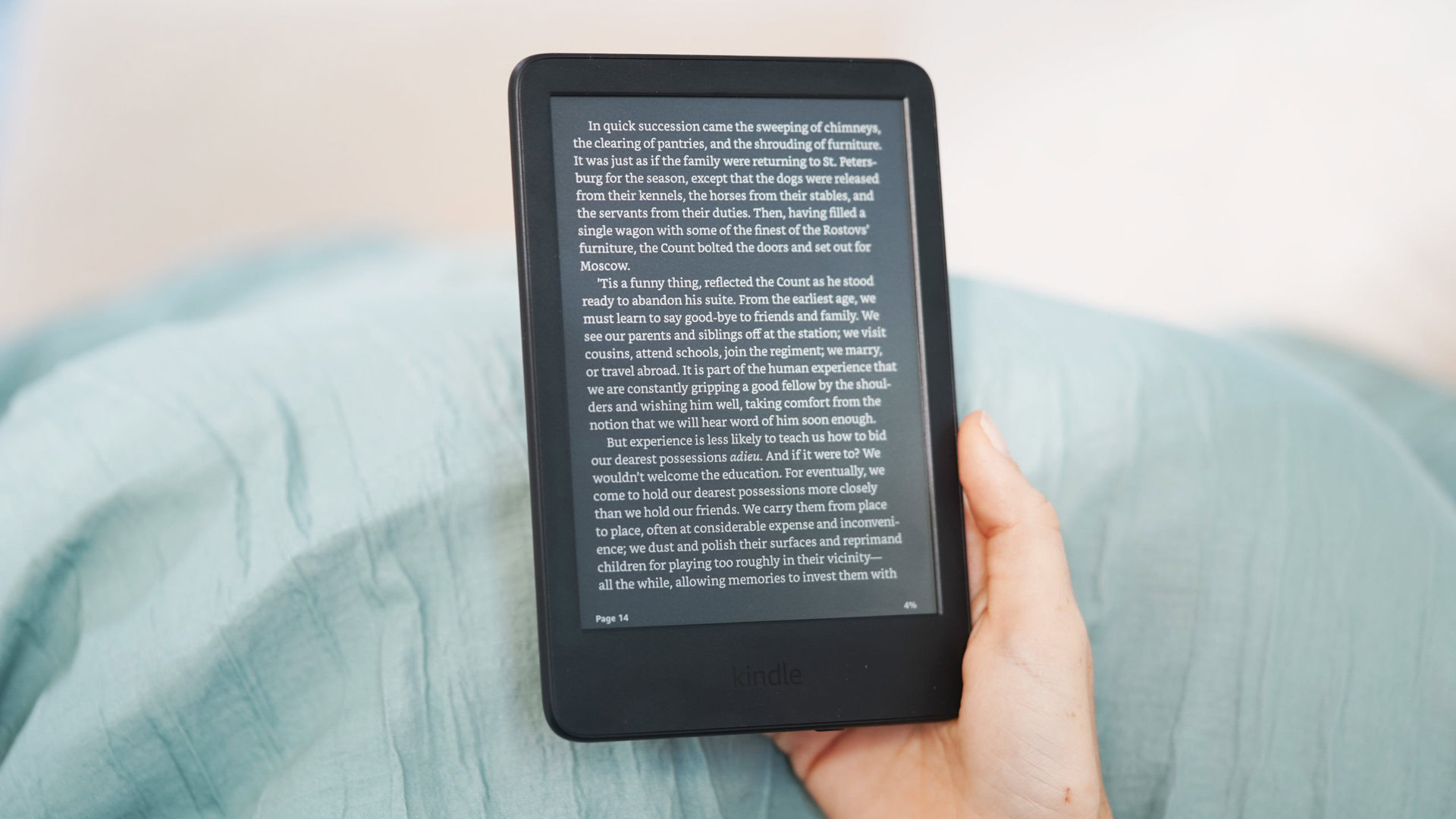
Getting new books for your Kindle is just about the easiest thing in the world. Amazon’s got a stupid number of books available for you to buy à la carte, Kindle Unlimited offers a convenient subscription option, and you can borrow books from participating libraries. But even with so many curated paths towards growing your Kindle library, some users are always going to want to do things their own way, and for that we’ve still got Kindle sideloading. Earlier this year we heard about Amazon closing one loophole that let users convert their legitimately purchased Kindle titles into easily sideloadable content, and now it looks like another is on borrowed time.
Basically, these Kindle libertarians have been interested in getting their hands on e-book downloads from Amazon, then running those files through tools that strip the DRM and remove the limitations on how that book can be shared and read. For this to work, though, they need to have access to those files in the first place.
Back in February, Amazon deprecated its “Download & transfer via USB” functionality, which had previously been a source for these files. But it turns out that wasn’t the only way to retrieve these downloads from Amazon’s servers, and some clever users have instead been turning to older versions of the company’s Android app, which still supported a similar download mode.
Unfortunately, that window is about to close, as well. It’s unclear if Amazon is actively trying to eliminate the workaround, or is just doing some housekeeping, but the company has sent out notice that old Android builds will no longer support Kindle downloads, as shared by MobileRead forum user trishau (via Android Police):
We are reaching out to ask you to update the Kindle app on your Android device to the latest available version (Android OS v9.0+). Starting May 26, 2025 Kindle for Android app versions released prior to March 2022 (v8.51 or earlier) will no longer support Kindle content downloads. This update will ensure you get the most out of the Kindle experience and that the app operates as intended.
As you can see, we were talking about some seriously ancient app versions being used to pull off this trick, so even this loophole business notwithstanding, it wouldn’t have been crazy to see Amazon ending support for users who haven’t updated in years.
If you’ve been running an old version for precisely that reason, though, at least Amazon’s giving you a few weeks’ notice before pulling the plug — again.
Got a tip? Talk to us! Email our staff at news@androidauthority.com. You can stay anonymous or get credit for the info, it’s your choice.