Introduction
The large‑language‑model (LLM) boom has shifted the bottleneck from training to efficient inference. By 2026, companies are running chatbots, code assistants and retrieval‑augmented search engines at scale, and a single model may answer millions of queries per day. Serving these models efficiently has become as critical as training them, yet the deployment landscape is fragmented. Frameworks like vLLM, TensorRT‑LLM running on Triton and Hugging Face’s Text Generation Inference (TGI) each promise different benefits. Meanwhile, Clarifai’s compute orchestration lets enterprises deploy, monitor and switch between these engines across cloud, on‑premise or edge environments.
It examines technical bottlenecks such as the KV cache, compares vLLM, TensorRT‑LLM/Triton and TGI across performance, flexibility and operational complexity, introduces a named Inference Efficiency Triad for decision‑making, and shows how Clarifai’s platform simplifies deployments. Examples, case studies, decision trees and negative knowledge help clarify when each framework shines or fails.
Why Model Serving Matters in 2026: Market Dynamics & Challenges
LLMs are no longer research curiosities; they power customer service, summarization, risk analysis and content moderation. Inference can account for 70–90 % of operational costs because these models generate tokens one at a time and must attend to every previous token. As organizations bring AI in‑house for privacy and regulatory reasons, they face several challenges:
- Massive memory requirements and KV cache pressure – traditional inference servers reserve a contiguous block of GPU memory for the maximum sequence length, wasting 60–80 % of memory and limiting the number of concurrent requests.
- Head‑of‑line blocking in static batching – naive batch schedulers wait for every request to finish before starting the next batch, so a short query is forced to wait behind a long one.
- Hardware diversity – by 2026, LLMs must run on NVIDIA H100/B100 cards, AMD MI300, Intel GPUs and even edge CPUs. Maintaining specialized kernels for every accelerator is unsustainable.
- Multi‑model orchestration – applications combine language models with vision or speech models. General‑purpose servers must serve many models concurrently and support pipelines.
- Operational cost and scaling – migrating from one serving stack to another can save millions. For example, Stripe cut inference costs by 73 % when migrating from Hugging Face Transformers to vLLM, processing 50 million daily calls on one‑third of the GPU fleet.
Because the trade‑offs are complex, choosing a serving framework requires understanding the underlying memory and scheduling mechanisms and aligning them with hardware, workload and business constraints.
Decoding the Bottlenecks: KV Cache, Batching & Memory Management
KV cache fragmentation and PagedAttention
At the heart of Transformer inference lies the Key–Value (KV) cache. To avoid recomputing previous context, inference engines store past keys and values for each sequence. Early systems used static reservation: for every request, they pre‑allocated a contiguous block of memory equal to the maximum sequence length. When a user asked for a 2,000‑token response, the system still reserved memory for the full 32 k tokens, wasting up to 80 % of capacity. This internal fragmentation severely limits concurrency because memory fills up with empty reservations.
vLLM (and later TensorRT‑LLM) introduced PagedAttention, a virtual memory–like allocator that divides the KV cache into fixed‑size blocks and uses a block table to map logical token addresses to physical pages. New tokens allocate blocks on demand, so memory consumption tracks actual sequence length. Identical prompt prefixes can share blocks, reducing memory usage by up to 90 % in repetitive workloads. The dynamic allocator allows the engine to serve more concurrent requests, although traversing non‑contiguous pages adds a 10–20 % compute overhead.
Static vs. continuous batching
To improve GPU utilization, servers group requests into batches. Static batching processes the entire batch and must wait for every sequence to finish before beginning the next. Short queries are trapped behind longer ones, leading to latency spikes and under‑utilized GPUs.
Continuous batching (vLLM) and In‑Flight Batching (TensorRT‑LLM) solve this by scheduling at the iteration level. Each time a sequence finishes, its blocks are freed and the scheduler immediately pulls a new request into the batch. This “fill the gaps” strategy eliminates head‑of‑line blocking and absorbs variance in response lengths. The GPU is never idle as long as there are requests in the queue, delivering up to 24× higher throughput than naive systems.
Prefix caching, priority eviction & event APIs
Higher‑level optimizations further differentiate serving engines. Prefix caching reuses KV cache blocks for common prompt prefixes such as a system prompt in multi‑turn chat; it dramatically reduces the time‑to‑first‑token for subsequent requests. Priority‑based eviction allows deployers to assign priorities to token ranges—for example, marking the system prompt as “maximum priority” so it persists in memory. KV cache event APIs emit events when blocks are stored or evicted, enabling KV‑aware routing—a load balancer can direct a request to a server that already holds the relevant prefix. These enterprise‑grade features appear in TensorRT‑LLM and reflect a focus on control and predictability.
Understanding these bottlenecks and the techniques to mitigate them is the foundation for evaluating different serving frameworks.
vLLM in 2026: Strengths, Limitations & Real‑World Successes
Core innovations: PagedAttention & continuous batching
vLLM emerged from UC Berkeley and was designed as a high‑throughput, Python‑native engine focused on LLM inference. Its two flagship innovations—PagedAttention and Continuous Batching—directly attack the memory and scheduling bottlenecks.
- PagedAttention partitions the KV cache into small blocks, maintains a block table for each request and allocates memory on demand. Dynamic allocation reduces internal fragmentation to under 4 % and allows memory sharing across parallel sampling or repeated prefixes.
- Continuous batching monitors the batch at every decoding step, evicts finished sequences and pulls new requests immediately. Together with the memory manager, this scheduler yields industry‑leading throughput—reports claim 2–24× improvements over static systems.
Beyond these core techniques, vLLM offers a stand‑alone OpenAI‑compatible API that can be launched with a single vllm serve command. It supports streaming outputs, speculative decoding and tensor parallelism, and it has wide quantization support including GPTQ, AWQ, GGUF, FP8, INT8 and INT4. Its Python‑native design simplifies integration and debugging, and it excels in high‑concurrency environments such as chatbots and retrieval‑augmented generation (RAG) services.
Quantization & flexibility
vLLM adopts a breadth‑of‑support philosophy: it natively supports a wide array of open‑source quantization formats such as GPTQ, AWQ, GGUF and AutoRound. Developers can deploy quantized models directly without a complex compilation step. This flexibility makes vLLM attractive for community models and experimental setups, as well as for CPU‑friendly quantized formats (e.g., GGUF). However, vLLM’s FP8 support is primarily for storage; the key–value cache must be de‑quantized back to FP16/BF16 during attention computation, adding overhead. In contrast, TensorRT‑LLM can perform attention directly in FP8 when running on Hopper or Blackwell GPUs.
2026 update: Triton attention backend & multi‑vendor support
Hardware diversity has driven vLLM to adopt a Triton‑based attention backend. Over the past year, teams from IBM Research, Red Hat and AMD built a Triton attention kernel that delivers performance portability across NVIDIA, AMD and Intel GPUs. Instead of maintaining hundreds of specialized kernels for each accelerator, vLLM now relies on Triton to compile high‑performance kernels from a single source. This backend is the default on AMD GPUs and acts as a fallback on Intel and pre‑Hopper NVIDIA cards. It supports models with small head sizes, encoder–decoder attention, multimodal prefixes and special behaviors like ALiBi sqrt. As a result, vLLM in 2026 can run on a broad range of GPUs without sacrificing performance.
Real‑world impact and adoption
vLLM is not just an academic project. Companies like Stripe report a 73 % reduction in inference costs after migrating from Hugging Face Transformers to vLLM, handling 50 million daily API calls with one‑third the GPU fleet. Production workloads at Meta, Mistral AI and Cohere benefit from the combination of PagedAttention, continuous batching and an OpenAI‑compatible API. Benchmarks show that vLLM can deliver throughput of 793 tokens per second with P99 latency of 80 ms, dramatically outperforming baseline systems like Ollama. These real‑world results highlight vLLM’s ability to transform the economics of LLM deployment.
When vLLM is the right choice
vLLM shines when high concurrency and memory efficiency are critical. It excels at chatbots, RAG and streaming applications where many short or medium‑length requests arrive concurrently. Its broad quantization support makes it ideal for experimenting with community models or running quantized versions on CPU. However, vLLM has limitations:
- Long prompt performance – for prompts exceeding 200 k tokens, TGI v3 processes responses 13× faster than vLLM by caching entire conversations.
- Compute overhead – the block table lookup and user‑space memory manager introduce a 10–20 % overhead at the kernel level, which may matter for latency‑critical tasks.
- Hardware optimization – vLLM’s portable kernels trade off a small amount of performance compared to TensorRT‑LLM’s highly optimized kernels on NVIDIA GPUs.
Despite these caveats, vLLM remains the default choice for high‑throughput, multi‑tenant LLM services in 2026.
TensorRT‑LLM & Triton: Enterprise Platform for Performance & Control
Triton Inference Server: general purpose & ensembles
NVIDIA Triton Inference Server is designed as a general‑purpose, enterprise‑grade serving platform. It can serve models from PyTorch, TensorFlow, ONNX or custom back‑ends and allows multiple models to run concurrently on one or more GPUs. Triton exposes HTTP/REST and gRPC endpoints, health checks and utilization metrics, integrates deeply with Kubernetes for scaling and supports dynamic batching to group small requests for better GPU utilization. One notable feature is Ensemble Models, which allows developers to chain multiple models into a single pipeline (e.g., OCR → language model) without round‑trip network latency. This makes Triton ideal for multi‑modal AI pipelines and complex enterprise workflows.
TensorRT‑LLM: high‑performance backend
To serve LLMs efficiently, NVIDIA provides TensorRT‑LLM (TRT‑LLM) as a back‑end to Triton. TRT‑LLM compiles transformer models into highly optimized engines using layer fusion, kernel tuning and advanced quantization. Its implementation adopts the same core techniques as vLLM, including Paged KV Caching and In‑Flight Batching. However, TRT‑LLM goes beyond by exposing enterprise controls:
- Prefix caching and KV reuse – the back‑end explicitly exposes a mechanism to reuse KV cache for common prompt prefixes, reducing time‑to‑first‑token.
- Priority‑based eviction – deployers can assign priorities to token ranges to control what gets evicted under memory pressure.
- KV cache event API – events are emitted when cache blocks are stored or evicted, enabling load balancers to implement KV‑aware routing.
TRT‑LLM also offers deep quantization support. While vLLM supports a wide range of quantization formats, it performs attention computation in FP16/BF16, whereas TRT‑LLM can perform computations directly in FP8 on Hopper and Blackwell GPUs. This hardware‑level integration dramatically reduces memory bandwidth and delivers the fastest performance. Benchmarks indicate that TensorRT‑LLM delivers up to 8× faster inference and 5× higher throughput than standard implementations and reduces per‑request latency by up to 40× through in‑flight batching. It supports multi‑GPU tensor parallelism, converting models from PyTorch, TensorFlow or JAX into optimized engines.
When TensorRT‑LLM & Triton are the right choice
TRT‑LLM/Triton is ideal when ultra‑low latency and maximum throughput on NVIDIA hardware are non‑negotiable—such as in real‑time recommendations, conversational commerce or gaming. Its priority eviction and event APIs enable fine‑grained cache control in large fleets. Triton’s ensemble feature makes it a strong choice for multi‑modal pipelines and environments requiring serving of many model types.
However, this power comes with trade‑offs:
- Vendor lock‑in – TRT‑LLM is optimized exclusively for NVIDIA GPUs; there is no support for AMD, Intel or other accelerators.
- Complexity and build time – converting models into TRT‑LLM engines requires specialized knowledge, careful dependency management and long build times. Debugging fused kernels can be challenging.
- Cost – infrastructure costs can be high because the framework favors premium GPUs; multi‑vendor or CPU deployments are not supported.
If your organization owns a fleet of H100/B200 GPUs and demands sub‑100 ms responses, TRT‑LLM/Triton will deliver unmatched performance. Otherwise, consider more portable alternatives like vLLM or TGI.
Hugging Face TGI v3: Production‑Ready, Long‑Prompt Specialist
Core features and v3 innovations
Text Generation Inference (TGI) is Hugging Face’s serving toolkit. It offers an HTTP/gRPC API, dynamic and static batching, quantization, token streaming, liveness checks and fine‑tuning support. TGI integrates deeply with the Hugging Face ecosystem and supports models like Llama, Mistral and Falcon.
In December 2024 Hugging Face released TGI v3, a major performance leap. Key highlights include:
- 13× speed improvement on long prompts – TGI v3 caches previous conversation turns, allowing it to respond to prompts exceeding 200 k tokens in ≈2 seconds, compared with 27.5 seconds on vLLM.
- 3× larger token capacity – memory optimizations allow a single 24 GB L4 GPU to process 30 k tokens on Llama 3.1‑8B, whereas vLLM manages ≈10 k tokens.
- Zero‑configuration tuning – TGI automatically selects optimal settings based on hardware and model, eliminating the need for many manual flags.
These improvements make TGI v3 the long‑prompt specialist. It is particularly suited for applications like summarizing long documents or multi‑turn chat with extensive histories.
Multi‑backend support and ecosystem integration
TGI supports NVIDIA, AMD and Intel GPUs, as well as AWS Trainium, Inferentia and even some CPU back‑ends. The project offers ready‑to‑use Docker images and integrates with Hugging Face’s model hub for model loading and safetensors support. The API is compatible with OpenAI’s interface, making migration straightforward. Built‑in monitoring, Prometheus/Grafana integration and support for dynamic batching make TGI production‑ready.
Limitations and balanced use
Despite its strengths, TGI has limitations:
- Throughput for short, concurrent requests – vLLM often achieves higher throughput on interactive chat workloads because continuous batching is optimized for high concurrency. TGI’s memory optimizations favor long prompts and may underperform on short, high‑concurrency workloads.
- Less aggressive memory optimization – TGI’s memory management is less aggressive than vLLM’s PagedAttention, so GPU utilization may be lower in high‑throughput scenarios.
- Vendor support vs. specialized performance – while TGI supports multiple hardware back‑ends, it cannot match the ultra‑low latency of TensorRT‑LLM on NVIDIA hardware.
TGI is therefore best used when long prompts, HF ecosystem integration and multi‑vendor support are paramount, or when an organization wants a zero‑configuration experience.
Comparative Analysis & Decision Framework for 2026
Comparison table
| Framework |
Core strengths |
Limitations |
Ideal use cases |
| vLLM |
High throughput from PagedAttention & continuous batching; broad quantization support including GPTQ/AWQ/GGUF; simple Python API and OpenAI compatibility; portable via Triton backend. |
Slight compute overhead from non‑contiguous memory; long prompts slower than TGI; less optimized than TRT‑LLM on NVIDIA hardware. |
High‑concurrency chatbots, RAG pipelines, multi‑tenant services, experimentation with quantized models. |
| TensorRT‑LLM + Triton |
Ultra‑low latency and up to 8× speed on NVIDIA GPUs; in‑flight batching and prefix caching; FP8 compute on Hopper/Blackwell; enterprise control (priority eviction, KV event API); ensemble pipelines. |
Vendor lock‑in to NVIDIA; complex build process; requires specialized engineers. |
Latency‑critical applications (real‑time recommendations, conversational commerce), large‑scale GPU fleets, multi‑modal pipelines requiring strict resource control. |
| Hugging Face TGI v3 |
13× faster response on long prompts and 3× more tokens; zero‑config automatic optimization; multi‑backend support across NVIDIA/AMD/Intel/Trainium; strong HF integration and monitoring. |
Lower throughput for high‑concurrency short prompts; less aggressive memory optimization; cannot match TRT‑LLM latency on NVIDIA. |
Long‑prompt summarization, document chat, teams invested in Hugging Face ecosystem, multi‑vendor or edge deployment. |
Decision tree
- Define your workload – Are you serving many short queries concurrently (chat, RAG) or few long documents?
- Check hardware and vendor constraints – Do you run on NVIDIA only, or require AMD/Intel compatibility?
- Set performance targets – Is sub‑100 ms latency mandatory, or is 1–2 seconds acceptable?
- Evaluate operational complexity – Do you have engineers to build TRT‑LLM engines and manage intricate cache policies?
- Consider ecosystem and integration – Do you need OpenAI‑style APIs, Hugging Face integration or enterprise observability?
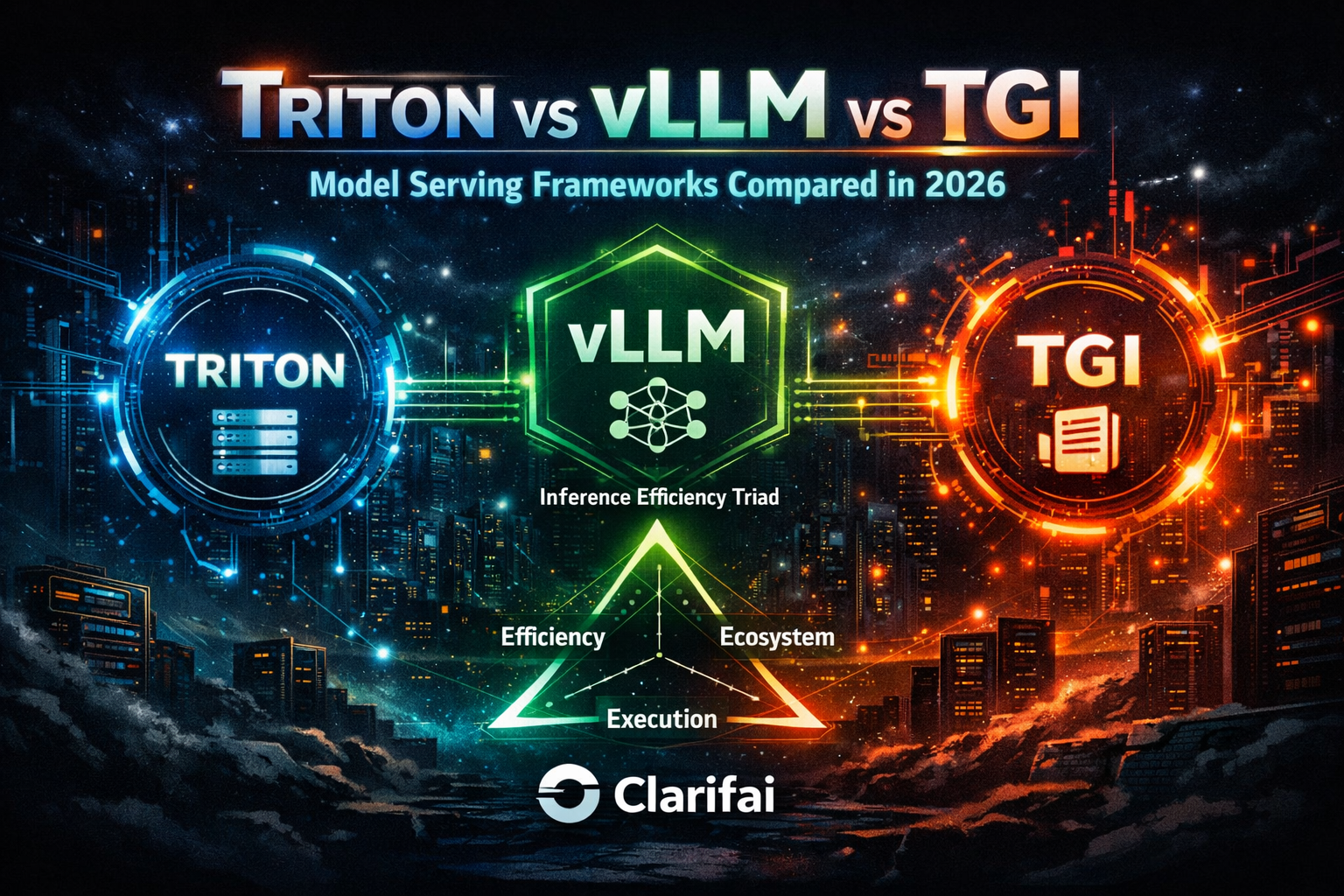
The following guidelines use the Inference Efficiency Triad (Efficiency, Ecosystem, Execution Complexity) to steer your choice:
- If Efficiency (throughput & latency) is paramount and you run on NVIDIA: choose TensorRT‑LLM/Triton. It delivers maximum performance and fine‑grained cache control but demands specialized expertise and vendor commitment.
- If Ecosystem & flexibility matter: choose Hugging Face TGI. Its multi‑backend support, HF integration and zero‑config setup suit teams deploying across diverse hardware or heavily using the HF hub.
- If Execution Complexity and cost must be minimized while maintaining high throughput: choose vLLM. It provides near‑state‑of‑the‑art performance with simple deployment and broad quantization support. Use the Triton backend for non‑NVIDIA GPUs.
Common mistakes include focusing solely on tokens‑per‑second benchmarks without considering memory fragmentation, hardware availability or development effort. Successful deployments evaluate all three triad dimensions.
Original framework: The Inference Efficiency Triad
To choose wisely, score each candidate (vLLM, TRT‑LLM/Triton, TGI) on three axes:
- Efficiency (E1) – throughput (tokens/s), latency, memory utilization.
- Ecosystem (E2) – community adoption, integration with model hubs (Hugging Face), API compatibility, hardware diversity.
- Execution Complexity (E3) – difficulty of installation, model conversion, tuning, monitoring and cost.
Plot your workload’s priorities on this triangle. A chatbot at scale prioritizes Efficiency and Execution simplicity (vLLM). A regulated enterprise may prioritize Ecosystem integration and control (Triton/Clarifai). This mental model helps avoid the trap of optimizing a single metric while neglecting operational realities.
Integrating Serving Frameworks with Clarifai’s Compute Orchestration & Local Runners
Clarifai provides a unified AI and infrastructure orchestration platform that abstracts GPU/CPU resources and enables rapid deployment of multiple models. Its compute orchestration spins up secure environments in the cloud, on‑premise or at the edge and manages scaling, monitoring and cost. The platform’s model inference service lets users deploy several LLMs simultaneously, compare their performance and route requests, while monitoring bias via fairness dashboards. It integrates with AI Lake for data governance and a Control Center for policy enforcement and audit logs. For multi‑modal workflows, Clarifai’s pipeline builder allows users to chain models (vision, text, moderation) without custom code.
Using local runners for data sovereignty
Clarifai’s local runners enable organizations to connect models hosted on their own hardware to Clarifai’s API via compute orchestration. A simple clarifai model local-runner command exposes the model while keeping data on the organization’s infrastructure. Local runners maintain a remote‑accessible endpoint for the model, and developers can test, monitor and scale deployments through the same interface as cloud‑hosted models. The approach provides several benefits:
- Data control – sensitive data never leaves the local environment.
- Cost savings – existing hardware is utilized, and compute can scale opportunistically.
- Seamless developer experience – the API and SDK remain unchanged whether models run locally or in the cloud.
- Hybrid path – teams can start with local deployment and migrate to the cloud without rewriting code.
However, local runners have trade‑offs: inference latency depends on local hardware, scaling is limited by on‑prem resources and security patches become the customer’s responsibility. Clarifai mitigates some of these by orchestrating the underlying compute and providing unified monitoring.
Operational integration
To integrate a serving framework with Clarifai:
- Deploy the model via Clarifai’s inference service – choose your framework (vLLM, TRT‑LLM or TGI) and load the model. Clarifai spins up the necessary compute environment and exposes a consistent API endpoint.
- Optionally run locally – if data sovereignty is required, start a local runner on your hardware and register it with Clarifai’s platform. Requests will be routed to the local server while benefiting from Clarifai’s pipeline orchestration and monitoring.
- Monitor and optimize – use Clarifai’s fairness dashboards, latency metrics and cost controls to compare frameworks and adjust routing.
- Chain models – build multi‑step pipelines (e.g., vision → LLM) using Clarifai’s low‑code builder; Triton’s ensemble features can be mirrored in Clarifai’s orchestration.
This integration allows organizations to switch between vLLM, TGI and TensorRT‑LLM without changing client code, enabling experimentation and cost optimization.
Future Outlook & Emerging Trends (2026 & Beyond)
The serving landscape continues to evolve rapidly. Several emerging frameworks and trends are shaping the next generation of LLM inference:
- Alternative engines – open‑source projects like SGLang offer a Python DSL for defining structured prompt flows with efficient KV reuse (RadixAttention) and support both text and vision models. DeepSpeed‑FastGen from Microsoft introduces dynamic SplitFuse to handle long prompts and scales across many GPUs. LLaMA.cpp provides a lightweight C++ server that runs surprisingly well on CPUs. Ollama offers a user‑friendly CLI for local deployment and quick prototyping. These tools emphasize portability and ease of use, complementing the high‑performance focus of vLLM and TRT‑LLM.
- Hardware diversification – NVIDIA’s Blackwell (B200) and AMD’s MI300 GPUs, Intel’s Gaudi accelerators and AWS’s Trainium/Inferentia chips broaden the hardware landscape. Engines must adopt performance‑portable kernels, as vLLM did with its Triton backend.
- Multi‑tenant KV caches – research is exploring distributed KV caches where multiple servers share KV state and coordinate eviction via event APIs, enabling even higher concurrency and lower latency. TRT‑LLM’s event API is an early step.
- Data‑privacy and on‑device inference – regulatory pressure and latency requirements drive inference to the edge. Local runners and frameworks optimized for CPUs (LLaMA.cpp) will grow in importance. Clarifai’s hybrid deployment model positions it well for this trend.
- Model governance and fairness – fairness dashboards, bias metrics and audit logs are becoming mandatory in enterprise deployments. Serving frameworks must integrate monitoring hooks and provide controls for safe operation.
As new research emerges—like speculative decoding, mixture‑of‑experts models and event‑driven schedulers—these frameworks will continue to converge in performance. The differentiation will increasingly lie in operational tools, ecosystem integration and compliance.
FAQs
Q: What’s the difference between PagedAttention and In‑Flight Batching?
A: PagedAttention manages memory, dividing the KV cache into pages and allocating them on demand. In‑Flight Batching (also called continuous batching) manages scheduling, evicting finished sequences and filling the batch with new requests. Both must work together for high efficiency.
Q: Is TGI really 13× faster than vLLM?
A: On long prompts (≈200 k tokens), TGI v3 caches entire conversation histories, reducing response time to about 2 seconds, compared with 27.5 seconds in vLLM. For short, high‑concurrency workloads, vLLM often matches or exceeds TGI’s throughput.
Q: When should I use Clarifai’s local runner instead of running a model in the cloud?
A: Use a local runner when data privacy or regulations require that data never leave your infrastructure. The local runner exposes your model via the Clarifai API while storing data on‑premise. It’s also useful for hybrid setups where latency and cost must be balanced, though scaling is limited by local hardware.
Q: Does TensorRT‑LLM work on AMD or Intel GPUs?
A: No. TensorRT‑LLM and its FP8 acceleration are designed exclusively for NVIDIA GPUs. For AMD or Intel GPUs, you can use vLLM with the Triton backend or Hugging Face TGI.
Q: How do I choose the right quantization format?
A: vLLM supports many formats (GPTQ, AWQ, GGUF, INT8, INT4, FP8). Choose a format that your model supports and that balances accuracy with memory savings. TRT‑LLM’s FP8 compute offers the highest speed on H100/B100 GPUs. Test multiple formats and monitor latency, throughput and accuracy.
Q: Can I switch between serving frameworks without rewriting my application?
A: Yes. Clarifai’s compute orchestration abstracts away the underlying server. You can deploy multiple frameworks (vLLM, TRT‑LLM, TGI) and route requests based on performance or cost. The API remains consistent, so switching only involves updating configuration.
Conclusion
The LLM serving space in 2026 is vibrant and rapidly evolving. vLLM offers a user‑friendly, high‑throughput solution with broad quantization support and now delivers performance portability through its Triton backend. TensorRT‑LLM/Triton pushes the envelope of latency and throughput on NVIDIA hardware, providing enterprise features like prefix caching and priority eviction at the cost of complexity and vendor lock‑in. Hugging Face TGI v3 excels at long‑prompt workloads and offers zero‑configuration deployment across diverse hardware. Deciding between them requires balancing efficiency, ecosystem integration and execution complexity—the Inference Efficiency Triad.
Finally, Clarifai’s compute orchestration bridges these frameworks, enabling organizations to run LLMs on cloud, edge or local hardware, monitor fairness and switch back‑ends without rewriting code. As new hardware and software innovations emerge, thoughtful evaluation of both technical and operational trade‑offs will remain crucial. Armed with this guide, AI practitioners can navigate the inference landscape and deliver robust, cost‑effective and trustworthy AI services.






 Note: MacRumors is an affiliate partner with Amazon. When you click a link and make a purchase, we may receive a small payment, which helps us keep the site running.