File management on Mac is straightforward until your project becomes cluttered with a huge number of drafts, documents, images, archives, and download files scattered across various folders. Finder handles basic navigation and file transfers well, but working with multiple folders at once often means opening several windows and constantly switching between them, which takes a lot of time. In this article, we’ll discuss another way to manage files on Mac, specifically, using Commander One, which offers a dual-pane interface. After reading this article, you’ll clearly understand for which tasks this solution is ideal and when Finder is perfectly sufficient.
Why File Management Becomes Cumbersome on Mac
As a rule, file organization problems don’t stem from a lack of basic functions, but rather from the need to perform a huge number of actions simultaneously. For security reasons, programs often store their data in isolated containers deep within the disk structure, which makes it difficult to manually search for the documents you need. If you’re working on a content project, for instance, the source images might be stored in the Downloads folder, the finished materials in the project folder itself, and some additional files in an archive, and constantly switching between Finder windows will significantly slow down your workflow.
This problem becomes particularly noticeable when you need to do more than just find a file – you need to perform several operations on it in succession, such as viewing, renaming, copying, and then chdecking the result. Finder allows you to use multiple windows or tabs for this, but the workflow itself is still centered around navigating between locations. In exactly this situation, the dual-pane feature offered by Commander One manager becomes particularly useful, since instead of opening the source and the destination folder separately, you can view them simultaneously. This feature is ideal for users who regularly need to sort, move, or copy files between multiple folders, as it makes workflows much clearer.
A Short Folder-Cleanup Workflow in Commander One
Now let’s take a look at how this process works in practice using a typical content project as an example. We have a folder containing new documents and images, and another folder containing the project files themselves. Commander One allows us to use a dual-pane file manager for Mac, so we can see both the source and destination folders at the same time.
We opened the folder containing the source materials in the left pane and the project folder in the right pane. First, we reviewed several files to determine which ones to keep, and then we selected the necessary items and renamed them directly while sorting. After that, you can drag the files to the desired folder or use the copy or move commands.
The next step in our case was to create a separate folder for the final materials and move the selected files there. If there are multiple operations, Commander One can queue them up instead of performing each action separately, which is especially useful when you need to move several groups of files at the same time.
Finally, we created an archive containing the finished materials and checked its contents without first unpacking it. In this way, navigation, previewing, renaming, moving, and archiving remain part of a single workflow, rather than separate steps in different tools.
Managing Files and Archives in One Workflow
The key advantage of Commander One is that it combines the main file operations into a single interface. You can create folders right while sorting, as well as copy, move, rename, or delete individual files or groups of items. Commander One supports multiple selections and drag-and-drop, which greatly simplifies working on multiple files at once, while tabs allows you to keep multiple locations open without having to open a huge number of windows. Another important advantage of Commander One is the ability to use advanced search and view hidden files, which is especially useful when working with a project’s service files.
Archives are a separate part of the workflow, and this
for Mac allows you to compress and decompress files, open archives, and view their contents without having to extract all the files first. Commander One allows users not only to open RAR on Mac, but also to work with ZIP, 7Z, TAR, TGZ, TBZ, and GZ files; however, keep in mind that the features vary depending on the format. It’s essential to note that you can create password-protect ZIP on Mac, whereas RAR files are supported in read-only mode.
Thus, with Commander One, archiving becomes an extension of a simple file management rather than a separate operation performed in another program.
Commander One vs Finder
Commander One and Finder perform many of the same tasks, but they organize the workflow differently. Finder is suitable for simple, eversyday tasks, while Commander One, which is available on the Mac App Store, is a better choice for advanced file and server management and working with two panes simultaneously, as it also serves an archive manager for Mac.
The advantages of Commander One become particularly apparent if you’re used to dual-pane file managers, frequently work with remote servers or FTP clients, or find that Finder’s standard features aren’t sufficient for sorting and transferring large amounts of data. Commander One also supports FTP/SFTP, WebDAV, OneDrive, Google Drive, Dropbox, and Amazon S3, which may be important for some users.
Another difference between Finder and Commander One is the ability to work with archives as part of the same process. If you need not only to
but also to create a password-protected ZIP or 7Z archive, view an existing archive, or find a specific file inside it, Commander One combines these actions into a single file manager.
At the same time, this doesn’t mean that Commander One is meant to replace Finder in every scenario. For simply browsing files and performing routine folder operations, Finder remains sufficient; moreover, it’s deeply integrated into macOS, runs reliably, and requires no additional software installation. Commander One is better suited for those who regularly need to work with multiple folders, large groups of files, and archives within a single workflow.
Conclusion
Commander One makes sense as a Finder alternative for Mac primarily in situations where standard file navigation is no longer sufficient for efficient workflow organization. If you need to regularly sort files among multiple folders, work with large groups of files, or include archives in the same process, the dual-pane approach may be more practical than working with separate Finder windows. However, for basic viewing, opening, and one-time
, there’s no need to abandon Finder, as Commander One isn’t a universal replacement for the standard macOS file manager, but rather an alternative tool for specific workflows.
Running a business can make it difficult to separate work from the rest of life. There is always another email to answer, decision to make, invoice to send, or idea to explore. For entrepreneurs working from home, even the physical line between professional and personal time can disappear — often becoming a hazard that never makes it into the business plan.
Mindfulness can help create a clearer boundary between work and personal life. It does not have to involve long meditation sessions or a carefully planned routine. Simply paying attention to the present moment, without rushing to judge or react, can make it easier to slow down and reset.
1. Create Small Pauses During the Workday
A mindfulness practice does not need to start with a 30-minute meditation session. Small pauses can be easier to maintain.
Before opening an inbox in the morning, take several slow breaths and notice how the body feels. Before joining a client call, spend 30 seconds focusing on your breathing rather than mentally rehearsing the conversation. After completing a demanding task, step away from the screen before starting another.
These pauses create a transition between activities. They also give you a chance to notice stress before it builds throughout the day.
Research supports the broader value of this approach. A systematic review and meta-analysis of workplace mindfulness training found beneficial effects for stress, anxiety, psychological distress, well-being, and sleep, although results varied across studies.
2. Use Technology With a Clear Purpose
Entrepreneurs already use technology to manage calendars, customers, finances, marketing, and communication. Digital tools can also support emotional well-being when used thoughtfully. Entrepreneur.com has outlined a range of mental health habits worth building into a daily routine.
For example, guided meditation apps can provide short breathing exercises, while mood trackers can help identify patterns connected to workload or sleep. Some people may also explore resources involving AI therapy as one part of a broader approach to emotional well-being.
Technology should not become another obligation to manage. Choose tools that solve a specific problem, and pay attention to whether they actually make it easier to care for your well-being.
3. Protect the Beginning and End of Your Day
When the office is a few steps away, work can easily expand into every available hour. Setting boundaries around the start and end of the workday can give the mind a clearer signal about when it is time to focus and when it is time to disengage.
A morning boundary might mean avoiding business email until after breakfast. An evening boundary could involve shutting down the computer at a set time, writing tomorrow’s priorities on paper, and leaving the workspace.
The routine itself matters less than consistency. A repeated closing ritual can reduce the temptation to keep mentally working long after the laptop is closed.
4. Notice Stress Before Trying to Fix It
Entrepreneurs often develop strong problem-solving instincts. When something goes wrong, the natural response is to look for a solution immediately.
Emotions do not always work that way.
When frustration, worry, or disappointment appears, try identifying the feeling before acting on it. Notice what is happening physically, too. Tight shoulders, shallow breathing, headaches, restlessness, and trouble concentrating can signal that it is time to slow down and assess what is happening.
Mindfulness creates room between an emotion and the response to it. That extra space can help prevent a difficult moment from turning into a rushed email, an unnecessary argument, or a decision made under pressure.
5. Stop Treating Every Task as Urgent
Entrepreneurship can create a constant sense of urgency, especially when one person is responsible for several parts of the business.
At the start of the day, identify a small number of tasks that genuinely need attention. Sort everything else into work that should be scheduled, delegated, postponed, or removed.
This approach supports mindfulness by directing attention toward what is happening now rather than keeping dozens of unfinished obligations active in your head. A shorter priority list can also make it easier to recognize when the workday has accomplished enough.
6. Build Movement Into the Schedule
Mindfulness does not have to happen while sitting still. Walking can offer a simple way to reconnect with the present moment.
During a short walk, leave the phone in a pocket and pay attention to surroundings, breathing, and physical movement. Even walking around the block between meetings can create a useful mental transition.
For home-based entrepreneurs, movement also provides a reason to leave the workspace. That physical change of setting can help break up long periods spent focused on screens, calls, and deadlines.
7. Keep Support Outside the Business
Entrepreneurship can feel isolating, especially when work decisions, financial pressure, and daily responsibilities all fall on the same person. Maintaining support outside the business can help create perspective and make stressful periods easier to manage.
That support might come from friends, family, community groups, hobbies, or a qualified mental health professional. The goal is to have places where conversations do not always revolve around revenue, deadlines, or business growth.
Research also suggests that mindfulness programs can support mental health and well-being, though they work best as one part of a broader approach to managing stress. Strong relationships, healthy routines, and access to professional support can all play an important role in long-term emotional well-being.
A Healthier Business Starts With a Sustainable Owner
Mindfulness is most useful when it becomes part of ordinary life rather than another performance goal. A few intentional pauses, clearer boundaries, thoughtful technology use, regular movement, and meaningful relationships can make the workday feel more manageable.
Entrepreneurs will always face uncertainty and pressure. The goal is not to eliminate every stressful moment. It is to build habits that make it easier to recognize what is happening, respond with greater intention, and protect enough energy to build both a sustainable business and a sustainable life.
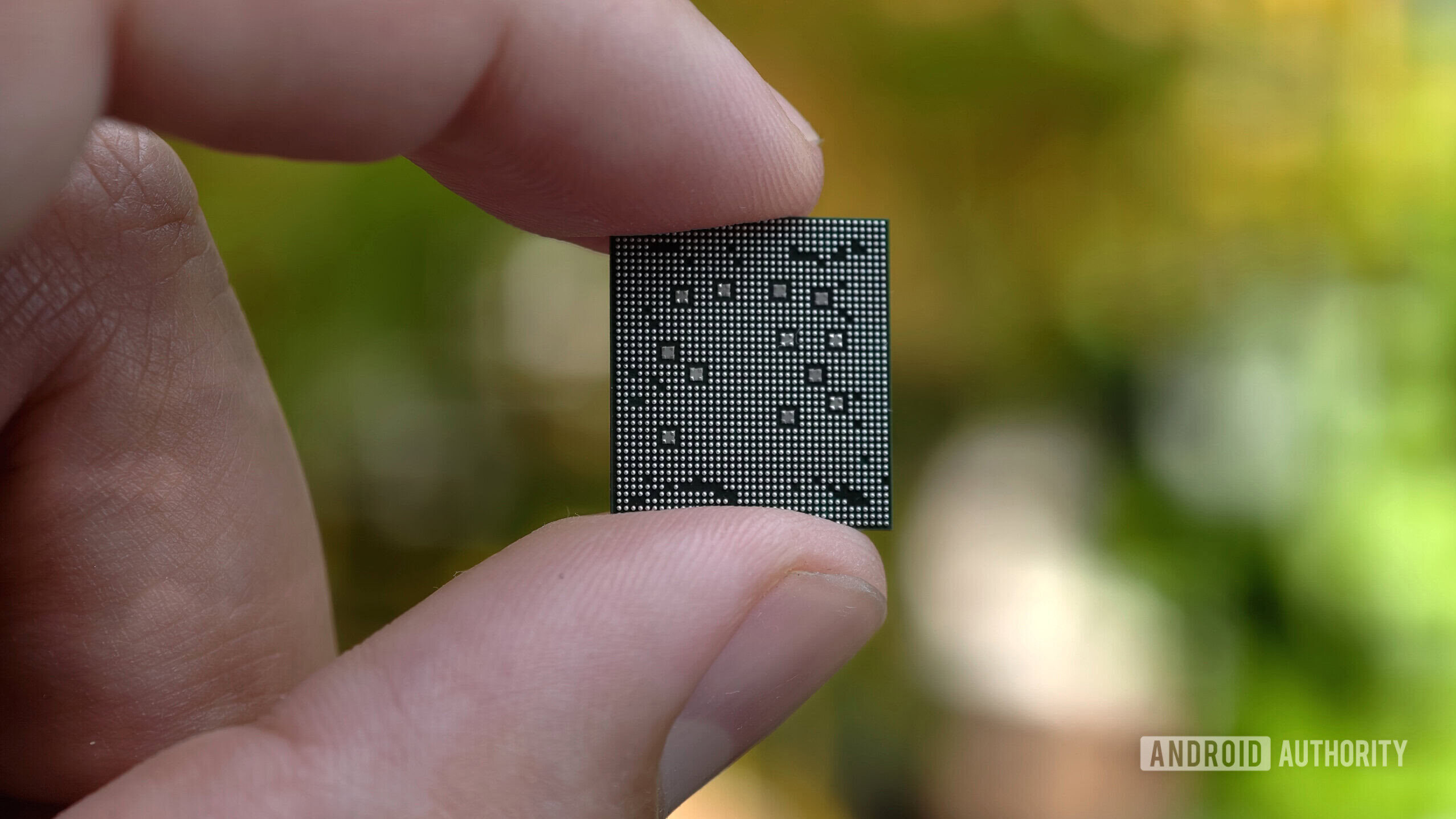
MediaTek has announced the Dimensity 9600 Pro chipset for high-end Android devices.
The new processor has a 2nm TSMC design, a powerful 4.55GHz CPU, a ton of AI improvements, and 4K/240fps slow-mo support.
The first phones with the Dimensity 9600 Pro are expected to be unveiled next week.
MediaTek is the world’s most popular smartphone chipmaker, largely due to its presence in the mid-range and low-end segments. However, the firm’s Dimensity 9000 chips have consistently delivered high-end horsepower and features to match and sometimes beat Qualcomm’s Snapdragon 8 series chips. Now, MediaTek has announced the Dimensity 9600 Pro, which is expected to take on Qualcomm’s upcoming chipset.
The Dimensity 9600 Pro is the firm’s first 2nm smartphone chip, manufactured in partnership with TSMC. This is the third major 2nm mobile chipset, following the Samsung Exynos 2600 early this year and the recently announced Apple A20 Pro.
If you’re looking to improve your gaming setup, the mouse is one of the best places to start. The right mouse can both improve your performance and feel much more comfortable during longer sessions, but with such a vast market of mice it can be difficult to know which is best for you. Arguably one of the biggest debates is wired versus wireless, but does it really make a difference?
There used to be a stark disparity between wireless and wired mice, particularly when it came to latency, but the gap between the two has become much less drastic in recent years. In our picks for the best gaming mouse in 2026, most of our choices are wireless. When it comes down to the finer details of what you’re looking for, it will depend on the sort of games you play the most and how much you’re looking to spend, but it’s easier than ever to see a wireless mouse as a dependable option.
What makes for a good gaming mouse?
Two of the biggest factors to look at in a gaming mouse are input latency and polling rate, two closely related stats that determine how responsive your device will be while gaming. Latency is how long it takes between taking an action (clicking and movement) and when it appears on screen, and polling rate is how often your mouse is communicating actions to the computer. Polling rates are measured in Hz — your average office mouse may operate at 125Hz, communicating every 8 milliseconds; a high-end gaming mouse can often reach 8,000Hz, communicating every 0.125 milliseconds.
Dots per inch (DPI) and inches per second are two other features to consider, though the former is generally less important to the pros. Dots per inch is essentially how sensitive your mouse is, measuring how much the cursor will move with every real-life inch the mouse travels, while inches per second (also called tracking speed) is how quickly you can move the mouse before it’s unable to accurately keep up. A high tracking speed is very important, ensuring any fast movements can be communicated with precision, but an overly-high DPI can actually be more of a hindrance, picking up even the slightest unintentional hand twitches and interference from the mousepad due to oversensitivity.
The final consideration is more down to personal preference: the actual build of the mouse. Things like weight, ergonomic mouse structure, and how many extraneous buttons it has are all factors that determine the perfect device. Those who play games with lots of hotkeys will appreciate a mouse with a selection of side buttons, while a gamer primarily focused on first-person shooters might value a feather-light mouse more for quick movements.
What mice are the pros using?
Jose Carlos Cerdeno/Getty Images
In a 2025 survey of 2,420 e-sports players by ProSettings, all of the top ten mouse picks were wireless, a trend likely due to a combination of major technological improvements and the movement freedom from being cable free. Many of the best wireless mice now use 2.4GHz dongle connections, which allow for much faster polling and latency than Bluetooth.
This means that wireless mice are capable of generally reducing latency to between 0.5 and 1 milliseconds (sometimes lower), compared to wired mice at 0.3 to 1 milliseconds — a very negligible difference even to the most hardcore gamer. Similarly, DPI and tracking speed are generally identical between a wired and wireless mouse of the same tier.
The two main drawbacks of high-end wireless mice have nothing to do with performance: price and battery. Most wireless gaming mice tend to cost more than their wired counterparts, since they require extra tech like a dongle and other additional charging peripherals.
Though many wireless mice do boast an impressive battery that’s capable of lasting over 100 hours, they still eventually require charging, which can be seen as a hindrance for some gamers. This is a hurdle easily overcome by remembering to charge it — often using a bundled USB cable — when not gaming or while away from the computer.
Although prices may be higher, if you’re looking to play like the pros, wireless is the way to go.
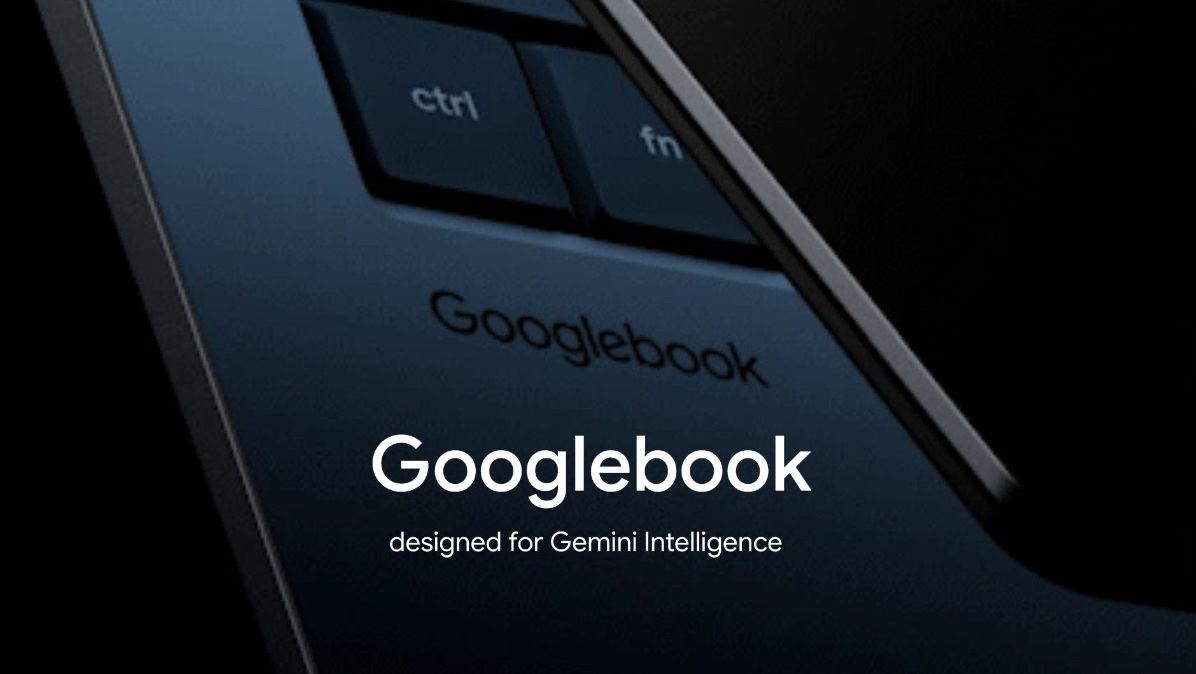
Googlebook pre-orders will officially open on September 21 at 9 a.m. ET, Google has confirmed.
The first Googlebooks are expected from brands including Acer, ASUS, Dell, HP, and Lenovo.
Googlebooks will focus heavily on Gemini, with features like Magic Pointer and AI-generated custom widgets.
Google has revealed that you’ll finally be able to pre-order the first Googlebooks starting next week.
At The Android Show earlier this year, Google had its “one more thing” moment when it teased its next category of premium laptops called Googlebooks. Google says these are a new category of laptops built for the “intelligence system” era, but at the time, the company didn’t reveal much about the devices or when you’d actually be able to buy one.
Now, Google has started emailing users confirming that Googlebook pre-orders will open on September 21 at 9 a.m. ET. The company hasn’t revealed exactly which models will be available to pre-order next week, but we’re expecting devices from Acer, ASUS, Dell, HP, Lenovo, and other partners. It’s also unclear when the first Googlebooks will actually start shipping.
Google has also set up a new website that currently shows the Googlebook branding, a few teasers, and the September 21 pre-order date.
(Image credit: Future)
The company is highlighting some of the key Googlebook features on the page as well, with a heavy focus on Gemini. One of those is Magic Pointer, which lets you access Gemini directly through the pointer on your Googlebook. You’ll also be able to create your own widgets simply by describing what you want.
Google is also positioning Googlebooks as the perfect companion for Android phones. Users will be able to open apps from their Android phone directly on a Googlebook, as well as access files stored on their phone from the laptop.
Googlebooks will be the first laptops built on Google’s new Android-based technology stack rather than ChromeOS. Interestingly, Google still hasn’t revealed the official marketing name for the operating system that will power Googlebooks, but we expect to learn much more as pre-orders open.
Get the latest news from Android Central, your trusted companion in the world of Android
It’ll also be interesting to see how Googlebooks fare in an increasingly crowded laptop market, especially with new RTX Spark-powered laptops on the way and RAM prices continuing to rise.
Jensen Huang made headlines Monday at the All-In conference in L.A. when President Trump called him, live, on stage. But there was something else worth noting about his appearance. Huang, dressed in his now-signature alligator leather jacket, was handed Apple’s new foldable phone to answer it — a device that isn’t due to hit stores for another five weeks.
Flashing your unreleased hardware while chatting with the president? Not a bad flex.
Once he got Trump on speaker, the conversation turned to AI safety, and the two seemed to agree that mounting fears about AI equate to what Trump called a “hoax.” Trump argued that the real winners of the AI panic are China and “political people,” and that the technology is too big — “bigger than the internet,” he said — to slow down over. (“Did you hear that? Thousands of people are clapping,” said Huang to Trump during this same exchange.)
Whether Huang truly shares that same view or isn’t in a position to say otherwise, we’ll never know. Nvidia’s business model depends largely on AI labs buying more chips, so downplaying existential risk is the only move if he cares about his company’s share price. (It’s still up 33% for the past year but fell a few percentage points today.)
Either way, while everyone focused on Trump’s surprise call, a few of us noticed the $1,999 phone in Huang’s hand. And, who knows, maybe that was Huang’s own message. It’s certainly interesting that a decade after Apple stopped putting Nvidia hardware in its own devices, it now needs Nvidia enough to run part of Apple Intelligence on it.
Survivor’s NotesTrain Sim World 7 Survivor’s Notes is a zombiesurvival FMV. Players will take on the roles of both the male and female protagonists simultaneously, advancing different story branches through choices and various quick-time events during gameplay, and ultimately unlocking distinct endings based on their decisions. This is not a story about “how the apocalypse destroys the world”, but a tale of how humans choose to believe, take responsibility, and make sacrifices in the face of despair.
It does not depict how heroes conquer disasters, but how ordinary people, without divine intervention or retreat, shoulder the cost of saving the world with reason, courage, and sacrifice. When the world is redeemed, the deeds of salvation are erased. What truly remains is only the possibility for the continuation of human civilization. This is a work dedicated to “the survivors”. It is also a post-apocalyptic fable about memory, trust, and human dignity.
Story Background In 2026, a sudden global zombie apocalypse swept across the world, pushing human civilization to the brink of collapse within days. No one knows the true origin of the disaster, leaving only countless rewritten lives and vanished names in its wake. Ji Xingchuan, a cartoonist, has been having recurring dreams of the same post-apocalyptic world for a year. He adapted these dreams into a serialized mangaNotes of the Survivor, which unexpectedly became a hit. However, the manga abruptly ceased publication the moment the story reached the “white light on the rooftop”because the dreams began to overlap with reality.
Screenshots
SystemRequirements
Minimum Requires a 64-bit processor and operating system
OS: Windows 10
Processor: Intel Core i3
Memory: 4 GB RAM
DirectX: Version 11
Storage: 40 GB available space
Support the game developers by purchasing the game on Steam
InstallationGuide
TurnOff Your Antivirus Before Installing Any Game
1 :: Download Game 2 :: Extract Game 3 :: Launch The Game 4 :: Have Fun 🙂
Marketing teams are being told to do more with AI: Draft faster. Publish more. Automate the busywork. But what if the real opportunity isn’t using AI to do your job faster, but turning parts of your job into tools that keep doing the work for you?Continue reading “From Marketing Job to Marketing Tool: Reframing AI Adoption”
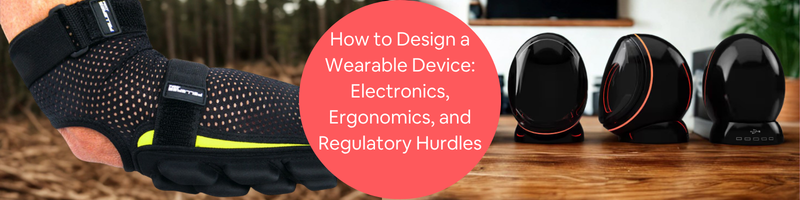
In designing a wearable device, it’s more than just creating an attractive smartwatch or a fitness tracker. These devices are worn by the body, so comfort matters. It also has to be lightweight, durable, and safe, all while fitting complex electronic components in such a tiny pocket of space. The engineers also need to account for several factors like its battery size, wireless connectivity, heat management, and the shape of the human body it would be attached to. Not one area should be overlooked to ensure that it will not only be comfortable to wear but also comply with safety and regulatory requirements before being released to the public.
1. Quantify anthropometric variation to prevent product abandonment
The most common reason a person would stop using their wearables is that it’s uncomfortable to use or wear. Smartwatches or earbuds may feel okay for a specific person but may not be the same for another. It could feel too tight or too loose. Not all people have the same body proportions. People can have varying wrist sizes, finger widths, and ear shapes. When the design is referenced only to one average body size, it can result in poor fit and user dissatisfaction.
To create a wearable device designthat can cater to more users, the designers and engineers should research and study more body measurements from different age groups, genders, and populations. This should be done before finalizing a product’s size and shape. This is called anthropometric analysis; it helps in ensuring that the device would be comfortable on the body without causing issues like pressure, slipping, and irritation during wear.
2. Analyze non-linear human comfort curves for band pressure optimization
It is a common misconception to think that the fit is more about comfort. This is not really the case every time since the fit also affects how a device can work. For instance, a fitness band that is too loose may cause the sensors to lose contact with the skin. This will produce inaccurate heart rate readings, missed health data, or possible interruptions caused by movements. A tight strap wouldn’t do any good since it puts too much pressure on the skin and may restrict blood flow.
To come up with a device that works well, the engineers and designers have to determine the ideal level of pressure the device should apply. The goal is not only to make sure it fits comfortably but also to keep the sensors in steady contact with the skin. It is important to create a balance. This is known as the optimal comfort range. It allows the wearables to collect reliable health and activity data while ensuring that it is still comfortable for daily use.
3. Mandate biocompatible base material selection under ISO 10993 standards
Wearable devices servicesare meant to stay in steady and direct contact with the skin for a long period of time. This is why the materials selected in creating their housing, straps, and bands have to be ensured safe and comfortable for daily usage. If it’s made with low-quality plastic, untreated rubber, or certain alloy metals, it could cause irritation and allergic reactions, especially for those with sensitive skin.
In order to avoid these kinds of risks, the engineers and designers have to account for selecting materials in a way that they meet recognized biocompatibility standards, like ISO 10993. This evaluates whether the materials are safe for skin contact. There are common choices for designing resistance to irritation. These materials include medical-grade silicone, high-quality thermoplastic polyurethane (TPU), and other hypoallergenic coatings. It is important to use only skin-safe materials to ensure that it’s comfortable and suitable for long-term use.
4. Design active geometric moisture management channels into skin surfaces
While a wearable device can be made from skin-safe materials, it can still be susceptible to sweat and moisture. It can be uncomfortable and irritating for a wearer. A flat and non-breathable type of surface can limit the airflow, which may cause heat and sweat to build up during daily activities or workouts. This could lead to unpleasant odor and skin irritation and may become an environment where bacteria may grow.
To ensure that this will be prevented, the engineers and CAD designers should come up with a design that has moisture management features when in contact with the skin. These could be done by including ventilation holes, airflow channels, textured surfaces, and breathable fabrics. All these can help in allowing air to circulate and sweat to evaporate more easily.
5. Balance the three-way packaging negotiation: battery, size, and weight
A wearable device should be bound by a right balance between battery life, size, and weight. This is actually one of the biggest challenges in designing wearable devices. The larger the battery size is, the longer it can allow the device to run between charges, but it could make the product heavier and bigger. If the device is too bulky, it may be uncomfortable to wear or use. It could also look unattractive and may not appeal to the users. If the device were too small, it may mean a smaller battery and shorter operating time. This can lead to user frustration since it has to be charged a lot of times.
In order to achieve the ideal balance, a collaborative effort from electrical and mechanical engineers should be made to make the most out of the available space inside a device. They should plan during early design stages and carefully lay out the electronic components to come up with compact and high-capacity batteries. Optimizing the internal layout can significantly improve the device not just aesthetically but also performance-wise.
6. Leverage flexible and rigid-flex PCBs for complex contoured envelopes
One attribute of a wearable device is that it has to naturally conform to a curved part of the body like the wrist, ear, or head. It would be off or awkward to use traditional rigid circuit boards because they’re flat and would make the device appear larger or weird to wear. To match the shape of a human’s body, flexible or rigid-flex printed circuit boards can be used. These are a lot slimmer and lighter to better fit the bends around curved surfaces.
With the use of flexible PCBs, the limited space in the wearable device is maximized. When the electronics are designed properly, creating bends around the housing, it can make more room for other important components of the device. Using flexible and rigid PCBs services may be expensive, but it offers high value in terms of comfort, compactness, and improved overall performance of the device.
7. Isolate radio frequency antennas from conductive human tissue
Many wearable devices are now using wireless features such as Wi-Fi, Bluetooth, and cellular connectivity. Its performance depends on where the antenna is placed. Interestingly, the human body actually contains a large amount of water, which means it can absorb and weaken radio frequency (RF) signals if the antenna is positioned too close to the skin. This may lead to unstable and slower signal strength, creating inconsistencies in communication between the wearables and other devices.
To maintain reliable wireless performance, the engineers and designers have to carefully lay out and position the antennas away from the body. This is to avoid absorbing and blocking signals. They can also design dedicated spaces inside the device to help reduce interference from other electronic components. Non-metallic materials such as plastics and ceramics are also used around the antenna to allow signals to pass through easily.
8. Mitigate asymmetric center of mass rotational cantilever torques
A wearable device’s weight matters, but how the weight will be distributed has an even greater impact on how comfortable the device is. If the device has a heavy component like a battery, its weight could be concentrated on just one side and may cause the device to feel unbalanced. This uneven weight distribution would be uncomfortable for the user, especially during daily movements and activities.
The engineers and designers can improve this by carefully arranging the internal components inside so the weight is evenly distributed. They have to keep the center of the device balanced so it stays securely in place, even with active movements. With this, users wouldn’t have to frequently tighten the bands. Designing a balanced weight for wearable devices can help in improving their comfort and fit. It also improves the sensor contact with the skin.
9. Implement passive conduction thermal paths to protect the epidermis
There are tendencies wherein a wearable device can generate heat while it’s in operation. Unlike other devices like laptops or computers, it does not really have enough space for cooling fans. What they have is passive cooling wherein it naturally moves away from the electronic components firm through the device’s materials and into its surrounding air. Managing heat is important since it can avoid discomfort and make the device still safe to use.
The engineers and designers manage this by using heat-conducting materials like graphite sheets, copper layers, and other thermal interface materials. These help in guiding away heat from the skin and toward the outer surface of the device where it can freely dissipate. The electronic components are arranged in a way that the heat-generating parts are kept away.
10. Map device thermal signatures against strict safety and comfort ceilings
The wearable device should be able to function as intended while remaining comfortable for a longer time. Its electronic components may generate heat as it operates. There could be instances where the heat could be uncomfortable for the users, even though there are specified safety standards to which a wearable device can reach a maximum temperature. People with sensitive skin and touch may feel the warmth and think it’s not technically safe.
The engineers and designers can improve comfort by designing in a way that it stays as cool as possible when used. They have to carefully manage the heat by using the most appropriate materials. Arranging it more efficiently, by using an effective passive cooling technique, can help in dissipating the heat.
11. Navigate intentional radiator compliance under FCC and RED frameworks
A wearable device design services that uses Wi-Fi. GPS and Bluetooth connectivity should be ensured so that it can comply with wireless communication regulations before it can be released in the market. The device is intended to be able to transmit radio signals. This is why it has to be tested and evaluated carefully to ensure there would be no interference with our electronic equipment. It should also not exceed the allowed transmission limits.
Every region has its significant regulatory requirements. In the United States, it has the Federal Communications Commission (FCC. For Europe, they have to follow the Radio Equipment Directive (RED. To ensure that the wearables can meet these requirements, manufacturers should perform tests to evaluate the signal strength, radio emissions, and their overall wireless performance. Most startups opt to use pre-certified wireless modules to comply with the regulatory tests.
14. Evaluate the cost and trademark rules of Bluetooth SIG licensing
A wearable device with a Bluetooth feature for its wireless communication should follow specific qualification and trademark requirements that are set by the Bluetooth Special Interest Group (SIG). This entails simply putting the Bluetooth chip in and installing it; it is not enough. The device should complete all necessary qualification processes. Confirm its standards for compatibility and performance before it can be marketed as Bluetooth-enabled.
The qualification process would mean additional costs and expenses, but it can help ensure that the device can reliably work with other Bluetooth products and comply with regulated industry standards and requirements. There are companies that reduce their initial development expenses by using pre-qualified Bluetooth modules during the prototype stage process. The catch, however, is that a commercially ready product should still complete the official SIG qualification before it can be marketed.
16. Identify the clear boundary between general wellness and FDA regulation
Every wearable device has its distinctive attributes and serving. It could be to simply track general wellness data like daily steps. Burned calories, exercise, or basic heart rate. This would also mean that every product would have varying regulatory requirements because a device that supports a healthy lifestyle can mean fewer requirements rather than one that’s designed to treat medical conditions.
For wearable devices that help in monitoring, detecting, and diagnosing health conditions, it would require approval from regulatory agencies such as the U.S. Food and Drug Administration (FDA) before it can be marketed. This is mostly applicable to products like electrocardiogram (ECG) monitoring, sleep apnea detection, or blood pressure measurement.
17. Recognize that marketing claims dictate regulatory product classification
To know what regulatory requirements a wearable device needs, its physical attributes are not the only thing that can influence its marketing claims. For instance, its intended function is to measure basic health information and is marketed for general wellness. Its regulatory requirements would fall under fitness or lifestyle purposes.
The engineering, marketing, and regulatory team should collaborate closely with each other throughout the entire product development process services. This is to ensure alignment to keep the device compliant with the requirements.
18. Deploy 3D-printed form studies to validate ergonomics prior to tooling
3D-printed prototypes firm that are done early in the development process can help avoid possible redesign. Changing the shape of the device right after the mold has been created can be expensive and time-consuming. 3D-printed prototypes can help the design team evaluate the device’s shape, size, and ergonomics before committing to invest in the finalized manufacturing tools.
To ensure a comfortable fit for most users, it is ideal to test it on people with different body sizes and shapes. This can be a great help for the designers to easily spot and address issues like poor fit, pressure points, and other awkward feelings. With this, engineers can improve the device’s ergonomics without having to reach the late stage. Doing this will save the company from costly redesigns.
19. Develop hardware and software together to speed up wearable development
The most efficient approach in developing a wearable device is to combine hardware and software together. This would be a quicker approach rather than waiting for the wearable design to be completely finished. This way, engineers and designers can identify and address the issues early. This helps ensure that the timeline is as planned and lessens delays in the process.
To do this, the mechanical team can focus on testing the device’s shape, comfort, and ergonomics using simple prototypes. The software team, on the other hand, can work on the code controls for the sensors and other features. They can do tests for all the functions using even larger development boards before it can fit into the compact product.
Careful coordination is required in designing and developing a wearable device. It factors in coordination from multiple engineering disciplines to achieve the product’s goals. From designing, testing, and developing the wearable device, it is important to account for necessary factors to make a sound decision.
To help provide a quick guide forindustrial designers, mechanical engineers, and electrical engineers in making an informed decision, the following reference tables can give an overview of key design considerations, safety limits, and engineering trade-offs involved in wearable device development.
Continuous direct skin contact should be >10 seconds
≤ 43°C absolute safety ceiling
Consumer regulations: IEC 62368-1
Exposed plastic surfaces
43°C – 48°C (depends on the duration)
User comfort limit
Metal and Glass Parts
Around 40°C comfort limit
User comfort limit
Flexible Materials
Around 41°C – 43°comfort range
Typical human body condition
Normal resting baseline skin temperature
Around 32°C typical skin temperature
Design balance guide
Design Focus
Key Engineering Advantages
Design Trade-Off
Signal and Connectivity Challenges
Regulatory & Cost Impact
Increased battery capacity
Improves the overall battery life
It makes the device heavier and bulkier
May need for more internal space for charging ports and heat management
Requires higher testing costs (UN 38.3 lithium cell certification requirements).
Rigid-flex / flex PCB integration
Can fit to curved body shapes, space is used efficiently
It would require added supports to keep the parts more secured
Tendency to cause signal changes in bending areas
Higher BOM cost and complex DFM validation loop.
Metallic enclosure (Al/Ti/SS)
Provides premium appearance and strong durability
Makes the device heavier and can transfer heat to skin a bit faster
Can cause weak signals, and may require better antenna design
Complicates SAR compliance testing due to metal interference
Elevated ingress protection (IP68)
Provides moisture and sweat protection
May require tight seals and sound openings
Can limits charging ports and would require wireless charging solutions
Makes the whole production slower and would need extra quality checks
High-frequency sensor sampling
Provides continuous health data for tracking and insights
May generate heat on some areas or parts of the device
Can reduce the battery life and create signal interference
May risk crossing the boundary into an FDA Class II regulated device
Direct hydrogel / adhesive patch
Improves the overall sensor accuracy and reduces signal interferences
May lead to skin irritation with prolonged use
Limits the internal spacing for components
Requires expensive ISO 10993 biocompatibility testing data.
Conclusion
To design a successful wearable device, it requires thinking beyond just the aesthetic of the product and making it compact and portable. There should be a balance between those two and user comfort, ergonomics, heat management, wireless performance, as well as regulatory requirements. Each decision matters. This is why close collaborative work among industrial designers, mechanical engineers, and electrical engineers is essential to avoid costly redesigns and delays before production. To bring your wearable concept to life, browse Cad Crowd and connect with a vetted network of engineers who can help you throughout the design development process to final prototyping.
Designing a successful wearable device requires expertise in industrial design, mechanical engineering, electronics, PCB layout, prototyping, and manufacturing. Cad Crowd connects you with experienced product development professionals who can help transform your concept into a market-ready wearable. From ergonomic design and PCB integration to prototype development and production support, our vetted experts provide the technical knowledge needed to streamline development and reduce costly redesigns. Request a free quote today and find the right engineering team for your next wearable device project.
MacKenzie Brown is the founder and CEO of Cad Crowd. With over 18 years of experience in launching and scaling platforms specializing in CAD services, product design, manufacturing, hardware, and software development, MacKenzie is a recognized authority in the engineering industry. Under his leadership, Cad Crowd serves esteemed clients like NASA, JPL, the U.S. Navy, and Fortune 500 companies, empowering innovators with access to high-quality design and engineering talent.
Diablo 4 is far from dead, but don’t expect any new expansions for the game going forward. Instead, Blizzard is preparing to tell the darkest story yet in Diablo 5, one that required a new numbered game to properly reintroduce Diablo himself back to the series, following his defeat in 2012’s Diablo 3. Currently aiming for a 2029 release, this would mean that players are in for a relatively short wait for a new Diablo game–compared to previous releases–as Diablo 5 will arrive a mere six years after Diablo 4.
Speaking to GameSpot at BlizzCon, Diablo senior production director Tiffany Wat and executive producer Matt Zitterman explained that it made sense for Blizzard to move to a new Diablo so that the studio could make structural changes to the game–changes that would have been very challenging to pull off within the framework of a Diablo 4 expansion.
“It really started by looking at who our players are,” Zitterman said. “Who are Diablo players? Why are they playing Diablo? What do they want out of a Diablo game? That is a really critical step in the early conceptual phase for a game, even before you’re thinking about, like, ‘Gosh, should we make this an expansion? Should we make it a sequel? How do we do this?’ Looking at past examples, looking at what’s working well in Diablo 4, where there are opportunities for improvement, and we kind of build our ambition for the game at the conceptual phase through those avenues of information.”
“And as we started to understand and kind of solidify what that ambition was, it became very clear to us pretty early that in order to achieve what we wanted to achieve with this game, we needed to make some more deeply structural changes to the way the game works, changes that are just frankly hard to do in an expansion. Again, it’s all about figuring out what the best way is to make the best Diablo game we can for players. Diablo is the main villain. Diablo is the guy that we want to tell a real story about. We want to tell a story that’s on par with–and hopefully exceeds–the story we told with Lilith and Mephisto.”
“And to do that in an expansion just didn’t feel right. We needed to give him his own game.”
Player feedback also plays a vital role in the development of Diablo 5, and Zitterman said that by announcing the game this early, Blizzard could make important changes well ahead of the game’s eventual launch. “If we didn’t announce now and we kind of held back until we were much further along in development, at that point, it’s much harder to take that feedback and use it to make those really important changes and refinements to the game throughout development,” Zitterman explained.