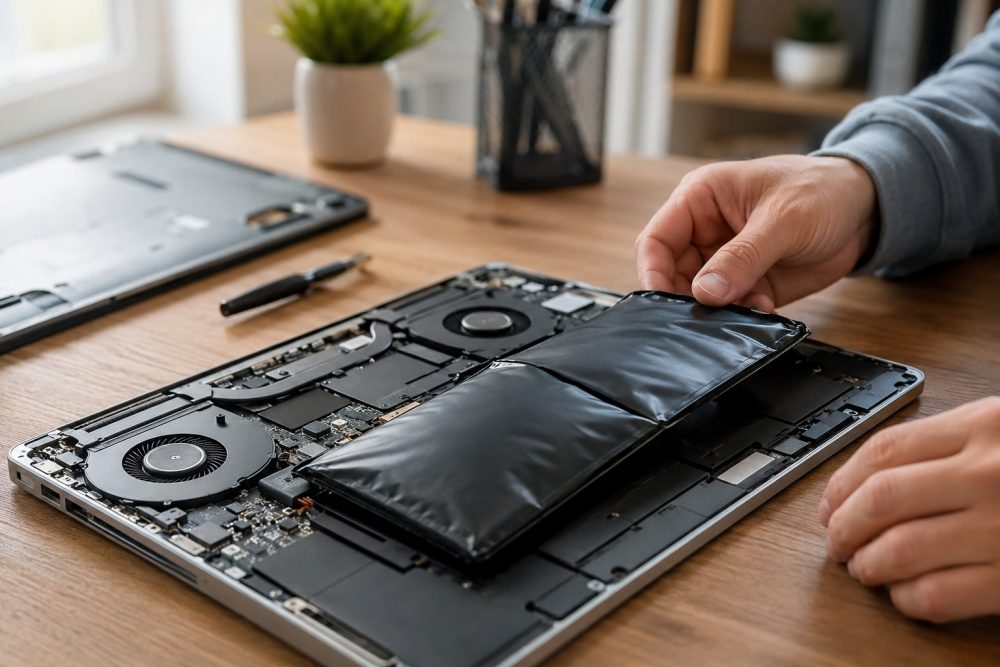
Your laptop is one of the most important tools you use every day, whether you’re working remotely, managing a business, attending classes, or staying connected with family. At PC Geeks, we help Frisco residents and businesses keep their devices running smoothly with professional diagnostics, repairs, and expert technical support. One of the most common issues we see is battery failure, often after customers have struggled with poor performance for weeks or even months before seeking help.
Laptop batteries naturally wear out over time. Most modern lithium-ion batteries are designed to last between 300 and 1,000 charge cycles, depending on the manufacturer and usage habits. As batteries age, they lose their ability to hold a charge efficiently, leading to frustrating interruptions and reduced productivity.
If you live in Frisco, TX, where many professionals work from home, students rely on laptops daily, and businesses depend on mobile technology, recognizing the early warning signs of battery failure can save you time, money, and stress. Here are five signs that it may be time to replace your laptop battery.
Rapid Battery Drain Despite a Full Charge
One of the clearest signs of battery deterioration is a significant drop in battery life. If your laptop used to last six to eight hours but now struggles to stay powered for two or three, the battery may be reaching the end of its lifespan.
Battery degradation occurs naturally as cells lose their ability to store energy. You may notice that even after charging to 100%, the battery percentage drops quickly during normal use.
Some common symptoms include a battery percentage that drops unexpectedly, frequent low-battery warnings, the need to recharge multiple times throughout the day, and noticeably reduced performance when operating on battery power. If these issues persist after adjusting your power settings and closing unnecessary applications, a battery replacement may be the most effective solution.
If these issues persist after adjusting power settings and closing unnecessary applications, a battery replacement may be the most effective solution.
Unexpected Shutdowns and Power Loss
Does your laptop suddenly shut off even when the battery indicator shows plenty of charge remaining? This is another common warning sign.
As batteries age, they can struggle to deliver consistent power. The operating system may estimate remaining battery life incorrectly because the battery’s actual capacity no longer matches its original specifications.
Unexpected shutdowns can be particularly disruptive for:
- Remote workers attending virtual meetings
- Students completing assignments
- Business owners managing customer data
- Travelers working away from power outlets
In a growing city like Frisco, where professionals often work from coffee shops, coworking spaces, and community hubs near areas like The Star and Frisco Square, reliable battery performance is essential.
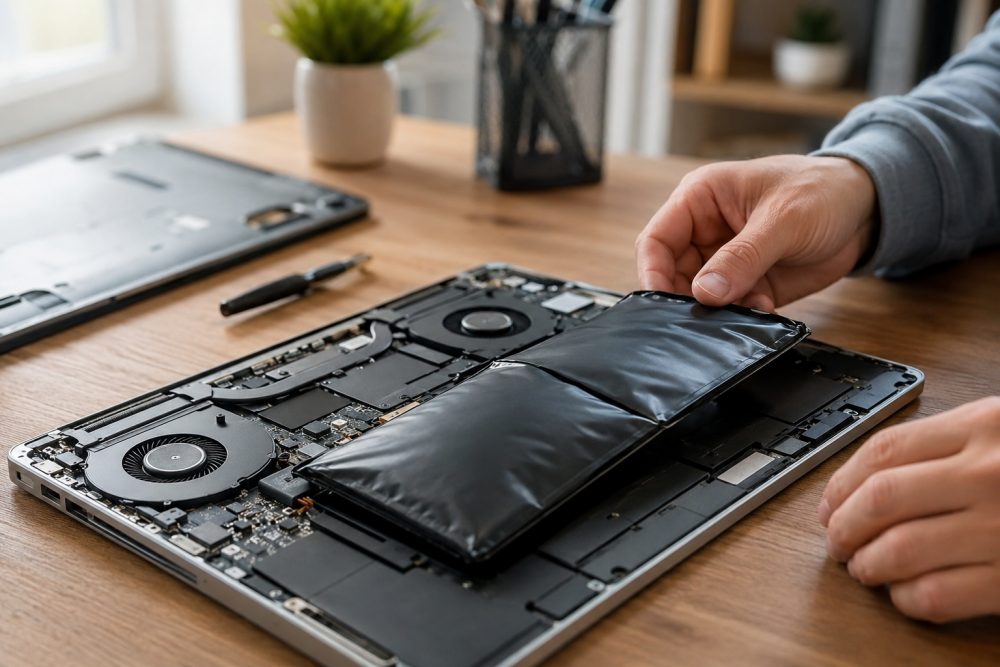
The Battery Is Swollen or Physically Distorted
A swollen battery is a serious issue that requires immediate attention.
Lithium-ion batteries can occasionally develop internal gas buildup as they age or experience excessive heat exposure. This can cause the battery to expand, creating visible physical changes to your laptop.
Watch for signs such as:
- A bulging keyboard
- A lifted trackpad
- Gaps appearing between laptop components
- Difficulty closing the laptop properly
Texas summers can bring prolonged periods of high temperatures, and laptops left in vehicles or poorly ventilated areas may experience accelerated battery degradation. If you notice swelling, stop using the device and seek professional assistance immediately. Continuing to use a swollen battery can increase the risk of further damage to internal components.
Your Laptop Only Works When Plugged In
If your laptop shuts down the moment you disconnect the charger, the battery may no longer be functioning at all.
Many users initially assume the charging cable or power adapter is faulty. While those components can fail, a completely depleted battery is often the culprit.
This issue typically develops gradually. You may first notice shorter battery life, followed by frequent charging requirements, before eventually reaching the point where the battery cannot hold any charge.
Professional diagnostics can determine whether the issue lies with:
- The battery
- The charging port
- The power adapter
- Internal power management systems
At PC Geeks, we help identify the root cause so you can avoid replacing parts unnecessarily.
Battery Health Warnings and System Alerts
Modern operating systems often provide built-in battery health monitoring tools. If your laptop displays messages such as:
- “Consider replacing your battery”
- “Battery service recommended”
- “Battery health significantly degraded”
- “Battery capacity reduced”
Do not ignore these notifications.
These alerts are generated based on performance data collected over time and often indicate that the battery has fallen well below its original capacity.
You can check battery health through system settings on many Windows and Mac devices. However, interpreting these reports can sometimes be confusing. Professional testing can provide a more accurate assessment and help determine whether replacement is the best option.
Why Timely Battery Replacement Matters
Many people continue using failing batteries longer than they should. Unfortunately, delaying replacement can lead to additional issues.
A failing battery can:
- Reduce overall laptop performance
- Cause data loss from unexpected shutdowns
- Place strain on internal components
- Create safety concerns if swelling occurs
- Interrupt productivity and daily tasks
Replacing a battery before complete failure helps extend the useful life of your laptop and can often postpone the need for a costly device replacement.
For Frisco residents and businesses, maintaining reliable technology is increasingly important as remote work, online learning, and digital services continue to play a larger role in everyday life.
How PC Geeks Helps Frisco Laptop Users
At PC Geeks, we understand how disruptive computer problems can be. Our experienced technicians provide comprehensive laptop diagnostics, battery testing, and replacement services designed to restore performance and reliability.
When you bring your laptop to PC Geeks, our technicians perform a complete battery health assessment and verify whether the battery is truly the source of the problem. We also inspect related components, such as the charging port and power management systems, to rule out other issues. Once we identify the cause, we provide honest, cost-effective recommendations and can install a high-quality replacement battery when needed.
Our goal is always to provide honest recommendations and solutions that help customers get the most value from their technology investments.
Ready to Restore Your Laptop’s Performance?
If you’ve noticed rapid battery drain, unexpected shutdowns, swelling, or other warning signs, don’t wait until your laptop fails completely. The team at PC Geeks is here to help Frisco residents and businesses diagnose battery problems and restore dependable performance.
Contact PC Geeks today through our contact page to schedule a professional laptop battery evaluation and find out whether a replacement is the right solution for your device.