Introduction
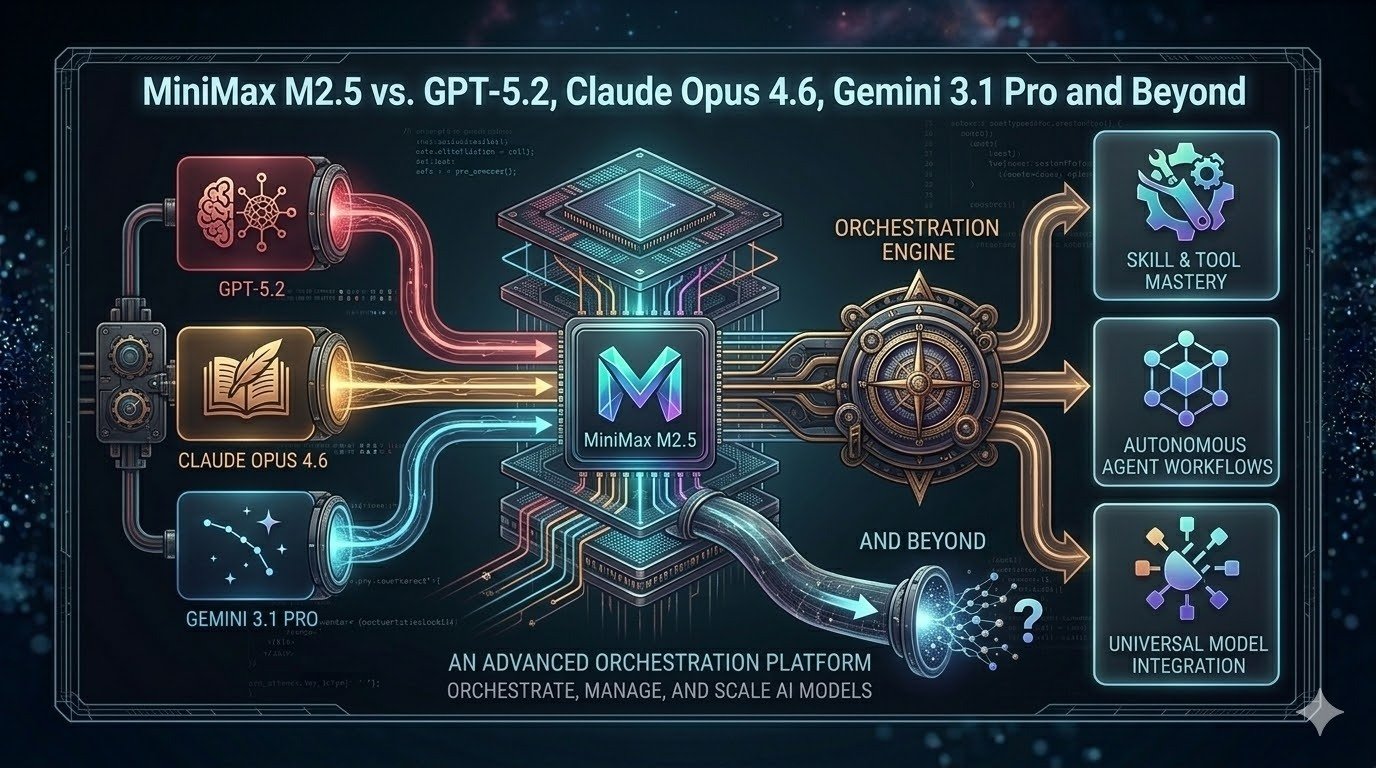
Since late 2025, the generative AI landscape has exploded with new releases. OpenAI’s GPT‑5.2, Anthropic’s Claude Opus 4.6, Google’s Gemini 3.1 Pro and MiniMax’s M2.5 signal a turning point: models are no longer one‑size‑fits‑all tools but specialized engines optimized for distinct tasks. The stakes are high—teams need to decide which model will tackle their coding projects, research papers, spreadsheets or multimodal analyses. At the same time, costs are rising and models diverge on licensing, context lengths, safety profiles and operational complexity. This article provides a detailed, up‑to‑date exploration of the leading models as of March 2026. We compare benchmarks, dive into architecture and capabilities, unpack pricing and licensing, propose selection frameworks and show how Clarifai orchestrates deployment across hybrid environments. Whether you’re a developer seeking the most efficient coding assistant, an analyst searching for reliable reasoning, or a CIO looking to integrate multiple models without breaking budgets, this guide will help you navigate the rapidly evolving AI ecosystem.
Why this matters now
Enterprise adoption of LLMs has been accelerating. According to OpenAI, early testers of GPT‑5.2 claim the model can reduce knowledge‑work tasks by 11x the speed and <1% of the cost compared to human experts, hinting at major productivity gains. At the same time, open‑source models like MiniMax M2.5 are achieving state‑of‑the‑art performance in real coding tasks for a fraction of the price. The difference between choosing an unsuitable model and the right one can mean hours of wasted prompting or significant cost overruns. This guide combines EEAT‑optimized research (explicit citations to credible sources), operational depth (how to actually implement and deploy models) and decision frameworks so you can make informed choices.
Quick digest
- Newest releases: MiniMax M2.5 (Feb 2026), Claude Opus 4.6 (Feb 2026), Gemini 3.1 Pro (Feb 2026) and GPT‑5.2 (Dec 2025). Each improves dramatically on its predecessor, extending context windows, speed and agentic capabilities.
- Cost divergence: Pricing ranges from ~$0.30 per million tokens for MiniMax M2.5‑Lightning to $25 per million output tokens for Claude. Hidden fees such as GPT‑5.2’s “reasoning tokens” can inflate API bills.
- No universal winner: Benchmarks show that Claude leads coding, GPT‑5.2 dominates math and reasoning, Gemini excels in long‑context multimodal tasks, and MiniMax offers the best price‑performance ratio.
- Integration matters: Clarifai’s orchestration platform allows you to run multiple models—both proprietary and open—through a single API and even host them locally via Local Runners.
- Future outlook: Emerging open models like DeepSeek R1 and Qwen 3‑Coder narrow the gap with proprietary systems, while upcoming releases (MiniMax M3, GPT‑6) will further raise the bar. A multi‑model strategy is essential.
1 The New AI Landscape and Model Evolution
Today’s AI landscape is split between proprietary giants—OpenAI, Anthropic and Google—and a rapidly maturing open‑model movement anchored by MiniMax, DeepSeek, Qwen and others. The competition has created a virtuous cycle of innovation: each release pushes the next to become faster, cheaper or smarter. To understand how we arrived here, we need to examine the evolutionary arcs of the key models.
1.1 MiniMax: From M2 to M2.5
M2 (Oct 2025). MiniMax introduced M2 as the world’s most capable open‑weight model, topping intelligence and agentic benchmarks among open models. Its mixture‑of‑experts (MoE) architecture uses 230 billion parameters but activates only 10 billion per inference. This reduces compute requirements and allows the model to run on modest GPU clusters or Clarifai’s local runners, making it accessible to small teams.
M2.1 (Dec 2025). The M2.1 update focused on production‑grade programming. MiniMax added comprehensive support for languages such as Rust, Java, Golang, C++, Kotlin, TypeScript and JavaScript. It improved Android/iOS development, design comprehension, and introduced an Interleaved Thinking mechanism to break complex instructions into smaller, coherent steps. External evaluators praised its ability to handle multi‑step coding tasks with fewer errors.
M2.5 (Feb 2026). MiniMax’s latest release, M2.5, is a leap forward. The model was trained using reinforcement learning on hundreds of thousands of real‑world environments and tasks. It scored 80.2% on SWE‑Bench Verified, 51.3% on Multi‑SWE‑Bench, 76.3% on BrowseComp and 76.8% on BFCL (tool‑calling)—closing the gap with Claude Opus 4.6. MiniMax describes M2.5 as acquiring an “Architect Mindset”: it plans out features and user interfaces before writing code and executes entire development cycles, from initial design to final code review. The model also excels at search tasks: on the RISE evaluation it completes information‑seeking tasks using 20% fewer search rounds than M2.1. In corporate settings it performs administrative work (Word, Excel, PowerPoint) and beats other models in internal evaluations, winning 59% of head‑to‑head comparisons on the GDPval‑MM benchmark. Efficiency improvements mean M2.5 runs at 100 tokens/s and completes SWE‑Bench tasks in 22.8 minutes—a 37% speedup compared to M2.1. Two versions exist: M2.5 (50 tokens/s, cheaper) and M2.5‑Lightning (100 tokens/s, higher throughput).
Pricing & Licensing. M2.5 is open‑source under a modified MIT licence requiring commercial users to display “MiniMax M2.5” in product credits. The Lightning version costs $0.30 per million input tokens and $2.4 per million output tokens, while the base version costs half that. According to VentureBeat, M2.5’s efficiencies allow it to be 95% cheaper than Claude Opus 4.6 for equivalent tasks. At MiniMax headquarters, employees already delegate 30% of tasks to M2.5, and 80% of new code is generated by the model.
1.2 Claude Opus 4.6
Anthropic’s Claude Opus 4.6 (Feb 2026) builds on the widely respected Opus 4.5. The new version enhances planning, code review and long‑horizon reasoning. It offers a beta 1 million‑token context window (1 million input tokens) for enormous documents or code bases and improved reliability over multi‑step tasks. Opus 4.6 excels at Terminal‑Bench 2.0, Humanity’s Last Exam, GDPval‑AA and BrowseComp, outperforming GPT‑5.2 by 144 Elo points on Anthropic’s internal GDPval‑AA benchmark. Safety is improved with a better safety profile than previous versions. New features include context compaction, which automatically summarizes earlier parts of long conversations, and adaptive thinking/effort controls, letting users modulate reasoning depth and speed. Opus 4.6 can assemble teams of agentic workers (e.g., one agent writes code while another tests it) and handles advanced Excel and PowerPoint tasks. Pricing remains unchanged at $5 per million input tokens and $25 per million output tokens. Testimonials from companies like Notion and GitHub highlight the model’s ability to break tasks into sub‑tasks and coordinate complex engineering projects.
1.3 Gemini 3.1 Pro
Google’s Gemini 3 Pro already held the record for the longest context window (1 million tokens) and strong multimodal reasoning. Gemini 3.1 Pro (Feb 2026) upgrades the architecture and introduces a thinking_level parameter with low, medium, high and max options. These levels control how deeply the model reasons before responding; medium and high deliver more considered answers at the cost of latency. On the ARC‑AGI‑2 benchmark, Gemini 3.1 Pro scores 77.1%, beating Gemini 3 Pro (31.1%), Claude Opus 4.6 (68.8%) and GPT‑5.2 (52.9%). It also achieves 94.3% on GPQA Diamond and strong results on agentic benchmarks: 33.5% on APEX‑Agents, 85.9% on BrowseComp, 69.2% on MCP Atlas and 68.5% on Terminal‑Bench 2.0. Gemini 3.1 Pro resolves output truncation issues and can generate animated SVGs or other code‑based interactive outputs. Use cases include research synthesis, codebase analysis, multimodal content analysis, creative design and enterprise data synthesis. Pricing is tiered: $2 per million input tokens and $12 per million output tokens for contexts up to 200K tokens, and $4/$18 beyond 200K. Consumer plans remain around $20/month with options for unlimited high‑context usage.
1.4 GPT‑5.2
OpenAI’s GPT‑5.2 (Dec 2025) sets a new state of the art for professional reasoning, outperforming industry experts on GDPval tasks across 44 occupations. The model improves on chain‑of‑thought reasoning, agentic tool calling and long‑context understanding, achieving 80% on SWE‑bench Verified, 100% on AIME 2025, 92.4% on GPQA Diamond and 86.2% on ARC‑AGI‑1. GPT‑5.2 Thinking, Pro and Instant variants support tailored trade‑offs between latency and reasoning depth; the API exposes a reasoning parameter to adjust chain‑of‑thought length. Safety upgrades target sensitive conversations such as mental health discussions. Pricing starts at $1.75 per million input tokens and $14 per million output tokens. A 90% discount applies to cached input tokens for repeated prompts, but expensive reasoning tokens (internal chain-of-thought tokens) are billed at the output rate, raising total cost on complex tasks. Despite being pricey, GPT‑5.2 often finishes tasks in fewer tokens, so total cost may still be lower compared to cheaper models that require multiple retries. The model is integrated into ChatGPT, with subscription plans (Plus, Team, Pro) starting at $20/month.
1.5 Other Open Models: DeepSeek R1 and Qwen 3
Beyond MiniMax, other open models are gaining ground. DeepSeek R1, released in January 2025, matches proprietary models on long‑context reasoning across English and Chinese and is released under the MIT licence. Qwen 3‑Coder 32B, from Alibaba’s Qwen series, scores 69.6% on SWE‑Bench Verified, outperforming models like GPT‑4 Turbo and Claude 3.5 Sonnet. Qwen models are open source under Apache 2.0 and support coding, math and reasoning. These models illustrate the broader trend: open models are closing the performance gap while offering flexible deployment and lower costs.
2 Benchmark Deep Dive
Benchmarks are the yardsticks of AI performance, but they can be misleading if misinterpreted. We aggregate data across multiple evaluations to reveal each model’s strengths and weaknesses. Table 1 compares the most recent scores on widely used benchmarks for M2.5, GPT‑5.2, Claude Opus 4.6 and Gemini 3.1 Pro.
2.1 Benchmark comparison table
|
Benchmark
|
MiniMax M2.5
|
GPT‑5.2
|
Claude Opus 4.6
|
Gemini 3.1 Pro
|
Notes
|
|
SWE‑Bench Verified
|
80.2 %
|
80 %
|
81 % (Opus 4.5)
|
76.2 %
|
Bug‑fixing in real repositories.
|
|
Multi‑SWE‑Bench
|
51.3 %
|
—
|
—
|
—
|
Multi‑file bug fixing.
|
|
BrowseComp
|
76.3 %
|
—
|
top (4.6)
|
85.9 %
|
Browser‑based search tasks.
|
|
BFCL (tool calling)
|
76.8 %
|
—
|
—
|
69.2 % (MCP Atlas)
|
Agentic tasks requiring function calls.
|
|
AIME 2025 (Math)
|
≈78 %
|
100 %
|
~94 %
|
95 %
|
Contest‑level mathematics.
|
|
ARC‑AGI‑2 (Abstract reasoning)
|
~40 %
|
52.9 %
|
68.8 % (Opus 4.6)
|
77.1 %
|
Hard reasoning tasks; higher is better.
|
|
Terminal‑Bench 2.0
|
59 %
|
47.6 %
|
59.3 %
|
68.5 %
|
Command‑line tasks.
|
|
GPQA Diamond (Science)
|
—
|
92.4 %
|
91.3 %
|
94.3 %
|
Graduate‑level science questions.
|
|
ARC‑AGI‑1 (General reasoning)
|
—
|
86.2 %
|
—
|
—
|
General reasoning tasks; 5.2 leads.
|
|
RISE (Search evaluation)
|
20 % fewer rounds than M2.1
|
—
|
—
|
—
|
Interactive search tasks.
|
|
Context window
|
196K
|
400K
|
1M (beta)
|
1M
|
Input tokens; higher means longer prompts.
|
2.2 Interpreting the numbers
Benchmarks measure different facets of intelligence. SWE‑Bench indicates software engineering prowess; AIME and GPQA measure math and science; ARC‑AGI tests abstract reasoning; BrowseComp and BFCL evaluate agentic tool use. The table shows no single model dominates across all metrics. Claude Opus 4.6 leads on terminal and reasoning in many datasets, but M2.5 and Gemini 3.1 Pro close the gap. GPT‑5.2’s perfect AIME and high ARC‑AGI‑1 scores demonstrate unparalleled math and general reasoning, while Gemini’s 77.1% on ARC‑AGI‑2 reveals strong fluid reasoning. MiniMax lags in math but shines in tool calling and search efficiency. When selecting a model, align the benchmark to your task: coding requires high SWE‑Bench performance; research requires high ARC‑AGI and GPQA; agentic automation needs strong BrowseComp and BFCL scores.
Benchmark Triad Matrix (Framework)
To systematically choose a model based on benchmarks, use the Benchmark Triad Matrix:
- Task Alignment: Identify the benchmarks that mirror your primary workload (e.g., SWE‑Bench for code, GPQA for science).
- Resource Budget: Evaluate the context length and compute required; longer contexts are beneficial for large documents but increase cost and latency.
- Risk Tolerance: Consider safety benchmarks like prompt‑injection success rates (Claude has the lowest at 4.7 %) and the reliability of chain‑of‑thought reasoning.
Position models on these axes to see which offers the best trade‑offs for your use case.
2.3 Quick summary
Question: Which model is best for coding?
Summary: Claude Opus 4.6 slightly edges out M2.5 on SWE‑Bench and terminal tasks, but M2.5’s cost advantage makes it attractive for high‑volume coding. If you need the absolute best code review and debugging, choose Opus; if budget matters, choose M2.5.
Question: Which model leads in math and reasoning?
Summary: GPT‑5.2 remains unmatched in AIME and ARC‑AGI‑1. For fluid reasoning on complex tasks, Gemini 3.1 Pro leads ARC‑AGI‑2.
Question: How important are benchmarks?
Summary: Benchmarks offer guidance but do not fully capture real‑world performance. Evaluate models against your specific workload and risk profile.
3 Capabilities and Operational Considerations
Beyond benchmark scores, practical deployment requires understanding features like context windows, multimodal support, tool calling, reasoning modes and runtime speed. Each model offers unique capabilities and constraints.
3.1 Context and multimodality
Context windows. M2.5 retains the 196K token context of its predecessor. GPT‑5.2 provides a 400K context, suitable for long code repositories or research documents. Claude Opus 4.6 enters beta with a 1 million input token context, though output limits remain around 100K tokens. Gemini 3.1 Pro offers a full 1 million context for both input and output. Long contexts reduce the need for retrieval or chunking but increase token usage and latency.
Multimodal support. GPT‑5.2 supports text and images and includes a reasoning mode that toggles deeper chain‑of‑thought at higher latency. Gemini 3.1 Pro features robust multimodal capabilities—video understanding, image reasoning and code‑generated animated outputs. Claude Opus 4.6 and MiniMax M2.5 remain text‑only, though they excel in tool‑calling and programming tasks. The absence of multimodality in MiniMax is a key limitation if your workflow involves PDFs, diagrams or videos.
3.2 Reasoning modes and effort controls
MiniMax M2.5 implements Interleaved Thinking, enabling the model to break complex instructions into sub‑tasks and deliver more concise answers. RL training across varied environments fosters strategic planning, giving M2.5 an Architect Mindset that plans before coding.
Claude Opus 4.6 introduces Adaptive Thinking and effort controls, letting users dial reasoning depth up or down. Lower effort yields faster responses with fewer tokens, while higher effort performs deeper chain‑of‑thought reasoning but consumes more tokens.
Gemini 3.1 Pro’s thinking_level parameter (low, medium, high, max) accomplishes a similar goal—balancing speed against reasoning accuracy. The new medium level offers a sweet spot for everyday tasks. Gemini can generate full outputs such as code‑based interactive charts (SVGs), expanding its use for data visualization and web design.
GPT‑5.2 exposes a reasoning parameter via API, allowing developers to adjust chain‑of‑thought length for different tasks. Longer reasoning may be billed as internal “reasoning tokens” that cost the same as output tokens, increasing total cost but delivering better results for complex problems.
3.3 Tool calling and agentic tasks
Models increasingly act as autonomous agents by calling external functions, invoking other models or orchestrating tasks.
- MiniMax M2.5: The model ranks highly on tool‑calling benchmarks (BFCL) and demonstrates improved search efficiency (fewer search rounds). M2.5’s ability to plan and call code‑editing or testing tools makes it well‑suited for constructing pipelines of actions.
- Claude Opus 4.6: Opus can assemble agent teams, where one agent writes code, another tests it and a third generates documentation. The model’s safety controls reduce the risk of misbehaving agents.
- Gemini 3.1 Pro: With high scores on agentic benchmarks like APEX‑Agents (33.5%) and MCP Atlas (69.2%), Gemini orchestrates multiple actions across search, retrieval and reasoning. Its integration with Google Workspace and Vertex AI simplifies tool access.
- GPT‑5.2: Early testers report that GPT‑5.2 collapsed their multi‑agent systems into a single “mega‑agent” capable of calling 20+ tools seamlessly, reducing prompt engineering complexity.
3.4 Speed, latency and throughput
Execution speed influences user experience and cost. M2.5 runs at 50 tokens/s for the base model and 100 tokens/s for the Lightning version. Opus 4.6’s new compaction reduces the amount of context needed to maintain conversation state, cutting latency. Gemini 3.1 Pro’s high context can slow responses but the low thinking level is fast for quick interactions. GPT‑5.2 offers Instant, Thinking and Pro variants to balance speed against reasoning depth; the Instant version resembles GPT‑5.1 performance but the Pro variant is slower and more thorough. In general, deeper reasoning and longer contexts increase latency; choose the model variant that matches your tolerance for waiting.
3.5 Capability Scorecard (Framework)
To evaluate capabilities holistically, we propose a Capability Scorecard rating models on four axes: Context length (C), Modality support (M), Tool‑calling ability (T) and Safety (S). Assign each axis a score from 1 to 5 (higher is better) based on your priorities. For example, if you need long context and multimodal support, Gemini 3.1 Pro might score C=5, M=5, T=4, S=3; GPT‑5.2 might be C=4, M=4, T=4, S=4; Opus 4.6 could be C=5, M=1, T=4, S=5; M2.5 might be C=2, M=1, T=5, S=4. Multiply the scores by weightings reflecting your project’s needs and choose the model with the highest weighted sum. This structured approach ensures you consider all critical dimensions rather than focusing on a single headline metric.
3.6 Quick summary
- Context matters: Use long contexts (Gemini or Claude) for entire codebases or legal documents; short contexts (MiniMax) for chatty tasks or when cost is crucial.
- Multimodality vs. efficiency: GPT‑5.2 and Gemini support images or video, but if you’re only writing code, a text‑only model with stronger tool‑calling may be cheaper and faster.
- Reasoning controls: Adjust thinking levels or effort controls to tune cost vs. quality. Recognize that reasoning tokens in GPT‑5.2 incur extra cost.
- Agentic power: MiniMax and Gemini excel at planning and search, while Claude assembles agent teams with strong safety; GPT‑5.2 can function as a mega‑agent.
- Speed trade‑offs: Lightning versions cost more but save time; select the variant that matches your latency requirements.
4 Costs, Licensing and Economics
Budget constraints, licensing restrictions and hidden costs can make or break AI adoption. Below we summarize pricing and licensing details for the major models and explore strategies to optimize your spend.
4.1 Pricing comparison
|
Model
|
Input cost (per M tokens)
|
Output cost (per M tokens)
|
Notes
|
|
MiniMax M2.5
|
$0.15 (standard) / $0.30 (Lightning)
|
$1.2 / $2.4
|
Modified MIT licence; requires crediting “MiniMax M2.5”.
|
|
GPT‑5.2
|
$1.75
|
$14
|
90% discount for cached inputs; reasoning tokens billed at output rate.
|
|
Claude Opus 4.6
|
$5
|
$25
|
Same price as Opus 4.5; 1 M context in beta.
|
|
Gemini 3.1 Pro
|
$2 (≤200K context) / $4 (>200K)
|
$12 / $18
|
Consumer subscription around $20/month.
|
|
MiniMax M2.1
|
$0.27
|
$0.95
|
36% cheaper than GPT‑5 Mini overall.
|
Hidden costs. GPT‑5.2’s reasoning tokens can dramatically increase expenses for complex problems. Developers can reduce costs by caching repeated prompts (90% input discount). Subscription stacking is another issue: a power user might pay for ChatGPT, Claude, Gemini and Perplexity to get the best of each, resulting in over $80/month. Aggregators like GlobalGPT or platforms like Clarifai can reduce this friction by offering multiple models through a single subscription.
4.2 Licensing and deployment flexibility
- MiniMax and other open models: Released under MIT (MiniMax) or Apache (Qwen, DeepSeek) licences. You can download weights, fine‑tune, self‑host and integrate into proprietary products. M2.5 requires including a visible attribution in commercial products.
- Proprietary models: GPT, Claude and Gemini restrict access to API endpoints; weights are not available. They may prohibit high‑risk use cases and require compliance with usage policies. Data used in API calls is generally used to improve the model unless you opt out. Deploying these models on‑prem is not possible, but you can run them through Clarifai’s orchestration platform or use aggregator services.
4.3 Cost‑Fit Matrix (Framework)
To optimize spend, apply the Cost‑Fit Matrix:
- Budget vs. Accuracy: If cost is the primary constraint, open models like MiniMax or DeepSeek deliver impressive results at low prices. When accuracy or safety is mission‑critical, paying for GPT‑5.2 or Claude may save money in the long run by reducing retries.
- Licensing Flexibility: Enterprises needing on‑prem deployment or model customization should prioritize open models. Proprietary models are plug‑and‑play but limit control.
- Hidden Costs: Examine reasoning token fees, context length charges and subscription stacking. Use cached inputs and aggregator platforms to cut costs.
- Total Cost of Completion: Consider the cost of achieving a desired accuracy or outcome, not just per‑token prices. GPT‑5.2 may be cheaper overall despite higher token prices due to its efficiency.
4.4 Quick summary
- M2.5 is the budget king: At $0.15–0.30 per million input tokens, M2.5 offers the lowest price–performance ratio, but don’t forget the required attribution and the smaller context window.
- GPT‑5.2 is pricey but efficient: The API’s reasoning tokens can surprise you, but the model solves complex tasks faster and may save money overall.
- Claude costs the most: At $5/$25 per million tokens, it is the most expensive but boasts top coding performance and safety.
- Gemini offers tiered pricing: Choose the appropriate tier based on your context requirements; for tasks under 200K tokens, costs are moderate.
- Subscription stacking is a trap: Avoid paying multiple $20 subscriptions by using platforms that route tasks across models, like Clarifai or GlobalGPT.
5 The AI Model Decision Compass
Selecting the optimal model for a given task involves more than reading benchmarks or price charts. We propose a structured decision framework—the AI Model Decision Compass—to guide your choice.
5.1 Identify your persona and tasks
Different roles have different needs:
- Software engineers and DevOps: Need accurate code generation, debugging assistance and agentic tool‑calling. Suitable models: Claude Opus 4.6, MiniMax M2.5 or Qwen 3‑Coder.
- Researchers and data scientists: Require high math accuracy and reasoning for complex analyses. Suitable models: GPT‑5.2 for math and Gemini 3.1 Pro for long‑context multimodal research.
- Business analysts and legal professionals: Often process large documents, spreadsheets and presentations. Suitable models: Claude Opus 4.6 (Excel/PowerPoint prowess) and Gemini 3.1 Pro (1M context).
- Content creators and marketers: Need creativity, consistency and sometimes images or video. Suitable models: Gemini 3.1 Pro for multimodal content and interactive outputs; GPT‑5.2 for structured writing and translation.
- Budget‑constrained startups: Need low costs and flexible deployment. Suitable models: MiniMax M2.5, DeepSeek R1 and Qwen families.
5.2 Define constraints and preferences
Ask yourself: Do you require long context? Is image/video input necessary? How critical is safety? Do you need on‑prem deployment? What is your tolerance for latency? Summarize your answers and score models using the Capability Scorecard. Identify any hard constraints: for example, regulatory requirements may force you to keep data on‑prem, eliminating proprietary models. Set a budget cap to avoid runaway costs.
5.3 Decision tree
We present a simple decision tree using conditional logic:
- Context requirement: If you need to input documents >200K tokens → choose Gemini 3.1 Pro or Claude Opus 4.6. If not, proceed.
- Modality requirement: If you need images or video → choose Gemini 3.1 Pro or GPT‑5.2. If not, proceed.
- Coding tasks: If your primary workload is coding and you can pay premium prices → choose Claude Opus 4.6. If you need cost efficiency → choose MiniMax M2.5 or Qwen 3‑Coder.
- Math/science tasks: Choose GPT‑5.2 (best math/GPQA); if context is extremely long or tasks require dynamic reasoning across texts and charts → choose Gemini 3.1 Pro.
- Data privacy: If data must stay on‑prem → use an open model (MiniMax, DeepSeek or Qwen) with Clarifai Local Runners.
- Budget sensitivity: If budgets are tight → lean toward MiniMax or use aggregator platforms to avoid subscription stacking.
5.4 Model Decision Compass in practice
Imagine a mid‑sized software company: they need to generate new features, review code, process bug reports and compile design documents. They have moderate budget, require data privacy and want to reduce human hours. Using the Decision Compass, they conclude:
- Purpose: Code generation and review → emphasise SWE‑Bench and BFCL scores.
- Constraints: Data privacy is important → on‑prem hosting via open models and local runners. Context length need is moderate.
- Budget: Limited; cannot sustain $25/M output token fees.
- Data sensitivity: Private code must stay on‑prem.
Mapping to models: MiniMax M2.5 emerges as the best fit due to strong coding benchmarks, low cost and open licensing. The company can self‑host M2.5 or run it via Clarifai’s Local Runners to maintain data privacy. For occasional high‑complexity bugs requiring deep reasoning, they could call GPT‑5.2 through Clarifai’s orchestrated API to complement M2.5. This multi‑model approach maximizes value while controlling cost.
5.5 Quick summary
- Use the Decision Compass: Identify tasks, score constraints, choose models accordingly.
- No single model fits all: Multi‑model strategies with orchestration deliver the best results.
- Clarifai as a mediator: Clarifai’s platform routes requests to the right model and simplifies deployment, preventing subscription clutter and ensuring cost control.
6 Integration & Deployment with Clarifai
Deployment is often more challenging than model selection. Managing GPUs, scaling infrastructure, protecting data and integrating multiple models can drain engineering resources. Clarifai provides a unifying platform that orchestrates compute and models while preserving flexibility and privacy.
6.1 Clarifai’s compute orchestration
Clarifai’s orchestration platform abstracts away underlying hardware (GPUs, CPUs) and automatically selects resources based on latency and cost. You can mix pre‑trained models from Clarifai’s marketplace with your own fine‑tuned or open models. A low‑code pipeline builder lets you chain steps (ingest, process, infer, post‑process) without writing infrastructure code. Security features include role‑based access control (RBAC), audit logging and compliance certifications. This means you can run GPT‑5.2 for reasoning tasks, M2.5 for coding and DeepSeek for translations, all through one API call.
6.2 Local Runners and hybrid deployments
When data cannot leave your environment, Clarifai’s Local Runners allow you to host models on local machines while maintaining a secure cloud connection. The Local Runner opens a tunnel to Clarifai, meaning API calls route through your machine’s GPU; data stays on‑prem, while Clarifai handles authentication, model scheduling and billing. To set up:
- Install Clarifai CLI and create an API token.
- Create a context specifying your model (e.g., MiniMax M2.5) and desired hardware.
- Start the Local Runner using the CLI; it will register with Clarifai’s cloud.
- Send API calls to the Clarifai endpoint; the runner executes the model locally.
- Monitor usage via Clarifai’s dashboard. A $1/month developer plan allows up to five local runners. SiliconANGLE notes that Clarifai’s approach is unique—no other platform so seamlessly bridges local models and cloud APIs.
6.3 Hybrid AI Deployment Checklist (Framework)
Use this checklist when deploying models across cloud and on‑prem:
- Security & Compliance: Ensure data policies (GDPR, HIPAA) are met. Use RBAC and audit logs. Decide whether to opt out of data sharing.
- Latency Requirements: Determine acceptable response times. Use local runners for low‑latency tasks; use remote compute for heavy tasks where latency is tolerable.
- Hardware & Costs: Estimate GPU needs. Clarifai’s orchestration can assign tasks to cost‑effective hardware; local runners use your own GPUs.
- Model Availability: Check which models are available on Clarifai. Open models are easily deployed; proprietary models may have licensing restrictions or be unavailable.
- Pipeline Design: Outline your workflow. Identify which model handles each step. Clarifai’s low‑code builder or YAML configuration can orchestrate multi‑step tasks.
- Fallback Strategies: Plan for failure. Use fallback models or repeated prompts. Monitor for hallucinations, truncated responses or high costs.
6.4 Case illustration: Multi‑model research assistant
Suppose you’re building an AI research assistant that reads long scientific papers, extracts equations, writes summary notes and generates slides. A hybrid architecture might look like this:
- Input ingestion: A user uploads a 300‑page PDF.
- Summarization: Gemini 3.1 Pro is invoked via Clarifai to process the entire document (1M context) and extract a structured outline.
- Equation reasoning: GPT‑5.2 (Thinking) is called to derive mathematical insights or solve example problems, using the extracted equations as prompts.
- Code examples: MiniMax M2.5 generates code snippets or simulations based on the paper’s algorithms, running locally via a Clarifai Local Runner.
- Presentation generation: Claude Opus 4.6 constructs slides with charts and summarises key findings, leveraging its improved PowerPoint capabilities.
- Review: A human verifies outputs. If corrections are needed, the chain is repeated with adjustments.
Such a pipeline harnesses the strengths of each model while respecting privacy and cost constraints. Clarifai orchestrates the sequence, switching models seamlessly and monitoring usage.
6.5 Quick summary
- Clarifai unifies the ecosystem: Run multiple models through one API with automatic hardware selection.
- Local Runners protect privacy: Keep data on‑prem while still benefiting from cloud orchestration.
- Hybrid deployment requires planning: Use our checklist to ensure security, performance and cost optimisation.
- Case example: A multi‑model research assistant demonstrates the power of orchestrated workflows.
7 Emerging Players & Future Outlook
While big names dominate headlines, the open‑model movement is flourishing. New entrants offer specialized capabilities, and 2026 promises more diversity and innovation.
7.1 Notable emerging models
- DeepSeek R1: Open‑sourced under MIT, excelling at long‑context reasoning in both English and Chinese. A promising alternative for bilingual applications and research.
- Qwen 3 family: Qwen 3‑Coder 32B scores 69.6 % on SWE‑Bench Verified and offers strong math and reasoning. As Alibaba invests heavily, expect iterative releases with improved efficiency.
- Kimi K2 and GLM‑4.5: Compact models focusing on writing style and efficiency; good for chatty tasks or mobile deployment.
- Grok 4.1 (xAI): Emphasises real‑time data and high throughput; suitable for news aggregation or trending topics.
- MiniMax M3 and GPT‑6 (speculative): Rumoured releases later in 2026 promise even deeper reasoning and larger context windows.
7.2 Horizon Watchlist (Framework)
To keep pace with the rapidly changing ecosystem, track models across four dimensions:
- Performance: Benchmark scores and real‑world evaluations.
- Openness: Licensing and weight availability.
- Specialisation: Niche skills (coding, math, creative writing, multilingual).
- Ecosystem: Community support, tooling, integration with platforms like Clarifai.
Use these criteria to evaluate new releases and decide when to integrate them into your workflow. For example, DeepSeek R2 might offer specialized reasoning in law or medicine; Qwen 4 could embed advanced reasoning with lower parameter counts; a new MiniMax release might add vision. Keeping a watchlist ensures you don’t miss opportunities while avoiding hype‑driven diversions.
7.3 Quick summary
- Open models are accelerating: DeepSeek and Qwen show that open source can rival proprietary systems.
- Specialisation is the next frontier: Expect domain‑specific models in law, medicine, and finance.
- Plan for change: Build workflows that can adapt to new models easily, leveraging Clarifai or similar orchestration platforms.
8 Risks, Limitations & Failure Scenarios
All models have limitations. Understanding these risks is essential to avoid misapplication, overreliance and unexpected costs.
8.1 Hallucinations and factual errors
LLMs sometimes generate plausible but incorrect information. Models may hallucinate citations, miscalculate numbers or invent functions. High reasoning models like GPT‑5.2 still hallucinate on complex tasks, though the rate is reduced. MiniMax and other open models may hallucinate domain‑specific jargon due to limited training data. To mitigate: use retrieval‑augmented generation (RAG), cross‑check outputs against trusted sources and employ human review for high‑stakes decisions.
8.2 Prompt injection and security
Malicious prompts can cause models to reveal sensitive information or perform unintended actions. Claude Opus has the lowest prompt‑injection success rate (4.7 %), while other models are more vulnerable. Always sanitise user inputs, employ content filters and limit tool permissions when enabling function calls. In multi‑agent systems, enforce guardrails to prevent agents from executing dangerous commands.
8.3 Context truncation and cost overruns
Large context windows allow long conversations but can lead to expensive and truncated outputs. GPT‑5.2 and Gemini provide extended contexts, but if you exceed output limits, important information may be cut off. The cost of reasoning tokens for GPT‑5.2 can balloon unexpectedly. To manage: summarise input texts, break tasks into smaller prompts and monitor token usage. Use Clarifai’s dashboards to track costs and set usage caps.
8.4 Overfitting and bias
Models may exhibit hidden biases from their training data. A model’s superior performance on a benchmark may not translate across languages or domains. For instance, MiniMax is trained mostly on Chinese and English code; performance may drop on underrepresented languages. Always test models on your domain data and apply fairness auditing where necessary.
8.5 Operational challenges
Deploying open models means handling MLOps tasks such as model versioning, security patching and scaling. Proprietary models relieve this but create vendor lock‑in and limit customisation. Using Clarifai mitigates some overhead but requires familiarity with its API and infrastructure. Running local runners demands GPU resources and network connectivity; if your environment is unstable, calls may fail. Have fallback models ready and design workflows to recover gracefully.
8.6 Risk Mitigation Checklist (Framework)
To reduce risk:
- Assess data sensitivity: Determine if data contains PII or proprietary information; decide whether to process locally or via cloud.
- Limit context size: Send only necessary information to models; summarise or chunk large inputs.
- Cross‑validate outputs: Use secondary models or human review to verify critical outputs.
- Set budgets and monitors: Track token usage, reasoning tokens and cost per call.
- Control tool access: Restrict model permissions; use allow lists for functions and data sources.
- Update and retrain: Keep open models updated; patch vulnerabilities; retrain on domain‑specific data if needed.
- Have fallback strategies: Maintain alternative models or older versions in case of outages or degraded performance.
8.7 Quick summary
- LLMs are fallible: Fact‑checking and human oversight are mandatory.
- Safety varies: Claude has strong safety measures; other models require careful guardrails.
- Monitor tokens: Reasoning tokens and long contexts can inflate costs quickly.
- Operational complexity: Use orchestration platforms and checklists to manage deployment challenges.
9 FAQs & Closing Thoughts
9.1 Frequently asked questions
Q: What is MiniMax M2.5 and how is it different from M2.1?
A: M2.5 is a February 2026 update that improves coding accuracy (80.2% SWE‑Bench Verified), search efficiency and office capabilities. It runs 37% faster than M2.1 and introduces an “Architect Mindset” for planning tasks.
Q: How does Claude Opus 4.6 improve on 4.5?
A: Opus 4.6 adds a 1 M token context window, adaptive thinking and effort controls, context compaction and agent team capabilities. It leads on several benchmarks and improves safety. Pricing remains $5/$25 per million tokens.
Q: What’s special about Gemini 3.1 Pro’s “thinking_level”?
A: Gemini 3.1 introduces low, medium, high and max reasoning levels. Medium offers balanced speed and quality; high and max deliver deeper reasoning at higher latency. This flexibility lets you tailor responses to task urgency.
Q: What are GPT‑5.2 “reasoning tokens”?
A: GPT‑5.2 charges for internal chain‑of‑thought tokens as output tokens, raising cost on complex tasks. Use caching and shorter prompts to minimise this overhead.
Q: How can I run these models locally?
A: Use open models (MiniMax, Qwen, DeepSeek) and host them via Clarifai’s Local Runners. Proprietary models cannot be self‑hosted but can be orchestrated through Clarifai’s platform.
Q: Which model should I choose for my startup?
A: It depends on your tasks, budget and data sensitivity. Use the Decision Compass: for cost‑efficient coding, choose MiniMax; for math or high‑stakes reasoning, choose GPT‑5.2; for long documents and multimodal content, choose Gemini; for safety and Excel/PowerPoint tasks, choose Claude.
9.2 Final reflections
The first quarter of 2026 marks a new era for LLMs. Models are increasingly specialized, pricing structures are complex, and operational considerations can be as important as raw intelligence. MiniMax M2.5 demonstrates that open models can compete with and sometimes surpass proprietary ones at a fraction of the cost. Claude Opus 4.6 shows that careful planning and safety improvements yield tangible gains for professional workflows. Gemini 3.1 Pro pushes context lengths and multimodal reasoning to new heights. GPT‑5.2 retains its crown in mathematical and general reasoning but demands careful cost management.
No single model dominates all tasks, and the gap between open and closed systems continues to narrow. The future is multi‑model, where orchestrators like Clarifai route tasks to the most suitable model, combine strengths and protect user data. To stay ahead, practitioners should maintain a watchlist of emerging models, employ structured decision frameworks like the Benchmark Triad Matrix and AI Model Decision Compass, and follow hybrid deployment best practices. With these tools and a willingness to experiment, you’ll harness the best that AI has to offer in 2026 and beyond.