As was the case with its older sibling, Slay the Spire 2 won’t have microtransactions because the developers are self-proclaimed haters of real-money cosmetics and the like.
Slay the Spire’s lead developer and studio Mega Crit’s co-founder Casey Yano all but confirms microtransactions will never worm their way into the hit roguelike in an interview with Destructoid. “We’re microtransaction haters,” he tells the site, “a lot of our players threaten to buy all and any cosmetics we may ever release.”
As for why, Yano explains the team “really want players to experience all of the same content, as discussion of game content and balance is sort of our lifeblood.” So, you can feel confident knowing the $25 spent on Slay the Spire 2 will be the only cash you’ll need to drop on the game as it chugs through early access and beyond (unless you eventually buy one of its unconfirmed but inevitable console ports.)
New paid content is seemingly not on the cards, but Yano still hopes to frequently update the game’s “pure content” or “the good stuff” as it heads toward 1.0. And modders will likely be just as important for this sequel as they were with the first Slay the Spire, which received loads of beloved, widely-circulated mods throughout the years.
“Both in STS 1 and STS 2, you can replace entire swathes of code, so you can kind of do anything,” Yano explains. “A lot of our focus this time around is reducing friction, so players have more resources and easier entry points to work with mods.”
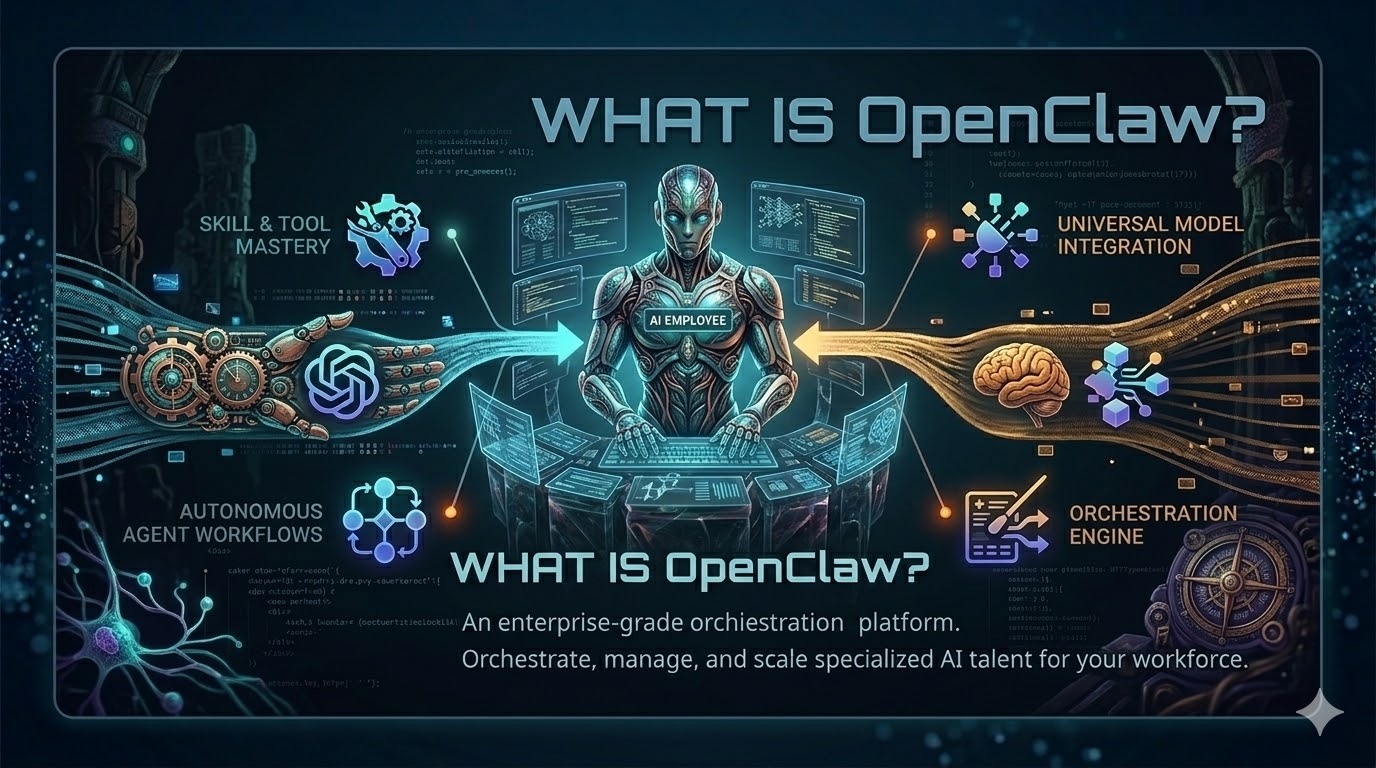
Developer tools rarely cause as much excitement—and fear—as OpenClaw. Launched in November 2025 and renamed twice before settling on its crustacean‑inspired moniker, it swiftly became the most‑starred GitHub project. OpenClaw is an open‑source AI agent that lives on your own hardware and connects to large language models (LLMs) like Anthropic’s Claude or OpenAI’s GPT. Unlike a typical chatbot that forgets you as soon as the tab closes, OpenClaw remembers everything—preferences, ongoing projects, last week’s bug report—and can act on your behalf across multiple communication channels. Its appeal lies in turning a passive bot into an assistant with hands and a memory. But with great power come complex operations and serious security risks. This article unpacks the hype, explains the architecture, walks through setup, highlights risks, and offers guidance on whether OpenClaw belongs in your workflow. Throughout, we’ll note how Clarifai’s compute orchestration and Local Runners complement OpenClaw by making it easier to deploy and manage models securely.
OpenClaw began life as Clawdbot in November 2025, morphed into Moltbot after a naming clash, and finally rebranded to its current form. Within three months it amassed more than 200 000 GitHub stars and attracted a passionate community. Its creator, Peter Steinberger, joined OpenAI, and the project moved to an open‑source foundation. The secret to this meteoric rise? OpenClaw is not another LLM; it’s a local orchestration layer that gives existing models eyes, ears, and hands.
The Lobster‑Tank Framework
To understand OpenClaw intuitively, think of it as a pet lobster:
Element
Description
Files & Components
Tank (Your machine)
OpenClaw runs locally on your laptop, homelab or VPS, giving you control and privacy but also consuming your resources.
Hardware (macOS, Linux, Windows) with Node.js ≥22
Food (LLM API key)
OpenClaw has no brain of its own. You must supply API keys for models like Claude, GPT or your own model via Clarifai’s Local Runner.
API keys stored via secret management
Rules (SOUL.md)
A plain‑text file telling your lobster how to behave—be helpful, have opinions, respect privacy.
SOUL.md, IDENTITY.md, USER.md
Memory (memory/ folder)
Persistent memory across sessions; the agent writes a diary and remembers facts.
memory/ directory, MEMORY.md, semantic search via SQLite
Skills (Plugins)
Markdown instructions or scripts that teach OpenClaw new tricks—manage email, monitor servers, post to social media.
Files in skills/ folder, marketplace (ClawHub)
This framework demystifies what many call a “lobster with feelings.” The gateway is the tank’s control panel. When you message the agent on Telegram or Slack, the Gateway (default port 18789) routes your request to the agent runtime, which loads relevant context from your files and memory. The runtime compiles a giant system prompt and sends it to your chosen LLM; if the model requests tool actions, the runtime executes shell commands, file operations or web browsing. This loop repeats until an answer emerges and flows back to your chat app.
Why local? Traditional chatbots are “brains in jars”—stateless and passive. OpenClaw stores your conversations and preferences, enabling context continuity and autonomous workflows. However, local control means your machine’s resources and secrets are at stake; the lobster doesn’t live in a safe aquarium but in your own kitchen, claws and all. You must feed it API keys and ensure it doesn’t escape into the wild.
Why Developers Are Obsessed: Multi‑Channel Productivity & Use Cases
Developers fall in love with OpenClaw because it orchestrates tasks across channels, tools and time—something most chatbots can’t do. Consider a typical day:
Morning briefing: At 07:30 the HEARTBEAT.md cron job wakes up and sends a morning briefing summarizing yesterday’s commits, open pull requests and today’s meetings. It runs a shell command to parse Git logs and queries your calendar, then writes a summary in your Slack channel.
Stand‑up management: During the team stand‑up on Discord, OpenClaw listens to each user’s updates and automatically notes blockers. When the meeting ends, it compiles the notes, creates tasks in your project tracker and shares them via Telegram.
On‑call monitoring: A server’s CPU spikes at 2 PM. OpenClaw’s monitoring skill notices the anomaly, runs diagnostic commands and pings you on WhatsApp with the results. If needed, it deploys a hotfix.
Global collaboration: Your marketing team in China uses Feishu. Version 2026.2.2 added native Feishu and Lark support, so the same OpenClaw instance can reply to customer queries without juggling multiple automation stacks.
This cross‑channel orchestration eliminates context switching and ensures tasks happen where people already spend their time. Developers also appreciate the skill system: you can drop a markdown file into skills/ to add capabilities, or install packages from ClawHub. Need your assistant to do daily stand‑ups, monitor Jenkins, or manage your Obsidian notes? There’s a skill for that. And because memory persists, your agent recalls last week’s bug fix and your disdain for pie charts.
OpenClaw’s productivity extends beyond development. Real‑world use cases documented by MindStudio include overnight autonomous work (research and writing), email/calendar management, purchase negotiation, DevOps workflows, and smart‑home control. Cron jobs are the backbone of this autonomy; version 2.26 addressed serious reliability problems such as duplicate or hung executions, making automation trustworthy.
Business processes (purchase negotiation, CRM updates)
✔
✔
Slack, Feishu, Lark
✔
Yes (Negotiator, CRM updater)
This matrix shows why developers obsess: the agent touches every stage of their day. Clarifai’s Compute Orchestration adds another dimension. When an agent makes LLM calls, you can choose where those calls run—public SaaS, your own VPC, or an on‑prem cluster. GPU fractioning and autoscaling reduce cost while maintaining performance. And if you need to keep data private or use a custom model, Clarifai’s Local Runner lets you serve the model on your own GPU and expose it through Clarifai’s API. Thus, developers obsessed with OpenClaw often integrate it with Clarifai to get the best of both worlds: local automation and scalable inference.
Quick summary – Why developers are obsessed?
Question
Summary
What makes OpenClaw special?
It runs locally, remembers context, and can perform multi‑step tasks across messaging platforms and tools.
Why do developers rave about it?
It automates stand‑ups, code reviews, monitoring and more, freeing developers from routine tasks. The skill system and cross‑channel support make it flexible.
How does Clarifai help?
Clarifai’s compute orchestration lets you manage LLM inference across different environments, optimize costs, and run custom models via Local Runners.
Installing OpenClaw is straightforward but requires attention to detail. You need Node.js 22 or later, a suitable machine (macOS, Linux or Windows via WSL2) and an API key for your chosen LLM. Here’s a Setup & Personalization Checklist:
Install via npm: In your terminal, run: npm install -g openclaw@latest If you encounter permissions errors on Mac/Linux, configure npm to use a local prefix and update your PATH.
Onboard the agent: Execute: openclaw onboard –install-daemon The wizard will warn you that the agent has real power, then ask whether you want a Quick Start or Custom setup. Quick Start works for most users. You’ll select your LLM provider (e.g., Claude, GPT, or your own model via Clarifai Local Runner) and choose a messaging channel. Start with Telegram or Slack for simplicity.
Personalize your agent: Edit the following plain‑text files:
SOUL.md – define core principles. The dev.to tutorial suggests guidelines like “be genuinely helpful, have opinions, be resourceful, earn trust and respect privacy”.
IDENTITY.md – give your agent a name, personality, vibe, emoji and avatar. This makes interactions feel personal.
USER.md – describe yourself: pronouns, timezone, context (e.g., “I’m a software engineer in Chennai, India”). Accurate user data ensures correct scheduling and location‑aware tasks.
Add skills: Place markdown files in the skills/ folder or install from ClawHub. For example, a GitHub skill might read commits and open pull requests; a news aggregator skill might fetch the top headlines. Each skill defines when and how to run; they’re functions, not LLM prompts.
Schedule periodic tasks: Create a HEARTBEAT.md file with cron‑style instructions—e.g., “Every weekday at 08:00 send a daily briefing.” The heartbeat triggers tasks every 30 minutes by default.
Secure your secrets: Version 2.26 introduced external secrets management. Run openclaw secrets audit to scan for exposed keys, configure to set secret references, apply to activate them and reload to hot‑reload without restart. This avoids storing API keys in plain text.
Tune DM scope: Use dmScope settings to isolate sessions per channel or per peer. Without proper scope, context can leak across conversations; version 2.26 changed the default to per‑channel peer to improve isolation.
Integrate with Clarifai:
Choose compute placement: Clarifai’s compute orchestration allows you to deploy any model across SaaS, your own VPC, or an on‑prem cluster. Use autoscaling, GPU fractioning and batching to reduce cost.
Run a Local Runner: If you want your own model or to keep data private, start a local runner (clarifai model local-runner). The runner securely exposes your model through Clarifai’s API, letting OpenClaw call it as though it were a hosted model.
Configuration File Cheat Sheet
File
Purpose
Notes
AGENTS.md
List of agents and their instructions; tells the runtime to read SOUL.md, USER.md and memory before each session.
Defines agent names, roles and tasks.
SOUL.md
Core principles and rules.
Example: “Be helpful. Have opinions. Respect privacy.”
IDENTITY.md
Personality traits, name, emoji and avatar.
Makes the agent feel human.
USER.md
Your profile: pronouns, timezone, context.
Helps schedule tasks correctly.
TOOLS.md
Lists available built‑in tools and custom skills.
Tools include shell, file, browser, cron.
HEARTBEAT.md
Defines periodic tasks via cron expressions.
Runs every 30 minutes by default.
memory/ folder
Stores chat history and facts as Markdown.
Persisted across sessions.
Quick summary – Setup and personalization
Question
Summary
How do I install OpenClaw?
Install via npm (npm install -g openclaw@latest), run openclaw onboard –install-daemon, and follow the wizard.
What files do I edit?
Customize SOUL.md, IDENTITY.md, USER.md, and add skills via markdown. Use HEARTBEAT.md for periodic tasks.
How do I run my own model?
Use Clarifai’s Local Runner: run clarifai model local-runner to expose your model through Clarifai’s API, then configure OpenClaw to call that model.
Security, Privacy & Risk Management
OpenClaw’s power comes at a cost: security risk. Running an autonomous agent on your machine with file, network and system privileges is inherently dangerous. Several serious vulnerabilities have been disclosed in 2026:
CVE‑2026‑25253 (WebSocket token exfiltration): The Control UI trusted the gatewayUrl parameter and auto‑connected to the Gateway. A malicious website could trick the victim into visiting a crafted link that exfiltrated the authentication token and achieved one‑click remote code execution. The fix is included in version 2026.1.29; update immediately.
Localhost trust flaw (March 2026): OpenClaw failed to distinguish between trusted local apps and malicious websites. JavaScript running in a browser could open a WebSocket to the Gateway, brute‑force the password and register malicious scripts. Researchers recommended patching to version 2026.2.25 or later and treating the Gateway as internet‑facing, with strict origin allow‑listing and rate limiting.
Broad vulnerability landscape: An independent audit found 512 vulnerabilities (eight critical) in early 2026. Another study showed that out of 10 700 skills on ClawHub, 820 were malicious. Many instances were exposed online, with more than 42 000 discovered and 26 % of skills containing vulnerabilities.
Agent Risk Mitigation Ladder
To safely use OpenClaw, climb this ladder:
Patch quickly: Subscribe to release notes and update as soon as vulnerabilities are disclosed. CVE‑2026‑25253 has a patch in version 2026.1.29; later releases address other flaws.
Isolate the gateway: Do not expose port 18789 on the public internet. Use Unix domain sockets or named pipes to avoid cross‑site attacks. Enforce strict origin allow‑lists and use mutual TLS where possible.
Limit privileges: Run OpenClaw on a dedicated machine or inside a container. Configure dmScope to isolate sessions and prevent cross‑channel context leakage. Use a sandbox for tool execution whenever possible.
Manage secrets: Use version 2.26’s external secrets workflow to audit, configure, apply and reload secrets. Never store API keys in plain text or commit them to Git.
Vet skills: Only install skills from trusted sources. Review their code, especially if they execute shell commands or access the browser. Use a skill safety scanner.
Monitor & audit: Enable rate limiting on voice and API endpoints. Log tool invocations and review transcripts periodically. Use Clarifai’s Control Center to monitor inference usage and performance.
Why are these measures needed? Because the local‑first design implicitly trusts localhost traffic. Researchers found that even when the gateway bound to loopback, a malicious page could open a WebSocket to it and use brute force to guess the password. And while sandboxing prevents prompt injection from executing arbitrary commands, it cannot stop network‑level hijacking. Additionally, companies risk compliance issues when employees run unsanctioned agents; only 15 % had updated policies by late 2025.
CVE & Impact Table
CVE
Impact
Patch/Status
CVE‑2026‑25253
Token exfiltration via Control UI WebSocket; enables one‑click remote code execution.
Fixed in version 2026.1.29. Update and disable auto‑connect to untrusted URLs.
Localhost trust flaw (unassigned CVE)
Malicious websites can hijack the gateway via cross‑site WebSocket; brute‑force the password and register malicious scripts.
Patched in version 2026.2.25. Treat Gateway as internet‑facing; use origin allow‑lists and mTLS.
Multiple CVEs (e.g., 27486)
Privilege‑escalation vulnerabilities in the CLI and authentication bypasses.
Update to latest versions; monitor security advisories.
Quick summary – Security & privacy
Question
Summary
Is OpenClaw safe?
It can be safe if you patch quickly, isolate the gateway, manage secrets, and vet skills. Serious vulnerabilities have been found and patched.
How do I mitigate risk?
Follow the Agent Risk Mitigation Ladder: patch, isolate, limit privileges, manage secrets, vet skills, and monitor. Use Clarifai’s Control Center for centralized monitoring.
Limitations, Trade‑offs & Decision Framework
OpenClaw’s power is accompanied by complexity. Many early adopters hit a “Day 2 wall”: the thrill of seeing an AI agent automate your tasks gives way to the reality of managing cron jobs, secrets and updates. Here’s a balanced view.
Claw Adoption Decision Tree
Do you need persistent multi‑channel automation? Yes – proceed to step 2. No – a simpler chatbot or Clarifai’s managed model inference might be sufficient.
Do you have a dedicated environment for the agent? Yes – proceed to step 3. No – consider a managed agent framework (e.g., LangGraph, CrewAI) or Clarifai’s compute orchestration, which provides governance and role‑based access.
Are you prepared to manage security & maintenance? Yes – adopt OpenClaw but follow the risk mitigation ladder. No – explore alternatives or wait until the project matures further. Some large companies have banned OpenClaw after security incidents.
Suitability Matrix
Framework
Customization
Ease of use
Governance & Security
Cost predictability
Best for
OpenClaw
High (edit rules, add skills, run locally)
Medium – requires CLI and file editing
Low by default; requires user to apply security controls
Higher – includes execution governance and tool permissioning
Moderate – depends on provider usage
Teams wanting multi‑agent orchestration with guardrails
Clarifai Compute Orchestration with Local Runner
Moderate – deploy any model and manage compute
High – UI/CLI support for deployment
High – enterprise‑grade security, role‑based access, autoscaling
Predictable – centralized cost controls
Organizations needing secure, scalable AI workloads
ChatGPT/GPT‑4 via API
Low – no persistent state
High – plug‑and‑play
High – managed by provider
Pay‑per‑call
Simple Q&A, single‑channel tasks
Trade‑offs: OpenClaw gives unmatched flexibility but demands technical literacy and constant vigilance. For mission‑critical workflows, a hybrid approach may be ideal: use OpenClaw for local automation and Clarifai’s compute orchestration for model inference and governance. This reduces the attack surface and centralizes cost management.
Future Outlook & Emerging Trends
Agentic AI is not a fad; it signals a shift toward AI that acts. OpenClaw’s success illustrates demand for tools that move beyond chat. However, the ecosystem is maturing quickly. The February 2026 2.23 release introduced HSTS headers and SSRF policy changes; 2.26 added external secrets management, cron reliability and multi‑lingual memory embeddings; and new releases add features like multi‑model routing and thread‑bound agents. Clarifai’s roadmap includes GPU fractioning, autoscaling and integration with external compute, enabling hybrid deployments.
Agentic AI Maturity Curve
Experimentation: Hobbyists install OpenClaw, build skills and share scripts. Security and governance are minimal.
Operationalization: Updates like version 2.26 focus on stability, secret management and Cron reliability. Teams begin using the agent for real work but must manage risk.
Governance: Enterprises adopt agentic AI but layer controls—proxy gateways, mTLS, centralized secrets, auditing and role‑based access. Clarifai’s compute orchestration and Local Runners fit here.
Regulation: Governments and industry bodies standardize security requirements and auditing. Policies shift from “authenticate and trust” to continuous verification. Only vetted skills and providers may be used.
As of March 2026, we are somewhere between stages 1 and 2. Rapid release cadences (five releases in February alone) signal a push toward operational maturity, but security incidents continue to surface. Expect deeper integration between local‑first agents and managed compute platforms, and increased attention to consent, logging and auditing. The future of agentic AI will likely involve multi‑agent collaboration, retrieval‑augmented generation and RAG pipelines that blend internal knowledge with external data. Clarifai’s platform, with its ability to deploy models anywhere and manage compute centrally, positions it as a key player in this landscape.
Frequently Asked Questions (FAQ)
What exactly is OpenClaw? It’s an open‑source AI agent that runs locally on your hardware and orchestrates tasks across chat apps, files, the web and your operating system. It isn’t an LLM; instead it connects to models like Claude or GPT via API and uses skills to act.
Is OpenClaw safe to use? It can be, but only if you keep it updated, isolate the gateway, manage secrets properly, vet your skills and monitor activity. Serious vulnerabilities like CVE‑2026‑25253 have been patched, but new ones may emerge. Think of it as running a powerful script on your machine—treat it with respect.
Do I need to know how to code? Basic usage doesn’t require coding. You install via npm and edit plain‑text files (SOUL.md, IDENTITY.md, USER.md). Skills are also defined in markdown. However, customizing complex workflows or building skills will require scripting knowledge.
What are skills and how do I install them? Skills are plugins written in markdown or code that extend the agent’s abilities—reading GitHub, sending emails, controlling a browser. You can create your own or install them from the ClawHub marketplace. Be cautious: some skills have been found to be malicious.
Can I run my own model with OpenClaw? Yes. Use Clarifai’s Local Runner to serve a model on your machine. The runner connects to Clarifai’s control plane and exposes your model via API. Configure OpenClaw to call this model via the provider settings.
How do I secure my instance? Follow the Agent Risk Mitigation Ladder: update to the latest release, isolate the gateway, limit privileges, manage secrets, vet skills and monitor activity. Treat the agent as an internet‑facing service.
What happens if OpenClaw makes a mistake? Because the LLM drives reasoning, agents can hallucinate or misinterpret instructions. Keep approval prompts on for high‑risk actions, monitor logs and correct behaviour via SOUL.md or skill adjustments. If a job fails, use /stop to clear the backlog.
Are there alternatives for less technical users? Yes. Frameworks like LangGraph, CrewAI, and commercial agent platforms provide multi‑agent orchestration with governance and easier setup. Clarifai’s compute orchestration can run your models with built‑in security and cost controls. For simple Q&A, using ChatGPT or Clarifai’s API may be sufficient.
Conclusion
OpenClaw embodies the promise and peril of agentic AI. Its local‑first design and persistent memory turn chatbots into active assistants capable of automating work across multiple channels. Developers adore it because it feels like having a tireless teammate—an agent that writes stand‑up reports, files pull requests, monitors servers and even negotiates purchases. Yet this power demands vigilance: serious vulnerabilities have exposed tokens and allowed remote code execution, and the skill ecosystem harbours malicious entries. Setting up OpenClaw requires command‑line comfort, careful configuration, and ongoing maintenance. For many, the Day 2 wall is real.
The path forward lies in balancing local autonomy with managed governance. OpenClaw continues to mature with features like external secrets management and multi‑lingual memory embeddings, but long‑term adoption will depend on stronger security practices and integration with control‑plane platforms. Clarifai’s compute orchestration and Local Runners offer a blueprint: deploy any model on any environment, optimize costs with GPU fractioning and autoscaling, and expose local models securely via API. Combining OpenClaw’s flexible agent with Clarifai’s managed infrastructure can deliver the best of both worlds—automation that is powerful, private and safe. As agentic AI evolves, one thing is clear: the era of passive chatbots is over. The future belongs to lobsters with hands, but only if we learn to keep them in the tank.
Here comes another disappointment for ChatGPT users. As first reported by Sources‘ Alex Heath, OpenAI is yet again delaying its “adult mode” for ChatGPT. A company spokesperson told Heath that “we’re pushing out the launch of adult mode so we can focus on work that is a higher priority for more users right now.”
More specifically, OpenAI’s spokesperson said that things like “gains in intelligence, personality improvements, personalization, and making the experience more proactive” were being prioritized instead. However, the company still wants to release an adult mode, but it would “take more time,” according to the company spokesperson.
The reveal of ChatGPT’s adult mode dates back to October, when OpenAI’s CEO, Sam Altman, posted on X that the company would roll out more age-gating as part of its “treat adults like adults” principle, adding that this would include “erotica for verified adults.” Altman originally said this adult mode would be available in December, but an OpenAI exec later said during a December briefing that it would instead debut in the first quarter of 2026.
With Q1 almost coming to a close, we no longer have a timeframe for when ChatGPT’s adult mode will release. However, OpenAI began rolling out its age prediction tool in January, which may go hand-in-hand with the upcoming adult mode.
A recently-added feature in Grammarly purports to improve users’ writing with help from the world’s great writers and thinkers — and some tech journalists, too.
Launched in August 2025 as part of a broader set of AI-powered features, Expert Review appears in the sidebar of Grammarly’s main writing assistant, allowing users to bring up revision suggestions “from the perspective” of subject matter experts.
Wired noted that this Grammarly frames this feedback as if it was coming from well-known authors, whether they’re living or dead. In some cases, according to The Verge, it can even appear to come from tech journalists at The Verge, Wired, Bloomberg, The New York Times, and other publications.
Of course, I couldn’t help but wonder: What about TechCrunch? I copy-pasted an early draft of this post into Grammarly in the hopes that that I might see some tips from my TC colleagues, but I was instead told to add ethical context like Casey Newton, “leverage the anecdote for reader alignment” like Kara Swisher, and “pose the bigger accountability question” like Timnit Gebru.
Which was all rather disappointing: Yes, the feature seems ill-conceived, but if all those other pubs are going to get mentioned, then what are we doing wrong?
Anyway, to state the obvious, none of these figures appear to be involved in Expert Reviews or to have given Grammarly permission to use their names. Alex Gay, vice president of product and corporate marketing at Grammarly’s parent company Superhuman, told The Verge that these experts are mentioned “because their published works are publicly available and widely cited.”
And in its user guide to the feature, Grammarly says, “References to experts in Expert Review are for informational purposes only and do not indicate any affiliation with Grammarly or endorsement by those individuals or entities.”
Techcrunch event
San Francisco, CA | October 13-15, 2026
Which is reasonably clear, I guess. But it raises the question: In what sense is Grammarly actually providing an “expert review”? Perhaps none at all, as historian C.E. Aubin told Wired: “These are not expert reviews, because there are no ‘experts’ involved in producing them.”
Japan has approved ground-breaking stem-cell treatments for Parkinson’s and severe heart failure, one of the manufacturers and media reports said Friday, with the therapies expected to reach patients within months.
Pharmaceutical company Sumitomo Pharma said it received the green light for the manufacture and sale of Amchepry, its Parkinson’s disease treatment that transplants stem cells into a patient’s brain. Japan’s health ministry also gave the go-ahead to ReHeart, heart muscle sheets developed by medical startup Cuorips that can help form new blood vessels and restore heart function, media reports said. The treatments could be on the market and rolled out to patients as early as this summer, reports said, citing the health ministry, becoming the world’s first commercially available medical products using induced pluripotent stem cells…
In a statement, Sumitomo Pharma said it had obtained “conditional and time-limited approval” for the manufacture and marketing of Amchepry under a system which is reportedly designed to get these products to patients as quickly as possible. The approval is a kind of “provisional license”, the Asahi newspaper said, after the safety and efficacy of the treatment was judged based on data from fewer patients than in ordinary clinical trials for drugs.
A trial led by Kyoto University researchers indicated that the company’s treatment was safe and successful in improving symptoms. The study involved seven Parkinson’s patients aged between 50 and 69, with each receiving a total of either five million or 10 million cells implanted on both sides of the brain… The patients were monitored for two years and no major adverse effects were found, the study said. Four patients showed improvements in symptoms. The article notes that “Worldwide, about 10 million people have the illness, according to the Parkinson’s Foundation,” while also notes that today’s current therapies “improve symptoms without slowing or halting the disease progression…”
Every year, there are nearly 30,000 new products introduced to the market, with a staggering 95% rate of failure. A big portion of those products is made by startups and small product design companies, but even internationally recognized names aren’t always immune from NPD (New Product Development) fiasco. Remember the Google Glass project, which received millions of dollars in investment but quickly vanished from the conversation? Perhaps the uncomfortable backlash from the New Coke during the mid-1980s is still in memory, too. Even the multinational oral hygiene powerhouse, Colgate, had to taste the bitter experience of a bust with its Kitchen Entrees line.
Big companies could bounce back from an NPD debacle, but many of their less fortunate counterparts struggled to even afford the chance to try again. Failed products don’t just vanish; they leave behind companies whose brands and reputations are indefinitely tarnished. Not only does a product failure drag down the financial report, but it also costs the company momentum and likely the rare opportunity to establish a market position.
This is why concept testing is a crucial phase in an NPD process. At the end of the concept generation step, you probably end up with a dozen or more concept designs. Because it makes little financial sense to try to develop every single one of them all the way to the prototyping stage, you have to pick only one concept that actually warrants the resource allocations for further development. While choosing between competing concept designs isn’t always an exact science, there’s definitely something you can do to minimize your chances of becoming part of the harrowing statistics.
Concept testing consists of a series of purposeful steps to help you gather the product’s marketability data from end-users. In general, the data should tell what the target demographics like and dislike about the product, how it compares with competitors, why some consumers want the product while others avoid it, and whether the product presents an obvious room for improvement. As simple as it may sound, there’s no guarantee that the data you gather at the end of the testing will point to any particular concept. The data still has to be scrutinized and interpreted for it to be useful.
Given the complexities of formulating the test procedures, deciding which methodology to use, and determining which participants should take part in the testing, it’s advisable to have the process done or at least assisted by NPD professionals. Cad Crowd is among the few freelancing platforms that specialize in hardware product design and engineering design services, where you can connect and collaborate with strictly vetted, tried-and-true, seasoned industrial designers experienced in concept generation and testing. With client-friendly hiring options and robust IP protection services backed by more than 15 years of experience, Cad Crowd is a reliable one-stop shop used by companies big and small to outsource any and all stages of hardware product development. The platform itself can function as a project manager if you want, bridging communication and providing quality control to make sure that your concept testing process is handled only by the best-qualified talents to guarantee accurate results.
🚀 Table of contents
Concept testing vs. product testing
The primary purpose of concept testing is to evaluate the market viability of product designs while they are still in the conceptual stage. You don’t have a product yet at this point, as it has not been fully developed. The evaluation is meant to validate ideas early on in the NPD process when there’s still enough time to revise, improve, add, and discard most of the concepts being tested. As the evaluation concludes, you should end up with the most feasible concept, allowing you to allocate resources to further develop it. Concept testing must involve representatives of the target demographic (and in some cases, experts) giving their opinions on such subjects as potential for demand, perceived values, likely pain points, performance expectations, and so forth.
On the other hand, product testing implies that you already have an almost-finished product that has undergone some rounds of prototyping followed by small-volume manufacturing. The product is approaching its full market launch timeline, but you want to make sure that everything works as intended before it hits store shelves. Since the number of units is relatively small (from the pilot production), product testing is likely done by a small number of respondents, such as certification issuing organizations, a third-party panel of experts, focus groups, and beta testers.
It’s worth mentioning that concept testing isn’t a form of marketing campaign for your consumer product design firm, either. You’re not sending the concepts for people to invest money in the NPD project or persuade them to make a purchase once the product is ready.
Say you’re developing a new hardware product. The concept generation phase gives you about a dozen or so potential designs, each with its own strengths and weaknesses. Based on technical feasibility, development cost, time-to-market schedule, and certification requirements, you narrow the selections down to half a dozen options. A possible issue with a patented design comes up, forcing you to remove another concept from the list. You have five remaining concepts available, and all of them seem to be promising enough. But you only have the resources to fully develop one product. So, how can you be sure that you’ll pick the right one? Concept testing by survey, and here’s how to do it properly.
Define clear objectives
Just like the beginning of market research, always start by defining exactly what you want to learn from the testing. Avoid vague objectives such as evaluating multiple concepts or gathering feedback from potential consumers, as they canlead to poorly executed research at best and inconclusive results at worst. You want the respondents to give specific answers about the concepts, so it’s only appropriate to throw around some specific questions as well. For example:
What do you think is good and bad about the concept?
How does the concept compare to other products you’ve already used before?
What features do you like the most?
Which design element is the worst in your opinion?
Is there any specific thing that makes you want this concept?
What are the main reasons that you wouldn’t use this concept?
On a scale of 1–10, how pleased are you with the concept?
What kind of improvements do you expect to see?
What features do you use the most?
Does the product feel ergonomic enough?
Let the things you want to know about the concepts (from the respondents) guide you through every decision, from formulating the questions to selecting the proper methodology. When you focus on specific questions, it increases your chances of acquiring coherent, decipherable answers rather than scattered pieces of responses to sort through. Narrow-focused answers make it easier for concept design experts to run the results analysis later, too.
Involve the right participants
If product testing is supposed to be a requirement for regulatory compliance and a real-world performance simulation as a form of final quality control, concept testing is all about asking the respondents for their opinions about a hypothetical new product. The keyword here is “hypothetical” because the product is yet to be materialized. All you have at this point are some concept designs, and you are in need of feedback from potential end-users.
In concept testing, respondents should primarily consist of consumers from the target market; you may also include expert users, even if they don’t belong to the same demographic. If you’ve launched a hardware product before and the new version is meant to expand your market, keep in mind that the current customers may react differently from the prospects when they’re exposed to the same concepts. Among the biggest causes of failure in concept testing are randomly chosen participants, for example, people who may never realistically buy or use the product. Their answers only dilute the insights gained from the real target market, further complicating an already complex process.
It’s advisable to recruit 150-200 respondents from each segment of the target demographic. You need to strike the right balance between speed and statistical strength, aiming to discover actionable insights and build decision-making confidence (concept selection) without dragging testing out longer than necessary.
There are four major methods commonly used for concept testing. It’s not uncommon to use a combination of two or more methods to gain as objective and reliable an insight as possible for product development experts.
Monadic: Each participant is presented with a single concept design to elicit an in-depth opinion, reducing the risk of comparison bias. Given the nature of the method, the data collected at the end of the process likely reflects respondents’ immediate reactions to a concept rather than their relative preferences. It won’t tell you why they chose any particular concept over another. That being said, my onadic survey is an excellent option for any of the following purposes:
Evaluation of an innovation with no direct comparison benchmark.
A review of a concept that requires a detailed demonstration.
Feedback generation on every aspect of a concept design.
In some cases, the monadic method is chosen for the simple fact that comparison bias is irrelevant to the survey result. For instance, the concept is to be developed as a direct competitor of an existing product (there will be comparison bias, but you don’t want it to affect your decision). You already know that the concept shares more than enough similarities with the alternatives, and the survey is solely intended to gauge whether the concept receives favorable feedback. Obviously, a monadic survey isn’t an ideal method to help you choose from multiple concepts, unless you have two or more concepts being tested by different groups of respondents separately.
Sequential monadic: The same group of respondents evaluates multiple concepts, one at a time. Sequential monadic gives you the benefits of an in-depth concept evaluation of its monadic counterpart, added with the ability to pit multiple concepts against each other. For order bias control, you should divide the respondents into several subgroups; a different subgroup evaluates the concepts in a different sequence, too. Among the best use cases of the method:
Evaluation of 2 to 4 concepts, and you need an in-depth report of each.
The feedback must include preference ranking.
Statistical comparison among the concepts is required.
The order of sequence in which you present the concepts may affect the objectivity or validity of the feedback.
Sequential monadic gives you a reasonable balance between detailed feedback and comparative preference in one go, making it an ideal method for budget-conscious concept design service and testing. While comparison bias is almost a given, the fact that a respondent can observe only one concept at a time can keep it to a reasonable minimum.
Comparative: Unlike with monadic and sequential monadic, where comparison bias might skew the results, you actually count on comparison bias when using the aptly called “comparative” testing method. If the goal is to put multiple concepts to the test and choose the most favorable one, this is probably the most straightforward way to do it. By allowing the respondents to do a direct comparison between competing concept designs, the data should be as unambiguous as they come. Best use cases of the comparative method:
A survey to figure out the key differentiators between multiple concept designs (from customers’ viewpoints).
Selecting the most customer-preferred design.
Research into whether end-users pay attention to subtle differences in multiple concepts.
The comparative method makes sense because this is what customers typically do before making a purchase. They put competing products side-by-side to understand the similarities and differences in the hope of making a well-informed buying decision. Comparative testing is how you gather preference-ranking data and identify which specific design elements most influence buyers’ choices.
Of course, the survey should ask for more than a simple ranking system. Respondents should be given the option to explain why they favor one concept over the others, providing insights to inform refinements.
Protomonadic: A combination of monadic and comparative methods, protomonadic requires the respondents to evaluate the concepts in two phases. First, they evaluate the concepts individually and offer a detailed observation for each. In the second phase, they put the concepts side by side for direct comparison. Protomonadic is best used by design engineering experts for:
Concept testing involves complex designs, where thorough observation is required before comparison.
New product development research (to support investment decision).
An in-depth look into how certain design elements affect relative preference.
Among the aforementioned methods, protomonadic is expected to provide the most comprehensive overview of a concept’s potential marketability. The test data should indicate whether respondents’ evaluations of individual concepts align with their comparative preferences. For example, “Concept A” receives high praise for its assortment of features, but the majority of respondents say that they’re more likely to purchase “Concept B” because it’s more user-friendly. This might signal that you need to make some design compromises for the final product.
Note: there’s no single best method for every concept design testing. If you have to choose between multiple concepts quickly, the sequential monadic can be the ideal option. To gain a better understanding of how buyers respond to innovation, the monadic method promises a detailed evaluation. When in-depth comparison data is necessary, protomonadic is a wise choice. Choose the testing methodology according to the objectives, and always consider such factors as the complexity of concept design and budget.
Result analysis
Now that the testing concludes, analyze the data and look for such findings as:
Trends and patterns in concept selection among respondents
How the demographic variations (age range, occupation, ethnicity, cultural backgrounds, etc.) affect relative preference
Design elements with positive and negative feedback
Surprises, or any unexpected responses
Based on the analysis, it should become more apparent how potential buyers perceive the value proposition of each concept, what features generate the highest purchase intent, and the biggest causes of concern that might hinder adoption. Everything comes down to the simple purpose of enabling data-driven concept selection by product engineering services. The testing helps you take out all the guesswork as you choose the most promising concept design for a product.
Why concept testing matters
The idea behind concept testing is to better understand how your target market responds to a new design that could address a long-standing unmet need or offer a better alternative to existing products. You need validation (from potential buyers) that one of the proposed concept designs will perform well in the market when it’s finally launched. This validation plays no small part in your attempt to:
Save time and resources: when a concept gains positive feedback from the target market, you have the much-needed confirmation that further development is indeed worth pursuing. It’s best to validate the marketability of a concept as early as possible in an NPD project, so that you can focus on refining ideas that will actually work instead of churning out more design sketches with little feasibility, if any.
Minimize risk of failure: no one wants to develop a product that hardly sells. Respondents’ answers and observations are highly valuable for determining the next step in the development process. Whether you decide to add more features or abandon any particular design element, you should be able to trace it to the concept testing result analysis. You might not be able to provide everything that the customers want, but you can certainly avoid giving them the features they dislike.
Secure stakeholders’ investments: when presenting a new product concept to stakeholders (including investors), you need to back your claims of profitability with verifiable data. Concept design testing in which the respondents are representatives of the target market can make a strong case to encourage buy-in.
Furthermore, concept testing is a good measure to ensure product-market fit. While the main purpose of concept testing is indeed to select the most marketable design among many, the respondents’ answers also may reveal their preferences, needs, and pain points. Bear in mind that if the testing involves only your own concepts (without competitors’ products), the design that receives the strongest positive feedback isn’t necessarily a guarantee of market fit. It only means that the design is the best-reviewed of the bunch. But an insight into customers’ expectations helps you form the basis of a broader new product design service, which might include product positioning, marketing campaign, prioritization of affordability over versatility or portability, etc.
It’s only natural that you want a clear-cut answer to everything, including matters of product design. In an ideal, simple world, selecting a concept is just a case of either/or; a concept is either good or bad, right or wrong, high-end or low-end, advanced or basic, and so forth. Everybody yearns for such simple, contrasting explanations because there’s a definitive line to separate one category from the other, leaving no room for confusion. Your target buyers also want the same thing, and so do your product designers. But the reality is that choosing among competing concept designs can be much more complex than that.
Not only do you evaluate every concept design against the problems it’s supposed to solve, but you also figure out how to deliver those solutions within the context of design constraints. Apart from the usual budget constraints, there may be challenges with fabrication methods, sourcing the right materials, securing reliable hardware component suppliers, or managing manufacturing costs.
And this brings us back to the concept testing data analysis mentioned above. You’ll find that certain design elements receive positive feedback, while others get nothing but crushing criticisms. There’s nothing wrong with that; in fact, the presence of both positive and negative reviews is an indication of concept design testing done right. In many cases, you see both high praise and harsh criticism directed toward the same concept. If you outright reject any concept that doesn’t receive complete and utter approval from the respondents, well then, you’re aiming for perfection, which unfortunately isn’t always a feasible objective to begin with. A perfect product doesn’t and can’t exist, at least not when you have to build it with all the various constraints that inevitably affect the development process and manufacturing design service effectiveness.
Choosing a concept isn’t a decision that revolves around the ideas of perfection and imperfection, but selecting one that you can develop into an optimal solution. Everybody has personal preferences, and there might be two or more solutions to the same problem. The keyword here is “optimal,” not “merely adequate,” because developing a concept into a product means optimizing the design to deliver practical solutions while maintaining strong market fit.
Concept design testing within the context of a new product development is a lot more than just selecting between the right and the wrong or separating the good from the bad. It’s a process of discovery, where you’ll learn about customers’ preferences and what you can or should do to transform a mere concept into a design optimized for them in every use case scenario.
The notion of exposing potential buyers to multiple concepts early on in the development process in an attempt to gauge or rank design marketability sounds pretty straightforward indeed, but the reality is often the exact opposite. It takes some real planning and management to recruit the right respondents who represent every group in the target demographics and make sure that every question is framed in such a way to solicit useful answers and insightful feedback. Concept testing isn’t something you can do on a whim, and that’s where Cad Crowd comes in. Specializing in product design and development, the freelancing platform is populated with thousands of experienced project managers, industrial designers, engineers, prototype fabricators, and digital artists to handle even the most complex concept testing for hardware products.
Cad Crowd helps you streamline the whole process, from concept design presentation and respondent recruitment to method selection and data analysis. It doesn’t matter if you need a detailed evaluation of a single concept or comparative studies to choose between competing concepts; the professionals at Cad Crowd strive to provide accurate, unbiased, and valuable insights for your NPD project. Request a quote today.
MacKenzie Brown is the founder and CEO of Cad Crowd. With over 18 years of experience in launching and scaling platforms specializing in CAD services, product design, manufacturing, hardware, and software development, MacKenzie is a recognized authority in the engineering industry. Under his leadership, Cad Crowd serves esteemed clients like NASA, JPL, the U.S. Navy, and Fortune 500 companies, empowering innovators with access to high-quality design and engineering talent.
Co-op games hold a special place in my heart, they’re some of the most fun, collaborative, and memorable games on the market but they’re sadly few and far between. Thankfully, Green Man Gaming has a new bundle of six co-op-focused PC games like Cat Quest II, Moving Out 2, and more. You can pick up the Better Together Bundle for just $12, which saves you a whooping 90% off the $125 the combined suggested retail prices if you bought the games separately.
Included in the bundle is Moving Out 2, the sequel to the chaotic couch co-op classic. It’s a lot more fun than helping your friends move, and comes with considerably less back pain. The game is physics-based, and you work with your teammates to navigate obstacles without breaking anything (yourselves included).
At MWC, Motorola announced the House of Moto Indigo, its next steps with Pantone for global colors across its innovations.
Motorola also unveiled its partnership with GrapheneOS, which will upgrade its security solutions for users across its devices, such as one for keeping metadata in images private.
MWC 2026 held major announcements for Motorola, such as the Buds 2, Buds 2 Plus, and the Razr Fold.
During MWC 2026, Motorola made a couple of significant announcements: one concerns the House of Moto, while the other is all about your security.
Wrapped in its MWC presser, the House of Moto announced Indigo, the company’s new “global brand color,” which it states was created alongside Pantone. Motorola states Indigo is “a rich midpoint between blue and purple that feels both calm and powerful.” It adds that the colors consumers choose for their devices (if there’s one they enjoy) represent the person and says something “about who we are before we ever say a word.”
After working with Pantone, its VP of the Pantone Color Institute, Laurie Pressman, said Indigo is a symbol of “depth, intuition, and thoughtful creativity.” It seems as though Motorola and Pantone have found a worthwhile partnership between the deep hue and the technology the former creates. Motorola adds that the House of Moto Indigo represents another step in its multi-year partnership with Pantone.
The post adds that consumers will see Indigo featured across Motorola’s products, experiences, and innovations.
(Image credit: Motorola)
The other side of this cool MWC announcement is Motorola’s partnership with GrapheneOS. For those unaware, GrapheneOS provides security solutions for users on a global scale. Motorola states its phone security will take a jump due to this partnership with GrapheneOS. The two are said to utilize Motorola’s “security expertise, real‑world user insights, and Lenovo’s ThinkShield solutions” to get this done.
The post teases what’s ahead, as Motorola is preparing to work with GrapheneOS on a joint research project. Both companies will work to enhance Motorola’s software by adding new security capabilities. Motorola says it will offer more information on this when it’s available.
Elsewhere, Moto says its Secure Platform is being expanded with “Private Image Data.” Through this, the company states users will have control over the hidden data stored in their photos. If the user enables this, your device will automatically remove “sensitive metadata from all new camera images on the device, helping protect details like location and device information.”
Get the latest news from Android Central, your trusted companion in the world of Android
MWC 2026 had some bright highlights for Motorola this year, as the company unveiled its Razr Fold details. The Razr Fold will debut with an 8.1-inch inner panel at a 2K resolution. Its cover display comes in at 6.6 inches. Capturing your memories will be a trio of 50MP cameras, and what’ll get you through hours of scrolling will be a huge 6,000mAh battery. Motorola also confirmed that the Razr Fold will feature the Snapdragon 8 Gen 5.
That’s not all, as Motorola debuted the Buds 2 and Buds 2 Plus. These colorful earbuds are looking to find a home in the sub-$100 to sub-$200 price range. The Plus model is said to feature Sound by Bose and exclusive features, like CrystalTalk AI and Audio Share.
Android Central’s Take
I’ve got to say, I’m a fan of that House of Moto Indigo. It’s a sick color. As Motorola said, it blends the cooler tones of blue and purple into a hue that’s easy on the eyes, but also sticks out (and not in a bad way). Indigo is bold without being overpowering, yet subtle enough to make a statement. Since Motorola has confirmed that this color will represent its innovations globally, I’m interested to see where and how it’ll appear moving forward.
The new Google Pixel 10a makes a few compromises this year, perhaps the biggest being that it’s no longer powered by Google’s latest yearly flagship processor. Instead of the latest Tensor G5, the Pixel 10a settles for last year’s Tensor G4 processor. Those hoping for a bit more performance on a budget will no doubt be disappointed.
To be fair to the 10a, the Tensor G4 was a flagship-tier processor (of sorts) just last year and is certainly no slouch for daily tasks. However, this means that the Pixel 10a is no faster than its predecessor, at least on paper. This certainly appears to be the case when we ran the phone through the popular GeekBench 6 CPU test as well.
Google Pixel 10a benchmarks
The Pixel 10a and 9a are within the margin of error of each other, which you’d expect for identical chips running the same clock speeds. Outside Google’s ecosystem, these CPU results are in the ballpark of Samsung’s affordable Galaxy S23 FE from 2023. Still not bad for a $500 phone, but it does show how far Pixels are from the cutting edge of modern performance.
While general performance looks to be essentially unchanged, the Pixel 10a does seem to have a slim advantage over its predecessor — stress test temperatures.
Looking at 3DMark’s Wild Life Extreme stress test, the performance starts out the same as last year’s model and is some distance behind the Pixel 10. However, as the test continued, the Pixel 10a maintained the lowest temperatures of the three, after starting from the same point. The phone lasts a full seven minutes before we see a dip in performance, but at which point the Pixel 9a has already started to throttle back, and the new budget model is now competing directly with the more expensive Pixel 10.
So what does this mean for real games? Well, the Pixel 10 undoubtedly has a performance lead for lighter games and short play sessions over the 10a and 9a. However, for longer gaming sessions with demanding graphics, the Pixel 10a may not actually be that far behind. Real games aren’t as demanding as these stress tests, so it’ll take more than a few minutes for the gap to close. But half an hour of play might be enough to even out the frame rate, especially if you love emulating classic games.
Of course, there are a lot of variables here. We test all our phones at room temperature, but playing in warmer or cooler environments, using a case, or attaching a controller all make a difference. This isn’t a strong enough result to say the Pixel 10a is always better, but it’s a small win for the budget model over its predecessor. At the very least, the lower temperatures will make the Pixel 10a more comfortable.
Is the Pixel 10a’s performance good enough?
Joe Maring / Android Authority
In the round, I still think $500 for a phone with this level of performance — along with Google’s other hardware and software goodies — is pretty good value for money. It’ll have no problem running apps and lighter games, supports a wide range of Google’s AI goodies, and, of course, powers what continues to be a solid low-cost camera setup.
Compared to the Samsung Galaxy A56 5G, Nothing Phone 4a Pro, or Moto G Stylus (2025), which all retail for around the same price or just under, the Tensor G4 still runs rings around them, particularly for gaming. While we might see some slightly faster rival phones appear in the coming months, they’re unlikely to leapfrog the Pixel 10a in raw performance for $500 or less.
The Pixel 10a performs well, but you have to wonder if it can hold up over seven years.
However, part of Google’s sales pitch is that the Pixel 10a will receive seven years of Android updates. Meaning today’s pretty average hardware has to keep up with whatever our mobile OS looks like in seven years’ time. Given that some Pixel enthusiasts already complain that their flagship handsets can feel a bit sluggish just a year or so down the line, I wouldn’t buy the Pixel 10a with the expectation of using it for quite that long.
If you really want opt-tier performance on a budget that’s strong enough to last for the long term, the OnePlus 13R (or OnePlus 15R if you must) and the Samsung Galaxy S25 FE are perhaps better picks. Yes, they’re more expensive, but they still come in a little cheaper than the Google Pixel 10 and offer performance that not only beats the Tensor G4 but also Google’s newer Tensor G5.
Perhaps the biggest concern is not that the Pixel 10a uses the same processor as last year, but that it doesn’t cost much more to buy a phone that’s much closer to a flagship — with superior performance and more.
Gemini features • Solid mid-tier offering • Great software support promise
Google’s best AI features, in a more affordable mid-tier device
Google Pixel 10a is a refined mid-range phone built around Tensor G4, a brighter 120Hz 6.3-inch display, tougher Gorilla Glass 7i, satellite SOS, and trickled-down Pixel AI features — paired with a reliable dual-camera system, 30W charging, and seven years of updates.
Don’t want to miss the best from Android Authority?
Thank you for being part of our community. Read our Comment Policy before posting.
Lost and Found Co. is a hidden object adventure in a cozy and immersive world. Join a cast of quirky characters on their epic journey across countless magical locations. Find lost items, solve puzzles, and help a tiny dragon regain her power!
Lost and Found Co. is a whimsical hidden object game where you help Ducky, a duck-turned-human intern, at Goddess Mei’s company – a magical startup dedicated to finding lost items for its quirky townspeople.
JOIN THE ADVENTURE
Go on an adventure! Travel through charming locales that bring your childhood puzzle books to life in a heartwarming and whimsical world filled with bunch of items to discover! Peregrino
Find out the goings-on in this wholesome place! Return lost items to their rightful owners in this adorable world, filled with thousands of interactive characters and objects-and we really mean thousands!
Hunt for well-hidden items in engaging challenge levels! Put your object-hunting skills to the test on these fun challenging levels, delivering pure hidden object gameplay goodness.
Chock-full of content! Enjoy countless levels with tons of items to find. This lively, animated world offers a joyful escape for players of all ages. Endless fun awaits!
Features and System Requirements:
Single-player hidden object story campaign
Bonus challenge levels testing your keen eyes
Dozens of interactive levels taking you on a journey
Decorate and customize your office
Uncover easter eggs, surprises, and secrets galore!!!
Screenshots
SystemRequirements
Minimum
OS *: Windows 10 or later
Processor: Requires a 64-bit processor
Memory: 8 GB RAM
Graphics: Requires GPU with 1GB VRAM
Storage: 2 GB available space
Support the game developers by purchasing the game on Steam
InstallationGuide
TurnOff Your Antivirus Before Installing Any Game
1 :: Download Game 2 :: Extract Game 3 :: Launch The Game 4 :: Have Fun 🙂