You may not have heard of Cookie’s Bustle. That’s partly because it’s an obscure Japanese point-and-click released by a small studio called Rodik in 1999. It’s also because of the efforts of a copyright troll, who kept playthrough videos, screenshots, fan art, and even Discord mentions of Cookie’s Bustle offline for years.
Cookie’s Bustle has finally been brought to light thanks to the efforts of the Video Game History Foundation, which recently documented its victory in preserving Cookie’s Bustle in the face of claims by a company called Graceware. As the VGHF posted on Bluesky, “For years, Graceware has gotten away with abusing the DMCA because they’ve targeted large platforms that comply quickly with takedowns, or individuals without the resources to push back. Then they fucked with us, a non-profit organization with a special interest and an expert legal team.”
First, what is Cookie’s Bustle? Well, it’s a game about a five-year-old girl who has been transformed into a teddy bear, who travels to a South American island nation with the unlikely name of Bombo World to take part in a sporting competition. It gets weirder from there. Aliens are involved, there’s a song in what is allegedly English, and Cookie does jail time.
Let’s Play videos of Cookie’s Bustle, like this recently restored one from Vinesauce, were regularly taken offline following Graceware’s DMCA complaints, with little in the way of pushback. Until, that is, the VGHF obtained a physical CD-ROM of Cookie’s Bustle and began adding it to their digital archive, including a three-and-a-half hour longplay video. When they received the inevitable takedown notices—three of them—they pushed back. As the saying goes, if you come for the VGHF, you best not miss.
VGHF library director Phil Salvador’s exhaustive article shows that Graceware’s claim of owning the Cookie’s Bustle copyright—it’s technically an “orphan work” because Rodik no longer exists and nobody from the studio has been contactable—is based on registrations for the source code, game concept, and character designs lodged with an organization called Interoco. But as Salvador put it, Interoco is “effectively a digital version of mailing yourself a letter to get it date-stamped by the Post Office, a comparison that INTEROCO explicitly makes on their About Us page.”
It’s simply an official-looking name that looks good on a letterhead, like those of the DMCA notices sent to the VGHF, including one for a page that simply mentioned the organization now owned a physical copy of Cookie’s Bustle. “This page explicitly says that the game files are ‘Not Available’ and does not show any copyrighted material—even images—yet it was still targeted for a takedown,” Salvador says. “Graceware seems to be suggesting that non-profit archives even describing the existence of the game Cookie’s Bustle is copyright infringement.”
Graceware also applied for a trademark on the name Cookie’s Bustle in December 2022. “Since then,” Salvador writes, “they’ve had to file four extensions on their deadline to prove that they have actually used the name ‘Cookie’s Bustle’ in commerce.”
Keep up to date with the most important stories and the best deals, as picked by the PC Gamer team.
The VGHF legal team contacted Ukie, the organization sending takedown notices on behalf of Graceware, and pointed out their lack of validity. “We’re not sure exactly what transpired between Ukie and Graceware,” Salvador says, “but it sounds like Graceware was unable to provide sufficient proof of their ownership. We hoped this would persuade Ukie to take action—and it did.”
Ukie will no longer be providing its automated DMCA takedown service to Graceware, and the internet has responded with fan art and video clips of the strangest parts of Cookie’s Bustle. My favorite is one that was stricken from YouTube, though it managed to dodge the takedown notice when it was posted to BlueSky in July, simply showing what happens when Cookie tries to catch a bus in this baffling game. What a loss it would be if oddities like this couldn’t be documented.
Today the White House announced that several major players in tech and AI have agreed to steps that will keep electricity costs from rising due to data centers. Under this Ratepayer Protection Pledge, companies are agreeing to practices that are intended to protect residents from seeing higher electricity costs as more and more businesses create power-hungry data centers. Amazon, Google, Meta, Microsoft, OpenAI, Oracle and xAI have all apparently signed on. A few of the participants — Amazon, Google and Meta — had conveniently timed press releases patting themselves on the back for their participation and touting whatever other policies they have for mitigating the negative impacts of data center construction.
The main provisions of the federal pledge have tech companies agreeing to “build, bring, or buy the new generation resources and electricity needed to satisfy their new energy demands, paying the full cost of those resources.” It also claims they will pay for any needed power infrastructure upgrades and operate under separate rate structures for power that will see payments made whether or not the business uses that electricity.
The pledge doesn’t appear to be any form of binding agreement and there’s no discussion of enforcement or a penalty for companies that don’t honor the stipulated provisions. It also doesn’t address any of the other impacts data centers and AI development might be having, either on local communities, on other utilities and resources, or on access to critical computing elements like RAM.
Over in one corner of the extraction shooter genre you have Arc Raiders, Escape from Tarkov, and Marathon doing their own spins on what I call the “backpack” shooter, where the main motivation of a match is to fill up inventory slots. In the other corner you have Hunt: Showdown, an extraction shooter that has never shied away from being first and foremost about intense firefights.
There are no backpacks, no faction rep, and no way to become a millionaire selling fancy guns lifted from corpses. Instead, players clash in pursuit of bounty targets—elaborate boss threats who drop bounty tokens. Extract with one or more tokens, and you’ve effectively “won” that match.
Hunt was my first extraction shooter and, 650 hours later, still the one that gets my blood pumping the fastest. Not every update is a winner, but I admire the way Crytek is always looking to shake up the bounty format it established in 2018 in ways that may or may not stick around. It does this by introducing sweeping changes during events and then deciding based on feedback if they’re a keeper. Most recently, Hunt introduced tarot cards that let players cast magical spells on the fly, some of which can totally shift the outcome of the match (one card can shut down all extraction points temporarily). Folks dug the cards, so now they’re a staple.
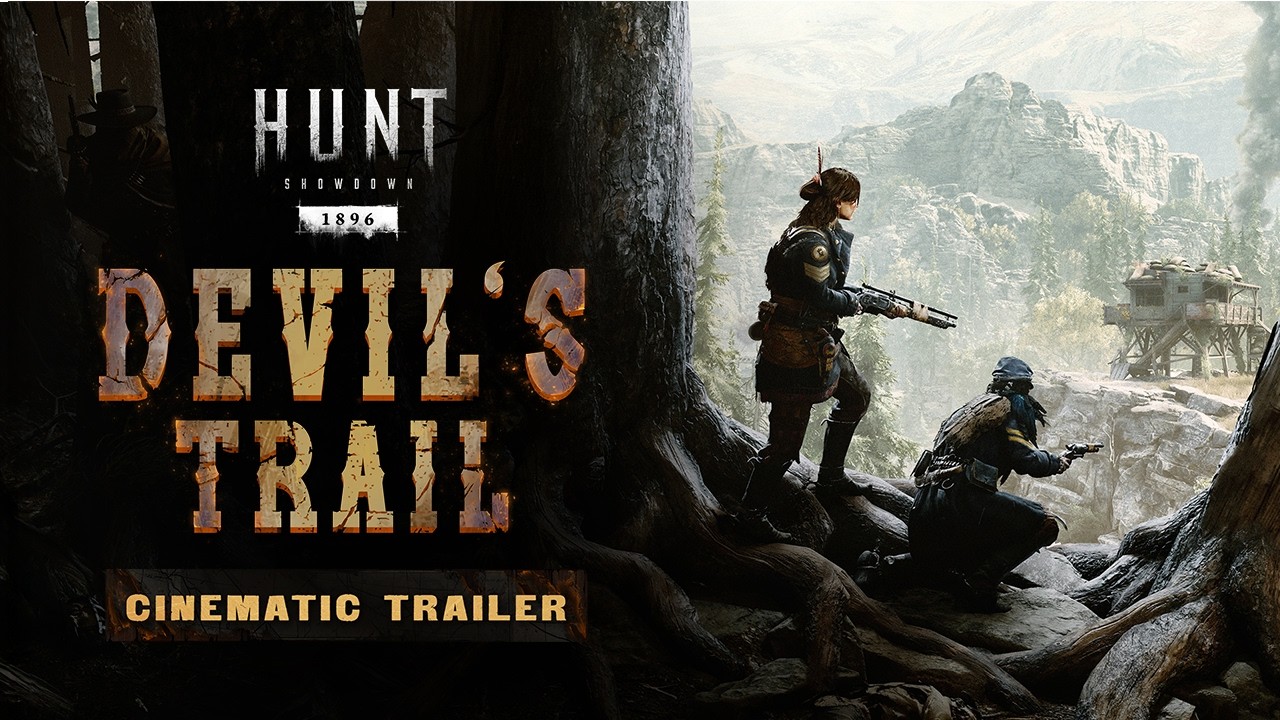
Crytek’s next experiment isn’t as flashy, but it sounds just as fascinating. The Devil’s Trail event, beginning March 18, will test if Hunt could benefit from taking key information away from players at the beginning of the match:
Hidden Information & Discovery: During Devil’s Trail, Supply and Extraction Points are hidden at Mission start. They may be revealed by finding them in person or discovering Scouting Maps in-world. Aside from using the Scouting Maps, Extraction Points are revealed after picking up a Bounty Token, banishing a Boss Target, or using “The Chariot” Tarot Card.
Scout Towers: New points of interest. Two towers spawn per Mission, containing interactive Scouting Maps which reveal hidden locations as well as new Tarot Cards, Custom Ammo, and Traits.
In case it’s not clear, hidden extraction and supply points (which hold free ammo and throwables) are a huge deal. Longtime players already know roughly where extraction points can be on a map, but since only three or four are randomly activated at the start of the match, not knowing their location adds a splash of sauce to the last phase of a match. “Great, we got the bounty. Where do we go?”
(Image credit: Crytek)
You can go to the single extraction point revealed when you pick up a bounty, or preferably, you go to one of the new Scout Towers, where you’ll find maps that can reveal other extraction options. I’m very curious how that exchange of information goes down. Can you choose to reveal an extraction point specifically when you use a map, or is the tidbit random?
What I like about this idea is that it could make the extraction phase of Hunt less perfunctory, and I’ll quickly cover why: The way Hunt has always worked is that the squad who picks up a bounty token bolts for the nearest extraction point—a location that everybody can clearly see and track, as bounty tokens reveal your location. Since it sounds like only one extraction is revealed to bounty holders, their trajectory will be less predictable.
Keep up to date with the most important stories and the best deals, as picked by the PC Gamer team.
At least, that’s how I hope it plays out. There are some unknown rules to how it all works that could make it less interesting than it sounds—if banishing a boss reveals the same extraction to the entire server, for instance, that’d be more-or-less the status quo.
Devil’s Trail is also adding two new tarot cards and a trait that isolates enemy footsteps while in dark sight, but I’m more intrigued by Crytek’s final bullet point:
The World Remembers: Passive tracking is expanded. More entities now leave permanent traces, creating a detailed trail of player presence which can be followed. Envelopes, Ammo Crates, and First Aid Kits now remain open after being used. Destroyed barrels leave behind remains. Killing animals leaves corpses. Doors remain ajar after being opened once. Used Trait Spurs leave scorch marks. More interactions now tell a story for keen-eyed Hunters.
Sounds like they’re trying to reinforce the “hunt” of Hunt: Showdown in 2026, and I’m all for it.
Resetting a huge live-service game like Overwatch 2 is a risky move, but one that’s paid off for Blizzard already. Retitling the FPS to Overwatch, adding several new heroes, and providing a narrative reset have reinvigorated the shooter’s community, providing the exact kind of second wind the devs were hoping for.
Alec Dawson, associate game director on Overwatch, tells PCGamesN about the team’s current blend of nervousness and excitement. “You dream of these types of things. It’s the beginning of a comeback,” he stated.
“Early last year we were talking about all these plans and how we were going to execute and lead up to releasing five heroes at once,” he adds. “A lot of effort went into that, and seeing the result of that is something that the team’s been ecstatic about.”
Season 1: Conquest Official Trailer | Overwatch – YouTube
“We actually had a bigger Saturday than our first Saturday after launch with Season 1,” Dawson reveals. “There’s that momentum that’s continuing; there are a lot of people coming back to try the game again and there are a ton of new heroes, there’s perks, there’s Stadium – a lot of things they haven’t seen before.”
Now that the series is ten years old, the devs have managed to create an ideal jumping on point for newer fans, as well as those who’ve lapsed. That’s not an easy task on this scale, and now the job becomes harnessing this energy for the foreseeable future. “We want to push this momentum and continue making sure we’re making the best game for all the Overwatch fans,” Dawson states.
TikTok will not introduce end-to-end encryption for direct messages (DMs) on its platform, according to a new report from the BBC. The social media giant says end-to-end encryption would make users less safe, as it believes the technology would prevent police and safety teams from accessing messages when necessary.
TikTok told the outlet that this is a deliberate decision to distinguish itself from rivals and protect users, particularly younger ones, from harm.
With end-to-end encryption, only the sender and recipient of a direct message can view its contents.
The company said direct messages are still protected with standard encryption, similar to services like Gmail. Only authorized employees can access direct messages, and only under specific circumstances, such as in response to a valid law enforcement request or a user report of harmful behavior.
End-to-end encryption is the default technology used in popular apps like Signal, WhatsApp, Facebook Messenger (for 1:1 personal chats and calls), Apple’s Messages, and Google Messages.
AI sketchnotes look great until the text starts breaking.
Nano Banana 2 often mixes numbers, symbols, and nonsense words.
With patience, you can still generate useful visual summaries.
There is a small, slightly sad discussion on Reddit from four years ago about what to call someone who loves graphs and charts. Book lovers are called bibliophiles; they reason, shouldn’t charts and graphs fans have a name, too? Redditors proposed several neologisms (new, made-up words), including cartographile, diagraphophile, visophile, graphophile, and infographophile.
All these terms apply to me. On election nights, I constantly switch between all the major networks, not even to see the results, but to catch a glimpse of their new charting styles. I love me some charts.
One type of diagram I particularly love is called sketchnoting. A sketchnote is exactly what it sounds like: a mixture of sketches and notes to impart information. I love this style because it’s both informal (the sketching and hand-written notes) and very formal (it carefully represents data). I get excited just thinking about it.
I’ve tried to use AI to generate sketchnotes in the past, but since AI graphics tools have tended to fail at producing words properly, those past attempts ultimately proved futile. But with Nano Banana 2’s promise of better text, I decided to give it another try.
I started with a simple prompt in Gemini. I have a $20/mo Google AI Pro tier that used to default to Nano Banana Pro but now uses Nano Banana 2 (which is very similar). My prompt was, “Make me a sketchnote of the US Bill of Rights.”
I chose the Bill of Rights because it contains 10 rights, each of which lends itself to visualization. I also didn’t have to enter that information into Nano Banana 2 for my testing.
Here’s what the AI did right out of the gate. I have to say, it’s fantastic. Almost:
David Gewirtz/Gemini Nano Banana 2/ZDNET
Note the use of pastels that look like they’re from highlighters. Also, the font choice is perfectly appropriate to this kind of diagram, as are the illustrations. But the summary duplicates the number five inside a circle in two locations. It repeats parts of the Fifth Amendment. After the Fifth Amendment, it switches from Arabic to Roman numerals.
I wanted to correct the errors. I also thought it might be nice to have the title in the middle, and the various rights shown around the outside.
So, here’s my second prompt: “Make me a sketchnote of the US Bill of Rights. Center the title in the middle, in a hand-drawn shape or object. Present the various data elements around the outside.”
The results look good, but ouch. The rights are out of order. Also, for some reason, the AI switched randomly between Roman numerals and Arabic numerals, with Roman numerals next to them:
David Gewirtz/Gemini Nano Banana 2/ZDNET
Interestingly, the actual Bill of Rights uses neither Roman nor Arabic numerals. It actually spells out each article, as in “Article the first,” “Article the second,” and so on. For graphical representation, numerals fit better, so I refined the prompt to:
Make me a sketchnote of the US Bill of Rights. Center the title in the middle, in a hand-drawn shape or object. Present the various data elements around the outside in order, using Arabic numerals to indicate each article.
The result was this:
David Gewirtz/Gemini Nano Banana 2/ZDNET
That output didn’t work right either. First, the articles were not presented in numerical order, but I only specified “in order,” not “in numerical order”. Second, Article one had a 1 in a circle followed by a 1 outside it. Article eight was followed by a Roman VIII, and Article three was followed by a 7. The AI also didn’t highlight the titles as nicely.
I decided to try one more time. This time, instead of repeating the entire prompt, I corrected its previous results.
I told Gemini, “That last graphic had some errors. Please present the articles in numerical order, starting with 1 and ending with 10. Do not repeat the article number outside the little colored circle. Highlight the titles using classic highlighter pen colors. Before presenting the image, double-check the order of the articles and avoid duplicating representations.” Here’s the result:
David Gewirtz/Gemini Nano Banana 2/ZDNET
The AI got the title highlighting right, but still couldn’t handle the order.
I gave it one more try saying, “You got the image mostly correct, but place articles 1, 2, 3, and 4 in that order along the top, then put article 5 on the left of the the centered title and article 6 on the right of the centered title, and then put articles 7, 8, 9, and 10 in that order on the bottom row. Do not use Roman numerals anywhere in the diagram. Do not use two of the same number anywhere in the diagram.”
It took six tries, but I eventually got a perfect sketchnote. Check it out:
I gave the AI this prompt: “Make a sketchnote of the article below. Highlight the sections using classic highlighter pen colors. Do not use Roman numerals anywhere in the diagram. Do not use two of the same number anywhere in the diagram.” After the prompt, I just pasted the full text of my article.
In response, I got this:
Screenshot by David Gewirtz/ZDNET
WTF? Clearly, I did something wrong, probably in how I pasted in my article. So I took my previous prompt and instead of saying “of the article below” I told it to read the URL. That worked.
Notice how it’s centering the headline. This approach seems to be a holdover from my previous session prompts:
David Gewirtz/Gemini Nano Banana 2/ZDNET
Nano Banana 2 again had a problem with ordering the data items. This time, I decided to correct the problem by telling it not to number the data elements. Here’s my new prompt:
Make a sketchnote of the article above. Highlight the sections using classic highlighter pen colors. Do not use Roman numerals anywhere in the diagram. Do not number the headlines.
And, here we go. The AI listened to my instructions, but only for the first two headlines:
David Gewirtz/Gemini Nano Banana 2/ZDNET
This time, I decided to try to be more precise. Instead of “Do not number the headlines,” I said, “Do not use numbering for any of the headlines. Each headline should be text only.” Here’s the result:
David Gewirtz/Gemini Nano Banana 2/ZDNET
This one is so close. You can see the AI really wanted to number the last four because it had some space to the left of the headlines for numbers. It also skipped the heading “Bonus” in the bonus section. When you count the techniques, you get eight sections.
So, one more try, this time with the added instruction, “Put the word Bonus: in front of the code review section heading.” In response, I got this:
Screenshot by David Gewirtz/ZDNET
This output appears to be internal instructions to the graphics subsystem. I decided to reprompt the entire instruction (rather than mentioning “the article above.”). My final prompt was:
Make a sketchnote of the article at https://www.zdnet.com/article/ai-coding-techniques/. Highlight the sections using classic highlighter pen colors. Do not use Roman numerals anywhere in the diagram. Do not use numbering for any of the headlines. Each headline should be text only. Put the word Bonus in front of the code review section heading.
And… I broke Gemini:
David Gewirtz/Gemini Nano Banana 2/ZDNET
Let’s itemize some of the text generated. These are the exact words Gemini used in this last sketchnote:
ADIUK SALIRE BAT DIANCIORE, TOUMSKISS IT MEAL KUAKE DIATIEN.
AUDE OF YOUR, AD БАВЕВК YOTKEE SHORT. RIUR TOUPURE.
SOGUAND PAGEIVE, WISH INSTRILOF GASSONG FARE SOUD MIAT.
RODN-INIGSWISING GOES TOY ALPCKTOBNF SCIDRO LESSONS MERE PRREAEMOIN DSONE DESTIEN.
And so on. It was clear that Gemini was hurting. But I wasn’t daunted. I gave it one last try, and this was worth it.
First, I launched a new session. I reasoned that perhaps I had exceeded Gemini’s context. I pasted in the exact prompt above. This time, Gemini responded with a summary of the article in text form. I then told it to generate the graphic.
Here’s what came out. With one exception, it’s great:
David Gewirtz/Gemini Nano Banana 2/ZDNET
I do take issue with how it represented user design. It showed “the maker” as male. Instead of the word “sewist,” which I use in the article, it used “the seamstress” and used an icon of a woman. I was very careful to avoid using gender for either of the project users I’m building for, but Gemini decided to stereotype my target users.
That output says a lot about the quality of AI training data, right there.
In some ways, it’s not too bad. I like that the AI went out and found the ChatGPT, X, and Google logos and used them in the graphic. Then again, we ran into inconsistent headline numbering (even when prompted not to number). And, of course, there’s this: “FIVF PROCES & LGIULE-TROCTERY USE A PILTCH THEYKIT FOR GOOGLE (MPROPS) USE ALA rOVAL & PORTFORT,” which Nano Banana 2 listed as the reasons to upgrade from the free tier.
Win some. Lose some.
What have we learned?
We have learned that it is possible to create pretty nice sketchnotes using Nano Banana 2, but you have to work at it.
AI Mode is no longer just a futuristic concept reserved for tech giants. Today, tech-driven companies are beginning to run real parts of their operations using AI from automating workflows to deploying AI agents that handle repetitive tasks. The real opportunity is not simply using AI tools, but building systems where AI can analyze, decide, and execute work across your business.
The shift is palpable. Leaders are no longer asking ‘what can AI do?’ but rather ‘how much can I hand over to it?’ This specific operational state where systems analyze, decide, and execute without constant human oversight is rewriting the rules of productivity.
Here is how you can leverage this shift to stop managing tasks and start managing outcomes. Many companies we work with first implement AI Mode through workflow automation, internal AI bots, or small AI-powered micro-apps before expanding automation across departments.
Beyond the Buzzword: What Is AI Mode?
At its core, AI Mode refers to an automated operational state where advanced systems take the wheel. It is the transition from ‘human-in-the-loop’ to ‘human-on-the-loop.’
While traditional software requires you to input data and click ‘process,’ AI Mode utilizes neural networking and reinforcement learning to understand the context of a task. It doesn’t just wait for instructions; it anticipates needs. Whether it is a CRM updating itself based on email context or a supply chain system rerouting logistics due to weather data, the system operates autonomously.
This isn’t magic. It is a convergence of three distinct technologies:
Neural Networks: These mimic human cognitive pathways to recognize patterns (like seeing a dip in sales before a human analyst does).
Reinforcement Learning: The system learns by doing. If it makes a scheduling error and you correct it, it won’t make that mistake again.
Generative AI: Beyond analysis, it can now create solutions, draft responses, and simulate outcomes to solve problems in real-time.
Practical Applications of AI Mode in the Workforce
Theory is fine, but execution is what pays the bills. Businesses that successfully toggle on AI Mode are seeing metrics that were previously impossible.
1. The Productivity Explosion
We aren’t talking about a 10% incremental gain. Companies deploying AI agents and workflow automations are seeing significant productivity improvements, especially when repetitive tasks like reporting, lead qualification, or internal documentation are automated.
By switching to AI Mode for administrative heavylifting, your team stops drowning in calendar Tetris and inbox triage. The AI handles the logistics; your humans handle the strategy.
2. Predictive Intelligence Over Data Management
Old-school data management was about storage and retrieval. AI Mode is about prediction. It doesn’t just tell you what happened last quarter; it tells you what is likely to happen next week based on variables a human brain can’t compute simultaneously. This allows for proactive pivots rather than reactive damage control.
For example, an AI automation could automatically collect campaign data from ad platforms, CRM systems, and analytics tools, then generate a weekly performance report without any manual work. Instead of spending hours compiling spreadsheets, teams receive insights instantly.
3. Hyper-Personalized Customer Experiences
Standard chatbots are frustrating. An AI system operating in full autonomy, however, remembers a customer’s history, tone, and preferences. It doesn’t just answer questions; it solves problems and recommends products with a level of personalization that drives genuine revenue, not just support ticket closures.
Turning It On: A Strategic Roadmap
You cannot simply flip a switch and expect your business to run itself. Implementing AI Mode requires a calculated approach to integration.
Define the End Game
Don’t automate for the sake of automation. Are you trying to cut response times? Reduce overhead? Scale content production? If you don’t have a clear KPI, you will just have a faster way to make mistakes.
Integration is Everything
The most common point of failure is siloed tech. Your AI solution needs to talk to your CRM, your email client, and your project management tools. If the AI operates in a vacuum, it creates more work, not less. Look for scalability and seamless API integrations.
The Pilot Phase
Start small. Let the AI handle internal scheduling before you let it talk to your biggest clients. Treat this phase as an internship for the software. Monitor the outputs, correct the drift, and refine the parameters.
The Guardrails: Ethics and Security
When you enable AI Mode, you are handing over keys to the kingdom. This brings valid concerns that must be addressed upfront.
Data Sovereignty:Ensure your solution isn’t training its public models on your proprietary data. Security protocols must be enterprise-grade. If you can’t verify where the data goes, don’t use the tool.
The ‘Black Box’ Problem:You need to know why the AI made a decision. Ensure there is transparency in the algorithms you employ, especially in sensitive sectors like finance or healthcare.
Cultural Buy-In:Your team might fear they are being replaced. It is your job to frame this correctly: AI removes the robot work from the human, allowing them to do the creative, high-value work they were actually hired for.
The Verdict
The future isn’t coming; it’s already here, and it’s automated. AI Mode represents the difference between a business that scales linearly and one that scales exponentially.
The tools are ready. The safeguards are improving. The only variable left is your willingness to let go of the manual controls and trust the process. Are you ready to upgrade your operations?
Fortnite is known as much for its paid cosmetics as it is for having arguably the best Battle Royale modes around. But these days, Fortnite offers so many free cosmetics at any given time that it’s easier than ever to enjoy it without dropping a penny on skins, emotes, or other cosmetics.
With so much free stuff, it’s not always easy to tell what is available to unlock, since there’s no “here’s all the free stuff you can earn” page in Fortnite itself. Scroll on to find out what exactly you can get, and what modes you’ll need to play or, in some cases, what websites you’ll need to make accounts for.
Battle pass free items
The Chapter 7 Season 1 battle pass, which runs until March 17, includes 27 items that you can earn for free by leveling up without buying the pass, as well as 300 V-Bucks that can be used in the item shop or put toward buying the battle pass, Lego pass, OG pass, or music pass. Many of the items are minor cosmetics like sprays, emoticons, loading screens, and banner icons.
The Chappell Roan music pass includes nine free items that you can earn without buying the pass by leveling up in any Fortnite experience. Highlights include a guitar, a drum kit, an emote, a back bling, an aura, and four jam tracks that were licensed from a stock music library.
The Fortnite OG Season 7 OG pass includes 12 items you can unlock by leveling up without actually buying the pass, including two gliders, two pickaxes, two back blings, a weapon wrap, and an emote.
Every car and SUV in Fortnite is also in Rocket League, and that means the best way to earn car-related cosmetics is by playing Rocket League. For starters, you can unlock the Backfire car body (pictured) and seven decals in both games simply by completing the tutorial quests for new players. A number of other car bodies, wheels, and other accessories can be unlocked at random via loot crates that you can earn by completing weekly and seasonal challenges. Any car body or accessory can be pulled from those crates, in theory.
Rocket Pass
Like Fortnite’s passes, the Rocket Pass also includes a variety of free items. Many of these items aren’t the types of things that have an equivalent in Fortnite, like car toppers. But the Season 21 Rocket Pass, which runs until March 11, includes two sets of wheels and a decal for the Octane car. You must play Rocket League to make progress on the Rocket Pass.
Participating in Rocket League tournaments and getting wins earns points that can be used to open loot crates that contain random cosmetics. In Season 20, six of these items transfer to Fortnite.
The Ninjago Lego pass includes an emote, a loading screen, and 8 sets of Lego Fortnite decor items that can be unlocked for free by leveling up in any Fortnite experience. These items are for building in Lego Fortnite Odyssey, Lego Fortnite Brick Life, and other Lego-related Creative experiences.
Connect a Lego account with your Epic Games account
Connect a Lego account with your Epic Games account to instantly unlock both the Fortnite and Lego styles for the Explorer Emilie and Mr. Dappermint skins. No need to play Lego Fortnite to enjoy these two. You can link accounts here.
Fortnite awards umbrella gliders for your first win each season in Battle Royale, OG, Reload, and Blitz, as well as glowing variants for wins in ranked modes.
Downloading Epic’s PostParty app and using it to share a clip of your gameplay will unlock the Post That! Weapon wrap.
Ranked quests
You can unlock a variety of free cosmetics by playing and ranking up in ranked modes, including a few smaller modes like Ballistic (Fortnite’s team-based first-person mode) and Rocket Racing.
Highlights:
Felinos skin (pictured) – Ranked Reload and Battle Royale
Google revealed Gemini 3.1 Flash-Lite, it’s newest model that’s capable of assisting developers with complex, “high” workloads.
Seeing as it aims to handle higher data workloads, Google touts this AI model as its cheapest and speediest AI yet, nestled in its Gemini 3 series.
Google is seemingly positioning 3.1 Flash-Lite as the next best thing, as the AI seeks to overtake what was started by 2.5 Flash last year.
Google’s not slowing down its development process for next-gen AI; however, what it’s rolling out this week is yet another lightweight, speedy model.
In a Keyword post, Google shared details about its newest lightweight model: Gemini 3.1 Flash-Lite for developers. Out of the gate, the company touts 3.1 Flash-Lite as the premier AI model for developers with “high-volume workloads.” Similar to previous highly efficient, low-cost AI models from Google, Gemini 3.1 Flash-Lite offers its services at $0.25/1M input tokens and $1.50/1M output tokens.
Pricing aside for developers, Google dives into what’s important: its upgrades over its 2.5 Flash model. The post states 3.1 Flash-Lite is “2.5X faster Time to First Answer Token.” Additionally, the AI has received a 45% boost in its output speed. On the Arena.ai Leaderboard, Google’s latest lightweight model achieved a score of 1,432.
Android Central’s Take
Crunching loads of data can be a bane for developers, especially when that needs to be done in a timely matter. Google’s focused on that area with its Flash models in the past, but 3.1 Flash-Lite takes in a new direction for “higher” workloads. The AI’s able to think more critically (or however you want), which will hopefully be an aid to users.
Google highlights 3.1 Flash-Lite’s ability to “outperform” other models within reasoning and multimodal understanding benchmarks, even its own 2.5 Flash. Developers requiring different thinking levels will find them with this AI model. Google states developers can control how the AI “thinks,” fine-tuning it to handle tasks “at scale.” For complex situations, Google says its AI model can handle “in-depth reasoning.”
This would enable it to generate UI, create simulations, and follow a developer’s instructions. Users from Latitude, Cartwheel, and Whering have reportedly been testing 3.1 Flash-Lite in AI Studio and Vertex AI with seemingly positive remarks.
Even faster with improved thinking, too
(Image credit: Google)
Developers interested in trying Gemini 3.1 Flash-Lite can do so beginning today (Mar 3). Google says the AI will be available in a preview in the Gemini API in AI Studio and Vertex AI.
Android Central’s Take
This feels like one of those situations where we’re seeing the past and future at the same time. We have the 2.5 Flash model, which was Google’s AI for complex tasks developers might have. Now, 3.1 Flash-Lite is taking over that space at a lower cost, faster thinking speeds, and better customization for developers. This might have a bit more practicality for developers, and a boon for their stressful days, too.
Google called back to its 2.5 Flash model quite often in its announcement. It’s a model that debuted last spring with “hybrid reasoning” and high speeds, while maintaining its accuracy. This model holds a few similarities to what Google’s come with today. Low-latency performance, alongside cheaper costs, and speed for the developer’s needs. However, 3.1 Flash-Lite takes that and raises it severely by taking over that complex, high-workload space for users.
Get the latest news from Android Central, your trusted companion in the world of Android
In short, this is likely the model Google is hoping developers will reach for next time they need to work with a lot of data. Gemini 3 Flash arrived in December, but this model was positioned as more of the “for everybody” lightweight model. The company brought this to developers through the usual channels and to every user through AI Mode in Search.

![[Vinesauce] Cookie’s Bustle w/chat - YouTube](https://img.youtube.com/vi/za3Bq19bxzk/maxresdefault.jpg)