A lost Dragon Ball Z fan RPG has resurfaced after mystery user drops it in a seven-year-old forum thread


About seven years ago user pikablu of the Resetera forum started a thread about an old Dragon Ball Z fan RPG that had long fallen into obscurity. It was an MS-DOS game that “used a lot of sprites from the Super Butōden games”, which were Dragon Ball Z games released for SNES consoles in the ’90s. According to the user, this rugged fan RPG was available on a Dragon Ball Z site called Planet Namek.

The thread attracted 14 responses. No one could help.

Google Chrome’s next update could be bad news for ad blocker users


What you need to know

  • Google is finally removing Manifest V2 support, ending compatibility with many older Chrome extensions.
  • Popular ad blockers like uBlock Origin may stop working once Chrome fully completes the transition.
  • Newer Manifest V3-compatible blockers such as uBlock Origin Lite will continue to function in Chrome.
  • Chromium-based browsers like Edge and Opera could also be affected by the Manifest V2 shutdown.

A future update for Google Chrome could mark the end of some of the most popular ad blockers currently available.

Ever since 2019, Google has been working toward a new browser extension framework called Manifest V3. The transition hit several delays along the way, but the official deprecation of Manifest V2 extensions began in 2024. Now, it looks like Google is finally approaching the end of that transition, and it could have major consequences for popular ad-blocking extensions.

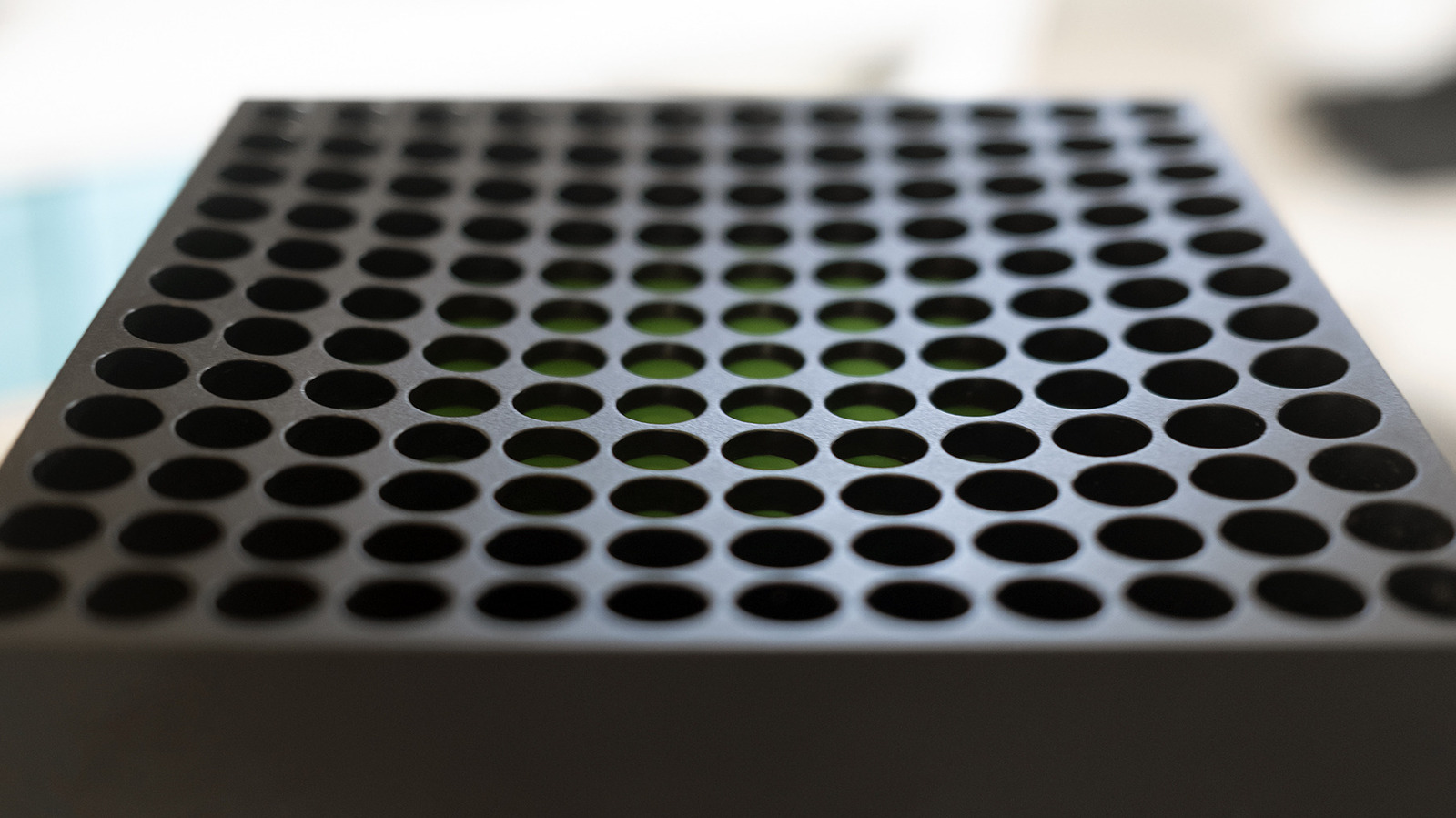
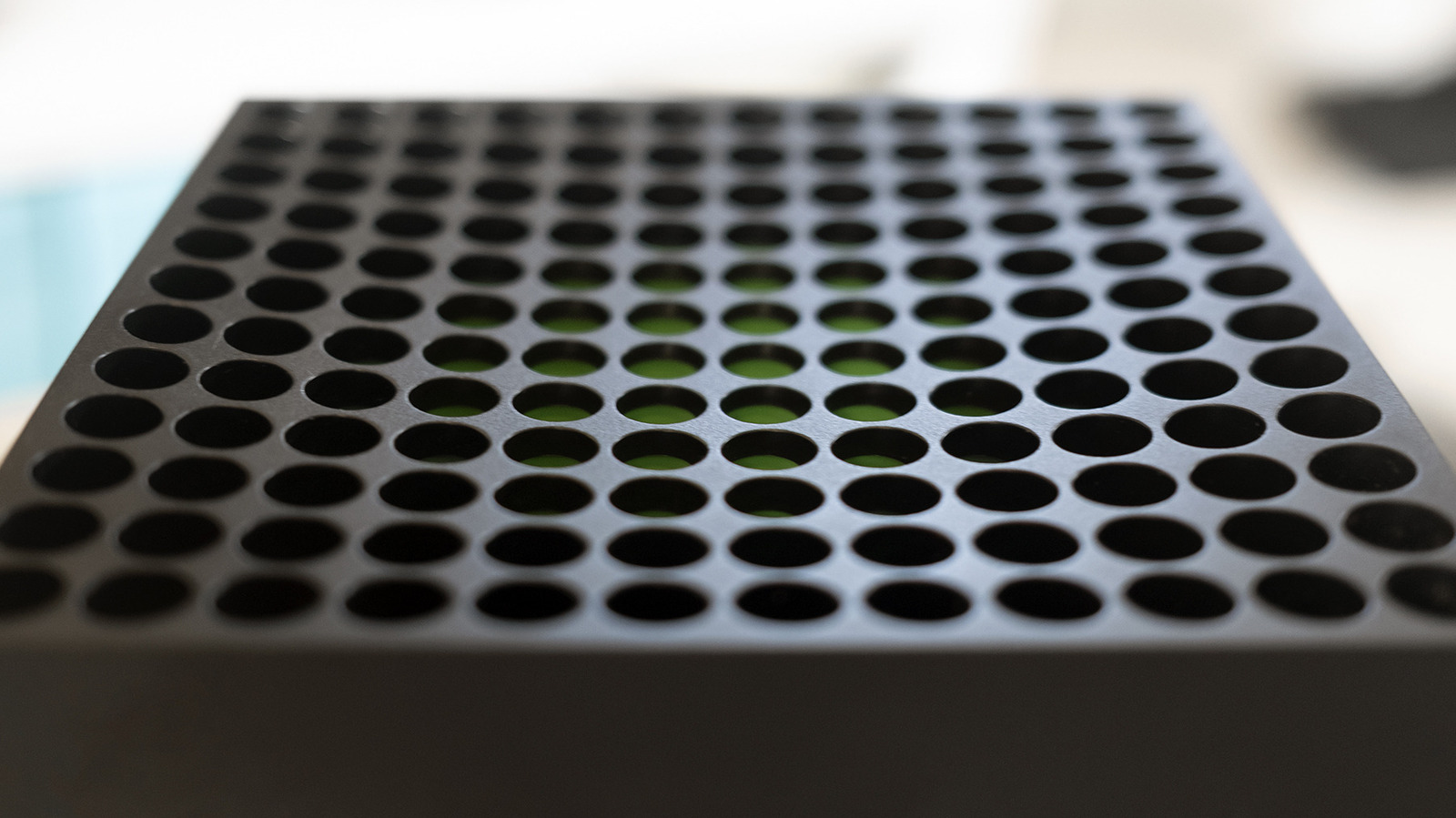
Xbox Is Reportedly Closing Ninja Theory, Double Fine And Compulsion Games


Xbox is preparing to shut down or sell at least three of its studios — Double Fine, Ninja Theory and Compulsion Games — according to reports from The Verge and Bloomberg on Monday. 

Ninja Theory employees were informed on Monday that the studio would be closing, according to The Verge, but the team is attempting to find a buyer that can keep them operational. Ninja Theory is the studio behind the Hellblade series and it was featured in the recent Xbox Summer Game Fest showcase, revealing a new entry due in 2027.

Double Fine is the legendary studio behind the Psychonauts games, Brütal Legend, Broken Age, Keeper and all manner of LucasArts adventures, founded by Tim Schafer and friends in 2000. Double Fine leaders are in active negotiations to buy themselves back from Xbox rather than be closed altogether, Bloomberg said. 

Compulsion Games is in a similar position, according to the report. Compulsion is the Montreal studio behind the uber-stylish games Contrast, We Happy Few and South of Midnight, the latter of which came out in April 2025.

Bloomberg reported that several other studios under the Xbox Game Studios banner are also negotiating for their futures and are at risk of being shut down. As it officially stands, the Xbox Game Studios umbrella covers dozens of studios, including Arkane, Bethesda, Halo Studios, id Software, Obsidian, Playground Games, ZeniMax and Activision Blizzard King. We have contacted Xbox for clarification on the reported closures and buyout talks.

Microsoft’s modern game-studio acquiring spree kicked off in 2018 with the purchase of Undead Labs, Playground Games, Ninja Theory and Compulsion Games, plus the formation of The Initiative. This momentum continued building at a concerning pace in 2020 and 2021, when Xbox acquired eight more studios under ZeniMax Media, including Arkane, Bethesda and id. Everything came to a head in 2022 with the announcement that Xbox planned to purchase Activision Blizzard for $69 billion, the largest acquisition in video game history. That deal finally went through at the end of 2023, after a lengthy battle with regulators.

Since the acquisitions, Microsoft has enacted multiple massive rounds of layoffs affecting thousands of employees in its gaming division, and also shuttered well-known studios, including The Initiative. Unfortunately, Double Fine, Ninja Theory, Compulsion and the other at-risk Xbox studios are in good company.

Longtime Xbox division head Phil Spencer stepped down this year and was replaced by new CEO Asha Sharma, alongside other executive-level changes. Also on Monday, Xbox Game Studios head Craig Duncan left the company; he first took the role in October 2024. Employees across Xbox are bracing for more layoffs in 2026 after an ominous public memo from Sharma dropped in mid-June, just as the glow of Summer Game Fest fully faded.

The new NBA game’s street balling is strong, but it’s way too sweaty for its own good


Basketball was one sport I loved playing as a kid—not only to compete or spectate, but just for fun. I was not good at it. So I stopped playing, partially because I hated feeling like my teammates were stuck with me. When I got benched, that bummed me out. But when I got put in, the responsibility to not let my friends down made my heart race, even if it supposedly didn’t matter if we won. Now I realize I shouldn’t have been so hard on myself.

NBA The Run saddled me with the same existential questions I had back in those days. It’s a 3-on-3 throwback to arcadey classics like NBA Jam, Street, and my personal favorite, the one where you can play as a horse. These games trade the simmy mechanical depth of more buttoned-up ball ’em ups for easily executed moon jump dunks, gaudy tricks, turbo buttons, and commentary from guys yelling stuff like “Boom shaka-laka!” It’s basketball as only videogames could envision it.

Your Brand Reputation Precedes You With AI, Whether You Like It or Not


Marketers, take note: New research using 2.7 million data points from the 2026 Winter Olympics revealed how AI systems form and preserve narratives about brands, athletes, and organizations.
Continue reading “Your Brand Reputation Precedes You With AI, Whether You Like It or Not”

House of the Dragon showrunner says major season 3 newcomer Ormund Hightower is “basically the Tywin Lannister of this world”


House of the Dragon showrunner Ryan Condal suggests audiences should prepare for new character Ormund Hightower’s arrival.

“He’s the Lord of the Hightower, basically the Tywin Lannister [Charles Dance] of this world,” Condal says in the latest issue of SFX. “He’s the richest guy who’s not sitting on a throne somewhere. Ormund has the largest standing army left in Westeros and a dragon, so he is going to introduce a big old wrinkle into this. Ormund is really a sketch in the book and we don’t have a sense of who he is, so it was really fun diving in and creating a really deep, complex and three-dimensional character out of him that introduces a new kind of complication into the world.”

Make Visual Studio look the way you want


Themes are personal. Some of us live in dark mode, some swear by high contrast, and some of us have very strong opinions about that one shade of blue from years ago. The new themes in Visual Studio 2026 are built on Fluent, which gives us a much more consistent and accessible foundation, but we have heard from plenty of you who want more control over specific colors. Accent colors, hover states, the line between the shell and the tab headers… the small things that make an IDE feel like yours.

So, we did something about it.

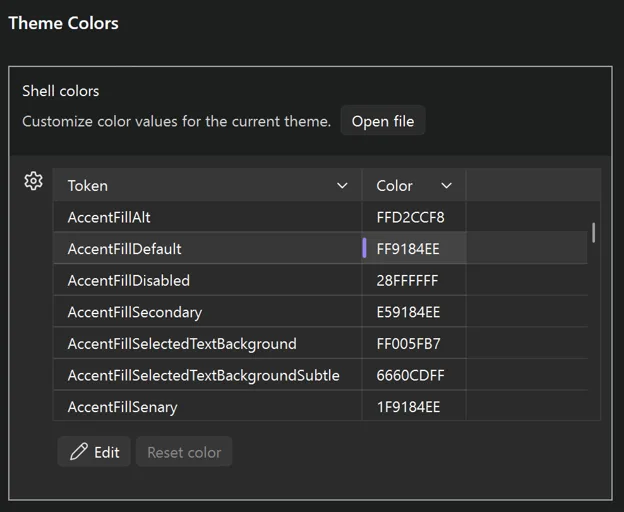
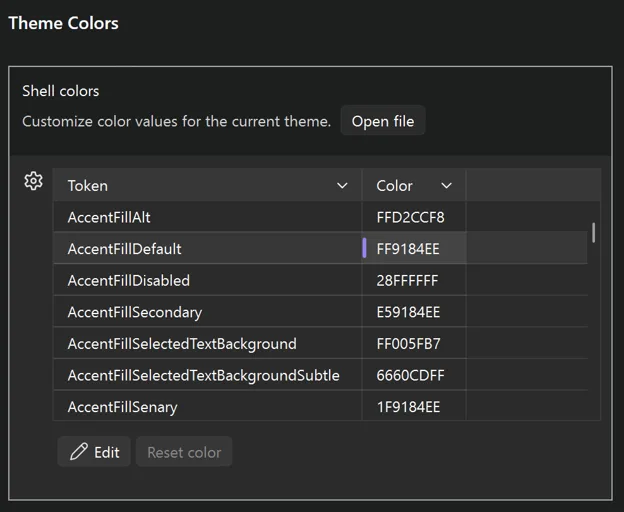
theme color settings image

Visual Studio now has a new Theme colors options page that lets you customize any Fluent color token directly inside the IDE. No extensions, no JSON files to hunt down, no restarts. Just open the page, find the token you want, and pick a new color.

Where to find it

Open it from Tools > Options > Environment > Visual Experience > Theme colors. You’ll see every Fluent color token in the active theme listed in a searchable grid. Pick one, change the color, and the change applies live.

Customizations are per-theme

This is the part we like the most. Whatever you change is saved against the current theme, not globally. So, you can have your own personal twist on Dark, a different twist on Light, and a wildly different one on a tinted theme, and switching between them brings your customizations along automatically.

If you go too far down a rabbit hole, there’s a per-color reset so you can revert a single token without throwing away the rest of your work.

New tokens for more granular control

Alongside the options page, we also added some new color tokens that give you more separation between parts of the shell. The most commonly asked-for one is being able to color the tab and window headers independently from the rest of the shell chrome, which, among other things, lets you get pretty close to a classic retro look if that’s what you’re after.

See all the color tokens in the theme color tokens documentation.

fluent blue theme image

Sharing your customizations

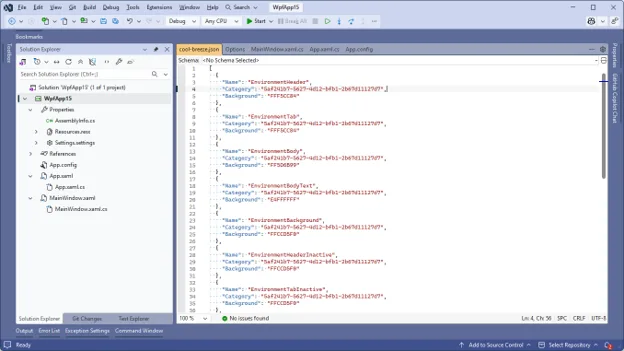
Because customizations are saved as JSON under the hood, they’re easy to share – and easy to apply on top of any theme. Drop a JSON file into:

%LOCALAPPDATA%\Microsoft\VisualStudio\18.0_xxxxxxxx\ColorThemes

…and Visual Studio will use it to override the theme it’s named after. The file name has to match the theme you want to override – so cool-breeze.json overrides Cool Breeze, dark.json overrides Dark, and so on. Restart Visual Studio and the overrides take effect on top of that theme.

Here’s an example set of overrides that leans Cool Breeze in a more retro, blue direction. Save it as cool-breeze.json in the folder above:

[
  {
    "Name": "EnvironmentHeader",
    "Category": "5af241b7-5627-4d12-bfb1-2b67d11127d7",
    "Background": "FFF5CC84"
  },
  {
    "Name": "EnvironmentTab",
    "Category": "5af241b7-5627-4d12-bfb1-2b67d11127d7",
    "Background": "FFF5CC84"
  },
  {
    "Name": "EnvironmentBody",
    "Category": "5af241b7-5627-4d12-bfb1-2b67d11127d7",
    "Background": "FF5D6B99"
  },
  {
    "Name": "EnvironmentBodyText",
    "Category": "5af241b7-5627-4d12-bfb1-2b67d11127d7",
    "Background": "E4FFFFFF"
  },
  {
    "Name": "EnvironmentBackground",
    "Category": "5af241b7-5627-4d12-bfb1-2b67d11127d7",
    "Background": "FFCCD5F0"
  },
  {
    "Name": "EnvironmentHeaderInactive",
    "Category": "5af241b7-5627-4d12-bfb1-2b67d11127d7",
    "Background": "FFCCD5F0"
  },
  {
    "Name": "EnvironmentTabInactive",
    "Category": "5af241b7-5627-4d12-bfb1-2b67d11127d7",
    "Background": "FFCCD5F0"
  },
  {
    "Name": "StatusBarBackgroundFillRest",
    "Category": "5af241b7-5627-4d12-bfb1-2b67d11127d7",
    "Background": "FF40508D"
  }
]

Share that file with a teammate, and they’ll see the same look the next time they launch Visual Studio – no extension to install, no theme to package up.

You can also grab the Blue Steel theme pack that ships with these new colors to mimic the retro blue theme.

Why this matters

Themes used to be an all-or-nothing thing. If you didn’t love one of the built-in options, your only real path was an extension that replaced the entire theme. That’s a lot of overhead for what is often a very small change (“I just want this one color to be a little less bright.”).

The new options page is meant to fix exactly that. Quick, one-off customizations should feel quick. Bigger overhauls still belong in extensions, and the marketplace is full of great ones, but most of the feedback we get is about a handful of specific tokens. Now you can fix those in about ten seconds.

Availability

This is now in latest version of Visual Studio 2026 (18.7). Give it a try, break things in interesting ways, and let us know in the comments what tokens you ended up changing – we’re always curious how people set up their IDEs.

Happy coding!


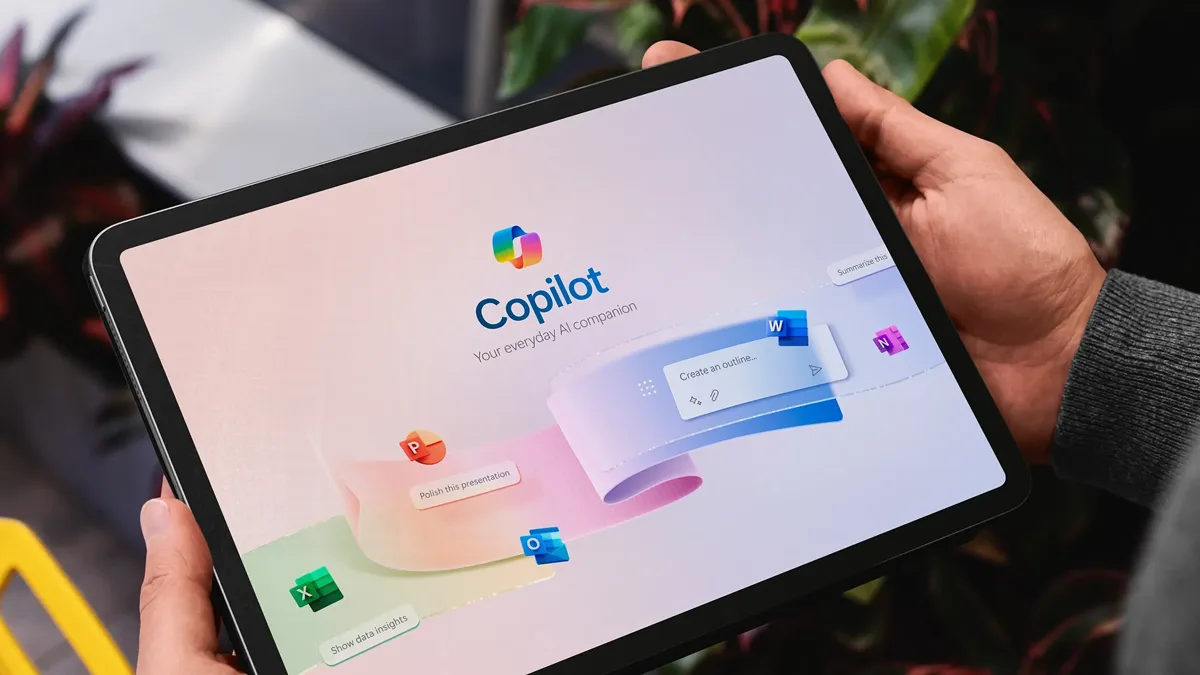
Microsoft Copilot Is Only as effective as the Prompts Behind It


Many organizations invest in Microsoft Copilot expecting productivity gains, but inconsistent prompts often lead to inconsistent results.

A vague prompt is a bit like giving an employee a task without clear direction. You’ll get a response, but not always the desired outcome.

This quick reference guide from Net at Work shares practical do’s and don’ts for writing better prompts and getting more value from Microsoft Copilot.

In this guide, you’ll learn how to:

  • Write clear, specific prompts that improve response quality
  • Provide context and examples that lead to better outcomes
  • Avoid common prompting mistakes that limit Copilot’s effectiveness
  • Refine responses through feedback and iteration
  • Get more value from your Microsoft Copilot investment

Included as part of your registration, you’ll qualify for an exclusive Microsoft Copilot license with activation and setup assistance. In addition, you’ll gain an expert licensing guidance and an optional audit designed to help you maximize the value of your Microsoft environment.

How much RAM does your PC need in 2026? My advice after using Windows and Mac for years


MacBook Air M5 and Neo

Kerry Wan/ZDNET

Follow ZDNET: Add us as a preferred source on Google.


ZDNET’s key takeaways

  • RAM allows computers to run fast and optimally.
  • 16GB is now the standard for PCs and laptops.
  • Heavy users may need more RAM. Know when to upgrade.

I used to struggle when shopping for a new computer — there’s a lot to consider. Over time, I learned to narrow it down to what I call the “performance trifecta” — three main components you should be mindful of: processor, storage drive, and RAM. A good processor is the brain of the computer, and a lot of local storage means you’ll have plenty of room for all your files.

Also: RAM prices are ridiculous in 2026 – here’s how my PC buying advice is changing this year

Then there’s memory — a component widely discussed but often misunderstood. Think of RAM (Random Access Memory) as your computer’s short-term memory. Instead of pulling everything from your permanent storage (like an SSD), your system parks active files in the RAM for instant access, which keeps everything running fast. Naturally, more gigabytes (GB) means more room to multitask.

But how much do you actually need? The internet is full of conflicting advice, leaving many people torn between upgrading to 32GB of snappy LPDDR5X RAM or sticking with a standard 16GB. Let’s cut through the noise and figure out exactly how much memory is right for you.

How much RAM do you need in 2026?

MacBook Neo

Kerry Wan/ZDNET

The short answer: it depends on the operating system. For Windows machines, 16GB of RAM has become the operational minimum on new consumer laptops. Modern workloads have ramped up to such a degree that less RAM on a Windows device is fine, but it will limit you to everyday tasks like writing emails, internet browsing or watching YouTube videos

But let’s be real here: the average worker is probably running dozens of tabs in their browser, a handful of apps in the background, and (possibly) generative AI, all of which demand memory power. In that sense, most people using their Windows laptops for work will want at least 16GB (for a value-driven, future-proof option) for a smooth user experience. 

Also: Skipping this PC maintenance step could cost you – here’s the right way to clean your system

If you’re upgrading to Windows 11, Microsoft says the minimum requirements are 4GB of RAM, but I’d still recommend 16GB as the baseline standard. If you have more than that, even better, but for most PCs, Windows 11 should run about the same as older operating systems.

MacBook Pro M1

Kyle Kucharski/ZDNET

When it comes to MacBooks, things are a little bit different. Because Apple’s machines are so optimized to handle daily workflows, 8GB of RAM goes a bit further than a stock laptop running Windows. In fact, it wasn’t until last year — that Apple made 16GB the starting point with the MacBook Air M4. The MacBook Air M5 just launched with a similar configuration.

MacBooks, such as the new Neo model with 8GB, are still solid machines for daily use, while more powerful models like the MacBook Pro and MacBook Pro Max offer substantial power with 24GB, 36GB, or more, making them some of the most powerful laptops on the market (and some of the priciest).

Besides Windows and Macs, Chromebooks are a third category of consumer laptops that have seen a spike in popularity over the last few years due to their lower average price and lightweight operating system, ChromeOS.

Also: Is 8GB of RAM really enough for a Mac in 2026? Short answer: Yes

Because ChromeOS is so streamlined, Chromebooks can get along just fine with 8GB or even less, making them great machines for handling the basics like working out of the browser and having your Google Suite at your fingertips with snappy performance and a low price. The trade-off, however, is that you’ll have less access to apps you’d otherwise find on Windows. 

All in all, it’s true to say that the more memory you have, the better your computer should perform. But having too much RAM can also be a poor return on investment, because you end up spending money on a resource you hardly ever use to its full potential. It’s like owning a big house but only using a few of the rooms. 

When buying a new laptop, I just recommend having a clear understanding of what you want to use it for — that way, you can set realistic expectations about how much RAM you need. 

What does DDR5 mean?

Lenovo ThinkBook Plus Gen 6 Rollable

Kyle Kucharski/ZDNET

Sometimes, when shopping for a computer, you’ll see the letters “DDR” followed by a number. This is an acronym that stands for “double data rate.” Without getting too deep into the weeds, DDR is a type of technology that improves the data transfer speed from RAM to other components, such as the processor. There have been five main DDR generations so far, with the latest and fastest standard being DDR5.

Similar to 16GB of memory, DDR technology has effectively become the new standard for RAM as users demand faster speeds. There are also variations of the technology. A notable version is LPDDR5X, which stands for low-power double data rate 5X, a more energy-efficient version of DDR5 designed specifically for mobile devices.

Also: My proven way to speed up Linux when RAM upgrades aren’t worth it (and it’s free to do)

Don’t expect DDR6 RAM to be released for a computer near you anytime soon. We saw the JEDEC (Joint Electron Device Engineering Council) announce the release of LPDDR6 back in early July. The JEDEC is the organization that established DDR as a computer standard. The technology is available for manufacturers to implement in their devices, but whether or not it’ll happen — or how soon — is yet to be seen. 

When should you upgrade?

Mac Mini M4 Pro with Studio Display

Jason Hiner/ZDNET

16GB is fine for most cases, but if you’re a gamer or creative professional, you should consider 32GB of RAM. More RAM will ensure that the games you play and the video editing apps you use for work run more smoothly. I have that amount for my personal computer, and I’m very happy with that setup because I don’t just write.

Also: I recommend this older Windows 11 laptop over some newer models – here’s why

I also play games on my desktop, edit photographs and videos, and run virtual machines, among other things. It’s a heavy workload that requires the correct amount of resources to operate; even then, I am considering upgrading my PC to have more. It’s not uncommon for me to see my workload take up over 70% of my computer’s total RAM.

I consider anything above 32GB of memory excessive unless you’re a specific type of user. If you’re editing 8K videos or running heavy apps simultaneously, then you’ll probably need 48GB or 64GB of RAM. A good laptop that can deliver would be something like the M5 MacBook Pro or the Dell Premium 16. These are solid, top-of-the-line machines capable of tackling tough workloads.

I’m not the only one who recommends 32GB for gaming. Back in November 2025, Microsoft published a handy guide on how to optimize your gaming PC setup, and the post includes a recommendation for how much memory you should have. And wouldn’t you know it — Microsoft recommends 32GB of RAM for users who play resource-demanding titles or mod-heavy games.

I’ve been writing about both software and consumer electronics for almost 10 years now, and in that time, I’ve worked in many different settings, from the traditional office to the home office, and even someone’s backyard. The remote experience has made me extremely selective about what I choose to make my main computer, as I want to ensure the devices I use can handle my day-to-day tasks. I’m on my computer all day, practically every day of the week.

Also: I tested several AIO computers in 2026, and these are the best for your office setup

I’m also at a point where I’ve tried just about every type of laptop on the market. I know which features and specs you should look out for when purchasing a new computer — and which ones are not worth your time.

The advice I have given is not a set of hard and fast rules. I just aim to provide a foundation of what you should look for in a laptop. What is best for you depends on your unique needs.


Show more


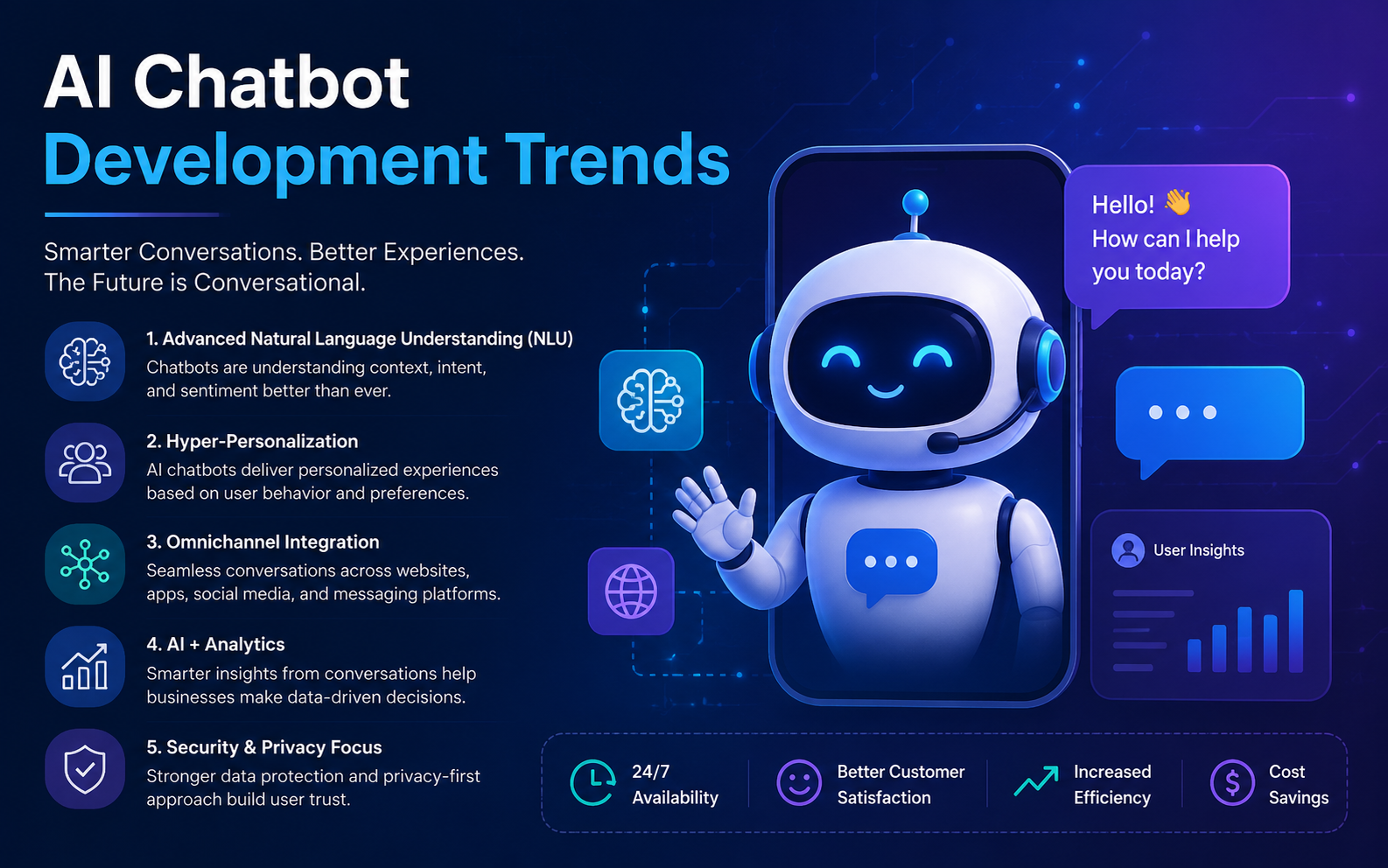
AI Chatbot Development Trends Shaping 2026


As we enter 2026, AI-powered chatbots are evolving from simple automated tools to strategic business partners. Modern organizations are increasingly leveraging AI chatbots to streamline operations, enhance customer experience, and unlock new revenue streams.

With the market expected to surpass $10 billion in value in 2026, and a majority of enterprises embedding chatbots into core operations, AI‑driven conversational platforms are rapidly moving from optional to essential technology in business strategies.

For businesses aiming to accelerate digital transformation, understanding the latest AI chatbot development trends in 2026 is essential to stay competitive, agile, and customer-focused.

In this article, we share key insights and emerging trends in AI chatbot development, providing a roadmap for organizations aiming to optimize their operations and customer engagement in the coming year.

Why AI Chatbots Are Critical in 2026?

AI chatbots aren’t just a nice‑to‑have; they are central to digital transformation strategies worldwide:

  • The global AI chatbot market is valued at $10–11 billion in 2026, with analysts forecasting continued rapid expansion.
  • 91% of companies with 50+ employees use chatbots in at least part of their customer journey.
  • 64% of small businesses plan chatbot adoption by 2026.
  • 59% of consumers believe generative AI will change customer interaction norms.

Moreover, nearly half of all website customer interactions are managed by chatbots today, and 62% of consumers prefer chatbot support over waiting for a human agent.

The Growing Role of AI Chatbots in Modern Business

AI chatbots are no longer just customer support tools. They reduce operational costs by automating repetitive interactions, provide 24/7 support, and deliver personalized experiences that foster customer loyalty.

Beyond customer service, chatbots are now integral in:

  • Sales and marketing
  • Human resources and employee support
  • IT helpdesk and internal workflows
  • Supply chain management

Modern chatbots powered by AI and advanced Natural Language Processing (NLP) can go beyond scripted answers, making them indispensable for enterprise efficiency and scalability.

Organizations that invest in next-generation chatbot technologies position themselves to transform not just how they interact with customers, but how they operate end-to-end.

Top AI Chatbot Development Trends for 2026 

  1. Hyper-Personalization Through Contextual Understanding 

Modern chatbots leverage advanced NLP models to deliver tailored recommendations, not generic scripts. This aligns with the fact that over 60% of consumers believe AI will change how they interact with companies, a key driver of personalization efforts.

Benefits:

  • Personalized recommendations
  • Seamless multi-step troubleshooting
  • Enhanced sales conversions and customer satisfaction

Hyper-personalized chatbots act as trusted digital assistants, transforming both customer interactions and internal operations.

  1. Multimodal Interactions: Voice, Text, and Beyond 

The future of chatbots is multimodal. While text-based chatbots remain common, audio and visual AI interfaces are on the rise, with voice integration becoming a standard feature in nearly half of new deployments and expected to grow further.

45% of new AI chatbot deployments already include voice capabilities, and this is expected to reach 78% by 2026 as voice and multimodal interactions become baseline expectations.

Voice interfaces powered by AI speech recognition and synthesis are becoming mainstream, especially on mobile and IoT devices. Businesses can deploy chatbots that switch effortlessly between text and voice, catering to user preferences and contexts.

  1. Enterprise-Grade Security and Privacy by Design 

In 2026, privacy expectations rank among the top concerns as chatbots penetrate new business functions, even as adoption grows.

As chatbots handle sensitive customer and operational data, security and privacy become paramount. Regulations like GDPR and CCPA require strict data protection, but beyond compliance, customers expect secure interactions.

USM advises businesses to partner with AI developers who prioritize privacy engineering and adopt federated learning or on-device AI models where data never leaves the user environment, minimizing breach risks while maintaining personalization.

  1. Seamless Integration with Business Systems and Workflows 

AI chatbots will act as integrated nodes in business ecosystems. This means seamless interoperability with CRM, ERP, HR platforms, marketing automation tools, and supply chain management systems.

AI chatbots can now automate 40–60% of routine HR, IT helpdesk, and procurement tasks, cutting handling times by 70% and lowering staffing costs by up to 30%.

These integrations enable chatbots to perform sophisticated actions, from updating customer records and triggering workflows to initiating purchases or managing inventory alerts, all through conversational interfaces.

Such connectivity reduces manual work, accelerates response times, and enables proactive engagement based on live business data.

  1. Advanced Conversational AI with Large Language Models (LLMs) 

LLM‑powered chatbots such as generative AI systems will dominate ~82.7% of global chatbot usage, reflecting broad enterprise and consumer adoption.

Large Language Models (LLMs) like GPT‑class models empower chatbots to handle complex queries and natural conversation. These LLM‑enabled bots now power most leading enterprise conversions and customer interactions thanks to improved understanding and creative responses.

In 2026, chatbots powered by fine-tuned LLMs will serve as virtual advisors, knowledge bases, and even brand storytellers, delivering coherent, natural, and engaging conversations that build trust.

However, businesses must carefully manage LLM-powered chatbots’ use to avoid risks like misinformation or bias, implementing guardrails and human-in-the-loop systems for quality control.

  1. AI-Powered Analytics and Continuous Learning 

Data-driven improvement is a core chatbot trend. Advanced analytics track interaction quality, customer satisfaction, conversion metrics, and bottlenecks. Using AI and analytics dashboards, chatbots continuously learn from conversations, feedback, and business outcomes to improve their accuracy and value.

USM encourages organizations to invest in chatbot platforms with built-in analytics dashboards and automated retraining capabilities. This enables rapid iteration and alignment with evolving business goals and customer needs.

  1. Industry-Specific, Domain-Aware Chatbots 

Industries like healthcare, finance, and retail now deploy chatbots trained on domain expertise, not just basic NLP, providing relevant, compliant, and reliable support.

For example, healthcare chatbots will understand medical terminology, patient privacy laws, and clinical workflows. Financial services bots will be versed in regulatory compliance and risk assessments. These domain-aware chatbots provide more relevant, compliant, and effective support, driving deeper impact.

USM’s experience developing tailored AI solutions for diverse sectors highlights the power of domain expertise combined with cutting-edge AI.

  1. Human-AI Collaboration for Complex Problem Solving 

Despite rapid AI advances, certain tasks require human judgment and empathy. Future chatbots will seamlessly escalate conversations to human agents with context, enabling hybrid workflows that combine AI efficiency with human insight.

This collaboration enhances customer experience, reduces resolution time, and optimizes workforce allocation. In 2026, businesses will implement intelligent routing, agent assist tools, and unified communication platforms that empower human-AI teams.


Strategic Guidance for AI Deployments in 2026 

For organizations across industries embarking on digital transformation, integrating advanced chatbots requires a thoughtful, phased approach:

  1. Define Clear Business Objectives 

Start by identifying the specific operational challenges and customer experience goals your chatbot must address. Whether it’s reducing call center volume, improving sales conversions, or automating internal workflows, clear KPIs guide development and measurement.

  1. Invest in Scalable, Flexible Platforms 

Choose chatbot frameworks that support multimodal interaction, LLM integration, robust analytics, and easy system integration. Cloud-native, API-first platforms enable agility and future-proofing.

  1. Prioritize Data Quality and Privacy 

Effective AI depends on clean, relevant data. Implement data governance policies and ensure privacy compliance from day one. Consider privacy-preserving AI techniques to build customer trust.

  1. Start with Pilot Programs and Iterate Fast 

Deploy chatbots in controlled environments to gather user feedback, test integrations, and tune AI models. Use analytics to refine conversation flows and improve performance rapidly.

  1. Design for Human-AI Collaboration 

Plan for seamless escalation paths and equip your workforce with AI-powered tools. Empower agents with real-time insights to deliver better service.

  1. Commit to Continuous Learning and Improvement 

Treat chatbots as evolving assets. Use conversation data and performance metrics to retrain models, update knowledge bases, and adapt to changing customer needs.


Conclusion 

Integrating AI chatbots in 2026 isn’t just a tech upgrade; it’s a strategic business leap. With real business data on adoption rates, market growth, ROI, and customer preference, your article now has the credibility and relevance to rank higher, engage executives, and convert decision‑makers.

At USM, we provide tailored AI chatbot solutions that scale with your needs and deliver measurable ROI. Businesses adopting these trends can gain significant competitive advantages and lead in the next era of digital transformation. Book Executive AI Briefing