This week, Motorola launched its new Razr 2026 series. The lineup consists of three Razr flip phones: the base Razr 2026, the middle-of-the-road Razr Plus 2026, and the premium Razr Ultra 2026. Motorola also gave us a price and release date for the Razr Fold, which it’s been teasing since CES 2026. All four phones will be available for preorder on May 14, with sales and in-store availability beginning on May 21.
With four new Razr 2026 smartphones hitting stores soon, which model would you be most interested in purchasing, if any? Vote in our poll and drop a comment letting us know what you choose and why.
The same but different
(Image credit: Derrek Lee / Android Central)
The Razr 2026 flip phones aren’t huge upgrades when compared to their predecessors, which is obvious when you look at their chipsets. The Razr Ultra 2026 uses the same chip as last year’s Razr Ultra, while the Razr Plus 2026 uses the same chip as the Razr 2024. The base Razr 2026 is the only one that got a new chip, although it was a meager update from the Dimensity 7400X to the Dimensity 7450X.
Article continues below
On the other hand, there were some nice camera and battery upgrades. Each Razr 2026 flip phone features dual 50MP cameras, with the base upgrading from a 13MP ultrawide and the Plus swapping the telephoto camera for an ultrawide. The Razr and Razr Ultra had their battery capacities increased by 300mAh, while the Razr Plus got an impressive 500mAh boost, all thanks to new silicon-carbon batteries.
(Image credit: Derrek Lee / Android Central)
That said, prices of the three flip phones went up, likely a result of the ongoing RAM crisis. Prices increased by $100 for the base and Plus models, while the Razr Ultra received a $200 price increase over its predecessor. That may make you hesitate to buy the more expensive $1,499 Razr Ultra 2026, although the Razr 2026 still feels more reasonable.
The Razr Fold undercuts the Galaxy Z Fold 7
(Image credit: Brady Snyder / Android Central)
The Razr Fold has been teased for months, but it’s finally coming and joining the Razr 2026 flip phones. The foldable features three 50MP rear cameras, which have been rated by DXOMARK as the “#1 foldable camera system,” which is an impressive feat. It’s powered by the Snapdragon 8 Gen 5 (not the Elite), and features a large 6,000mAh battery and 80W fast charging.
In many ways, the Razr Fold beats the Galaxy Z Fold 7, even undercutting it by $100. If you’re interested in foldables, this might definitely be one to get.
Get the latest news from Android Central, your trusted companion in the world of Android
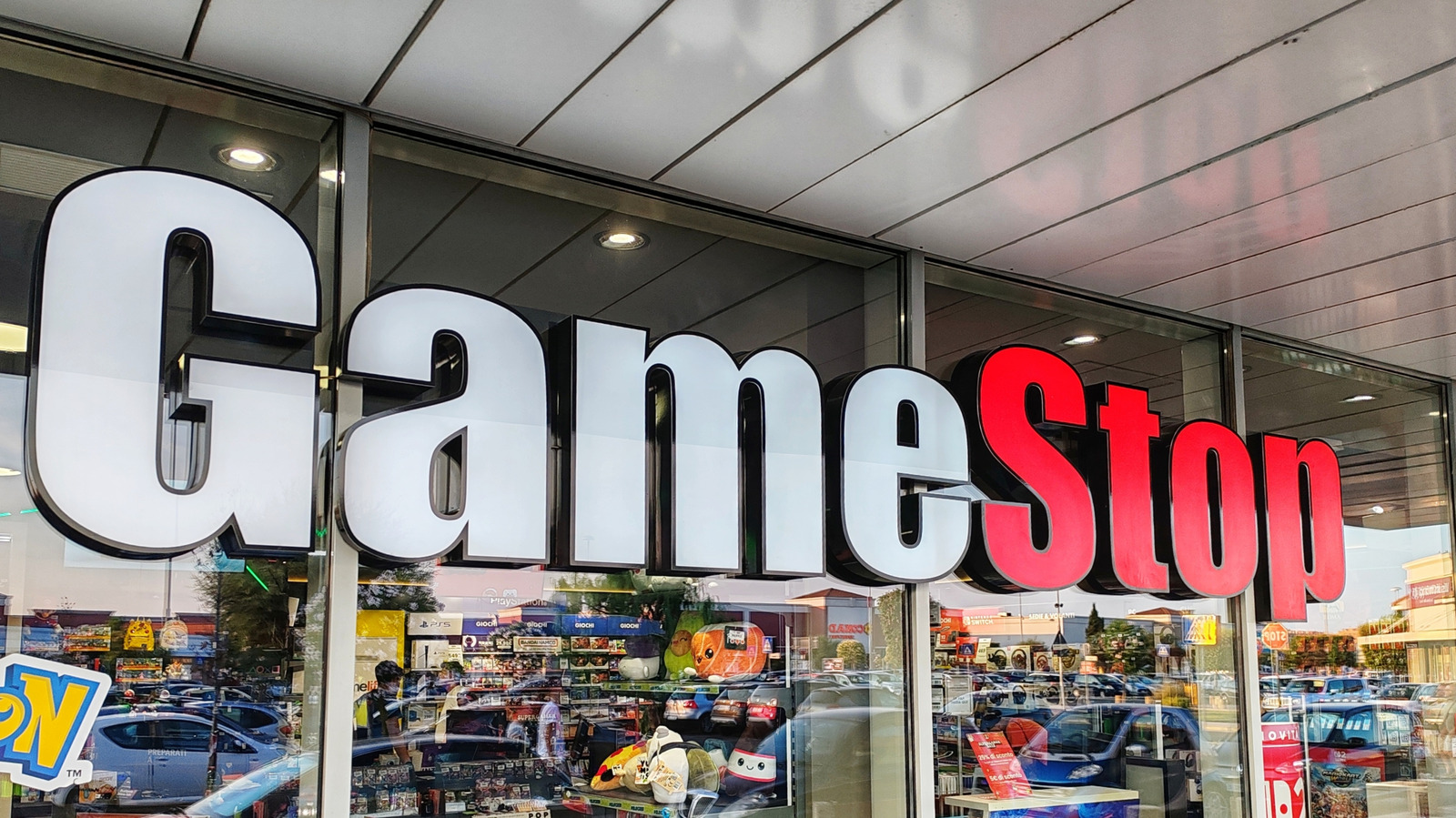
It doesn’t look like GameStop’s wild ride is stopping anytime soon, after the Wall Street Journal reported that the company is about to make an offer to acquire eBay. While an official offer hasn’t been submitted yet, WSJ said that GameStop could make a buyout offer for eBay “as soon as later this month.”
The WSJ noted that GameStop’s market value sat at around $11 billion, while eBay towered over it with a $45 billion market value, as of Friday’s market close. The report didn’t have details on the potential offer, but WSJ said that Cohen could also take the offer directly to eBay’s shareholders instead if eBay isn’t receptive.
It’s important to note that the company’s CEO, Ryan Cohen, could receive a $35 billion in stock if he meets certain criteria, including increasing GameStop’s market value to $100 billion. Acquiring eBay could also be a part of Cohen’s plans to evolve GameStop beyond its reputation as a video games and collectibles retailer.
However, the company has experienced plenty of ups and downs in recent history. In 2022, GameStop attempted to build a marketplace for non-fungible tokens that ultimately shuttered a couple of years later. More recently, GameStop announced its plans to pivot towards retro gaming at select locations. While the company is still throwing ideas at the wall and seeing what sticks, it also closed down more than 400 retail locations across the US earlier this year.
Even before the concrete and steel structure, the beginnings of commercial buildings start off as ideas, budgets, timelines, shared goals and expectations, and multiple revisions along the way. As the project moves from the early sketches to planning the first site visit, things can get really confusing and complicated fast.
This is how 3D architectural rendering services can make a difference. They’re not just about making a project or development look nice. Renderings can help the entire team, and even the clients and suppliers, to see and understand the project concept. When the vision is presented clearly, decision-making is faster, communication improves, and costly surprises are avoided. For architects and contractors, renderings turn abstract ideas into visuals that are realistic.
Below are five practical ways renderings add value to commercial projects, present development plans clearly and simply.
🚀 Table of contents
Way 1: Renderings translate technical drawings into easy-to-understand documents
Architectural drawings are precise and accurate. However, the majority of people outside architectural design experts are unable to read it. Clients are not familiar with floor plans, sections, or even elevations. Even if experienced contractors or builders can read them, they can still benefit from seeing the complete picture.
Renderings translate technical information and details into a visual representation of how rooms are connected, how materials work together, and how the space will look and feel from an actual person’s perspective. Instead of having to interpret notes, lines, and symbols, everyone can see the final project in its entirety.
This shared understanding helps prevent misalignment and miscommunication problems in the future. Clients ask better and clearer questions. Contractors and builders can spot challenges sooner. More importantly, architects spend less time explaining and clarifying and more time on improving the design. With everyone relating and responding to the same visual reference, discussions stay focused and become more productive.
In most cases, renderings can replace several back-and-forth meetings, saving both time and resources before the actual construction begins.
Way 2: They build client confidence without overpromising
Commercial projects require a lot of trust from clients who are committing significant amounts of money to something that has not been built yet. 3D rendering design services help make clients feel confident and secure about their investment by showing a clear and honest picture of what the project is meant to look like with realistic materials, accurate scale and proportions, and believable lighting.
When the project is clearly explained in detail, the better chances for approval by the client, especially when they feel more informed and involved, instead of pressured. As a result, the client feels a sense of ownership instead of constantly second-guessing their decisions in the long run.
Renderings also provide protection to architects and contractors by presenting detailed visuals together with drawings and specs, which can prevent any misunderstandings and potential disputes caused by misinterpretation and miscommunication. When everyone is on the same page and sees the same vision, trust and confidence towards the project grow.
Way 3: They allow seamless team collaboration to avoid costly revisions
Commercial projects require coordination among architects, engineers, contractors, consultants, project managers, and even suppliers. Having a shared visual reference can prevent assumptions from blowing up into major issues. Renderings provide a common point of reference for everyone involved. Contractors can assess the building process. Engineers spot potential conflicts earlier. Architects are able to evaluate whether the original design concept holds up in reality.
Technical drawings alone do not often reveal any issues the same way as a project render. Space and proportions may work on paper, but possibly turn out to be imbalanced or cramped in the actual perspective. Pathways for natural movement may function in theory, but feel awkward when experienced in real life. Materials that seem functional and logical in terms of elevation may feel harsh and abrupt when seen together.
Catching these issues and concerns earlier can save time and money for architectural design firms. Changes made during the design stage are far less expensive than making corrections and fixes during the construction stage. Renderings allow the team to pivot and solve problems earlier, while solutions, replacements, and improvements are much easier and cheaper.
These renderings can also drastically reduce the number of meetings required to clear up or resolve any confusion. One clear and well-prepared visual can answer any question that might otherwise take hours to explain.
Way 4: They improve presentations, strengthen marketing efforts, and fast-track approvals
Commercial renderings improve communication both internally and externally, allowing for more efficient messaging to everyone outside the core team. Presentations are clearer and easier to understand. Marketing efforts become more credible and effective. As a result, the process of approval becomes faster and smoother.
For client presentations, renderings guide the discussion. Instead of going through every single detail and feature, presenters can highlight an item, explain its purpose and process, and invite client feedback. This way, stakeholders feel more comfortable and confident to engage in the conversation because they can understand and relate to the visuals.
In terms of marketing, renderings can assist in boosting interest in the project before the construction starts. Developers utilize them to attract potential investors and future homeowners or tenants. In fact, architects and architectural planning and design firms use renderings to showcase their design thinking process and how they can tackle and solve problems. Contractors use renderings to demonstrate their understanding of the finished space, and not just the construction process.
Approving boards, planning bodies, and review panels also respond better to clear and concise visuals. They often focus on the impact of a commercial project and how it fits into the surrounding environment. Renderings that show real context, including streets and neighboring structures that are to scale, make reviewers feel confident and reassured that the project is well-designed and thoughtfully planned.
Clear communication results in smooth and seamless momentum in terms of keeping to the project schedule. Fewer misunderstandings mean fewer days before the project can be completed. Clarity in terms of visuals becomes a competitive advantage for the proponents of the project.
Way 5: They create a lasting and long-term impact beyond the current project
Commercial renderings are not one-time, single-use, disposable assets. Their value lasts even beyond the initial presentations and approvals. Firms reuse these renderings for future proposals, portfolios, case studies, and other marketing materials. Over time, these visuals tell a consistent story about a firm’s philosophy, approach, adherence to quality standards, credibility, work ethic, and, of course, expertise.
3D commercial rendering services remain useful even after construction. Property managers use them as a reference for homeowner orientation materials. Leasing teams use them to explain spaces to prospective tenants. Designers use them to evaluate and reflect on how closely the finished project matches the original vision.
Most importantly, renderings cultivate and support better and improved design thinking and decision-making. When ideas are clearly and visibly communicated, teams can analyze and evaluate them more honestly and effectively. Weak points are exposed faster. Improvements feel easier to implement. This quick feedback loop leads to stronger projects with better quality while also reinforcing and encouraging better design practices in the industry and the profession. Thus, return on investment reappears regularly and in ways that firms did not expect or anticipate at the beginning of the project.
How renderings help teams make better decisions under pressure
Commercial projects move fast and are under constant pressure from tight timelines, changing budgets, and stakeholders’expectations. Renderings help reduce stress by supporting these decisions with visible and concrete references. With limited time and tight deadlines, uncertainty becomes expensive. A rendering allows teams to compare and evaluate options faster using visible proof. There’s no need to argue about abstract ideas. In the long run, decision-making is faster without sacrificing any type of understanding. No guesswork or hesitation means moving forward quickly with purpose.
Contractors and architects can benefit from this arrangement because clearer decisions and approvals tend to stick closer to the original design. Clients benefit because they feel informed and not rushed in a normally high-pressure environment.
Aligning the design idea with the construction executions
One common challenge in commercial projects is ensuring that the design vision is reflected in the finished building. Drawings explain what to build, and schedules explain when. 3D rendering experts help everyone agree on how the space should feel once it’s done.
By visualizing the finished result early, contractors can spot where construction choices might affect appearance. Architects can also see whether the design’s mood and atmosphere translate as planned. If something feels off, changes can be made before they become expensive or disruptive because materials have already been ordered and systems installed all over the project.
This early alignment helps avoid friction later. Contractors avoid last-minute visual and aesthetic concerns. Architects preserve the quality of the design without diluting the idea. Everyone stays focused on the same end goal.
Enhancing communication with non-technical audiences
Not everyone involved in a project understands the language of construction. Investors, homeowners, community members, and future tenants respond more to what they see than to technical drawings. Renderings make these conversations clearer and more inclusive. When people can see a proposal, they’re more comfortable sharing feedback, asking questions, and expressing personal preferences. Expectations are naturally aligned.
For architecture design experts and builders, this clarity builds trust. It shows transparency and respect for the audience. In public-facing projects, it can also reduce resistance by helping communities understand how a building fits into its surroundings.
Supporting sustainable and context-sensitive design
Sustainability and context aren’t optional anymore because renderings help show how those ideas actually come together. They allow teams to evaluate daylight, shading, materials, and landscape choices in one view. Sustainable features feel intentional, not tacked on. Renderings also show how a building relates to nearby streets, structures, and natural elements. This helps teams determine and ensure that scale and visual balance are achieved. Clients notice this thoughtfulness. Clear visual communication around sustainability builds confidence and credibility.
Strengthening brand identity through consistent visual language
Renderings also contribute to brand identity. Over time, the style, quality, and consistency of visuals reflect values and design priorities, and it becomes an essential part of how the company or firm is recognized within the industry.
Consistent renderings signal care and professionalism, no matter the project size. For architects, renderings clarify the design thinking process. Contractors/builders, they show pride in the finished result. Together, they communicate a strong shared commitment to quality and excellence. Brand identity matters when competing for projects and contracts. Clear, confident visuals help firms stand out clearly and confidently without relying on big, unrealistic claims.
Another advantage of commercial rendering experts is flexibility. Projects have different scopes and complexity, and internal teams can’t always scale instantly. Working with freelance rendering professionals gives firms access to specialized skills when needed without adding to existing overhead. This is especially helpful during busy periods or when embarking on new projects. Architects and builders can stay focused on their core work, while trusted visualization experts handle presentations reliably. The result is better efficiency and consistent standards.
Bringing it all together
Architectural renderings help builders and design firms communicate ideas clearly, earn and build trust, work better as teams, create lasting value, and make stronger decisions. They turn complex ideas into something everyone can understand clearly. In an industry focused on alignment and confidence, renderings are not merely optional enhancements. They are essential tools that support better decisions and stronger relationships.
For firms seeking talented professionals who specialize in commercial renderings, Cad Crowd offers a trusted platform to connect with experienced freelance designers and visualization experts. By browsing Cad Crowd, readers can find and hire skilled creatives who are ready to bring architectural visions to life with clarity, professionalism, and precision.
Cad Crowd offers a trusted platform to connect with other like-minded, skilled freelance designers and visualization experts who are more than ready to bring architectural ideas to life clearly, realistically, and at a professional level. Request a quote today.
MacKenzie Brown is the founder and CEO of Cad Crowd. With over 18 years of experience in launching and scaling platforms specializing in CAD services, product design, manufacturing, hardware, and software development, MacKenzie is a recognized authority in the engineering industry. Under his leadership, Cad Crowd serves esteemed clients like NASA, JPL, the U.S. Navy, and Fortune 500 companies, empowering innovators with access to high-quality design and engineering talent.
The new Arc Turbine joins the roster in Arc Raiders’ new update and map, Riven Tides.
Learn about this new large Arc enemy and its unique characteristics.
Plus, get some insider tips from the devs on how to beat it!
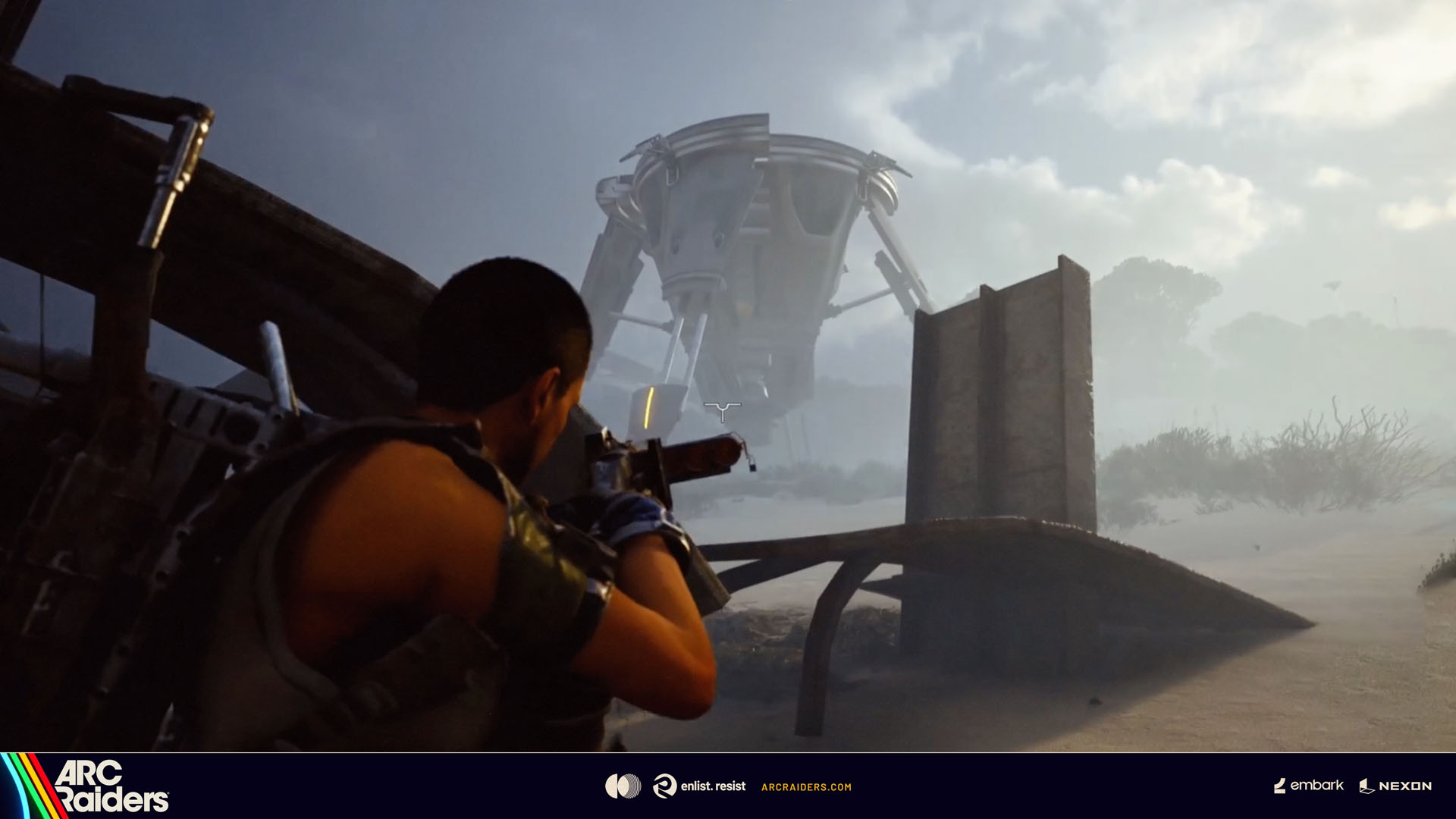
The latest free update for Arc Raiders, Riven Tides, launched this week, and alongside the new Riven Tides map the update also introduces the new Arc Turbine, an enemy that can operate both in the air and on the ground. In this article you’ll find out more about the new Arc threat, how to fight it, and get some tips from the devs on how to set yourself up for success.
A new Arc threat patrols the skies
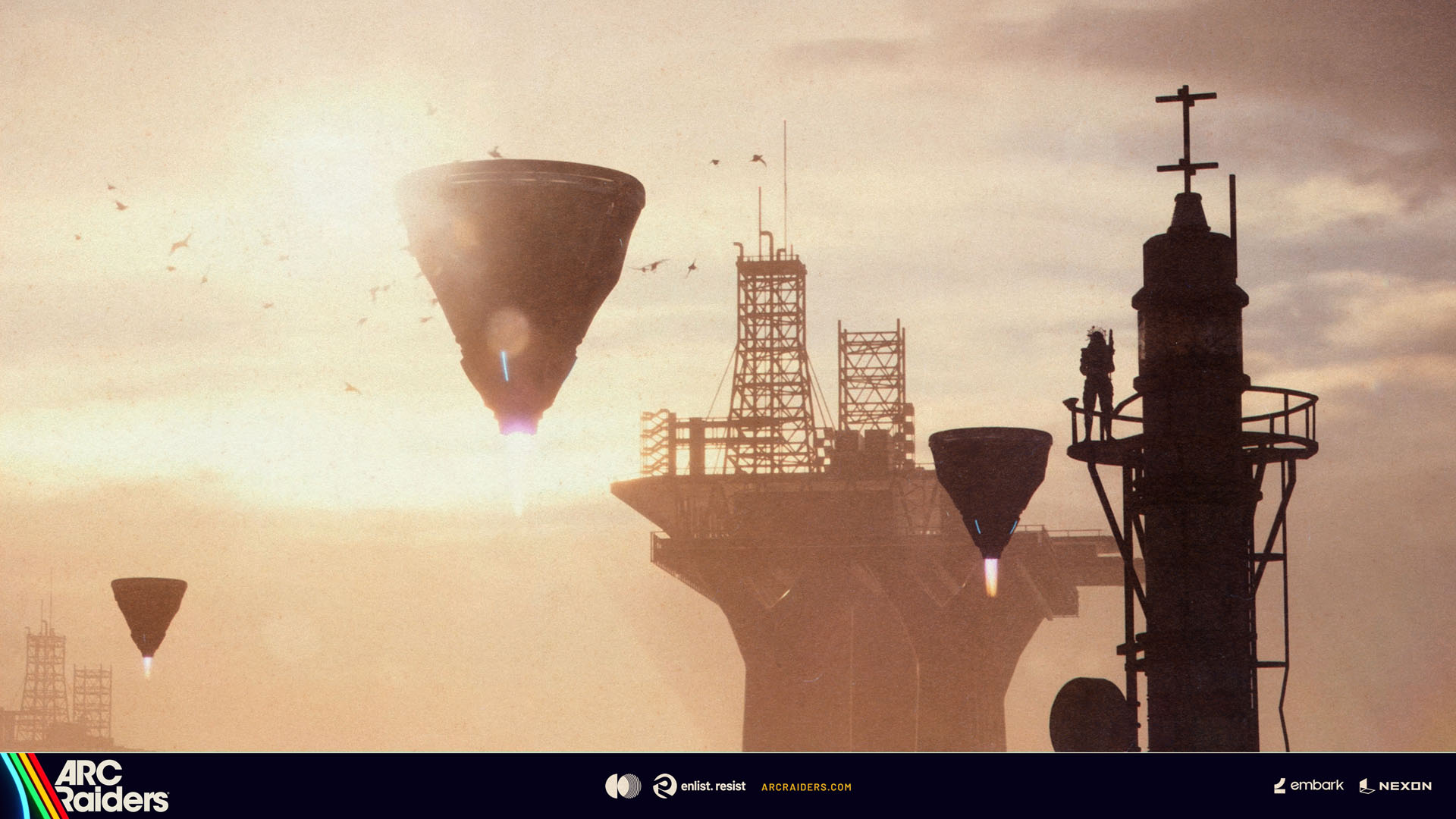
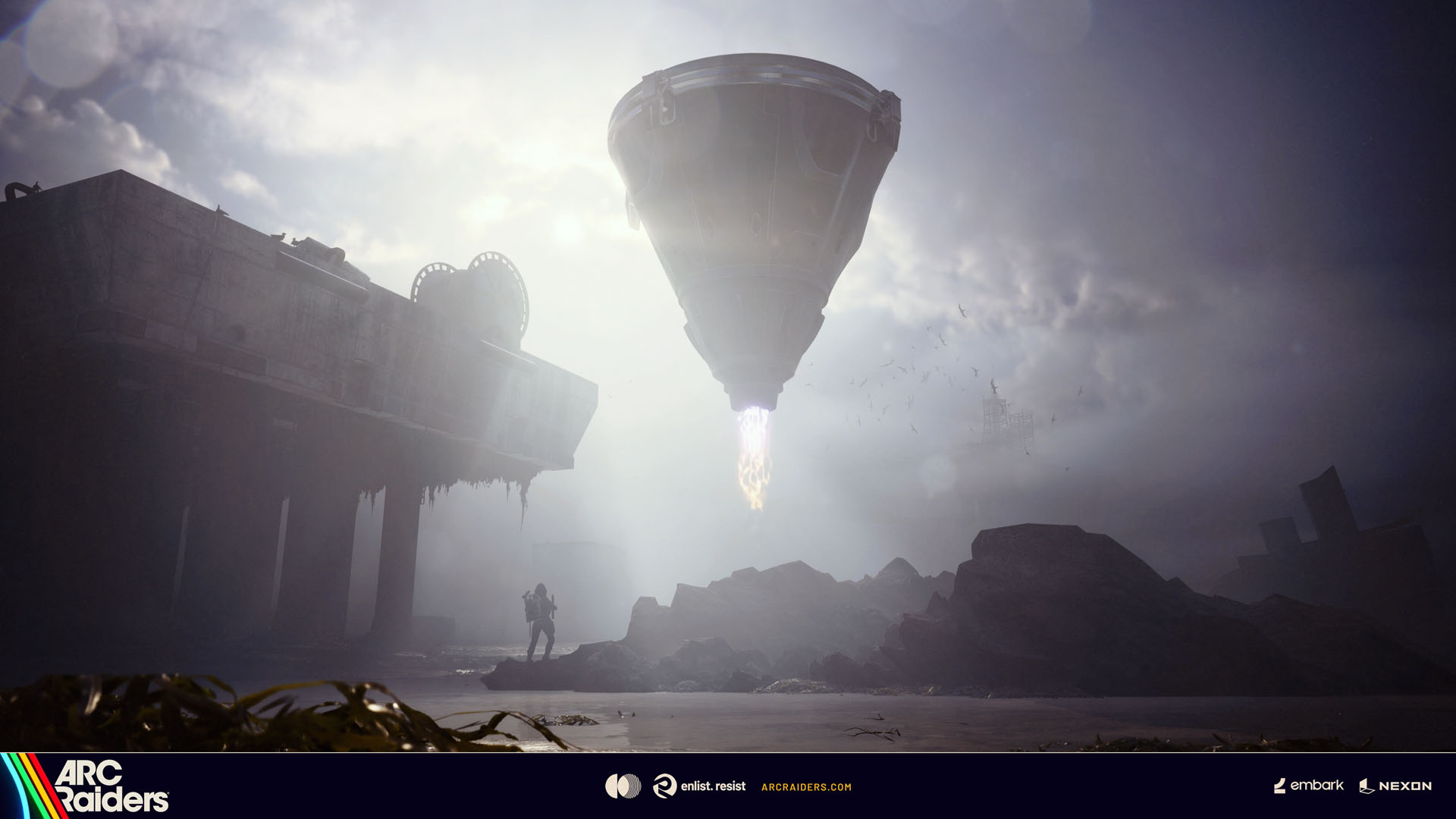
Scouts have reported sightings of a new Arc enemy in the Rust Belt. Moving slowly across the sky, the conical-shaped Arc Turbine scans the surface looking for suitable places to land. Although its ultimate purpose is unclear, scout reports suggest it uses its inner machinery to collect airborne particulates from its surroundings, and enterprising Raiders are already eyeing its high-value Arc parts.
Defensive by design, dangerous when provoked
Rather than proactively attacking, the Arc Turbine relies on a series of defensive maneuvers to deter Raiders from interfering with its operations and actively tries to find landing spots far away from any threat, making it very challenging to reach, as it’s frequently spotted perching high up on roof tops and towers.
Dev tip: “Pick your spot. It’s safer to fight it in the open”
Mines, grenades, and zero mercy
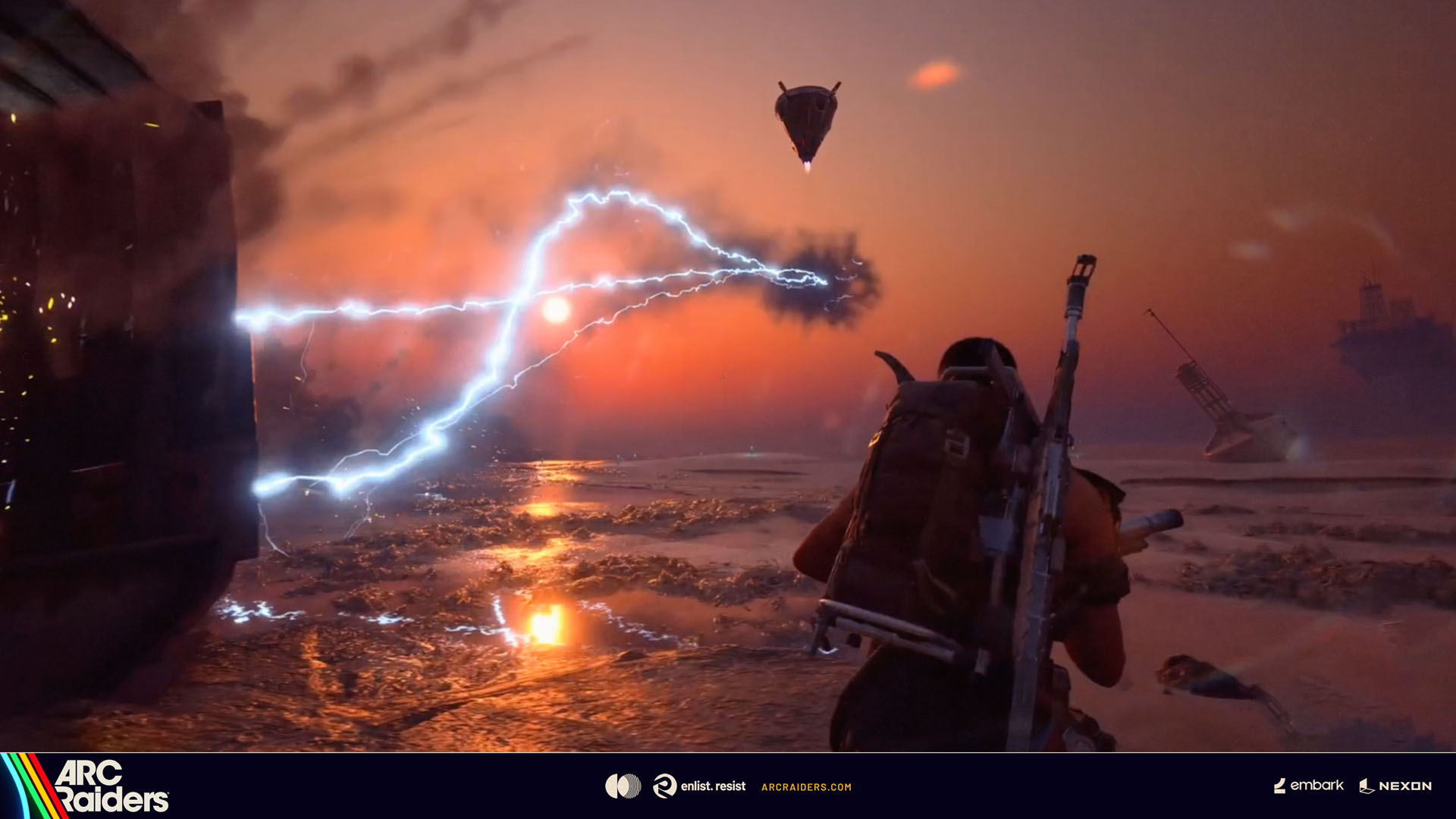
The Arc Turbine is not the gentle giant it first appears to be and will respond with brutal force if provoked. Raiders who insist on hunting it down should adopt extreme caution as its electrically charged attacks will seek out anyone using the environment as cover, and motion detection mines will punish Raiders who try to charge up close to it.
Dev tip: “Plan your approach carefully and move slowly as you get closer – I wouldn’t recommend trying to hitch a ride on it!”
However, your chances to take it down increase dramatically if you band together, stalk it patiently and launch a flurry of coordinated attacks when it’s at its most vulnerable since it’s quick to relocate to safer grounds if threatened.
Dev tip: “Prepare for anything – pack traversal gear and Adrenaline Shots”
RIVEN TIDES UPDATE
The Riven Tides Update is the sixth free content update from Arc Raiders since launch, and the fourth update from the Escalation roadmap.
As well as a brand new Map, Riven Tides, The Riven Tides Update introduces a new large Arc threat, the Arc Turbine, plus a new minor Map Condition. Additional new content includes a Player Event and seasonal Raider Project, the spread of the Vaporizer to additional maps, plus new equipment, items and quests.
See you Beachside, Raiders!
ARC Raiders – Deluxe Edition
Embark Studios
☆☆☆☆☆ 10427
★★★★★
$59.99
ARC Raiders Deluxe Edition includes the base game and the following content:
The Wanderer Set, including the following cosmetic items:
– “Valente” Outfit,
– “Pathfinder” Backpack,
– “Blanket Roll” Backpack Attachment.
Plus:
Lip Scar Character Cosmetic,
Finger Gun Rapid Fire Emote,
Cowboy Scrappy Body Type and Outfit,
2 400 Raider Tokens.
ARC Raiders
Embark Studios
☆☆☆☆☆ 10270
★★★★★
$39.99
SCAVENGE, SURVIVE, THRIVE
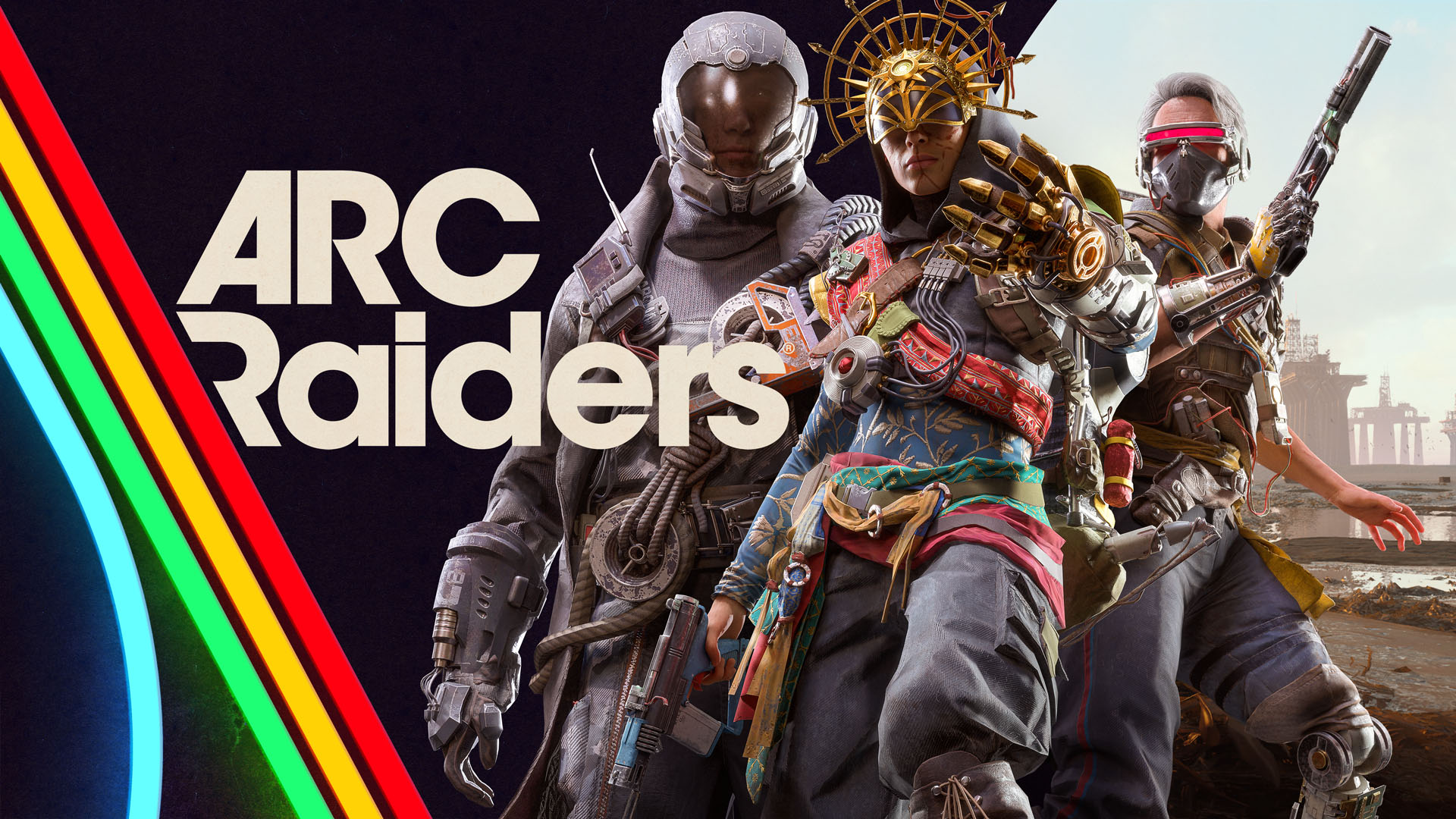
In ARC Raiders, gameplay flows between the surface ruled by lethal machines, and the vibrant underground society of Speranza. Craft, repair, and upgrade your gear in the safety of your own workshop, before venturing topside to scavenge the remnants of a devastated but beautiful world. Play solo or in parties up to three, navigating the constant threat of ARC’s machines and the unpredictable choices of fellow survivors. In the end, only you decide what kind of Raider you are – and how far you’ll go to prevail.
EXPLORE AN IMMERSIVE WORLD
Explore four distinct maps at launch, with more to be revealed as the underground society evolves and expands its reach. Each destination carries the weight of a world twice-destroyed, and the scars of conflicts both old and new. Sift through the remnants for valuable loot, and piece together the past as it’s slowly reclaimed by nature. Evolving map conditions ensure that no two runs are the same, with varying weather, enemies, and mechanics adding unpredictability and danger.
STAKE YOUR CLAIM
In a society built on boldness and bravado, it is up to you to stake your claim as a Raider. The loot you scavenge can be sold for coin or crafted into all-new gear, allowing you take on increasingly lethal dangers head-on. Through both victories and hardships, you’ll gain valuable experience; unlocking varied skills that enable all-new ways of play. In addition, you’ll complete quests for Traders with differing motives and agendas; uncovering both the friction and comradery of a community under constant threat of collapse.
BEWARE THE MACHINES
Lethal machines known as ARC rule the surface, ranging from unrelenting drone swarms to mechanical giants that obliterate everything in their path. Their origins remain a mystery, but their ever-present danger is felt with every step you take. Each machine comes with distinct strengths and tactics, forcing you to pinpoint their weak spots and constantly think on your feet. And remember: the noise of battle carries. Other Raiders may be listening; eager to claim what you leave behind.
FORGE YOUR OWN PATH
Raiders survive by kitbashing scavenged materials; using long-lost tech and looted ARC parts to craft weapons, gadgets, and gear. Upgrade your workshop stations and learn blueprints to craft even more advanced items, or improvise quick fixes in the field to get yourself out of a bind. As you make a name for yourself, you’ll be able to measure your skill against other Raiders by taking on Trials; rising through the leaderboards to earn valuable rewards.
QUESTS
In Speranza, everyone has an agenda, and the Traders are no different. They’ll send you topside on missions in exchange for rewards, slowly revealing more about who they are and what they want for Speranza’s future. Complete quests to earn gear, crafting materials, and XP to level up your Raider and unlock new skill points.
SKILL TREE
The ARC Raiders skill tree branches into three paths: Survival, Mobility, and Conditioning. Spend your points to shape your playstyle. Loot faster and move quieter with Survival skills. Outmaneuver your opponents and threats with Mobility. And enhance your Strength and Stamina with Conditioning. Choose how you grow and what your Raider brings to the battle.
BUILD YOUR ARSENAL
Whether you’re preparing to take down specific ARC enemies or fend off rival Raiders, there’s a choice of weaponry for every fight. Cater to your style with a range of firearms including SMGs, rifles and shotguns, as well as more advanced options such as railguns and energy weapons. Grenades, traps, ziplines and deployables offer the tactical depth needed to outsmart your enemies, while augments allow you to tailor your loadout to your preferred playstyle; unlocking dedicated inventory slots and additional gameplay perks.
Picture a silent eye, millions of kilometres above the clouds, surveying the complete choreography of meteorological systems, or linking a distant tabletop community with an internet ether. We think of these steel wanderers as singular things only to realise that they are orchestras of specialised key satellite components operating in seamless concert. Every orbital flight will only be successful if the satellite parts are trustworthy and integrated with the spacecraft structure. These precision-engineered parts are what separate a satellite from a lump of very costly space waste.
Hardware is the ultimate realisation of every vision, and each mission starts with a vision. From a megacom to a tiny CubeSat, the architecture has to be designed to survive the most hostile environment known to man. We observe an increasing move towards modularity as organisations look for interchangeable parts that can be deployed quicker and more quickly and sustainably. It is an important transition because the hardware you select can ensure or ruin a multi-million dollar investment’s lifespan.
The Lifeblood Of The Mission: How Are Satellites Powered In Space?
We’ve often been asked: how are satellites powered in space? Well, there are no power outlets in space, so satellites have to power themselves. The main solution consists of huge solar panels that deploy like butterfly wings when the spacecraft arrives at the destination. These panels are made of high-efficiency gallium arsenide or silicon cells, which go on to convert sunlight directly into electrical energy.
But a spacecraft isn’t in sunlight all the time. During an eclipse—when the satellite enters the shadow of the Earth—it has to take power from secondary sources. The excess energy collected throughout the “day” part of the orbit is stored in high-capacity lithium-ion batteries to keep the internal systems powered throughout the “night.” Through this intricate energy harvesting and storage process, the device is able to operate around the clock regardless of the device’s position in relation to the sun.
To get our heads around these beasts of machines, we need to start breaking them down, and the two largest pieces are the bus and the payload. The bus is the structural frame, which provides the basic infrastructure, while the payload includes the equipment necessary for accomplishing the mission. For anyone interested in getting nuts deep, you can check out some components for professional satellite systems, made dependent on the orbital demand.
Attitude and Orbit Control System (AOCS):
This is the “inner ear” of the satellite. It uses star trackers and sun sensors to determine its orientation. If the craft drifts, small thrusters or reaction wheels kick in to correct the path.
Command and Data Handling (C&DH):
Often called the “brain,” this system processes commands from the ground and manages the health of all onboard hardware.
Space is a land of extremes, swinging from scorching heat to absolute cold. Radiators and multi-layer insulation (MLI) blankets help maintain a stable internal temperature for sensitive electronics.
Breaking Down The Components Of Satellite Communication
Communication is the fundamental reason most satellites exist. Even if a satellite captures the most stunning high-resolution images of a distant galaxy, that data is useless if it cannot reach Earth. The components of satellite communication are designed to bridge this massive gap through radio frequency (RF) or laser links.
A typical communication suite includes high-gain antennas to focus signals and transponders that receive, amplify, and retransmit data. These systems must operate with extreme precision to ensure that the “downlink” hits the ground station with minimal signal loss. The use of different frequency bands, such as Ku-band or Ka-band, allows multiple satellites to operate without interfering with one another’s signals. This coordination is essential for the global telecommunications infrastructure we rely on every day.
What Are The Main Components Of A Satellite For Sustainability?
While orbital paths around our planet become more and more crowded, the industry is turning its sights toward sustainability. So modern engineers are now asking: What are the main components of a satellite that can help mitigate space junk? Part of the answer is design for demise and modularity. We can use materials that are totally burnt upon reentry or by adding special docking plates for future services, so that our presence in space remains a temporary hazard for future generations.
Additionally, sustainable design also means that every single piece of the whole machine is as lightweight and as low-power as it could be. A smaller, efficient sensor means less mass to launch, which means a lower carbon footprint for the mission. With these “green” engineering choices we are making today, we believe we are paving the way for the future of space exploration for all.
Building For The Future Of Discovery
The journey from a blueprint on Earth to a functional station in orbit is a testament to human ingenuity. Each of the key satellite components we have discussed plays a critical role in the tapestry of modern technology. From the solar panels that catch the first rays of dawn to the antennas that carry our voices across oceans, these parts are the unsung heroes of the digital age.
As we look toward the next decade of lunar bases and Mars exploration, the evolution of these key satellite components will only accelerate. We are moving toward a world where satellites are not just machines, but intelligent, repairable, and sustainable assets.
What do you think is the most important advancement in satellite technology over the last decade? We would love to hear your thoughts on whether modular design or improved power systems will be the biggest game-changer for future missions!
You control whether apps can use data in the background.
For some people, the idea of saving and controlling data usage on a phone isn’t really an issue. If you don’t happen to have an unlimited data plan, it’s a different story. I’ve been in situations before when my phone warns me that I’ve exceeded 2GB of data (I can’t remember how much data my plan gives me). When that happens, I tend to put the brakes on.
When those instances happen, I’m glad Android makes it easy for me to take control of data use. In conjunction with stopping Android apps from running in the background, you’ll have more control than you ever thought you could enjoy.
If that sounds like something you could use, read on, and I’ll show you how easy it is.
How to use Data Saver mode on Android
The first thing you’ll want to do is enable the Data Saver mode, which prevents some apps from sending and/or receiving data in the background. What does that mean? For instance, if Data Saver is enabled and you visit a website in your browser, images won’t load until you tap them. Additionally, videos and audio will not play automatically.
Here’s how you enable the Data Saver feature.
Open the Settings app by either pulling down the Notification Shade twice and then tapping the gear icon at the bottom right. Another option is to open the App Drawer, search for the Settings launcher, and tap it.
From within the Settings app, go to “Network & internet.” On that page, locate and tap Data Saver. Note: On some Android phones, the feature is found in Settings > “Mobile network.”
At this point, Android will restrict background data usage, so you shouldn’t have to worry so much about going over your limit.
How to control background data usage on Android
Here’s the kicker. When you enable Data Saver, every app you’ve installed will be subject to its restrictions. That’s great, but you could run into apps that don’t function properly. Should that happen, you’ll need to allow that app to bypass that data usage restriction.
This is quite simple. On the Data Saver page, you’ll see an option labeled “Unrestricted mobile data.” Tap that entry.
You should now see a list of all the apps you have installed on your phone. Scroll through that list, find the app that needs to ignore the restriction, and tap the associated On/Off slider until it’s in the On position.
Make sure to enable all apps that will only function properly without the Data Saver feature enabled.
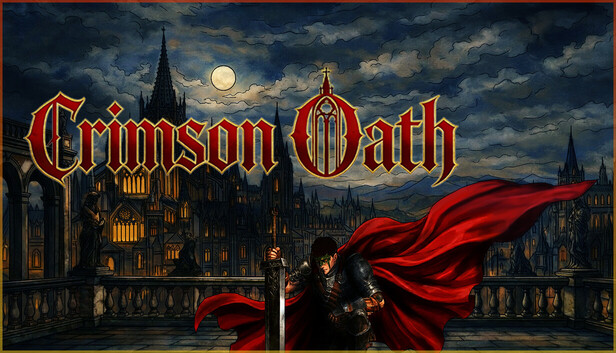
Long may the sun shine! Prepare to suffer! Souls-like combat adventure in a unique world. Learn to fight… then fight to realize your belief.A warrior gradually grows and uncovers the ultimate truth of world change.
Main Storyline: Guretvo, a millennium-old continent. The rule of the golden dragon family has become increasingly corrupt. The white cult has launched a monstrous rebellion. The gods beyond the realm have begun to meddle here one after another and sent envoys of the gods. With the power of Sith, the God from west, the white cult was suppressed. Master William, an unyielding rebel, crossed the sea to the east, learned new powers from the eastward god Eagle, and with the help of the northern god Leon, founded the Youth sect and the Red sect. Unexpectedly, William suddenly passed away just before the army set out on the northern expedition, which led to a series of betrayals and internal strife. After the “night of the massacre”, the Youth sect and the Red sect went their separate ways. The dragon academy, as a sect school founded by William, also forced the apprentices to choose their own paths.Obey your oath,save Guretvo. TerraTech Legion
Game Size: The game includes a total of 6 main levels. Except for the main city level of Lonserv, each level is massive and features traditional souls-like levels. The game includes a total of 12 bossbattles and over 80 different AI combat encounters.
Remember when you were first learning to use AutoCAD? You learned about the Line command, and probably created a rectangle shape out of four line segments. Not long after, you learned about the Rectangle command and subsequently the Polyline command. You found that your rectangle is actually a closed polyline. How handy!
But it doesn’t behave like a rectangle. Grip edit a corner and end up with a weird trapezoid shape. Maybe you’ve created a slot-shaped object using the Fillet command trick that I showed you in this post. Again, you don’t want it to lose its slot shape when you edit it. But, as the animation below demonstrates, that’s exactly what happens.
What’s a drafter to do? In this case, the answer lies in Constraints. Click on the Parametric tab of the Ribbon to get started. Yes, it’s a pretty busy menu with lots of icons. If you’re like a lot of 2D drafters, you’re probably aware of it, but have also probably never used constraints for anything.
Don’t worry, this isn’t going to be a full tutorial on how to use them. AutoCAD gives you a shortcut and does the work for you. On the left side of the Geometric tab, you’ll see a large Auto Constrain icon. Using it is extremely easy. You’ll be prompted to select objects… so select the objects you want to constrain. In our example, we’ll do the slot first and the rectangle second.
But first, there are a few things you’ll want to know if this is your first experience using geometric constraints in AutoCAD.
Working with Geometric Constraints in AutoCAD
Next to the Auto Constrain icon, you’ll see all of the types of constraints you can apply. These are things like perpendicular, concentric, or parallel. When a constraint is applied to an object, an icon of the constraint type will display at the affected geometric point. You’ll want to know that you can show or hide them using the tools to the right of the geometric constraint icons.
There’s also a very handy Delete Constraints tool in the Manage tab at the far right. You’ll be prompted to select objects. Choose what you want, or if you want to affect the entire drawing, just type in All.
Why did I want to make sure you’re aware of this? Imagine getting in a drawing from an external source, and nearly all of your attempts at editing it give you weird results. What could the problem be? Well, perhaps constraints have been applied, but all of their icons have been hidden. Just click on Show All, then Delete Constraints, and select all if you don’t want them. Badda bing – problem solved. **
OK, so we’re going to be using the Auto Constrain feature on the slot. It will apply whatever constraints that it finds to your selected object(s). In this case, it uses Tangent, Parallel, and Horizontal. Now, as we see in the animation below, grip editing the shape will now retain its shape.
That was easy. Two clicks and you’re done. But there may be some situations where Auto Constrain will constrain your object too much. You can also easily manage the constraints that it will use. For our Rectangle, we want to do just that, as if you use the default set, it will be constrained so much that you can’t grip edit it all.
Your only option while in the Auto Constrain command is to access the settings box. You can do this from the pull-down menu if you have Dynamic Input turned on, or by just typing S into the Command Line. The Constraints Settings dialog can also be accessed by clicking on the little arrow icon at the corner of the Geometric panel before using Auto Constrain. If you do it this way, you’ll need to make sure to click on the AutoConstrain tab.
By default, all constraint types but Equal are checked to be used. For our rectangle, we want to apply only the Perpendicular constraint. Again, this is very easy. Just click on the Clear All button, then click on the check for Perpendicular. Close the dialog with OK, and you’re ready to go.
Select the rectangle and then enter. The perpendicular constraint icons will appear, and now when you grip-edit the corner, it retains its shape.
That’s All Folks
Geometric constraints can be extremely powerful, or incredibly annoying (especially if you don’t know they’re there). In today’s example, I’ve shown you an easy way to use them to maintain geometric shapes.
As for my story about the incoming constrained drawing? I know this because it happened to me, and more than once. Well, actually, it would happen to my users. As the CAD Manager, I’d get the call or the message, and off I’d go to debug the problem.
And a final word of warning. Do not ever, under any circumstances, use Auto Constrain on all the objects in your neighbor’s open drawing and hide their icons while your co-worker is in the break room on April Fool’s Day. It is in no way funny.
We here at Tuesday Tips HQ do not condone this behavior and disavow any responsibility.
More Tuesday Tips
Check out our whole Tuesday Tips series for ideas on how to make AutoCAD work for you.
This weekend’s movie recommendation sits somewhere between the quiet and the unbearable. A grief-stricken man digs through ancient earth looking for a door that shouldn’t exist. Two brothers make one bad call that unravels everything. And a man who can’t talk about his grief ends up performing it on a stage instead.
Three films, very different in tone, but all circling the same idea – what happens when the thing you’re reaching for pulls you somewhere you can’t come back from?
Josh O’Connor plays Arthur, a disheveled British archaeologist fresh out of an Italian prison who has an uncanny gift for sensing what’s buried underground. He falls back in with a ragtag gang of grave robbers who loot Etruscan tombs and sell the artifacts. But Arthur isn’t after treasure. He’s searching for a mythical doorway to the underworld, hoping it leads him back to the woman he lost.
This hidden gem envelops you in a dreamy haze that is both funny and melancholic, yet quietly magical all at once. The film drifts between worlds with complete confidence. I really like how it holds grief and absurdity in the same frame without forcing either to explain itself.
This Argentine horror film drops you into a remote rural village where two brothers discover a man whose body has become a vessel for a gestating demon. Their attempt to deal with the situation goes badly, and what follows is one of the most relentlessly bleak and brutal horror films in recent memory.
When Evil Lurks constructs its own rigid mythology around demonic possession, the horror comes entirely from watching those rules get ignored one by one. The film doesn’t flinch, and it doesn’t comfort you either. I really like how it treats evil as something almost infrastructural, embedded in neglect and bad decisions rather than dramatic confrontation. It’s not for the faint-hearted, but it is genuinely unforgettable.
Dan is a construction worker who has built his entire identity around not talking about things. When a local theater group pulls him into a production of Romeo and Juliet, the last thing he expects is for Shakespeare to crack him open. This is a film about grief that doesn’t announce itself as one, which is exactly what makes it so effective.
The cast is a real Chicago theater family, father, mother, and daughter, playing versions of themselves, and that intimacy bleeds into every scene. I really like how the film uses the chaos of Romeo and Juliet as a mirror for what this family is quietly living through. It premiered at Sundance, earned a 99% on Rotten Tomatoes, yet somehow most people still haven’t seen it.
Smash hit open-ended RPG and pillar of K-content Crimson Desert has been compared to a singleplayer MMO by both fans and detractors, but perhaps the most MMOish thing about it is how players are frequently returning to find an unrecognizable game. The onslaught of feedback-driven updates continues in a patch released today which boasts two new features: rematch and re-blockade.
Rematching lets you fight bosses you’ve already beaten “to test your progress and experiment with different tactics,” the patch notes explain. Just go to where you fought the boss, light your lantern, and begin the fight one of two ways: with your foe balanced as they were when you first took them on, or with their numbers pumped up to match your current gear. You can’t get new loot from these fights, but you can use any character for them and you’ll get back any consumables used.
Following a similar thread, re-blockades allow factions to retake liberated areas, though this should happen more organically. You can set re-blockades to happen frequently, every once in a blue moon (the default option), or not at all if you’d rather enemy factions stay down. The system impacts 13 different factions and 23 areas, but the patch notes clarify this will be expanded and “improved” with upcoming patches.
Article continues below
Those are the headlining new additions, but there are plenty of other little changes—new legendary pets in the Iron Eagle and hyacinth macaw, a new shop that sells disguises, and so on. There’s also a deluge of bug fixes and a catch-all note for “various other in-game issues,” so it’s yet another marathon of tweaks for fans to pore over.
It’ll be interesting to see what the game looks like a year or more from now, as Pearl Abyss has proven willing to add new features and make major switch-ups at the drop of a hat. It truly seems to embody a ‘let players do whatever they want’ sort of attitude, right on down to adding enough camera options to slap together a custom isometric perspective, and I’m sure it will only expand things in the months to come.
Keep up to date with the most important stories and the best deals, as picked by the PC Gamer team.