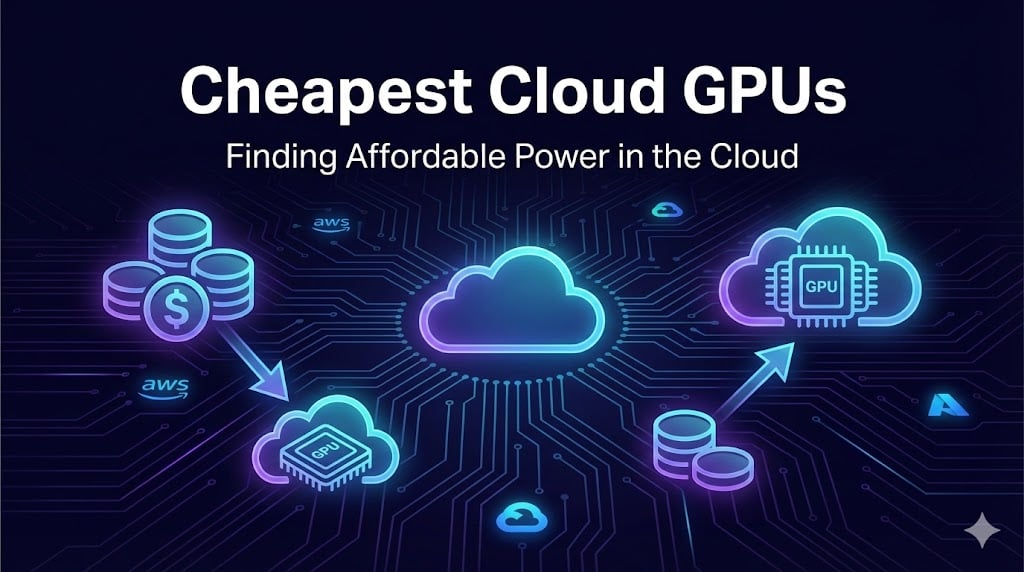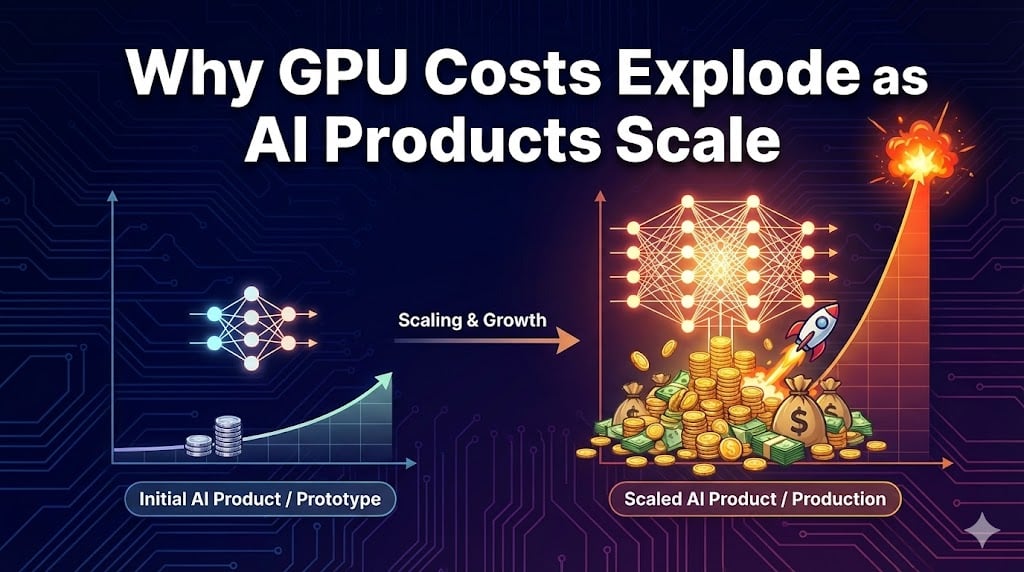
Multi-GPU vs Single-GPU Scaling economics


Introduction—Why scale economics matter more than ever

The modern AI boom is powered by one thing: compute. Whether you’re fine‑tuning a vision model for edge deployment or running a large language model (LLM) in the cloud, your ability to deliver value hinges on access to GPU cycles and the economics of scaling. In 2026 the landscape feels like an arms race. Analysts expect the market for high‑bandwidth memory (HBM) to triple between 2025 and 2028. Lead times for data‑center GPUs stretch over six months. Meanwhile, costs lurk everywhere—from underutilised cards to network egress fees and compliance overhead.

This article isn’t another shallow listicle. Instead, it cuts through the hype to explain why GPU costs explode as AI products scale, how to decide between single‑ and multi‑GPU setups, and when alternative hardware makes sense. We’ll introduce original frameworks—GPU Economics Stack and Scale‑Right Decision Tree—to help your team make confident, financially sound decisions. Throughout, we integrate Clarifai’s compute orchestration and model‑inference capabilities naturally, showing how a modern AI platform can tame costs without sacrificing performance.

Quick digest

  • What drives costs? Scarcity in HBM and advanced packaging; super‑linear scaling of compute; hidden operational overhead.
  • When do single GPUs suffice? Prototyping, small models and latency‑sensitive workloads with limited context.
  • Why choose multi‑GPU? Large models exceeding single‑GPU memory; faster throughput; better utilisation when orchestrated well.
  • How to optimise? Rightsize models, apply quantisation, adopt FinOps practices, and leverage orchestration platforms like Clarifai’s to pool resources.
  • What’s ahead? DePIN networks, photonic chips and AI‑native FinOps promise new cost curves. Staying agile is key.

GPU Supply & Pricing Dynamics—Why are GPUs expensive?

Context: scarcity, not speculation

A core economic reality of 2026 is that demand outstrips supply. Data‑centre GPUs rely on high‑bandwidth memory stacks and advanced packaging technologies like CoWoS. Consumer DDR5 kits that cost US$90 in 2025 now retail at over US$240, and lead times have stretched beyond twenty weeks. Data‑centre accelerators monopolise roughly 70 % of global memory supply, leaving gamers and researchers waiting in line. It’s not that manufacturers are asleep at the wheel; building new HBM factories or 2.5‑D packaging lines takes years. Suppliers prioritise hyperscalers because a single rack of H100 cards priced at US$25 K–US$40 K each can generate over US$400 K in revenue.

The result is predictable: prices soar. Renting a high‑end GPU on cloud providers costs between US$2 and US$10 per hour. Buying a single H100 card costs US$25 K–US$40 K, and an eight‑GPU server can exceed US$400 K. Even mid‑tier cards like an RTX 4090 cost around US$1,200 to buy and US$0.18 per hour to rent on marketplace platforms. Supply scarcity also creates time costs: companies cannot immediately secure cards even when they can pay, because chip vendors require multi‑year contracts. Late deliveries delay model training and product launches, turning time into an opportunity cost.

Operational reality: capex, opex and break‑even math

AI teams face a fundamental decision: own or rent. Owning hardware (capex) means large upfront capital but gives full control and avoids price spikes. Renting (opex) offers flexibility and scales with usage but can be expensive if you run GPUs continuously. A practical break‑even analysis shows that for a single RTX 4090 build (~US$2,200 plus ~US$770 per year in electricity), renting at US$0.18/hr is cheaper unless you run it more than 4–6 hours daily over two years. For high‑end clusters, a true cost of US$8–US$15/hr per GPU emerges once you include power distribution upgrades (US$10 K–US$50 K), cooling (US$15 K–US$100 K) and operational overhead.

To help navigate this, consider the Capex vs Opex Decision Matrix:

  • Utilisation < 4 h/day: Rent. Cloud or marketplace GPUs minimise idle costs and let you choose hardware per job.
  • Utilisation 4–6 h/day for > 18 months: Buy single cards. You’ll break even in the second year, provided you maintain usage.
  • Multi‑GPU or high‑VRAM jobs: Rent. The capital outlay for on‑prem multi‑GPU rigs is steep and hardware depreciates quickly.
  • Baseline capacity + bursts: Hybrid. Own a small workstation for experiments, rent cloud GPUs for big jobs. This is how many Clarifai customers operate today.

elasticity and rationing

Scarcity isn’t just about price—it’s about elasticity. Even if your budget allows expensive GPUs, the supply chain won’t magically produce more chips on your schedule. The triple‑constraint (HBM shortages, advanced packaging and supplier prioritisation) means the market remains tight until at least late 2026. Because supply cannot meet exponential demand, vendors ration units to hyperscalers, leaving smaller teams to scour spot markets. The rational response is to optimise demand: right‑size models, adopt efficient algorithms, and look beyond GPUs.

What this does NOT solve

Hoping that prices will revert to pre‑2022 levels is wishful thinking. Even as new GPUs like Nvidia H200 or AMD MI400 ship later in 2026, supply constraints and memory shortages persist. And buying hardware doesn’t absolve you of hidden costs; power, cooling and networking can easily double or triple your spend.

Expert insights

  • Clarifai perspective: Hyperscalers lock in supply through multi‑year contracts while smaller teams are forced to rent, creating a two‑tier market.
  • Market projections: The data‑centre GPU market is forecast to grow from US$16.94 B in 2024 to US$192.68 B by 2034.
  • Hidden costs: Jarvislabs analysts warn that purchasing an H100 card is only the beginning; facility upgrades and operations can double costs.

Quick summary

Question – Why are GPUs so expensive today?

Summary – Scarcity in high‑bandwidth memory and advanced packaging, combined with prioritisation for hyperscale buyers, drives up prices and stretches lead times. Owning hardware makes sense only at high utilisation; renting is generally cheaper under 6 hours/day. Hidden costs such as power, cooling and networking must be included.

Mathematical & Memory Scaling – When single GPUs hit a wall

Context: super‑linear scaling and memory limits

Transformer‑based models don’t scale linearly. Inference cost is roughly 2 × n × p FLOPs, and training cost is ~6 × p FLOPs per token. Doubling parameters or context window multiplies FLOPs more than fourfold. Memory consumption follows: a practical guideline is ~16 GB VRAM per billion parameters. That means fine‑tuning a 70‑billion‑parameter model demands over 1.1 TB of GPU memory, clearly beyond a single H100 card. As context windows expand from 32 K to 128 K tokens, the key/value cache triple in size, further squeezing VRAM.

Operational strategies: parallelism choices

Once you hit that memory wall, you must distribute your workload. There are three primary strategies:

  1. Data parallelism: Replicate the model on multiple GPUs and split the batch. This scales nearly linearly but duplicates model memory, so it’s suitable when your model fits in a single GPU’s memory but your dataset is large.
  2. Model parallelism: Partition the model’s layers across GPUs. This allows training models that otherwise wouldn’t fit, at the cost of extra communication to synchronise activations and gradients.
  3. Pipeline parallelism: Stages of the model are executed sequentially across GPUs. This keeps all devices busy by overlapping forward and backward passes.

Hybrid approaches combine these methods to balance memory, communication and throughput. Frameworks like PyTorch Distributed, Megatron‑LM or Clarifai’s training orchestration tools support these paradigms.

when splitting becomes mandatory

If your model’s parameter count × 16 GB > available VRAM, model parallelism or pipeline parallelism is non‑negotiable. For example, a 13 B model needs ~208 GB of VRAM; even an H100 with 80 GB cannot host it, so splitting across two or three cards is required. The PDLP algorithm demonstrates that careful grid partitioning yields substantial speedups with minimal communication overhead. However, just adding more GPUs doesn’t guarantee linear acceleration: communication overhead and synchronisation latencies can degrade efficiency, especially without high‑bandwidth interconnects.

What this does NOT solve

Multi‑GPU setups are not a silver bullet. Idle memory slices, network latency and imbalanced workloads often lead to underutilisation. Without careful partitioning and orchestration, the cost of extra GPUs can outweigh the benefits.

Parallelism Selector

To decide which strategy to use, employ the Parallelism Selector:

  • If model size exceeds single‑GPU memory choose model parallelism (split layers).
  • If dataset or batch size is large but model fits in memory choose data parallelism (replicate model).
  • If both model and dataset sizes push limits adopt pipeline parallelism or a hybrid strategy.

Add an extra decision: Check interconnect. If NVLink or InfiniBand isn’t available, the communication cost may negate benefits; consider mid‑tier GPUs or smaller models instead.

Expert insights

  • Utilisation realities: Training GPT‑4 across 25 000 GPUs achieved only 32–36 % utilisation, underscoring the difficulty of maintaining efficiency at scale.
  • Mid‑tier value: For smaller models, GPUs like A10G or T4 deliver better price–performance than H100s.
  • Research breakthroughs: The PDLP distributed algorithm uses grid partitioning and random shuffling to reduce communication overhead.

Quick summary

Question – When do single GPUs hit a wall, and how do we decide on parallelism?

Summary – Single GPUs run out of memory when model size × VRAM requirement exceeds available capacity. Transformers scale super‑linearly: inference costs 2 × tokens × parameters, while training costs ~6 × parameters per token. Use the Parallelism Selector to choose data, model or pipeline parallelism based on memory and batch size. Beware of underutilisation due to communication overhead.

Single‑GPU vs Multi‑GPU Performance & Efficiency

Context: when one card isn’t enough

In the early stages of product development, a single GPU often suffices. Prototyping, debugging and small model training run with minimal overhead and lower cost. Single‑GPU inference can also meet strict latency budgets for interactive applications because there’s no cross‑device communication. But as models grow and data explodes, single GPUs become bottlenecks.

Multi‑GPU clusters, by contrast, can reduce training time from months to days. For example, training a 175 B parameter model may require splitting layers across dozens of cards. Multi‑GPU setups also improve utilisation—clusters maintain > 80 % utilisation when orchestrated effectively, and they process workloads up to 50× faster than single cards. However, clusters introduce complexity: you need high‑bandwidth interconnects (NVLink, NVSwitch, InfiniBand) and distributed storage and must manage inter‑GPU communication.

Operational considerations: measuring real efficiency

Measuring performance isn’t as simple as counting FLOPs. Evaluate:

  • Throughput per GPU: How many tokens or samples per second does each GPU deliver? If throughput drops as you add GPUs, communication overhead may dominate.
  • Latency: Pipeline parallelism adds latency; small batch sizes may suffer. For interactive services with sub‑300 ms budgets, multi‑GPU inference can struggle. In such cases, smaller models or Clarifai’s local runner can run on-device or on mid‑tier GPUs.
  • Utilisation: Use orchestration tools to monitor occupancy. Clusters that maintain > 80 % utilisation justify their cost; underutilised clusters burn cash.

cost‑performance trade‑offs

High utilisation is the economic lever. Suppose a cluster costs US$8/hr per GPU but reduces training time from six months to two days. If time‑to‑market is critical, the payback is clear. For inference, the picture changes: because inference accounts for 80–90 % of spending, throughput per watt matters more than raw speed. It may be cheaper to serve high volumes on well‑utilised multi‑GPU clusters, but low‑volume workloads benefit from single GPUs or serverless inference.

What this does NOT solve

Don’t assume that doubling GPUs halves your training time. Idle slices and synchronisation overhead can waste capacity. Building large on‑prem clusters without FinOps discipline invites capital misallocation and obsolescence; cards depreciate quickly and generational leaps shorten economic life.

Utilisation Efficiency Curve

Plot GPU count on the x‑axis and utilisation (%) on the y‑axis. The curve rises quickly at first, then plateaus and may even decline as communication costs grow. The optimal point—where incremental GPUs deliver diminishing returns—marks your economically efficient cluster size. Orchestration platforms like Clarifai’s compute orchestration can help you operate near this peak by queueing jobs, dynamically batching requests and shifting workloads between clusters.

Expert insights

  • Idle realities: Single GPUs sit idle 70 % of the time on average; clusters maintain 80 %+ utilisation when properly managed.
  • Time vs money: A single GPU would take decades to train GPT‑3, while distributed clusters cut the timeline to weeks or days.
  • Infrastructure: Distributed systems require compute nodes, high‑bandwidth interconnects, storage and orchestration software.

Quick summary

Question – What are the real performance and efficiency trade‑offs between single‑ and multi‑GPU systems?

Summary – Single GPUs are suitable for prototyping and low‑latency inference. Multi‑GPU clusters accelerate training and improve utilisation but require high‑bandwidth interconnects and careful orchestration. Plotting a utilisation efficiency curve helps identify the economically optimal cluster size.

Cost Economics – Capex vs Opex & Unit Economics

Context: what GPUs really cost

Beyond hardware prices, building AI infrastructure means paying for power, cooling, networking and talent. A single H100 costs US$25 K–US$40 K; eight of them in a server cost US$200 K–US$400 K. Upgrading power distribution can run US$10 K–US$50 K, cooling upgrades US$15 K–US$100 K and operational overhead adds US$2–US$7/hr per GPU. True cluster cost therefore lands around US$8–US$15/hr per GPU. On the renting side, marketplace rates in early 2026 are US$0.18/hr for an RTX 4090 and ~US$0.54/hr for an H100 NVL. Given these figures, buying is only cheaper if you sustain high utilisation.

Operational calculation: cost per token and break‑even points

Unit economics isn’t just about the hardware sticker price; it’s about cost per million tokens. A 7 B parameter model must achieve ~50 % utilisation to beat an API’s cost; a 13 B model needs only 10 % utilisation due to economies of scale. Using Clarifai’s dashboards, teams monitor cost per inference or per thousand tokens and adjust accordingly. The Unit‑Economics Calculator framework works as follows:

  1. Input: GPU rental rate or purchase price, electricity cost, model size, expected utilisation hours.
  2. Compute: Total cost over time, including depreciation (e.g., selling a US$1,200 RTX 4090 for US$600 after two years).
  3. Output: Cost per hour and cost per million tokens. Compare to API costs to determine break‑even.

This granular view reveals counterintuitive results: owning an RTX 4090 makes sense only when average utilisation exceeds 4–6 hours/day. For sporadic workloads, renting wins. For inference at scale, multi‑GPU clusters can deliver low cost per token when utilisation is high.

logic for buy vs rent decisions

The logic flows like this: If your workload runs < 4 hours/day or is bursty → rent. If you need constant compute > 6 hours/day for multiple years and can absorb capex and depreciation → buy. If you need multi‑GPU or high‑VRAM jobs → rent because the capital outlay is prohibitive. If you need a mix → adopt a hybrid model: own a small rig, rent for big spikes. Clarifai’s customers often combine local runners for small jobs with remote orchestration for heavy training.

What this does NOT solve

Buying hardware doesn’t protect you from obsolescence; new GPU generations like H200 or MI400 deliver 4× speedups, shrinking the economic life of older cards. Owning also introduces fixed electricity costs—~US$64 per month per GPU at US$0.16/kWh—regardless of utilisation.

Expert insights

  • Investor expectations: Startups that fail to articulate GPU COGS (cost of goods sold) see valuations 20 % lower. Investors expect margins to improve from 50–60 % to ~82 % by Series A.
  • True cost: A 8×H100 cluster costs US$8–US$15/hr after including operational overhead.
  • Marketplace trends: H100 rental prices dropped from US$8/hr to US$2.85–US$3.50/hr; A100 prices sit at US$0.66–US$0.78/hr.

Quick summary

Question – How do I calculate whether to buy or rent GPUs?

Summary – Factor in the full cost: hardware price, electricity, cooling, networking and depreciation. Owning pays off only above about 4–6 hours of daily utilisation; renting makes sense for bursty or multi‑GPU jobs. Use a unit‑economics calculator to compare cost per million tokens and break‑even points.

Inference vs Training – Where do costs accrue?

Context: inference dominates the bill

It’s easy to obsess over training cost, but in production inference usually dwarfs it. According to the FinOps Foundation, inference accounts for 80–90 % of total AI spend, especially for generative applications serving millions of daily queries. Teams that plan budgets around training cost alone find themselves hemorrhaging money when latency‑sensitive inference workloads run around the clock.

Operational practices: boosting inference efficiency

Clarifai’s experience shows that inference workloads are asynchronous and bursty, making autoscaling tricky. Key techniques to improve efficiency include:

  • Server‑side batching: Combine multiple requests into a single GPU call. Clarifai’s inference API automatically merges requests when possible, increasing throughput.
  • Caching: Store results for repeated prompts or subqueries. This is crucial when similar requests recur.
  • Quantisation and LoRA: Use lower‑precision arithmetic (INT8 or 4‑bit) and low‑rank adaptation to cut memory and compute. Clarifai’s platform integrates these optimisations.
  • Dynamic pooling: Share GPUs across services via queueing and priority scheduling. Dynamic scheduling can raise utilisation from 15–30 % to 60–80 %.
  • FinOps dashboards: Track cost per inference or per thousand tokens, set budgets and trigger alerts. Clarifai’s dashboard helps FinOps teams spot anomalies and adjust budgets on the fly.

linking throughput, latency and cost

The economic logic is straightforward: If your inference traffic is steady and high, invest in batching and caching to reduce GPU invocations. If traffic is sporadic, consider serverless inference or small models on mid‑tier GPUs to avoid paying for idle resources. If latency budgets are tight (e.g., interactive coding assistants), larger models may degrade user experience; choose smaller models or quantised versions. Finally, rightsizing—choosing the smallest model that satisfies quality needs—can reduce inference cost dramatically.

What this does NOT solve

Autoscaling isn’t free. AI workloads have high memory consumption and latency sensitivity; spiky traffic can trigger over‑provisioning and leave GPUs idle. Without careful monitoring, autoscaling can backfire and burn money.

Inference Efficiency Ladder

A simple ladder to climb toward optimal inference economics:

  1. Quantise and prune. If your accuracy drop is acceptable (< 1 %), apply INT8 or 4‑bit quantisation and pruning to shrink models.
  2. LoRA fine‑tuning. Use low‑rank adapters to customise models without full retraining.
  3. Dynamic batching and caching. Merge requests and reuse outputs to boost throughput.
  4. GPU pooling and scheduling. Share GPUs across services to maximise occupancy.

Each rung yields incremental savings; together they can reduce inference costs by 30–40 %.

Expert insights

  • Idle cost: A fintech firm wasted US$15 K–US$40 K per month on idle GPUs due to poorly configured autoscaling. Dynamic pooling cut costs by 30 %.
  • FinOps practices: Cross‑functional governance—engineers, finance and executives—helps monitor unit economics and apply optimisation levers.
  • Inference dominance: Serving millions of queries means inference spending dwarfs training.

Quick summary

Question – Where do AI compute costs really accumulate, and how can inference be optimised?

Summary – Inference typically consumes 80–90 % of AI budgets. Techniques like quantisation, LoRA, batching, caching and dynamic pooling can raise utilisation from 15–30 % to 60–80 %, dramatically reducing costs. Autoscaling alone isn’t enough; FinOps dashboards and rightsizing are essential.

Optimisation Levers – Techniques to tame costs

Context: low‑hanging fruit and advanced tricks

Hardware scarcity means software optimisation matters more than ever. Luckily, innovations in model compression and adaptive scheduling are no longer experimental. Quantisation reduces precision to INT8 or even 4‑bit, pruning removes redundant weights, and Low‑Rank Adaptation (LoRA) allows fine‑tuning large models by learning small adaptation matrices. Combined, these techniques can shrink models by up to 4× and speed up inference by 1.29× to 1.71×.

Operational guidance: applying the levers

  1. Choose the smallest model: Before compressing anything, start with the smallest model that meets your task requirements. Clarifai’s model zoo includes small, medium and large models, and its routing features allow you to call different models per request.
  2. Quantise and prune: Use built‑in quantisation tools to convert weights to INT8/INT4. Prune unnecessary parameters either globally or layer‑wise, then re‑train to recover accuracy. Monitor accuracy impact at each step.
  3. Apply LoRA: Fine‑tune only a subset of parameters, often < 1 % of the model, to adapt to your dataset. This reduces memory and training time while maintaining performance.
  4. Enable dynamic batching and caching: On Clarifai’s inference platform, simply setting a parameter turns on server‑side batching; caching repeated prompts is automatic for many endpoints.
  5. Measure and iterate: After each optimisation, check throughput, latency and accuracy. Cost dashboards should display cost per inference to confirm savings.

trade‑offs and decision logic

Not all optimisations suit every workload. If your application demands exact numerical outputs (e.g., scientific computation), aggressive quantisation may degrade results—skip it. If your model is already small (e.g., 3 B parameters), quantisation might yield limited savings; focus on batching and caching instead. If latency budgets are tight, batching may increase tail latency—compensate by tuning batch sizes.

What this does NOT solve

No amount of optimisation will overcome poorly aligned models. Using the wrong architecture for your task wastes compute even if it’s quantised. Similarly, quantisation and pruning aren’t plug‑and‑play; they can cause accuracy drops if not carefully calibrated.

Cost‑Reduction Checklist

Use this step‑by‑step checklist to ensure you don’t miss any savings:

  1. Model selection: Start with the smallest viable model.
  2. Quantisation: Apply INT8 → check accuracy; apply INT4 if acceptable.
  3. Pruning: Remove unimportant weights and re‑train.
  4. LoRA/PEFT: Fine‑tune with low‑rank adapters.
  5. Batching & caching: Enable server‑side batching; implement KV‑cache compression.
  6. Pooling & scheduling: Pool GPUs across services; set queue priorities.
  7. FinOps dashboard: Monitor cost per inference; adjust policies regularly.

Expert insights

  • Clarifai engineers: Quantisation and LoRA can cut costs by around 40 % without new hardware.
  • Photonic future: Researchers demonstrated photonic chips performing convolution at near‑zero energy consumption; while not mainstream yet, they hint at long‑term cost reductions.
  • N:M sparsity: Combining 4‑bit quantisation with structured sparsity speeds up matrix multiplication by 1.71× and reduces latency by 1.29×.

Quick summary

Question – What optimisation techniques can significantly reduce GPU costs?

Summary – Start with the smallest model, then apply quantisation, pruning, LoRA, batching, caching and scheduling. These levers can cut compute costs by 30–40 %. Use a cost‑reduction checklist to ensure no optimisation is missed. Always measure accuracy and throughput after each step.

Model Selection & Routing – Using smaller models effectively

Context: token count drives cost more than parameters

A hidden truth about LLMs is that context length dominates costs. Doubling from a 32 K to a 128 K context triples the memory required for the key/value cache. Similarly, prompting models to “think step‑by‑step” can generate long chains of thought that chew through tokens. In real‑time workloads, large models struggle to maintain high efficiency because requests are sporadic and cannot be batched. Small models, by contrast, often run on a single GPU or even on device, avoiding the overhead of splitting across multiple cards.

Operational tactics: tiered stack and routing

Adopting a tiered model stack is like using the right tool for the job. Instead of defaulting to the largest model, route each request to the smallest capable model. Clarifai’s model routing allows you to set rules based on task type:

  • Tiny local model: Handles simple classification, extraction and rewriting tasks at the edge.
  • Small cloud model: Manages moderate reasoning with short context.
  • Medium model: Tackles multi‑step reasoning or longer context when small models aren’t enough.
  • Large model: Reserved for complex queries that small models cannot answer. Only a small fraction of requests should reach this tier.

Routing can be powered by a lightweight classifier that predicts which model will succeed. Research shows that such Universal Model Routing can dramatically cut costs while maintaining quality.

why small is powerful

Smaller models deliver faster inference, lower latency and higher utilisation. If latency budget is < 300 ms, a large model might never satisfy user expectations; route to a small model instead. If accuracy difference is marginal (e.g., 2 %), favour the smaller model to save compute. Distillation and Parameter‑Efficient Fine‑Tuning (PEFT) closed much of the quality gap in 2025, so small models can tackle tasks once considered out of reach.

What this does NOT solve

Routing doesn’t eliminate the need for large models. Some tasks, such as open‑ended reasoning or multi‑modal generation, still require frontier‑scale models. Routing also requires maintenance; as new models emerge, you must update the classifier and thresholds.

Use‑the‑Smallest‑Thing‑That‑Works (USTTW)

This framework captures the essence of efficient deployment:

  1. Start tiny: Always try the smallest model first.
  2. Escalate only when needed: Route to a larger model if the small model fails.
  3. Monitor and adjust: Regularly evaluate which tier handles what percentage of traffic and adjust thresholds.
  4. Compress tokens: Encourage users to write succinct prompts and responses. Apply token‑efficient reasoning techniques to reduce output length.

Expert insights

  • Default model problem: Teams that pick one large model early and never revisit it leak substantial costs.
  • Distillation works: Research in 2025 showed that distilling a 405 B model into an 8 B version produced 21 % better accuracy on NLI tasks.
  • On‑device tiers: Models like Phi‑4 mini and GPT‑4o mini run on edge devices, enabling hybrid deployment.

Quick summary

Question – How can routing and small models cut costs without sacrificing quality?

Summary – Token count often drives cost more than parameter count. Adopting a tiered stack and routing requests to the smallest capable model reduces compute and latency. Distillation and PEFT have narrowed the quality gap, making small models viable for many tasks.

Multi‑GPU Training – Parallelism Strategies & Implementation

Context: distributing for capacity and speed

Large‑parameter models and massive datasets demand multi‑GPU training. Data parallelism replicates the model and splits the batch across GPUs; model parallelism splits layers; pipeline parallelism stages operations across devices. Hybrid strategies blend these to handle complex workloads. Without multi‑GPU training, training times become impractically long—one article noted that training GPT‑3 on a single GPU would take decades.

Operational steps: running distributed training

A practical multi‑GPU training workflow looks like this:

  1. Choose parallelism strategy: Use the Parallelism Selector to decide between data, model, pipeline or hybrid parallelism.
  2. Set up environment: Install distributed training libraries (e.g., PyTorch Distributed, DeepSpeed). Ensure high‑bandwidth interconnects (NVLink, InfiniBand) and proper topology mapping. Clarifai’s training orchestration automates some of these steps, abstracting hardware details.
  3. Profile communication overhead: Run small batches to measure all‑reduce latency. Adjust batch sizes and gradient accumulation steps accordingly.
  4. Implement checkpointing: For long jobs, especially on pre‑emptible spot instances, periodically save checkpoints to avoid losing work.
  5. Monitor utilisation: Use Clarifai’s dashboards or other profilers to track utilisation. Balance workloads to prevent stragglers.

weighing the trade‑offs

If your model fits in memory but training time is long, data parallelism gives linear speedups at the expense of memory duplication. If your model doesn’t fit, model or pipeline parallelism becomes mandatory. If both memory and compute are bottlenecks, hybrid strategies deliver the best of both worlds. The choice also depends on interconnect; without NVLink, model parallelism may stall due to slow PCIe transfers.

What this does NOT solve

Parallelism can complicate debugging and increase code complexity. Over‑segmenting models can introduce excessive communication overhead. Multi‑GPU training is also power‑hungry; energy costs add up quickly. When budgets are tight, consider starting with a smaller model or renting bigger single‑GPU cards.

Parallelism Playbook

A comparison table helps decision‑making:

Strategy

Memory usage

Throughput

Latency

Complexity

Use case

Data

High (full model on each GPU)

Near‑linear

Low

Simple

Fits memory; large datasets

Model

Low (split across GPUs)

Moderate

High

Moderate

Model too large for one GPU

Pipeline

Low

High

High

Moderate

Sequential tasks; long models

Hybrid

Moderate

High

Moderate

High

Both memory and compute limits

Expert insights

  • Time savings: Multi‑GPU training can cut months off training schedules and enable models that wouldn’t fit otherwise.
  • Interconnect matter: High‑bandwidth networks (NVLink, NVSwitch) minimise communication overhead.
  • Checkpoints and spot instances: Pre‑emptible GPUs are cheaper but require checkpointing to avoid job loss.

Quick summary

Question – How do I implement multi‑GPU training efficiently?

Summary – Decide on parallelism type based on memory and dataset size. Use distributed training libraries, high‑bandwidth interconnects and checkpointing. Monitor utilisation and avoid over‑partitioning, which can introduce communication bottlenecks.

Deployment Models – Cloud, On‑Premise & Hybrid

Context: choosing where to run

Deployment strategies range from on‑prem clusters (capex heavy) to cloud rentals (opex) to home labs and hybrid setups. A typical home lab with a single RTX 4090 costs around US$2,200 plus US$770/year for electricity; a dual‑GPU build costs ~US$4,000. Cloud platforms rent GPUs by the hour with no upfront cost but charge higher rates for high‑end cards. Hybrid setups mix both: own a workstation for experiments and rent clusters for heavy lifting.

Operational decision tree

Use the Deployment Decision Tree to guide choices:

  • Daily usage < 4 h: Rent. Marketplace GPUs cost US$0.18/hr for RTX 4090 or US$0.54/hr for H100.
  • Daily usage 4–6 h for ≥ 18 months: Buy. The initial investment pays off after two years.
  • Multi‑GPU jobs: Rent or hybrid. Capex for multi‑GPU rigs is high and hardware depreciates quickly.
  • Data sensitive: On‑prem. Compliance requirements or low‑latency needs justify local servers; Clarifai’s local runner makes on‑prem inference easy.
  • Regional diversity & cost arbitrage: Multi‑cloud. Spread workloads across regions and providers to avoid lock‑in and exploit price differences; Clarifai’s orchestration layer abstracts provider differences and schedules jobs across clusters.

balancing flexibility and capital

If you experiment often and need different hardware types, renting provides agility; you can spin up an 80 GB GPU for a day and return to smaller cards tomorrow. If your product requires 24/7 inference and data can’t leave your network, owning hardware or using a local runner reduces opex and mitigates data‑sovereignty concerns. If you value both flexibility and baseline capacity, adopt hybrid: own one card, rent the rest.

What this does NOT solve

Deploying on‑prem doesn’t immunise you from supply shocks; you still need to maintain hardware, handle power and cooling, and upgrade when generational leaps arrive. Renting isn’t always available either; spot instances can sell out during demand spikes, leaving you without capacity.

Expert insights

  • Energy cost: Running a home‑lab GPU 24/7 at US$0.16/kWh costs ~US$64/month, rising to US$120/month in high‑cost regions.
  • Hybrid in practice: Many practitioners own one GPU for experiments but rent clusters for large training; this approach keeps fixed costs low and offers flexibility.
  • Clarifai tooling: The platform’s local runner supports on‑prem inference; its compute orchestration schedules jobs across clouds and on‑prem clusters.

Quick summary

Question – Should you deploy on‑prem, in the cloud or hybrid?

Summary – The choice depends on utilisation, capital and data sensitivity. Rent GPUs for bursty or multi‑GPU workloads, buy single cards when utilisation is high and long‑term, and use hybrid when you need both flexibility and baseline capacity. Clarifai’s orchestration layer abstracts multi‑cloud differences and supports on‑prem inference.

Sustainability & Environmental Considerations

Context: the unseen footprint

AI isn’t just expensive; it’s energy‑hungry. Analysts estimate that AI inference could consume 165–326 TWh of electricity annually by 2028—equivalent to powering about 22 % of U.S. households. Training a single large model can use over 1,000 MWh of energy, and generating 1,000 images emits carbon equivalent to driving four miles. GPUs rely on rare earth elements and heavy metals, and training GPT‑4 could consume up to seven tons of toxic materials.

Operational practices: eco‑efficiency

Environmental and financial efficiencies are intertwined. If you raise utilisation from 20 % to 60 %, you can reduce GPU needs by 93 %—saving money and carbon simultaneously. Adopt these practices:

  • Quantisation and pruning: Smaller models require less power and memory.
  • LoRA and PEFT: Update only a fraction of parameters to reduce training time and energy.
  • Utilisation monitoring: Use orchestration to keep GPUs busy; Clarifai’s scheduler offloads idle capacity automatically.
  • Renewable co‑location: Place data centres near renewable energy sources and implement advanced cooling (liquid immersion or AI‑driven temperature optimisation).
  • Recycling and longevity: Extend GPU lifespan through high utilisation; delaying upgrades reduces rare‑material waste.

cost meets carbon

Your power bill and your carbon bill often scale together. If you ignore utilisation, you waste both money and energy. If you can run a smaller quantised model on a T4 GPU instead of an H100, you save on electricity and prolong hardware life. Efficiency improvements also reduce cooling needs; smaller clusters generate less heat.

What this does NOT solve

Eco‑efficiency strategies don’t remove the material footprint entirely. Rare earth mining and chip fabrication remain resource‑intensive. Without broad industry change—recycling programs, alternative materials and photonic chips—AI’s environmental impact will continue to grow.

Eco‑Efficiency Scorecard

Rate each deployment option across utilisation (%), model size, hardware type and energy consumption. For example, a quantised small model on a mid‑tier GPU with 80 % utilisation scores high on eco‑efficiency; a large model on an underutilised H100 scores poorly. Use the scorecard to balance performance, cost and sustainability.

Expert insights

  • Energy researchers: AI inference could strain national grids; some providers are even exploring nuclear power.
  • Materials scientists: Extending GPU life from one to three years and increasing utilisation from 20 % to 60 % can reduce GPU needs by 93 %.
  • Clarifai’s stance: Quantisation and layer offloading reduce energy per inference and allow deployment on smaller hardware.

Quick summary

Question – How do GPU scaling choices impact sustainability?

Summary – AI workloads consume enormous energy and rely on scarce materials. Raising utilisation and employing model optimisation techniques reduce both cost and carbon. Co‑locating with renewable energy and using advanced cooling further improve eco‑efficiency.

Emerging Hardware & Alternative Compute Paradigms

Context: beyond the GPU

While GPUs dominate today, the future is heterogeneous. Mid‑tier GPUs handle many workloads at a fraction of the cost; domain‑specific accelerators like TPUs, FPGAs and custom ASICs offer efficiency gains; AMD’s MI300X and upcoming MI400 deliver competitive price–performance; photonic or optical chips promise 10–100× energy efficiency. Meanwhile, decentralised physical infrastructure networks (DePIN) pool GPUs across the globe, offering cost savings of 50–80 %.

Operational guidance: evaluating alternatives

  • Match hardware to workload: Matrix multiplications benefit from GPUs; convolutional tasks may run better on FPGAs; search queries can leverage TPUs. Clarifai’s hardware‑abstraction layer helps deploy models across GPUs, TPUs or FPGAs without rewriting code.
  • Assess ecosystem maturity: TPUs and FPGAs have smaller developer ecosystems than GPUs. Ensure your frameworks support the hardware.
  • Consider integration costs: Porting code to a new accelerator may require engineering effort; weigh this against potential savings.
  • Explore DePIN: If your workload is tolerant of variable latency and you can encrypt data, DePIN networks provide massive capacity at lower prices—but evaluate privacy and compliance risks.

When to adopt

If GPU supply is constrained or too expensive, exploring alternative hardware makes sense. If your workload is stable and high volume, porting to a TPU or custom ASIC may offer long‑term savings. If you need elasticity and low commitment, DePIN or multi‑cloud strategies let you arbitrage pricing and capacity. But early adoption can suffer from immature tooling; consider waiting until software stacks mature.

What this does NOT solve

Alternative hardware doesn’t fix fragmentation. Each accelerator has its own compilers, toolchains and limitations. DePIN networks raise latency and data‑privacy concerns; secure scheduling and encryption are essential. Photonic chips are promising but not yet production‑ready.

Hardware Selection Radar

Visualise accelerators on a radar chart with axes for cost, performance, energy efficiency and ecosystem maturity. GPUs score high on maturity and performance but medium on cost and energy. TPUs score high on efficiency and cost but lower on maturity. Photonic chips show high potential on efficiency but low current maturity. Use this radar to identify which accelerator aligns with your priorities.

Expert insights

  • Clarifai roadmap: The platform will integrate photonic and alternative accelerators, abstracting complexity for developers.
  • DePIN projections: Decentralised GPU networks could generate US$3.5 T by 2028; 89 % of organisations already use multi‑cloud strategies.
  • XPUs rising: Enterprise spending on TPUs, FPGAs and ASICs is growing 22.1 % YoY.

Quick summary

Question – When should AI teams consider alternative hardware or DePIN?

Summary – Explore alternative accelerators when GPUs are scarce or costly. Match workloads to hardware, evaluate ecosystem maturity and integration costs, and consider DePIN for price arbitrage. Photonic chips and MI400 promise future efficiency but are still maturing.

Conclusion & Recommendations

Synthesising the journey

The economics of AI compute are shaped by scarcity, super‑linear scaling and hidden costs. GPUs are expensive not only because of high‑bandwidth memory constraints but also due to lead times and vendor prioritisation. Single GPUs are perfect for experimentation and low‑latency inference; multi‑GPU clusters unlock large models and faster training but require careful orchestration. True cost includes power, cooling and depreciation; owning hardware makes sense only above 4–6 hours of daily use. Most spending goes to inference, so optimising quantisation, batching and routing is paramount. Sustainable computing demands high utilisation, model compression and renewable energy.

Recommendations: the Scale‑Right Decision Tree

Our final framework synthesises the article’s insights into a practical tool:

  1. Assess demand: Estimate model size, context length and daily compute hours. Use the GPU Economics Stack to identify demand drivers (tokens, parameters, context).
  2. Check supply and budget: Evaluate current GPU prices, availability and lead times. Decide if you can secure cards or need to rent.
  3. Right‑size models: Apply the Use‑the‑Smallest‑Thing‑That‑Works framework: start with small models, use routing to call larger models only when necessary.
  4. Decide on hardware: Use the Capex vs Opex Decision Matrix and Hardware Selection Radar to choose between on‑prem, cloud or hybrid and evaluate alternative accelerators.
  5. Choose parallelism strategy: Apply the Parallelism Selector and Parallelism Playbook to pick data, model, pipeline or hybrid parallelism.
  6. Optimise execution: Run through the Cost‑Reduction Checklist—quantise, prune, LoRA, batch, cache, pool, monitor—keeping the Inference Efficiency Ladder in mind.
  7. Monitor and iterate: Use FinOps dashboards to track unit economics. Adjust budgets, thresholds and routing as workloads evolve.
  8. Consider sustainability: Evaluate your deployment using the Eco‑Efficiency Scorecard and co‑locate with renewable energy where possible.
  9. Stay future‑proof: Watch the rise of DePIN, TPUs, FPGAs and photonic chips. Be ready to migrate when they deliver compelling cost or energy benefits.

Final thoughts

Compute is the oxygen of AI, but oxygen isn’t free. Winning in the AI arms race means more than buying GPUs; it requires strategic planning, efficient algorithms, disciplined financial governance and a willingness to embrace new paradigms. Clarifai’s platform embodies these principles: its compute orchestration pools GPUs across clouds and on‑prem clusters, its inference API dynamically batches and caches, and its local runner brings models to the edge. By combining these tools with the frameworks in this guide, your organisation can scale right—delivering transformative AI without suffocating under hardware costs.


Deploying MCP Across SaaS, VPC & On-Prem


Introduction

Why this matters now

The Model Context Protocol (MCP) has emerged as a powerful way for AI agents to call context‑aware tools and models through a consistent interface. Rapid adoption of large language models (LLMs) and the need for contextual grounding mean that organizations must deploy LLM infrastructure across different environments without sacrificing performance or compliance. In early 2026, cloud outages, rising SaaS prices and looming AI regulations are forcing companies to rethink their infrastructure strategies. By designing MCP deployments that span public cloud services (SaaS), virtual private clouds (VPCs) and on‑premises servers, organizations can balance agility with control. This article provides a roadmap for decision‑makers and engineers who want to deploy MCP‑powered applications across heterogeneous infrastructure.

What you’ll learn (quick digest)

This guide covers:

  • A primer on MCP and the differences between SaaS, VPC, and on‑prem environments.
  • A decision‑making framework that helps you evaluate where to place workloads based on sensitivity and volatility.
  • Architectural guidance for designing mixed MCP deployments using Clarifai’s compute orchestration, local runners and AI Runners.
  • Hybrid and multi‑cloud strategies, including a step‑by‑step Hybrid MCP Playbook.
  • Security and compliance best practices with a MCP Security Posture Checklist.
  • Operational roll‑out strategies, cost optimisation advice, and lessons learned from failure cases.
  • Forward‑looking trends and a 2026 MCP Trend Radar.

Throughout the article you’ll find expert insights, quick summaries and practical checklists to make the content actionable.

Understanding MCP and Deployment Options

What is the Model Context Protocol?

The Model Context Protocol (MCP) is an emerging standard for invoking and chaining AI models and tools that are aware of their context. Instead of hard‑coding integration logic into an agent, MCP defines a uniform way for an agent to call a tool (a model, API or function) and receive context‑rich responses. Clarifai’s platform, for example, allows developers to upload custom tools as MCP servers and host them anywhere—on a public cloud, inside a virtual private cloud or on a private server. This hardware‑agnostic orchestration means a single MCP server can be reused across multiple environments.

Deployment environments: SaaS, VPC and On‑Prem

SaaS (public cloud). In a typical Software‑as‑a‑Service deployment the provider runs multi‑tenant infrastructure and exposes a web‑based API. Elastic scaling, pay‑per‑use pricing and reduced operational overhead make SaaS attractive. However, multi‑tenant services share resources with other customers, which can lead to performance variability (“noisy neighbours”) and limited customisation.

Virtual private cloud (VPC). A VPC is a logically isolated segment of a public cloud that uses private IP ranges, VPNs or VLANs to emulate a private data centre. VPCs provide stronger isolation and can restrict network access while still leveraging cloud elasticity. They are cheaper than building a private cloud but still depend on the underlying public cloud provider; outages or service limitations propagate into the VPC.

On‑premises. On‑prem deployments run inside an organisation’s own data centre or on hardware it controls. This model offers maximum control over data residency and latency but requires significant capital expenditure and ongoing maintenance. On‑prem environments often lack elasticity, so planning for peak loads is critical.

MCP Deployment Suitability Matrix (Framework)

To decide which environment to use for an MCP component, consider two axes: sensitivity of the workload (how critical or confidential it is) and traffic volatility (how much it spikes). This MCP Deployment Suitability Matrix helps you map workloads:

Workload type

Sensitivity

Volatility

Recommended environment

Mission‑critical & highly regulated (healthcare, finance)

High

Low

On‑prem/VPC for maximum control

Customer‑facing with moderate sensitivity

Medium

High

Hybrid: VPC for sensitive components, SaaS for bursty traffic

Experimental or low‑risk workloads

Low

High

SaaS for agility and cost efficiency

Batch processing or predictable offline workloads

Medium

Low

On‑prem if hardware utilisation is high; VPC if data residency rules apply

Use this matrix as a starting point and adjust based on regulatory requirements, resource availability and budget.

Expert insights

  • The global SaaS market was worth US$408 billion in 2025, forecast to reach US$465 billion in 2026, reflecting strong adoption.
  • Research suggests 52 % of businesses have moved most of their IT environment to the cloud, yet many are adopting hybrid strategies due to rising vendor costs and compliance pressures.
  • Clarifai’s platform has supported over 1.5 million models across 400 k users in 170 countries, demonstrating maturity in multi‑environment deployment.

Quick summary

Question: Why should you understand MCP deployment options?

Summary: MCP allows AI agents to call context‑aware tools across different infrastructures. SaaS offers elasticity and low operational overhead but introduces shared tenancy and potential lock‑in. VPCs strike a balance between public cloud and private isolation. On‑prem provides maximum control at the cost of flexibility and higher capex. Use the MCP Deployment Suitability Matrix to map workloads to the right environment.

Evaluating Deployment Environments — SaaS vs VPC vs On‑Prem

Context and evolution

When cloud computing emerged a decade ago, organisations often had a binary choice: build everything on‑prem or move to public SaaS. Over time, regulatory constraints and the need for customisation drove the rise of private clouds and VPCs. The hybrid cloud market is projected to hit US$145 billion by 2026, highlighting demand for mixed strategies.

While SaaS eliminates upfront capital and simplifies maintenance, it shares compute resources with other tenants, leading to potential performance unpredictability. In contrast, VPCs offer dedicated virtual networks on top of public cloud providers, combining control with elasticity. On‑prem solutions remain crucial in industries where data residency and ultra‑low latency are mandatory.

Detailed comparison

Control and security. On‑prem gives full control over data and hardware, enabling air‑gapped deployments. VPCs provide isolated environments but still rely on the public cloud’s shared infrastructure; misconfigurations or provider breaches can affect your operations. SaaS requires trust in the provider’s multi‑tenant security controls.

Cost structure. Public cloud follows a pay‑per‑use model, avoiding capital expenditure but sometimes leading to unpredictable bills. On‑prem involves high initial investment and ongoing maintenance but can be more cost‑effective for steady workloads. VPCs are typically cheaper than building a private cloud and offer better value for regulated workloads.

Scalability and performance. SaaS excels at scaling for bursty traffic but may suffer from cold‑start latency in serverless inference. On‑prem provides predictable performance but lacks elasticity. VPCs offer elasticity while being limited by the public cloud’s capacity and possible outages.

Environment Comparison Checklist

Use this checklist to evaluate options:

  1. Sensitivity: Does data require sovereign storage or specific certifications? If yes, lean toward on‑prem or VPC.
  2. Traffic pattern: Are workloads spiky or predictable? Spiky workloads benefit from SaaS/VPC elasticity, whereas predictable workloads suit on‑prem for cost amortisation.
  3. Budget & cost predictability: Are you prepared for operational expenses and potential price hikes? SaaS pricing can vary over time.
  4. Performance needs: Do you need sub‑millisecond latency? On‑prem often offers the best latency, while VPC provides a compromise.
  5. Compliance & governance: What regulations must you comply with (e.g., HIPAA, GDPR)? VPCs can help meet compliance with controlled environments; on‑prem ensures maximum sovereignty.

Opinionated insight

In my experience, organisations often misjudge their workloads’ volatility and over‑provision on‑prem hardware, leading to underutilised resources. A smarter approach is to model traffic patterns and consider VPCs for sensitive workloads that also need elasticity. You should also avoid blindly adopting SaaS based on cost; usage‑based pricing can balloon when models perform retrieval‑augmented generation (RAG) with high inference loads.

Quick summary

Question: How do you choose between SaaS, VPC and on‑prem?

Summary: Assess control, cost, scalability, performance and compliance. SaaS offers agility but may be expensive during peak loads. VPCs balance isolation with elasticity and suit regulated or sensitive workloads. On‑prem suits highly sensitive, stable workloads but requires significant capital and maintenance. Use the checklist above to guide decisions.

Designing MCP Architecture for Mixed Environments

Multi‑tenant design and RAG pipelines

Modern AI workflows often combine multiple components: vector databases for retrieval, large language models for generation, and domain‑specific tools. Clarifai’s blog notes that cell‑based rollouts isolate tenants in multi‑tenant SaaS deployments to reduce cross‑tenant interference. A retrieval‑augmented generation (RAG) pipeline embeds documents into a vector space, retrieves relevant chunks and then passes them to a generative model. The RAG market was worth US$1.85 billion in 2024, growing at 49 % per year.

Leveraging Clarifai’s compute orchestration

Clarifai’s compute orchestration routes model traffic across nodepools spanning public cloud, on‑prem or hybrid clusters. A single MCP call can automatically dispatch to the appropriate compute target based on tenant, workload type or policy. This eliminates the need to replicate models across environments. AI Runners let you run models on local machines or on‑prem servers and expose them via Clarifai’s API, providing traffic‑based autoscaling, batching and GPU fractioning.

Implementation notes and dependencies

  • Packaging MCP servers: Containerise your tool or model (e.g., using Docker) and define the MCP API. Clarifai’s platform supports uploading these containers and hosts them with an OpenAI‑compatible API.
  • Network configuration: For VPC or on‑prem deployments, configure a VPN, IP allow‑list or private link to expose the MCP server securely. Clarifai’s local runners create a public URL for models running on your own hardware.
  • Routing logic: Use compute orchestration policies to route sensitive tenants to on‑prem clusters and other tenants to SaaS. Incorporate health checks and fallback strategies; for example, if the on‑prem nodepool is saturated, temporarily offload traffic to a VPC nodepool.
  • Version management: Use champion‑challenger or multi‑armed bandit rollouts to test new model versions and gather performance metrics.

MCP Topology Blueprint (Framework)

The MCP Topology Blueprint is a modular architecture that connects multiple deployment environments:

  1. MCP Servers: Containerised tools or models exposing a consistent MCP interface.
  2. Compute Orchestration Layer: A control plane (e.g., Clarifai) that routes requests to nodepools based on policies and metrics.
  3. Nodepools: Collections of compute instances. You can have a SaaS nodepool (auto‑scaling public cloud), VPC nodepool (isolated in a public cloud), and on‑prem nodepool (Kubernetes or bare metal clusters).
  4. AI Runners & Local Runners: Connect local or on‑prem models to the orchestration plane, enabling API access and scaling features.
  5. Observability: Logging, metrics and tracing across all environments with centralised dashboards.

By adopting this blueprint, teams can scale up and down across environments without rewriting integration logic.

Negative knowledge

Do not assume that a single environment can serve all requests efficiently. Serverless SaaS deployments introduce cold‑start latency, which can degrade user experience for chatbots or voice assistants. VPC connectivity misconfigurations can expose sensitive data or cause downtime. On‑prem clusters may become a bottleneck if compute demand spikes; a fallback strategy is essential.

Quick summary

Question: What are the key components when architecting MCP across mixed environments?

Summary: Design multi‑tenant isolation, leverage compute orchestration to route traffic across SaaS, VPC and on‑prem nodepools, and use AI Runners or local runners to connect your own hardware to Clarifai’s API. Containerise MCP servers, secure network access and implement versioning strategies. Beware of cold‑start latency and misconfigurations.

Building Hybrid & Multi‑Cloud Strategies for MCP

Why hybrid and multi‑cloud?

Hybrid and multi‑cloud strategies allow organisations to harness the strengths of multiple environments. For regulated industries, hybrid cloud means storing sensitive data on‑premises while leveraging public cloud for bursts. Multi‑cloud goes a step further by using multiple public clouds to avoid vendor lock‑in and improve resilience. By 2026, price increases from major cloud vendors and frequent service outages have accelerated adoption of these strategies.

The Hybrid MCP Playbook (Framework)

Use this playbook to deploy MCP services across hybrid or multi‑cloud environments:

  1. Workload classification: Categorise workloads into buckets (e.g., confidential data, latency‑sensitive, bursty). Map them to the appropriate environment using the MCP Deployment Suitability Matrix.
  2. Connectivity design: Establish secure VPNs or private links between on‑prem clusters and VPCs. Use DNS routing or Clarifai’s compute orchestration policies to direct traffic.
  3. Data residency management: Replicate or shard vector embeddings and databases across environments where required. For retrieval‑augmented generation, store sensitive vectors on‑prem and general vectors in the cloud.
  4. Failover & resilience: Configure nodepools with health checks and define fallback targets. Use multi‑armed bandit policies to shift traffic in real time.
  5. Cost and capacity planning: Allocate budgets for each environment. Use Clarifai’s autoscaling, batching and GPU fractioning features to control costs across nodepools.
  6. Continuous observability: Centralise logs and metrics. Use dashboards to monitor latency, cost per request and success rates.

Operational considerations

  • Latency management: Keep inference closer to the user for low‑latency interactions. Use geo‑distributed VPCs and on‑prem clusters to minimise round‑trip times.
  • Compliance: When data residency laws change, adjust your environment map. For instance, the European AI Act may require certain personal data to stay within the EU.
  • Vendor diversity: Balance your workloads across cloud providers to mitigate outages and negotiate better pricing. Clarifai’s hardware‑agnostic orchestration simplifies this.

Negative knowledge

Hybrid complexity should not be underestimated. Without unified observability, debugging cross‑environment latency can become a nightmare. Over‑optimising for multi‑cloud may introduce fragmentation and duplicate effort. Avoid building bespoke connectors for each environment; instead, rely on standardised orchestration and APIs.

Quick summary

Question: How do you build a hybrid or multi‑cloud MCP strategy?

Summary: Classify workloads by sensitivity and volatility, design secure connectivity, manage data residency, configure failover, control costs and maintain observability. Use Clarifai’s compute orchestration to simplify routing across multiple clouds and on‑prem clusters. Beware of complexity and duplication.

Security & Compliance Considerations for MCP Deployment


Security and compliance remain top concerns when deploying AI systems. Cloud environments have suffered high breach rates; one report found that 82 % of breaches in 2025 occurred in cloud environments. Misconfigured SaaS integrations and over‑privileged access are common; in 2025, 33 % of SaaS integrations gained privileged access to core applications. MCP deployments, which orchestrate many services, can amplify these risks if not designed carefully.

The MCP Security Posture Checklist (Framework)

Follow this checklist to secure your MCP deployments:

  1. Identity & Access Management: Use role‑based access control (RBAC) to restrict who can call each MCP server. Integrate with your identity provider (e.g., Okta) and enforce least privilege.
  2. Network segmentation: Isolate nodepools using VPCs or subnets. Use private endpoints and VPNs for on‑prem connectivity. Deny inbound traffic by default.
  3. Data encryption: Encrypt embeddings, prompts and outputs at rest and in transit. Use hardware security modules (HSM) for key management.
  4. Audit & logging: Log all MCP calls, including input context and output. Monitor for abnormal patterns such as unexpected tools being invoked.
  5. Compliance mapping: Align with relevant regulations (GDPR, HIPAA). Maintain data processing agreements and ensure that data residency rules are honoured.
  6. Privacy by design: For retrieval‑augmented generation, store sensitive embeddings locally or in a sovereign cloud. Use anonymisation or pseudonymisation where possible.
  7. Third‑party risk: Assess the security posture of any upstream services (e.g., vector databases, LLM providers). Avoid integrating proprietary models without due diligence.

Expert insights

  • Multi‑tenant SaaS introduces noise; isolate high‑risk tenants in dedicated cells.
  • On‑prem isolation is effective but must be paired with strong physical security and disaster recovery planning.
  • VPC misconfigurations, such as overly permissive security groups, remain a primary attack vector.

Negative knowledge

No amount of encryption can fully mitigate the risk of model inversion or prompt injection. Always assume that a compromised tool can exfiltrate sensitive context. Don’t trust third‑party models blindly; implement content filtering and domain adaptation. Avoid storing secrets within retrieval corpora or prompts.

Quick summary

Question: How do you secure MCP deployments?

Summary: Apply RBAC, network segmentation and encryption; log and audit all interactions; maintain compliance; and implement privacy by design. Evaluate the security posture of third‑party services and avoid storing sensitive data in retrieval corpora. Don’t rely solely on cloud providers; misconfigurations are a common attack vector.

Operational Best Practices & Roll‑out Strategies

Deploying new models or tools can be risky. Many AI SaaS platforms launched generic LLM features in 2025 without adequate use‑case alignment; this led to hallucinations, misaligned outputs and poor user experience. Clarifai’s blog highlights champion‑challenger, multi‑armed bandit and champion‑challenger roll‑out patterns to reduce risk.

Roll‑out strategies and operational depth

  • Pilot & fine‑tune: Start by fine‑tuning models on domain‑specific data. Avoid relying on generic models; inaccurate outputs erode trust.
  • Shadow testing: Deploy new models in parallel with production systems but do not yet serve their outputs. Compare responses and monitor divergences.
  • Canary releases: Serve the new model to a small percentage of users or requests. Monitor key metrics (latency, accuracy, cost) and gradually increase traffic.
  • Multi‑armed bandit: Use algorithms that allocate traffic to models based on performance; this accelerates convergence to the best model while limiting risk.
  • Blue‑green deployment: Maintain two identical environments (blue and green) and switch traffic between them during updates to minimise downtime.
  • Champion‑challenger: Retain a stable “champion” model while testing “challenger” models. Promote challengers only when they exceed the champion’s performance.

Common mistakes

  • Skipping human evaluation: Automated metrics alone cannot capture user satisfaction. Include human‑in‑the‑loop reviews, especially for critical tasks.
  • Rushing to market: In 2025, rushed AI roll‑outs led to a 20 % drop in user adoption.
  • Neglecting monitoring: Without continuous monitoring, model drift goes unnoticed. Incorporate drift detection and anomaly alerts.

MCP Roll‑out Ladder (Framework)

Visualise roll‑outs as a ladder:

  1. Development: Fine‑tune models offline.
  2. Internal preview: Test with internal users; gather qualitative feedback.
  3. Shadow traffic: Compare outputs against the champion model.
  4. Canary launch: Release to a small user subset; monitor metrics.
  5. Bandit allocation: Dynamically adjust traffic based on real‑time performance.
  6. Full promotion: Once a challenger consistently outperforms, promote it to champion.

This ladder reduces risk by gradually exposing users to new models.

Quick summary

Question: What are the best practices for rolling out new MCP models?

Summary: Fine‑tune models with domain data; use shadow testing, canary releases, multi‑armed bandits and champion‑challenger patterns; monitor continuously; and avoid rushing. Following a structured rollout ladder minimises risk and improves user trust.

Cost & Performance Optimisation Across Environments


Costs and performance must be balanced carefully. Public cloud eliminates upfront capital but introduces unpredictable expenses—79 % of IT leaders reported price increases at renewal. On‑prem requires significant capex but ensures predictable performance. VPC costs lie between these extremes and may offer better cost control for regulated workloads.

MCP Cost Efficiency Calculator (Framework)

Consider three cost categories:

  1. Compute & storage: Count GPU/CPU hours, memory, and disk. On‑prem hardware costs amortise over its lifespan; cloud costs scale linearly.
  2. Network: Data transfer fees vary across clouds; egress charges can be significant in hybrid architectures. On‑prem internal traffic has negligible cost.
  3. Operational labour: Cloud reduces labour for maintenance but increases costs for DevOps and FinOps to manage variable spending.

Plug estimated usage into each category to compare total cost of ownership. For example:

Deployment

Capex

Opex

Notes

SaaS

None

Pay per request, variable with usage

Cost effective for unpredictable workloads but subject to price hikes

VPC

Moderate

Pay for dedicated capacity and bandwidth

Balances isolation and elasticity; consider egress costs

On‑prem

High

Maintenance, energy and staffing

Predictable cost for steady workloads

Performance tuning

  • Autoscaling and batching: Use Clarifai’s compute orchestration to batch requests and share GPUs across models, improving throughput.
  • GPU fractioning: Allocate fractional GPU resources to small models, reducing idle time.
  • Model pruning and quantisation: Smaller model sizes reduce inference time and memory footprint; they are ideal for on‑prem deployments with limited resources.
  • Caching: Cache embeddings and intermediate results to avoid redundant computation. However, ensure caches are invalidated when data updates.

Negative knowledge

Avoid over‑optimising for cost at the expense of user experience. Aggressive batching can increase latency. Buying large on‑prem clusters without analysing utilisation will result in idle resources. Watch out for hidden cloud costs, such as data egress or API rate limits.

Quick summary

Question: How do you balance cost and performance in MCP deployments?

Summary: Use a cost calculator to weigh compute, network and labour expenses across SaaS, VPC and on‑prem. Optimise performance via autoscaling, batching and GPU fractioning. Don’t sacrifice user experience for cost; examine hidden fees and plan for resilience.

Failure Scenarios & Common Pitfalls to Avoid

Many AI deployments fail because of unrealistic expectations. In 2025, vendors relied on generic LLMs without fine‑tuning or proper prompt engineering, leading to hallucinations and misaligned outputs. Some companies over‑spent on cloud infrastructure, exhausting budgets without delivering value. Security oversights are rampant; 33 % of SaaS integrations have privileged access they do not need.

Diagnosing failures

Use the following decision tree when your deployment misbehaves:

  • Inaccurate outputs? → Inspect training data and fine‑tuning. Domain adaptation may be missing.
  • Slow response times? → Check compute placement and autoscaling policies. Serverless cold‑start latency could be the culprit.
  • Unexpected costs? → Review usage patterns. Batch requests where possible and monitor GPU utilisation. Consider moving parts of the workload on‑prem or to VPC.
  • Compliance issues? → Audit access controls and data residency. Ensure VPC network rules are not overly permissive.
  • User drop‑off? → Evaluate user experience. Rushed roll‑outs often neglect UX and can result in adoption declines.

MCP Failure Readiness Checklist (Framework)

  1. Dataset quality: Evaluate your training corpus. Remove bias and ensure domain relevance.
  2. Fine‑tuning strategy: Choose a base model that aligns with your use case. Use retrieval‑augmented generation to improve grounding.
  3. Prompt engineering: Provide precise instructions and guardrails to models. Test adversarial prompts.
  4. Cost modelling: Project total cost of ownership and set budget alerts.
  5. Scaling plan: Model expected traffic; design fallback plans.
  6. Compliance review: Verify that data residency, privacy and security requirements are met.
  7. User experience: Conduct usability testing. Include non‑technical users in feedback loops.
  8. Monitoring & logging: Instrument all components; set up anomaly detection.

Negative knowledge

Avoid prematurely scaling to multiple clouds before proving value. Don’t ignore the need for domain adaptation; off‑the‑shelf models rarely satisfy specialised use cases. Keep your compliance and security teams involved from day one.

Quick summary

Question: What causes MCP deployments to fail and how can we avoid it?

Summary: Failures stem from generic models, poor prompt engineering, uncontrolled costs and misconfigured security. Diagnose issues systematically: examine data, compute placement and user experience. Use the MCP Failure Readiness Checklist to proactively address risks.

Future Trends & Emerging Considerations (As of 2026 and Beyond)

Agentic AI and multi‑agent orchestration

The next wave of AI involves agentic systems, where multiple agents collaborate to complete complex tasks. These agents need context, memory and long‑running workflows. Clarifai has introduced support for AI agents and OpenAI‑compatible MCP servers, enabling developers to integrate proprietary business logic and real‑time data. Retrieval‑augmented generation will become even more prevalent, with the market growing at nearly 49 % per year.

Sovereign clouds and regulation

Regulators are stepping up enforcement. Many enterprises expect to adopt private or sovereign clouds to meet evolving privacy laws; predictions suggest 40 % of large enterprises may adopt private clouds for AI workloads by 2028. Data localisation rules in regions like the EU and India require careful placement of vector databases and prompts.

Hardware and software innovation

Advances in AI hardware—custom accelerators, memory‑centric processors and dynamic GPU allocation—will continue to shape deployment strategies. Software innovations such as function chaining and stateful serverless frameworks will allow models to persist context across calls. Clarifai’s roadmap includes deeper integration of hardware‑agnostic scheduling and dynamic GPU allocation.

The 2026 MCP Trend Radar (Framework)

This visual tool (imagine a radar chart) maps emerging trends against adoption timelines:

  • Near‑term (0–12 months): Retrieval‑augmented generation, hybrid cloud adoption, price‑based auto‑scaling, agentic tool execution.
  • Medium term (1–3 years): Sovereign clouds, AI regulation enforcement, cross‑cloud observability standards.
  • Long term (3–5 years): On‑device inference, federated multi‑agent collaboration, self‑optimising compute orchestration.

Negative knowledge

Not every trend is ready for production. Resist the urge to adopt multi‑agent systems without a clear business need; complexity can outweigh benefits. Stay vigilant about hype cycles and invest in fundamentals—data quality, security and user experience.

Quick summary

Question: What trends will influence MCP deployments in the coming years?

Summary: Agentic AI, retrieval‑augmented generation, sovereign clouds, hardware innovations and new regulations will shape the MCP landscape. Use the 2026 MCP Trend Radar to prioritise investments and avoid chasing hype.

Conclusion & Next Steps

Deploying MCP across SaaS, VPC and on‑prem environments is not just a technical exercise—it’s a strategic imperative in 2026. To succeed, you must: (1) understand the strengths and limitations of each environment; (2) design robust architectures using compute orchestration and tools like Clarifai’s AI Runners; (3) adopt hybrid and multi‑cloud strategies using the Hybrid MCP Playbook; (4) embed security and compliance into your design using the MCP Security Posture Checklist; (5) follow disciplined rollout practices like the MCP Roll‑out Ladder; (6) optimise cost and performance with the MCP Cost Efficiency Calculator; (7) anticipate failure scenarios using the MCP Failure Readiness Checklist; and (8) stay ahead of future trends with the 2026 MCP Trend Radar.

Adopting these frameworks ensures your MCP deployments deliver reliable, secure and cost‑effective AI services across diverse environments. Use the checklists and decision tools provided throughout this article to guide your next project—and remember that successful deployment depends on continuous learning, user feedback and ethical practices. Clarifai’s platform can support you on this journey, providing a hardware‑agnostic orchestration layer that integrates with your existing infrastructure and helps you harness the full potential of the Model Context Protocol.

Frequently Asked Questions (FAQs)

Q: Is the Model Context Protocol proprietary?
A: No. MCP is an emerging open standard designed to provide a consistent interface for AI agents to call tools and models. Clarifai supports open‑source MCP servers and allows developers to host them anywhere.

Q: Can I deploy the same MCP server across multiple environments without modification?
A: Yes. Clarifai’s hardware‑agnostic orchestration lets you upload an MCP server once and route calls to different nodepools (SaaS, VPC, on‑prem) based on policies.

Q: How do retrieval‑augmented generation pipelines fit into MCP?
A: RAG pipelines connect a retrieval component (vector database) to an LLM. Using MCP, you can containerise both components and orchestrate them across environments. RAG is particularly important for grounding LLMs and reducing hallucinations.

Q: What happens if a cloud provider has an outage?
A: Multi‑cloud and hybrid strategies mitigate this risk. You can configure failover policies so that traffic is rerouted to healthy nodepools in other clouds or on‑prem clusters. However, this requires careful planning and testing.

Q: Are there hidden costs in multi‑environment deployments?
A: Yes. Data transfer fees, underutilised on‑prem hardware and management overhead can add up. Use the MCP Cost Efficiency Calculator to model costs and monitor spending.

Q: How does Clarifai handle compliance?
A: Clarifai provides features like local runners and compute orchestration to keep data where it belongs and route requests appropriately. However, compliance remains the customer’s responsibility. Use the MCP Security Posture Checklist to implement best practices.


Automate SEO: Revolutionize Your Digital Strategy Without Losing Quality


You can’t manually brute-force your way to the top of Google anymore. The sheer volume of data involved in modern search marketing—keywords, backlinks, technical audits, content clusters—is impossible to manage with just spreadsheets and willpower. If you want to scale, you have to automate SEO processes.

This isn’t about letting robots run your entire marketing department. It’s about offloading the grunt work so you can focus on the high-level strategy that actually moves the needle. Whether you are an agency owner or an in-house marketer, automation is the only way to stay competitive without burning out.

Here is how to integrate automation into your workflow without sacrificing quality.

The Case for Automation: Why Manual SEO is Dead

Let’s be honest: half of SEO is data entry and pattern recognition. Doing this manually is a waste of human talent. When you automate SEO tasks, you aren’t just saving time; you are eliminating human error.

A human might miss a broken canonical tag on page 400 of a site audit. A crawler won’t. A human might forget to check rank fluctuations on a Sunday morning. A script won’t.

By implementing automation, you gain:

  • Speed: Execute audits and reports in minutes, not days.
  • Scale: Manage 10,000 pages as easily as you manage 10.
  • Accuracy: Remove the ‘fat finger’ errors from your reporting data.

Smart Workflows: How to Automate SEO Effectively

You shouldn’t automate everything. Strategy requires a human brain. Relationship building requires empathy. But the operational side? That’s ripe for automation.

1. Technical Audits and Monitoring

This is the lowest-hanging fruit. You should never manually check for 404 errors or broken redirects unless you are debugging a specific issue.

Tools like Screaming Frog or DeepCrawl can be scheduled to run weekly crawls automatically. You can set up alerts to ping your Slack channel the moment a critical tag breaks or site speed dips below a certain threshold. This turns SEO from a reactive ‘clean up’ job into a proactive monitoring system.

2. Intelligent Keyword Research

Gone are the days of manually combing through Google Suggest. Modern automation tools use AI to cluster keywords by intent.

Instead of staring at a list of 5,000 raw keywords, automation tools can group them into topic clusters, analyze the SERP volatility, and tell you exactly which terms have the best difficulty-to-traffic ratio. This allows you to build a content roadmap based on data, not gut feeling.

3. Reporting and Analytics

If you are still manually copy-pasting data from Google Analytics into Excel, stop immediately.

Reporting is perhaps the easiest thing to automate SEO workflows around. Tools like Looker Studio (formerly Data Studio) or AgencyAnalytics can pull live data from Search Console, GA4, and your rank tracker into a single dashboard. Set it to email you (and your stakeholders) a PDF summary every Monday morning. You just saved yourself five hours a month.

The Role of AI Agents in SEO

We are moving beyond simple scripts and into the era of AI agents. Tools like Lindy AI are changing the game by acting as virtual employees rather than just software.

Imagine an AI assistant that doesn’t just report on rankings but actually drafts the optimization brief for pages that dropped. AI agents can manage workflows, trigger content updates, and even handle initial outreach emails for link building.

While AI shouldn’t write your final publishable content without human review, it should be handling the drafting, outlining, and metadata generation. This allows your human writers to act as editors and strategists, polishing good content into great content.

Steps to Build Your Automated Stack

Ready to automate SEO operations? Don’t try to change everything overnight. Start here:

  1. Audit Your Time: Track what you do for a week. Circle every repetitive task (rank checking, reporting, metadata writing).
  2. Pick Your Tools: Select a stack that plays well together. For example, connect SEMrush to Zapier, and Zapier to your project management tool (like Asana or Trello).
  3. Start with Reporting: It’s the safest place to start. Automate your weekly updates.
  4. Move to On-Page: Use tools to auto-generate alt text and meta descriptions, then manually review them in batches.
  5. Monitor and Iterate: Automation breaks. APIs change. Review your automated workflows monthly to ensure they are still accurate.

The Human Element: What NOT to Automate

There is a trap here. It’s tempting to try and put the whole strategy on autopilot. Do not do this.

Keep these tasks human:

  • Final Content Approval: AI lacks nuance and cultural context.
  • High-Level Strategy: Deciding why you are targeting a specific niche.
  • Relationship Building: High-quality backlinks come from real relationships, not spammy automated emails.

Final Thoughts

The goal when you automate SEO is not to replace the SEO expert. It’s to give the expert superpowers. By handing over the repetitive, data-heavy tasks to machines, you free yourself up to be creative, strategic, and impactful.

The future of search belongs to those who can blend technical automation with human creativity. Start building your stack today, and stop drowning in the data.

Categories: Digital Marketing, SEO Strategy, Marketing Automation, AI Tools

Best Private Cloud Hosting Platforms in 2026


Overview of Private Cloud Hosting

Quick Summary

What is private cloud hosting and why is it important? Private cloud hosting provides cloud‑like computing resources within a dedicated, enterprise‑controlled environment. It combines the elasticity and convenience of public cloud with heightened security, compliance and data sovereignty—making it ideal for regulated industries, latency‑sensitive applications and AI workloads.

Private vs Public vs Hybrid

In a public cloud, customers rent compute, storage and networking from providers like Amazon Web Services or Microsoft Azure. Resources are shared across customers, and data resides in provider‑owned facilities. A private cloud, however, runs on infrastructure dedicated to a single organisation. It may be located on‑premises or hosted in a service provider’s data centre. Hybrid clouds blend both models, allowing workloads to move between environments.

Private clouds appeal to industries with stringent compliance requirements—finance, healthcare and government. Regulations often require data residency in specific jurisdictions. Research shows that the rise of sovereign clouds is driven by privacy concerns and regulatory mandates. By hosting data on dedicated infrastructure, organisations maintain control over location, encryption and access policies. Hybrid models further allow them to burst into public cloud for peak loads without sacrificing sovereignty.

Key Use Cases

  1. Regulated Workloads: Financial services, healthcare and government agencies must comply with regulations like GDPR, HIPAA or financial industry rules. Private clouds offer auditability and controlled data residency.
  2. Latency‑Sensitive Applications: Manufacturing control systems, real‑time analytics and AI inference often require milliseconds‑level latency. Running applications close to end users or equipment ensures responsiveness.
  3. AI & Machine Learning: Training models on proprietary data or running inference at the edge demands powerful GPUs and secure data handling. With Clarifai’s platform, organisations can deploy models locally, orchestrate compute across clusters, and ensure data never leaves the premises.
  4. Legacy Modernisation: Many organisations still run monolithic applications on legacy servers. Private clouds enable them to modernise using container platforms like OpenShift while maintaining compatibility.

Emerging Drivers

Analysts predict that private and sovereign clouds will continue to grow as organisations seek control over their data. Multi‑cloud adoption helps companies avoid vendor lock‑in and optimise costs. Meanwhile, the surge in edge computing and micro‑clouds means workloads are moving closer to where data is generated. These trends make private cloud hosting more relevant than ever.

Expert Insights

  • The rise of sovereign cloud is not just a trend; it is becoming a necessity for organisations facing geopolitical uncertainties.
  • Multi‑cloud strategies help avoid proprietary lock‑in and ensure resilience.
  • Edge AI requires local compute capacity and low latency—private clouds provide an ideal foundation.

Public Cloud Extensions – Hybrid & Dedicated Regions

Quick Summary

Which public cloud extensions transform into private cloud solutions? AWS Outposts, Azure Stack/Local, Google Anthos & Distributed Cloud, and Oracle Cloud@Customer deliver public cloud services as fully managed hardware installed in customer facilities. They combine the familiarity of public cloud APIs with on‑premises control—ideal for regulated industries and low‑latency applications.

AWS Outposts

AWS Outposts is a fully managed service that brings AWS infrastructure, services and APIs to customer data centres and co‑location facilities. Outposts racks include compute, storage and networking hardware; AWS installs and manages them remotely. Customers subscribe to three‑year terms with flexible payment options. The same AWS console and SDKs are used to manage services like EC2, EBS, EKS, RDS and EMR. Use cases include low‑latency manufacturing control, healthcare imaging, financial trading and regulated workloads.

Clarifai Integration: Deploy Clarifai models directly on Outposts racks to perform real‑time inference near data sources. Use the Clarifai local runner to orchestrate GPU‑accelerated workloads inside the Outpost, ensuring data does not leave the site. When training requires scale, the same models can run in AWS regions via Clarifai’s cloud service.

Microsoft Azure Stack/Local

Azure Stack Hub (rebranded as Azure Local) extends Azure services into on‑prem environments. Organisations run Azure VMs, containers and services using the same tools, APIs and billing as the public cloud. Benefits include low latency, consistent developer experience, and compliance with data residency. Disadvantages include a limited subset of services and the need for expertise in both on‑prem and cloud environments. Azure Local is ideal for edge analytics, healthcare, retail and scenarios requiring offline capability.

Clarifai Integration: Use Clarifai’s model inference engine to serve AI models on Azure Local clusters. Because Azure Local uses the same Kubernetes operator patterns, Clarifai’s containerised models can be deployed via Helm charts or operators. When connectivity to Azure public cloud is available, models can synchronise for training or updates.

Google Anthos & Distributed Cloud

Google’s Anthos provides a unified platform for building and managing applications across on‑premises, Google Cloud and other public clouds. It includes Google Kubernetes Engine (GKE) on‑prem, Istio service mesh, and Anthos Config Management for policy consistency. Google Distributed Cloud (GDC) extends services to edge sites: GDC Edge offers low‑latency infrastructure for AR/VR, 5G and industrial IoT, while GDC Hosted serves regulated industries with local deployments. Strengths include strong AI and analytics integration (BigQuery, Dataflow, Vertex AI), open‑source leadership and multi‑cloud freedom. Challenges include integration complexity for organisations tied to other ecosystems.

Clarifai Integration: Deploy Clarifai models into Anthos clusters via Kubernetes or serverless functions. Use Clarifai’s compute orchestration to schedule inference tasks across Anthos clusters and GDC Edge; pair with Clarifai’s model versioning for consistent AI behaviour across regions. For data pipelines, integrate Clarifai outputs into BigQuery or Dataflow for analytics.

Oracle Cloud@Customer & OCI Dedicated Region

Oracle’s private cloud solution, Cloud@Customer, brings the OCI (Oracle Cloud Infrastructure) stack—compute, storage, networking, databases and AI services—into customer data centres. OCI offers flexible compute options (VMs, bare metal, GPUs), comprehensive storage, high‑performance networking, autonomous databases and AI/analytics integrations. Uniform global pricing and universal credits simplify cost management. Limitations include a smaller ecosystem, learning curve and potential vendor lock‑in. Cloud@Customer suits industries deeply tied to Oracle enterprise software—finance, healthcare and government.

Clarifai Integration: Host Clarifai’s inference engine on OCI bare‑metal GPU instances within Cloud@Customer to run models on sensitive data. Use Clarifai’s local runners for offline or air‑gapped environments. When needed, connect to Oracle’s AI services for additional analytics or training.

Comparative Considerations

When selecting a public cloud extension, evaluate service breadth, integration, pricing models, ecosystem fit, and operational complexity. AWS Outposts offers the broadest service portfolio but requires a multi‑year commitment. Azure Local suits organisations already invested in Microsoft tooling. Anthos emphasises open source and multi‑cloud freedom but may require more expertise. OCI appeals to Oracle‑centric enterprises with consistent pricing.

Expert Insights

  • AWS Outposts provides low latency and regulatory compliance but may increase dependency on AWS.
  • Azure Local offers a unified developer experience across on‑prem and cloud.
  • Anthos and GDC enable build‑once, deploy‑anywhere models and pair well with AI workloads.
  • Oracle Cloud@Customer delivers high performance and integrates deeply with Oracle databases.

Enterprise Private Cloud Solutions

Quick Summary

Which enterprise solutions offer comprehensive private cloud platforms? HPE GreenLake, VMware Cloud Foundation, Nutanix Cloud Platform, IBM Cloud Private & Satellite, Dell APEX and Cisco Intersight provide turn‑key infrastructures combining compute, storage, networking and management. They emphasise security, automation and flexible consumption.

HPE GreenLake

HPE GreenLake delivers a consumption‑based private cloud where customers pay for resources as they use them. HPE installs pre‑configured hardware—compute, storage, networking—and manages capacity planning. GreenLake Central provides a unified dashboard for monitoring usage, security, cost and compliance, enabling rapid scale‑up. GreenLake supports VMs and containers, integrated with HPE’s Ezmeral for Kubernetes and with partnerships for storage and networking. Recent expansions include HPE Morpheus VM Essentials, which reduces VMware licensing costs by supporting multiple hypervisors; zero‑trust security with micro‑segmentation via Juniper; stretched clusters for failover; and Private Cloud AI bundles with NVIDIA RTX GPUs and FIPS‑hardened AI software.

Clarifai Integration: Run Clarifai inference workloads on GreenLake’s GPU‑enabled nodes using the Clarifai local runner. The consumption model aligns with variable AI workloads: pay only for the GPU hours consumed. Integrate Clarifai’s compute orchestrator with GreenLake Central to monitor model performance and resource utilisation.

VMware Cloud Foundation

VMware Cloud Foundation (VCF) unifies compute (vSphere), storage (vSAN), networking (NSX) and security in a single software‑defined data‑centre stack. It automates lifecycle management via SDDC Manager, enabling seamless upgrades and patching. The platform includes Tanzu Kubernetes Grid for container workloads, offering a consistent platform across private and public VMware clouds. An IDC study reports that VCF delivers 564 % return on investment, 42 % cost savings, 98 % reduction in downtime and 61 % faster application deployment. Built‑in security features include zero‑trust access, micro‑segmentation, encryption and IDS/IPS. VCF also supports private AI add‑ons and integrates with partner solutions for ransomware protection.

Clarifai Integration: Deploy Clarifai’s AI models on VCF clusters with GPU‑backed VMs. Use Clarifai’s compute orchestrator to allocate GPU resources across vSphere clusters, automatically scaling inference tasks. When training models, integrate with Tanzu services for Kubernetes‑native MLOps pipelines.

Nutanix Cloud Platform

Nutanix offers a hyperconverged platform combining compute, storage and virtualisation. Recent releases focus on sovereign cloud deployment with Nutanix Cloud Infrastructure 7.5, enabling orchestrated lifecycle management for multiple dark‑site environments and on‑premises control planes. Security updates include SOC 2 and ISO certifications, FIPS 140‑3 validated images, micro‑segmentation and load balancing. Nutanix Enterprise AI supports government‑ready NVIDIA AI Enterprise software with STIG‑hardened microservices. Resilience enhancements include tiered disaster recovery strategies and support for 10 000 VMs per cluster. Nutanix emphasises data sovereignty, hybrid multicloud integration and simplified management.

Clarifai Integration: Use Clarifai’s local runner to deploy AI inference on Nutanix clusters. The platform’s GPU support and micro‑segmentation align with high‑security AI workloads. Nutanix’s replication features enable cross‑site model redundancy.

IBM Cloud Private & Satellite

IBM Cloud Private (ICP) combines Kubernetes, a private Docker image repository, management console and monitoring frameworks. The community edition is free (limited to one master node); commercial editions bundle over 40 services, including developer versions of IBM software, enabling containerisation of legacy applications. IBM Cloud Satellite extends IBM Cloud services to any environment using a control plane in the public cloud and satellite locations in customers’ data centres. Satellite leverages Istio‑based service mesh and Razee for continuous delivery, enabling open‑source portability. This architecture is ideal for regulated industries requiring data residency and encryption.

Clarifai Integration: Deploy Clarifai models as containers within ICP clusters or on Satellite sites. Use Clarifai’s workflow to integrate with IBM Watson NLP or generate multimodal AI solutions. Because Satellite uses OpenShift, Clarifai’s Kubernetes operators can manage model lifecycle across on‑prem and cloud environments.

Dell APEX & Cisco Intersight

Dell’s APEX Private Cloud provides a consumption‑based infrastructure-as-a-service built on VMware vSphere Enterprise Plus and vSAN. It targets remote and branch offices and offers centralised management through the APEX console. Custom solutions allow mixing Dell’s storage, server and HCI offerings under a flexible procurement model called Flex on Demand. Cisco Intersight delivers cloud‑managed infrastructure for Cisco UCS servers and hyperconverged systems, providing a single management plane, Kubernetes services and workload optimisation.

Clarifai Integration: For Dell APEX, deploy Clarifai models on VxRail hardware, taking advantage of GPU options. Use Intersight’s Kubernetes Service to host Clarifai containers and integrate with Clarifai’s APIs for inference orchestration.

Comparative Analysis & Considerations

Enterprise solutions differ in billing models, ecosystem fit and AI readiness. HPE GreenLake emphasises consumption and zero‑trust; VMware provides a familiar VMware stack and strong ROI; Nutanix excels in sovereign deployments and resilience; IBM packages open‑source Kubernetes with enterprise tools; Dell and Cisco target edge and remote sites. Consider factors like hypervisor compatibility, GPU support, management complexity and licensing changes.

Expert Insights

  • Consumption‑based models shift CapEx to OpEx and reduce overprovisioning.
  • VMware’s unified stack yields significant cost savings and faster deployment.
  • Nutanix’s focus on sovereign cloud and AI readiness addresses regulatory and AI needs simultaneously.
  • IBM Satellite offers open‑source portability with secure control planes.

Open‑Source Private Cloud Frameworks

Quick Summary

What open‑source frameworks power private clouds? Apache CloudStack, OpenStack, OpenNebula, Eucalyptus, Red Hat OpenShift and managed services like Platform9 provide flexible foundations for building private clouds. They offer vendor independence, customization and a community‑driven ecosystem.

Apache CloudStack

Apache CloudStack is an open‑source IaaS platform that supports multiple hypervisors and provides integrated usage metering. It offers features like dashboard‑based orchestration, network provisioning and resource allocation. CloudStack appeals to organisations seeking an easy‑to‑deploy private cloud with minimal licensing costs. With built‑in support for VMware, KVM and Xen, it enables multi‑hypervisor environments.

OpenStack

OpenStack is a popular open‑source cloud operating system providing compute, storage and networking services. Benefits include cost control, vendor independence, complete infrastructure control, unlimited scalability and self‑service APIs. Its modular architecture (Nova, Cinder, Neutron, etc.) allows custom deployments. However, deploying OpenStack can be complex and requires skilled operators.

OpenNebula

OpenNebula offers an open‑source cloud platform that emphasises vendor neutrality, unified management, high availability and flexibility. It supports KVM and VMware hypervisors, Kubernetes orchestration, and integrates with NetApp and Pure Storage. OpenNebula’s AI‑ready features include NVIDIA GPU support for large language models and multi‑site federation for global operations.

Eucalyptus

Eucalyptus is a Linux‑based IaaS that provides AWS‑compatible services like EC2 and S3. It supports various network modes (Static, System, Managed), access control, elastic block storage, auto‑scaling and integration with DevOps tools like Chef and Puppet. Eucalyptus enables organisations to build private clouds that seamlessly integrate with Amazon ecosystems.

Red Hat OpenShift

Although not fully open-source (enterprise support is required), OpenShift is built on Kubernetes and provides enterprise security, CI/CD pipelines, developer‑focused tools, multi‑cloud portability and operator‑based automation. Version 4.20 emphasises security hardening, introducing post‑quantum cryptography, zero‑trust workload identity and advanced cluster security. It also enhances AI acceleration with features like LeaderWorkerSet API for distributed AI workloads and virtualization flexibility.

Platform9 & Managed Open‑Source

Platform9 offers a managed service for OpenStack and Kubernetes. Features include high availability, live migration, software‑defined networking, predictive resource rebalancing and built‑in observability. The platform supports both VMs and container workloads and can be deployed at scale across data centres or edge sites. Its vJailbreak migration tool simplifies migration from VMware or other virtualisation platforms.

Clarifai Integration

With open‑source frameworks, organisations can use Clarifai’s local runner and compute orchestration API to deploy AI models on KVM or Kubernetes clusters. The vendor‑independent nature of these frameworks ensures control and customization, allowing Clarifai models to run near data sources without proprietary lock‑in.

Expert Insights

  • Open‑source frameworks provide flexibility and avoid vendor lock‑in.
  • OpenShift 4.20’s security and AI features make it a strong choice for AI‑centric private clouds.
  • Managed services like Platform9 simplify operations while retaining open‑source benefits.

Emerging & Niche Players

Quick Summary

Which emerging platforms address specific niches? Platforms like Platform9, Civo, Nutanix NC2, IBM Cloud Satellite, Google Distributed Cloud Edge, HPE Morpheus, and AWS Local Zones cater to specialised requirements such as edge computing, developer simplicity and sovereign deployments.

Platform9

Platform9 provides a managed open‑source private cloud with features like familiar VM management, live migration, software‑defined networking and dynamic resource rebalancing. It offers both hosted and self‑hosted management planes, enabling enterprises to maintain control over security. Predictive resource rebalancing uses machine learning to optimise workloads, and built‑in observability surfaces metrics without external tools. Platform9’s hybrid capability supports edge deployments and remote sites.

Clarifai Integration: Use Platform9’s Kubernetes service to deploy Clarifai’s containerised models. The predictive resource feature can work in tandem with Clarifai’s compute orchestration to allocate GPU resources efficiently.

Civo Private Cloud

Civo is a developer‑first Kubernetes platform that provides a simple, cost‑effective private cloud. Its focus on rapid cluster provisioning and low overhead appeals to startups and development teams seeking to experiment with microservices. Civo’s managed environment offers predictable pricing, but its smaller ecosystem may limit integration options compared to major vendors.

Clarifai Integration: Deploy Clarifai models as containers on Civo clusters. Use Clarifai’s API to orchestrate inference workloads and manage models through CLI tools.

Nutanix NC2 and Sovereign Clusters

Nutanix NC2 on public clouds extends Nutanix’s hyperconverged infrastructure to AWS and Azure. The new sovereign cluster options support region‑based control planes, aligning with regulatory requirements. The platform’s security certifications and resilience enhancements cater to government and regulated industries.

IBM Cloud Satellite & Google Distributed Cloud Edge

IBM Cloud Satellite delivers a public cloud control plane and observability while running workloads locally. It uses an Istio‑based service mesh (Satellite Mesh) and integrates with IBM’s watsonx AI services. Google Distributed Cloud Edge offers a fully managed hardware and software stack for ultra‑low latency use cases such as AR/VR and 5G, built on Anthos. Both solutions enable consistent management across heterogenous sites.

Clarifai Integration: Deploy Clarifai models on Satellite or GDC Edge devices to perform inference near sensors or end‑users. Use Clarifai’s orchestrator to manage deployments across multiple edge locations.

HPE Morpheus & AWS Local Zones

HPE Morpheus VM Essentials reduces VMware licensing costs and provides multi‑hypervisor support. It introduces zero‑trust security with micro‑segmentation and stretched cluster technology for near‑zero downtime. AWS Local Zones bring select AWS services to metro areas for low‑latency access; they differ from Outposts by being provider‑owned but physically closer to users.

Comparative Insights

These emerging platforms fill gaps not addressed by mainstream solutions: Platform9 emphasises simplicity and predictive optimisation; Civo targets developers; Nutanix NC2 focuses on sovereign cloud; Satellite and GDC Edge cater to ultra‑low latency; Morpheus and Local Zones offer alternatives for cost and performance. Each can integrate with Clarifai to deliver AI inference at the edge or across multi‑cloud.

Expert Insights

  • Predictive optimisation reduces infrastructure waste.
  • Sovereign clusters satisfy regulatory and geopolitical requirements.
  • Edge platforms like GDC Edge enable latency‑sensitive AI applications.

Key Trends Shaping Private Clouds in 2026

Quick Summary

What trends are reshaping private cloud strategy?

Important trends include the surge of sovereign clouds, growing multi‑cloud adoption, end‑to‑end security & observability, edge computing and micro‑clouds, AI‑driven infrastructure, rising ARM servers, zero‑trust and confidential computing, sustainability mandates, and power/cooling constraints.

Sovereign Cloud & Regulatory Pressures

Governments increasingly require data to stay within national borders, driving demand for private and sovereign clouds. Providers respond by offering dedicated regions and sovereign clusters; companies must evaluate cross‑border compliance. Clarifai’s ability to run models entirely on‑premises helps maintain compliance with data residency laws.

Multi‑Cloud Strategies & Vendor Lock‑In

Organisations adopt multiple clouds to avoid reliance on a single vendor and optimise costs. Private clouds must interoperate with public clouds and other private environments. Tools like Anthos, Platform9 and Clarifai’s compute orchestration facilitate cross‑cloud workload management.

End‑to‑End Security & Observability

Hybrid environments create blind spots. Emerging solutions emphasise cloud identity and entitlement management and observability across clouds. Platforms like OpenShift 4.20 and HPE Morpheus incorporate zero‑trust features. Clarifai ensures models are secured with access controls and can integrate with zero‑trust architectures.

Micro‑Edge & Autonomous Clouds

Edge computing requires compact, self‑managing micro clouds. Autonomous edge clouds self‑configure and self‑heal, using AI to manage resources. Clarifai’s local runners allow AI inference on micro‑edge devices, connecting to central orchestration only when necessary.

AI‑Driven Infrastructure & GPU Diversity

The explosive demand for AI leads to AI‑first infrastructure with diverse GPU options and AI accelerators. Providers integrate GPU support (OpenNebula, GreenLake Private Cloud AI, Nutanix Enterprise AI) to meet LLM requirements. Clarifai’s platform abstracts hardware differences, enabling developers to deploy models without worrying about GPU vendor diversity.

ARM Servers & Energy Efficiency

ARM‑based servers enter mainstream due to lower power consumption and high core density. Private cloud platforms need to support heterogeneous architectures, including x86 and ARM. Clarifai’s inference engine runs on both architectures, providing flexibility.

Zero‑Trust & Confidential Computing

Security strategies shift to zero‑trust, eliminating implicit trust and verifying each request. Confidential computing encrypts data in use, protecting data even from administrators. OpenShift 4.20 introduces post‑quantum cryptography and workload identity. Confidential VMs and enclaves appear in many platforms. Clarifai uses secure enclaves to protect sensitive AI models.

Sustainability & Power/Cooling Constraints

Regulations will require organisations to disclose the environmental impact of their IT infrastructure. Data centres face power and cooling constraints; thus, efficient design, renewable energy and optimisation become priorities. Some providers offer carbon accounting dashboards. Clarifai optimises model inference to reduce compute usage and energy consumption.

Expert Insights

  • Sovereign cloud adoption will accelerate due to geopolitical tensions.
  • Multi‑cloud complexity will drive demand for management platforms like Anthos and Platform9.
  • Security innovations such as post‑quantum cryptography and confidential computing will become standard.
  • Sustainability reporting will impact purchasing decisions.

How to Evaluate & Choose the Right Private Cloud

Quick Summary

How should organisations evaluate private cloud platforms? Assess workload requirements, existing infrastructure, regulatory obligations, AI needs, cost models and vendor ecosystem. Create a shortlist by mapping must‑have capabilities to platform features and test with pilot deployments.

Step‑by‑Step Evaluation Guide

  1. Define Workload Profiles: Identify the types of workloads—transactional databases, AI/ML training or inference, analytics, web services—and their latency and throughput needs. Clarify compliance requirements (e.g., HIPAA, GDPR, FIPS) and data residency constraints.
  2. Check Architecture Compatibility: Determine whether your environment is virtualised on VMware, Hyper‑V or KVM. Choose a platform that supports existing hypervisors and container orchestration. For example, HPE Morpheus supports multiple hypervisors, whereas VMware Cloud Foundation is optimised for vSphere.
  3. Evaluate AI & GPU Support: If you run AI workloads, ensure the platform offers GPU acceleration (GreenLake AI bundles, OpenNebula GPU support, Nutanix Enterprise AI) and can integrate with Clarifai’s inference engine.
  4. Assess Security & Compliance: Look for zero‑trust architectures, micro‑segmentation, encryption, compliance certifications and support for confidential computing.
  5. Analyse Cost Models: Compare CapEx vs OpEx. HPE GreenLake’s consumption model reduces upfront investment; VMware Cloud Foundation shows ROI metrics; Oracle offers universal credits. Estimate total cost of ownership, including licensing, support and energy consumption.
  6. Consider Vendor Ecosystem & Lock‑In: Evaluate integration with existing software stacks (Microsoft, VMware, Oracle, Red Hat) and open‑source flexibility. Public cloud extensions may increase vendor lock‑in; open‑source platforms offer more independence.
  7. Test Developer Experience: Pilot projects using developer tools, CI/CD pipelines and management consoles. Observe the learning curve and productivity improvements. Solutions like Red Hat OpenShift emphasise developer productivity.
  8. Plan for Lifecycle & Observability: Ensure the platform offers automated updates, monitoring and resource optimisation. Platform9’s built‑in observability and VMware’s SDDC Manager simplify operations.
  9. Integrate AI Platform: Finally, integrate Clarifai. Use the compute orchestration API to allocate resources, deploy models via local runners or Kubernetes operators, and connect to Clarifai’s cloud for training or advanced analytics.

Comparison Table

Below is a comparison of selected platforms across key features. Note that high‑level summaries cannot capture every nuance; conduct detailed evaluations for procurement decisions.

Platform

Billing Model

AI/GPU Support

Multi‑Cloud Integration

Security Features

Unique Strengths

HPE GreenLake

Consumption‑based pay‑per‑use

Private Cloud AI with NVIDIA GPUs

Integrates with public clouds and edge

Zero‑trust micro‑segmentation, stretched clusters

Flexible hypervisor support, strong hardware portfolio

VMware Cloud Foundation

Traditional licensing with ROI benefits

GPU support via vSphere & Tanzu

Hybrid via VMware Cloud on AWS/Azure

Zero‑trust, micro‑segmentation, encryption

Unified compute, storage & networking; high ROI

Nutanix Cloud Platform

Subscription

NVIDIA AI Enterprise with STIG compliance

Multicloud with NC2 & sovereign clusters

Micro‑segmentation, ISO & FIPS certifications

Sovereign cloud focus, resilience features

IBM Cloud Private/Satellite

Subscription

GPU via OpenShift & watsonx

Satellite extends IBM Cloud anywhere

Istio‑based service mesh, encryption

Open‑source portability, strong enterprise software integration

Oracle Cloud@Customer

Universal credits, pay‑as‑you‑go

GPU instances, AI services

OCI Dedicated Region & Cloud@Customer

Isolated network virtualization, compliance

Integration with Oracle databases, consistent pricing

AWS Outposts

Multi‑year subscription

GPU options via EC2

Unified AWS ecosystem

AWS security & compliance features

Broadest service portfolio, low latency

Azure Local/Stack

Pay‑as‑you‑go

GPU support via Azure services

Hybrid via Azure Arc & public cloud

Azure’s security tools

Consistent developer experience across cloud & on‑prem

Google Anthos & GDC

Subscription

GPU via GKE & GDC Edge

Multi‑cloud across Google & other clouds

Anthos Config Management & Istio mesh

Open‑source leadership, strong AI & analytics

Dell APEX

Consumption model

GPU options via Dell hardware

Limited; more edge/branch oriented

VMware security features

Flex on Demand procurement; edge focus

OpenStack

Free (open source); paid support

GPU via integration

Federation & multi‑cloud; vendor neutral

Depends on deployment

High flexibility, community ecosystem

OpenShift

Subscription

AI acceleration & virtualization

Multi‑cloud portability

Post‑quantum cryptography, zero‑trust

Developer‑centric, CI/CD integration

Expert Insights

  • Use reserved instances and tag resources to optimise costs.
  • Design for fault and availability domains to enhance resilience.
  • Evaluate cross‑region replication for disaster recovery and latency.
  • Consider open‑source platforms for maximum control but account for operational complexity.

Best Practices for Deploying AI & ML Workloads on Private Clouds

Quick Summary

How can organisations effectively run AI and machine learning workloads on private clouds? By selecting GPU‑enabled hardware, leveraging Kubernetes and serverless frameworks, adopting MLOps practices, and integrating with Clarifai’s AI platform for model management and inference.

Hardware & GPU Considerations

AI workloads benefit from GPUs and accelerators. When building a private cloud, choose nodes with NVIDIA GPUs or other accelerators. HPE GreenLake’s Private Cloud AI bundles include NVIDIA RTX GPUs; OpenNebula offers integrated GPU support; Nutanix provides government‑ready NVIDIA AI Enterprise software.

Containerization & Orchestration

Modern AI workloads are containerised. Use Kubernetes with operators to deploy and scale models. OpenShift offers built‑in CI/CD and operator frameworks. Clarifai provides Kubernetes operators and Helm charts for deploying inference services. For batch processing, schedule jobs with Kubernetes CronJobs or serverless functions.

MLOps & Model Lifecycle

Establish pipelines for model training, validation, deployment and monitoring. Integrate tools like Kubeflow, Jenkins or GitLab CI. Clarifai’s platform includes model versioning, A/B testing and drift detection, enabling continuous learning across private clouds. Use Anthos Config Management or OpenShift GitOps to enforce consistent policies.

Edge AI & Local Inference

Deploy models near data sources to minimise latency. Use Outposts, Azure Local, GDC Edge, IBM Satellite or HPE Morpheus to run inference. Clarifai’s local runner executes models offline, synchronising results when connectivity is available. This is essential for autonomous vehicles, industrial robots and field sensors.

Security & Compliance

Protect AI models and data with encryption, access controls and isolated environments. Use zero‑trust architecture and confidential computing where possible. Implement robust logging and monitoring, integrating with platforms like VMware Aria or Platform9’s observability. Clarifai supports secure APIs and can run within encrypted enclaves.

Performance Optimization

Benchmark model performance on target hardware. Use GPU utilisation metrics and dynamic resource rebalancing (e.g., Platform9’s predictive rebalancing). Clarifai’s compute orchestrator allocates resources based on workload demands and can spin up additional nodes if necessary.

Expert Insights

  • Start small with a pilot project to validate AI workloads on the selected platform.
  • Use hybrid training: train models in public cloud for scale and deploy inference on private clouds for low latency and privacy.
  • Monitor GPU utilisation and scale horizontally to avoid bottlenecks.
  • Automate model lifecycle with MLOps pipelines integrated into the chosen cloud platform.

FAQs About Private Cloud Hosting

Quick Summary

What are the most common questions about private cloud hosting? Readers often ask about the differences between private and public clouds, cost considerations, security benefits, integration with AI platforms like Clarifai, and strategies for migration and scaling.

Frequently Asked Questions

  1. What distinguishes private cloud from public cloud? Private clouds run on dedicated infrastructure, offering greater control, security and compliance. Public clouds share resources among customers and provide broad service portfolios. Hybrid clouds combine both.
  2. Is private cloud more expensive than public cloud? Not necessarily. Consumption‑based models like HPE GreenLake and Oracle’s universal credits offer cost efficiency. However, organisations must manage hardware lifecycles and operations.
  3. How does private cloud improve security? Private clouds allow physical and logical isolation, micro‑segmentation, and zero‑trust architectures. Data residency and compliance are easier to enforce.
  4. Can I run AI workloads on a private cloud? Yes. Many platforms offer GPU support. Clarifai’s local runner and compute orchestration enable model deployment across private and edge environments.
  5. What are the risks of vendor lock‑in? Using proprietary stacks (AWS Outposts, Azure Local, Oracle Cloud@Customer) may tie you to one vendor. Open‑source frameworks and multi‑cloud platforms like Anthos mitigate this.
  6. How do I migrate from a public cloud to a private cloud? Use migration tools (e.g., VMware vMotion, Platform9’s vJailbreak) and plan for data transfer, networking, and security. Piloting workloads helps assess performance.
  7. Do private clouds support serverless and DevOps? Yes. Many platforms support containers, functions and CI/CD pipelines. OpenShift, Anthos and Platform9 provide serverless runtimes.
  8. How does Clarifai fit into private cloud strategies? Clarifai offers a comprehensive AI platform that can run on any infrastructure via local runners, Kubernetes operators and compute orchestration. This allows organisations to deploy models where data resides, maintain privacy, and scale inference across multi‑cloud environments.

Conclusion

Private cloud hosting is evolving rapidly to meet the demands of regulation, AI and edge computing. Organisations now have a rich landscape of options—from consumption‑based enterprise stacks and managed public cloud extensions to open‑source frameworks and niche providers. Key trends such as sovereign cloud, multi‑cloud strategies, zero‑trust security and sustainability shape the ecosystem. When selecting a platform, consider workload requirements, AI readiness, cost models and vendor ecosystems. Integrating a flexible AI platform like Clarifai ensures you can deploy and manage models across any environment, unlocking value from data while maintaining control, compliance and performance


Building Production-Ready Agentic AI at Scale


 12.1_blog_hero

This blog post focuses on new features and improvements. For a comprehensive list, including bug fixes, please see the release notes.

Building Production-Ready Agentic AI at Scale

Agentic AI systems are moving from research prototypes to production workloads. These systems don’t just generate responses. They reason over multi-step tasks, call external tools, interact with APIs, and execute long-running workflows autonomously.

But production agentic AI requires more than powerful models. It requires infrastructure that can deploy agents reliably, manage the tools they depend on, handle state across complex workflows, and scale across cloud, on-prem, or hybrid environments without vendor lock-in.

Clarifai’s Compute Orchestration was built for this. It provides the infrastructure layer to deploy any model on any compute, at any scale, with built-in autoscaling, multi-environment support, and centralized control. This release extends those capabilities specifically for agentic workloads, making it easier to build, deploy, and manage production agentic AI systems.

With Clarifai 12.1, you can now deploy public MCP (Model Context Protocol) servers directly on the platform, giving agentic models access to browsing capabilities, real-time data, and developer tools without managing server infrastructure. Combined with support for custom MCP servers and agentic model uploads, Clarifai provides a complete orchestration layer for agentic AI: from development to production deployment.

This release also introduces Artifacts, a versioned storage system for files produced by pipelines, and Pipeline UI improvements that streamline monitoring and control of long-running workflows.

Let’s walk through what’s new and how to get started.

Deploying Public MCP Servers for Agentic AI

Agentic AI systems break when models can’t access the tools they need. A reasoning model might know how to browse the web, execute code, or query a database, but without the infrastructure to actually call those tools, it’s limited to generating text.

Model Context Protocol (MCP) servers solve this. They’re specialized web services that expose tools, data sources, and APIs to LLMs in a standardized way. An MCP server acts as the bridge between a model’s reasoning capabilities and real-world actions, like fetching live weather data, navigating web pages, or interacting with external systems.

Clarifai has already been supporting custom MCP servers, allowing teams to build their own tool servers and run them on the platform using Compute Orchestration. This gives full control over what tools agents can access, but it requires writing and maintaining custom server code.

With 12.1, we’re making it easier to get started by adding support for public MCP servers. These are open-source, community-maintained MCP servers that you can deploy on Clarifai with a simple configuration, without writing or hosting the server yourself.

How Public MCP Servers Work

Public MCP servers are deployed as models on the Clarifai platform. Once deployed, they run as managed API endpoints on Compute Orchestration infrastructure, handling tool execution and returning results to agentic models during inference.

Here’s what the workflow looks like:

  1. Deploy a public MCP server as a model on Clarifai using the CLI or SDK
  2. Connect it to an agentic model that supports tool calling and MCP integration
  3. The model discovers available tools from the MCP server during inference
  4. The model calls tools as needed, and the MCP server executes them and returns results
  5. The model uses those results to continue reasoning or complete the task

The entire flow is managed by Compute Orchestration. The MCP server runs as a containerized deployment, scales based on demand, and can be deployed across any compute environment (cloud, on-prem, or hybrid) just like any other model on the platform.

Available Public MCP Servers

We’ve published several open-source MCP servers on the Clarifai Community that you can deploy today:

Browser MCP Server
Gives agentic models the ability to navigate web pages, extract content, take screenshots, and interact with web forms. Useful for research tasks, data gathering, or any workflow that requires real-time web interaction.

Weather MCP Server
Provides real-time weather data lookup by location. A simple example of how MCP servers can connect models to external APIs without requiring the model to handle authentication or API-specific logic.

These servers are already deployed and running on the platform. You can use them directly with any agentic model, or reference them as examples when deploying your own public MCP servers.

Deploying Your Own Public MCP Server

If you want to deploy an open-source MCP server from the community, the process is straightforward. You provide a configuration pointing to the MCP server repository, and Clarifai handles containerization, deployment, and scaling.

Here’s an example of deploying the Browser MCP server using the same workflow as uploading a custom model. The full example is available in the Clarifai runners-examples repository.

The configuration follows the same structure as any other model upload on Clarifai. You define the server’s runtime, dependencies, and compute requirements, then upload it using the CLI:

clarifai model upload

Once deployed, the MCP server becomes a callable API endpoint.

Using MCP Servers with Agentic Models

Several models on the Clarifai platform natively support agentic capabilities and can integrate with MCP servers during inference. These models are built with tool calling and iterative reasoning, allowing them to discover, call, and process results from MCP servers without additional configuration.

Models with agentic MCP support include:

When you call one of these models through the Clarifai API, you can specify which MCP servers it should have access to. The model handles tool discovery and execution during inference, iterating until the task is complete.

You can also upload your own agentic models with MCP support using the AgenticModelClass. This extends the standard model upload workflow with built-in support for tool discovery and execution. A complete example is available in the agentic-gpt-oss-20b repository, showing how to upload an agentic reasoning model that integrates with MCP servers.

Why This Matters for Production Agentic AI

Deploying MCP servers on Compute Orchestration means you get the same infrastructure benefits as any other workload on the platform:

  • Deploy anywhere: MCP servers can run on Clarifai’s shared compute, dedicated instances, or your own infrastructure (VPC, on-prem, air-gapped)
  • Autoscaling: Servers scale up or down based on demand, with support for scale-to-zero when idle
  • Centralized control: Monitor performance, manage costs, and control access through the Clarifai Control Center
  • No vendor lock-in: Run the same MCP servers across different environments without reconfiguration

This is production-grade orchestration for agentic AI. MCP servers aren’t just running locally or on a single cloud provider. They’re deployed as managed services with the same reliability, scaling, and control you’d expect from any enterprise AI infrastructure.

For a step-by-step guide on deploying public MCP servers, connecting them to agentic models, and building your own tool-enabled workflows, check out the Clarifai MCP documentation and the examples in the runners-examples repository.

Artifacts: Versioned Storage for Pipeline Outputs

Clarifai Pipelines, introduced in 12.0, allow you to define and execute long-running, multi-step AI workflows directly on the platform. These workflows handle tasks like model training, batch processing, evaluations, and data preprocessing as containerized steps that run asynchronously on Clarifai’s infrastructure.

Pipelines are currently in Public Preview as we continue iterating based on user feedback.

Pipelines produce files. Model checkpoints, training logs, evaluation metrics, preprocessed datasets, configuration files. These outputs are valuable, but until now, there was no standardized way to store, version, and retrieve them within the platform.

With 12.1, we’re introducing Artifacts, a versioned storage system designed specifically for files produced by pipelines or user workloads.

What Are Artifacts

An Artifact is a container for any binary or structured file. Each Artifact can have multiple ArtifactVersions, capturing distinct snapshots over time. Every version is immutable and references the actual file stored in object storage, while metadata like timestamps, descriptions, and visibility settings are tracked in the control plane.

This separation keeps lookups fast and storage costs low.

Why Artifacts Matter

Reproducibility: Save the exact files (weights, checkpoints, configs, logs) that produced results, making experiments reproducible and auditable.

Resume and checkpointing: Pipelines can resume from stored checkpoints instead of recomputing, saving time and cost on long-running jobs.

Version control: Track how model checkpoints evolve over time or compare outputs across different pipeline runs.

Using Artifacts with the CLI

The Clarifai CLI provides a simple interface for managing artifacts, modeled after familiar commands like cp for upload and download.

Upload a file as an artifact:

Upload with description and visibility:

Download the latest version:

Download a specific version:

List all artifacts in an app:

List versions of a specific artifact:

The CLI handles multipart uploads for large files automatically, ensuring efficient transfers even for multi-gigabyte checkpoints.

Using Artifacts with the Python SDK

The SDK provides programmatic access to artifact management, useful for integrating artifact uploads and downloads directly into training scripts or pipeline steps.

Upload a file:

Download a specific version:

List all versions of an artifact:

Artifact Use Cases

Model training workflows: Upload model checkpoints after each training epoch. If training is interrupted, resume from the last saved checkpoint instead of restarting from scratch.

Pipeline outputs: Store evaluation metrics, preprocessed embeddings, or serialized configurations produced by pipeline steps. Reference these artifacts in downstream steps or share them across teams.

Experiment tracking: Version control for all outputs related to an experiment. Track how model performance evolves across training runs or compare artifacts produced by different hyperparameter configurations.

Artifacts are scoped to apps, just like Pipelines and Models. This means access control, versioning, and lifecycle policies follow the same patterns you’re already using for other Clarifai resources.

Pipeline UI Improvements

Managing long-running workflows requires visibility into what’s running, what’s queued, and what failed. With this release, we’ve added several UI improvements to make it easier to monitor and control pipeline execution directly from the platform.

What’s New

Pipelines List
View all pipelines in your app from a single interface. You can see pipeline metadata, creation dates, and quickly navigate to specific pipelines without needing to use the CLI or API.

Pipeline Versions List
Each pipeline can have multiple versions, representing different configurations or iterations of the workflow. The new Versions view lets you browse all versions of a pipeline, compare configurations, and select which version to run.

Pipeline Version Runs View
This is where you monitor active and completed runs. The Runs view shows execution status, timestamps, and logs for each run, making it easier to debug failures or track progress on long-running jobs.

Quick switching between pipelines and versions
Navigate between pipelines, their versions, and individual runs without leaving the UI. This makes it faster to compare results across different pipeline configurations or troubleshoot specific runs.

Start / Pause / Cancel Runs
You can now start, pause, or cancel pipeline runs directly from the UI. Previously, this required CLI or API calls. Now, you can stop a run that’s consuming resources unnecessarily or pause execution to inspect intermediate state.

View run logs
Logs are streamed directly into the UI, so you can monitor execution in real time. This is especially useful for debugging failures or understanding what happened during a specific step in a multi-step workflow.

These improvements make pipelines more accessible for teams that prefer working through the UI rather than exclusively through the CLI or SDK. You still have full programmatic access through the API, but now you can also manage and monitor workflows visually.

Pipelines remain in Public Preview. We’re actively iterating based on feedback, so if you’re using pipelines and have suggestions for how the UI or execution model could be improved, we’d love to hear from you.

For a step-by-step guide on defining, uploading, and running pipelines, check out the Pipelines documentation.

Additional Changes

Cessation of the Community Plan

We’ve retired the Community Plan and migrated all users to our new Pay-As-You-Go plan, which provides a more sustainable and competitive pricing model.

All users who verify their phone number receive a $5 free welcome bonus to get started. The Pay-As-You-Go plan has no monthly minimums and far fewer feature gates, making it easier to test and scale AI workloads without upfront commitments.

For more details on the new pricing structure, see our recent announcement on Pay-As-You-Go credits.

Python SDK Updates

We’ve made several improvements to the Python SDK to improve reliability, developer experience, and compatibility with agentic workflows.

  • Added the load_concepts_from_config() method to VisualDetectorClass and VisualClassifierClass to load concepts from config.yaml.
  • Added a Dockerfile template that conditionally installs packages required for video streaming.
  • Fixed deployment cleanup logic to ensure it targets only failed model deployments.
  • Implemented an automatic retry mechanism for OpenAI API calls to gracefully handle transient httpx.ConnectError exceptions.
  • Fixed attribute access for OpenAI response objects in agentic transport by using hasattr() checks instead of dictionary .get() methods.

For a complete list of SDK updates, see the Python SDK changelog.

Ready to Start Building?

You can start deploying public MCP servers today to give agentic models access to browsing capabilities, real-time data, and developer tools. Deploy them on Clarifai’s shared compute, dedicated instances, or your own infrastructure using the same orchestration layer as your models.

If you’re running long-running workflows, use Artifacts to store and version files produced by pipelines. Upload checkpoints, logs, and outputs directly through the CLI or SDK, and resume execution from saved state when needed.

For teams managing complex pipelines, the new UI improvements make it easier to monitor runs, view logs, and control execution without leaving the platform.

Pipelines and public MCP server support are available in Public Preview. We’d love your feedback as you build.

Sign up here to get started with Clarifai, or check out the documentation. If you have questions or need help while building, join us on Discord. Our community and team are there to help.


Top 10 Hybrid Cloud Providers in 2026


Introduction

Hybrid cloud has evolved from a tactical workaround to a strategic foundation. Enterprises increasingly blend private infrastructure with public cloud services to balance control, compliance and agility, and they are doing so at a moment when artificial intelligence and machine‑learning workloads are exploding. Gartner predicts that by 2027 some 90 % of organisations will adopt hybrid cloud models, reflecting a shift away from single‑provider dependency toward flexible architectures that can place every workload where it makes the most sense. Hybrid approaches are now board‑level priorities because they enable generative AI at scale, sovereign data control, legacy coexistence, predictable economics through FinOps, and measurable sustainability.

Modern hybrid platforms deliver more than compute and storage. They combine automation, AIOps, cost governance and carbon dashboards to provide day‑two operations that are responsive and intelligent. They also support edge computing and GPU‑accelerated tasks essential for AI/ML. The rise of open platforms like Kubernetes and container‑native services has further democratized hybrid cloud by allowing developers to build once and run anywhere. Meanwhile, Clarifai, a leader in artificial intelligence, provides compute orchestration, model inference and local runners that can be deployed across clouds or on‑premises to serve computer‑vision, NLP and multimodal workloads.

This comprehensive guide dissects the top 10 hybrid cloud providers for 2026. It evaluates each provider’s strengths, innovations and trade‑offs, integrating expert insights, real‑world data and trending topics. The article begins with foundational context—what hybrid cloud means today and how to choose a provider—then dives into detailed analyses of AWS, Azure, Google Cloud, IBM, Oracle, VMware, Cisco, HPE, Dell and Nutanix. A dedicated section explores how Clarifai’s AI platform fits into hybrid architectures, and we finish with emerging trends, future outlook and frequently asked questions.

Quick Digest

Provider

Hybrid Strengths & Highlights

AWS (Amazon)

Extends public cloud with Outposts, Local Zones and Wavelength; unified governance via Systems Manager, Control Tower and Security Lake; ideal for broad service portfolios and regulated industries; integrates Clarifai inference on edge hardware; pricing can be complex.

Microsoft Azure

Azure Arc projects servers, Kubernetes clusters and databases into Azure for consistent management; Azure Stack HCI and Arc‑enabled services bring cloud capabilities on‑prem; deep enterprise integration and compliance; strong AI ecosystem.

Google Cloud

Anthos enables application management across on‑premises, Google Cloud and other clouds; emphasises open‑source Kubernetes and multi‑cloud interoperability; Google Distributed Cloud extends services to edge sites; TPU‑powered AI.

IBM

IBM Cloud Satellite extends cloud services to any location and is built on Red Hat OpenShift; strong focus on secure, regulated workloads; integrates watsonx AI and provides unified observability.

Oracle

OCI offers high‑performance hybrid capabilities with flexible deployment models and isolated network virtualisation; Cloud@Customer brings OCI hardware and services to customer sites; pricing is uniform globally with lower egress fees.

VMware

Cloud Foundation (VCF) provides consistent infrastructure (vSphere, vSAN, NSX, vRealize) and runs on major public clouds; ideal for enterprises invested in VMware; offers Tanzu for modern apps; security and recovery built in.

Cisco

Platform approach unifies networking, security and compute; Intersight provides automation and AI‑driven insights to manage UCS/HyperFlex; strong network and energy management; integration with ACI and Meraki.

HPE

GreenLake offers consumption‑based edge‑to‑cloud services; GreenLake Intelligence introduces agentic AI for real‑time optimisation and FinOps; sustainability dashboards and cost anomaly alerts.

Dell

APEX portfolio delivers storage, compute and hybrid cloud as a service; APEX Hybrid Cloud (built on VMware Cloud Foundation) automates workloads across on‑prem and public clouds; flexible consumption models like Flex on Demand; unified management via APEX Console.

Nutanix

NC2 runs the same Nutanix HCI stack on‑premises and in major public clouds; uses unified data and management planes for easy migration; portable licences and rapid deployment; consumption via BYO licences, pay‑as‑you‑go or cloud commit.

The following sections provide deep dives into each provider and guidance on selecting the right hybrid cloud strategy.

What Is Hybrid Cloud & Why It Matters?

Quick summary – Why does hybrid cloud matter in 2026?

Hybrid cloud combines private and public environments so organisations can place each workload where it runs best, optimising performance, cost, compliance and sustainability. With AI and data‑intensive workloads rising, hybrid architectures enable companies to keep sensitive data close while leveraging cloud scale.

A nuanced definition of hybrid cloud

A hybrid cloud is not just using two different clouds; it is an integrated environment that unifies on‑premises infrastructure or private clouds with public cloud services. Intel defines hybrid cloud as a model that leverages the computing resources of both private and public clouds. This integration allows organisations to assign each workload to the most suitable environment based on latency, regulatory requirements, performance and cost. Sensitive workloads or those requiring low latency can remain on‑premises or in a private cloud, while elastic or burstable workloads can run in the public cloud to tap scalable resources on demand. Hybrid cloud is therefore a dynamic model that adapts to business needs rather than a fixed deployment.

Hybrid cloud is distinct from multicloud. In a multicloud approach, enterprises use multiple public clouds but manage them independently. Hybrid cloud blends private and public environments under a unified management plane and often includes edge sites, such as factories or retail stores, which host compute and storage closer to where data is generated. Many modern strategies combine hybrid and multicloud capabilities because enterprises may connect private infrastructure to more than one public cloud for resilience and vendor diversification.

Why hybrid cloud is a board‑level priority

Five factors elevate hybrid cloud to the C‑suite agenda for 2026. First, generative AI requires proximity to data and accelerators: models need high‑bandwidth GPUs near data sources for training and inference, but overflow capacity in public regions is essential for spikes. Second, sovereign control over sensitive data demands in‑country processing and auditable controls. Third, legacy coexistence means enterprises cannot rewrite every application overnight; hybrid platforms allow mainframes or monoliths to run alongside modern containerised workloads. Fourth, predictable economics are achieved through FinOps practices that transform consumption data into business metrics and forecasting. Finally, sustainability targets push organisations to measure power use, renewable energy and lifecycle impact, aligning workload placement with carbon goals.

Adoption statistics and drivers

Analysts forecast massive growth in hybrid cloud adoption. Gartner predicts that 90 % of organisations will adopt hybrid cloud by 2027. This trend is driven by the need for flexibility, cost optimisation and disaster recovery; distributing data and applications across multiple environments reduces vendor lock‑in and improves resilience. Another driver is the rapid convergence of edge computing and serverless services, which push compute and data closer to the source and allow developers to focus on code rather than infrastructure. Cloud governance and data sovereignty pressures are pushing private cloud adoption back into vogue, while sustainable cloud initiatives and FinOps help organisations meet carbon mandates and manage budgets.

Hybrid cloud as an enabler of AI and edge computing

AI workloads often demand hybrid architectures. Training large language models or computer‑vision systems may require thousands of GPUs housed in hyperscale clouds, but inference for real‑time decisions (e.g., quality inspection on a factory line or patient monitoring in healthcare) must happen with sub‑millisecond latency. Hybrid cloud allows data scientists to train models in the cloud and deploy inference on‑premises for privacy and latency reasons. Clarifai facilitates this by providing compute orchestration and local runners that run models on edge servers or devices, while the central platform in the cloud manages versioning and updates. Hybrid cloud also enables data gravity management—keeping data local to avoid egress fees or comply with data‑sovereignty laws, yet synchronising with central models for continuous learning.

How to Choose a Hybrid Cloud Provider

Quick summary – What criteria should guide your choice?

When selecting a hybrid cloud partner, consider workload requirements, integration with existing systems, AI‑readiness, cost models, compliance needs, security posture, sustainability metrics and operational maturity. Also evaluate vendor lock‑in, portability and support for edge and DevOps workflows.

Understand your workloads and application dependencies

Begin by analysing your workload portfolio. Are you hosting legacy enterprise applications, microservices, AI/ML pipelines or IoT workloads? Some providers excel at database‑heavy workloads (Oracle), others at containerised applications (Google Anthos, Azure Arc), while certain platforms are designed for HPC and AI (AWS, HPE). Knowing your requirements will help you align with providers’ strengths and avoid mismatches.

Assess application dependencies such as specific databases, middleware and operating systems. For example, if your organisation relies on VMware vSphere, a platform like VMware Cloud Foundation or Dell APEX Hybrid Cloud may ease migration and avoid expensive refactoring. Similarly, heavy use of Microsoft SQL and Windows may push you toward Azure, whereas Oracle workloads may benefit from OCI.

Evaluate integration and management tools

A key differentiator among providers is how they manage hybrid environments. Azure Arc projects on‑premises servers and Kubernetes clusters into Azure Resource Manager, allowing you to use familiar tools like Azure Policy and Monitor across environments. AWS Control Tower and Systems Manager provide governance and automated patching across accounts and on‑premises environments. Google Anthos uses the same control plane across clouds and on‑premises. Evaluate whether a provider’s management tooling integrates with your existing monitoring, CI/CD pipelines and infrastructure‑as‑code frameworks (e.g., Terraform, Ansible).

Integration also extends to AI and ML services. If your strategy relies on accelerated computing, check whether the provider offers GPUs, TPUs or dedicated AI hardware and whether you can provision them on‑premises (e.g., AWS Outposts with GPU‑enabled servers) or via partner solutions (e.g., HPE GreenLake’s Alletra Storage MP supporting AI workloads). Clarifai’s platform can orchestrate workloads across providers, but hardware availability influences performance and cost.

Examine pricing models and FinOps capabilities

Hybrid cloud pricing can be complex. Some providers offer pay‑as‑you‑go models with consumption‑based billing (AWS, Azure, Nutanix), while others use reserved capacity or subscription credits (OCI’s Universal Credits). Evaluate egress fees, licensing portability (Nutanix NC2 allows you to bring existing licences across clouds), and support costs (OCI includes enterprise support in base pricing).

FinOps discipline is crucial for hybrid environments. Leading providers now embed cost analytics and anomaly detection. GreenLake Intelligence delivers spend anomaly alerts and recommendations for cost‑saving changes. AWS Security Lake aggregates logs for centralised security and cost auditing. Clarifai workloads generate compute and storage costs, so ensure your provider’s FinOps tools can allocate AI expenses accurately across departments.

Prioritise compliance, security and sovereignty

Compliance requirements vary by industry and geography. Providers offer sovereign regions, security certifications (FedRAMP, ISO 27001), and private connectivity options like AWS Direct Connect, Azure ExpressRoute and Oracle FastConnect. IBM Cloud Satellite and OCI Cloud@Customer bring cloud services into customer facilities to meet strict data‑residency mandates. Evaluate encryption, identity, and zero‑trust controls across the hybrid environment. Cisco’s platform integrates networking and security so policies can be enforced consistently.

Gauge operational maturity: automation and self‑healing

Day‑two operations differentiate leading providers. Automation‑first operations reduce manual toil and errors. VMware offers intrusion detection and recovery in Cloud Foundation. HPE GreenLake Intelligence deploys agentic AI agents that coordinate across storage, networking and compute. Azure Arc integrates with DevOps and GitOps workflows, enabling policy‑as‑code. Evaluate features like automatic patching, self‑healing, and integrated observability to ensure long‑term stability.

Consider sustainability and carbon dashboards

Sustainability is now a core selection criterion. Cloud providers publish power usage effectiveness (PUE) and renewable energy metrics. HPE GreenLake offers a Sustainability Insight Center with predictive forecasting and hardware‑related carbon footprints. LinkedIn’s analysis notes that top providers provide measurable sustainability and carbon dashboards. Align your hybrid strategy with environmental, social and governance (ESG) goals by choosing providers that disclose energy use and offer tools to optimise placement based on carbon impact.

Amazon Web Services (AWS) – Outposts, Local Zones & Beyond

Quick summary – Why choose AWS for hybrid deployments?

AWS extends its cloud into customer sites via Outposts racks and servers, Local Zones and Wavelength, while offering unified governance and security tools. It’s ideal for organisations seeking a comprehensive service catalog and consistency across cloud and on‑prem, though pricing can be complex.

Hybrid offerings: Outposts, Local Zones and Wavelength

AWS pioneered hybrid cloud by bringing its services on‑site. AWS Outposts are fully managed racks or servers delivered to a customer’s facility, running the same infrastructure, services and APIs as AWS regions. DataCamp explains that Outposts bring AWS infrastructure, services, APIs and tools to on‑premises locations, allowing organisations to avoid re‑architecting applications and maintain consistent operations. Outposts offer core services like EC2, EBS, S3, ECS/EKS, RDS and EMR, with AWS managing maintenance and patches. Businesses can connect Outposts to AWS through Direct Connect or VPN for low‑latency networking.

AWS Local Zones extend AWS infrastructure to metropolitan areas for ultra‑low latency, supporting use cases like video editing, real‑time gaming and financial trading. AWS Wavelength brings compute and storage to telco edge sites to enable 5G applications. These services complement Outposts by positioning compute closer to end users or devices.

Management and governance tools

Operating across environments can be complex, so AWS offers tools to standardise governance. AWS Systems Manager provides unified operational control, patching and inventory across EC2 instances, on‑prem servers and virtual machines. Control Tower sets up landing zones and enforces guardrails across AWS accounts. Amazon Security Lake centralises security data from various sources, simplifying threat detection and compliance, while IAM Roles Anywhere extends AWS Identity and Access Management to on‑premises workloads.

These tools are essential when running hybrid AI workloads. For example, a manufacturing company using Clarifai’s computer‑vision models may deploy inference on Outposts servers near production lines to avoid latency. The models sync with training pipelines in the AWS cloud. Systems Manager ensures consistent configuration and patching, while Security Lake aggregates logs for compliance.

Strengths, trade‑offs and expert insights

AWS offers the largest portfolio of cloud services, a global footprint and deep integration with DevOps and AI tools. The main trade‑off is pricing complexity; users must monitor consumption across resources, and egress fees can accumulate. AWS’s hybrid strategy emphasises tight integration with its public cloud; organisations seeking independence may find vendor lock‑in a concern.

Expert insights:

  • Plan network connectivity early: Use Direct Connect or Local Zones to minimise latency and bandwidth costs for on‑premises AI inference.
  • Use AWS License Manager to track software entitlements across cloud and Outposts.
  • Leverage AWS’s AI services (SageMaker, Bedrock) for training and use Clarifai on Outposts for specialised inference.
  • Monitor with FinOps tools; AWS provides cost explorer and budgets, but third‑party tools can help allocate costs by department.

Microsoft Azure – Arc & Hybrid Stacks

Quick summary – Why choose Azure for hybrid cloud?

Azure’s Arc and Stack solutions provide a unified management plane across on‑premises, edge and multicloud environments, allowing organisations to use familiar Azure tools anywhere. Azure’s integration with Microsoft products and extensive compliance certifications make it attractive for enterprises.

Azure Arc: project your resources into Azure

Azure Arc is a bridge connecting disparate environments to the Azure control plane. According to Microsoft’s documentation, Azure Arc delivers a consistent multicloud and on‑premises management platform by projecting servers, Kubernetes clusters and databases into Azure Resource Manager. This means you can apply Azure policies, monitoring, identity and governance to resources running outside Azure. It enables operations teams to manage VMs and clusters as if they were native Azure resources and to integrate with DevOps pipelines.

Arc also extends services such as Azure Machine Learning, Azure App Service and Logic Apps to on‑premises or other clouds. For AI workloads, you can train models in Azure and then deploy inference on Arc‑enabled Kubernetes clusters running in your data centre or at the edge. Clarifai can run inside Kubernetes clusters orchestrated by Arc, allowing consistent management.

Azure Stack family and Azure Hybrid Benefit

For organisations needing dedicated hardware on‑premises, Azure Stack HCI and Azure Stack Hub provide hyper‑converged infrastructure that runs Azure services. Customers can deploy IaaS and PaaS services locally with integrated updates and unified billing. Azure Stack is often used by industries with strict data‑residency requirements or intermittent connectivity.

Azure Hybrid Benefit allows customers with existing Windows Server and SQL Server licences to reduce costs when running these workloads in Azure or on Azure Stack. Combined with Azure ExpressRoute, which provides private connectivity to Microsoft’s backbone, enterprises can build resilient hybrid architectures.

Strengths, trade‑offs and expert insights

Azure’s key strength lies in its synergy with the Microsoft ecosystem: integration with Windows, Office 365, Power BI and Dynamics 365, plus strong identity and access management through Azure Active Directory. Azure has a broad network of compliance certifications and government regions.

Challenges include potential complexity in Arc configuration and licensing if you aren’t already a Microsoft customer. Azure’s AI services (OpenAI on Azure) may be subject to region availability.

Expert insights:

  • Adopt Arc gradually: Start with servers or Kubernetes clusters before enabling advanced services.
  • Use Azure Policy to enforce configurations across hybrid resources.
  • Evaluate Arc’s data services (PostgreSQL Hyperscale, SQL Managed Instance) for running databases on premises with cloud‑based updates.
  • Combine Clarifai with Azure Cognitive Services; choose the appropriate service for inference, using Clarifai when custom training or privacy is required.

Google Cloud – Anthos & Distributed Cloud

Quick summary – Why choose Google Cloud for hybrid?

Anthos provides a unified platform to build and manage applications across on‑premises, Google Cloud and other public clouds, with strong support for Kubernetes and open‑source technology. Google’s AI and analytics offerings complement hybrid deployments.

Anthos and multicloud consistency

Google Anthos is built on Kubernetes and Istio, enabling organisations to deploy and manage containerised applications consistently across different environments. Data Centre Magazine notes that Anthos manages applications across on‑premises, Google Cloud and other clouds. With Anthos, developers can build once and deploy anywhere, using the same CI/CD pipelines, service mesh, monitoring and policy frameworks.

Anthos supports VMware, bare metal and public cloud environments. Google further offers the Google Cloud VMware Engine to run VMware workloads natively on Google Cloud, which simplifies migration.

Google Distributed Cloud: edge and hosted solutions

Google Distributed Cloud (GDC) extends Google services to the edge and into customer data centres. It has two variants: GDC Edge, which runs on telecom and enterprise edge sites to support low‑latency applications such as AR/VR and 5G, and GDC Hosted, a fully managed solution running in customer data centres for regulated industries. GDC integrates with Anthos to offer a consistent development and operations experience.

Strengths, trade‑offs and expert insights

Google’s strengths include open‑source leadership, strong data analytics (BigQuery, Dataflow), and AI services with TPUs for machine learning. Anthos emphasises developer productivity and multi‑cloud freedom, appealing to organisations prioritising modern application development. However, enterprises heavily invested in Microsoft or VMware ecosystems may find migration more involved.

Expert insights:

  • Leverage Anthos Config Management to enforce policies and keep configurations in sync across clusters.
  • Use GDC Edge for latency‑sensitive AI inference, and combine Clarifai’s models with Google’s AI platform for training.
  • Evaluate migration with Migrate to Containers or Migrate to VM when moving traditional workloads to containerised environments.
  • Plan identity integration with Google Identity-Aware Proxy and Cloud IAM when spanning multiple clouds.

IBM – Cloud Satellite & OpenShift Ecosystem

Quick summary – Why choose IBM for hybrid?

IBM Cloud Satellite extends IBM Cloud services—including compute, data, AI and security—to any environment, delivering a consistent experience across data centres, edge locations and public clouds. Its foundation on Red Hat OpenShift provides open‑source flexibility and Kubernetes portability.

IBM Cloud Satellite: a control plane anywhere

IBM Cloud Satellite uses a control plane in the public cloud and satellite locations in customers’ data centres or other clouds. SDxCentral reports that Satellite allows workloads to run wherever it makes the most sense, while centralised management provides observability, configuration and security policies across environments. Satellite’s architecture uses Razee for continuous delivery and Istio‑based Satellite Mesh for service discovery and security. This design ensures that applications can run with the same DevOps tools and managed services, regardless of location.

Satellite integrates with IBM watsonx for AI and Cloud Pak solutions for security, data and automation. Because it’s built on Red Hat OpenShift, customers can use open‑source Kubernetes tools and run workloads consistently across multiple clouds. IBM emphasises its ability to meet regulated industry requirements (financial services, healthcare, government) with features like data residency controls and encryption.

Strengths, trade‑offs and expert insights

IBM’s hybrid strategy is attractive to industries requiring security, compliance and open‑source alignment. By using OpenShift, IBM avoids vendor lock‑in and appeals to organisations adopting Kubernetes. IBM invests heavily in AI and quantum computing, offering dedicated cloud services for both.

Trade‑offs include potentially smaller market share and ecosystem compared to AWS or Azure, and integration complexity if you’re not already using Red Hat tools.

Expert insights:

  • Leverage Satellite Locations for regulated workloads requiring in‑country deployment.
  • Use IBM Cloud Pak for Data to build AI models and integrate with Clarifai when custom computer‑vision models are needed.
  • Combine OpenShift with Ansible Automation Platform for infrastructure and application automation.
  • Evaluate pricing as IBM sometimes bundles services; ensure transparency.

Oracle – OCI & Cloud@Customer

Quick summary – Why choose Oracle for hybrid?

Oracle Cloud Infrastructure (OCI) delivers high‑performance compute, storage and networking with flexible deployment models and lower costs than competitors, while Cloud@Customer brings OCI into customer data centres for stringent data‑residency requirements. OCI’s hybrid capabilities make it appealing for enterprises running Oracle databases or ERP systems.

OCI’s high‑performance architecture and services

Finout’s analysis notes that OCI differentiates itself through high performance, hybrid capabilities and integration with Oracle’s enterprise software. It allows organisations to deploy applications in the cloud or in a hybrid mode spanning on‑premises and cloud infrastructure. OCI uses isolated network virtualisation and off‑box network virtualisation to enhance security and performance.

OCI offers a wide range of services across compute, storage, networking, databases and AI. Compute options include virtual machines, bare metal and GPU instances; storage options range from block volumes to object and file storage; networking features include FastConnect for private connectivity and multicloud integration. Oracle Autonomous Database and Exadata provide high‑availability, self‑managing databases. OCI also offers AI, analytics and integration services that allow organisations to process large datasets and build applications across hybrid environments.

Transparent pricing and cost controls

OCI’s pricing is notable for its uniform global pricing and lower costs compared with other major clouds. Flexible compute and storage costs allow customers to select exact CPU and memory configurations. Public bandwidth egress fees are up to ten times lower than competitors, with the first 10 TB per month included. Cost controls include budgets, usage reports and recommendations from Oracle Cloud Advisor. Oracle Universal Credits let customers prepay for services and apply them flexibly across OCI, while Support Rewards reduce on‑premises support costs when OCI usage increases.

Cloud@Customer: OCI in your data centre

OCI Cloud@Customer brings the same OCI services and infrastructure into customer data centres, enabling organisations to run workloads locally for latency, regulatory or data‑sovereignty reasons while still consuming services as if they were in the cloud. Cloud@Customer is particularly suited for industries like finance, healthcare and government that require dedicated hardware.

Strengths, trade‑offs and expert insights

OCI excels in high‑performance workloads and cost predictability. Its integration with Oracle’s database and enterprise software is unrivalled, making it a natural choice for Oracle-centric organisations. However, OCI’s ecosystem is smaller than those of AWS and Azure, which may limit third‑party integrations.

Expert insights:

  • Take advantage of uniform pricing to forecast budgets; use OCI’s cost estimator before migration.
  • Leverage FastConnect for dedicated connectivity when running Clarifai models requiring low‑latency access to data.
  • Use Reserved Instances for predictable workloads to secure discounts.
  • Implement fault domains and multi‑availability domains to enhance resilience.

VMware – Cloud Foundation & Cross‑Cloud Services

Quick summary – Why choose VMware for hybrid cloud?

VMware Cloud Foundation (VCF) delivers a consistent, secure hybrid platform across private and public clouds, combining vSphere, vSAN, NSX and vRealize, and it enables workload portability to AWS, Azure, Google, Oracle and IBM. Organisations heavily invested in VMware can extend their environments without refactoring.

Unified software stack and partner integrations

VCF bundles vSphere for compute virtualisation, vSAN for software‑defined storage, NSX for software‑defined networking and security, and vRealize (now part of VMware Aria) for management and automation. Data Centre Magazine notes that VCF provides a consistent, secure platform with intrusion detection and recovery. This consistency allows organisations to move workloads between on‑premises and partner clouds (VMware Cloud on AWS, Azure VMware Solution, Google Cloud VMware Engine, Oracle Cloud VMware Solution) with minimal changes.

VCF integrates with VMware Tanzu for containerised workloads, enabling developers to run Kubernetes alongside traditional VMs. VMware Cross‑Cloud services provide a console for multi‑cloud management, cost optimisation and application networking.

Strengths, trade‑offs and expert insights

The primary strength of VCF is its familiar environment; IT teams can leverage existing VMware skills and tools, reducing learning curves. VCF is also widely supported across hyperscalers, giving enterprises flexibility. However, licensing can be expensive, and organisations may still need to invest in separate services for advanced AI or analytics.

Expert insights:

  • Plan your SDDC design carefully to balance performance and availability across fault domains.
  • Use vRealize Operations (Aria Operations) to monitor hybrid environments and right‑size resources.
  • Integrate Tanzu for modern apps; Clarifai can run in containers managed by Tanzu.
  • Evaluate partner ecosystems (e.g., AWS, Azure, Google) for region availability and pricing.

Cisco – Intersight & Platform Approach

Quick summary – What makes Cisco’s hybrid strategy unique?

Cisco adopts a platform approach that unifies networking, security and compute, and uses automation and AI‑driven insights to streamline IT operations. Its Intersight platform manages UCS and HyperFlex infrastructure while integrating with third‑party tools for a cohesive hybrid experience.

The platform approach and unified management

Cisco’s platform strategy aims to integrate hardware, software and services into cohesive systems to improve efficiency and agility. In practice this means combining networking (Catalyst and Nexus switches), security (Cisco Secure Access) and collaboration tools under common automation, telemetry and APIs. For hybrid cloud, the flagship is Cisco Intersight, a SaaS‑based or on‑premises platform that provides automation and AI‑driven insights for infrastructure lifecycle management. Intersight allows administrators to view and control Cisco UCS servers and HyperFlex hyper‑converged infrastructure; it also connects to third‑party targets, offering predictive analytics and workflow automation.

Intersight is complemented by Cisco ACI (Application Centric Infrastructure) for software‑defined networking and Cisco Nexus Dashboard for multi‑site management. Cisco also provides Meraki for cloud‑managed networking and AppDynamics for application performance monitoring, enabling full‑stack observability.

Strengths, trade‑offs and expert insights

Cisco’s strengths lie in networking and security. For organisations with complex networks or branch offices, Cisco’s platform approach reduces complexity and provides consistent policy across on‑premises and cloud. AI‑driven insights help automate updates and reduce downtime. However, Cisco’s ecosystem is primarily focused on infrastructure; it may require partnering with cloud providers for platform services and advanced AI.

Expert insights:

  • Leverage Intersight Workload Optimizer to allocate resources efficiently and avoid overprovisioning.
  • Use ACI and Secure Firewall to enforce consistent micro‑segmentation across hybrid environments.
  • Integrate Clarifai models into edge devices (e.g., Cisco cameras or IoT modules) and orchestrate them through Intersight for updates and monitoring.
  • Consider sustainability; Cisco emphasises energy‑efficient hardware and offers energy management capabilities in Intersight.

HPE – GreenLake & GreenLake Intelligence

Quick summary – Why choose HPE’s GreenLake for hybrid?

HPE GreenLake provides consumption‑based infrastructure across edge, private and public environments and now integrates agentic AI through GreenLake Intelligence for real‑time optimisation, FinOps and sustainability.

From GreenLake to GreenLake Intelligence

Originally launched as a pay‑per‑use on‑premises infrastructure service, HPE GreenLake has evolved into a comprehensive edge‑to‑cloud platform. It offers servers, storage, networking and services under a consumption model, allowing enterprises to scale up or down without overprovisioning. Customers pay for actual usage, with capacity buffers installed on site.

In 2025 HPE introduced GreenLake Intelligence, an agentic AI framework that injects intelligence at every layer of the stack. IT Brief Asia reports that GreenLake Intelligence uses AI agents to simplify and enhance hybrid infrastructure management, reducing manual workflows and providing real‑time optimisation. The framework coordinates across domains—including storage, networking, compute, cost management, observability and sustainability—to analyse and act. For example, the HPE Aruba Networking Central agentic mesh analyses network conditions and recommends actions. The OpsRamp copilot provides automation for infrastructure remediation and incident management.

GreenLake Intelligence also includes FinOps and sustainability enhancements. The workload and capacity optimiser aligns resources with business objectives while controlling costs. A Sustainability Insight Center offers predictive carbon forecasting and hardware lifecycle metrics. These features are accessible via GreenLake Copilot, a conversational interface.

Strengths, trade‑offs and expert insights

HPE’s hybrid offering stands out for its agentic AI and integrated FinOps and sustainability capabilities. It is well suited for organisations wanting consumption‑based economics without sacrificing control. However, GreenLake may involve longer deployment timelines than public cloud, and customers must manage on‑premises capacity planning.

Expert insights:

  • Use CloudPhysics Plus (now part of GreenLake) to assess workloads and determine optimal placement.
  • Adopt OpsRamp Software Suite for orchestration, governance and cyber resiliency across multivendor infrastructure.
  • Explore sustainability features to align workloads with power consumption and renewable energy targets.
  • Integrate Clarifai workloads using HPE’s GPU‑ready servers and local AI accelerators; combine with GreenLake Intelligence for resource optimisation.

Dell – APEX Hybrid Cloud & Multicloud Platforms

Quick summary – Why choose Dell APEX?

Dell APEX delivers hybrid cloud and storage/compute as a service, combining VMware Cloud Foundation–based automation with flexible consumption models and a unified console. It appeals to organisations seeking on‑premises control with cloud‑like agility.

APEX services and hybrid offerings

The APEX portfolio comprises Data Storage Services, Cloud Services, and Custom Solutions. Within Cloud Services, APEX Hybrid Cloud is built on VMware Cloud Foundation, enabling workload automation across an organisation’s entire cloud environment. APEX Private Cloud uses VMware vSphere and vSAN to provide entry‑level infrastructure as a service for remote and branch offices.

APEX Cloud Platforms deliver turnkey on‑premises infrastructure aligned with public cloud partners. Dell offers platforms for Microsoft Azure, Red Hat OpenShift and VMware, allowing customers to run these ecosystems on Dell hardware. Dell has also integrated AWS storage services via APEX Block Storage and APEX File Storage.

APEX Custom Solutions provide flexible consumption models. Flex on Demand lets organisations pay only for the infrastructure they use, with a cap at 85 % of deployed capacity. Data Centre Utility offers fully managed data‑centre operations with a single invoice, using a pay‑per‑use model.

Dell’s APEX Console serves as a unified portal for selecting, provisioning and managing APEX services. It provides performance metrics and real‑time expense monitoring, enabling businesses to align spending with IT usage.

Strengths, trade‑offs and expert insights

APEX’s advantage is its holistic approach to hybrid cloud—combining infrastructure, storage, compute and data protection with consumption‑based billing. It leverages Dell’s hardware expertise and VMware’s software stack. However, the portfolio can be complex, and some services may not be available globally.

Expert insights:

  • Use APEX Cloud Platforms to simplify adoption of Azure Arc or OpenShift on dedicated hardware.
  • Deploy APEX Hybrid Cloud for VMware‑centric environments; pair with Clarifai for AI at the edge or in branch locations.
  • Monitor through APEX Console and integrate with FinOps tools to optimise consumption.
  • Explore custom solutions like Flex on Demand when planning capacity expansions.

Nutanix – NC2 & Hybrid Multicloud Freedom

Quick summary – Why choose Nutanix NC2?

Nutanix Cloud Clusters (NC2) deliver a hybrid multicloud platform that runs the Nutanix HCI stack on both on‑premises and public clouds, offering a single operational experience, portable licences and fast deployment.

Unified platform across clouds

NC2 runs Nutanix AOS (Acropolis Operating System), AHV (Nutanix’s hypervisor) and Prism management on bare‑metal instances in public clouds such as AWS, Azure, Google Cloud and OVHcloud. This means your on‑premises cluster and cloud cluster share the same data and management planes. Applications and data can be migrated or extended without redesign; the operational complexity of managing separate platforms is drastically reduced.

NC2 differentiates itself by being customer‑controlled rather than a managed service. Customers decide where and when to deploy clusters and repatriate workloads. This autonomy appeals to organisations that require flexibility or have compliance mandates.

Flexible licencing and consumption models

Nutanix offers portable licences so you can bring your own licences from on‑premises to NC2. Customers can also opt for pay‑as‑you‑go billing or a cloud commit model with a minimum term. The ability to pay for cloud infrastructure separately (to AWS or Azure) and Nutanix software separately gives customers cost transparency.

Strengths, trade‑offs and expert insights

NC2’s major strength is its consistent operating model across on‑premises and multiple clouds, reducing learning curves and simplifying management. It offers rapid deployment (clusters can be spun up within hours) and the flexibility to avoid vendor lock‑in. However, NC2 may require deeper knowledge of Nutanix’s ecosystem and may not offer the breadth of cloud services available from hyperscalers.

Expert insights:

  • Use NC2 for migration and disaster recovery; spin up a secondary cluster on demand for DR or test/dev.
  • Leverage portable licences to optimise costs when shifting workloads between on‑prem and cloud.
  • Integrate Clarifai by running its models on AHV virtual machines or Kubernetes clusters managed by Nutanix Karbon, ensuring consistent management across sites.
  • Assess network connectivity; ensure connectivity between clusters and data centres to avoid latency issues.

Integrating AI & Clarifai into Hybrid Cloud Deployments

Quick summary – How does Clarifai enhance hybrid cloud strategies?

Clarifai’s platform orchestrates AI workloads across cloud and on‑premises environments, providing model inference, training pipelines and local runners that can run wherever data lives. This flexibility makes it an ideal complement to hybrid cloud infrastructures.

AI‑ready infrastructure and Clarifai’s capabilities

Hybrid cloud adoption is tightly linked to AI deployment. Generative AI at scale requires GPU‑accelerated infrastructure, fast networking and high‑throughput storage. However, not every workload can run in a public cloud; privacy, latency and cost constraints dictate local inference. Clarifai addresses this by offering:

  1. Compute orchestration – a platform that schedules training and inference tasks across cloud GPUs and on‑premises accelerators. This ensures efficient utilisation and reduces idle capacity.
  2. Model inference and serving – packaged models that can be deployed as APIs on any infrastructure (containers, VMs, serverless). Clarifai’s models support computer vision, NLP and audio tasks.
  3. Local runners – lightweight modules that allow models to run on edge devices or private servers without internet connectivity, synchronising results with the central platform when connectivity is available.
  4. Data management and annotation tools – integrated tools for dataset curation, annotation, versioning and continuous improvement.

These capabilities enable enterprises to design hybrid AI pipelines: data is processed and annotated locally, models are trained in the cloud where GPUs are abundant, and inference is deployed on edge or private infrastructure using local runners. Clarifai’s orchestration ensures reproducibility and security, while its open APIs allow integration with DevOps pipelines.

Mapping Clarifai workloads to providers

Each provider’s hybrid platform offers different AI capabilities. When deploying Clarifai:

  • AWS – Outposts can host GPU‑enabled servers for real‑time inference; training can occur in AWS using EC2 P4d instances or managed services like SageMaker, while Clarifai orchestrates models across both.
  • Azure – Arc‑enabled Kubernetes or Azure ML services can run Clarifai containers in your data centre; Azure’s AI Accelerators (like the ND A100 v4 series) provide powerful training hardware.
  • Google Cloud – Anthos and GDC allow Clarifai models to run on Kubernetes clusters across clouds; Google’s TPUs can accelerate training.
  • IBM – Cloud Satellite integrated with watsonx supports AI workloads; Clarifai can augment IBM’s AI suite with custom computer‑vision models.
  • Oracle – OCI’s GPU instances and Cloud@Customer deployments enable Clarifai to run inference next to Oracle databases, ensuring low latency and compliance.
  • VMware – Tanzu with vSphere supports GPU pass‑through, allowing Clarifai to run on‑prem or on partner clouds.
  • Cisco – Intersight can orchestrate hardware accelerators and manage network policies for edge devices running Clarifai models.
  • HPE – GreenLake’s GPU‑ready servers combined with GreenLake Intelligence provide dynamic scaling and cost optimisation for Clarifai workloads.
  • Dell – APEX Hybrid Cloud with VMware Cloud Foundation allows Clarifai containers to run across on‑premises and cloud; the APEX Console helps monitor AI spend.
  • Nutanix – NC2’s unified management ensures Clarifai can be deployed consistently across on‑premises and cloud clusters, leveraging portable licences to optimise costs.

Best practices and expert insights

  • Co‑locate data and inference: Keep inference close to data sources (e.g., factories, clinics) to minimise latency; train models in the cloud where compute is abundant.
  • Use GPU scheduling: Many hybrid platforms now offer GPU scheduling and partitioning. Align Clarifai workloads with these capabilities to maximise utilisation.
  • Implement FinOps for AI: AI workloads can be cost‑intensive. Use cost analytics and anomaly detection to manage spending, and plan ahead for training bursts.
  • Govern data pipelines: Ensure data governance and sovereignty when moving data between environments. Encrypt data at rest and in transit, and comply with jurisdictional rules.

Emerging Trends & Future Outlook

Quick summary – What trends will shape hybrid cloud’s future?

Emerging trends include AI‑as‑a‑Service and AI‑driven operations, mass adoption of hybrid/multi‑cloud, serverless & edge convergence, quantum computing as a service, industry‑specific cloud platforms, data sovereignty and private cloud resurgence, sustainable cloud initiatives with FinOps, and agentic AI for day‑two operations.

AI‑driven cloud operations and AI‑as‑a‑Service

AI is moving beyond applications and into infrastructure management. iLink Digital notes that AI‑driven cloud operations will provide real‑time resource allocation, threat detection and optimisation, enabling unprecedented efficiency. AI‑as‑a‑Service will democratise access to large models and accelerators, while agentic AI frameworks like HPE GreenLake Intelligence will coordinate actions across the stack. Providers will compete on how quickly and accurately their AI can predict and remediate issues.

Hybrid/multicloud ubiquity and serverless/edge convergence

Hybrid adoption will become nearly universal by 2027. Serverless computing is merging with edge computing, enabling developers to run functions close to data sources with no infrastructure management. This synergy powers new applications such as autonomous vehicles and real‑time industrial monitoring. Hybrid platforms will need to support event‑driven architectures and edge functions alongside traditional services.

Quantum computing and industry clouds

Quantum computing is emerging as a cloud service, with forecasts estimating growth from US $1.1 billion in 2024 to US $12.6 billion by 2032. Hybrid platforms will integrate quantum simulators and processors, initially via cloud APIs, enabling hybrid classical‑quantum workflows. Industry‑specific clouds—tailored for sectors such as healthcare, finance and manufacturing—will package regulatory compliance, data models and integration templates.

Data sovereignty, private cloud resurgence and sustainable cloud

Rising privacy regulations and geopolitical considerations are driving a resurgence of private clouds, with organisations adopting hybrid strategies for sovereignty, cost and security. Providers are rolling out sovereign regions, data clean rooms and private cloud hardware (OCI Cloud@Customer, IBM Cloud Satellite) to address these concerns. Sustainability initiatives are also accelerating. Enterprises are using FinOps to measure carbon emissions and cost simultaneously. Uptime Institute reports an average power usage effectiveness (PUE) of 1.56, leaving room for efficiency improvements through renewable energy and smarter placement.

Agentic AI and policy‑as‑code

Agentic AI frameworks, such as HPE GreenLake Intelligence, represent a shift toward autonomous operations. LinkedIn’s analysis notes that top providers deliver day‑two operations with policy orchestration, self‑healing and full‑stack observability. Policy‑as‑code will become mainstream, enabling organisations to define security, compliance and resource rules programmatically and enforce them across environments. GPU scheduling and AI‑native infrastructure will be integrated into management platforms.

Future outlook

The next decade will see hybrid cloud become the default operating model. Providers will differentiate based on AI capabilities, open‑source flexibility, sustainability and industry expertise. Companies like Clarifai will help enterprises build AI‑native applications by providing portable, orchestrated models that run across any hybrid environment. Adopting hybrid strategies today positions organisations to leverage innovations like quantum computing, edge AI and carbon‑aware workloads tomorrow.

Frequently Asked Questions

What is the difference between hybrid cloud and multicloud?

Hybrid cloud integrates private infrastructure or on‑premises data centres with public cloud services under a unified management framework. Multicloud refers to using multiple public cloud providers independently. Hybrid architectures often include multicloud elements but focus on integration and mobility across environments.

How do I start migrating to a hybrid cloud?

Begin by assessing your workloads and data, identifying candidates for public cloud and those that must remain on‑premises (due to latency, compliance or data gravity). Pilot a small workload using a provider’s hybrid solution—such as AWS Outposts, Azure Arc or Nutanix NC2—to test integration and performance. Use assessment tools like CloudPhysics Plus (HPE) or OCI’s cost estimator to plan capacity and costs.

What are the key cost considerations?

Key factors include compute/storage pricing, egress fees, support costs and licensing. Providers like OCI offer uniform global pricing and lower egress fees; Nutanix allows portable licences; Dell’s Flex on Demand caps billing at 85 % usage. Use FinOps tools to track spending and allocate costs; many providers offer cost anomaly alerts and recommendations.

How is data secured across hybrid environments?

Security involves identity management, encryption, network segmentation and compliance controls. Providers offer features like AWS IAM Roles Anywhere, Azure Active Directory, Google Cloud IAM, Cisco ACI and VMware NSX. Many hybrid solutions provide private connectivity (Direct Connect, ExpressRoute, FastConnect) and in‑country deployments (OCI Cloud@Customer, IBM Cloud Satellite). Implement zero‑trust architectures and use policy‑as‑code to enforce rules across environments.

Can Clarifai models run in hybrid environments?

Yes. Clarifai provides compute orchestration, model inference and local runners that run on cloud, on‑premises or edge infrastructure. Models can be deployed via containers (Docker/Kubernetes) or APIs. You can train models in the cloud (using GPU instances) and deploy inference on edge hardware through providers like AWS Outposts, Azure Arc or Nutanix NC2. Clarifai integrates with CI/CD pipelines and supports offline operation with later synchronisation.

How do FinOps and sustainability fit into hybrid strategies?

FinOps practices enable organisations to align cloud spending with business outcomes and track resource utilisation. Sustainability metrics quantify energy use and carbon emissions. Leading providers embed cost analytics, anomaly detection and carbon dashboards. Adopt FinOps frameworks to make informed decisions about workload placement, such as moving a compute‑intensive task to a region with renewable energy or adjusting GPU allocation to reduce idle power consumption.

Conclusion

Hybrid cloud is no longer a transitional stage—it is the foundation for future computing. As enterprises race to deploy AI, meet regulatory obligations and achieve sustainability goals, hybrid architectures offer the flexibility and control needed to innovate responsibly. The top 10 providers discussed here—AWS, Azure, Google Cloud, IBM, Oracle, VMware, Cisco, HPE, Dell and Nutanix—represent a spectrum of strengths, from hyperscale service portfolios to industry‑focused platforms and AI‑native operations.

Selecting the right partner requires aligning business priorities with each provider’s capabilities. Consider workload characteristics, integration needs, AI readiness, pricing, security, sustainability and long‑term innovation roadmaps. Clarifai can accelerate your AI journey by orchestrating models across these hybrid platforms, enabling you to train in the cloud and deploy anywhere. Finally, stay attuned to emerging trends—agentic AI, quantum computing, serverless edge, industry clouds, data sovereignty and green computing—which will shape the next decade of hybrid cloud innovation.


What Is Managed Cloud? Benefits, Use Cases, and How It Works


Introduction

In today’s digital economy, organizations of every size depend on cloud platforms to deliver scalable applications, crunch data and support remote teams. Yet running your own cloud infrastructure is complex and resource‑intensive. You need to architect resilient networks, patch servers at odd hours and maintain compliance across multiple jurisdictions. Managed cloud has emerged as a way to offload this burden to specialists. Market analysts estimate that the global cloud‑managed services market was worth USD 134.44 billion in 2024 and could reach USD 305.16 billion by 2030, expanding at a 14.7 % compound annual growth rate. Growing complexity, skill shortages and the need for cost optimization are fueling this shift.

This guide explains what managed cloud means, how it differs from other cloud models and why it’s becoming the default for many AI‑enabled projects. You’ll find practical insights on choosing a provider, mitigating risks and taking advantage of emerging trends such as AI‑driven operations and multi‑cloud strategies. Wherever relevant, the article illustrates how Clarifai’s compute orchestration, model inference and local runner features fit into the picture. The goal is to give you an EEAT‑optimized, editorial‑style overview that delivers both depth and clarity.

Quick Digest

  • Managed cloud defined: It’s a model where a third‑party service provider manages and operates your cloud infrastructure, applications and services. Providers handle provisioning, security, monitoring and optimization so your team can focus on innovation.
  • Service models: Managed cloud spans infrastructure (IaaS), platforms (PaaS), applications (SaaS), bare‑metal‑as‑a‑service and storage‑as‑a‑service. Understanding these models helps align your workloads with the right level of abstraction.
  • Benefits & drawbacks: Organizations choose managed cloud for customization, scalability, cost control, security and improved availability. The trade‑offs include dependence on providers, multi‑tenant security concerns and reduced control.
  • Comparisons: Managed cloud sits between self‑managed infrastructure and simple hosted environments. It offers greater customization than hosted cloud but shifts more responsibility to the provider than unmanaged public cloud.
  • AI & emerging trends: AI workloads drive new demands for GPUs, data pipelines and orchestration. Analysts predict AI infrastructure spending will exceed USD 2 trillion by 2026, and cloud platforms are embedding agentic AI for autonomous operations. Multi‑cloud strategies, FinOps and stringent governance are also reshaping managed cloud.
  • Choosing a provider: Evaluate expertise, service‑level agreements (SLAs), availability, support and pricing transparency. Consider industry experience, disaster recovery capabilities and ability to scale with AI workloads.

What Is Managed Cloud?

What does “managed cloud” really mean?

A managed cloud service is a form of cloud computing in which a specialized provider is fully or partially responsible for the management, maintenance and operation of your cloud environment. Instead of buying and maintaining servers, software and networking hardware yourself, you subscribe to a managed service and access resources via a web interface or API. The provider ensures your infrastructure runs efficiently, handles configuration and patching, optimizes performance and implements security measures.

In unmanaged public cloud models, customers provision virtual machines or container clusters and must configure operating systems, networking, monitoring and backups. Managed cloud providers add an operational layer on top of cloud resources. They handle tasks like:

  • Provisioning and configuration – setting up servers, storage and networks according to best practices.
  • Continuous monitoring and optimization – using advanced tools to watch performance and automatically adjust capacity or fix issues.
  • Security and compliance – implementing access controls, encryption and vulnerability management.
  • Backup and disaster recovery – automatically backing up data and restoring it after an outage.
  • Patching and updates – applying software updates behind the scenes without downtime.

By outsourcing these responsibilities, organizations free technical teams from routine maintenance and can focus on building products and delivering value. Managed cloud isn’t limited to public cloud; providers can operate private clouds or manage hybrid deployments across multiple platforms.

Expert Insights

  • Operational agility: Giving operational control to specialists accelerates time to market and allows teams to experiment without worrying about infrastructure maintenance.
  • Cost predictability: Subscription or pay‑as‑you‑go models help align spending with usage and avoid unexpected capital expenditures.
  • Industry experience matters: Seek providers with experience in your sector; regulated industries require nuanced compliance knowledge.
  • Clarifai’s role: Clarifai’s compute orchestration simplifies deploying AI models on managed cloud or on‑prem environments, ensuring that workloads are placed on the right resources without manual intervention.

Example

Suppose a startup building a computer‑vision app wants to avoid hiring a DevOps team. By choosing a managed cloud provider, the founders can upload their container images, select desired regions and rely on automated scaling and security. Clarifai’s inference API and local runner can then run models either in the managed cloud or on edge devices, giving flexibility without added operational complexity.


Managed Cloud Service Models

What types of services fall under managed cloud?

Managed cloud encompasses various service models, each abstracting different layers of the technology stack. The main categories are infrastructure‑as‑a‑service (IaaS), platform‑as‑a‑service (PaaS), software‑as‑a‑service (SaaS), bare‑metal‑as‑a‑service (BMaaS) and storage‑as‑a‑service (STaaS).

  • IaaS (Managed Infrastructure): Providers rent virtual computing resources—compute, storage and networking—on demand. Customers retain control over operating systems and application environments but delegate hardware maintenance, virtualization and scaling. Managed IaaS often includes automated provisioning, patch management and resource optimization.
  • PaaS: This model offers a complete development environment including operating systems, middleware and databases. Developers can build, test and deploy applications without managing underlying servers. Managed PaaS services typically integrate continuous integration/continuous deployment (CI/CD), monitoring and security policies.
  • SaaS: Entire applications are delivered over the internet on a subscription basis. Managed SaaS relieves customers from managing anything beyond user access and configuration; the provider handles upgrades, uptime and data protection.
  • Bare‑Metal‑as‑a‑Service (BMaaS): Providers deploy dedicated physical servers for customers. Unlike virtualized IaaS, BMaaS gives almost total control over hardware configuration while still outsourcing facility management, power and cooling.
  • Storage‑as‑a‑Service (STaaS): Organizations subscribe to raw storage capacity and access it via APIs or network protocols. Managed STaaS includes replication, snapshot management and capacity scaling.

The right model depends on your application’s complexity and compliance requirements. For instance, AI training workloads often require BMaaS or GPU‑enabled IaaS to achieve deterministic performance, while deploying web applications might be easier with PaaS.

Expert Insights

  • Hybrid models: Many providers combine these services into bespoke bundles that match workload requirements. For example, a PaaS solution may run on a managed IaaS foundation with STaaS for persistent data.
  • Edge and local deployments: Managed services increasingly extend to on‑prem or edge devices; Clarifai’s local runner lets users run inference locally while central orchestration remains in the cloud.
  • Avoiding vendor lock‑in: Choosing open standards and containerization (e.g., Kubernetes) helps maintain portability across service models.
  • Continuous optimization: Regardless of the model, managed services should include monitoring tools to right‑size resources and control costs.

Example

A fintech company might use managed IaaS for its core banking platform, PaaS for customer‑facing web apps, SaaS for CRM and BMaaS for high‑frequency trading algorithms that require predictable latency. This layered approach allows each workload to use an optimal level of abstraction while centralizing operations through a single managed cloud provider.


How Managed Cloud Works

How do providers manage cloud infrastructure on your behalf?

Managed cloud services work by transferring day‑to‑day operational responsibilities to a provider. Customers access resources through dashboards or APIs while the provider runs and optimizes the underlying infrastructure.

The typical lifecycle of a managed cloud engagement involves several stages:

  1. Assessment: The provider assesses your existing workloads, compliance requirements and business goals to design a tailored solution.
  2. Design & deployment: Engineers deploy virtual machines, containers or bare‑metal servers according to agreed architectures, configure networks and set up monitoring and security controls.
  3. Continuous monitoring: Automated tools track performance, resource usage and security events 24/7, generating alerts and recommendations.
  4. Support and maintenance: Providers offer technical support, apply patches and perform upgrades without disrupting workloads.
  5. Optimization: Ongoing tuning ensures right‑sizing of compute and storage resources, cost optimization and improved performance.

Managed services may be delivered from public clouds, private data centers or a hybrid of both. Customers typically pay via monthly subscription or consumption‑based billing. Transparent pricing and detailed dashboards help track resource usage and budgets.

Expert Insights

  • Automation is key: Providers rely on automation and Infrastructure‑as‑Code to provision resources, enforce policies and prevent configuration drift. This also enables rapid scaling and reproducibility.
  • Role of SLAs: Service Level Agreements define uptime guarantees, response times and performance metrics. Evaluate SLA terms closely to ensure they align with your business needs.
  • Data sovereignty: For regulated industries, ensure the provider can deploy workloads in specific regions and maintain required data residency.
  • Clarifai orchestration: Clarifai’s compute orchestration manages AI pipelines across GPU clusters and CPUs, abstracting infrastructure details so developers can focus on model logic.

Example

Consider a retail company launching a holiday promotion. A managed cloud provider can automatically scale web servers and databases to handle traffic spikes, implement WAF protections against bots and patch vulnerabilities on the fly. The retailer’s engineers monitor dashboards and adjust business logic while the provider ensures the underlying infrastructure remains resilient.


Benefits of Managed Cloud

Why do organizations embrace managed cloud services?

Companies adopt managed cloud to improve agility, control costs, enhance security and access expertise. The model tailors resources to workloads and frees internal teams from maintenance.

Customization and expertise. Managed services are tailored to your specific workloads rather than offering a one‑size‑fits‑all environment. Providers bring specialized expertise in cloud architecture, DevOps and security, which small teams may lack.

Scalability and flexibility. Managed cloud enables on‑demand scaling of compute, storage and network capacity. This elasticity supports seasonal spikes or AI training runs without upfront investment.

Cost‑effectiveness. With pay‑as‑you‑use billing, you only pay for resources consumed. Outsourcing reduces capital expenditures and mitigates the need to hire specialized staff.

Security and compliance. Providers implement robust security measures, including encryption, access control and continuous threat monitoring. This helps meet industry regulations and reduces the risk of misconfiguration. According to market research, security services accounted for over 26 % of the cloud‑managed services market in 2024.

Reliability and resilience. Managed services employ redundancy and failover mechanisms to ensure high availability. Disaster recovery capabilities speed up restoration after outages or data loss.

Focus on innovation. By outsourcing infrastructure management, organizations can concentrate on building products, experimenting with new features and leveraging AI. Managed cloud often includes access to cutting‑edge technologies such as GPUs, serverless functions and AI services.

Expert Insights

  • Business alignment: Managed cloud aligns IT spending with business value; funds shift from capital expenditures to operational expenses, making budgeting more predictable.
  • Competitive advantage: Organizations that harness managed cloud can iterate faster, respond to customer demands quickly and incorporate AI features ahead of slower competitors.
  • Compliance peace of mind: Providers often have certifications (SOC 2, ISO 27001, HIPAA) that simplify compliance audits.
  • Clarifai synergy: For AI projects, managed cloud with GPU accelerators paired with Clarifai’s model inference allows teams to deploy and scale AI solutions without mastering low‑level hardware provisioning.

Example

A healthcare startup building a medical imaging platform chooses a managed cloud to meet HIPAA requirements. The provider supplies encrypted storage, audit trails and automated patching. Meanwhile, the startup’s engineers focus on training computer‑vision models using Clarifai’s platform and scaling inference through managed GPU instances during peak diagnostic workloads.


Drawbacks and Challenges

What are the potential downsides of managed cloud?

Despite its advantages, managed cloud introduces new risks and trade‑offs. Dependence on third‑party providers can affect control, costs and security.

Provider dependence. When a provider controls your infrastructure, any service outage or strategic shift on their end can disrupt your operations. Organizations must assess the provider’s financial stability and support responsiveness.

Multi‑tenant security concerns. Managed services often use multi‑tenant architectures; inadequate isolation can expose sensitive data. Strict access controls and encryption are non‑negotiable.

Limited control and customization. Providers may restrict how resources are configured or which tools you can use. This can be problematic for niche workloads requiring unconventional configurations.

Vendor lock‑in. Relying heavily on proprietary tooling can make migration difficult. To mitigate this, choose providers that support open standards and portable artifacts such as containers and Terraform scripts.

Cost unpredictability. While pay‑as‑you‑go models offer flexibility, unexpected spikes can occur if workloads aren’t optimized or monitored. Implement FinOps practices to forecast and control cloud spend.

Compliance and sovereignty. Some industries require data to reside within specific jurisdictions. Not all providers offer granular control over data location, which can complicate compliance strategies.

Expert Insights

  • Due diligence: Evaluate a provider’s track record for uptime, transparency and security. Perform audits and request compliance certifications.
  • Shared responsibility: Even in managed cloud, customers share responsibility for application‑level security, data governance and identity management.
  • Exit strategy: Plan for migration or multi‑cloud scenarios early to avoid vendor lock‑in. Infrastructure‑as‑Code and containerization are valuable tools for portability.
  • Clarifai perspective: Clarifai’s platform allows deployment on managed cloud or on‑prem using the same APIs, offering flexibility if your infrastructure strategy evolves.

Example

A media company migrates to a managed cloud to accelerate content delivery. Months later, the provider changes its pricing model, increasing egress charges. Because the company did not optimize bandwidth usage or implement budget alerts, costs rise unexpectedly. By adopting FinOps tools and negotiating new SLAs, the company regains control.


Managed Cloud vs. Other Cloud Approaches

How does managed cloud compare to hosted and self‑managed clouds?

Managed cloud sits between simple hosting and do‑it‑yourself cloud computing. It provides more customization than hosted services and shifts more responsibility to the provider than unmanaged public cloud.

Hosted cloud. In a hosted or “furnished apartment” model, the provider owns the infrastructure and gives you access to pre‑configured environments with limited customization. You handle configuration, scaling and monitoring yourself. This option is quick to set up and suits standardized workloads.

Managed cloud. Think of managed cloud as having an architect design and maintain your custom home. You choose the platforms and configure high‑level settings; the provider actively manages patching, scaling, performance tuning, backups and compliance. It’s ideal for complex workloads requiring customization and expert guidance.

Self‑managed cloud (public cloud). Public cloud providers deliver raw infrastructure on a pay‑per‑use basis. You have complete control over how you configure, secure and operate resources but must maintain them yourself.

Bare metal. On bare metal servers, you control hardware entirely. This suits latency‑sensitive or regulated workloads but demands significant in‑house expertise and capital investment.

Approach

Control & Responsibility

Ideal For

Hosted

Minimal customization; customer handles application configuration and scaling

Standardized workloads with predictable requirements

Managed

Shared control; provider manages infrastructure, security and scaling; customer configures applications

Dynamic workloads needing expert operations and compliance

Self‑Managed

Full control; customer configures, patches and monitors infrastructure

Organizations with strong DevOps capabilities and niche requirements

Bare Metal

Complete control of hardware; customer maintains servers

High‑performance, regulated or latency‑sensitive workloads

Expert Insights

  • Hybrid strategies: Many enterprises blend managed and self‑managed clouds. For example, they run baseline workloads on a managed platform and burst into public cloud during peak demand.
  • Cost vs. control: Managed clouds tend to be more expensive than raw infrastructure, but the operational savings often outweigh the premium.
  • Cultural fit: Teams with strong DevOps and SRE skills may prefer self‑managed solutions; teams focused on product development benefit from managed services.
  • Clarifai insight: Clarifai supports deployment across managed and self‑managed environments, making it easier to migrate models as your strategy evolves.

Example

A SaaS vendor chooses managed cloud for its core application because uptime, security and compliance are paramount. For its development environment, however, engineers use self‑managed resources to experiment freely. This hybrid approach balances control and operational efficiency.


Managed Cloud for AI and Machine Learning

How does managed cloud support AI and ML workloads?

AI and machine‑learning workloads demand large computational resources, specialized hardware and streamlined data pipelines. Managed cloud provides GPU‑enabled infrastructure, automated scaling and operational expertise to meet these demands. Analysts predict that global AI infrastructure spending will surpass USD 2 trillion by 2026, highlighting the importance of efficient orchestration.

High‑performance hardware. AI training and inference often require GPUs, tensor processing units (TPUs) or specialized accelerators. Managed cloud providers offer ready‑to‑use GPU instances and bare‑metal servers, eliminating procurement delays. They also handle driver updates and maintenance.

Scalable data pipelines. Machine‑learning workflows involve ingesting, processing and storing large volumes of data. Managed platforms integrate managed data services—like object storage, databases and streaming—to build robust pipelines. Automated scaling ensures consistent throughput during peak loads.

Model orchestration and deployment. Deploying models into production involves packaging, routing and monitoring. Clarifai’s compute orchestration helps developers select the right runtimes and hardware for each model, whether hosted in the cloud or run locally on the Clarifai local runner. Managed environments support Kubernetes or serverless frameworks to auto‑scale inference workloads.

AIOps and autonomous cloud. Emerging managed services embed AI agents that optimize resource usage, detect anomalies and self‑heal infrastructure. Governance frameworks and guardrails are essential to ensure these autonomous systems align with business policies.

Cost management. AI workloads can drive unpredictable costs due to variable GPU usage. Managed providers incorporate FinOps tools to track spend and recommend optimizations.

Expert Insights

  • Data locality: For privacy or latency reasons, running models on edge devices using Clarifai’s local runner can reduce cloud dependencies while still benefiting from centralized orchestration.
  • Experimentation vs. production: Use self‑managed environments for R&D and managed cloud for production AI services requiring high availability and compliance.
  • Emerging hardware: As AI models evolve, keep an eye on new accelerators (e.g., Graphcore, Cerebras). Managed providers often adopt these early.
  • Governance: Implement responsible AI practices (fairness, explainability) on top of managed platforms and ensure the provider’s policies align with ethical standards.

Example

A logistics company wants to deploy real‑time route optimization using reinforcement learning. Managed cloud provides GPU clusters for training and inference along with streaming data services. Clarifai’s orchestration automatically provisions GPU nodes for model retraining overnight, while the local runner allows the inference component to run on edge devices in delivery trucks, reducing latency and bandwidth use.


Industry Use Cases & Applications

Where does managed cloud make the biggest impact?

Managed cloud services are versatile and support a wide range of industries and applications. They are particularly valuable in contexts requiring scalability, high availability and regulatory compliance.

Disaster recovery and resilience. Organizations use managed cloud for backup and disaster recovery solutions; failover can be automatic, and there’s no need to maintain secondary data centers.

Big data analytics. Large datasets from IoT sensors, transactions or research require scalable compute and storage. Managed platforms provide the capacity for processing frameworks like Spark or Hadoop.

Internet of Things (IoT). IoT devices generate continuous streams of data. Managed services supply the infrastructure, speed and support to collect, store and analyze this data.

Regulated industries. Sectors such as banking, insurance and healthcare demand strict compliance and data protection. Managed providers offer dedicated or private cloud options with audit logging, encryption and region‑specific deployments. In 2024 the BFSI sector held the largest share of the cloud‑managed services market.

Media and entertainment. Media workflows involve transcoding, rendering and streaming at scale. Managed GPU services accelerate these tasks and ensure smooth delivery.

Research and high‑performance computing. Scientific simulations and AI research benefit from bare‑metal GPU clusters and high‑bandwidth storage available through managed cloud.

Edge‑AI applications. Combining managed cloud for orchestration with edge deployment via local runners enables real‑time AI in retail stores, manufacturing facilities and autonomous vehicles.

Expert Insights

  • Sector‑specific compliance: Healthcare workloads require HIPAA compliance; finance requires PCI DSS and GDPR; providers should have relevant certifications.
  • Latency considerations: For real‑time processing (e.g., autonomous driving), edge deployments reduce round‑trip delay; managed cloud orchestrates updates and model versioning.
  • Data gravity: Large datasets are expensive to move. Evaluate managed providers’ network egress policies and availability of regional data centers.
  • Clarifai applicability: Clarifai’s AI platform is used across industries such as retail (visual search), manufacturing (defect detection) and utilities (predictive maintenance). Managed cloud ensures the underlying compute is always available, while Clarifai handles model lifecycle management.

Example

A bank launches a fraud detection system powered by machine learning. Managed cloud ensures that transaction streams are processed on secure, compliant infrastructure with encryption and audit controls. The system scales automatically during high transaction periods and integrates Clarifai’s anomaly detection models to spot suspicious patterns.


Security, Compliance & Governance

How do managed cloud services address security and regulatory requirements?

Security and compliance are paramount in managed cloud. Providers implement layered protection and governance frameworks to safeguard data and maintain trust. Security services now represent more than 26 % of the cloud‑managed services market.

Access control and identity management. Strong authentication and role‑based access control (RBAC) prevent unauthorized access to cloud resources. Identity becomes the foundation of cloud security. Providers integrate single sign‑on (SSO), multi‑factor authentication and secrets management.

Data encryption and privacy. Data is encrypted at rest and in transit. Managed platforms offer key management services, disk encryption and secure object storage. Customers should ensure that encryption keys can be stored and rotated according to compliance policies.

Threat detection and response. Continuous monitoring detects anomalies and potential intrusions. AI‑driven security tools automate detection, enforce policies and generate remediation actions.

Compliance frameworks. Providers certify their services against regulations such as GDPR, HIPAA, SOC 2 and PCI DSS, giving customers a head start on compliance. Audits and evidence reporting simplify regulatory reviews.

Governance and guardrails. As cloud platforms become more autonomous, governance moves to the forefront. Policies codify acceptable configurations, cost controls and data residency. Infrastructure‑as‑Code and policy‑as‑code tools enforce guardrails across multi‑cloud environments.

Expert Insights

  • Shared responsibility model: Even with managed services, customers must ensure secure application code, appropriate identity policies and data classification.
  • Zero‑trust architecture: Assume no implicit trust; verify every request. Managed providers should support micro‑segmentation and identity‑centric networks.
  • Incident response: Review how quickly the provider detects and responds to security incidents. Ask about their incident management processes and communication protocols.
  • Clarifai considerations: Clarifai encrypts data in transit and at rest. When deploying models via managed cloud, ensure that API keys and tokens are stored securely and rotated regularly.

Example

A pharmaceutical company must comply with GDPR and HIPAA. Its managed cloud provider offers regional data centers in Europe, robust encryption and continuous compliance monitoring. Policy‑as‑code enforces that only authorized researchers can access sensitive datasets. When the company deploys an AI model using Clarifai’s API, API keys are stored in a managed secrets vault, and access logs are streamed to a security information and event management (SIEM) system for real‑time analysis.


Choosing a Managed Cloud Provider

What factors should you consider when selecting a provider?

Selecting the right partner determines how well managed cloud works for your organization. Assess vendors across expertise, SLAs, reliability, support and pricing.

Expertise and experience. Look for providers with proven experience in the technologies and industries relevant to your workloads. Evaluate certifications, customer testimonials and case studies.

Service Level Agreements (SLAs). SLAs define uptime guarantees, response times and performance metrics. Ensure the provider’s commitments align with your business requirements.

Availability and reliability. High availability requires redundant systems, multiple data centers and robust disaster recovery plans. Investigate how providers handle failovers and data replication.

Support and maintenance. Choose vendors that offer comprehensive support, including 24/7 monitoring, patching and upgrades. Evaluate communication channels (chat, phone, email) and escalation procedures.

Cost and scalability. Transparency in pricing is critical. Seek providers with flexible billing models and the ability to scale services up or down without hidden fees. FinOps tools help forecast and control spending.

Security posture. Ask for certifications (ISO 27001, SOC 2 Type II), encryption practices and incident response protocols. Evaluate whether they support compliance frameworks relevant to your sector.

Cultural fit. A provider’s communication style, documentation quality and willingness to collaborate influence day‑to‑day operations. Consider trial projects or proof‑of‑concept engagements.

Expert Insights

  • Vendor diversification: Avoid concentration risk by adopting multi‑cloud strategies or backup providers for critical workloads.
  • Integration with existing tools: Check compatibility with your CI/CD pipelines, monitoring tools and infrastructure‑as‑code frameworks.
  • Exit considerations: Understand how to retrieve data and infrastructure definitions if you need to switch providers.
  • Clarifai integration: Choose providers that support GPU instances and container orchestration frameworks compatible with Clarifai’s runtime. This ensures smooth deployment of AI models across environments.

Example

A SaaS company evaluating managed providers compares three candidates. Provider A offers competitive pricing but limited SLA guarantees; Provider B specializes in financial services and has strong compliance credentials; Provider C integrates seamlessly with Terraform and Kubernetes, aligning with the company’s DevOps practices. After scoring each against criteria—expertise, SLAs, reliability, support, cost and integration—the company selects Provider C and runs a pilot before migrating fully.


Emerging Trends & Future Outlook

What will shape managed cloud in the coming years?

The managed cloud landscape is evolving rapidly. AI‑driven automation, sophisticated governance and multi‑cloud strategies are redefining how cloud services are consumed. Here are the key trends to watch.

Agentic AI and autonomous clouds. Cloud platforms are embedding AI agents that perform tasks, optimize workflows and orchestrate services with minimal human intervention. These agents adjust resources, detect anomalies and remediate issues. Clear guardrails and ethical guidelines are essential to ensure they align with business intent.

Governance and guardrails. As automation increases, organizations are prioritizing governance frameworks to maintain visibility and control. Policy‑as‑code tools enforce security, cost and compliance rules across environments.

Data management and trust. Data quality, lineage and access controls become strategic differentiators. Managed platforms will provide built‑in data governance and monitoring tools to ensure reliable insights.

Identity‑centric security. Identity will become the foundation of cloud security. Fine‑grained authorization and authentication are critical as AI and API ecosystems proliferate.

FinOps for AI workloads. Cloud cost management is extending beyond compute and storage to include AI workloads. Organizations will adopt discipline around budgeting, forecasting and optimizing resource usage.

Multi‑cloud and hybrid strategies. To avoid vendor lock‑in and improve resilience, enterprises will continue embracing multi‑cloud strategies. Unified visibility and orchestration tools will be essential for managing complexity.

Sustainability and green computing. Providers are investing in energy‑efficient data centers and carbon‑aware workloads. Customers may prioritize providers with renewable energy commitments and carbon reporting.

Edge computing and local runners. Managed services will extend to edge locations, enabling low‑latency processing close to data sources. Clarifai’s local runner exemplifies how inference can run on‑device while orchestration remains centralized.

Platform engineering and internal developer platforms (IDPs). Organizations are building IDPs to provide self‑service interfaces for developers while ensuring compliance and security. Managed cloud will underpin these platforms, providing elastic infrastructure and policy enforcement.

Expert Insights

  • Holistic AI operations: AIOps will evolve into broader AI‑driven operations that combine observability, predictive analytics and automated remediation.
  • Regulatory pressures: Governments are drafting regulations around AI safety, data sovereignty and cloud concentration risk. Managed providers must adapt quickly to remain compliant.
  • Custom silicon: Hyperscalers are developing custom chips for AI and general computing. Managed services will make these accelerators accessible to customers without capital investment.
  • Clarifai’s vision: As models grow in complexity, Clarifai is investing in orchestration tools that automatically allocate the right mix of cloud, edge and on‑prem resources for training and inference, balancing performance with cost and compliance.

Example

Imagine a logistics network where thousands of delivery drones communicate with a central control system. In the near future, autonomous cloud agents will monitor each drone’s telemetry, predict maintenance needs and reroute packages based on weather and traffic. Governance policies will ensure privacy, safety and cost constraints. FinOps tools will allocate GPU resources for real‑time computer‑vision models only when necessary, and edge runners will process data on drones to minimize latency.


Frequently Asked Questions

Q1: Can I use managed cloud for sensitive data?
Yes. Many managed cloud providers offer private or dedicated environments with encryption and compliance certifications (HIPAA, GDPR). You must still implement application‑level security and access controls.

Q2: Is managed cloud more expensive than running my own infrastructure?
It can be more expensive on a per‑resource basis, but operational savings, reduced staffing needs and faster time to market often offset the premium. FinOps practices help manage costs.

Q3: How does Clarifai fit into a managed cloud strategy?
Clarifai provides AI models and tools for computer vision and language processing. Its compute orchestration and local runner allow you to run inference on managed cloud or on‑prem devices without managing underlying hardware. It’s compatible with container orchestration systems used by managed cloud providers.

Q4: Can I migrate away from a managed cloud provider later?
Yes, but planning is critical. Use Infrastructure‑as‑Code (e.g., Terraform) and portable artifacts (containers, APIs) to maintain flexibility. Some providers assist with migration or multi‑cloud strategies.

Q5: Do managed cloud services support Kubernetes and containers?
Most providers offer managed Kubernetes or serverless container services. These simplify deployment and scaling of containerized applications while the provider handles cluster management.


Where AI Teams Save on Compute


Introduction

The recent surge in demand for generative AI and large language models has pushed GPU prices sky‑high. Many small teams and startups were priced out of mainstream cloud providers, triggering an explosion of alternative GPU clouds and multi-cloud strategies. In this guide you will learn how to navigate the cloud GPU market, identify the best bargains without compromising performance, and why Clarifai’s compute orchestration layer makes it easier to manage heterogeneous hardware.

Quick Digest

  • Northflank, Thunder Compute and RunPod are among the most affordable A100/H100 providers; spot instances can drop costs further.
  • Hidden charges matter: data egress can add $0.08–0.12 per GB, storage $0.10–0.30 per GB, and idle time burns money.
  • Clarifai’s compute orchestration routes jobs across multiple clouds, automatically selecting the most cost-effective GPU and offering local runners for offline inference.
  • New hardware such as NVIDIA H200, B200 and AMD MI300X deliver more memory (up to 192 GB) and bandwidth, shifting price/performance dynamics.
  • Expert insight: use a mix of on‑demand, spot and Bring‑Your‑Own‑Compute (BYOC) to balance cost, availability and control.

Understanding Cloud GPU Pricing and Cost Factors

What drives GPU cloud pricing and what hidden costs should you watch out for?

Several variables determine how much you pay for cloud GPUs. Besides the obvious per‑hour rate, you’ll need to account for memory size, network bandwidth, region, and supply–demand fluctuations. The GPU model matters too: the NVIDIA A100 and H100 are still widely used for training and inference, but newer chips like the H200 and AMD MI300X offer larger memory and may have different pricing tiers.

Pricing models fall into three main categories: on‑demand, reserved and spot/preemptible. On‑demand gives you flexibility but typically the highest price. Reserved or committed use requires longer commitments (often a year) but offers discounts. Spot instances let you bid for unused capacity; they can be 60–90 % cheaper but come with eviction risk.

Beyond the headline hourly rate, cloud platforms often charge for ancillary services. According to GMI Cloud’s analysis, egress fees range from $0.08–0.12 per GB, storage from $0.10–$0.30 per GB, and high‑performance networking can add 10–20 % to your bill. Idle GPUs also incur cost; turning off machines when not in use and batching workloads can significantly reduce waste.

Other hidden factors include software licensing, framework compatibility and data locality. Some providers bundle licensing costs into the hourly rate, while others require separate contracts. For inference workloads, concurrency limits and request‑based billing may influence cost more than raw GPU price.

Expert Insights

  • High‑memory GPUs like the H100 80 GB and H200 141 GB often command higher prices due to memory capacity and bandwidth; however, they can handle larger models which reduces the need for model parallelism.
  • Regional pricing differences are significant. US and Singapore data centers often cost less than European regions due to energy prices and local taxes.
  • Factor in data transfer between providers. Moving data out of a cloud to train on another can quickly erase any savings from cheaper compute.
  • Always monitor utilization; a GPU that runs at 40 % utilization effectively costs 1.5× what it seems.

Benchmarking the Cheapest Cloud GPU Providers

Which GPU providers deliver the lowest cost per hour without sacrificing reliability?

Many providers advertise “cheapest GPU cloud,” but prices and reliability vary widely. The table below summarises per‑hour pricing for the popular NVIDIA A100 across selected providers. Thunder Compute stands out with a $0.66/hr A100 40 GB rate and promises up to 80 % savings compared with Google Cloud or AWS. Northflank’s per‑second billing and automatic spot optimisation make it the most competitive among mainstream providers; its BYOC feature lets you orchestrate your own GPU servers while using their managed environment. RunPod offers two modes: a community cloud with lower prices and a secure serverless cloud for enterprises; pricing begins at $1.19/hr for A100 80 GB and $2.17/hr for serverless. Crusoe Cloud provides on‑demand A100 80 GB from $1.95/hr and offers spot instances for $1.30/hr. GMI Cloud’s baseline price of $2.10/hr includes high‑throughput networking and support for containerised workloads. Lambda Labs and other boutique providers fill the mid‑range; they may cost more than Thunder Compute but typically guarantee availability and support.

Expert Insights
  • Hyperscalers are expensive: AWS charges $3.02/hr for an A100 (8 GPU p4d instance), while Thunder Compute and Northflank offer similar GPUs for $0.66–$1.76/hr.
  • Marketplace trade‑offs: Vast.ai lists A100 rentals as low as $0.50/hr, but quality and uptime depend on host reliability; always test performance before committing.
  • RunPod vs Lambda: RunPod’s community cloud is cheaper but may have variable availability; Lambda Labs offers stable GPUs and a robust API for persistent workloads.
  • Crusoe’s spot pricing is competitive at $1.30/hr for A100 GPUs, thanks to their flared‑gas powered data centers that lower operating costs.
Example

Suppose you train a transformer model needing a single A100 80 GB GPU for eight hours. On Thunder Compute you would pay roughly $5.28 (8 × $0.66); on AWS the same job could cost $32.80—a 6× price difference. Over a month of daily training runs, choosing a budget provider could save you thousands of dollars.

Specialized Providers for Training vs Inference

How do GPU rental providers differ for training large models versus serving inference workloads?

Not all GPU clouds are built equally. Training workloads demand sustained high throughput, large memory and often multi‑GPU clusters, while inference prioritises low latency, concurrency and cost‑efficiency. Providers have developed specialised offerings to address these distinct needs.

Training‑Focused Providers

  • CoreWeave offers bare‑metal servers with InfiniBand networking for distributed training; this is ideal for high‑performance computing (HPC) but commands premium pricing.
  • Crusoe Cloud provides H100, H200 and MI300X nodes with up to 192 GB memory; the MI300X costs $3.45/hr on demand and emphasises flared‑gas powered data centers. Dedicated clusters reduce latency and energy cost, making them attractive for large‑scale training.
  • GMI Cloud positions itself for startups needing containerised workloads. With starting prices of $2.10/hr and 3.2 Tbps internal networking, it is designed for micro‑batch training and distributed tasks.
  • Thunder Compute focuses on interactive development with one‑click VS Code integration and a library of Docker images, making it easy to spin up training environments quickly.

Inference‑Optimised Providers

  • Clarifai goes further with an integrated Reasoning Engine. It charges around $0.16 per million tokens and achieves more than 500 tokens/s with a 0.3 s time‑to‑first‑token. Advanced techniques like speculative decoding and custom CUDA kernels reduce latency and costs.
  • RunPod offers serverless endpoints and per‑request billing. For example, H100 inference starts at $1.99/hr while community endpoints provide A100 inference at $1.19/hr. It also provides auto‑scale and time‑to‑live controls to shut down idle pods.
  • Northflank provides serverless GPU tasks with per‑second billing and automatically selects spot or on‑demand capacity based on your budget. BYOC allows you to plug your own GPU servers into their platform for inference pipelines.
Expert Insights
  • Training tasks benefit from high‑bandwidth interconnects (e.g., NVLink or InfiniBand) because gradient synchronization across multiple GPUs can be a bottleneck. Check whether your provider offers these networks.
  • Inference often runs best on single GPUs with high clock rates and efficient memory access. Spotting concurrency patterns (e.g., many small requests vs few large ones) helps choose between serverless and dedicated servers.
  • Providers such as Hyperstack use 100 % renewable energy and offer H100 and A100 GPUs; they suit eco‑conscious teams but may not be the cheapest.
  • Clarifai’s Reasoning Engine uses software optimisation (speculative decoding, batching) to double performance and reduce cost by 40 %.
Example

Imagine deploying a text generation API with 20 requests per second. On RunPod’s serverless platform you only pay for compute time used; combined with caching, you could spend under $100/month. If you instead reserve an on-demand A100 to handle bursts, you may pay $864/month (24 hrs × 30 days × $1.2/hr), regardless of actual load. Clarifai’s reasoning engine can reduce this cost by batching tokens and auto-scaling inference.

Spot Instances, Serverless and BYOC: Strategies for Cost Optimization

What strategies can you use to reduce GPU rental costs without sacrificing reliability?

High GPU costs can derail projects, but several strategies help stretch your budget:

Spot Instances

Spot or preemptible instances are the most obvious way to save. According to Northflank, spot pricing can cut costs by 60–90 % compared with on‑demand. However, these instances may be reclaimed at any moment. To mitigate the risk:

  • Use checkpointing and auto‑resubmit features to resume training after interruption.
  • Run shorter training jobs or inference workloads where restarts have minimal impact.
  • Combine spot and on‑demand nodes in a cluster so your job survives partial preemptions.

Serverless Models

Serverless GPUs allow you to pay by the millisecond. RunPod, Northflank and Clarifai all offer serverless endpoints. This model is ideal for sporadic workloads or API‑based inference because you pay only when requests arrive. Clarifai’s Reasoning Engine automatically batches requests and caches results, further reducing per‑request cost.

Bring‑Your‑Own‑Compute (BYOC)

BYOC allows organisations to connect their own GPU servers to a managed platform. Northflank’s BYOC option integrates self‑hosted GPUs into their orchestrator, enabling unified deployments while avoiding mark‑ups. Clarifai’s compute orchestration supports local runners, which run models on your own hardware or edge devices for offline inference. BYOC is beneficial when you have access to spare GPUs (e.g., idle gaming PCs) or want to keep data on‑premises.

Other Optimisations

  • Batching & caching: Group inference requests to maximise GPU utilization and reuse previously computed results.
  • Quantisation & sparsity: Reduce model precision or prune weights to lower compute requirements; Clarifai’s engine leverages these techniques automatically.
  • Calendar capacity: Reserve capacity for specific times (e.g., overnight training) to secure lower rates, as highlighted by some reports.
Expert Insights
  • Use multiple providers to hedge availability risk. If one marketplace’s spot capacity disappears, your scheduler can fall back to another provider.
  • Turn off GPUs between tasks; idle time is one of the largest wastes of money, especially with reserved instances.
  • Track sustained usage discounts on hyperscalers; while AWS is pricey, deep discounts may apply for 3‑year commitments.
  • BYOC requires network connectivity and may impose higher latency for remote users; use it when data locality outweighs latency concerns.

Clarifai’s Compute Orchestration: Multi‑Cloud Made Simple

How does Clarifai’s compute orchestration and Reasoning Engine solve the compute crunch?

Clarifai is best known for its vision and language models, but it also offers a compute orchestration platform designed to simplify AI deployment across multiple clouds. As GPU shortages and price volatility persist, this layer helps developers schedule training and inference jobs in the most cost-effective environment.

Features at a Glance

  • Automatic resource selection: Clarifai abstracts differences among GPU types (A100, H200, B200, MI300X and other accelerators). Its scheduler picks the optimal hardware based on model size, latency requirements and cost.
  • Multi‑cloud & multi‑accelerator: Jobs can run on AWS, Azure, GCP or alternative clouds without rewriting code. The orchestrator handles data movement, security and authentication behind the scenes.
  • Batching, caching & auto‑scaling: The platform automatically batches requests and scales up or down to match demand, reducing per‑request cost.
  • Local runners for edge: Developers can deploy models to on‑premises or edge devices for offline inference. Local runners are managed through the same interface as cloud jobs, providing consistent deployment across environments.
  • Reasoning Engine: Clarifai’s LLM platform costs approximately $0.16 per million tokens and yields over 500 tokens/s with a 0.3 s time‑to‑first‑token, cutting compute costs by about 40 %.
Expert Insights
  • Clarifai’s scheduler not only balances cost but also optimises concurrency and memory footprint. Its custom CUDA kernels and speculative decoding deliver significant speedups.
  • Heterogeneous accelerators are supported. Clarifai can dispatch jobs to XPUs, FPGAs or other hardware when they offer better efficiency or availability.
  • The platform encourages multi-cloud strategies; you can burst to the cheapest provider when demand spikes and fall back to your own hardware when idle.
  • Local runners help meet data‑sovereignty requirements. Sensitive workloads remain on your premises while still benefiting from Clarifai’s deployment pipeline.
Example

A startup building a multimodal chatbot uses Clarifai’s orchestration to train on H100 GPUs from Northflank and serve inference via B200 instances when more memory is needed. During high demand, the scheduler automatically allocates additional spot GPUs from Thunder Compute. For offline customers, the team deploys the model to local runners. The result is a resilient, cost‑optimised architecture without custom infrastructure code.

Emerging Hardware: H200, B200, MI300X and Beyond

What are the trends in GPU hardware and how do they affect pricing?

GPU innovation has accelerated, bringing chips with higher memory and bandwidth to market. Understanding these trends helps you future‑proof your projects and anticipate cost shifts.

H200 and B200

NVIDIA’s H200 boosts memory from the H100’s 80 GB to 141 GB of HBM3e. This is critical for training large models without splitting them across multiple GPUs. The B200 goes further, offering up to 192 GB HBM3e and 8 TB/s bandwidth, delivering approximately 4× the throughput of an H100 on certain workloads. These chips come at a premium—the B200 can cost anywhere from $2.25/hr to $16/hr depending on the provider—but they reduce the need for data parallelism and speed up training.

AMD MI300X and MI350X

AMD’s MI300X matches H100/H200 memory sizes at 192 GB and offers competitive throughput. Reports note that MI300X and the future MI350X (288 GB) bring more headroom, allowing larger context windows for LLMs. Pricing has softened; some providers list MI300X for $2.50/hr on‑demand and $1.75/hr reserved, undercutting H100 and H200 prices. AMD hardware is becoming popular in neoclouds because of this cost advantage.

Alternative Accelerators and XPUs

Beyond GPUs, specialised XPUs and chips like Google’s TPU v5 and AWS Trainium are gaining traction. Clarifai’s multi‑accelerator support positions it to leverage these alternatives when they offer better price‑performance. For inference tasks, some providers offer RTX 40‑series cards such as the L40S for $0.50–$1/hr; these may suit smaller models or fine‑tuning tasks.

Expert Insights
  • More memory enables longer context windows and eliminates the need for sharding; future chips may make multi‑GPU setups obsolete for many applications.
  • Energy efficiency matters. New GPUs use advanced packaging and lower‑power memory, reducing operational cost—an important factor given increasing carbon awareness.
  • Don’t over‑provision: B200 and MI300X are powerful but may be overkill for small models. Estimate your memory needs before choosing.
  • Early adopters often pay higher prices; waiting a few months can yield significant discounts as supply ramps up and competition intensifies.

How to Choose the Right GPU Provider

How should you evaluate and choose among GPU providers based on your workload and budget?

With so many providers and pricing models, deciding where to run your workloads can be overwhelming. Here are structured considerations to guide your decision:

  • Model size & memory: Determine the maximum GPU memory needed. A 70 billion‑parameter LLM might require 80 GB or more; in that case, A100 or H100 is the minimum.
  • Throughput requirements: For training, look at FP16/FP8 TFLOPS and interconnect speeds; for inference, latency and tokens per second matter.
  • Availability & reliability: Check for SLA guarantees, time‑to‑provision and historical uptime. Marketplace rentals may vary.
  • Data egress: Understand how much data you will transfer out of the cloud. Some providers like RunPod have zero egress fees, while hyperscalers charge up to $0.12/GB.
  • Storage & networking: Budget for persistent storage and premium networking, which can add 10–20 % to your total.
  • Licensing: For frameworks like NVIDIA Nemo or proprietary models, ensure the licensing costs are included.
  • Prototype & experimentation: Choose low‑cost on‑demand providers with good developer tooling (e.g., Thunder Compute or Northflank).
  • High‑throughput training: Use HPC‑focused providers like CoreWeave or Crusoe and consider multi‑GPU clusters with high‑bandwidth interconnect.
  • Serverless inference: Opt for RunPod or Clarifai to scale on demand with per‑request billing.
  • Data‑sensitive workloads: BYOC with local runners (e.g., Clarifai) keeps data on‑premises while using managed pipelines.
  • Software ecosystem: Check whether the provider supports your frameworks (PyTorch, TensorFlow, JAX) and containerization.
  • Customer support & community: Good documentation and responsive support reduce friction during deployment.
  • Free credits: Hyperscalers offer free credits that can offset initial costs; factor these into short‑term planning.
Expert Insights
  • Always perform a small test run on a new provider before committing large workloads; measure throughput, latency and reliability.
  • Set up a multi‑provider scheduler (Clarifai or custom) to switch providers automatically based on price and availability.
  • Weigh the long‑term total cost of ownership. Cheap per‑hour rates may come with lower reliability or hidden fees that erode savings.
  • Don’t ignore data locality: training near your data storage reduces egress fees and latency.

Frequently Asked Questions (FAQs)

  • Why are hyperscalers so expensive compared to smaller providers? Big providers invest heavily in global infrastructure, security and compliance, which drives up costs. They also charge for premium networking and support, whereas smaller providers often run leaner operations. However, hyperscalers may offer free credits and better enterprise integration.
  • Are marketplace or community clouds reliable? Marketplaces like Vast.ai or RunPod’s community cloud can offer extremely low prices (A100 as low as $0.50/hr), but reliability depends on the host. Test with non‑critical workloads first and always maintain backups.
  • How do I avoid data egress charges? Keep training and storage in the same cloud. Some providers (RunPod, Thunder Compute) have zero egress fees. Alternatively, use Clarifai’s orchestration to plan tasks where data resides.
  • Is AMD’s MI300X a good alternative to NVIDIA GPUs? Yes. MI300X offers 192 GB memory and competitive throughput and is often cheaper per hour. However, software ecosystem support may vary; check compatibility with your frameworks.
  • Can I deploy models offline? Clarifai’s local runners allow offline inference by running models on local hardware or edge devices. This is ideal for privacy‑sensitive applications or when internet access is unreliable.

Conclusion

The cloud GPU landscape in 2026 is vibrant, diverse and evolving rapidly. Thunder Compute, Northflank and RunPod offer some of the most affordable A100 and H100 rentals, but each comes with trade-offs in reliability and hidden costs. Clarifai’s compute orchestration stands out as a unifying layer that abstracts hardware differences, enabling multi‑cloud strategies and local deployments. Meanwhile, new hardware like NVIDIA H200/B200 and AMD MI300X is expanding memory and throughput, often at competitive prices.

To secure the best deals, adopt a multi‑provider mindset. Mix on‑demand, spot and BYOC approaches, and leverage serverless and batching to keep utilization high. Ultimately, the cheapest GPU is the one that meets your performance needs without wasting resources. By following the strategies and insights outlined in this guide, you can turn the cloud GPU market’s complexity into an advantage and build scalable, cost-effective AI applications.


What the EU’s AI Act Means for Business, Risk and Responsibility


This article first appeared in The Data & AI Magazine, Issue 12: https://issuu.com/datasciencetalent/docs/data_ai_magazine_issue_12_/47

The European Union’s Artificial Intelligence Act (AI Act) introduces the first comprehensive regulatory framework for artificial intelligence, setting out rules to govern its development, deployment, and oversight through a risk-based classification model. The framework prohibits practices deemed to pose unacceptable risks, imposes stringent requirements on high-risk systems, and establishes proportionate transparency obligations for systems assessed as lower risk.

The implications for enterprises are considerable. In regulated sectors such as banking, financial services, insurance, healthcare, tax and law, most AI deployments are likely to fall under the high-risk classification. Organisations operating in these areas must demonstrate transparency, explainability, auditability, and human oversight in AI-driven decision-making. 

However, a central challenge emerges from the limitations of many current AI systems, particularly large language models (LLMs) and other black-box machine learning (ML) approaches, which are probabilistic in nature, lack determinism, and often fail to provide sufficient transparency or auditability.

This paper offers an overview of the AI Act and its requirements, analyses its implications for enterprises, examines the limitations of black-box AI in meeting regulatory standards, and discusses deterministic and auditable AI as a viable compliant approach. It also provides sector-specific insights into the likely impacts and opportunities created by the Act and outlines practical steps organisations can take to prepare for compliance.

Introduction

Artificial intelligence is an umbrella term describing a large number of technical approaches that have evolved over time. It never was “one thing”. Thanks to this latest hype cycle around Generative AI (and now Agentic AI), it has evolved from an experimental technology into a foundational component of enterprise transformation. Its applications already span credit underwriting, fraud detection, patient risk assessment, and tax auditing, influencing outcomes with significant legal, financial, and human implications. 

As adoption has expanded, so too have concerns about transparency, fairness, bias, and accountability. Regulators across the globe are responding, and the EU AI Act represents the first binding framework to translate these concerns into enforceable standards, while other territories bring forward their own laws.

The Act aims to mitigate risks associated with AI while simultaneously fostering confidence in its use. By codifying obligations related to explainability, oversight, and accountability, the legislation seeks to encourage responsible deployment and establish consistent conditions for market participants. For business leaders, the AI Act presents both obligations and opportunities. Compliance is mandatory, but early alignment may allow organisations to position themselves as trusted operators within numerous regulated environments.

The EU AI Act: An Overview

The Act establishes a tiered framework that classifies AI systems according to their potential risk. At the highest level of concern, systems deemed to present unacceptable risk are prohibited outright. These include applications that engage in manipulative social scoring, exploit vulnerable groups, or deploy biometric surveillance for mass monitoring. Such systems are considered incompatible with European values and human rights.

High-risk systems, by contrast, are those deployed in critical contexts where errors could have serious consequences. This category encompasses credit scoring, KYC and AML checks, and fraud monitoring in financial services; underwriting and claims adjudication in insurance; diagnostics and treatment recommendations in healthcare; suitability assessments in legal and compliance contexts; and recruitment or employee evaluation in the workplace. These systems are subject to the most stringent compliance requirements.

Limited-risk systems are those that could cause harm if misused, though the potential impact is less severe. They are primarily subject to transparency obligations, such as disclosing when users are interacting with AI. 

Minimal-risk systems, including consumer applications like spam filters or video games, remain covered by general consumer protection and safety rules without additional obligations.

Obligations for High-Risk AI Systems

The vast majority of use cases in regulated sectors are inherently high risk. These systems must satisfy a range of specific obligations. 

  • Organisations must implement robust risk management processes that identify, assess, and mitigate potential harms. 
  • Data governance requirements mandate that input and training data are relevant, representative, and free from bias. 
  • Comprehensive documentation and record-keeping are essential to demonstrate compliance, supported by detailed technical files. 
  • Transparency and information obligations require that users are clearly informed about the system’s capabilities and limitations. 
  • Human oversight mechanisms must be established to allow for review and, when necessary, the overriding of automated decisions. 
  • Finally, systems must meet rigorous standards for robustness, accuracy, and security, ensuring consistent and reliable performance and resilience against manipulation.

Enforcement

The penalties for non-compliance are substantial. Breaches involving prohibited practices can result in fines of up to €35 million or seven percent of global turnover, while failures to comply with high-risk system obligations may incur fines of up to €15 million or three percent of global turnover. Lesser infringements, including non-compliance with transparency obligations, also carry significant financial penalties.

Boards and senior executives will be directly accountable for the decisions made by high-risk AI systems. This accountability includes ensuring that such systems are explainable, auditable, and free from discriminatory bias. Regulatory authorities are expected to demand verifiable evidence of compliance.

Operational and Cost Considerations

Complying with the Act will require organisations to implement new governance frameworks. Enterprises must maintain detailed compliance documentation for each high-risk deployment, introduce monitoring systems capable of producing auditable decision trails (almost impossible with an LLM-approach), train staff in oversight functions, and review procurement processes to ensure alignment with regulatory standards. Although the initial costs of compliance may be high, the financial and reputational costs of non-compliance could prove far greater.

Reputational Considerations

Public and stakeholder trust in AI remains fragile. It’s clear that failure to meet regulatory expectations will result in reputational damage, customer attrition, and/or litigation. Conversely, organisations that can demonstrate compliance and accountability stand to strengthen their reputations and gain competitive advantage.

Why Black-Box AI Falls Short

Generative AI and machine learning systems are predictive technologies that have dramatically expanded enterprise capabilities but face considerable compliance challenges under the AI Act, especially when applied to decisioning. These systems are inherently opaque and unable to clearly explain how outputs are generated, thereby violating a raft of obligations. Their non-deterministic nature means identical inputs can produce variable outputs, undermining accuracy and repeatability. Models trained on internet-scale public datasets inevitably inherit and amplify bias, which can remain undetected until deployment. Auditability is another critical issue, as outputs cannot easily and logically be reconstructed in a format suitable for regulatory scrutiny. 

Human oversight, the last bastion of any automated system, is also deeply problematic. Human supervision of opaque systems is inherently difficult because of deep cognitive automation bias and the challenge of validating outputs without visibility into the reasoning process. Even techniques such as Retrieval-Augmented Generation (RAG) or Graph-RAG do not resolve the fundamental issue that probabilistic models cannot deliver the deterministic, rule-based reasoning required by the Act, and are revealing themselves to be susceptible to degradation and scale and easy to poison.

The Case for Precise, Deterministic and Auditable AI

Deterministic neuro-symbolic approaches align much more closely with the legal obligations outlined in the AI Act. 

  • Precise incorporation of knowledge graph-based world models can combine with symbolic inference to ensure that regulation, policy and institutional knowledge is treated as a first-class citizen in the AI tech stack eliminating hallucinations completely.
  • Deterministic reasoning guarantees that identical inputs will always produce identical outputs, providing repeatability and reliability. 
  • Auditability ensures that every decision is accompanied by a complete evidential trail, enabling immediate regulatory review. 
  • Governance alignment arises when compliance logic is tightly encoded directly within the reasoning process itself, reducing dependence on ad-hoc, after-the-event external observation or guardrail mechanisms.

Collectively, these features make deterministic AI uniquely suitable for deployment in mission-critical, high-risk processes while maintaining compliance with the Act.

Industry Impact and Opportunities

The AI Act will levy its greatest impact on sectors that are deploying AI applications in high-risk domains. 

  • In financial services, areas like credit decisioning, suitability, AML (transaction monitoring and KYC) and fraud prevention will require systems capable of producing consistent, auditable, and non-discriminatory results.
  • In insurance, underwriting and claims processing will attract increasingly close regulatory attention, but where auditable systems can simultaneously improve both efficiency and trust. 
  • In healthcare, eligibility assessments, prior authorisations, and clinical risk evaluations must meet exacting standards of precision and transparency, aligning with both the AI Act and existing regulations like the GDPR. 
  • In legal and tax contexts, tax assessments, audits, and compliance reporting must depend on deterministic reasoning to ensure outcomes are explainable to auditors, regulators, and ultimately, courts. 

While compliance introduces new obligations, it also generates opportunities: organisations that embrace trustworthy AI architectures will be able to strengthen operational resilience, enhance efficiency, and support their digital transformation agendas.

Strategic Opportunity for Enterprises

The AI Act is creating a divide in the market, separating vendors who can demonstrate transparency and determinism from those who cannot. Software vendors reliant on only probabilistic models may increasingly struggle to compete in these regulated sectors, while those offering compliant, explainable, and auditable systems are likely to become the preferred choice for high-stakes applications. 

For enterprises, compliant AI will deliver strategic benefits beyond risk management. By deploying inherently auditable systems, organisations increase efficiency and reduce compliance risk. They will get to build stronger relationships with both customers and regulators. This approach will also drive innovation, supporting faster service delivery, new product development (with associated revenues), and improved customer outcomes.

Preparing for Compliance

Enterprises should adopt proactive measures to prepare for the next phase of the AI Act. They should begin by auditing their existing AI systems, cataloguing deployments, classifying them according to the Act’s criteria, and identifying high-risk applications. 

Next, they should conduct gap analyses to assess deficiencies in precision, determinism, auditability, bias mitigation, and oversight. Procurement strategies must be refined to prioritise solutions that deliver precise, deterministic and auditable outputs. Organisations should establish governance frameworks that integrate AI risk management policies, assign accountability at board level, and align oversight with enterprise risk structures. Building internal capabilities is equally essential: teams must be trained to validate and manage compliant AI systems. 

Finally, proactive engagement with regulators will help organisations align expectations, demonstrate readiness, and avoid the risk of future enforcement.

Conclusion

The EU Artificial Intelligence Act represents a defining moment in the governance of AI, setting a global precedent for transparency, accountability, and safety. Its impact will continue to reshape how enterprises design, deploy, and monitor AI systems in critical applications. 

Compliance is not optional, and the limitations of black-box models make them ill-suited to meet its demands. 

Deterministic, explainable AI architectures offer a practical and effective path forward, enabling organisations to satisfy regulatory requirements while building lasting trust. 

Enterprises that act early to embed compliance-ready AI into their operations will not only minimise risk and regulatory exposure but also secure a meaningful competitive advantage in a world where institutional knowledge (and the ability to scale it to machine levels) plus trust-by-design, have become the ultimate differentiators.

Why GPU Costs Explode as AI Products Scale


Quick summary

Why do GPU costs surge when scaling AI products? As AI models grow in size and complexity, their compute and memory needs expand super‑linearly. A constrained supply of GPUs—dominated by a few vendors and high‑bandwidth memory suppliers—pushes prices upward. Hidden costs such as underutilised resources, egress fees and compliance overhead further inflate budgets. Clarifai’s compute orchestration platform optimises utilisation through dynamic scaling and smart scheduling, cutting unnecessary expenditure.

Setting the stage

Artificial intelligence’s meteoric rise is powered by specialised chips called Graphics Processing Units (GPUs), which excel at the parallel linear‑algebra operations underpinning deep learning. But as organisations move from prototypes to production, they often discover that GPU costs balloon, eating into margins and slowing innovation. This article unpacks the economic, technological and environmental forces behind this phenomenon and outlines practical strategies to rein in costs, featuring insights from Clarifai, a leader in AI platforms and model orchestration.

Quick digest

  • Supply bottlenecks: A handful of vendors control the GPU market, and the supply of high‑bandwidth memory (HBM) is sold out until at least 2026.
  • Scaling mathematics: Compute requirements grow faster than model size; training and inference for large models can require tens of thousands of GPUs.
  • Hidden costs: Idle GPUs, egress fees, compliance and human talent add to the bill.
  • Underutilisation: Autoscaling mismatches and poor forecasting can leave GPUs idle 70 %–85 % of the time.
  • Environmental impact: AI inference could consume up to 326 TWh yearly by 2028.
  • Alternatives: Mid‑tier GPUs, optical chips and decentralised networks offer new cost curves.
  • Cost controls: FinOps practices, model optimisation (quantisation, LoRA), caching, and Clarifai’s compute orchestration help cut costs by up to 40 %.

Let’s dive deeper into each area.

Understanding the GPU Supply Crunch

How did we get here?

The modern AI boom relies on a tight oligopoly of GPU suppliers. One dominant vendor commands roughly 92 % of the discrete GPU market, while high‑bandwidth memory (HBM) production is concentrated among three manufacturers—SK Hynix (~50 %), Samsung (~40 %) and Micron (~10 %). This triopoly means that when AI demand surges, supply can’t keep pace. Memory makers have already sold out HBM production through 2026, driving price hikes and longer lead times. As AI data centres consume 70 % of high‑end memory production by 2026, other industries—from consumer electronics to automotive—are squeezed.

Scarcity and price escalation

Analysts expect the HBM market to grow from US$35 billion in 2025 to $100 billion by 2028, reflecting both demand and price inflation. Scarcity leads to rationing; major hyperscalers secure future supply via multi‑year contracts, leaving smaller players to scour the spot market. This environment forces startups and enterprises to pay premiums or wait months for GPUs. Even large companies misjudge the supply crunch: Meta underestimated its GPU needs by 400 %, leading to an emergency order of 50 000 H100 GPUs that added roughly $800 million to its budget.

Expert insights

  • Market analysts warn that the GPU+HBM architecture is energy‑intensive and may become unsustainable, urging exploration of new compute paradigms.
  • Supply‑chain researchers highlight that micron, Samsung and SK Hynix control HBM supply, creating structural bottlenecks.
  • Clarifai perspective: by orchestrating compute across different GPU types and geographies, Clarifai’s platform mitigates dependency on scarce hardware and can shift workloads to available resources.

Why AI Models Eat GPUs: The Mathematics of Scaling

How compute demands scale

Deep learning workloads scale in non‑intuitive ways. For a transformer‑based model with n tokens and p parameters, the inference cost is roughly 2 × n × p floating‑point operations (FLOPs), while training costs ~6 × p FLOPs per token. Doubling parameters while also increasing sequence length multiplies FLOPs by more than four, meaning compute grows super‑linearly. Large language models like GPT‑3 require hundreds of trillions of FLOPs and over a terabyte of memory, necessitating distributed training across thousands of GPUs.

Memory and VRAM considerations

Memory becomes a critical constraint. Practical guidelines suggest ~16 GB of VRAM per billion parameters. Fine‑tuning a 70‑billion‑parameter model can thus demand more than 1.1 TB of GPU memory, far exceeding a single GPU’s capacity. To meet memory needs, models are split across many GPUs, which introduces communication overhead and increases total cost. Even when scaled out, utilisation can be disappointing: training GPT‑4 across 25 000 A100 GPUs achieved only 32–36 % utilisation, meaning two‑thirds of the hardware sat idle.

Expert insights

  • Andreessen Horowitz notes that demand for compute outstrips supply by roughly ten times, and compute costs dominate AI budgets.
  • Fluence researchers explain that mid‑tier GPUs can be cost‑effective for smaller models, while high‑end GPUs are necessary only for the largest architectures; understanding VRAM per parameter helps avoid over‑purchase.
  • Clarifai engineers highlight that dynamic batching and quantisation can lower memory requirements and enable smaller GPU clusters.

Clarifai context

Clarifai supports fine‑tuning and inference on models ranging from compact LLMs to multi‑billion‑parameter giants. Its local runner allows developers to experiment on mid‑tier GPUs or even CPUs, and then deploy at scale through its orchestrated platform—helping teams align hardware to workload size.

Hidden Costs Beyond GPU Hourly Rates

What costs are often overlooked?

When budgeting for AI infrastructure, many teams focus on the sticker price of GPU instances. Yet hidden costs abound. Idle GPUs and over‑provisioned autoscaling are major culprits; asynchronous workloads lead to long idle periods, with some fintech firms burning $15 000–$40 000 per month on unused GPUs. Costs also lurk in network egress fees, storage replication, compliance, data pipelines and human talent. High availability requirements often double or triple storage and network expenses. Additionally, advanced security features, regulatory compliance and model auditing can add 5–10 % to total budgets.

Inference dominates spend

According to the FinOps Foundation, inference can account for 80–90 % of total AI spending, dwarfing training costs. This is because once a model is in production, it serves millions of queries around the clock. Worse, GPU utilisation during inference can dip as low as 15–30 %, meaning most of the hardware sits idle while still accruing charges.

Expert insights

  • Cloud cost analysts emphasise that compliance, data pipelines and human talent costs are often neglected in budgets.
  • FinOps authors underscore the importance of GPU pooling and dynamic scaling to improve utilisation.
  • Clarifai engineers note that caching repeated prompts and using model quantisation can reduce compute load and improve throughput.

Clarifai solutions

Clarifai’s Compute Orchestration continuously monitors GPU utilisation and automatically scales replicas up or down, reducing idle time. Its inference API supports server‑side batching and caching, which combine multiple small requests into a single GPU operation. These features minimise hidden costs while maintaining low latency.

Underutilisation, Autoscaling Pitfalls & FinOps Strategies

Why autoscaling can backfire

Autoscaling is often marketed as a cost‑control solution, but AI workloads have unique traits—high memory consumption, asynchronous queues and latency sensitivity—that make autoscaling tricky. Sudden spikes can lead to over‑provisioning, while slow scale‑down leaves GPUs idle. IDC warns that large enterprises underestimate AI infrastructure costs by 30 %, and FinOps newsletters note that costs can change rapidly due to fluctuating GPU prices, token usage, inference throughput and hidden fees.

FinOps principles to the rescue

The FinOps Foundation advocates cross‑functional financial governance, encouraging engineers, finance teams and executives to collaborate. Key practices include:

  1. Rightsizing models and hardware: Use the smallest model that satisfies accuracy requirements; select GPUs based on VRAM needs; avoid over‑provisioning.
  2. Monitoring unit economics: Track cost per inference or per thousand tokens; adjust thresholds and budgets accordingly.
  3. Dynamic pooling and scheduling: Share GPUs across services using queueing or priority scheduling; release resources quickly after jobs finish.
  4. AI‑powered FinOps: Use predictive agents to detect cost spikes and recommend actions; a 2025 report found that AI‑native FinOps helped reduce cloud spend by 30–40 %.

Expert insights

  • FinOps leaders report that underutilisation can reach 70–85 %, making pooling essential.
  • IDC analysts say companies must expand FinOps teams and adopt real‑time governance as AI workloads scale unpredictably.
  • Clarifai viewpoint: Clarifai’s platform offers real‑time cost dashboards and integrates with FinOps workflows to trigger alerts when utilisation drops.

Clarifai implementation tips

With Clarifai, teams can set autoscaling policies that tune concurrency and instance counts based on throughput, and enable serverless inference to offload idle capacity automatically. Clarifai’s cost dashboards help FinOps teams spot anomalies and adjust budgets on the fly.

The Energy & Environmental Dimension

How energy use becomes a constraint

AI’s appetite isn’t just financial—it’s energy‑hungry. Analysts estimate that AI inference could consume 165–326 TWh of electricity annually by 2028, equivalent to powering 22 % of U.S. households. Training a large model once can use over 1,000 MWh of energy, and generating 1,000 images with a popular model emits carbon akin to driving a car for four miles. Data centres must buy energy at fluctuating rates; some providers even build their own nuclear reactors to ensure supply.

Material and environmental footprint

Beyond electricity, GPUs are built from scarce materials—rare earth elements, cobalt, tantalum—that have environmental and geopolitical implications. A study on material footprints suggests that training GPT‑4 could require 1,174–8,800 A100 GPUs, resulting in up to seven tons of toxic elements in the supply chain. Extending GPU lifespan from one to three years and increasing utilisation from 20 % to 60 % can reduce GPU needs by 93 %.

Expert insights

  • Energy researchers warn that AI’s energy demand could strain national grids and drive up electricity prices.
  • Materials scientists call for greater recycling and for exploring less resource‑intensive hardware.
  • Clarifai sustainability team: By improving utilisation through orchestration and supporting quantisation, Clarifai reduces energy per inference, aligning with environmental goals.

Clarifai’s green approach

Clarifai offers model quantisation and layer‑offloading features that shrink model size without major accuracy loss, enabling deployment on smaller, more energy‑efficient hardware. The platform’s scheduling ensures high utilisation, minimising idle power draw. Teams can also run on‑premise inference using Clarifai’s local runner, thereby utilising existing hardware and reducing cloud energy overhead.

Beyond GPUs: Alternative Hardware & Efficient Algorithms

Exploring alternatives

While GPUs dominate today, the future of AI hardware is diversifying. Mid‑tier GPUs, often overlooked, can handle many production workloads at lower cost; they may cost a fraction of high‑end GPUs and deliver adequate performance when combined with algorithmic optimisations. Alternative accelerators like TPUs, AMD’s MI300X and domain‑specific ASICs are gaining traction. The memory shortage has also spurred interest in photonic or optical chips. Research teams demonstrated photonic convolution chips performing machine‑learning operations at 10–100× energy efficiency compared with electronic GPUs. These chips use lasers and miniature lenses to process data with light, achieving near‑zero energy consumption.

Efficient algorithms

Hardware is only half the story. Algorithmic innovations can drastically reduce compute demand:

  • Quantisation: Reducing precision from FP32 to INT8 or lower cuts memory usage and increases throughput.
  • Pruning: Removing redundant parameters lowers model size and compute.
  • Low‑rank adaptation (LoRA): Fine‑tunes large models by learning low‑rank weight matrices, avoiding full‑model updates.
  • Dynamic batching and caching: Groups requests or reuses outputs to improve GPU throughput.

Clarifai’s platform implements these techniques—its dynamic batching merges multiple inferences into one GPU call, and quantisation reduces memory footprint, enabling smaller GPUs to serve large models without accuracy degradation.

Expert insights

  • Hardware researchers argue that photonic chips could reset AI’s cost curve, delivering unprecedented throughput and energy efficiency.
  • University of Florida engineers achieved 98 % accuracy using an optical chip that performs convolution with near‑zero energy. This suggests a path to sustainable AI acceleration.
  • Clarifai engineers stress that software optimisation is the low‑hanging fruit; quantisation and LoRA can reduce costs by 40 % without new hardware.

Clarifai support

Clarifai allows developers to choose inference hardware, from CPUs and mid‑tier GPUs to high‑end clusters, based on model size and performance needs. Its platform provides built‑in quantisation, pruning, LoRA fine‑tuning and dynamic batching. Teams can thus start on affordable hardware and migrate seamlessly as workloads grow.

Decentralised GPU Networks & Multi‑Cloud Strategies

What is DePIN?

Decentralised Physical Infrastructure Networks (DePIN) connect distributed GPUs via blockchain or token incentives, allowing individuals or small data centres to rent out unused capacity. They promise dramatic cost reductions—studies suggest savings of 50–80 % compared with hyperscale clouds. DePIN providers assemble global pools of GPUs; one network manages over 40,000 GPUs, including ~3,000 H100s, enabling researchers to train models quickly. Companies can access thousands of GPUs across continents without building their own data centres.

Multi‑cloud and cost arbitrage

Beyond DePIN, multi‑cloud strategies are gaining traction as organisations seek to avoid vendor lock‑in and leverage price differences across regions. The DePIN market is projected to reach $3.5 trillion by 2028. Adopting DePIN and multi‑cloud can hedge against supply shocks and price spikes, as workloads can migrate to whichever provider offers better price‑performance. However, challenges include data privacy, compliance and variable latency.

Expert insights

  • Decentralised advocates argue that pooling distributed GPUs shortens training cycles and reduces costs.
  • Analysts note that 89 % of organisations already use multiple clouds, paving the way for DePIN adoption.
  • Engineers caution that data encryption, model sharding and secure scheduling are essential to protect IP.

Clarifai’s role

Clarifai supports deploying models across multi‑cloud or on‑premise environments, making it easier to adopt decentralised or specialised GPU providers. Its abstraction layer hides complexity so developers can focus on models rather than infrastructure. Security features, including encryption and access controls, help teams safely leverage global GPU pools.

Strategies to Control GPU Costs

Rightsize models and hardware

Start by choosing the smallest model that meets requirements and selecting GPUs based on VRAM per parameter guidelines. Evaluate whether a mid‑tier GPU suffices or if high‑end hardware is necessary. When using Clarifai, you can fine‑tune smaller models on local machines and upgrade seamlessly when needed.

Implement quantisation, pruning and LoRA

Reducing precision and pruning redundant parameters can shrink models by up to 4×, while LoRA enables efficient fine‑tuning. Clarifai’s training tools allow you to apply quantisation and LoRA without deep engineering effort. This lowers memory footprint and speeds up inference.

Use dynamic batching and caching

Serve multiple requests together and cache repeated prompts to improve throughput. Clarifai’s server‑side batching automatically merges requests, and its caching layer stores popular outputs, reducing GPU invocations. This is especially valuable when inference constitutes 80–90 % of spend.

Pool GPUs and adopt spot instances

Share GPUs across services via dynamic scheduling; this can raise utilisation from 15–30 % to 60–80 %. When possible, use spot or pre‑emptible instances for non‑critical workloads. Clarifai’s orchestration can schedule workloads across mixed instance types to balance cost and reliability.

Practise FinOps

Establish cross‑functional FinOps teams, set budgets, monitor cost per inference, and regularly review spending patterns. Adopt AI‑powered FinOps agents to predict cost spikes and suggest optimisations—enterprises using these tools reduced cloud spend by 30–40 %. Integrate cost dashboards into your workflows; Clarifai’s reporting tools facilitate this.

Explore decentralised providers & multi‑cloud

Consider DePIN networks or specialised GPU clouds for training workloads where security and latency allow. These options can deliver savings of 50–80 %. Use multi‑cloud strategies to avoid vendor lock‑in and exploit regional price differences.

Negotiate long‑term contracts & hedging

For sustained high‑volume usage, negotiate reserved instance or long‑term contracts with cloud providers. Hedge against price volatility by diversifying across suppliers.

Case Studies & Real‑World Stories

Meta’s procurement surprise

An instructive example comes from a major social media company that underestimated GPU demand by 400 %, forcing it to purchase 50 000 H100 GPUs on short notice. This added $800 million to its budget and strained supply chains. The episode underscores the importance of accurate capacity planning and illustrates how scarcity can inflate costs.

Fintech firm’s idle GPUs

A fintech company adopted autoscaling for AI inference but saw GPUs idle for over 75 % of runtime, wasting $15 000–$40 000 per month. Implementing dynamic pooling and queue‑based scheduling raised utilisation and cut costs by 30 %.

Large‑model training budgets

Training state‑of‑the‑art models can require tens of thousands of H100/A100 GPUs, each costing $25 000–$40 000. Compute expenses for top‑tier models can exceed $100 million, excluding data collection, compliance and human talent. Some projects mitigate this by using open‑source models and synthetic data to reduce training costs by 25–50 %.

Clarifai client success story

A logistics company deployed a real‑time document‑processing model through Clarifai. Initially, they provisioned a large number of GPUs to meet peak demand. After enabling Clarifai’s Compute Orchestration with dynamic batching and caching, GPU utilisation rose from 30 % to 70 %, cutting inference costs by 40 %. They also applied quantisation, reducing model size by 3×, which allowed them to use mid‑tier GPUs for most workloads. These optimisations freed budget for additional R&D and improved sustainability.

The Future of AI Hardware & FinOps

Hardware outlook

The HBM market is expected to triple in value between 2025 and 2028, indicating ongoing demand and potential price pressure. Hardware vendors are exploring silicon photonics, planning to integrate optical communication into GPUs by 2026. Photonic processors may leapfrog current designs, offering two orders‑of‑magnitude improvements in throughput and efficiency. Meanwhile, custom ASICs tailored to specific models could challenge GPUs.

FinOps evolution

As AI spending grows, financial governance will mature. AI‑native FinOps agents will become standard, automatically correlating model performance with costs and recommending actions. Regulatory pressures will push for transparency in AI energy usage and material sourcing. Nations such as India are planning to diversify compute supply and build domestic capabilities to avoid supply‑side choke points. Organisations will need to consider environmental, social and governance (ESG) metrics alongside cost and performance.

Expert perspectives

  • Economists caution that the GPU+HBM architecture may hit a wall, making alternative paradigms necessary.
  • DePIN advocates foresee $3.5 trillion of value unlocked by decentralised infrastructure by 2028.
  • FinOps leaders emphasise that AI financial governance will become a board‑level priority, requiring cultural change and new tools.

Clarifai’s roadmap

Clarifai continually integrates new hardware back ends. As photonic and other accelerators mature, Clarifai plans to provide abstracted support, allowing customers to leverage these breakthroughs without rewriting code. Its FinOps dashboards will evolve with AI‑driven recommendations and ESG metrics, helping customers balance cost, performance and sustainability.

Conclusion & Recommendations

GPU costs explode as AI products scale due to scarce supply, super‑linear compute requirements and hidden operational overheads. Underutilisation and misconfigured autoscaling further inflate budgets, while energy and environmental costs become significant. Yet there are ways to tame the beast:

  • Understand supply constraints and plan procurement early; consider multi‑cloud and decentralised providers.
  • Rightsize models and hardware, using VRAM guidelines and mid‑tier GPUs where possible.
  • Optimise algorithms with quantisation, pruning, LoRA and dynamic batching—easy to implement via Clarifai’s platform.
  • Adopt FinOps practices: monitor unit economics, create cross‑functional teams and leverage AI‑powered cost agents.
  • Explore alternative hardware like optical chips and be ready for a photonic future.
  • Use Clarifai’s Compute Orchestration and Inference Platform to automatically scale resources, cache results and reduce idle time.

By combining technological innovations with disciplined financial governance, organisations can harness AI’s potential without breaking the bank. As hardware and algorithms evolve, staying agile and informed will be the key to sustainable and cost‑effective AI.

FAQs

Q1: Why are GPUs so expensive for AI workloads? The GPU market is dominated by a few vendors and depends on scarce high‑bandwidth memory; demand far exceeds supply. AI models also require huge amounts of computation and memory, driving up hardware usage and costs.

Q2: How does Clarifai help reduce GPU costs? Clarifai’s Compute Orchestration monitors utilisation and dynamically scales instances, minimising idle GPUs. Its inference API provides server‑side batching and caching, while training tools offer quantisation and LoRA to shrink models, reducing compute requirements.

Q3: What hidden costs should I budget for? Besides GPU hourly rates, account for idle time, network egress, storage replication, compliance, security and human talent. Inference often dominates spending.

Q4: Are there alternatives to GPUs? Yes. Mid‑tier GPUs can suffice for many tasks; TPUs and custom ASICs target specific workloads; photonic chips promise 10–100× energy efficiency. Algorithmic optimisations like quantisation and pruning can also reduce reliance on high‑end GPUs.

Q5: What is DePIN and should I use it? DePIN stands for Decentralised Physical Infrastructure Networks. These networks pool GPUs from around the world via blockchain incentives, offering cost savings of 50–80 %. They can be attractive for large training jobs but require careful consideration of data security and compliance