In this segment, Gary Bettan shares his involvement with “For a Bright Future,” a charity focused on helping underprivileged youth. He discusses the foundation’s efforts to provide educational opportunities and resources to communities in need. Gary highlights the Media Lab program, which teaches students valuable media production skills. Learn how “For a Bright Future” is making a positive impact on young lives through education and technology.
eduStreamTV is a three day event with vendors and experts focusing on the way live streaming benefits education in today’s hybrid learning environment. These are tips, tricks, and tools for lecture capture, remote production, and live video streaming in education. We are here to provide you with the tips, tricks, and tools you need for live streaming in the education field.
See more video and tutorials 🞂 http://www.videoguys.com
Empower your students and media teams with professional-grade production tools! Vizrt brings industry-standard graphics, switching, and automation into the classroom—making it easier than ever for schools to create studio-quality content. From daily news shows to esports and live events, Vizrt makes storytelling simple, powerful, and fun.
eduStreamTV is a three day event with vendors and experts focusing on the way live streaming benefits education in today’s hybrid learning environment. These are tips, tricks, and tools for lecture capture, remote production, and live video streaming in education. We are here to provide you with the tips, tricks, and tools you need for live streaming in the education field.
Learn More at 🞂 https://edustreamtv.com/
See more video and tutorials 🞂 http://www.videoguys.com
Boost your outdoor event success with Videoguys’ top live production gearperfect for streaming, recording, and capturing every moment this spring. Discover reliable, high-performance tools ideal for festivals, sports, and live shows in any outdoor setting.
Watch the full video below:
LiveU Solo Pro
Rock-Solid Reliability: Up to 4 external 4G modems
Limitless Coverage: Capture footage from anywhere
Exceptional Quality: 4K video resultion
Cost-Effective Transmission: HEVC encoding
LiveU Lightweight Production Bundles
Pay as you go or Yearly plan that includes the hardware encoder, data, and access to LiveU Studios cloud-based switching platform.
LU300S or LU800 + Data Including LRT + LiveU Studio
Learn more about LiveU Lightweight Production Bundles HERE
Kiloview P3 mini
4G Wireless Bonding Encoder
Easy outdoor streaming anytime, anywhere
On-board modems included
Perfect outdoor live streaming
Kiloview P3
Up to 6-channel Connections Bonding
4Kz HDMI+3G-SDI with H.265 & H.264 Encoding
NDI | HX, RTMP, SRT, RTSP, HLS
4.3-inch Touch LCD Screen
Dual Battery Module
Pro-Level Video Processing
Reliable Recording and Streaming
KiloLink Server – Safe and flexible bonding software
Kiloview P3 + Modems Bundles Available
YoloLiv YoloBox Family
The ultimate all-in-one portable mulit-cam live streaming & streaming system to stream from anywhere to everywhere
Up to 5 channels at 1080 60p
Up to 4 channels at 4k 30
Multi-Cam NDI Sports Live Production Bundle
Ready to take your sports productions to the next level? This powerful bundle includes everything you need from PTZOptics, NETGEAR, and YoloLiv to give you a complete NDI-ready 3-camera solution perfect for streaming and recording live sports events.
Whats Included:
1 x PTZOptics Move 4K 12x
2 x PTZOptics Studio 4K 12x
1 x PTZOptics SuperJoy
1 x YoloLiv YoloBox Ultra
($99 NDI License Available directly from YoloLiv)
1 x NETGEAR 10PT M4250-8G2XF-POE+ Managed Switch
BirdDog A300 Outdoor PTZ Camera
IP67 Extreme Weatherproof
30x Optical Zoom
Full NDI
1 / 2.8″ CMOS 2.13MP Sensor
NDI and SDI outputs
1080p60
Canon Outdoor PTZ Cameras
20x Zoom with Optical Image Stabilization
15x Zoom with Optical Image Stabilization
1/2.3″ CMOS with Hybrid Auto Focus
1″ CMOS Sensor with Dual Pixel Autofocus
6G-SDI, HDMI, and IP Video Out
Outdoor Camera with Wiper (IP65 Rated)
Outdoor Camera with Wiper (IP55 Rated)
Panasonic Connect AW-UR100 Outdoor PTZ Camera
Compatible with 4K/60p shooting
Built-in cropping function
24x optical zoom/74.1° horizontal
Three types of image stabilization, OIS, EIS, and D.I.S.S.
Durability to withstand the harshest of environments
Western Digital ArmorATD Storage
Rugged Durability For Out In the Field
Thunderbolt 3, USB 3.2 Gen 1
Throughput: 130 MB/s read transfer
Rugged: IP54 rain/dust rating with crush resistance of 1,000 lbs
Pixellot AIR NXT
Portable AI Sports Camera
Pro-Quality Streaming with 4K video and stereo audio
In this video, Jim from eduStreamTV interviews Peyton from Panasonic to explore the Panasonic KAIROS production system, a powerful video production solution designed for schools and educational media teams. KAIROS offers flexible and scalable video workflows that support both IP and SDI technologies, making it ideal for modern educational environments. Peyton highlights key features like the KAIROS Creator software, intuitive multi-view operations, and a variety of customizable control interfaces. The interview also covers real-world applications in school video production, esports broadcasting, and online education, demonstrating how Panasonic KAIROS empowers schools to create professional-grade content easily and creatively.
eduStreamTV is a three day event with vendors and experts focusing on the way live streaming benefits education in today’s hybrid learning environment. These are tips, tricks, and tools for lecture capture, remote production, and live video streaming in education. We are here to provide you with the tips, tricks, and tools you need for live streaming in the education field.
See more video and tutorials 🞂 http://www.videoguys.com
Atomos has newly appointed Peter Barber as its new chief executive officer who will officially take control of the helm next week! Along with announcing Barber as their new CEO they also launched four new products including a recurring revenue cloud solutions platform.
“Barber brings heavyweight industry credibility, with over 30 years of experience in the video production industry, having co-founded Blackmagic Design and orchestrating substantial corporate plays across the video tech space,” says James Pearson of Buisness News.
On LinkedIn Barber said “My focus is building an agile, innovative, and globally competitive organisation that continues to deliver cutting-edge creative tools for filmmakers, creators, and professionals — while strengthening Atomos’ position as a world-class global technology brand.”
At the NAB 2025 show, Atomos announced it’s brand-new entry into the audio space with its StudioSonic headphones, its TR-RX Series video transmission system, it’s A-EYE PTZ camera range and ATOMOSphere. Atomos says the move to release so many new offerings in one hit aligns with a management decision to diversify its product range.
Atomos Limited chief executive officer-elect Peter Barber said: “The work we have done over the past year to rebuild and restructure the Company has laid a strong foundation for the future. We are creating a more agile, resilient organisation — one that is better positioned to navigate change and seize new opportunities. I believe Atomos has an extraordinary opportunity to expand into new markets, drive broader innovation, and build upon its proud history of pioneering technology in the video production and content creation space.”
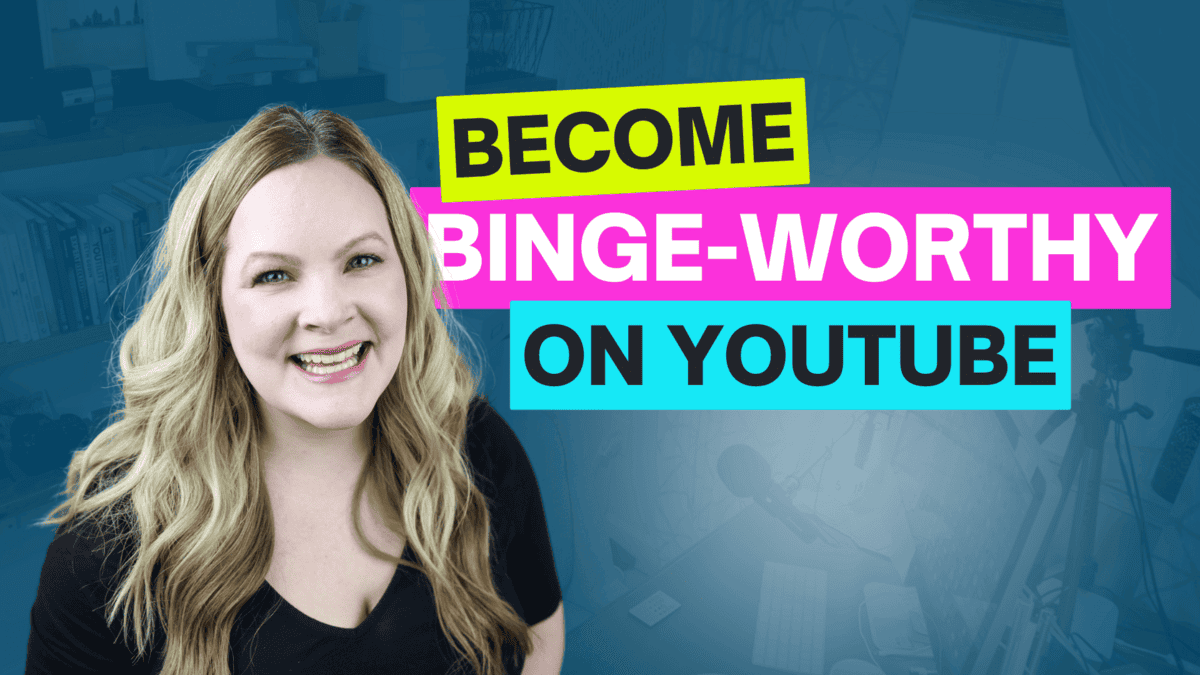
If your YouTube channel has between 0 and 1,000 YouTube subscribers, and you’re not seeing new subscribers come into your channel every day, despite your best effort to create good content and upload regularly, I’d like to show you how to build a thriving YouTube channel without spending hours creating videos so that your content starts getting the attention it deserves!
This topic is a favorite among Video Brand Academy members and I’m excited to share it with you!
I want to show you how to unlock that growth get your content seen and discovered in the algorithm so you can build your thriving YouTube channel…
(without becoming a full-time YouTuber!)
Because, let’s face it… you have a business to run and have a life to live!
Some product links in this post are affiliate links, and I will be compensated when you purchase by clicking our links. Read my disclosure policy here.
Why Most YouTube Channels Struggle to Grow Let’s be honest:
Growing a YouTube channel can feel overwhelming, especially when you’re juggling a business, family, and life. Many creators believe they need to go viral, churn out YouTube Shorts, or use faceless AI-generated videos to succeed. But the real secret? Building a library of binge-worthy videos that serve your ideal audience.
Key YouTube Growth Challenges:
– Not knowing what actually works for growth
– Feeling like you don’t have time to figure out the algorithm.
– Comparing yourself to faster-growing channels.
– Struggling to create content consistently.
If any of these sound familiar, you’re not alone! But there’s a better, more sustainable way to grow.
The Most Powerful Way to Grow Your YouTube Channel
Let me be clear about something right away: the most powerful way to build a thriving YouTube channel is to create a library of binge-worthy videos. It’s not about:
Creating faceless videos with generative AI
Going viral with one-off content
Focusing solely on YouTube Shorts
Instead, it’s about creating a niche space designed specifically for your ideal audience that makes it easy for YouTube to drive the right viewers to you. Think of it as building your own corner of YouTube where your perfect clients and customers can find exactly what they’re looking for.
Understanding YouTube’s Goal
YouTube’s goal has always been the same: maximize watch time. With approximately 2.5 billion people on the platform, YouTube wants to:
Bring people onto the platform
Keep them watching content
Ensure they return for more
When you upload videos that follow a specific strategy aligned with these goals, it becomes almost impossible for YouTube not to promote your content. According to YouTube’s own statistics, a whopping 70% of videos watched on the platform are recommended by the algorithm.
By aligning your strategy with these goals, you make it nearly impossible for YouTube to resist promoting your videos to a wider audience.
Create simple videos on specific topics around a single niche.
The more videos you have that are interconnected by topic and audience interest, the tighter your “web” becomes, making it easier for your ideal audience to find you and get caught in your content.
When I started my channel 10 years ago, I had a full-time job and two small children. I didn’t have time for elaborate productions. Instead, I committed to creating:
Simple videos: Nothing fancy—just talking heads or screencast tutorials
Specific topics: Addressing exact problems my audience was facing
Single niche: Staying focused in one area where I had expertise
Create simple videos on specific topics around a single niche.
This approach worked wonders for me when I started my channel, and it continues to be effective today. Here’s why it works:
1. It’s manageable for creators with limited time and resources
2. It allows you to build a cohesive content library
3. It makes it easy for YouTube to understand and promote your content
These videos weren’t spectacular—honestly, they were pretty cringey when I look back—but they formed the foundation of my channel growth.
After one year, I noticed something interesting: while I had a small core audience who watched everything I published, the majority of my new views and subscribers were coming from my backlog—that spider web of content YouTube was pushing out consistently on autopilot.
Many creators struggle to implement this strategy due to two main roadblocks:
1. “What I’m Doing Isn’t Working.”
Maybe you’ve been uploading consistently, but you’re not seeing traction. That’s incredibly frustrating. It’s easy to look at others who seem to be growing fast and wonder what secret they know that you don’t.
But often, the missing piece is a clear video content strategy—not more effort.
2. “I Don’t Have Time.”
I hear this one all the time, and I felt it too. Running a business, serving clients, managing life—who has time to produce five videos a week?
Here’s the truth: if creating each video takes 20+ hours and you’re not seeing ROI, you’re not going to keep doing it. And you shouldn’t.
That’s why keeping your videos simple, specific, and niche-focused is so important.
The 3×4 Method: Create More Videos in Less Time
If you’re feeling overwhelmed by the idea of consistently creating content, I’ve got a solution for you. I’ve developed a framework called the 3×4 Method, which allows you to create 12 binge-worthy videos in the time it typically takes to produce just one.
If you’re struggling to find time for video creation, you’ll love my3×4 Method. This framework helps you batch-produce 12 binge-worthy videos in the time it usually takes to make just one!
Here’s a quick overview:
– Planning: Outline 12 video topics within your niche.
– Filming: Record multiple videos in one session.
– Editing: Edit all your videos together to streamline the process. This method has helped countless creators in my Video Brand Academy save time and stay consistent, even with busy schedules.
This method is a game-changer for busy entrepreneurs and content creators who want to grow their channels without sacrificing their entire schedule. It’s like a turbo-charged spider web-making machine for your YouTube strategy!
How to Access the 3×4 Method Training
I’ve created a separate video that dives deep into the 3×4 Method. This training is usually reserved for members of my Video Brand Academy, but I’m offering temporary access to my blog readers. You can find the link to this bonus training in the description of this blog post.
Conclusion: Your Path to YouTube Success
Building a thriving YouTube channel doesn’t have to be an uphill battle. By focusing on creating simple, niche-specific videos and leveraging strategies like the Spider Web Effect and the 3×4 Method, you can:
1. Grow your audience organically
2. Increase your visibility on the platform
3. Build momentum for your channel and business
Remember, the key is to create content that serves your existing audience while allowing YouTube to promote your videos to potential new viewers. With consistency and the right approach, you’ll be well on your way to YouTube success, without sacrificing your work-life balance.
Are you ready to transform your YouTube strategy and take your channel to the next level? Check out the 3×4 Method training video and start building your binge-worthy video library today!
Build your binge-worthy video library, grow your audience, and become the go-to expert in your niche-without burning out! Start your YouTube journey today and let the algorithm work for you!
If you have an online business with a course, program, or any other kind of offer, and you’re not currently generating consistent sales on autopilot, I’d like to introduce you to the hands off youtube funnel that has made me over $20k on a $147 course! That way, you too can make consistent sales of your offer, with the beauty and simplicity of organic, evergreen traffic from YouTube! Start here with my free “AIT Method” training.
Creating engaging videos isn’t just about grabbing a camera and slapping some shots together.
I mean of course you could do that but it would still just look like you slapped some shots together!
Much like photography, video composition hinges on a range of established principles that help you tell a story visually.
These guidelines shape how your audience perceives the content and are rooted deeply in our natural understanding of aesthetics.
Traditional composition rules can enhance your video production and on the other hand, breaking them can have the same effect… until they don’t!
It doesn’t matter whether or not you are following or breaking those rules, the only way you can be effective is if you understand the basic principles behind them in the first place.
Understanding the Foundations of Composition
Think of video composition like building a house.
You need a strong foundation such as principles like the rule of thirds, leading lines and symmetry to create a sturdy structure.
These concepts have existed long before the first frames of video were captured, drawing influences from architecture and fine arts.
Just like how Renaissance painters like Michelangelo created stunning works by applying these compositional rules, filmmakers can use them to guide viewers through their narratives effectively.
The Rule of Thirds in Motion
The rule of thirds divides your frame into nine equal sections, where placing points of interest along these lines creates balance and guides viewer attention.
In video, when you position key elements (like a character speaking or an important object) at intersecting points, it encourages the audience’s eyes to travel through the scene fluidly.
Imagine a storytelling sequence where the protagonist is depicted on one side of the frame, while the background reveals a world of action on the other.
This not only enhances the visual interest but also highlights the characters’ relationships to their environment.
Leading Lines Directing Attention
Leading lines are those natural flow paths that guide your viewer’s eyes across the scene.
Whether it’s a winding road, a flowing river or an alleyway, these elements can make a dramatic difference in how your story unfolds, again, in the eyes of the viewer.
In video production, capturing these lines dynamically can amplify the emotion of a scene.
For instance, using a moving camera that follows the leading line enhances viewer immersion, drawing them deeper into the narrative while contributing to the pacing of the cut.
Embracing the Power of Symmetry
Symmetry often evokes a sense of harmony and balance, which can be quite effective in crafting aesthetically pleasing visuals.
In a video, symmetrical shots can be deeply impactful, particularly in scenes of confrontation or parallels, think of a symmetrical shot of two characters standing off against each other.
However, don’t get too comfortable with symmetry!
Breaking that norm can create tension.
If a key element is off-center or a character is caught in an asymmetrical setup, the audience feels the imbalance and the stakes heighten.
Once you understand these compositional elements, you’re empowered to manipulate and break them.
Think of compositional rules as tools in your toolbox rather than strict regulations.
The most ambitious directors and videographers regularly bend or break these principles to provoke emotional responses or create unexpected visual storytelling.
Let’s say you decide to put a character dead center, in stark contrast to the chaos around them. This juxtaposition momentarily disrupts the viewer’s expectations and can prompt curiosity or concern about what will happen next.
Deliberate Choices with Impact
The key to effective rule-breaking lies in intention.
Make choices based on the emotional resonance you want to evoke.
Disrupting the norm, whether by shifting the camera angle dramatically or breaking the fourth wall, can enhance engagement.
Just be sure your deviations serve a purpose either emotionally or narratively.
Crafting Your Visual Language
Video composition isn’t merely about adhering to traditional rules; it’s about developing your own visual language. So be curious!
Revisit your past works and analyze how your understanding of these principles might have evolved over time.
Not only can this reveal your unique strengths, but it can also indicate areas for further exploration.
Remember, effective videos balance the respect for compositional guidelines with the audacity to challenge them.
So experiment with your compositions and whenever you get the chance shoot something following the rules then shoot the exact same thing brking the rules.
Examine the result and identify or even ask friends how they percieve those different takes.
With practice and intentionality, you’ll find that your videos not only resonate with audiences but also have greater impact.
To learn more about this topic, look for resources, tutorials and community discussions that dive deeper into the artistic nuances of video production.
Advanced Image Robotics (AIR) made a major splash at NAB Show 2025! Their stand in West Hall was packed from open to close, with live demos, award wins, and exciting new technology partnerships. If you missed it, here’s a quick rundown of everything AIR had on display:
Award-Winning Innovation AIR AutoPilot — the world’s first Visual Language Model (VLM) camera auto-tracking system — was named one of three winners of the prestigious PILOT Innovation Challenge. This marks another huge milestone for AIR, following previous honors like the NAB Technology Innovation Award and multiple Product of the Year wins.
Real-Time AI Learning on the Show Floor AIR’s live demos impressed attendees with real-time learning and object tracking capabilities. One highlight: AutoPilot accurately tracked a frisbee in midair, showcasing its ability to adapt and learn on the fly. In the now-famous “Blue Bin & Lanyard” demo, the system demonstrated deep semantic understanding — maintaining focus even when objects were partially occluded.
New Technology Partnerships AIR also announced exciting integrations with top brands:
Cartoni Lifto: Raise AIR One robots up to 12 feet, with full control via the AIR App.
Skaarhoj RCP Platform: Joystick-based pan, tilt, zoom, and roll control for professional-grade workflows.
MrNet Wireless Connectivity: Reliable broadband wireless enabling cloud AI demos, even on busy show floors.
Building a More Connected Future Beyond demos and awards, AIR’s team participated in expert panels and reconnected with industry partners and friends. The energy around AIR’s platform shows the growing demand for simpler, smarter live production solutions.
Want to record polished videos without memorizing and without a teleprompter?
I think you’re going to love today’s video, but before we get to that, I want to let you know the doors to Video Brand Academy [http://meredithmarsh.co/vba] are open. Join us for this week’s “What’s Working NOW on YouTube” meetup and get access to all of the new AI Tools that I trained exclusively for VBA members.
Now… you know I don’t subscribe to the myth of “just create 100 crappy videos and you’ll get better” NOBODY is out here wanting to create crappy videos (and let’s be honest who actually believes thats the way to grow your audience and and business anyway). BUT, without “natural talent” or formal training… how do you record polished videos without memorizing a script or using a teleprompter? Let’s talk about it!
My secret to not sounding like a robot reading a script? (Without actually memorizing anything)
I’ll show you how to record polished videos without memorizing anything!
Learn how to riff like a pro, develop on-camera confidence, and use simple outlines. Plus, I share my best video editing tips for pro-quality results and how to be natural on camera!
VIDEO: Record Polished Videos without Memorizing Anything or Using a Teleprompter
Some product links in this post are affiliate links, and I will be compensated when you purchase by clicking our links. Read my disclosure policy here.
Embrace Your Unique Journey
First, let’s debunk a common misconception: nobody is born knowing how to talk to a camera. That polished presenter you admire? They developed their skills through repetition and practice.
Let’s acknowledge that no one starts out as a pro. I certainly didn’t. As an introvert, I had to learn how to communicate effectively on camera. The good news is that you don’t need formal training to create captivating videos. With practice and a few techniques, you can develop your skills and build a thriving video brand that resonates with your audience.
When we watch seasoned creators, it’s easy to feel like they possess some innate talent that we lack. The truth is, polished videos come from practice, repetition, and a bit of editing magic. So, if you find yourself thinking, “I can’t do this,” remember that everyone starts somewhere. The key is to put in the effort and keep creating.
Why I Ditched the Teleprompter (Most of the Time)
A couple of years ago, I noticed more creators discussing teleprompters. Curious, I tried one myself and even made a popular video about my setup. Teleprompters can be fantastic tools, especially if you need to deliver precise information or maintain direct eye contact. The Elgato Prompter, for example, plugs right into your computer and is a dream to use.
But I eventually realized that relying on a teleprompter was holding me back from developing a crucial skill: riffing. Riffing—speaking naturally off an outline—helps you sound more authentic and confident. It’s a skill that pays off in every area of content creation and business communication. So, I set my teleprompter aside and focused on riffing from an outline, and my videos became more engaging as a result.
Here’s how you can master this skill:
1. Create an Outline
Before you hit record, jot down an outline of the key points you want to cover. This will serve as your roadmap during the recording. Having a clear structure helps you stay on track while giving you the freedom to express your thoughts organically.
Rather than writing out every word you plan to say, create a simple outline of your key points. This approach gives your video structure while allowing you to speak naturally.
When I record, I have my outline visible on my screen. I look at my notes to see what point I need to cover next, then look up at the camera and riff on that point. Sometimes I can seamlessly transition between points, and other times I need to pause, regroup, and start again.
The beauty of this approach is that you can edit out those pauses later. Having an outline keeps you on track and prevents rambling while giving you the freedom to speak authentically.
2. Nail Your Opening Hook
Your opening hook is crucial. It’s the first sentence of your video that grabs your audience’s attention. To ensure it’s compelling, consider recording it after you’ve completed the rest of your video. By that time, you’ll have a clearer perspective and more confidence in your delivery.
When I’m recording a YouTube video, I’ve found that the best way to create a polished and engaging introduction is to actually record my hook or intro after I’ve finished filming the main content! By the time I’ve delivered all my key points to the camera, I’m warmed up, confident, and fully in the flow—my communication is clearer, and my energy is exactly where I want it to be. That’s the perfect mindset to bring to the opening lines, which are so crucial for grabbing viewers’ attention. If I struggle to nail the intro at the beginning, I simply skip it, focus on the rest of the video, and circle back to record the hook at the end. Since everything can be rearranged in the edit, there’s no pressure to get it perfect on the first try. This approach not only helps me sound more natural and enthusiastic but also ensures my video starts with the kind of energy that keeps people watching. If you’re aiming for a professional, captivating video, try recording your intro last—you’ll be amazed at how much more polished and inviting your opening feels!
Remember, since you’re editing your video anyway, it doesn’t matter what order you record the segments in. Everything can be rearranged in post-production.
3. Embrace Editing
Remember, you’re not expected to deliver a perfect performance in one take. If you stumble or go off on a tangent, don’t hesitate to re-record that section. This is where editing becomes your best friend. Cut out the mistakes and keep only the polished content that effectively communicates your message.
While riffing gives your content a natural feel, it can easily cross the line into rambling if you’re not careful. Here are some strategies to keep your communication clear and concise:
1. Nail Your Opening Hook
Your opening hook is critical—it’s what grabs viewers’ attention and convinces them to keep watching. Even if you don’t script the rest of your video, take time to craft and memorize your first sentence or two. If you struggle to deliver the hook naturally at the start, try recording it after you’ve finished the rest of your video. By then, you’ll be warmed up and more confident, which leads to a stronger, more compelling introduction.
2. Re-record Sections When Needed
Editing is where the magic happens. Don’t worry about getting each section perfect on the first try. If you stumble, blink excessively, or ramble, just pause and re-record that section. In the edit, you can easily remove mistakes, tangents, or awkward pauses. Tools like Descript make this process incredibly simple, allowing you to edit your video like a text document.
If you feel you haven’t expressed a point clearly, simply record that section again. You don’t need to restart the entire video – just that particular segment. Modern editing software makes it easy to stitch together the best takes into a cohesive whole.
For example, I notice that when my brain is working hard to formulate thoughts on camera, I tend to blink rapidly. When I catch myself doing this, I’ll often stop and re-record that section until it flows more naturally.
If you’re looking to master video editing for YouTube, I’ve built an entire channel dedicated to video editing tips, with a special focus onDescript tutorials! Descript is hands-down the best tool for this style of editing because it lets you work by simply looking at a document—making it incredibly easy to spot and remove mistakes or repeated takes. For example, if I’ve restarted a sentence multiple times, I can instantly see those sections in the transcript and delete them without even having to watch or listen through every attempt. This workflow streamlines the editing process, saves tons of time, and helps me deliver polished, professional videos. If you want to level up your editing skills and create standout content, check out my channel for step-by-step Descript tutorials and actionable video editing advice!
3. Always Know Your Call to Action
Before you hit record, decide what you want your viewers to do next. Do you have a lead magnet, a free resource, or another video you want them to watch? Knowing your call to action ahead of time ensures you can weave it naturally into your video, rather than tacking it on awkwardly at the end. This clarity helps guide your viewers and increases engagement and conversions.
One of the most important parts of creating effective videos is knowing exactly what you want your audience to do before you even hit record. Having a clear call-to-action in mind helps me communicate it naturally throughout my content. This approach is much more effective than waiting until the end of filming to figure out “what do I want people to do now?” When your CTA is an afterthought, it often feels disconnected from the rest of your content. Whether it’s subscribing to your channel, downloading a resource, joining your email list, or checking out another video, decide on your goal in advance. This simple planning step will make your videos more purposeful and result in better audience engagement when you ask viewers to take that next step.
Make It Conversational with This “Wacky” Technique
Here’s a quirky but effective technique I’ve been using for about a year: I treat each section of my video as part of an imaginary conversation.
After I take a brief pause to consult my notes or sip my coffee, I restart by imagining what question a viewer might ask at this point in our “conversation.” I might even begin with a phrase like, “That’s a great question” (which I later edit out) to help myself transition into a more conversational tone.
This approach prevents me from sounding like I’m delivering a lecture and helps maintain an approachable, friendly vibe throughout the video.
The Importance of Practice
If you want to improve your on-camera presence, practice is essential. The more you record, the more comfortable you’ll become. Don’t shy away from experimenting with different techniques and styles to see what resonates with you and your audience.
Developing Your Confidence
Over the past couple of years, I’ve made it a personal goal to become better at riffing—speaking clearly and confidently without a script. And I’ve learned that the key to doing this well is choosing topics I already know inside and out. When I talk about things I’m truly passionate about—where I have lived experience, real opinions, and natural confidence—I don’t need a teleprompter or hours of prep. The words flow easily because my brain already knows what to say! If you’ve ever struggled with speaking on the spot or delivering your message with clarity, start by focusing on subjects you’re deeply familiar with. It’s a total game-changer! Want more tips on how to speak confidently and show up with ease? Visit our website and explore how you can unlock your natural voice today!
One strategy I love using to grow my YouTube channel is what I call the spiderweb strategy. It allows me to branch out into different yet connected topics that build out my content in a natural, intentional way. If you’ve been struggling to feel confident on camera or finding it hard to sound polished without memorizing lines or relying on a teleprompter, the issue might not be your delivery—it might be your topic choice. I’ve learned that when I choose topics I’m not fully prepared for or passionate about, everything feels harder. But when I create videos on subjects I know well and truly care about, everything flows so much smoother! Want to grow your channel with more ease and authenticity? Head over to my website to learn how to make your content work for you—with less stress and more impact!
Choose Topics You Already Know Well
One of the simplest ways to create polished videos without scripts is to focus on topics you’re already knowledgeable and passionate about. When you’re discussing subjects you know inside and out, the words flow more naturally, and you can speak with confidence and authority.
Conversely, if you’re struggling to sound natural on camera, it might be because you’ve chosen topics you’re not fully prepared to discuss. When I create tutorials on new technology or processes I’m still learning, I find it much harder to speak naturally because my brain is working overtime to recall information correctly.
For instance, when I first started making GoPro tutorials, I had to learn all the terminology and features before I could teach them effectively. More recently, I’ve been exploring AI tools and workflows, and I notice I speak less fluidly when discussing these newer topics because the terminology isn’t yet second nature to me.
The Power of Good Editing
Finally, remember that much of what makes a video look “polished” happens in post-production. Even videos with numerous cuts can appear smooth and professional with careful editing techniques:
Remove unnecessary pauses and dead space
Use b-roll and graphics to cover cuts
Add subtle zoom effects during transitions
Create smooth, barely noticeable transitions between takes
While editing might seem like a time-consuming part of the video creation process, becoming efficient at it can dramatically improve your content quality while reducing your overall production time.
Join My Free Masterclass
If you’re eager to learn more about editing and creating polished videos, I’m excited to announce a free masterclass called **Crush Your YouTube Edits in Two Hours or Less**. This session will equip you with the skills to streamline your editing process and produce high-quality content efficiently. Make sure to sign up for the waitlist to get notified when it’s available!
Conclusion
Creating polished videos without memorizing a script or relying on a teleprompter is entirely possible. By embracing the art of riffing, developing a solid outline, and utilizing editing techniques, you can craft engaging content that resonates with your audience. Remember, practice makes perfect, so don’t be afraid to hit that record button and let your personality shine through.
If you have an online business with a course, program, or any other kind of offer, and you’re not currently generating consistent sales on autopilot, I’d like to introduce you to the hands off youtube funnel that has made me over $20k on a $147 course! That way, you too can make consistent sales of your offer, with the beauty and simplicity of organic, evergreen traffic from YouTube! Start here with my free “AIT Method” training.
I’m pulling back the curtain on my biggest YouTube business mistakes that held me back for years. From chasing multiple revenue streams to losing sight of my own vision, I’ve learned tough lessons that transformed my YouTube business.
It’s hard to believe I’ve been at this whole “online business with YouTube” thing for 10 years. If I’m being totally honest, it hasn’t always been sunshine and rainbows… But what I’ve learned about business in the last decade is that success is basically just a series of failures. And I think it’s important to talk about the mistakes and failures: One because I have learned so much from them but TWO (and more importantly), if I can prevent you from making even one of these mistakes, then I’m here for it.
Not to rob you of experiencing mistakes on your own or anything… but here are some brutally honest things I got wrong.
VIDEO: Real Talk: My Biggest YouTube Mistakes (And What I Learned)
Some product links in this post are affiliate links, and I will be compensated when you purchase by clicking our links. Read my disclosure policy here.
YouTube Business Mistake #1: Borrowing Someone Else’s Vision Instead of Creating My Own
When I first got serious about YouTube 10 years ago, I closely followed a mentor whose business model and content seemed aligned with what I wanted. I joined their program, followed their strategies, and modeled their workflow. And it worked—until it didn’t.
The problem? One day, they pivoted. Hard. They shut down the program I was part of, and suddenly, my entire “blueprint” disappeared. I was left asking, “Now what?” I didn’t just follow their tactics—I adopted their entire vision without thinking critically about whether it actually fit me.
Here’s what I realized, my YouTube business mistake: I had built a business based on someone else’s vision. I hadn’t taken the time to ask myself what I truly wanted to create. I hadn’t considered what kind of business model actually suited my lifestyle or long-term goals.
Your vision matters. And if you’re not careful, it’s far too easy to hitch your wagon to someone else’s dream.
Lesson: Define your Own Direction
While it’s helpful to model success, the real magic happens when you bring your unique voice and vision to the table. Don’t just follow someone else’s path—carve out your own.
Ask yourself:
What kind of business do I want to run day-to-day?
What kind of lifestyle do I want this business to support?
What do I enjoy creating most?
If you build from that foundation, your business will not only be more sustainable—it will feel more meaningful too.
YouTube Business Mistake #2: Focusing on Multiple Revenue Streams Too Early
I used to talk a lot about diversifying income—and I still believe in that. But here’s what I learned the hard way: trying to focus on multiple revenue streams at once when you’re just getting started can slow everything down.
In the early years, I tried to grow ad revenue, affiliate commissions, digital product sales, brand deals, and coaching—all at the same time. But I couldn’t give any of those areas the focus they needed to really grow.
For years, I spread myself across ads, affiliates, sponsorships, digital products, coaching, and more. Each of these revenue sources has its own unique strategy and set of demands.
Let’s break it down:
Ad revenue requires creating high-retention content that drives watch time.
Affiliate marketing is about building trust and encouraging clicks and conversions.
Brand deals take time, negotiations, and often tailored content.
Selling your own products or programs involves a whole tech stack—email funnels, landing pages, content creation, and customer support.
I shifted my energy to the one thing I had the most control over: my own products and programs. I laser-focused on improving and promoting them, and guess what? That’s what ultimately took my business beyond six figures.
Yes, diversify your revenue—but prioritize the income streams that you own and control. Those are the most resilient and scalable in the long run.
The Real-World Impact:
At one point, my affiliate earnings dropped from $1,500 a month to $100—overnight. At the same time, I had a traffic issue that wiped out my ad revenue.
That’s when I made a big shift: I focused fully on the thing I could control—my own programs and digital products. And that’s when things started to scale. I talk more about this in my program, where we focus on building a business foundation with revenue streams you own.
There came a moment when I realized I needed to stop spreading myself thin and start focusing on what I could control most—my own products and programs. So I made a bold decision: I shifted my energy entirely toward building and promoting my own offerings, like Video Brand Academy, my online courses, and even one-on-one client work. Once I laser-focused on creating, improving, and selling my own services, my business skyrocketed past six figures!
Not only did it grow faster than anything else I’d tried, but it also brought me the most fulfillment. Now, don’t get me wrong—I absolutely believe in having multiple streams of revenue. It’s a huge win when you get monetized on YouTube or earn steady income through affiliate marketing by promoting tools and programs your audience can truly benefit from. But here’s the truth: the revenue stream you have the most control over is the most powerful one when it comes to building a sustainable, scalable business. Want to learn how to create your own stream of income and grow with confidence?
The Lesson:
You don’t need all the income streams right away. Pick one—preferably one you control—and master it first. That solid foundation will give you the confidence, systems, and income to expand later.Head over to my site and let’s build something amazing together!
YouTube Business Mistake#3: Obsessing Over Something New
When I first started, I poured hours into perfecting every video. This is the one that still stings a little—because I genuinely love the editing side of YouTube. I used to spend 12+ hours perfecting a single video. Lighting. Angles. Music. Transitions. You name it. It felt productive, but in reality, I was spending more time perfecting than publishing.
I now realize I was trying to earn the approval of other YouTube creators more than I was serving my audience.
Let’s be real: If you’re using YouTube to grow your business, your goal isn’t to impress other creators—it’s to help your audience, grow your reach, and serve your clients. Your ideal viewer doesn’t care if you used two cameras or shot in 4K—they care about the value you’re offering.
While I was focused on video polish, I was neglecting strategy—like figuring out what my audience actually wanted to watch, how to plan content that led to sales, and how to build a system I could repeat week after week.
In fact, one of the biggest mindset shifts I teach in YouTube Video Editing Made Easy is how to stop editing like a perfectionist and start editing like a business owner.
The Lesson:
If you’re trying to grow a YouTube channel as a business, your number one priority should be value and clarity—not cinematic lighting. Your audience isn’t looking for the next Spielberg. They want helpful, clear, engaging content.
These days, I use tools like Descript to cut my editing time down from 12 hours to just 1 or 2. It’s good enough, and more importantly—it’s done.
The Path Forward: Work Smarter, Not Just Harder
Looking back, the common thread in all three mistakes is this: I was putting time and energy into the wrong things.
I thought:
Following someone else’s roadmap would get me there faster.
Having more income streams early on meant more stability.
Better production meant better results.
But what actually worked?
Creating my own vision instead of copying someone else’s
Focusing on the revenue stream I could control
Putting strategy before polish
These are the same things I help creators with inside my programs at Video Brand Academy . If you’re ready to grow your channel and your business without spinning your wheels, you’re in the right place.
Your Turn to Avoid These Mistakes
If you’re building your YouTube channel as a solo creator or business owner, remember this:
Build your own vision—not someone else’s.
Focus your monetization—master one stream before adding more.
Prioritize value over polish—your audience doesn’t need perfect, they need you.
This journey is a marathon, not a sprint—but making a few smarter moves now can save you years of frustration.
Editing videos used to take me hours, sometimes up to 12, but with Descript, I can now finish in under an hour without compromising on quality! The software makes it possible to produce polished, professional-looking videos that sound great, as long as you’ve got good ideas and are creating content that resonates with your audience.
Consistency and clear audio are key, too!
I’m excited to share my mission of helping you avoid the same mistakes I’ve made over the past decade and create “good enough” content that helps grow your business on YouTube. I’m offering a free training session soon on How to Crush your YouTube Edits in 2 hours or Less, so you can get it done in two hours or less!
I don’t have a date just yet, but you can join the waitlist now by entering your email below. This training will be full of time-saving tips and tricks that work no matter what video editing software or type of content you’re creating. I can’t wait to see you there!
If you have an online business with a course, program, or any other kind of offer, and you’re not currently generating consistent sales on autopilot, I’d like to introduce you to the hands off youtube funnel that has made me over $20k on a $147 course! That way, you too can make consistent sales of your offer, with the beauty and simplicity of organic, evergreen traffic from YouTube! Start here with my free “AIT Method” training.