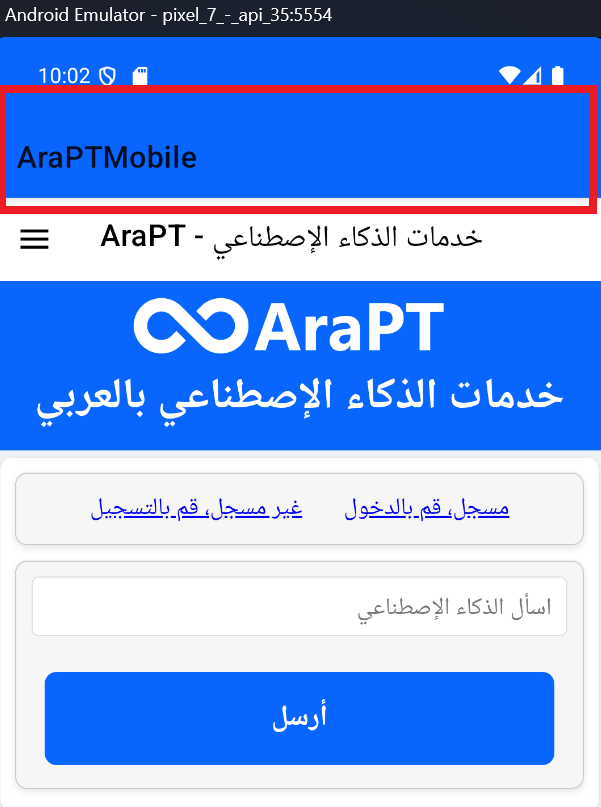
How to remove the header top (highlighted) from my VS.net Mobile Application
I tried removing the Title from the AppShell.xaml but that did not work.
Here is my App Shell
<?xml version="1.0" encoding="UTF-8" ?>
<Shell
    x:Class="AraPTMobile.AppShell"
    xmlns="http://schemas.microsoft.com/dotnet/2021/maui"
    xmlns:x="http://schemas.microsoft.com/winfx/2009/xaml"
    xmlns:local="clr-namespace:AraPTMobile"
    Shell.FlyoutBehavior="Flyout"
    Title="AraPTMobile">

    <ShellContent
        Title="AraPT - خدمات الذكاء الإصطناعي"
        ContentTemplate="{DataTemplate local:MainPage}"
        Route="MainPage" />

</Shell>
