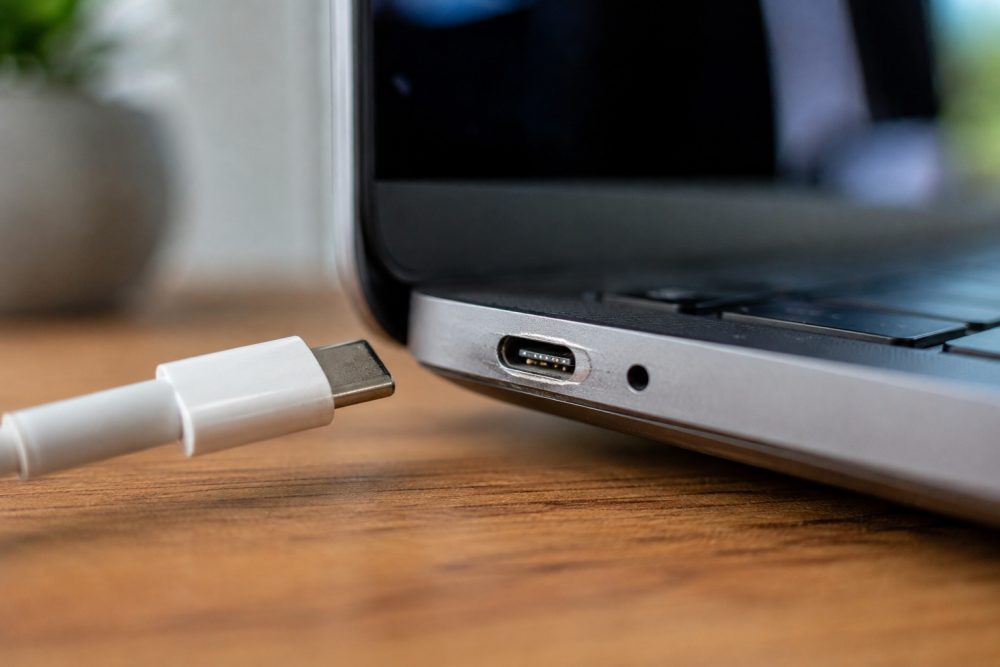
How Can I Tell If My Laptop’s Charging Port Is Failing in Frisco, TX?
A laptop charging port may be failing if the charger feels loose, charging starts and stops when the cable moves, the laptop only charges at a certain angle, the port looks damaged, or a known-good compatible charger still does not work reliably. These symptoms can also come from the charger or battery, so professional diagnosis is the safest way to identify the actual problem.
At PC Geeks, we help Frisco-area laptop owners determine why their computers are not charging properly and what repair makes the most sense. Charging problems can be frustrating because several components can produce similar symptoms, including the AC adapter, battery, charging port, USB-C controller, and motherboard. Rather than replacing parts based on guesswork, a proper diagnosis can isolate the source of the failure and help prevent unnecessary repairs. Whether you use your laptop for remote work, school, running a business, gaming, or everyday tasks, addressing an unreliable charging connection early can reduce the chance of the problem becoming more serious.
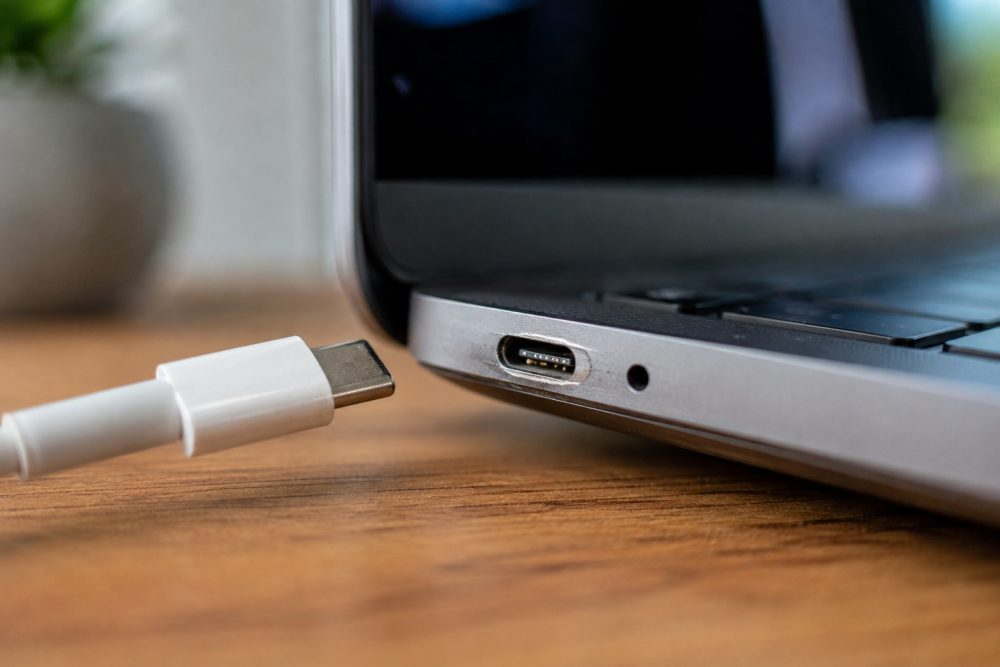
Laptop Charging Port Problems: Symptoms You Should Not Ignore
A failing charging port usually becomes noticeable through an unreliable physical or electrical connection. The problem may begin intermittently before the laptop eventually stops recognizing the charger altogether.
Dell recommends inspecting charging ports for dust, debris, bent pins, and physical damage when diagnosing a laptop that will not charge. Dell also notes that charging problems can originate from several sources, including the AC adapter, battery hardware, charging port, software, or drivers.
What Are the Most Common Signs of a Bad Laptop Charging Port?
The clearest warning sign is charging behavior that changes when the connector moves. If your laptop starts charging only after you wiggle the plug or position it at a particular angle, the connection between the charger and laptop may be compromised.
Common warning signs include:
- The charger feels unusually loose inside the port.
- Charging repeatedly connects and disconnects.
- You must hold or position the cable at an angle.
- The laptop does not consistently recognize a compatible charger.
- The charging port has bent components, cracks, or other visible damage.
- The connector will not remain securely seated.
- A USB-C charging port also has intermittent data or display problems.
- Charging stops when the laptop or cable is moved.
For USB-C laptops in particular, movement-related problems deserve attention. Dell identifies intermittent functionality when a USB-C cable moves as a potential sign of cable or connection damage. The company also documents how improper handling can contribute to loose ports, damaged connectors, cracked port housings, and broken internal solder joints.
Do not repeatedly wiggle or force a connector to make the laptop charge. That may place additional stress on an already damaged connection.
How Do I Know If the Problem Is the Charging Port, Charger, or Battery?
Testing with a known-good, correctly rated charger is one of the simplest ways to narrow down a charging problem, but it does not replace a complete diagnosis.
If another compatible charger works normally, your original adapter or cable may be the problem. If multiple compatible chargers produce the same intermittent connection, particularly when movement affects charging, the laptop’s port becomes a stronger suspect.
Battery problems can look different. A laptop that recognizes its charger normally but cannot maintain battery capacity may have an aging or defective battery instead of a damaged port. An adapter with insufficient wattage can also power some laptops without properly charging the battery, according to Dell.
Before assuming the port has failed, check:
- The wall outlet: Confirm it works with another device.
- The charger: Look for fraying, bent components, overheating, or cable damage.
- The connection: See whether the charger sits securely without needing pressure.
- The port: Look for lint, debris, cracks, or obvious physical damage.
- The laptop’s specifications: Make sure the charger provides the correct wattage and that the USB-C port, if applicable, actually supports charging.
That last point is important because not every USB-C port supports the same functions. Dell notes that some laptop USB-C ports support power delivery, while others may be intended only for data transfer.
Why Do Laptop Charging Ports Become Loose or Damaged?
Physical stress is one of the biggest threats to a laptop charging connection. Pulling on the cord instead of the connector, tripping over a plugged-in charger, or repeatedly placing sideways pressure on the plug can damage the cable, port housing, or internal connection.
USB-C connectors are engineered for extensive everyday use. The USB Implementers Forum specification rates the USB Type-C connector family for a minimum of 10,000 insertion and extraction cycles under its durability testing requirements. That durability does not mean the port is immune to accidental impacts, sharp bending, contamination, or sideways force.
To help protect your charging port:
- Unplug the charger by gripping the connector, not pulling the cord.
- Insert and remove the connector straight rather than at an angle.
- Avoid using the laptop where the charger is stretched tightly across a walkway.
- Keep food, liquids, dust, and debris away from the port.
- Do not rest objects against a USB-C connector while it is plugged in.
Dell specifically advises avoiding sharp bends and twists near USB-C connectors because excessive stress can damage cables and shorten their working life.
When Should I Have a Laptop Charging Port Professionally Repaired?
Seek professional help when charging becomes consistently intermittent, the port is visibly damaged, or multiple known-good chargers fail to make a reliable connection.
Continuing to use a damaged port can turn an inconvenient charging problem into a more complicated repair. Some ports are separate replaceable components, while others are attached directly to a laptop’s motherboard. Internal damage can also occur even when the outside of the port appears relatively normal.
Dell notes that damaged USB-C connections can include broken solder joints inside the device, which may cause the port to lose functionality despite limited visible external damage.
For laptop owners in Frisco, TX, dependable charging is particularly important for people moving between home, school, offices, and coworking environments. Frisco’s hot North Texas summers are another reason to treat laptops carefully. The City of Frisco describes the area as having hot summers, with an average August maximum temperature of 96.1°F. Avoid leaving laptops and chargers in hot vehicles for extended periods, and give electronics adequate ventilation while charging.
PC Geeks can evaluate the charging system and determine whether the issue comes from the adapter, battery, port, or another internal component before recommending the appropriate repair.
Frequently Asked Questions About Laptop Charging Ports
Can a loose laptop charging port be fixed?
Yes. A loose charging port can often be repaired or replaced, depending on the laptop’s design and the extent of the damage. A technician should inspect the port and its connection to the internal hardware before determining the appropriate repair.
Why does my laptop only charge when I move the charger?
Charging that cuts in and out when the connector moves can indicate a damaged cable, loose connector, worn port, or damaged internal connection. Dell specifically identifies movement-related intermittent functionality as a symptom associated with USB-C connection problems.
Can dirt inside a laptop charging port stop it from charging?
Yes. Dust, lint, and debris can interfere with the connection between the charger and port. Dell recommends inspecting the charging port for debris as part of troubleshooting, but avoid inserting metal tools or forcing objects into the port.
Does a laptop that won’t charge always need a new charging port?
No. A failed charger, damaged cable, worn battery, insufficient adapter wattage, software issue, or USB-C controller problem can also cause charging failures. Proper testing is important before replacing the port.
Get Your Laptop Charging Problem Diagnosed in Frisco, TX
An unreliable charging port rarely becomes more convenient with time. If your laptop only charges at certain angles, repeatedly disconnects from power, or has a visibly loose or damaged port, getting the problem diagnosed early can help prevent further damage and eliminate the guesswork of replacing the wrong component.
Ready to find out why your laptop isn’t charging properly? Contact PC Geeks to schedule laptop repair service in Frisco, TX.