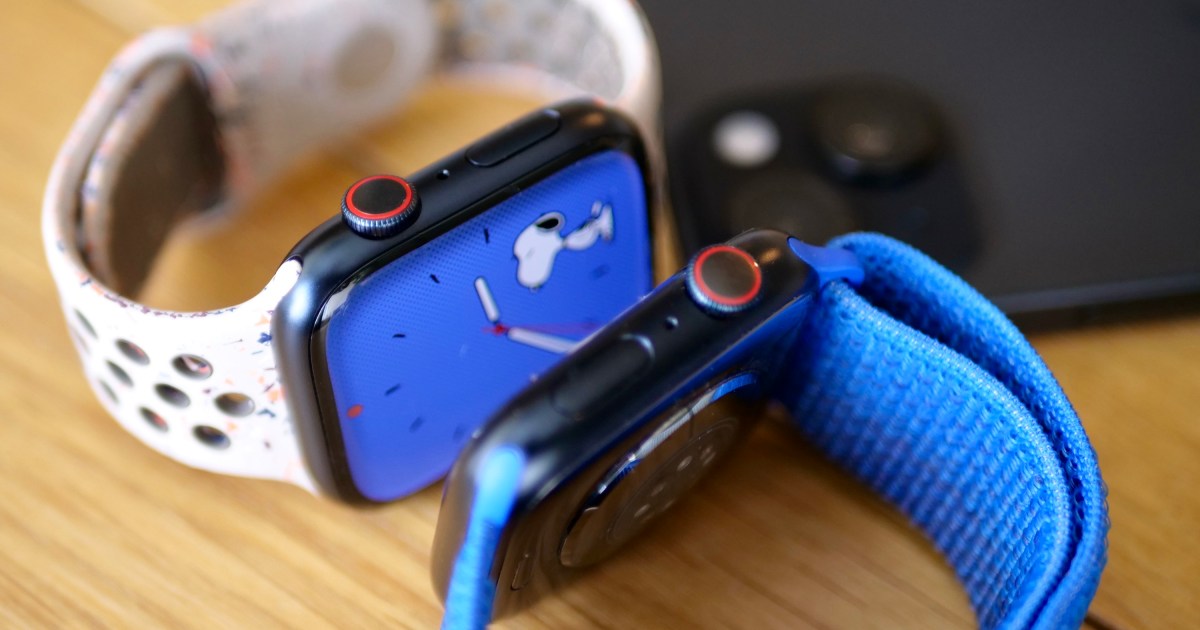
Apple retail locations and Apple Authorized Service Providers will soon be able to restore Apple Watch software in-store without needing to send an Apple Watch to a service center, according to a retail source that spoke to MacRumors.
Right now, Apple Watches that can’t be restored using an iPhone need to be mailed to an Apple Repair Center for service. There is no in-store repair option, so customers have to wait for the Apple Watch to be shipped to the repair depot, get repaired, and be shipped back.
Starting later this month, Apple Stores and AASPs will be able to use an Apple Watch repair dock that connects to a Mac to restore the software on an Apple Watch. An in-store option for fixing software will make software-based repairs much quicker.
With watchOS 8.5 and iOS 15.4, Apple introduced an iPhone-based wireless restore option, but it is limited. It can only be used when a restore prompt is shown on the Apple Watch. For software issues where the iPhone restore doesn’t work, the Apple Watch needs a specialized repair currently unavailable in retail stores. Failed updates, bricked devices, and boot loops can’t be fixed with an iPhone.
Early Apple Watch models had a diagnostic port that Apple Stores could use for software fixes, but it was removed with the Apple Watch Series 7, and Apple switched to a wireless restoration process. After the port was dropped, Apple Watch software repairs had to be done at Apple Service Centers, making software-based failures a hassle for customers.
When you buy your Apple Watch, you get to choose which band you get. Skip the rubber bands, which are made from fluoroelastomer. While the company committed to removing PFAS from its products in 2022, we have not gotten confirmation that Apple’s products are PFAS-free.
I find the textile and metal bands to be much more attractive and comfortable than fluoroelastomer bands, which tend to trap sweat and irritate my skin. My favorite of the Apple bands you can choose at checkout this year is the Nike nylon woven Sport Loop. It’s soft, breathable, soaks up sweat, and is infinitely adjustable if your wrists swell when you run. It’s made from recycled polyester, spandex, and nylon, and the yarn is reflective if you’re running at night. It comes in five colors and three sizes, so it’s compatible with the 40-, 44-, and 46-mm watch sizes.
Though the Apple Watch announcements may have paled in comparison to the iPhone news at Apple’s event today, there were still some noteworthy updates to the smartwatch lineup to talk about. This year, we’re getting the Watch Series 11, Watch SE 3 and Watch Ultra 3, and each of them have some interesting features. At a hands-on session here at Apple Park, I spent some time with the devices, and believe the most intriguing is the Series 11.
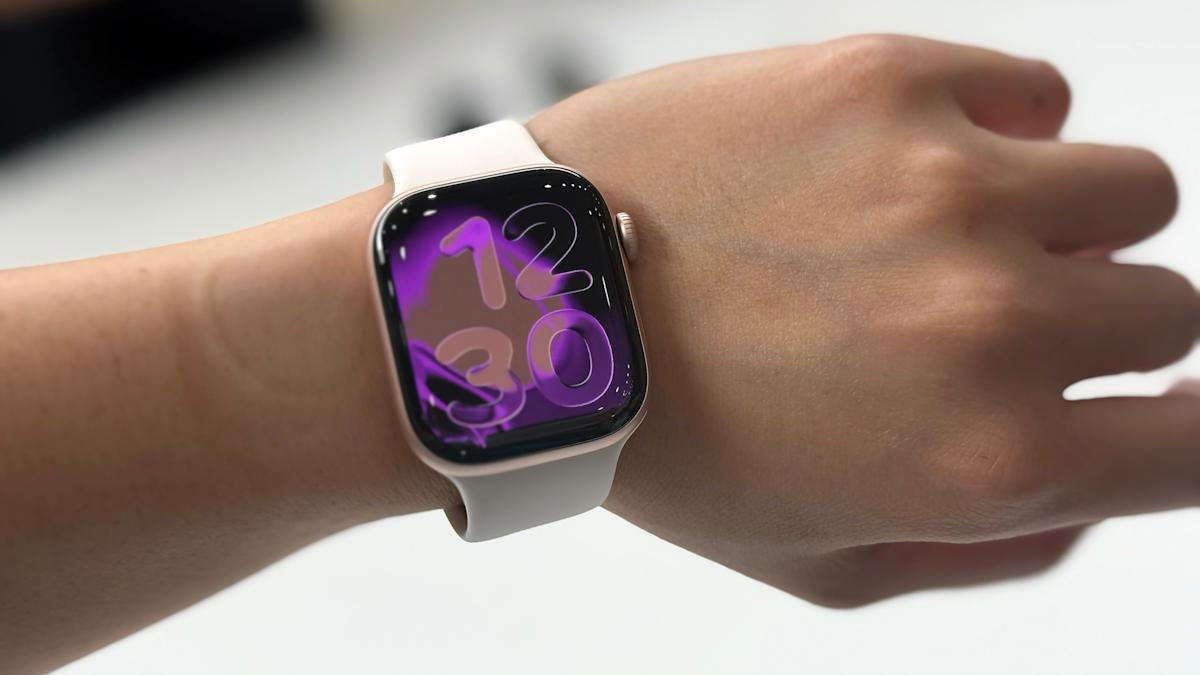
At first glance, the Series 11 is no different from the Series 10 I wore to the event. They’re the same thinness and have pretty much the same dimensions, and the main change is that the new smartwatch has an IonX coating that’s two times more scratch resistant. There’s also a new space grey case option that looked nice, though I was a bigger fan of the rose gold band and case pairing. I especially like the loop band that was on the unit I checked out.
I put the Series 11 on my wrist next to my Series 10 and truly could not tell them apart. There might not be much reason to upgrade from last year’s model to this, which isn’t a bad thing. We don’t want to be too wasteful, anyway. The real updates coming to the Series 11 include the new “Possible hypertension” alerts, using data gathered from the existing optical heart rate sensors to study patterns in the constriction and expansion of your blood vessels in relation to your heart rate. This tells the watch whether there are differences in your blood pressure — keyword: differences.
Cherlynn Low for Engadget
This tool isn’t meant to give you readings of your blood pressure like “130 / 80,” for example. It’s more meant to tell if there are concerning variations and alert you to see a medical professional if so. This is similar to many other Apple Watch features like sleep apnea detection or high heart rate alerts, and since it requires data trends to work, wasn’t something I could just test here at Apple Park.
I also didn’t get to test the sleep score feature that’s coming watchOS 26, but that isn’t exclusive to the Series 11, and any Apple Watch compatible with the latest software will be able to get it. I did like how you’ll get scores once you’ve worn the watch to bed, and don’t have to wait for a required number of nights for the insights to surface.
Hypertension and sleep score were among the more interesting updates coming to the Series 11, along with the promise of better battery life. Apple said the wearable should last up to 24 hours on a charge now, with eight of those meant to power through overnight sleep tracking. That’s not something I can really test here at a hands-on event, so we’ll have to wait for a review unit to properly measure.
Hands on with the Apple Watch SE 3
I was more intrigued by the Apple Watch SE 3, and will readily admit that I cheered when the company announced its entry-level smartwatch will be getting an Always On Display. When I picked up the Watch SE 3, I immediately noticed its relatively chunky bezels, but by and large it felt quite similar to my Series 10. Sure, the cheaper watch is slightly thicker, heavier and more sluggish, but for $250 it’s a very solid device. It comes with a skin-temperature sensor to support cycle-tracking, and will now charge twice as fast as the last Watch SE. That’s closer to the speeds of the Series 9 and later, which is a huge improvement considering how slow the older Apple Watches used to charge.
Again, like with the Series 11, a lot of the Watch SE’s improvements weren’t things I could check out at a brief preview like today. And most of them are features that already exist on other devices coming down to a smartwatch that costs $249. I think what Apple is offering for the price is very compelling, though, since you’ll really only be missing ECG and blood oxygen features by opting for the SE 3 over the Series 11. The latter is a bit thinner and lighter, but the SE 3 is plenty comfortable and small anyway.
This story is developing, please refresh for updates.
Apple has introduced a new tier of its AppleCare insurance policy called . This allows you to cover up to three of your Apple products under a single plan for $20 per month. If you want to add extra devices beyond that, you can do so for an additional $6 per month, per product.
Apple first introduced in 2011 as a means of insuring your against accidental damage, and has since expanded the plan to its entire product line, adding coverage for theft and loss. Currently, AppleCare+ costs from $10 per month to insure an individual iPhone, with subscription prices starting at $3.49 per month for a , and $5 for an , depending on the model you own. You can also insure your , headset, AirPods, Apple TV and HomePod either individually, or as part of your new AppleCare One plan.
AppleCare One features all the same benefits as AppleCare+, including unlimited repairs for accidents such as drops and spills, round-the-clock support from Apple experts, servicing and battery coverage. The theft and loss protection that was previously exclusive to iPhone plans now also covers iPad and Apple Watch if they’re included in your AppleCare One plan. You can make up to three claims a year for theft or loss of an iPhone, iPad or Apple Watch.
The $20 monthly price is fixed regardless of which products you include (as is the $6 you pay to add an additional device), meaning the amount you actually save will depend on what they would cost to insure individually, so it’s worth looking into that before you take out the new plan. Apple says that people who cover their iPhone, iPad and Apple Watch could save as much as $11 per month on AppleCare One compared to what they’d pay if each device was insured under AppleCare+.
Also new with AppleCare One is the ability to add devices you already own to a protection plan. Previously you’d have to decide within 60 days of purchasing an Apple device. Apple says that providing they’re under four years old, are in good condition when added and are in your Apple account, they can be covered under AppleCare One. You may need to run a diagnostic check either on the device itself or at an Apple Store to get it approved.
AppleCare One also simplifies the trade-in process. If you trade in a product covered by your plan directly to Apple, it is automatically taken out and replaced by the new device. Unlike AppleCare+, though, there doesn’t appear to be a way to pay annually for your plan. Instead, it rolls monthly for as long as you need it, and Apple will let you move products in and out of coverage whenever you want.
AppleCare One launches tomorrow in the US, and can be activated either on your iPhone, Mac or iPad, or in an Apple Store.
Smartwatch shipments in India dipped annually for the first time in 2024, as consumers moved away from cheap, unknown brands. Apple bucked the broader trend, however, with a reported 2.4x growth for the year.
According to data from analyst firm Counterpoint, India’s smartwatch shipments dropped 30% year-on-year in 2024. Signs of slowing sales emerged last year, as the market was flooded with unknown brands. The trend aversely impacted established domestic players, slowing the pace of innovation as a result.
As the broader market faltered, Apple Watch saw a 141% increase in its shipments last year. That growth bucked a 57% decline for the company in 2023, according to Counterpoint.
Counterpoint senior analyst Anshika Jain told TechCrunch that the Apple Watch saw an uptick last year as, “some experienced users gradually moved to advanced smartwatches” for better health insights, smartphone integration, and other features absent on cheaper devices.
“We expect this growing trend to continue in 2025,” she added.
The growth in Apple Watch shipments aligns with the the iPhone’s expanding marketshare in the country. Apple emerged as one of the top-five smartphone vendors in India last year, with a roughly 10% share in in Q4.
However, Apple Watch’s sizable growth ultimately had little impact on its overall share of the 35 million smartwatches shipped in India last year, according to IDC. Counterpoint, which does not share absolute shipment figures, told TechCrunch that the Apple Watch comprised roughly 2% of India’s entire smartwatch market in 2024.
Apple Watch’s success boosted overall premium smartwatch (priced above $230) shipments in India, with 147% growth. The Series 10 was the top model, followed by the Series 9. The Apple Watch cumulatively captured 50% of the total premium smartwatch segment in the country, per Counterpoint.
Samsung and OnePlus were the other top players in the premium segment last year, with a 4% and 1% market share, respectively.
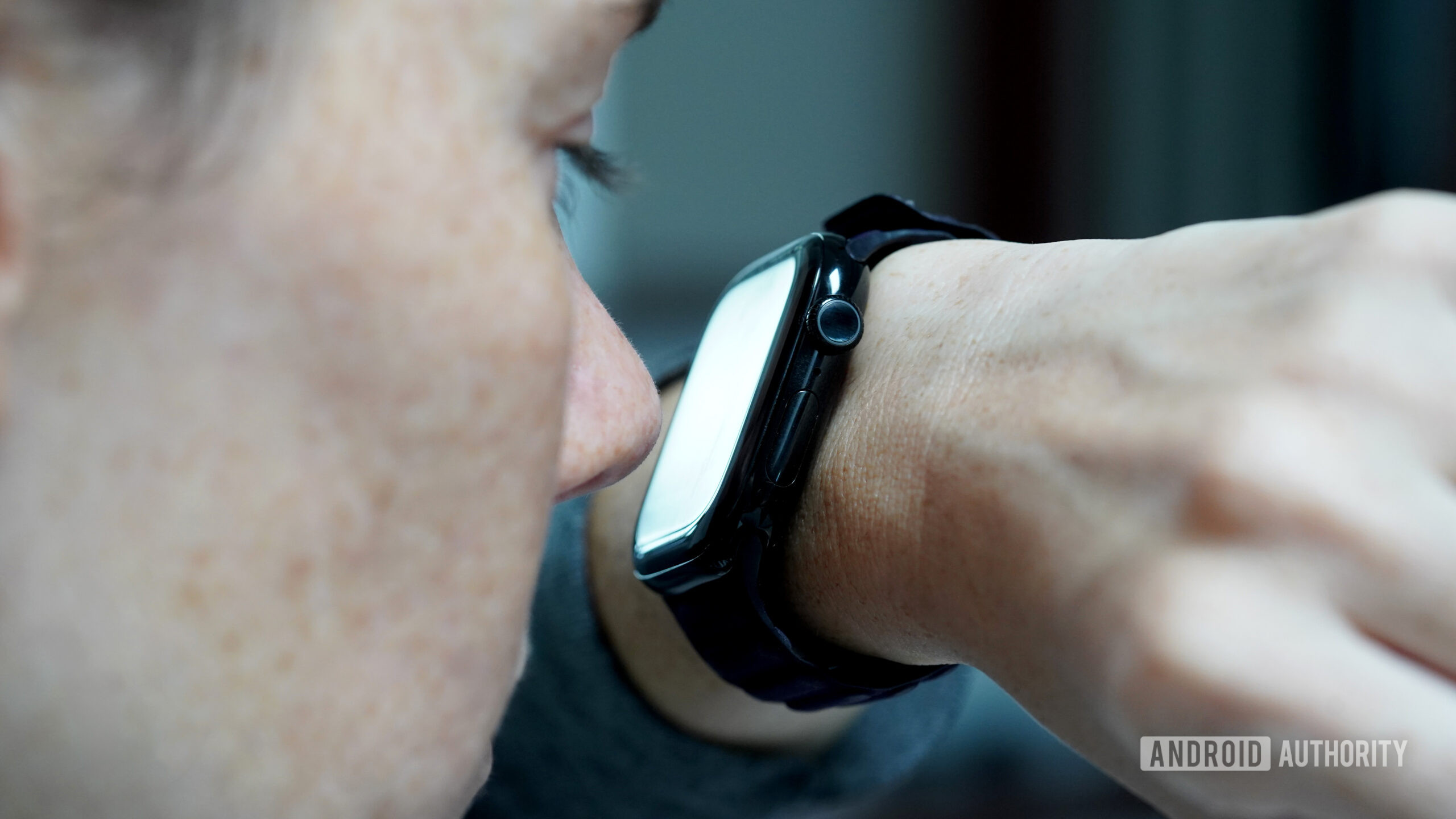
For one reason (coffee) or another (a small child), I constantly find myself with full hands. Simultaneously, the organization of the day relies heavily on a carefully curated alarm schedule. As a result, I am often left desperately trying to dismiss my buzzing smartwatch with just one hand. While I’m well aware of gesture controls, a deviant part of my brain insists on making do with another appendage instead: my nose.
Do you use your nose to navigate your wearable?
134 votes
Blame it on being a millennial, but I struggle with the principle of delayed gratification when it comes to tech. My adrenaline spikes at the sight of an alert, the feel of a vibration, or the sound of a ping. I need the dopamine hit that comes from seeing what’s happening on my device. You should see me when I can’t figure out which of the 15 fitness trackers on my desk is vibrating. Needless to say, if the device on my wrist wants to show me something, I need to see it, even if it means abandoning my dignity. Rather than waiting until my fingers are free, I am that person in the cereal aisle, nosing her smartwatch.
Kaitlyn Cimino / Android Authority
I know that gesture controls aren’t exactly new. These “hand-free” options aim to make tech more accessible and convenient, and for the most part, I applaud the effort. But the truth is, they rarely live up to expectations. For example, I was very excited to test Apple’s Double Tap when it launched, but a generation later, it still doesn’t offer the functionality I actually want. Most of the time, I end up looking like I’m trying to make a tiny alligator hand puppet chomp air. My nose, on the other hand, offers more tangible interactions — even if I look equally ridiculous doing it.
Unlike gesture controls, my nose offers more tangible interactions.
When an alarm sounds, I take my watch to the face and hit snooze. When my family chat blows up, I nod up and down to see which sibling is cracking a joke. When the notifications I keep forgetting to disable pop up excessively, I Pinocchio them right back into the ether.
Kaitlyn Cimino / Android Authority
Ironically, my nose faces similar issues as my fingers. (Yes, I’ve done this enough times that I’ve even identified problem areas). First, like any fair-skinned freckle face, I was taught to fear the wrath of the sun at an early age and apply SPF accordingly. A greasy nose doesn’t play great with touchscreens, and the resulting smudges are gross enough to make me question my life choices. Likewise, if my watch is wet, my nose’s tippy taps are even less effective.
Cold and flu season isn’t great for this method, either. Nasal runoff (aka boogers) can mess with the screen’s responsiveness. Considering winter gloves are one of the biggest hindrances to touchscreen use, it’s unfortunate that cold weather and stuffy noses often go hand in hand. Notably, your chin will work, but it’s a bit of a blunt instrument. With my nose, I can still see the screen as I scroll down a text thread or tap into a notification. It’s not the most refined behavior, but I make it as respectable as I can. Using my chin? Well, it’s more of a pecking-chicken motion.
SPF sunscreen still poses an issue, and so does a wet touchscreen.
The more I digress, the more I realize this is not my finest act as a wearables reviewer, but hey, I know I am not alone. At least one other Android Authority editor, who will remain nameless, signed off on this assignment in light of their own experience with nose-based interactions. I also found some Reddit threads of people celebrating the innovative use of their snouts. I can confirm that the elbows and toes will also work, as will presumably most body parts. If you find yourself holding a baby when a text comes in, their little feet also do the trick. I’d assume their adorable noses would also work, but I can’t, in good conscience, condone that.
If you have an Apple Watch, you need to be ready for watchOS 11 Apple’s next big software update for its smartwatches. Though watchOS 11 doesn’t have Apple Intelligence, it still has a ton of new features, including more customization for Activity Rings, overnight vitals, training load tracking, and much more.
But when will you be able to check out watchOS 11? Here’s everything you need to know about the watchOS 11 release date.
watchOS 11’s release date
Joe Maring / Digital Trends
The wait is over: watchOS 11 is finally here, with the release date having been confirmed at the Apple event that also brought us the iPhone 16, iPhone 16 Pro, and Apple Watch Series 10. The latest update for your Apple Watch is now available to absolutely everyone, and is no longer reliant on signing up for a beta. Yes, anyone with an applicable Apple Watch can now experience everything Apple has to offer in the latest version of its wearable OS.
It’s been a long road to get here, and a familiar one for those who’ve tasted of the waters of developer and public betas before. First, watchOS 11 was released as a developer beta shortly after the WWDC 2024 keynote in June. This beta was followed by a number of updates until it was finally taken away from developers alone, and released as the watchOS 11 public beta on July 16, 2024. As ever with public betas, this release was more stable than the developer beta, but still had its share of bugs. It was meant to show the public a taste of what’s to come and to provide feedback to Apple in order to shape the final release of watchOS 11.
But betas are notoriously fickle things, and come with plenty of bugs, issues, and ways to brick your watch or render it incapable of receiving aid from Apple. Thankfully, you don’t need to play with one any more, as watchOS 11 is now out for general release.
When will my Apple Watch get watchOS 11?
Joe Maring / Digital Trends
But none of this matters if your Apple Watch can’t run the newest update. Apple is generally quite generous where updates for older models are concerned, but whether it is where the Apple Watch is concerned is a question you’ll have to answer for yourself. The cutoff line for Apple Watches to receive the new watchOS update is … the Apple Watch Series 6. That means any Apple Watches older than September 2020 will not be receiving watchOS 11. That’s a real shame if you’re still using your older Apple Watch and it’s purring away nicely. But hey, if you’re happy to live without the latest software, then you can still get a few more years out of it. Otherwise, check out our list of the best Apple Watch deals to browse upgrades.