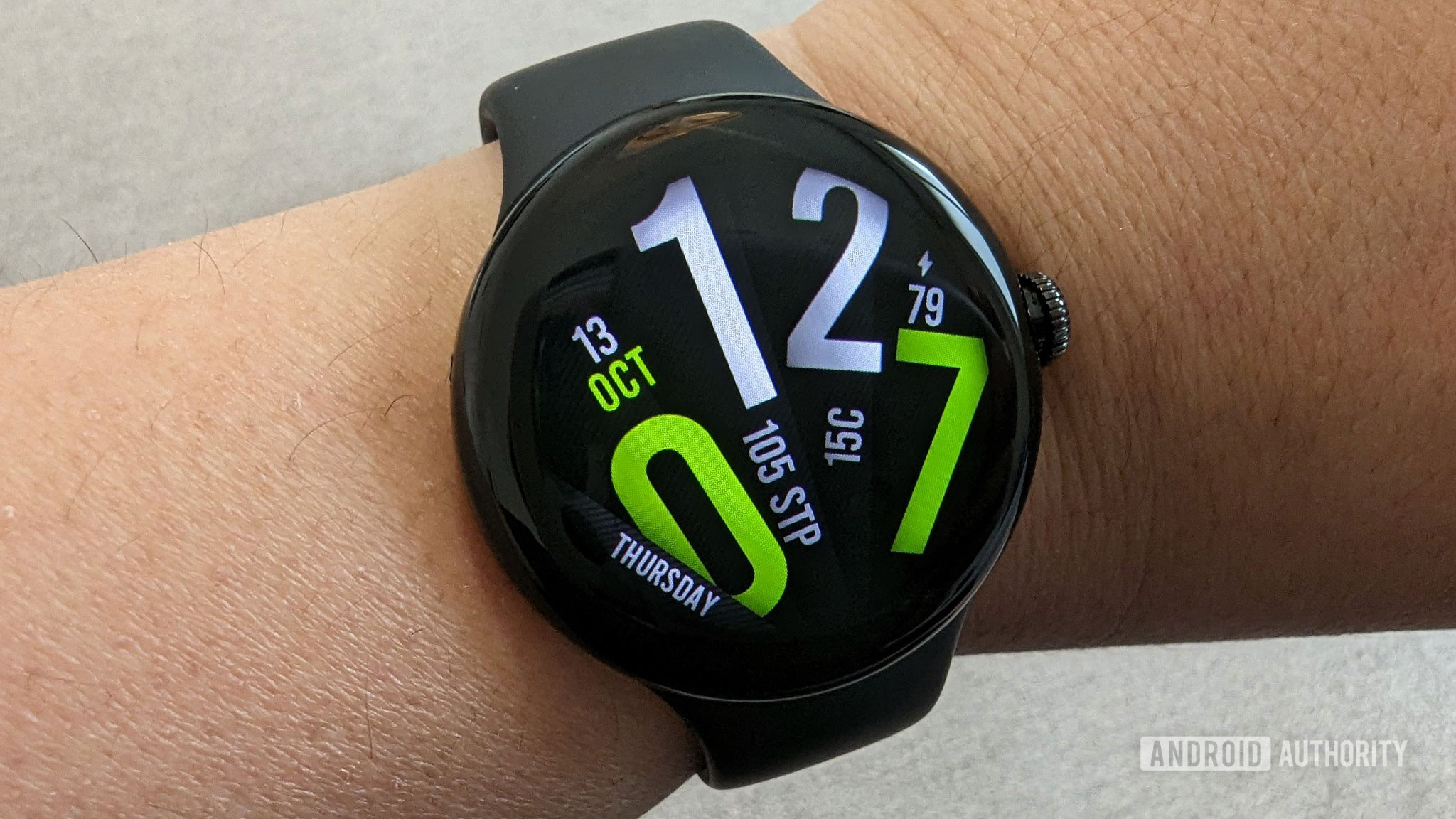
HUAWEI has just released the Watch GT 7 and GT 7 Pro featuring largely unchanged hardware.
Both smartwatches in the Watch GT 7 series retain their week-long battery life while gaining new colors and updated wristbands.
The Watch GT 7 Pro will be available in China for 2,688 CNY (~$398), whereas the 41mm Watch GT 7 will start from 1,588 CNY (~$235) in the region.
HUAWEI is no stranger to smartwatches, having set high benchmarks with the Watch GT 6 and its Pro sibling last year. It’s nearly that time of year when the company refreshes its smartwatch lineup, and right on schedule, the Watch GT 7 and the Watch GT 7 Pro are going official.
Following days of teasing their arrival on social media platforms, HUAWEI has finally taken the wraps off the smartwatches, but only for the Chinese market. While the Watch GT 7 and GT 7 Pro don’t differ much in the design department from their predecessors, HUAWEI now offers them in updated colors and revamped wristbands.
Starting with the GT 7 Pro, HUAWEI has retained the 1.47-inch, 466 x 466 AMOLED screen with a maximum brightness of 3,000 nits, housed in a titanium case. All of this is virtually identical to the Watch GT 6 Pro, as are the wide array of health-tracking sensors, including SpO2, ECG, heart rate, as well as a skin temperature sensor.
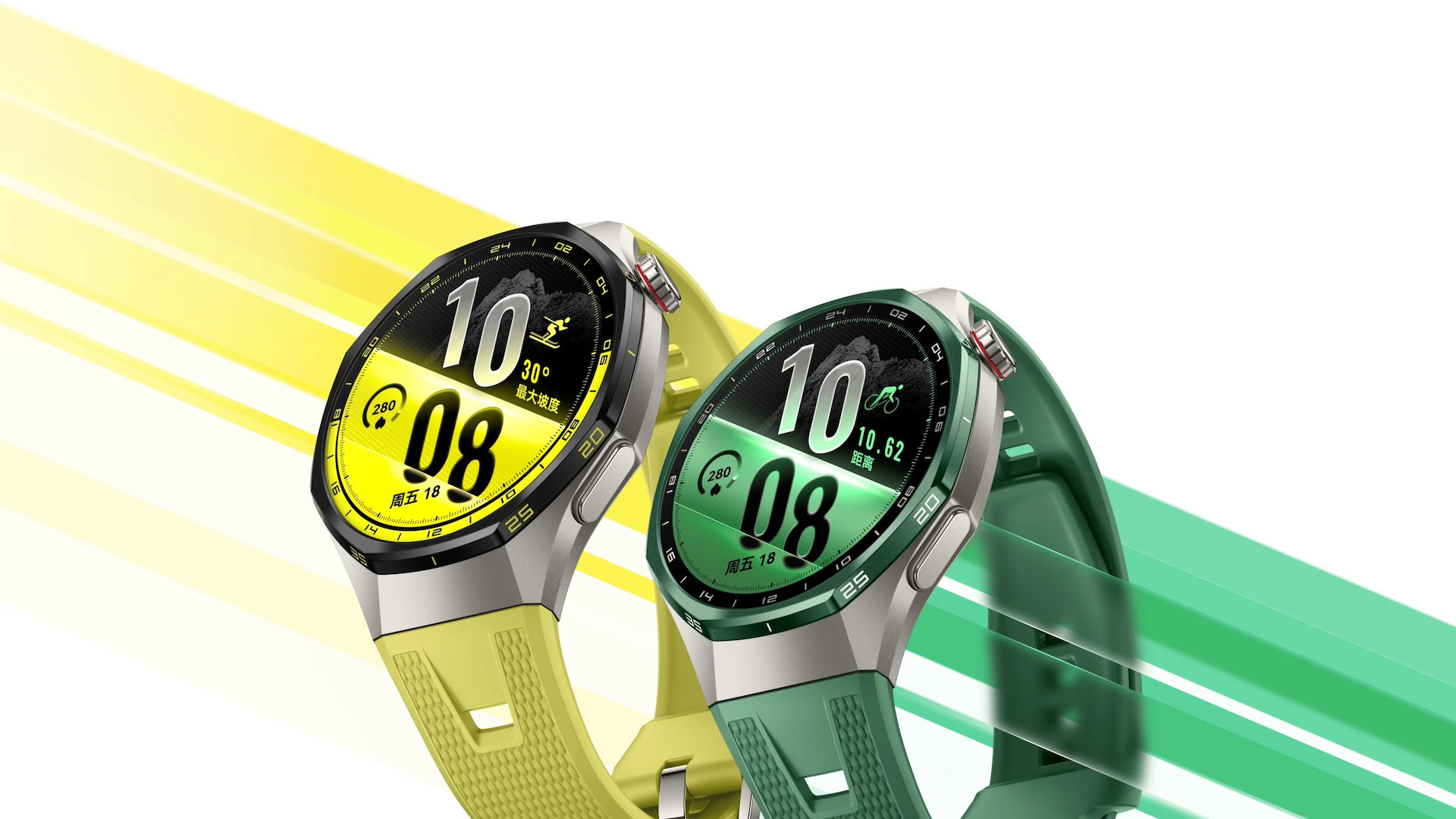
HUAWEI is offering a Pro Ski mode with the Watch GT 7 Pro along with updated sports and activity-tracking modes. The smartwatch offers 21 days of battery life with light usage, 12 days with regular use, and seven days with the always-on display (AOD) enabled, the company says. This wearable will be available in new yellow and green colorways paired with a silver case, in addition to the existing black/silver variant from the last-gen model.
Meanwhile, the manufacturer will offer the vanilla Watch GT 7 in 41mm and 46mm variants (pictured below), featuring a 1.32-inch and 1.47-inch AMOLED screen, respectively. The smartwatch lacks an ECG sensor, but includes SpO2, heart rate, and skin temperature sensors.
Similar to the Watch GT 7 Pro, buyers can expect the 46mm variant to last up to 21 days on a full charge with light use and up to seven days with AOD enabled. HUAWEI says the 41mm model offers a 14-day battery life with light usage and five days with always-on display turned on.
The Watch GT 7 in the 41mm version will set customers back by 1,588 CNY (~$235), while the 46mm model will sell for 1,688 CNY (~$250) in China. The premium Watch GT 7 Pro will cost 2,688 CNY (~$398) in the region. HUAWEI’s Harmony OS is the software of choice for the Watch GT 7 series, which means it will miss out on some of the benefits available to Wear OS smartwatches.
HUAWEI hasn’t revealed when (or if) an international launch is on the horizon, though we’d be surprised if the two smartwatches didn’t appear on global retail shelves sometime soon.
Thank you for being part of our community. Read our Comment Policy before posting.
The past few weeks have been nonstop leak after leak for Samsung’s next foldables. We’re expecting there to be three new models. The main upgrade across the foldables should be Samsung’s Flex Titanium technology, which both strengthens the durability of the screens and reduces the visibility of the crease on the inner screen.
The new Galaxy Z Flip 8 should be the successor to last year’s Z Flip 7. WinFuture has shared product images and what it claims are full details for the new flip-style foldable. While I was hoping for a thinner device, it looks like the Z Flip 8 will be marginally thicker, though it should be lighter at 180g versus the Z Flip 7’s 188g. Otherwise, we’re looking at more or less the same features, but with a newer Exynos 2600 chip. According to WinFuture, the Z Flip 8 will have a 6.9-inch Dynamic AMOLED 2X inner screen with 120Hz refresh rate, a 4.1-inch Super AMOLED cover screen, three cameras (a 50-megapixel main and a 12-megapixel ultrawide on the outside and a 10-megapixel selfie lens on the inside), the same 4,300mAh battery as before but now with faster 45W charging, and storage options of 256GB or 512GB paired with 12GB of RAM.
The middle foldable is expected to be the new shorter and wider Galaxy Z Fold 8. This is supposed to be Samsung’s answer to Apple’s upcoming foldable iPhone. We’ve been staring at leaked images of the Z Fold 8 for weeks, but now we have full specs, also hailing from WinFuture. When unfolded, the Z Fold 8 is said to measure 4.5mm thick, and the whole thing weighs 201g. The report says the Z Fold 8 has a 7.6-inch inner Dynamic AMOLED 2X screen with 120Hz, a 5.5-inch cover screen, dual rear cameras (both 50 megapixels), and two 10-megapixel hole-punch cameras (one on the cover display and one on the inner screen). It should be powered by a Qualcomm Snapdragon 8 Elite Gen 5 for Galaxy and have options for 256GB of storage (with 12GB of RAM) or 512GB and 1TB (with 16GB of RAM). Battery capacity is said to clock in at 4,800mAh, which would be pretty respectable.
On the high-end, we’re expecting to see the Galaxy Z Fold 8 Ultra. As its name suggests, it’s projected to have the better cameras (200-megapixel main camera, 50-megapixel ultrawide, and 10-megapixel 3x telephoto) and longer battery life (5,000mAh). WinFuture’s leak claims the foldable will slim down by 1mm (from 4.2mm to 4.1mm), but gain 3g (from 215g to 218g). The screen aspect ratios will match the Z Fold 7’s closely, with an 8-inch inner screen and 6.5-inch cover screen, both with 120Hz refresh rates. Chipset, storage, and RAM configurations appear to be the same as the Z Fold 8.
On the Samsung smartwatches front, we should be looking at two new models: the Galaxy Watch Ultra 2 and the Galaxy Watch 9. They’re both said to be thinner and lighter than before and use Qualcomm’s latest Snapdragon Wear Elite chip with 2GB of RAM, according to WinFuture.
The Galaxy Watch Ultra 2 will reportedly have an 800mAh battery, which would be a significant jump up from the 590mAh one in the first-gen Watch Ultra. Leaked specs include a titanium case with 10ATM water resistance, a 1.5-inch screen, Bluetooth 6.0, NFC, and LTE.
The Galaxy Watch 9 is expected to come in two sizes again: 40mm with a 1.3-inch screen and 44mm with a 1.5-inch display. Compared to the Galaxy Watch Ultra 2, the water resistance for the Galaxy Watch 9 could be lower at 5ATM. Battery life improvements could be more minimal year-over-year, too: the same 325mAh on the smaller model and a 445mAh for the larger version (a 100mAh bump up from the Galaxy Watch 8’s 435mAh).
It appears Samsung won’t have a new version of the Galaxy Watch 8 Classic, which returned last year with a physical rotating bezel. Maybe the bulkier smartwatch wasn’t popular at all.
More Galaxy AI
One thing that I am certain that Samsung will announce more of is additions to Galaxy AI, its own suite of artificial intelligence features. Whether it’s features from the Galaxy S26 Ultra being brought to the new foldable phones or smartwatches, Samsung has used every Unpacked in recent years to squeeze AI into its apps. It wouldn’t surprise me to see more predictive AI, automations using agentic AI, and generative AI for photo editing. Whether you’ll find them useful is a different question.
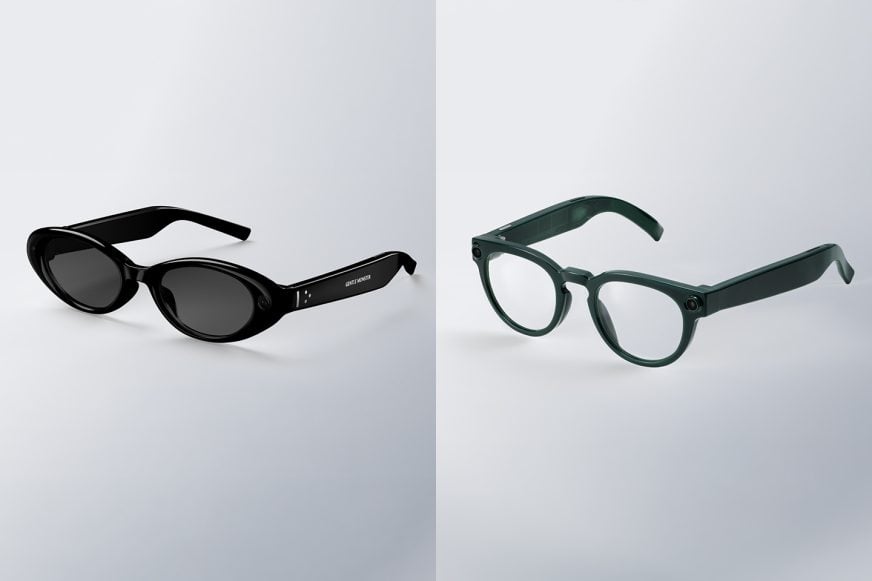
It’s a big year for smart glasses, and Samsung has been very tight-lipped about its plans. Other than a partnership with Google that announced “intelligent eyewear” created with Gentle Monster and Warby Parker at Google I/O this past May, there’s been little additional info. We know that both models have built-in cameras for photos and videos and speakers for music, calls, and audio notifications, which sounds exactly like Meta’s AI glasses. But how much will they cost and what kind of privacy policies will be in place? We have no clue. The latter is especially important considering how Meta keeps making it feel gross to wear any of its smart glasses.
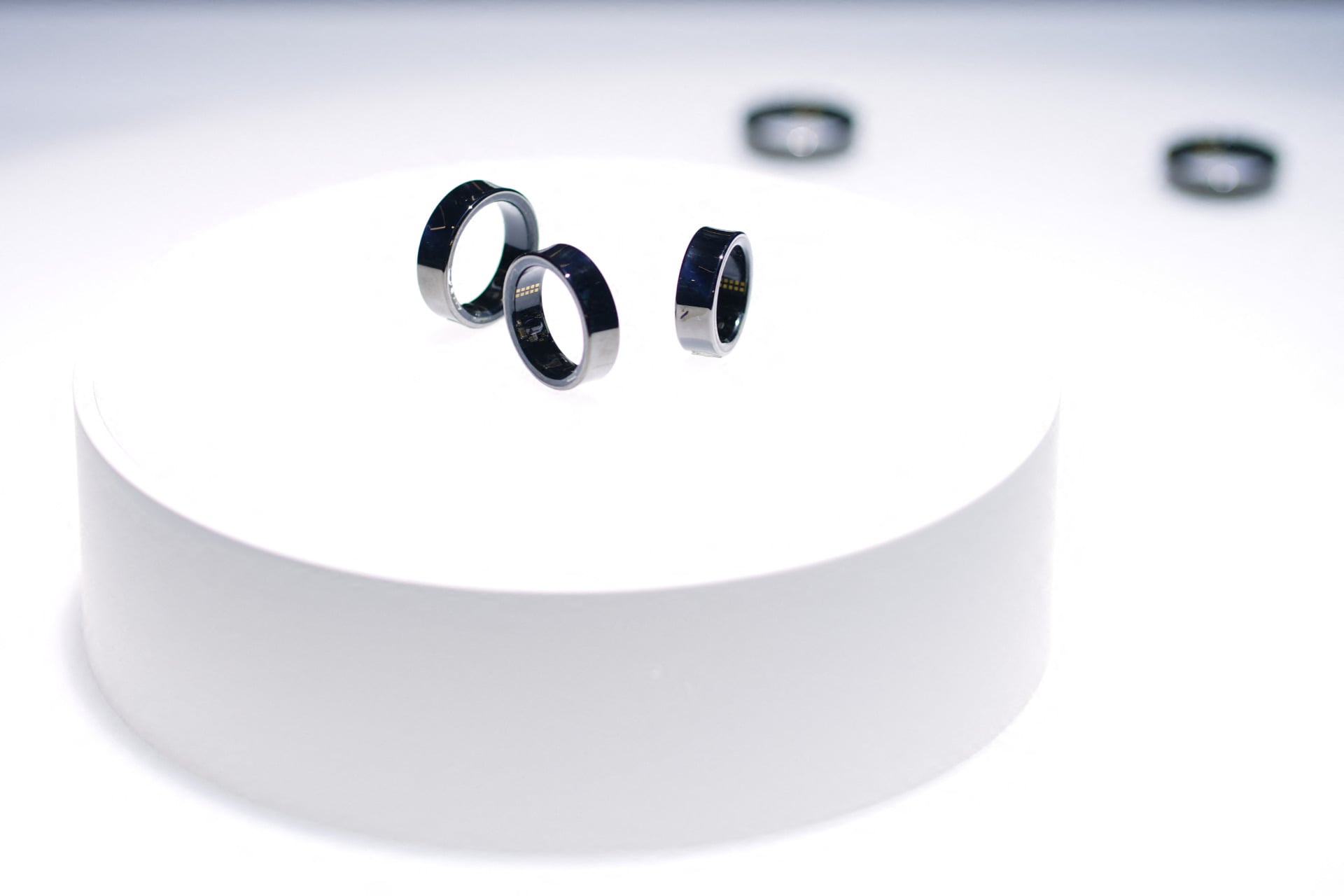
Then, there’s the smart ring. Might we get a tease for a Galaxy Ring 2? It’s been two years since the Galaxy Ring came out. Oura now has a slimmer and longer-lasting Oura Ring 5 and Vital Signals’ Signal Ring could be a game-changer, replacing traditional blood pressure cuffs. What’s next for Samsung’s smart ring?
Google is now selling the Mous Pixel Watch Charger, the first Google-certified third-party charger for the Pixel Watch 4.
It delivers 5.6W fast charging using official Google charging hardware and a dual-part authentication IC to ensure safe, verified charging.
The charger is only compatible with the Pixel Watch 4, and costs $49.99.
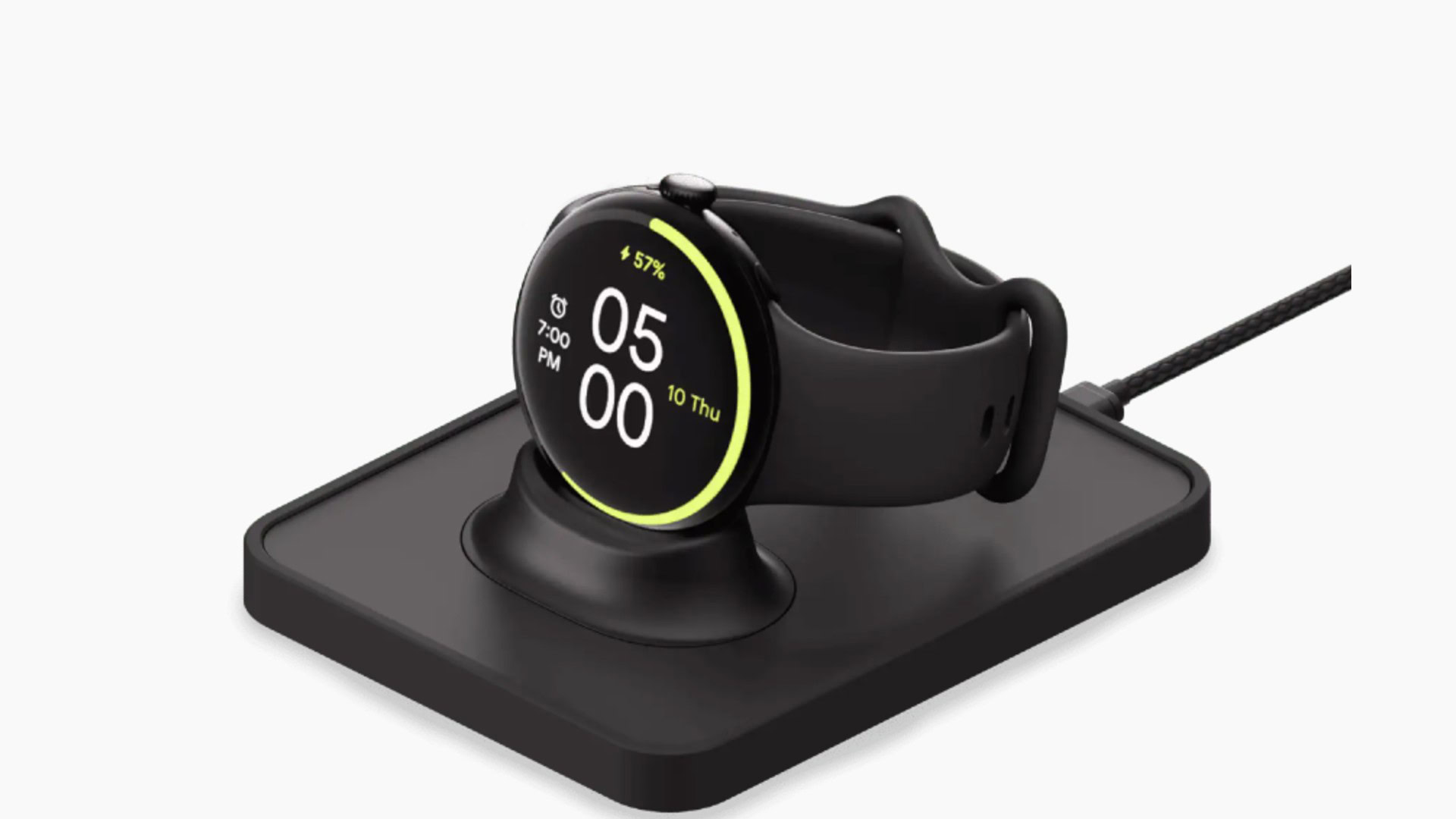
Google has finally cracked open the door to third-party charging accessories for the Pixel Watch 4. You can now buy the “Mous Pixel Watch Charger,” the first Google-certified third-party charger for the Pixel Watch 4, directly from the Google Store.
Don’t want to miss the best from Android Authority?
Spotted by folks at 9to5Google, the Mous Pixel Watch Charger is priced at $49.99, and is built using “official Google Pixel Watch charging hardware.” That means it’s designed to meet Google’s safety and performance standards, something other Pixel Watch 4 third-party chargers haven’t offered till now.
The charger supports 5.6W fast contact charging, and the listing mentions that to get full performance, you’ll need a 7.5W or higher USB-C power source.
One of the standout specs of the Mous Pixel Watch Charger is “dual-part authentication IC.” Theoretically, this means there should be two authentication chips involved when using the charger — one in the charger itself and one inside the Pixel Watch 4. Before charging starts, both components verify each other’s identity to ensure the charger is officially certified and safe to use.
Elsewhere, the Mous Pixel Watch Charger uses pogo-pin contact charging, and interestingly, the pogo connectors also enable modular upgrades, allowing the charger to work with other Mous charging accessories in the future.
The charger is only compatible with the Pixel Watch 4 and won’t work with older Pixel Watch models.
Thank you for being part of our community. Read our Comment Policy before posting.
When you buy your Apple Watch, you get to choose which band you get. Skip the rubber bands, which are made from fluoroelastomer. While the company committed to removing PFAS from its products in 2022, we have not gotten confirmation that Apple’s products are PFAS-free.
I find the textile and metal bands to be much more attractive and comfortable than fluoroelastomer bands, which tend to trap sweat and irritate my skin. My favorite of the Apple bands you can choose at checkout this year is the Nike nylon woven Sport Loop. It’s soft, breathable, soaks up sweat, and is infinitely adjustable if your wrists swell when you run. It’s made from recycled polyester, spandex, and nylon, and the yarn is reflective if you’re running at night. It comes in five colors and three sizes, so it’s compatible with the 40-, 44-, and 46-mm watch sizes.
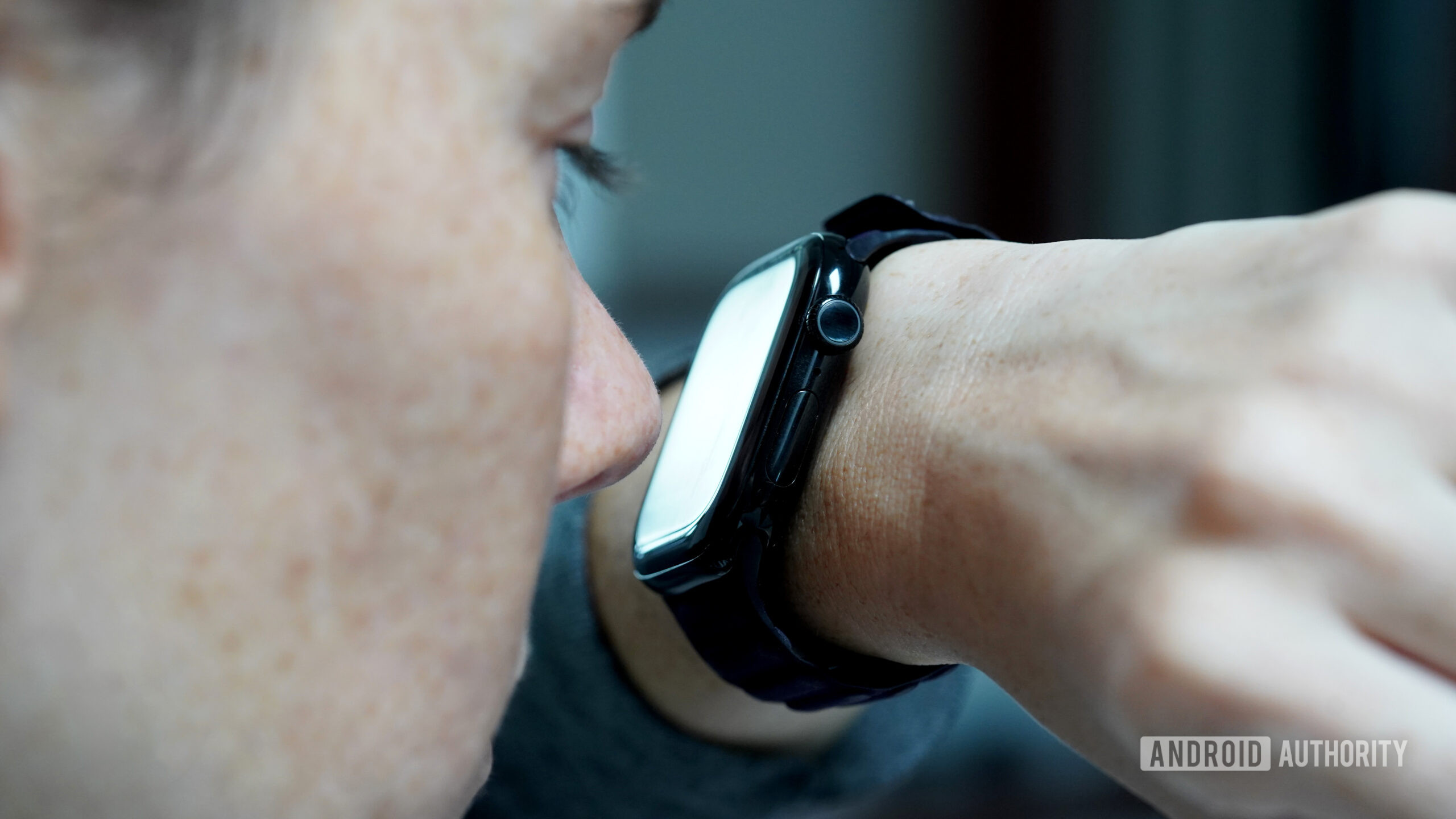
For one reason (coffee) or another (a small child), I constantly find myself with full hands. Simultaneously, the organization of the day relies heavily on a carefully curated alarm schedule. As a result, I am often left desperately trying to dismiss my buzzing smartwatch with just one hand. While I’m well aware of gesture controls, a deviant part of my brain insists on making do with another appendage instead: my nose.
Do you use your nose to navigate your wearable?
134 votes
Blame it on being a millennial, but I struggle with the principle of delayed gratification when it comes to tech. My adrenaline spikes at the sight of an alert, the feel of a vibration, or the sound of a ping. I need the dopamine hit that comes from seeing what’s happening on my device. You should see me when I can’t figure out which of the 15 fitness trackers on my desk is vibrating. Needless to say, if the device on my wrist wants to show me something, I need to see it, even if it means abandoning my dignity. Rather than waiting until my fingers are free, I am that person in the cereal aisle, nosing her smartwatch.
Kaitlyn Cimino / Android Authority
I know that gesture controls aren’t exactly new. These “hand-free” options aim to make tech more accessible and convenient, and for the most part, I applaud the effort. But the truth is, they rarely live up to expectations. For example, I was very excited to test Apple’s Double Tap when it launched, but a generation later, it still doesn’t offer the functionality I actually want. Most of the time, I end up looking like I’m trying to make a tiny alligator hand puppet chomp air. My nose, on the other hand, offers more tangible interactions — even if I look equally ridiculous doing it.
Unlike gesture controls, my nose offers more tangible interactions.
When an alarm sounds, I take my watch to the face and hit snooze. When my family chat blows up, I nod up and down to see which sibling is cracking a joke. When the notifications I keep forgetting to disable pop up excessively, I Pinocchio them right back into the ether.
Kaitlyn Cimino / Android Authority
Ironically, my nose faces similar issues as my fingers. (Yes, I’ve done this enough times that I’ve even identified problem areas). First, like any fair-skinned freckle face, I was taught to fear the wrath of the sun at an early age and apply SPF accordingly. A greasy nose doesn’t play great with touchscreens, and the resulting smudges are gross enough to make me question my life choices. Likewise, if my watch is wet, my nose’s tippy taps are even less effective.
Cold and flu season isn’t great for this method, either. Nasal runoff (aka boogers) can mess with the screen’s responsiveness. Considering winter gloves are one of the biggest hindrances to touchscreen use, it’s unfortunate that cold weather and stuffy noses often go hand in hand. Notably, your chin will work, but it’s a bit of a blunt instrument. With my nose, I can still see the screen as I scroll down a text thread or tap into a notification. It’s not the most refined behavior, but I make it as respectable as I can. Using my chin? Well, it’s more of a pecking-chicken motion.
SPF sunscreen still poses an issue, and so does a wet touchscreen.
The more I digress, the more I realize this is not my finest act as a wearables reviewer, but hey, I know I am not alone. At least one other Android Authority editor, who will remain nameless, signed off on this assignment in light of their own experience with nose-based interactions. I also found some Reddit threads of people celebrating the innovative use of their snouts. I can confirm that the elbows and toes will also work, as will presumably most body parts. If you find yourself holding a baby when a text comes in, their little feet also do the trick. I’d assume their adorable noses would also work, but I can’t, in good conscience, condone that.
For months now, I’ve been wanting to sit down and lament the fact that my Pixel Watch 3 has fewer watch face options than the Pixel Watch 2 and 1, and the same is true for the Galaxy Watch 7 compared to the previous Watch 6, 5, and 4. Today is finally the day, so let’s take a look at what’s happening with our most beloved smartwatches and whether things might change anytime soon.
These limited face options have been an issue since both watches landed in late summer / early fall, and it’s all thanks to Wear OS 5. With this new version of the platform, Google made Watch Face Format mandatory, which nerfed every custom Watch Face app out there, like the beloved Facer, Pujie, KWCH, WatchMaker, and more. Several months down the line, the issue is still there, with no solution in sight for people who love this customization or the developers behind these apps.
Do you use Facer, Pujie, KWCH, WatchMaker, or other custom watch face apps?
5 votes
What’s Watch Face Format, and how is it different from Facer, Pujie, KWCH, and WatchMaker?
Rita El Khoury / Android Authority
In May of 2023, Google announced Watch Face Format, an XML template for designers that lets them create new watch faces that behave as well as native ones. This preset template was made to combat the slew of poorly designed, poorly functional faces that ate away at our watches’ battery life, never showed the right stats, and required separate companion apps on our phones to run.
It took a while, but Watch Face Format (WFF) started getting adopted by many developers, resulting in lightweight faces that integrate directly into the Pixel Watch and Galaxy Wearables app, sip at the battery, and support all the same watch face complications (the little battery stats, steps, and whatnot) as the faces that ship directly on your smartwatch.
The only issue with WFF faces, as you can guess, is that they don’t allow for much creativity. Since developers have to follow a template, there’s little room to go beyond the confines of what Google allows. Animated backgrounds, for one, seem next to impossible. The faces are a bit uniform and monotonous, and you have to dig for a while to find some gems that manage to eschew the default Google-heavy look. Over time, though, Google has added more capabilities to the template, and now you can find some great examples on the Play Store.
For about a year, Watch Face Format and non-WFF faces coexisted. I could install both types on my Pixel Watch 2 and have the best of both worlds: optimized faces with little creativity and unoptimized faces with a lot of creativity.
Facer (10+ million installs), Pujie (100,000+ installs), WatchMaker (5+ million installs), and KWCH (10,000+ installs) fall within that latter category. They’re essentially large umbrella apps that let you create watch faces from scratch, import templates made by other users, and/or buy premade faces. Here’s a small sample of some free faces I was able to get from Facer back in 2022. None of these were perfect, but I love how different and unique they all were!
All of these apps use their own templates and design paradigms. And since their app essentially acts as a marketplace of third-party faces, none of them are supported by WFF, which requires every face to be published individually to the Play Store.
How Wear OS 5 spelled the end of Facer, Pujie, KWCH, and WatchMaker
With Wear OS 5, Google decided that enough is enough — watch face developers either had to play along and adopt the universal template, or they wouldn’t be able to get their creations on people’s wrists. Starting with the Galaxy Watch 7 and Pixel Watch 3, you simply couldn’t install a face on your watch if it wasn’t built using Watch Face Format. (If your watch came with Wear OS 3 or 4 out of the box and you updated it to Wear OS 5, you still retain access to non-WFF faces, for now.)
Essentially, this made it impossible to use any non-WFF faces I’d previously bought or any app like Facer, Pujie, KWCH, or WatchMaker. On my Pixel Watch 3, for several months, the Play Store would even completely force close if I dared search for the word “facer” or “pujie.” Now, it either throws me other watch face suggestions or it spins indefinitely while saying it didn’t find any results.
If you’re insistent enough, you might be able to bypass this using Wear Installer 2 and this trick shared by u/wowbyowen, but in general, it’s safe to say that non-WFF faces are going the way of the dodo on Wear OS.
Will Facer, Pujie, KWCH, and WatchMaker ever come to Wear OS 5?
Andy Walker / Android Authority
So far, this has all been gloom and doom, and my initial research into the topic revealed a similar pessimism from many users and developers alike.
There is nothing I (or any other custom watchface like watchmaker or facer) can do about this, this needs to be fixed by the vendor allowing custom watchface application to be installed.
But once I dug in, I noticed that other developers seemed more optimistic — emphasis on the past tense because all these statements date back to three months ago. For example, the Pujie team shared this on Reddit:
The Pixel Watch 3, the Galaxy Watch 7 and Galaxy Watch 7 Ultra only support watch faces made with the Watch Face Format. Unfortunately this format, as it exists right now, is not suitable for advanced interactive watch faces like the ones you can make with Pujie and can only be installed from the Play Store.
Rest assured, together with other watch face developers, I am talking with Google to see if there is a solution to this problem. Hopefully I can update this information soon.
I can’t find any official word from KWCH, but u/acpjaydixit claims they reached out to them, and they reiterated that they’re also working with Google to find a solution. This was also four months ago.
We have been working with Google on this project for 18 months and will certainly be supporting WFF once this is possible for marketplace apps such as WatchMaker.
The clearest and most detailed answer, though, comes from Facer. Given the app’s popularity and its large install base on 10+ million devices, you can imagine how huge the loss is to the fans of this app, as well as the creators using it as a platform to monetize and sell their designs, and the team behind Facer. In a long blog post shared on its own forums, the Facer team explained the issue with Wear OS 5 and Watch Face Format, said that it’s working with Google to fix this issue, and promised to continue manually converting some of its most popular faces to the WFF.
For users of the Pixel Watch 3, Samsung Galaxy Watch7 and Ultra, we are working hard with Google to bring the Facer service to you as well, and until that is done we will progressively bring some of our best watch faces to you in the Google Play store. You can find these faces here.
Once again, this was three months ago. There’s been radio silence since then.
I really appreciate Watch Face Format and the standardized requirements it’s brought to the Wild West of watch faces. I also want the format to become more widely adopted, but I don’t want this to be at the expense of the intricate customization and creativity that apps like Facer and Pujie offer. I can only hope that Google is still trying to accommodate these developers to make their beloved apps available on Wear OS 5.