How Companies Use Design for Assembly Services for Product Manufacturing


Methodologies that will allow you to cut costs and optimize your current processes are truly godsend lifesavers, especially in this fast-paced and dynamic manufacturing landscape. This is where Design for Assembly, or simply DFA, comes in and truly enhances the processes in place.

DFA represents a significant change in how companies approach and apply modifications in the process of creating products, from the drawing board to the assembly line. By applying different methods to implement assembly practicalities and design insights, DFA brings about a bunch of benefits to improve both your manufacturing process and final products.


:rocket: Table of contents


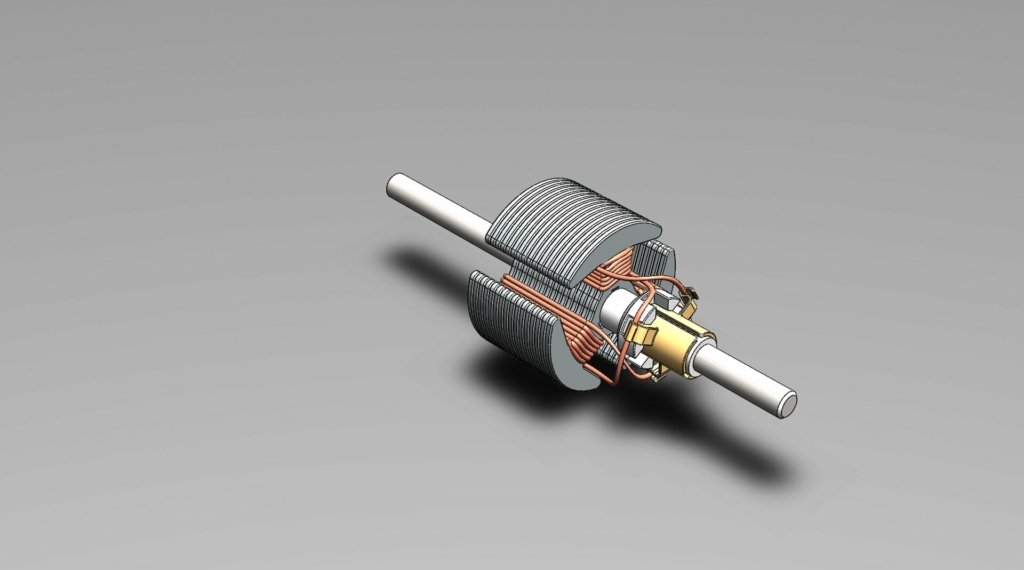
PC Fan Assembly

RELATED: How to design effective assembly drawings for consumer products and manufacturing companies

What is design for assembly? 

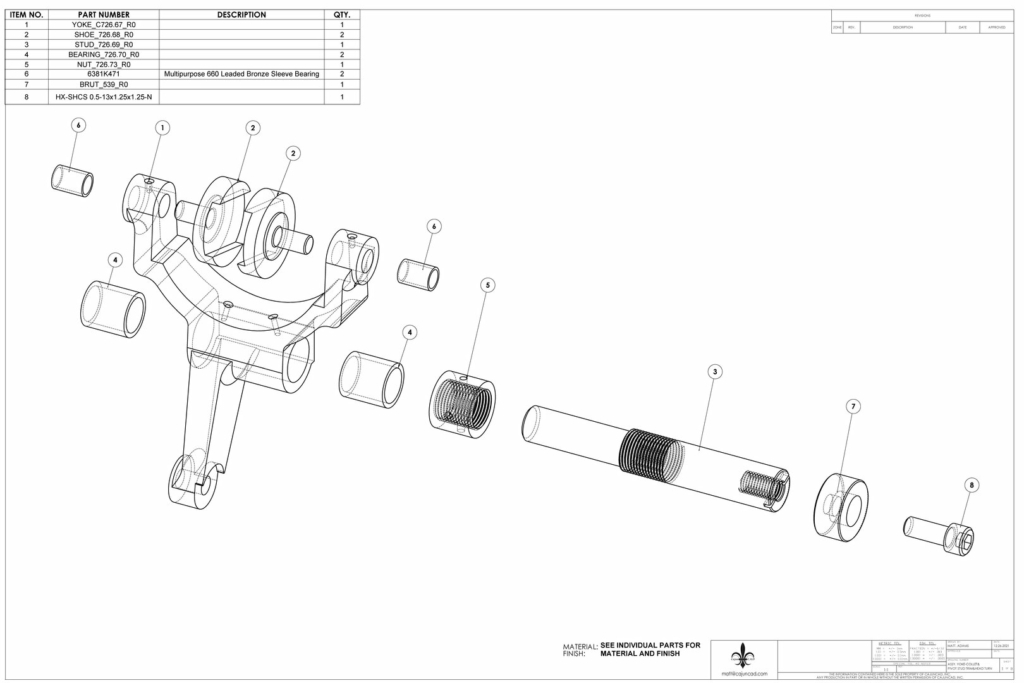
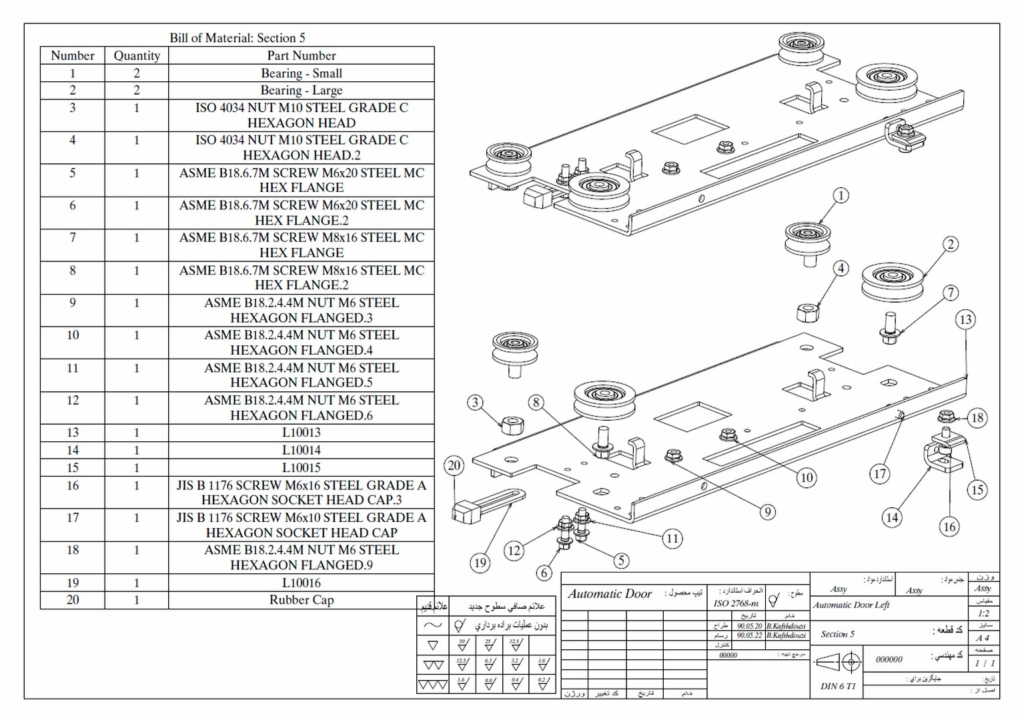
Design for assembly, or DFA, is an engineering approach that simplifies product design to make the assembly process faster, easier, and more affordable. Its main objective is to reduce the complexity of the assembly process, minimize operation errors, and ensure an accurate and error-free assembly process.

Primary DFA principles

Design for assembly principles are founded on the objective of creating an error-free, cost-effective, and efficient assembly process. The following is a comprehensive breakdown of these DFA principles.

  • Design for ease of access

The main objective of this principle is to ensure easy access to the parts and a seamless assembly of the components. It reduces the risk of errors that may be due to restricted visibility or access to each part and overall view of the whole mechanism. It also minimizes potential damage to adjacent parts during the assembly and thrives on eliminating the need for specialized equipment to have a more customer or client-friendly end product.

  • Define multifunctional parts

Having parts that can serve more than one purpose incredibly enhances even the tiniest aspects and details of your product. Reduced parts can also minimize the size and weight, for example, which can be beneficial for products or projects in industries such as automotive or aerospace, where both factors greatly impact performance. It reduces the number of parts and saves money by removing the need for many specialized parts.

  • Guarantee self-locating parts

The objective is to design parts so that they can all fit together in a single orientation, making the assembly process intuitive. This minimizes the possibility of wrong assembly, which may result in product failures or faults. It also decreases the need for complex fixtures or jigs. Because of the intuitive fitting of parts together, it can also streamline the training process for the assembly workers.

This principle aims to design parts whenever possible that can be joined together without using additional tools, adhesives, or fasteners. Techniques such as interlocking designs and snap-fits are often used.

This eliminates the cost and time often associated with securing and inserting different fasteners. It also lessens the risk of missing or loose fasteners, which helps enhance the product’s reliability. This can also simplify disassembly for recycling or repair.

The purpose is to make parts easy to place, pick up, and orient during assembly. This decreases the odds of damage or errors caused by improper or excessive handling. It also improves the efficiency of the automated assembly process while reducing effort and time.

  • Trim down the number of parts

The main concept here is to minimize the number of different parts in the product. A reduced number of parts can lead to several key benefits:

  1. Faster assembly times because of fewer parts to handle and join
  2. Lesser potential points of faults or failure to improve product reliability
  3. Reduced manufacturing costs because of the lesser need for processing and materials
  4. Simplified process of procurement and inventory

The aim here is to ensure standardization of parts across multiple product ranges or products. It helps achieve economies of scale in the production of parts. It makes production more flexible because standard parts can cater to different product lines. It simplifies inventory management as it reduces the variety of parts that should be stocked.

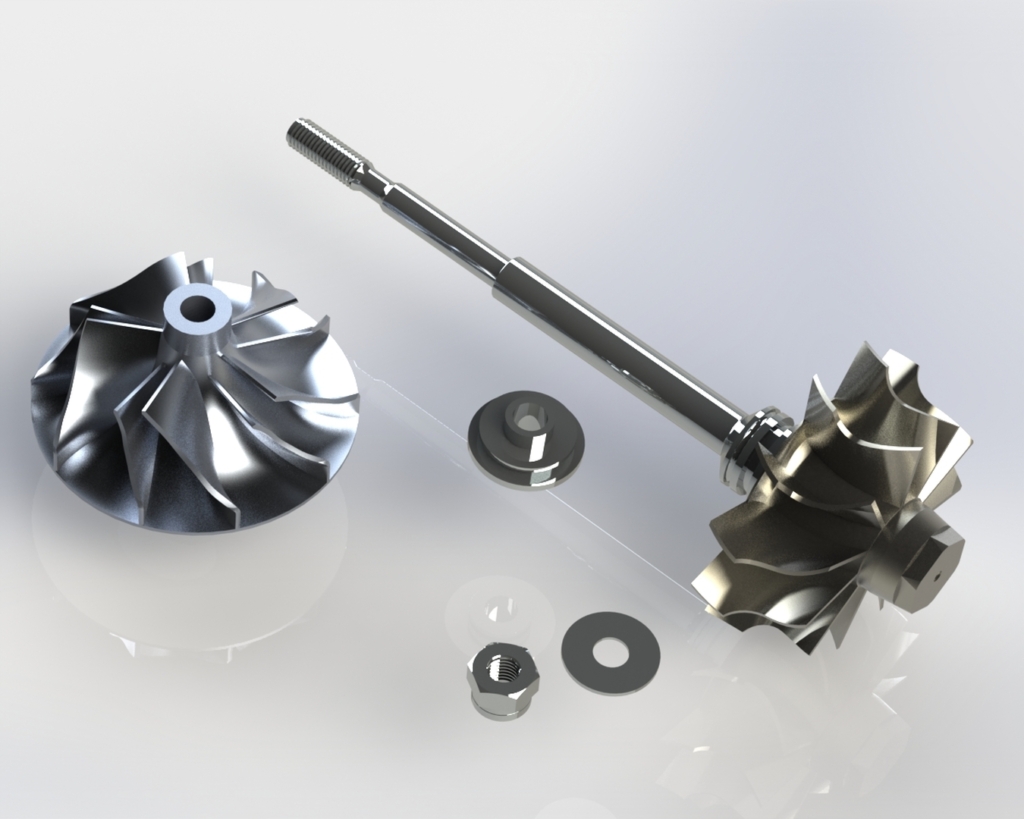
turbocharger shaft wheel assembly

RELATED: Design for Manufacturing and Assembly tips (DFMA) — Cut your product design company’s production costs

Benefits of design for assembly in product manufacturing

There is more to DFA than being a mere set of guidelines. This philosophy profoundly impacts the conceptualization, design, and assembly of products. Proper integration of DFA can offer numerous benefits both to the actual process of manufacturing and the finished product.

Cost savings

There are several areas where DFA can help save on costs during product manufacturing:

Fewer distinct parts mean more streamlined management of inventory, resulting in reduced warehousing and holding costs.

Simplified assembly procedures will result in fewer man-hours required for assembly. Decreased assembly errors can also reduce wastage and rework.

DFA can dramatically reduce the required raw materials by reducing the number of parts and using multifunctional parts.

Eco-friendly manufacturing

  • Simplified disassembly for recycling

Products made using DFA principles are usually easier to disassemble at the end of their lifecycle, which facilitates component reuse or recycling.

Fewer resources such as auxiliary materials or energy are used up during the production process when the design for ease of assembly is optimized.

Lesser quantities of components and reduced assembly errors may result in reduced wastage in terms of defective products or raw materials.

Improved customer satisfaction

The savings made possible by DFA usually allow manufacturers to provide competitive pricing that translates to value for money for consumers.

The benefit for end users of the product is not just a premium look and feel, as it also boasts excellent reliability.

Enhanced reliability and quality of products

Parts designed with assembly in mind often have a more seamless fit, resulting in a refined appearance for the final product.

A product with fewer parts naturally has fewer potential failure points, making it more reliable.

  • Reduced errors in assembly 

Since parts are designed for intuitive and easy assembly, the chances of errors during the assembly process are reduced.

RELATED: Key differences between prototyping and prototype engineering for companies & firms

Faster time-to-market

A faster assembly process means a shorter timeframe for manufacturing products ready for the market.

Decreased assembly errors will result in fewer units sent back for corrections, which can speed up the overall production timeline.

Enhanced training and worker morale

Workers will experience less frustration and a better sense of achievement when products are easier to assemble.

Temporary or new staff members can be quickly onboarded because the intuitive design can simplify the learning curve.

Increased productive flexibility

Most principles of DFA lean towards a modular design to allow easy variations or upgrades of products without the need to revamp the entire assembly process.

With the changing market demands, manufacturers can easily scale production down or up with the help of efficient assembly and standardized parts.

RELATED: Preparing your firm’s product design for manufacturing: how to streamline development and reduce costs

Modern manufacturing and DFA

Modern manufacturing is characterized by shrinking product lifecycles, a pressing need for sustainable practices, and rapid innovation. DFA has emerged as a key strategy to guide the product manufacturing and design processes amidst all these dynamics.

Here are the different ways that DFA can integrate and interact with the landscape of modern manufacturing:

  • Adaptability to changes in the market

Integrating DFA principles with modern methods such as 3D printing and 3D modeling solutions can pave the way for quick prototyping. Rapid iteration can speed up product development and ensure timely entry into the market.

Alignment with Industry 4.0

In today’s Big Data era, DFA allows manufacturers to acquire insights from the assembly data that help optimize the design for predictive maintenance and better assembly outcomes.

Smart integration

With the rise of Industry 4.0, the world of manufacturing is becoming increasingly interwoven with different digital technologies. DFA can complement this trend by streamlining assembly processes, making them more conducive to robotic assembly and automation.

Eco-conscious manufacturing

Since it’s easier to disassemble products designed using DFA principles, they can support the circular economy model by allowing effective components to be reused and recycled.

Today’s consumers have become more eco-conscious than ever, prompting manufacturers to switch to more sustainable practices. Since DFA focuses on the efficient use of resources and reduced wastage, it perfectly aligns with mandates on green manufacturing.

  • Improved consumer experience
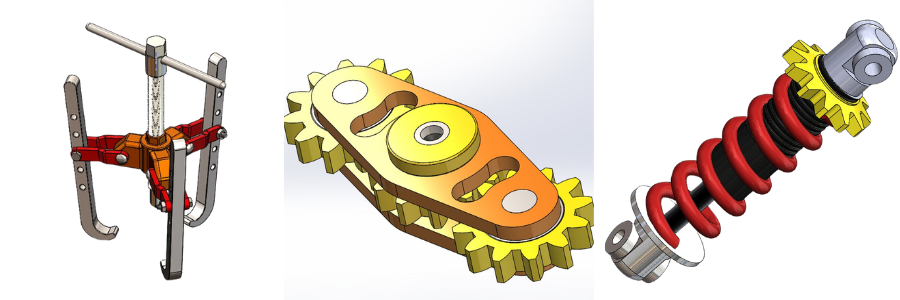
parts for assembly

RELATED: 4 tips to improve cabinet shop drawings for manufacturing efficiency at companies

The Bottom Line

Seeing DFA as just a cost-cutting tool will only undercut its holistic effects on the manufacturing landscape. This reshapes the mindset on design, fosters a balanced relationship between manufacturers and designers, and guarantees a stand-out end product in terms of performance and quality.

With more and more industries dealing with challenges such as rapid technological advancements, sustainability concerns, and changing consumer needs, taking advantage of DFA principles offers a more proactive approach to dealing with these challenges.

How Cad Crowd can help

Embracing design-for-assemblement services for product manufacturing is no longer a mere strategic move; it is a key investment in quality manufacturing in the future. Cad Crowd will connect you with the best services that can turn your products into reality.

author avatar

MacKenzie Brown is the founder and CEO of Cad Crowd. With over 18 years of experience in launching and scaling platforms specializing in CAD services, product design, manufacturing, hardware, and software development, MacKenzie is a recognized authority in the engineering industry. Under his leadership, Cad Crowd serves esteemed clients like NASA, JPL, the U.S. Navy, and Fortune 500 companies, empowering innovators with access to high-quality design and engineering talent.

Connect with me: LinkedInXCad Crowd

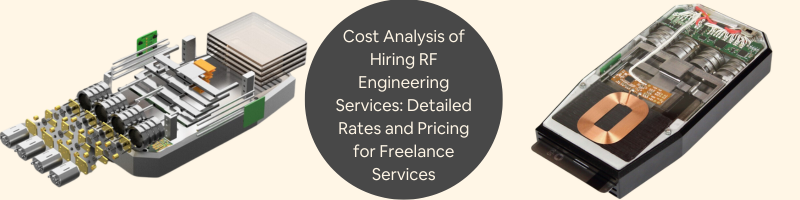
Cost Analysis of Hiring RF Engineering Services: Detailed Rates and Pricing for Freelance Services


RF engineering is the back bone of the world of wireless communication since it enables devices to transmit and receive data through radio waves. RF engineering services are extremely important for many industries such as telecommunications, aerospace, defense, IoT, and much more. However, hiring RF engineering services is an investment that needs careful analysis.

This article is going to tell what a freelancer in RF engineering will cost: Major factors that determine the charging rate and usual price scales ranges together with how to best profit from your spending in it.


:rocket: Table of contents


RELATED: What certifications are used for new electronic hardware products & PCB design services?

What are RF engineering services?

RF engineers play very vital roles in the process of designing, testing, and optimizing radio frequency-based systems. Systems in various kinds of wireless networks and even satellites and radars often use systems of their nature. This also entails RF engineers.

High-class RF engineering plays a highly imperative role for the continuation of efficient communication of any telecom company or of any corporation engaged in businesses of different areas that highly rely on wireless technology.

The following are the services mainly delivered by the RF engineer:

•RF Network Planning and Design: RF engineers create networks so that coverage is maximized and interference minimized.

•RF Testing and Measurement: It measures the performance, troubleshoots problems, and keeps the signal integrity.

•Design and Optimization of Antenna: Any RF system has its backbone, that is an antenna. The RF engineers design and optimize the same to the best performance. Signal Processing: By doing signal processing, engineers clean the noise of the signal and make them noise free and clear.

• Complying with rules: The systems should be developed according to the radio regulations followed locally and internationally. Those organizations involved in the designing of products that have a need for wireless communication, such as mobile, should seek RF engineering services. Their systems will be operating flawlessly when professionally developed by RF engineers, based on the conditions of signal transference and interference together with regulation standards.

Today’s networks are much more complex and therefore need faster and more reliable connections, but with the complexities of the current networks and the problems they raise, a company will get through them much more efficiently. RF engineering outsourcing allows companies to leverage specialized resources while avoiding the expense of a full-time team and saves them money while speeding up product development with a high degree of technical accuracy.

RELATED: Cost to design a new electronic product, develop PCB hardware & prototype rates at firms

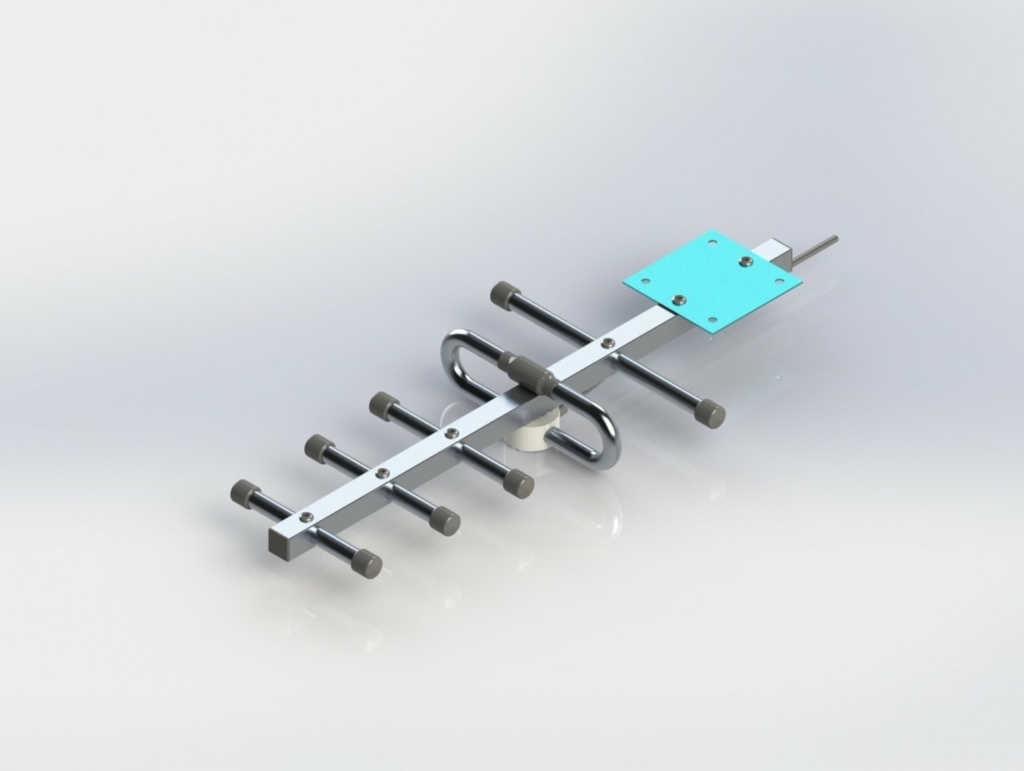
Lintratek 900 MHz Linear Yagi Antenna

Factors influencing freelance RF engineering rates

Many factors come into play in cost considerations when hiring a freelance RF engineer for any project, from the complexity of a project to experience.

Skill and experience level

Normally, the rate for an experienced freelancer with a speciality is higher. Engineers with aerospace background, defense, or telecommunications may ask a premium rate easily since their experience indicates that they are dealing with high-stake projects.

•Entry-Level RF Engineers: A person with a basic level of expertise in RF design and testing might charge between $30 to $70 per hour.

•Mid-Level RF Engineers: There should be $70 to 120 an hour for good RF design background and solid practical experience.

•Senior or Specialized RF Engineers: Experienced persons with specialty expertise, either in the satellite communications type area or the defense-grade grade systems may charge $150 to $300 an hour.

Project complexity & scope

The size and nature of the project significantly influence costs. Testing an RF job, for instance, will be much cheaper compared to a full network design and planning project. Complex projects usually involve multiple rounds of design and highly specific testing, which tends to inflate costs.

• Low-Complexity Projects: An example of this includes a testing or basic analysis. Such a project is going to cost in the order of $1,000 to $5,000 depending on the degree of detail involved.

•Mid-Range Projects (e.g., Network Design): $5,000 to $20,000; this especially depends on whether custom configurations or optimization are needed.

•Advanced Projects (e.g., Satellite or Military-Grade Systems): High-complexity projects range from $20,000 to over $100,000 because of specialized skills and longer timelines.

RELATED: Consumer electronic product design services: All you need to know about costs, rates, and prices for freelancers

Geographic location

Rates for a freelance RF engineering service will vary greatly from region to region. A North American or Western European RF engineer will charge a lot higher rates than an RF engineer in Southeast Asia or Eastern Europe.

  • North America and Western Europe: $80-$300 an hour; a freelancer may charge such.
  • Eastern Europe: usually lower rate, may charge between $40-$100 an hour.
  • Southeast Asia: The rates are more competitive in this region, depending on the comparison. Free-lancers in this region may even quote between $30 and $80 per hour.

Resources needed for equipment and software

Usually, RF engineering usually calls for complex packages with a lot of simulations, modelling and analysis software for an efficient and effective system MATLAB, CST Studio suite or Ansys HFSS just to mention a few. A freelancer having licenses for such software packages would include that cost in their charges, especially if such software is required for the specific project.

Breakdown of cost components in RF engineering services

Knowledge of the different cost components in a typical RF engineering project can enable better budgeting. The main cost components are:

Consultation and initial assessment

The first phase of consultation or assessment is meant to establish the scope of the project and determine the specific needs. Others add it as a supplement for a specific sum, while others charge it in the price per hour.

Design and planning

Most of the RF engineering project time is taken up by the design process. It comprises a complex arrangement of system layout, modeling and resolving technical issues

  • Per hour rate: $70-$150.
  • Project-Based Rate: This process costs about $3,000 to $20,000 for projects in the middle to big category.

Testing and optimization

After the design is complete, RF engineers test and optimize the system to ensure that all parts of the systems are working properly and comply with regulations. Testing becomes complex because the location might be complex, equipment may be limited, and interference factors.

  • Hourly rate: $80–$200.
  • Project-based rate: In most cases, testing phase costs between $2,000 and $10,000.

Ongoing support and maintenance

Some RF engineers include ongoing support within their packages, especially in case a project requires updates or follow-up monitoring over time. This is normally quoted as a monthly retainer.

  • Typical monthly retainer: $500–$5,000, depending on the scope of work and level of support required.

RELATED: Enhancing the aerospace industry: Exploring 3D printing applications for companies 

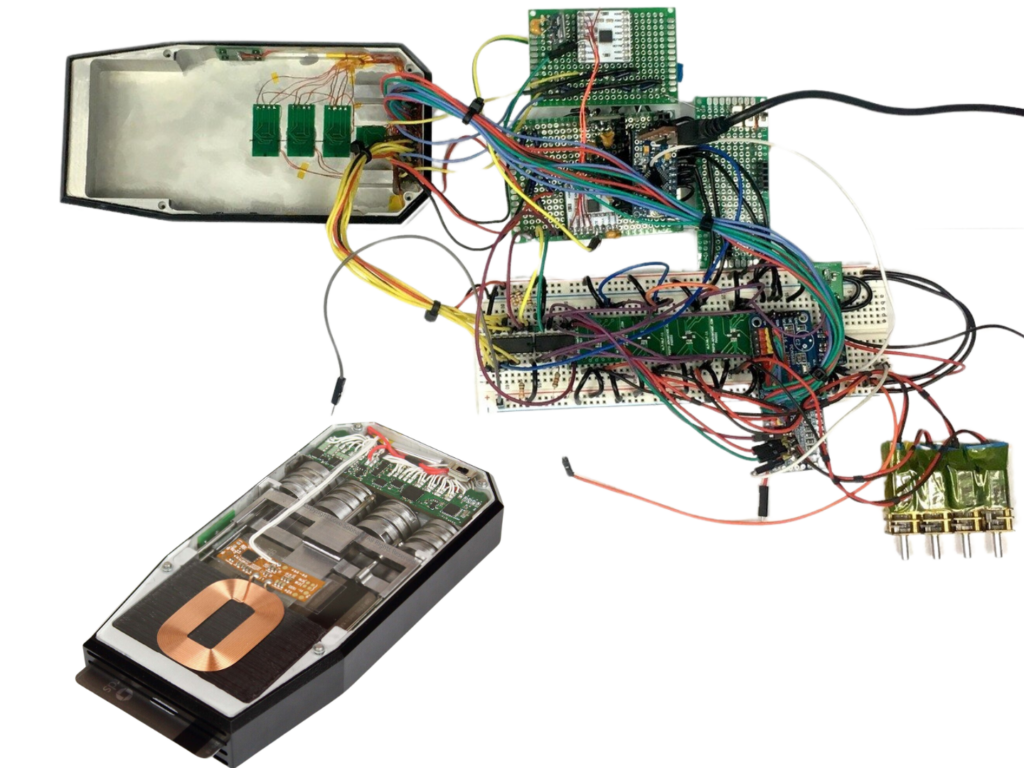
RF transmitter deconstructed

Freelance RF engineering rate ranges by service type

To provide more clarity, here is a general listing of the most common types of RF engineering services with their associated rate ranges:

Service Hourly rate ($) Project-based rate ($)
Consultation & planning $50–$150 $500–$5,000
Network design $70–$180 $5,000–$20,000
Antenna design $80–$200 $3,000–$15,000
Signal processing $70–$200 $1,500–$10,000
Testing & troubleshooting $80–$250 $2,000–$10,000
Ongoing maintenance $50–$100 per month $500–$5,000 per month

Tips to maximize value when you are hiring a freelance RF engineer

You are hiring a freelancer for RF engineering at your end, but hiring this may be cheaper in comparison to hiring the whole service engineering firm. However, while you hire the freelance engineers, it is vital to maximize your value. Some tips are listed below:

Defining project requirements

Clearly outline the project specifications, aligning with the freelancer. This lack of clarity in the project may result in scope creep as costs escalate.

Select the best freelancer for your project

All RF engineers may not be skillful equally. Perform background checks for anyone you plan to hire as freelancers and see his or her portfolio and experience by matching them up with your requirement. Some useful resources from which one can acquire the right kind of RF engineers to work on his project are the websites Upwork, Freelancer, LinkedIn, etc.

Use fixed-price contracts if the projects defined well.

On a well-defined project, choosing a fixed-price contract as opposed to an hour-rate is easier to estimate in cost. This is quite viable when the scope of the project is defined and should not change.

Contingency budget

The complexity of the RF projects arises at unexpected times to necessitate more time or resources. Always have a contingency budget; it should comprise about 10-15% of the whole cost of the project.

Discuss long-term maintenance options upfront

RF systems tend to need to be fine-tuned or adjusted as the need arises. Ensuring to get ongoing support right away may be less expensive than negotiating further service contracts in the future.

Wrapping it up

Freelance RF engineering services provide the flexibility and expertise that many businesses need for their projects, from adding network coverage to new wireless products or RF testing. Such services incur varying rates, with experience, project complexity, and location possibly determining the cost. Awareness of such pricing dynamics and resultant project requirements definition will guide informed decisions leading to quality RF engineering services and within a budgeted cost.

Professional RF engineers will be the difference between a smooth, efficient network and a system characterized by inefficiency. Careful planning and cost analysis will maximize the value you get out of hiring freelance RF engineers.

How Cad Crowd can help

RF engineer services are on the rise now more than ever and understandably so. These professionals work hard to master their craft so it just makes sense that they also receive the compensation for their experience and expertise accordingly. Allow Cad Crowd to connect you with the best RF engineering services to date. Request a quote today.

author avatar

MacKenzie Brown is the founder and CEO of Cad Crowd. With over 18 years of experience in launching and scaling platforms specializing in CAD services, product design, manufacturing, hardware, and software development, MacKenzie is a recognized authority in the engineering industry. Under his leadership, Cad Crowd serves esteemed clients like NASA, JPL, the U.S. Navy, and Fortune 500 companies, empowering innovators with access to high-quality design and engineering talent.

Connect with me: LinkedInXCad Crowd

Best Mouse For CAD (2022 Edition) – AutoCAD & Design Gear Guide


I’m excited to kick off this year’s AutoCAD/Design Gear Guide with my picks for the Best Mouse for CAD!

Every year or two I like to do a series of roundup posts highlighting and sharing some of my favorite tools and hardware for AutoCAD and Design in general.
Today we are taking a look at some of the Best Mice on the Market for CAD, many of these I’ve used over the last few years and some are highly recommended by fellow designers and users alike.

I’ve written previously about specific specs and features to look for when choosing the right mouse for AutoCAD and design here (CAD Gear Guide), in that article we go over some of the key things to look for when choosing your next ‘daily driver’ mouse.

The one issue with calling or choosing the Best CAD mouse is that mice, along with many other peripherals (keyboards, headphones in particular) are that there is no one size fits all options. Sure there are always a few top-of-the-class and generally recommended options but it’s rare, if not unheard of that a single Mouse or piece of hardware is “the BEST”.

We don’t all fit the same mold and neither do our mice preferences, especially when it comes to ergonomics, wired/wireless preference, accuracy/dpi, Left Handedness (Like myself), or even just overall aesthetics.

With all that in mind, I like to share some of my favorite Mice for AutoCAD and Daily Use each year, including a few options from a variety of types.


So, in no particular order here are my “Best CAD Mouse” picks for 2022:

3D Connexion – CAD Mouse Compact Wireless:

The CAD Mouse Compact Wireless, had been my daily use mouse for the past 2-3 months now and I am a big fan of it and many of its features.
I like the ergonomic feel and comfort when holding/using this mouse for long periods, I’ve found the smaller/compact size to be more comfortable than the standard size CAD Mouse by 3D Connexion, fitting my use better not only at the office or desk but also especially when travelling with it.

Battery Life has been great so far and I really like the additional buttons and dedicated radial menu center button. I would also highly recommend their accompanying mouse pad, using the two together feels buttery smooth when drafting in particular.
Buy the CAD Mouse Compact Wireless here (Amazon)


Logitech – MX Master 3:

The MX Master 3 is the newest version in Logitech’s line of professional mice and from what I can tell, the most popular mouse line for the past handful of years. You would be hard-pressed to go into any design, engineering or professional office and not find the majority of the workers using one of the MX Master mice.
There really isn’t much criticism for these mice and I can say that my MX Master 2 is the mouse I’ve used the most over the last 4 or so years and the longest I’ve used any single mouse in my life.

One thing I miss most for whatever reason having switched to the 3D Connexion mouse is the top button to release/freewheel the scroll wheel. I still find myself going to use that feature on any mouse I’ve used since and I wish it was a standard option on every mouse now haha.

Another great feature of the MX Master 3 is the move to USB-C for their charging cable, many newer laptops and even PCs have fewer and fewer standard USB ports, and having to deal with dongles is always a pain.
Buy the MX Master 3 Now (Amazon)


3D Connexion – CAD Mouse Pro Wireless:

The CADMousePro Wireless is the bigger brother version of the Compact mouse from above. I really enjoy using this mouse as well, but a few things have pushed me to choose the smaller compact version the majority of the time instead.
Again this is personal preference-based, since I find the Pro version to be just slightly too wide for my comfort.

In many cases, I find myself accidentally clicking the middle mouse button when trying to right-click, but if you have larger hands or prefer the additional size and feel then everything I enjoy and love about the CAD Mouse applies to this version as well!

At only $20~ difference from the Compact, both are great and CAD specific Mouse options that I will continue to use and recommend to my friends/colleagues for years to come.

One other point to note is the lack of USB-C for charging, both for the PRO and Compact versions of the wireless CAD Mouse. Not a deal breaker by any means but certainly something to consider.

Buy the CAD Mouse Pro Wireless Now (Amazon)


Logitech – MX Ergo Trackball Mouse


I couldn’t have a CAD Mouse list without including one of the most popular Trackball style mice. The MX Ergo Trackball Mouse is highly reviewed and regarded as a great option for those designers that prefer the Trackball feel and style for drafting.

It has a lot of the same great features and ergonomics as the MX Master series while also including the ability to use the trackball for less wrist/arm movement throughout the day. In turn, helping with fatigue and repetitive stress that is oh so common in the industry.

Check out the MX Ergo Mouse here if you’re a Trackball fan (Amazon)


Logitech – MX Vertical Wireless:

I wanted to include a vertical style ergonomic mouse on this year’s list since I’ve heard great things and have been wanting to try one since a friend and coworker started using one around the office last year. Just seeing one of these is certainly intriguing, and you can’t argue that it does seem more ergonomic to have your hand/wrist in a more natural upright position for extended periods of time.

This mouse is on my list to try in the next year, I will certainly update this post if I do get a chance to use one for an extended period of time.

Check out the MX Vertical Wireless Mouse here: (Amazon)


That’s all for this year’s list of my favorite/best CAD Mouse for 2022. I hope you enjoyed the list and I would love to see in the comments what mouse you’re currently using daily and why?! Let’s build out a list of all the CAD Intention readers/subscribers’ favorite CAD Mouse too!

These are just a few of the Mice I recommend and have been recommended for AutoCAD and I’d love to continue adding to the list this year as well as hear your suggestions!


That’s all for today, I hope you all will continue to check out and enjoy my posts lately, they have been a ton of fun to work on and I’m excited about more. Be sure to subscribe and follow on Twitter @cadintentions to keep up to date and be the first to get updates as well as sign up for the newsletter here: Signup Here (CAD Intentions Newsletter).

As always, thank you so much for reading and watching, I am super excited to be back and posting regularly on the blog and hope you all will follow along.

Cheers and happy drafting!


The following two tabs change content below.

Brandon is a Civil Designer, Aspiring Blogger/Creator, Husband, Father to two Amazing Kids and Tech Aficionado from a small town in Canada. He has been obsessed with design and technology since he can remember and working as a Civil Designer for nearly as long. Brandon’s blog and Youtube channel, CADIntentions.com has been his outlet and excuse for keeping up with new tech and trends in the CAD design world for the last 10 years growing to more than 60,000 subscribers and over 15,000,000 views, while also being the source of many great friendships and unique opportunities.

If you would like to Sponsor CAD Intentions or Work together in some way, Please visit my About Page and send me an email: http://cadintentions.com/about-me/


3 AutoCAD Tricks to Search Layers, Styles, Blocks & More in Drawings! | 2 Minute Tuesday


Hey Everybody,

Brandon here back with a new post for you all, this week we are taking a look at 3 easy ways to help speed up working with Layers in AutoCAD. Specifically, how to search for layers in AutoCAD, whether you need to find out which layer an object is on in an xref, searching for a specific layer in a busy/large drawing, and more!

In the video, I walk through how to use each method of finding layers, step by step. My favorite is probably using the wildcard trick to search for a specific layer in any drawing on your computer or server! The xlist command can also be a real life-saver, especially on a large drawing with many xrefs.

watch the video below to learn all about each method and see how to use them:

3 AutoCAD Tricks to Search Layers, Styles, Blocks & More in Drawings!


That’s all for today’s quick Autocad Tip, I hope you all were able to take something away from it and able to add a new tool to your CAD toolbox!

Be sure to subscribe and follow on Twitter @cadintentions to keep up to date and be the first to get updates on the newest videos, posts, and downloads.

As always, thank you so much for reading and watching, I am super excited to be back and posting regularly on the blog and hope you all will follow along.
Cheers and happy Drafting!

PS. In case you missed out or are interested in the brand new AutoCAD Fundamentals & Workflows Course, check it out here (Available for Instant Download NOW): https://gum.co/learnautocad


The following two tabs change content below.

Brandon is a Civil Designer, Aspiring Blogger/Creator, Husband, Father to two Amazing Kids and Tech Aficionado from a small town in Canada. He has been obsessed with design and technology since he can remember and working as a Civil Designer for nearly as long. Brandon’s blog and Youtube channel, CADIntentions.com has been his outlet and excuse for keeping up with new tech and trends in the CAD design world for the last 10 years growing to more than 60,000 subscribers and over 15,000,000 views, while also being the source of many great friendships and unique opportunities.

If you would like to Sponsor CAD Intentions or Work together in some way, Please visit my About Page and send me an email: http://cadintentions.com/about-me/


Is VR & AR the Future of Remote Work?


Have you spent much time in VR yet?

Recently I’ve been trying out and testing different use cases for VR when it comes to remote work,  engineering, design, and general day-to-day tasks. 

 I feel like VR and AR are much more commonplace in the major tech sectors and still flying pretty under the radar when it comes to construction and engineering. Over the last year though  I’ve started to hear it come up in general work meetings and seen a few convincing demos that the tech is finally at or close to a point where it will start coming into our industry.

I asked this same kind of question on Twitter here and got a variety of responses, with many of them being in favor of using VR for productivity and remote work cases.  I even posted this video below showing my personal workspace setup for Fusion modeling or general productivity and work within VR and I can honestly say I quite enjoy it.


Also published on Medium.

The following two tabs change content below.

Brandon is a Civil Designer, Aspiring Blogger/Creator, Husband, Father to two Amazing Kids and Tech Aficionado from a small town in Canada. He has been obsessed with design and technology since he can remember and working as a Civil Designer for nearly as long. Brandon’s blog and Youtube channel, CADIntentions.com has been his outlet and excuse for keeping up with new tech and trends in the CAD design world for the last 10 years growing to more than 60,000 subscribers and over 15,000,000 views, while also being the source of many great friendships and unique opportunities.

If you would like to Sponsor CAD Intentions or Work together in some way, Please visit my About Page and send me an email: http://cadintentions.com/about-me/


How To Create a Profile in Civil 3D


I hope your week is going well and things are productive! It’s been a busy few weeks around here, between working on replacing an old deck at my house I’ve also got a handful of projects on the go at work with fast-approaching deadlines.

This is a great reminder of just how helpful it can be to learn new productivity tips as a designer and slowly implement them into your daily workflow.

If you’ve been following along on the channel or blog you’ll know I love to share helpful tips and trick when it comes to AutoCAD and Civil 3D that are sure to speed up your work.

That’s why, in this week’s video, I wanted to answer a super common question when it comes to Civil 3D.

In fact, when you search “Civil 3D How To…” typically one of the top results is asking about how to create Profile Views in C3D.

This is because Profiles are really the starting point and building block of the majority of Civil Design within C3D.
Before we can start getting complicated with road design, site grading, or even utility layouts, the first step is almost always to cut a profile in the area we’re interested in to see what the existing ground is doing.

As I’m sure you already know (I tend to mention it often haha…) my day job is as a Senior Civil Designer and I’ve used C3D Daily for well over a decade.
Which is why I’m always so excited to share Civil 3D tips and today’s video is no exception.

If you need to create a quick profile in Civil 3d today’s tutorial will get you started in no time!

Whether you use Civil 3d all the time or are just looking to learn something new, check out today’s video here:
Civil 3D How To Create a Profile – Quick Profile Views & Tips For C3D!

Hopefully, you enjoyed the video and are one step closer to designing in civil 3D!

I also want to thank Plex Earth for sponsoring today’s video. I know I’ve mentioned Plex Earth multiple times on the blog and newsletter, but if you’re unfamiliar with it or haven’t checked them out yet. Plex Earth is an AutoCAD and Civil 3d plugin that helps bring additional data and visualization to your project including Imagery, Surface Data, and Integration with Google Earth.

If you’d like to learn more and try out Plex-Earth you can use the link here to start a free trial now: http://cadintentions.com/plex_ci

That’s all for today, I hope you were able to take something away from the tutorial, and if you have any questions be sure to leave a comment or reach out on Twitter @cadintentions.

As always, thank you so much for reading, I am excited to be back and posting regularly on the blog and hope you all will follow along.

Cheers and happy Drafting!

PS. If you are looking to learn more about Civil 3D and get a complete Crash course, check out my Civil 3D Crash Course here:
http://cadintentions.com/c3dcc


Also published on Medium.

The following two tabs change content below.

Brandon is a Civil Designer, Aspiring Blogger/Creator, Husband, Father to two Amazing Kids and Tech Aficionado from a small town in Canada. He has been obsessed with design and technology since he can remember and working as a Civil Designer for nearly as long. Brandon’s blog and Youtube channel, CADIntentions.com has been his outlet and excuse for keeping up with new tech and trends in the CAD design world for the last 10 years growing to more than 60,000 subscribers and over 15,000,000 views, while also being the source of many great friendships and unique opportunities.

If you would like to Sponsor CAD Intentions or Work together in some way, Please visit my About Page and send me an email: http://cadintentions.com/about-me/