
We’re excited to bring you this month’s Have You Tried topic. It’s all about counting blocks—but not just any old way. This updated Have You Tried delves into efficient and quick methods that could change the way you work with blocks.
If you’ve been hanging onto old habits, like using less efficient features or even manually counting blocks, you’re in for a treat. The introduction of Count (released in AutoCAD/LT 2022) and Quick Select features are about to leave those old methods in the past. After mastering these tools, you’ll think back and wonder why you didn’t use them sooner.
In this revised Have You Tried article, we’ll guide you on how to:
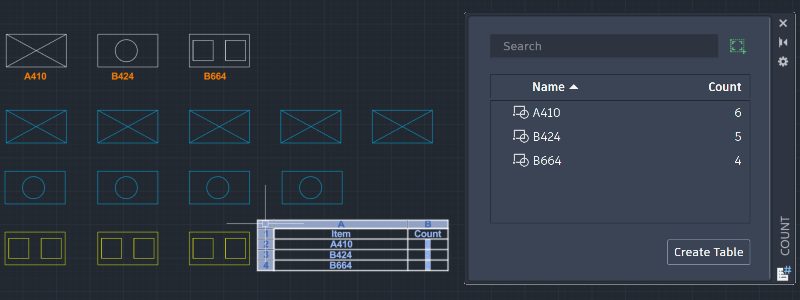
- Count block instances (COUNT command)
- View count details (COUNTLIST command)
- Create a count table (COUNTTABLE command)
- Insert a count field (COUNTFIELD command)
- Filter and count blocks by their names, layers, and other properties (QSELECT command)
Learn how to count blocks quickly and accurately in a drawing using the Count and Quick Select features with step-by-step examples in our revised article.

Keep the Feedback Coming
Thanks for all the great feedback submitted so far. Because of the great feedback, we have been able to improve the topics in the AutoCAD Online Help system.
The best way to submit feedback is by using the “Was this helpful?” section located at the bottom of every Help topic. Let us know what you like or don’t like about a topic or provide suggestions for other subjects that you’d like to see covered in greater detail. The more specific your comments, the better.