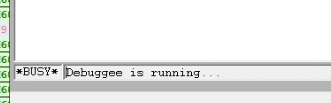
I am running WinDbg on my development Win10 machine and connecting via pipe to my Win10 VM. WinDbg is definitely talking to my VM and indicates as such with "Debuggee is running". If I break into WinDbg, my VM stops.
The problem is that I cannot get WinDbg to load my C# application, my filter driver, or my associated OCX. I use VS10 for creating the images, but using fairly recent everything else.

Here is the WinDbg version:

I am using the debug version of everything and I did set on my host machine the Symbol File Path, Source File Path, and Image File Path. I did turn on noisy mode, so it definitely is using the paths.
If I type lm in the command window, I do not see my module in the list, even though it is in the Task List on the remote computer.

Issuing a break in WinDbg and then doing a .reload no matter what I do, yields the same thing.

As you can see, even though I have the debug version of my application in this example (I could have selected the driver or the ocx file just as easily), gives me the no header information available on the actual PDB, here C:\ics\installations\pdb\ImageMASSter.pdb, saying "unmatched".
The exe running and the PDB were generated at the same time. VS10 updates all directories. They are perfectly matched. I presume the real error is at the top: ImageMASSter.exe - Partial symbol image load missing image info.
Thoughts?