The best budget wireless earbuds for 2024


While the latest wireless earbuds from Apple, Sony, Bose and other big-name brands may dominate the headlines, you absolutely do not need to spend triple digits to get something good. These days it’s more than possible to find a clean-sounding, richly-featured pair for well under $100, but navigating the bargain bin still brings its share of challenges.

If you want to upgrade without breaking the bank, allow us to help. Whether you’re looking for active noise cancellation, great sound, a gym-friendly design or just something dirt cheap, here are the best budget wireless earbuds we’ve tested. This is a busy market with new models arriving all the time, but we’ll keep this guide as up-to-date as possible as we test out recent releases.

Photo by Jeff Dunn / Engadget

Bluetooth: v5.2 | ANC: Yes | Transparency mode: Yes | Custom EQ: Yes | Charging port: USB-C | Wireless charging: Yes | Water resistance: IPX4 | Multipoint connectivity: Yes (2 devices) | Wear detection: No | Battery life (rated): 10 hrs, 50 hrs w/ case | Fast charging (rated): 10 mins = 4 hrs | Codecs: SBC, AAC, LDAC | Warranty: 18 months

The Anker Soundcore Space A40 is often available for $60 but offers the kind of performance and features you’d see from a pair of earbuds that costs twice as much. Its little round earpieces are light and evenly balanced, so they shouldn’t be a pain for most to wear for hours at a time. The default sound profile is good enough: It’s warm, with a bump in the upper-bass and a dip in the treble that can dull some finer details, but pleasant on the whole. Unlike many cheaper headphones, it doesn’t completely blow out the low-end. As with many modern pairs, you can tweak the sound with custom EQ tools in the Soundcore app. Using these won’t make the Space A40 sound as nice as the best wireless earbuds on the market, but it can give them a touch more deep bass or high-frequency emphasis. The app in general is easy to use, and it saves any changes you make directly to the earphones.

The Space A40’s best feature is its active noise cancellation (ANC), which is outstanding for the money. It won’t totally block out higher-pitched sounds, but it’s plenty effective at muting the rumbles of a train or jet engine. By default, Anker uses an adaptive ANC system that automatically tweaks the intensity based on your surroundings, though you can manually set it to strong, moderate or weak levels, too. That’s great for those with sensitive ears. There’s also a transparency mode, which isn’t nearly as good as what you’d find on a high-end pair like the AirPods Pro but works in a pinch.

Most of the little touches you’d want from a modern set of headphones are here as well. The Space A40 can connect to two devices simultaneously, and you can use one earbud on its own. Battery life is solid at eight-ish hours, while the included charging case can supply another 40 or so hours and supports wireless charging. The IPX4 water resistance rating isn’t anything special but still means the earphones can survive light rain and everyday sweat. The touch control scheme can feel somewhat busy, as it lets you assign up to six different shortcuts to different taps and long presses and effectively forces you to omit a function or two, but it works reliably. We’ve had no real connection issues, either.

The only major shortcomings are the mic quality and the lack of auto-pausing when you remove an earbud. The former doesn’t handle sibilant sounds very well and can lose your voice in particularly noisy areas, so this isn’t the best option for phone calls, but it’s usable.

Pros

  • Excellent ANC for the money
  • Pleasant, warm sound
  • Multi-device connectivity and wireless charging support
  • Comfortable
  • Good battery life
Cons

  • No automatic wear detection
  • Call quality is mediocre
  • Audio performance isn’t as detailed as higher-end options (as expected)

$59 at Amazon

Photo by Jeff Dunn / Engadget

Bluetooth: v5.3 | ANC: Yes | Transparency mode: Yes | Custom EQ: Yes | Charging port: USB-C | Wireless charging: Yes | Water resistance: IPX4 | Multipoint connectivity: Yes (2 devices) | Wear detection: Yes | Battery life (rated): 10 hrs, 50 hrs w/ case | Fast charging (rated): 10 mins = 4 hrs | Codecs: SBC, AAC, LDAC | Warranty: 18 months

The Anker Soundcore Liberty 4 NC is a commendable option if you prefer a larger “stem” design akin to Apple’s AirPods. In many ways, these earphones are just the Space A40 in a different shape. Like our top pick, they deliver an impressive adaptive ANC system, a relatively stable fit, wireless charging, an intuitive app, IPX4-rated water resistance and the ability to connect with two devices at once. Battery life is about the same as well, but we were usually able to get a half-hour or so more out of the Liberty 4 NC.

By default, this pair has an exciting sound with big, thumpy bass and a noticeable spike in the treble. It’s a good example of the “fun” EQ curve we often see from mainstream headphones these days, one that lends a nice sense of clarity to vocals and higher-range instrumentation. It fits especially well with EDM and pop music. That said, it’s intense, so some might find it fatiguing. The Space A40 doesn’t exactly sound neutral, but it comes off as easygoing by comparison, so it should be more agreeable for most. You can still personalize the Liberty 4 NC’s sound profile through a variety of EQ settings in the Soundcore app, but it’s hard to fully rein in the bass even with those.

Beyond that, you can manually adjust the strength of this pair’s ANC on a five-step scale, which is a little more granular than the Space A40’s three-step option. The touch controls are slightly more extensive, as you can triple-tap each earbud to change volume or access other commands. It also supports wear detection, plus its integrated mics are a bit better at resisting wind noise. However, it’s sluggish to auto-pause whenever you remove an earbud, and call quality is still mediocre in general. The included transparency mode is still merely serviceable too. And at $100, it’s right on the edge of our “budget” limit.

Pros

  • Strong ANC for the money
  • Multi-device connectivity and wireless charging support
  • Comfortable
  • Good battery life
Cons

  • Bass-heavy sound is fun but can be fatiguing
  • Bulkier “stem” design is not for everyone
  • Call quality isn’t great

$100 at Verizon

Photo by Jeff Dunn / Engadget

Bluetooth: v5.2 | ANC: No | Transparency mode: No | Custom EQ: Yes | Charging port: USB-C | Wireless charging: Yes | Water resistance: IPX7 | Multipoint connectivity: No | Wear detection: No | Battery life (rated): 7 hrs, 30 hrs w/ case | Fast charging (rated): 10 mins = 2 hrs | Codecs: SBC, AAC, aptX | Warranty: 18 months

If you don’t want to spend more than $50 on a set of true wireless earbuds, consider the Earfun Free 2S. Similar to the Liberty 4 NC, this pair has a big bass response and a smaller bump in the treble. It misses details in the mids and can feel exhausting to listen to over extended periods, but it’s a richer take on this kind of sound signature than most pairs in the price range. You can adjust the sound through EarFun’s app as well, though there’s fewer EQ presets to choose from than with the Space A40.

The earpieces themselves are well-shaped and not oversized; combined with their soft silicone ear tips, they should be comfortable for most to wear over long periods of time. An IPX7 rating means they’re fully waterproof, too. There’s a suite of reliable touch controls and battery life sits at around seven hours. The included case adds another 30 or so hours and supports wireless charging, too. It’s not the smallest case we’ve used, but it’s not so large that it can’t fit in a pocket, either.

That said, you start to run into more “you get what you pay for” situations once you drop into this price range. In addition to not sounding quite as sharp as our pricier picks, the Free 2S lacks active noise cancellation, multi-device connectivity, auto-pausing and a transparency mode. And though their mic quality is decent in most cases, it’s pretty susceptible to wind noise.

Pros

  • Very affordable
  • Comfortable and compact fit
  • IPX7 waterproof rating
  • Lively, customizable sound
Cons

  • No ANC or ambient sound modes
  • No wireless charging, wear detection or multi-device connectivity, either
  • Sound quality is still less balanced than our top picks

$40 at Amazon

Photo by Valentina Palladino / Engadget

Bluetooth: v5.1 | ANC: No | Transparency mode: No | Custom EQ: Yes (presets only) | Charging port: USB-A (integrated) | Wireless charging: No | Water resistance: IP55 | Multipoint connectivity: No | Wear detection: No | Battery life (rated): 8 hrs, 32+ hrs w/ case | Fast charging (rated): 10 mins = 1 hr | Codecs: SBC | Warranty: 2 years

Any of our picks above will be perfectly fine for working out. But if you want a set of cheap earphones specifically for the gym, the JLab Go Air Sport are worth considering. Engadget’s Valentina Palladino recommends this pair in our guide to the best running headphones and, at $30, it is indeed a strong value. It uses an around-the-ear hook design that keeps everything secure while you’re on the move, and the hooks themselves are soft and flexible, so they shouldn’t be a pain to wear regardless of your ear size. The design is IP55 water-resistant, which isn’t the absolute best but is enough to survive sweaty, non-swimming workouts. (Just note that the rating doesn’t apply to the charging case.) Battery life is solid at roughly eight hours, and the touch controls generally work well.

The Go Air Sport doesn’t have a dedicated app but comes with three EQ modes built in. Unfortunately, all of them are somewhat boomy. A bass-heavy sound isn’t the worst thing for pumping yourself up at the gym, but the Space A40 should be better for enjoying music everywhere else. This pair is also light on features: no ANC, transparency mode, wireless charging, auto-pausing or multi-device connectivity. The case has a short USB-A cable hardwired in, which is sort of convenient but demands extra care — if that cord breaks, you’ll need a whole new case. The case could stand to be a bit smaller as well. But for $30, there’s plenty to like about the Go Air Sport as a cheap beater set used strictly for workouts.

Pros

  • Very affordable
  • Secure, gym-friendly design
  • IP55-rated water resistance
  • Solid battery life
Cons

  • Bass-heavy sound isn’t for everyone
  • Lacking feature set
  • Case could be smaller
  • Affixed charging cable isn’t USB-C

$30 at Amazon

Photo by Jeff Dunn / Engadget

Bluetooth: v5.2 | ANC: No | Transparency mode: No | Custom EQ: Yes | Charging port: USB-C | Wireless charging: No | Water resistance: IPX2 | Multipoint connectivity: Yes (2 devices) | Wear detection: Yes | Battery life (rated): 5 hrs, 6 hrs w/ wake word off, 20 hrs w/ case | Fast charging: 15 mins = 2 hrs | Codecs: SBC, AAC, aptX | Warranty: 1 year

All of our picks so far are technically earphones, meaning they extend into your ear canal. For some people, that is inherently uncomfortable. Unfortunately, the market for decent yet affordable “earbuds,” which rest on the concha instead of going all the way in your ear, is spotty. If you can’t bring yourself to pay for a pair of AirPods, though, the Amazon Echo Buds are a worthy compromise at $50.

The plastic earpieces here aren’t exactly premium, but they rest lightly in the ear and feel sturdily put together. They let in and leak noise more easily than in-ear headphones, but if you prefer open earbuds, that’s more of a feature than a bug. If the fit doesn’t feel right, you can shed a little bulk by removing the pre-installed silicone covers. (Like most open earbuds, though, comfort here is dependent on your ear shape.) Mic quality is more than adequate, and the circular touch panels give ample room for using the controls, which are customizable and consistently responsive. Battery life sits around five hours, which is middling but not out of character for budget earbuds. The pocket-friendly case adds about three full charges, but it’s worth noting that Amazon doesn’t include a USB-C charging cable. A poor IPX2 water resistance rating means you should avoid the gym with these, too.

While the Echo Buds sound fine out of the box, I’d use the EQ sliders in the Alexa app to bring down the treble a click or two. By default, the highs are a bit too edgy. That said, this emphasis lends a nice crispness to things like vocals, cymbals and strings, and there’s enough separation to keep complex tracks from sounding totally muddled. The profile here isn’t as full-bodied as the latest AirPods, and no open earbuds deliver true sub-bass, but there’s at least some rumble for hip-hop and EDM.

Unlike many cheap earbuds, the Echo Buds support auto-pausing and multi-device pairing. I often had to manually pause playback on one device before I could switch to the other, but having the feature at all at this price is great. Unsurprisingly, they also come with Alexa baked in, which you can access hands-free. You manage the Echo Buds through the Alexa app, which is much more cluttered than a dedicated audio app but includes extras like a lost device tracker and sidetone control for phone calls. And if you want nothing to do with Alexa, it also lets you turn off the mics and wake-word support.

Pros

  • Actually decent unsealed earbuds that cost less than $50
  • Lightweight
  • Pocket-friendly case
  • Automatic wear detection
  • Multi-device connectivity
  • Hands-free (and optional) Alexa
Cons

  • Open design means you’ll hear external noise all the time
  • Poor water resistance
  • Middling battery life
  • Needs a little tweaking to sound its best
  • Alexa app is a bit obnoxious

$50 at Amazon

Photo by Jeff Dunn / Engadget

Our former runner-up pick, the EarFun Air Pro 3 offers a similar shape, feature set and bass-heavy sound profile as the Soundcore Liberty 4 NC. Its call quality and IPX5-rated water resistance are a touch superior as well. But its battery life is shorter at six to seven hours per charge, and its ANC, while serviceable, is neither as comprehensive nor customizable. Anker’s pair also sounds better, with richer bass and greater clarity in the treble range. The main reason to consider the Air Pro 3 is because it often goes on sale for much less than the Liberty 4 NC, so if you prefer a stem-style design and really need to save cash, it’s worth a look. Be aware that EarFun recently released an updated model called the Air Pro 4, though we haven’t been able to test that $80 pair just yet. 

Pros

  • Impressive feature set for the price
Cons

  • Excited sound profile isn’t for everyone

$76 at Amazon

Photo by Jeff Dunn / Engadget

If you just want a competent pair of wireless earbuds for as little money as possible, take a look at the JLab Go Air Pop. For $25, it has a light design with decent isolation, plus eight to nine hours of battery life, IPX4 water resistance and a full set of touch controls that actually work. As with the Go Air Sport, there’s no companion app but JLab lets you swap between three built-in EQ presets from the buds themselves. It’s still worth upgrading to the EarFun Free 2S if you can afford it, as the Go Air Pop sounds boomier by comparison and isn’t as clear in the treble and upper-mids. But at this price, those shouldn’t be dealbreaking trade-offs.

Pros

  • Dirt cheap
  • Solid battery life
Cons

  • Top picks sound more balanced
  • No app

$20 at Lenovo

The Solo Buds carry a similar overall design to other recent Beats earbuds. The Solo Buds carry a similar overall design to other recent Beats earbuds.

The Beats Solo Buds. (Photo by Billy Steele / Engadget)

Note: This is a selection of noteworthy earbuds we’ve put through their paces, not a comprehensive list of everything we’ve ever tried.

The $80 Beats Solo Buds are comfortable and long-lasting, with an impressive 18 hours of battery life. But they sound a bit flat, and they’re severely lacking in features. There’s no ANC, wear detection or official water-resistance rating, and the included case can’t wirelessly charge the earbuds on its own. You can read our full Beats Solo Buds review for more details.

The EarFun Free Pro 3 are totally solid, but the Space A40 gets you superior ANC, longer battery life and a more comfortable design for a lower price these days.

Along those lines, the EarFun Air 2 are a good alternative to EarFun’s Free 2S if you’re partial an AirPods-style stem design, but they cost $10 more and aren’t significantly better.

The Baseus Bowie MA10 are saddled with a ginormous charging case, a sloppy app and bulky earpieces that we found uncomfortable to wear over time.

The Baseus Eli Sport 1 have a fully open design that wraps around the ear and rests outside of your ear canal entirely. That’s nice for staying alert to the outside world, but it’s less so for getting the most detail out of your music. This is another pair with an oversized case, too.

The OnePlus Buds 3 have an excited sound and a stylish design in the same vein as the Soundcore Liberty 4 NC, and their mic is a bit clearer for phone calls. They fall short of Anker’s pair when it comes to noise cancellation and battery life, however.

The Skullcandy Dime 3 deliver a surprisingly neutral sound profile for their dirt-cheap price, so they’re worth considering over the JLab Go Air Pop if you see them in the $25 range. Unlike that pair, they can also connect to two devices simultaneously. But their overall battery life is shorter, their call quality is poor and their physical controls are both unintuitive and uncomfortable, since they lead you to push the buds deeper into your ear canals.

The Skullcandy Smokin’ Buds are another ultra-budget option with a sick name, brah, but they sound harsher in the treble than the JLab Go Air Pop and offer worse battery life through their charging case. This pair does use tap-based controls, but they can be finicky, and they still aren’t the most straightforward things to operate.

September 2024: We’ve added notes on a handful of other budget wireless earbuds that we’ve tested but fall short of our top picks, which remain unchanged. We’re still evaluating a few other models from the likes of Samsung, JBL, EarFun and Tribit for our next update.

June 2024: We’ve checked this guide to ensure that all of our picks are still in stock. Accordingly, we’ve removed the Nothing Ear Stick as an honorable mention, as it no longer appears to be available — though it remains a decent option if you do see it and want an unsealed alternative to the Amazon Echo Buds. We’re also still in the process of testing several other sub-$100 wireless earbuds for an update that we hope to complete in the coming weeks.
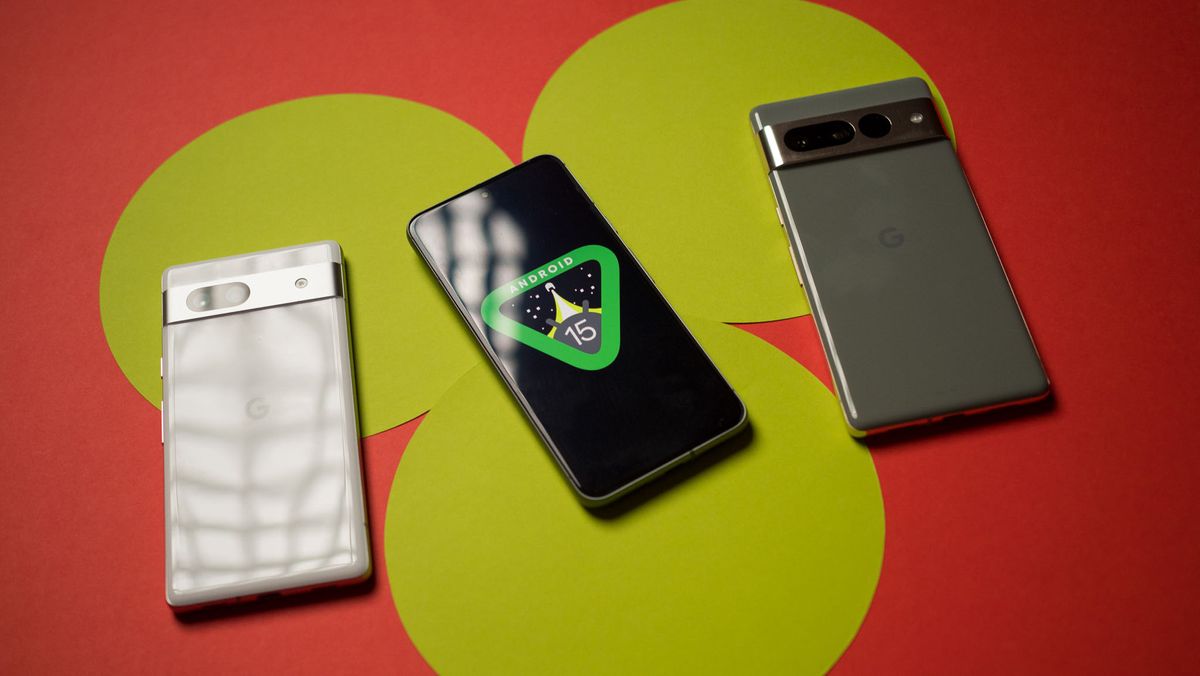
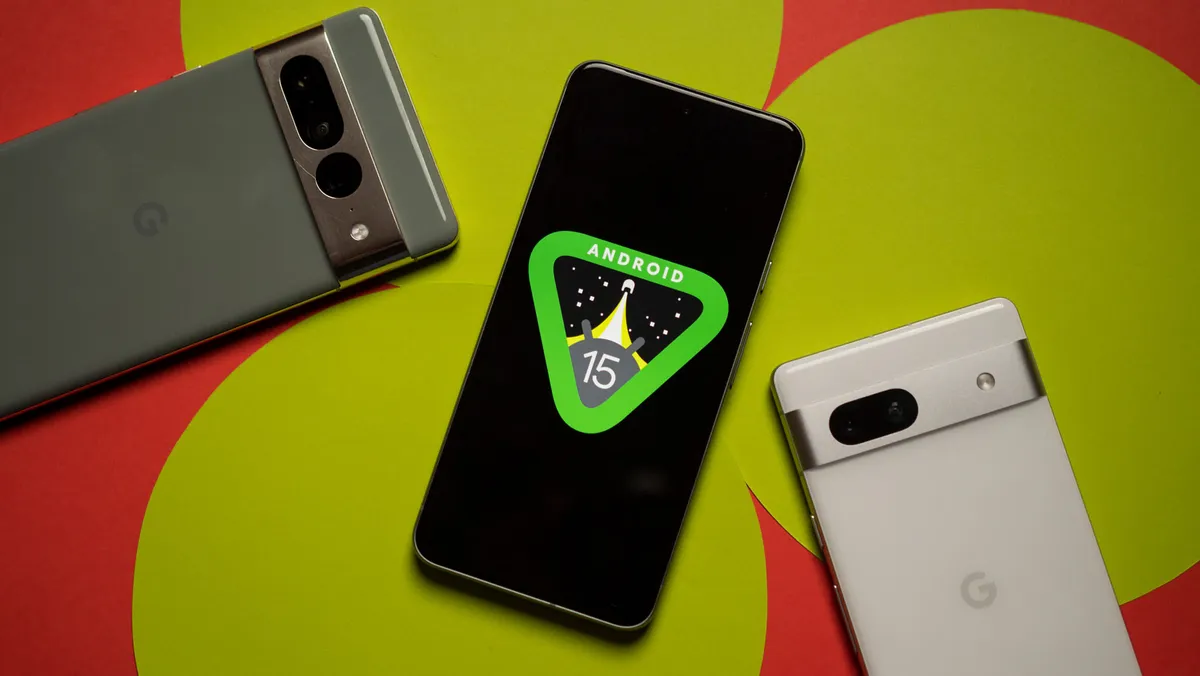
When will my phone get Android 15?


Android 15 is at the finish line, with Google set to release the stable build soon. The beta releases gave us a preview of the features coming to Google’s mobile OS, and with the beta program available on dozens of other devices in addition to Pixels, it’s easy to get started with it right now. 

Unlike the last two Android versions, Android 15 has plenty of interesting additions, including a notification cooldown mode, better optimization, ability to record parts of the screen, audio sharing over Bluetooth, and a slate of upgrades around foldables. 

16 Best Non-Phone Work from Home Jobs in 2024


15 of the Best Work from Home Non-Phone Jobs

work station for online work

Jobs that Don’t Require Talking on The Phone

Non-phone work from home jobs are becoming more and more popular.

I mean, who wouldn’t want to work from the comfort of their own home without having to talk on the phone all day?

I know I did and now I have one of those jobs.

I started this website because I was looking for online jobs from home for moms but I couldn’t find any.

Instead of continuing to search for something that didn’t exist I decided to reach out to work from home moms and interview them to see what they do, how they got started, how they are able to do it with kids, and most importantly, how much they earn.

I will share many of their success stories in this article so you’ll know that these are legit non-phone work from home jobs.

I will also share what I do to work from home and how I earn $5,000 per month without talking on the phone.

I get many inquiries regarding data entry jobs and I don’t promote them because the pay is so low that it’s really not worth the time or effort.

I want to provide a list of work from home jobs that pay well along with the resources to help you get started.

In this article, I will show you how to make money from home. If you don’t have time to read this now make sure you “pin” it to read later.

Some of these jobs, unfortunately, do not offer health insurance, so if you’re in need of health insurance you’ll want to know your options here.

Quick question: Are you a mom? We have a private FB group where our mission is to help you earn a MINIMUM of six figures per year.  If you’d like to join our free Unbound: More than just a mom group, fill out the form here.

Without further ado,

Here are 16 Legitimate Work at Home Non-Phone Jobs

1. Freelance Writer

woman working as an online writer woman working as an online writer

Do you have a passion for writing?

Becoming a Freelance Writer is one of the best work from home non-phone jobs because you work completely around your own schedule with the potential to earn a LOT of money.

I interviewed Holly Johnson who makes OVER $200,000 a year as a Freelance Writer. I didn’t even know that was possible!

How much can I make? Holly said that she finds it hard for you NOT to earn AT LEAST $40,000 to $50,000 a year working full-time as a writer.

How do I get started? Holly found the secret sauce when it comes to writing and charging the right rate for your work. She created a free introductory training on how to build a six-figure writing career.

I highly recommend taking her freelance writer course if you want to work from home writing and follow her path to success. I also have several ways to get writing gigs at the end of this article on freelance writing.


2. Proofreader

woman working as a proofreader woman working as a proofreader

Are you the type of person that’s always catching spelling errors or Grammar Mistakes?

If so, you might make a great Proofreader. It’s a great job that doesn’t require talking on the phone.

How much can I make? Caitlin Pyle made $43,000 her first year Proofreading PART-TIME!

You can see the full interview in my How to Become a Proofreader article. Many others are earning between $1,000-$4,000 per month.

How do I get started? If you want to learn the skills needed to start your own freelance proofreading hustle or see if this is the right career for you, check out this FREE introductory workshop.


3. Freelance Content Creator

freelance content creator looking downfreelance content creator looking down

This is a little-known way to make money that not many people know about but the earning potential is great. I met Shannon Livingston who does this and she’s a stay at home mom, she makes so much money she was able to retire her husband! She never picks up the phone.

Anyone can do this and this is basically where you’re creating packages for bloggers. She uses a very unique approach and I was able to interview one of her students to see if this could be duplicated and she made $4,000 in her first MONTH!

We had to interview her to see exactly how she was able to do that in our How to become a content creator article. See how she did it and how you can too!


4. Virtual Assistant

person working as a virtual assistantperson working as a virtual assistant

If you have a laptop, internet connection, a little know-how, and the desire to help others succeed you could definitely become a Virtual Assistant.

Services offered can include everything from email management, content creation, bookkeeping, graphic design, social media and more!

This is another one of those great jobs that don’t require talking on the phone. 

How much can I make? You can earn $25-$100 per hour.

How do I get started? Kayla Sloan went from being flat broke to building her Virtual Assistant business to $10k a month! She now teaches others how to do the same. Check out her free workshop to see the simple step-by-step process for becoming a Virtual Assistant here.


5. Print on Demand

Print-on-demand is one of the best ways to make money from home because Cassiy Johnson made over $26,000 in ONE MONTH! Yes, we said one month.

Cassiy was watching a YouTube video on different side hustles and they said print on demand was an easy way to make money from home and she ran with it.

Print on Demand is a process where you create designs for products like shirts, mugs, and tote bags for example digitally online using software like Canva.

Then you post them for sale on Etsy using digitally made mockups of the products to show what they will look like once they are printed.

It’s easier than this sounds, check out how Cassiy explains how she does this in our article on How to make money with Print on Demand.

6. Virtual Bookkeeper

woman working as a virtual bookkeeper woman working as a virtual bookkeeper

Bookkeepers record financial transactions for small business owners. I have an awesome interview with two successful bookkeeper moms who started with no previous experience.

One of the moms has 9 kids, homeschools 6 and still has time to make a living as a Bookkeeper Part-time!! You’ll have to check out the full interview in my How to Become a Bookkeeper article.

How much can I make? The Bookkeepers course (the course the moms took) teaches you how to charge $60 per hour, but if you want to work for a company, you can make $15-$50 per hour.

How do I get started? Check out this free bookkeeper training to determine if this is right for you. 


7. Transcriber

person working as a transcriber person working as a transcriber

Transcribers listen to audio files and record (type) what they hear. If you have patience and the ability to sit for long periods of time and an eye for detail, you should consider transcribing.

How much can I make? You can earn $7-$21 per hour or more if you start your own business.

How do I get started? Take this Free Mini-Course for a full overview of transcribing and how to get started.

I also have 4 companies hiring along with a work at home success story on transcribing in my article on How to Work from Home Transcribing.


Below are a few more no phone remote jobs


8. Flip Items from Thrift Stores/Flea Markets

If you wouldn’t mind shopping at thrift stores and flea markets and flip them for a profit then you should definitely consider this and you can make a lot of money.

Rob from the Flea Market Flipper is the MASTER flipper and made over $130,000 flipping items PART-TIME. 

You do not need to have a lot of money to start either. Rob recommends his students to start with a budget of $20-$50 to find items. Based on that, they should be able to make $100-$300 (mostly reselling on eBay) and then take some of the profit and do it again.

This is one of the best non-phone work from home jobs that you can do either full time or in your spare time.

How do I get started? Rob created a free workshop to turn your passion for visiting thrift stores, yard sales, & flea markets into a profitable reselling business – in as little as 14 days. You can click here to sign up for Rob’s workshop.


9. Sign up for Research Studies – Up to $400 per study

You can make quick, easy money by participating in research studies. Below are the best-paid companies to sign up for:


10. Social Media Manager

Are you active on Social Media and would like to post on behalf of other businesses? If so, you should consider becoming a Social Media Manager.

This is a great work at home non-phone job because it’s still so new and the opportunities are endless.

How much can I make? Depending on how many clients you have you could earn between $1,000-$10,000+ per month.

How do I get started? Consider taking this highly recommended course on becoming a Freelance Social Media Manager and also check out how Nicole got started in my How to Become a Social Media Manager article.

11. Create and Sell Printables on Etsy

guide of how to make printables on etsyguide of how to make printables on etsy

You can make a nice amount of passive income with printables. You make a printable once and can earn money from it over and over again.

If you’re creative (but you definitely do not have to be a graphic designer to do this) and enjoy browsing through sites like Pinterest this may be perfect for you.

How do I get started: Check out my interview with two women who do this successfully as they share with us how to get started and how to make money

How much can I make? $500-$1,000+ per month.

Related: 19 Part-Time Online Jobs

12. Freelance Jobs

woman looking for online freelance jobs woman looking for online freelance jobs

Freelance jobs are some of the best no phone work from home jobs. You deliver a service for a fee with the ability to work where and when you want with unlimited earning potential!

I have found many freelance jobs on Upwork. I sift through the available work options to see which project suits me the best.

I only apply to the jobs I KNOW I can do well because after the project is over it’s important that I get a good review so I can continue to get more jobs.

This is one of the best remote non phone jobs.

I suggest the following when applying to jobs on Upwork:

  • Focus on the projects with only 5-10 proposals or less submitted (less competition)
  • Check that the client has the “blue verified payment check” before applying
  • When you see a job that fits you, apply for it immediately!
  • If you live in the U.S., make sure to check “U.S. Only.”
  • If you are pitching your first job, try to offer your services for free for one week to ease the client’s mind since you have no references or reviews. If the client likes you move on with the “paid service” the following week. That’s how I won my first job, and the client still paid me for my first week.

For a full list of freelance services you can provide on UpWork, click here.

13. Web Search Evaluator

Web Search Evaluators rate social media ads and search engine results for relevancy.

This is a great opportunity for moms because it does not require getting on the phone, you make your own schedule, and it does not require any training.

How much can I make? $12.50 – $14 per hour.

How do I get started? Apply to the only two companies I recommend for web search evaluators.

14. Survey Taker

woman taking surveys on her laptopwoman taking surveys on her laptop

Share your opinion to help brands deliver better products and services and get paid in the form of gift cards or through PayPal.

How much can I make? If you take the time to answer a lot of surveys, you could make $50-$100 a month. This is definitely just something to do to make extra money on the side.

How do I get started? I only recommend signing up for Survey Junkie,  Swagbucks, and PrizeRebel.

The more survey sites you sign up for, the more you’ll make.

Pro Tip: Open a separate email account solely for surveys. You’ll start to get inundated with emails, and it will be more manageable in a different account.

15. Website Tester

Get Paid to Test Apps and Websites. Companies need feedback on the user experience of their websites, and they’ll pay you to get it. This is one of the easiest and quickest ways to work from home without committing to phone calls.

Here are two companies that will give you $10 per test and usually take around 15-20 minutes each (User Testing now pays up to $60 per test):


Did you find anything that interests you? If not, check out FlexJobs. With FlexJobs, you can access hand-screened remote, part-time, freelance, and flexible jobs—quick and easy! Use my code FLEXLIFE for 30% off.

The normal fee each month would be $14.95 a month, but it’s less using my code. I’m not a fan of paying to find work, but I get it has to get compensated somehow for hand-screening each job it posts.

Once you find a job, you can cancel, and if you don’t think it’s worth it, you can request a refund…so there’s no real risk.

If you want to find even MORE ways to make money from home check out my article on 30 legitimate ways to make money from home.

I hope you enjoyed this article and found a non-phone work from home job that will work for you. If you have any questions, drop me a note in the comment section below.

Make sure to join our exclusive email list. Where we send out new jobs, financial tips, and more! Subscribe here.

You Might Also Like:

How to Save $10,000 in 52 Weeks

How to Save on a Tight Budget


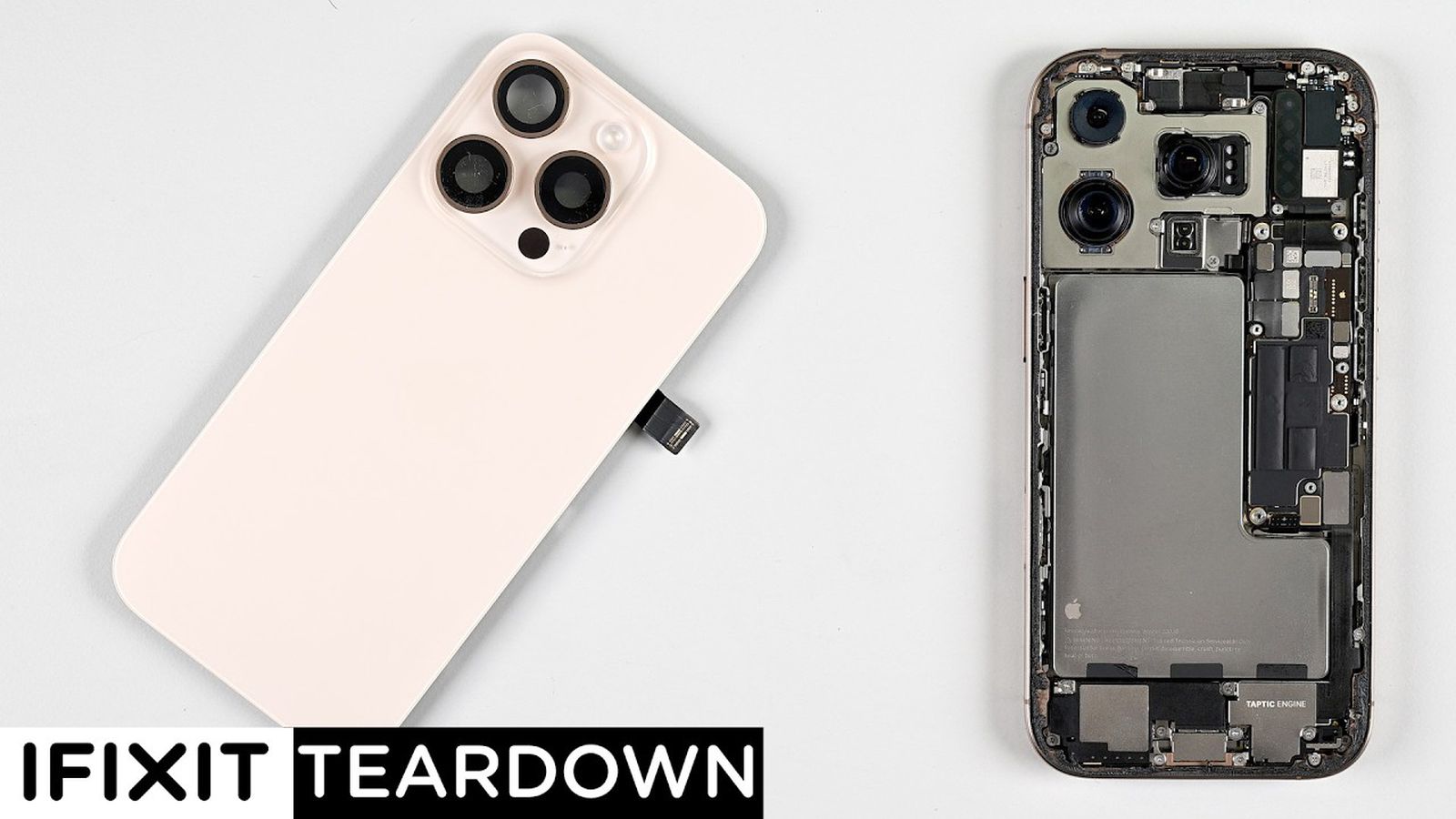
iFixit Teardown Provides Look Inside iPhone 16 Pro and iPhone 16 Pro Max


Earlier this week, repair site iFixit took apart the iPhone 16 and iPhone 16 Plus to demonstrate the new battery removal process that uses electricity for adhesive removal, and today, iFixit is back with a teardown of the iPhone 16 Pro and ‌iPhone 16 Pro‌ Max.

Apple’s ‌iPhone 16 Pro‌ models do not have the same simplified battery removal process as the ‌iPhone 16‌, with Apple instead using traditional stretch release adhesive for its pricier iPhones. It’s still easier to get inside, though, because you can do so through the back of the iPhone rather than the display, which can be easily damaged.

Apple encased the ‌iPhone 16 Pro‌ battery in metal like the ‌iPhone 16‌ models, but the ‌iPhone 16 Pro‌ Max does not have the metal casing around its battery, and it’s not clear why. iFixit called the decision to use the metal-encased battery in just the 16 Pro and not the 16 Pro Max “perplexing.”

The LiDAR Scanner is more accessible, which makes it easier to access for repairs. In prior Pro ‌iPhone‌ models, it was under the main camera assembly. The camera modules are almost identical, but not quite interchangeable due to a different cable length and a screw positioned in two separate locations inside each model.

Apple moved the mmWave antenna to make room for the Camera Control button, and in the 16 Pro models, it’s in a hollowed out space near the top of the device. iFixit says that mmWave signal could still suffer due to the titanium frame of the ‌iPhone 16 Pro‌ models.

USB-C port removal is “massively” simplified, but iFixit points out that Apple does not sell replacement USB-C ports. The logic board can also be pulled out with only the removal of the upper speaker assembly, which is a major improvement to the design.

Notably, the teardown revealed that the ‌iPhone 16 Pro‌ models are using a Qualcomm SDX71M modem, which is a custom version of the SDX70M modem used in the iPhone 15 Pro models. Rumors had suggested the Pro models would include the Qualcomm X75 modem, which doesn’t appear to be the case.

iFixit gave the ‌iPhone 16 Pro‌ models a repairability score of 7 out of 10 due to the design changes and the availability of repair manuals.

How Long Is The Legend Of Zelda: Echoes Of Wisdom


The Legend of Zelda: Echoes of Wisdom has arrived, bringing Zelda’s first starring role in a mainline entry to Nintendo Switch. This top-down Zelda experience isn’t as chunky as its open-world counterparts, but it still has plenty to see, including both main story quests and side activities. Echoes of Wisdom marks another first for the series as well, marking the first game in the franchise to have a female director. Here’s how long you can expect it to take to beat The Legend of Zelda: Echoes of Wisdom.

How long to beat The Legend of Zelda: Echoes of Wisdom

Echoes of Wisdom features an open-world map and its main story functions similarly to Tears of The Kingdom and Breath of the Wild in that you are given a few map markers to go to in your preferred order. While you can certainly complete these at your leisure, there aren’t as many side activities to get lost doing, although there are definitely some.

Now Playing: Legend Of Zelda: Echoes Of Wisdom Everything To Know

A typical playthrough for The Legend of Zelda: Echoes of Wisdom will take between 20 to 25 hours, depending on how much exploring and side quests you do. That said, if you were to focus only on the main quests, you could likely finish as quickly as 15 hours, and finding everything there is to offer will take you upwards of 30 hours. In terms of main objectives, there are a total of seven main dungeons to complete, along with side activities and areas.

Check out GameSpot’s The Legend of Zelda: Echoes of Wisdom 9/10 review, with critic Steven Petite writing, “If Zelda’s debut in the spotlight is a one-off, at least it’s a memorable adventure. But hopefully this is the beginning of a new legend for the heroine. Echoes of Wisdom’s brilliantly integrated echoes system links two eras, proving that the freeform mechanics of the new age can coexist with the franchise’s classic formula. Don’t mistake this for a spin-off or minor entry between big ‘mainline’ games: The Legend of Zelda: Echoes of Wisdom is a major moment that shouldn’t be missed.”

Every Underlord Feature (Descript AI)


Share this article

Descript AI (Underlord) is changing the game for content creators, and in this video, we’re exploring ALL of its powerful features. Learn how to use Edit for Clarity to polish your script, create perfect Eye Contact for more engaging videos, and achieve professional Studio Sound quality.

Let’s dive into EVERY SINGLE one of Descript’s AI Underlord features in one video so you can make the most out of this video and podcast editing software.

VIDEO: Every Underlord Feature (Descript AI)

Some product links in this post are affiliate links, and I will be compensated when you purchase by clicking our links. Read my disclosure policy here.

The Magic of Descript’s Underlord

Descript‘s Underlord is like having a team of AI assistants at your fingertips, ready to enhance your audio and video content. From improving sound quality to generating eye-catching visuals, these features are designed to save time and boost the production value of your projects.

Related: Descript’s New Editor Layout (what is Underlord??)

Sound Good: Perfecting Your Audio

Edit for Clarity: Your Personal Speech Editor

One of my favorite features is “Edit for Clarity.” With just a click, Descript analyzes your entire script, identifying repetitions, false starts, and filler words. It’s like having a meticulous editor who catches all those little verbal hiccups we often miss.

Pro Tip: Always choose to copy edits to a new composition. This way, you preserve your original content while experimenting with the AI-suggested changes.

Studio Sound: Professional Audio in Any Environment

Studio Sound is a game-changer for those recording in less-than-ideal acoustic environments. It reduces background noise and echo, giving your audio a polished, studio-quality sound. However, use it judiciously – sometimes a 100% intensity can clip words, so adjust the settings to find the sweet spot for your recording.

Remove Filler Words: Streamline Your Speech

This feature takes the “um”s and “uh”s out of your speech, allowing you to decide which filler words to keep or remove. It’s perfect for creating more concise, impactful content without losing your natural speaking style.

Remove Retakes: Seamless Editing Made Easy

As someone who often does multiple takes, this feature is a lifesaver. It automatically identifies and removes repeated phrases or sentences, saving hours of manual editing time.

Shorten Word Gaps: Tighten Your Pacing

This powerful tool identifies and shortens pauses in your speech. For YouTube tutorials, I often set it to shorten gaps of half a second or more. For podcasts, I prefer a more natural flow, so I’ll typically target gaps of one second or longer.

If you love using Descript as much as I do, download the “Descript Cheat Sheet” that I created. It’s a one-page PDF. It’s completely free, and it’s going to help you learn your way around this software.

Look Good: Enhancing Your Visual Appeal

Eye Contact: Connect with Your Audience

The Eye Contact feature adjusts your gaze to appear as if you’re looking directly at the camera. While it can be a bit uncanny if overused, it’s particularly effective for clips where you’re looking slightly off-camera.

Green Screen: No Actual Green Screen Required

This AI-powered feature removes your background without the need for a physical green screen. It’s perfect for creating professional-looking videos with custom backgrounds, even if you’re filming in your living room!

Generate Image: Bring Your Ideas to Life

Need a custom image for your video? Describe what you want, and Descript‘s AI will create it for you. It’s an incredible tool for adding visual interest to your content without the need for expensive stock photos or graphic design skills.

Descript updates its software all the time, so make sure you hit subscribe (Meredith Marsh YouTube Channel) because my latest descript tutorial and tips and tricks videos are always at the top of this playlist.

Repurpose: Maximize Your Content’s Reach

Create Clips: Short-Form Content Made Easy

This feature automatically generates short clips from your longer videos, perfect for sharing on social media. You can specify the length and even target specific topics, making it easy to create engaging teasers for your full-length content.

Create Highlight Reel: Showcase Your Best Moments

The highlight reel feature compiles the most engaging parts of your video into a single, shareable clip. It’s an excellent way to create promotional content or summarize longer videos.

Find Highlights: Uncover Hidden Gems

This tool scans your script and highlights the most interesting or important sections. It’s beneficial for identifying key points you might want to emphasize or repurpose for other content.

Publish: Streamline Your Content Distribution

Draft Titles and Descriptions

Descript‘s AI can generate multiple title options and write descriptions for your content, saving you time and potentially improving your SEO. While these might need some tweaking, they’re a great starting point.

Generate Show Notes and Social Posts

These features automatically create detailed show notes and social media posts based on your content. They’re incredibly useful for maintaining consistency across platforms and ensuring you hit all the key points when promoting your video.

Write: Enhance Your Content Creation Process

Brainstorm and Script Writing

Descript‘s AI can help kickstart your creative process by generating ideas and even full scripts based on your input. While these shouldn’t replace your unique voice and style, they can be excellent for overcoming writer’s block or exploring new angles.

Conclusion: Embracing the Future of Video Editing

Descript‘s Underlord features represent a significant leap forward in AI-assisted content creation. From enhancing audio quality to streamlining the editing process and even aiding in content distribution, these tools have the potential to transform your workflow and elevate the quality of your videos and podcasts. As with any AI tool, the key is to use these features as enhancements to your creativity, not replacements for it. Experiment with different settings, combine features creatively and always trust your instincts as a content creator. Remember, Descript is constantly updating and improving these features, so stay tuned for even more exciting developments. Don’t forget to download my “FREE Descript Cheat Sheet” to help you navigate this powerful software with ease! Are you ready to take your video and podcast editing to the next level with Descript’s Underlord? Share your experiences and tips in the comments below!

Related: Video Editing with Descript

c# – Form is not submitting any value using ASP.NET Core MVC to database


I’m developing a chat app. I have users, services, chat and service providers.

I’m currently unable to create a chat, so I need help. I leave code below and also some outputs that they give me.

The definition is to list all created services. In other words, when creating a chat I can choose a service that you create which will then be automatically assigned to a provider that has that serviceid

ChatController:

using Microsoft.AspNetCore.Mvc;
using HTE.Data;
using HTE.Models;
using System.Linq;
using System;
using System.Diagnostics;
using Microsoft.AspNetCore.Mvc.Rendering;

namespace HTE.Controllers
{
    public class ChatController : Controller
    {
        private readonly HTEDbContext _context;
        private readonly ILogger<ChatController> _logger;  // Injetar o logger

        public ChatController(HTEDbContext context, ILogger<ChatController> logger)
        {
            _context = context;
            _logger = logger;
        }

        [HttpGet]
        public IActionResult CreateChat()
        {
            var model = new ChatViewModel
            {
                Servicos = _context.Servicos.ToList()  // Pega diretamente a lista de serviços
            };

            return View(model);
        }

        [HttpPost]
        [ValidateAntiForgeryToken]
        public IActionResult CreateChat(ChatViewModel model)
        {
            if (!ModelState.IsValid)
            {
                foreach (var modelState in ModelState)
                {
                    foreach (var error in modelState.Value.Errors)
                    {
                        _logger.LogError($"Erro no campo {modelState.Key}: {error.ErrorMessage}");
                    }
                }

                model.Servicos = _context.Servicos.ToList();

                return View(model);
            }

            try
            {
                // Processar a criação do chat (lógica para gravar o chat na BD)
                var utilizadorID = int.Parse(User.FindFirst(System.Security.Claims.ClaimTypes.NameIdentifier)?.Value);

                var prestadores = _context.PrestadorDeServicos
                                          .Where(p => p.ServicoID == model.ServicoID)
                                          .ToList();

                if (!prestadores.Any())
                {
                    _logger.LogWarning("Nenhum prestador disponível para o serviço selecionado.");
                    model.Servicos = _context.Servicos.ToList();
                    return View(model);
                }

                var random = new Random();
                var prestadorAleatorio = prestadores[random.Next(prestadores.Count)];

                var chat = new Chat
                {
                    UtilizadorID = utilizadorID,
                    PrestadorDeServicosID = prestadorAleatorio.PrestadorDeServicosID,
                    NomeChat = model.NomeChat,
                    DataCriacao = DateTime.Now
                };

                _context.Chat.Add(chat);
                _context.SaveChanges();

                return RedirectToAction("Index", "Chat");
            }
            catch (Exception ex)
            {
                _logger.LogError($"Erro ao criar o chat: {ex.Message}");
                model.Servicos = _context.Servicos.ToList();
                return View(model);
            }
        }

        // GET: /Chat/Index
        [HttpGet]
        public IActionResult Index()
        {
            if (User.Identity.IsAuthenticated)  // Verifica se o utilizador está autenticado
            {
                var utilizadorIDClaim = User.FindFirst(System.Security.Claims.ClaimTypes.NameIdentifier);

                if (utilizadorIDClaim != null)
                {
                    var utilizadorID = int.Parse(utilizadorIDClaim.Value);

                    var chats = _context.Chat
                        .Where(c => c.UtilizadorID == utilizadorID)
                        .ToList();

                    return View(chats);
                }
                else
                {
                    // Caso o claim não esteja presente
                    Console.WriteLine("Claim 'NameIdentifier' não encontrado.");
                    return RedirectToAction("Login", "Account");  // Redireciona para a página de login
                }
            }
            else
            {
                // Redireciona para a página de login caso não esteja autenticado
                return RedirectToAction("Login", "Account");
            }
        }
    }
}

Service model:

using System.ComponentModel.DataAnnotations.Schema;

namespace HTE.Models
{
    public class Servicos
    {
        public int ServicoID { get; set; }  // Esta será a chave primária
        public string NomeServico { get; set; }
    }
}

Chat model:

using Microsoft.AspNet.SignalR.Messaging;

namespace HTE.Models
{
    public class Chat
    {
        public int ChatID { get; set; }
        public string NomeChat { get; set; }
        public DateTime DataCriacao { get; set; }
        public List<Mensagem> Mensagens { get; set; }

        // Chaves estrangeiras
        public int UtilizadorID { get; set; }  // Chave estrangeira
        public Utilizador Utilizador { get; set; }  // Navegação para o Utilizador

        public int PrestadorDeServicosID { get; set; }  // Chave estrangeira
        public PrestadorDeServicos PrestadorDeServicos { get; set; }  // Navegação para o Prestador de Serviços
    }
}

CreateChat.cshtml:

@model HTE.Models.ChatViewModel

<form asp-action="CreateChat" method="post">
    <div class="form-group">
        <label asp-for="NomeChat"></label>
        <input asp-for="NomeChat" class="form-control" />
        <span asp-validation-for="NomeChat" class="text-danger"></span>
    </div>

    <div class="form-group">
        <label asp-for="ServicoID"></label>
        <select asp-for="ServicoID" class="form-control">
            <option value="">Selecione um serviço</option>
            @foreach (var servicos in Model.Servicos)
            {
                <option value="@servicos.ServicoID">@servicos.NomeServico</option>
            }
        </select>
        <span asp-validation-for="ServicoID" class="text-danger"></span>
    </div>

    <button type="submit" class="btn btn-primary">Criar Chat</button>
</form>

SQL Server tables:

CREATE TABLE [dbo].[Chat] 
(
    [ChatID]                INT IDENTITY (1, 1) NOT NULL,
    [UtilizadorID]          INT NOT NULL,
    [PrestadorDeServicosID] INT NOT NULL,
    [DataCriacao]           DATETIME DEFAULT (getdate()) NULL,
    [NomeChat]              NVARCHAR(255) NOT NULL,
    PRIMARY KEY CLUSTERED ([ChatID] ASC),
    FOREIGN KEY ([UtilizadorID]) 
        REFERENCES [dbo].[Utilizador] ([UtilizadorID]),
    FOREIGN KEY ([PrestadorDeServicosID]) 
        REFERENCES [dbo].[PrestadorDeServicos] ([PrestadorDeServicosID])
);

CREATE TABLE [dbo].[Servicos] 
(
    [ServicoID]   INT IDENTITY (1, 1) NOT NULL,
    [NomeServico] NVARCHAR(100) NOT NULL,
    PRIMARY KEY CLUSTERED ([ServicoID] ASC)
);

Output:

When I click on the button to create chat, it gives these values

fail: HTE.Controllers.ChatController\Erro no campo Servicos: The Servicos field is required. (https://i.sstatic.net/GJBy6PQE.png)

What are you supposed to do? When you click on the create chat button, the chat is created and saved in the database, thank you for helping me!

I used chatgpt to help solve the problem, but I still couldn’t

30 Bible Verses About Humility