Quick Digest—Everything You’ll Learn
Vibe coding is one of the most talked‑about trends in software development. What started as a futuristic experiment is now shaping how teams build software, promising speed and accessibility while raising new questions about security and professionalism. In this comprehensive guide you’ll discover:
- What vibe coding means and why it matters—from its origins and adoption rates to its potential to reshape software roles.
- How the vibe coding pipeline works, including prompting, architecture planning, code generation, testing, and iterative feedback.
- An overview of major vibe coding platforms, with a focus on Clarifai’s StarCoder2 & Compute Orchestration Platform and how they compare to alternative tools.
- Actionable prompt engineering techniques – layering context, writing user stories, and using iterative refinement.
- Security and ethical considerations, from prompt injection to hidden backdoors.
- Real‑world case studies and cautionary tales illustrating both the promise and pitfalls of AI‑generated code.
- Why experienced developers matter more than ever and how to avoid the vibe coding paradox.
- Emerging trends like multi‑agent orchestration, multimodal models, and fairness dashboards.
- LLM‑friendly content blocks: checklists, comparisons, and how‑to guides for quick application.
By the end, you’ll know how to harness vibe coding responsibly and where Clarifai’s suite of tools fits into your workflow.
What Is Vibe Coding?
Quick Summary: What is vibe coding?
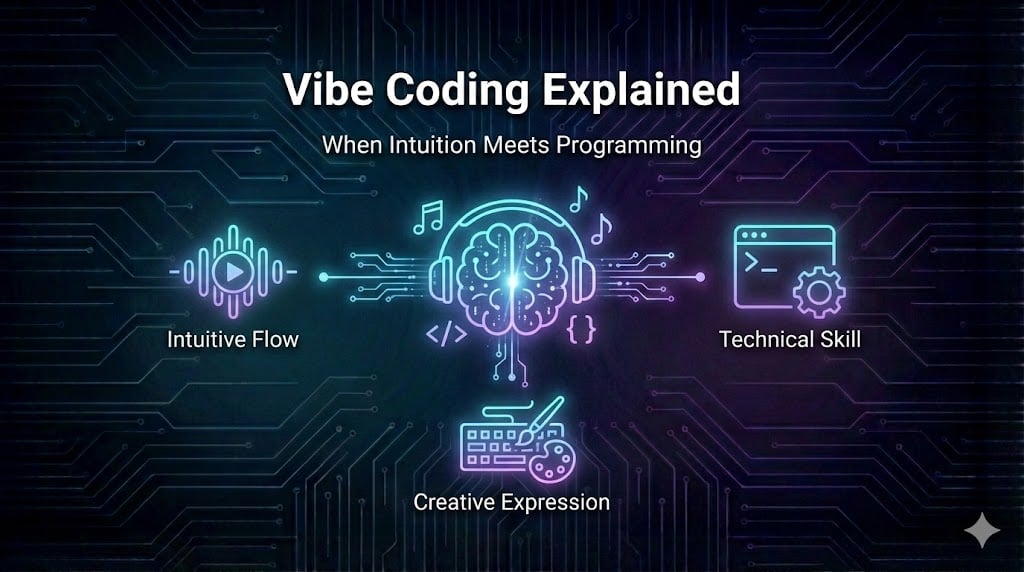
Vibe coding is the practice of building software by conversing with an AI model, describing what you want in natural language, and letting the model generate the code. Coined around February 2025 by AI pioneer Andrej Karpathy, the term captures a fundamental shift: developers are no longer just coders; they become context curators and AI collaborators. Within a year it entered mainstream vocabulary, even becoming Collins Dictionary’s Word of the Year 2025.
Why It Matters
Traditional programming requires painstakingly translating business requirements into code. Vibe coding flips that paradigm: you tell the AI what you want, and it writes the code for you. This makes software creation accessible to non‑developers, accelerates prototyping, and lowers entry barriers. According to industry surveys, 84 % of developers now use AI coding tools and 41 % of global code is already AI‑generated. Experts like Karpathy predict that vibe coding will “terraform software,” enabling anyone to ship code weekly.
However, with great promise comes caution. Vibe coding changes roles – developers must interpret and correct AI output, manage architectural decisions, and handle edge cases. Without oversight, AI‑generated code can be buggy, insecure, or misaligned with long‑term maintenance goals. Throughout this guide we explore how to maximize benefits while mitigating risks.
Expert Insights
- The rise of AI adoption: Research from 2025 shows that AI coding tools are used daily by 92 % of U.S. developers, and 87 % of Fortune 500 companies have adopted vibe coding platforms.
- Non‑developers join the party: Surveys indicate 63 % of vibe coders are non‑developers, showing that accessibility is redefining who can build software.
- Balancing optimism and realism: While vibe coding promises democratization, security experts warn that misused tools can create vulnerabilities. This duality sets the stage for our exploration.
How Does Vibe Coding Work? – The Process Pipeline
Quick Summary: How does the vibe coding pipeline transform prompts into code?
Vibe coding is not magic; it’s a structured pipeline that converts human language into functional software. The process typically involves understanding the prompt, planning the architecture, generating code, managing dependencies, testing, and iterating. This cycle repeats until the output meets requirements. Success hinges on context engineering—knowing when to rely on AI and when to intervene manually.
Step‑by‑Step Pipeline
- Intent understanding: The AI model parses your natural‑language prompt to capture objectives, constraints, and functional requirements.
- Architecture planning: For complex projects, the AI proposes a high‑level design—defining modules, data flows, and technologies. Clarifai’s Compute Orchestration Platform shines here by providing a large context window and fairness dashboards, allowing the model to reason about the entire system while tracking bias.
- Code generation: Using models like StarCoder2 (trained on hundreds of languages) and GPT‑like models, the system writes code. Clarifai’s local runners can execute this code on secure infrastructure, offering privacy and low latency.
- Dependency management: The AI assembles package dependencies, environment variables, and configuration files. This step often interacts with external APIs and data sources.
- Testing and validation: Basic unit tests may be generated automatically. Developers run the code, review outputs, and provide feedback.
- Iterative refinement: The cycle continues with prompts like “Refactor the function to reduce complexity” or “Add validation for empty inputs.” Research shows that trust is built through iterative verification, not blind acceptance.
Development Models
Scholars classify vibe coding into several models:
- Unconstrained automation: Minimal human intervention, useful for simple tasks but risky for production.
- Iterative conversational collaboration: Continuous dialogue between developer and AI; the most common and effective model.
- Planning‑driven: AI creates a detailed plan before coding; beneficial for large projects.
- Test‑driven: Developers supply tests first, and the AI writes code to satisfy them.
- Context‑enhanced: The AI leverages external knowledge bases or retrieval augmented generation for domain‑specific tasks.
Expert Insights
- Trust through interaction: Studies show developers build confidence not by trusting the model blindly, but by running code, inspecting outputs, and iterating.
- Context is king: Researchers emphasize that successful vibe coding depends on context engineering—designing prompts, providing examples, and knowing when to intervene.
- Clarifai’s orchestration advantage: Clarifai’s platform offers local runners and fairness dashboards, allowing organizations to mix models for different tasks, reduce latency, and ensure fairness.
Vibe Coding Platforms – Comparing Your Options
Quick Summary: Which vibe coding platforms should you consider?
The market is crowded with tools claiming to empower vibe coding. While it’s impossible to review them all here, understanding key categories will help you choose wisely. Clarifai’s StarCoder2 & Compute Orchestration Platform stands out with a large context window, on‑premise options, and fairness dashboards, making it a compelling choice for regulated industries. Other tools range from full‑stack coding assistants to simple code completion plugins.
Categories of Platforms
- Full‑Stack AI Coding Platforms: These tools generate complete applications—front‑end, back‑end, database, and deployment. Clarifai’s StarCoder2 integrates with compute orchestration to run and test code in secure sandboxes and even offers an API for model inference. Other similar tools provide visual editors for non‑developers and handle deployment automatically. Research indicates that up to 75 % of users on some platforms write no manual code.
- AI‑Enhanced IDEs: Integrated development environments that embed AI for auto‑completion, refactoring suggestions, and documentation generation. Examples include code assistants built into popular IDEs, offering features like planning modes and file‑wide edits. These tools are ideal for experienced developers who want help without ceding full control.
- Code Completion Assistants: Lightweight extensions that predict the next line of code. They rely heavily on context but typically don’t handle architecture planning or deployment. They’re handy for writing snippets but require manual integration and testing.
- Emerging Multi‑Agent Platforms: Some platforms orchestrate multiple AI agents—one for planning, another for coding, another for testing. This trend is gaining traction after high‑profile acquisitions in 2025 and 2026. Multi‑agent systems are poised to reduce context loss and improve error detection.
How Clarifai Fits In
Clarifai’s StarCoder2 & Compute Orchestration Platform combines the best of these categories:
- Massive language coverage (600+ languages) and large context windows for understanding entire projects.
- Local runners that allow you to execute code within secure, isolated environments—key for enterprises concerned with data privacy and regulatory compliance.
- Fairness dashboards to audit model behaviour and ensure outputs don’t discriminate or perpetuate bias.
- Flexible deployment: Use Clarifai’s model inference API for quick prototypes, then scale up with compute orchestration on private infrastructure. You can even mix Clarifai models with third‑party models to optimize cost and quality.
Pros and Cons of Vibe Coding Platforms
|
Feature
|
Benefits
|
Drawbacks
|
|
Full‑stack platforms
|
Rapid prototyping; no configuration needed; ideal for non‑technical users
|
Risk of lock‑in; limited customization; may generate messy code
|
|
AI‑enhanced IDEs
|
Fine‑grained control; integrates with existing workflows
|
Requires coding knowledge; may overwhelm novices
|
|
Code completion assistants
|
Lightweight; improves productivity for experienced coders
|
Doesn’t handle architecture or testing; easy to misuse
|
|
Clarifai’s orchestration
|
Privacy, fairness, multi‑model support; large context; enterprise‑grade
|
Requires integration effort; best suited for teams that value control
|
Expert Insights
- Enterprise adoption: Surveys show 87 % of Fortune 500 companies use vibe coding platforms, signalling mainstream acceptance.
- Platform vulnerabilities: A security incident in a popular coding extension exposed sensitive files during AI‑generated code execution. This underscores why on‑premise or sandboxed solutions, like Clarifai’s local runners, are crucial.
- Mixing models: Clarifai experts recommend mixing different models (e.g., StarCoder2 with other coders) to balance cost, performance, and latency.
How to Write Effective Vibe Coding Prompts
Quick Summary: What makes a good prompt for vibe coding?
An effective prompt is clear, specific, and layered. It must set the technical context, specify functional requirements, and note any integrations or edge cases. Iterative prompts—reviewing output and asking follow‑up questions—lead to higher‑quality code. You should describe features as user actions, break down long requirements, and always ask, “What could go wrong?”.
Three‑Layer Prompt Structure
- Technical context and constraints: Define the language, framework, and any constraints (e.g., “Use Python 3.11 with the FastAPI framework and an in‑memory SQLite database. Adhere to PEP 8 standards.”). Providing such context helps the model align with your environment.
- Functional requirements and user stories: Describe what the user should be able to do. For example: “Allow users to create, update, and delete to‑do items. Each to‑do item has a title, description, and due date.” Bullet lists work well and reduce ambiguity.
- Integrations and edge cases: Specify external services, performance requirements, and potential pitfalls. For instance: “Integrate with Clarifai’s compute orchestration API to run models asynchronously. Handle network failures gracefully and validate inputs.” Asking “What could go wrong?” prompts the AI to consider error handling and security.
Iterative Prompting
The most successful vibe coders treat AI as a conversation partner, not a genie. Ask for a plan or README before coding, then refine the design. This practice—sometimes called “vibe PMing”—lets the AI outline steps and raises clarifying questions before implementation. After receiving code, you should:
- Review the output and ask the AI to explain its logic. Don’t hesitate to question decisions.
- Request refactoring for clarity, performance, or security.
- Iterate with targeted prompts. For example, “Add unit tests for input validation,” or “Improve error messages.”
Role Definition and Self‑Review
Define the persona you want the AI to adopt. For example: “Act as a senior Python engineer and follow best practices.” Encourage self‑review: prompt the AI to identify potential bugs and security issues before you run the code. Studies indicate that iterative conversational collaboration yields superior results.
Expert Insights
- Layering matters: Engineers stress that layering technical context, functional details, and integrations produces more consistent outputs.
- Think before you code: Tools that offer a “plan mode” or “think‑hard” hierarchy allow the AI to reason about tasks before modifying files.
- Self‑review prompts: Developer Ran Isenberg advocates asking the AI to explain its reasoning and to identify potential issues. This surfaces hidden assumptions and raises trust.
Security and Ethical Considerations – Safeguarding AI‑Generated Code
Quick Summary: How do you keep vibe coding secure and ethical?
Vibe coding introduces new attack surfaces and ethical challenges. Without proper guardrails, AI can generate insecure code, leak secrets, or embed hidden backdoors. Developers must implement layered defenses: human review, static and dynamic analysis, secrets management, and continuous monitoring. Clarifai’s fairness dashboards and secure compute orchestration can help enforce standards.
Common Risks
- Prompt injection: Malicious prompts can manipulate the AI to execute harmful actions or leak data.
- Insecure patterns: AI may suggest code that hard‑codes credentials, uses weak encryption, or ignores input validation.
- Supply‑chain attacks: Generating dependencies automatically can introduce vulnerable libraries or compromised packages.
- Hidden backdoors: Research uncovered sleeper agents—models that output secure code for year 2023 but embed backdoors when prompted with 2024.
- Inexperienced developers: Studies show 40 % of junior developers deploy AI‑generated code they don’t fully understand, increasing the risk of vulnerabilities.
Best Practices for Security and Ethics
- Human review and testing: Treat AI‑generated code like any other code. Use static analyzers and code review tools to catch issues.
- Secrets management: Store API keys and tokens in environment variables or secure vaults; never hard‑code them.
- Input validation and sanitization: Enforce strict validation on user inputs to prevent injection attacks. The AI should generate input handlers that escape or reject invalid data.
- Secure architectures: Use modern authentication methods (e.g., OAuth2, JWT) and enforce HTTPS across services.
- Prompt hygiene: Avoid including sensitive data in prompts. Use placeholders and instruct the AI never to expose secrets.
- Fairness and bias auditing: Clarifai’s fairness dashboards allow you to audit models for bias and discrimination. Use these tools to ensure ethical outputs.
- Team training: Educate your team about AI risks, safe prompting, and secure coding principles. Encourage a culture of questioning AI decisions.
Expert Insights
- Security leaders speak: The Cloud Security Alliance warns that vibe coding can open doors for injection attacks, insecure dependencies, and supply‑chain vulnerabilities.
- Sleeper agent caution: Researchers at a UK university found that models produced secure code for 2023 prompts but inserted backdoors when the prompt referenced 2024—a stark reminder to test AI output across scenarios.
- Management concerns: Surveys reveal that 75 % of R&D leaders worry about security risks associated with AI coding. Addressing these concerns is critical for enterprise adoption.
Real‑World Stories – Successes and Challenges
Quick Summary: What do real‑world experiences tell us about vibe coding?
Success stories abound: entrepreneurs building entire SaaS products in a day, enterprises cutting development times by more than half, and universities using AI tools to teach programming. Yet cautionary tales remind us that unreviewed AI code can create technical debt, security vulnerabilities, and “vibe coding hangovers”. Let’s explore both sides.
Success Stories
- Solo entrepreneurship: In 2025 a founder built TrustMRR, a subscription analytics SaaS, in one day using vibe coding tools. This demonstrates how AI can empower individuals to launch products without teams.
- Enterprise acceleration: Companies like consultancies and large tech firms have reported 60 % reductions in development time by integrating AI coding into their workflow. This productivity boost allows teams to focus on business logic rather than boilerplate code.
- Education and accessibility: Universities are using vibe coding to teach students programming concepts. By conversing with AI, learners grasp higher‑level thinking while the AI handles syntax.
- Product managers as builders: Tools with visual editors allow non‑technical staff to build prototypes, bridging the gap between design and engineering.
Cautionary Tales
- Security incident: A widely used VS Code extension leaked sensitive data due to an AI‑generated script, highlighting the risk of integrating AI tools without proper sandboxing.
- Vibe coding hangover: Developers who let the AI run wild discovered that later iterations introduced regressions and technical debt, requiring extensive manual refactoring.
- Day 2 problem: Early prototypes may work, but long‑term maintenance suffers. Engineers warn that without careful architecture, AI‑generated code can become brittle and hard to extend.
Adoption Insights
- Productivity statistics: Surveys show 74 % productivity increases and 3–5× faster prototyping speed among teams adopting vibe coding.
- Global spread: The Asia‑Pacific region leads adoption at 40.7 %, with India at 16.7 %.
- Non‑developer uptake: More than half of vibe coding users come from non‑technical backgrounds, making design and user experience backgrounds increasingly relevant.
Expert Insights
- Context, not just code: Interviews with early adopters emphasize that managing context and requirements is the new skill, rather than writing syntax.
- Trust and verification: Real‑world developers stress the importance of testing and verifying AI code. Many treat the AI as a junior collaborator whose work must be reviewed before merge.
The Vibe Coding Paradox – Why Expert Developers Matter
Quick Summary: If AI writes code, do we still need developers?
Paradoxically, vibe coding increases the value of skilled developers. While AI can write code, it cannot fully understand architecture, performance trade‑offs, or long‑term maintainability. Novices may misuse AI, leading to broken integrations and security flaws. The role of developers is shifting from typing code to guiding, reviewing, and architecting.
Why Expertise Matters
- Architecture and design patterns: AI models generate code based on patterns found in their training data. They do not inherently understand your system’s unique architecture. Experienced developers must decide when to break out of patterns or create abstractions.
- Security mindset: Prompted AI can inadvertently expose secrets or open vulnerabilities. Developers with security training know how to structure code to minimize attack surfaces.
- Integration challenges: AI may suggest code that works in isolation but fails when integrated with existing systems. Understanding dependencies and versioning is vital.
- Technical debt awareness: Tools may produce quick solutions that skip tests or ignore scalability. Skilled developers foresee maintainability issues—the so‑called Day 2 problem.
- Pair programming, not replacement: Thought leaders argue that AI should be treated as an enthusiastic pair programmer. Use it to brainstorm, generate options, or scaffold code, but make final decisions yourself.
Expert Insights
- Skill paradox: Writer KSRed notes that vibe coding amplifies the value of expertise—making skilled developers more essential, not obsolete.
- Caution with junior staff: Statistics reveal that 40 % of junior developers deploy AI code they don’t fully understand. Senior oversight is crucial to avoid mistakes.
- Context engineering: Researchers emphasize that context engineering—structuring prompts and aligning AI with your codebase—is a skill requiring experience.
Emerging Trends and the Future of Vibe Coding
Quick Summary: What’s next for vibe coding?
Vibe coding is evolving rapidly. The future will be shaped by multi‑agent orchestration, multimodal models, retrieval‑augmented generation, and fairness auditing. The market is projected to grow from US$4.7 B in 2024 to US$12.3 B by 2027, with AI coding becoming a mainstream part of every developer’s toolbox.
Key Trends
- Multi‑agent orchestration: Companies are investing in systems where multiple AI agents collaborate. For example, one agent plans the architecture, another writes code, and another tests and refactors. Meta’s acquisition of a multi‑agent platform in 2025 signals the importance of this direction.
- Multimodal models: Future models will understand text, images, audio, and code simultaneously. Imagine describing a user interface verbally while sketching a wireframe—an AI could translate both into code. Clarifai is well‑positioned here thanks to its roots in multimodal AI and fairness assessments.
- Retrieval‑augmented generation (RAG): Instead of relying solely on the model’s parameters, RAG systems fetch relevant documentation or code snippets during generation. This approach reduces hallucinations and improves accuracy.
- On‑device models and privacy: To meet regulatory requirements and reduce latency, companies will deploy models locally. Clarifai’s local runners and compute orchestration already enable this, offering secure, offline inference.
- Regulation and ethics: With AI coding becoming ubiquitous, regulators will push for transparency, auditing, and fairness. Tools like Clarifai’s fairness dashboards will be essential for compliance.
Predictions
- Empowering non‑developers: Analysts predict that vibe coding will enable product managers and designers to ship code weekly, altering team dynamics.
- Lean, senior teams: Businesses will become leaner and more senior, relying on experienced developers to guide AI while reducing the need for junior staff.
- Context‑enhanced and test‑driven models: As vibe coding matures, test‑driven and context‑enhanced models will dominate, ensuring reliability and maintainability.
Comparison Table of Platforms
|
Platform Category
|
Key Features
|
Ideal For
|
Clarifai Integration
|
|
Full‑Stack AI Platforms
|
One‑click app generation; handles front‑end, back‑end, and deployment
|
Non‑technical users who want to build prototypes quickly
|
Use Clarifai’s API for model inference; run on Clarifai’s compute orchestration for privacy
|
|
AI‑Enhanced IDEs
|
Code completion, refactoring, planning modes
|
Professional developers seeking productivity boosts
|
Integrate Clarifai models via extension and mix with local runners
|
|
Code Completion Assistants
|
Predict next lines; lightweight
|
Developers needing simple assistance
|
Combine with Clarifai’s fairness dashboards to audit output
|
|
Multi‑Agent Systems
|
Agents for planning, coding, and testing
|
Teams working on complex projects
|
Deploy agents on Clarifai’s orchestration platform to manage coordination
|
Step‑by‑Step Prompt Guide
- Define the goal: Clearly state what you want. “Build a REST API to manage to‑do items.”
- Set context and constraints: Specify language, framework, and style. “Use Python with FastAPI. Follow PEP 8 standards.”
- List functional requirements: Break down the features using bullet points. “CRUD operations; validate input; handle missing fields.”
- Specify integrations: Mention any external services or APIs. “Store data in Postgres; integrate with Clarifai model inference for language detection.”
- Ask for output format: Describe how you want the code delivered—single file, separate modules, etc.
- Request tests: Ask the AI to generate unit tests or recommend test cases.
- Iterate: Review the output; ask for explanations; refine or add features.
Security Checklist for AI‑Generated Code
- Avoid including secrets in prompts or code. Use environment variables.
- Validate all user inputs; sanitize strings; enforce type checking.
- Use secure authentication and authorization patterns (e.g., OAuth2, JWT).
- Configure CORS and HTTPS correctly.
- Run static and dynamic security scans.
- Audit dependencies; pin versions; avoid untrusted packages.
- Use Clarifai’s fairness dashboards to evaluate model biases and outputs.
- Conduct regular human code reviews and penetration testing.
Pros vs. Cons of Vibe Coding
|
Aspect
|
Pros
|
Cons
|
|
Speed
|
Rapid prototyping; shorter time to market
|
Risk of skipping design; technical debt
|
|
Accessibility
|
Non‑developers can build apps
|
Novices may overlook security and architecture
|
|
Productivity
|
Automates repetitive tasks; generates boilerplate
|
Requires continuous review; potential for inefficiency if misused
|
|
Quality
|
AI can suggest best practices and documentation
|
AI might produce insecure or wrong code; requires verification
|
|
Cost
|
Reduces labor and time costs
|
May require subscription fees; integration overhead
|
FAQ Section
We include a full FAQ at the end of this article addressing common questions about vibe coding.
Conclusion – Harnessing Vibe Coding Responsibly
Quick Summary: What’s the key takeaway from this guide?
Vibe coding can democratize and accelerate software development, but only when used responsibly. Clear prompts, robust security practices, and human oversight are non‑negotiable. Clarifai’s suite of tools—StarCoder2, compute orchestration, local runners, and fairness dashboards—offers a robust foundation for enterprises seeking to adopt vibe coding in a secure and ethical way. Start small, iterate, and learn; the future belongs to those who collaborate with AI thoughtfully.
Actionable Takeaways
- Invest in prompt engineering: Write layered prompts and iterate. Ask for plans, tests, and self‑reviews.
- Choose the right platform: Evaluate your needs—privacy, scale, integration. Clarifai’s orchestration offers enterprise‑grade privacy and fairness.
- Implement security best practices: Never trust AI blindly. Test, audit, and review everything.
- Educate your team: Ensure everyone—from product managers to junior developers—understands how to collaborate with AI safely.
- Stay updated: Emerging trends like multi‑agent systems, multimodal models, and fairness regulations will shape the future. Keep learning.
Expert Final Thoughts
- Speed meets caution: Enterprises have seen 60 % faster development using vibe coding, but security researchers warn that misused AI can create vulnerabilities. Balance enthusiasm with rigor.
- Developers are still essential: The vibe coding paradox shows that experience and architectural thinking are more valuable than ever. Use AI to elevate your work, not replace it.
- The future is collaborative: As multi‑agent systems and multimodal models mature, expect more powerful tools that still require human guidance. Embrace the collaboration between human creativity and AI precision.
Frequently Asked Questions (FAQ)
Can I build an app without knowing how to code?
Yes—but with caveats. Modern vibe coding platforms allow non‑technical users to describe an app in natural language and generate working code. However, to produce secure, maintainable software, you still need oversight from someone who understands architecture and security. Tools like Clarifai’s orchestration platform provide a safe environment for running AI models, but humans must review the output.
How do I avoid prompt injections?
Follow prompt hygiene: never include secrets or instructions you don’t want executed; avoid copy‑pasting untrusted text into prompts; and instruct the AI not to execute commands outside your intended scope. Use Clarifai’s fairness dashboards and secure runners to audit model behavior and catch suspicious outputs.
Is vibe coding suitable for enterprise applications?
It can be, provided you implement appropriate safeguards. Many large companies report faster development cycles with AI coding, but they also invest in security, testing, and compliance. Clarifai’s compute orchestration supports on‑premise deployment, which is essential for regulated industries.
How do I choose the right AI model for my project?
Consider the programming languages you need, context window size, privacy requirements, and available resources. Clarifai’s StarCoder2 covers over 600 languages and can be combined with other models to optimize for specific tasks. Mixing models often yields better results than relying on a single one.
What is the biggest mistake beginners make with vibe coding?
The biggest mistake is treating AI code as infallible. Beginners may copy and deploy code without understanding it, leading to vulnerabilities and technical debt. Always review, test, and refactor. Use vibe coding as a collaborative tool, not a replacement.
Will AI replace programmers?
No. AI changes what programmers do, but it doesn’t eliminate their value. Developers shift from writing syntax to designing systems, ensuring security, and making strategic decisions. The vibe coding paradox underscores that expert developers are more important than ever.