X reportedly still allows Grok-created, sexualized images despite new ban


Elon Musk’s X may still be permitting the posting of Grok-generated, sexualized images of real people, despite the company’s recent announcement that such content had been banned, according to reporting by The Guardian.

The British newspaper reported that its journalists were able to generate and upload videos depicting real women being undressed into bikinis, using images of fully clothed individuals.

In its reporting, The Guardian wrote:

“The Guardian was able to create short videos of people stripping to bikinis from photographs of fully clothed, real women. It was also possible to post this adult content on to X’s public platform without any sign of it being moderated, meaning the clip could be viewed within seconds by anyone with an account.”

According to the newspaper, the sexualized images were created using the standalone Grok app and then successfully posted to X. Earlier this week, X said it had banned AI-generated, sexualized images of real people.

“We have implemented technological measures to prevent the [@]Grok account on X globally from allowing the editing of images of real people in revealing clothing such as bikinis,” the X safety account wrote in an update. “This restriction applies to all users, including paid subscribers.”

X has faced criticism in recent weeks over the circulation of sexualized, AI-generated images on the platform. Earlier this month, governments in multiple countries said they were investigating or moving to restrict Grok following reports that it had enabled the creation of sexualized images of minors. X’s safety update also stated that the company maintains a “zero tolerance for any forms of child sexual exploitation, non-consensual nudity, and unwanted sexual content.”

Capcom shills a $2,175 watch by insisting that ‘In Resident Evil Requiem, time is a main character’


Someone’s got their eyes on the prize over at Capcom HQ, and knows there’s one heck of a lot of money to be made from exclusive Resident Evil merch. Yesterday saw a showcase focused around the imminent Resident Evil: Requiem, the main takeaway from which was a classic mode that takes us back to the days of ink ribbon saving, but another reveal was a pair of super-swish watches.

A collaboration between Capcom and luxury watchmaker Hamilton, the watches have been seen on the wrists of dual protagonists Grace and Leon in the trailers (though I can’t say I especially noticed it because Leon was chainsawing a zombie doctor in half). There are two models, only 2,000 will be made, and they will set you back a cool $1,475 for Grace’s watch, and $2,175 for Leon’s watch.

The Friday Roundup – USB Mics and 2026 Free Assets Website


Frustrated a USB mic won't automatically work on a PC.Frustrated a USB mic won't automatically work on a PC.

How To Record Multiple Microphones on One Computer

If you have ever tried connecting a USB microphone to a computer (especially Windows) you will know the rabbit hole you can often find yourself descending into!

It seems the whole process is designed to thwart you at every turn.

Usually it ends up in war between the you, the program you are using and Windows itself with often no clear winner.

Now try to use two USB mics at the same time and there will be guaranteed tears before bedtime!

Well at least for me those days are over.

There is an online service called Riverside.fm which takes over the entire process and makes it idiot proof… well for this idiot anyway.

Check the video below for a demonstration on how it works and what you can do with it.


10 Free Video Editing Websites Every Creator Should Know (2026)

These days when you buy into a video editing program, more often than not it will come with a bunch of free assets which in the beginning seems awesome.

However it usually doesn’t take too many projects to realize that although a lot of it is good, a bunch of it is kinda naff!

There has always been a bunch of free websites offering images, b-roll footage and other assets but it seems to be the nature of those websites that they come and go on a regular basis.

Often they are just not built on a sustainable plan so the money runs out and they go to the internet graveyard.

So in light of that here’s a fresh list of websites you can use for all sorts of assets for your own projects and hopefully they will last out the year!


YouTube Create App – Complete Beginner’s Guide (iPhone & Android)

Over the past couple of years it has been quite interesting to see the rapid development of not only traditional PC/Mac video editing programs but also for mobile apps as well.

Although I don’t ever personally use mobile apps for any editing purposes due to using very large files, it is amazing what you can get done in some of these apps for more modest projects.

On top of that many of them are actually free and one that is quite handy is the YouTube app for both iPhone and Android systems.

Here’s a runthrough of working with this app from the guys at Primal Video.


Take Control of Your AI Model – PowerDirector

One of the problems with all the new A.I. models that have been introduced into many video editing programs is that they are not actually native to those programs.

They all have their own way of adding them but the bottom line is that the A.I. model itself stands separate to the software itself.

There is know way any video editing software company is going to have the resources or “in-house” knowledge to accomplish such a task!

So what you are really seeing is “access” to various A.I. models through your editor’s interface.

At the end of the day whatever you are entering in as a prompt is being exported to the relevant model with the results being pulled back in.

The good news is that because these video editing software companies are dealing in bulk access, you are benefitting in the form of pricing for the A.I. work being done.

However it is still important to understand exactly how it all works so that you can minimize your spend on these A.I. tasks.

Here’s a video from Maliek at PowerDirector University showing how to get the most out of A.I. credits when dealing with such a model.


Animate Videos Faster in Filmora 15

Full disclosure here, I am definitely not one for spending endless hours faffing around with keyframes to create cool motion graphics!

In reality, for the projects I work on it is not really an important factor and let’s face it, I just don’t have the patience!

Having said that I do carry out some work like that and I tend to fall back on to the easiest solution I can find!

Some of my clients get all excited about some of the stuff I do and of course being as vain as I am I graciously accept their approval!

Truth is, I use presets and I am not ashamed to admit it!

With the update to Filmora to version 15 a slightly hidden set of features and presets were added which I am already using for that exact purpose.

Check the video below for getting some great looking motion graphics the absolute lazy way!


Filmora 15 Pen Tool Tutorial: Path Animation, Custom Shapes & Pro Editing Effects

Another tool that was recently extended in Filmora 15 was the Pen Tool.

At first glance this would simply seem to be basic drawing tool but that’s selling it a bit short.

What certainly started out as a basic drawing tool is now integrated into a number of other effects and presets, elevating it to a level almost as sophisticated as higher level editing solutions.

Here’s a full run through of what it can do.


Basic Training for Adobe Premiere Elements 2026, Part 7 of 8

So picking back up from where we left Steve last time, we move to episode 7 of 8 in his series on using Adobe Premiere Elements 2026.

At this point of the process we are at the stage where it’s time to start adding text and titles so that’s exactly what Steve covers!


7 Steps to Edit a Video in DaVinci Resolve (Start to Finish)

OK, first up let me be clear here.

This video from Casey Faris who deals almost exclusively with DaVinci Resolve is not really about DaVinci Resolve!

The editing sequence and steps presented here can be applied to almost any modern video editing software even though perhaps some of the tools being shown will look different in other apps.

The real importance are the steps themselves and the logical sequence behind them.

It is an 18 minute or so tutorial and comprehensively covers everything you need to know and do as well as showing why this order of business makes sense.


Make Your TEXT Follow a Path – DaVinci Resolve

This is just a quickie from Daniel Batal in DaVinci Resolve for this week but I think it serves two purposes.

First it shows how to create a text effect that follows a path you define which is kinda cool.

But secondly, it offers a tiny little dip into the dark and crazy world of the Fusion Page in Resolve without getting too technical!

Anyway, worth taking a look at for your own projects.


Discover more from The DIY Video Editor

Subscribe to get the latest posts sent to your email.

This Android 16 protection feature looks like it’s ready to help you with ‘Intrusions’


What you need to know

  • Recent leaks regarding a previously rumored Advanced Protection feature surface again, showing Google’s work toward “Intrusion Logging.”
  • This feature, within Google’s code, states that users can enable it and will be can be connected to a “trusted” expert if suspicious activity is found with their device.
  • Google recently rolled out Android 16 QPR3 Beta 2 to enrolled Pixel users, providing an extensive list of fixes for crashes, notifications, and more.

There’s an Android protection feature that’s been in the works for a while now, and a new report seems to have discovered the fruits of Google’s labor.

A recent Google Play Service version reportedly held clues about “Intrusion Logging,” by tipster AssembleDebug and Android Authority. This feature appears to be the evolution of another intrusion tool that was reported early last year. The post states this feature will likely find a home in Android’s Advanced Protections settings with a description that reads, “Preserves encrypted logs of some device activity in case of a security issue.”

Free Printable Hello Spring Coloring Page (Cute Kawaii Flowers, Bees & Rainbows for Kids)


It’s in the dead of winter right now and I’m wishing and hoping for SPRING! 😆

Just a little bit of sunshine, pretty please! That’s all I need. Just a little bit. 😂

They sky is gray and muggy and it’s super cold. I’ve got the regular home heater going and a small space heater going as well. So as you can imagine, I’m definitely longing for some warmth and bright sunshine-y days!

To cheer myself up, 😊 I created a fun free printable Hello Spring coloring page with rainbows, mushrooms, cute bunnies, flowers, bees, and more!

You’ll love this cute Spring coloring page!

It’s so versitile too! Counselors can have kids color while you chat with them, teachers can use it in classrooms, doctors’ and dentists’ offices can put the free Spring coloring page in waiting rooms with a cup of crayons! 🥰

However you use this Spring coloring page printable, whether for yourself or the kids in your life, it’s sure to be a big hit! 🎉

Hello Spring Free Printable Coloring Sheet

In this cute printable Spring activity for kids, you’ll find some ADORABLE images to color:

  • Smiling sun with rays
  • Smiling cloud with flower-shaped raindrops
  • Rainbow with two little clouds
  • Mushroom
  • Bunny holding a flower
  • Watering can
  • Bees, including one with a heart flight trail
  • Sunflower
  • Daisy flower with a cute face
  • Pot of tulips
  • Lavender bunch with a bow
  • Watering can with flowers sprouting out
  • Small tree with a face
  • Umbrella
  • Little cute kawaii house

Free printable spring coloring sheet with kawaii bunny, watering can, sunshine, and heartsFree printable spring coloring sheet with kawaii bunny, watering can, sunshine, and hearts

Download the Hello Spring Coloring Page Printable here


Fun ways to use this printable (home and classroom)

This Spring coloring sheet for kids works great for:

  • Morning work or early finishers
  • Indoor recess / quiet time
  • Homeschool spring themes
  • A quick seasonal activity for a rainy day

One-Sentence Spring Prompt

After they finish coloring the kawaii Spring coloring page, have the little ones flip the coloring sheet over and write their name, date, and one sentence:

“Hello Spring! I’m excited to ________.”

This turns a simple coloring page into a memorable and meaningful activity! 🥰

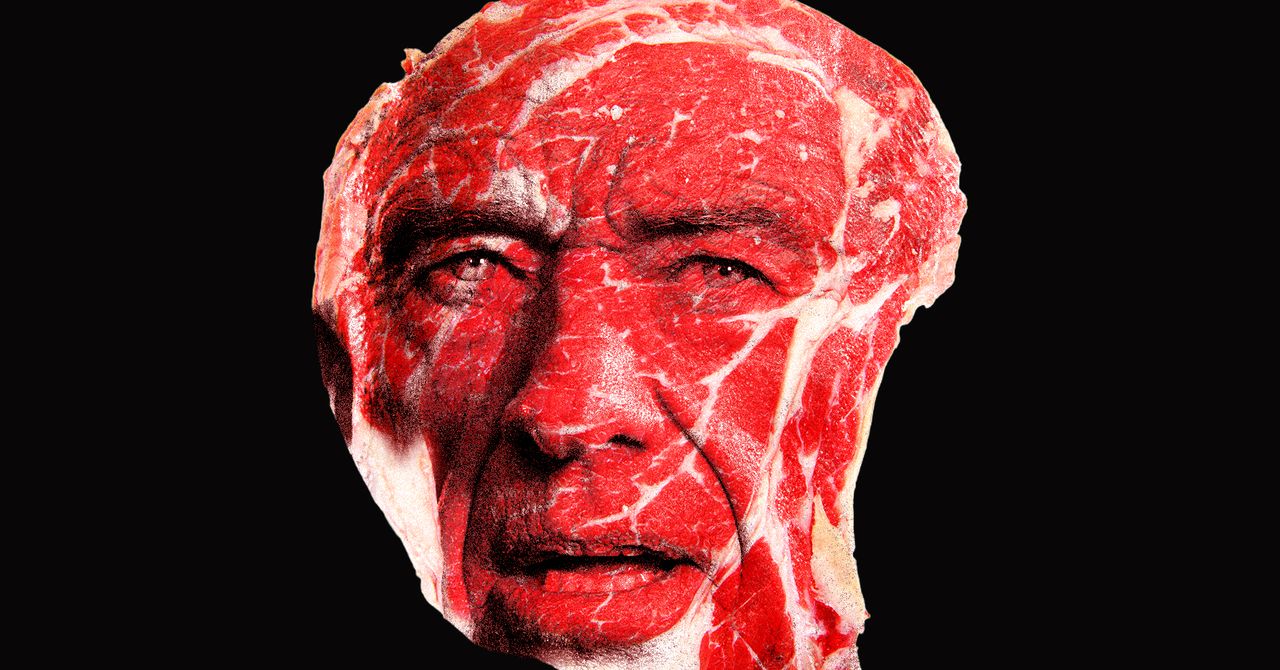
RFK Jr. Says He’s Ending the War on Protein. It Doesn’t Exist


In a somewhat baffling directive, US Health Secretary RFK Jr. claims he’s “ending the war on protein.”

The announcement, posted to White House’s X account on January 11 alongside an ominously lit photo of Kennedy, came as part of the federal government’s 2025-2030 Dietary Guidelines, which now prioritize protein “at every meal.” Some of the advice—particularly the avoidance of ultra-processed foods and added sugars—has been well received by dietary experts and health organizations like the American Heart Association. But other aspects of it represent shake-ups that defy scientific consensus. For example, the recommendation of consuming saturated fats found in full-fat milk, butter, and beef tallow contradicts previous nutritional guidance, which generally advised limiting saturated fats.

But one of the biggest takeaways from the new food guide—which will influence everything from SNAP to school lunches—is that Americans should be consuming more protein, ideally from animals.

“Today the lies stop,” Kennedy, leader of MAGA’s brawnier and crunchier offshoot, the “Make America Healthy Again” movement, said in an announcement about the new guidance on January 7. “ Protein and healthy fats are essential and were wrongly discouraged in prior dietary guidelines.”

The thing is, there is no war on protein. If ever there was one, it was lost long ago. Americans have quite literally never been as obsessed with protein as they are today, with consumption levels in the United States reaching record highs, even as protein deficiency is nearly nonexistent.

Still, Kennedy’s screed makes sense in the context of a MAGA movement that has made body image, fitness, and masculinity central tenets.

“They’re trying to tie it into the war on masculinity, the war on warrior culture. All of this stuff is connected,” said Colin Davis, a personal trainer and political commentator who has been critical of MAGA’s encroachment into the fitness space.

In August, Kennedy and Defense Secretary Pete Hegseth posted videos online of themselves doing push-ups and pull-ups as part of what they called the “Pete and Bobby Fitness Challenge.” Hegseth also convened an unprecedented meeting of US generals in Quantico, Virginia, in September to accost them over the military’s fitness and grooming standards. “It’s completely unacceptable to see fat generals and admirals in the halls of the Pentagon,” Hegseth said to the hundreds of generals in attendance.

President Trump himself has connected his movement to fitness through his friendship with UFC CEO Dana White, orchestrating a number of campaign appearances at UFC events in 2024. These de facto rallies put the then-presidential candidate in close proximity to young, physically fit men who would sometimes launch into post-fight rants supporting him; Trump would go on to flip the young male vote by a nearly 30-point margin in his favor during the 2024 election. In June, the White House is hosting a UFC cage fight as part of America’s 250th anniversary celebrations, Trump has said.

Some experts say Kennedy’s reworking of the dietary guidelines is a continuation of that project, in particular the emphasis on animal proteins, projecting a form of idealized masculinity by playing into long-held and well-researched cultural perceptions around food and gender.

“ There’s a long-standing association of men with meat, fire, cooking outdoors,” said Charlotte Biltekoff, professor of food, wine and culture at the University of California, Davis. “And women with lighter food, dieting for weight loss, vegetables, fruits and salads.”

All of this serves to put the president and his broader political movement into the proximity of a kind of aspirational masculinity that is high agency, strong, physically attractive, and neatly situated within traditional gender roles.

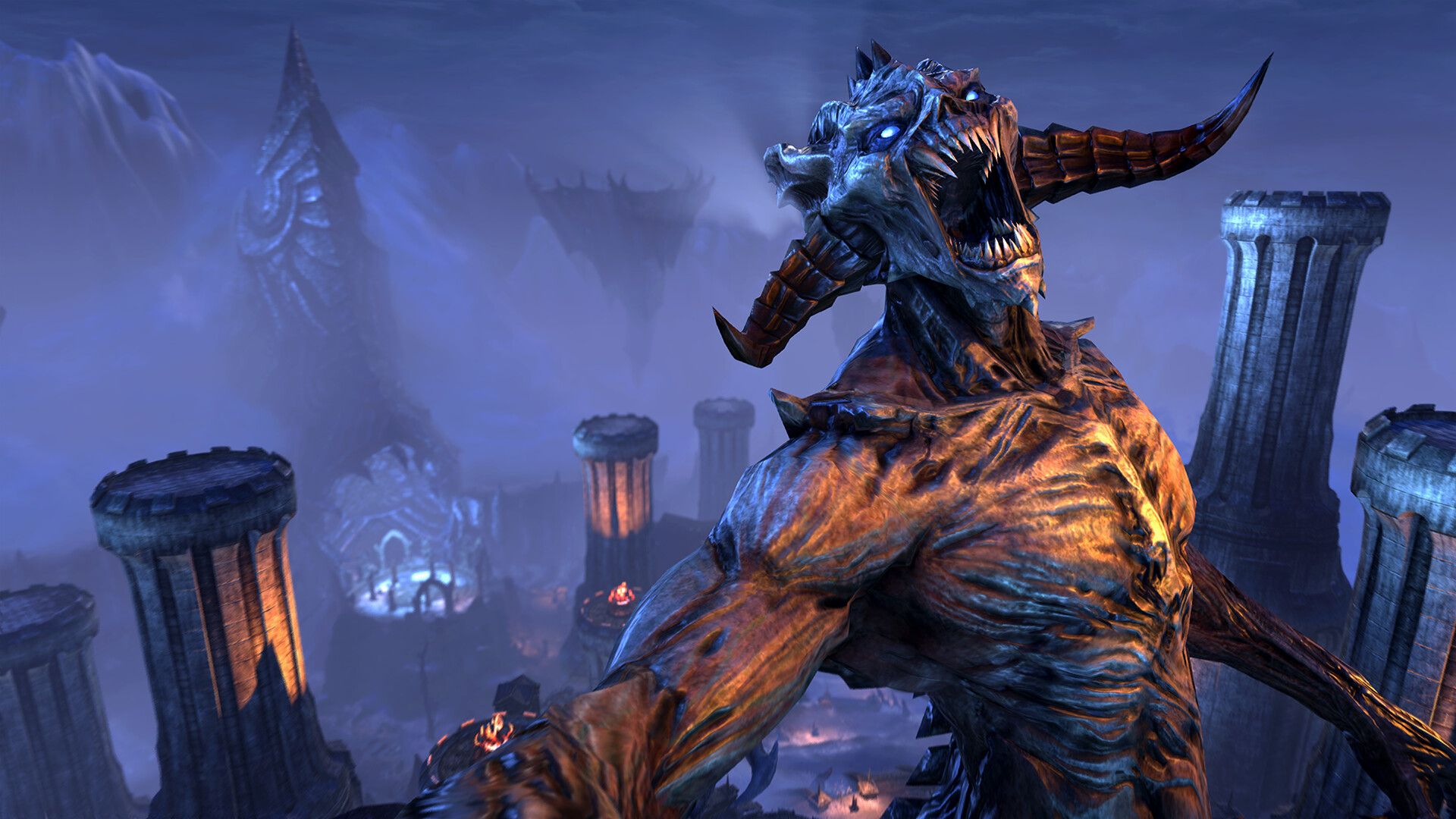
Elder Scrolls Online lead says Xbox’s layoffs aren’t the reason the MMO is switching over to smaller updates: “Seasons is not in any way a response to that”


Last week, The Elder Scrolls Online studio Zenimax Online revealed in the game’s 2026 roadmap that it’s ditching the huge, annual expansions it’s been doing for years in favor of smaller, seasonal updates every three months. It’s not an unprecedented move by any means, with fellow Xbox Game Studios developer Rare taking Sea of Thieves in a similar direction a few years back. That said, with Microsoft’s brutal layoffs last year still fresh on the memory, it’s hard not to question… why now? After 11 years, why now?

Well, we don’t really have a hard answer to that question (Zenimax Online has said it’s to allow for “greater choice and variety”), but according to ESO executive producer Susan Kath, it has nothing to do with Microsoft‘s downsizing, which heavily impacted Zenimax Online and resulted in the cancelation of what would’ve been its first new project in 12 years, Blackbird.

c++ – Should I be able to use the size of another argument as a default value?


This code compiles correctly wit GCC, but it complains on MSVC:

template <typename T>
std::ostream& raw_write(std::ostream& os, T& val, size_t size = sizeof(val)) {
    return os.write(reinterpret_cast<char*>(&val), size);
}

The error is:(5): error C2065: 'val': undeclared identifier.

Here is a demo.

This version instead works correctly:

template <typename T>
std::ostream& raw_write(std::ostream& os, T& val, size_t size = sizeof(T)) {
    return os.write(reinterpret_cast<char*>(&val), size);
}

Is this another MSVC non compliance?

Nvidia App Update Rolls Out DLSS 4.5, Adds New Control Panel Options


This week, Nvidia released version 11.0.6 of its Nvidia App. The update brings DLSS 4.5 Super Resolution out of beta, making it available to all GeForce RTX GPU owners.

DLSS 4.5 Super Resolution uses a second-generation transformer model to deliver image-quality improvements across more than 400 games and applications. This new model uses 5x more compute power than the first-generation transformer model and trains on a bigger, high-fidelity dataset.

Nvidia says that DLSS 4.5 delivers improved stability, enhanced anti-aliasing, reduced ghosting, and clearer images. Performance Mode now matches or even beats native image quality. Ultra Performance is also a good option for 4K gaming.

The update introduces a new “Recommended” DLSS Override setting, replacing the previous “Latest” option. This preset automatically selects the optimal DLSS model based on the chosen quality setting.

Version 11.0.6 also brings the remaining Nvidia Surround settings from the legacy Control Panel, including bezel correction and hotkey shortcuts. The Nvidia App can update automatically, or users can manually download version 11.0.6 from Nvidia’s website. To enable DLSS 4.5, users also need Nvidia’s latest Game Ready driver installed.

Nvidia’s transition from the legacy Control Panel and GeForce Experience to the unified Nvidia App is a relief to many long-term users, especially as the 20-year-old Control Panel inches closer to retirement.

How to Take Advantage of Error Fare Deals for Cheaper Business Trips in 2026


Business travel in 2026 doesn’t have to cost a fortune. In fact, savvy travelers can save hundreds (or even thousands) of dollars on airfare by taking advantage of error fares. These are rare, often fleeting pricing mistakes made by airlines or booking platforms that, when booked wisely, can offer extraordinary deals on flights. But while the potential savings are enormous, navigating error fares safely requires awareness, preparation, and a careful approach to avoid pitfalls.

As the Chief Information Officer at SlickTrip (a leading flight price drop website), I’ve witnessed firsthand how savvy travelers can take advantage of error fares. Here is what to know about what error fares are, how to spot them, tips for booking safely, potential risks to be aware of, and strategies to maximize your savings. This guide will give you the tools to fly smarter and spend less, all without compromising your travel plans. 

What Are Error Fares?

An error fare occurs when an airline or travel booking platform accidentally lists a flight at an incorrect price. These mistakes can result from human error, system glitches, or misapplied promotions. Unlike regular sales or discounted fareserror fares are often drastically lower than the market rate, making them highly sought after by deal-hungry travelers.

Common Types of Error Fares

Error fares can take several forms. Typo fares occur when a simple data-entry mistake, such as entering “$100” instead of “$1,000,” creates massive savings. Currency conversion errors also sometimes lead to international fares being miscalculated, resulting in unbelievably low prices. Mispriced promotions happen when deals intended for specific routes or dates are accidentally applied to unintended flights. Glitch fares on third-party booking sites can also occur when platforms miscommunicate with airlines, causing temporary pricing errors

These error fares are usually short-lived, as airlines often correct them within hours or days, making timing critical. While some travelers may receive confirmation from the airline, there’s no guarantee, which means it’s essential to act quickly while remaining cautious. 

How to Find Error Fares

Finding error fares requires vigilance, speed, and the right tools. One of the most effective ways to track them is by leveraging dedicated resources and travel communities. Specialized websites and blogs, such as SecretFlyingTheFlightDeal, and Airfarewatchdog, monitor and post error fares from around the world. These sites often provide instructions for booking and tips on how to act quickly. 

Flight tracking apps like SlickTrip are also useful, as they offer real-time monitoring of flight costs and price alerts for specific routes. These are key for error fare detection. Subscribing to newsletters from airfare blogs and deal sites can also give you a crucial head start, as some deliver error fare alerts in real time. Social media platforms and online forums, including Reddit communities like r/FlightsDeals and various Facebook groups, can be invaluable as well. Members frequently sharing error fares before they disappear.

Tips for success: have your travel dates flexible, be ready to book immediately, and keep multiple payment options handy. The first traveler to book an error fare often secures the deal. 

Tips for Booking Error Fares Safely

While the potential savings from error fares are enticing, they do come with risks. To minimize these risks, it’s important to act quickly but cautiously. Always double-check the itinerary, airport codes, and travel dates before booking, as a misread route or incorrect airport can turn what seems like a bargain into a costly mistake. Using flexible payment methods can also provide an extra layer of protection. For example, credit cards often offer better dispute options and fraud protection compared to debit cards. Non-refundable or unusual payment methods can also leave you vulnerable if the airline cancels the flight. 

Additionally, it’s crucial to review airline policies, including cancellation, change, and refund rules. Some airlines may honor an error fare but impose restrictions that limit flexibility. Travelers should also be vigilant against scams. Booking only through reputable websites and avoiding unfamiliar third-party platforms reduces the risk of falling for deals that seem too good to be true. Finally, reading the fine print is essential, as taxes, fees, and seat availability can significantly affect the true cost of an error fare. It is vital to ensure the booking aligns with your travel plans. 

By taking these precautions, you can secure error fares safely and enjoy significant savings without unnecessary risk.

Potential Risks and How to Handle Them

Booking error fares comes with its share of challenges, and understanding potential pitfalls can help travelers prepare for unexpected outcomes. One key risk is airline cancellations or fare reversals. Airlines are not obligated to honor error fares, so having a backup plan or travel insurance can help mitigate disappointment if a booking is canceled. 

Another common issue is limited availability. Because error fares are usually deeply discounted, the number of seats offered at the lower price is often very small, making it crucial to act quickly to secure a spot. Travelers should also be aware that standard travel insurance may not cover trips booked through error fares, so it’s important to review policies carefully before purchasing coverage. 

Financial protection is another consideration. Using a credit card for payment, keeping thorough documentation, and monitoring airline communications closely can provide recourse for refunds or chargebacks if a booking is canceled. By being aware of these risks and planning accordingly, travelers can act strategically when airlines correct pricing errors and still take advantage of significant savings.

Maximizing Your Savings

Error fares offer more than just cheap flights, as they can be a powerful way to maximize the value of your business trip. For example, if you have frequent flyer miles or hotel points, booking an error fare can multiply your savings. Some travelers even earn points on mispriced fares, boosting overall rewards and making the deal even sweeter.  Another way to get more from an error fare is by planning multi-city trips or stopovers. By adding extra destinations or connecting flights, you can turn a single low-cost ticket into a chance to explore multiple cities without spending a fortune. 

It also pays to monitor follow-up deals. Airlines sometimes release promotions or offer upgrades after an error fare has been booked, so staying alert can help you enhance your travel experience even further. By strategically combining error fares with rewards programs and thoughtful planning, a single pricing mistake can become a luxurious, cost-effective adventure. 

Case Studies / Real-Life Examples

Real-life success stories show that while error fares can be unpredictable, they are a legitimate way to travel cheaper when approached responsibly. The Transatlantic Bargain is a perfect example of the power of error fares. A traveler discovered a typo fare from New York to London listed at $120 instead of $1,200. By acting immediately and securing the booking with a credit card, they locked in round-trip airfare for a fraction of the usual cost. 

In another example, the Asia-Pacific Glitch involved a mispriced flight from Los Angeles to Tokyo that allowed a family of four to travel for half the normal fare. They booked quickly, carefully checked airline confirmations, and used flexible accommodations to ensure their trip went smoothly and safely. 

Real-life examples like these highlight the importance of preparation, diligence, and swift action. These stories also offer valuable lessons. Common mistakes include ignoring airline confirmation emails, booking through unreliable websites, or assuming the fare guarantees a seat without verification.

Unlock Incredible Savings with Error Fares!

Error fares offer travelers a chance to fly affordably and explore the world without overspending. By acting quickly, verifying travel details, using trusted websites and secure payment methods, and understanding airline policies, you can avoid common pitfalls like cancellations or limited availability. Maximizing value with loyalty points, multi-city trips, and follow-up deals makes these fares even more rewarding. With preparation, vigilance, and flexibility, error fares can turn a simple pricing mistake into unforgettable, budget-friendly adventures.

Find a Home-Based Business to Start-Up >>> Hundreds of Business Listings.